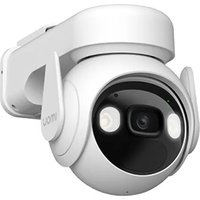
Cell PT Lite - Camera IMOU - Free user manual and instructions
Find the device manual for free Cell PT Lite IMOU in PDF.


Pick your language and provide your email: we'll send you a specifically translated version.
| Product Type | Indoor Pan-Tilt Security Camera |
| Dimensions | Approx. 100 x 100 x 120 mm (3.9 x 3.9 x 4.7 in) |
| Weight | Approx. 250 g (8.8 oz) |
| Power Supply | DC 5V/1A via USB (adapter included) |
| Resolution | 1920 x 1080 (Full HD) |
| Pan & Tilt Range | Pan: 360°, Tilt: 90° (motorized) |
| Night Vision | IR LEDs, up to 10 m (33 ft) |
| Audio | Two-way audio (built-in mic & speaker) |
| Wi-Fi | 2.4 GHz IEEE 802.11 b/g/n |
| Storage | MicroSD up to 128 GB (not included) |
| Motion Detection | Yes, with push notifications |
| Privacy Mode | Manual privacy shielding via app |
| Compatibility | iOS / Android via Imou App |
| Maintenance | Clean lens with a soft, dry cloth; avoid liquids |
| Safety Precautions | Do not expose to humidity or extreme temperatures |
| Spare Parts & Repairability | No user-replaceable parts; contact Imou support |
| General | Brand: Imou, Model: Cell PT Lite, Color: White |
Frequently Asked Questions - Cell PT Lite IMOU
How do I reset the camera to factory settings?
Press and hold the reset button located on the bottom of the camera for about 10 seconds. The camera will reboot and reset to factory defaults.
How to connect the camera to Wi-Fi?
Download the Imou App, create an account, and follow the in-app instructions to add the device via QR code scanning or WPS.
Does the camera support night vision?
Yes, it has built-in IR LEDs that provide clear black-and-white images up to 10 meters in complete darkness.
Can I view the camera remotely?
Yes, through the Imou App on your smartphone or tablet from anywhere with an internet connection.
Is the camera weatherproof?
No, the Cell PT Lite is designed for indoor use only. Do not expose it to rain or moisture.
How to manually adjust the camera's direction?
The camera pans and tilts automatically via the app. You can also move it manually by gently pushing the lens, but it is motorized for app control.
Does it support a microSD card for local storage?
Yes, it accepts a microSD card up to 128 GB for continuous or event-based recording.
Why is my camera showing offline?
Check your Wi-Fi connection and router. Ensure the camera is within range. Restart the camera and router if needed.
Can I share access with family members?
Yes, inside the Imou App, you can invite other users by email or share a QR code for guest access.
What is the field of view?
The camera provides a 360° horizontal (pan) and 90° vertical (tilt) viewing angle, giving full room coverage.
User questions about Cell PT Lite IMOU
0 question about this device. Answer the ones you know or ask your own.
Ask a new question about this device
No questions yet. Be the first to ask one.
Download the instructions for your Camera in PDF format for free! Find your manual Cell PT Lite - IMOU and take your electronic device back in hand. On this page are published all the documents necessary for the use of your device. Cell PT Lite by IMOU.
USER MANUAL Cell PT Lite IMOU


Manual assistant
Powered by Anthropic
Waiting for your message
Product information
Brand : IMOU
Model : Cell PT Lite
Category : Camera