
S41FA - Camera IMOU - Free user manual and instructions
Find the device manual for free S41FA IMOU in PDF.


| Product Type | Indoor/Outdoor Security Camera |
| Model | S41FA |
| Brand | Imou |
| Dimensions | Approximately 100 x 70 x 70 mm |
| Weight | Approximately 300 g |
| Power Supply | DC 12V, 1A (adapter included) |
| Video Resolution | 1080p Full HD (1920 x 1080) |
| Night Vision | Up to 30 meters with IR LEDs |
| Field of View | 120° diagonal |
| Motion Detection | Yes, with customizable zones and alerts |
| Two-Way Audio | Built-in microphone and speaker |
| Storage | MicroSD card (up to 256 GB) or cloud storage |
| Connectivity | Wi-Fi 2.4 GHz, IEEE 802.11 b/g/n |
| Weather Resistance | IP67 (dust and water resistant) |
| Maintenance | Wipe with a dry cloth; keep lens clean |
| Security | Encrypted data transmission, password protection |
| Spare Parts | Mounting kit, screws, and power adapter available separately |
| Repairability | Professional repair recommended; no user-serviceable parts |
| General Information | Supports Imou app for remote viewing and control |
Frequently Asked Questions - S41FA IMOU
User questions about S41FA IMOU
0 question about this device. Answer the ones you know or ask your own.
Ask a new question about this device
Download the instructions for your Camera in PDF format for free! Find your manual S41FA - IMOU and take your electronic device back in hand. On this page are published all the documents necessary for the use of your device. S41FA by IMOU.
USER MANUAL S41FA IMOU
natural_image
Front view of a white IMou security camera with two lenses and a lens (no visible text or symbols)IPC-S41FA
4MP P&T PoE Camera
S41FA delivers 4MP live monitoring with a choice of 3.6mm/6mm lens option, With 4MP QHD live monitoring and 0\~355° pan & 0\~90° tilt features, S41FA ensures every corner of your home completely covered. It supports four night vision modes for clear-as day clarity even in pitch dark. With IP66 certified, the camera can be used outdoors under different weather conditions. With built-in spotlight, S41FA actively keeps unwelcome visitors away from what you care about.

H.265 4MP QHD
More details presented than 1080p

Human Detection
Quickly find human targets in you home

Smart Color Night Vision
Support four-mode night vision for clear-as day clarity even in pitch dark

Active Deterrence
Scare away unwelcome visitors with built-in spotlight

IP66
Weatherproof from dust and water

Built-in Microphone
High quality microphone picks up sounds clearly while monitoring

Diversified Storage
Supports NVR, Cloud Storage or Micro SD card (up to 256GB)

Alarm Notification
Sends instant motion-activated alerts to your mobile phone

Smart Tracking
Automatically tracks moving objects

PoE
An Ethernet cable provide both data connection and electric power.
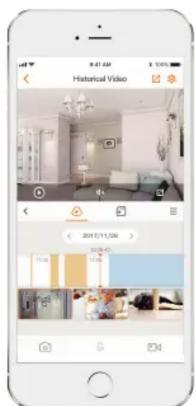
Stay close with what you care
With Cloud service, you will have access to what you care as long as Internet is available. You can record daily or motion videos on Cloud and play back anytime anywhere.
Specifications
Camera
1/3" 4 Megapixel Progressive CMOS
4MP(2560 x 1440)
Night Vision: 30m(98ft) Distance
3.6mm/6mm Fixed Lens
Field of View: 3.6mm: 79° (H), 44° (V), 94° (D)
6mm: 48^ (H), 28^ (V), 56^ (D)
355° Pan & 0\~90° Tilt
Video & Audio
Video Compression : H.265/H.264
Up to 25/30fps fps Frame Rate
16x Digital Zoom
Built-in Mic
Notice Management
Motion Detection
Configurable Region
Human Detection
What's in the box
- 1x Camera - 1x Mounting Template
- 1x Quick Start Guide - 1x Mounting Bracket
- 1x Power Adapter - 1x Waterproof Connector
- 1x Screw and Anchor pack
Network
1 x 100Mbps Ethernet Port
Imou App: iOS, Android
ONVIF
Auxiliary Interface
Micro SD Card Slot (up to 256GB)
Built-in Mic
Reset Button
General
DC 12V1A Power Supply
Power Consumption:<6.2W
Material: Plastic
Working Environment: -20° C\~+50° C, Less Than 95%RH
Dimensions: 120.7 × 136.2 × 183.3mm (4.75 × 5.36 × 7.22inch)
Weight: 390g (0.86lb)
CE, FCC
IP66
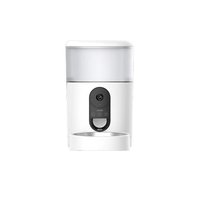
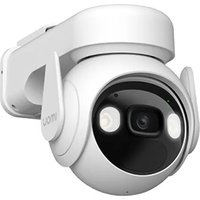


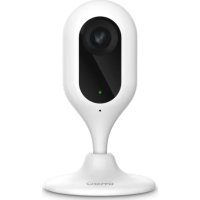
- IPC-S41FA
- 4MP P&T PoE Camera
- H.265 4MP QHD
- Human Detection
- Smart Color Night Vision
- Active Deterrence
- IP66
- Built-in Microphone
- Diversified Storage
- Alarm Notification
- Smart Tracking
- PoE
- Stay close with what you care
- Specifications
- Camera
- Video & Audio
- Notice Management
- What's in the box
- Network
- Auxiliary Interface
- General
Brand : IMOU
Model : S41FA
Category : Camera