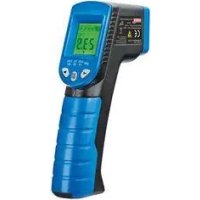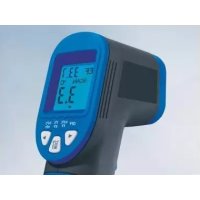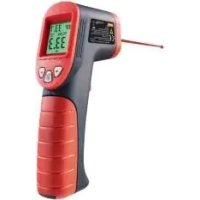
HG03067 - Thermometer POWERFIX - Free user manual and instructions
Find the device manual for free HG03067 POWERFIX in PDF.



| Product type | Infrared thermometer |
| Brand | Powerfix |
| Model | HG03067 |
| Dimensions | approx. 18 x 12 x 4.2 cm |
| Weight (without battery) | approx. 170 g |
| Power supply | 1 9V battery (type 6F22 or 6LR61) |
| Measurement range | -50 °C to +380 °C (-58 °F to +716 °F) |
| Measurement accuracy | For T > 0 °C: ±1.5 °C or ±1.5 %; for T < 0 °C: ±3 °C or ±3 % |
| Laser type | Class 2 |
| Laser wavelength | 650 nm |
| Laser output power | < 1 mW |
| Operating temperature | 0 °C to 40 °C |
| Air humidity | ≤ 75 % |
| Display | LCD screen with backlight |
| Main functions | Non-contact infrared measurement, laser pointer, temperature deviation display (color and sound), unit selection °C/°F, auto-off after 60 s |
| Care and cleaning | Clean with a dry lint-free cloth; for stubborn dirt, damp cloth with dish soap; do not allow foreign objects into the detector; clean the opening with light compressed air |
| Safety | Do not look into the laser beam; do not use in explosive or humid atmospheres; observe battery instructions; private use only |
| Warranty | 3 years from date of purchase |
| Intended use | Surface temperature measurement, private indoor/dry use |
| Spare parts and repairability | Not available; in case of malfunction, contact after-sales service |
Frequently Asked Questions - HG03067 POWERFIX
User questions about HG03067 POWERFIX
0 question about this device. Answer the ones you know or ask your own.
Ask a new question about this device
Download the instructions for your Thermometer in PDF format for free! Find your manual HG03067 - POWERFIX and take your electronic device back in hand. On this page are published all the documents necessary for the use of your device. HG03067 by POWERFIX.
USER MANUAL HG03067 POWERFIX
text_image
www.lidl-service.com PPR online EF 33.1 SCAN °C 33.3 OFF 0.5°C 3°C 5.5°C TF 5°F 10°F 0°F SETINFRAROT-TEMPERATURMESSGERÄT / INFRARED THERMOMETER / THERMOMÈTRE À INFRAROUGE
DE AT CH
INFRAROT- TEMPERATURMESSGERÄT
INFRARED THERMOMETER
Operation and Safety Notes
NL BE
INFRAROODTEMPERATUUR-MEETAPPARAAT
GB / IE Operation and Safety Notes Page 17
natural_image
Diagram of a firearm with three black oval shapes emitting from a diagonal line, no text or symbols presentBitte beachten Sie:
Intended use......Page 18
Functionality Page 18
Description of parts......Page 18
Scope of delivery......Page 19
Technical Data Page 19
Safety instructions......Page 19
Battery safety information......Page 20
Before use
Inserting / changing the battery ......Page 21
Start-up
Switching on and off......Page 22
Selecting the temperature unit......Page 22
Measuring temperature....Page 22
Show temperature deviation Page 24
Determine reference value ......Page 24
Select tolerance range......Page 24
Scan temperature deviation Page 24
Example of use......Page 25
Battery state display......Page 25
Troubleshooting Page 26
Maintenance and Cleaning......Page 26
Disposal Page 26
Warranty Page 27
Infrared Thermometer
- Intended use
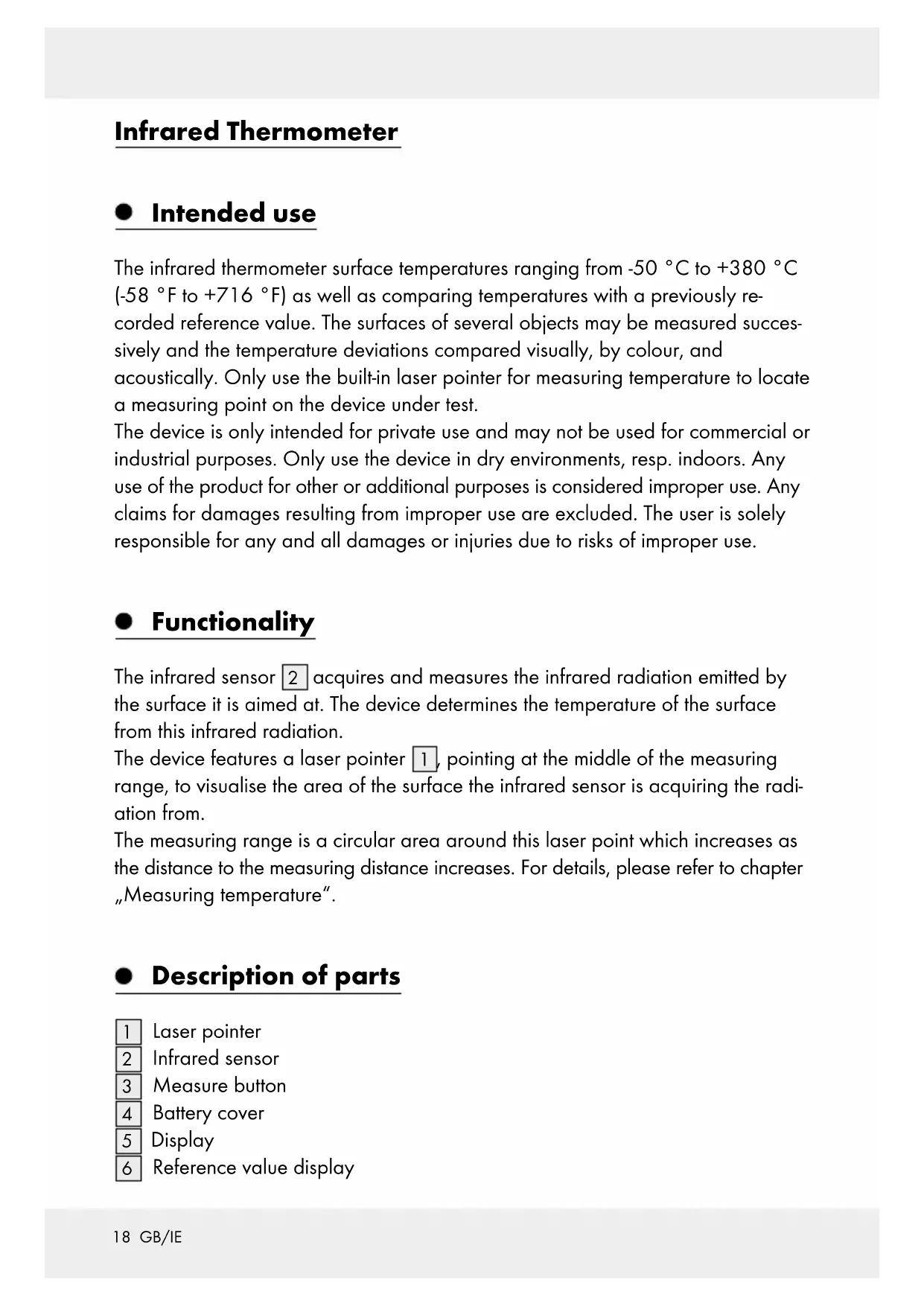
The infrared thermometer surface temperatures ranging from -50 °C to +380 °C (-58 °F to +716 °F) as well as comparing temperatures with a previously recorded reference value. The surfaces of several objects may be measured successively and the temperature deviations compared visually, by colour, and acoustically. Only use the built-in laser pointer for measuring temperature to locate a measuring point on the device under test.
The device is only intended for private use and may not be used for commercial or industrial purposes. Only use the device in dry environments, resp. indoors. Any use of the product for other or additional purposes is considered improper use. Any claims for damages resulting from improper use are excluded. The user is solely responsible for any and all damages or injuries due to risks of improper use.
- Functionality
The infrared sensor 2 acquires and measures the infrared radiation emitted by the surface it is aimed at. The device determines the temperature of the surface from this infrared radiation.
The device features a laser pointer 1, pointing at the middle of the measuring range, to visualise the area of the surface the infrared sensor is acquiring the radiation from.
The measuring range is a circular area around this laser point which increases as the distance to the measuring distance increases. For details, please refer to chapter „Measuring temperature“.
- Description of parts
1 Laser pointer
2 Infrared sensor
3 Measure button
4 Battery cover
5 Display
6 Reference value display
7 Temperature unit
8 Measurement
9 Tolerance range selection
10 button
11 °C/°F/SET button
12 button
13 9 V block battery
- Scope of delivery
1 Infrared thermometer
1 9 V block battery
1 Set of instructions for use
- Technical Data
Power supply: 1 x 9 V block battery (type 6F22 or 6LR61)
Measuring range: -50 ^ to +380 ^ ( -58 ^ to +716 ^ )
Measurement accuracy for T > 0 °C: ± 1.5 °C or ± 1.5% of the measurement
Measurement accuracy for T < 0 °C: ± 3 °C or ±3% of the measurement
Laser class: 2
Laser wavelength: 650 nm
Laser output power: <1 mW
Operating temperature: 0 °C to 40 °C
Humidity: ≤ 75%
Dimensions: approx. 18 x 12 x 4.2 cm
Weight without battery: approx. 170 g

Safety instructions
Before using the product, please familiarise yourself with all of the safety information and instructions for use! When passing this product on to others, please also include all the documents!
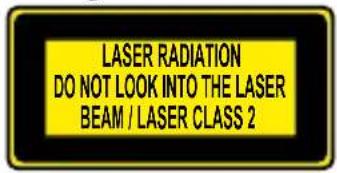
Danger from laser radiation
text_image
LASER RADIATION DO NOT LOOK INTO THE LASER BEAM / LASER CLASS 2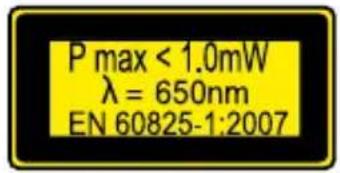
text_image
P max < 1.0mW λ = 650nm EN 60825-1:2007
This device features a Class 2 laser.
■ Never direct the laser beam at persons or animals.
■ Never look directly into the beam. Even a weak laser beam can cause eye damage.
■ Never point the laser beam at reflective surfaces or materials. Even a reflected laser beam can cause eye damage.
■ Any adjustment intensifying the laser beam is prohibited. Risk of injury!
We assume no liability for damages arising from manipulating the laser device and for failure to observe the safety notices.
This product may be used by children age 8 years and up, as well as by persons with reduced physical, sensory or mental capacities, or lacking experience and knowledge, so long as they are supervised or instructed in the safe use of the appliance and understand the associated risks. Do not allow children to play with the device. Cleaning and user maintenance should not be performed by children without supervision.
- Do not use this product if you notice any damage.
- Keep away from open flames!
■ Protect the device from moisture and from liquids entering the device.
■ Avoid direct sunlight.
Do not modify the device.
CAUTION! EXPLOSION HAZARD! Do not use the device in locations with a fire hazard or explosion hazard, for example near flammable liquids or gasses.
● Battery safety information
WARNING! DANGER TO LIFE! Batteries are not intended for children.
Seek immediate medical attention if swallowed!
CAUTION! EXPLOSION HAZARD! Never recharge non-re-chargeable batteries, do not short-circuit and / or open batteries!
■ Never throw batteries into fire or water!
- Do not exert mechanical loads to batteries.
Risk of battery leakage
In the event of a battery leak, immediately remove it from the device to prevent damage!
- Avoid contact with the skin, eyes and mucous membranes! In the event of contact with battery acid, thoroughly flush the affected area with plenty of clean water and seek immediate medical attention!
- Avoid extreme environmental conditions and temperatures, which could affect batteries, e.g. above radiators/in direct sunlight.
■ Remove the battery from the device if it will not be used for a prolonged period!
Risk of equipment damage
■ Only use the specified battery type!
- When inserting the battery ensure the correct polarity has been used! This is indicated inside the battery cover.
If necessary, clean the contacts of the battery and the battery compartment before inserting the battery.
■ Promptly remove drained batteries from the product!
- Before use
The display 5 is covered by protective film to protect from transport damage. First remove the protective film.
To operate the device, insert the included battery (9 V block). Proceed as described below:
- Inserting / changing the battery
☐ To insert / change the battery 13, open the battery cover 4. To do so, slide the battery cover in the direction of the arrow and flip open.
☐ If applicable, remove the old battery and insert a new one. If necessary, clean the contacts of the battery compartment and the battery. Only use a 9 V block battery type 6F22 or 6LR61.
☐ Ensure the correct polarity when inserting the battery. This is indicated on the battery cover (Fig. C).
☐ Close the battery cover.
Your infrared thermometer is now ready for use.
- Start-up
☐ Hold the handle of the device so the index finger can operate the Measure button 3 and the thumb buttons 10 to 12.
- Switching on and off
☐ Press the Measure button 3 to switch on the device. The display 5 will light up and a brief tone will sound.
☐ Press and hold the °C / °F / SET button 11 for approx. 3 seconds to switch off the device. Two brief tones will sound.
☐ When the device is no longer being used, the backlight of the display swill switch off after approx. 15 seconds. After approx. 60 seconds the device will automatically switch off; this is indicated by two brief tones.
- Selecting the temperature unit
After switching on, the last temperature unit used will initially be selected.
Briefly press the °C/°F/SET button 11 to change the temperature units 7 (°C or °F).
The official temperature unit in Europe in °C.
- Measuring temperature
Allow about 30 minutes for the device to acclimate to the conditions of the environment.
☐ Hold the Measure button 3 whilst aiming the laser pointer 1 at the surface you wish to measure.
☐ The temperature is measured whilst pressing the Measure button; the display 5 will read „SCAN”.
After releasing the Measure button the last temperature measured will appear in the display and the laser pointer will be deactivated.
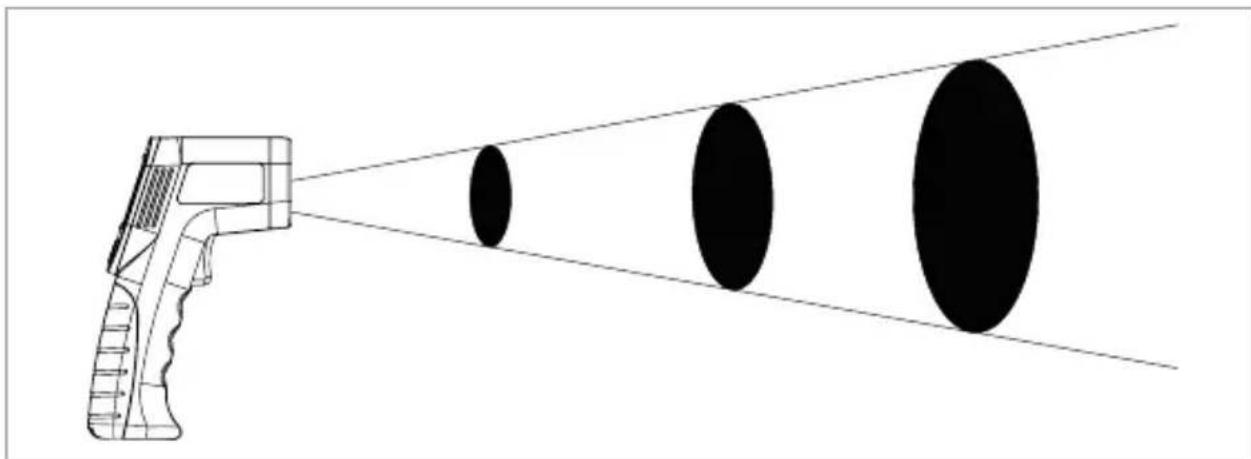
☐ The temperature determined is the average temperature of the area measured. The area measured is circular. The diameter of the area measured „S“ is one twelfth of the distance between the surface and the infrared sensor 2 „D“. Below you will find some values as a guide:
| S (for surface diameter): 25 mm 75 mm 125 mm | |||
| D (for distance): 300 mm 900 mm 1500 mm |
natural_image
Diagram of a firearm with a pointed beam projecting three black circular objects (no text or symbols)Please note:
☐ The surface of the target object must be significantly larger than the measuring diameter of the device. Otherwise the measurement will not be reliable.
□ Always measure at the closest possible distance to the measuring surface.
Aim the device as vertical to the measuring surface as possible.
Do not measure in dusty, steaming or smoky atmospheres.
Do not measure through transparent materials such as glass or plastic.
• Show temperature deviation
The temperature deviation is the difference between a previously established reference value and a temperature measurement. The display 5 indicates the deviations as numeric values and displayed in colour. An acoustic signal also sound.
• Determine reference value
☐ Press the measure button 3 and aim the laser pointer 1 at the area of which you wish to use the temperature as the reference. The temperature is indicated in the display 5.
☐ Whilst holding the Measure button, press the °C / °F / SET button 11 to use the temperature value as the reference value. This temperature is indicated in the display next to „REF“ as the reference display 6.
- Select tolerance range
You can set the temperature deviation from the reference value as of which the device will respond with a visual and acoustic signal.
☐ To do so, whilst the reference value 6 appears in the display 5 press the ▶ button 10 or the ◀ button 12. Using this button the ▼ symbol will move to the right (▶) or to the left (▶ above the tolerance range 9 selection in the display.
Use this method to select the tolerance range indicated below the display:
| OFF | 0.5°C1°F | 3°C5°F | 5.5°C10°F |
- Scan temperature deviation
☐ Select a reference temperature as described above.
☐ Press the Measure button 3 and aim the laser pointer 1 at the area you wish to measure. The temperature is indicated in the display 5.
☐ Hold the measure button whilst scanning, and slowly and steadily move the laser dot across the surface you wish to measure. The temperature deviations between the reference value and the measurement are indicated as follows:
| Visual indication | Acoustic indication | Cause |
| Red display background | Rapid tone series | The upper temperature threshold has been exceeded |
| Green display background | No tone Within the | temperature range setting |
| Blue display background | Slow tone series | The value is below the lower threshold |
Example of use
To e.g. test cold air entering the space between a window frame and brickwork, first scan the temperature along the entire frame, next to the closed window. Select the warmest area of the frame as the reference temperature, then e.g. a temperature variation of 3^ C/ 5^ F.
Now steadily scan again, along all sides of the window, next to the frame. The blue colour display and a slow tone series indicates a possible influx of cold air with a difference of 3 ^ / 5 ^ .
Battery state display
The battery symbol discears in the display is too low.
5 as soon as the battery voltage
☐ Insert a new battery as described in chapter „Inserting/replacing the battery“ when this symbol appears.
☐ A drained battery may leak. In addition, the measurement may not be accurate as specified in „Technical Data“ if the battery voltage is low.
- Troubleshooting
Note: The device contains sensitive electronic components. For this reason it is possible that it can be disrupted by radio transmitting equipment in the immediate vicinity. If you notice that the device is malfunctioning, remove any sources of interference from the area around the device.
Note: Electrostatic discharge can cause malfunctions. In the event of such malfunctions, briefly remove and replace the battery.
The following table will help you locate and correct minor malfunctions:
| Fault Possible cause Solution | ||
| The display 5 is blank. | The battery 13 is inserted incorrectly. | Insert the battery as shown on the battery cover 4 (Fig. C). |
| The battery is drained. Insert a new battery. | ||
| The display reads "Lo". | The temperature to be measured is below the measuring range (<-50 °C or -58 °F). | This device is unable to measure this temperature. |
| The display reads "X", | The temperature to be measured exceeds the measuring range (>+380 °C or +716 °F). | |
● Maintenance and Cleaning
- Ensure that no water enters the device during cleaning!
☐ Regularly clean the product with a dry, lint-free cloth.
☐ If the product is very dirty, use a slightly damp cloth with a detergent.
☐ Ensure no objects enter the opening for the infrared sensor 2. If necessary, only clean the opening with light compressed air.
- Disposal
The packaging is made of environmentally friendly materials, which may be disposed of through your local recycling facilities.
Please contact your local municipality or city administration for information on how to dispose of the worn out product. Please contact your local authority for information on collection points and their opening hours.
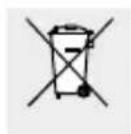
Never dispose of batteries in your household waste. They may contain toxic heavy metals and are subject to hazardous waste regulations. The chemical symbols of the heavy metals are: Cd = cadmium, Hg = mercury, Pb = lead. Therefore dispose of used batteries through your local collection site.
- Warranty
The device has been manufactured to strict quality guidelines and meticulously examined before delivery. In the event of product defects you have legal rights against the retailer of this product. Your legal rights are not limited in any way by our warranty detailed below.
The warranty for this device is 3 years from the date of purchase. Should this device show any fault in materials or manufacture within 3 years from the date of purchase, we will repair or replace it – at our choice – free of charge to you.
The warranty period begins on the date of purchase. Please keep the original sales receipt in a safe location. This document is required as your proof of purchase. This warranty becomes void if the device has been damaged or improperly used or maintained.
The warranty applies to faults in material or manufacture. This warranty does not cover product parts subject to normal wear, thus possibly considered consumables (e.g. batteries) or for damage to fragile parts, e.g. switches, rechargeable batteries or glass parts.
CE
Utilisation conforme......Page 29