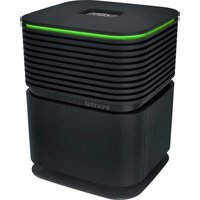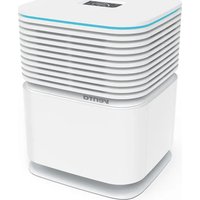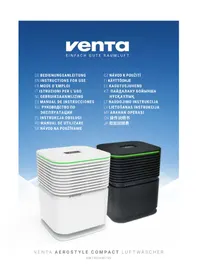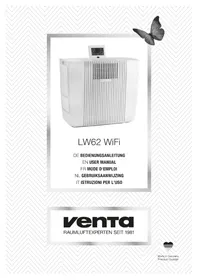
LW62 Wifi - Air purifier Venta - Free user manual and instructions
Find the device manual for free LW62 Wifi Venta in PDF.



User questions about LW62 Wifi Venta
0 question about this device. Answer the ones you know or ask your own.
Ask a new question about this device
Download the instructions for your Air purifier in PDF format for free! Find your manual LW62 Wifi - Venta and take your electronic device back in hand. On this page are published all the documents necessary for the use of your device. LW62 Wifi by Venta.
USER MANUAL LW62 Wifi Venta
natural_image
Exterior view of a white industrial air purifier unit with ventilation grilles and a digital display (no visible text or symbols)LW62 WiFi
natural_image
Illustration of a hand holding a folded paper or document with directional arrows indicating rotation (no text or symbols)EN Please note the fold-out pages! Page 1
Simplified EU Declaration of Conformity
Herewith, Venta-Luftwäscher GmbH declares that the radio equipment LW62 WiFi complies with Directive 2014/53/EU. The full text of the EU Declaration of Conformity is available at the Internet address: www.venta-luftwaescher.de/service/konformitaetserklaerung/

text_image
Labeled diagram of a computer monitor with numbered parts for identification
natural_image
White industrial server or equipment unit with ventilation slots and a small screen (no visible text or symbols)
natural_image
Exterior view of a modern office building (no signage)
natural_image
Close-up of a mechanical component with a black cable inserted, showing internal structure and a numbered label '03' (no readable text or symbols beyond label)
natural_image
Close-up of a mechanical component with a circular label 'A' in the corner (no readable text or symbols on the object itself)
natural_image
Close-up of a white plastic component with internal structure, next to a close-up of its textured circular feature (no text or symbols visible)
natural_image
Close-up of a mechanical component with a coiled spring and flanged top (no visible text or symbols)
natural_image
3D rendered image of a white industrial machine with a curved lid and internal components, showing no visible text or symbols.VIELEN DANK!
text_image
WIFI CONFIGURATION WIRELESS NETWORK Select network: VENTA LOGIN CREDENTIALS Security type: WPA / WPA2 PSK: ********** INTERNET ACCESS Access: full access CLOSE CONNECTtext_image
WIFI-AUTHORISATION INCOMING WIFI REQUEST.We are convinced that the Venta Airwasher will exceed your expectations and we hope you enjoy our product.
Please read these operating instructions completely, keep them for later use, and follow the safety instructions.
Please visit our website (www.venta-luftwaescher.de) to check for the latest version of this User Manual.
TABLE OF CONTENTS
Scope of delivery 13
Symbols 13
Safety instructions 14
Intended use 15
Technical data 15
Overview 16
Putting into operation 16
Functions & settings 18
WiFi setup 19
Venta app 20
Cleaning & maintenance 21
Troubleshooting 22
Accessories 22
About your privacy 23
Guarantee 23
Disposal 23
SCOPE OF DELIVERY
1 × Venta Airwasher LW62 WiFi
1 × Hygiene Disc (pre-assembled)
1 × UVC lamp
1 × Remote Control
If any parts are missing or damaged, please contact
service@venta-luftwaescher.de
SYMBOLS

Please read these operating instructions carefully and keep them for later use.

tion! Danger of accident and injury as well as property damage possible.

Do not use the appliance outdoors or in damp locations.

SAFETY INSTRUCTIONS
- This appliance is not suitable for use by children over the age of 8 years and people with restricted physical, sensory, or mental capacities or lack of experience and knowledge unless they are supervised or have received instructions on the use of the appliance and understand the existing hazards.
• The appliance is not a toy for children.
- Cleaning and user maintenance may not be performed by children under the age of 8 years or without supervision.
- Keep the appliance and its power cable out of the reach of children under the age of 8 years.
- Improper use can damage the appliance and cause physical injuries.
- Read the operating instructions completely before putting the appliance into operation and keep them for later reference.
- Plug the appliance into suitable power outlets only – the mains voltage must correspond to the nameplate data on the appliance.
- Disconnect the power plug before every cleaning or maintenance operation or transportation of the appliance.
- Never use the Airwasher if it has a damaged power cable.
- Spare power cables must conform with the type ‘cold device plug with clover leaf coupling IEC 320 C5’
- Never use the Airwasher if it has been dropped or damaged in any other way.
- Electrical appliances should only be repaired by professional specialists. Amateur repairs could result in considerable danger to the user.
- Do not sit on the appliance and do not place any objects on it.
- Do not put any foreign objects into the appliance.
- Do not immerse the appliance in water or any other liquid.
- Never disconnect the power plug by pulling on the cable or disconnect the power plug from the power supply outlet with wet hands.
- The Airwasher should only be operated when it is completely assembled.
- Place the Airwasher on a stable surface which is flat and dry.
- Ensure that the appliance is spaced at least 20 cm away from and 50 cm above any other objects, such as furniture and walls.
- Set up the device so that it cannot be knocked over, and so that no one can trip over it or its cable.
- Disconnect the power plug from the power supply outlet when the appliance is not in use.
- Never cover or block the vents to prevent overheating/damage to the appliance.
- Never overfill the Airwasher.
- Never transport or overbalance the Air-washer with a filled water basin.
- Do not look directly at the UVC light.
- Do not manipulate the UVC unit in any way.
- Never operate the device in case of a defective cable or damaged UVC tube.
- Do not add fragrance oil to the water. This may impair the function of the Hygiene Disc.
- Only use original Venta additives. Venta-Luftwäscher GmbH accepts no liability for damage which may be caused by the use of other additives.
INTENDED USE
The Venta Airwasher is a domestic appliance for moistening and cleansing the air in homes, offices and leisure facilities.
The appliance is not suitable for outdoor areas.
Any other use or modification of the appliance is considered to be improper use. The manufacturer is not liable for any damage or injuries resulting from improper use.
Using the appliance for something other than the intended purpose can endanger health and lives. This includes use under the following conditions:
- in rooms or locations where there is risk of explosion and/or where there is an aggressive atmosphere.
- in rooms where there is a high concentration of solvents.
- in the vicinity of swimming pools or other wet areas.
TECHNICAL DATA
| Model LW62 WiFi | |
| Humidifying capacity* up to 250 m2 | |
| Mains voltage 220-240V 50/ | 60 Hz |
| Speeds 5 | |
| Sound level 22/32/42/47/52 dB(A) | |
| Dimensions 61 × 30 × 52 cm | |
| Weight approx. 13 kg | |
| Motor output | approx. 6/9/16/25/38Wmax. 51 W |
| Water capacity | Water connection |
| WLAN frequency range | 2,4 GHz |
| WLAN transmission power | maximum 19 dBm |
* based on a ceiling height at a max of 2,5 m

OVERVIEW
1 Display
2 On/off switch
3 Evaporator compartment
4 Disc stack
5 Water basin
6 UVC lamp
7 Cable compartment
8 Hygiene Disc (pre-assembled)
9 Remote Control
10 Transportation wheels

Attention! Make sure that the appliance is switched off and the power plug is disconnected.
01 Unpack the appliance and set it up. Move the appliance with the transportation wheels 10 to the desired place. Lift the appliance slightly on the right sight.
Fixed mains water connection
Notes regarding the fixed mains water connection
The fixed mains water connection may only be installed by qualified technicians. Disconnect the device from the power grid before connecting it to the water supply. Shut off the water supply before connecting the water inlet tubes of the Venta LW62 WiFi. The water quality must correspond to the drinking water ordinance of the respective country in which the device is operated. The connection to the domestic water supply must be carried out according to the applicable regulations of the respective country. Also, all devices and mechanisms that are used for the supply of the water to the device must correspond to the applicable regulations of the respective country.
The water supply to the device must take place via a cold water connection that:
- can withstand the operating pressure.
- corresponds to hygiene regulations.
- The water pressure must lie between 150 and 600 kpa.
The accompanying stainless steel tube has a length of 2 m. An extension of the stainless steel tube is not permitted. A defective stainless steel tube may only be exchanged by a Venta original spare part (available from Venta customer service, in specialist shops). A shut-off valve must be installed between the stainless steel tube and the domestic water supply connection to be able to interrupt the water supply if necessary. Make sure that the shut-off valve is also accessible in the installed state of the device.
Connection to the water supply
A shut-off valve with a 34 " connecting thread is required for the connection to the water supply.
- Connect the stainless steel tube to the shut-off valve with the straight side. Make sure it is screwed in firmly.
- Fasten the stainless steel tube to the magnet valve on the lower side of the device. Make sure it is screwed in firmly and sealed properly.
- Open the shut-off valve of the water supply carefully and check the entire water system for leaks.
- Now connect the device to the electric power supply.
- Slide the device to the desired position. Make sure that the stainless steel tube is not bent or damaged.
02 The display 1 can be adjusted to three positions.
03 The power cable can be adjusted to the desired length by winding it up in the cable compartment 7.
Attention! The coupling of the mains cable must be plugged firmly into the device!
Please remove the protective foil for battery and remote control.
Connect the power plug and switch on the appliance at the on/off switch 2 or with the remote control 9.

text_image
ON/OFF Set fan stageATTENTION! Because of the filling process it may may take about 6 minutes for the device to start.
Description of UVC lamp
The air washer features a built-in UVC lamp 6. The UVC lamp is designed for a hygienically flawless operation of the air washer and prevents the formation of germs and bacteria in the water. It is active for 4 hours a day.
FUNCTIONS, SETTINGS & DISPLAYS

text_image
1 45 % HUMIDITY CHANGE HYGIENE DISC CLEANING CLOSE DOOR WATER LEVEL CAUTION! CHECK WATER INLET AND WATERSENSOR RESTART SYSTEM 2 SPEED 3 3 HUMIDITY 50% 4 TIMER 1h 10 11 9 12 OK CLEANING OFF AUTO OFF SLEEP MODE ON CHILD LOCK 5 35°C 15 0 50 90% REFROMENDED COMFORT ZONE 8The preferred setting can be selected or changed by briefly touching the respective function.
| Function Setting | ||
| 1 | Air humidity | Display air humidity. |
| 2 | Speed | Fan stage 1 (weak) – 5 (strong). |
| 3 | Humidity | 30 - 70% (in 5% increments) If the specified humidity is reached, the disc stack will not turn. |
| 4 | Timer | OFF / 1 / 3 / 5 / 7 / 9 h (hours)The appliance shuts off automatically after the pre-set hours have expired. |
| 5 | Temperature / Comfort zone | Temperature: Hold for 3 sec. to switch back and forth between °C and °F.Comfort zone: If the white dot is moving inside the green circle, the relative humidity and room temperature will be in the „comfort zone“ where one can feel comfortable. |
| 6 Auto | OFF Appliance operates with preset fan stage 1 – 5.ON The appliance automatically regulates the fan stages depending on the air humidity in the room. |
| 7 Sleep mode OFF/ON | Appliance reduces the fan stage to 1 and dims the display. The fan power can be manually changed if desired. |
| 8 Child lock OFF/ON | Hold for 3 sec. to activate/deactivate the key lock. |
| 9 Cleaning | Cleaning programThe cleaning process requires (1) 250 ml bottle of Venta Cleaner. Please follow the instructions on the display. Duration approx. 4 h. |
| 10 Notes | Display and confirmation of information messages. |
| 11 WiFi Display and setup of WiFi connection.grey: WiFi disabledgreen: WiFi connected, localblue: WiFi connected, full accessred: WiFi disconnected. Please check the WiFi configuration for network and login data. Follow the instructions on WiFi setup. | |
12 Select your language
WIFI SETUP

text_image
WIFI CONFIGURATION WIRELESS NETWORK Select network: VENTA LOGIN CREDENTIALS Security type: WPA / WPA2 PSK: ********** INTERNET ACCESS Access: full access CLOSE CONNECTHolding WiFi display 11 for three seconds will bring up the WiFi configuration. Choose your network from the “Select network” drop-down list. The “Security type” is set automatically as soon as the network is selected.
Enter your WiFi password/WiFi security code into the “PSK” field (ASCII input mode) and confirm it with the ENTER key. If your password contains special characters that are not represented on the keyboard, you can generate your entire password as a HEX code at the following website: www.venta-luftwaescher.de
Now enter your generated HEX code into the “PSK” field (HEX input mode) and confirm it with the ENTER key. Under “Access”, select the internet access privileges you desire.
full access: Access to all convenience functions in the app.
local access: local access to app use.
To establish a WiFi connection, confirm with the CONNECT button.
Green WiFi display: WiFi connection established (local access)
Blue WiFi display: WiFi connection established (full access)
Red WiFi display: no WiFi connection. Double-check your network and WiFi password.
Grey WiFi display: WiFi disabled
Actuating the CLOSE button calls up the device's control panel.
WiFi can be enabled or disabled by touching the WiFi display 11 on the appliance. If WiFi is disabled, the appliance will not connect to the Venta app.
VENTA APP
The device functions can be expanded and controlled with the Venta app. The Venta app is available for smartphones and tablets. You can download the Venta app at the following website: www.venta-luftwaescher.de


Then follow the instructions on your smartphone/tablet screen. When a connection is being established between the app and the device, a signal tone is emitted. Now confirm connection establishment to your smartphone/tablet on your device.

text_image
WIFI-AUTHORISATION INCOMING WIFI REQUEST.
CLEANING & MAINTENANCE
Note/Interval Actions
Cleaning The cleaning process requires (1) 250 ml bottle of Venta Cleaner. Please run the cleaning program by pressing the button CLEANING 9. Please follow the instructions on the display. Duration approx. 4 h.

Attention! Make sure that the appliance is switched off and the power plug is disconnected.
A Water level
B Caution!
Check water inlet and watersensor Restart System
Check that the shut-off valve of the water supply is opened.
A Check whether the water sensor in the water tray can be moved. Limescale incrustations must be removed.
B Check whether the coarse filter in the magnet valve is clogged.
ATTENTION! To avoid an overflow of the device, first carry out the checks mentioned above, then restart the device using the on/off button.
C Change
Hygiene Disc
Open the evaporator compartment 3. Remove the disk stack 4 and unlock the drive wheel. Remove the Hygiene Disc 8 and replace it. Re-assemble the device and touch the OK indicator in the display again and hold it for 3 seconds until it disappears.
The lifespan of the Hygiene Disc is approx. 3 months (with 24/7 operation) and can be affected by the hardness and quality of the water being used as well as the amount of time the unit is in operation (a reminder will appear on the interactive display).
The Hygiene Disc can be disposed with household refuse.
D Recommendation: every
10–14 days
Empty the residual water out of the water basin 5. Clean the water basin 5 and disk stack 4.
Any residue in the water basin and on the disc stack (white, greenyellowish or brown deposits or discolorations) do NOT impair the function of the device.
Recommendation every 3 years The intensity of the UVC lamp is exhausted after approx. 3 years. That is why the UVC lamp should be changed every 3 years. The UVC lamp is enclosed with a user manual.
TROUBLESHOOTING
Problem Solution
Appliance does not function.
Connect the power plug.
Connect the power cable coupling to the appliance.
Please contact VENTA customer service if you are unable to eliminate a problem with the help of this information:
Tel. +49 751 5008 88
e-mail: service@venta-luftwaescher.de
ACCESSORIES
Item Packaging unit/(pcs.)
Disk
Hygiene Disc 1 / 3
Cleaner
Venta Cleaner 1
UVC lamp 1
Accessories can be purchased through participating retailers or directly from Venta Airwasher.
ABOUT YOUR PRIVACY
Your information will be held by Venta Luftwäscher GmbH for marketing and servicing purposes. If your personal details change, if you change your mind about any of your marketing preferences or if you have any queries about how we use your information, please let us know by contacting
or by calling the VentaCare Customer Service: +49 751 5008 88.
Or you can email us at service@venta-luftwaescher.de
For more information on how we protect your privacy, please see our privacy policy on www.venta-luftwaescher.de
GUARANTEE
Due to the high quality of the product, the Venta-Luftwäscher GmbH guarantees that this product when used properly will not be defective for a duration of two years from the purchase date. If a material or processing error should occur anyway, please contact the VENTA service team or your dealer. Venta's general warranty conditions also apply: www.venta-luftwaescher.de/service/garantie/
DISPOSAL

The symbol “crossed-out trash can” requires separate disposal of waste electrical and electronic equipment (WEEE) and of empty batteries. Such equipment may contain dangerous and environmentally hazardous substances. These products should be disposed of at an appropriate collecting point for recycling electrical and electronic equipment and may not be disposed of with unsorted household waste. Do not dispose of empty batteries in household waste. Take them to special local collection sites. This way you can help to protect resources and the environment. For more information, please contact your local authorities.
Children must not be allowed to play with plastic bags and packaging material as there is danger of injury or suffocation. Store such material safely or dispose of it in an environmentally friendly manner.
MERCI!
text_image
WIFI CONFIGURATION WIRELESS NETWORK Select network: VENTA LOGIN CREDENTIALS Security type: WPA / WPA2 PSK: ********** INTERNET ACCESS Access: full access CONNECTCLOSINCOMING WIFI REQUEST.
YES N∅
Check water inlet and watersensor Restart System
text_image
WIFI CONFIGURATION WIRELESS NETWORK Select network: VENTA LOGIN CREDENTIALS Security type: WPA / WPA2 PSK: ********** INTERNET ACCESS Access: full access CONNECTCLOtext_image
WIFI-AUTHORISATION INCOMING WIFI REQUEST.
REINIGING & ONDERHOUD
Check water inlet and watersensor Restart System
text_image
WIFI CONFIGURATION WIRELESS NETWORK Select network: VENTA LOGIN CREDENTIALS Security type: WPA / WPA2 PSK: ********** INTERNET ACCESS Access: full access CONNECTCLOStext_image
WIFI-AUTHORISATION INCOMING WIFI REQUEST.Check water inlet and watersensor Restart System
HUNGARY Distributed by
Hungimpex Kft.
Kunigunda útja 60.
H-1037 Budapest
Tel.: +36 1 453 71 00
Fax: +36 1 453 71 01
BENELUX
Venta Benelux B.V.
No. 27, Jalan PP 11/4,
Alam Perdana Industrial Park,
Taman Putra Perdana,
47130 Puchong, Selangor, Malaysia
Tel.: +603-8322 6628
Fax: +603-8322 6066
E-Mail: info@gasales.com.my
MONGOLIA
AERIS LLC
SUITE 316, Barilga Architecture Building, Chinggis Avenue, Oron Suuts
Street, 2nd horoo, Khan-Uul district
Ulaanbaatar, Mongolia 17032
Phone: +976-99101185,
+976-99096696
sales@aeris.mn, www.aeris.mn
POLAND
Venta-Polen s.c.
ul. Poznańska 37
PL-93-134 Łódź
Tel./Fax: +48 42 681 00 67
www.venta-airwasher.pl
USA
Venta Air Technologies Inc.
US Headquarters
1005 N Commons Dr
Aurora, IL 60504
Toll Free: 1-888-333-8218
www.venta-usa.com
info@venta-usa.com
ROMANIA
S.C. Life Art Distributie S.R.L.
Bucuresti, Sector 6, Bdul. Timisoara
5 Star Business Park, Unit 2,
Persimmon Close, Honeydew,
Tel: +27 (0) 11 888 3255
Fax: +27 (0) 11 888 9874
info@eurocarewellness.co.za
www.venta-airwasher.co.za
SOUTH KOREA
Venta Korea Co., Ltd.
3/F., Seojin Bldg., 754
Seolleung-ro, Gangnam-Gu,
Seoul 135-948, Korea
Tel.: +82-2-2034-0114
Fax: +82-2-2034-0119
www.venta.co.kr
UKRAINE
Venta-Centre Ukrein
Schlichtera, 11
UA-Kharkov
Tel.: +38 057 752 72 72
Fax: +38 057 768 01 57
www.venta.com.ua