180351 - Battery charger MANHATTAN - Free user manual and instructions
Find the device manual for free 180351 MANHATTAN in PDF.



| Product Type | Charging and UV Disinfection Station |
| Brand | Manhattan |
| Model | 180351 |
| Charging Capacity | 12 devices (laptops, tablets, smartphones) |
| Charging Ports | USB ports and power outlets |
| Disinfection Function | UV cleaning lasting 30 minutes |
| Power Supply | 100-240 V AC, 50/60 Hz |
| Material | Steel and plastic |
| Weight | Approximately 15 kg (estimated) |
| Dimensions (W x H x D) | Approximately 60 x 80 x 40 cm (estimated) |
| Installation | On casters, wall-mountable, stackable |
| Safety | Lockable door, automatic stop if opened during UV cycle |
| Maintenance | Clean with a soft, dry cloth. Unplug before maintenance. |
| Spare Parts | Removable dividers, numbered bars, casters, covers |
| Repairability | Removable charging module and green plug |
| General Information | Compliant with EU directives 2014/30/EU and 2014/35/EU |
Frequently Asked Questions - 180351 MANHATTAN
User questions about 180351 MANHATTAN
0 question about this device. Answer the ones you know or ask your own.
Ask a new question about this device
Download the instructions for your Battery charger in PDF format for free! Find your manual 180351 - MANHATTAN and take your electronic device back in hand. On this page are published all the documents necessary for the use of your device. 180351 by MANHATTAN.
USER MANUAL 180351 MANHATTAN
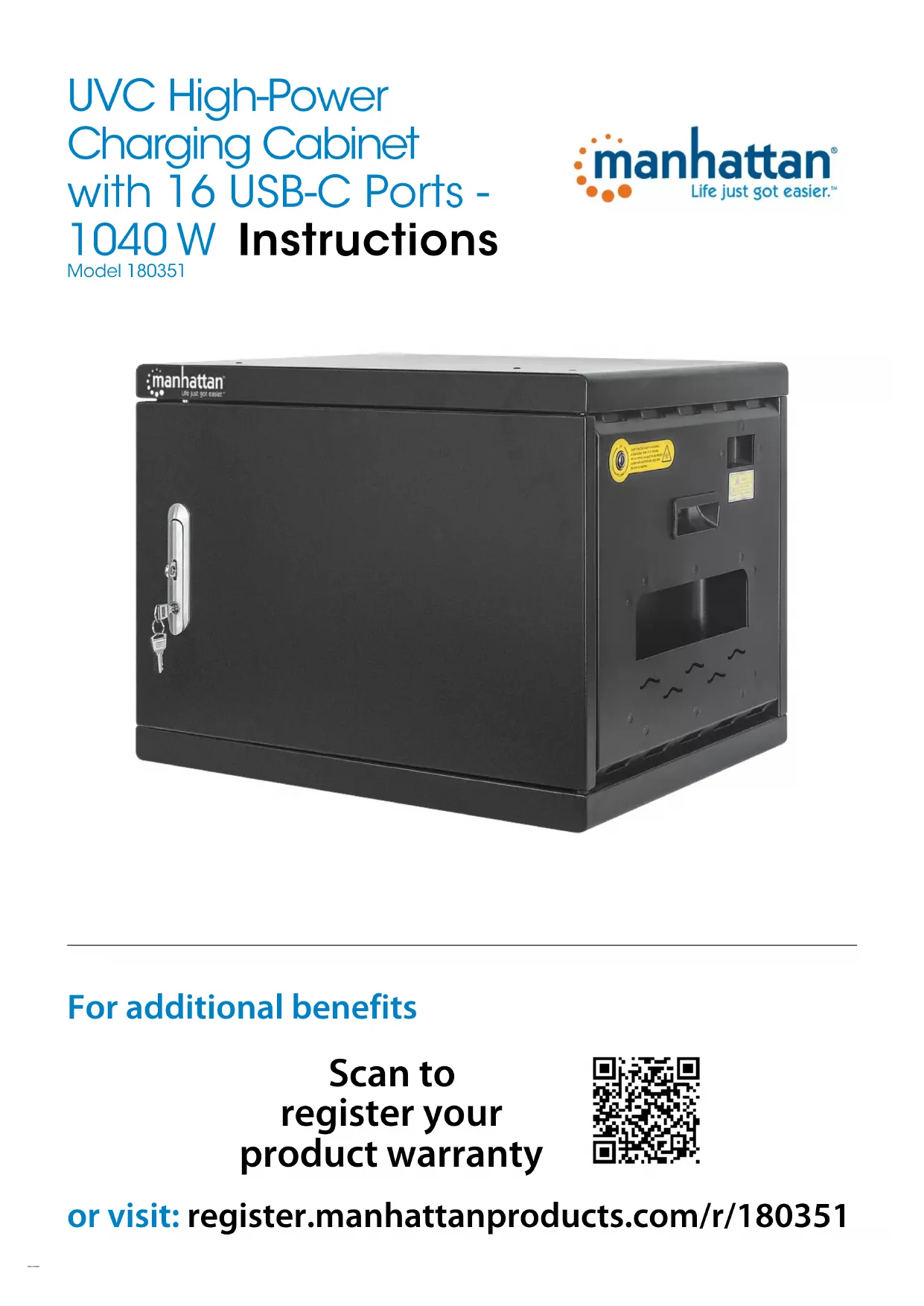
UVC High-Power Charging Cabinet with 16 USB-C Ports - 1040 W Instructions
Model 180351

text_image
manhattan® Life just got easier.
text_image
manhattan® Life just got easierFor additional benefits
Scan to register your product warranty

text_image
QR code image containing encoded data, no visible human-readable textor visit: register.manhattanproducts.com/r/180351
For specifications, please visit manhattanproducts.com. Register your product at register.manhattanproducts.com/r/180351 or scan the QR code on the cover.
Setup
1 Unlock unit door and open it (NOTE: on front door, pull handle up from bottom and turn counterclockwise).

text_image
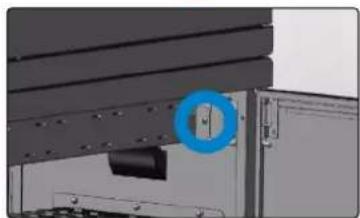
manhattan 12 To fit larger devices, remove bay divider(s).
- Unscrew numbered bar and set it aside.
• To remove divider, pull up on the clip to release it from the bar it's attached to. - When enough dividers are removed, replace numbered bar and screws.
natural_image
Close-up of a car's side panel with a blue circular highlight on the knob (no text or symbols visible)
natural_image
Close-up of a dark fabric surface with a blue circular highlight and a small white spot (no text or symbols)
natural_image
Close-up of a hand inserting a small electronic component into a white plastic housing (no text or symbols visible)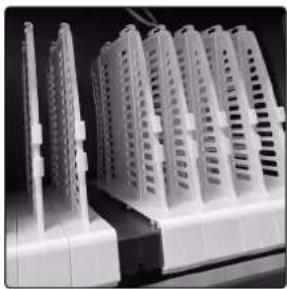
natural_image
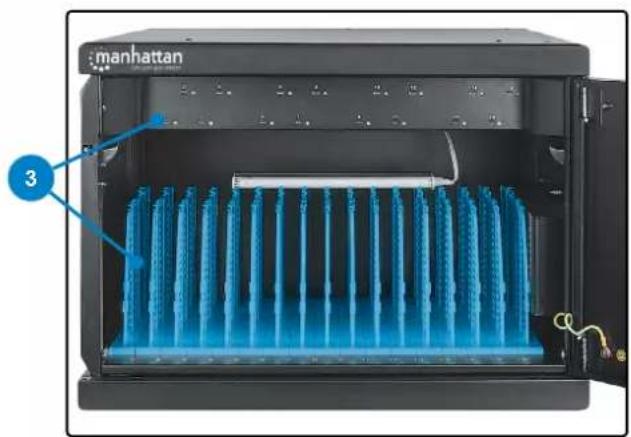
Close-up of white plastic electronic components with ventilation slots, no visible text or symbols3 Connect devices to USB ports and power outlets with appropriate cables. Secure cables with wire clips on dividers.
- Connect USB cables to unit ports.
- Load devices in bays (TIP: for better sanitization, insert laptops open-side up and slightly ajar).
- Connect cables to devices.
natural_image
Interior view of a Manhattan air conditioner unit with blue heat exchanger and labeled component (no text or symbols on main body)Charging and Sanitizing
4 Close door. Connect unit power cable to unit and power outlet.

text_image
Diagram of a computer rear panel with labeled ports and cable connections, numbered 4 and 5.LEDs
| Color Charge |
| White 0 – 10% |
| Blue 10 – 80% |
| Green 80 – 100% |
5 Press the UV button to start a cleaning cycle. NOTE: the 30-min. UV cleaning cycle will begin; opening the door stops the timer; closing the door resumes it.
Installation Options
The following sections offer optional steps to complete installation.
Reversing the Door — NOTE: Make sure all power is cut off from unit!
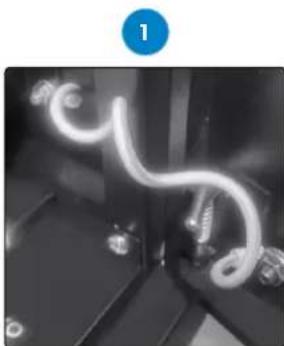
1 Unscrew grounding cable from door and cabinet.
2 Remove door from cabinet by pulling L-shaped pins.
2

natural_image
Close-up of a vertical metallic rod with a bright tip and an arrow pointing downward (no text or symbols visible)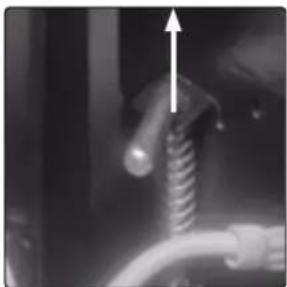
natural_image
Close-up of a mechanical component with a coiled spring and pipe, no visible text or symbols3 Flip door and guide pins into holes on other side of cabinet frame. Release pins and ensure door is secure.
3

natural_image
Close-up of a metallic mechanical component with a blue circular marker highlighting a hole (no text or symbols visible)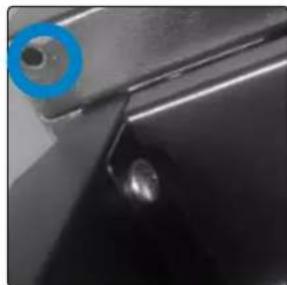
natural_image
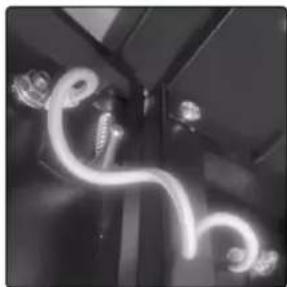
Close-up of a black metal surface with a blue circular marker and a small circular detail on the left (no text or symbols visible)4 Reattach grounding cable to door and cabinet.
4
natural_image
Close-up of a flexible, glowing neon tube in a dark indoor setting (no text or symbols visible)Attaching the Handle
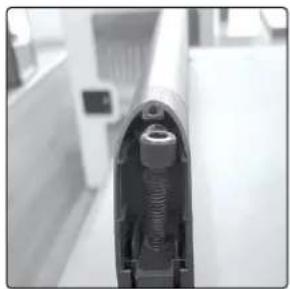
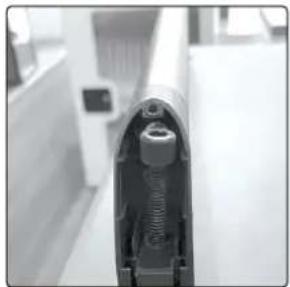
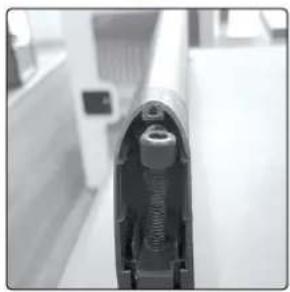
1 Align handle's holes over cabinet's holes.
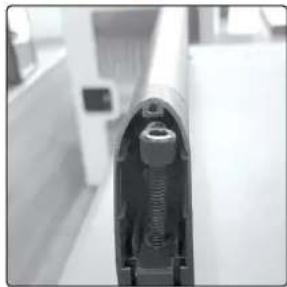
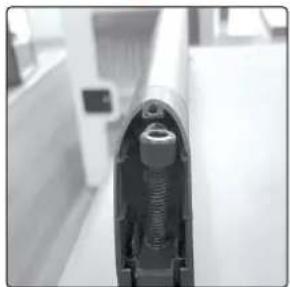
2 Insert screws (8x40 mm) into handle and cabinet.
12

natural_image
Close-up of a metallic object with two small white spheres on a surface (no text or symbols visible)●
natural_image
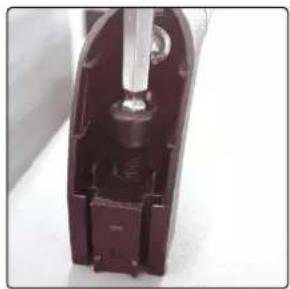
Close-up of a firearm's barrel and neck component, no visible text or symbols3 Tighten screws with hexkey.
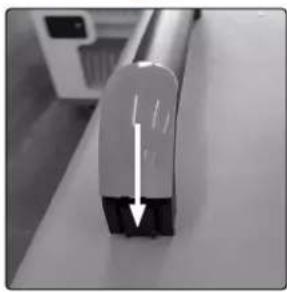
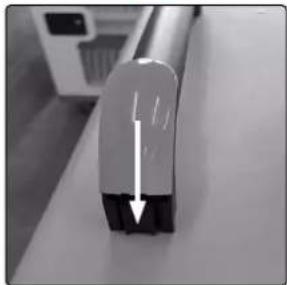
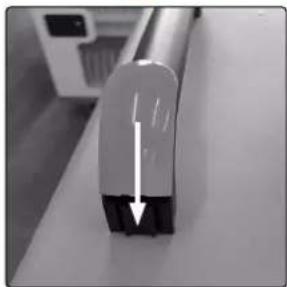
4 Slide plastic covers down each side of handle.
●
natural_image
Close-up of a mechanical component with a metallic rod inserted into a dark rectangular housing (no visible text or symbols)●
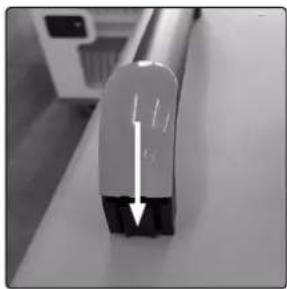
natural_image
Close-up of a metallic tool tip with a black base and white top, showing a downward arrow (no text or symbols visible)Installing the Casters
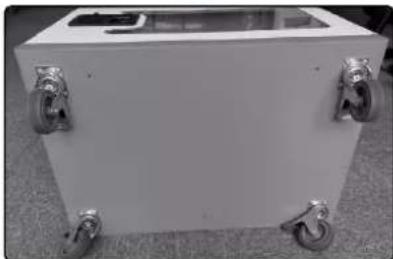
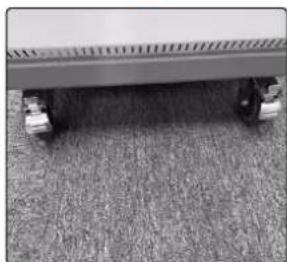
1 Lay empty cabinet on its side.
2 Tighten screws into caster holes and cabinet.
3 Repeat until each caster is installed.
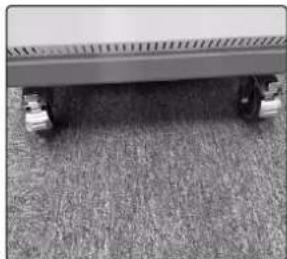
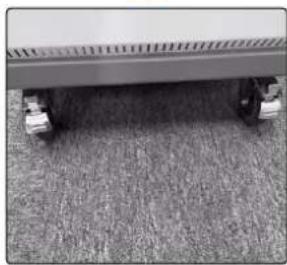
4 Press the caster levers down to lock wheels. Pull them up to release.
1

natural_image
Exterior view of a white rectangular electronic device casing with mounting holes (no text or symbols visible)2

natural_image
Close-up of a mechanical latch or lever mechanism with a metallic handle and metal rod (no visible text or symbols)3

natural_image
White rectangular electronic device with four metallic wheels, placed on carpet (no visible text or symbols)4
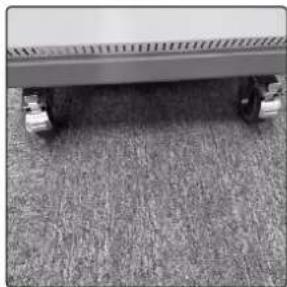
natural_image
Close-up of a flatbed vehicle with wheels on grass floor (no visible text or symbols)Mounting to the Wall
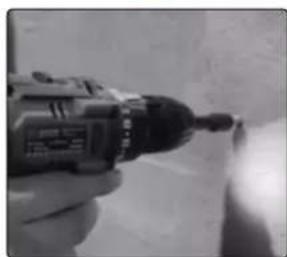
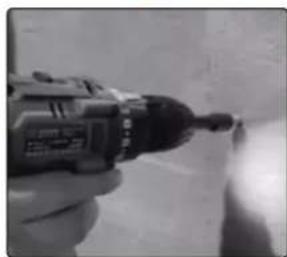
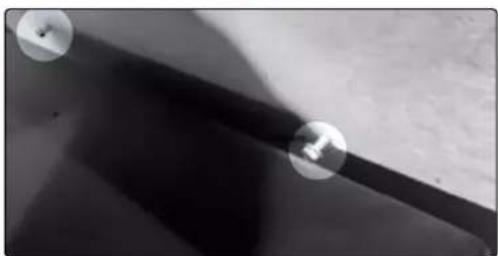
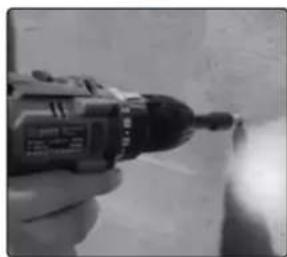
1 At desired location on wall, use the spacing shown in the graphic below to mark four level drill positions for the cabinet holes.
Concrete wall: use a 15/64" (6 mm) bit to drill holes 2.4 in. (60 mm) deep at marks.
Wood-stud walls: use a 15/64" (6 mm) bit to make pilot holes 2.4 in. (60 mm) deep at marks.
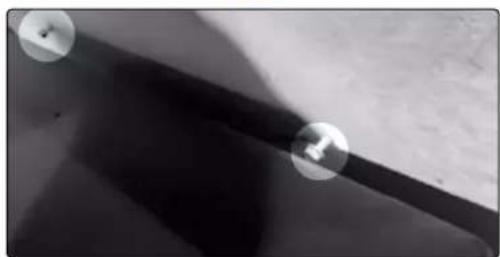
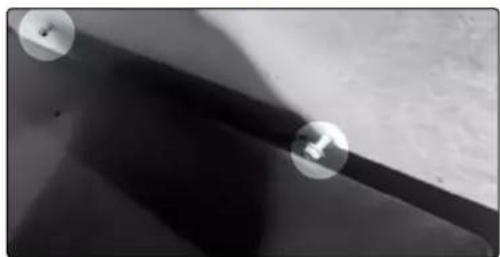
2 Install included screws into holes so they protrude 0.4 in. (10 mm) from the wall.
3 Position cabinet holes over wall screws and hang cabinet on them. Installation is complete.
1

text_image
16 in. (406.4 mm) 1657 in. (420.86 mm)2

text_image
2 in. (50mm)3

natural_image
Close-up of a dark surface with two circular markers and a small object on top (no text or symbols visible)Stacking the Units — NOTE: Make sure all power is cut off from unit!
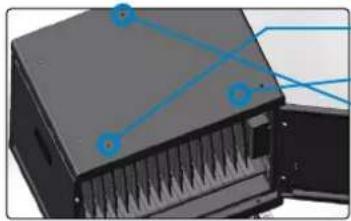
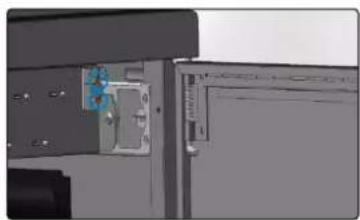
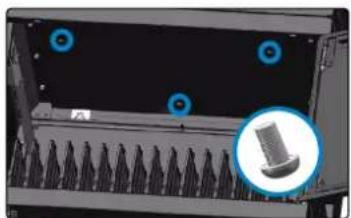
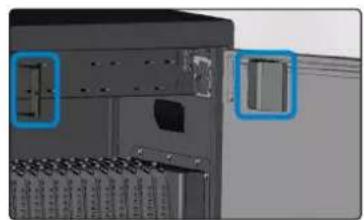
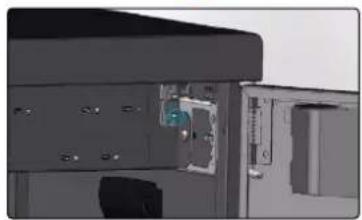
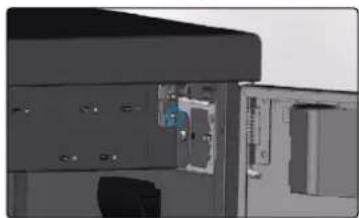
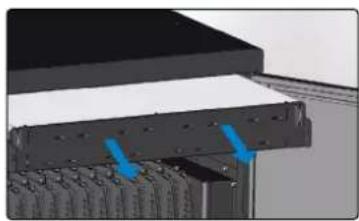
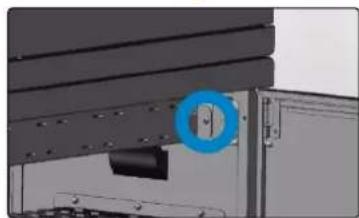
1 Unscrew and remove the metal covers on the charging hub.
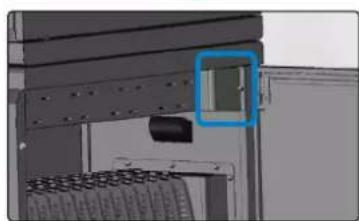
2 Unscrew and remove the green plug on the charging hub.
3 Unscrew the screws that hold the charging hub to the unit.
4 Take the charging hub out.
1
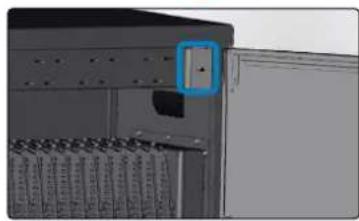
natural_image
Close-up of an electronic device with a blue square button and grid-like components (no visible text or symbols)

natural_image
Close-up of a server rack with two blue-labeled components (no visible text or symbols)2

natural_image
Close-up of a mechanical device showing internal components and a blue component (no visible text or symbols)3

natural_image
Interior view of a computer mouse with a blue circular component highlighted (no visible text or symbols)4
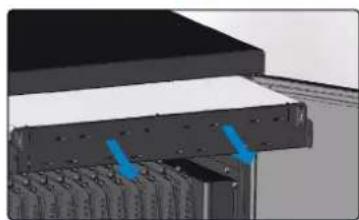
natural_image
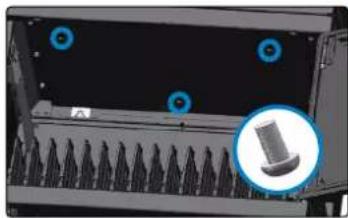
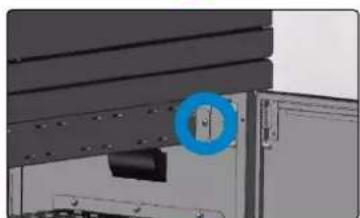
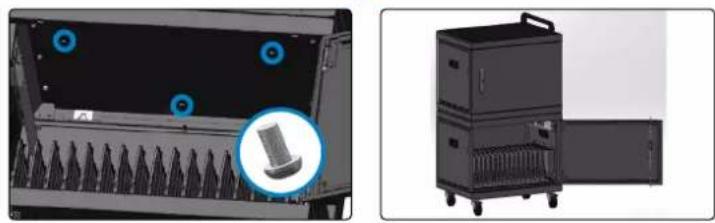
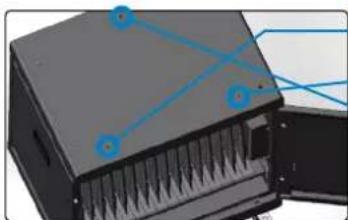
3D rendering of a mechanical assembly with blue arrows indicating force or movement (no text or symbols visible)5 Align the stacking holes on the top and bottom of the cabinets.
6 Tighten the screws (8x25 mm) into both cabinets from the ceiling of the bottom cabinet.
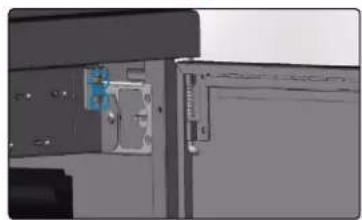
7 Reinstall the charging hub with its screws.
8 Reinstall the green plug with its screws.
9 Reinstall the metal covers with their screws.
5
natural_image
3D rendering of a server rack with ventilation slots and blue connection points (no text or symbols)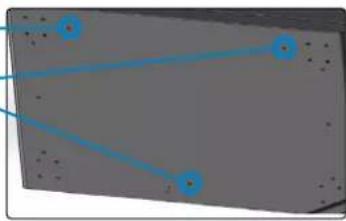
natural_image
Pure electrical circuit lines without any symbols6
natural_image
Close-up of a server rack with blue circular markers and a magnified inset showing a mechanical component (no text or symbols visible)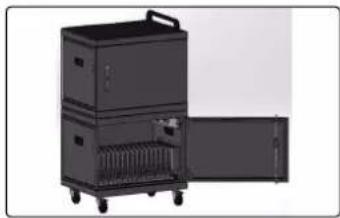
natural_image
Exterior view of a multi-tiered industrial machine with open door and wheels (no text or symbols visible)7
natural_image
Close-up of a mechanical assembly with a blue circular annotation highlighting a component (no visible text or symbols)8
natural_image
Close-up of a mechanical or electronic component with a blue circular feature on the left side (no visible text or symbols)9

natural_image
Close-up of a mechanical assembly with a blue highlighted component (no visible text or symbols)text_image
manhattan 1natural_image
Close-up of a car's wheel and side panel with a blue circular highlight (no text or symbols visible)
natural_image
Close-up of a dark, textured surface with a blue circular highlight and a small bright spot (no text or symbols visible)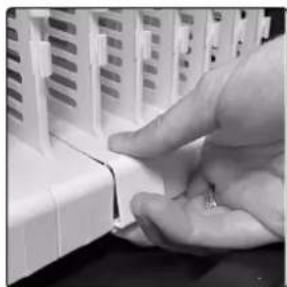
natural_image
Close-up of a hand pressing down on a white electronic component (no visible text or symbols)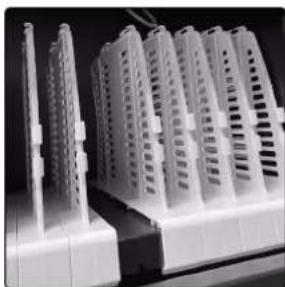
natural_image
Close-up of white plastic electronic components with ventilation slots, no visible text or symbolsnatural_image
Interior view of a Manhattan air conditioner unit with blue rack-mounted cooling fins (no text or symbols visible)text_image
Diagram of a computer tower rear panel with labeled ports and cable routing, showing numbered annotations.LEDs
natural_image
Close-up of a mechanical component with a coiled wire and bolts (no visible text or symbols)natural_image
Interior view of a room with vertical lighting and a dark object at the bottom (no visible text or symbols)
natural_image
Close-up of a mechanical component with a coiled spring and pipe (no visible text or symbols)natural_image
Close-up of a metallic mechanical component with a blue circular highlight on the side (no visible text or symbols)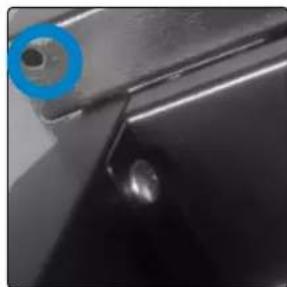
natural_image
Close-up of a metallic mechanical component with a blue circular highlight and a small circular detail (no text or symbols visible)natural_image
Black and white photo of a glowing neon light filament inside a vehicle (no text or symbols visible)natural_image
Close-up of a metallic mechanical component with a small circular feature and a central hole (no visible text or symbols)●
natural_image
Close-up of a firearm's head and neck (no visible text or symbols)natural_image
Close-up of a mechanical component with a metallic tool inserted, no visible text or symbols●

natural_image
Close-up of a mechanical component with a downward arrow indicating force or direction (no visible text or symbols)natural_image
Exterior view of a white rectangular electronic device casing with a small internal component (no visible text or symbols)2

natural_image
Close-up of a metallic mechanical component with a cylindrical head and attached rod (no visible text or symbols)3
natural_image
White rectangular box with four metallic wheels, placed on a textured floor (no visible text or symbols)4
natural_image
Close-up of a car's wheel and wheels on grass floor (no visible text or symbols)text_image
406.4mm (16in) 420.86mm (1657in)2

natural_image
Close-up of a hand using a power drill to apply material (no visible text or symbols)3

natural_image
Close-up of a metallic tool tip with a small hammer and screw head, against a dark surface (no text or symbols visible)natural_image
3D rendering of a mechanical device with internal components and blue alignment lines (no text or symbols)
natural_image
3D diagram of a rectangular panel with blue arrows pointing to four corner points (no text or symbols)6
natural_image
Close-up of a server rack with ventilation grilles and blue circular markers highlighting ports (no text or symbols)
natural_image
Exterior view of a multi-tiered industrial machine with wheels and a door open (no text or symbols visible)7
natural_image
Close-up of a mechanical assembly with a blue circular component and mounting bracket (no visible text or symbols)8
natural_image
3D rendering of a mechanical assembly with a blue circular component inserted into a housing (no visible text or symbols)9

natural_image
Close-up of a mechanical assembly with a highlighted rectangular component (no visible text or symbols)text_image
manhattan 1natural_image
Close-up of a car's side panel showing a blue circular button and a dark circular object on the surface (no text or symbols visible)
natural_image
Close-up of a metallic surface with a blue circular highlight and a small bright spot (no text or symbols)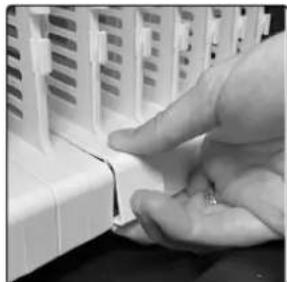
natural_image
Close-up of a hand inserting a small white object into a white plastic housing (no text or symbols visible)
natural_image
Close-up of white plastic electronic components with grid-like structures, no visible text or symbolsnatural_image
Interior view of a Manhattan air conditioner unit with blue rack-mounted cooling units and labeled component (3), no text or symbols on the main body.text_image
Diagram of a computer rack with labeled components, showing front panel and cable routing| Color Carga | |
| Blanco 0 | -10% |
| Azul 10 | -80% |
| Verde 80 | -100% |
natural_image
Close-up of a flexible, coiled cable or wire component mounted on a mechanical base (no visible text or symbols)natural_image
Two black-and-white photos showing a mechanical component with a glowing light source and a coiled cable, no visible text or symbols.natural_image
Close-up of two metal components with circular annotations highlighting features (no text or symbols present)natural_image
Black-and-white photo of a curved, glowing neon light in a corridor with no visible text or symbolsColocación del asa
natural_image
Close-up of a wall-mounted device with two small white spheres, no visible text or symbols●
natural_image
Close-up of a firearm component in a hallway (no visible text or symbols)●

natural_image
Close-up of a mechanical component with a metallic shaft and internal components (no visible text or symbols)●

natural_image
Close-up of a mechanical component with a white arrow pointing downward (no visible text or symbols)natural_image
Exterior view of a white rectangular electronic device casing with mounting holes (no visible text or symbols)2

natural_image
Close-up of a mechanical component with a metallic handle and metal bracket (no visible text or symbols)3

natural_image
White rectangular electronic device with four metallic wheels and a transparent top (no visible text or symbols)4
natural_image
Close-up of a car's rear wheel and wheels on carpet (no text or symbols visible)text_image
406.4mm (16in.) 420.86mm (1657in.)2
natural_image
Close-up of a hand holding a drill bit with a screwdriver (no visible text or symbols)3
natural_image
Close-up of a dark surface with two small circular objects on top, possibly a lens or abstract light source (no text or symbols visible)natural_image
Close-up of a server rack with a highlighted internal component (no text or symbols visible)
natural_image
Interior view of a server rack unit with two blue-labeled compartments (no visible text or symbols)
natural_image
Close-up of a mechanical or electronic component with internal components and mounting holes (no visible text or symbols)

natural_image
Close-up of a mechanical component with a blue circular feature on the left side (no visible text or symbols)

natural_image
3D rendering of a mechanical assembly with blue arrows indicating components (no visible text or symbols)natural_image
Diagram showing two views of a server rack with blue connecting lines and numbered point 5 (no text or symbols present)
natural_image
Two views of a mechanical device showing front and side views with no visible text or symbols.

natural_image
Close-up of a mechanical assembly with a blue circular component and mounting bracket (no visible text or symbols)
natural_image
Close-up of a mechanical device with a blue component inserted, showing internal components and mounting brackets (no visible text or symbols)

natural_image
Close-up of a mechanical assembly with a blue highlighted component (no visible text or symbols)text_image
manhattan 1natural_image
Close-up of a car's side panel with a blue circular marker highlighting the lens (no text or symbols visible)
natural_image
Close-up of a dark surface with a blue circular highlight and a small bright spot, no visible text or symbols.
natural_image
Close-up of a hand pressing down on a white plastic component (no visible text or symbols)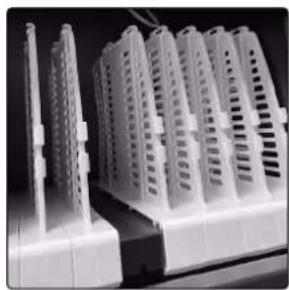
natural_image
Close-up of white plastic electronic devices with ventilation slots, no visible text or symbolsnatural_image
Interior view of a Manhattan air conditioner unit with blue rack-mounted cooling fins (no text or symbols visible)text_image
Diagram of a computer rack with labeled components, showing front panel, rear panel, and cable ports| Couleur Charge | |
| Blanc 0 | -10% |
| Bleu 10 | -80% |
| Vert 80 | -100% |
natural_image
Close-up of a flexible, coiled cable or wire component mounted on a dark surface, with no visible text or symbols.natural_image
Two black-and-white photos showing a mechanical component with a glowing screw and a coiled cable, labeled with number 2 (no text or symbols on the components themselves)natural_image
Close-up of two metal components with circular blue annotations highlighting features (no text or symbols present)natural_image
Close-up of a car interior with illuminated white cables and screwdrivers (no text or symbols visible)natural_image
Close-up of a metallic pipe with two small white spheres near the surface (no text or symbols visible)●
natural_image
Close-up of a handgun with visible internal components, no text or symbols present●

natural_image
Close-up of a mechanical component with a metallic shaft and internal structure (no visible text or symbols)●
natural_image
Close-up of a metallic tool tip with a black base and white arrow indicating direction (no text or symbols visible)natural_image
Exterior view of a white rectangular electronic device casing with mounting holes (no visible text or symbols)2

natural_image
Close-up of a metallic mechanical component with a curved handle and mounting bracket (no visible text or symbols)3

natural_image
White rectangular electronic device with four wheels and metal handles, placed on carpet (no visible text or symbols)4
natural_image
Close-up of a gray carpet with visible wheels and ventilation grille (no text or symbols)text_image
406.4mm (16in.) 420.86mm (1657in.)●
natural_image
Close-up of a hand using a power drill bit to apply material (no visible text or symbols)●
natural_image
Close-up of a metallic surface with two circular features and a small object on the edge (no text or symbols visible)text_image
manhattan 1natural_image
Close-up of a car's side panel with a blue circular highlight on the knob (no text or symbols visible)
natural_image
Close-up of a dark, textured surface with a blue circular highlight and a small bright spot (no text or symbols visible)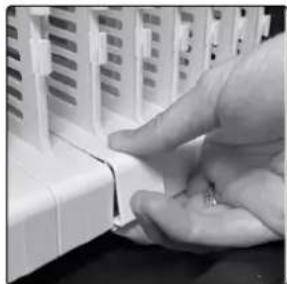
natural_image
Close-up of a hand pressing down on a white plastic component, no visible text or symbols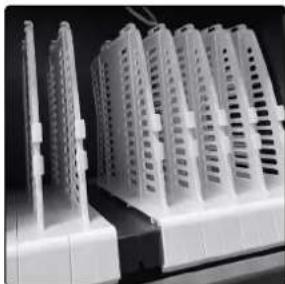
natural_image
Close-up of white plastic electronic components with grid-like structures (no visible text or symbols)natural_image
Interior view of a Manhattan air conditioner unit with blue rack-mounted cooling fins (no text or symbols visible)text_image
Diagram of a computer rack with labeled components, showing front panel and rear panel views| Kolor Ładowanie baterii | |
| Blanc 0 | -10% |
| Bleu 10 | -80% |
| Vert 80 | -100% |
natural_image
Close-up of a flexible, coiled wire or filament component mounted on a dark surface, with no visible text or symbols.natural_image
Two black-and-white photos showing a mechanical component with a glowing light source and a coiled tube, no visible text or symbols.natural_image
Close-up of two metal components with circular features, one showing a hole and the other a ring (no text or symbols visible)natural_image
Close-up of a flexible, glowing cable or wire in a dark indoor setting (no text or symbols visible)natural_image
Close-up of a dark mechanical component with two small white spheres on a surface (no text or symbols visible)●

natural_image
Close-up of a firearm's barrel and barrel assembly, no visible text or symbolsnatural_image
Close-up of a mechanical component with a metallic tool inserted, showing internal structure (no visible text or symbols)●
natural_image
Close-up of a mechanical component with a white arrow pointing downward (no visible text or symbols)Montaż kółek
natural_image
Exterior view of a white rectangular electronic device casing with mounting holes (no text or symbols visible)2

natural_image
Close-up of a mechanical lever handle with a circular head and metal rail (no text or symbols visible)3

natural_image
White rectangular electronic device with four metallic wheels and a transparent top (no visible text or symbols)4

natural_image
Close-up of a car wheel with wheels on a textured carpet (no visible text or symbols)natural_image
Close-up of a hand using a handheld electric drill bit to apply material (no visible text or symbols)3
natural_image
Close-up of a dark surface with two small circular objects and a horizontal line, no visible text or symbols.text_image
manhattan 1natural_image
Close-up of a car's side panel with a blue circular highlight on the nose (no text or symbols visible)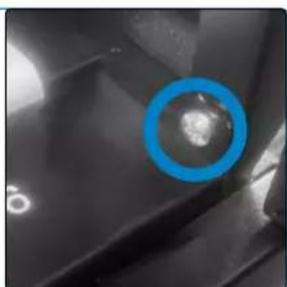
natural_image
Close-up of a dark, textured surface with a blue circular highlight and a small bright spot (no text or symbols)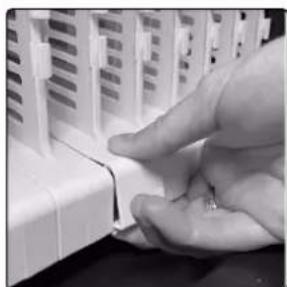
natural_image
Close-up of a hand inserting a small white object into a white plastic housing (no text or symbols visible)
natural_image
Close-up of white plastic electronic devices with ventilation slots and connectors (no visible text or symbols)natural_image
Interior view of a Manhattan air conditioner unit with blue filter array and labeled component (no text or symbols on main body)text_image
Diagram of a computer rear panel with labeled ports and cable routing, numbered 4 and 5 pointing to key components.LED
| Colore Caricare |
| Bianca 0 – 10% |
| Blu 10 – 80% |
| Verde 80 – 100% |
natural_image
Close-up of a flexible, coiled cable or wire component mounted on a mechanical base (no visible text or symbols)natural_image
Two black-and-white photos showing a vertical object with a glowing light and a coiled cable, no visible text or symbols.natural_image
Close-up of metal bracket components with blue circular annotations highlighting features (no text or symbols)natural_image
Interior view of a room with illuminated ceiling lights and a glowing coiled cable (no text or symbols visible)natural_image
Close-up of a dark mechanical component with two small white spheres near the surface (no text or symbols visible)●
natural_image
Close-up of a handgun with visible internal components, no text or symbols presentnatural_image
Close-up of a mechanical component with a metallic rod inserted into a dark housing (no visible text or symbols)●
natural_image
Close-up of a metallic tool tip with a white arrow pointing downward, placed on a surface (no text or symbols visible)natural_image
Exterior view of a white rectangular electronic device casing with mounting holes (no visible text or symbols)2

natural_image
Close-up of a mechanical component with a metallic handle and metal bracket (no visible text or symbols)3

natural_image
White rectangular electronic device with four wheels and metal handles, placed on a textured surface (no visible text or symbols)4

natural_image
Close-up of a flat surface with grass and small wheels, no visible text or symbolstext_image
406.4mm (16in.) 420.86mm (1657in)●
natural_image
Close-up of a hand using a handheld electric drill bit to draw or extend a cylindrical tool (no visible text or symbols)●

natural_image
Close-up of a dark surface with two circular objects and a diagonal line, no visible text or symbolsnatural_image
Close-up of a server rack with a blue annotation box highlighting a component (no visible text or symbols)

natural_image
3D model of a server rack with two blue-labeled components (no visible text or symbols)2
natural_image
Close-up of a mechanical device with internal components and mounting holes (no visible text or symbols)3

natural_image
Interior view of a computer mouse with a blue circular component highlighted (no visible text or symbols)4
natural_image
3D mechanical assembly diagram showing layered components with blue arrows indicating motion or force (no text or symbols)5
natural_image
3D rendering of a black electronic device with blue connection lines and arrows indicating internal components (no text or symbols)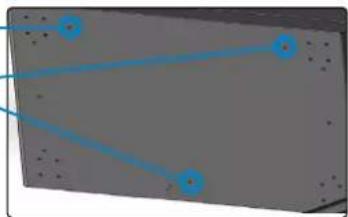
natural_image
Pure electrical circuit lines without any symbols6

natural_image
Close-up of a server rack with blue circular markers and a magnified inset showing a mechanical component (no text or symbols visible)
natural_image
Exterior view of a multi-tiered industrial machine with open door and wheels (no text or symbols visible)7
natural_image
Close-up of a mechanical assembly with a blue circular component highlighting a specific part (no visible text or symbols)8

natural_image
Close-up of a mechanical device with a blue plastic component inserted, no visible text or symbols9
natural_image
Close-up of a mechanical component with a highlighted square detail (no visible text or symbols)WASTE ELECTRICAL & ELECTRONIC EQUIPMENT
Disposal of Electric Equipment (applicable in the E.U. and other countries with separate collection systems)
ENGLISH: This symbol on the product or its packaging means that this product must not be treated as unsorted household waste. In accordance with EU Directive 2012/19/EU on Waste Electrical and Electronic Equipment (WEEE), this electrical product must be disposed of in accordance with the user's local regulations for electrical or electronic waste. Please dispose of this product by returning it to your local point of sale or recycling pickup point in your municipality.
manhattanproducts.com
This equipment has been tested and found to comply with the limits for a Class B digital device, pursuant to Part 15 of Federal Communications Commission (FCC) Rules. These limits are designed to provide reasonable protection against harmful interference in a residential installation. This equipment generates, uses and can radiate radio frequency energy, and if not installed and used in accordance with the instructions may cause harmful interference to radio communications. However, there is no guarantee that interference will not occur in a particular installation. If this equipment does cause harmful interference to radio or television reception, which can be determined by turning the equipment off and on, the user is encouraged to try to correct the interference by one or more of the following measures: reorient or relocate the receiving antenna; increase the separation between the equipment and the receiver; connect the equipment to an outlet on a circuit different from the receiver; or consult the dealer or an experienced radio/TV technician for help.
CE
ENGLISH : This device complies with the requirements of CE 2014/30/EU and / or 2014/35/EU. The Declaration of Conformity for is available at:
support.manhattanproducts.com/barcode/180351
POWER INFORMATION
| Max. Power Output (USA & Mexico) | 1,040 W |
| Input | 00 – 250 VAC, 50 – 60 Hz |
| Output per Port (USB-C) | 5.0 V – 20.0 V; max 3.25 A, 65.0 W |
| 5 V / 3 A | |
| 9 V / 3 A | |
| 12 V / 3 A | |
| 15 V / 3 A | |
| 15 V / 3.25 A | |
| Average Active Efficiency (%) | 91% |
| Low-Load Efficiency (10%) | 70% |
| No-load Power Consumption (W) | 6.6 W |


North & South America
IC Intracom Americas
550 Commerce Blvd.
Oldsmar, FL 34677, USA
Asia & Africa
IC Intracom Asia
4-F, No. 77, Sec. 1, Xintai 5th Rd.
Xizhi Dist., New Taipei City 221, Taiwan
Europe
IC Intracom Europe
Löhbacher Str. 7, D-58553
Halver, Germany
All trademarks and trade names are the property of their respective owners.
manhattanproducts.com
© IC Intracom. All rights reserved. Manhattan is a trademark of IC Intracom, registered in the U.S. and other countries.