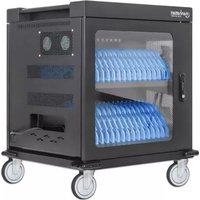
180948 - Charging cabinet MANHATTAN - Free user manual and instructions
Find the device manual for free 180948 MANHATTAN in PDF.

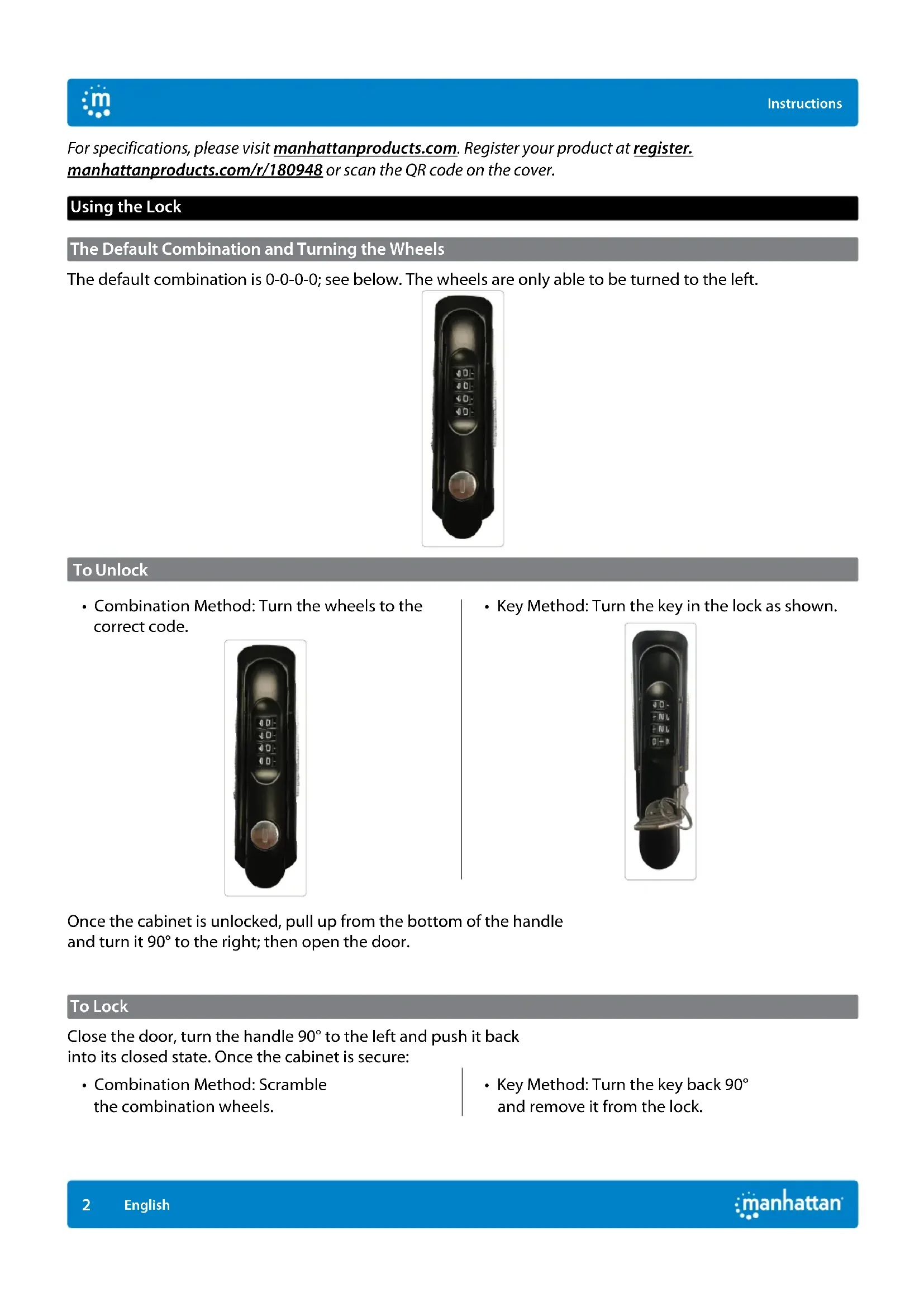


| Product Type | Charging Cabinet (multi-outlet charger) |
| Brand | MANHATTAN |
| Model | 180948 |
| Lock Type | Mechanical combination (4 dials) and key |
| Default Combination | 0-0-0-0 |
| Number of Doors | 1 door |
| Power Supply | Mains (AC) with power cable |
| Integrated Power Outlets | Multiple electrical outlets for devices |
| Cable Management | Cable ties on dividers and holes in rear panel |
| Installation | Floor mounting, unlock and open the door, remove dividers if needed |
| Estimated Capacity | Accommodates several electronic devices (tablets, phones, etc.) |
| Material | Metal (steel) |
| Approximate Dimensions (W x D x H) | 400 x 300 x 600 mm (estimated) |
| Approximate Weight | 10 kg (estimated) |
| Care and Cleaning | Soft dry or slightly damp cloth |
| Security | Combination lock and key, child safety (not specified) |
| Spare Parts and Repairability | Lock replacement possible, but mechanism not resettable |
| General Information | CE compliant (2014/30/EU and 2014/35/EU), recycling per WEEE (2012/19/EU) |
Frequently Asked Questions - 180948 MANHATTAN
User questions about 180948 MANHATTAN
0 question about this device. Answer the ones you know or ask your own.
Ask a new question about this device
Download the instructions for your Charging cabinet in PDF format for free! Find your manual 180948 - MANHATTAN and take your electronic device back in hand. On this page are published all the documents necessary for the use of your device. 180948 by MANHATTAN.
USER MANUAL 180948 MANHATTAN
Important: Read before use. • Importante: Leer antes de usar.
natural_image
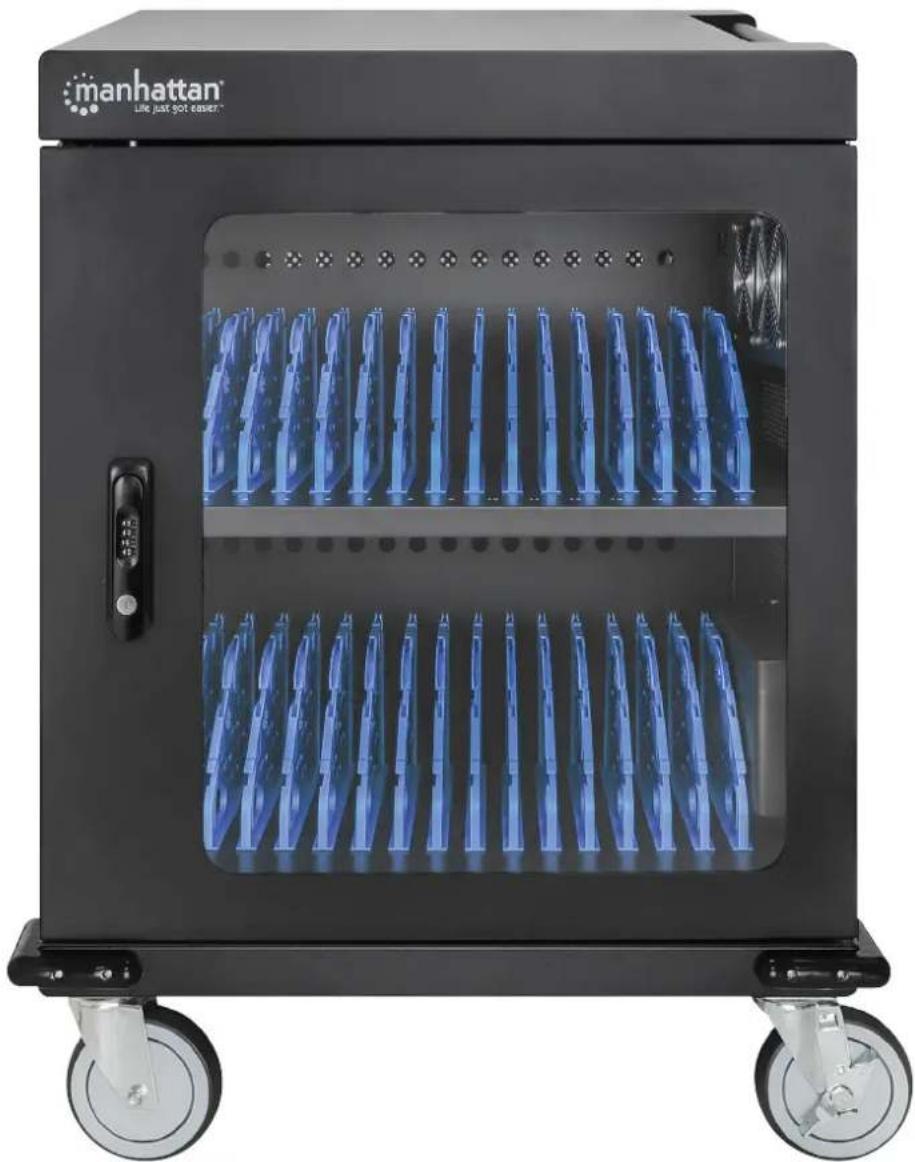
Black multi-wheeled food storage unit with blue rack-mounted dish, labeled 'manhattan' and 'Line just got easier' (no additional text or symbols visible)For additional benefits
Scan to register your product warranty

or visit: register.manhattanproducts.com/r/180948
For specifications, please visit manhattanproducts.com. Register your product at register.manhattanproducts.com/r/180948 or scan the QR code on the cover.
Using the Lock
The Default Combination and Turning the Wheels
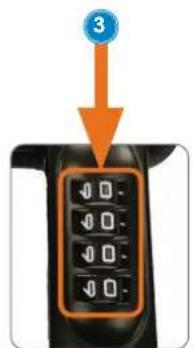
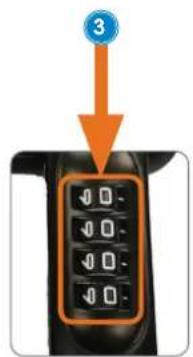
The default combination is 0-0-0-0; see below. The wheels are only able to be turned to the left.

natural_image
Black handheld device with digital display and control knob (no visible text or symbols)To Unlock
- Combination Method: Turn the wheels to the correct code.

natural_image
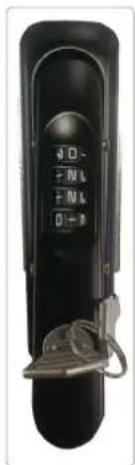
Close-up of a black handheld device with a control knob and display screen (no visible text or symbols)• Key Method: Turn the key in the lock as shown.
natural_image
Black handheld device with a keypad and attached cable (no visible text or symbols)Once the cabinet is unlocked, pull up from the bottom of the handle and turn it 90irc to the right; then open the door.
To Lock
Close the door, turn the handle 90irc to the left and push it back into its closed state. Once the cabinet is secure:
- Combination Method: Scramble the combination wheels.
• Key Method: Turn the key back 90° and remove it from the lock.
To Set a New Combination
Remember to record and safely store the new combination after you set it. This is a mechanical lock, which cannot be reset directly if the code is forgotten.
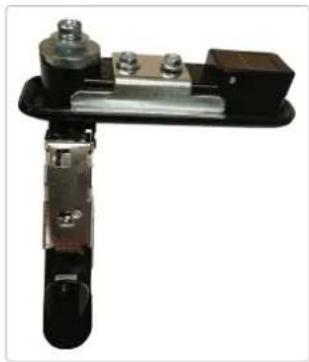
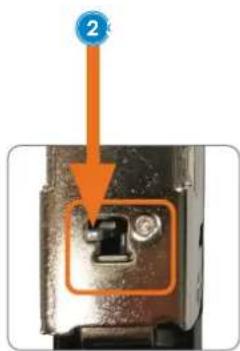
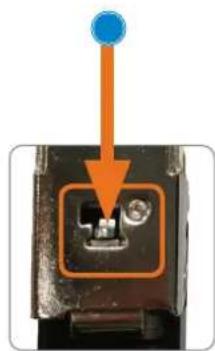
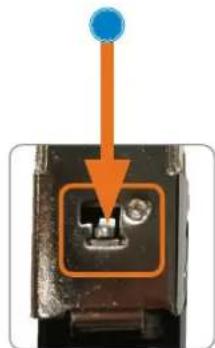
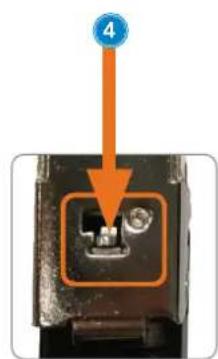
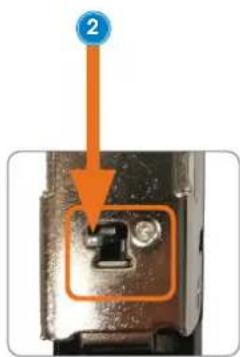
1 Make sure the Combination button on the back of the handle is in the Normal position.
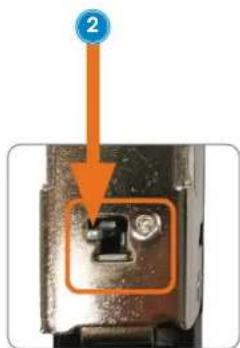
2 Push the Combination button to the Set position.
3 Turn the combination wheels to your desired code. NOTE: make sure to record and securely store the new combination.
4 Once the new code is set, push the Combination button back to the Normal position.
natural_image
Mechanical clamp or bracket component with metallic parts and bolts (no visible text or symbols)

natural_image
Close-up of a mechanical component with an orange arrow pointing to a small internal component (no text or symbols visible)NOTE: Make sure you record and securely store the new combination.
To Find the Forgotten Combination
1 Remove the combination wheel box from the handle by unfastening the screws that secure it in place.

natural_image
Close-up of a hand operating a handheld electronic device with a screwdriver inserted (no visible text or symbols)2 Turn the combination wheels to the left to find the cutouts on the adjacent smaller wheels. The number next to the cutout is the correct number in the combination.

natural_image
Close-up of a mechanical component with multiple black and orange indicator lights, no visible text or symbols3 Once the correct combination is noted and stored securely, re-fasten the combination wheel box to the handle using the screws.
Setup
1 Unlock unit door(s) and open them.

natural_image
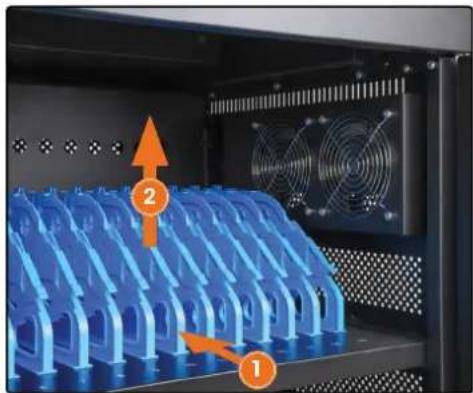
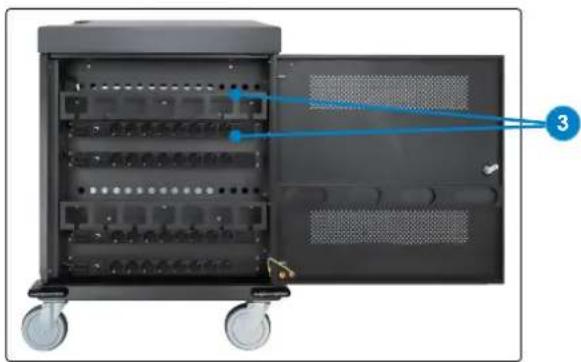
Two black industrial machines side by side, one with wheels and a blue arrow pointing to a labeled component (no visible text or symbols on the devices themselves)2 To fit a larger device, remove an appropriate slot divider. Push the divider to the back of the cabinet and lift it up. Replace a divider by placing it into the slot and pulling it toward you.
natural_image
Interior view of a server rack with blue plastic heat exchangers and fan array (no text or symbols visible)3 Connect devices to power outlets with appropriate cables. Secure cables vwith wire clips on dividers.
- Connect power cables to power outlets, feeding cables through holes on back panel.
- Load devices in bays.
- Connect cables to devices.
natural_image
Interior view of a black server rack unit with wheels and ventilation slots, no visible text or symbolsCharging
Connect the power cord to the unit and a power outlet. Devices begin to charge automatically.
natural_image
Black handheld device with control panel and button (no visible text or symbols)Entsperren
natural_image
Black handheld device with a control panel and circular button (no visible text or symbols)natural_image
Black handheld device with control buttons and a key inserted (no visible text or symbols)natural_image
Mechanical clamp or lever device with metallic components and mounting brackets (no visible text or symbols)

natural_image
Close-up of a mechanical component with an orange arrow pointing to a button (no text or symbols visible)
natural_image
Close-up of a mechanical component with an orange arrow pointing to a small inset slot (no text or symbols visible)natural_image
Close-up of a hand using a power tool to adjust or install a device with a key inserted (no visible text or symbols)natural_image
Close-up of an electronic component with multiple black and red buttons and orange arrows indicating directional movement (no text or symbols)natural_image
Two black industrial machines with wheels, one connected via a blue line to the other (no visible text or symbols)natural_image
Interior view of a black server rack unit with visible ports and wheels, no text or symbols presentAufladen
natural_image
Close-up of a black handheld device with control buttons and a circular button (no visible text or symbols)Para desbloquear
natural_image
Black remote control device with digital display and rotary knob (no visible text or symbols)natural_image
Mechanical clamp or lever device with metallic components and mounting holes (no visible text or symbols)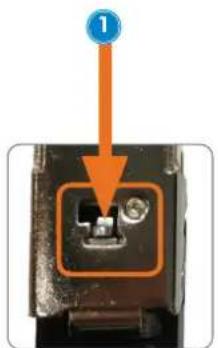

natural_image
Close-up of a hand using a power tool to adjust or install a black electronic device with a keypad (no visible text or symbols)natural_image
Close-up of a mechanical component with multiple black and red buttons and orange arrows indicating directional movement (no text or symbols)natural_image
Two black industrial storage cabinets with wheels, one connected by a blue line labeled '1', the other showing internal blue rack (no text or symbols visible)natural_image
Interior view of a server rack unit with visible ports and wheels, no text or symbols presentCarga
natural_image
Close-up of a black handheld device with a digital display and control knob (no visible text or symbols)Pour déverrouiller
natural_image
Black handheld device with a circular button and control panel (no visible text or symbols)natural_image
Black handheld device with control panel and metal clasp (no visible text or symbols)natural_image
Mechanical clamp or bracket component with metallic parts and bolts (no visible text or symbols)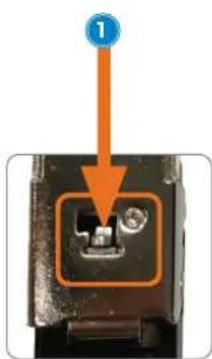


natural_image
Close-up of a hand using a power tool to adjust a black electronic device with a rotary knob (no visible text or symbols)natural_image
Close-up of a mechanical component with multiple black and red terminal blocks, featuring orange arrows pointing to specific pins (no text or symbols visible)natural_image
Two black industrial machines with wheels, one connected via a blue line to a labeled interior (no visible text or symbols)natural_image
Interior view of a server rack with blue plastic units and fan array (no text or symbols visible)natural_image
Interior view of a black server rack unit with visible internal components and wheels (no text or symbols)Chargement
natural_image
Close-up of a black handheld device with a control knob and numeric keypad (no visible text or symbols)Aby otworzyć
natural_image
Close-up of a black handheld device with a control knob and numeric keypad (no visible text or symbols)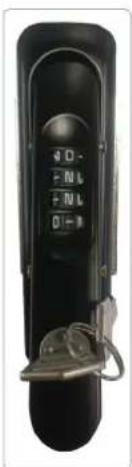
natural_image
Close-up of a hand using a power tool to adjust a device with a 3.50 timer and lock (no visible text or symbols)natural_image
Close-up of a mechanical component with multiple black components and orange arrows indicating directional movement (no text or symbols)natural_image
Two black industrial machines with wheels, one connected via a blue line to the other (no visible text or symbols)natural_image
Interior view of a server rack unit with visible ports and wheels, no text or symbols presentŁadowanie
natural_image
Close-up of a black handheld device with a digital display and circular button (no visible text or symbols)Per aprire
natural_image
Close-up of a black remote control device with a rotary dial and button (no visible text or symbols)natural_image
Mechanical clamp or lever device with four bolts and a handle (no visible text or symbols)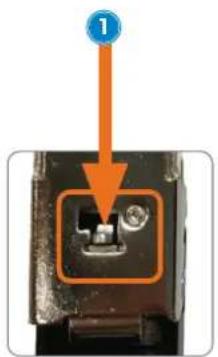

natural_image
Close-up of a hand using a tool to adjust a black electronic device with a 1250 timer and key inserted (no visible text or symbols)natural_image
Close-up of an electronic component with multiple black and red buttons and orange arrows indicating ports or functions (no readable text or symbols)natural_image
Two black industrial storage units with wheels, connected by a blue line labeled '1' (no text or symbols on the devices themselves)natural_image
Interior view of a black server rack cabinet with wheels and ventilation slots, no visible text or symbolsRicarica
Disposal of Electric Equipment (applicable in the E.U. and other countries with separate collection systems)
ENGLISH: This symbol on the product or its packaging means that this product must not be treated as unsorted household waste. In accordance with EU Directive 2012/19/EU on Waste Electrical and Electronic Equipment (WEEE), this electrical product must be disposed of in accordance with the user's local regulations for electrical or electronic waste. Please dispose of this product by returning it to your local point of sale or recycling pickup point in your municipality.
manhattanproducts.com
ENGLISH : This device complies with the requirements of CE 2014/30/EU (UKCA Electromagnetic Compatibility Regulations 2016) and / or 2014/35/EU (UKCA Electrical Equipment [Safety] Regulations 2016). The Declaration of Conformity for is available at:
support.manhattanproducts.com/barcode/180948
POWER INFORMATION
| Input 120.0 VAC, | 60 Hz, 15 A |
| Power (max.) 1800 W | |
| No-load Power Consumption | 0.25w |
| Low-load Efficiency 91% | |
| Average Active Efficiency | 93.5% |


North & South America
IC Intracom Americas
550 Commerce Blvd.
Oldsmar, FL 34677, USA
Asia & Africa
IC Intracom Asia
4-F, No. 77, Sec. 1, Xintai 5th Rd.
Xizhi Dist., New Taipei City 221, Taiwan
Europe
IC Intracom Europe
Löhbacher Str. 7, D-58553
Halver, Germany
All trademarks and trade names are the property of their respective owners.
manhattanproducts.com
© IC Intracom. All rights reserved. Manhattan is a trademark of IC Intracom, registered in the U.S. and other countries.
- For additional benefits
- Using the Lock
- The Default Combination and Turning the Wheels
- To Unlock
- To Lock
- To Set a New Combination
- To Find the Forgotten Combination
- Setup
- Charging
- Entsperren
- Aufladen
- Para desbloquear
- Carga
- Pour déverrouiller
- Chargement
- Aby otworzyć
- Ładowanie
- Per aprire
- Ricarica
- manhattanproducts.com
Brand : MANHATTAN
Model : 180948
Category : Charging cabinet