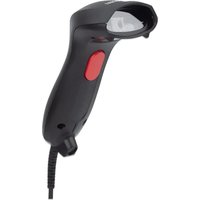
460873 - Barcode Reader MANHATTAN - Free user manual and instructions
Find the device manual for free 460873 MANHATTAN in PDF.


Pick your language and provide your email: we'll send you a specifically translated version.
| Product Type | Handheld Barcode Reader |
| Brand | Manhattan |
| Model | 460873 |
| Connectivity | USB 2.0, wired |
| Scanning Technology | 1D laser scanner |
| Scanning Speed | 100 scans per second |
| Scan Angle | 42 degrees horizontal / 30 degrees vertical |
| Supported Barcodes | UPC, EAN, Code 39, Code 128, Codabar, Interleaved 2 of 5 |
| Dimensions | 6.9 x 5.6 x 2.8 inches (175 x 142 x 71 mm) |
| Weight | 5.3 oz (150 g) |
| Cable Length | 5 ft (1.5 m) |
| Power Source | USB connection (5V DC) |
| Operating System Compatibility | Windows, macOS, Linux |
| Drop Spec | Survives drops from 5 ft (1.5 m) |
| Operating Temperature | 32°F to 104°F (0°C to 40°C) |
| Maintenance | Clean with soft, dry cloth |
| Laser Safety | Class 1 safe |
| Package Contents | Barcode reader, USB cable, user manual |
| Warranty | 1-year limited |
Frequently Asked Questions - 460873 MANHATTAN
How do I install the barcode reader on my computer?
Connect the supplied USB cable to an available USB port on your computer. The driver will install automatically. Once the LED indicator lights up, it is ready for use.
Does it work with Mac OS?
Yes, it is compatible with Windows, macOS, and Linux. No additional software is required.
What barcode types can it scan?
It supports all common 1D barcodes, including UPC, EAN, Code 39, Code 128, and Codabar.
How do I clean the barcode reader?
Use a soft, dry cloth to wipe the exterior and the laser window. Do not use liquids or sprays directly on the device to avoid damage.
Is the barcode reader plug-and-play?
Yes, it is plug-and-play. Simply connect it via USB and it will be recognized as a keyboard input device.
Can it scan barcodes from a phone or computer screen?
Yes, the scanner can read barcodes displayed on electronic screens with the same ease as printed labels.
What is the warranty period?
This product comes with a 1-year limited warranty against defects in materials and workmanship.
How do I perform a factory reset?
Hold the trigger button for 10 seconds until the LED blinks red and green. Release it, and the scanner will restore default settings.
What should I do if the scanner does not read barcodes?
Check the laser window for dirt or scratches. Ensure the barcode is within the scan range, and test with a different barcode. Also verify that the USB cable is securely connected.
Are replacement parts available?
The cable is detachable and can be replaced if damaged. Other internal components are not user-serviceable. Contact support for repair options.
User questions about 460873 MANHATTAN
0 question about this device. Answer the ones you know or ask your own.
Ask a new question about this device
No questions yet. Be the first to ask one.
Download the instructions for your Barcode Reader in PDF format for free! Find your manual 460873 - MANHATTAN and take your electronic device back in hand. On this page are published all the documents necessary for the use of your device. 460873 by MANHATTAN.
USER MANUAL 460873 MANHATTAN



Manual assistant
Powered by Anthropic
Waiting for your message
Product information
Brand : MANHATTAN
Model : 460873
Category : Barcode Reader