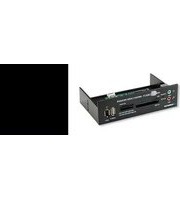
130165 - Memory card reader MANHATTAN - Free user manual and instructions
Find the device manual for free 130165 MANHATTAN in PDF.


Pick your language and provide your email: we'll send you a specifically translated version.
| Brand | Manhattan |
| Model | 130165 |
| Product Type | Memory Card Reader |
| Interface | USB 2.0 |
| Supported Card Types | SD, SDHC, SDXC, MicroSD, MMC |
| Card Slots | 1 SD slot and 1 MicroSD slot |
| Data Transfer Speed | Up to 480 Mbps |
| Plug and Play | Yes, no software required |
| Operating Systems | Windows, macOS, Linux |
| Power Source | USB bus powered |
| Dimensions (approx.) | 6.0 x 2.0 x 1.0 cm |
| Weight (approx.) | 25 g |
| LED Indicator | Yes, for power/activity |
| Construction Material | ABS plastic |
| Operating Temperature | 0°C to 40°C |
| Storage Temperature | -20°C to 60°C |
| Humidity Range | 20% to 80% RH |
| Included in Box | Card reader, user manual |
| Certifications | CE, FCC, RoHS |
| Warranty | 2-year limited warranty |
Frequently Asked Questions - 130165 MANHATTAN
Is the Manhattan 130165 memory card reader compatible with my SD card?
Yes, it supports SD, SDHC, SDXC, and MicroSD cards. For MicroSD, use the dedicated slot or an adapter if required. It handles capacities up to 2TB for SDXC.
How do I install the card reader on Windows?
Simply plug the USB connector into an available port. Windows will automatically install the driver. You can access the card like a removable drive under "My Computer". Please ensure the card is inserted correctly.
Why is my computer not recognizing the card reader?
Check the USB connection, try another port or computer. Ensure the memory card is inserted correctly and is not locked. Update your USB drivers if necessary. The LED indicator should light up when connected.
Can I use this card reader with my Android smartphone?
Yes, if your phone supports USB On-The-Go (OTG), you can connect the reader via an OTG adapter. This allows you to read SD cards directly on your phone for easy file transfer.
What is the maximum data transfer speed?
The USB 2.0 interface offers a maximum theoretical speed of 480 Mbps. Actual speed may vary depending on the card class and the type of files being transferred.
Does the card reader support hot swapping?
Yes, it is safe to plug and unplug the device while your computer is running. Always use the eject function in your operating system before removing the card to prevent data loss.
How do I clean the card reader?
Use a soft, dry cloth to wipe the exterior. Do not use liquids or abrasive cleaners. Keep the card slots free of dust to ensure reliable connections.
Can I leave the card reader plugged in all the time?
Yes, but it may draw a small amount of standby power. For optimal performance and to protect the contacts, unplug it when not in use.
Does the Manhattan 130165 work with Mac computers?
Yes, it is compatible with macOS. Plug it in and it will be recognized automatically. Some macOS versions may require a restart for the driver to load properly.
Are there any known limitations or issues with this card reader?
This reader supports SDXC cards formatted as exFAT. Older operating systems may not support exFAT and may require a driver update. Always format your card in the device you intend to use.
User questions about 130165 MANHATTAN
0 question about this device. Answer the ones you know or ask your own.
Ask a new question about this device
No questions yet. Be the first to ask one.
Download the instructions for your Memory card reader in PDF format for free! Find your manual 130165 - MANHATTAN and take your electronic device back in hand. On this page are published all the documents necessary for the use of your device. 130165 by MANHATTAN.
USER MANUAL 130165 MANHATTAN


Manual assistant
Powered by Anthropic
Waiting for your message
Product information
Brand : MANHATTAN
Model : 130165
Category : Memory card reader