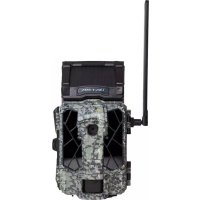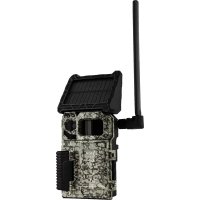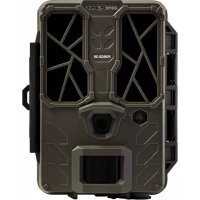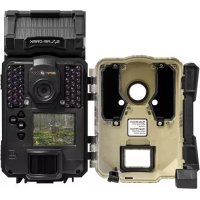
SolarDark - Camera Spypoint - Free user manual and instructions
Find the device manual for free SolarDark Spypoint in PDF.


| Product type | Hunting camera with integrated solar panel |
| Brand | Spypoint |
| Model | SolarDark |
| Main power | Internal rechargeable battery via integrated solar panel |
| Secondary power | 8 AA batteries (alkaline or lithium) or external 12V battery (#BATT-12V) or #LIT-09 rechargeable lithium battery pack |
| Memory card type | SD card class 10, 2 to 32 GB |
| Operation modes | Photo, Time-Lapse, Video |
| Hybrid lighting modes | Invisible, Optimal, Enhanced, Blur reduction (for night photos) |
| Flash range | Up to 30 m (depending on mode) |
| Trigger delay | Configurable (photos and videos) |
| Multi-photos | Up to 6 consecutive photos per detection |
| Maximum video length | Configurable (not specifically stated in the manual) |
| Pre-video photo | Optional, can be enabled |
| Tripod thread | Standard 1/4"-20 |
| Mounting strap included | Yes (2.5 cm x 152 cm) |
| Viewing screen | Yes, built-in |
| Connectivity | 12V socket for external power |
| Warranty | 2 years ("You are covered") |
| Maintenance | Clean with a soft, dry cloth; do not use solvents |
| Recycling | Device subject to WEEE directive; to be disposed of at an appropriate collection center |
Frequently Asked Questions - SolarDark Spypoint
User questions about SolarDark Spypoint
0 question about this device. Answer the ones you know or ask your own.
Ask a new question about this device
Download the instructions for your Camera in PDF format for free! Find your manual SolarDark - Spypoint and take your electronic device back in hand. On this page are published all the documents necessary for the use of your device. SolarDark by Spypoint.
USER MANUAL SolarDark Spypoint
QUICK START GUIDE
SOLAR-DARK AND COMPARABLE \* v.1.5
IN THE BOX
1x Camera
1x 16 GB SD card
1x 12 V USB cable
1x Mounting bracket
1x Installation strap
1x Quick Start Guide
NOTE
Batteries sold separately.
User Manual, software updates & FAQs available at:
www.spypoint.com/support.
COMPONENTS
1 Solar panel
2 Photo lens
3 Test light
4 Detection lens
5 12 V jack
6 BUSY light
7 Microphone
8 Battery compartment
9 Slot for installation strap
10 Locking latch
11 Screw-thread for standard 14 "-20
12 LED
13 OK button
14 Navigation buttons
15 ON/OFF switch
16 Viewing screen
17 SD card slot
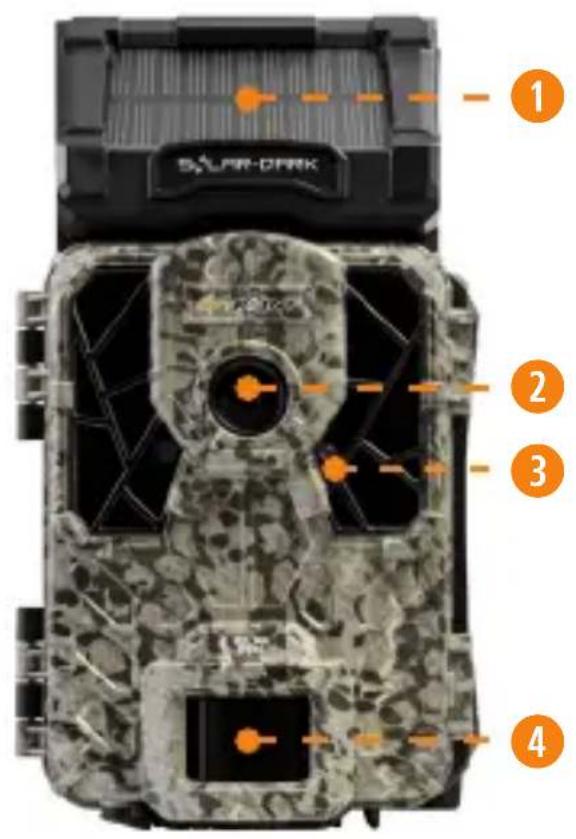
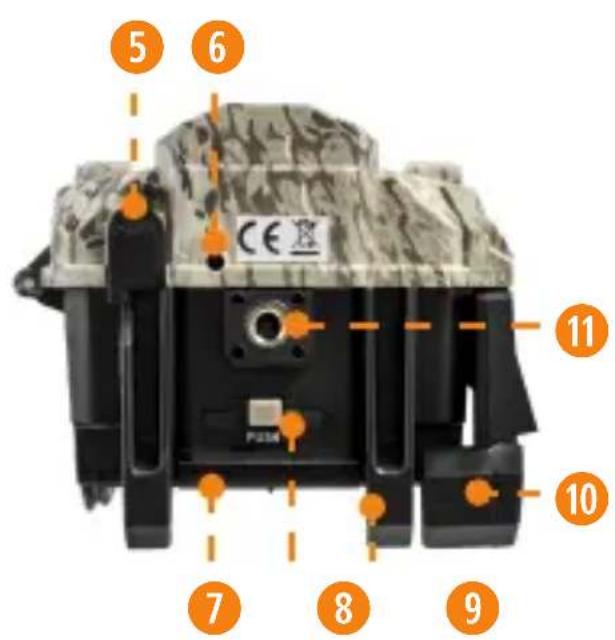
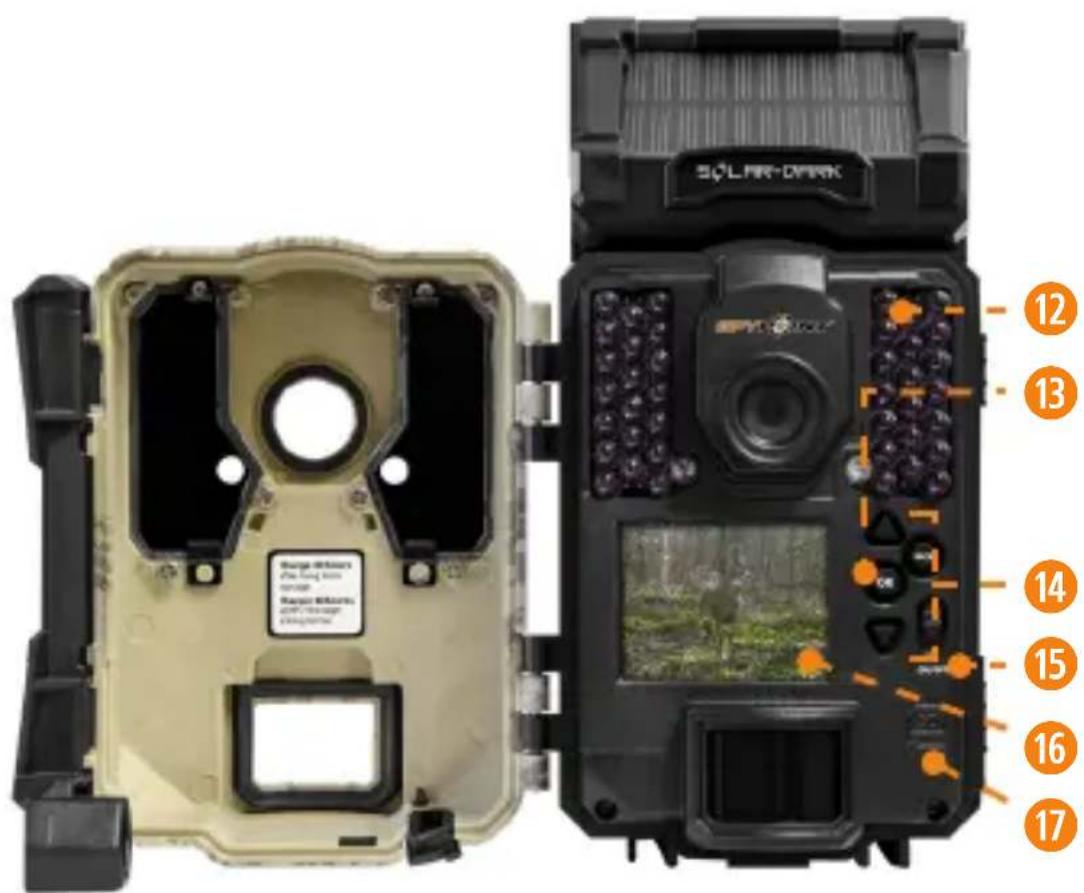
The specifications and characteristics of similar models may vary. Refer to the website or packaging for details.
PREPARATION
SELECT A POWER SOURCE
The camera was designed to be powered by an internal rechargeable battery by means of an integrated solar panel. This power source is generally sufficient for the proper operation of the device.
It is recommended to charge the internal battery for 24 to 48 hours before the first use.
Plug the 12 V USB cable in the 12 V socket under the camera. Then, connect the other end of the cable to the USB port of your computer or to a 5 V wall socket charger (not included).
When charging via the 12 V USB cable (included), make sure the camera is turned OFF and the solar panel is covered or facing down so that it does not interfere with the USB charging process.
While the camera is in use, if the internal battery charge becomes insufficient, the camera will go into standby mode. Once the solar panel has recharged the battery, the camera will restart by itself with the same mode and configurations as before.
OPTIONAL POWER SOURCES
If the user configures the camera in a way that requires a lot of power, or installs it in a space with little ambient light, or simply for safety, it is recommended that you consider using a secondary power source.
When the internal battery charge becomes insufficient, the camera automatically connects to the available optional power source.
Three types of power sources are available to the user:
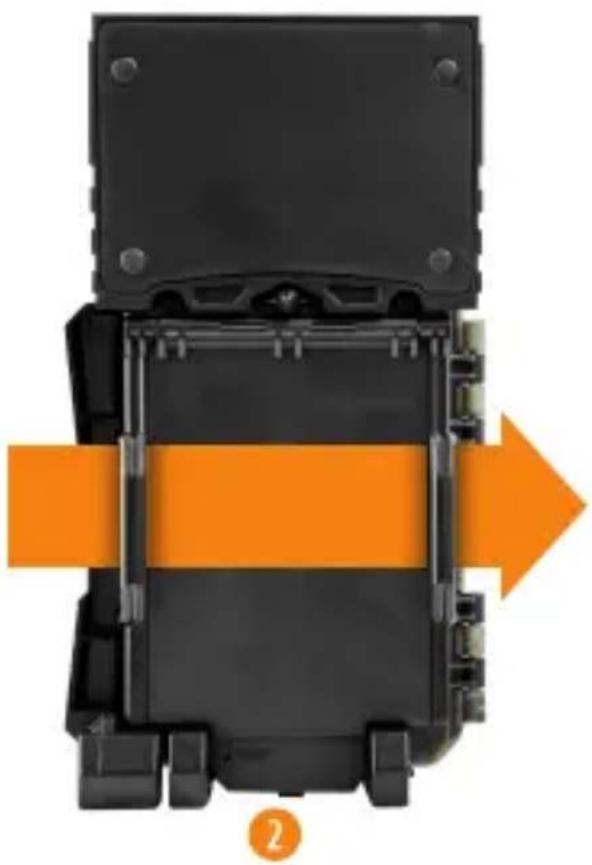
- 8 AA batteries inserted in the battery compartment.
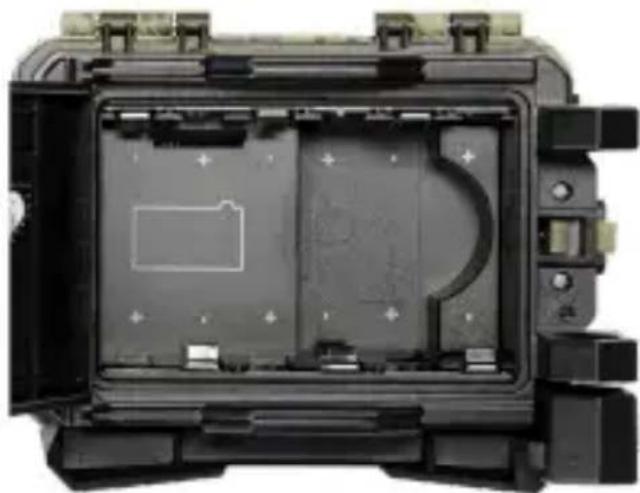
natural_image
Interior view of a black electronic device casing with visible internal components and mounting brackets (no text or symbols)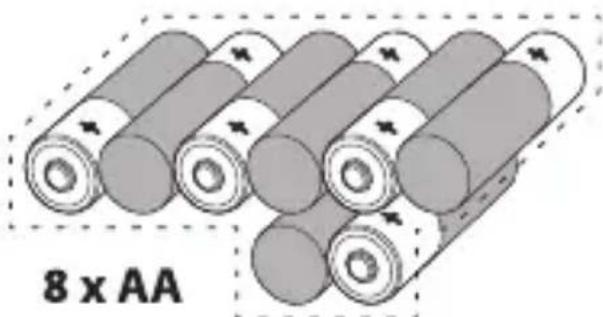
natural_image
Illustration of stacked cylindrical batteries with one cell labeled '8 x AA' (no other text or symbols)Alkaline or lithium batteries

Make sure to insert the AA batteries according to their polarity (+) and (-).
FOR MAXIMUM PERFORMANCE AND WITHOUT LEAKING BATTERIES
- Use new batteries.
- Use ONLY alkaline or ONLY lithium batteries.
- Do not mix new and old batteries.
- Do not use rechargeable AA batteries, as their lower voltage may cause operating difficulties.
-
An external 12 V battery (#BATT-12V sold separately) plugged into the 12 V socket on the bottom of the camera, behind a protective rubber cap.
-
A rechargeable lithium battery pack #LIT-09 (sold separately), to insert in the camera's battery compartment.
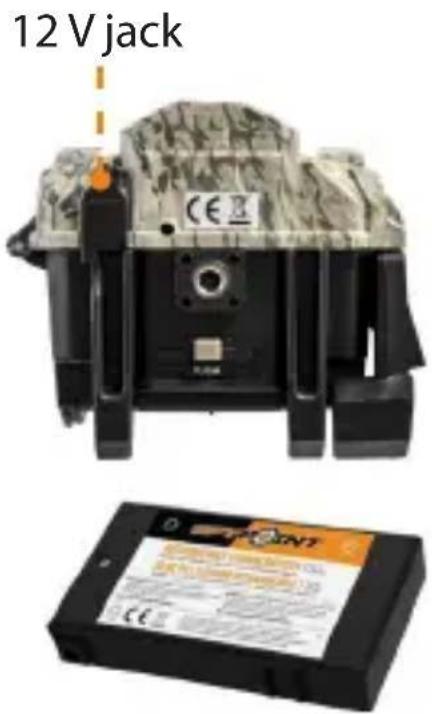
The camera was designed to draw its energy in the following priority order (in case all 3 power sources are available):
• 12 V battery plugged in the 12 V camera socket.
- Internal battery.
• AA batteries/lithium battery pack.
For more information about the different power sources for your camera, please refer to the User Manual at www.spypoint.com/support.
INSTALLING AN SD CARD
The camera was designed to operate with an SD card, class 10, between 2 and 32 GB of memory.
INSERT AN SD CARD
- Make sure the camera is turned OFF.
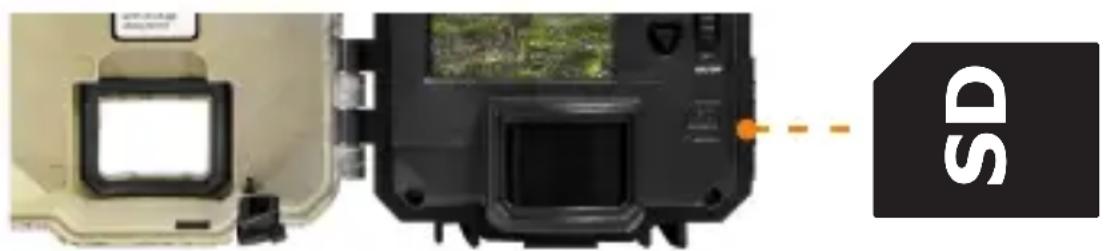
- Locate the SD card slot. It is on the right, above the viewing screen (see diagram).
- Insert an SD card (up to 32 GB) in the slot and make sure to respect the direction indicated in the diagram.
- The card is inserted correctly when a click is heard.
natural_image
Close-up of a camera module with a display screen and control panel, connected to a device labeled 'SD' (no readable text or symbols on the device itself)FORMAT YOUR SD CARD
Before inserting the SD card in your camera, it must be formatted to ensure proper operation. Visit www.spypoint.com/support if you need help formatting your SD card.
CONFIGURATION
Use the ▲ and ▼ buttons to navigate the menus and change options, the OK button to select and the BACK button to return to the previous menu.
GENERAL SETTINGS SETUP
- Use the ON/OFF switch to turn the camera ON.
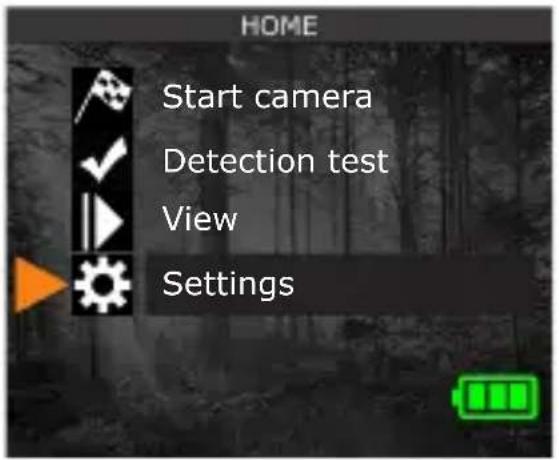
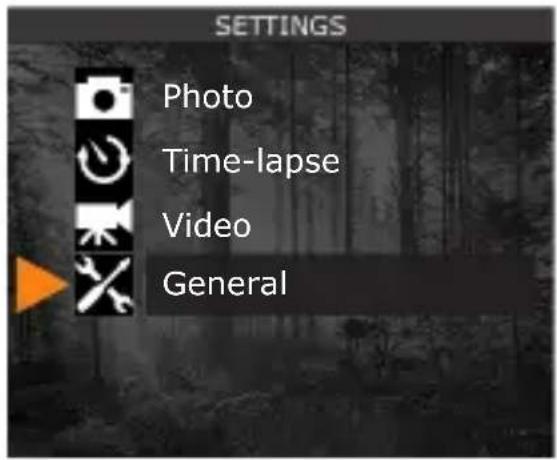
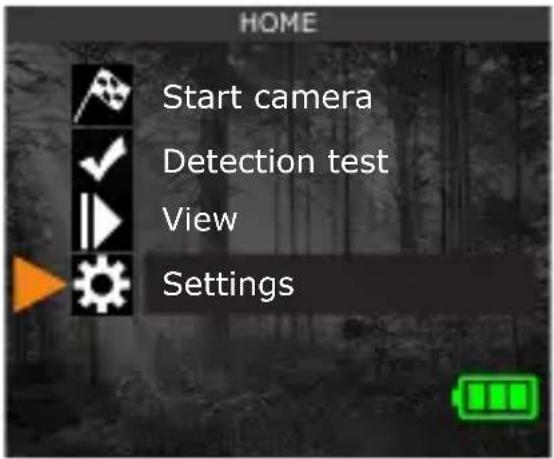
- Choose the language. By default, the camera menu is in English. If you want to use another language, after turning the camera ON, choose SETTINGS, GENERAL, then LANGUAGE. Choose one of the 3 languages available: English, Deutsch (German), or Français (French).
-
From the home menu, select SETTINGS, then GENERAL to access the general configuration menu:
-
Set the Date (MM/DD/YY or DD/MM/YY).
- Set the Time (hour/minute).
- Set the Nighttime (best option for photos).
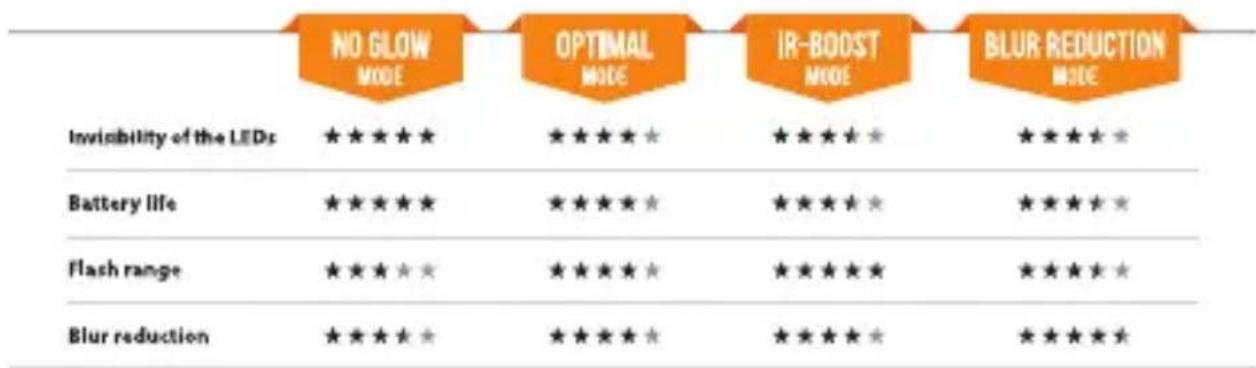
COMPARISON OF HYBRID ILLUMINATION MODES\*
bar
| Category | NO GLOW MODE | OPTIMAL MODE | IR-BOOST MODE | BLUR REDUCTION MODE | |---|---|---|---|---| | Invisibility of the LEDs | ★★★★★ | ★★★★★ | ★★★★★ | ★★★★★ | | Battery life | ★★★★★ | ★★★★★ | ★★★★★ | ★★★★★ | | Flash range | ★★★★★ | ★★★★★ | ★★★★★ | ★★★★★ | | Blur reduction | ★★★★★ | ★★★★★ | ★★★★★ | ★★★★★ |* Available for photos only
CONFIGURING THE SETTINGS FOR THE 3 OPERATING MODES
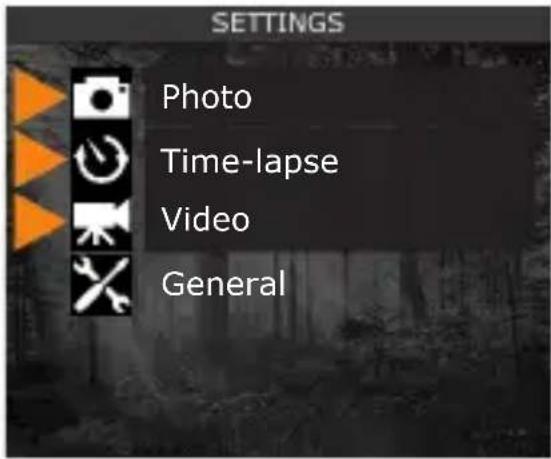
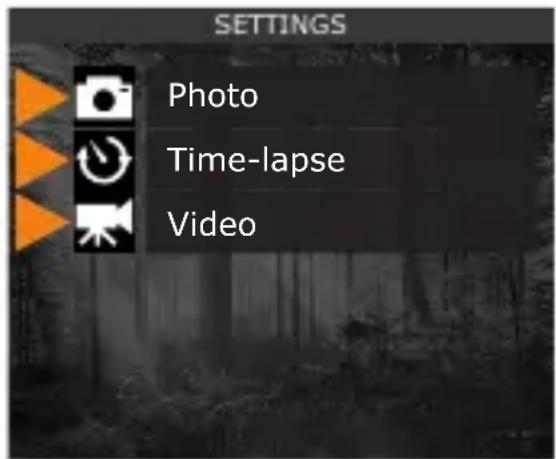
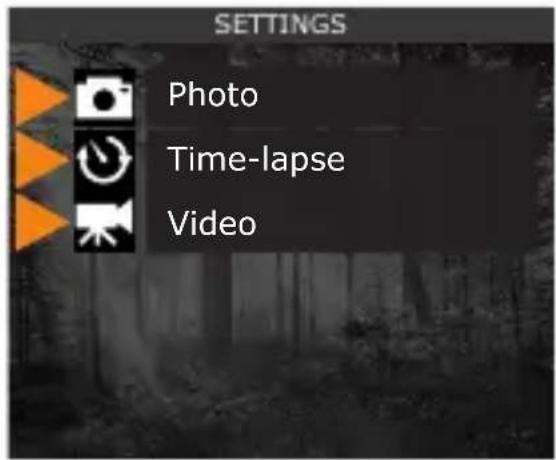
From the home menu, select SETTINGS, then PHOTO, TIME-LAPSE, or VIDEO to access the respective mode configuration menu.
PHOTO
Delay: Sets the time interval between each detection before the camera takes the next photo.
Multi-shot: Takes up to 6 consecutive shots at each detection with a 5 second delay between each photo.
TIME-LAPSE
Interval: This option allows the camera to take photos at regular preset intervals without movement detection.
VIDEO
Delay: Sets the time interval between each detection before the camera records the next video.
Video length: Allows the user to select the duration of the recording.
Photo first: When this option is enabled, a photo is taken immediately before each video.
SUGGESTED PHOTO MODE CONFIGURATION
Usage in trails Usage by a feeder
natural_image
A deer standing in a grassy field with trees and distant hills under a cloudy sky (no visible text or symbols)
natural_image
Two deer standing in a dense forest with tall trees and green foliage (no visible text or symbols)Delay Instant 5 min
Multi-shot 1 1-3
INSTALLING YOUR CAMERA
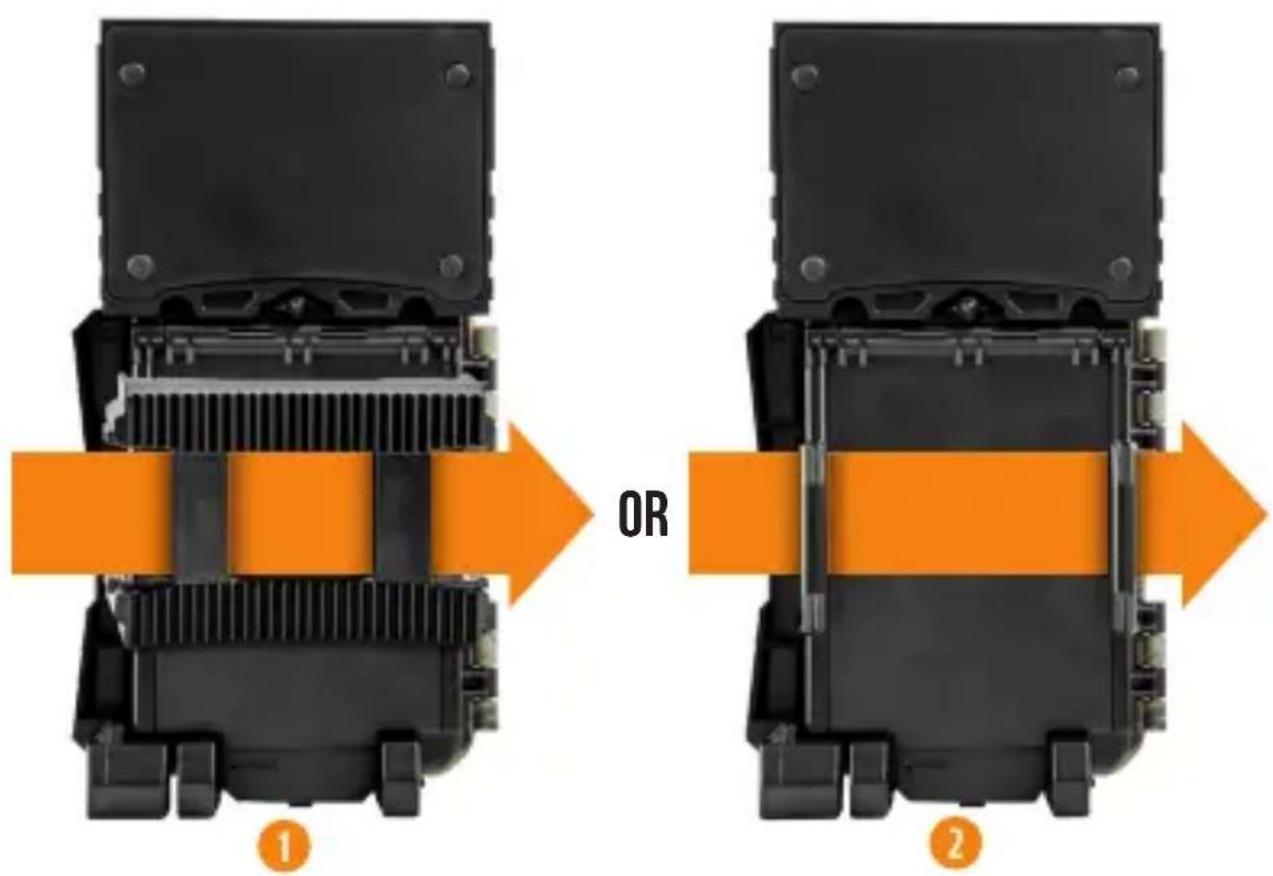
MOUNTING BRACKET AND STRAP
Install your camera against a tree, using either:
- The strap and the mounting bracket together.
- Only the strap inserted directly into the camera.
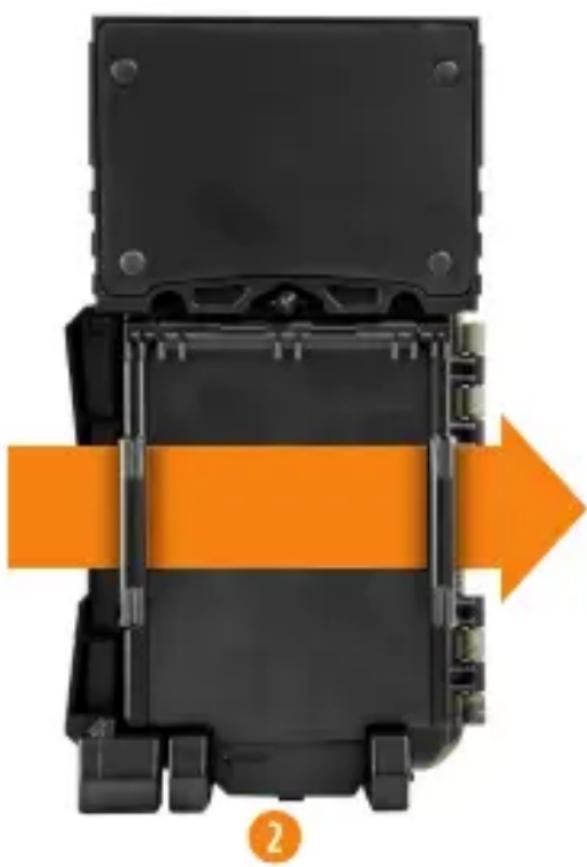
When the camera is installed using the mounting bracket, it can be removed to access the battery compartment without disturbing the installation.
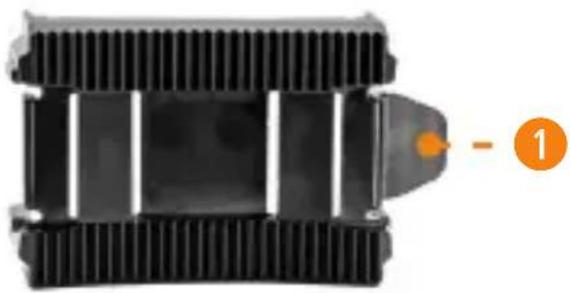
MOUNTING BRACKET
To remove the camera from the mounting bracket:
-
Push the tab to release the camera from the mounting bracket.
-
Remove the camera.
natural_image
Close-up of a black mechanical component with ribbed texture and a small orange circle labeled '1' pointing to a specific part (no text or symbols on the component itself)INSTALLATION WITH THE SUPPLIED STRAP
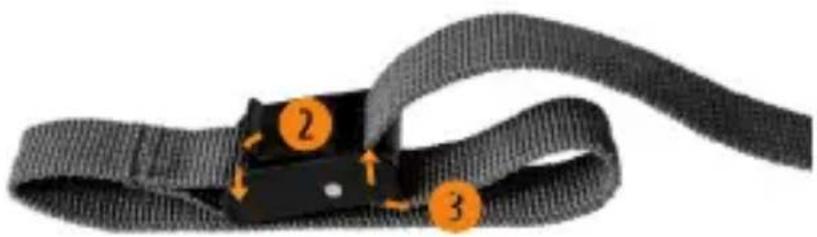
The dimensions of the included strap are 2.5 cm (1") X 152 cm (60").
- Thread the strap through the strap slot found on the back of the camera.
- Wrap the strap around the tree then press and hold down the latch.
- Thread the strap through the latch from behind, as shown below.
natural_image
Close-up of a black strap with orange circular markers indicating steps 2 and 3 (no text or symbols present)Recommended height of installation:
The camera must be installed at the height of the centre line of the animal's body.
Ideal setup for high-quality images and videos:
The target animal should be 7.5 m from the camera to get a better line of sight.
To produce brighter photos at night, there should be items reflecting the camera's flash in the background.
Please note that the camera should never be directly pointed at the sun to avoid back lighting and faulty detections.
TESTING THE CAMERA'S MOTION DETECTION CAPABILITY
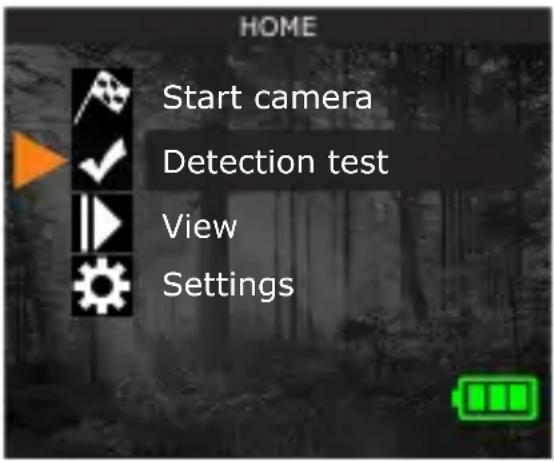
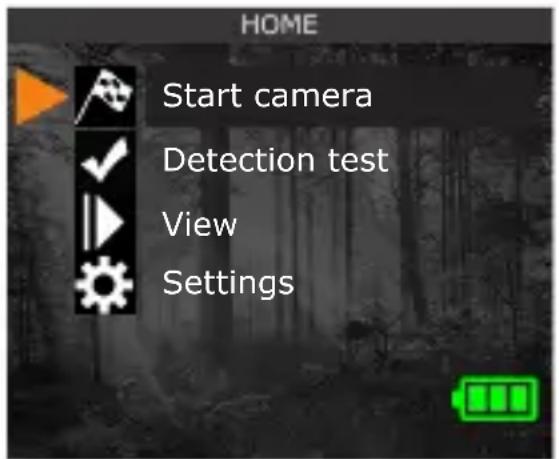
The test light blinks when the camera detects motion. If the system does not detect motion, increase the detection sensitivity using the "Sensitivity" option in the SETTINGS/GENERAL menu. Adjust the camera's position as needed. In the TEST mode, you can take a photo by pressing the OK button. The photo will be saved and displayed in the VIEWING mode.
STARTING THE CAMERA
After choosing START CAMERA in the HOME menu, select the desired operating mode (PHOTO, TIME-LAPSE, or VIDEO) from the mode menu by pressing OK.
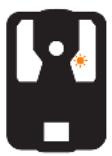
When the mode is selected, the test light on the front of the camera will blink for 30 seconds to allow the user to leave the area without being photographed or filmed.
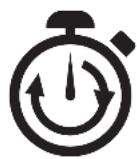
30 s
To ensure that you use your trail camera optimally and that it precisely meets your needs and ultimately to ensure greater success as a hunter, SPYPOINT offers you a range of useful additional digital features.
For more details on the SPYPOINT EXPERIENCE, refer to the following website www.spypoint.com/en/spypoint-experience.

THIS DEVICE COMPLIES WITH PART 15 OF THE FCC RULES.
Operation is subject to the following two conditions:
- This device must not cause harmful interference.
- This device must accept any interference received, including interference that may cause undesired operation.
DISPOSAL
ONLY USE ORIGINAL SPARE PARTS AND ACCESSORIES.
If, one day, your camera has been used so intensively that it has to be replaced, or if you no longer have any use for it, you are obliged to dispose of it at a recycling center.
Information on return points for your electrical appliance can be obtained from your local waste disposal company or from your local administrative offices.
Electrical appliances not only contain valuable recyclable raw materials, but also substances which, if disposed of improperly, can affect public health and the environment. Help ensure that valuable raw materials are recycled by returning your old appliance to a central collection point.
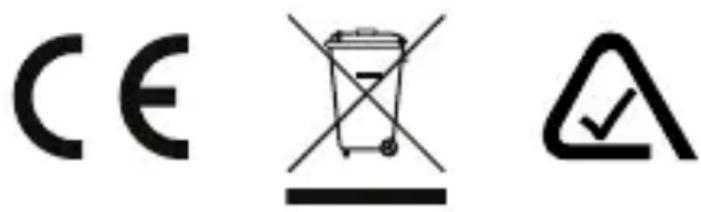
The WEEE (Waste Electrical and Electronic Equipment Directive) symbol represents the obligation of the labeled camera to be sent to a separate center for the proper recycling of electrical and electronic equipment.
THANK YOU FOR CHOOSING

WARRANTY
Sit back and relax as this device is covered by the "Know you're covered" 2-year warranty. We strive to provide our customers with a positive experience and an outstanding service.
For a complete list of specifications, features, and settings, visit our SOLAR-DARK page at www.spypoint.com
FAQ, User Manual & latest firmware available at www.spypoint.com/support
Live chat support at www.spypoint.com or email support at service@spypoint.com
Join the community


GUIDE DE DÉMARRAGE RAPIDE
SOLAR-DARK ET COMPARABLES \*
DANS LA BOÎTE
1x Caméra
1x Carte SD 16 Go
1x Câble 12 V-USB
1x Socle de fixation
natural_image
Interior view of a black electronic device casing with internal components and mounting brackets (no visible text or symbols)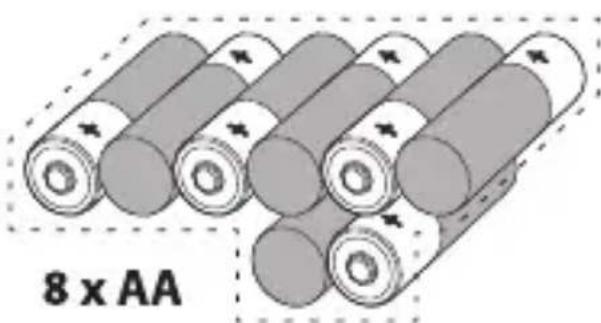
natural_image
Illustration of multiple cylindrical batteries with arrows indicating direction, labeled '8 x AA' below (no other text or symbols)natural_image
Close-up of a military vehicle with camouflage pattern and visible targeting device (no text or symbols)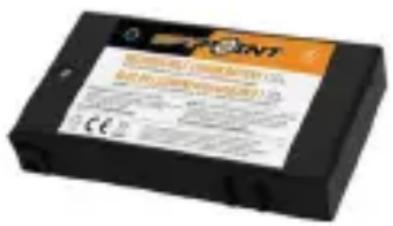
natural_image
Close-up of a camera module with display screen and control panel, connected to a 'SD' logo (no readable text or symbols on main subject)FORMATER VOTRE CARTE SD
natural_image
A deer standing in a grassy wetland with distant hills and trees under a cloudy sky (no visible text or symbols)natural_image
Two deer standing in a dense forest with tall trees and green foliage (no visible text or symbols)Délai Instantané 5 min
Multi-photos 1 1-3
INSTALLATION DE VOTRE CAMÉRA
COURROIE ET SOCLE
natural_image
Cross-sectional diagram of a mechanical device showing internal components and an orange directional arrow (no text or symbols)OU
natural_image
Diagram of a mechanical device with orange directional arrow indicating movement or force (no text or symbols)SOCLE
natural_image
Close-up of a black heat exchanger or cooling unit with visible cooling fins and a labeled orange arrow pointing to a section (no text or symbols on the device itself)INSTALLATION À L'AIDE DE LA COURROIE FOURNIE
natural_image
Close-up of a black strap with orange circular annotations indicating steps 2 and 3 (no text or symbols on the strap itself)MERCI D'AVOIR CHOISI

GARANTIE
natural_image
Interior view of a black electronic device casing with visible internal components and mounting brackets (no text or symbols)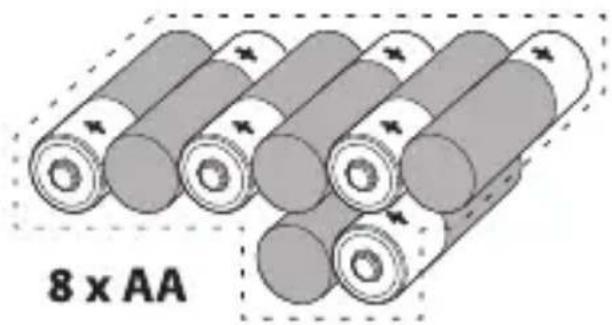
natural_image
Close-up of a military-style camouflage vehicle with visible gear and targeting equipment (no text or symbols)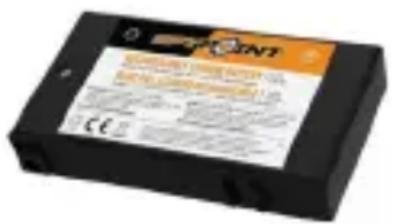
natural_image
Close-up of a camera module with a digital display and control panel, connected to a labeled 'SD' icon (no readable text or symbols on the device itself)FORMATIEREN SIE IHRE SD-KARTE
natural_image
A deer standing in a grassy wetland with trees and distant hills under a cloudy sky (no visible text or symbols)natural_image
Two deer standing in a dense forest with tall trees and green foliage (no visible text or symbols)natural_image
Close-up of a black industrial heat exchanger or cooling unit with a labeled orange arrow pointing to a component (no text or symbols on the device itself)INSTALLATION MIT DEM MITGELIEFERTEN GURT
natural_image
Close-up of a black strap with orange circular markers indicating steps 2 and 3 (no text or symbols present)www.spypoint.info/service.
SKŁADNIKI
1 Panel słoneczny
natural_image
Interior view of a device casing with internal components and mounting tabs (no visible text or symbols)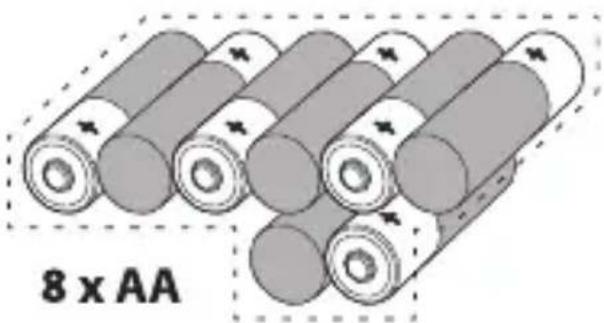
natural_image
Illustration of multiple cylindrical batteries with one labeled '8 x AA' (no other text or symbols)natural_image
Close-up of a camera module with a display screen and control panel, connected to a device labeled 'SD' (no readable text or symbols on the device itself)SFORMATUJ KARTĘ SD
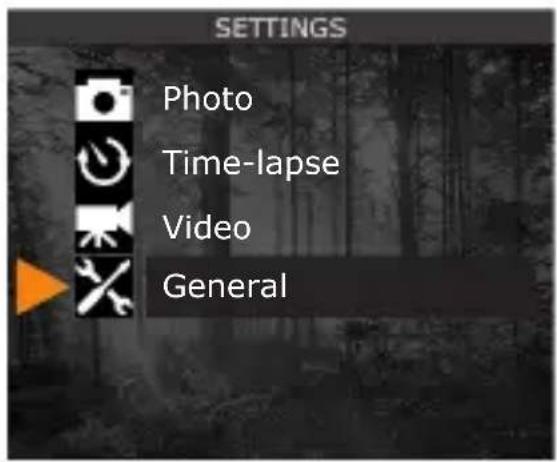
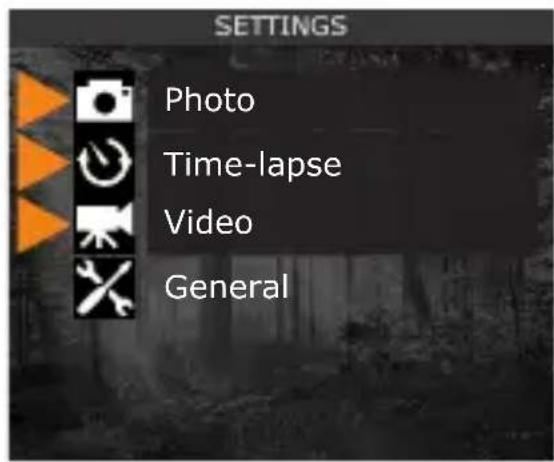
PHOTO (ZDJĘCIE)
UCHWYT MONTAŻOWY I PASEK
natural_image
Close-up of a black mechanical component with ribbed texture and a small orange mark labeled '1' (no text or symbols on the component itself)MONTAŻ ZA POMOCA DOSTARCZONEGO PASKA
natural_image
Close-up of a black strap with orange circular markers indicating steps 2 and 3 (no text or symbols present)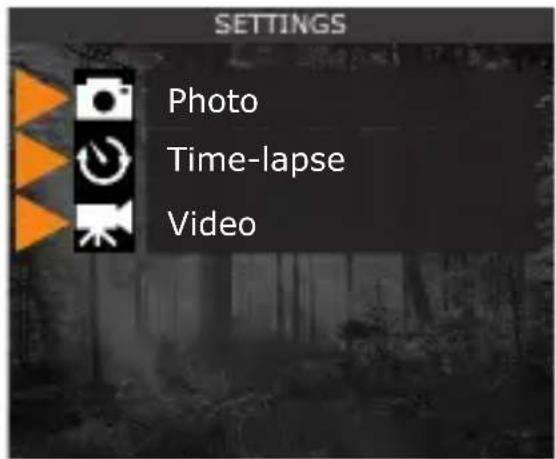
natural_image
Interior view of a black electronic device casing with visible internal components and mounting brackets (no text or symbols)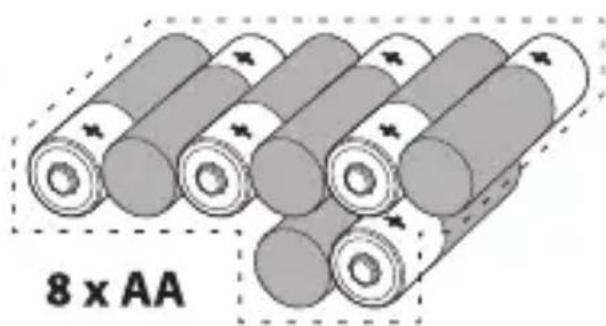
natural_image
Illustration of multiple cylindrical batteries arranged in a row, with no text or symbols on the battery bodies.natural_image
Close-up of a camera module with a display screen and control panel, connected by an orange dashed line to a black 'SD' logo (no readable text or symbols on the device itself)FORMÁTUJTE SD KARTU
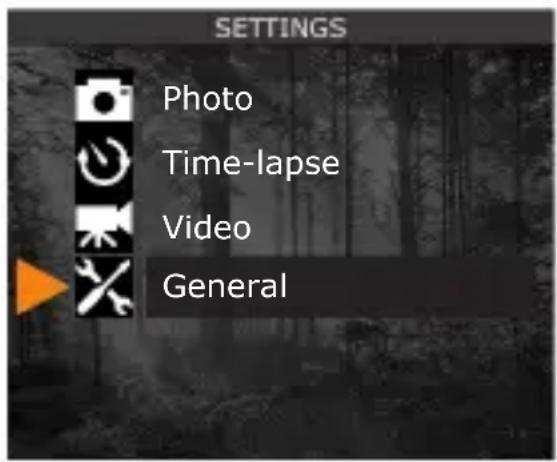
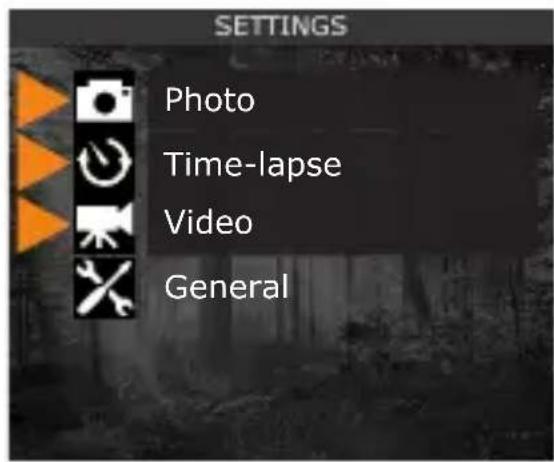
PHOTO (FOTOGRAFIE)
natural_image
A deer standing in a grassy field with trees and distant buildings under a cloudy sky (no visible text or symbols)
natural_image
Two deer standing in a dense forest with tall trees and green foliage (no visible text or symbols)Delay (Zpoždění)
Okamžité 5 min
natural_image
Close-up of a black mechanical component with ribbed texture and a small orange circle labeled '1' pointing to a specific part (no text or symbols on the component itself)INSTALACE POMOCÍ PŘILOŽENÉHO POPRUHU
natural_image
Close-up of a black strap with orange circular markers indicating steps 2 and 3 (no text or symbols present)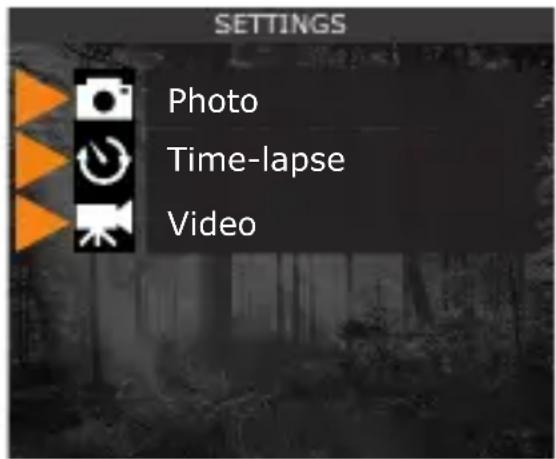
natural_image
Interior view of a black electronic device casing with visible internal components and mounting brackets (no text or symbols)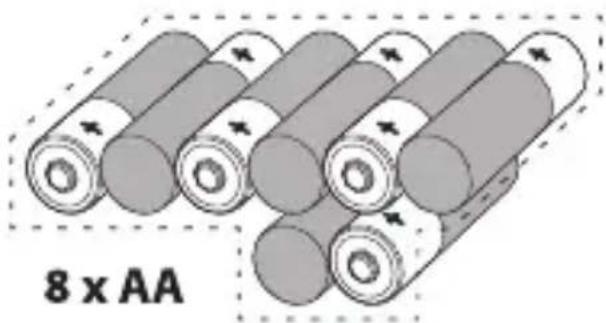
natural_image
Illustration of multiple cylindrical batteries with arrows indicating charge direction, labeled '8 x AA' below (no other text or symbols)Alkalické alebo lítiové batérie

Uistite sa, že ste vložili AA batérie podl'a na ich polaritu (+) a (-).
PRE MAXIMÁLNY VÝKON A BEZ BEZPEČNOSTNÝCH BATÉRIÍ
natural_image
Close-up of a camera module with a display screen and control panel, connected to a 'SD' logo (no readable text or symbols on the device itself)FORMÁTUJTE KARTU SD
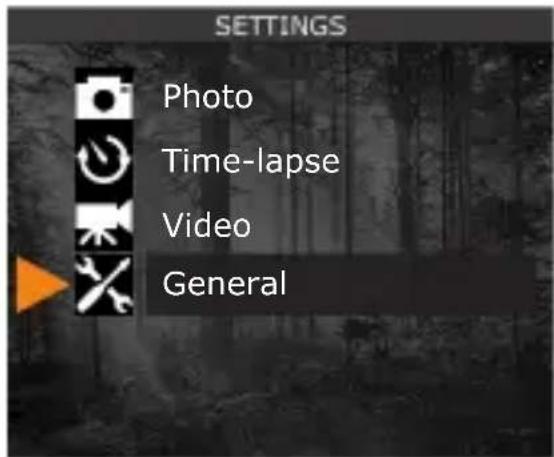
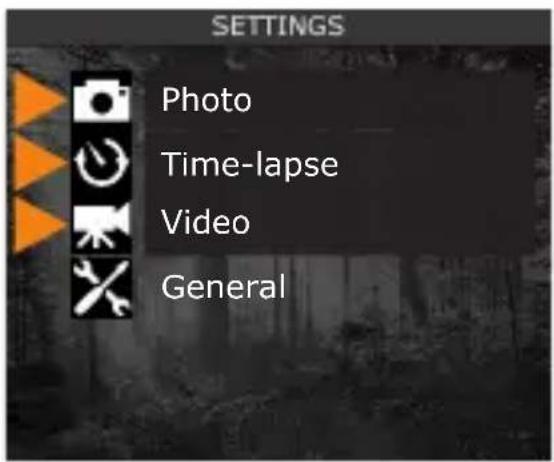
PHOTO (FOTO)
natural_image
A deer standing in a grassy field with trees and distant hills under a cloudy sky (no visible text or symbols)
natural_image
Two deer standing in a dense forest with tall trees and green foliage (no visible text or symbols)Delay
(Oneskorenie)
Okamžité 5 min
Multi-shot 1 1-3
INŠTALÁCIA KAMERY
MONTÁŽNA KONZOLA A REMIENOK
natural_image
Close-up of a black mechanical component with heat sinks and a numbered orange circle (1) pointing to its edge.INŠTALÁCIA POMOCOU DODÁVANÉHO REMIENKA
natural_image
Close-up of a black strap with orange circular markers indicating steps 2 and 3 (no text or symbols present)Ked'fotoaparát zistí pohyb, testovacie svetlo bliká. Ak systém nezistí pohyb, zvýšte citlivost detekcie pomocou možnosti „Citlivost“ v ponuke SETTINGS/GENERAL. Podl'a potreby upravte polohu kamery. V režime TEST môžete fotografovať stlačením tlačidla OK. Fotografia sa uloží a zobrazí v režime VIEWING.
SPUSTENIE FOTOAPARÁTU
natural_image
Interior view of a black electronic device casing with visible internal components and mounting brackets (no text or symbols)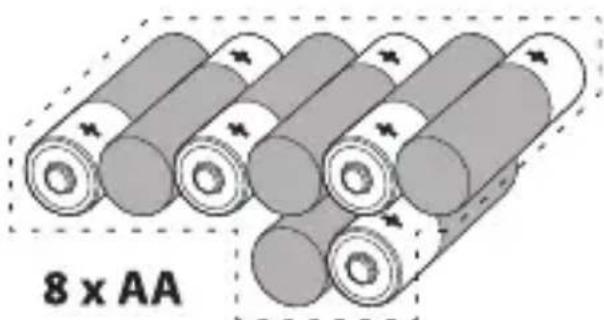
natural_image
Illustration of multiple cylindrical batteries arranged in a row, with no visible text or symbols on the battery bodies.Alkali- tai litiumparistot

natural_image
Close-up of a military-style camouflage equipment with no visible text or symbols on the body (pure technical label)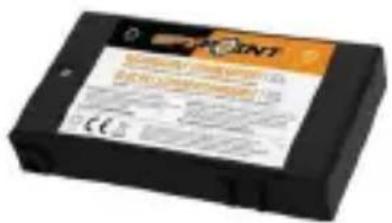
natural_image
Close-up of a camera module with a display screen and control panel, connected by an orange dotted line to a black 'SD' logo (no readable text or symbols on the device itself)ALUSTA SD-KORTTI
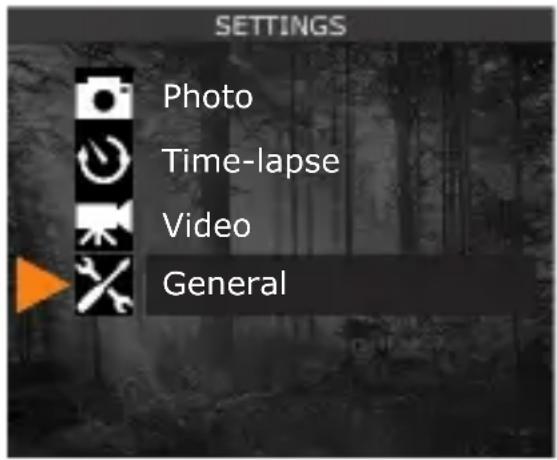
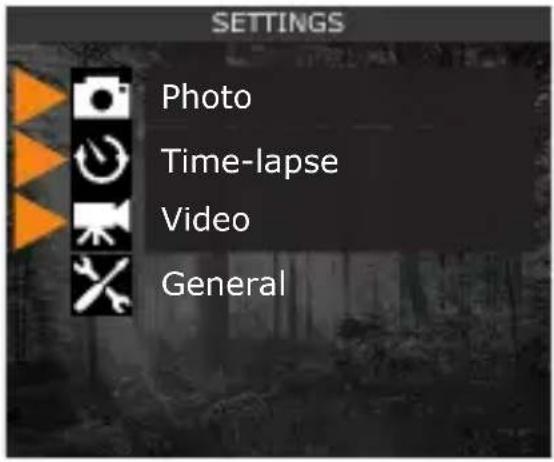
PHOTO (KUVA)
natural_image
Close-up of a black mechanical component with ribbed texture and a small orange button labeled '1' (no text or symbols on the component itself)ASENNUS MUKANA TOIMITETULLA HIHNALLA
Mukana olevan hihnan mitat ovat 2,5 cm (1") X 152 cm (60").
natural_image
Close-up of a black strap with orange circular markers indicating steps 2 and 3 (no text or symbols present)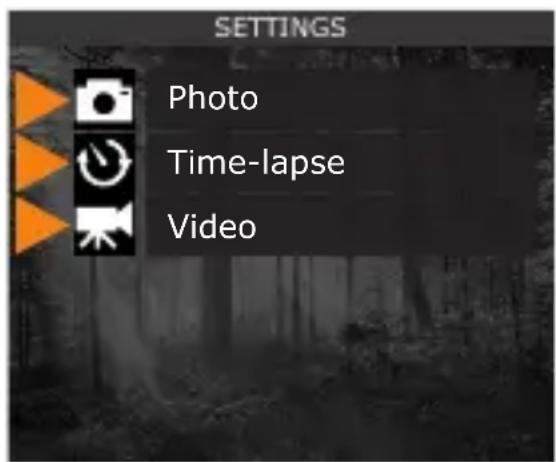
natural_image
Interior view of a device casing with visible internal components and mounting brackets (no text or symbols)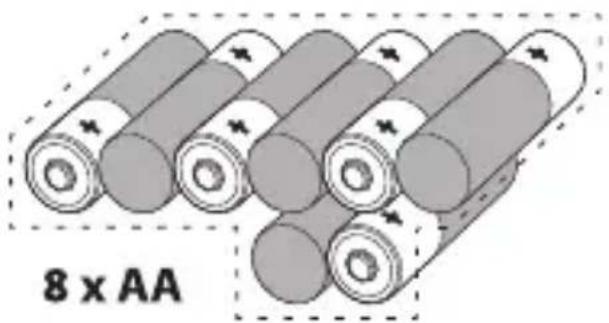
natural_image
Illustration of multiple cylindrical batteries arranged in a row, with no visible text or symbols on the battery bodies.natural_image
Exterior view of a camouflaged military vehicle (no visible text or symbols)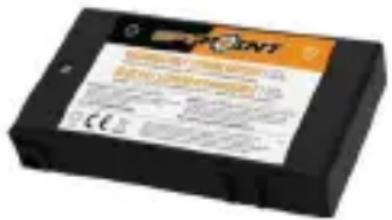
natural_image
Close-up of a camera module with a highlighted screen and control panel, next to a black 'SD' logo (no readable text or symbols on main subject)FORMATE TU TARJETA SD
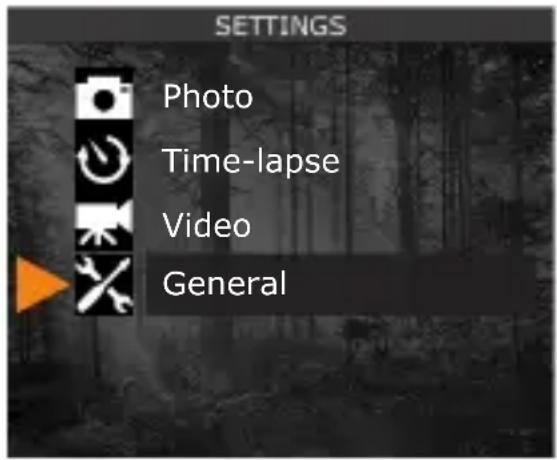
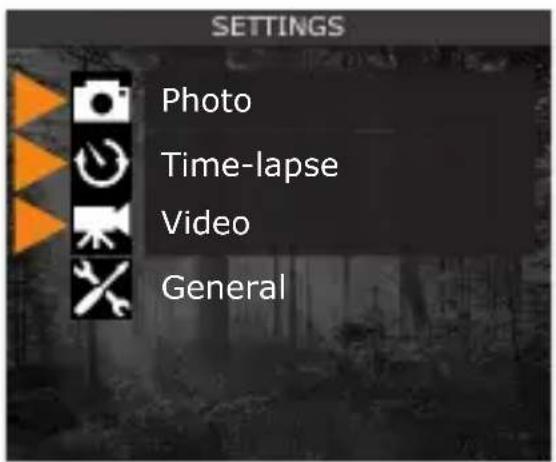
PHOTO (FOTO)
natural_image
A deer standing in a lush green wetland with trees and distant hills under a cloudy sky (no text or symbols visible)natural_image
Two deer standing in a dense forest with tall trees and green foliage (no visible text or symbols)Delay (Retraso)
Instantáneo 5 min
Multi-shot (Multidisparo)
1 1-3
INSTALAR SU CÁMARA
SOPORTE DE MONTAJE Y CORREA
natural_image
Cross-sectional diagram of a mechanical device showing internal components and an orange arrow indicating direction (no text or symbols)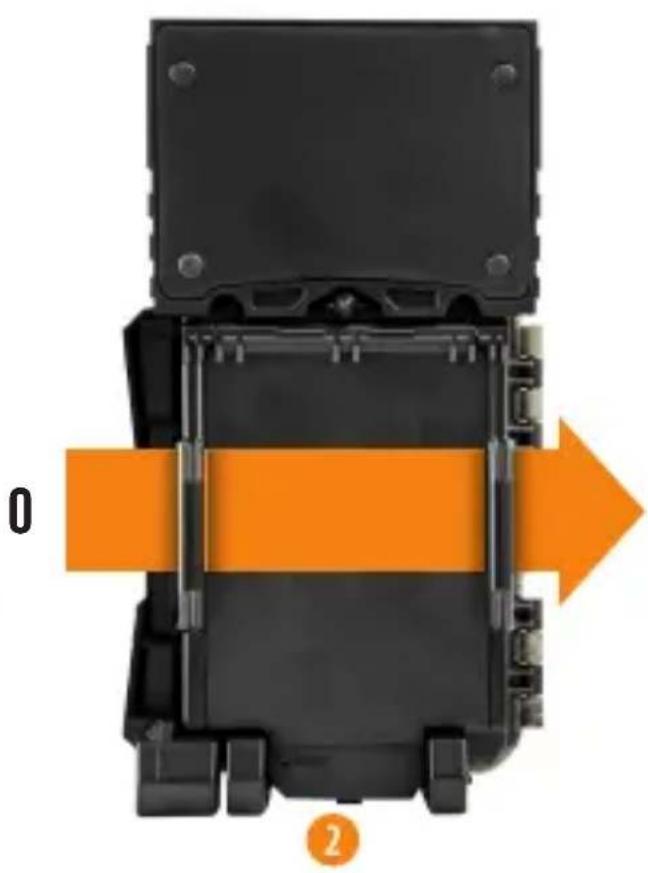
natural_image
Diagram of a mechanical device with orange directional arrows indicating movement or force (no text or symbols)SOPORTE DE MONTAJE
natural_image
Close-up of a black mechanical component with grooves and a small orange button labeled '1' (no text or symbols on the main structure)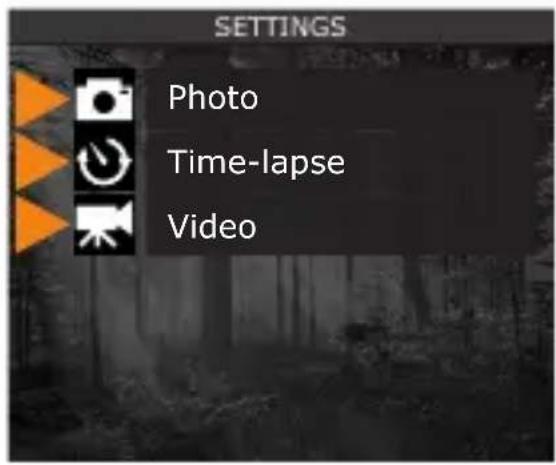
natural_image
Interior view of a black electronic device casing with visible internal components and mounting brackets (no text or symbols)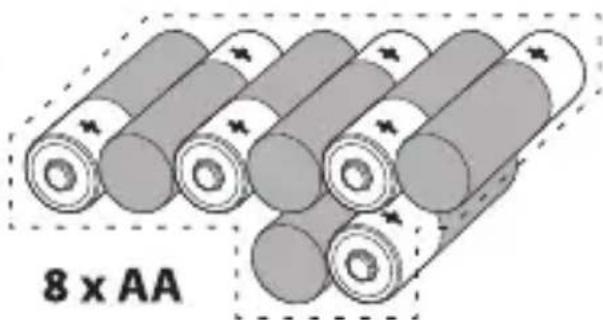
natural_image
Illustration of stacked cylindrical batteries with no text or symbols on the battery itselfBatterie alcaline o al litio

natural_image
Close-up of a camouflaged military vehicle with camouflage pattern and visible targeting device (no text or symbols)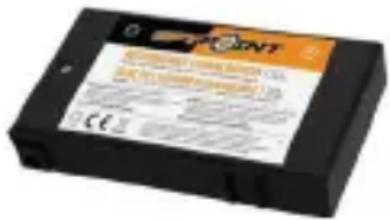
INSTALLAZIONE DI UNA SCHEDA SD
natural_image
Two camera modules with a digital display showing natural scenery, connected by an orange dashed line to a black 'SD' logo (no text or symbols on the modules themselves)FORMATTA LA TUA SCHEDA SD
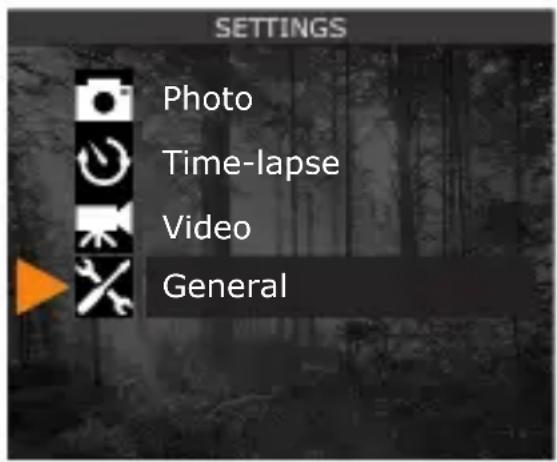
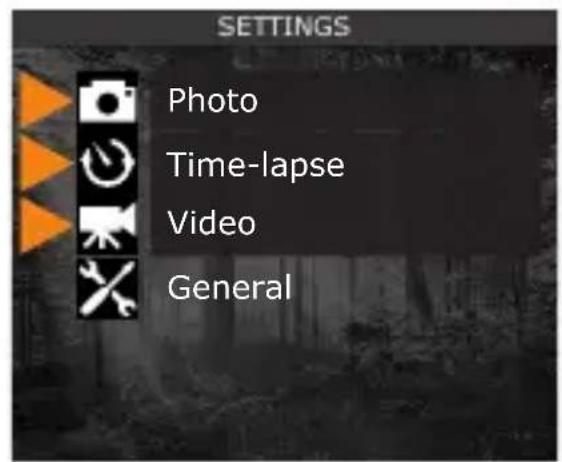
PHOTO (FOTO)
natural_image
A deer standing in a grassy field with distant trees and hills under a cloudy sky (no visible text or symbols)natural_image
Two deer standing in a dense forest with tall trees and green foliage (no visible text or symbols)Delay (Ritardo)
Istantaneo 5 min
Multi-shot (Spari multipli)
1 1-3
natural_image
Cross-sectional diagram of a mechanical device showing internal components and an orange directional arrow (no text or symbols)0
natural_image
Diagram of a mechanical device with orange directional arrows indicating movement or force (no text or symbols)STAFFA DI FISSAGGIO
natural_image
Close-up of a black mechanical component with ribbed texture and a small orange pin labeled '1' (no text or symbols on the main structure)
EU DECLARATION OF CONFORMITY (NO.SPO146)
Product Description: SOLAR-DARK Camera
Model: SOLAR-DARK
Brand: SPYPOINT
Manufacturer: SPYPOINT
Address: 330 de la Jacques-Cartier
Victoriaville, Qc Canada
G6T 1Y3
This declaration of conformity is issued under the sole responsibility of the manufacturer.
The object of the declaration described above is in conformity with the relevant Community harmonisation legislation:
2014/53/EU The Radio Equipment Directive (RED)
2011/65/EU The restriction of the use of certain hazardous substances Directive (ROHS)
(EU)2015/863
References to the relevant harmonised standards used or references to the specifications in relation to which conformity is declared:
EMC:
EN 55032:2015
EN 61000-3-2:2014
EN 61000-3-3:2013
EN 55035:2017
ROHS:
IEC 62321-2:2013
IEC 62321-3-1:2013
IEC 62321-5:2013
IEC 62321-4:2013
IEC 62321-7-1:2015
IEC 62321:2008
IEC 62321-6:2015
IEC 62321-8:2017
Additional information:
The product carries the
CE Mark.
Signed for and on behalf of:
SPYPOINT
Place of issue: Victoriaville
Date of issue: April 1 ^st , 2020
Name and position: Yan Gagnon, CEO
Signature: