EasyManual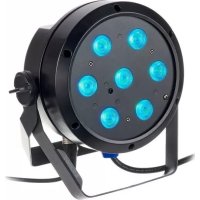
Root PAR 4 - Lighting Cameo - Free user manual and instructions
Find the device manual for free Root PAR 4 Cameo in PDF.



Download the instructions for your Lighting in PDF format for free! Find your manual Root PAR 4 - Cameo and take your electronic device back in hand. On this page are published all the documents necessary for the use of your device. Root PAR 4 by Cameo.
USER MANUAL Root PAR 4 Cameo
CLROOTPAR4(WH) ROOT PAR 6
ENGLISH YOU’VE MADE THE RIGHT CHOICE! This device was developed and manufactured under high quality requirements to ensure smooth operation for many years. Please read this user manual carefully to ensure you can quickly make the best use of your new Cameo Light product. Further information about Cameo Light is available on our website at WWW.CAMEOLIGHT.COM. INTENDED USE The product is a device for event technology! The product has been specially developed for professional use in event technology and is not suitable for use in a household setting! Temporary operation! Event equipment is generally only designed for temporary operation and is not intended for permanent operation and permanent installation! Furthermore, this product is only intended for qualified users with expertise in event technology! Use of the product contrary to the specified technical specifications and operating conditions is considered improper! Liability for damages or third-party damage to persons and property due to improper use is excluded! The product is not suitable for: - use by persons (including children) with reduced physical, sensory, or mental capabilities or with insufficient experience and knowledge. - children (children must be instructed not to play with the device). SAFETY INSTRUCTIONS - To avoid possible damage, please carefully read and observe these instructions. - Keep all information and instructions in a safe place. - Observe all warnings. Do not remove any safety instructions or other information from the device.
1. DANGER: The word DANGER, possibly used in combination with a symbol, Indicates
a hazardous situation which, if not avoided, WILL result in death or serious injury.
2. WARNING: The word WARNING, possibly used in combination with a symbol, Indicates a
hazardous situation which, if not avoided, COULD result in death or serious injury.
3. CAUTION: The word CAUTION, possibly used in combination with a symbol, refers to
situations or conditions that can lead to injuries.
4. NOTICE: The word NOTICE, possibly used in combination with a symbol, Indicates information
considered important but not hazard related (EX: messages relating to equipment/property damage).4 DEUTSCHENGLISH DMX ITALIANO POLSKI ESPAÑOL FRANCAIS This symbol indicates an electrical hazard. This symbol indicates a general hazard. This symbol indicates danger from hot surfaces. This symbol indicates danger from intense light sources. This symbol indicates additional information on the operation of the product.
1. Do not open the device or make any modifications to it.
2. If your device stops working properly, if liquids or objects have penetrated the inside
of the device, or if the device has been damaged in any other way, switch it off im- mediately and unplug it from the power outlet. Only authorized specialists may repair this device.
3. The protective earth conductor for Class I appliances must be properly connected.
Never disconnect the protective earth conductor. Class II appliances do not have a protective earth conductor.
4. Make sure that voltage-conducting cables are not kinked or otherwise mechanically
5. Never bypass the device fuse.
1. The device must not be used if there are obvious signs of damage to the device.
2. The device may only be installed in voltage-free state.
3. Do not operate the device if its power cord is damaged.
4. Only a qualified person may replace permanently connected power cords.
1. Do not operate the device right after it has been subjected to strong temperature
fluctuations (e.g., after transport). Humidity and condensation may have damaged the device. Only switch the device on once it has reached room temperature.
2. Make sure that the voltage and frequency of the power supply correspond to the
values specified on the device. If the device has a voltage selector, do not plug in5 DEUTSCH ENGLISH DMX FRANCAIS
ESPAÑOLITALIANO POLSKI
the device until it has been properly set up. Only use suitable power cords.
3. Simply pressing the On/Off switch on the device is not enough to entirely
disconnect the device from the power supply.
4. Make sure that the fuse used corresponds to the type shown on the device.
5. Make sure that suitable measures have been taken to prevent power surges
(e.g., lightning strike).
6. Observe the specified maximum output current on devices with a Power Out
connection. Ensure that the total power consumption of all devices connected to the device does not exceed the specified value.
7. Replace plug-in power cords only with cords that are comparable to the originally
supplied cords. The cross-section must not fall below the cross-section of the original cord.
1. Risk of suffocation! Plastic bags and small parts must be kept out of reach of persons
(including children) with reduced physical, sensory, or mental capabilities.
2. Fall hazard! Make sure that the device is securely installed and cannot fall down.
Only use suitable stands or mountings (especially for fixed installations). Make sure that accessories are properly installed and secured. Ensure that applicable safety regulations are observed when doing this.
1. Only use the device as properly intended.
2. Only operate the device with accessories recommended and provided by
3. Please observe the safety regulations in place in your country when installing
4. After the device is connected, check all cable paths to prevent any damage or
accidents (e.g., tripping hazards).
5. Please observe the specified minimum distances to materials with normal
flammability! Unless explicitly stated, the minimum distance is 0.98 ft.
6. Always observe the minimum distance to the illuminated surface to be read
on the device! CAUTION:
1. Moving components such as mounting brackets or other moving components may
2. In the case of devices with motor-driven components, there is a risk of being injured
by the moving device. Sudden device movements can lead to startle responses.
3. The device’s housing surface can get very hot during regular operation. Make sure
that unintentional contact with the housing cannot happen. Always allow the device to cool sufficiently before disassembly, maintenance work, and charging, etc..6 DEUTSCHENGLISH DMX ITALIANO POLSKI ESPAÑOL FRANCAIS NOTICE:
1. Do not install or operate the device near heating elements, heat storage units, stoves,
or other sources of heat. Make sure that the device is always installed so that it is adequately cooled and cannot overheat.
2. Do not put any sources of ignition (e.g., burning candles) near the device.
3. Ventilation slots must be kept uncovered, and fans must not be blocked.
4. Use the original packaging or packaging provided by the manufacturer for transport.
5. Avoid shaking or banging the device.
6. Observe the IP rating as well as the ambient conditions such as the specified tem-
perature and humidity.
7. Devices can be subject to ongoing development. If information on operating condi-
tions, output, or other device characteristics differs between the user manual and device label, the information provided on the device always takes priority.
8. The device is not suitable for tropical climate zones and operation above 6561 ft
9. The device is not suitable for operation under marine conditions.
CAUTION! IMPORTANT INFORMATION ON LIGHT PRODUCTS!
1. Never look directly (not even briefly) into the light source.
2. Never look into the light source with optical devices (e.g., magnifying glasses).
3. Strobe effects can trigger epileptic seizures in susceptible individuals!
4. A permanently installed light source is built into this luminaire and cannot be
replaced by the user. Please contact your distributor in case of a system failure.
INFORMATION FOR PORTABLE INDOOR DEVICES
1. Temporary operation! Event equipment is designed in general for temporary operation
2. Continuous operation or permanent structural attachment, especially in outdoor
areas, can negatively impact functionality, as well as surfaces and seals, and can lead to accelerated material fatigue.7 DEUTSCH ENGLISH DMX FRANCAIS
CLROOTPAR4 (black housing) CLROOTPAR4WH (white housing)
6 X 12 W RGBWA+UV PAR SPOTLIGHTS
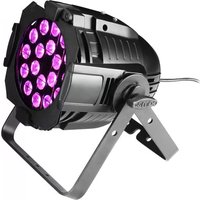
CLROOTPAR6 (black housing) CLROOTPAR6WH (white housing) CONTROL FUNCTIONS CLROOTPAR4 DMX modes without DMX delay channel: 2-channel, 4-channel 1, 4-channel 2, 5-channel 6, and 9-channel DMX control DMX modes with DMX delay channel: 3-channel, 5-channel 1, 5-channel 2, 6-channel, 7-channel, and 10-channel DMX control CLROOTPAR6 DMX modes without DMX delay channel: 2-channel, 4-channel 1, 4-channel 2, 5-channel, 6-channel, 8-channel, and 11-channel DMX control DMX modes with DMX delay channel: 3-channel, 5-channel 1, 5-channel 2, 6-channel, 7-channel, 9-channel, and 12-channel DMX control Master/slave mode Stand-alone functions Control via IR remote control (remote control optionally available) W-DMX connection possible with optional iDMX stick PROPERTIES 3-pin DMX connectors. Power Twist power connector, IN and OUT. OLED display. Configurable PWM frequency. Connection for iDMX stick. Convection cooling. Tilt screw. Installation double bracket included. 100–240 V AC operating voltage. CLROOTPAR4 7 x 4 W RGBW LEDs. Power consumption 38 W CLROOTPAR6 6 x 12 W RGBWA+UV LEDs. Power consumption 58 W8 DEUTSCHENGLISH DMX ITALIANO POLSKI ESPAÑOL FRANCAIS
CONNECTIONS, OPERATING AND DISPLAY ELEMENTS
The CLROOTPAR4 and CLROOTPAR6 models feature identical connections, operating and display elements.
POWER IN Blue Power Twist mains input socket. Operating voltage 100–240 V AC/50–60 Hz. A suitable mains cable with Power Twist plug is included.
POWER OUT White Power Twist mains output socket for supplying power to additional Cameo spotlights (max. 8 A).
DMX IN Male 3-pin XLR socket for connection to a DMX control device (e.g. DMX console).
DMX OUT Female 3-pin XLR socket for sending the DMX control signal.
FUSE Fuse holder for 5 x 20 mm micro fuses. IMPORTANT: Replace the fuse only with a fuse of the same type and value. In the event of repeated fuse failure, please contact an authorised service centre.
OLED-DISPLAY The OLED display shows the currently activated mode (main display), the menu items in the selection menu and the numerical value or operating mode in certain menu items. If there is no input for around two minutes, the display automatically returns to the main display. Note regard- ing the main display in operating modes with external control: As soon as the control signal is interrupted, the characters in the display begin to flash. When there is a control signal again, the flashing stops. Briefly pressing the UP button when in the main display rotates the display by 180°.
The CLROOTPAR4 and CLROOTPAR6 models feature identical connections, operating and display elements.
CONTROL BUTTONS MODE – press MODE to access the selection menu. Press repeatedly to go back to the main display. Pressing MODE without confirming a value or status change with ENTER restores the previously confirmed value or status. ENTER – press ENTER to access the menu levels, to make value changes, and to access the submenus. Confirm value or status changes by pressing ENTER. UP and DOWN – select individual menu items in the selection menu (DMX address, operating mode etc.) and in the submenus. Allow changes to the value in a menu item, such as the DMX address, as required.
MIC Microphone for music-control mode.
TILT Knurled screw for the TILT feature for uplighting. For a more discreet look, the installation double bracket can be removed.10 DEUTSCHENGLISH DMX ITALIANO POLSKI ESPAÑOL FRANCAIS
RUBBER FEET Four rubber feet for good stability.
SECURING LUG Securing lug for attaching the spotlight for truss installations.
HANDLE SCREWS The two handle screws are for adjusting and fixing the stand and/or mounting bracket.
PORT FOR W-DMX™ CONNECTION
The USB-A port for the optional iDMX stick is located on the panel on the opposite side of the spotlight. OPERATION NOTES
- As soon as the spotlight is properly connected to the power supply, “Welcome to Cameo”, the model name, and then the software version are displayed one after the other on the display as part of the startup process. Once the process is complete, the spotlight is ready for use and resumes whichever mode was most recently activated.
- Hold down the MODE button for approx. two seconds to directly access the main display from the lower menu levels. If there is no input within approx. two minutes, the main display is auto- matically activated. Briefly press MODE to go up one level in the submenus.
- Press MENU and ENTER at the same time to go directly to the last edited menu option.
- Starting from the main display, briefly press UP to rotate the display 180°.
- Press and hold UP or DOWN to quickly change a value (e.g., DMX start address).
MAIN DISPLAY DMX MODE
The DMX Address and the currently configured DMX start address (in the example 001) are shown on the display. If the DMX Delay function is activated, the delay group and the delay time are also displayed.
The display shows Mode Slave. If the slave unit is assigned to a slave group, the slave group and the delay time set in the master unit under the standalone operating modes Auto and Loop are also displayed. Mode Slave Gr 1 2.0s
CONFIGURE DMX START ADDRESS
Press MODE to access the main menu. Now use UP and DOWN to select the menu item DMX Address and confirm with ENTER. You can now configure the DMX start address with UP and DOWN. Confirm with ENTER and press MODE once to return to the main display. The main display is activated automatically after approximately two minutes of no input. --------Menu------- DMX Address DMX Mode DMX Delay Standalone Slave Settings System Info ----DMX Address---- DMX Address DMX Mode DMX Delay 001–512
Press MODE to access the main menu. Now use UP and DOWN to select the menu item DMX Mode and confirm with ENTER. Again use UP and DOWN to select the desired DMX mode and confirm with ENTER (DMX modes with DMX delay channel are marked with “D”). Press MODE once to return to the main display. The main display is activated automatically after approximately two minutes of no input. Tables with the channel assignment of the different DMX modes can be found in these instructions under DMX CONTROL. --------Menu------- DMX Address DMX Mode DMX Delay Stand Alone Slave Settings System Info ----DMX Address---- DMX Address DMX Mode DMX Delay
2CH 4CH1 4CH2 5CH 6CH 8CH 11CH D3CH D5CH1 D5CH2 D6CH D7CH D9CH D12CH CLROOTPAR6 DMX DELAY The DMX Delay function allows a chaser light effect to be easily created with any number of spotlights of the same model and software version, which could otherwise only be achieved with a suitable DMX controller and complex programming. All spotlights integrated into the setup are set to the same DMX mode and controlled with the same DMX start address.12 DEUTSCHENGLISH DMX ITALIANO POLSKI ESPAÑOL FRANCAIS Manually set the DMX delay for DMX operating modes without DMX delay channel: Starting from the main display, press MENU to go to the main menu. Using the and keys, now select the DMX Delay menu option and press enter to confirm your selection. Use and again to select the desired submenu item, press ENTER to confirm, and set the corresponding value as desired. Press ENTER to confirm all entries. Assign the spotlight to one of 47 groups (maximum number of groups depends on the activated DMX mode). Several spotlights can also be assigned to one group. The group number is also the factor by which the set delay time is multiplied. The delay time (delay time of the DMX signal) can be set manually on each spotlight separately with different values (0.0 s to 2.0 s in 0.1 s steps). Setup example: Setting the DMX delay for DMX modes with DMX delay channel: Starting from the main display, press MENU to go to the main menu. Using the and buttons, now select the DMX Delay menu option and press ENTER twice to confirm your selection. Assign the spotlight to one of 47 groups (maximum number of groups depends on the activated DMX mode). Several spotlights can also be assigned to one group. The group number is also the factor by which the set delay time is multiplied. Confirm each entry with ENTER. The delay time (delay time of the DMX signal) is set using a DMX controller in the separate DMX delay channel of the corresponding DMX operating mode (0.0 s to 2.0 s in 0.1 s steps).13 DEUTSCH ENGLISH DMX FRANCAIS
The 6 available Auto programs each consist of preprogrammed color change sequences; bright- ness, operating speed, music control with microphone sensitivity, and delay (signal delay) are configured separately for each program. Starting from the main display, press MODE to go to the main menu. Using UP and DOWN, now select the Stand Alone menu option and press ENTER to confirm. Use UP and DOWN again to select the Auto stand-alone mode and press ENTER to confirm your selection. Now use UP and DOWN to select the desired program (Program 1 to Program 6) and press ENTER to confirm your selection. --------Menu------- DMX Address DMX Mode DMX Delay Stand Alone Slave Settings System Info ----Stand Alone---- Auto Static Color Preset User Color Loop -----Program x----- Dimmer Speed Sound Sens Delay ----Auto Mode---- Program 1
This will take you to the submenu for setting the submenu items (see table, select with UP and DOWN, confirm with ENTER, change value or status with UP and DOWN, confirm with ENTER). The settings for each programme are made separately and are retained even after restarting the device. STANDALONE MODE AUTO/SOUND (PROGRAMME 1 to PROGRAMME 6) Dimmer Sets brightness 0–100 Speed Sets running speed 0–100 Sound Activates/deactivates music-control Off Deactivates music-control
Activates music-control Sens Sets microphone sensitivity 0–100 Delay Delay time for slave groups
The standalone mode static allows the dimmer, strobe, R, G, B and W values and the R, G, B, W, A and UV values to be set directly on the device, with values between 000 and 255, in a similar way to with a DMX controller. In this way, an individual scene can be created without an additional DMX controller. Starting from the main display, press MODE to enter the main menu. Now use UP and DOWN to select the menu item Stand Alone and confirm with ENTER. Again use UP and DOWN to select standalone mode Static and confirm with ENTER. Using UP and DOWN, now select the menu item that you wish to edit and confirm with ENTER. You can use UP and DOWN to configure the desired value between 000 and 255. Confirm all entries with ENTER. --------Menu------- DMX Address DMX Mode DMX Delay Standalone Slave Settings System Info ----Standalone---- Auto Static Color Preset User Color Loop -----Static Mode----- Dimmer Strobe Red Green Blue White Amber
15 different color presets, plus Jump and Fade, are available as preset programmes. The bright- ness can be separately set for each preset and the running speed for Jump and Fade. Starting from the main display, press MODE to enter the main menu. Now use UP and DOWN to select the menu item Stand Alone and confirm with ENTER. Again use UP and DOWN to select standalone mode Color Preset and confirm with ENTER. Now use UP and DOWN to select the desired color preset and confirm with ENTER (Off = blackout, Speed refers to Jump and Fade). You can now use UP and DOWN to set the desired brightness between 000 and 100. Confirm with ENTER. --------Menu------- DMX Address DMX Mode DMX Delay Stand Alone Slave Settings System Info ----Stand Alone---- Auto Static Color Preset User Color Loop ----Color Preset---- Off Red Amber Yel Warm Yellow Green Turquoise White Cold White
ROOTPAR6 White Cold White Jump Fade Speed ROOTPAR4
The standalone mode User Color allows you to store four individual color presets of overall brightness, strobe and a color blend of R, G, B and W or R, G, B, W, A and UV directly in the device. Starting from the main display, press MODE to enter the main menu. Now use UP and DOWN to select the menu item Stand Alone and confirm with ENTER. Again use UP and DOWN to select the standalone mode User Color and confirm with ENTER. Using UP and DOWN, now select the desired preset (color 1 to 4) and confirm with ENTER. Using UP and DOWN, now select the menu item that you wish to edit and confirm with ENTER. You can use UP and DOWN to15 DEUTSCH ENGLISH DMX FRANCAIS
The standalone mode Loop allows you to individually configure, store and access up to four different color changing programmes. Brightness, step time, fade time and delay (signal delay) are also separately configurable. Starting from the main display, press MODE to enter the main menu. Now use UP and DOWN to select the menu item Stand Alone and confirm with ENTER. Again use UP and DOWN to select the standalone mode Loop and confirm with ENTER. Using UP and DOWN, now select the desired loop (Loop 1 to 4) and confirm with ENTER. --------Menu------- DMX Address DMX Mode DMX Delay Standalone Slave Settings System Info ----Standalone---- Auto Static Color Preset User Color Loop ----Loop Mode---- Loop 1
This will take you to the submenu for setting the submenu items (see table, select with UP and DOWN, confirm with ENTER, change value or status with UP and DOWN, confirm with ENTER). The settings for each loop are made separately and are retained even after restarting the device. ROOTPAR4 STANDALONE MODE LOOP (Loop 1–4) Dimmer Sets brightness 0–100 Step time Sets step time 0.1 s to 10.0 s Fade time Sets fade time in percent 0% to 100% Delay Delay time for slave groups 0.0 s to 2.0 s 1st step 15 colors from Color Preset Red to CW (Cold White) 4 colors from User Color User 1 to User 4 Blackout Blackout16 DEUTSCHENGLISH DMX ITALIANO POLSKI ESPAÑOL FRANCAIS 2nd step " " 3rd step 15 colors from Color Preset Red to CW (Cold White) 4 colors from User Color User 1 to User 4 Blackout Blackout ------- Skip step 4th step " " ROOTPAR6 STANDALONE MODE LOOP (Loop 1–4) Dimmer Sets brightness 0–100 Step time Sets step time 0.1 s to 10.0 s Fade time Sets fade time in percent 0% to 100% Delay Delay time for slave groups 0.0 s to 2.0 s 1st step 15 colors from Color Preset Red to CW (Cold White) 4 colors from User Color User 1 to User 4 UV light UV Blackout Blackout 2nd step " " 3rd step 15 colors from Color Preset Red to CW (Cold White) 4 colors from User Color User 1 to User 4 UV light UV Blackout Blackout ------- Skip step 4th step " " SLAVE MODE Standard slave mode: Starting from the main display, press MODE to enter the main menu. Now use UP and DOWN to select the menu item Slave, confirm with ENTER, select Slave Group 0 and again confirm with ENTER. Connect the slave and the master units (same model, same software version) using a DMX cable, and enable one of the standalone modes on the master unit (Auto, Static, Color Preset, User Color, Loop). The slave unit will now exactly follow the master unit. --------Menu------- DMX Address DMX Mode DMX Delay Standalone Slave Settings System Info ----Slave Group---- Standalone Slave Settings Mode Slave
Advanced slave mode: If, in master/slave mode, you would like to control the slave units via one of the standalone modes Auto or Loop, the control signal can be passed on with a delay in up to 15 steps (ROOTPAR4: Slave Group 1–15, ROOTPAR6: 1–13). The delay is defined in the submenu item Delay in the respective standalone mode and the delay factor in the slave menu of the corresponding spotlight. This is a simple way to create a running light effect with a large number of spotlights that are all the same model and which are all running the same software version. This is otherwise only realisable with a suitable DMX controller and time-consuming programming. --------Menu------- DMX Address DMX Mode DMX Delay Standalone Slave Settings System Info ----Slave Group---- Standalone Slave Settings ----Slave Group---- Standalone Slave Settings Mode Slave Gr 1 2.0
CLROOTPAR4 CLROOTPAR6 1–15 1–13 Main display with group number and delay time in master unit Assign the spotlights to one of up to 15 groups as desired (ROOTPAR4: Slave Group 1-15, ROOTPAR6: 1-13). Multiple spotlights may be assigned to a group. The group number is also the factor by which the delay time set in the master unit is multiplied (see setup example). Mode Slave Master unit Auto Programme 1 Delay 0.5 s Slave Group 0 No delay Slave Group 1
Slave Group 2 1 s delay Slave Group 3
Slave Group 4 2 s delay Slave Group 5
Mode Slave Mode Slave Mode Slave Mode Slave Mode Slave Mode Slave Mode Slave SYSTEM SETTINGS (Settings) Starting from the main display, press MODE to enter the main menu. Use UP and DOWN to select the menu item Settings and confirm with ENTER. --------Menu------- DMX Address DMX Mode DMX Delay Standalone Slave Settings System Info This will take you to the submenu for setting the submenu items (see table, select with UP and DOWN, confirm with ENTER, change value or status with UP and DOWN, confirm with ENTER).18 DEUTSCHENGLISH DMX ITALIANO POLSKI ESPAÑOL FRANCAIS Settings Disp Rev = Rotate display No No display rotation Yes Display is rotated by 180° (e.g. for overhead installation) Disp Back = Display lighting Off Deactivates after approximately 30 seconds of inactivity On On permanently Sig Fail = Operating status with DMX signal fault Hold Last command is retained Black Activates blackout User 1 User Color 1 is activated Sound = Sets music control Last Color is retained until next impulse Off Color expires after a moment, until next impulse
frequency 650 Hz, 1530 Hz, 2150 Hz, 4000 Hz Select LED PWM frequency Calibration (CLROOT- PAR4) = Color calibration Red, Green, Blue, White Individual color calibration. Cross-mode brightness setting of the 4 LED groups RGBW with values from 0 to 255 Calibration (CLROOT- PAR6) = Color calibration Red, Green, Blue, White, Amber, UV Individual color calibration. Cross-mode brightness setting of the 6 LED groups RGBWA+UV with values from 0 to 255 IR Remote = Activate or deacti- vate control by IR remote control On IR remote control activated Off IR remote control deactivated Reset = Reset settings Factory Reset to factory settings: Perform reset with ENTER, cancel with MENU Preset A Reset to Preset A: Perform reset with ENTER, cancel with MENU Preset B Reset to Preset B: Perform reset with ENTER, cancel with MENU Preset C Reset to Preset C: Perform reset with ENTER, cancel with MENU Edit Preset = Store all system settings in 3 individual presets Preset A Store with ENTER Preset B Store with ENTER Preset C Store with ENTER Service = For service purposes only19 DEUTSCH ENGLISH DMX FRANCAIS
ESPAÑOLITALIANO POLSKI
SYSTEM INFORMATION (System Info) Starting from the main display, press MODE to enter the main menu. Now use UP and DOWN to select the menu item System Info and confirm with ENTER. --------Menu------- DMX Address DMX Mode DMX Delay Standalone Slave Settings System Info This will take you to the submenu for accessing the system information (see table, selection with UP and DOWN, confirm with ENTER, change status with UP and DOWN, confirm with ENTER). System Info Firmware = Displays device firmware Firmware V1.xx Tempera- ture = Displays temperature of LED unit LED xxx °C / xxx °F Unit °C (= display in degrees Celsius) °F (= display in degrees Fahrenheit) Op Hours = displays operating time xx:xx h Displays total operating time in hours and minutes IR REMOTE CONTROL (optional) Aim the infrared remote control directly at the infrared sensor on the front of the spotlight. The maximum range is approximately 8 metres. In DMX and slave modes, the spotlight’s IR sensor is deactivated. The infrared remote control directly controls the internal standalone modes Auto/Sound, Static and Color Preset. BL/ON/OFF (Blackout) Press the BL button to switch off all LEDs (blackout), re- gardless of the operating mode enabled via remote control. Press the BL button again to reactivate the previously selected mode. SP (Speed) Six-level speed setting for the color change programme Color Jumping (Ju), Color Fading (Fa) and Auto Programme (Au). Level 1 provides a slow color-change sequence. Press again to activate level 2 for a faster color-change sequence, and repeat for levels 3, 4, 5 and 6, whereby level 6 provides the maximum color-change sequence speed.20 DEUTSCHENGLISH DMX ITALIANO POLSKI ESPAÑOL FRANCAIS (Brightness) Sets the overall brightness in six levels. The different brightness levels can be accessed by re- peatedly pressing this button (level 1 = blackout). FL (Flash/Stroboscope) Six-level speed setting for the strobe effect. Level 1 deactivates the strobe effect, level 2 produces a slow flash frequency, followed by levels 3 to 5. Level 6 produces the fastest flash frequency. The strobe effect can only be used in the color blending mode (RGBW(A+UV). R/G/B/W (A and UV only in model CLROOTPAR6, CW and WW without function) Individual color blends can be created with these 4 (6) buttons. The six brightness levels can be accessed by repeatedly pressing the respective color button, whereby the LEDs are switched off at Level 1. Example: Set red and green at the maximum level and the remaining LEDs at the lowest level (i.e. off), and you will achieve a bright yellow color blend. Ju (color change) Color changes jump (color jumping). The speed at which the colors change is set with the SP (Speed) button. Fa (Color Fade) Colors fade into each other (color fading). The speed at which the colors change is set with the SP (Speed) button. Au (Auto Mode) Select the desired color change programme Auto 1–6 by repeatedly pressing the Au button. Su (Music-controlled color change programme) Select one of six music-controlled programmes Sound 1–6 by repeatedly pressing the Su button. The microphone used for this is found on the back of the spotlight. CM (Color Macros) Fifteen color presets (sixteen on the ROOTPAR6) can be accessed in succession with the buttons CM+ and CM-. Pr+/Pr- Select the programme in Auto Mode (Au) and for Music-control (Su).
INSTALLATION AND MOUNTNG
Thanks to its convenient double bracket, the lamp can be positioned in a suitable location on a level surface. Installation on a traverse is possible with a traverse clamp, which is attached to the mounting bracket (A). Suitable traverse clamps are optionally available. Ensure firm connections and secure the spotlight by attaching a suitable safety cable to the securing lug on the back of the spotlight.21 DEUTSCH ENGLISH DMX FRANCAIS
ESPAÑOLITALIANO POLSKI
DANGER: Overhead installation requires extensive experience, including the calculation
of the load limit values of the installation material and regular safety inspection of all installation materials and spotlights. If you do not have these qualifications, do not attempt to carry out the installation yourself; contact a professional company. There is a risk that incorrectly mounted or secured devices may come loose and fall down. This may lead to serious injury and even fatalities.
To create a more discrete look when using as an uplight, the double mounting bracket can be removed by releasing both handle screws (B).22 DEUTSCHENGLISH DMX ITALIANO POLSKI ESPAÑOL FRANCAIS
CARE, MAINTENANCE, AND REPAIR
The device must be maintained and serviced regularly, at least every 3,000 operating hours or at the latest after one year, in order to ensure that it continues to operate properly over the long term. CARE (user executable) WARNING! The power supply and, if possible, all device connections must be disconnected before carrying out any care/maintenance measures. NOTE! Improper care can lead to damage to the device or even destruction.
1. Housing surfaces must be cleaned with a clean, damp cloth. Make sure that no moisture can
penetrate the device.
2. Dust and dirt must be regularly removed from air inlets and outlets. If compressed air is used,
care must be taken to prevent damage to the device (e.g., fans must be blocked in this case; otherwise they might overwind).
3. Cables and plug-in contacts must be cleaned regularly and dust and dirt must be removed.
4. In general, no cleaning agents or abrasive agents may be used to care for the device as this
could have a negative impact on the surface finish.
5. In general, devices must be stored in a dry place and protected from dust and dirt.
6. All accessible or removable lenses and light emitting apertures must be cleaned on a regular
basis to ensure proper and safe operation. MAINTENANCE AND REPAIR (by specialists only) DANGER! The device contains voltage-conducting components. There may still be residual voltage in the device even after it is disconnected from the power supply (e.g., due to charged capacitors). NOTE! The device contains no user-serviceable components. NOTE! Maintenance and repair work may only be carried out by sufficiently qualified specialists. In case of doubt, consult a specialist workshop. NOTE! Improperly carried out maintenance work can affect the warranty claim. NOTE! Please observe the enclosed installation guide when upgrading or retrofitting kits provided by the manufacturer.23 DEUTSCH ENGLISH DMX FRANCAIS
ESPAÑOLITALIANO POLSKI
DMX TECHNOLOGY DMX-512 DMX (Digital Multiplex) is the designation for a universal transmission protocol for communica- tions between corresponding devices and controllers. A DMX controller sends DMX data to the connected DMX device(s). The DMX data is always transmitted as a serial data stream that is forwarded from one connected device to the next via the “DMX IN” and “DMX OUT” connectors (XLR plug-type connectors) that are found on every DMX-capable device, provided the maximum number of devices does not exceed 32 units. The last device in the chain needs to be equipped with a terminator (terminating resistor). DMX CONNECTION DMX is the common “language” via which a very wide range of types and models of equipment from various manufacturers can be connected with one another and controlled via a central controller, provided that all of the devices and the controller are DMX compatible. For optimum data transmission, it is necessary to keep the connecting cables between the individual devices as short as possible. The order in which the devices are integrated in the DMX network has no influence on the addresses. Thus the device with the DMX address 1 can be located at any posi- tion in the (serial) DMX chain: at the beginning, at the end or somewhere in the middle. If the DMX address 1 is assigned to a device, the controller “knows” that it should send all data allocated to address 1 to this device regardless of its position in the DMX network.
Connect the male XLR connector (3-pin or 5-pin) of the DMX cable to the DMX output (female XLR socket) of the first DMX device (e.g. DMX-Controller).
2. Connect the female 3-pin XLR connector of the DMX cable connected to the first projector to
the DMX input (male 3-pin socket) of the next DMX device. In the same way, connect the DMX output of this device to the DMX input of the next device and repeat until all devices have been connected. Please note that as a rule, DMX devices are connected in series and connections cannot be shared without active splitters. The maximum number of DMX devices in a DMX chain should not exceed 32 units. The Adam Hall 3 STAR, 4 STAR, and 5 STAR product ranges include an extensive selection of suitable cables. DMX CABLES When fabricating your own cables, always observe the illustrations on this page. Never connect the shielding of the cable to the ground contact of the plug, and always make certain that the shielding does not come into contact with the housing of the XLR plug. If the shielding is connect- ed to the ground, this can lead to short-circuiting and system malfunctions.24 DEUTSCHENGLISH DMX ITALIANO POLSKI ESPAÑOL FRANCAIS PIN ASSIGNMENT DMX cable with 3-pin XLR connectors: DMX cable with 5-pin XLR connectors (pin 4 and 5 are not used): Shield
Shield DMX TERMINATORS (TERMINATING RESISTORS) To prevent system errors, the last device in a DMX chain needs to be equipped with a terminating resistor (120 ohm, 1/4 Watt). 3-pin XLR connector with a terminating resistor: K3DMXT3 5-pin XLR connector with a terminating resistor: K3DMXT5 PIN ASSIGNMENT 3-pin XLR connector: 5-pin XLR connector:
DMX ADAPTER The combination of DMX devices with 3-pin connectors and DMX devices with 5-pin connectors in a DMX chain is possible with suitable adapters. PIN ASSIGNMENT DMX Adapter 5-pin XLR male to 3-pin XLR female: K3DGF0020 Pins 4 and 5 are not used. PIN ASSIGNMENT DMX Adapter 3-pin XLR male to 5-pin XLR female: K3DHM0020 Pins 4 and 5 are not used.25 DEUTSCH ENGLISH DMX FRANCAIS
Fuse: F3A / 250 V (5 × 20 mm) F3A / 250 V (5 × 20 mm) Ambient temperature (in operation): 0°C–40°C 0°C–40°C Relative humidity: < 80%, non-condensing < 80%, non-condensing IP rating IP20 IP20 Housing color: Black (CLROOTPAR4) White (CLROOTPAR4WH) Black (CLROOTPAR6) White (CLROOTPAR6WH) Housing material: ABS plastic ABS plastic Housing cooling: Convection cooling Convection cooling Dimensions (W × H × D, without mounting bracket): 195 x 133 x 195 mm 195 x 133 x 195 mm Weight (incl. mounting bracket):
Additional features: Power cable included; IR remote control available as optional acces- sory (CLPFLAT1REMOTE). Power cable included; IR remote control available as optional acces- sory (CLPFLAT1REMOTE).27 DEUTSCH ENGLISH DMX FRANCAIS
1. Packaging can be recycled using the usual disposal methods.
2. Please separate packaging in accordance with the disposal laws and recycling
regulations in your country. Device:
1. This device is subject to the European Community Directive on waste electrical and
electronic equipment (WEEE) in the currently applicable version. WEEE Directive Waste Electrical and Electronic Equipment. Waste equipment does not belong in household waste. Waste equipment must be disposed by a registered waste disposal company or at a municipal disposal facility. Please observe the applicable regulations in your country!
2. Observe all waste disposal laws applicable in your country.
3. Private customers can contact the distributor/retailer from whom the product was
purchased or the relevant local authorities to obtain information on environmentally friendly waste management
MANUFACTURER’S DECLARATIONS
CLROOTPAR4 CLROOTPAR6
ROOTPAR6 White Cold White Jump Fade Speed ROOTPAR4
CLROOTPAR4 CLROOTPAR6
CLROOTPAR4 CLROOTPAR6
ROOTPAR6 White Cold White Jump Fade Speed ROOTPAR4
CLROOTPAR4 CLROOTPAR6
CLROOTPAR4 CLROOTPAR6
ROOTPAR6 White Cold White Jump Fade Speed ROOTPAR4
CLROOTPAR4 CLROOTPAR6
CLROOTPAR4 CLROOTPAR6
ROOTPAR6 White Cold White Jump Fade Speed ROOTPAR4
CLROOTPAR4 CLROOTPAR6
CLROOTPAR4 CLROOTPAR6
ROOTPAR6 White Cold White Jump Fade Speed ROOTPAR4
CLROOTPAR4 CLROOTPAR6
006 - 010 Strobe closed
103 - 127 Strobe Break effect, 5s…..1s (short burst with break)
Sound (triggers Strobe, Color Jumping & Fading)
006 - 010 Strobe closed
103 - 127 Strobe Break effect, 5s…..1s (short burst with break)
9 Sound (triggers Strobe, Color Jumping & Fading)
3 Chase of Ch 4 and Ch 5
000 - 005 No Chase, Color Preset 1 is on
5 Color Presets 2 000 - 255 same as Color Presets 1 ROOTPAR 4 DMX Modes with DMX-Delay Channel D3CH D5CH1 Function Values 1 1 Dimmer 000 - 255 0% to 100%
006 - 010 Strobe closed
103 - 127 Strobe Break effect, 5s…..1s (short burst with break)
Sound (triggers Strobe, Color Jumping & Fading)
006 - 010 Strobe closed
103 - 127 Strobe Break effect, 5s…..1s (short burst with break)
9 Sound (triggers Strobe, Color Jumping & Fading)
3 Chase of Ch 4 and Ch 5
000 - 005 No Chase, Color Preset 1 is on
006 - 010 Strobe closed
103 - 127 Strobe Break effect, 5s…..1s (short burst with break)
Sound (triggers Strobe, Color Jumping & Fading)
Chase of Ch 4 and Ch 5
000 - 005 No Chase, Color Preset 1 is on
006 - 010 Strobe closed
103 - 127 Strobe Break effect, 5s…..1s (short burst with break)
Sound (triggers Strobe, Color Jumping & Fading)
006 - 010 Strobe closed
103 - 127 Strobe Break effect, 5s…..1s (short burst with break)
Sound (triggers Strobe, Color Jumping & Fading)
Chase of Ch 4 and Ch 5
000 - 005 No Chase, Color Preset 1 is on
006 - 010 Strobe closed
103 - 127 Strobe Break effect, 5s…..1s (short burst with break)
Sound (triggers Strobe, Color Jumping & Fading)