EasyManual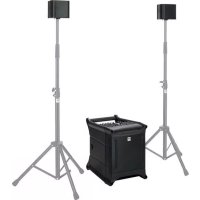
Lucas Nano 305 FX - Speaker HK AUDIO - Free user manual and instructions
Find the device manual for free Lucas Nano 305 FX HK AUDIO in PDF.



User questions about Lucas Nano 305 FX HK AUDIO
0 question about this device. Answer the ones you know or ask your own.
Ask a new question about this device
Download the instructions for your Speaker in PDF format for free! Find your manual Lucas Nano 305 FX - HK AUDIO and take your electronic device back in hand. On this page are published all the documents necessary for the use of your device. Lucas Nano 305 FX by HK AUDIO.
USER MANUAL Lucas Nano 305 FX HK AUDIO
- English • Français• Deutsch • Italiano • EspañolVersion 2.5 12/2016 Important Safety Instructions! Read before connecting! This product has been built by the manufacturer in accordance with IEC 60065 and left the factory in safe working order. To maintain this condition and ensure non-risk operation, the user must follow the advice and warning comments found in the operating instructions. If this product shall be used in vehicles, ships or aircraft or at altitudes exceeding 2000 m above sea level, take care of the relevant safety regulations which may exceed the IEC 60065 requirements.
WARNING: To prevent the risk of fire and shock hazard, do not
expose this appliance to moisture or rain. Do not open case – no user serviceable parts inside. Refer service to qualified service personnel. This symbol, wherever it appears, alerts you to the presence of uninsulated dangerous voltage inside the enclosure – voltage that may be sufficient to constitute a risk of shock. This symbol, wherever it appears, alerts you to the presence of externally accessible hazardous voltage. External wiring connected to any terminal marked with this symbol must be a “ready made cable” complying with the manufacturers recommendations, or must be a wiring installed by instructed persons only. This symbol, wherever it appears, alerts you to important operating and maintenance instructions in the accompanying literature. Read the manual. This symbol, wherever it appears, tells you: Take care! Hot surface! To prevent burns you must not touch. All electrical and electronic products including batteries should be disposed of separately from the municipal waste stream via designated collection facilities appointed by the government or the local authorities.
- Read these instructions.
- Keep these instructions.
- Follow all warnings and instructions marked on the product and in this manual.
- Do not use this product near water. Do not place the product near water, baths, wash basins, kitchen sinks, wet areas, swimming pools or damp rooms.
- Do not place objects containing liquid on the product – vases, glasses, bottles etc.
- Clean only with dry cloth.
- Do not remove any covers or sections of the housing.
- The set operating voltage of the product must match the local mains supply voltage. If you are not sure of the type of power available consult your dealer or local power company.
- Before connecting the device, please ensure that the mains supply you are using is equipped with adequate protection against short circuiting and grounding faults when the device is plugged in.
- To reduce the risk of electrical shock, the grounding of this product must be maintained. Use only the power supply cord provided with this product, and maintain the function of the center (grounding) pin of the mains connection at any time. Make sure the mains outlet used provides a proper protective ground connection.
- Do not defeat the safety purpose of the polarized or grounding- type plug. A polarized plug has two blades with one wider than the other. A grounding type plug has two blades and a third grounding prong. The wide blade or the third prong are provided for your safety. If the provided plug does not fit into your outlet, consult an electrician for replacement of the obolete outlet.
- Protect the power cord from being walked on or pinched particularly at plugs, convenience receptacles, and the point where they exit from the device! Power supply cords should always be handled carefully. Periodically check cords for cuts or sign of stress, especially at the plug and the point where the cord exits the device.
- Never use a damaged power cord.
- Unplug this product during lightning storms or when unused for long periods of time.
- This product can be fully disconnected from mains only by pulling the mains plug at the unit or the wall socket. The product must be placed in such a way at any time, that disconnecting from mains is easily possible.
- Fuses: Replace with IEC127 (5x20mm) type and rated fuse for best performance only! It is prohibited to use “patched fuses” or to short the fuse-holder. Replacing any kind of fuses must only be carried out by qualified service personal.
- Refer all servicing to qualified service personnel. Servicing is required when the unit has been damaged in any way, such as: - When the power cord or plug is damaged or frayed. - If liquid has been spilled or objects have fallen into the product. - If the product has been exposed to rain or moisture. - If the product does not operate normally when the operating instructions are followed. - If the product has been dropped or the cabinet has been damaged.
- Do not connect external speakers to this product with an impedance lower than the rated impedance given on the product or in this manual. Use only cables with sufficient cross section according to the local safety regulations.
- Keep away from direct sunlight.
- Do not install near heat sources such as radiators, heat registers, stoves or other devices that produce heat.
- This apparatus is for moderate climates areas use, not suitable for use in tropical climates countries.
- Do not block any ventilation openings. Install in accordance with manufacturer’s instructions. This product must not be placed in a built-in installation such as a rack unless proper ventilation is provided.
- Always allow a cold device to warm up to ambient temperature, when being moved into a room. Condensation can form inside it and damage the product, when being used without warming up.
- Do not place naked flame sources, such as lighted candles on the product.
- The device must be positioned at least 20 cm/8“ away from walls.
- Use only with the cart, stand, tripod, bracket or table specified by the manufacturer or sold with the product. When a cart is used, use caution when moving the cart/product combination to avoid injury from tip-over.
- Use only accessories recommended by the manufacturer, this applies for all kind of accessories, for example protective covers, transport bags, stands, wall or ceiling mounting equipment. In case of attaching any kind of accessories to the product, always follow the instructions for use, provided by the manufacturer. Never use fixing points on the product other than specified by the manufacturer.
- This appliance is NOT suitable to be used by any person or persons (including children) with limited physical, sensorical or mental ability, or by persons with insufficient experience and/or knowledge to operate such an appliance. Children under 4 years of age must be kept away from this appliance at all times.
- Never push objects of any kind into this product through cabinet slots as they may touch dangerous voltage points or short out parts that could result in risk of fire or electric shock.
- This product is capable of delivering sound pressure levels in excess of 90 dB, which may cause permanent hearing damage! Exposure to extremely high noise levels may cause a permanent hearing loss. Wear hearing protection if continously exposed to such high levels.
- The manufacturer only guarantees the safety, reliability and efficiency of this product if: - Assembly, extension, re-adjustment, modifications or repairs are carried out by the manufacturer or by persons authorized to do so. - The electrical installation of the relevant area complies with the requirements of IEC (ANSI) specifications. - The unit is used in accordance with the operating instructions.
- This product is optimized for use with music and speech signals. Using this product with sine wave, square wave or other kind of measuring signals at higher level may lead to severe damage of the product. General Notes on Safety for Loudspeaker Systems Mounting systems may only be used for those loudspeaker systems authorized by the manufacturer and only with the mounting accessories specified by the manufacturer in the installation instructions. Read and heed the manufacturer’s installation instructions. The indicated load-bearing capacity cannot be guaranteed and the manufacturer will not be liable for damages in the event of improper installation or the use of unauthorized mounting accessories. The system’s load-bearing capacity cannot be guaranteed and the manufacturer will not be liable for damages in the event that loudspeakers, mounting accessories, and connecting and attaching components are modified in any way. Components affecting safety may only be repaired by the manufacturer or authorized agents, otherwise the operating permit will be voided. Installation may be performed qualified personnel only, and then only at pick-points with sufficient load-carrying capacity and in compliance with local building regulations. Use only the mounting hardware specified by the manufacturer in the installation instructions (screws, anchors, etc.). Take all the precautions necessary to ensure bolted connections and other threaded locking devices will not loosen. Fixed and portable installations (in this case, speakers and mounting accessories) must be secured by two independent safeties to prevent them from falling. Safeties must be able to catch accessories or parts that are loose or may become loose. Ensure compliance with the given national regulations when using connecting, attaching, and rigging devices. Factor potential dynamic forces (jerk) into the equation when determining the proper size and load-bearing capacity of safeties. Be sure to observe speaker stands’ maximum load-bearing capacity. Note that for reasons of design and construction, most speaker stands are approved to bear centric loads only; that is, the speakers’ mass has to be precisely centered and balanced. Ensure speaker stands are set up stably and securely. Take appropriate added measures to secure speaker stands, for example when: - the floor or ground surface does not provide a stable, secure base. - they are extended to heights that impede stability. - high wind pressure may be expected. - there is the risk that they may be knocked over by people. Special measures may become necessary as precautions against unsafe audience behavior. Do not set up speaker stands in evacuation routes and emergency exits. Ensure corridors are wide enough and put proper barriers and markings in place when setting speaker stands up in passageways. Mounting and dismounting are especially hazardous tasks. Use aids suitable for this purpose. Observe the given national regulations when doing so. Wear proper protection (in particular, a helmet, gloves, and safety shoes) and use only suitable means of ascent (ladders, scaffolds, etc.) during installation. Compliance with this requirement is the sole responsibility of the company performing the installation. WARNING! After installation, inspect the system comprised of the mounting fixtures and loudspeakers to ensure it is properly secured. The operator of loudspeaker systems (fixed or portable) must regularly inspect or task a third party to regularly inspect all system components in accordance with the given country’s regulations and have possible defects repaired immediately. We also strongly recommend maintaining a logbook or the like to document all inspections. When installing speakers for longer lasting or permanent outdoor operation, be sure to take into account the stability and load- bearing capacity of platforms and surfaces; loads and forces exerted by wind, snow, and ice; as well as thermal influences. Also be sure to provide sufficient safety margins for the rigging points used for flown systems. Observe the given national regulations when doing so.
- Ask the manufacturer if your product is allowed for outdoor usage ! Professional loudspeaker systems can produce harmful volume levels. Even prolonged exposure to seemingly harmless levels (starting at about 95 dBA SPL) can cause permanent hearing damage! Therefore we recommend that everyone who is exposed to high volume levels produced by loudspeaker systems wears professional hearing protection (earplugs or earmuffs). Manufacturer: Stamer Musikanlagen GmbH, Magdeburger Str. 8, 66606 St. Wendel, GermanyLUCAS NANO 305 FX 1.0
Welcome to the HK Audio family! Thank you for choosing a brand-name product made by our company. Rest assured, we engineered and built it with the greatest care so it will serve you well for many tomorrows to come.Even if your experience with sound systems runs deep, some things about this product are sure to be new to you. This is why we ask that you do not set this manual aside without reading it fi rst. Be sure to keep it in a safe place for later reference.Here’s wishing you the best sound at every occasion!Your HK Audio team Warranty Use the convenient online registration option at www.hkaudio.com. http://warranty.hkaudio.comThe registration is only valid if the device is registered within 30 days of the date of purchase. HK AUDIOTechnischer ServicePostfach 150966959 St. Wendel, GermanyFax: +49 6851 905 100Strong electromagnetic interference or electrostatic discharge may prevent the product from functioning normally. If this happens, the product may be returned to normal operation by powering o and on again. Should this not result in the product functioning normally again, please move the product away from the source of disturbance and try again. 1 General Info Contents When you fi rst unpack your LUCAS NANO 305 FX, take a quick inventory to make sure the package comes complete with all the contents. LUCAS NANO 305 FX consists of a powered subwoofer and two satellites. A speaker pole adapter sleeve (M33 to M20), a protective cap for the speaker pole and a mains cable are also included, which you’ll fi nd in the box holding the power cord. The System's Components The Subwoofer The subwoofer houses the 8" woofer, the system’s active circuitry and the Class D power amplifi ers. The speaker outputs for connecting satellites and the mains socket are located on the rear. That’s where you’ll also fi nd the transport bay for the satellites and a recessed Auto Sleep button that acti-vates an automatic power-saving function. The system's current operating modes are printed on the inside wall of the satellite bay. Speaker OutEasy-Click Signal contacts
On top of the housing, you’ll fi nd an Easy-Click guide rail with built-in signal-carrying terminals and an M33 pole mount that is also able to route the signal. The M33 is designed to take the S-CONNECT POLE LN speaker ex-tension pole. The included adapter sleeve (M33 to M20) lets you attach standard M20 speaker poles, but they don't have a built-in signal bus.
The Satellites Each satellite is loaded with one 3.5" broadband speaker custom-designed for HK Audio. A 3/8" threaded insert on the bottom of the housing serves to mount the satellite on a standard microphone stand. The optionally available Pole Mount Adapter lets you mount the satellite on a standard 35 mm pole. On the bottom of the enclosure is an Easy-Click connector with a built-in signal bus. It lets you slot the satellites right into the subwoofer’s Easy- Click locking mechanism. Two contacts establish an audio link with the subwoofer, so you don't need any speaker cords to route signals. Speaker In Signal contacts 3/8" Easy-Click On top of the housing is another guide rail that takes two upside down satellites. It establishes audio and mechanical connections, and couples the speakers acoustically to achieve even more sound pressure and greater reach. S-CONNECT POLE LN (optional) The S-CONNECT POLE LN A is a freely adjustable speaker extension pole with a built-in signal bus. It provides a very elegant way of mounting satellites on the subwoofer without having to use speaker cords. The S-CONNECT POLE LN screws into the S-CONNECT insert on the subwoofer, and the satellites snap right onto the pole's Easy-Click connector. This also links up with the built-in signal bus so you don't need an external cable. Signal contacts Easy-Click Setting Up Extracting the Satellites The LUCAS NANO 305 FX satellites are locked in place in the bay on the rear of the subwoofer. Here’s how to undo the transportation latches:
- Carefully set the subwoofer face down on the speaker front and turn the T-grips on both sides to unlock the spring-mounted locking pins. Remove the two satellites from the transport bay.
- Always make sure the locking pins are engaged to fi x the two satellites in place when transporting your LUCAS NANO 305 FX. Wireless Convenience, the Easy-Click Way The Easy-Click connector snaps in place to physically link the two satellites; what’s more, it also establishes an electrical connection. Easy Click is very easy to disconnect: Simply push the top satellite back and lift the enclosure to remove it. To connect a satellite, set it on the top panel and push it forward.LUCAS NANO 305 FX 1.0
Wireless Setup Options with Easy-Click Mono CubeNo cables neededMono Systemwith S-CONNECT POLE LNNo cables needed Signal via Easy-Click Mono CubeThe mono cube is your simplest option for setting up LUCAS NANO 305 FX. In this confi guration, the connected pair of satellites is mounted right on top of the subwoofer. In this setup, the Easy-Click connector also serves to route the signal between the subwoofer and satellite array. • To this end, place the subwoofer upright.• Hold the paired satellites with the speakers facing forward as shown in the fi gure on the left. Now push on the back of the enclosures, sliding the pair forward into the guide rail until they click fi rmly into place. Be advised note that you will not be able to tap the system’s full audio potential with this setup.A Mono System with an S-CONNECT POLE LNAnother wireless setup option is the mono system with the optional S-CONNECT POLE LN, a signal-routing speaker pole. This pole’s base end screws straight into the M33 pole mount on the subwoofer and its top end connects to the satellite array via Easy-Click.Be sure to set the Setup selector to ‘Satellite Array’ when you use these two wireless setup options (for more on this, see section
Setup Your LUCAS NANO 305 FX is now ready to go.For details on setup options (such as stereo and twin stereo systems) as well as descriptions of the add-ons that are available for these setups, read Chapter 4 - Setups and Accessories.
2 Connectors and Control Features
Status Indicator This dual-color LED indicates the following statuses: • Green = power on• Red = limit/mute or error If it fl ashes briefl y red from time to time, this tells you that the limiter is responding to signal peaks.Heads up! If the Status LED stays red while LUCAS NANO 305 FX is up and running, the system is being overloaded. Turn down the signal level! If you are not feeding a signal in and the Status LED stays red, a malfunction has occurred.Note: There are situations when LUCAS NANO 305 FX remains muted for about two seconds to give the amplifi er unit time to ramp up and to prevent switching noise (the Status LED lights up red during this time). It does this:• when you press the Power button to switch the system on • when you press the Setup buttonIf the light remains on, a malfunction has occurred and you need to get in touch with our Technical Service team.
Bluetooth Indicator This indicator lights up blue continuously when a Bluetooth-enabled device is connected to LUCAS NANO 305 FX to stream audio via channel 4/5 (see also chapter 3)
Gain/Volume Use this rotary knob to adjust the given input’s signal level. Twist it counterclockwise to the far left to turn the signal level all the way down and clockwise to the far right to turn it all the way up.
Inputs 1, 2 and 3 These balanced combination XLR/1/4" (6.3 mm) ports serve to connect a microphone, an instrument with a high-impedance (Hi-Z) output, or a line signal. These are mono channels, so incoming signals are routed to both the right and left outputs.Phantom power can be provided to Channels 1 and 2 for condenser mi-crophones or active DI boxes. If you need it, engage the Phantom Power button (see section
Mic/Instrument/Line Selector Use this selector to match the given channel’s gain and impedance to a microphone, instrument or line signal. Confi guring Inputs 2 and 3 as a Stereo Pair If you wish to confi gure Channels 2 and 3 as a pair of stereo inputs, set both of their Mic/Instrument/Line Selectors (
) to Line. You will still be able to adjust their Hi-EQ, Lo-EQ, Rev/Aux and Gain/Volume controls individually. The Channel 2 signal is rendered on the left, the Channel 3 signal on the right.This is the setup of choice for connecting a stereo keyboard and other ste-reo signals. It also lets you EQ and add reverb to these signals.
Hi (High EQ) Turn this knob to adjust the input signal's high frequencies. The control range is +/–15 dB.
Lo (Low EQ) Turn this knob to adjust the input signal's low frequencies. The control range is +/- 15 dB.
Rev/Aux Send The Rev/Aux Send knob determines the amount of signal sent to the internal e ects unit. Setting the selector switch (
) to the ‘8 Aux Send’ position switches the internal e ects unit o and sends the signal to the Footswitch / Aux Send (
) jack so you can route it on to an external e ects device or to a monitor system.
Stereo Input 4/5 This stereo input (two 1/4" (6.3 mm) jacks / one 3.5 mm stereo mini-jack) serves to connect audio sources with high output levels. The balanced 1/4" (6.3 mm) jacks accept a stereo line signal. If you use Input 4 (L/Mono) only, this signal will be rendered by both channels.The 3.5 mm stereo mini-jack serves to connect a source device such as a CD/MP3 player, a smartphone, a DJ's mixing console or a computer.Heads up: The 1/4" (6.3 mm) jacks are muted when you insert a plug into the mini-jack.Heads up: The Line inputs remain available even with Bluetooth audio streaming enabled. You can use both signal routing options at the same time to amplify two di erent sources and adjust their volume jointly by turning the Gain/Volume knob
Input 4/5 Selector This Selector gives you three options—Line Input, Line Input with Bass Cut, and Bluetooth Audio Streaming—to enable either the analog 1/4" (6.3 mm) jack/mini-jack inputs or digital Bluetooth audio streaming. Sliding the switch to the right activates the Bluetooth module; to the left activates the Line Input. Setting the switch to the center position also actives the Line Input, but with a slightly attenuated bass response.Try this center setting when using a bassy instrument such as an electric piano, keyboard, or drum machine. A low-shelf fi lter with a -4 dB pad attenuates the low-frequency signal components somewhat. This gives you a clearer, tighter signatl that stands out better in the mix to achieve a more balanced sonic image overall.Heads up: The Line inputs remain enabled (without Bass Cut) even when you're streaming an audio signal via Bluetooth, so both signal sources can be used simultaneously (see section 10 ).
Rev/Aux Rotary Selector This rotary switch serves to select between the seven built-in digital e ects (pos. 1-7) or provides the option to operate an external e ects device (pos. 8). The following presets are available: Pos. Designation Description 1 small A Small room reverb rich in overtones small B Short reverb with fewer refl ections medium A Medium but dense reverb
medium B Medium reverb with more early refl ections
large A Big reverb with lots of depth large B Expansive reverb with prominent early refl ections slap Slap-back echo: a short repeat with a touch of reverb Aux Send Mutes internal reverb; sends aux signal to ‘Footswitch / Aux Send’ output Using an Outboard Signal Processor Set the selector to the ‘8 Aux Send’ position. Connect the Footswitch/Aux Send (
) jack to your e ects unit’s input. We recommend that you use the inputs of stereo channel 4/5 (
) as your aux return. In other words, use these ports to patch the e ects signal back into the system as this rules out the possibility of feedback (because there is no Rev/Aux knob that may need adjusting.)
Master Use this knob to adjust the output level of LUCAS NANO 305 FX. You can achieve an optimum system level by following this rule: set the individual channels to be as loud as possible, and then set the Master to be only as loud as you need.
Sub Use this rotary knob to adjust the bass level within a range of -∞ to +6 dB, with 0 dB being at the center or 12 o’clock position.
Balance Use this rotary knob to adjust the left and right channels’ relative levels.The Balance knob should normally remain at the center or 12 o’clock position for a single LUCAS NANO 305 FX for stereo (Stereo Satellite) or mono (Satellite Array) setups. If you’re using two LUCAS NANOs as a twin stereo system, set the left LUCAS NANO system’s Balance knob to the far left and the right system’s knob to the far right, or vice versa if you want to fl ip the sides (see also
Mix and CH 4/5 Thru Selector Use this selector to determine which signal is sent to the Out (
- Mix: Set the selector switch to Mix if you wish to send a composite of all individual channels to the two Out ports (
). This signal is tapped after the voicing section, so it includes EQ adjustments and Rev/Aux e ects. If you have connected another LUCAS NANO, this composite will also include the connected system's Link signal (
). The Master setting determines the Mix signal's volume level, adjusting Sub and Balance knobs will have no e ect.
- CH 4/5 Thru: This parallel circuit routes the incoming signals from Inputs 4 and 5
) back out again for monitoring purposes or for use as a DI output. Set the selector to CH 4/5 Thru if you wish to send Channel 4/5's incoming line signals directly to the Out ports (without amplifi cation or Bass Cut equalization). You can only access this signal via the balanced 1/4" (6.3 mm) jacks (but not via the mini-jack or Bluetooth). This bus is independent of the Input selector (
) position and the Channel 4/5 Gain/Volume knob setting, so adjusting these controls will have no e ect on the signal. The Channel 4 signal is rendered on the left, the Channel 5 signal on the right. If you use just the Channel 4 signal, it is routed to both outputs.
Out L/R and CH 4/5 Thru When the selector (
) is set to Mix, these two balanced 1/4" (6.3 mm) output jacks provide a composite of all input signals (including Link In). When the selector is set to CH 4/5 Thru, they provide just the signal patched into Channel 4/5's 1/4" jacks. Heads up! The signals routed into the 1/4" (6.3 mm) jacks are sent to the Out ports (but not rendered by the LUCAS NANO system) even when Channel 4/5 is accessed via the mini-jack or Bluetooth audio streaming is enabled.
Footswitch/Aux Send This unbalanced 1/4" (6.3 mm) jack serves the following purposes, as determined by the Rev/Aux selector (
- Positions 1 to 7 with an activated digital e ect: If you use an internal e ect and wish to occasionally mute it—for example, for announcements—you can connect a standard one-way footswitch to this jack to switch the e ect o . Simply step on the footswitch again to reactivate the e ect.
- The ‘8 Aux Send’ position: In this case, the jack provides a line level (post-fader) signal and serves to drive an outboard signal processor or powered monitor.
- English • Français• Deutsch • Italiano • EspañolLUCAS NANO 305 FX 1.0
Link In/OutThis 1/4" (6.3 mm) stereo jack serves to connect one LUCAS NANO 305 FX to another LUCAS NANO to confi gure a twin stereo system. It’s imperative that you use a shielded cord equipped with stereo 1/4" (6.3 mm) jack plugs such as the optional LUCAS NANO LINK CABLE to do this. No other type of cable will do. Link In/OutStereo Cable
LRLR Balance Balance L R L R Heads up: Do not connect the two systems with the power on. Be sure both are switched o ; otherwise, the volume level may spike when you plug in the Link cable.See section 4.6 for details on confi guring a twin stereo system.
Speaker Out to Satellite L/RThese speaker outputs serve to connect the LUCAS NANO 300 Series satellites using speaker cords equipped with 1/4" (6.3 mm) jack plugs. If you connect any other device, you may destroy it and LUCAS NANO 305 FX as well.
Setup Stereo SatelliteSatelliteArray This switch confi gures the system for the target setup. LUCAS NANO 305 FX provides di erent signals tuned specifi cally for Stereo Satellite and Satellite Array setups (see also chapter 4, Setups and Accessories).Stereo Satellite mode: The left channel of the stereo signal is sent to the Easy-Click connector, the S-CONNECT mount (both are on top of the subwoofer), and the left Speaker Out on the subwoofer’s rear panel. The right channel of the stereo signal is always routed to the right Speaker Out port.Satellite Array mode: This setting optimizes the EQ for the two inter-connected satellites. The signal is routed via Easy-Click and S-CONNECT to the left Speaker Out. The right Speaker Out is disabled (the right speaker LED lights up orange).
Speaker LEDThese dual-color LEDs indicate the status of each Speaker Out port. • Green = active speaker output • Orange = inactive speaker output The Setup button (
) activates and deactivates these outputs.Heads up: After you press the Setup button, the outputs of the LUCAS NANO 305 FX are muted for around two seconds, during which time the LEDs light up orange.
Phantom Power CH 1/2 MicThis button serves to supply phantom power to condenser microphones connected to Inputs 1 and 2. Please check if your microphones require phantom power before switching it on.
Auto Sleep (switch in the transport bay)LUCAS NANO 305 FX features an automatic power-saving mode that is activated and deactivated using the Auto Sleep switch in the satellite transport bay at the back of the enclosure. The system ships with the switch set to the ‘On’ position so that Auto Sleep is activated by default. If LUCAS NANO 305 FX does not get an input signal for around four and a half hours, the power amp will switch over to standby mode. To power the system up again, engage the Power On/O switch or disconnect and reconnect mains power. Set Auto Sleep to the ‘O ’ position if you wish to disable this standby function.
Mains SocketUse the factory-included mains cord to connect this socket to a wall outlet.The multi-range power supply lets you use your NANO 305 FX in countries with mains power ranging from 100 to 240 volts. Caution! Make sure your LUCAS NANO 305 FX is operated only within the specifi ed voltage range. Connecting it to the wrong mains voltage may destroy its electronic components. NANO 305 FX OnOff Setup Phantom Power Ch 1/2 Mic Speaker Out to Satellite
Speaker Out to Satellite
3.1 Connecting to Bluetooth Devices
To pair up LUCAS NANO 305 FX with a source device via Bluetooth, do this:1. Switch on LUCAS NANO 305 FX.2. Enable Bluetooth on the source device.3. Set the Channel 4/5 Selector switch to Bluetooth.4. Select your LUCAS NANO 305 FX from the list of Bluetooth devices on your source device.5. Press play to stream music from your source player.The Bluetooth indicator (
) fl ashes slowly for about one minute when the Input Selector is set to Bluetooth. This tells you that LUCAS NANO 305 FX's Bluetooth module is ready to connect. The LUCAS NANO 305 FX's Bluetooth indicator lights up continuously once a Bluetooth connection is established. The two devices are paired exclusively and are no longer discoverable for other Bluetooth devices. If the Bluetooth LED fl ashes rapidly, this tells you that the attempt to make a Bluetooth connection was unsuccessful.Heads up! Only one Bluetooth device can be connected to LUCAS NANO 305 FX at a time.
3.2 Connecting to Another Bluetooth Device
Slide the Input Selector from Bluetooth to Line and back to Bluetooth to disconnect LUCAS NANO 305 FX from the source device. Then you can connect pair it up with another source.The Bluetooth LED fl ashes slowly to tell you that LUCAS NANO 305FX is ready to connect with a new Bluetooth device. If this attempt is unsuccessful, the module will no longer be ready to pair. The Bluetooth LED indicates this by fl ashing rapidly.You will have to slide the Channel 4/5 Input Selector (
) from Bluetooth to Line and back to Bluetooth to make another attempt to connect.
3.3 More on the Bluetooth Connection
LUCAS NANO 305 FX features Bluetooth Class 2.1. Its reach depends on various factors such as the source device's quality and transmission power and local conditions, for example, obstacles such as walls that can impede the radio data link. To get a clear signal without glitches, it is best to align LUCAS NANO 305 FX and the source device in visual line of sight with each other.To learn more about Bluetooth, visit www.bluetooth.org. Range The connection is severed and the audio signal drops out when Bluetooth's maximum range is exceeded. The connection is automatically restored when the Bluetooth receiver is back in range. Audio Quality Make sure the output level on the source device is turned all the way up to achieve the best sound quality for a Bluetooth audio stream. Then control the volume using the Channel 4/5 Gain/Volume knob. It lets you make fi ne adjustments without large jumps in volume.
- English • Français• Deutsch • Italiano • EspañolLUCAS NANO 305 FX 1.0
4 Setups and Accessories You can deploy LUCAS NANO 305 FX in various confi gurations. The optional HK Audio accessories listed in section 4.7 let you do this with the greatest fl exibility and convenience.
With the S-CONNECT POLE LN (see the picture below) No speaker cablesSetup Balance Screw the S-CONNECT POLE LN into the M33 pole mount on the subwoofer’s top panel. Then attach the satellite array to the S-CONNECT POLE LN adapter sleeve via the Easy-Click connector. The signal bus is built in, so you don’t need to connect any speaker cables for this setup. Be sure to set the Setup selector to ‘Satellite Array’ and the Balance knob to the center or 12 o’clock position.
- Required accessories: S-CONNECT POLE LN
In combination with an o -the-shelf 35-mm/M20 speaker pole and the POLE MOUNT ADAPTER (see the picture below) Use Speaker Out LSetup Balance Screw the included adapter sleeve (M33 to M20) into the pole mount on top of the subwoofer. Then screw the speaker extension pole into the sleeve and attach the POLE MOUNT ADAPTER to the top end of the speaker extension pole. Attach the satellites to the POLE MOUNT ADAPTER's Easy Click connector by clicking them into place. Please note that the POLE MOUNT ADAPTER is unable to route signals. Use a speaker cord equipped with 1/4" (6.3 mm) jack plugs to connect the subwoofer's 'Speaker Out to Satellite L' output to the paired satellites.. Be sure to set the Setup switch to Satellite Array mode and the Balance knob to the center or 12 o'clock position.
- Required accessory: POLE MOUNT ADAPTER You can confi gure this setup with any standard 35-mm/M20 speaker exten- sion pole. You will also need one speaker cord equipped with 1/4" (6.3 mm) jack plugs (at least 2 x 1.5 mm² in diameter and 2 m in length).
With the STEREO STAND ADD-ON (LUCAS NANO 300 Series) or in combination with standard microphone stands with a 3/8" thread (see the picture below) Use L/R Speaker OutsSetup Balance
Place the two LUCAS NANO 305 FX satellites on the STEREO STAND ADD- ON speaker stands’ 3/8" threads and screw them down. Now connect the satellites to the subwoofer’s two Speaker Outs using speaker cables. Be sure to set the Setup selector to ‘Stereo Satellite’ and the Balance knob to the center or 12 o’clock position.
- Required accessories: STEREO STAND ADD-ON 300 Series (2 height- adjustable speaker stands, 2 speaker cords, 1 bag) This setup option works with any standard microphone stand, provided it is fi tted with a 3/8" thread.
with one POLE MOUNT ADAPTERand standard distance rod Stereo Stand Add-on
with STEREO STAND ADD-ON (also works with microphone stands) Pole Mount Adapter M20 Adapter 3/8" = 35 mm Two speaker cables needed One speaker cableneeded Signal via Easy-Click Bold black: Part of the listed accessoriesLUCAS NANO 305 FX 1.0
With standard speaker stands and the POLE MOUNT ADAPTER(see the picture below)Use L/R Speaker OutsSetup Balance Insert the POLE MOUNT ADAPTERs onto the 35 mm-diameter speaker stands and use the Easy-Click connector to attach each satellite to a POLE MOUNT ADAPTER. Be advised that the POLE MOUNT ADAPTER does not route the signal to the satellite; you will have to use two speaker cables to connect the subwoofer’s Speaker Outs to the two satellites. Be sure to set the Setup selector to ‘Stereo Satellite and the Balance knob to the center or 12 o’clock position.• Required accessories: 2x POLE MOUNT ADAPTERs
With an S-CONNECT POLE LN in combination with standard microphone stands with a 3/8" thread or standard speaker tripods and the POLE MOUNT ADAPTER Use Speaker Out RSetup Balance(L) RScrew the signal-carrying S-CONNECT POLE LN into the M33 mount on top of the subwoofer. Lock one satellite in place with the S-CONNECT POLE LN’s Easy-Click mechanism. This satellite renders the left channel of the stereo image. Attach the POLE MOUNT ADAPTER to the (35 mm diameter) speaker pole. Connect the other satellite to the POLE MOUNT ADAPTER via Easy-Click. Be advised that the POLE MOUNT ADAPTER does route the signal in this setup. You have to plug one end of a speaker cable into the subwoofer’s Speaker Out R port and the other into the satellite’s Speaker In port to connect the two. Be sure to set the Setup switch to Stereo Satellite mode and the Balance knob to the center or 12 o’clock position. This setup option works with any standard microphone stand with a 3/8" thread, in which case you won't need the POLE MOUNT ADAPTER.• Required accessories: 1x S-CONNECT POLE LN, 1x POLE MOUNT ADAPTER
4.6 Twin Stereo System
With 2 S-CONNECT POLE LNs + 1 LUCAS NANO LINK CABLE (see the picture below)For usage without S-CONNECT POLE LN, use the Speaker Out L on both systems Link In/Out
Use Stereo Cable!Setup BalanceSetup BalanceIt takes two LUCAS NANOs to set up a twin stereo system. First set up each as a mono system as described in section 3.2, and then link the two to create a twin stereo system using the two subwoofers’ Link In/Out jacks
). You will need the LUCAS NANO LINK CABLE or a shielded stereo cord equipped with 1/4" (6.3 mm) jack plugs to do this. Heads up: One system’s Balance knob has to be turned to the left and other’s to the right. Pairing up two systems to confi gure a twin stereo system gives you twice the number of channels. The Master knob on each LUCAS NANO controls the overall volume of that unit’s master mix; that is, the channels that have been blended to a composite signal. Be sure to set the Setup switches on both systems to ‘Satellite Array’.• Required accessories: 2x S-CONNECT POLE LN / 1x LUCAS NANO LINK CABLE
with one S-CONNECT POLE LN + one POLE MOUNT ADAPTER S-Connect Pole LN Pole Mount Adapter Use with all 35 mm pole mounts Pole Mount Adapter = 35 mm
4.6 Twin Stereo System
with two S-CONNECT POLE LN + one NANO LINK CABLE S-Connect Pole LN Two speaker cables needed
with two POLE MOUNT ADAPTERs and standard pole mounts = 35 mm Link In/Out Stereo cableLUCAS NANO 305 FX 1.0
4.7 Accessories for LUCAS NANO 300 Series
1. S-CONNECT POLE LN
Content: 1 signal-routing speaker pole including a pole mount adapter (height adjustable from 83 to 137 cm), 1 bag
2. STEREO STAND ADD-ON (LUCAS NANO 300 SERIES)
Content: 2 speaker stands with tripod base (height adjustable from 76 to 170 cm), 2 speaker cables, 1 bag
Content: 2 adapters for 35 mm-diameter speaker pole
Content: 1 stereo cable with 1/4" (6.3 mm) jacks for connecting two LUCAS NANO
5. ROLLER BAG (LUCAS NANO 300 SERIES)
Content: 1 padded trolley for LUCAS NANO 300 series systems
6. ADD-ON PACKAGE TWO DESK / WALL MOUNT
(LUCAS NANO 300 SERIES)Content: 2 wall mounts/desktop stands, 2 cables with angled 1/4" (6.3 mm) jacks
7. LUCAS NANO DRUM RACK ADAPTER
Content: 2 rods with 3/8" threads, 25 cm long and 18 mm in diameter, that attach to rack clamps 5 Aiming Satellites
5.1 Vertical Alignment
The vertical directivity of a single LUCAS NANO 300 Series satellite in stereo mode is +20° x -20°. Vertical directivity changes to 30° when you use the two satellites in an array. -15° +15° -20° +20° Single SatelliteSatelliteArray Always line up LUCAS NANO 305 FX satellites with the audience’s ear level to achieve the most balanced audio image.
5.2 Horizontal Alignment
The satellites’ horizontal dispersion angle is around 60°. Depending on room size and whether it’s a mono or stereo setup, you may want to turn the satellites in towards the audience area. Stereo MonoLUCAS NANO 305 FX 1.0
6 Technical Specifi cations LUCAS NANO 305 FX System Total power output* 230 W (160 W + 2 x 35 W) Class D Frequency response –10dB 44 Hz – 20 kHz Active protective circuits MultiBand Limiter, Subsonic Filter, Thermo Protection, Overload Protection Special Features 5-Channel Mixer, 2-Band EQ for Channels 1-3, 7 Reverb E ects, Bluetooth Audio Streaming Enclosure Coated polypropylene Optional accessories S-Connect Pole LN (signal-routing speaker pole), Stereo Stand Add-on 300 Series, Roller Bag 300 Series (padded trolley), Add-on Package Two (Desk/Wall Mount), Link Cable, Drum Rack Adapter Weight 10.3 kg / 22.7 lbs. LUCAS NANO 305 FX Subwoofer Max SPL peak** 118 dB Frequency response –10dB 44 Hz - 190 Hz Inputs 3x Combination 1/4" (6.3 mm)/XLR Ports, 2x 1/4" (6.3 mm) Jacks/Stereo Mini-Jack, Bluetooth In, Link In (for Twin Stereo Mode) Outputs Speaker Out, Easy-Click, Thru, Link Out (for Twin Stereo mode) Bass woofer 8" Pole mount M33 for the (signal-routing) S-Connect Pole LN, a speaker pole adapter sleeve (M33 to M20) is included Dimensions (WxHxD) 30 x 39 x 42 cm Weight 8.3 kg / 18.3 lbs. LUCAS NANO 300 Series Satellite Max SPL peak** 120 dB (Satellite Array) Frequency response –10dB 190 Hz – 20 kHz Woofer 3,5" Horn directivity 60° x 40° (Single Satellite) 60° x 30° (Satellite Array) Inputs Speaker In, Easy-Click Pole Mount Adapter 3/8" thread Dimensions (WxHxD) 13 x 13 x 11.5 cm Weight 1 kg / 2.2 lbs.
- measured according to EIA ** @10% THD, half space General Technical Specifi cations Peak current 1.1 A / 100-240V AC Inrush current 46 A at 120 V and 230 V The Bluetooth® word mark and logos are registered trademarks owned by Bluetooth SIG, Inc. and any use of such marks by Stamer Musikanlagen GmbH is under license. For USA: This device complies with part 15 of the FCC Rules. Operation is subject to the following two conditions: (1) This device may not cause harmful interference, and (2) This device must accept any interference received, including interference that may cause undesired operation. This equipment complies with FCC radiation exposure limits set forth for an uncontrolled environment. End users must follow the specific operating instructions for satisfying RF exposure compliance. This transmitter meets both portable and mobile limits as demonstrated in the RF Exposure Analysis. This transmitter must not be co-located or operating in conjunction with any other antenna or transmitter except in accordance with FCC multi-transmitter product procedures. For Canada: This device complies with Industry Canada licence-exempt RSS standard(s). Operation is subject to the following two conditions: (1) this device may not cause interference, and (2) this device must accept any interference, including interference that may cause undesired operation of the device. Under Industry Canada regulations, this radio transmitter may only operate using an antenna of a type and maximum (or lesser) gain approved for the transmitter by Industry Canada. To reduce potential radio interference to other users, the antenna type and its gain should be so chosen that the equivalent isotropically radiated power (e.i.r.p.) is not more than that necessary for successful communication.
- English • Français• Deutsch • Italiano • EspañolVersion 2.5 12/2016 Wichtige Sicherheitshinweise! Bitte vor Anschluss lesen! Dieses Produkt wurde gemäß IEC 60065 hergestellt und hat das Werk in einem sicheren, betriebsfähigen Zustand verlassen. Um diesen Zustand zu erhalten und um einen gefahrlosen Betrieb zu gewährleisten, ist es notwendig, dass der Benutzer die Empfehlungen und Warnhinweise befolgt, die in der Betriebsanleitung zu finden sind. Bei Einsatz dieses Produktes in Fahrzeugen, Schiffen oder Flugzeugen, oder in Höhen oberhalb 2000 m Meereshöhe müssen die entsprechenden Sicherheitsstandards zusätzlich zur IEC 60065 beachtet werden. WARNUNG: Um das Risiko von Feuer oder Stromschlag zu verhüten, darf dieses Gerät nicht Feuchtigkeit oder Regen ausgesetzt werden. Öffnen Sie das Gehäuse nicht – im Inneren gibt es keine Bauteile, die vom Benutzer wartbar sind. Die Wartung darf nur von einem qualifiziertem Kundendienst durchgeführt werden. Dieses Symbol, wo immer es erscheint, warnt Sie vor gefährlicher, nicht isolierter Spannung im Gehäuse – Spannung, die möglicherweise genügt, eine Stromschlaggefahr darzustellen. Dieses Symbol, wo immer es erscheint, warnt Sie vor außen zugänglicher, gefährlicher Spannung. Eine Verbindung zu jeder Anschlussklemme, die mit diesem Symbol versehen ist, darf nur mit konfektioniertem Kabel hergestellt werden, dass den Empfehlungen des Herstellers genügt, oder mit Kabel, das von qualifiziertem Personal installiert wurde. Dieses Symbol, wo immer es erscheint, macht Sie auf wichtige Bedienungs- und Wartungsanweisungen aufmerksam, die in beiliegenden Unterlagen zu finden sind. Bitte lesen Sie das Handbuch. Dieses Symbol, wo immer es erscheint, sagt Ihnen: Vorsicht! Heiße Oberfläche! Um Verbrennungen zu vermeiden, nicht anfassen. Elektro- und Elektronikgeräte einschließlich Batterien sind getrennt vom Hausmüll über offizielle Sammelstellen fachgerecht zu entsorgen.
Speaker Out to Satellite
with one POLE MOUNT ADAPTERand standard distance rod Stereo Stand Add-on
with STEREO STAND ADD-ON (also works with microphone stands) Pole Mount Adapter M20 Adapter 3/8" = 35 mm Two speaker cables needed One speaker cableneeded Signal via Easy-Click Bold black: Part of the listed accessoriesLUCAS NANO 305 FX 1.0
with one S-CONNECT POLE LN + one POLE MOUNT ADAPTER S-Connect Pole LN Pole Mount Adapter Use with all 35 mm pole mounts Pole Mount Adapter = 35 mm
4.6 Twin Stereo System
with two S-CONNECT POLE LN + one NANO LINK CABLE S-Connect Pole LN Two speaker cables needed
with two POLE MOUNT ADAPTERs and standard pole mounts = 35 mm Link In/Out Stereo cableLUCAS NANO 305 FX 1.0
Speaker Out to Satellite
with one POLE MOUNT ADAPTERand standard distance rod Stereo Stand Add-on
with STEREO STAND ADD-ON (also works with microphone stands) Pole Mount Adapter M20 Adapter 3/8" = 35 mm Two speaker cables needed One speaker cableneeded Signal via Easy-Click Bold black: Part of the listed accessoriesLUCAS NANO 305 FX 1.0
with one S-CONNECT POLE LN + one POLE MOUNT ADAPTER S-Connect Pole LN Pole Mount Adapter Use with all 35 mm pole mounts Pole Mount Adapter = 35 mm
4.6 Twin Stereo System
with two S-CONNECT POLE LN + one NANO LINK CABLE S-Connect Pole LN Two speaker cables needed
with two POLE MOUNT ADAPTERs and standard pole mounts = 35 mm Link In/Out Stereo cableLUCAS NANO 305 FX 1.0
Speaker Out to Satellite
with one POLE MOUNT ADAPTERand standard distance rod Stereo Stand Add-on
with STEREO STAND ADD-ON (also works with microphone stands) Pole Mount Adapter M20 Adapter 3/8" = 35 mm Two speaker cables needed One speaker cableneeded Signal via Easy-Click Bold black: Part of the listed accessoriesLUCAS NANO 305 FX 1.0
with one S-CONNECT POLE LN + one POLE MOUNT ADAPTER S-Connect Pole LN Pole Mount Adapter Use with all 35 mm pole mounts Pole Mount Adapter = 35 mm
4.6 Twin Stereo System
with two S-CONNECT POLE LN + one NANO LINK CABLE S-Connect Pole LN Two speaker cables needed
with two POLE MOUNT ADAPTERs and standard pole mounts = 35 mm Link In/Out Stereo cableLUCAS NANO 305 FX 1.0
Speaker Out to Satellite
with one POLE MOUNT ADAPTERand standard distance rod Stereo Stand Add-on
with STEREO STAND ADD-ON (also works with microphone stands) Pole Mount Adapter M20 Adapter 3/8" = 35 mm Two speaker cables needed One speaker cableneeded Signal via Easy-Click Bold black: Part of the listed accessoriesLUCAS NANO 305 FX 1.0
with one S-CONNECT POLE LN + one POLE MOUNT ADAPTER S-Connect Pole LN Pole Mount Adapter Use with all 35 mm pole mounts Pole Mount Adapter = 35 mm
4.6 Twin Stereo System
with two S-CONNECT POLE LN + one NANO LINK CABLE S-Connect Pole LN Two speaker cables needed
with two POLE MOUNT ADAPTERs and standard pole mounts = 35 mm Link In/Out Stereo cableLUCAS NANO 305 FX 1.0