
Maris FMA 86 H - Oven FRANKE - Free user manual and instructions
Find the device manual for free Maris FMA 86 H FRANKE in PDF.
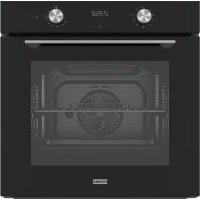

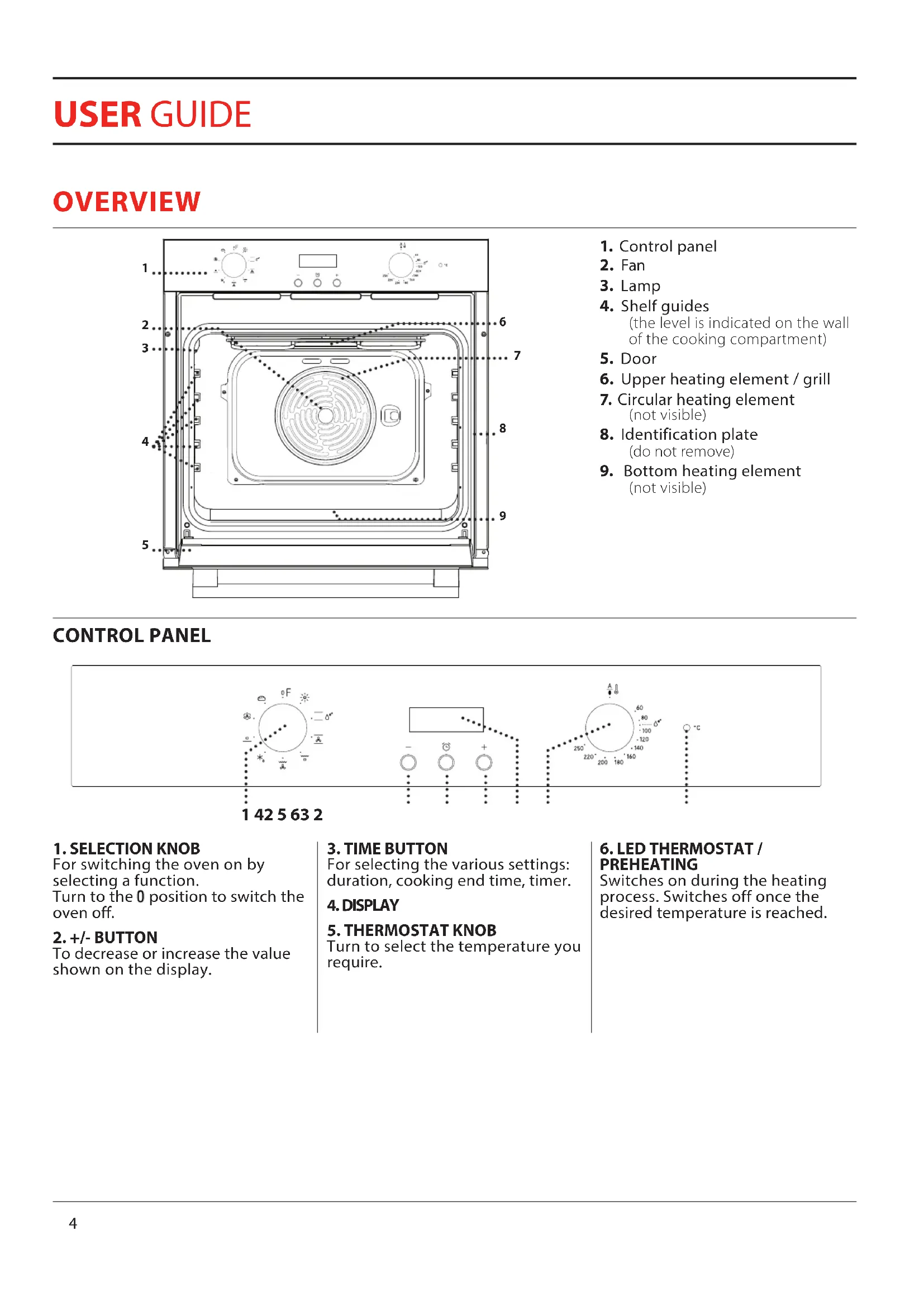


| Product Type | Built-in Electric Oven |
| Brand | Franke |
| Model | Maris FMA 86 H |
| Power Supply | 230 V ~, 50 Hz |
| Maximum Temperature | 250 °C |
| Number of Cooking Functions | 10 (Natural Convection, Forced Convection, Grill, Turbo Grill, Fan Heat, Steam Cleaning, Bread, Defrost, Lighting, Bottom Heat) |
| Electronic Programmer | Yes (duration, end of cooking, timer) |
| Bulb Type | Halogen 20-40 W / 230 V~, type G9, T300 °C |
| Cleaning | Steam cleaning, removable door, removable inner glass |
| Defrost Function | Yes |
| Bread Function | Yes |
| Preheating Indicator | Yes |
| Supplied Accessories | Metal grid, drip tray, baking tray |
| Number of Grid Levels | 5 |
| Installation Type | Built-in |
| Repairability | Replaceable bulb, removable door, accessible heating elements |
| Safety | Manual stop, thermostat indicator |
Frequently Asked Questions - Maris FMA 86 H FRANKE
User questions about Maris FMA 86 H FRANKE
0 question about this device. Answer the ones you know or ask your own.
Ask a new question about this device
Download the instructions for your Oven in PDF format for free! Find your manual Maris FMA 86 H - FRANKE and take your electronic device back in hand. On this page are published all the documents necessary for the use of your device. Maris FMA 86 H by FRANKE.
USER MANUAL Maris FMA 86 H FRANKE
FSM 86 HE
FSM 86 H
FMA 86 H
EN User manual Electric Oven
CLEANING AND MAINTENANCE....10
TROUBLESHOOTING 11
SUPPORT 11
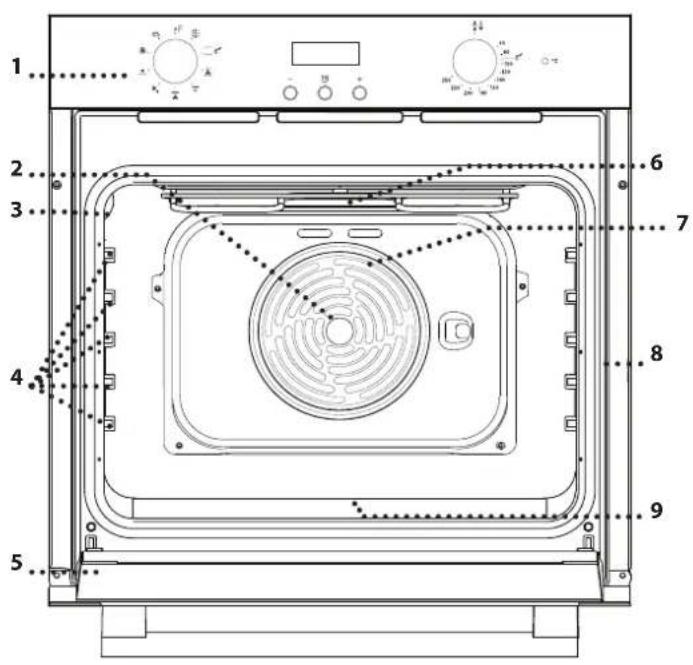
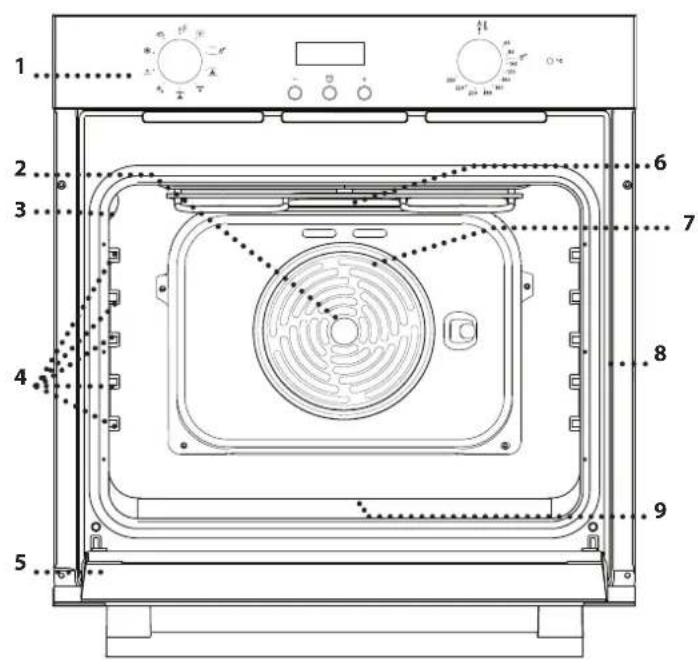
OVERVIEW
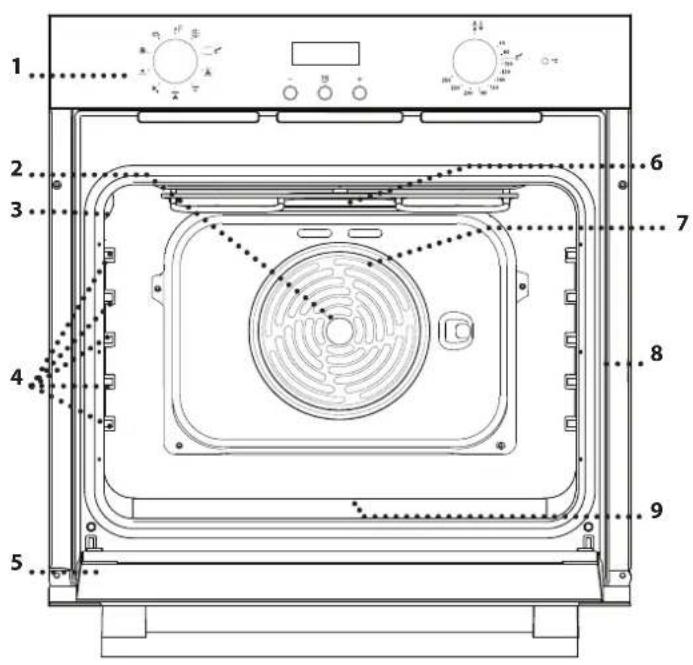
- Control panel
- Fan
- Lamp
- Shelf guides (the level is indicated on the wall of the cooking compartment)
- Door
- Upper heating element / grill
- Circular heating element (not visible)
- Identification plate (do not remove)
- Bottom heating element (not visible)
CONTROL PANEL
1 42 5 63 2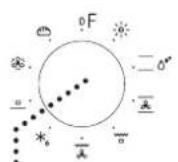
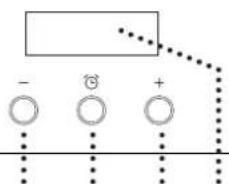
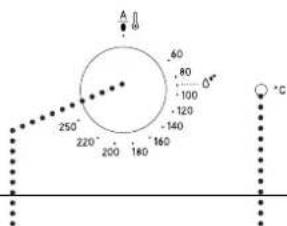
1. SELECTION KNOB
For switching the oven on by selecting a function.
Turn to the 0 position to switch the oven off.
2. +/- BUTTON
To decrease or increase the value shown on the display.
3. TIME BUTTON
For selecting the various settings: duration, cooking end time, timer.
4. DISPLAY
5. THERMOSTAT KNOB
Turn to select the temperature you require.
6. LED THERMOSTAT / PREHEATING
Switches on during the heating process. Switches off once the desired temperature is reached.
ACCESSORIES
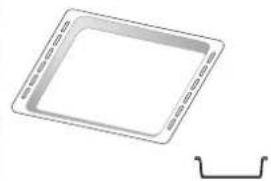
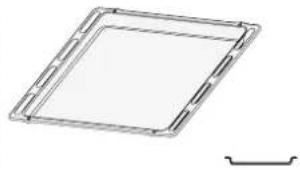
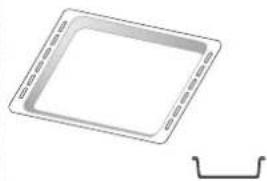
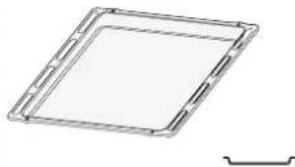
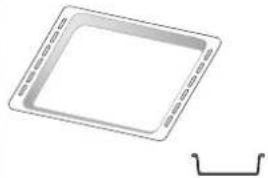
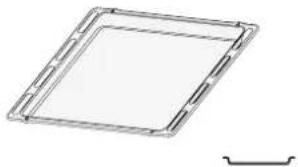
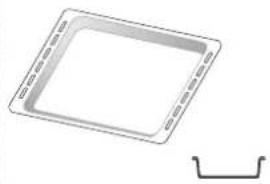
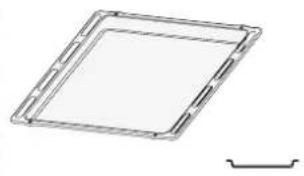
WIRE SHELF DRIP TRAY BAKING TRAY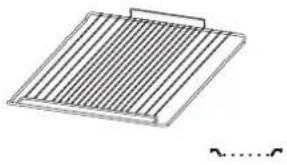
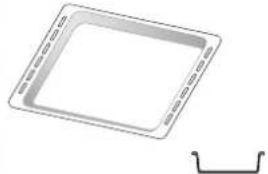
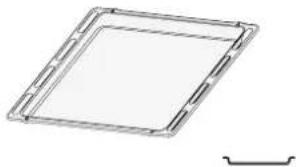
The number and type of accessories may vary depending on which model is purchased. Other accessories can be purchased separately from the After-sales Service.
INSERTING THE WIRE SHELF AND OTHER ACCESSORIES
- Insert the wire shelf onto the level you require by holding it tilted slightly upwards and resting the raised rear side (pointing upwards) down first. Next, slide it horizontally along the shelf guide as far as possible.
- The other accessories, such as the baking tray, are inserted horizontally by sliding them along the shelf guides. - The shelf guides can be removed to facilitate the oven cleaning: pull them to remove from their seats.
FUNCTIONS

OFF
For switching off the oven.

LIGHT
For switching on the light in the compartment.

CONVENTIONAL
____ For cooking any kind of dish on one shelf only. It is better to use the 2nd shelf.

STEAM CLEANING
The action of the steam released during this special low-temperature cleaning cycle allows dirt and food residues to be removed with ease. Pour 200 ml of drinking water on the bottom of the oven and use the function for 35' at 90°C. Activate the function when the oven is cold and let it cool down for 15' once the cycle ends.

CONVECTION BAKE
For baking cakes with juicy fillings on a single shelf. This function can also be used for cooking on two shelves. Switch the position of the dishes to cook food more evenly.

GRILL
For grilling steaks, kebabs and sausages, cooking vegetables au gratin or toasting bread. When grilling meat, we recommend using a drip tray to collect the cooking juices: position the pan on any of the levels below the wire shelf and add 200 ml of drinking water.

TURBO GRILL
For roasting large joints of meat (legs, roast beef, chicken). We recommend using a drip tray to collect the cooking juices: position the pan on any of the levels below the wire shelf and add 500 ml of drinking water.

DEFROSTING
For defrosting food more quickly.

BOTTOM HEATING
Useful for browning the base of the dish. This function is recommended also for slow-cooking, for finishing the cooking of juicy dishes, and making sauce concentrates.

FORCED AIR
For cooking different foods that require the same cooking temperature on several shelves (maximum three) at the same time. This function can be used to cook different foods without odours being transferred from one food to another.

BREAD
To bake different types and sizes of bread. It is better to use the 2nd shelf.
FIRST TIME USE
1. SETTING THE TIME
You will need to set the time of day when you switch on the appliance for the first time: "AUTO" and "0.00" flash on the display.
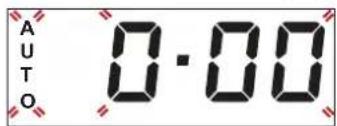
To set the time of day, press the + and – buttons at the same time. Set the time of day using the + and – buttons.
Press the time button to confirm.
Having selected the desired time value, it is possible to change the alarm tone: the display shows "ton 1".
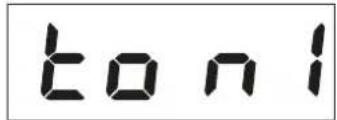
To select the desired tone, press the – button, then press the time button to confirm.
Please note: To change the time of day afterwards, for example following lengthy power outages, proceed as described above.
2. HEAT THE OVEN
A new oven may release odours that have been left behind during manufacturing: this is completely normal.
Before starting to cook food, we therefore recommend heating the oven with it empty in order to remove any possible odours.
Remove any protective cardboard or transparent film from the oven and remove any accessories from inside it.
Heat the oven to 250°C for about one hour, preferably using the "Convection bake" function. The oven must be empty during this time.
Follow the instructions for setting the function correctly.
Notes: It is advisable to air the room after using the appliance for the first time.
DAILY USE
1. SELECT A FUNCTION
To select a function, turn the selection knob to the symbol for the function you require.
2. ACTIVATE A FUNCTION
MANUAL
To start the function you have selected, turn the thermostat knob to set the temperature you require.
To interrupt the function at any time, switch off the oven, turn the selection knob and the thermostat knob to 0.
STEAM CLEANING
To activate the "Steam Cleaning" cleaning function, pour 200 ml of drinking water into the bottom of the oven, then turn the selection knob and the thermostat knob to the ♂ icon.
It is best to use the function for 35'.
3. PREHEATING
Once the function has been activated, the LED thermostat will switch on signalling that the preheating process has begun.
At the end of this process, the LED thermostat switches off indicating that the oven has reached the set temperature: At this point, place the food inside and proceed with cooking.
Please note: Placing the food in the oven before preheating has finished may have an adverse effect on the final cooking result.
. USING THE ELECTRONIC PROGRAMMER
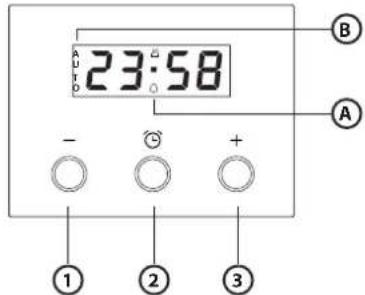
By pressing the time button it is possible to select various modes to keep or program the cooking time.
Please note: After a few seconds without any interaction, a buzzer sounds and all settings will be confirmed.
- Button – : to decrease the value shown on the display
- Button Ⓤ: for selecting the various settings
- Button +: to increase the value shown on the display
A. The symbol indicates that the timer function is in operation
B. The AUTO symbol confirms the setting has been made
. PROGRAMMING COOKING
After selecting and activating the function, it is possible to set the duration.
DURATION
Press for at least 2 seconds the time button: the symbol flashes.
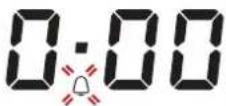
Press the time button again: the display shows DUR and 0.00 in sequence while AUTO flashes.
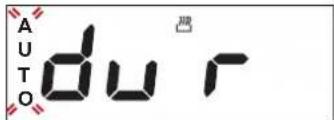
Set the duration using the buttons and . After a few seconds, the display shows the time of the day while AUTO remains lit, confirming the setting.
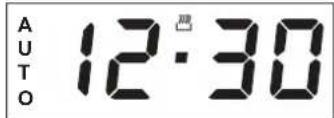
Please note: To view the remaining cooking duration, press the time button for at least 2 seconds.
To change it, if necessary, press it again a second time, using the + and - buttons to modify the duration.
COOKING END
At the end of cooking, the symbol 📋 switches off, an alarm sounds while AUTO flashes on the display.
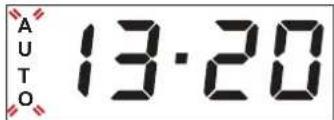
Press any button to deactivate the alarm.
Return the function knob and thermostat knob to O and ●, then press the time button for at least 2 seconds to switch off the oven.
PROGRAMMING THE END COOKING TIME/DELAYED START
After selecting duration, press the time button: the display shows END, cooking end time, and AUTO flashing in sequence.
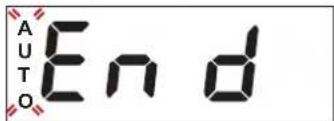
Press the button to select the desired cooking end time.
After a few seconds the display shows the time of the day, the symbol 📌 switches off, and AUTO remains lit, confirming the setting.
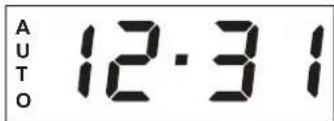
Please note: To view cooking end time and change it if necessary, press the time button for 2 seconds, then press it again twice.
The function will remain paused until the symbol lights up and the oven proceeds automatically with the selected cooking mode after the period of time that has been calculated in order for cooking to finish at the time you have set.
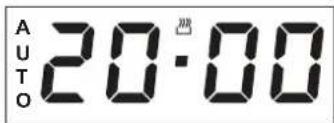
SETTING THE TIMER
This option does not interrupt or activate cooking but allows you to use the display as a timer, both while a function is active and when the oven is off.
To activate the timer, press the time button for at least 2 seconds: the 🔔 symbol flashes on the display.
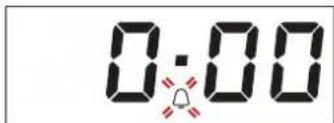
Use the + and - buttons to set the desired duration: the countdown begins after a few seconds.
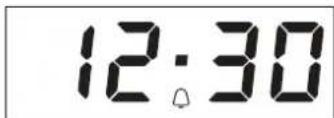
The display shows the time of day and remains lit, confirming the timer has been set.
Please note: To view the countdown and change it if necessary, press the time button again for at least 2 seconds.
USEFUL TIPS
HOW TO READ THE COOKING TABLE
The table lists the best function, accessories, and level to use to cook different types of food. Cooking times start from the moment the food is placed in the oven, excluding preheating (where required). Cooking temperatures and times are approximate and depend on the amount of food and the type of accessory used. Use the lowest recommended settings to begin with and, if the food is not cooked enough, then switch to higher settings. Use the accessories supplied and preferably dark-coloured metal cake tins and baking trays. You can also use Pyrex or stoneware pans and accessories, but bear in mind that cooking times will be slightly longer.
COOKING DIFFERENT FOODS AT THE SAME TIME
Using the "Forced Air" function, you can cook different foods which require the same cooking temperature at the same time (for example: fish and vegetables), on different levels. Remove the food which requires a shorter cooking time and leave the food which requires a longer cooking time in the oven.
COOKING TABLE
| RECIPE FUNCTION PREHEAT | TEMPERATURE(°C) | DURATION(MIN) | LEVELAND ACCESSORIES | ||||
| Leavened cakes |  | Yes 150 - 170 30 - 90 | 2 | ||||
| [XCZS] | Yes 160 - 180 30 - 90 | 4 | 1 | ||||
| Filled cakes(cheese cake, strudel, fruit pie) |  | Yes 160 - 200 35 - 90 | 2 | ||||
 | Yes 160 - 200 40 - 90 | 4 | 2 | ||||
| Biscuits / tartlets |  | Yes 160 - 180 15 - 35 | 2/3 | ||||
 | Yes 150 - 170 20 - 45 | 4 | 2 | ||||
 | Yes 150 - 170 20 - 45 | 5 | 3 | 1 | |||
| Choux buns |  | Yes 180 - 200 40 - 60 | 2 | ||||
 | Yes 170 - 190 35 - 50 | 4 | 2 | ||||
| Meringues |  | Yes 90 150 - 200 | 2 | ||||
 | Yes 90 140 - 200 | 4 | 2 | ||||
| [YZKB] | Yes 90 140 - 200 | 5 | 3 | 1 | |||
| Pizza / Bread |  | Yes 220 - 250 10 - 25 | 1/2 | ||||
 | Yes 200 - 240 20 - 45 | 4 | 2 | ||||
| Small bread 80 g |  | Yes 180 - 200 | 30 - 45 | 2 | |||
| Bread loaf 500 g |  | Yes 180 | 50 - 70 | 1/2 | |||
| Bread |  | Yes 180 - 200 30 - 80 | 4 | 2 | |||
| Frozen pizza |  | Yes 250 | 10 - 20 | 2 | |||
| [24GZ] | Yes 230 - 250 10 - 25 | 4 | 2 | ||||
| Savoury cake(vegetable pie, quiche) |  | Yes 180 - 200 30 - 45 | 2 | ||||
 | Yes 180 - 200 35 - 50 | 4 | 2 | ||||
 | Yes 180 - 200 35 - 50 | 5 | 3 | 1 | |||
| Vol-au-vent / Puff pastry cakes |  | Yes 190 - 200 20 - 30 | 2 | ||||
 | Yes 180 - 190 20 - 40 | 4 | 2 | ||||
 | Yes 180 - 190 20 - 40 | 5 | 3 | 1 | |||
| Lasagne / baked pasta /cannelloni / flans | — | Yes 190 - 200 45 - 65 | 2 | ||||
| ACCESSORIES | |||||
| Wire shelf | Baking dish or cake tin on the wire shelf | Baking tray or cake tin on wire shelf | Baking tray with 200 ml of water | Baking tray | |
| RECIPE FUNCTION PREHEAT | TEMPERATURE(°C) | DURATION(MIN) | LEVELAND ACCESSORIES | ||
| Lamb / veal / beef / pork 1 kg | — | Yes | 190 - 200 | 80 - 110 | 2 |
| Roast pork with crackling 2 kg | ∞ | Yes | 180 - 190 | 110 - 150 | 2 |
| Chicken / rabbit / duck 1 kg | — | Yes | 180 - 200 | 50 - 100 | 2 |
| Turkey / goose 3 kg | — | Yes | 180 - 200 | 50 - 100 | 2 |
| Baked fish / en papillote 0.5 kg(fillet, whole) | — | Yes | 170 - 190 30 - 45 | 2 | |
| Stuffed vegetables(tomatoes, courgettes, aubergines) | ∞ | Yes 180 - 200 | 50 - 70 | 2 | |
| Toasted bread | ∞ | 5' | 250 | 2 - 6 | 5 |
| Fish fillets / slices | ∞ | 5' | 250 | 15 - 30 * | 4 3 |
| Sausages / kebabs / spare ribs /hamburgers | ∞ | 5' | 250 | 15 - 30 * | 5 4 |
| Roast chicken 1-1.3 kg | ∞ | - | 200 - 220 | 60 - 80 ** | 3 1 |
| Roast beef rare 1 kg | ∞ | - | 200 | 35 - 50 ** | 3 |
| Leg of lamb / knuckle | ∞ | - | 200 | 60 - 90 ** | 3 |
| Roast potatoes | ∞ | - | 200 - 220 | 35 - 55 ** | 3 |
| Vegetable gratin | ∞ | - | 200 - 220 | 25 - 55 | 3 |
| Meat and potatoes | ∞ | Yes | 190 - 200 | 45 - 100 *** | 4 1 |
| Fish and vegetables | ∞ | Yes | 180 | 30 - 50 *** | 4 1 |
| Lasagna and meat | ∞ | Yes | 200 | 50 - 100 *** | 4 2 |
| Complete meal Fruit tart (Level 5) /Lasagna (Level 3) / Meat (Level 1) | ∞ | Yes | 180 - 190 | 40 -120 *** | 5 3 1 |
* Turn food halfway through cooking ** Turn food two-thirds of the way through cooking (if necessary). *** Estimated length of time: dishes can be removed from the oven at different times depending on personal preference.
| FUNCTIONS |  |  |  |  |  |  |
| Conventional | Grill | Turbo Grill | Forced Air | Convection Bake | Bread |
CLEANING AND MAINTENANCE
Do not use steam cleaning equipment.
Use protective gloves during all operations.
Carry out the required operations with the oven cold.
Disconnect the appliance from the power supply.
Do not use wire wool, abrasive scourers or abrasive/corrosive cleaning agents, as these could damage the surfaces of the appliance.
EXTERIOR SURFACES
- Clean the surfaces with a damp microfibre cloth. If they are very dirty, add a few drops of pH-neutral detergent. Finish off with a dry cloth.
- Do not use corrosive or abrasive detergents. If any of these products inadvertently comes into contact with the surfaces of the appliance, clean immediately with a damp microfibre cloth.
INTERIOR SURFACES
• After every use, leave the oven to cool and then clean it, preferably while it is still warm, to remove any deposits or stains caused by food residues. To dry any condensation that has formed as a result of cooking foods with a high water content, allow the oven to cool completely and then wipe it with a cloth or sponge.
- Activate the "Steam Cleaning" function for optimum cleaning of the internal surfaces. • The door can be easily removed and refitted to facilitate cleaning of the glass.
- Clean the glass in the door with a suitable liquid detergent. • The top heating element of the grill can be lowered to clean the upper panel of the oven.
ACCESSORIES
Soak the accessories in a washing-up liquid solution after use, handling them with oven gloves if they are still hot. Food residues can be removed using a washing-up brush or a sponge.
REMOVING AND REFITTING THE DOOR
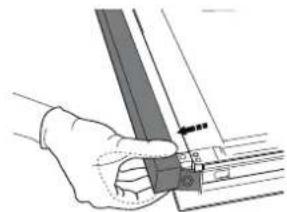
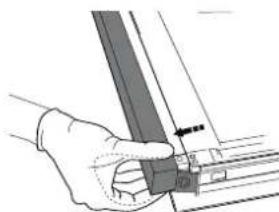
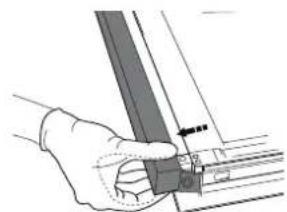
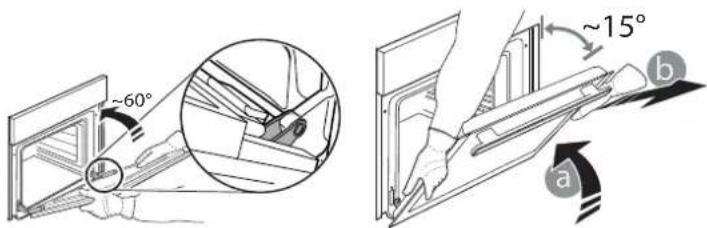
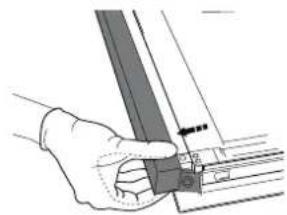
- To remove the door, open it fully and lower the catches until they are in the unlock position.
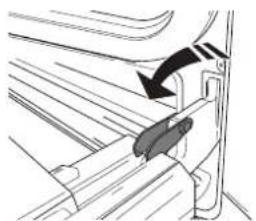
- Close the door as much as you can.
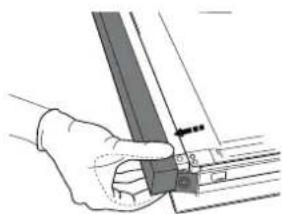
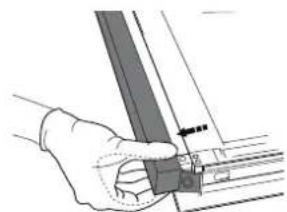
Take a firm hold of the door with both hands – do not hold it by the handle.
Simply remove the door by continuing to close it while pulling it upwards (a) at the same time until it is released from its seating (b).
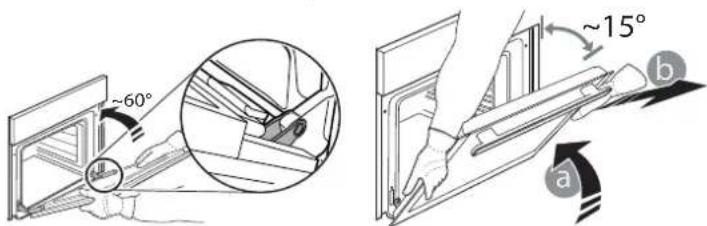
Put the door to one side, resting it on a soft surface.
- Refit the door by moving it towards the oven, aligning the hooks of the hinges with their seating and securing the upper part onto its seating.
- Lower the door and then open it fully. Lower the catches into their original position: Make sure that you lower them down completely.
- Try closing the door and check to make sure that it lines up with the control panel. If it does not, repeat the steps above.
PRESS TO CLEAN - CLEANING THE GLASS
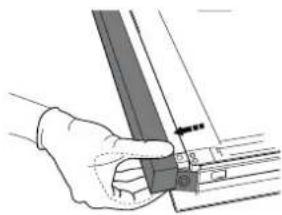
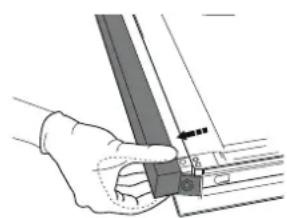
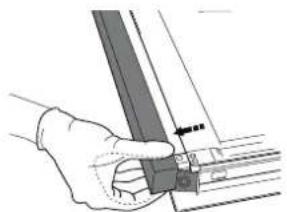
- After removing the door and resting it on a soft surface with the handle downwards, simultaneously press the two retaining clips and remove the upper edge of the door by pulling it towards you.
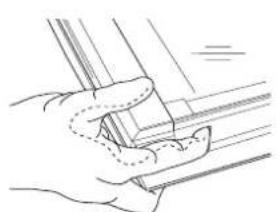
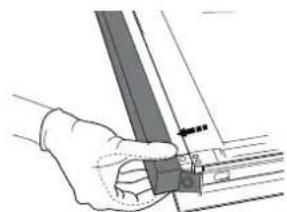
- Lift and firmly hold the inner glass with both hands, remove it and place it on a soft surface before cleaning it.
- To correctly reposition the inner glass, make sure that the "R" is visible in the left-hand corner. First insert the long side of the glass indicated by "R" into the support seats, then lower it into position.
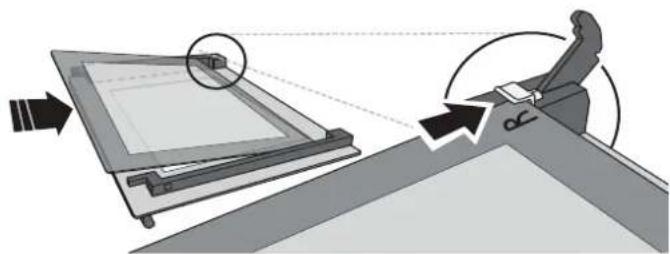
- Refit the upper edge: a click will indicate correct positioning. Make sure the seal is secure before refitting the door.
REPLACING THE LAMP
- Disconnect the oven from the power supply.
- Remove the cover from the light, replace the bulb and put the cover back on the light.
- Reconnect the oven to the power supply.
Please note: Only use 20-40 W/230 \~ V type G9, T300°C halogen bulbs. The bulb used in the product is specifically designed for domestic appliances and is not suitable for general room lighting within the home (EC Regulation 244/2009). Light bulbs are available from our After-sales Service.
- If using halogen bulbs, do not handle them with your bare hands as your fingerprints could cause damage. Do not use the oven until the light cover has been refitted.
TROUBLESHOOTING
| Problem Possible cause Solution | ||
| The oven does not work. Power cut. | Disconnection from the mains. | Check for the presence of mains electrical power and whether the oven is connected to the electricity supply.Turn off the oven and restart it to see if the fault persists. |
WWW.FRANKE.COM
© Franke Technology and Trademark Ltd, Switzerland
SUPPORT
In the event of any operation problems, contact a Franke Technical Service Centre.
Never use the services of unauthorized technicians.
Specify:
- the type of fault
- the appliance model (art./Code)
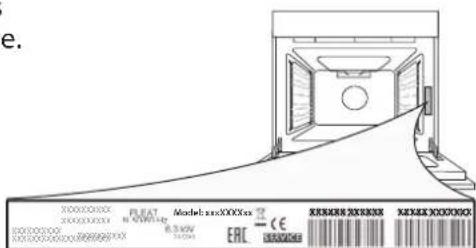
- the serial number (S.N.) on the rating plate, located on the right hand edge of the oven cavity (visible when the oven door is open).
When contacting our
Service Centre, please
state the codes provided
on your product's
identification plate.
CONTENTS
OVERVIEW....13
CONTROL PANEL 13
ACCESSORIES 14
FUNCTIONS 14
FIRST USE 15
SUPPORT
ASSISTANCE
ASSISTANCE
ASSISTANCE
REMOVE AND REPLACE THE DOOR
PRESS TO CLEAN - CLEAN THE GLASS
SUPPORT
DRIP TRAY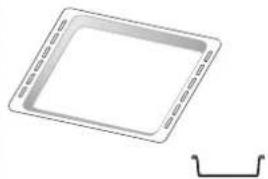
BAKING TRAY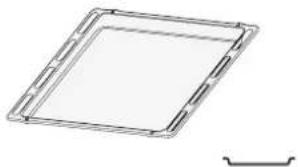
TECHNICAL SUPPORT
DEEP TRAY M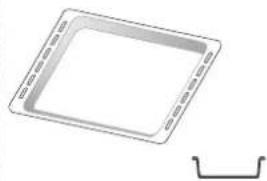
FLAT TRAY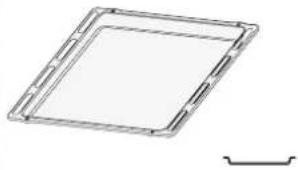
TECHNICAL SUPPORT
CONTENTS
OVERVIEW 76
CONTROL PANEL 76
ACCESSORIES....77
FUNCTIONS....77
FIRST USE 78
DAILY USE 78
USEFUL TIPS....79
COOKING TABLE....80
CLEANING AND MAINTENANCE....82
TROUBLESHOOTING....83
TECHNICAL SUPPORT....83
USER MANUAL
OVERVIEW
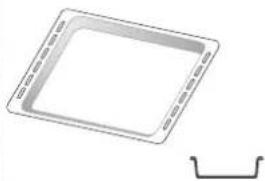
DEEP TRAY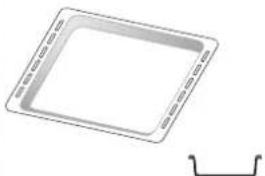
SHALLOW TRAY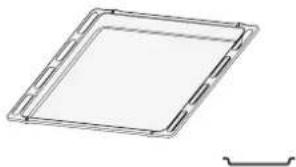
- Close the door if possible.
Hold the door firmly with both hands – do not hold it by the handle.
Simply remove the doors by continuing to close them while pulling upward (a), until they release from the seat (b).
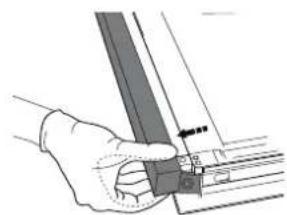
TECHNICAL SUPPORT
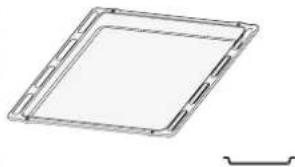
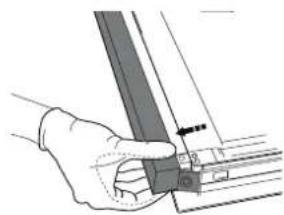
SUPPORT
DRIP TRAY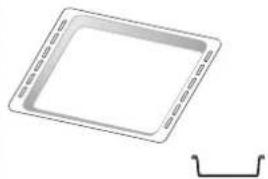
BAKING TRAY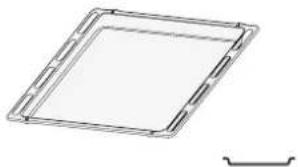
PROGRAMMING THE COOKING
ASSISTANT
CONTENTS
OVERVIEW 103
CONTROL PANEL....103
ACCESSORIES 104
FUNCTIONS....104
FIRST USE....105
DAILY USE....105
HELPFUL TIPS....106
COOKING TABLE 107
CLEANING AND MAINTENANCE....109
TROUBLESHOOTING....110
SUPPORT....110
OVERVIEW
© Franke Technology and Trademark Ltd, Switzerland
SUPPORT
DRIP TRAY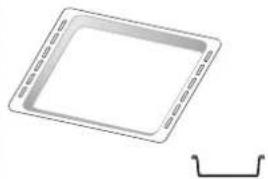
BAKING TRAY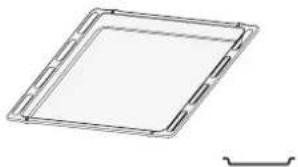
© Franke Technology and Trademark Ltd, Switzerland
HELP
DRIP TRAY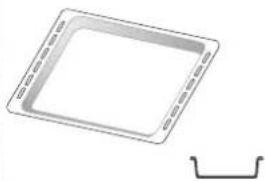
BAKING DECOR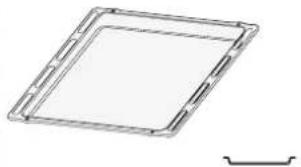
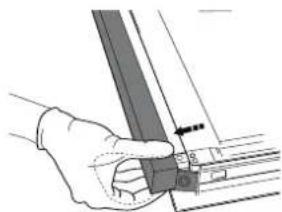
SUPPORT
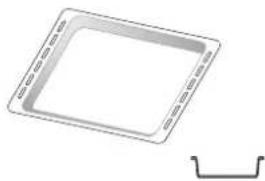
SUPPORT
- OVERVIEW
- CONTROL PANEL
- SELECTION KNOB
- BUTTON
- TIME BUTTON
- DISPLAY
- THERMOSTAT KNOB
- LED THERMOSTAT / PREHEATING
- ACCESSORIES
- INSERTING THE WIRE SHELF AND OTHER ACCESSORIES
- FUNCTIONS
- FIRST TIME USE
- SETTING THE TIME
- HEAT THE OVEN
- DAILY USE
- SELECT A FUNCTION
- ACTIVATE A FUNCTION
- MANUAL
- STEAM CLEANING
- PREHEATING
- USING THE ELECTRONIC PROGRAMMER
- PROGRAMMING COOKING
- DURATION
- COOKING END
- PROGRAMMING THE END COOKING TIME/DELAYED START
- SETTING THE TIMER
- USEFUL TIPS
- HOW TO READ THE COOKING TABLE
- COOKING DIFFERENT FOODS AT THE SAME TIME
- CLEANING AND MAINTENANCE
- EXTERIOR SURFACES
- INTERIOR SURFACES
- REMOVING AND REFITTING THE DOOR
- PRESS TO CLEAN - CLEANING THE GLASS
- REPLACING THE LAMP
- SUPPORT
- SPECIFY
- CONTENTS
- ASSISTANCE
- REMOVE AND REPLACE THE DOOR
- PRESS TO CLEAN - CLEAN THE GLASS
- TECHNICAL SUPPORT
- USER MANUAL
- PROGRAMMING THE COOKING
- ASSISTANT
- HELP
Brand : FRANKE
Model : Maris FMA 86 H
Category : Oven