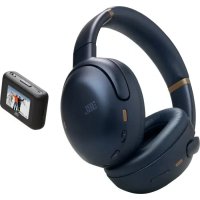
Tour M3 Smart TX - Wireless Earbuds JBL - Free user manual and instructions
Find the device manual for free Tour M3 Smart TX JBL in PDF.



| Product Type | Wireless over-ear headset with Bluetooth transmitter |
| Brand | JBL |
| Model | Tour M3 Smart TX (headset: JBL Tour One M3, transmitter: Smart Transmitter) |
| Headset weight | 278 g |
| Transmitter weight | 34.5 g |
| Headset battery type | Li-ion 850 mAh / 3.85 V |
| Transmitter battery type | Li-ion 550 mAh / 3.85 V |
| Charge time | 2 hours (headset and transmitter) |
| Music battery life (BT only) | Up to 70 hours |
| Music battery life (BT + ANC) | Up to 40 hours |
| Talk time (without ANC) | Up to 38 hours |
| Talk time (with ANC) | Up to 34 hours |
| Transmitter battery life | Up to 18 hours |
| Bluetooth version | 5.3 |
| Supported audio codecs | SBC, AAC, LC3, LDAC |
| Active Noise Cancellation (ANC) | Yes, adaptive |
| Ambient Aware mode | Yes |
| Smart Talk / TalkThru function | Yes |
| SilentNow function | Yes |
| Multipoint connection | Up to 2 devices |
| Controls | Touch (via JBL Headphones app) |
| Connectivity | USB-C (charging and audio), 3.5 mm jack |
| Included accessories | USB-C cable, audio cable, Smart TX transmitter |
| Maintenance and cleaning | Use a soft, dry cloth |
| Safety | Compliant with RF exposure standards (FCC/ISED) |
| Spare parts and repairability | USB-C and audio cables are replaceable |
| General information | Recyclable: refer to collection points (www.quefairedemesdechets.fr) |
Frequently Asked Questions - Tour M3 Smart TX JBL
User questions about Tour M3 Smart TX JBL
0 question about this device. Answer the ones you know or ask your own.
Ask a new question about this device
Download the instructions for your Wireless Earbuds in PDF format for free! Find your manual Tour M3 Smart TX - JBL and take your electronic device back in hand. On this page are published all the documents necessary for the use of your device. Tour M3 Smart TX by JBL.
USER MANUAL Tour M3 Smart TX JBL
natural_image
Portrait of a smiling man wearing sunglasses and a black jacket, holding a white cup (no visible text or symbols)BC
TOUR ONE M3 SMART TX
WHAT'S IN THE BOX


natural_image
Black and white illustration of a pair of headphones (no text or symbols)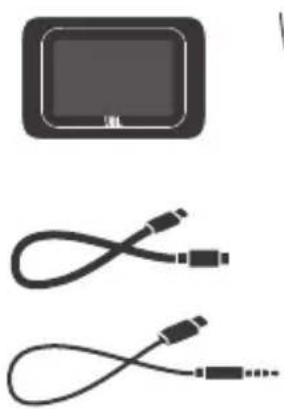
natural_image
Two types of cables shown: a rectangular device and two connected USB connectors (no text or symbols visible)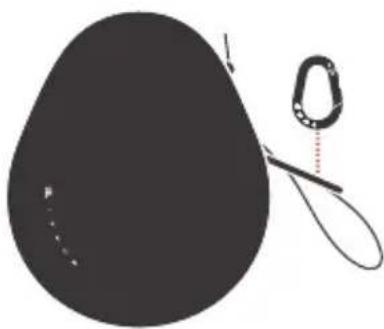
natural_image
Simple illustration of a black teardrop-shaped object with a coiled string and dotted line, no text or symbols present.
APP

natural_image
Red icon of JBL headphones on a smartphone screen (no text or symbols)
JBL HEADPHONES

GET IT ON Google Play

Download on the App Store
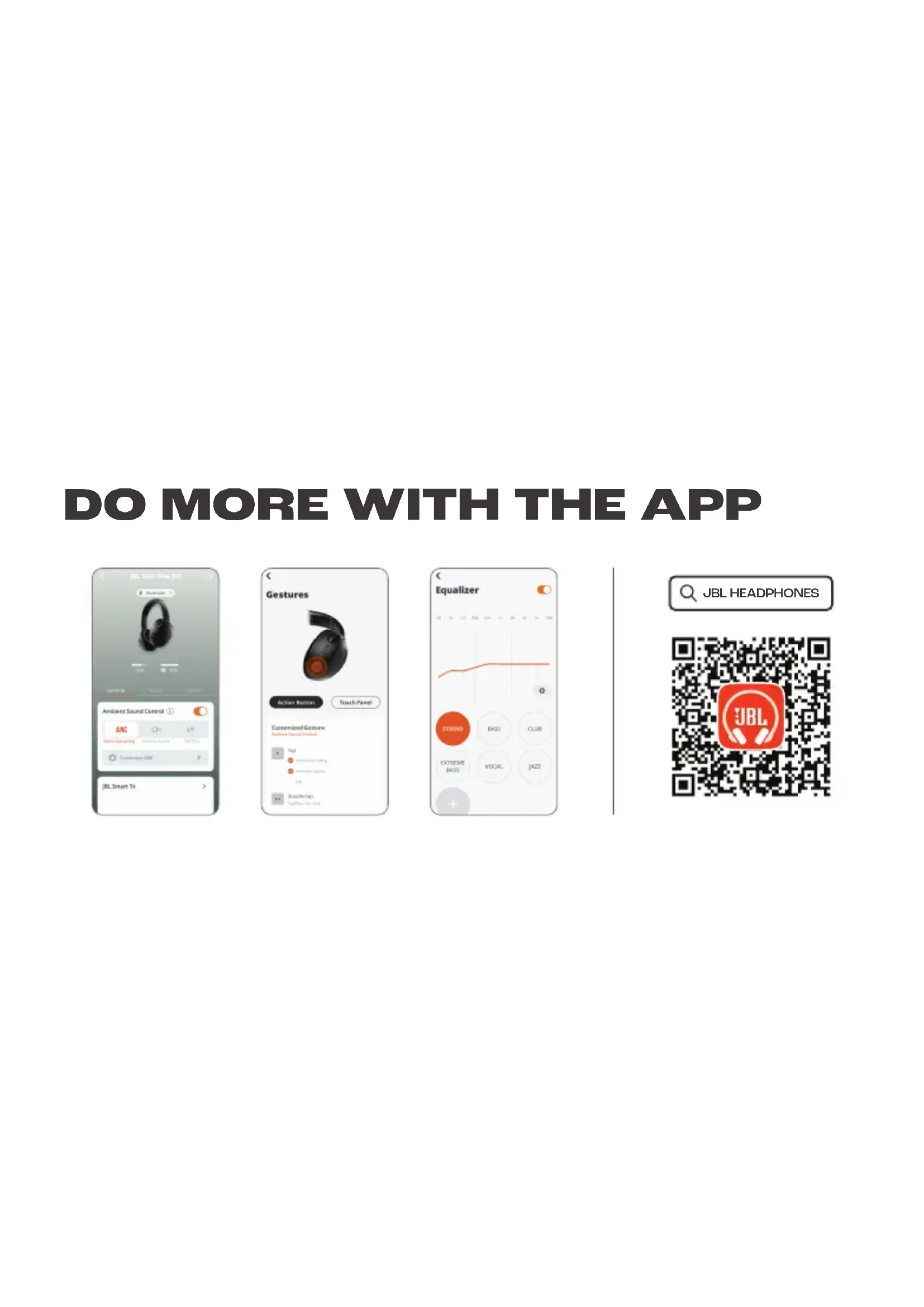
Get even more control and personalization of your listening experience with this free app.
POWER ON & CONNECT
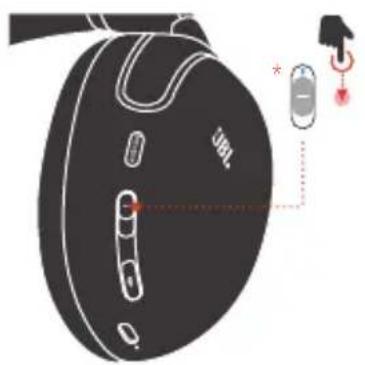
* To enter pairing mode again, slide to the bottom and hold for 2 seconds.


ON

Fast Pair
Others
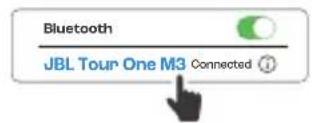
Choose "JBL Tour One M3" to connect.
Android™

* Compatible with Android phones running 6+
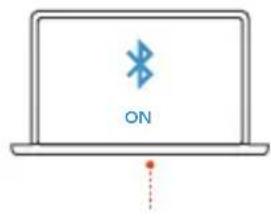
Windows 10 v1803+
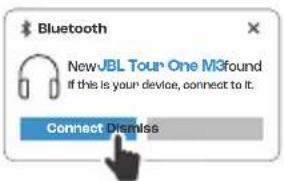
Microsoft Swift Pair
POWER ON & CONNECT

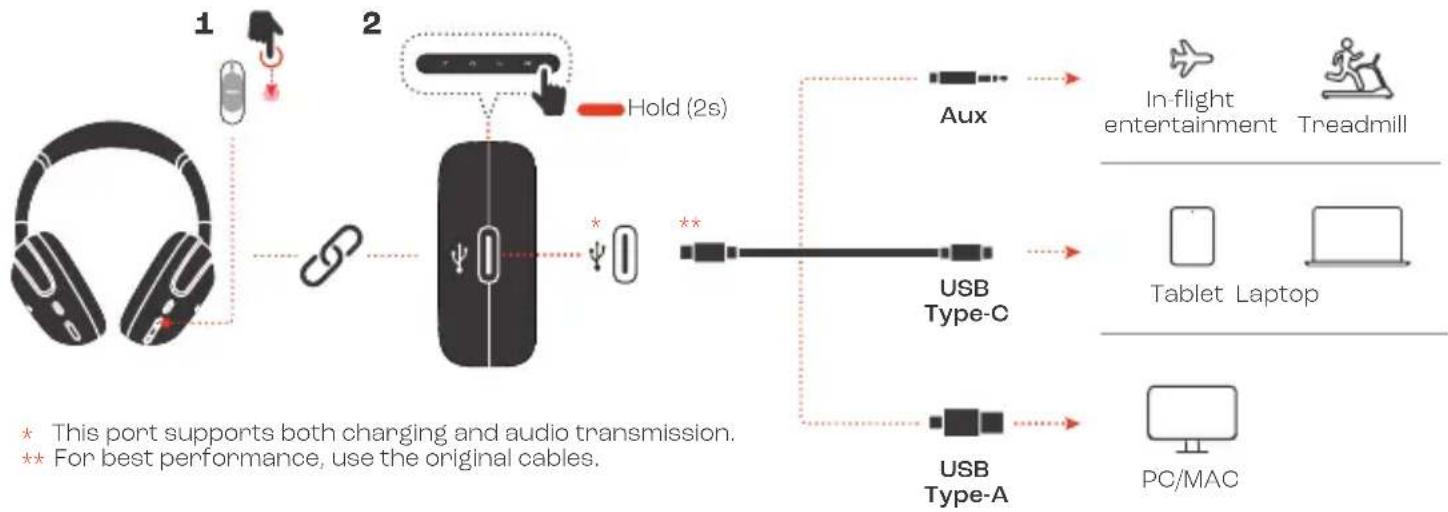
flowchart
graph LR
    A["1: Headphones"] --> B["2: Computer mouse with 'Hold (2s)'"]
    B --> C["Aux"]
    C --> D["In-flight entertainment Treadmill"]
    D --> E["Tablet Laptop"]
    E --> F["PC/MAC"]
    B --> G["USB Type-C"]
    B --> H["USB Type-A"]
    style A fill:#f9f,stroke:#333
    style B fill:#ccf,stroke:#333
    style C fill:#cfc,stroke:#333
    style D fill:#fcc,stroke:#333
    style E fill:#cff,stroke:#333
    style F fill:#ffc,stroke:#333
    style G fill:#fcc,stroke:#333
    style H fill:#ffc,stroke:#333
MULTI-POINT CONNECTION

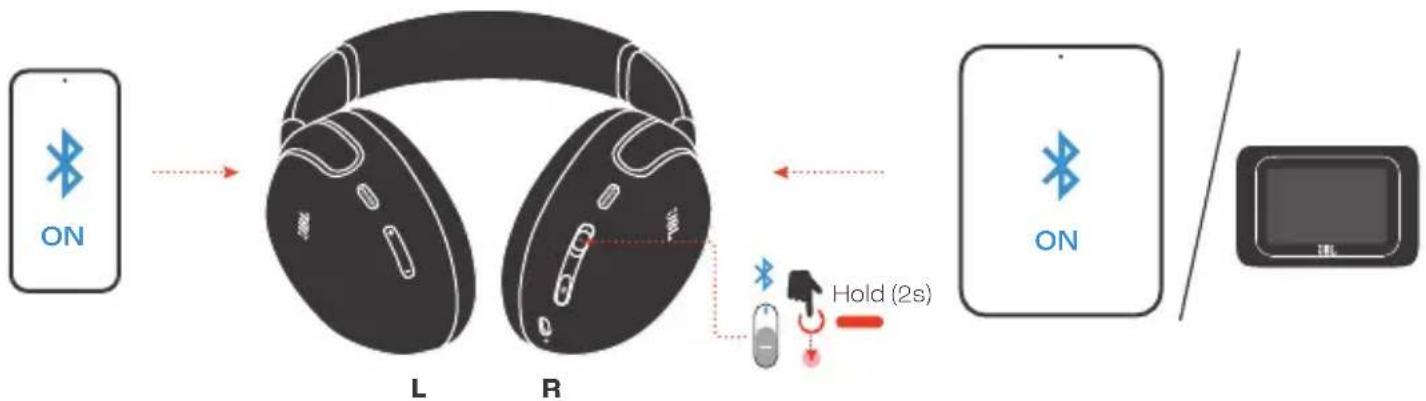
flowchart
graph LR
    A["ON"] --> B["L"]
    B --> C["R"]
    C --> D["ON"]
    D --> E["Display"]
(Maximum 2 devices)
CONTROLS

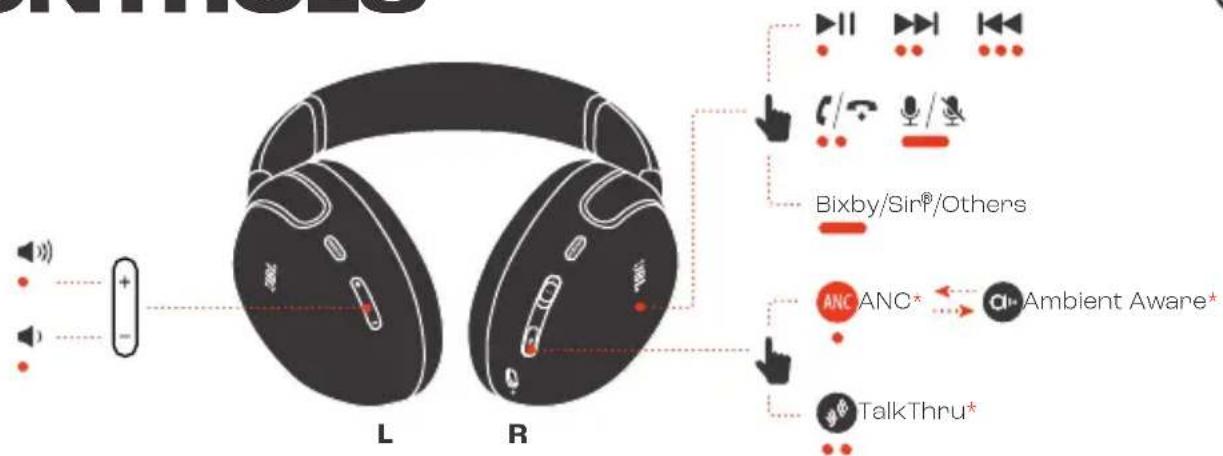
- Tap/Press × 1 Tap/Press × 2
Tap × 3 Hold (2s)
* Enable advance controls by connecting your JBL TOUR ONE M3 to JBL Headphones app

CONTROLS

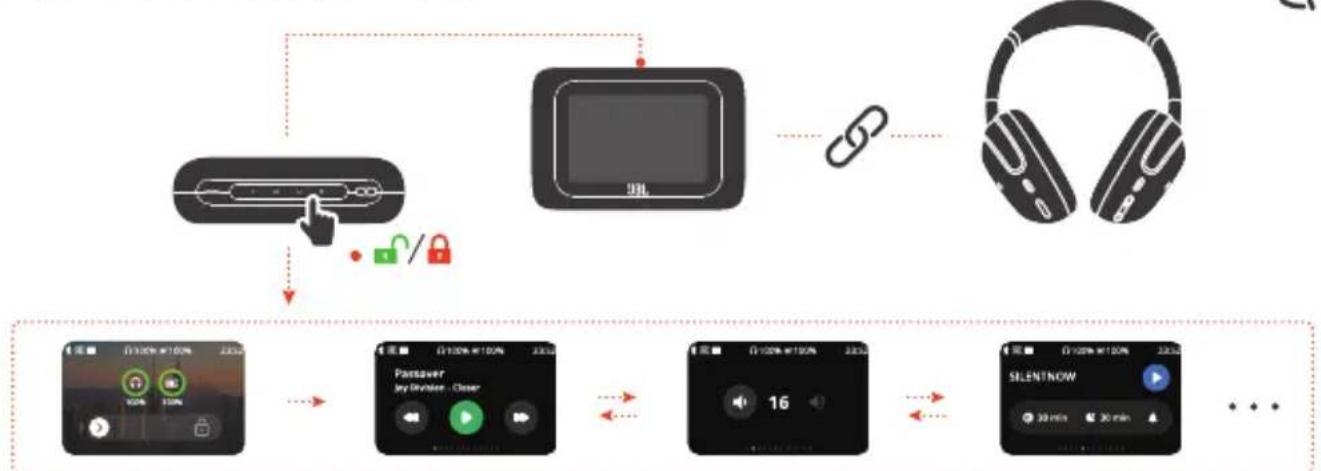
flowchart
graph TD
    A["Device"] -->|Lock/Lock icon| B["Monitor"]
    B --> C["Link icon"]
    C --> D["Headphone"]
    D --> E["Playoff: 100% @ 100%"]
    E --> F["Passover: Any Divider - Clear"]
    F --> G["Playoff: 100% @ 100%"]
    G --> H["Playoff: 16"]
    H --> I["SILENTNOW: 30 min @ 30 min"]
- Press × 1 Swipe
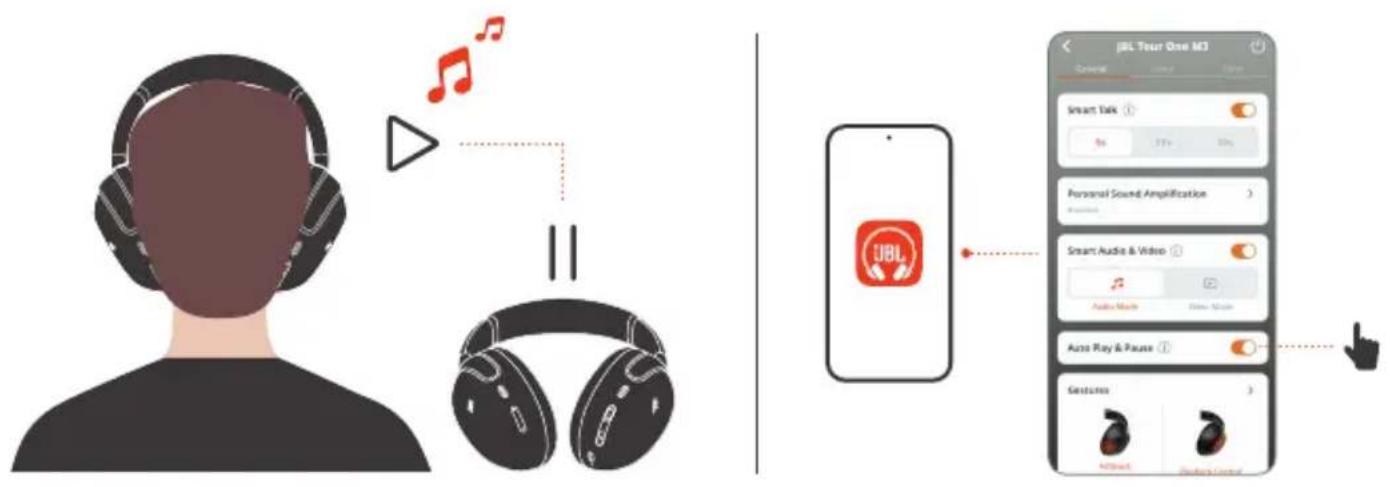
AUTO PLAY/PAUSE

WIRED LISTENING MODE
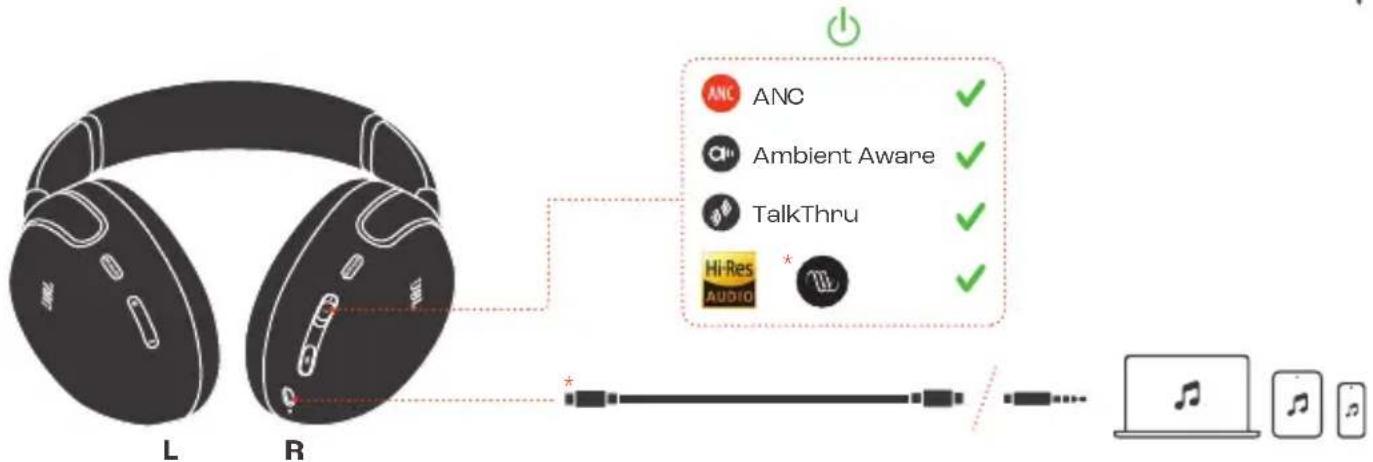
flowchart
graph TD
    A["Headphones L/R"] --> B["Audio Device"]
    B --> C["Laptop with Music Note"]
    style A fill:#f9f,stroke:#333
    style B fill:#ccf,stroke:#333
    style C fill:#dfd,stroke:#333
    note right of B
        ANC
        Ambient Aware
        TalkThru
        Hi-Res
        Audio
    end
    note right of B
        ANC ✓
        Ambient Aware ✓
        TalkThru ✓
        Hi-Res *
        Audio *
* Audio quality may vary depending on audio source. For best performance, use the original cables.
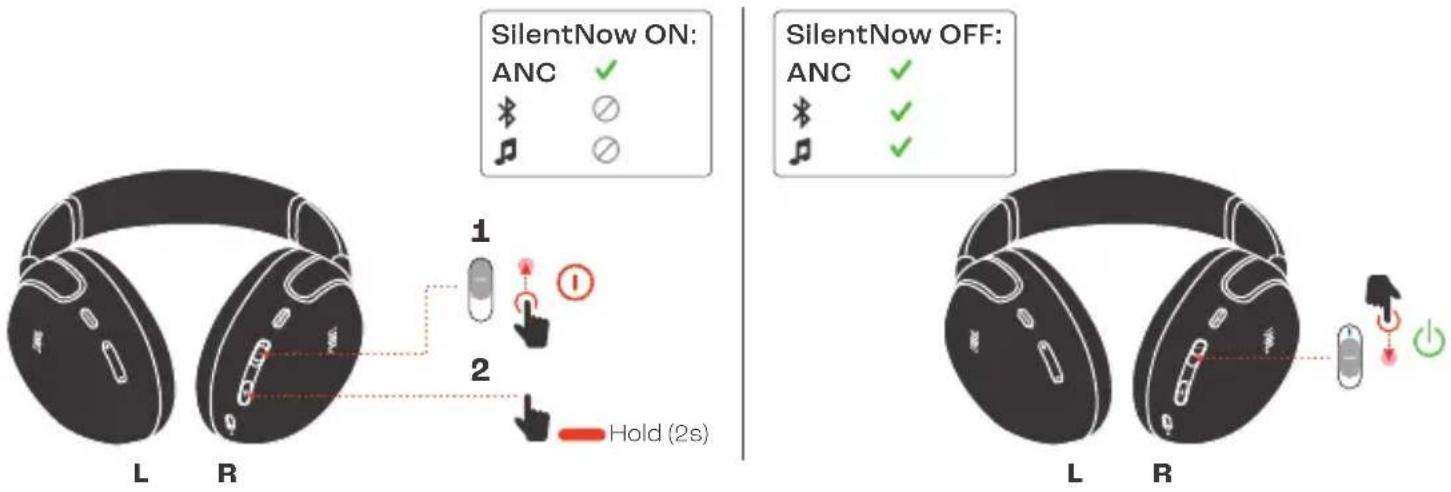
SILENTNOW

VOICEAWARE

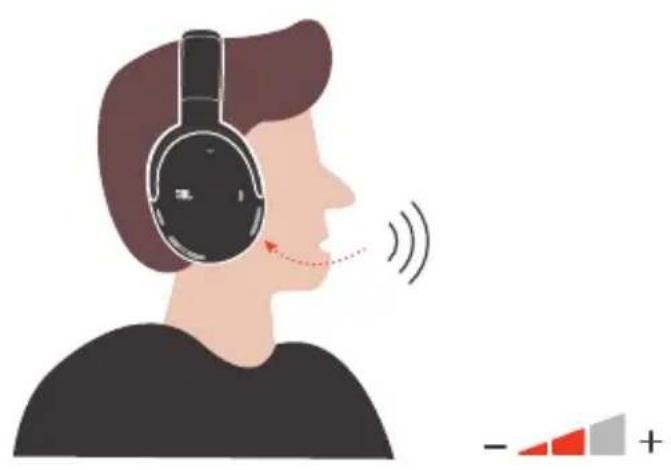
natural_image
Illustration of a person wearing headphones with sound waves, showing earphones and a speaker icon (no text or symbols)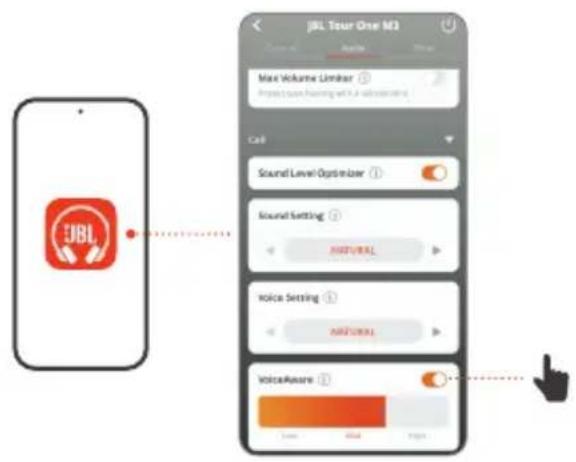
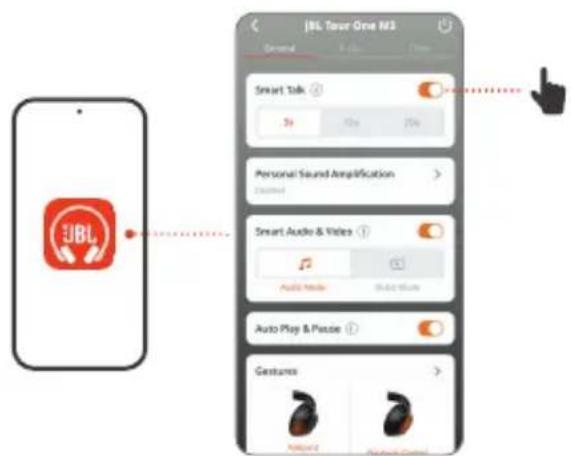
SMART TALK
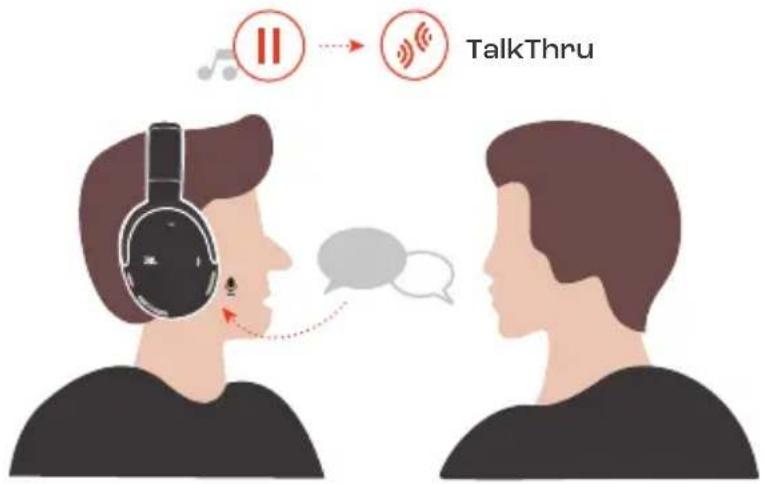
SMART TX SETTINGS

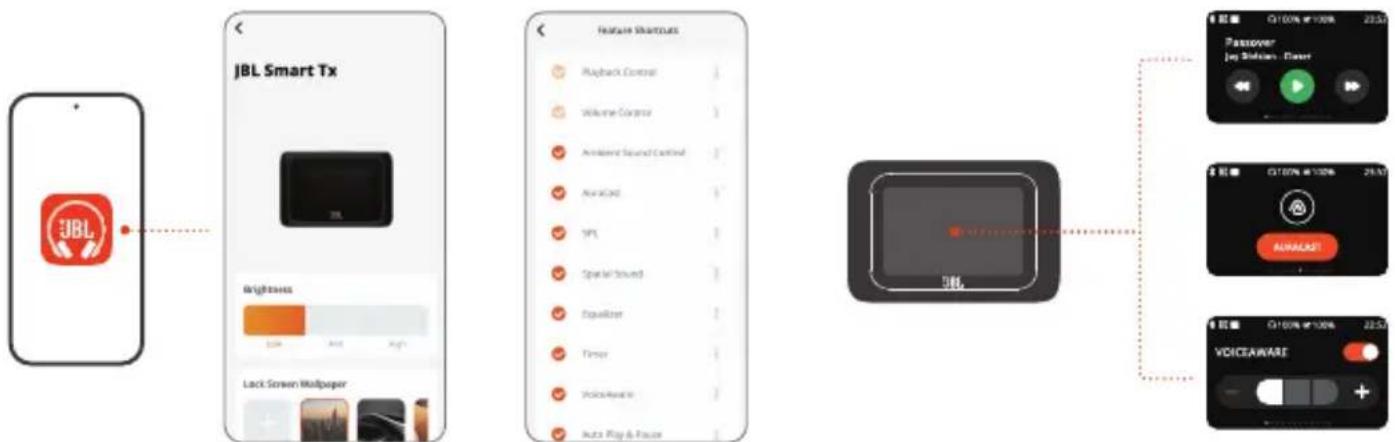
flowchart
graph LR
    A["JBL"] --> B["JBL Smart Tx"]
    B --> C["Feature Selection"]
    C --> D["Output Module"]
    D --> E["Passover"]
    E --> F["Audio"]
    E --> G["VoiceWare"]
    E --> H["Audio/Video"]
    C --> I["Playback Control"]
    C --> J["Welcome Corpus"]
    C --> K["Acceread Sound Control"]
    C --> L["Arracard"]
    C --> M["YPL"]
    C --> N["Spatial Sound"]
    C --> O["Equalizer"]
    C --> P["Tensor"]
    C --> Q["VoiceWare"]
    C --> R["Auto Play & Pause"]
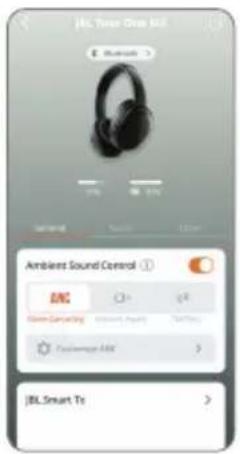
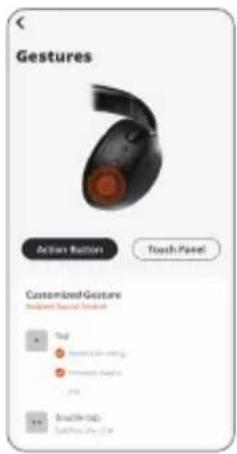
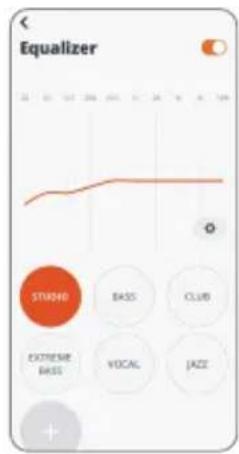
DO MORE WITH THE APP
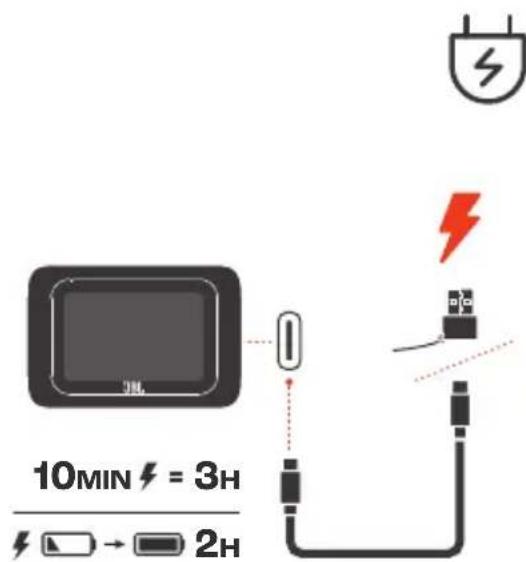
CHARGING
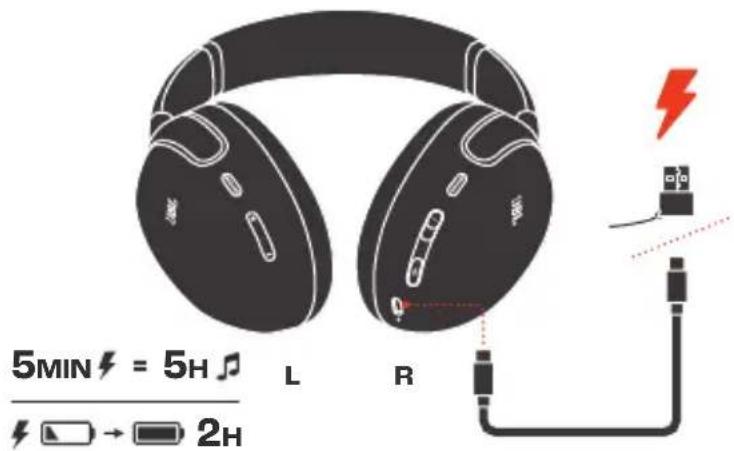
* Turn off headphone for best performance speed charge.
MANUAL SETUP

Factory Reset
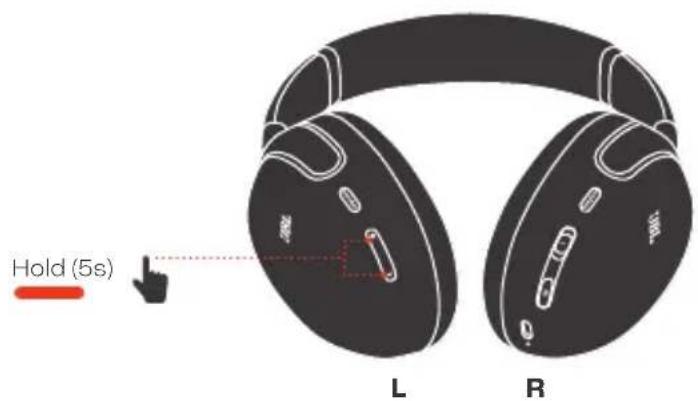
Restart
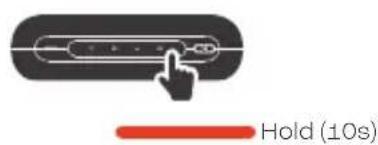
LED BEHAVIORS

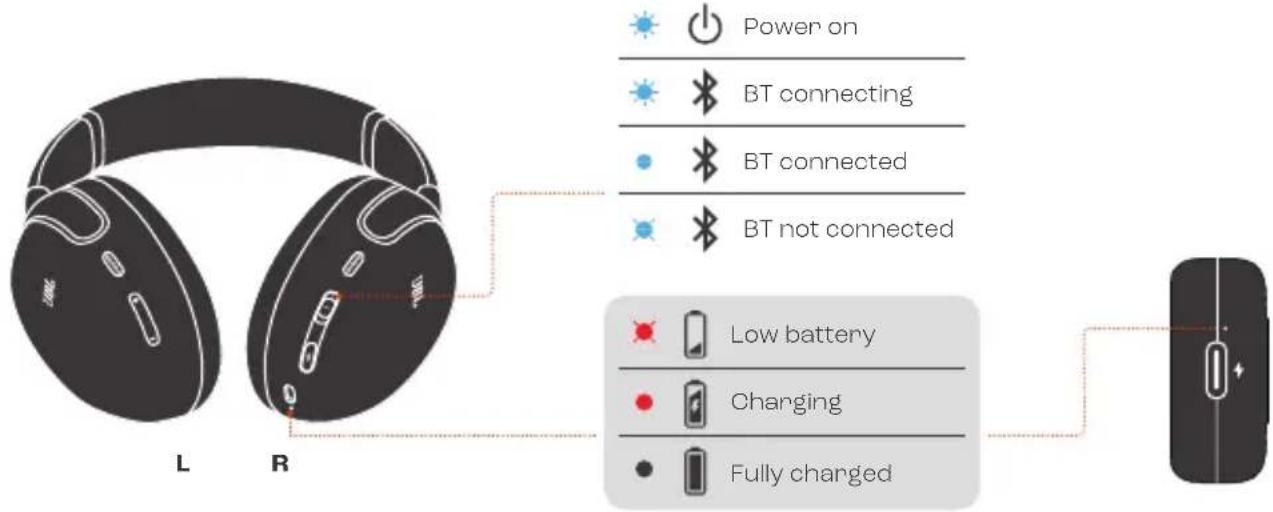
TECH SPECTECH SPEC
Model (Headphones): TOUR ONE M3
Driver size: 40 mm / 1.57" Dynamic Driver
Power supply: 5 V
1A
Weight: 278 g / 0.6 lbs
Battery type: Li-ion battery (850 mAh / 3.85 V)
Charging time: 2 hrs from empty
Music playtime with BT on and ANC off: Up to 70 hrs
Music playtime with BT on and ANC on: Up to 40 hrs
Talk time with ANC off: Up to 38 hrs
Talk time with ANC on: Up to 34 hrs
Frequency response: 10 Hz - 40 kHz
Impedance: 18 ohm
Sensitivity: 122 dB SPL@1 kHz
Maximum SPL: 94 dB
Call Microphone sensitivity: -38 dBV/Pa@1 kHz
Bluetooth version: 5.3
Bluetooth profile version: A2DP V1.4, AVCRP V1.6.2, HFP V1.8
Bluetooth transmitter frequency range: 2.4 GHz - 2.4835 GHz
Bluetooth transmitter power: <10 dBm (EIRP)
Bluetooth transmitter modulation: GFSK, π/4-DQPSK, 8DPSK
Codecs: SBC, AAC, LC3, LDAC
Maximum operation temperature: 45 °C
TECH SPECTECH SPEC
Model: SMART TRANSMITTER
Power supply: 5 V
1A
Weight: 34.5 g / 0.0759 lbs
Battery type: Li-ion battery (550 mAh / 3.85 V)
Charging time: 2 hrs from empty
Play time: Up to 18 hrs
Bluetooth version: 5.3
Bluetooth profile version: A2DP V1.4
Bluetooth transmitter power: <13 dBm (EIRP)
Bluetooth transmitter modulation: GFSK, π/4-DQPSK, 8DPSK
Codecs: LC3
Maximum operation temperature: 45 °C
FR
CONTENU DE LA BOÎTE
APPLICATION
TalkThru (Conversation)*
Toucher/Appuyer x 1 | Toucher/
Appuyer x 2 | Toucher x 3 | Appuyer (2 s)
TalkThru (Conversation)
TalkThru (Conversation)
SMART TX SETTINGS
PLUS DE POSSIBILITÉS AVEC
L'APPLICATION
CHARGE
HVAD ER DER I ÅESKEN
APPEN
* For at genaktivere
Kodekser: SBC, AAC, LC3, LDAC
ANC (Aktives Noise-Cancelling)*
Ambient Aware
(Umgebungsbewusst)*
TalkThru*
Headphones App verbindest
STEUERELEMENTE
1 x drücken
Wischen
AUTOM. WIEDERGABE/PAUSE
KABELGEBUNDENER
HÖRMODUS
ANC (Aktives Noise-Cancelling)
Ambient Aware
(Umgebungsbewusst)
TalkThru
SilentNow EIN: | ANC (Aktives
Noise-Cancelling)
SilentNow AUS: | ANC (Aktives
Noise-Cancelling)
SilentNow BEKAPCSOLVA: | ANC
SilentNow KIKAPCSOLVA: | ANC
Tartsa lenyomva (2 mp)
VOICEAWARE
SMART TALK
SilentNow ACCESO: | ANC
SilentNow SPENTO: | ANC
Voeding: 5 V === 1 A
Kodekser: SBC, AAC, LC3, LDAC
FLERPUNKTSANSLUTNING
Max 2 enheter
Håll ned (2 s)
KONTROLLER
Bixby/Siri®/Övriga
ANC*
Ambient Aware*
TalkThru*
Tryck × 1 | Tryck × 2 | Tryck × 3 |
Håll ned (2 s)
* Aktivera avancerade
Ambient Aware (Ortam
Farkındalığı)*
Ambient Aware (Ortam
Farkındalığı)
Model (Kulaklık): TOUR ONE M3
Sürücü boyutu: 40 mm / 1,57" Dinamik Sürücü
KEGUNAAN LAIN APLIKASI
PENGISIAN DAYA
Model (Headphone): TOUR ONE M3
Ukuran driver: Driver Dinamis 40 mm/1,57"
Catu daya: 5 V === 1 A
Berat: 278 g/0,6 lbs
Tipe baterai: Baterai Li-ion (850 mAh/3,85 V)
* JBL Headphones アプリに
코덱: SBC, AAC, LC3, LDAC
| 최대 작동 온도:45 | °C |
Headphones axonjibu, aiporom
To protect battery lifespan, fully charge at least once every 3 months. Battery life will vary due to usage patterns and environmental conditions.
FR pour protéger la vie de la batterie, chargez-la complètement au moins une fois tous les 3 mois. La durée de vie de la batterie varie en fonction des modes d'utilisation et des conditions environnementales.
DA For at optimere batteriets levetid skal du oplade fuldt ud mindst en gang i kvartalet. Batteriets levetid afhænger af brugsmønstre og omgivelser.
DE Lade zum Schutz des Akkus diesen mindestens einmal alle 3 Monate vollständig auf. Die Akkulebensdauer kann aufgrund von Nutzungsverhalten und Umgebungsbedingungen variieren.
EL Για να προστατεύσετε τη διάρκεια ζωής της μπαταρίας, φορτίστε την πλήρως τουλάχιστον μία φορά κάθε 3 μήνες. Η ζωής της μπαταρίας ποικίλλει ανάλογα με τη χρήση και τις περιβαλλοντικές συνθήκες.
ES Para proteger la duración de la batería, cárgala completamente al menos una vez cada 3 meses. La duración de la batería depende de los patrones de uso y las condiciones ambientales.
FI Akun käyttöiän turvaamiseksi, lataa täyteen ainakin kerran 3 kuukauden välein. Akun käyttöikä vaihtelee käyttötapojen ja ympäristöolosuhteiden mukaan.
HU Az akkumulátor élettartamának védelme érdekében teljesen töltse fel 3 havonta legalább egyszer. Az akkumulátor élettartama a használattól, és a környezeti feltételektől függ.
IT Per preservare la durata della batteria, effettuare una carica completa almeno una volta ogni 3 mesi. La durata della batteria varia a seconda del tipo di utilizzo e delle condizioni ambientali.
NL Voor een optimale levensduur de batterij minstens om de 3 maanden volledig opladen. De levensduur van de batterij is afhankelijk van gebruikspatronen en omgevingscondities.
NO For å beskytte batteriets levetid må det lades helt opp minst én gang hver 3. måned. Batteriets levetid vil variere etter bruksmønster og omgivelsesforhold.
PL Aby zachować czas eksploatacji akumulatora, należy go ładować co najmniej raz na trzy miesiące. Żywotność akumulatora zależy od sposobu jego użycia i warunków otoczenia.
PT-BR Para garantir a durabilidade da bateria, carregue-a totalmente pelo menos uma vez a cada três meses. A vida útil da bateria depende dos padrões de uso e das condições do ambiente.
SV För att förbättra batteriets livslängd ska det laddas det fullt minst en gång var tredje månad. Batteriets livslängd varierar beroende på användning och miljöförhållanden.
TR Pil ömrünü uzatmak için en az 3 ayda bir tam olarak şarj edin. Pil ömrü kullanım şekline ve çevresel şartlara bağlı olarak değişiklik gösterebilir.
RU Чтобы продлить срок службы аккумулятора, полностью заряжайте его по меньшей мере раз в 3 месяца. Срок службы аккумулятора зависит от способов использования и условий окружающей среды.
ZH-CN 为了保护电池寿命,请每至少3个月进行一次满充。电池寿命因使用方式和环境条件而异。
ZH-TW 為保護電池的使用壽命,請至少每3個月對電池充滿一次電。電池續航時間因使用模式和環境條件而異。
ID Agar baterai awet, isi dayanya hingga penuh paling sedikit sekali setiap 3 bulan. Masa pakai baterai bervariasi, tergantung pola penggunaan dan kondisi lingkungan.
JP バッテリー寿命を延ばすために、最低3か月に1回はフル充電してください。バッテリーの寿命は使用パターンや環境条件によって異なります。
KO 배터리 수명을 보호하려면 3개월에 한 번 이상
배터리를 완전히 충전하십시오. 배터리 수명은 사용
패턴 및 환경 조건에 따라 다를 수 있습니다.
MM མ མ མ མ མ མ མ མ མ མ མ མ མ མ མ མ མ མ མ མ མ མ མ མ མ མ མ མ མ མ མ མ མ མ 3 མ མ མ མ མ མ མ མ མ མ མ མ མ མ མ མ 1 1 1 1 1 1 1 1 1 1 1 1 1 1 1 1 1 1 1 1 1 1 1 1 1 1 1 1 1 1 1 1 1 1 1 1 1 1 1 1 1 1 1 1 1 1 1 1 1 1 2
لحماية عمر البطارية، اشحنها بالكامل مرة واحدة على الأقل كل 3 أشهر. ويختلف AR
عمر البطارية بسبب أُماط الاستخدام والظروف البيئية.
תְבָרִי הַעֹרִי, בְּרִי הַעֹרִי, בְּרִי הַעֹרִי, בְּרִי הַעֹרִי, בְּרִי הַעֹרִי, בְּרִי הַעֹרִי, בְֱרִי הַעֹרִי, בְֱרִי הַעֹרִי, בְֱרִי הַעֹרִי, בְֱרִי הַעֹרִי, בְֱרִי הַעֹרִי, בְּרִי הַעֹרִי, בְּרִי הַעֹרִי, בְּרִי הַעֹרִי, בְּרִי הַעֹרִי, בְֲרִי הַעֹרִי, בְ₃רִי הַעֹרִי, ב₃רִי הַע‘
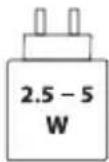
The power delivered by the charger must be between min 2.5 Watts required by the radio equipment, and max 5 Watts in order to achieve the maximum charging speed.
FCC/ISED RF Exposure Information and Statement
This equipment complies with FCC/ISED radiation exposure limits set forth for an uncontrolled environment. End user must follow the specific operating instructions for satisfying RF exposure compliance. This transmitter must not be co-located or operating in conjunction with any other antenna or transmitter.
Head operation
The portable device is designed to meet the requirements for exposure to radio waves established by the Federal Communications Commission (USA)/ISED. These requirements set a SAR limit of 1.6 W/kg averaged over one gram of tissue. The highest SAR value reported under this standard during product certification for use when properly worn on the head.
Body operation
The portable device is designed to meet the requirements for exposure to radio waves established by the Federal Communications Commission (USA)/ISED. These requirements set a SAR limit of 1.6 W/kg averaged over one gram of tissue. The highest SAR value reported under this standard during product certification for use when properly worn on the body.
DO NOT ATTEMPT TO OPEN, SERVICE, OR DISASSEMBLE THE BATTERY | DO NOT SHORT CIRCUIT | MAY EXPLODE IF DISPOSED OF IN FIRE | RISK OF EXPLOSION IF BATTERY IS REPLACED BY AN INCORRECT TYPE | DISPOSE OR RECYCLE USED BATTERIES ACCORDING TO THE INSTRUCTIONS

Bluetooth®

AURACAST
The Bluetooth ^™ word mark and logos are registered trademarks owned by Bluetooth SIG, Inc. The Auracast ^™ word mark and logos are trademarks owned by the Bluetooth SIG, Inc. Any use of such marks by HARMAN International Industries, Incorporated is under license. Other trademarks and trade names are those of their respective owners.

The product complies with Commission Regulation (EU) 2023/826 ecodesign requirements for off mode, standby mode, and networked standby energy consumption of electrical and electronic household and office equipment.
- Information on power consumption
Off mode: N/A
Standby mode: ≤ 0.5 W
Networked standby mode: ≤ 2.0 W
Networked standby mode if all wired ports are connected and all wireless ports are activated: ≤ 2.0 W
- The period after which the power management function switches the equipment automatically into:
| Off/Standby mode When the system is in normal operation Switched to Off/Standby mode after 20 minutes of inactivity | ||
| Networked Standby mode | When wireless network connection is activated | Switched to networked Standby mode after 20 minutes of inactivity |
- Recommended external Adaptor information:
Power adaptor with rating output: 5.0 V DC, 2.5 W - 5.0 W.
Energy efficiency rating: level VI or complies with corresponding regional or national laws and regulation.
Product specifications and app screens are subject to change without notice.
HP_JBL_TOUR ONE M3_QSG_Global_SOP_V8_with smart transmitter