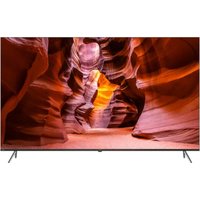
H85M80FUX - TV HAIER - Free user manual and instructions
Find the device manual for free H85M80FUX HAIER in PDF.



User questions about H85M80FUX HAIER
0 question about this device. Answer the ones you know or ask your own.
Ask a new question about this device
Download the instructions for your TV in PDF format for free! Find your manual H85M80FUX - HAIER and take your electronic device back in hand. On this page are published all the documents necessary for the use of your device. H85M80FUX by HAIER.
USER MANUAL H85M80FUX HAIER
Illustration in this guide are provided for reference only and may differ from actual product appearance. Product design and specification may be changed without notice.
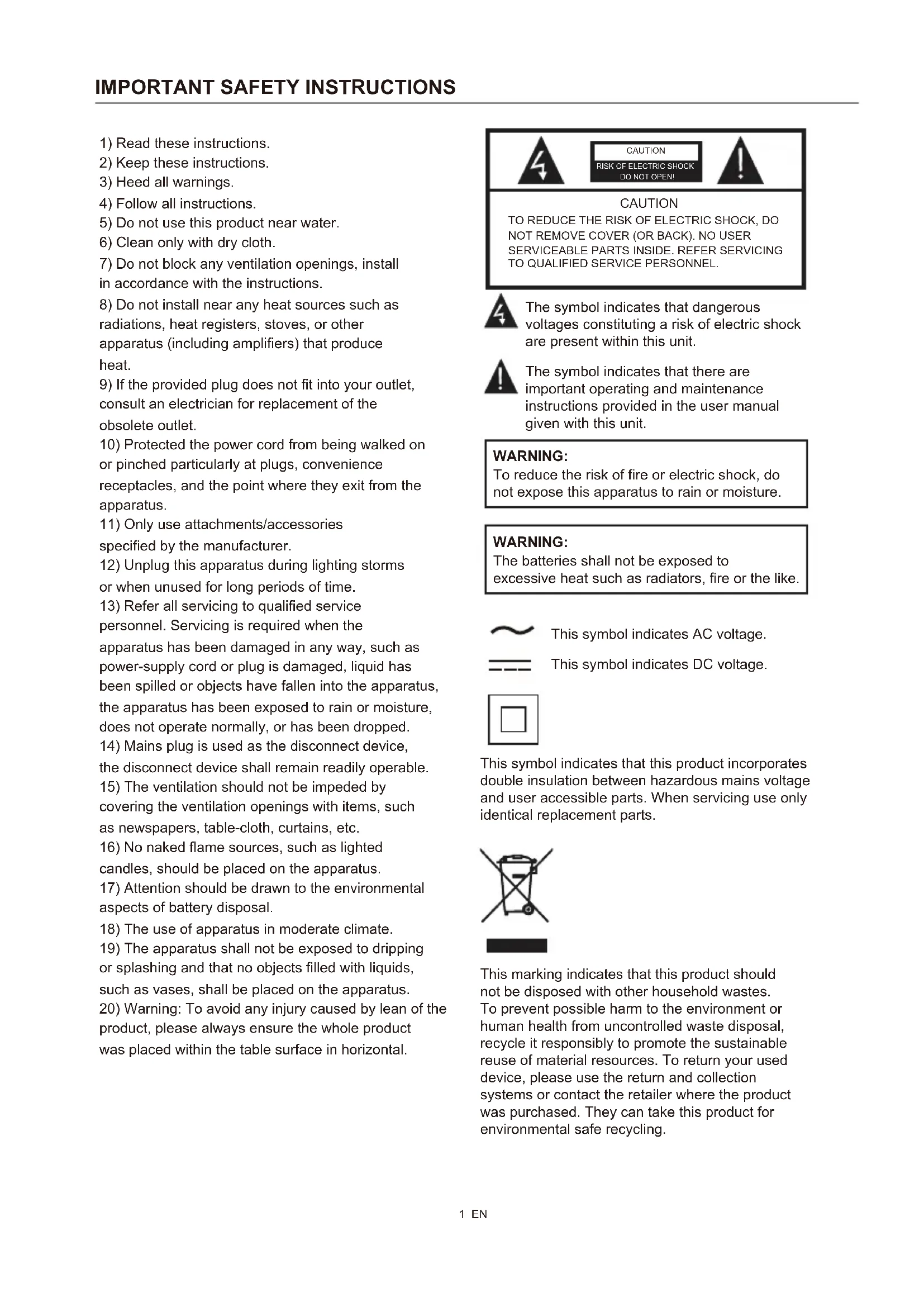
1) Read these instructions.
2) Keep these instructions.
3) Heed all warnings.
4) Follow all instructions.
5) Do not use this product near water.
6) Clean only with dry cloth.
7) Do not block any ventilation openings, install in accordance with the instructions.
8) Do not install near any heat sources such as radiations, heat registers, stoves, or other apparatus (including amplifiers) that produce heat.
9) If the provided plug does not fit into your outlet, consult an electrician for replacement of the obsolete outlet.
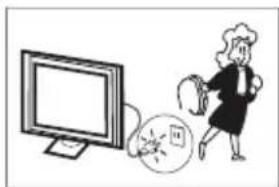
10) Protected the power cord from being walked on or pinched particularly at plugs, convenience receptacles, and the point where they exit from the apparatus.
11) Only use attachments/accessories specified by the manufacturer.
12) Unplug this apparatus during lighting storms or when unused for long periods of time.
13) Refer all servicing to qualified service personnel. Servicing is required when the apparatus has been damaged in any way, such as power-supply cord or plug is damaged, liquid has been spilled or objects have fallen into the apparatus, the apparatus has been exposed to rain or moisture, does not operate normally, or has been dropped.
14) Mains plug is used as the disconnect device, the disconnect device shall remain readily operable.
15) The ventilation should not be impeded by covering the ventilation openings with items, such as newspapers, table-cloth, curtains, etc.
16) No naked flame sources, such as lighted candles, should be placed on the apparatus.
17) Attention should be drawn to the environmental aspects of battery disposal.
18) The use of apparatus in moderate climate.
19) The apparatus shall not be exposed to dripping or splashing and that no objects filled with liquids, such as vases, shall be placed on the apparatus.
20) Warning: To avoid any injury caused by lean of the product, please always ensure the whole product was placed within the table surface in horizontal.


CAUTION
TO REDUCE THE RISK OF ELECTRIC SHOCK, DO NOT REMOVE COVER (OR BACK). NO USER SERVICEABLE PARTS INSIDE. REFER SERVICING TO QUALIFIED SERVICE PERSONNEL.

The symbol indicates that dangerous voltages constituting a risk of electric shock are present within this unit.

The symbol indicates that there are important operating and maintenance instructions provided in the user manual given with this unit.
WARNING:
To reduce the risk of fire or electric shock, do not expose this apparatus to rain or moisture.
WARNING:
The batteries shall not be exposed to excessive heat such as radiators, fire or the like.

This symbol indicates AC voltage.
This symbol indicates DC voltage.

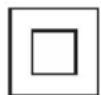
This symbol indicates that this product incorporates double insulation between hazardous mains voltage and user accessible parts. When servicing use only identical replacement parts.
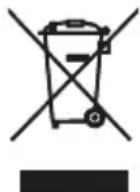
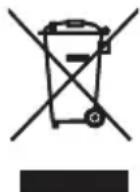
This marking indicates that this product should not be disposed with other household wastes. To prevent possible harm to the environment or human health from uncontrolled waste disposal, recycle it responsibly to promote the sustainable reuse of material resources. To return your used device, please use the return and collection systems or contact the retailer where the product was purchased. They can take this product for environmental safe recycling.
EU Battery Regulation

This symbol on the battery(ies) or on the packaging indicates that the battery(ies) provided with this product shall not be treated as household waste. Instead, please separate battery(ies) from other types of waste and recycle it(them) through your local recycling system to protect environment and health.
The chemical symbol for lead (Pb) is added under this symbol if the battery(ies) contains more than 0.004% lead. For more detailed information about recycling of this battery(ies), please contact your local authority or the shop where you purchased the product or battery(ies).
Caution:
A display may fall, causing serious personal injury or death. Many injuries, particularly to children, can be avoided by taking simple precautions such as:
- ALWAYS use cabinets or stands or mounting methods recommended by the manufacturer of the television set.
- ALWAYS use furniture that can safely support the television set.
- ALWAYS ensure the television is not overhanging the edge of the supporting furniture.
- ALWAYS educate children about the dangers of climbing on furniture to reach the television or its controls.
- ALWAYS route cords and cables connected to your television so they cannot be tripped over, pulled or grabbed.
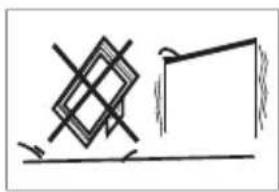
- NEVER place the television set in an unstable location.
- NEVER place the television set on tall furniture (for example, cupboards or bookcases) without anchoring both the furniture and the display to a suitable support.
- NEVER place the television set on cloth or other materials that may be located between the television set and supporting furniture.
- NEVER place items that might tempt children to climb, such as toys and remote controls, on the top of the television set or furniture on which the television set is placed.
If the existing television set is going to be retained and relocated, the same considerations as above should be applied.
Dolby VISION-ATMOS
Dolby, Dolby Vision, Dolby Atmos, and the double-D symbol are registered trademarks of Dolby Laboratories Licensing Corporation. Manufactured under license from Dolby Laboratories. Confidential unpublished works. Copyright ©2012-2024 Dolby Laboratories. All rights reserved.
HOMI
The terms HDMI, HDMI High-Definition Multimedia Interface, HDMI Trade dress and the HDMI Logos are trademarks or registered trademarks of HDMI Licensing Administrator, Inc.
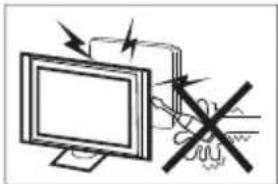
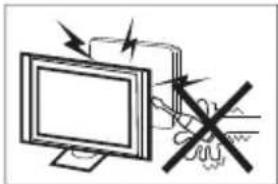
High voltages are used in the operation of this television receiver. Do not remove the cabinet back from your set. Refer servicing to qualified service personnel.
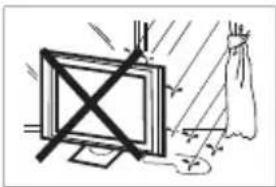
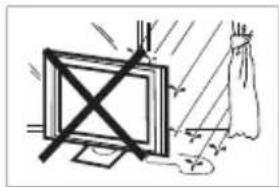
To prevent fire or electrical shock hazard, do not expose the television receiver to rain or moisture.
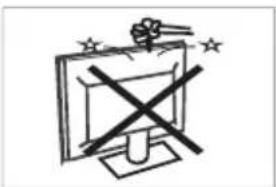
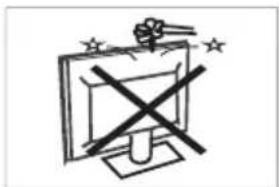
Do not drop or push objects into the television cabinet slots or openings. Never spill any kind of liquid on the television receiver.
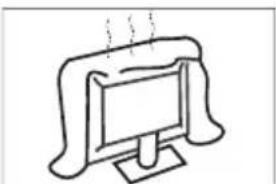
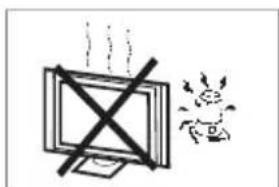
Do not block the ventilation holes in the back cover. Adequate ventilation is essential to prevent failure of electrical components.
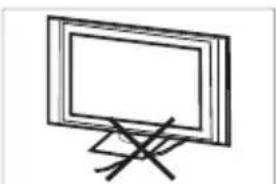
Do not trap the power supply cord under the television receiver.
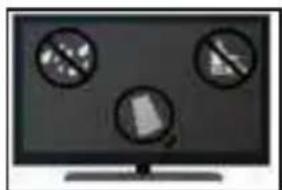
If you are going to clean the product, unplug the TV, use soft fabric, no water, never chemicals.
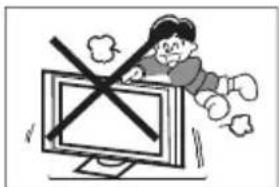
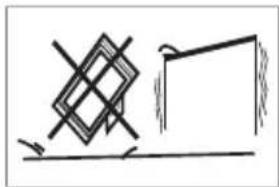
Never stand on, lean on, or suddenly push the television or its stand. You should pay special attention to children. Serious injury may result if it falls.
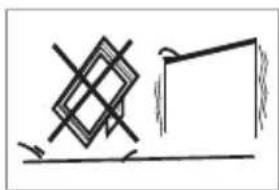
Do not place your television on an unstable cart, stand, shelf or table. Serious injury to an individual, and damage to the television, may result if it falls.
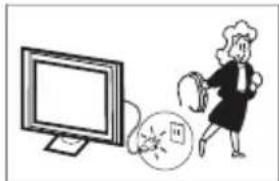
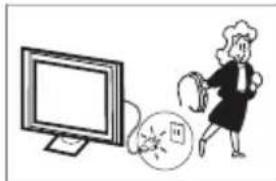
When the television receiver is not used for an extended period of time, it is advisable to disconnect the AC power cord from the AC outlet.
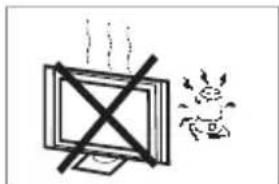
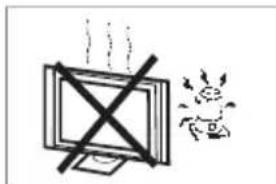
Avoid exposing the television receiver to direct sunlight and other sources of heat. Do not stand the television receiver directly on other products which give off heat, e.g. video cassette players and audio amplifiers. Do not place naked flame sources, such as lighted candles on the television.
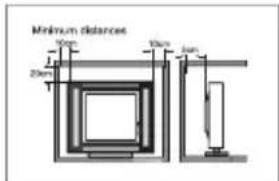
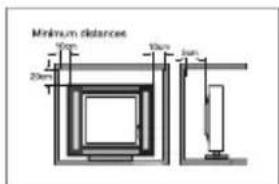
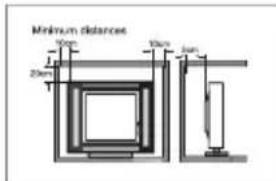
If the television is to be built into a compartment or similar enclosure, the minimum distances must be maintained. Heat build-up can reduce the service life of your television, and can also be dangerous.
Note: the use of apparatus in moderate climates.
Note: This product uses a panel consisting of sub pixels which require sophisticated technology to produce. However, there may by a few bright or dark pixels on the screen. These pixels will have no impact on the performance of the product.
MAIN FEATURES
1) Google TV.
2) High Luminance.
3) Wide Viewing Angle.
4) HDMI Interface.
5) Multi Media Player (USB).
ACCESSIONS
1) Remote Control 1 pcs
2)User's Manual 1 pcs
3)Base Screws 4+6 pcs
4) Base Group 1+2 pcs
(5) Quick Start Guide 1 pcs
(6) Warranty Card 1 pcs
GENERAL SPECIFICATIONS
| Model | H85M80FUX | |||
| Size (Diagonal) 215cm | ||||
| Resolution 3840x2160 | ||||
| Aspect Ratio | 16:9 | |||
| TV System | ATV (PAL, SECAM)/DTV (DVB-T/C/T2/S2) | |||
| Video Signal System PAL, SECAM | ||||
| Input Power Voltage 100-240V~50/60Hz | ||||
| Power Consumption | 420W | |||
| Audio Output | 2 x 13.5W+18W | |||
| Signal Input / Output | HDMI Ports x4 Headphone O/P x1USB Ports x2 RF x2LAN x1 CI x1AV IN x1Optical O/P x1 | |||
| Wi-Fi: IEEE802.11 a/b/g/n/ac 2.4GHz/5GHz | ||||
Screen care
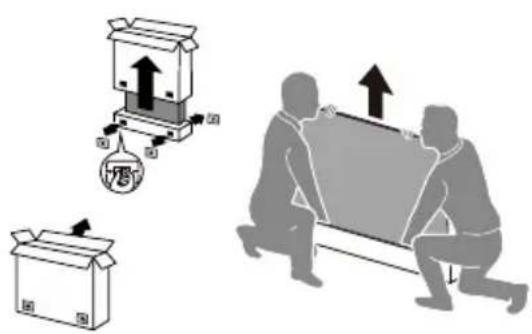
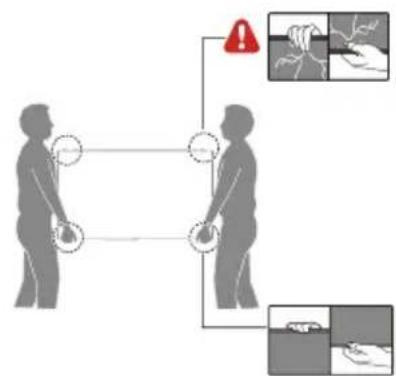
IMPORTANT: Do not apply pressure to the screen display area which may compromise the integrity of the display. The manufacturer's warranty does not cover user abuse or improper installations.
ATTACHING THE STAND
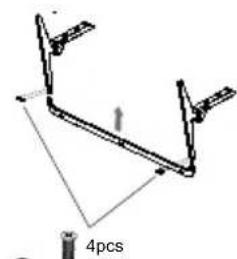
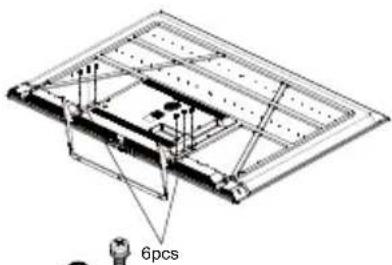
IMPORTANT: The stand of the TV must be assembled prior to usage.
- Place the TV unit face down on a soft and flat surface (blanket, foam, cloth, etc.) to prevent any damage to the TV.
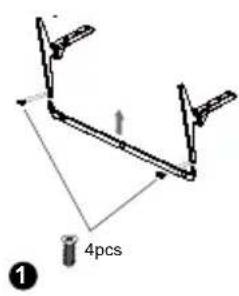
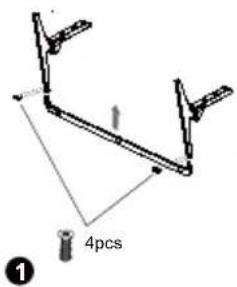
- Fix the stand to the base with 4 screws. (Diagram 1) For reminder, the base is heavy, please hold it with hand carefully.
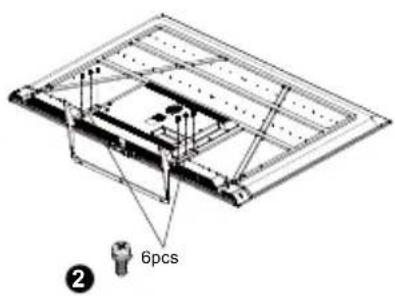
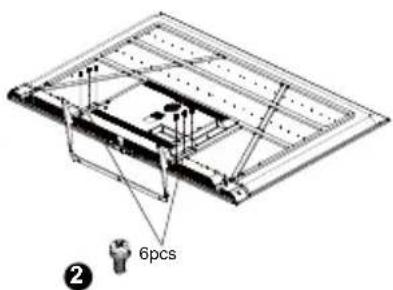
- Fix the base group to the back of the TV with 6 screws. (Diagram 2)
1
2
PREPARING YOUR OLED TV FOR WALL MOUNTING
We suggest that you keep your TV at least 2.36 inches (60 mm) from the wall to prevent cable interference. Before mounting your TV on the wall, you need to remove the stantand.
For your safety, please use only with a UL listed wall mount bracket with minimum weight of the TV without stand.
To attach a wall mount bracket to your TV:
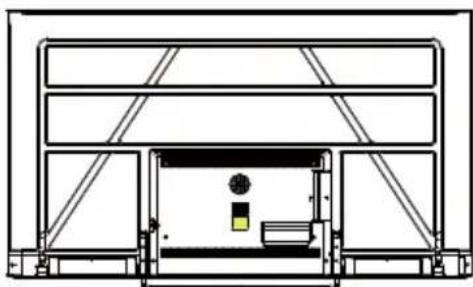
- Remove the screws holding your TV to the stand.
- Remove the stand from your TV. For reminder, the base is heavy, please hold it with hands carefully.
- Remove 4 screws from the wall mount holes on the back of the TV.
- Secure the wall mount bracket to the back of your TV using 4 screws. Follow the instructions of the user manual that came with the wall mount bracket to install.

NOTE
The wall mount bracket are not included.
- Fix the wall mount screws (M8x20mm/4pcs) into the rear side of the LED TV, using the torque of 8kgf,cm.
TURNING ON THE TV
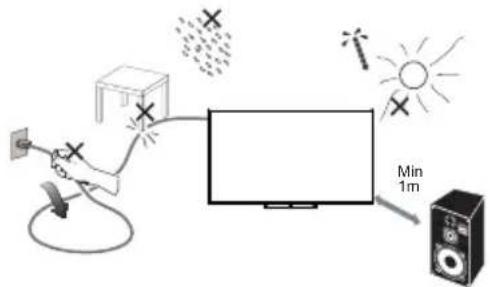
- Install the stand and place the TV on a solid surface.
NOTE
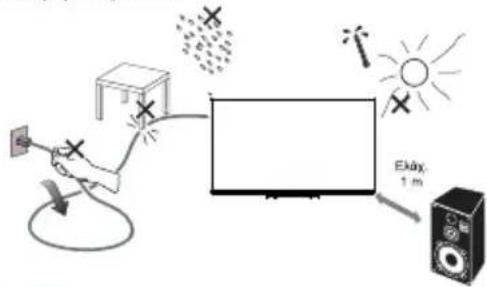
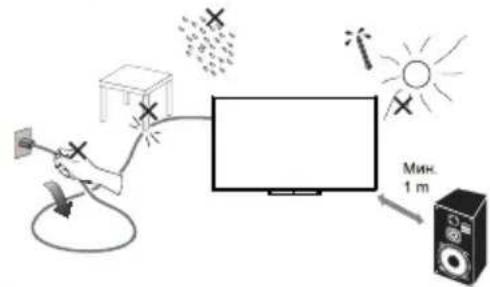
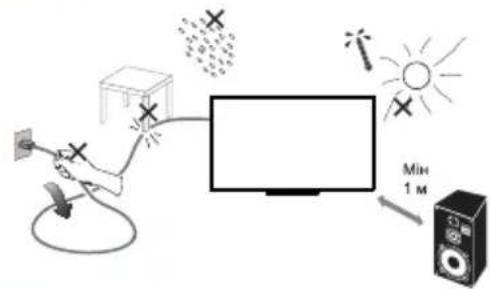
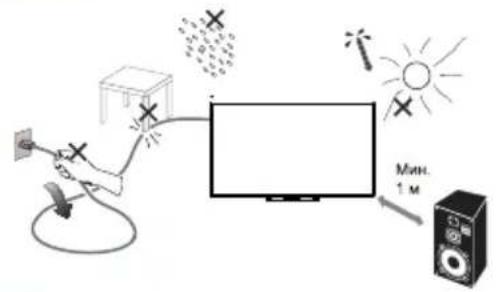
- Ensure that the TV is placed in a position to allow free flow of air. Do not cover the ventilation openings on the back cover.
- To prevent any unsafe situations, no naked flame sources, such as lighted candles, should be placed on or in the vicinity.
-
Avoid heat, direct sunlight and exposure to rain or water.
The equipment shall not be exposed to dripping or splashing. -
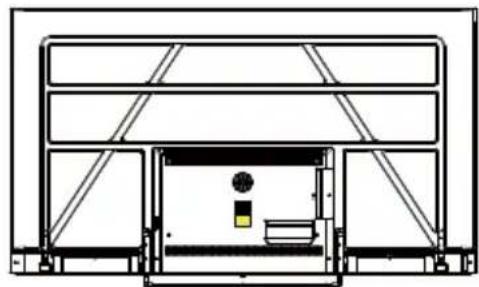
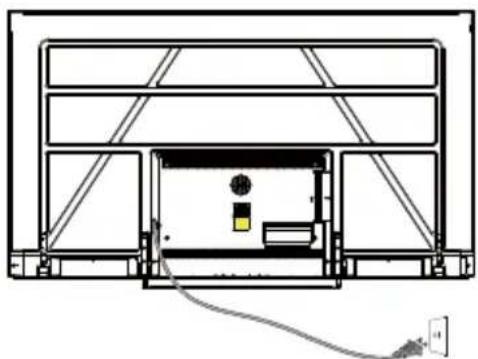
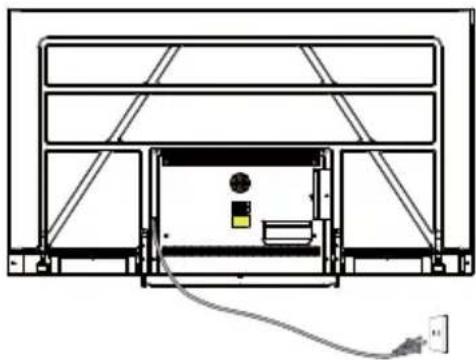
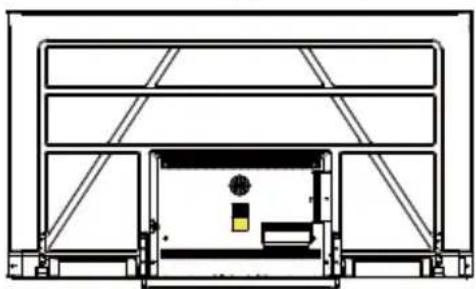
Connect the antenna cable or cable TV cable to the ANT IN aerial socket on the back of the TV set.
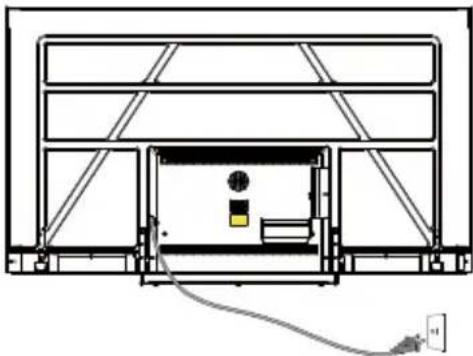
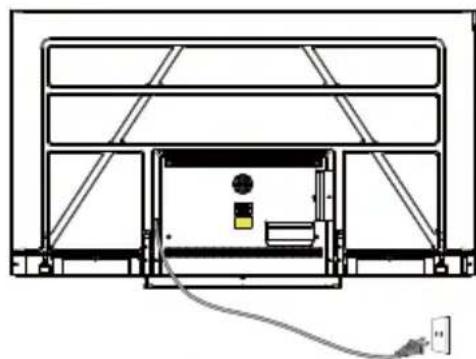
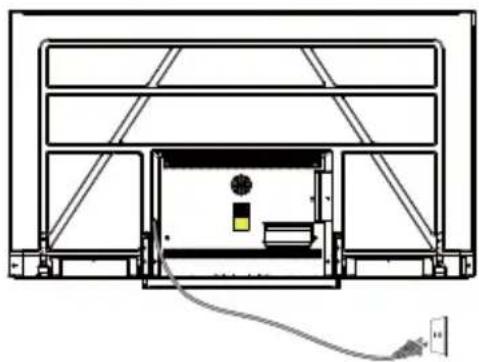
- Power: Plug the cord into a working power outlet.
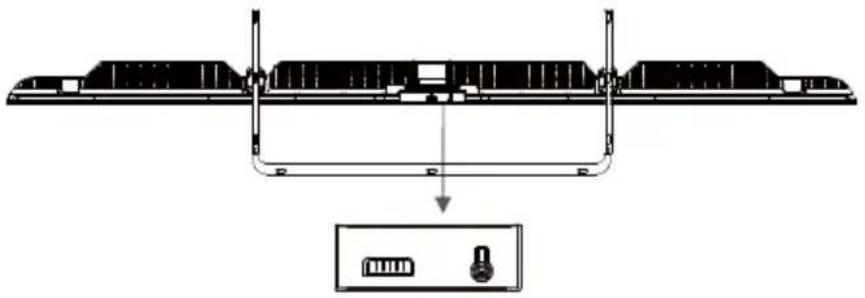
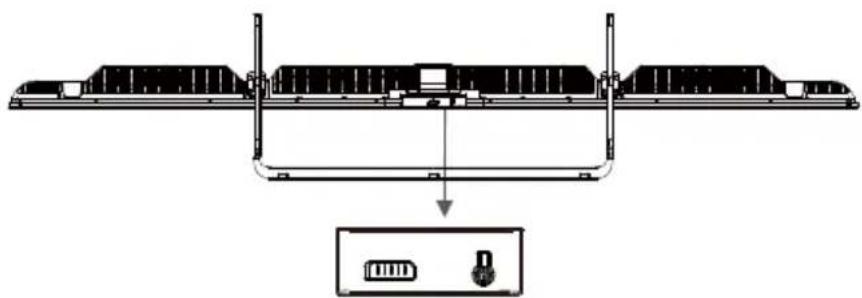
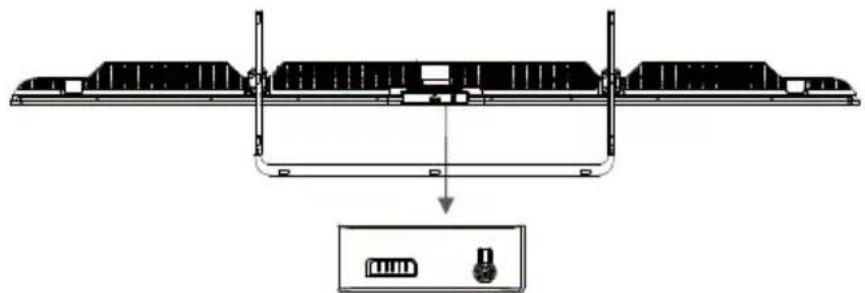
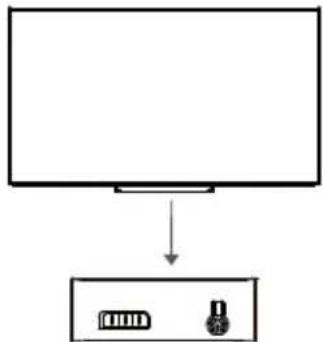
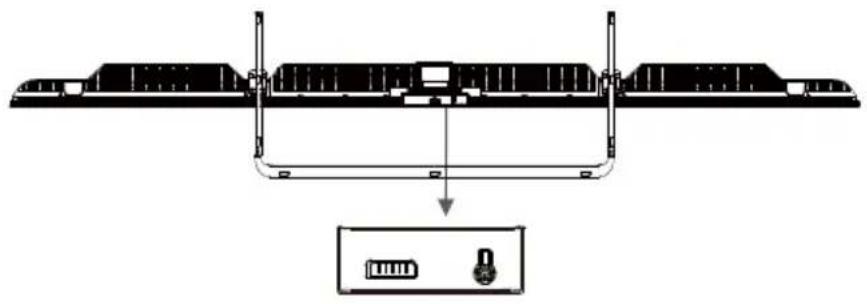
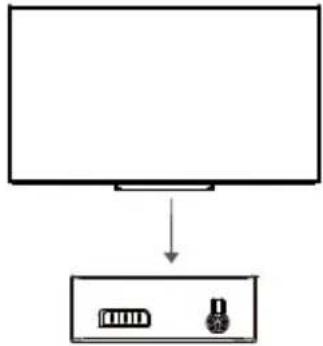
- Turn the TV on: Press on the remote control or POWER button on the side control pannel of the TV.
BUTTON CONTROL
In the standby mode, press the button to turn on the TV. In the boot state, long press the button to shut down.
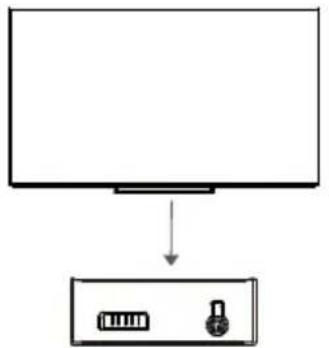
HANDS FREE VOICE CONTROL
Switch to open or close the Hands Free Voice Control.
Note: This feature requires network connection. Far-Field voice commands are available in these languages. en-US/es-US, fr-FR, es-ES, ja-JP, ko-KR, de-DE, it-IT, en-GB, en-AU, en-IN/hi-IN, en-CA/fr-CA, es-MX, pt-BR, id-ID, sv-SE, vi-VN
Switch turn on or off the Micphone.
HOW TO USE HANDS FREE VOICE CONTROL:
- Activate the hands free voice control with the toggle switch.
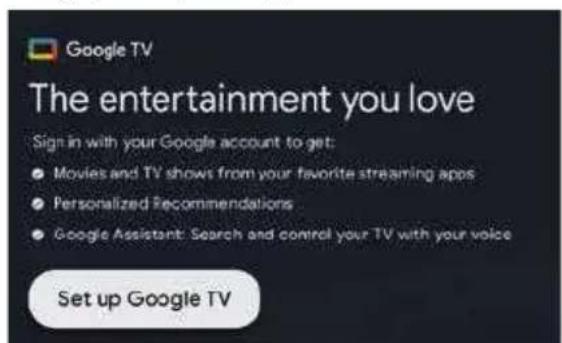
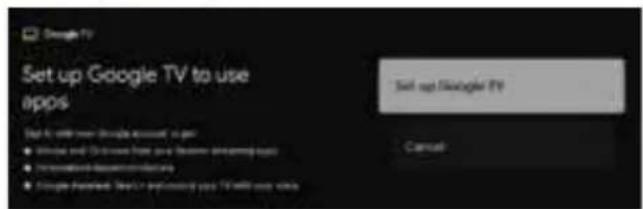
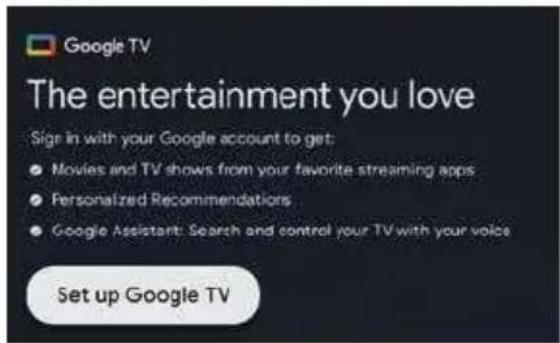
- Select "Set up Google TV" on home screen to open the Google assistant settings, and select sign in.
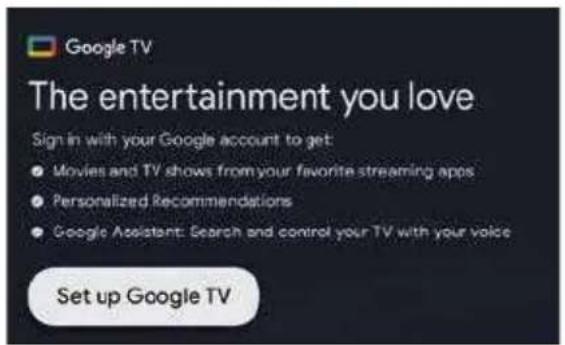
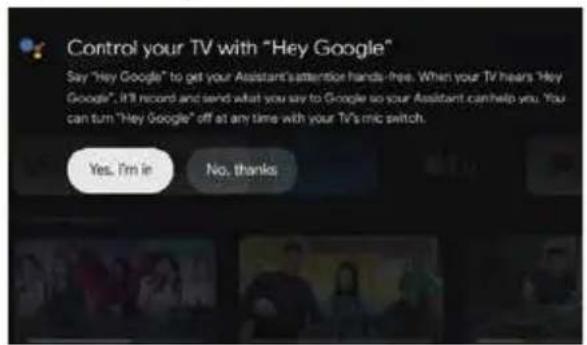
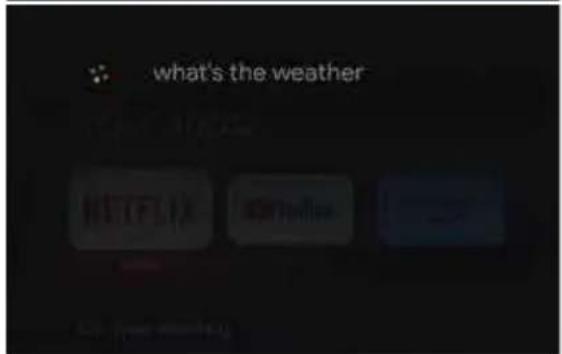
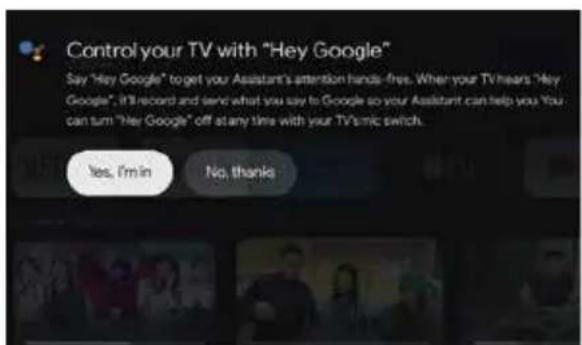
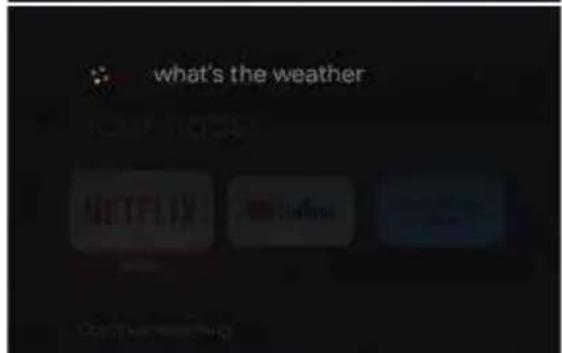
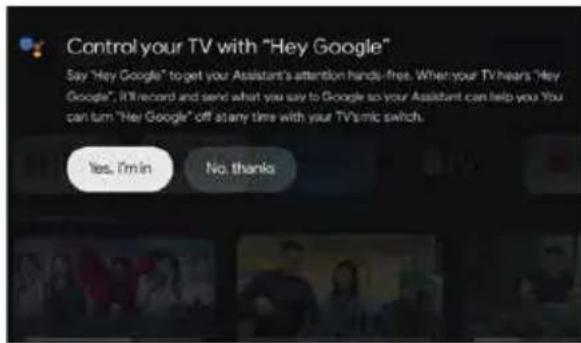
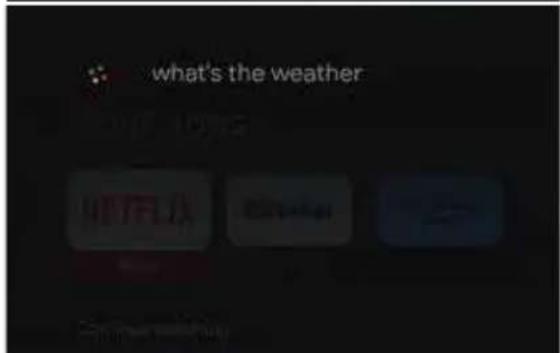
- When the prompt "Control your TV with 'Hey Google'!" is prompted, select "Yes I'm in", it can be used. For example, when we say "Hey Google, What's the weather", hands free voice indicator will light up and feed back the weather conditions.
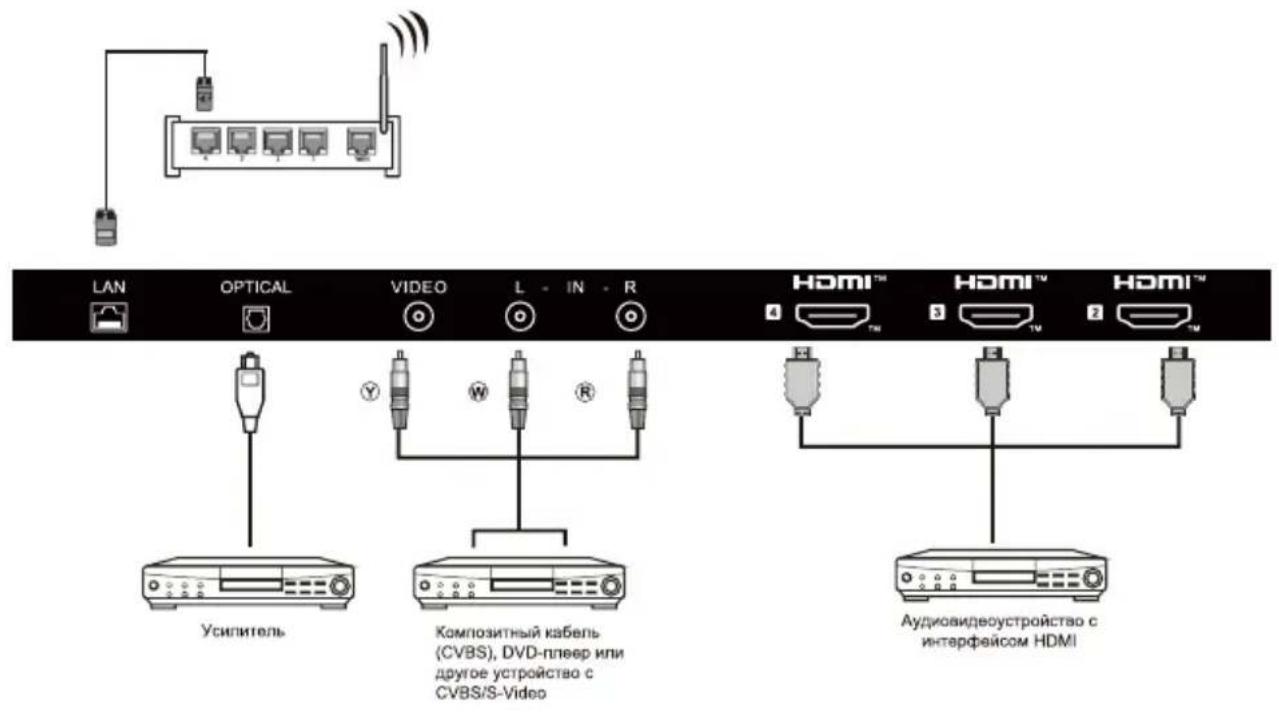
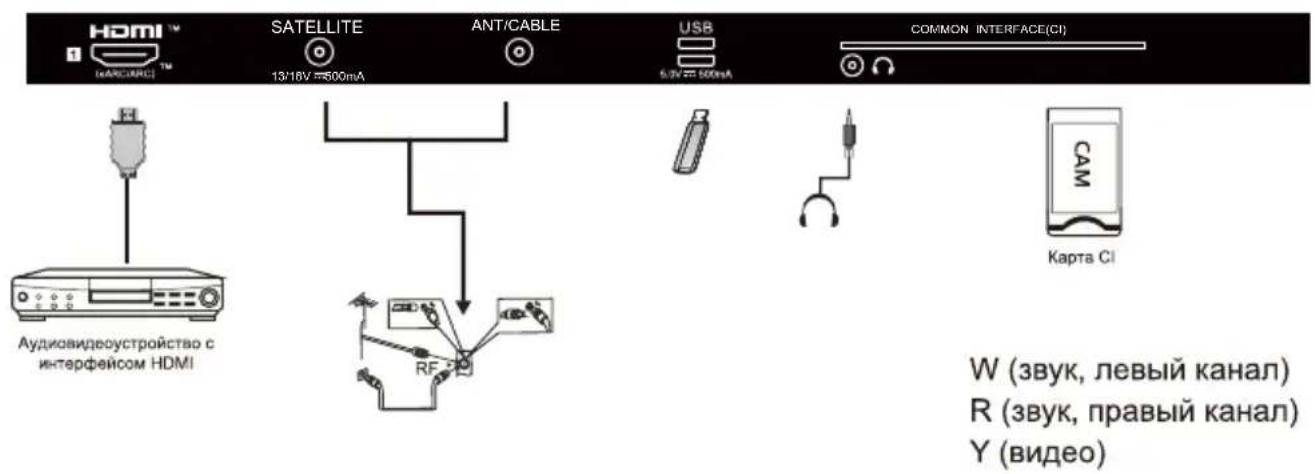
You can use the input terminals on TV set rear as follows.
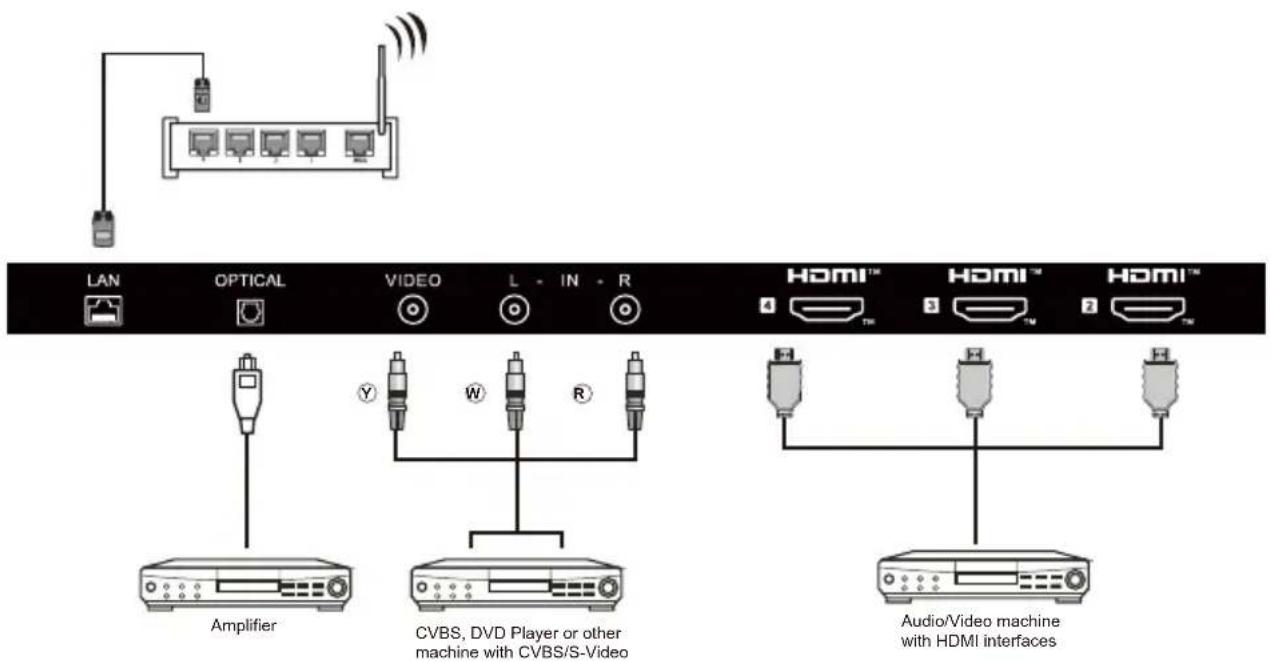
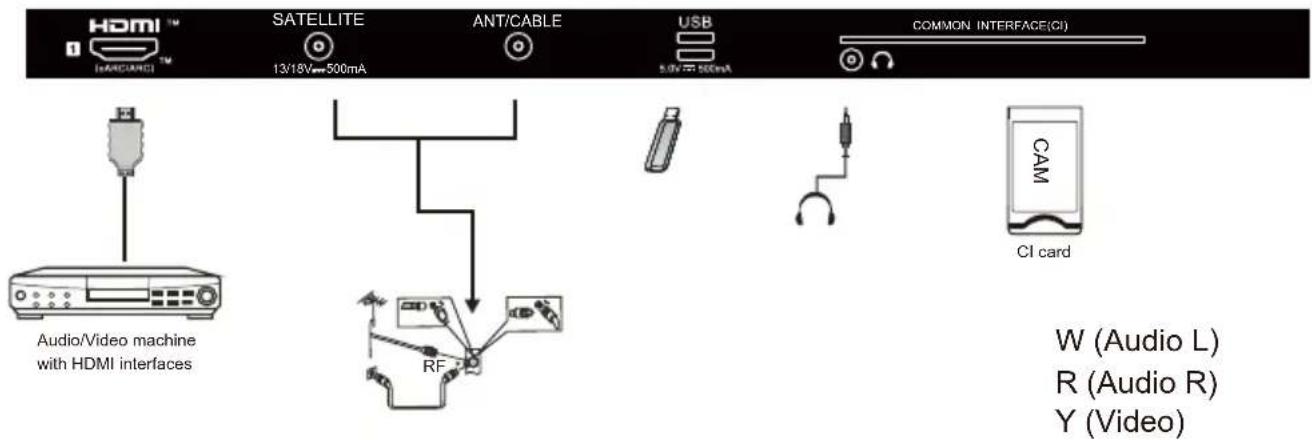
- RF: Antenna/close circuit TV
- EARPHONE: Earphone output.
- USB: Connect USB device.
- HDMI: Connect to High-definition multimedia signal resource.
- AV INPUT: Video input/Audio input.
Note:
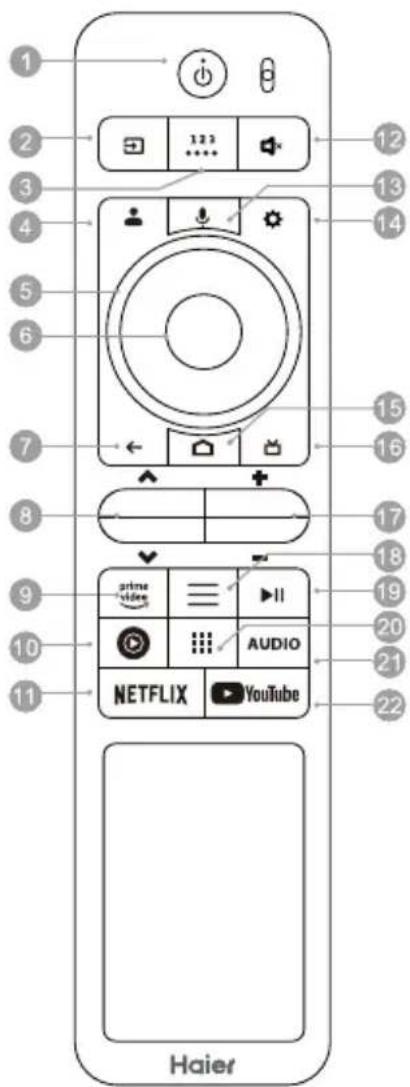
1) The picture is only for reference.
2). The image, buttons and functions of remote control may vary depending on the region or model.
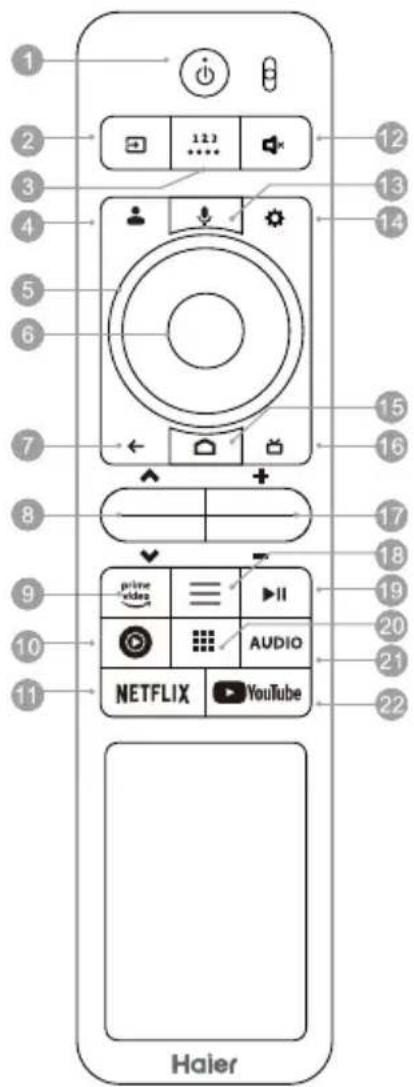
21.AUDIO
Press to select Mono, Nicam, Stereo for ATV channel, Audio language for DTV channel.
22. YouTube
Press to open the YouTube.
1. POWER()
Turn the TV on or to standby mode.
2. SOURCE (□)
Press this button to access the source list or select the desired source as you need.
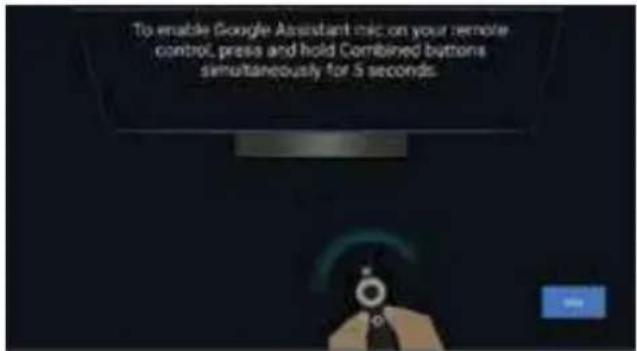
3. Compound Buttons (…)
Access the virtual keyboard including usually-used buttons like number buttons, color buttons and so on.
4.
Switch Google accounts in Google TV mode.
5. Navigation Buttons (UP/DOWN/LEFT/RIGHT)
Press to navigate the on-screen menu.
6. OK
Confirm, enter or execute the selected item, or access the channel list.
7. BACK ()
Return to the previous menu.
8.CHANNEL(AV)
Press to change TV channels.
prime 9. video
Press to prime video for viewing online TV shows and flmsinternet connection required).
10.
Press to open the Youtube music.
11. NETFLIX
Press to open the NETFLIX.
12.SOUND()
Press this button to mute or restore the TV sound.
13.MIC()
Start using the near field voice function.
14. Settings ( )
Access the system settings of Android TV.
15.HOME
Press to open the Home Page.
16.GUIDE()
Press to display electronic programme guide in TV mode.
17. SOUND (+/-)
Press this button upwards/downwards to adjust the sound volume.
18.MENU(三)
Press to open or close the on-screen menu.
19.
Click to play/pause in multimedia mode.
20.
Press to open the app list.
INITIAL SETUP
The first time you turn on your TV, the setup wizard will guide you through setting up basic settings. Please according to the Text Tip to First Time Setup.
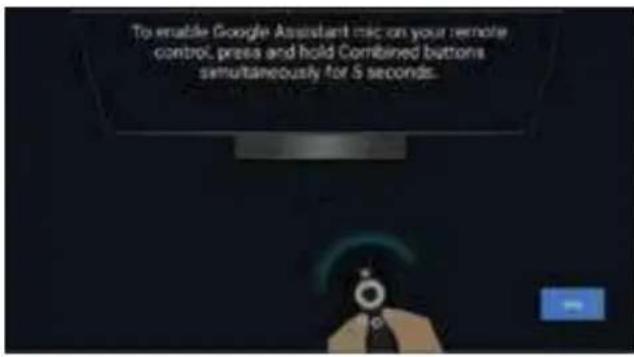
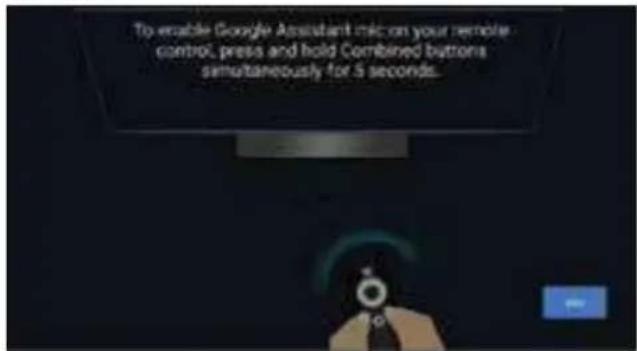
This function is used for the remote control pair code. After the code is successful, you can use the Bluetooth remote control to operate the TV.
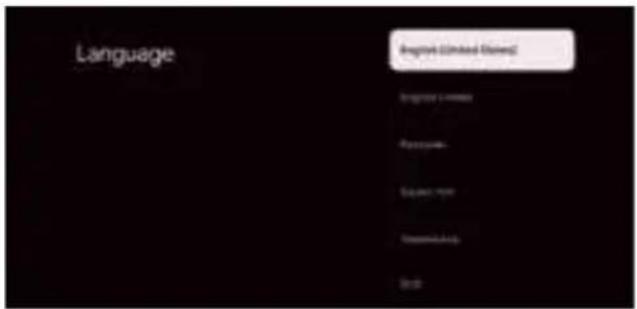
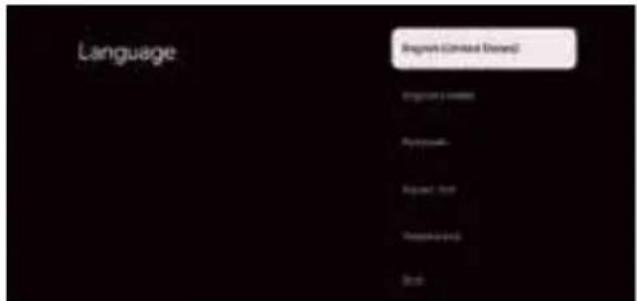
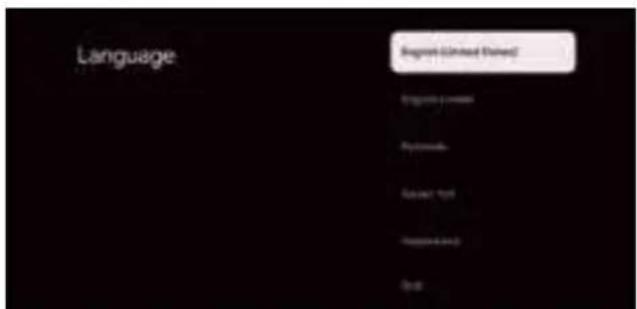
Press / to select the system language and press OK to confirm the language.
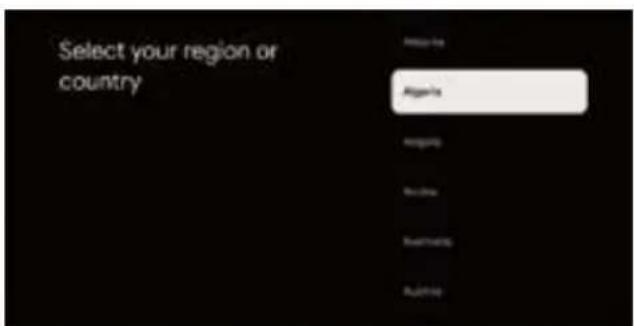
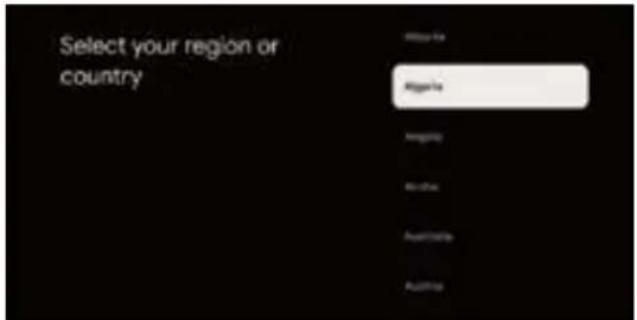
Press / to select the region/country of your device and press OK to confirm. Complete the TV initialization settings according to the guide prompt.
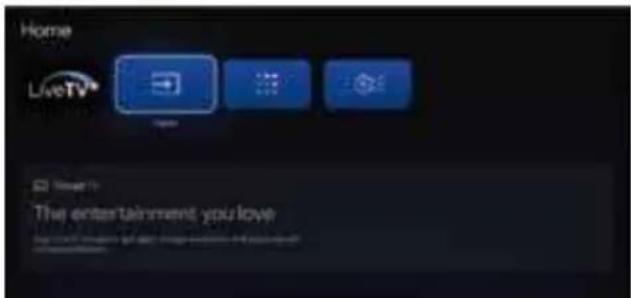
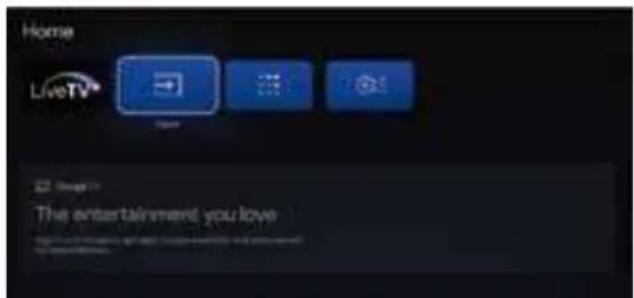
Note: The picture is only for reference.
- Once in the user interface, you can switch from basic TV to Google TV settings
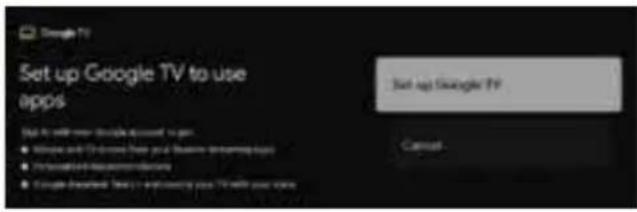
Press / to select the "Set up Google TV" of your device and press OK to complete the setup.
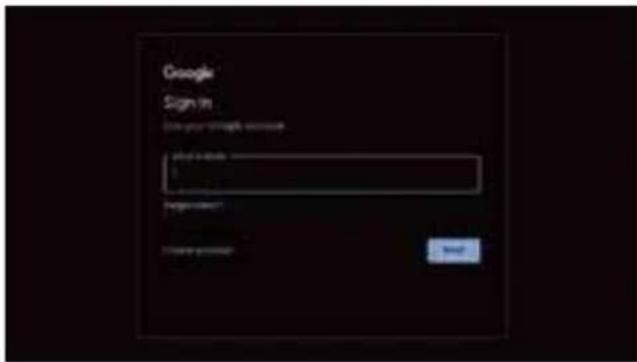
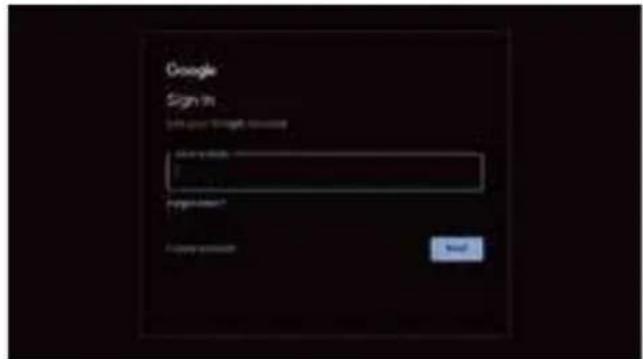
Use your Google Account Sign in. Follow the Google Guide.
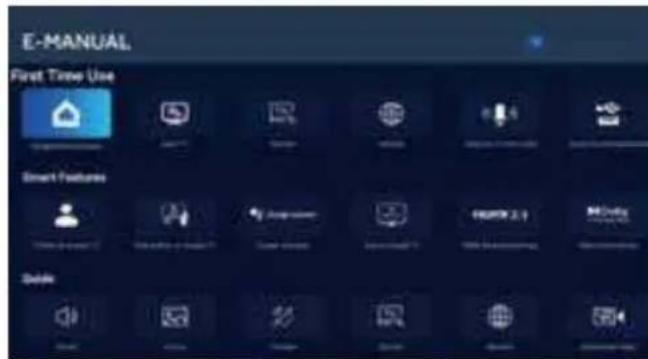
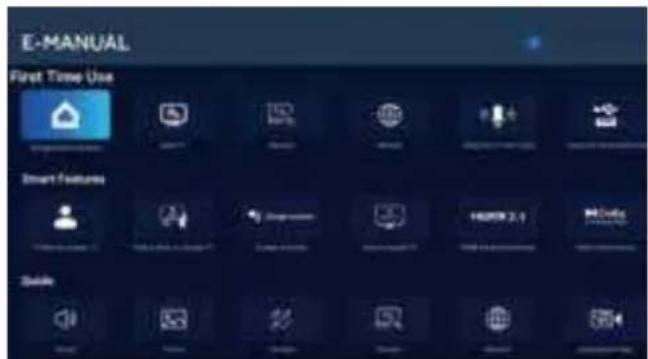
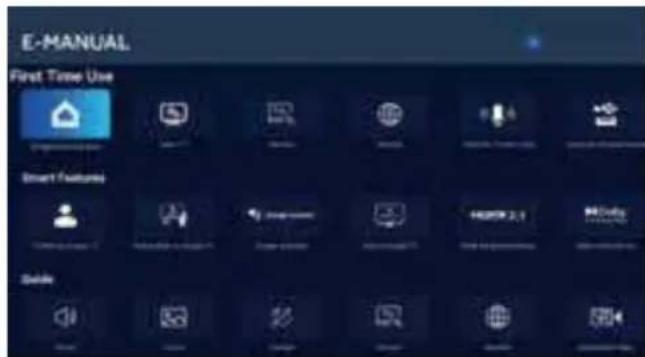
E-Manual
E-Manual is built into your TV and can be displayed on the screen. To learn more about your TV features, access your E-Manual by referring to the following. E-Manual may be available depending on the region or model.
- Press HOME button to access the home page.
- Press UP/DONW/LEFT/RIGHT and OK button to select and enter "E-Manual" in "Apps".
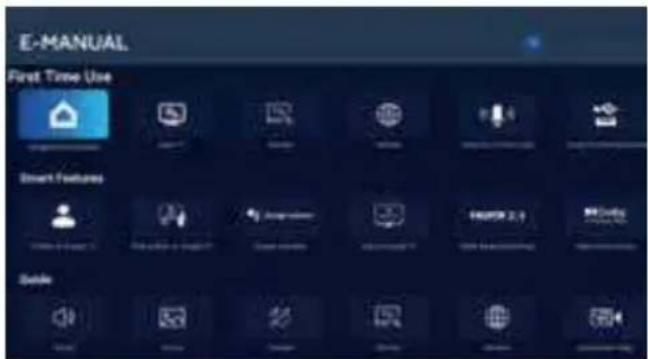
Note: The picture is only for reference.
Haier
Vida inspirada
Mudar as contagos Google no modo Google TV.
5 Botoes de navegacao
(PARA CIMA/PARA BAIXO/ESQUERDA/DIREITA)
IPOEAPTHEH THE BAEHE
EHMANTIKO: H bao n ts mEopaanpenei va ouvapaooynthetaipiv atro tn xpon.
- TOnioTeTnIOvOaONpOcTaKATOWeIa Iaakn KAI EITIEONETIAPVEIA (KouBepTA, aPPO, TAVI KNTI.) Ia va atoaeuxei OTIOAONTE OJmu otyn TEOpaon.
- Dioptheta nbaon otn baon 4 bioc. (Diaypauma 1) Tia UTeVthuian, n baoen eivai bapi, Tapakaaw kpatnoTe To TO xepi TPOEKTIA.
- iopthetaynouaobaanocTnawepoctnlaopaonc 6 bioe. (Aypaa2)
IPOETOIMAZIA THZTHAEOPAHE IIA ENITIOXIA TONOeTHs
Tac TPOIEVOUe va Kpatate TnV tNLEOPaON oE aTIOAON TouALAXIOTOV 60 mm (2,36 IVTOE) atro ToV toXO, TPOKEIeVou VA ATTOPOUYETuXov TAPeUBoAEKALWBIUw. PpotaO TOITOBETHOET NTV tNLEOPaON OAC OTV ToXo, PPETeVA aPaipeTe IN BaoN. TIA TNV aQPAAEIA OAC, XpOJIPOITNOTE IN OUAKEUN MOV O EVA OTPIYMA ToIXOU ME TIOITOTION UL TIOAVTExI TouALAXIOTOV TO BApoc ts nTLEOPaONS XwpiTn BaoN.
Tia va TpoapnOeTe evav bpaxiova eTinoixiac tonoetnnc 0ny tnAeopaan oac:
1.Apaipote Tc BiEcs Tou Kpatouv Tny TnaEopaan Oac otn Bao.
2.Apaipote Tn Bao an to nTv nAeopaon oac. Tia utevuian, n Bao eivai Bapia, kpatnoTe to e Ta xepia TPOOeKTiKa.
3.Apaipoe4 4iOe aTO Tc OTTOEOTTOIO TO IOO OTO IOW ePOC Tc MEOPAoNc.
4.Aoqaiote to otpiyma toxou oto naw epoc ts nAeopaanc os xpoiioTOWTAC 4 biEcs. Akoautheta Tc onyiec tou exyepidiou xpnoC TPO npBc E TO otpiyma toxou yia ekataotaon.

THMEIOEH
O bpaxiovas eriroxias totoeetnns 8ev Tepiaaavetai.
Biodote nbs bides e tiroxias tototheonns (M8x20mm/45 TEaia) otny triow nAeupa tnc nAeopaons, Xpnoiopoioivtac potn 8kgf,cm.
ENEPTONIOIHTHTHAEOPAHE
- EykaataoTne Tbaon kai totoBtne Tnv tnaEopaon o eia OaOeepn Etipaveia.

ZHMEIO
Bebaiwtheta ot n tnaeopaon exei torotheoi oe onueio Tou aepizetai eapkwc. Mn kauTTETE Tc OTec aeipoou OTny niow oyn.
TnV atoquyn etikivouw kataotaeuw, nV toTOBETEITE TAVN KOVt aTN OUsKEuH OTIOAHTOTE Tyny yuvns foayas, oTWS avaupeva KEpa.
Anopuyete n thepounta, to aepoo naiak ooc kai tny ektheon ebpoxn nevo. O eonlaioos dev TpETe i v EKTIEa OE OTAYOVEc n tiouievpou.
2. SuVbEoTe To KaWbIO KepaIac n To KaWbIO KaWbIaknTnAeopaOngs atNV UToBoxn KepaIac ANT IN oTo triow epoc TnS nAeopaOns.
3. Tpofooia: SuovdeTo Kaawio emu npizc.
Koh3oJata 3a cTeHeH MOHTAX He e BKnIOUpeHa.
5.ПикpeneteВИнTOBete3aCTeHMeHTaK(M8x20mm/46p.)KbM p6aHaLEDTeNEBnOpaC BbPraM MoMeT 8kgf.cm.
BbPTHE HA TENEBU3OPA
- MoHTnpaIte cToKata u NoCTaBete TeneBn3opa Ha Cta6nHa NOBbpxHOCT.
NOTE
YBepete Ce,Ye TeneBn3OpbTe nocTaeH a noNoxKeHne,KoTo No3BOJRA CB6OdoEH B3dyueH noTOK.He noKpmbaTe BEHTMaunOHHHe OTBOPHa 3aDnna Kanak.
3a da npedotbpatnte onachn CHTyaun, Bbpxy nB 6n30ct do TeleBn3opa Da He Ce NOCTABRT N3TOHnHa OTKpNT OfBn, KATO 3anaJIeHN Caeun.
Ja ce n36raBa tonnHa, npka cnBHeBa cBeTnHa, n3laRaHe Ha IbXn nn Boga. ObopydaHeto da He ce n3na Ra KaKn nn npckn.
2.CbpxteKa6enaHa aHTehataHn Ka6enaHaTeNEBn3Op KbM rHe3do 3a aHTeHa ANT IN Ha Tbp6a Ha Baunr TeNEBn3Op.
3. 3axpaHbAe: BKnOHTe Ka6ena B pa6oTeu eNeKtpnueckn KOHTAKT.
- BknnoBaHe Ha TeneBn3opa: HATNCHETe Ha DnCTaHIOHOHHTO ynpabNEHne nn 6yTOHa POWER OTdony Ha TeneBn3opa.
KoHTpOHa 6yToHa
B pexim Ha roTOBHOCT HATNCHEte 6yToHa, 3a Da BKLIOHTe TeJIeBu3Opa.
B cbctoHne Ha 3apeKdaHe IbIro HataChte 6yToHa, 3a Da n3KnIOuHTe.
3aNoHHeTe da n3noJ3BaTe 0yHKuJa near field voice.
14.HactpoKn ()
DocbIIO CnCTeMHNTe HAcTpoKHa Android TV
15. HauJIO (
HaTnchete 3a Da oTBOpNte HauaHnTa cTpaHnua.
16.PbKOBODCTBO()
HaTnchTe,3a da ce nokaxe eNeKtpoHHnT nporpamEn cnpaBOHnK TB peKm.
17.3BYK (+/-)
HaTnchete To3n 6yToH Harope/HaOny, 3a da perynipate cnlaTa Ha 3Byka.
18.MEHIO(三)
HaTnchTe 3a Da OTBOpNTe nJIn Da 3aTBOpNTe ekpaHHOTo MeHIO.
19.
HaTnchHeTe 3a Bb3npOn3BexJaHe/nay3a BpeKIM MyNTmEiN.
20.
HaTnchete,3a da OTBOpTe CnncbKa c npInoxKeHna.
21.AUDIO
HaTnCHete,3a Da n36peTe MoHo.Nicam.Ctepeo 3aATVKaHaJ.AyNo e3NK3aDTV KaHaJ.
22. YouTube
HaTnCHeTe,3a Da OTBOpNte YouTube.
TbPBOHAAJIHO INHCTAINPAHE
IbpbnBt, KOrato BkIOHTe TeneB3Opa, CbBETNKBt 3a IHCTaIIpAne ue Bn ppeBeTe npe3 OCHOBHnTE HAcTPOKn 3a IHCTaIIpAne. CneBaIte TeKCTOBn CbBET 3a NbpBOHaayHo IHCTaIIpAne.
Ta3n FyHKuHce H3NO3Ba 3a K0da 3a CDBORBAHe Ha
DnCTAHUHOHHTO ynpabJIeHne.CnE ycNEuHO BBEXJaHE Ha
KoDA,MOKeTe Da H3NO3BATE DnCTAHUHOHTO ynpabJIeHne C
Bluetooth,3a Da ynpabJIbATE TReEBIN3OpA.
HaTnCHETe △/,3a da n36epete cncTeMeH e3NK,HaTnCHETe OK,3a da notBbPdnte e3Nk.
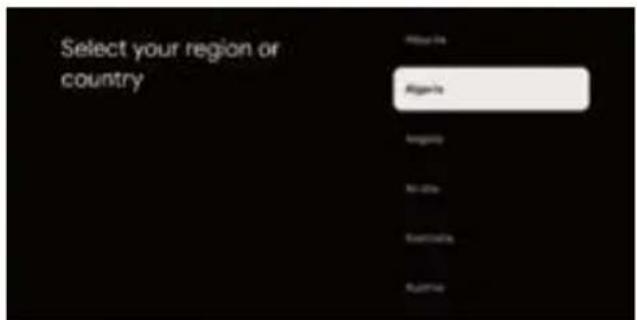
HaTnCHETe ▲/V, 3a da n36epTe perHOn/Dbpxkaba Ha BaWeto yCTpoCTBO HATnCHETe OK, 3a da NOTBpDHTe. 3aBpWte HAcTPOKNTe 3a HnHuaHnHpaHe Ha TeEbn30pa cnope nnKaHata Ha pbKOBOCTBOTO.
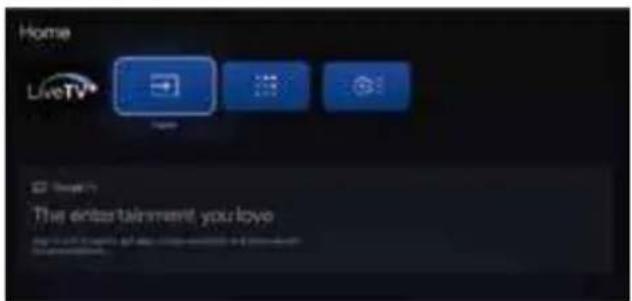
Benekk: NIOcmpauuma e camo 3a cnpaKa.
Korato CTE B NOTpeBNTeCNKINHTepFeNC,MOKETe Da npBKNIOHTEOT HACTPOKN HA OCHOBHA TELEBN3N KbM Google TV.
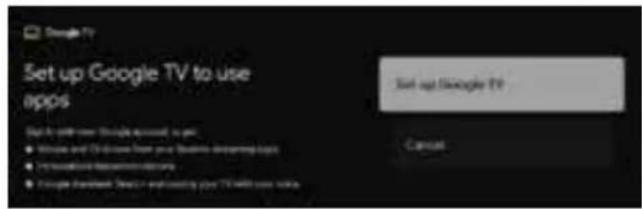
HaTnCHete / 一 3a da n36peTe HnCTaHnpaHe Ha Google TV Ha BaWeto yCtpoiCTBO HA TnCHete OK, 3a da 3aBbPwnte HHCTaHnpaHTo.
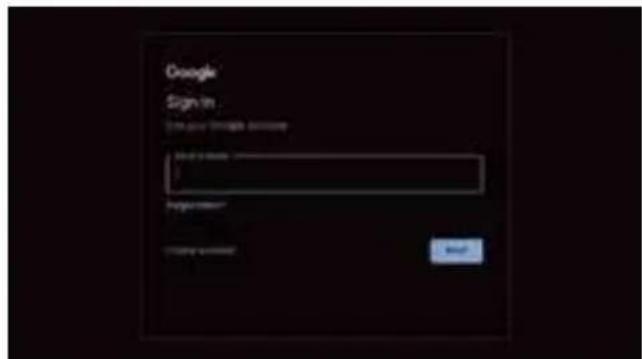
H3noI3BaIe BnIaHe C BaIIIN npOoIN B Google. CneBaIe Google pbKOBOCTBOTO.
EneKtpoHNO pBKOBOdCTBO
EeKpHnTo pkoBocBo e BrpaedeHO BBAuNra TeBnO np MoKe da ce nokae Ha ekpana.3a da Haynte noBue 3a yHKunTe Ha Baunr TeBnO np, Bne3Te EeKtpoHHo pkoBocBO, KaTO HAnpaBnTe CnpBaKc CbcCneHOTo:
EeKToHnTo pKOBoCTBO MoKe Da e HAnuHo CnopeD perNoHa MmOda.
- Hatnche 6ytoHa HOMe 3a doctbn Do HaanHata CTpaHua.
2.HaTnCHTe6yToHa HArOPE/HADOnI/Y/HAJIBO/ HAJRCHO OK,3a Da n36epete N Bne3eTe EEnKtpoHPO pkoBOCTBO nPpIoKHeHRA.
Benekk: NIOcmpauqura e camo 3a cnpaKa.
Haier
Inspired Living
*HUoHN UQQJU QP XNDUOGDNL UHVLPGHQ
RODELOLU
%X LuDUHW EX U Q Q GL÷HU HYVHO DWONODUOD ELU JHUHNWL÷LQL JVWHULr.
.RQWUROV J DWON EHUWDUDIOQQoHYUH YHd LQVDQ JDUUDODUOQo |QOHPHN LoLQ PDO]HPN NDQDNUDOOQoQ V uHNLOGH HQLGHQ NXOODQPOQo WHUYLN HWPHN DPDFoO VRUXPOX ELU uHNLOGH JHUL G|Q uW U Q .XOODQOPou LDGH HWPHN LoLQ O WIHQ LDGH YH WRSODPD VLWHPOYHD U Q VDWOQ DOG 0 OQ] VDWOFoOD LOHWLuLPH oHYUHVHO DoOGDQ J YHQOL JHUL G|Q u P LoLQ DODELOI
AB Pil Yonetmeligi

Copyright © 2012-2024 Dolby Laboratories.
(GORA/DOL/LEWO/PRAWO)
Hikon He ctabaite Ha Telebiop, He cnnpaTecra Ha HbOro a6o NOro nDCCTABky I HIKON He wTOBXaIte ix. YBaXHO CTKe 3a NOBEdiHKoDitEe. RaIO npCTPI Bnade, ce MoKE npN3BcTeNo D Bo KaKHX TpABM.
He po3aioyBte TeneBisop Ha HeCtIKX B3Ky, NiCTabU, nonu a60 cToni. KxO Bin Bnae, ce MoKe TpaMbYbATn Iouei I noukOan TeneBisop.
KoJIINTeJIeBIOrTpIbAaNNHACHeIINBIIaTbcS, peKoMeHDoBaHO BIDKNHOHTuHYPJNIBNEHH3MHHO TcPMy 3poETKNI ENEKTPOpeMeKei.
YHnKaIe DII Ha TeneBisOp nprAmO coHryHOro npomHHra Ta IHnx Dkepen Tenna. He CTabe npmHaue TeneBisOp npRoMa HnHi Bnp6M, kpi npDkyIOb Teno, kK-OT nporpaBavi abo nicnIOBaU ayio. He po3aouyIte Ha TeneBisOpi Dkepena BIDkPIToro BORHO, kK-OT 3anahe CBHK.
Kkto TeneBisop Ma6 Bytn B6yobabn y Hiuy a6o nOi6he Micce, cnid nTprMByaN MIIHImaNbHy BiCTaHb DO CTiHOK. HakonHHeHN TeHa MoKe CkOpOTn P06OuN CTpok TeneBisopa i 6byt He6e3neUHM.
3BepHbYbary:KOpNCTyIeTcR npnCTpoEm y nomipHomy kImati.
PnIMtKa:YcBOMy BnPO6I 3aCTOCOByTbCra NaHeNb,IO CKNAdAeTcB 3PiNikCeINi, KBI KIROTOBNHOCTbC 3a CkNAdHO TExHONorIEo. Ipote Ha ekpani MoKe 6yTN DeKInbKa RCKpABNX aO ToTEMHNIKcENi. Li NkCENI He BnIMBAOTb Ha pOboHi xapAKTePnCTNK BnPO6y.
OCHOBHI XAPAKTEPNCTUKN
1) Google TV.
2) Bucokni piBeHb JckpaBocTi.
3) Μιροκήκη κυτοῦλίγ.
4) IHTepΦeHc HDMI.
5) MyIbTmEiHn nporpaBaU (USB).
AKCECCYAPN
1) NylbT dncTaHcuiHoro KepyBaHHa....1 wT.
2) Noci6HHK KopncTyBaay 1wT.
3)BnHTnIgKpInneHHOCHOBu.....4+6 1T.
4)3i6paHa ochoBa. 1+2 wT.
5) OobiHnK 3i WbNdkoro 3anycky.1 wt.
6) TapaantHnTanoH. 1wT.
PINKPINHEHHIIDCTABKN
BAJKINBO:
IpeepknpctybaHHm cni3i6patn niictabky Tenebi3opa.
1.Ⅲo6 yHnKHyTn NOxKOJxHeHHr TeJIeBizopa, noklaIITb Ioro NlucOBm 6OKOM DOHN3y Ha M'ky Ta pIBHy nobepxHIO (KOBdpy, niHONJaCT, TKAHNHY Toio).
2.PnKpIniB nIcTabKy do oChOBu 3a DonomoroIO 4 TBnHTIB (Cxema1).HaRadyeMo npo Te, zoPiCTabKa Baxka,6yNb nacka,obepexHo npitpmMyTe II pykAmn.
3.Ipknpiinb 3ibpaH cyOHOBy Do 3aHbO' nAHei TeIeBisopa 3a Donomoro6 rBnHTIB (Cxema2).
IITOTOBKA TEJIEBI3OPA LED IO MOHTAXY HA CTIHY
PaHMo po3aUyBaTu TeneBisOp Ha BiDctahi UOHaMHeHwe 2,36
IOHMn (60 MM) BiD CTiHn, a6o 3ano6irn iHTeppepeHui 3
Ka6enem.
Pepd MoTaxem TeneBisopa Ha cTIy cnI 3HrN nIDCTABky. 3apaDn 6e3NeKoPcTcyteCnIe CTHHM kPOHTeHOM 3i cnCKY UL 3MiHImaNbHO BarIO TeneBisHp 6e 3nCTabKn. Dn npncDaHHn CTHHORo KPOHTeHny Do TeneBisOpa:
1.BiKpyTtB rHHTn, 0o KpInnTb TeNeBisOp do nIcTaBKn.
2.3Himitb niDCTabky 3 TeNeBizopa.HaraMymo npo Te,io NiDCTabka BaKka,6yNb Iacka,Obepexkno npitpmyTe II pykamn.
3.Bnkyitb 4 rBHTn 3 OTBOPIB nna HactiHoro KpinneHHa Ha 3aHi naneIe TeneBi3opa.
4.Ipnkpinitb HactHHN KPOHTeH NO 3aHbOi naHeli TeBeBisop3a DOnOMorIO 4 TBnTIB. IIN BCTAHOBHeHHI DOtpmMyTEcB IHCTpyKui NocioHnKa KopNCtBuHa, IO DoDAeTbcrdo HAcTHHO KPOHTeHa.

NPMMITKA
CtHHN KPOHHTeH He BXOaNTb DO KOMnneKTo.
.3akpinib rBHTn CTHHORO KPOHTEHa (M8X20mm/45Jt.) 33ady do Tenebi3opa LED 3 kpyTHMM MOMEHOM 8 KfF/cm
YBIMKHEHHI TEJIEBI3OPA
1.BctaHObITb nIDCTABky i po3TaUyIe TeneBIsOp Ha CTIKINiDCTABui.
NOTE
-NepekoHaTeC8,po 03aWbHnTeneBizopaD03BOnrBinbHnnotIK nobITPOBkOHa horo.He 3akpBaTeBEHTNuaHiOTBOpHa 3aHnKpnu
A6n3ano6irtn He6e3neuHm CHTyauiR,He po3taowoynt npuy dkepeena BIDkPNTORo BORHIO,IK-OT 3anaene CBiHK.
YHnKaIe Tenn, npMOrO CoHrHOro CbITna, DIOuCy a6o BODn. Ha 6bnAdHaHH He MaOTb notpannTn Kpanni a6o 6pn3Kn.
2.ПДКИСТьKa6БЯNTEHa60Ka6БЯNTbKa6БHOrO T6do rI3da aHTEH ANT IN 33ady Ha TeNEBIsOPI.
3. XnBHeHHr:PiKIOHcyIb WHyp do po3eTKN XnBHeHH, 0 npauoe.
4.YbimKHTb Tenebi3Op:
Ha nhybti dntaHnHoro KepyBaHH a60 KHONky KINBNEHH Bn3y Ha Tenebi3opi.
KHONKOBE KEPYBAHH
y peximi ouikyBaHHHaTnCHiB KhoNkY, 06 yBIMKHyTN TeJIeBi3Op.
y po6ooy My cTaHi HATnCHiB KOnKy, 06 BmKHyTn npncptpi.
TOLOCOBE KEPYBAHHB PEXKIMI TYHORO 3B'3KY
Ipeemkaay yBIMKHeHHa6o BUMKHeHHaYHKuII roJIOcoBOrO KepyBaHHaB pexnmi rYHoro 3B'3ky
PnIMtKa:BnKOpNCTaHHIciIΦyHKcII BmMarae NiIKIOUeHHeNo MEpeXi.
TOnocbi KomaHn Far-Field DocTynHi HAcTynHMMOBaM:
en-US/es-US, fr-FR, es-ES, ja-JP, ko-KR, de-DE, it-IT, en-GB, en-AU, en-IN/hi-IN, en-CA/fr-CA, es-MX, pt-BR, id-ID, sv-SE, vi-VN
Ipeemkaay BMnkae 6o BmNkae MkofoH.
YK BUKOPNCTOBYBATI FOJOCOBE KEPYBAHHB PEXNMI IyHORO 3B'3KY
- AkTbByTe rONOCOBe KepyBaHHB B pexmI rYHOrO 3B'r3ky 3a DOnOMorOTo Tym6Ipepa.
- Bn6epiB «HanauTyBaTu Google TV» Ha roJIOBHomy ekpaHi, 0o6 BiKpTn HanauTyBaHHa NOMUHKa Google, i Bn6epiB BXiD.
NoBepHennrdo nonpeDhboro MeHIO.
8. KAHAJ (N/V)
HaTnchItb dny nepemikahHr TeJeB3iHx KaHaJIb.
9. prime videos
HaTnCHiB Ha npaM-BideO dna neperrny OHnaiHTeIepepea i fInbMiB (notpi 6He nikluoyehnro IOIHTepHety).
10.
HaTnCiHb, 06 BiDkPnTm My3NkY Ha Youtube.
11. NETFLIX
HaTnchItb, 106 BiDkprtn NETFLIX.
12.3BYK (x)
HaTnCHiTb 10 KHOKNy, 106 BUMKHyTu a6o BiHOBuTu 3Byk Ha TeJIeBi3Opi.
13.MIKPOΦOH (
NouHITB BnKOpNCTOBByBaTN ΦyHKciIO rONOCOBO3B'3kY B6nXHi 3OHi.
14.HanaWtYBaHHa (O)
3aɪdɪt b y cɪnTeMHi hʌnʌtɪyBaHnɪr Android TV.
15. TONOBHA CTOPIHKA (△)
HaTnChiB, 106 BiDkPntu TOnOBHy CTOpIHky.
16. NOCIBHNIK (
HaTnchItbIaBIBIO6paXeHHN eNEKtpoHHOI nporpam nepeday y peKmTIb.
17.3BYK (+ / - )
HaTnChiBtUo KhoNky Bropy/BHn3, 0o6
BidperynobatpiBeHryHocTi.
18.MEHIO(三)
HaTnCHiB, 06 BiKpTu a6o 3aKpTu eKpaHHe
MEHIO.
19.
HaTnCHiB dIa BiITbOpEHn/na3n B
MylbTmMeiHOMypeKMI.
20.
HaTnChiTb, 0o6 BiDkPnTn CnncOK 3aCtoCyHkIB.
21.AUDIO
HaTnCiTb, 06B Bn6paTn peXIM MoHO, Nicam a6o cTepeo dIra KaHany ATV, MOBy ayio dIra KaHany DTV.
22. YouTube
HaTnciItb, 106 BiDkpnTu YouTube.
NEPBUNHE HAIJAWTYBAHH
KoHn Bn Bnepwe BMnKaete Tenebi3Op, nporpaMa-nOMiHNK HanaWtYBaHHN npOBeDe Bac no BCix OCHOBHX HanaWtYBaHHX. BkOHyTe TeKCTOBI niKa3Kn dna nepBHHHoro HanaWtYBaHHr.
LH KINKOPNCTOBYETBCRAI KOY NOEHNHBA npny nybTy DnCTAHUHORO KEpyBaHH. NcIa YcniuHoro 3actocyBaHHKOy MOxHa peryiobatn TeneBisOp nylbTom dctahuiHoro KEpyBaHH, o npauo e no Bluetooth.
HaHcKaIe △/V, a6n Bn6paTH MOBy CnCTEmN, i HaTNCiHb OK, a6n nIaTBepaTH MoBy.
HaTnCKaIe ▲/V, a6n Bn6paTH perioH/kpaIHy npIcTpOIO, i HATNCHTb OK Ha nIqTBepdKeHH. BnKoHaTe hanaawTyBaHH iHuaI3auii T5 3riHNO nIka3OK noci6nka.
Pumimka:3o6paKeHHaHadaHe nuwe 4ndoBidku.
B InTepeEci KOpNCTyBaHa MoKHa NepEmKHyTnC3 OCHOBHOro TB Ha HauaTyBaHHa Google TV
HaTnCKaIe ▲/V, a6n BCTaHOBHTN "HalaWtYbATn GoogLe TV" npCTpOIO, i HATnCHITb OK, a6n 3aBepuNTn HalaWtYBaHH.
YbiD3 06NIKOBMM 3aHncom Google. BkoHnyTe BkazBkn nociBnka Google Guide.
ELeKtpoHHn noci6Hnk
EneKtpoHHn Noci6HnB 6yD0aHo B TeleBi3Op, Noro MoXHa NOKa3aTH Ha ekpaHI. A6n Di3HaTnc8 6Ibwe npO fYHKuII TeneBI3Op, yBIMITb Do eNekTpOHoro noci6Hnka.
EneKToHHN Noci6HnK DocTyHnN 3aJeXHo BiD perioHy a6o MoDeni.
- Hatncihb KHonky rOIOBHA, a6n ybiuHa roJOBHy cToPiHKy.
- HatnckaTe KhoNky
BROPY/BHN3/BNIBO/BNPABO i OK, a6n BN6paTn "EneKtpoHHn noci6Hnk" y "Doaatkax".
Ppumimka:36paXeHHHaDaHe nuue 4ndoBidku.
Haiefer
Вдоховене Дляжи3н
ИзобрахеняВданном pykoBODCTBe npNBOJTCЯ NCKIQUHTeMbHOДЯСпразКИ MOrYT OTЛичATbCS OТ ФakTNUeCKOFO BHeшHERO BnDa yCTpoINCTBa. KOHcTpyKUry n XapakTePncTnKN yCTpoINCTBa MOrYT 6bITb ИЗMeHиbl 6e3 ПpeDbAPNTelbHOrO YBeDOMJIeHry.
LED-TeJIeBn3Op
1)ПочтугданнHyинстукци.
2) CoxpaHnte daHHyIO nHCTpyKcNIO.
3) 06paTnte BHIMaHHe Ha Bce npdeynpeKdEHHa.
4) CneDyIe BCeM INHCTpyKcIaM.
5) He nCnoB3yIe TaHHOe yCTPOcTBO praOM C BOdoN.
6) OuuaTe ToIbKO cyxO TkaHbIO.
7) He 3aKpbBaIte BeHTnIaIOHHbIe OTBepCTnIyCTaHaBJIbIaTe COrJaCHO HhCTpyKcII.
8) He yctaHabnBaIte B6I3n NCTOCHNKOB TENII, TAKNX KAKpaIaTOpbI, OboPeBaTeN, Neu INI npyroe 06OpdyoBaHne (BkJIOUay YcINITeN), BbIDenJIIOxN TeNNO.
9) EcnBnKa n3 KOMnIeKta NoCTaBKn He noXoIIT K BaWei po3ETke, o6paTntecb K 3JeKtpnky IЯ 3aMeHbI yCTapeBwei po3ETkn.
10)O6ecneBte 3aunTu shhpy nntanHnOT HacTynneHn n 3aueMJIeHn,OCo6eHnOB MeCTax HAXOXJDeHn BNILOK, p03ETOK N BBIXOIOB N3 yCTPOIcTBa.
11)IcnoB3yTeToBkoHacaKn/Akceccyapbl,yka3aHHbIe npoun3BOUHTenEM.
12)OTKIOUaHTe DaHHoe yCTpoIcTBO OT cTeN BO BpeM rpo3b IIN ecn OHO He NCIOJIb3yETC B TeueHne dIITeJIbHOrO nepNoDa BpeMeHn.
13) BCE BnIbI obcnykBaHnI DOJNkhBbl BNIOHrTbcKBAHnΦuInpoBaHHbIM cepBnCHbIM nepcoHaONOM.TexHueckoe obcnykBaHnItepe6yETc npn IIObOMNOBpeXdEHmY cTpoiCTBa (HanpImep, npn NOBpeXdEHmKa6eI NITaHnI nI erO lTeNCelbHoro pa3bema, npn ONaDaHm XnDkoCTn IIN KAKoro-JIbO npedMeTaBYcTpoiCTBO, npn ONaDaHm YcTpoiCTBa nO dOxkb INN BycNoBn IOBbIWeHHo CbIOcTn, npn HeHaNdEkaeipabote yctpoiCTBa nII npn erO naDeHN).
14) B kaueCTbe yctpoiCTBa OTKIOUeHn INCNoIb3yeTcR ceTeBaBnJIka, yCTPOINCTBO OTKIOUeHn DOJXHO OCTaBaTbc B pa6OHeM COCToHnn.
15) He cneNyET npenrTCTBOBaT BeHTnIaCmN, 3aKpbBaBBeHTnIaCmHbHe OTBepCTNa TaKIMN PpeDMeTaMn, KaKra3eTb, CkATEpTu, WToPbN T. D.
16)Ha yctpoiCTBe 3aIpeuEHO pa3MeuaTb NcToHnKnOTKpbITOrO rH, HApnPmEp 3axKeHHbIe CBeuN.
17) CJIeNyET o6paTb BHNMaHHe Ha 3KoJIoNueckne acNeKtbl yTuNImaun 6aTapei.
18)IcnoB3yTe yCTpoiCTBO B yMepenHOM KINMaTe. 19)He cneJyET noDBePraTb yCTPOICTBO BO3JeCTBIO Kaenb nn6pbIsr,a TaKke 3anpeaaetCtBaNTb Ha Heo npEmdTb, HAnONHeHHbIe XIKKOCTbIO, HAnpIMep Ba3bl.
20) PpeDynpexKdHHe: Bo n36eKaHne TpaBm, Cb3aHHbIX c HAKNOHOM yCTpoiCTBa, Bcerda npOBepraTe, YTO6bl yCTpoiCTBO NONHOCTbIO HAXOJIOcB Ha NOBepXHOCTn CTOna B ROpN3OHTaJIbHOM NIOJOKeHN.


BHIMAHNE
YTO6bl CHN3NTb PNCK IOPAXKEHNA 3NEKTPNUECKIM TOKOM,HE CHIMAMITE KPBILIKU (NIIN 3ADHIO PAHEJI). BHUTPN YCTPOINCTBA HET YACTEKNOTOPBIE MOYT OCJXNBATCBI NOJI3OBATELEM CAMOCTORTEHNO. OBPATNTECb 3A NOMOLHKB KAJIINPHINPOBAHHO MY OCJXNBALOUEMY NEPCOHAY.

CmBbON yka3bIbaeT Ha To, YTO BHyTpN DaHHOrO YCTPOUcTBa PnCyTcByET OnaChoe HnPRAKeHHe, CO3dAIOoee pCK NopaxKHe 3NEKTPNUeCKHM TOKOM.

CIMBOJyka3bIbAeT Ha TO, YTO B pyKOBoDCTBE NOJIb3OBATeJIa, PnINJaTaEMOM K DaHHOMY UcTPOiCYB, COdePkaTCBaXHbIe INHCTpyKcNIO 3KCIpyATAuN INTexHueckOMY O6CnyJKBaHIIO.
IPEdUnPExKeHNE.
UTo6bI yMeHbUnTb pNCK Bo3RopaHnI INI NopaxHeHn 3JIeKTPmecKIM TOKOM, He NOBBepraTe DaHHOE YCToPcNTBO B03dEJCTBIO HOJXn IIN BNAr.
NPEyPPEKDEHNE.
BatapeH He DoJXHbI NoDBepraTbcq Ype3MepHomy HarpReBy, HapnIMep,OT paJaNAToPOB, INCTOCHNKOB ORH N. I.

3TOT CIMBOJ O3Haayet nepemehhoe Haprjxehne.
3TOT CUMBOI O3Haayae TNOCTOARHHOE HANPJAKeHne.
JaHHbI CnMBON yKa3bIaEBaET Ha To, YTO daHHOe
YCTPOINCTBO IMeET DBOHHyIO N3OJIaIIO MEXy CyTeBbIM
NCTOCHIKOM ONaCHOI HAnpJKeHNI N DeTALMI, K
KOTOpbIM NOJIb3OBaTEJIb IMeET DoCTyn. Ppi
06ClyKINBaHN INcNoJIb3yIte TOnbKO aHaJIOrNHiBle
3aNaChBiE YaCTN.
DaHHa MapKnObKa yka3bIbaeHaTo, YTO yCTpoiCTBO 3anpeueHO yTINN3nPOBaT BMeCTe C dpyTMM 6bIBOBIM OTXODAMN. YTO6bl npeoTBPaNTB BO3MOxHbIy uep6 DnA OKpyKaHOuCepeDblnn 3dOpOBbYeNOBeka B pe3yNbTaTe HekOHTpONpHyemOy TINN3aUIN OTXODOB,OTBEcTBHeH0 OTHOCnteCB K INX nepepa6OTKe C CEJbIO NOBtOPHO NcONb3OBAHMaTePnAbHBIX pecypcoB. YTO6bl BePhTyB IcNoIb3OBAHHOyeycPoIcTB,OBCNoJIb3yIteCb CeTbIO nyHKTOB pa3deJIbHoro c6opa OTXoIOB INN o6paTntECb K npOdaBuY, y KOTOPOro 6blIO pIno6peTeHO yCTpoiCTBO. OH MoKET cdaTb yCTpoIcTBO Ha 3kONOrnueckn 6Be3onacHyIO nepepa6Oly.
Pernament EC o 6atapex

3TOT CnBON Ha 6aTapex Hn Ha ynaKoBKe O3Haayet, YTO 6aTapen, HcnoNb3yEmbe B DaHHOM yCTpoiCTBe, He OTHOCrC K 6bIOBbIM OTXODAM. IINr 3auNTbI OKpykaUoSei Cpebl N 3dOpOBb6aTapen CneJeY tYNIN3HPOBaTb OTDeNbHOOT dpynx TnNOB OTxOIOB, 6paTHBbUncb B MeCTHbie opraHn3aun No BTOpHNo nepepa60Tke.
Ecni 6atape coepknt 6oonee 0,004% cBnHua, no3TNM 3NaKOM yka3bIbaETcXMMueckn CMBON cBnHua (Pb). 3a DOnonHntenbHOH HOpMaueNe 6yTNIH3aUN daHHbIX 6atape o6paauTecb B MeCThble opraHb Ibnactn INN B Mara3IN, B KOtOPOM 6blno npno6pTeHo yctpoiCTBO INN 6atape.
BHHMaHHe!
Oh mokeytynactb,ctab npuHHoCepbe3hix TpaBM,B TOM uncne c netaIbHbIM NcXODOM.Mhorne TpaBMbl,Oc6eH0 CpeDnDeTeN,MOxHO npedTbaTb,TpHHBnpocTbe MepbI npedOctopXHOCTN,KOTOpBE nepeuNCHeH HKe:
- IcnoIb3yIte WkaΦbl, CToIKN MToIb MoHTaKa, peKOMeHDoBaHHbIe N3rOBoNTeIe TeneBUN3opa.
- Ncnonb3yIe TOJIbKO TaKyIO Me6JIb, KOtOpa MoKET cnJXnTb HndexH0N onOpO dIa TeneBn3opa.
- YDOCTOBEPbTECb, yTO TeneBn3Op He BbICTynaet 3a Kpar onopHoi NOBepxHOCTM Me6eni.
- INPOINHΦOPMIPYUTE DeTei o6 onaCHOCTN, KOtopoI OH NODBepraIOCTc, NbITaCb B3O6paTbcr NO NOKAM Me6eN, YTO6bl DOCTaTb Do KHOJOK TeJIeBn3Opa.
- POKIADbIBAITE npoBa n Ka6en, noKnIOeHHbIe K TeIeBn3Opy, TAKIM o6pa3OM, YTO6bl Yepe3 HIX HeJIb3a 6blIO CNOTKHyTbCRA, a TAOKE YTO6bl HeBO3MOXHO 6blIO B3rTb INN NOTAHyTb IX.
- HE YCTAHABJNABAITE TeJIeBn3Op Ha HeycToHnBOM OCHOBAHm.
HEICNOLb3yTEIyraTahOBKINTeBn3opa BbICOKNE ppeMeTbMbeEN (Ukafo,KNHXHbE noNKn) 6e3 oecneHnHaNeKaueonOpblnMeBn n TeBn3opa.
HECTABbTE TeneBn3Op HaTKaHb HIN dpyrme MaTePnaJIbI, HaxoJauNecc Mekdy OCHOBaHNem TeJeBn3Opa nOnpHOJ NOBepxHOCTbIO Me6eJI.
HE PA3MEUATNE npedMeTbI, KOtOpBle Moryr npnBneYBHHMaHHe DetEn (NpyuKN, NylbTbI DY), Ha TeneBn3openn Me6enn, rde OH pacnonoXeH.
EcnBbI ChnMaTe TeIeBn3Op n IpeCTaBnIeTe erO BdpyroMeCTo, Heo6xOAnMo TaKe Co6nOaTb Mepbl npedocTopoKHOCTn, nepeuNCneHHble Bbiue.
Dolby
VISION-ATMOS
Dolby, Dolby Vision, Dolby Atmos n cmbon
dboHoro D ABJIOCTapeIcTpnpoBaHHbIMN
TopOBbIMn Mapkam KOMNaHm Dolby Laboratories
Licensing Corporation. Ppon3BODITc no
JIueHsM Dolby Laboratories.
KoHpndenuaJIbHbIe HeOny6nKOBaHHbIe paBoTbI. ABTopckoe npabo ©2012-2024 Dolby Laboratories. Bce npaba 3aunuHebl.
HDMI
HIGH-DEFINITION MULTIMEDIA INTERFACE
TepMHbHDMI, HDMl High-Definition Multimedia Interface,
nPmeHHaYnaKOBKa nIoroTunbl HDMI aBnIOTcra
TOBapHbIMn 3HaKaAMn mI 3apeRNCtpnpoBaHHbIMn
TOBapHbIMn 3HaKaAMn HDMl Licensing Administrator, Inc.
Pnpa6oTe daHoro TeBn3opa Ncnonb3yetyrcNtOchNK BblcOKOro HapJxKHeH. He Chmte 3aDHHIO naHeB Kopnyca TeneBn3opa. O6pTaTcB 3a NOMU BO K KBaIIINPHIUPOBAHMOY oCcnpykBaIOUeMepcoHany.
BOI36eKaHHe NOKapa NNIN NopakEna 3NeKtpuecknM TOKOM He IIOBepraHTe TEJIeBn3Op BO3eJCTBMO DOXkDa NN BnA.
He pOHHte H He BCTabJIte npEdMeTb I Na3bl N OTBepCTHa KOpNcy TeneBn3opa. He npOnHbaTe XIKIOKCTb HA TeneBn3Op.
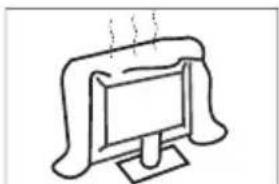
He3akpbIaIeBEHTINIOHIIbeOTBepCTnHa 3aHneKpbIaKe.ДпгпдOTBaPauEHHЯ BbIXOda n3 CTPO83NEkTpuuecknx KOMNHOHTOB Heo6xOJIMO OBeCneYntbDOCTaTOHYU BEHTINIOHQ.
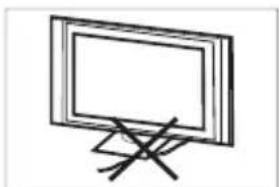
He 3axmaite HHP nHTAHN NOI TeJeBn3OpOM.
ECNIN Bbl CoBpaTeBcNoCTMbYCTPOICTBO,OTKNIOHTENTEBn3OpOT cTIN,NCIOBb3yITMEKIKTOKaHb,HECNIOBb3yIe BOy INMMKKaTb.
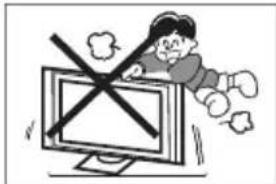
HkoRda He BCTaBnTe H He onnpaTecb Ha TeNEBn3Op nnn ero NOctabKy, H He TOnkaiTeHX. Oc06oe BNHMAnHe CneDyET yDeIaTb PnP NcONb3ObaHN yCtpoJCTBa DetbMn. PaDHeN MoKTe NPuBeCTN K CepeBHO TpaME.
He CTabTe TeneBn3Op HNeYCTOHNyBO TcOKy, NOCTABky, NOnKy HnTcTOn. PAneHne MoNpNBeCTN K cepbe3bIM TpABM M NopBexJeHNO TeneBn3Opa.
ECN TeneBn3Op HcNOnb3yETC B TeHHe NITeNtBHoro nepHOda BpeMeHN, peKOMeHdyETcR OTOeOHTB hUyp nTnAHNAOT O pTeKN.
He NOBEBRAE TENEBn3Op BO3DECTBnIO npRbIX COINHEHbIX NpyeN IN DpyrNx nOCTOHKnOB TEa. He CTABTe TENEBn3Op HENOCPECDTEHBO HA DpyrN x npeDMtBi, BbIeJALouXne TENNO, HANPMEP BIAOEONPOIRpbIbATEINu YcINNTEN 3ByKa. He CTabTe Ha TENEBn3Op nOCTOHKnIK OTkPbITOrO rHn, HANPMep 3AAKKeHHbIE CBeHN.
Ecnn TeneBn3Op Heo6xoJIMO yCTaHOBNb B Hnne IIN NOIO6HOM
npocTpaHCTBe, Heo6xoJIMc COJIIOaTb IHCTpyKuIN NO MHNMaIbHO
DOnyCTUMMY pacCTOraHIO.
Npeperpe MoKeT cokpatnb CpOK cnykbI bawero TeneBn30pa,a
TaKke MoKeT npectabTb OnaCHOctb.
PpIMeHHe. IcNoIb3yIte yCTpoNCTBO B yMepeHHOM KINMaTe.
PpmeaHne.BdAHHom ycpoCTBe NcNoB3yetcnaHeIb, COCTOUIA u3 cyBnKceneI,INPAPOImBOCTBA KOTOpbIX Tpe6yeTcN cIOXHa TeXHOrOg. Ondako HA 3kpahe MoKeT HAXoD1BCBaHECKoBko RPKInu TMEmhBiN XIKCenei.Takine NIKCEN He OKa3bIABoT BnHnHa Ha xapAKTePmCTMn YcTPOCTBa.
DCHOBHbIEXAPAKTEPNUKIN
1) Google TV.
2) BbICOKn ypoBeHЯpKocTn.
3) Μιροκήν yroJΩ σθερα.
4)NHTeppeHcHDMI.
5) MyIbTmMeiHbI npOnrPbIbATEnb (USB).
AKCECCYAPBI
1)NytBt DnctaHcnoHHoro ynpabJeHna...1 1T.
2)PykoBooCTBO noIb3OBaTeTn.1wT.
3) BnHTbI JIJI KpENJIeHnO OCHOBaHn...4+6 MT.
4)OchOBaHneBc6ope. .1+2wT.
5)PykoBoDCTBO no 6bIcTpoHacTpOne ...1
6)RapaHTnHbI TaHOH. 1
OBUINE TEXHnueCKNE XAPAKTEPNCTMKN
YcTaHOBkA HAcTeHHOrO KpEnIeHnHa TneEBM3Op:
1.OTkpyTnte BnHtbi, Kpenruee TeJeBn3Op K NOCTaBKe.
2.CHIMnTe NOCTABKc TeneBn3opa.HanOMnHaem O TOM, YTO NOCTABKa TjXeJna, NoXaNyIcTa, OCTOPoXHo npndepkBaIte ee pykAm.
3.BbkyTMe 4 BnHTa n3 OTBepCTn dJa HacteHHoro KpeIneHna Ha 3aHei naHEn TeJeBn3opa.
4.ПикpenTe HacteHbI KPOHHTeH K 3aHne NaHeN TeBn3Opa C NOMOuBIO 4 BnHTOB.ДЯ yCTaHOBKn CNeDyIte HHCTpyKUmPyKOBOcTBA NOb3OBaTeJI, KOtOpoe npnaraetc KaHCTeHHOMy KPOHHTeHy.

ПРИМЕЧАНЕ
HaCTeHHbIK KPOHHTeIN He BXoNT B KOMnneKT NOCTaBKn.
3aTnHE BHTb DnHn HAcTeHHOro MoTHaKa (M8X204/ wT.) Ha 3aHe nHaHei LED-TeneBn3Opa c ycnHem 8 KTC/cm.
BKJIIOUeyHNE TEJEBN3OPA
1.YCTaHOBNTe NOCTABky H NOCTaBBTe TeneBn3Op HA TBepdyo NOBEPXHOCTb.
NOTE
Y6eHnTecb, yTO TeneBn3Op pacnoNIOXeH TaK, YTO6bl o6ceHmBaIacb CBO6OHa HUpkyIaHg BO3Dyxa. He 3akpbBaTe BEHTINRAUMHOHbIe OTEbpCTNa Ha 3adHe N KpbIuKe.
BoI36eKaHMe BO3HmKHOBeHn He6e30nAcHbIX CHTyaMn HE CIEyET paCNoJaratb NCTOCHNk OTKpbITOrO rHr, TAKHe KAK 3aXKeHHbIe CBeHn, H daHHOM oBOpdyOBaHHm nIN NOBm3OCTn OT Hero.
He donyckaIte nonadHn npAmbx conneHbIX nyey,doKJ BObl. He donyckaIte nonadHn kanenb 6pb3r Ha daHHoe o6opdyoBaHne.
2.ПОДКИОЧITE aHTeHHbI INI TENEBn3HOBHbI Ka6eNb K BxOy dIaHTeHHbI ANT IN Ha 3aDHeI naHeII TeneBn3Opa.
3.Пианнe:Встабteшувpa60tauioypo3eKy.
4.BKIOHHe TeneBn3Opa: HAMTe Ha nIbTe dCTaHNOHOro ynpABHeHn KHOKNy NITAHNE Ha HxKHe naHEn TepeBn3Opa.
KHONOCHOE YNPABJIENHE
B pexnme oKnDaHnaHXMNTe KHOKNy, YTO6bI BKNIOHTb TeJIeBN3Op.
Bpa6oohmcoctOHHnHaxkMnte KhoNky, YTO6bI BbIKIOuHTb yCTpoiCTBO.
TOJIOCOBOE YNPAJBHEHNE B PEXKIME TPOMKON CBA3N
IpeeknoyateJIb DJI BKNOyeHn Nn BBKIOyeHn
fynKu n roJocOBOro ynpabNeHn B pexmme rpmkO
CB3N
Pnmea Hne: Ira nCnoB3OBAHn DaHHoIyHKUIn Tpe6yeTcNIOKJIIOUeHne K CetN.
TOnocobie KOMaHdbi Far-Field doctynbHa cneyuoux 3bkax:
en-US/es-US, fr-FR, es-ES, ja-JP, ko-KR, de-DE, it-IT, en-GB, en-AU, en-IN/hi-IN, en-CA/fr-CA, es-MX, pt-BR, id-ID, sv-SE, vi-VN
IpeeknouateJIb BKnOuaeT MNNBbIKNooaET MkoPcOH.
KAK INCIOJIb3OBATb FOIOCOBOE YIPABJIEHNE B PEXIME IROMKOJ CBA3N
- Aktubnyte roIIOcoBOe ynpabHeHne B pexKHe rpoMko CBa3N c nOMOuTo Tym6nepa.
- Bb6epTe «Hactponb Google TV» Ha rnaBHom 3KpaHe, yTo6bI OTkpblb HactpoN NOMOHNKa Google, n Bb6epTe BXoJ.
- Посл поьеня поcka3и «Упавлг TeCBOHm TeleBn3OpOM c nOMOuIo FOHKUIN "ПрИВET, Google!"》,БьберпTe «Да,Я 3deCb》,и ee можно 6удТ ИспОьВaT. HanpIMeP,Korda mbl roBOpIM «Эи,Google,Κακαι noroД a》,roLOCOOB INHДИКATOP rPOMKoi CBra3N 3aropaeTcI N BbIaET INHΦOpMaUIO O noROdhhx yCNoBnx.
BxOHNbIe pa3beMbI Ha 3aDHeN pAnEn TeneBn3Opa MoXHO NcNoJb3OBaTb CJeDyUcIM O6pa3OM:
1.PU: AHTeHHa / 3amKHyTaTaeBn3NOHHa CnCTeMa
2.HAYUHUNKIN: BbIXOДнЯ HayuHnKOB
3. USB: noDknHuaetcra USB-ycTpoNCTBO
4.HDMI: noiknoaetcK mybtmHOMy nctouHKy cHana BbICOKOYETKOCTN
5.BXOJAV:BnDeoBxo/aynnoBxOJ
Ppimechane:
1)ИЗбрахене пивебendeно Тольк дя СпраВК.
2) 3n06paKeHne, KHOKNuΦyHKUINnybTa INCTaHcNIOHHOrO ynpabJeHnMoryT OTNIuHaBcB 3BNCIMOCTHOT perHOHa NII MoJIeI.
1. NITAHNE ()
BkIIOueHHe TeIeBn3Opa IIN nepeBOd ero B pexM OxNdaHn
2. NCTOCHNK()
Haxmnte daHHyIO KHONky, YTO6bI nepeTn K cnNCKY nCTOuHKnOB I IN Bbl6paTb HxKbI NCTOuHKn NO CBOemy yCMOTpeHIO.
IoiTBePjKeHHeN, BBOJ INN BbINOJIeHHe N Bb6paHHOrIyHKTa, a TaKKe IocTyN K CnNCKy KaHaIOB.
7.HA3AD(←)
Bo3Bpar K npdeBdyuemy MeHIO.
8. KAHAJ (Nv)
Haxmte nIpekeNIOeHnTeJIeBn3IOHHbIX KaHaJIOB.
9. prime video
Haxmte Ha npaM-BnDeo dnn npocMoTpa OHnaHTeIepeepaun HJIbMOB (Tpe6yetcnoKNIouHne K INHTepHety).
10.
Haxmnte, yTo6bI OTkpblt My3bky Ha Youtube.
11. NETFLIX
Haxmnte, yTo6bI OTKpbITb NETFLIX.
12.3BYK (x)
HaXMMte 3Ty KHOKNy, YTO6bl OTKNOHTb INN BOCCTaHOBNTb 3BYK Ha TeJIeBN3Ope.
13.MNKPOΦOH (↓)
HaHnTe NcIOJIb3OBaTb FyHKUIO rOIOCOBOB CBA3N B 6JIINKHeI 30He.
14.HactpoKu (
3aIITeB CnCTemHbIe HAcTpoKn Android TV.
3NeKtpOHHe pyKOBOCTBO MOKeT 6bITb DOCTyHNO B 3ABNCIMOCTN OT pERHO HIN MDoJI.
- HaxMMTe KONky Domaunna CtpaHnua, TTo6bInnepeuHa DomaunIOO CtpaHnUy.
2.HaHMMTe KHNky BBEPX/BHN3/BJLEBO/BNPABO u OK, 4TO6bl Bb6paTB u BOITB B(3JIeKtpoHHoe pyKOBOCTBO)B pa3dene(IpnloKeHHra).
PpumeyaHue. H3o6paKeHue npedHa3NayeHo monbko dna cnpaKa.