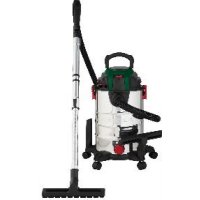
PWD 25 C4 - Uncategorized PARKSIDE - Free user manual and instructions

Find the device manual for free PWD 25 C4 PARKSIDE in PDF.

📄 188 pages PDF ⬇️ English EN 💬 AI Question 🖨️ Print
Notice PARKSIDE PWD 25 C4 - page 20
Manual assistant
Powered by ChatGPT
Waiting for your message
Product information

Brand : PARKSIDE

Model : PWD 25 C4

Category : Uncategorized

Download the instructions for your Uncategorized in PDF format for free! Find your manual PWD 25 C4 - PARKSIDE and take your electronic device back in hand. On this page are published all the documents necessary for the use of your device. PWD 25 C4 by PARKSIDE.
USER MANUAL PWD 25 C4 PARKSIDE

  • Table of Contents Introduction p. 20
  • Proper use p. 20
  • Scope of delivery/accessories p. 21
  • Overview p. 21
  • Description of functions p. 22
  • Symbols regarding the use of nozzles and filters p. 22
  • Technical data p. 22
  • Safety information p. 22
  • Meaning of the safety information p. 22
  • Pictograms and symbols p. 23
  • Safe initial start-up of the wet & dry vacuum cleaner p. 23
  • Preparation p. 26
  • Control elements p. 26
  • Attaching and removing the motor head p. 26
  • Assembly p. 26
  • Attaching and removing the suction hose p. 26
  • Attaching and removing the filter and filter bag p. 27
  • Selecting a nozzle p. 28
  • Operation p. 28
  • Dry vacuuming p. 28
  • Wet vacuuming p. 28
  • Vacuuming fine dust p. 28
  • Blowing p. 28
  • Switching on and off p. 29
  • Cleaning, maintenance and storage p. 29
  • Cleaning p. 29
  • Maintenance p. 30
  • Storage p. 30
  • Disposal/environmental protection p. 30
  • Troubleshooting p. 31
  • Service p. 31
  • Guarantee p. 31
  • Repair service p. 33
  • Service Centre p. 33
  • Importer p. 33
  • Spare parts and accessories p. 33
  • Translation of the original EC declaration of conformity p. 34
  • Declaration Of Conformity p. 35
  • Exploded view Introduction Congratulations on purchasing your new Wet & Dry Vacuum Cleaner (hereafter re- ferred to as device or power tool). You have chosen a high-quality device. This device was quality-tested and subjec- ted to a final inspection during production, therefore ensuring proper functioning of your device. In some cases, residual amounts of water may be present on or in the device or in hose lines. This is not a flaw or a defect and is no cause for concern. The instruction manual forms part of this device. It contains important information on safety, use and disposal. Read the instruction manual carefully. Familiarise yourself with the controls and how to use the device correctly. Use the device only as described and for the stated fields of application. Store the instruction manual carefully and ensure that all documents are handed over in the event that the device is passed on to another user. Proper use This device is only intended for the follow- ing uses: p. 187

  • Wet and dry vacuuming in residential applications, e.g. in the home, hobby room, car or garage
  • Extracting water The suction of flammable, explosive or hazardous substances is prohibited. Any other use that is not expressly permit- ted in this instruction manual may pose a serious hazard to the user and result in damage to the device. The operator or user of the machine is responsible for any accidents or personal injury and/or mater- ial damage to third parties or their prop- erty. The machine is intended to be used by do-it-yourselfers. It was not designed for heavy commercial use. The warranty is void in the case of commercial use. The manufacturer is not liable for damage caused by improper use or incorrect oper- ation. Scope of delivery/ accessories Unpack the device and check that everything is present. Dispose of the packaging material prop- erly.
  • Telescopic suction tube
  • Pleated filter (pre-mounted)
  • Translation of the original instructions The following parts are in the dirt contain- er on delivery. Attaching and removing the motor head, p.26
  • 5 × Foot (with castor and accessories holder)
  • Floor nozzle with brush
  • Floor nozzle with rubber lip
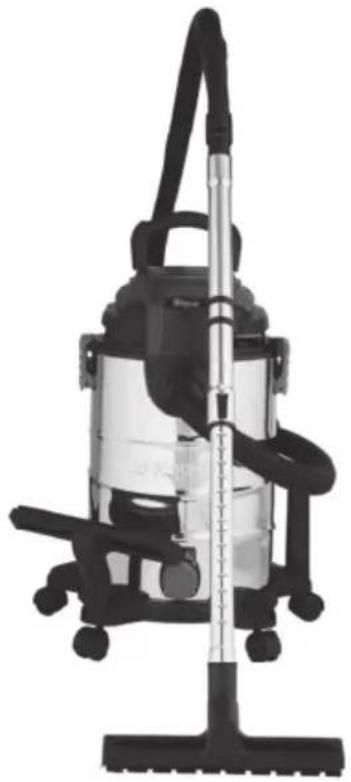
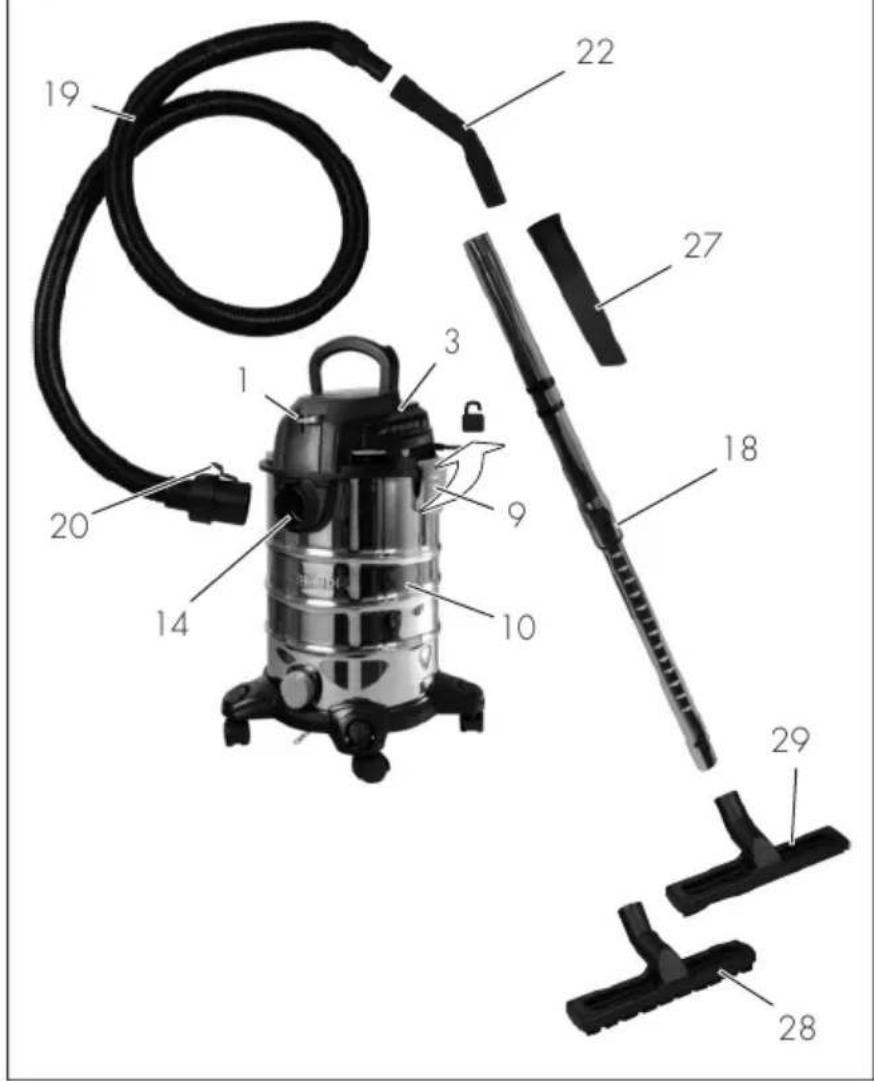
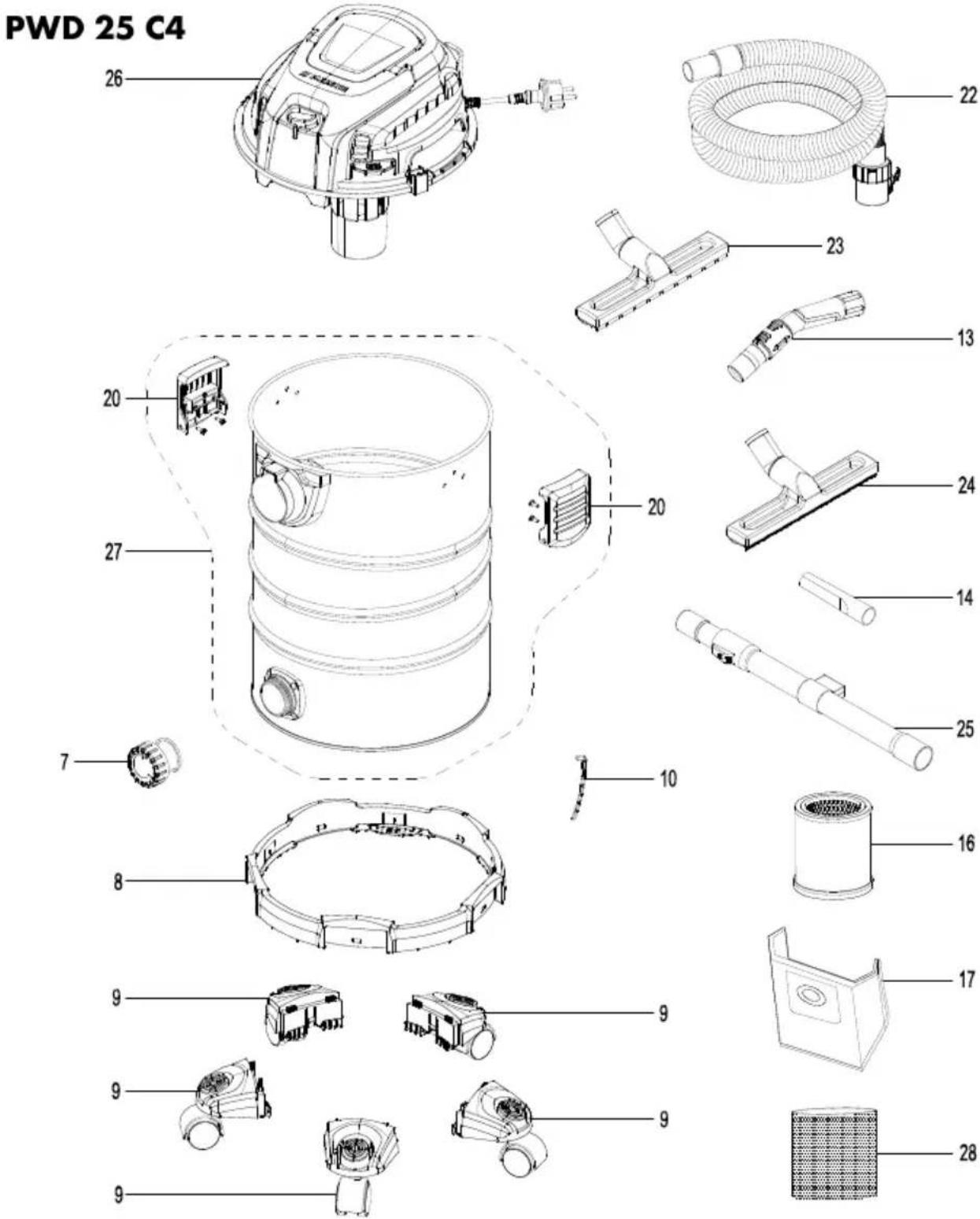
  • Crevice nozzle Overview The illustrations for the device can be found on the front and back fold-out page. 1On/Off switch 2Carrying handle 3Motor head 4Accessories holder 5Holder (Mains connection cable) 6Filter cleaning button 7Mains connection cable 8Suction tube holder 9Snap lock 10Dirt container 11Foot (with castor and accessories holder) 12Anti-static chain 13Drain opening 14Suction connector 15Blower connector Accessories 16Lock (Telescopic suction tube) 17Retaining lug (Telescopic suction tube) 18Telescopic suction tube 19Suction hose 20Lock (Suction hose) 21Air control 22Handle Filter 23Foam filter 24Lock (Pleated filter) 25Pleated filter 26Paper filter bag Nozzles 27Crevice nozzle 28Floor nozzle with brush 29Floor nozzle with rubber lipGB

Fig.C 30Filter basket Description of functions The device is fitted with a stainless steel dirt container. The rollers provide good manoeuvrability of the device. In case of wet suction, the suction airflow is switched off by a float when the dirt container is full. The device also features a blow func- tion. To prevent electrostatic charge during va- cuuming, an anti-static chain is fitted to the bottom of the device. Please refer to the descriptions below for information on how the operating ele- ments work. Symbols regarding the use of nozzles and filters Nozzle to vacuum carpets. Nozzle to vacuum smooth surfaces and hard floor surfaces. Nozzle to vacuum dust and dirt from joints and cracks. Specific nozzle to vacuum cush- ions and mattresses. Specific nozzle to clean the car. Filter to vacuum liquids. Filter not suitable to vacuum li- quids. Filter to vacuum dry dirt from the house, garage and workshop. Filter to vacuum fine dust e.g. stone dust or wood dust. Technical data Wet & Dry Vacuum Cleaner ....................................PWD 25 C4 Rated voltage U ...........................220–240V∼, 50/60Hz Rated output P ..............................1400W Length Mains connection cable ...........4m Protection class ..⧈ II ( double insulation ) Protection type .....................................IPX4 Weight (including accessories) .....≈6.3kg Suction power .......................240 Air-Watt Maximum negative pressure ..........17 kPa Volume flow .............................2,2 m³/min Container volume – gross ..................................................25 l – net ......................................................15 l Safety information This section deals with the basic safety in- structions for using the device. Meaning of the safety information DANGER!If you do not observe this safety instruction, an accident will occur. The result of which is severe bodily injury or death. WARNING!If you do not observe this safety instruction, an accident may occur. The result of which is likely severe bodily injury or death. CAUTION!If you do not observe this safety instruction, an accident will occur. The result of which is likely minor or mod- erate bodily injury.GB

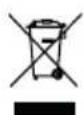
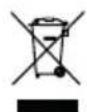
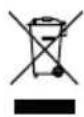
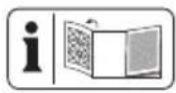
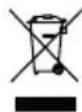
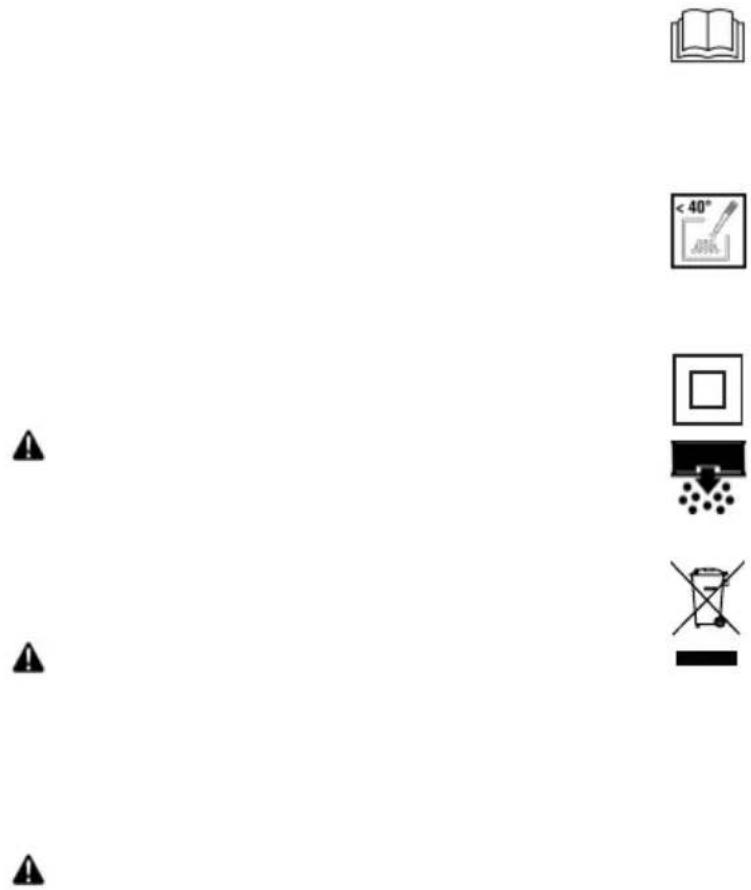
NOTICE!If you do not observe this safety instruction, an accident will occur. The res- ult of which is possible damage to prop- erty. Pictograms and symbols Symbols on the device Read the instruction manual care- fully. Familiarise yourself with the controls and how to use the device correctly. For cold ash only*! There is a risk of fire if the suction material ex- ceeds a temperature of 40°C! Protection class II (double insula- tion) Button for filter cleaning system Electrical devices must not be dis- posed of with domestic waste.

  • “Cold ash” is ash that has cooled down for a sufficient amount of time and no longer contains any embers. This can be determined by combing the ashes with a metal tool before using the device. There will no longer be noticeable heat radiat- ing from the cold ash. Manufacturer The UKCA marking indicates con- formity with the applicable require- ments for products sold within Great Britain. Safe initial start-up of the wet & dry vacuum cleaner Attention! The following basic safety precautions must be observed while using electrical devices to protect against electric shock, injury and risk of fire: General Information
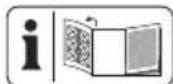
  • Read the instruction manual carefully. Familiarise yourself with the controls and how to use the device correctly.
  • This device can be used by children aged 8 years and up as well as individuals with re- duced physical, sensory or mental abilities or a lack of experience and knowledge if they are supervised or have been instructed in the safe use of the device and under- stand the resulting hazards. Children must never play with the device. Cleaning and user maintenance must not be car- ried out by children if they are not supervised.
  • Note that the user is respons- ible for any accidents or risks to others and their property.GB
  • Prior to use, always check the connecting cable and exten- sion cord for signs of damage or wear and tear. If the cable gets damaged during use, it must be disconnected from the supply network immedi- ately. DO NOT TOUCH THE

POWER SUPPLY. Do not use the device if the cable is dam- aged or worn.

  • Make sure that the mains voltage matches the details on the type plate.
  • Connect the device only to a power outlet with a resid- ual current circuit breaker (FI switch) of rated residual cur- rent no more than 30mA.
  • Connect the appliance to a power outlet with a fuse of at least 16A.
  • If the mains connection cable of this device is damaged, it must be replaced by the man- ufacturer, their customer ser- vice or by a similarly quali- fied person in order to avoid hazards. contact the service centre.
  • Make sure before use that the appliance is properly as- sembled and that the filters are in the correct position. Never perform vacuuming without a filter. The appliance could become damaged.
  • Never use the device if there are children or animals nearby. People nearby must wear protective clothing. Operation
  • Pay attention, be aware of what you are doing and take the utmost care when working with the device. Do not use the device if you are tired or you are under the influence of drugs, alcohol or medication.
  • Do not allow the vacuum to come into contact with people or animals.
  • While in operation, never aim the suction hose and nozzles at yourself or other people; particularly not eyes or ears. There is a risk of injury.
  • The nozzles and suction hose must not be at the same height as your head while working. There is a risk of in- jury.GB
  • Do not vacuum hot, glow- ing, flammable, explosive or hazardous substances. These include hot ashes, pet- rol, solvents, acids or alkalis amongst others. Risk of fire and injury.
  • Make sure not to damage the power cord by pulling it over sharp edges, getting it trapped or by pulling on the cable.
  • Never use the mains connec- tion cable to pull the plug out of the outlet or to pull the device. Protect the mains con- nection cable from heat, oil and sharp edges.
  • Never transport the device while the drive is running.
  • Switch off the device and dis- connect the mains plug from the outlet. Make sure that all moving parts have come to a complete stop
  • when leaving the device,,
  • before changing the ac- cessories,,
  • before removing obstruc- tions or loosening block- ages,,
  • before checking the device, cleaning it or performing maintenance work on it.
  • If the device starts to vibrate abnormally strong, an immedi- ate inspection is required:
  • Examine for loose parts and tighten these,
  • search for signs of damage,
  • replace damaged accessor- ies. For repairs, contact the service centre. Cleaning, maintenance and storage
  • Allow the motor to cool down before storing the device for a longer period.
  • Replace worn or damaged parts in the interests of safety. Use only original spare parts and accessories. The use of parts by other manufacturers immediately renders the guar- antee void.
  • The device may only be opened by an authorised electrician. Always contact our service centre for repairs.
  • Switch the drive off, discon- nect the device from the power supply and allow the device to cool off if you want to clean, adjust, store the device or to exchange an ac- cessory part.
  • Handle the device with care and keep it clean.GB
  • Store the device out of reach of children. Preparation WARNING!Risk of injury due to un- intentional start-up. Do not insert the plug into the outlet until the device is fully pre- pared for use. Control elements Familiarise yourself with the operating ele- ments before using the device for the first time. On/Off switch (1)
  • Switching on: Move the On/Off switch (1) to the position “I” (ON).
  • Switching off: Move the On/Off switch (1) to the position “0” (OFF). Filter cleaning button (6)
  • Filter cleaning button, p.29 Air control (21)
  • Open the air control: Suction power at the nozzle is lower. Lock (16) Adjust the length of the telescopic suction tube (18).

1. Press and hold the lock (16) of the suc-

tion tube (18) forwards.

2. Adjust the inner part of the telescopic

suction tube (18) to the desired length.

3. Release the lock (16) of the suction

tion tube (18) does not engage, push it forwards or backwards to the next notch. Attaching and removing the motor head Disassembling the motor head (Fig.A)

1. Unlock the snap locks (9) on the dirt

2. Take the motor head (3) off.

Place the motor head (3) with the top facing downward. Assembling the motor head (Fig.A)

1. Place the motor head (3) on the direct

container (10). The On/Off switch (1) points to the suction connector (14).

2. Lock the snap locks (9) on the dirt con-

tainer (10). Assembly State on delivery

  • Motor head (pre-mounted)
  • Pleated filter (pre-mounted)
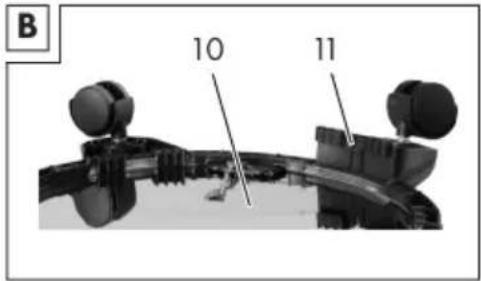
  • 5 × Foot (with castor and accessories holder) (not assembled). Assembling the feet (Fig.B)

surface with the bottom facing up.

3. Place the feet (11) in the holders on

the bottom of the dirt container. You will hear the feet click into place.

4. Mount the motor head (3).

Attaching and removing the suction hose Suction hose assembly (Fig.A)

1. Insert the thick end of the suction hose

(19) with the lock (20) into a connect- or:

  • Suction: Suction connector (14) (on the dirt container)
  • Blowing: Blower connector (15) (on the motor head)GB

You will hear the lock click into place. Attaching the suction hose (Fig.A)

1. Press and hold the lock (20) on the

2. Pull the suction hose (19) out of the

connector. Attaching and removing the filter and filter bag Overview The appliance has the following filters and bags:

  • Use an additional paper filter bag so that the pleated filter does not clog up so quickly.
  • Paper filter bag (26)
  • Fine dust filter bag
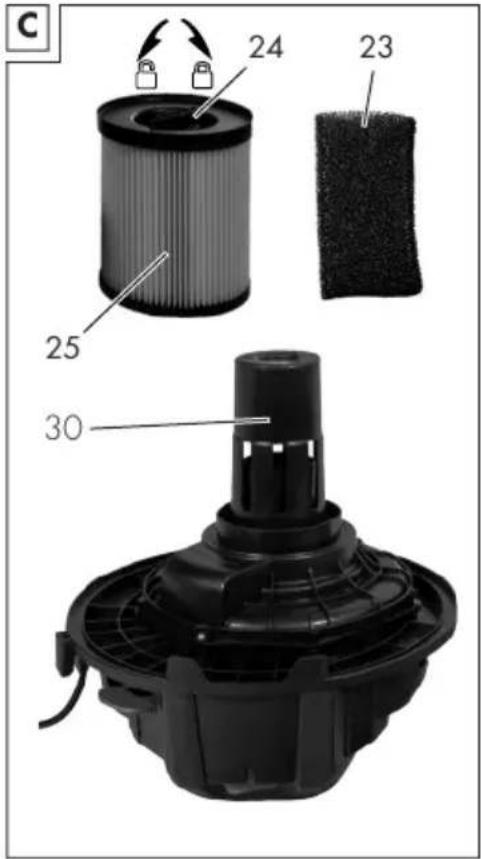
  • available as accessories Disassembling the pleated filter (Fig.C)

1. Remove the motor head (3).

Place the motor head (3) with the top facing downward.

2. Unlock the lock (24) of the pleated fil-

3. Remove the pleated filter (25).

Assembling the pleated filter (Fig.C)

1. Remove the motor head (3).

Place the motor head (3) with the top facing downward.

3. Place the pleated filter (25) over the fil-

4. If the pleated filter (25) is not imme-

diately in place, turn the lock until the pleated filter moves with the direction of the motor head (3).

5. Lock the lock (24) of the pleated filter

6. Mount the motor head.

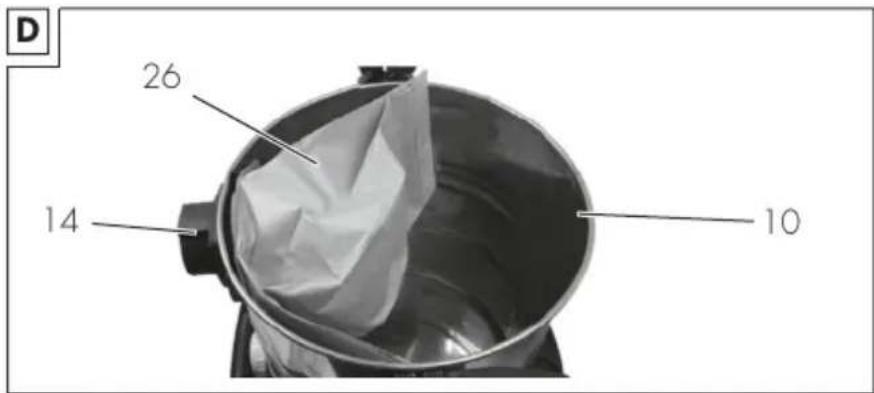
Installing the filter bag (Fig.D) These instructions apply for the paper fil- ter bag (26) and the fine dust filter bag (available as accessories).

1. Remove the motor head (3).

Place the motor head (3) with the top facing downward.

2. Inside the dirt container (10), pull the

filter bag over the suction connector (14). The sealing ring on the filter bag opening must fully surround the con- nector on the suction connector.

3. Mount the motor head.

Removing the filter bag (Fig.D)

1. Remove the motor head (3).

Place the motor head (3) with the top facing downward.

2. You can remove the filter bag.

3. Mount the motor head.

Removing the foam filter (Fig.C)

1. Remove the motor head (3).

Place the motor head (3) with the top facing downward.

2. Carefully remove the foam filter (23).

Place the motor head (3) with the top facing downward.

2. Roll the foam filter (23) up a bit.

3. Pull the foam filter over the filter basket

4. Roll the foam filter so that it is smooth.GB

5. Mount the motor head.

Selecting a nozzle Floor nozzle with rubber lip (29)

  • Wet vacuuming Floor nozzle with brush (28)
  • Dry vacuuming Crevice nozzle (27)
  • Vacuuming joints, corners and radiators Attaching and removing nozzles The nozzles can easily be attached to and removed from the suction tube (18), the handle (22) and the suction hose (19). Operation Dry vacuuming Notes
  • Never perform vacuuming without a fil- ter!
  • The paper filter bag is not suitable for vacuuming fine dust. To vacuum fine dust, you will need an additional fine dust filter bag (Spare parts and ac- cessories, p.33). Permitted filters and nozzles
  • Paper filter bag (Recommended)
  • Never perform vacuuming without a fil- ter!
  • When wet vacuuming, a float interrupts the suction air flow when the dirt con- tainer is full. Switch the appliance off and empty the dirt container.
  • Make sure that the suction nozzle is not completely in the water so that some air is always sucked in.
  • The dirt container is not suitable for storing liquids. Empty the dirt container after wet vacuuming. Permitted filters and nozzles
  • Floor nozzle with rubber lip (29)
  • without Vacuuming fine dust Notes
  • Never perform vacuuming without a fil- ter!
  • To vacuum fine dust, you will need an additional fine dust filter bag (Spare parts and accessories, p.33). Permitted filters and nozzles
  • Fine dust filter bag
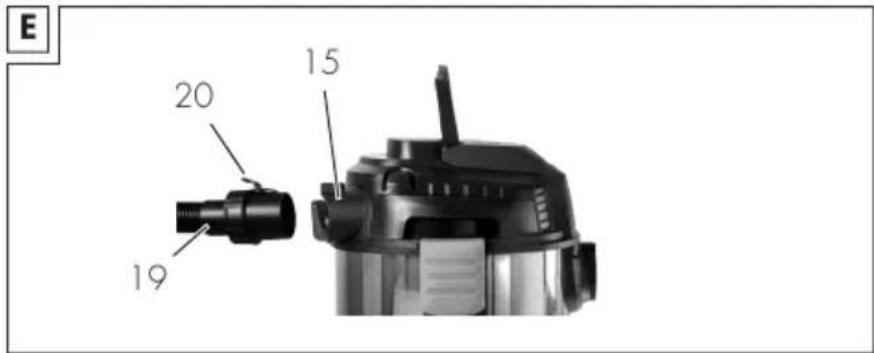
  • All Blowing Preparing the blowing function (Fig.E)

1. Remove the filter and filter bag.

See Attaching and removing the filter and filter bag, p.27.

2. Insert the suction hose (19) into the

blowing connector (15).GB

See Attaching and removing the suc- tion hose, p.26. Switching on and off Preparation

1. Fully unwind the suction hose (19).

2. Prepare the device for the desired func-

tion: Filter, filter bag, suction hose, suc- tion tube, nozzle

3. Insert the machine plug into a wall

socket. Switching on

1. Move the On/Off switch (1) to the po-

sition “I” (ON). Switching off

1. Move the On/Off switch (1) to the po-

2. During breaks in work, you can hang

the telescopic suction tube (18) with the retaining lug (17) on the suction tube holder (8).

3. Pull the device plug out of the wall out-

let if you are leaving the device unat- tended or if you have finished working. Cleaning, maintenance and storage WARNING!Electric shock! Risk of in- jury due to unintentional start-up. Protect yourself when performing maintenance or cleaning work. Switch off the device and disconnect the mains plug from the socket. You should have any repair and mainten- ance work that is not described in these instructions carried out by our Service Centre. Only use original replacement parts. Cleaning Cleaning NOTICE!Risk of damage! Improper cleaning can damage the device. Nev- er spray down the device with water. Do not use any abrasive cleaning agents or solvents. General cleaning

1. Empty the dirt container (10).

2. Clean the dirt container (10) with a

3. Tap the pleated filter (25) and clean it

with a brush or hand-brush.

4. Wash the foam filter (23) with warm

water and soap and let it dry.

5. When full, replace the paper filter bag

(26) (for reordering, see Spare parts and accessories, p.33). Emptying liquids from the dirt con- tainer

1. Place the dirt container (10) so that the

liquid in the dirt container can drain out of the drain opening (13).

2. Remove the cap from the drain open-

4. Fit the cap of the drain opening (13).

Turn ⭮ . Filter cleaning button NOTICE!Risk of damage! The filter clean- ing function must only be carried out with the pleated filter. If another filter is used, clean it manually. If the suction power decreases, you can improve it by pressing the filter cleaning button.

1. Turn the appliance on.

2. Close the suction opening of the suc-

tion hose (19). To do this, press the suction hose onto the floor.

3. Press the filter cleaning button (6) for a

few seconds. Air is blown through the pleated filter to remove debris and dirt.

4. Repeat the process a few times.GB

Maintenance The device is maintenance free. Storage Always store the device and accessories:

  • protected against dust
  • out of the reach of children Notes
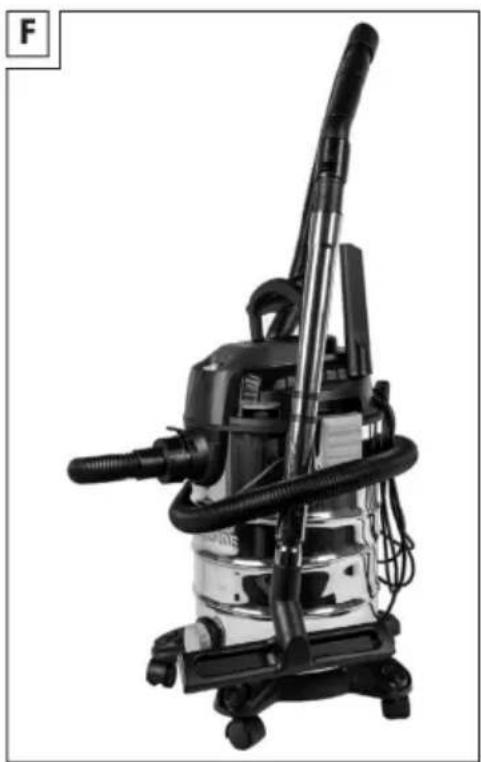
  • The dirt container is not suitable for storing liquids. Empty the dirt container after wet vacuuming. Preparing the appliance for stor- age (Fig.F)

1. Wind up the power cord (7) on the

together and attach the retaining lug (17) to the suction tube holder (8).

3. Wind the suction hose (19) around the

appliance and insert the handle (22) into the suction tube (18).

4. Insert the other accessories into the ac-

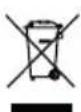
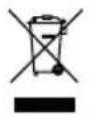
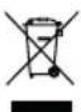
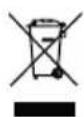
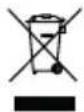
cessory holders (4) on the motor head (3) and the feet (11). Disposal/ environmental protection The device, accessories and packaging should be properly recycled. Electrical devices must not be dis- posed of with domestic waste. The symbol of the crossed-out wheeled bin means that this product must not be dis- posed of as unsorted municipal waste at the end of its useful life. Directive 2012/19/EU on waste electrical and electronic equip- ment: Consumers are legally obliged to recycle electrical and electronic equipment in an environmentally sound manner at the end of its life. In this way, environmentally friendly and resource-saving recycling is ensured. Depending on the implementation in na- tional law, you may have the following op- tions:

  • Hand over to an official collection point,
  • Return to the manufacturer/distributor. This does not affect accessories enclosed with the old devices or tools without any electrical components.GB

Troubleshooting The following table will assist you in fixing faults: ProblemPossible causeError correction On/Off switch (1) turned offCheck the position of the On/Off switch No mains power supplyCheck the socket, mains con- nection cable, plug and fuse and have them repaired by a qualified electrician if neces- sary. On/Off switch (1) is broken Worn out carbon brushes Device does not start Defective motor contact the service centre. Suction hose (19) or nozzles blocked Removing obstructions and blockages Dirt container (10) openAttaching and removing the motor head, p.26 Dirt container (10) fullEmptying the dirt container Filter (23/25) full or clogged Empty, clean or replace the filter Float in filter basket (30) in incorrect position (e.g. due to jerky movements) Turn off the device, the float will sink, then switch it back

Weak or no suction power/ throughput Float in filter basket (30) de- fective contact the service centre. Float in filter basket (30) not moving Release floatFloat does not close suction opening Float in filter basket (30) de- fective contact the service centre. Dust or dirt is blown out of the device Filter (23/25) not assembled or incorrectly assembled Attaching and removing the filter and filter bag, p.27 Service Guarantee Dear Customer, This product is provided with a 3 year guarantee from the date of purchase. In case of defects, you have statutory rights against the seller of the product. These statutory rights are not restricted by our guarantee presented below. Terms of Guarantee The guarantee period begins on the date of purchase. Please retain the original re-GB

ceipt. This document is required as proof of purchase. If a material or manufacturing defect oc- curs within three years of the date of pur- chase of this product, we will repair or replace – at our choice – the product for you free of charge. This guarantee re- quires the defective product and proof of purchase to be presented within the three- year period with a brief written description of what constitutes the defect and when it occurred. If the defect is covered by our guaran- tee, you will receive either the repaired product or a new product. No new guar- antee period begins on repair or replace- ment of the product. Guarantee Period and Statutory Claims for Defects The guarantee period is not extended by the guarantee service. This also applies for replaced or repaired parts. Any dam- ages and defects already present at the time of purchase must be reported imme- diately after unpacking. Repairs arising after expiry of the guarantee period are chargeable. Guarantee Cover The product has been carefully produced in accordance with strict quality guidelines and conscientiously checked prior to deliv- ery. The guarantee applies for all material and manufacturing defects. This guarantee does not extend to cover product parts that are subject to normal wear and may therefore be considered as wearing parts (e.g. Filter) or to cover damage to break- able parts. This guarantee shall be invalid if the product has been damaged, used incor- rectly or not maintained. Neither does it extend to damage resulting from wa- ter, frost, lightning and fire or improp- er transport. Precise adherence to all of the instructions specified in the operat- ing manual is required for proper use of the product. Intended uses and ac- tions against which the operating manu- al advises or warns must be categorically avoided. The product is designed only for private and not commercial use. The guarantee will be invalidated in case of misuse or im- proper handling, use of force, or interven- tions not undertaken by our authorised ser- vice branch. Processing in Case of Guarantee To ensure efficient handling of your query, please follow the directions below:

  • Please have the receipt and identific- ation number (IAN426460_2301) ready as proof of purchase for all en- quiries.
  • Please find the item number on the rat- ing plate.
  • Should functional errors or other de- fects occur, please initially contact the service department specified below by telephone or by e-mail. You will then receive further information on the processing of your complaint.
  • After consultation with our customer service, a product recorded as defect- ive can be sent postage paid to the service address communicated to you, with the proof of purchase (receipt) and specification of what constitutes the defect and when it occurred. In or- der to avoid acceptance problems and additional costs, please be sure to use only the address communicated to you. Ensure that the consignment is not sent carriage forward or by bulky goods, express or other special freight. Please send the appliance inc. all accessories supplied at the time of purchase andGB

ensure adequate, safe transport pack- aging. Repair service For repairs that are not covered by warranty , contact the service centre. They will gladly create a cost estimate for you.

  • We can only work on devices which are sent in properly packed and with postage paid. Note: Please send your device cleaned and with an indication of the defect to the address named for the service centre.
  • The following are not accepted: devices sent in without prepaid post- age, sent as bulky goods, sent as an Express shipment, or devices sent as any other form of special freight.
  • We will dispose of defective devices you ship to us free of charge. Service Centre

Service Malta Tel.:80062230 E-mail: grizzly@lidl.com.mt IAN 426460_2301 Importer Please note that the address below is not a service address. Contact the service centre named above first. Grizzly Tools GmbH & Co. KG Stockstädter Str. 20 63762 Großostheim GERMANY www.grizzlytools.de Imported for GB market by: Lidl Great Britain Ltd Lidl House 14 Kingston Road Surbiton, KT5 9NU Spare parts and accessories You can get spare parts and accessories from www.grizzlytools.shop. If you have any problems with your order, contact us via our online shop. If you have any other questions, contact the Service Centre, p.33 Pos. nr.NameOrder No. 3Motor head (EU)72079326 9Lock91105844 10Dirt container91106133 11Foot (with castor and accessories holder)(×5)91105502 12Anti-static chain91105503 18Telescopic suction tube91099439 19Suction hose91105846 22Handle91104782 23Foam filter, pack of 391106134 26Paper filter bag, pack of 530250133GB

Pos. nr.NameOrder No. 27Crevice nozzle91099005 28Floor nozzle with brush91105847 29Floor nozzle with rubber lip91105848 Optionally available NameOrder No. Fine dust filter bag, pack of 5 (2-layer micro filter fleece, white)30250112 Cushion nozzle (black)72800040 Ακροφύσιο αυτοκινήτου (black)91096445 Translation of the original EC declaration of conformity Product: Wet & Dry Vacuum Cleaner Model: PWD 25 C4 Serial number: 000001-104000 The object of the declaration described above is in conformity with the relevant Union harmonisation legislation: 2014/35/EU • 2014/30/EU • 2011/65/EU &(EU)2015/863 The object of the declaration described above is in conformity with Directive 2011/65/EU of the European Parliament and of the Council of 8 June 2011 on the restriction of the use of certain hazardous substances in electrical and electronic equipment. To ensure conformity, the following harmonised standards and national standards and regulations have been applied: EN 60335-1:2012/A15:2021 •EN 60335-2-2:2010/A1:2013 EN62233:2008 •EN IEC 55014-1:2021 •EN IEC 55014-2:2021

ENIEC61000‑3‑2:2019/A1:2021 •EN 61000-3-3:2013/A2:2021

EN IEC 63000:2018 This declaration of conformity is issued under the sole responsibility of the manufacturer: Grizzly Tools GmbH & Co. KG Stockstädter Str. 20 63762 Großostheim GERMANY

Christian Frank Authorised representative of documentationGB

Declaration Of Conformity Product: Wet & Dry Vacuum Cleaner Model: PWD 25 C4 Serial number: 000001-104000 The object of the declaration described above is in conformity with the relevant UK Stat- utory Instruments and their amendments: Electrical Equipment (Safety) Regulations 2016 Electromagnetic Compatibility Regulations 2016 Restriction of the Use of Certain Hazardous Substances in Electrical and Electronic Equipment Regulations 2012 The conformity of the object of the declaration described above was assessed according to the requirements of the following standards: EN 60335-1:2012/A15:2021 •EN 60335-2-2:2010/A1:2013 EN62233:2008 •EN IEC 55014-1:2021 •EN IEC 55014-2:2021

ENIEC61000‑3‑2:2019/A1:2021 •EN 61000-3-3:2013/A2:2021

EN IEC 63000:2018 This declaration of conformity is issued under the sole responsibility of the manufacturer: Grizzly Tools GmbH & Co. KG Stockstädter Str. 20 63762 Großostheim GERMANY

Christian Frank Authorised representative of docu- mentationFR

OD SIECI NIE WOLNO DO-