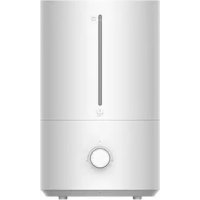
Xiaomi Mi Smart Antibacterial Humidifier - Humidifier

Mi Smart Antibacterial Humidifier - Humidifier Xiaomi - Free user manual and instructions

Find the device manual for free Mi Smart Antibacterial Humidifier Xiaomi in PDF.

English EN Download 💬 AI Question 10 questions ⚙️ Specs
📄

Document temporarily unavailable

The manual is currently being transferred to our new server. It will be accessible again in a few hours. Thank you for your patience.

Pick your language and provide your email: we'll send you a specifically translated version.
Product Type Antibacterial Smart Humidifier
Brand Xiaomi
Model Mi Smart Antibacterial Humidifier (ZNJSQ01DEM)
Dimensions 190 × 190 × 353 mm
Net Weight 1.9 kg
Water Tank Capacity 4.5 L
Maximum Mist Output 300 mL/h
Noise Level ≤ 38 dB
Power Supply Mains (standard electrical outlet)
Misting Technology High-frequency ultrasonic (1.7 million vibrations per second)
Sterilization UV Light
Operating Modes Low speed, medium speed, high speed, constant humidity mode (60% RH)
Connectivity Wi-Fi IEEE 802.11 b/g/n 2.4 GHz
Compatible App Mi Home / Xiaomi Home
Voice Control Via app (compatible with voice assistants)
Dry Run Protection Yes, automatic shutdown and red indicator
Recommended Tank Cleaning Every 3 days
Descaling Citric acid, cotton swab or soft brush
Operating Temperature 5 °C to 40 °C
Materials ABS, PC, PA
Certifications Compliant with EU Directive 2014/53/EU

Frequently Asked Questions - Mi Smart Antibacterial Humidifier Xiaomi

What type of water should be used in the humidifier?
It is recommended to use drinking water or distilled water. Never add essential oils, perfumes, or disinfectants to the water tank, as this could damage the appliance.
How to connect the humidifier to the Mi Home app?
Download the Mi Home or Xiaomi Home app from the App Store. Open the app, tap the '+' icon in the top right, then follow the prompts to add the device. Make sure Wi-Fi is enabled and that the humidifier is in pairing mode (press and hold the Wi-Fi button for 3 seconds until the indicator flashes).
How to clean the water tank?
Unplug the humidifier. Remove the tank and empty it. Clean it with a soft cloth and clean water. For deep cleaning, use a citric acid solution to dissolve limescale, then rinse thoroughly. It is recommended to clean the tank every 3 days.
What to do if the humidifier beeps and the indicator turns red?
This means the water tank is empty or not properly installed. The device automatically goes into standby (dry run protection). Fill the water tank to the maximum level and correctly place it back on the base. The humidifier will resume normal operation.
Is the UV light dangerous to the eyes?
The humidifier is equipped with a UV light cover to prevent leakage. Do not look directly at the light source. The UV light automatically turns off when the device is turned off. It serves to sterilize the water and poses no risk if the appliance is used according to instructions.
Can I use the humidifier with essential oils?
No, it is strictly forbidden to add essential oils, perfumes, or disinfectants to the water tank. This could damage the appliance and affect air quality. Use only water.
How to change the mist speed?
Press the Mode button (located on the base) to cycle through modes: low speed, medium speed, high speed, and constant humidity mode. The circular indicator shows the selected mode (1/4, 1/2, 3/4, or full circle). By default, constant humidity mode maintains a relative humidity of 60%.
What is the recommended safe distance from furniture?
To avoid moisture damage, place the humidifier at least 2 meters away from furniture, electronic devices, and other absorbent objects. Do not place it directly on a wooden floor.
What to do if the humidifier does not turn on?
Check that the power cord is properly plugged in and the outlet works. Ensure the water tank is correctly installed and that the water does not exceed the maximum level. If the problem persists, unplug the device for 30 minutes then try again. Contact customer service if necessary.
How to turn off the water tank light?
When the humidifier is running, press and hold the Mode button for 3 seconds. The water tank light and mode indicator will turn off. The device continues to operate normally. To turn the light back on, repeat the operation.

User questions about Mi Smart Antibacterial Humidifier Xiaomi

0 question about this device. Answer the ones you know or ask your own.

Ask a new question about this device

The email remains private: it is only used to notify you if someone responds to your question.

No questions yet. Be the first to ask one.

Download the instructions for your Humidifier in PDF format for free! Find your manual Mi Smart Antibacterial Humidifier - Xiaomi and take your electronic device back in hand. On this page are published all the documents necessary for the use of your device. Mi Smart Antibacterial Humidifier by Xiaomi.
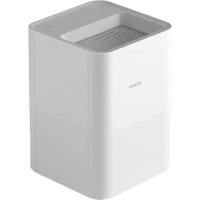
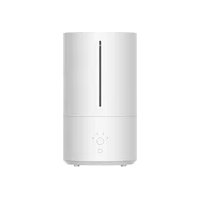
USER MANUAL Mi Smart Antibacterial Humidifier Xiaomi

Manual assistant
Powered by Anthropic
Waiting for your message
Product information

Brand : Xiaomi

Model : Mi Smart Antibacterial Humidifier

Category : Humidifier