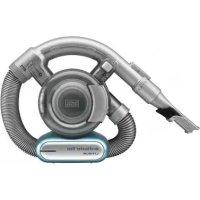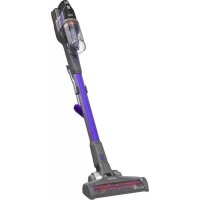
Dustbuster DV1410EL - Hand vacuum cleaner BLACK & DECKER - Free user manual and instructions
Find the device manual for free Dustbuster DV1410EL BLACK & DECKER in PDF.


| Product Type | Handheld Vacuum |
| Brand | Black & Decker |
| Model | Dustbuster DV1410EL |
| Rated Voltage | 14.4 V DC |
| Battery Type | Lithium-Ion |
| Weight | 1.23 kg |
| Charger | S010QV2300040 |
| Charger Input Voltage | 100-240 V AC |
| Charger Output Voltage | 23 V DC |
| Charge Current | 400 mA |
| Charge Time | 4 hours |
| Filter Type | Washable filter VF110FC-XJ |
| Filter Replacement | Every 6 to 9 months |
| Included Accessories | Integrated flat nozzle, integrated brush |
| Functions | Collector rotation, powerful suction |
| Usage | Cleaning small surfaces indoors |
| Safety | Double insulation, do not vacuum liquids |
| Maintenance | Clean the filter and dust bowl with soapy water |
| Repairability | Contact an authorized Black & Decker repairer |
| Warranty | 24 months |
| Environmental Protection | Do not dispose of with household waste |
Frequently Asked Questions - Dustbuster DV1410EL BLACK & DECKER
User questions about Dustbuster DV1410EL BLACK & DECKER
0 question about this device. Answer the ones you know or ask your own.
Ask a new question about this device
Download the instructions for your Hand vacuum cleaner in PDF format for free! Find your manual Dustbuster DV1410EL - BLACK & DECKER and take your electronic device back in hand. On this page are published all the documents necessary for the use of your device. Dustbuster DV1410EL by BLACK & DECKER.
USER MANUAL Dustbuster DV1410EL BLACK & DECKER
text_image
Technical diagram of a hair dryer with numbered parts and labeled componentsDV7210EL
DV1010EL
DV1410EL
DV1810EL
text_image
8 A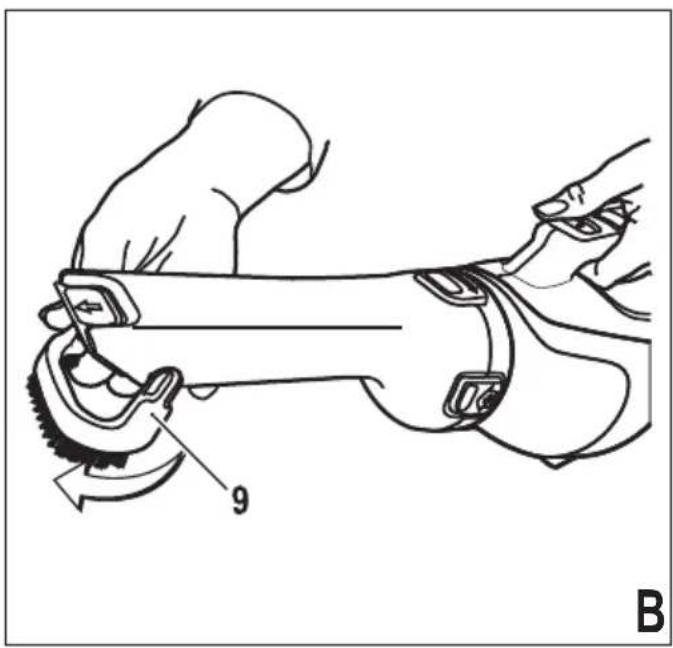
natural_image
Line drawing of a hand using a power tool to work on a mechanical component, labeled with number 9 (no text or symbols beyond label)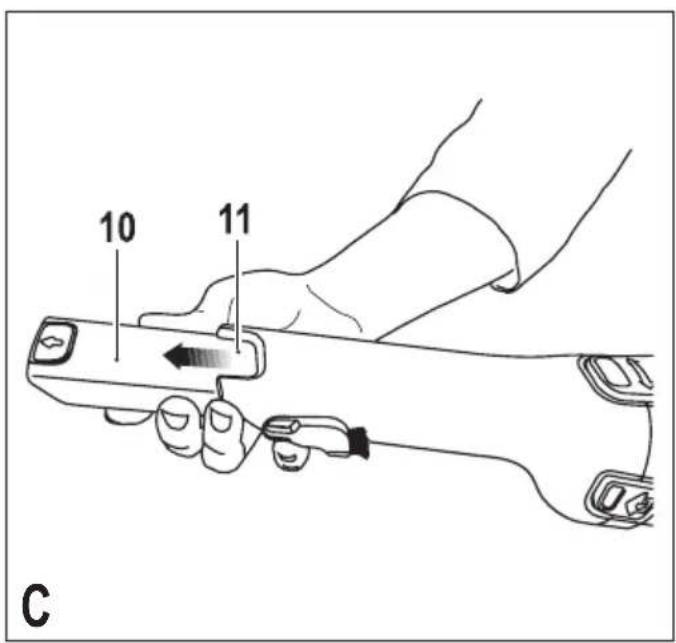
text_image
10 11 C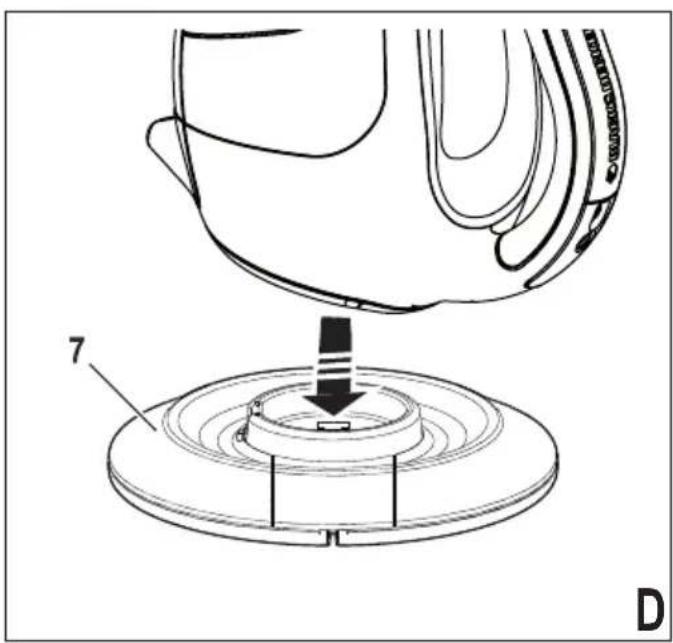
natural_image
Technical line drawing of a mechanical assembly with a base and component, no visible text or symbols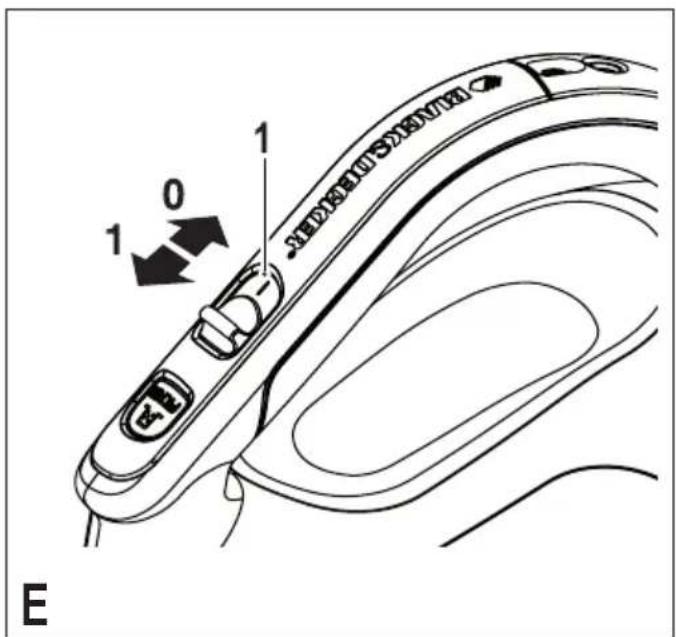
text_image
1 0 1 E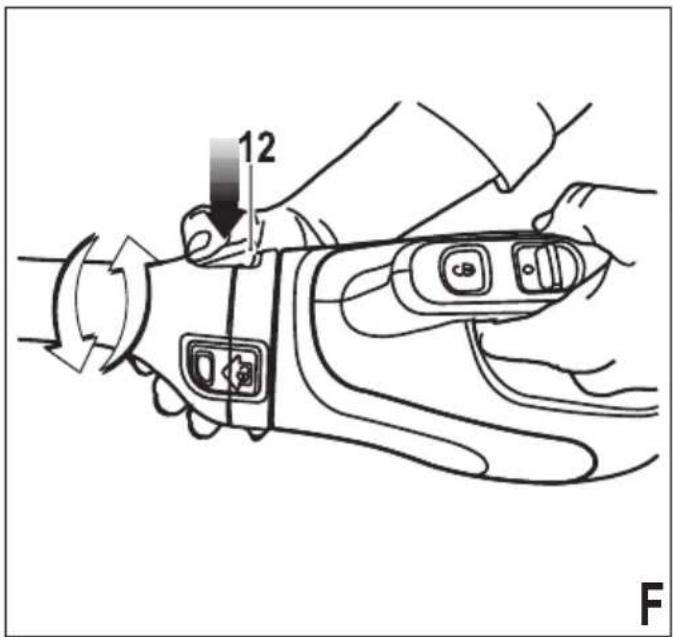
text_image
12 F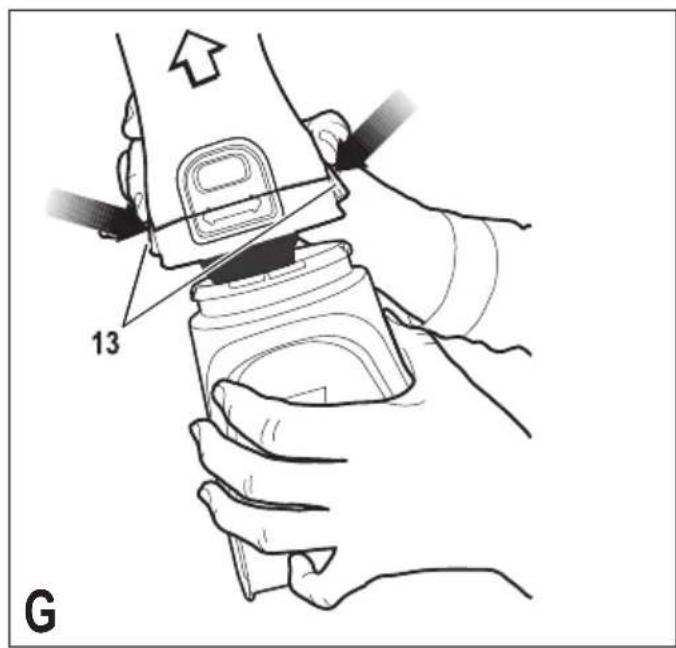
text_image
13 G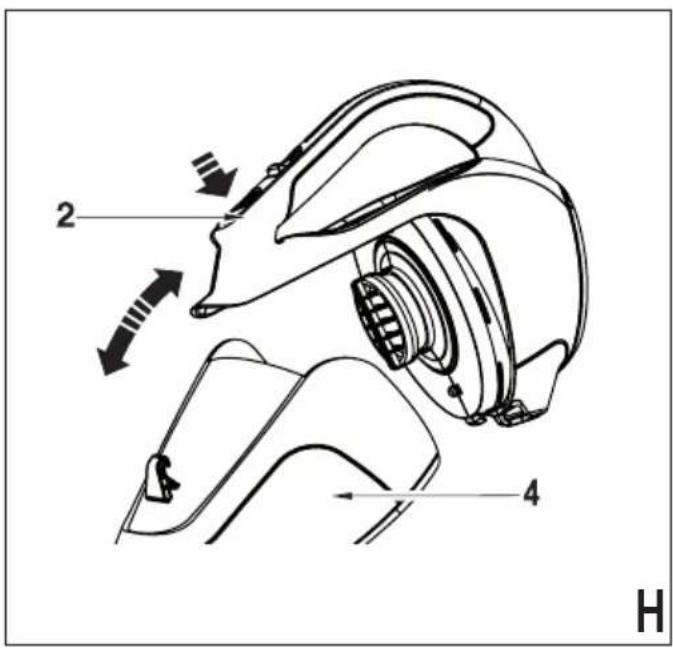
text_image
2 4 H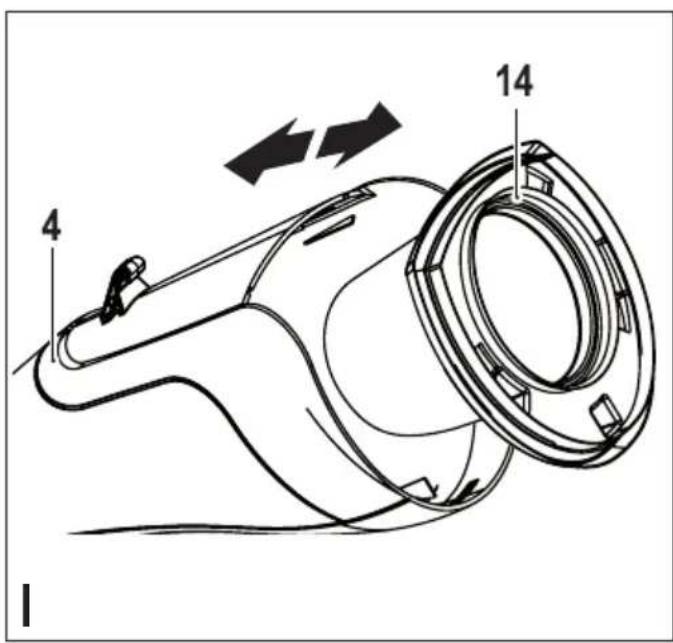
text_image
14 4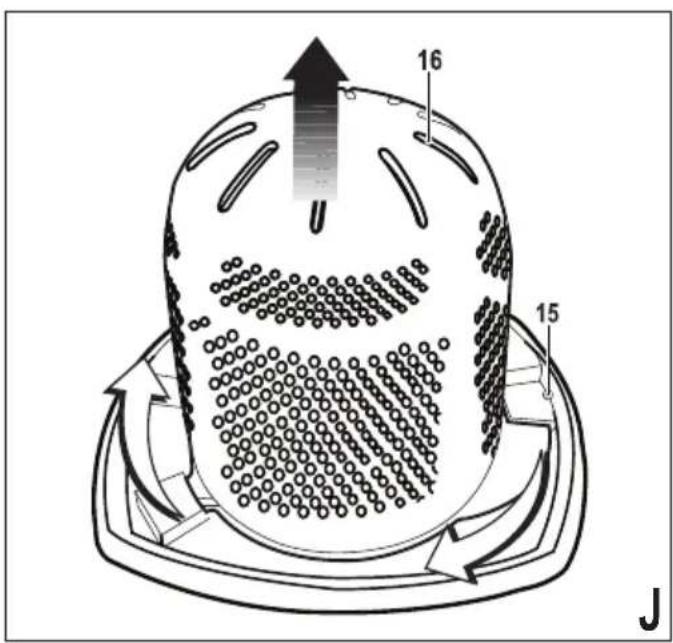
text_image
16 15 J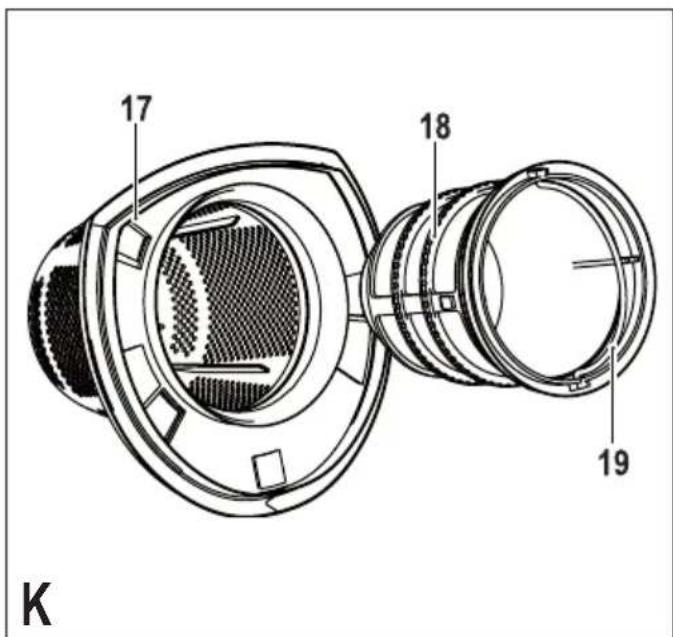
text_image
17 18 19 KIntended use
Your Black & Decker Dustbuster® handheld vacuum cleaner has been designed for light dry vacuum cleaning purposes. This appliance is intended for household use only.
Safety instructions

Warning! Read all safety warnings and all instructions. Failure to follow the warnings and instructions listed below may result in electric shock, fire and/or serious injury.

Warning! When using battery-powered appliances, basic safety precautions, including the following, should always be followed to reduce the risk of fire, leaking batteries, personal injury and material damage.
- Read all of this manual carefully before using the appliance.
- The intended use is described in this manual. The use of any accessory or attachment or the performance of any operation with this appliance other than those recommended in this instruction manual may present a risk of personal injury.
- Retain this manual for future reference.
Using your appliance
- Do not use the appliance to pick up liquids or any materials that could catch fire.
- Do not use the appliance near water.
-
Do not immerse the appliance in water.
-
Never pull the charger lead to disconnect the charger from the socket. Keep the charger lead away from heat, oil and sharp edges.
- This appliance can be used by children aged from 8 years and above and persons with reduced physical, sensory or mental capabilities or lack of experience and knowledge if they have been given supervision or instruction concerning use of the appliance in a safe way and understand the hazards involved. Children shall not play with the appliance. Cleaning and user maintenance shall not be made by children without supervision.
Inspection and repairs
- Before use, check the appliance for damaged or defective parts. Check for breakage of parts, damage to switches and any other conditions that may affect its operation.
- Do not use the appliance if any part is damaged or defective.
- Have any damaged or defective parts repaired or replaced by an authorized repair agent.
- Regularly check the charger lead for damage. Replace the charger if the lead is damaged or defective.
- Never attempt to remove or replace any parts other than those specified in this manual.
Additional safety instructions
After use
◆ Unplug the charger before cleaning the charger or charging base.
- When not in use, the appliance should be stored in a dry place.
◆ Children should not have access to stored appliances.
Residual risks.
Additional residual risks may arise when using the tool which may not be included in the enclosed safety warnings. These risks can arise from misuse, prolonged use etc.
Even with the application of the relevant safety regulations and the implementation of safety devices, certain residual risks can not be avoided. These include:
◆ Injuries caused by touching any rotating/moving parts.
◆ Injuries caused when changing any parts, blades or accessories.
- Injuries caused by prolonged use of a tool. When using any tool for prolonged periods ensure you take regular breaks.
◆ Impairment of hearing.
◆ Health hazards caused by breathing dust developed when using your tool (example:- working with wood, especially oak, beech and MDF.)
Batteries and chargers
Batteries
◆ Never attempt to open for any reason.
◆ Do not expose the battery to water.
◆ Do not expose the battery to heat.
- Do not store in locations where the temperature may exceed 40°C.
◆ Charge only at ambient temperatures between 10°C and 40°C.
◆ Charge only using the charger provided with the appliance/tool. Using the wrong charger could result in an electric shock or overheating of the battery.
- When disposing of batteries, follow the instructions given in the section "Protecting the environment".
- Do not damage/deform the battery pack either by puncture or impact, as this may create a risk of injury and fire.
◆ Do not charge damaged batteries.
◆ Under extreme conditions, battery leakage may occur. When you notice liquid on the batteries carefully wipe the liquid off using a cloth. Avoid skin contact.
- In case of skin or eye contact, follow the instructions below.
Warning! The battery fluid may cause personal injury or damage to property. In case of skin contact, immediately rinse with water. If redness, pain or irritation occurs seek medical attention. In case of eye contact, rinse immediately with clean water and seek medical attention.
Chargers
Your charger has been designed for a specific voltage. Always check that the mains voltage corresponds to the voltage on the rating plate.
Warning! Never attempt to replace the charger unit with a regular mains plug.
Use your Black & Decker charger only to charge the battery in the appliance/tool with which it was supplied. Other batteries could burst, causing personal injury and damage.
- Never attempt to charge nonrechargeable batteries.
If the supply cord is damaged, it must be replaced by the manufacturer or an authorised Black & Decker Service Centre in order to avoid a hazard.
◆ Do not expose the charger to water.
◆ Do not open the charger.
◆ Do not probe the charger.
- The appliance/tool/battery must be placed in a well ventilated area when charging.
Electrical safety
Your charger has been designed for a specific voltage. Always check that the mains voltage corresponds to the voltage on the rating plate. Never attempt to replace the charger unit with a regular mains plug.
Symbols on the charger

This tool is double insulated; therefore no earth wire is required. Always check that the power supply corresponds to the voltage on the rating plate.

The charging base is intended for indoor use only.
Features
This tool includes some or all of the following features.
- On/off switch
- Bowl release button
- Charging indicator
- Dust bowl
- Dust collector
- Charger
- Charging base
Assembly
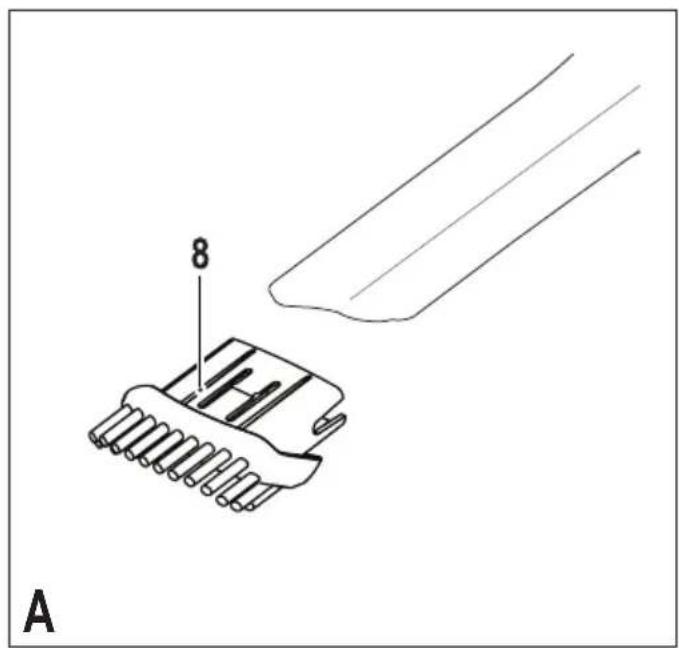
Accessories (fig. A, B & C)
These models may be supplied with some of the following accessories:
◆ A brush tool (8) for furniture and stairs.
◆ An Integrated brush tool (9) for furniture and stairs.
◆ An Integrated crevice tool (10) for confined spaces.
Fitting the brush tool (Fig. A). (DV7210EL Only)
- Insert the accessory into the front of the appliance. Make sure that the accessory is pushed fully in.
The integrated brush tool (Fig. B). (DV1010EL, DV1410EL and DV1810EL Only)
◆ Flip down the brush tool (9) at the end of the dust collector.
The integrated crevice tool (Fig. C). (DV1010EL, DV1410EL and DV1810EL Only)
◆ Extend the crevice tool (10) by pulling the crevice tool (10) until it locks into position.
- Retract the crevice tool (10) by pressing the area (11) and pushing the crevice tool (10) back into the dust collector (5).
Use
◆ Before first use, the battery must be charged.
◆ Place the appliance on the charging base whenever it is not in use.
Charging the battery (Fig. D)
◆ Place the appliance on the charging base (7)
◆ Plug in the charger. Switch on at the mains. The charging indicator (3) will flash continuously (slowly)
- Leave the appliance to charge.
While charging, the charger may become warm. This is normal and does not indicate a problem. The appliance can be left connected to the charger indefinitely. The charging indicator (3) will be lit as long as the appliance is connected to the plugged-in charger.
Warning! Do not charge the battery at ambient temperatures below 10 °C or above 40 °C.
The charge is complete when the charging indicator (3) lights continuously. The charger and the battery can be left connected indefinitely with the LED illuminated. The LED will change to flashing (charging) state as the charger occasionally tops off the battery charge. The charging indicator (3) will be lit as long as the battery is connected to the plugged-in charger.
◆ Charge discharged batteries within 1 week. Battery life will be greatly diminished if stored in a discharged state.
Note: The charger will not charge a battery if the cell temperature is below approximately 0 °C or above 40 °C. The battery should be left in the charger and the charger will begin to charge automatically when the cell temperature warms up or cools down.
Battery diagnostics
If the appliance detects a weak battery, the charging indicator (3) will flash at a fast rate when the power button (1) is activated. Proceed as follows:
◆ Place the appliance on the charging base (7)
◆ Plug in the charger. Switch on at the mains.
Leave the appliance to charge.
If the appliance detects a damaged battery, the charging indicator (3) will flash at a fast rate when the appliance is on the charger base. Proceed as follows:
Take the appliance and the charger to be tested at an authorised services centre.
Note: It may take as long as 60 minutes to determine that the battery is defective. If the battery is too hot or too cold, the LED will alternately blink, fast and slow, one flash at each speed and repeat.
Switching on and off (fig. E)
◆ To switch the appliance on, slide the on/off switch (1) forward to position 1.
◆ To switch the appliance off, slide the on/off switch (1) back to position 0.
Rotating the dust collector (fig. F) (DV1010EL, DV1410EL and DV1810EL only
The nozzle can be rotated for better access in tight spots.
◆ Press the rotation release catch (12).
- Rotate the nozzle to the left or right until it clicks into place.
Optimising the suction force
In order to keep the suction force optimised, the filters must be cleared regularly during use.
Emptying and cleaning the product.
Emptying the dust bowl (fig. G).
◆ Press the release latch (13) and pull the dust collector (5) straight off.
◆ Empty the contents of the bowl.
◆ To replace the dust collector, place it back onto the handle until it "clicks" firmly into position.
Removing the dust bowl and filters (fig. H, I, J & K).
Warning! The filters are re-usable and should be cleaned regularly.
- Press the release latch (2) and pull the dust bowl (4) straight off.
- While holding the dust bowl over a bin or sink, pull out the filter (14) to empty the contents of the bowl.
- To replace the dust bowl, place it back onto the handle until it "clicks" firmly into position.
Warning! Never use the appliance without the filters. Optimum dust collection will only be achieved with clean filters.
Pre-filter (fig. J) (DV7210EL and DV1010EL)
The Filter and pre-filter can be separated to allow better cleaning.
◆ Twist the pre-filter (16) in a clockwise direction and lift from the filter (15).
Quick clean filter (fig. K) (DV1410EL and DV1810EL
◆ Lift the filter cleaning handle (19).
- Whilst holding the quick clean filter housing (17) turn the filter cleaning handle (18) to perform a quick clean of the filter (18).
◆ Pull the filter (18) out of the quick clean filter housing (17) for more thorough cleaning.
Cleaning the dust bowls and filters
- The dust bowls and filters can be washed in warm soapy water.
◆ Make sure that the filters and the dust bowl are dry before re-fitting.
Replacing the filters
The filters should be replaced every 6 to 9 months and whenever worn or damaged.
Replacement filters are available from your Black & Decker dealer:
For models: DV7210EL and DV1010EL use filter part number VF110-XJ
For models: DV1410EL and DV1810EL use filter part number VF110FC-XJ
Maintenance
Your Black & Decker corded/cordless appliance/tool has been designed to operate over a long period of time with a minimum of maintenance. Continuous satisfactory operation depends upon proper tool care and regular cleaning.
Warning! Before performing any maintenance on corded/cordless power tools:
◆ Switch off and unplug the appliance/tool.
- Or switch off and remove the battery from the appliance/tool if the appliance/tool has a separate battery pack.
- Or run the battery down completely if it is integral and then switch off.
◆ Unplug the charger before cleaning it. Your charger does not require any maintenance apart from regular cleaning.
- Regularly clean the ventilation slots in your appliance/tool/charger using a soft brush or dry cloth.
- Regularly clean the motor housing using a damp cloth. Do not use any abrasive or solvent-based cleaner.
Protecting the environment

Separate collection. This product must not be disposed of with normal household waste.
Should you find one day that your Black & Decker product needs replacement, or if it is of no further use to you, do not dispose of it with household waste. Make this product available for separate collection.

Separate collection of used products and packaging allows materials to be recycled and used again.
Re-use of recycled materials helps prevent environmental pollution and reduces the demand for raw materials.
Local regulations may provide for separate collection of electrical products from the household, at municipal waste sites or by the retailer when you purchase a new product.
Black & Decker provides a facility for the collection and recycling of Black & Decker products once they have reached the end of their working life. To take advantage of this service please return your product to any authorised repair agent who will collect them on our behalf.
You can check the location of your nearest authorised repair agent by contacting your local Black & Decker office at the address indicated in this manual. Alternatively, a list of authorised Black & Decker repair agents and full details of our after-sales service and contacts are available on the Internet at: www.2helpU.com
Battery

If you want to dispose of the product yourself, the battery must be removed as described below and disposed of in accordance with local regulations.
- Preferably discharge the battery by operating the appliance until the motor stops.
◆ Press the release button (2) and remove the dust bowl (4).
◆ Remove the seven screws holding the body of the appliance together.
◆ Lift the housing cover away from the assembly.
◆ Detach all lead connections from the battery pack.
◆ Remove battery pack.
◆ Place the battery in a suitable packaging to ensure that the terminals cannot be short-circuited.
◆ Take the battery to your service agent or to a local recycling station.
Once removed, the battery cannot be refitted.
Technical data
| DV7210EL(H1) | DV1010EL(H1) | ||
| Voltage V | dc | 7.2 10.8 | |
| Battery | Type | Li-Ion Li-Ion | |
| Weight kg | 1.11 1.18 | ||
| Charger | S010QV1400040 S010QV1400040 | ||
| Input voltage V | ac | 100-240 100-240 | |
| Output voltage V | dc | 14 14 | |
| Current mA | 400 400 | ||
| Approximate charge time | h | 4 | 4 |
| Weight | kg | 0.16 | 0.16 |
| DV1410EL(H1) | DV1810EL(H1) | ||
| Voltage V | dc | 14.4 | 18 |
| Battery | Type | Li-Ion Li-Ion | |
| Weight kg | 1.23 | 1.3 | |
| Charger | S010QV2300040 S010QV2300040 | ||
| Input voltage V | ac | 100-240 100-240 | |
| Output voltage V | dc | 23 23 | |
| Current mA | 400 400 | ||
| Approximate charge time | h | 4 | 4 |
| Weight | kg | 0.18 | 0.18 |
Guarantee
Black & Decker is confident of the quality of its products and offers an outstanding guarantee. This guarantee statement is in addition to and in no way prejudices your statutory rights. The guarantee is valid within the territories of the Member States of the European Union and the European Free Trade Area.
If a Black & Decker product becomes defective due to faulty materials, workmanship or lack of conformity, within 24 months from the date of purchase, Black & Decker guarantees to replace defective parts, repair products subjected to fair wear and tear or replace such products to ensure minimum inconvenience to the customer unless:
- The product has been used for trade, professional or hire purposes;
◆ The product has been subjected to misuse or neglect; - The product has sustained damage through foreign objects, substances or accidents;
◆ Repairs have been attempted by persons other than authorised repair agents or Black & Decker service staff.
To claim on the guarantee, you will need to submit proof of purchase to the seller or an authorised repair agent. You can check the location of your nearest authorised repair agent by contacting your local Black & Decker office at the address indicated in this manual. Alternatively, a list of authorised Black & Decker repair agents and full details of our after-sales service and contacts are available on the Internet at: www.2helpU.com
Please visit our website www.blackanddecker.co.uk to register your new Black & Decker product and to be kept up to date on new products and special offers. Further information on the Black & Decker brand and our range of products is available at www.blackanddecker.co.uk
♦ Gehoorbeschadiging.
natural_image
Line drawing of a cylindrical device with a handle and internal components (no text or symbols)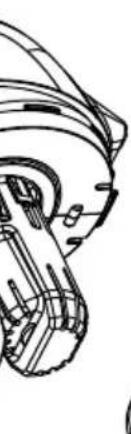
natural_image
Technical line drawing of a mechanical component or assembly (no text or symbols visible)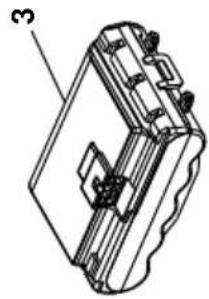
natural_image
Technical line drawing of a mechanical device with labeled part '3' (no text or symbols beyond label)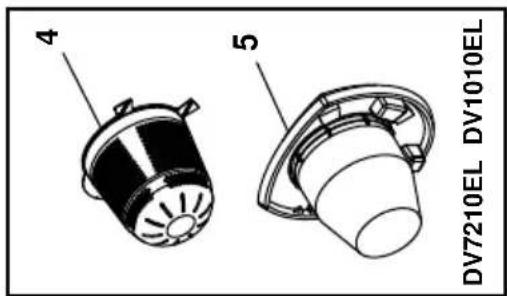
text_image
DV7210EL DV1010EL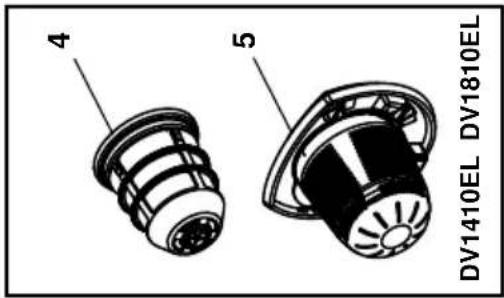
text_image
DV1410EL DV1810EL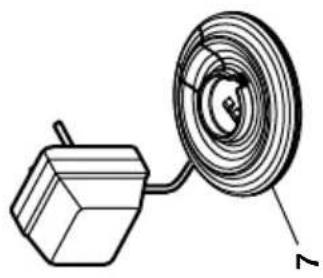
natural_image
Diagram of a coiled cable with a rectangular component above it, labeled with number 7 (no text or symbols on the diagram itself)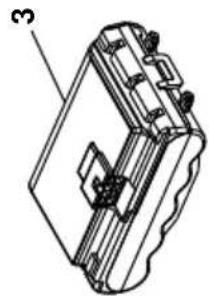
natural_image
Technical line drawing of a mechanical component with labeled part '3' (no text or symbols beyond label)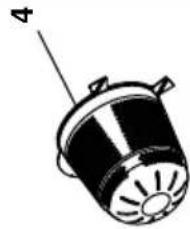
natural_image
Diagram of a cylindrical device with a flanged top and labeled component '4' (no text or symbols on the device itself)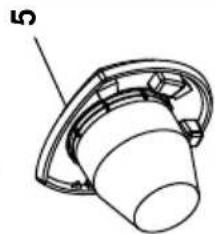
natural_image
Technical line drawing of a mechanical component with a flanged base and bolted end (no text or symbols)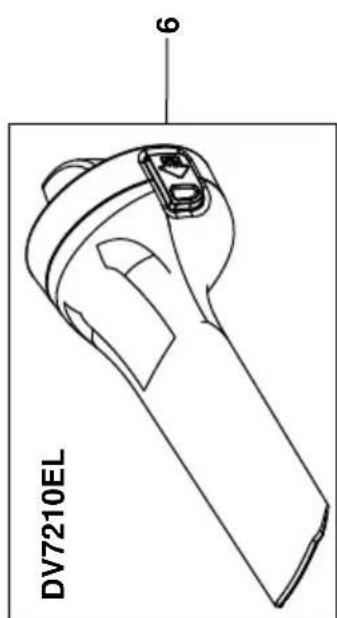
text_image
DV7210EL 6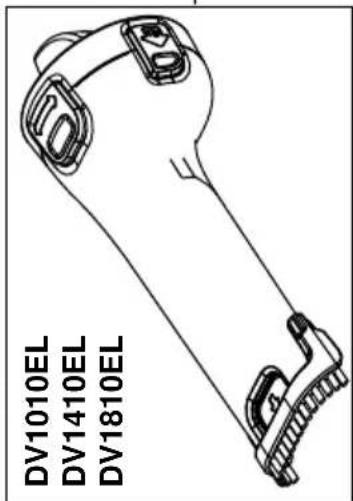
text_image
DV1010EL DV1410EL DV1810EL
ENGLISH
Do not forget to register your product!
www.blackanddecker.co.uk/productregistration Register your product online at www.blackanddecker.co.uk/productregistration or send your name, surname and product code to Black & Decker in your country