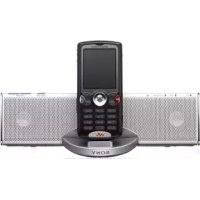
CPFMP001 - Hi-Fi System SONY - Free user manual and instructions
Find the device manual for free CPFMP001 SONY in PDF.



| Product type | Compact Hi-Fi system |
| Brand | Sony |
| Model | CPFMP001 |
| Dimensions (main unit) | 206 × 53 × 88 mm (W/H/D) |
| Weight (main unit) | 0.45 kg |
| Dimensions (AC adapter with subwoofer) | 218 × 74 × 131 mm |
| Weight (AC adapter with subwoofer) | 1.3 kg |
| Output power (main unit) | 5 W + 5 W (1 kHz, 10% THD) |
| Output power (subwoofer) | 15 W (100 Hz, 10% THD) |
| Speakers (main) | 2 × 28 mm diameter |
| Speaker (subwoofer) | 70 mm diameter |
| Power supply | AC input: 110-240 V, 0.7 A, 50/60 Hz; DC output: 12 V, 1.0 A |
| Operating temperature | 10 °C to 35 °C |
| Inputs | Phone jack (Fast Port connector), LINE IN jack (stereo mini-jack) |
| Functions | Bass and treble adjustment (BASS/TREBLE ±3 levels), Surround effect, EQ reset |
| Compatibility | Sony Ericsson mobile phones with Fast Port connector |
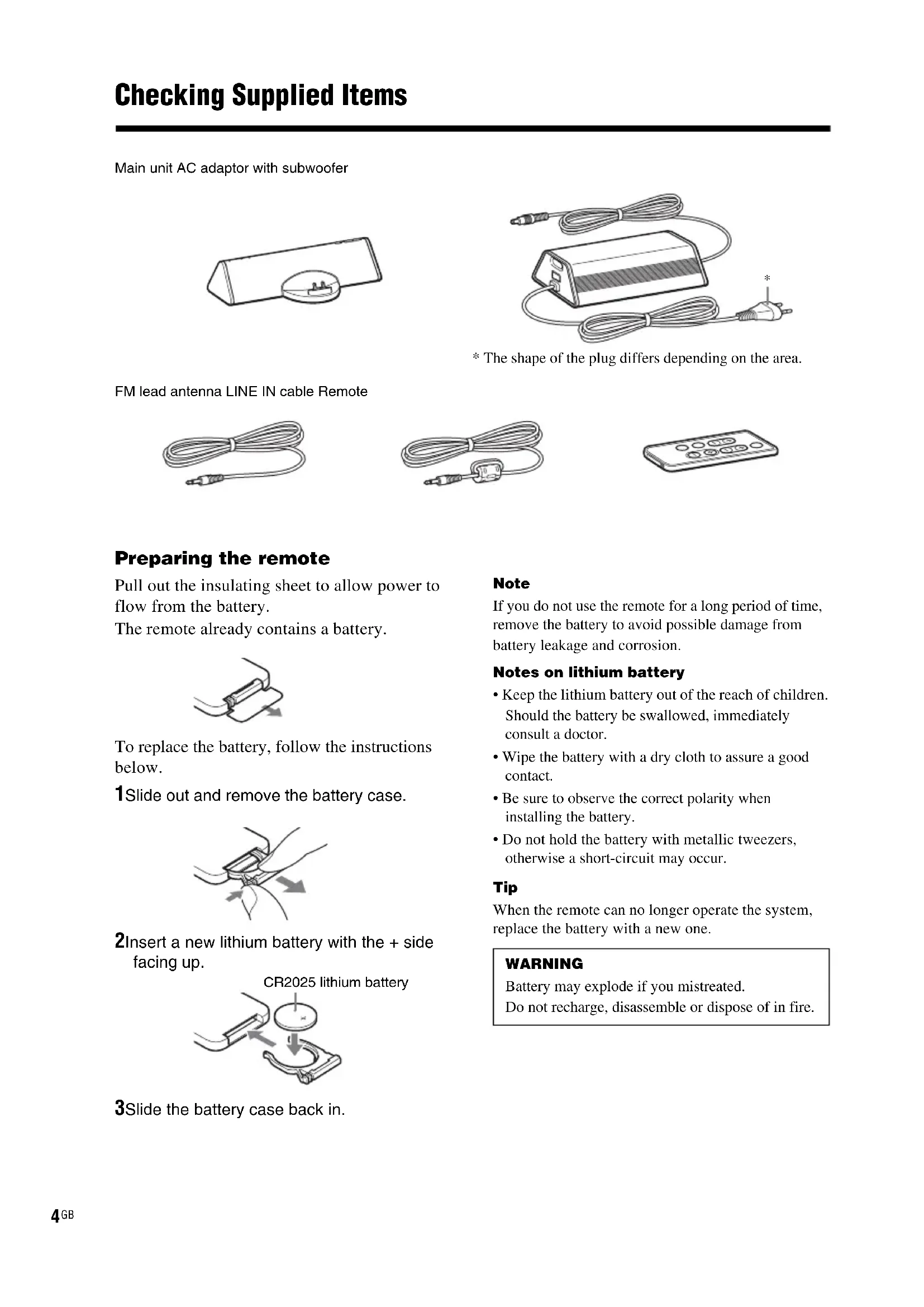
| Supplied accessories | AC adapter with subwoofer, FM wire antenna, LINE IN cable, Remote control |
| Safety | Do not expose to moisture, do not block ventilation openings, use only the supplied adapter |
| Maintenance | Clean with a soft cloth slightly moistened with water or mild detergent; do not use solvents |
| Remote control battery | CR2025 lithium battery |
| Manual | 100 pages, available in French and several languages (download from notice-facile.com) |
Frequently Asked Questions - CPFMP001 SONY
User questions about CPFMP001 SONY
0 question about this device. Answer the ones you know or ask your own.
Ask a new question about this device
Download the instructions for your Hi-Fi System in PDF format for free! Find your manual CPFMP001 - SONY and take your electronic device back in hand. On this page are published all the documents necessary for the use of your device. CPFMP001 by SONY.
USER MANUAL CPFMP001 SONY
Operating Instructions
Mode d'emploi
To reduce the risk of fire or electric shock, do not expose this apparatus to rain or moisture.
To prevent fire or shock hazard, do not place objects filled with liquids, such as vases, on the apparatus.
To prevent fire, do not cover the ventilation of the apparatus with newspapers, table-cloths, curtains, etc. And don't place lighted candles on the apparatus.
The nameplate is located on the bottom exterior.
CAUTION
Danger of explosion if battery is incorrectly replaced. Replace only with the same or equivalent type recommended by the manufacturer. Discard used batteries according to the manufacturer's instructions.
Don't throw away the battery with general house waste, dispose of it correctly as chemical waste.
Notice for the customers in the United Kingdom
A moulded plug complying with BS1363 is fitted to this equipment for your safety and convenience.
Should the fuse in the plug supplied need to be replaced, a fuse of the same rating as the supplied one and approved by ASTA or BSI to BS1362, (i.e., marked with or mark) must be used.
If the plug supplied with this equipment has a detachable fuse cover, be sure to attach the fuse cover after you change the fuse. Never use the plug without the fuse cover.
If you should lose the fuse cover, please contact your nearest Sony service station.
Disposal of Old Electrical & Electronic Equipment (Applicable in the European Union and other European countries with separate collection systems)
This symbol on the product or on its packaging indicates that this product shall not be treated as household waste. Instead it shall be handed over to the applicable collection point for the recycling of electrical and electronic equipment. By ensuring this product is disposed of correctly, you will help prevent potential negative consequences for the environment and human health, which could otherwise be caused by inappropriate waste handling of this product. The recycling of materials will help to conserve natural resources. For more detailed information about recycling of this product, please contact your local Civic Office, your household waste disposal service or the shop where you purchased the product.
Regulatory Information
Sony hereby declares that this product is in compliance with the essential requirements and other relevant provisions of European Directive 1999/5/EC. To obtain a copy of the declaration of conformity (DoC) with the R&TTE Directive, please access the following URL: http://www.compliance.sony.de/ This product complies with EN 301489, for use in following areas: residential, commercial and light industrial.
GB
Table of Contents
Checking Supplied Items 4
Installation 5
Listening to Music ....6
FAQ 8
Troubleshooting 8
Precautions 9
Specifications 9
Main unit AC adaptor with subwoofer
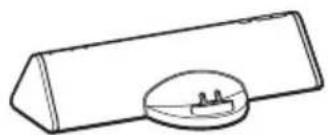
natural_image
Simple line drawing of a rectangular object with a circular base and small internal components (no text or symbols)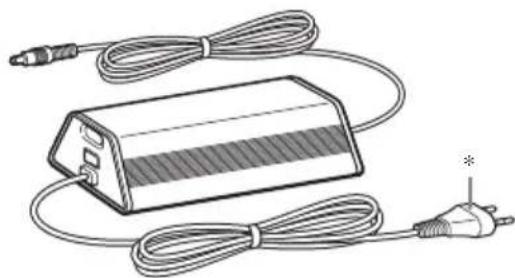
natural_image
Illustration of a battery pack connected to two cables and a power plug (no text or symbols)* The shape of the plug differs depending on the area.
FM lead antenna LINE IN cable Remote
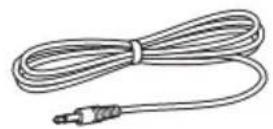
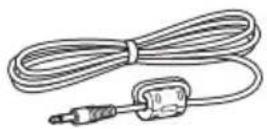
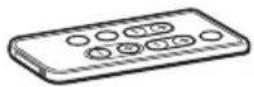
Preparing the remote
Pull out the insulating sheet to allow power to flow from the battery.
The remote already contains a battery.
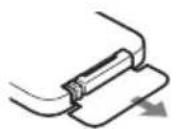
To replace the battery, follow the instructions below.
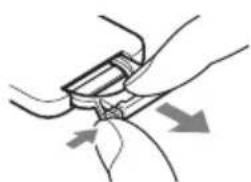
1Slide out and remove the battery case.
natural_image
Illustration of hands adjusting a belt buckle with arrows indicating motion (no text or symbols)2 Insert a new lithium battery with the + side facing up.
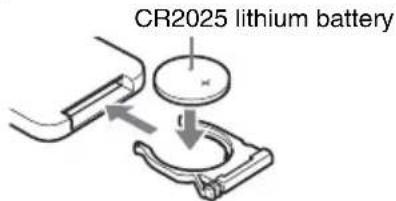
3Slide the battery case back in.
Note
If you do not use the remote for a long period of time, remove the battery to avoid possible damage from battery leakage and corrosion.
Notes on lithium battery
- Keep the lithium battery out of the reach of children. Should the battery be swallowed, immediately consult a doctor.
- Wipe the battery with a dry cloth to assure a good contact.
- Be sure to observe the correct polarity when installing the battery.
- Do not hold the battery with metallic tweezers, otherwise a short-circuit may occur.
Tip
When the remote can no longer operate the system, replace the battery with a new one.
WARNING
Battery may explode if you mistreated.
Do not recharge, disassemble or dispose of in fire.
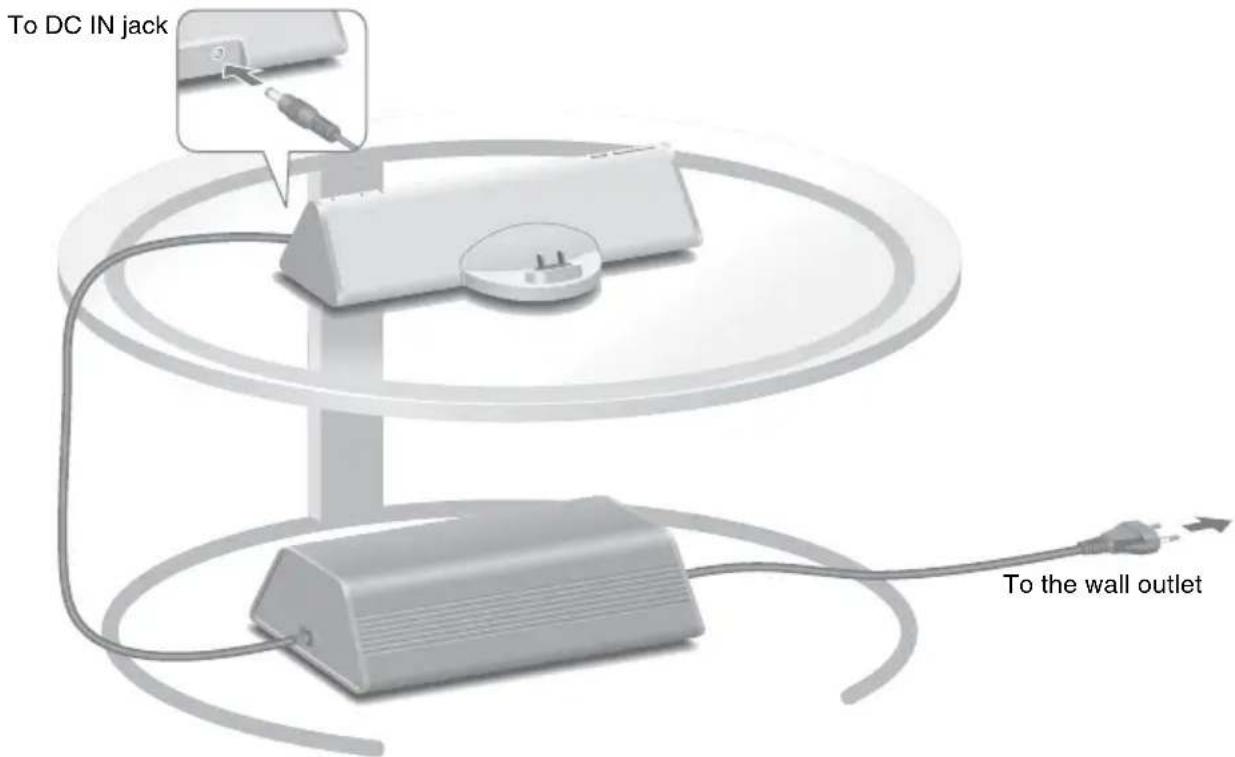
The illustration below is an example of how to position the system. You can place the AC adaptor with subwoofer anywhere on the floor.
Notes
- Do not use the AC adaptor with subwoofer for any other device.
- Do not connect any other AC adaptor to the main unit.
- The system is not designed to be used as a portable device.
You can connect portable audio players to the system. Connect the player to the LINE IN jack using the supplied LINE IN cable.
To listen to an FM radio built into a cell phone, connect the supplied FM lead antenna to the FM ANT jack.
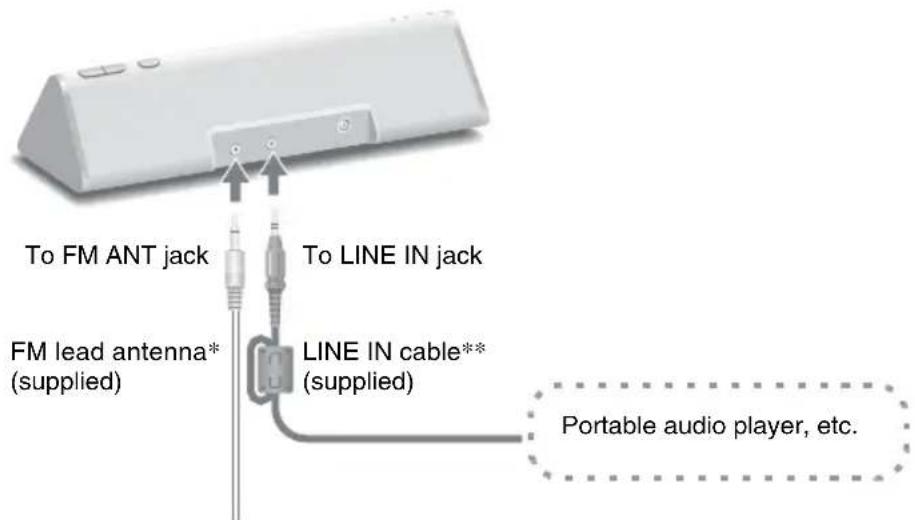
* Extend the FM lead antenna horizontally.
** Connect the end with the ferrite core to the LINE IN jack.
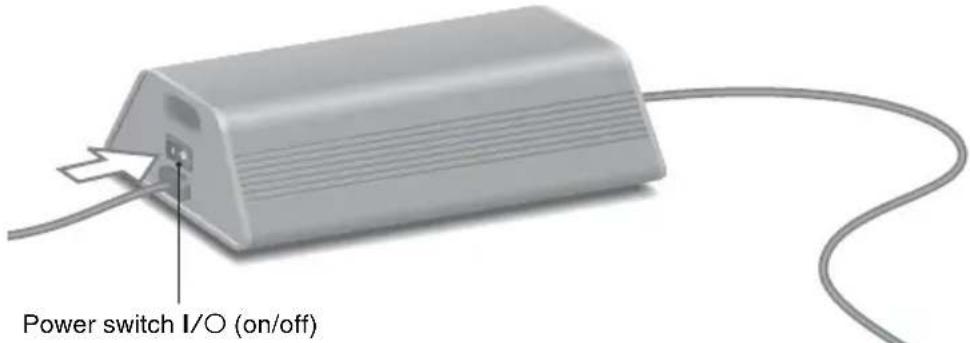
1 Turn on the AC adaptor with subwoofer.
The power is also supplied to the main unit.
2 Press FUNCTION to switch the function from LINE to the phone.
The LINE indicator turns off.
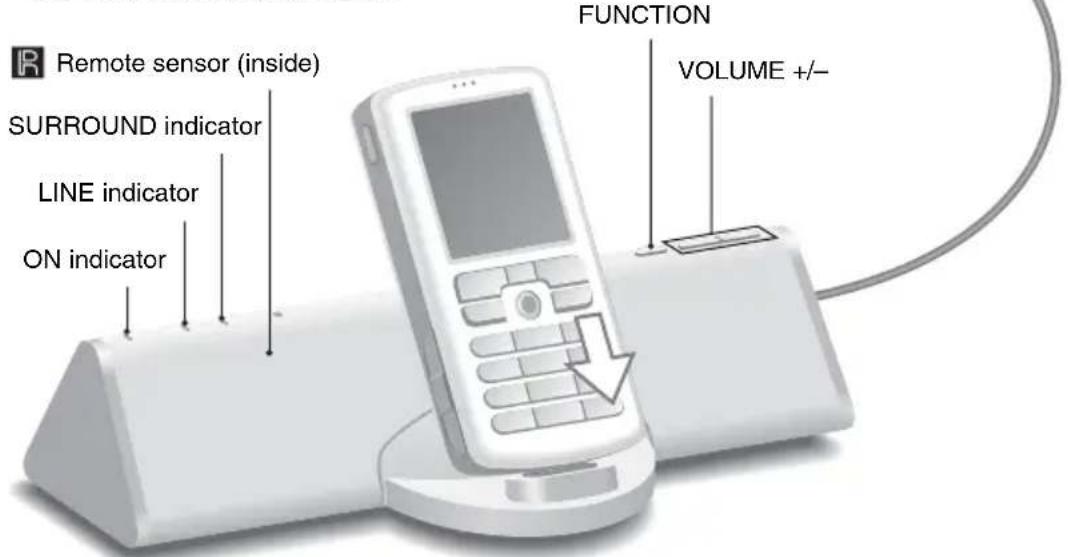
3 Select songs and start play on your cell phone, and put the cell phone in the main unit's connector.
The system charges the cell phone's battery at the same time.
Use your cell phone to play, stop and perform other operations.
When operating the cell phone while it is in the connector, brace the phone with your other hand.
To use the system as a battery charger
Put the cell phone in the main unit's connector. Battery charging starts automatically.
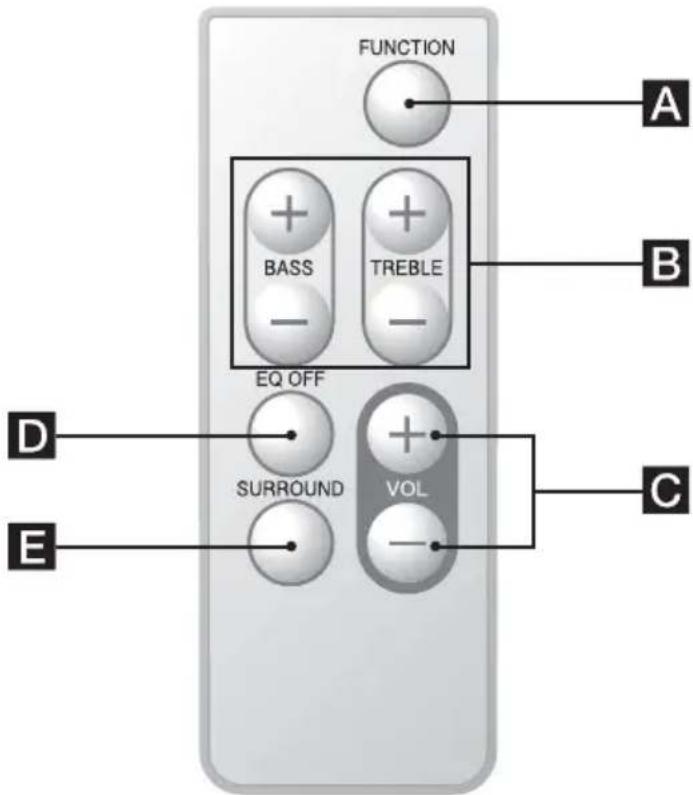
The default settings are underlined.
A FUNCTION: Switches the input source.
$$ \underline {{\text { Phone }}} \leftrightarrow \text { LINE } $$
BBASS +/-: Adjusts the bass. (±3 steps)
TREBLE +/-: Adjusts the treble. (±3 steps)
CVOL +/-: Adjusts the volume. (10 levels)
DEQ OFF: Resets the bass and treble.
ESURROUND: Turns the surround sound effect on and off.
$$ \underline {{\mathrm{Off}}} \longleftrightarrow \mathrm{On} $$
Note
If your cell phone is equipped with an equalizer or other sound control functions, turn them off before using the cell phone with the system.
To listen to music on a portable audio player
Switch the function to LINE in step 2, and then start play on your portable audio player. The LINE indicator lights up.
FAQ
Below are some frequently asked questions about the system.
Can I use the buttons on the main unit or the remote to operate the cell phone?
You cannot operate the cell phone using this system.
Do I need to operate the cell phone to listen to music?
You have to browse for the music and start play on the cell phone. For details about the operation of your cell phone, refer to the user's guide.
If the cell phone receives a call while I am listening to music with this system, will the ring tone also be output from the speaker?
This system does not output the sound of the phone ring or the caller's voice.
When the cell phone is in silent mode, will music be output from the speaker?
It depends on the type of cell phone. Refer to the user's guide of your cell phone.
What type of cell phone can I use with this system?
You can listen to music on any Sony Ericsson cell phone that has a Fast port connector.
Troubleshooting
Should you encounter a problem with your system, find your problem in the troubleshooting checklist below and take the indicated corrective action. If the problem persists, contact your Sony dealer.
Note that if service personnel changes some parts during repair, these parts may be retained. When bringing the system in for repairs, be sure to bring in the entire system.
This product is a system product, and the entire system is needed to determine the location requiring repair.
The ON indicator flashes.
- The system is in protect mode. Turn the AC adaptor with subwoofer off and on.
There is no sound.
- Make sure the AC adaptor with subwoofer is on.
- Check the connections.
- Press VOL +. If the volume is still low even after the system's volume is turned up to the maximum level, adjust the volume of the connected cell phone or player.
- Make sure the cell phone is securely connected.
- Make sure the cell phone is playing music.
The remote does not function.
- Remove any obstacles.
- Point the remote at the main unit's sensor.
- Replace the battery.
- Locate the system away from fluorescent lights.
There is a severe hum or noise.
- Move the system away from the source of noise.
- Connect the system to a different mains.
- If you are listening to FM stations, connect the supplied FM lead antenna. (page 5)
The sound is distorted.
- Reduce the volume.
- Do not connect equipment other than portable audio players.
Precautions
On safety
- AC power cord must be changed only at the qualified service shop.
- Use only the supplied AC power adaptor. Do not use any other AC power adaptor.
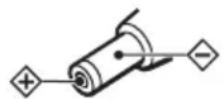
Polarity of the plug
On placement
- Do not place the system in an inclined position.
- Do not place the system in locations that are hot and subject to direct sunlight, dusty, very humid, or extremely cold.
- Use caution when placing the unit or AC adaptor with subwoofer on a specially treated (waxed, oiled, polished, etc.) floor, as staining or discoloration may result.
On cleaning
Clean the cabinets with a soft cloth lightly moistened with a mild detergent solution or water. Do not use any type of abrasive pad, scouring powder or solvent such as alcohol or benzene. Clean the Fast port connector with a cotton bud or soft cloth on a regular basis.
Specifications
Main unit
Continuous RMS power output (reference):
$$ 5 \mathrm{W} + 5 \mathrm{W} $$
$$ (1 \mathrm{kHz}, 10 \% \mathrm{THD}) $$
Inputs
Phone (input terminal): Accepts cell phones with Sony Ericsson Fast port connector
LINE: input mini jack (stereo)
Speaker units: 28 mm dia.
Dimensions (w/h/d): Approx. 206 × 53 × 88 mm
Mass: Approx. 0.45 kg
Operating temperature: 10°C to 35°C
Power requirements: DC IN: 12 V, 1.0 A
AC adaptor with subwoofer
Continuous RMS power output (reference): 15 W (100 Hz, 10% THD)
Speaker units: 70 mm dia.
Dimensions (w/h/d): Approx. 218 × 74 × 131 mm, incl. projecting parts
Mass: Approx. 1.3 kg
Operating temperature: 10°C to 35°C
Power requirements: AC IN:110 V – 240 V,
$$ 0. 7 \mathrm{A}, 5 0 / 6 0 \mathrm{Hz} $$
$$ \mathrm{DCOUT:12V,1.0A} $$
Supplied accessories
See page 4.
Design and specifications are subject to change without notice.
AVERTISSEMENT
natural_image
Simple line drawing of a rectangular object with a circular base containing three small protrusions (no text or symbols)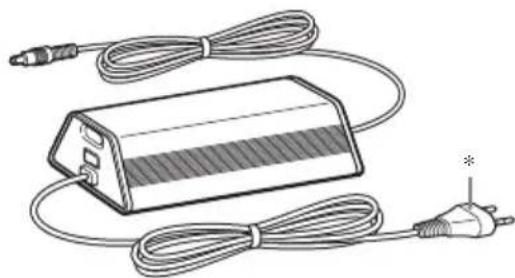
natural_image
Illustration of a battery pack connected to two cables and a power plug (no text or symbols)natural_image
Illustration of hands adjusting a belt buckle with directional arrows indicating movement (no text or symbols)natural_image
Diagram showing a mechanical assembly with a circular component and directional arrows, no text or symbols present.natural_image
Simple line drawing of a rectangular object with a circular base containing three small protrusions (no text or symbols)
natural_image
Illustration of a battery pack connected to two cables and a power plug (no text or symbols)natural_image
Diagram of hands fastening a cable buckle (no text or symbols)Entrada CC: 12 V, 1,0 A
Salida CC: 12 V, 1,0 A
natural_image
Simple line drawing of a rectangular object with a circular base containing three small protrusions (no text or symbols)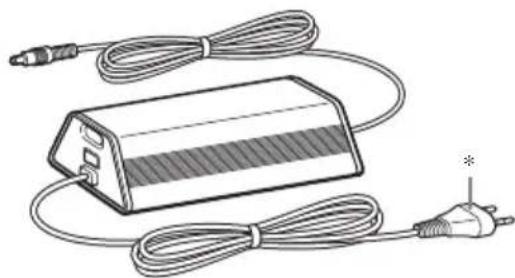
natural_image
Illustration of a battery pack connected to two cables and a power plug (no text or symbols)natural_image
Illustration of hands adjusting a belt buckle with directional arrows indicating movement (no text or symbols)natural_image
Diagram showing a mechanical or electrical component with arrows indicating direction, no text or symbols present.natural_image
Simple line drawing of a rectangular object with a circular base containing three small protrusions (no text or symbols)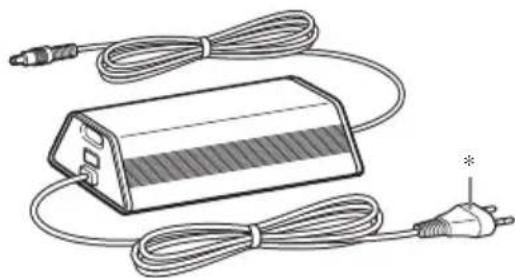
natural_image
Illustration of a battery pack connected to two cables and a power plug, with no visible text or symbols.natural_image
Illustration of hands adjusting a mechanical component with directional arrows (no text or symbols)natural_image
Diagram showing a mechanical assembly with a central circular component and directional arrows indicating motion (no text or symbols)3Schuif de batterijhouder er weer in.
Opmerking
natural_image
Simple line drawing of a rectangular object with a circular base containing three small protrusions (no text or symbols)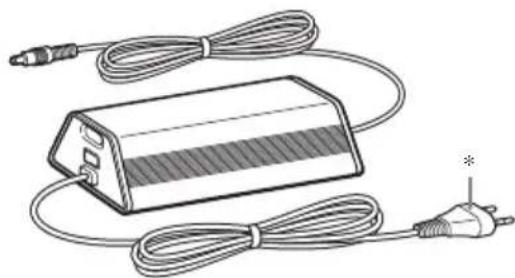
natural_image
Illustration of a battery pack connected to two cables and a power plug (no text or symbols)natural_image
Illustration of hands adjusting a belt buckle with directional arrows indicating movement (no text or symbols)natural_image
Diagram of a mechanical clamp or bracket with a central circular component and directional arrows indicating motion (no text or symbols)natural_image
Simple line drawing of a rectangular object with a circular base containing three small protrusions (no text or symbols)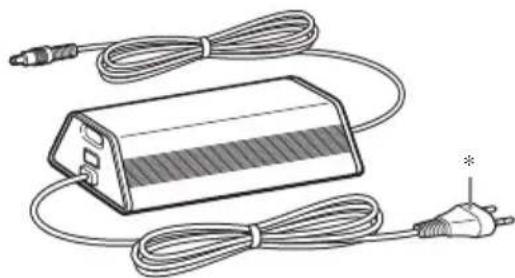
natural_image
Illustration of a battery pack connected to two cables and a power plug (no text or symbols)natural_image
Illustration of hands fastening a cable or connector (no text or symbols)natural_image
Diagram showing a mechanical assembly with a central circular component and directional arrows indicating motion (no text or symbols)15 W (100 Hz, 10% THD)
Högtalare: 70 mm diam.
Yttermått (b/h/d): Ca. 218 × 74 × 131 mm,
inklusive utstickande delar
Vikt: Ca. 1,3 kg
Likström ut: 12 V, 1,0 A
natural_image
Simple line drawing of a rectangular object with a circular base containing small symbols (no text or labels)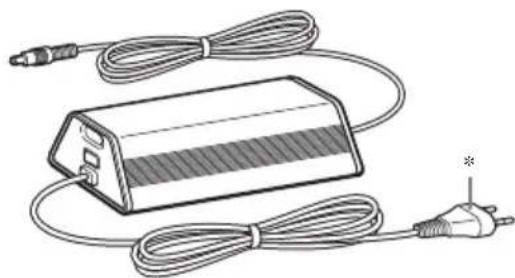
natural_image
Illustration of a battery pack connected to two cables and a plug, with no visible text or symbols.natural_image
Illustration of hands adjusting a belt buckle with directional arrows indicating movement (no text or symbols)natural_image
Diagram showing a mechanical or electrical component with arrows indicating direction, no text or symbols present.natural_image
Simple line drawing of a rectangular object with a circular base containing three small protrusions (no text or symbols)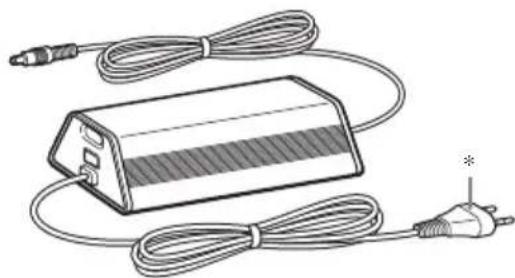
natural_image
Illustration of a battery pack connected to two cables and a power plug (no text or symbols)natural_image
Diagram of hands adjusting a belt buckle with directional arrows indicating movement (no text or symbols)Strømforsyning: DC IN: 12 V, 1,0 A
natural_image
Simple line drawing of a rectangular object with a circular base containing three small protrusions (no text or symbols)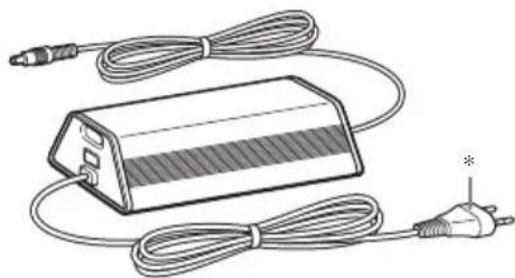
natural_image
Illustration of a battery pack connected to two cables with a power plug, no text or symbols presentnatural_image
Illustration of hands fastening a seatbelt with arrows indicating motion (no text or symbols)Mitat (l/k/s): Noin 218 × 74 × 131 mm,
$$ \begin{array}{l} \text {ulkonevat osat mukaan } \ \text { lukien} \end{array} $$
Paino: Noin 1,3 kg
natural_image
Simple line drawing of a rectangular object with a circular base containing three small protrusions (no text or symbols)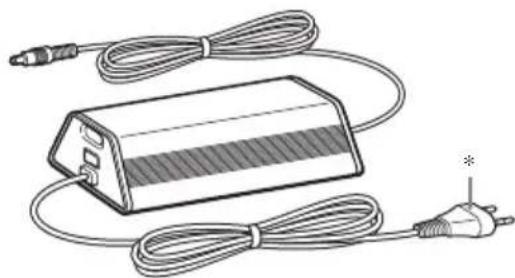
natural_image
Illustration of a battery pack connected to two cables and a power plug (no text or symbols)natural_image
Illustration of hands holding a belt buckle with directional arrows indicating movement (no text or symbols)natural_image
Diagram showing a mechanical or electrical component with arrows indicating motion or force direction (no text or symbols)natural_image
Simple line drawing of a rectangular object with a circular base containing three small protrusions (no text or symbols)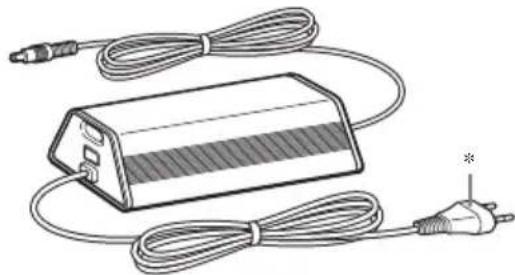
natural_image
Illustration of a rectangular electronic device with coiled cables and an external power plug (no text or symbols)natural_image
Illustration of hands adjusting a belt buckle with directional arrows indicating movement (no text or symbols)natural_image
Diagram showing a mechanical assembly with a central circular component and directional arrows indicating motion (no text or symbols)

- CAUTION
- Disposal of Old Electrical & Electronic Equipment (Applicable in the European Union and other European countries with separate collection systems)
- Regulatory Information
- Table of Contents
- Preparing the remote
- Note
- Notes on lithium battery
- Tip
- WARNING
- Notes
- Turn on the AC adaptor with subwoofer.
- Press FUNCTION to switch the function from LINE to the phone.
- Select songs and start play on your cell phone, and put the cell phone in the main unit's connector.
- To use the system as a battery charger
- To listen to music on a portable audio player
- FAQ
- Can I use the buttons on the main unit or the remote to operate the cell phone?
- Do I need to operate the cell phone to listen to music?
- If the cell phone receives a call while I am listening to music with this system, will the ring tone also be output from the speaker?
- When the cell phone is in silent mode, will music be output from the speaker?
- What type of cell phone can I use with this system?
- Troubleshooting
- The ON indicator flashes.
- There is no sound.
- The remote does not function.
- There is a severe hum or noise.
- The sound is distorted.
- Precautions
- On safety
- On placement
- On cleaning
- Specifications
- Main unit
- AC adaptor with subwoofer
- Supplied accessories
- AVERTISSEMENT
- Opmerking
Brand : SONY
Model : CPFMP001
Category : Hi-Fi System