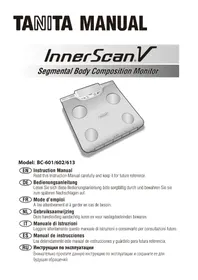
InnerScan V BC602 - Scale TANITA - Free user manual and instructions
Find the device manual for free InnerScan V BC602 TANITA in PDF.



User questions about InnerScan V BC602 TANITA
0 question about this device. Answer the ones you know or ask your own.
Ask a new question about this device
Download the instructions for your Scale in PDF format for free! Find your manual InnerScan V BC602 - TANITA and take your electronic device back in hand. On this page are published all the documents necessary for the use of your device. InnerScan V BC602 by TANITA.
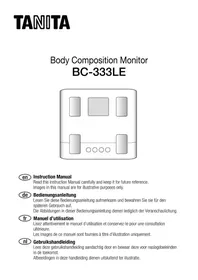
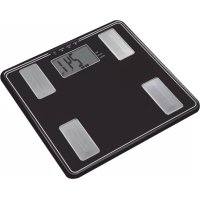
USER MANUAL InnerScan V BC602 TANITA
Read this Instruction Manual carefully and keep it for future reference.

Bedienungsanleitung
EN Table of Contents
Introduction 1
For your safety. 1
Features and functions. 3
Preparations before use. 4
Getting accurate readings 4
Automatic shut-down function. 4
Setting (resetting) date and time. 5
Setting and storing personal data in memory 6
Taking weight and body fat readings.7
How to see the reading of each segment ....9
Using the Visceral Fat Button. 10
Visceral Fat Rating 10
Visceral Fat Trend. 10
Recall Function 11
Programming the guest mode 12
Taking weight measurement only. 12
Switching the weight mode. 12
Troubleshooting 13
Avant utilization. 30
HnHaMaKa n3MeHeHHBnCepaIbHOrO Xupa...82
Функцma NOBTOpHOrO BbI30Ba (recall) 83
IporpammmpoBaHne rocteBoro guest) peKmua...84
U3MepeHHe ToJIbKO BeCa TeHa 84
IpeeknueHne peKmMa B3BWeuBaHn84
PONCK HENCPaBHOCTeI. 85
INTRODUCTION
Thank you for selecting a Tanita Body Composition Monitor. This monitor is one in a wide range of home healthcare products produced by Tanita.
This Instruction Manual will guide you through the setup procedures and outline the button features.
Additional information on healthy living can be found on our website www.tanita.eu.
Tanita products incorporate the latest clinical research and technological innovations.
All data is monitored by our Tanita Medical Advisory Board to ensure accuracy.
Note: Read this Instruction Manual carefully and keep it handy for future reference.

Safety Precautions

Note that people with an electronic medical implant, such as a pacemaker, should not use a Body
Composition Monitor as it passes a low-level electrical signal through the body, which may interfere with its operation.
Pregnant women should use the weight function only. All other function are not intended for pregnant women.
Do not place this monitor on slippery surfaces such as a wet floor.
Please do not use scale immediately after bathing or strenuous exercise. Scale platform will be slippery when wet. Please wipe platform with clean, dry cloth to remove any liquids.
Important Notes for Users
This Body composition monitor is intended for adults and children (ages 5-17) standard and athletic body types.
Tanita defines "athlete" as a person involved in intense physical activity of approximately 10 hours per week and who has a resting heart rate of approximately 60 beats per minute or less. Tanita's athlete definition includes "lifetime of fitness" individuals who have been fit for years but currently exercise less than 10 hours per week.
The body fat monitor function is not intended for pregnant women, professional athletes or bodybuilders.
Recorded data may be lost if the unit is used incorrectly or is exposed to electrical power surges. Tanita takes no responsibility for any kind of loss caused by the loss of recorded data.
Tanita takes no responsibility for any kind of damage or loss caused by these units, or any kind of claim made by a third person.
Note: Body fat percentage estimates will vary with the amount of water in the body, and can be affected by dehydration or overhydration due to such factors as alcohol consumption, menstruation, illness, intense exercise, etc.
FOR YOUR SAFETY
This section explains precautionary measures to be taken to avoid injury to the users of this device and others, and to prevent damage to property. Please familiarize yourself with this information to ensure safe operation of this equipment.
| Warning | Failure to follow instructions highlighted with this mark could result in death or severe injury. |
| Caution | Failure to follow instructions highlighted with this mark could result in injury or damage to property. |
| This mark indicates actions that are prohibited. | |
| This mark indicates instructions that must always be followed. |

Warning
| Prohibited | This monitor must not be used by people with pacemakers or other medical implants. This monitor passes a weak electrical current through the body which could interfere with and cause the malfunction of electrical medical implants, resulting in serious harm to the user. |
| Interpretation of measurements (e.g. evaluation of measurements and formulation of exercise programmes based on the measurements) must be performed by a professional. Implementing weight loss measures and exercise programmes based on self-analysis could be harmful to your health. Always follow the advice of a qualified professional. | |
| Do not step on the edge of the platform. Do not jump onto, or on the monitor. Doing so may cause you to fall or slip, resulting in serious injury. | |
| Do not place this monitor on a slippery surface such as a wet floor. Doing so may cause you to fall or slip, resulting in serious injury. It may also cause water to get inside the monitor resulting in damage to internal components. |

Caution
| Prohibited | Do not stand on the display screen or control panel. |
| Do not insert your fingers into gaps or holes.Doing so may result in injury. | |
| Do not use rechargeable batteries.Do not use old batteries together with new batteries, or a mix of different types of batteries at the same time.Doing so may cause battery fluid to leak or the batteries to become excessively hot and rupture, resulting in damage to the monitor or injury. | |
| Never allow an infant or small child to carry the monitor.The child may drop the monitor, resulting in injurySTORE out of reach of small children.Small children may become caught up in the cables, resulting in injury. | |
| This monitor is intended for home use only.This monitor is not intended for professional use including hospitals, medical or fitness facilities. It is not equipped with the components required for heavy usage. Using the monitor in a professional location will invalidate the warranty. | |
| Do not pull out the cable unless using the monitor for measurement, as doing so may damage the monitor.Do not pull out the cable beyond the red mark.Do not pull the cable too forcefully.If the cable does not automatically return into the monitor unit, untwist the cable, pull it out approximately 20cm and then try returning it again. |
| Always... | Place the monitor on a hard, flat surface where there is minimal vibration to ensure safe and accurate measurement. |
| Avoid excessive impact or vibration to the monitor.Doing so may damage the monitor or cause it to malfunction,or may cause setting to be erased. | |
| Do not use or store this monitor in the following locations.Locations that are exposed to direct sunlight, near to heaters, or exposed directly to air from air conditioning units, etc.Locations where there are severe temperature changes or a large amount of vibration.Locations with high levels of humidity or moistureDoing so may damage the monitor or cause it to malfunction. | |
| Do not step on the monitor when your body is wet (immediately after a shower or bath, etc.)Be sure to thoroughly dry your body and feet before using the monitor. Failure to do so may cause you to slip or fall, resulting in injury. Also, the monitor cannot take accurate measurements if your body or feet are wet. | |
| Keep away from water. | |
| Do not use boiling water, benzene, thinner or alcohol, etc. to clean the monitor.If the monitor becomes dirty, soak a soft cloth in water or neutral household detergent, wring it out thoroughly and wipe the monitor clean, then use a dry cloth to wipe the monitor dry. | |
| Do not attempt to disassemble the monitor. Do not modify this equipment in any way.Do not wash the monitor in water.Do not submerge this monitor in water.Doing so may damage the monitor or cause it to malfunction. | |
| Be sure to insert the batteries with the polarities (+,-) in the correct position.If the batteries are incorrectly inserted, battery fluid may leak and damage the floor. (If you do not intend to use this monitor for a long period of time, it is advisable to remove the batteries before storage.) | |
| Do not use the monitor near other products such as microwave ovens that emit electromagnetic waves.Doing so may cause the monitor to malfunction, preventing accurate measurements. | |
| Another person should assist persons with disabilities who may not be able to take a measurement alone. |
FEATURES AND FUNCTIONS
Measuring Platform
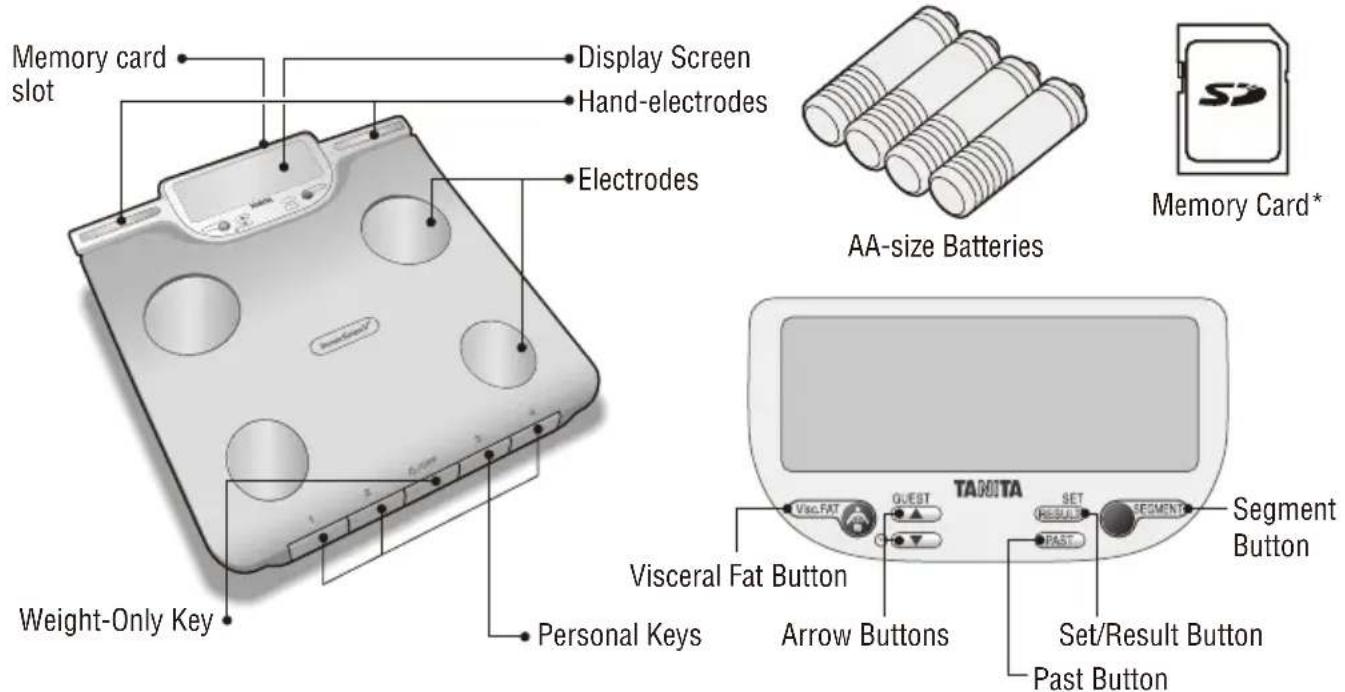
*Note: Use the provided SD memory card. Other SD memory cards are not guaranteed to work with this monitor. SD Logos are trademarks or registered trademarks of SD-3C LLC in the United States, other countries or both.
PREPARATIONS BEFORE USE
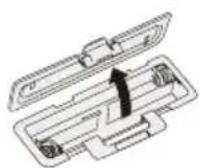
Open as shown.
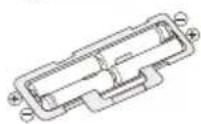
Direction of the batteries.

Inserting the Batteries
Turn the scale over and remove the battery cover by releasing the latch, insert 4 x AA batteries (included) with the correct polarity as indicated.
Note: Be sure that the polarity of the batteries is set properly. If the batteries are incorrectly positioned the fluid may leak and damage floors. If you do not intend to use this unit for a long period of time, it is advisable to remove the batteries before storage.
Please note that the included batteries from the factory may have decreased energy levels over time.
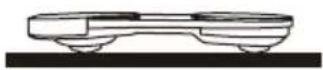

Positioning the Monitor
Place the measuring platform on a hard, flat surface where there is minimal vibration to ensure safe and accurate measurement.
Note: To avoid possible injury, do not step on the edge of the platform.
Handling Tips
This monitor is a precision instrument utilising state-of-the-art technology.
To keep the unit in the best condition, please follow these instructions carefully:
- Do not attempt to disassemble the measuring platform.
- Store the unit horizontally, and place it so that the buttons will not be pressed accidentally.
- Avoid excessive impact or vibration to the unit.
- Place the unit in an area free from direct sunlight, heating equipment, high humidity, or extreme temperature change.
- Never submerge in water. Use alcohol to clean the electrodes and glass cleaner (applied to a cloth first) to keep them shiny; avoid using soaps.
- Do not step on the platform with wet feet.
- Do not drop any objects onto the platform.
GETTING ACCURATE READINGS
To ensure accuracy, readings should be taken without clothing and under consistent conditions of hydration. If you do not undress, always remove your socks or stockings, and be sure the soles of your feet are clean before stepping onto the measuring platform. Be sure your heels are correctly aligned with the electrodes on the measuring platform. Don't worry if your feet appear too large for the unit, accurate readings can still be obtained if your toes overhang the platform. It is best to take readings at the same time of day. Try to wait about three hours after rising, eating, or exercising before taking measurements. While readings taken under other conditions may not have the same absolute values, they are accurate for determining the percentage of change as long as the readings are taken in a consistent manner. To monitor progress, compare weight and body fat percentage taken under the same conditions over a period of time.
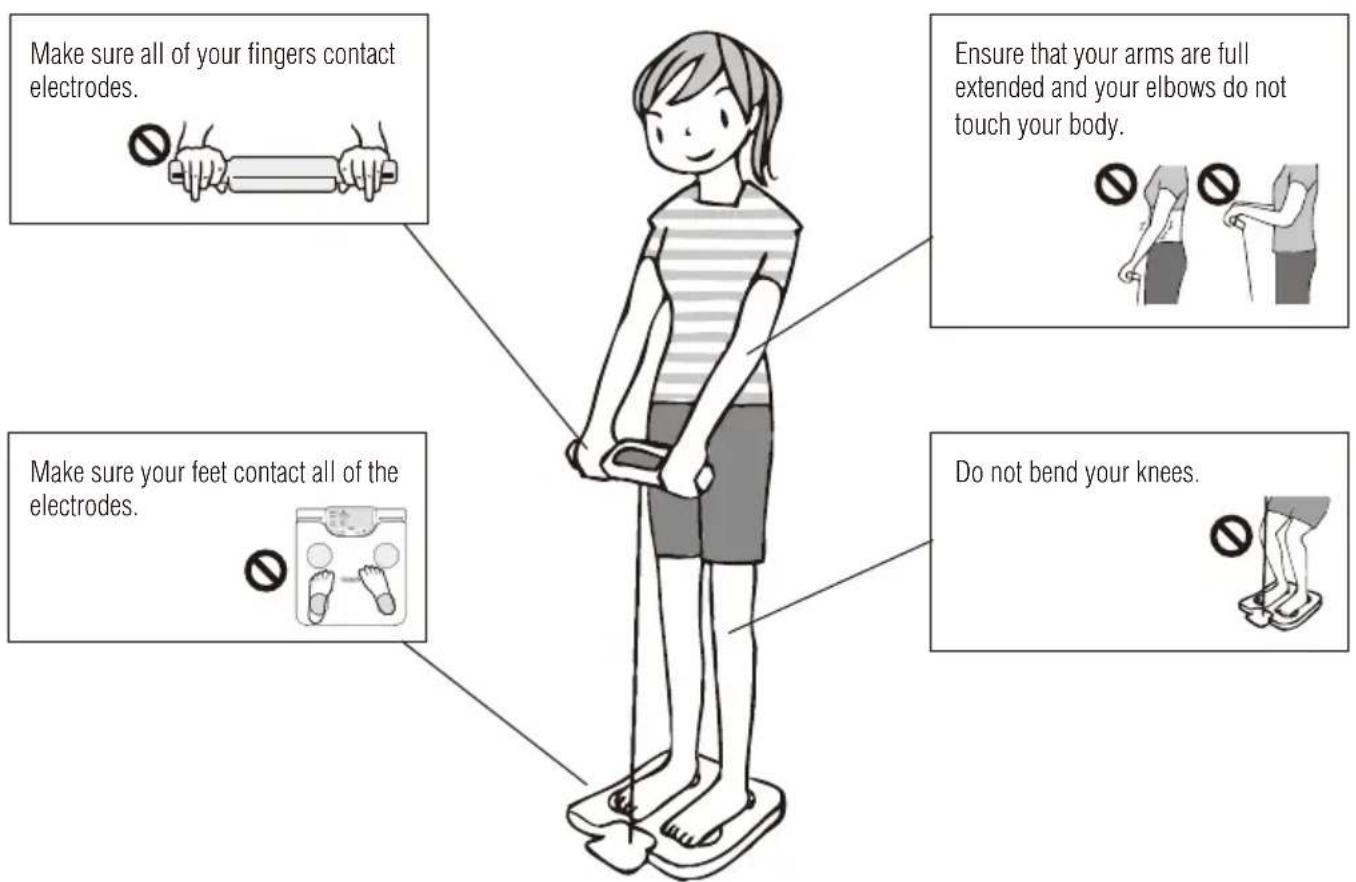
Note: An accurate reading will not be possible if the soles of your feet are not clean, or if your knees are bent or you are in a sitting position.
AUTOMATIC SHUT-DOWN FUNCTION
The automatic shut-down function shuts off the power automatically in the following cases:
- If you interrupt the measurement process. The power will shut down automatically within 20 to 70 seconds, depending upon the type of operation.
- If an extreme weight is applied to the platform.
- During programming, if you do not touch any of the buttons within 60 seconds.
After you have completed the measuring process.
Note: If the power shuts off automatically, repeat the steps from "Setting and Storing Personal Data in Memory" (p.4).
SETTING (RESETTING) DATE AND TIME
Press to turn on the unit.
1. Set Year
Specify with and
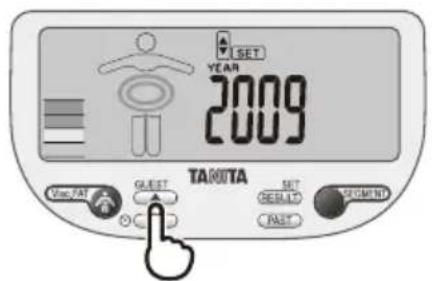
2. Set Month
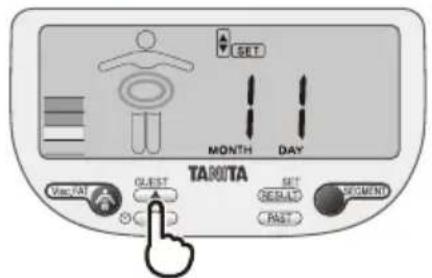
3. Set Day
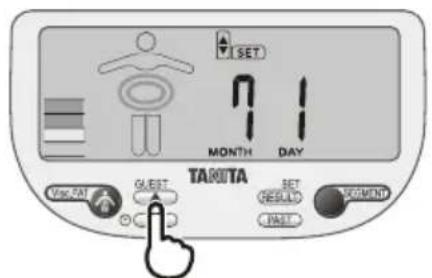
4. Set Hour
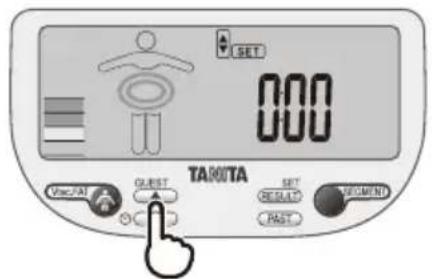
5. Set Minute
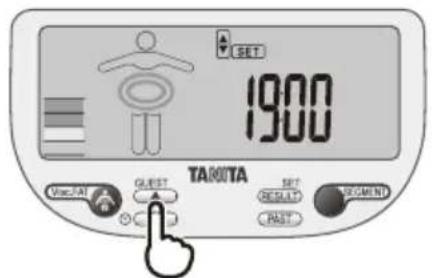
Press SET to confirm.
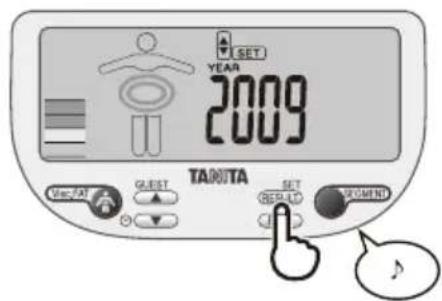
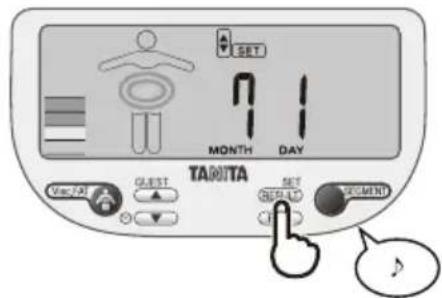
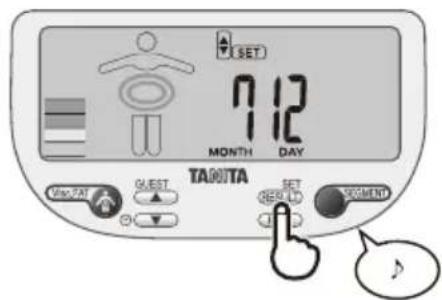
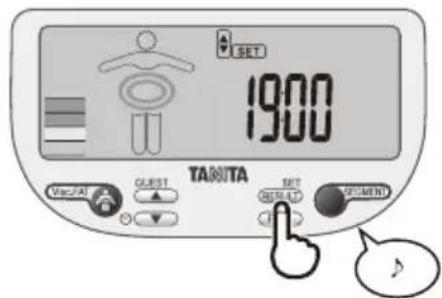
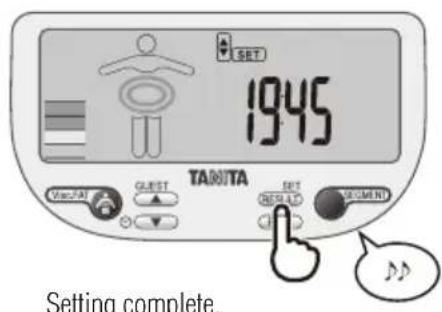
Resetting time
Press and hold for 3 seconds to turn on the unit. Then follow the procedure 1 to 5.
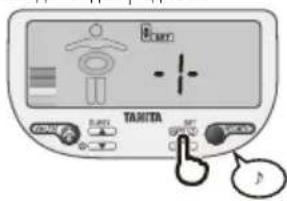
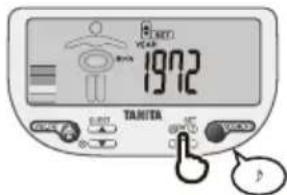
SETTING AND STORING PERSONAL DATA IN MEMORY
You will receive readings only if data has been programmed into one of the personal data memories or the Guest mode.
The monitor can store personal details for up to 4 people.
Press SET to turn on the unit.
1. Select a number
Specify with and
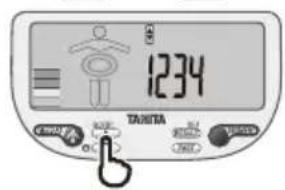

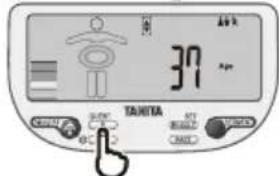
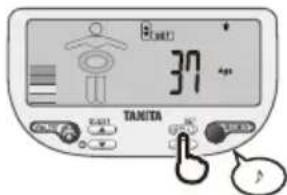
2. Set your Birthday (Year/Month/Day).
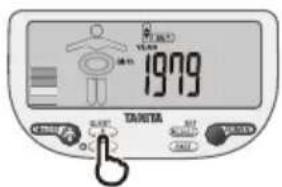

3. Select Female or Male
Female ( ) or Male ( ) Female/Athlete ( ) Male/Athlete ( )
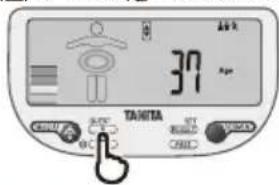

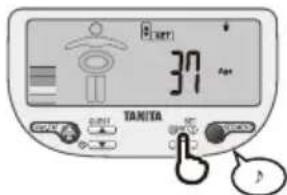
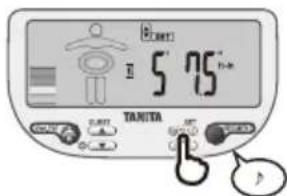
4. Specify the Height
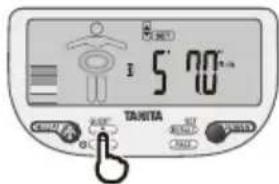

5. Specify the Activity Level


Press SET to confirm.
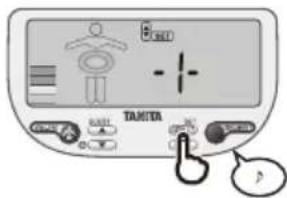
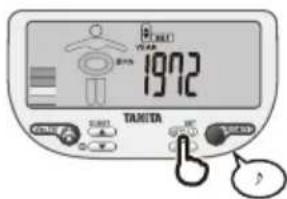
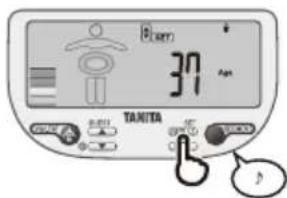
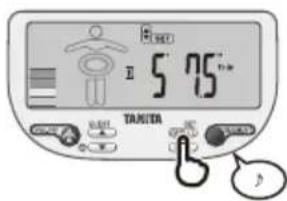
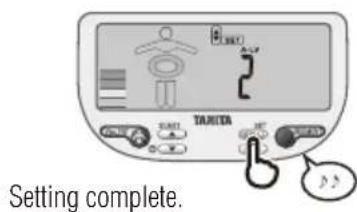
To use the DCI (Daily Calorie Intake) feature properly, you need to set the Activity Level.
Use the button to specify Activity Level. Press the SET to confirm.
Level 1 = Inactive lifestyles (little or no exercise)
Level 2 = Moderately active lifestyles (occasional, low intensity exercise)
Level 3 = Intense physical activity
Note: If you select the Athlete Mode, it will automatically set the Activity Level to Level 3.
The unit will beep twice and your programmed data will be displayed to confirm.
The power will then shut down automatically.
Note: When you change the birthday and/or gender, the unit will show "CLr". If you select "YES" using buttons, the existing personal data and tracking data will be deleted. If you select "no" using no new data will be saved (existing data will be unchanged) then the unit will be shut off.
In order to delete personal data, press SET and choose a number with then press and hold SET. The display will show CLr. Choose YES or no with and press SET to confirm.
TAKING WEIGHT AND BODY FAT READINGS
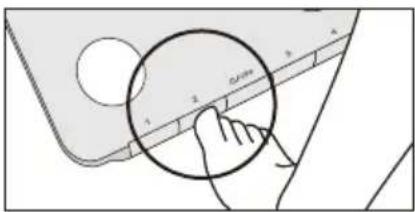
1. Select Personal Data Number
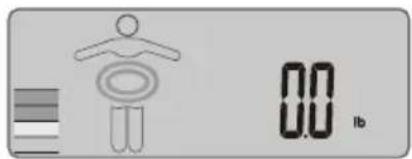
Press your personal key, and the display will show "0.0".
Note: You can change your height setting by pressing SET while "0.0" is shown.
Specify your height with , and press SET to confirm.
2. Step on
When "0.0" is displayed, hold the hand-electrode as shown and step onto the platform.
The unit will beep twice when the measurement is taken. Please stand still until the unit beeps.
Note: If you step onto the platform before "0.0" appears the display will show "Err" and you will not obtain a reading.

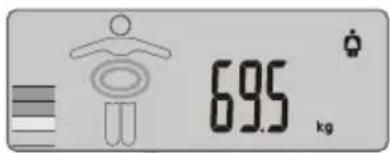
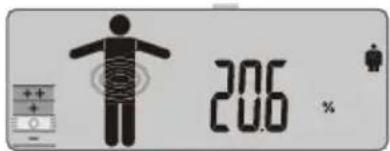
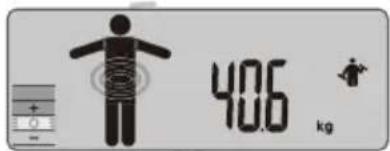
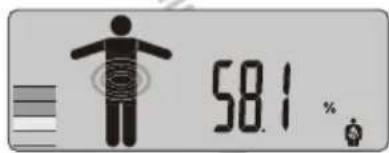
3. Obtain Your Readings
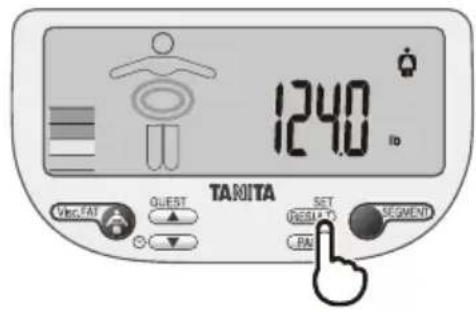
After the measurement, the unit will display all the readings.
Step off the scale and press to see a desired reading.
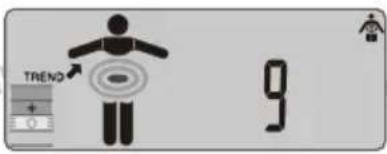
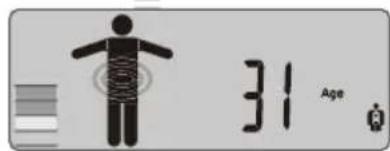
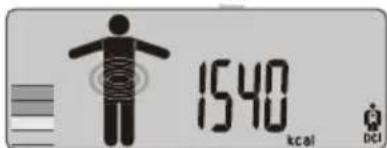
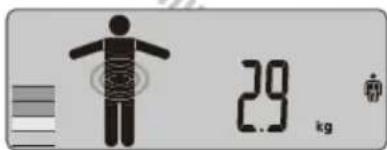
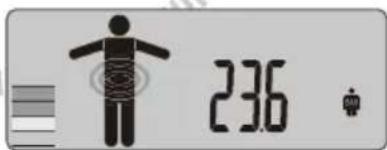
9) Visceral fat level
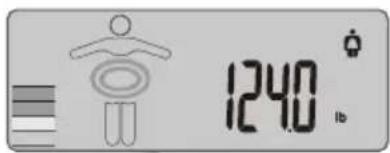
1) Weight 8) Total body water %
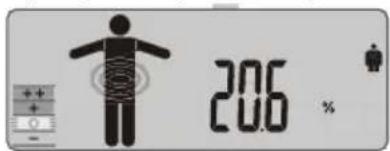
2) Body fat % 7) Metabolic age
Note: For children (age 5-17), the unit will only display the Weight, the Body fat % and the BMI.
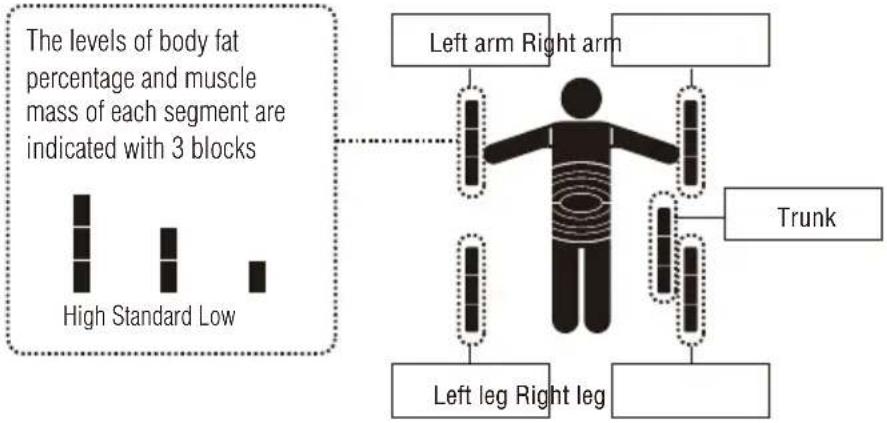
HOW TO SEE THE READING OF EACH SEGMENT
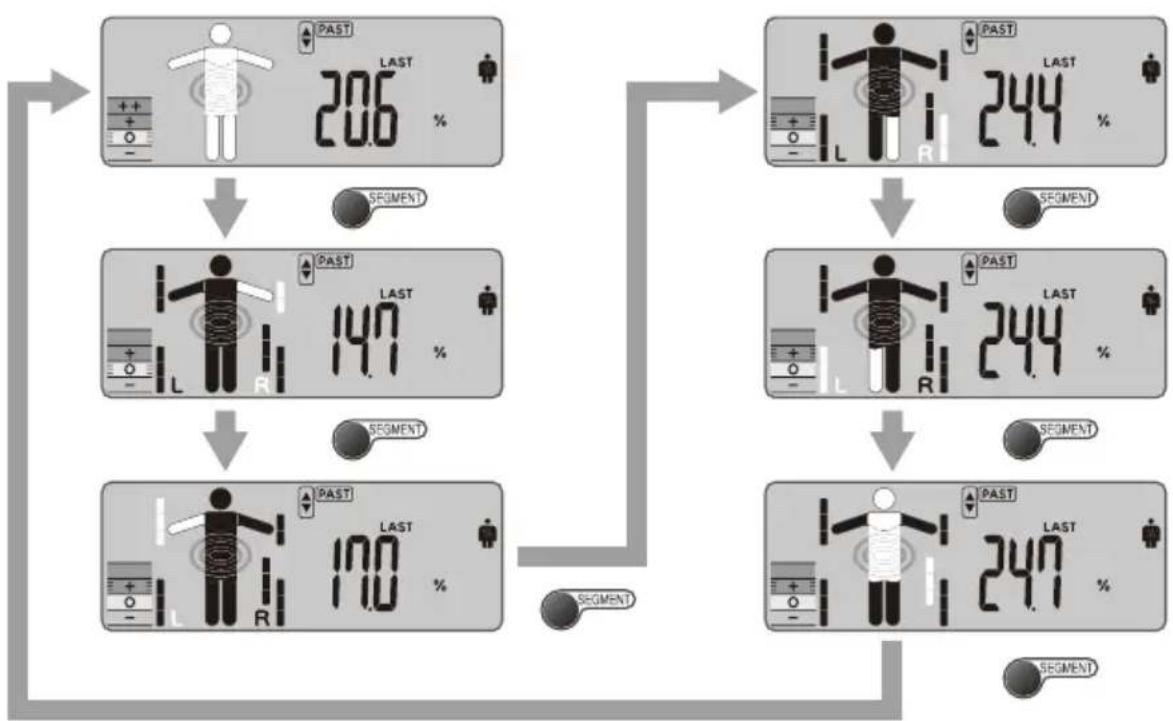
Press see the readings of right arm, left arm, right leg, left leg, and trunk while readings are displayed.
Body fat percentage Muscle Mass
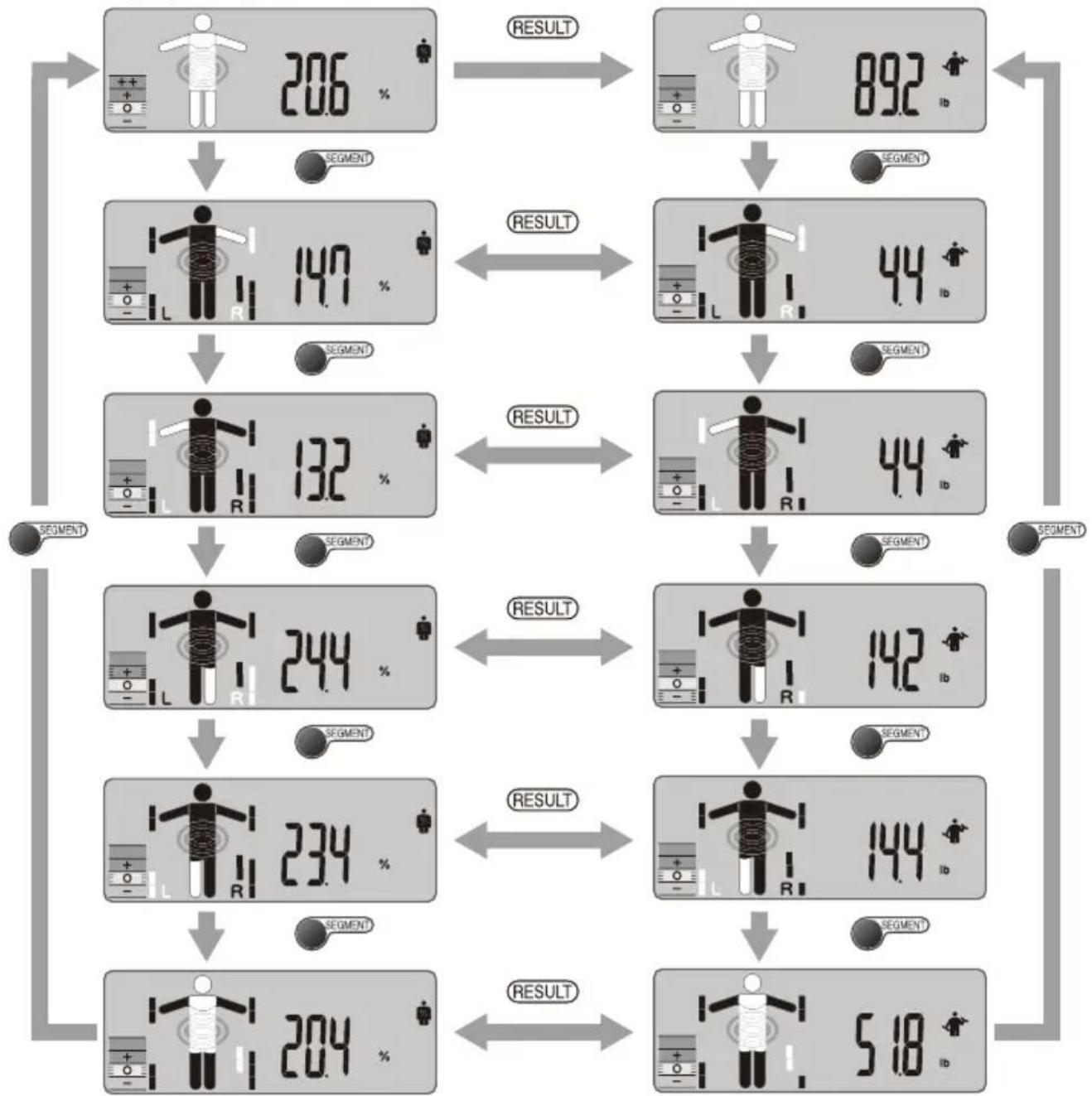
Level Indicator
USING THE VISCERAL FAT BUTTON
Using end to see your visceral fat rating whenever your readings are displayed.
After the measurement, step off the platform and press while your readings are displayed.
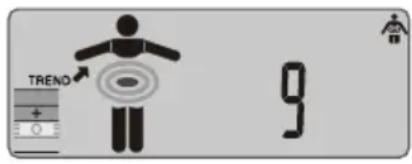
VISCERAL FAT RATING
This feature indicates the rating of visceral fat in your body.
Visceral fat is the fat that is in the internal abdominal cavity, surrounding the vital organs in the trunk (abdominal) area. Research shows that even if your weight and body fat remains constant, as you get older the distribution of fat changes and is more likely to shift to the trunk area especially post menopause. Ensuring you, have healthy levels of visceral fat may reduce the risk of certain diseases such as heart disease, high blood pressure, and the onset of type 2 diabetes.
The Tanita Body Composition Monitor will provide you with a visceral fat rating from 1 - 59.
Rating from 1-12 0
Indicates you have a healthy level of visceral fat. Continue monitoring your rating to ensure that it stays within the healthy range.
Rating from 13-59
Indicates you have an excess level of visceral fat. Consider making changes in your lifestyle possibly through diet changes or increasing exercise.
Source: Data from Columbia University (New York) & Tanita Institute (Tokyo)
Note:
Even if you have a low body fat rate, you may have a high visceral fat level.
- For medical diagnosis, consult a physician.
VISCERAL FAT TREND
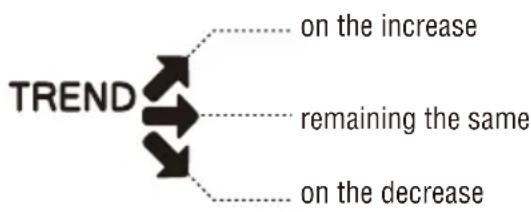
The arrow () indicates if your visceral fat level is on the increase or decrease.
The trend indication is displayed only when you take measurements at least 5 times in 2 weeks. Please be sure to take measurement everyday under same conditions.
RECALL FUNCTION
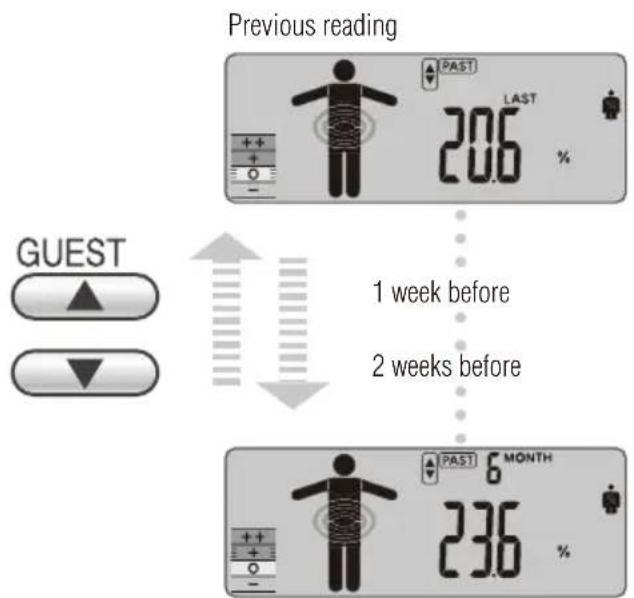
The previous readings of the following features can be obtained using the recall function.
To obtain previous readings, press FAS while the current readings are displayed.
To see other previous readings, press for each desired reading. Press SET again to go back to the current result display.
You can also see your past readings without taking measurement by pressing your personal key and Past.
6 months before
Press to show reading of each segment while previous readings are displayed.
Press to choose Body fat percentage or Muscle Mass to be displayed.
Note: For children (age 5-17), the unit will only display the Weight, the Body fat % and the BMI.
PROGRAMMING THE GUEST MODE
Guest mode allows you to programme the unit for a one-time use without resetting a Personal data number.
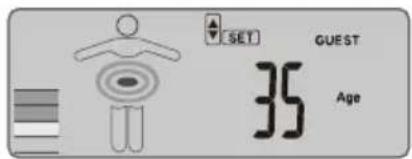
Press OFF or [GUEST] and step on to the platform holding the hand-electrodes. Press GUEST to start measurement.
After the measurement, the unit will beep once, and now step off the plat form. To obtain your readings, input your personal information such as Age, Sex, Height, and Activity Level. Please see page 4 for more details.
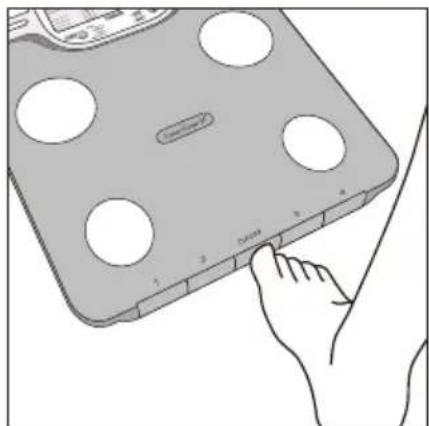
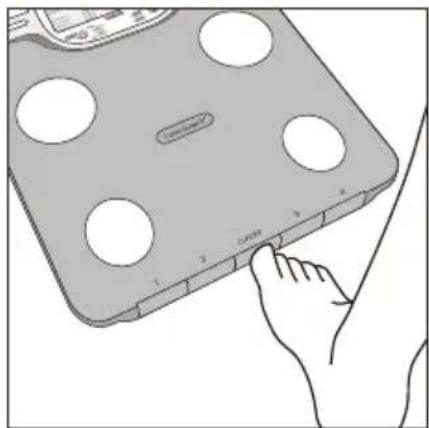
Select Weight-Only Key
Press OFF. After 2 or 3 seconds, "0.0" will appear in the display and the unit will beep. When "0.0" appears in the display, step onto the platform. The body weight value will appear. The power will then shut down automatically.
SWITCHING THE WEIGHT MODE
Note: For use only with models containing the weight mode switch.
You can switch the unit indication by using the switch on the back of the hand-electrodes (kg/lb/st lb).
TROUBLESHOOTING
If the following problems occur ...then...
- appears on the display, or all the data appears and immediately disappears.
Batteries are low. When this message appears, be sure to replace the batteries immediately, since weak batteries will affect the accuracy of your measurements. Change all the batteries at the same time with new batteries. Note: Your settings and past memory will not be erased from the memory when you remove the batteries.
- rr appears while measuring.
Please stand on the platform keeping movement to a minimum. The unit cannot accurately measure your weight if it detects movement. The Body Fat Percentage is more than 75% , readings cannot be obtained from the unit.
The Body Fat Percentage reading does not appear.
Make sure socks or stockings are removed, and the soles of your feet are clean and properly aligned with the guides on the measuring platform.
- OL appears while measuring.
Reading cannot be obtained if the weight capacity is exceeded.
Specifications
BC-601/602/613
Weight Capacity
150kg (330lb) (23st 8lb)
Weight Increments
0.1kg(0.2lb)(0.2lb)
Body Fat Increments
0.1%
Personal Data
4 memories
Power Supply
4 AA batteries (included)
Power Consumption
150 mA maximum
Measuring Current
50 kHz, 100 μA
Notice:
These marks can be found out on contaminant-containing
Batteries: Pb Pb = Battery contains lead,
Cd Cd = Battery contains cadmium,
Hg Hg = Battery contains mercury.

Not allowed to mix batteries with consumer stes!
As consumer you are legally bound to return used or discharged batteries. You can deposit your old batteries at the public collecting points in your town, or wherever the corresponding batteries are sold and specifically marked collecting boxes have been set up. In case of scrapping the apparatus, the batteries should be removed from it and deposited at the collecting points as well.

Federal Communications Commission and Canadian ICES Notice
This equipment has been tested and found to comply with the limits for a Class B digital device, pursuant to Part 15 of the FCC Rules and Canadian ICES-003. These limits are designed to provide reasonable protection against harmful interference in a residential installation. This equipment generates, uses and can radiate radio frequency energy and, if not installed and used in accordance with the instructions, may cause harmful interference to radio communications. However, there is no guarantee that interference will not occur in a particular installation. If this equipment does cause harmful interference to radio or television reception, which can be determined by turning the equipment off and on, the user is encouraged to try to correct the interference by one or more of the following measures:
Reorient or relocate the receiving antenna.
- Increase the separation between the equipment and receiver.
- Connect the equipment into an outlet on a circuit different from that to which the receiver is connected.
- Consult the dealer or an experienced radio or television technician for help.
Modifications
The FCC requires the user to be notified that any changes or modifications made to this device that are not expressly approved by Tanita Corporation may void the user's authority to operate the equipment.
EINLEITUNG
0.1kg (0.2lb) (0.2lb)
Femme () ou Homme (Femme / athlete () et homme / athlete ()

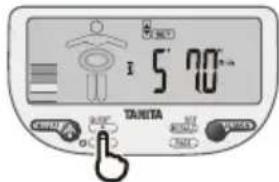
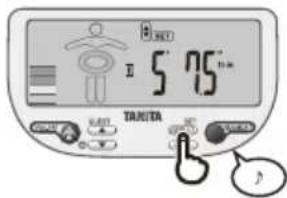
4. Entrez la taille

0.1kg (0.2lb) (0.2lb)
Piles AA (4) (fournies)
0.1kg (0.2lb) (0.2lb)
Lichaamsvet Increment
0.1%
Selection are tasto Weight-Only (Sola pesatura)
0.1 kg (0.2lb) (0.2lb)
50 kHz, 6.25 kHz, 100 μA
Awviso:
0.1 kg (0.2lb) (0.2lb)
Incrementos de grasa corporal
0.1%
Datas personales
4 memorias
Alimentación
2 baterias litation CR2032 (incluidas)
Consumo de energia
Maximo de 150 mA
50 kHz, 6.25 kHz, 100 μA
Baxhble 3ameaHnI nI noIb30BaTeJIe
JaHHbMOHHTOp COCTaBA TKAHeTena npEHa3HaueH pIeTeT (05 10 17 nT) N B3PocNbIX CToAHpTHbIM AITIeTuCKM TMnAMnTeNa.
No onpeidenenTanita "atneom" cHTaetcH yenoBek, haoDyncnCnO B03deCTBHeM HNTECNBHOH 3Nuecko Harpy3Kn npimepeho 10 qacob B heDenIO u Hmeiou nactoy nybca B coctoHN NOKo, He npebbiaooy 60 yapOB B mHyTu. B onpeidenenH, npHnatom Tanita, K atNetam OTocTcTaKke BeTepaHbI OHTHeCa" - Te, KTo 3aHmMaINCb oHTHeCOM B TeeHHe HeCKoJIbKNX NeT, Ho B HactoJeep Bpema HaxoTcB COCToHN BBICOKO OHNECKO AKTMBHOCT MeHee 10 qacob B heDenIO.
OyHKnKoHTpona codepkAnHn Knpa B TeHe NpeHa3NaueHa Dn6epeMeHHbIX JeHnH, npoecchoHaIbHbIX cnoTcmeHO H60n6nepOB. 3aperncpupobAHhble daHHle Moryt 6bItb ytpaeHb, ecnn pnpbop nCIOB3yTeCA He no npabnaam mN NOBpepraTcB03JeCTBmIO BblpocOB 3JNEKTPuCecko MOHOCTN. Tanita He Hecet OTBETCTBeHHOCTb 3a IIIOble BVdb NToPeb, BblbBaemble YtpaTOs 3aperncpupobAHhIX DaHHX. Tanita He Hecet OTBETCTBeHHOCTb 3a IIIOble BVdb NOppeKeHm ININ y6bIKOB, Bbl3bBAeMbx 3TMN pnpbopAM, IN He pinnHMAet HnKaHX ppeTHzN OT TpeBHX NII.
Ppumuehne: PauchteBhe 3aueHnna IpoeHTHO CoepKaHnKmpa B Tene W3MeHNOCTB 3aBcMIOCTN O cOpKaHnBOBbBTNE MOrTy 3aBNCtB OT o6e3BOXBAHnI INIOBbUeHHoT RpaTaun, BblbBaembIM TaKMM fakTopamN, KaYnoTppeBHeHme anKOrOJI, MeHCTpyaJI, 3aboneBaHne, mHTehCMBHbe fHn3ueeckne Hapry3k n dP.
XAPAKTEPNUCTUKN N ΦyHKUIN
I3mepuTeBna nlaTΦopMa
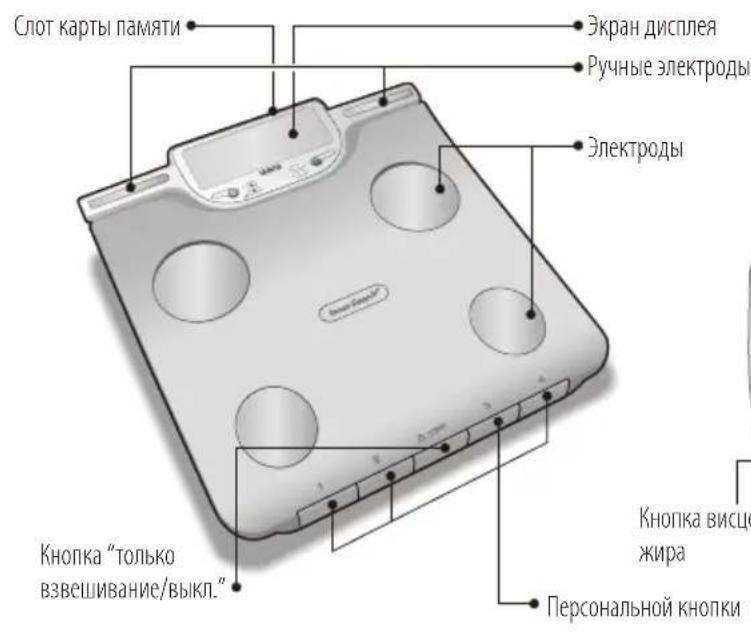
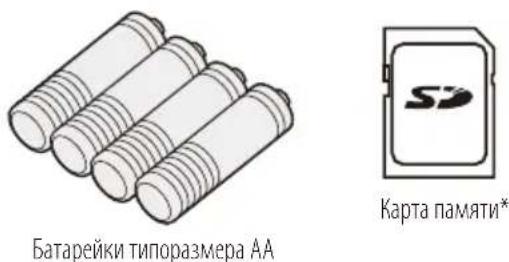
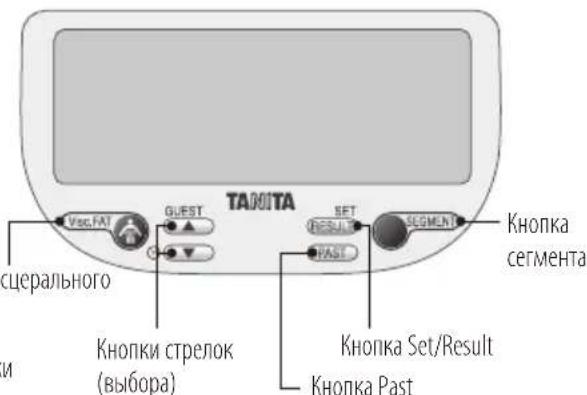
*PnmuemueHHe: nCnoJIb3yIte npinraeMyO KapTy NaMHT SD. Pa6ota dpynx KapT NaMHT SD c 3tIM MoHITOpOM He TaPAHITpyETCA.
Iorotnbl SD ABNIAOTCA ToproBBIMM MapKaAMN INI 3apeINCTpnpOBaHHbIMN ToproBBIMM MapKaAMN SD-3C LLC B CIIIA INI INB Dpynx CTpaHax.
PpmeaHHe:Yto6bI 36exKaTb BO3MOxHbIX TpaBM, He BCTaBaiTe Ha Kpa IpiAToFopMbI.
Pekomehdaun no o6paueHnO c np6opom
HaHHbMOHHTOp ABAAETcA Pnuea3HOHbIM pnp6oPM, CO3daHHbIM NO CObpeMeHHOTexHOJOMM.
Ttobb coepkaB npmbop B ONTMaHbOM COCTOAHM, cneyet HeyKoCHTeBHO cTeDObTaB npmbODMOH HJKe IHCTpyKUH.
He nbitaTbca pa36npaTb 3MepuTeNbHyo nnatfOpMy.
XpaHHTb npHOBB TROP3OHaTbnbHom COCTOHHN pa3MeuTaB eTO TaKIM O6pa3OM, YTO6bi NCKIOUHTb CNYaHHe HAXaTHe KHOJOK.
-06eperaTb npio6op ot n36bItoOHbIx ynapHbIX N BbpaOHHbIX HarpyzOK.
- YCTaHbBbTb PmBop B MeCtax, 3aUuHcHbIX OTOB3dEChTBn PpMbIX cOnHeuHbIX Nuey, BdaNOT HArpeBaTeNbHbIX PmBopOB INe McklOHaIOTc BBICOKA BnXKHOCTb IN KCTpeMaHbIe KOle6aHn TEmnepaTybl.
HnB KOem cnyae He norgpyKaTb npmbop B Body. IaOnuHCTKn ENEKtpoDB NpIb3OBAbCnMPToM, aIpaNpVaHMA IM bnecka -OHCTATEm dIra CTekon, PpeBaHTeBHO HaHOUMMbIM HA TkaHb; NKKNOTb NCIOJIb3OBAHMeMbna.
-He BCTaBaTb Ha INaTΦOpMy MOKpbIM CtynHAM.
-06epeTaTbPiTaΦoMyOTNaIeHnHaHeNpEaMeTOB.
Note: An accurate reading will not be possible if the soles of your feet are not clean, or if your knees are bent or you are in a sitting position.
5.ykaKHTeBnΦn3NueckoakTHBHOCTN
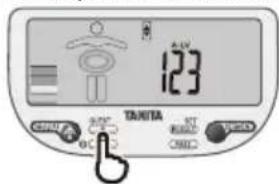
HaxmTe SET nIOIbEPKdEHH.
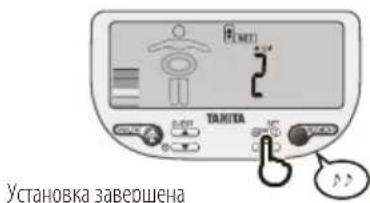
IINMCNIOB3OBAHnKHyKmCITK(CyTOHHeIOTpe6neHMeKaIOpn)HEo6xOIMMo yCTaHOBHTb YPOBEh AKTMBHOCTn. BOCIOJIb3yIteCk HONIKO, 4TO6blYka3aTb YPOBEh AKTMBHOCTn. HAKMITE SET IINIOITBePckJeHHA
YpOBcHb1=HeaKTHBbHbO6pa3K3HN(He3HaHTeBbHaNIMNOIHOeOTCYTCTBNEΦn3uueckoHarpy3Kn)
YpOBeHb2=YMpeHHoAKTMBHmOBpa3KmHn(peKneΦmNueCkneHaRpy3KnIOHOHXeHHOHnHTECNBHOCTM)
YpOBeHb 3 =HTHeCNBbHbMΦmNueckMHaPpy3kAM
PpmeaHHe: EcnB Bbl BbIbepeTe PeknM «AtnTe», YpOBeHb AKTINBHOCTn 6yET aBTOMaTHeckn yCTaHOBnEH Ha ypoBeHb 3.
YCTPOICTBO DBAKbIIOaCT 3ByKOBo CnHAI, INaPOrpammmPoBaHHBe DAHHBe OTOBpaTcIINoITBepKDeHIM.
TTOE 3TOO yCTPOINCTBO aBtOMaTHUeCKN BbKIOHOTTC.
IpMmueHHe:KordaBbMeHReTeDaty poKdEHHNn/nnn non, np6bp nok3aBbaert "CLr".Ecn BbBb6bpaete "YES"(da) HaxaTneM KHOOK , MehoJece npcoHaBbHe daHHBe n daHHBe oCtckmbHnCTpaTcA. Ecn BbBb6bpaete "no" (het) HaxaTneM , HObIe daHHBe He CoXpaHIOTCa (meoeeec DaHHbe octaTcB 6e3 mMeHn) n daane np6bp BkKnOaTaTcA.
Iy yaneHnepcoHaBbHex daHHbx HaxMMTE SET u bIbepeHTe Hmep c nomoubu ; danee haxMMTe u ydepKmbte SET. nokkct Crl. Bb6peTc YES (da) nn no (het) c nomoubo HxMMTE SET nnoTBePckdeHn.
IIO KOHauHH N3MepeHH pnpbOp BbIaET DBOHOH 3ByKOBO CMHaJI. Ioka He npo3BvHT 3ByKOBO CMHaJI, NOXAnyUCTa, CTOnTE HENOJBNKHO.
PpmeHHe: EcnBCTaTb HnPiatOpMy Do noanBneHn Ha nCnnpe "0.0", DnCnnne Nokkct "Error" (Oun6Ka), n BBy He noluynte noka3AHn np6oppa.
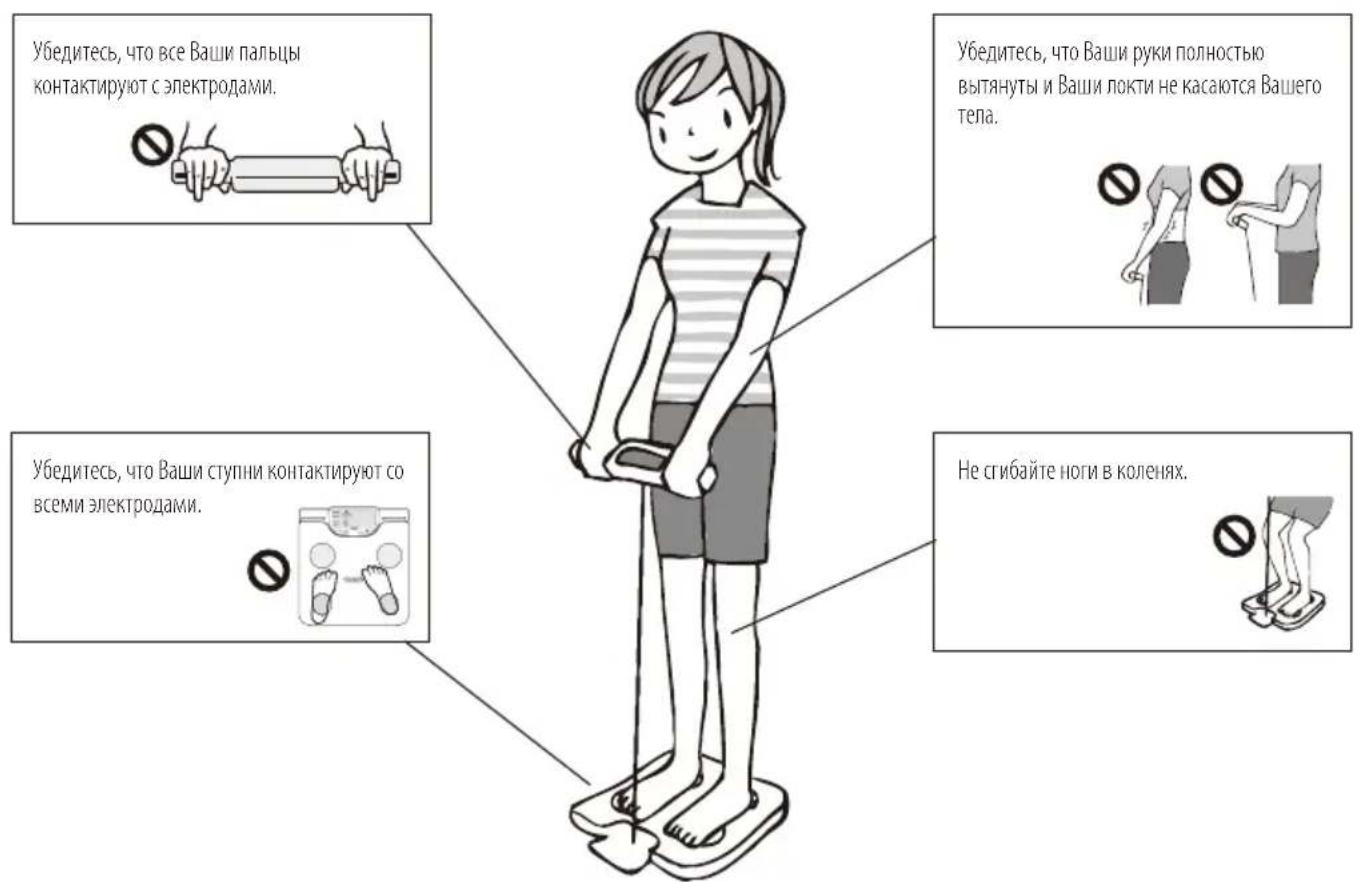
3.Пolyчite Baun noka3aHn
IIOOKOHuaHIN3MepeHHNIIpIb6OpBbBOIDHTHaDcPiNEBCEIJIyUeHHbIE3HaueHHa;COJNTeCBeOB HAXMMTEIINIIPOCMOTpaTpe6yEmoTOIokaahn.
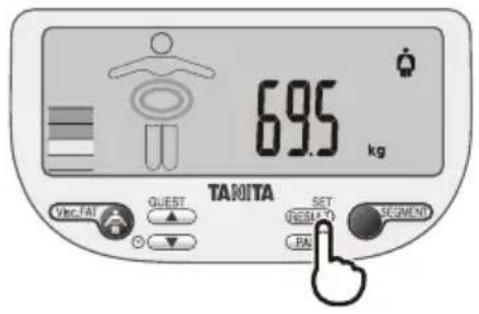
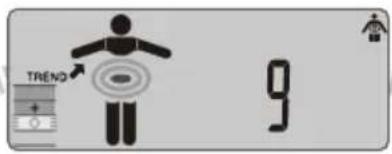
9) yopoBHeB BmUepeapbHOrO KnPa
1)Bec8CymMaphoe npoueHTHoe coedePkHaHe BOdbTene
2)Пюцenthoe coJIepkaHmE KInpaВ Tene 7)Meta6OJIuueckn B03pact
3)MbueeHnA MaCa 6)CytoHoe NtpeBneHne KaIopn (DCl)
4)KoCTHaa Macca 5) Hndekc MaccbTeia (BMI)
PpmeHHe: Jn deTey (o 5 do 17 n) np6op nokazbBAeT oIbko Bc, npoeHTHOe coepxahne xkpA B Tei e Hndek MCsti Tena (BM).
BbIepeKHOHkY "ToJbKO Bec" (Weight only).
HaKMTe OFF. Hepe3 IBe TNp CekyHbI DcNJIe NOKaKeT "0.0", H npBop BbIaCT 3ByKOBoi CnHAn. Korda Ha dCnJIee NOBITCA "0.0", BCTAHBe HA NpTaFOpMy. DcNJIe NOKaKeT 3HaHeHHe BECa Tena. 3aTeM nIaHHe ABOTMAHTueCKN BBIKHOHTCA.
NEPEKJIIOUYEHNE PEXUMA B3BEUNBAHNA
PpmeaHHe: NckIouHTeBNo dna moDenei, codepeXauNX nepeKIOuYateB peXIMa B3BeUWBAHNA.
HINKauu npb6pa moKHepeKluOaTc nmoosbIepeKluOaTeJIa paCIOLOXeHHoHa o6pAHO CTPOHEpyHbIX 3EeKTOOB K/foHTOB/ cToyH cyHTOB.
ПОИСК ИССРАВHOCTЕN
Ecn npocxodnt yka3aHHoe hapuheHne ...To...
Ha nucnnee noBnaeTcra lo, npo npoCxoDHT MoneHtAnbHoe Ncye3HOBeHne BceX daHHbIX.
Pa3pJxHb6aTaeHKn. KOrdaNoBnIeTcDaHHe Coo6uHHe, He3aMeDInTeBHO 3aMeHtte 6bapeKn, NocKobKy pa3pJxHbE 6bataeKn ChHXaOT ToHOCb nOlyyAcMbIX pe3yNbTaTOB hMpeHn. 3aMeHy BceX IMeOxNxCb 6bataeKHa HOBle IPOUN3BOIMTe OOnHOBpeMeHNO.
PnmeaHne: Baun HacptoiKu n coepxMMoe NaTn Ppebduyux 3HaueHn He CTpaTOr M3 NaTn npn M3BHeeHn 6Taapeck.
-BoBpeMaH3MepeHnNoAeTcraCo06eHne

IocapaiTeB He WeBeJIbTaC, noka CTOnTE Ha IpaTOpMe.
PnpbOp He MoXeT ToHn N3MepuB BaW Bec, eCm OH 6hApyKNaBt WeBeHeHne.
IpoeHTHOe coepxahnHe knpaB Tene npebbwaet 75%, n np60p He cnoocob H bdaTb pe3yblTaT.
- He noBraIeTc3 3NaueHHe nPoUeTHOro coOpEkaHnKaHpa.
Y6eHntecb, cyo HtBb HCKn (mnn yynkn), a nooobBb Baunx CTynne mctb n npabNbHO bipOBHebNo hnapaBnOmm Ha 3MePntenbHoi nIaTphiOpme.
-BoBpeMaN3MepeHnNoABJIaTeTcA
Pe3yIbTaT He MoKet 6bIt NOnyuH BvIyI npBeBliWeHnBepxHero ppeJena Beca.
TexHmueckne xapaKTePncnKu
BC-601/602/613
Ipeelbno donyctmbuBc
150Kr/330fhyTOB/23cToyH8fhyTOB
WarrnpapauenBeca
0.1Kr/0.2φyHTa/0.2φyHTa
Warr npupaenra codepa Hnna Knpa Tene
0.1%
NepcoHaJIbHbIe daHHbIe
4yueeknamatu
IctouHnK nHTaHn
Manufacturer TANITA Corporation
1-14-2 Maeno-cho, Itabashi-ku, Tokyo 174-8630 Japan
TEL: +81-(0)3-3968-7048
www.tanita.co.jp
TANITA Health Equipment H.K. Ltd.
Unit 301-303, Wing On Plaza, 3/F., 62 Mody Road,
Tsimshatsui East, Kowloon, Hong Kong
TEL: +852-2834-3917
FAX: +852-2838-8667
www.tanita.asia
EU Representative TANITA Europe B.V.
Hoogoorddreef 56-E, 1101 BE
Amsterdam, the Netherlands
TEL: +31-(0)20-560-2970
FAX: +31-(0)20-560-2988
www.tanita.eu
TANITA (Shanghai) Trading Co., Ltd.
Room 8005, 877 Huai Hai Zhong Lu, Shanghai,
The People's Republic of China
TEL: +86-21-6474-6803
FAX: +86-21-6474-7901
www.tanita.com.cn
TANITA Corporation of America, Inc.
2625 South Clearbrook Drive,
Arlington Heights, Illinois 60005
U.S.A.
TEL: +1-847-640-9241
FAX: +1-847-640-9261
www.tanita.com
TANITA India Private Limited
A-502, Mittal Commercia,
Off. M.V. Road (Andheri Kurla Road),
Marol, Andheri-East, Mumbai 400059,
Maharashtra, India
TEL: +91-81-697-28173
www.tanita.co.in