TRA001 - Milling machine TRITON - Free user manual and instructions
Find the device manual for free TRA001 TRITON in PDF.


| Product Type | 2400 W Dual Mode Precision Router |
| Brand | Triton |
| Model | TRA001 |
| Product Number | TRA001 |
| Supply Voltage | 220-240 V AC, 50 Hz (Europe) |
| Power Consumption | 2400 W (3-1/4 HP) |
| No-Load Speed | Variable from 8,000 to 21,000 RPM |
| Collet | 1/2" and 12 mm |
| Plunge Depth | 0-68 mm (0-2-5/8") |
| Plunge Modes | Free, rack and pinion, micrometric adjustment |
| Speed Adjustment | 5 positions (8,000, 11,000, 14,500, 18,000, 20,000 RPM) |
| Net Weight | 6 kg (13.2 lb) |
| Insulation Class | Double insulation |
| Sound Pressure | 85.5 dB(A) |
| Sound Power | 96.5 dB(A) |
| Weighted Vibration | 4.795 m/s² |
| Dust Extraction | 38 mm hose port, optional chip chute |
| Usage | Handheld or router table |
| Maintenance and Cleaning | Soft brush or dry cloth; replaceable carbon brushes |
| Safety | Retractable switch cover, auto-stop, restart protection |
| Warranty | 3 years (online registration required within 30 days) |
Frequently Asked Questions - TRA001 TRITON
User questions about TRA001 TRITON
0 question about this device. Answer the ones you know or ask your own.
Ask a new question about this device
Download the instructions for your Milling machine in PDF format for free! Find your manual TRA001 - TRITON and take your electronic device back in hand. On this page are published all the documents necessary for the use of your device. TRA001 by TRITON.
USER MANUAL TRA001 TRITON
DECLARATION OF CONFORMITY
The undersigned: Mr Darrell Morris as authorized by: Triton Tools Declares the:
Product Code: TRA001 Description: Dual Mode Precision Plunge Router 2400W
Conforms to the following directives: • MACHINERY DIRECTIVE 2006/42/EC • LOW VOLTAGE DIRECTIVE 2006/95/EC
• EMC DIRECTIVE 2004/108/EC • RoHS DIRECTIVE 2011/65/EU • IEC 60745-1:2006 4Ed • EN 55014-1:2006 • EN 61000-3-2:2006
• EN 61000-3-3:2008 • EN 55014-2:1997+A1:2001
The technical documentation is kept by: Triton Tools
Notified body: JIANGSU TUV PRODUCT SERVICE LTD
Place of declaration: SHANGHAI, CHINA
EG-VERKLARING VAN OVEREENSTEMMING
DÉCLARATION DE CONFORMITÉ CE
Bennante Stelle: JIANGSU TUV PRODUCT SERVICE LTD
Ort: SHANGHAI, CHINA
Mr. Darrell Morris Managing Director

Operating and Safety Instructions

natural_image
Exterior view of a triton-based plunge router with orange and silver casing (no visible text or symbols on the device itself)www.tritontools.com
Thank you for purchasing this TRITON tool. This manual contains information necessary for safe and effective operation of this product. This product has unique features and, even if you are familiar with similar products, it is necessary to read this manual carefully to ensure you fully understand the instructions. Ensure all users of the tool read and fully understand this manual.
CONTENTS
| Specifications 2 | Table-mounted Operation 9 |
| Product Overview 3 | Maintenance 9 |
| Symbols 4 | Troubleshooting 10 |
| Safety Instructions 4 | Warranty 11 |
| Functions 6 | Declaration of conformity |
| Hand-held Operation 8 |
SPECIFICATIONS
| Model number: TRA001 | |
| Voltage: EU - 220V – 240V AC, 50Hz | SA - 220V – 240V AC, 50HzAU - 220V – 240V AC, 50HzJP - 100V AC, 50/60HzUSA - 120V AC, 60Hz |
| Input power: 2400W / 3- | ^1/_4hp |
| No load speed: | 8,000 to 21,000rpm variable |
| Collets: | EU - 12" & 12mmSA - 12" & 14" AU - 12" & 14" JP - 12" & 12mmUSA - 12" & 14" |
| Plunge adjustment: | 1) Free2) Height winder3) Micro winder |
| Plunge Range: | 0 – 68mm / 0 – 2- ^21/_32" |
| Insulation class: | |
| Net weight: | 6kg / 13.2lbs |
Sound and vibration information:
| Sound pressure | L_PA : | 85.5dB(A) |
| Sound power | L_WA | 96.5dB(A) |
| Uncertainty | K: | 3dB |
| Weighted Vibration | a_h : | 4.795m/s ^2 |
| Uncertainty | K: | 1.5m/s ^2 |
As part of our ongoing product development, specifications of Triton products may alter without notice.
The sound intensity level for the operator may exceed 85dB(A) and sound protection measures are necessary.
2 Contents / Specifications
PRODUCT OVERVIEW
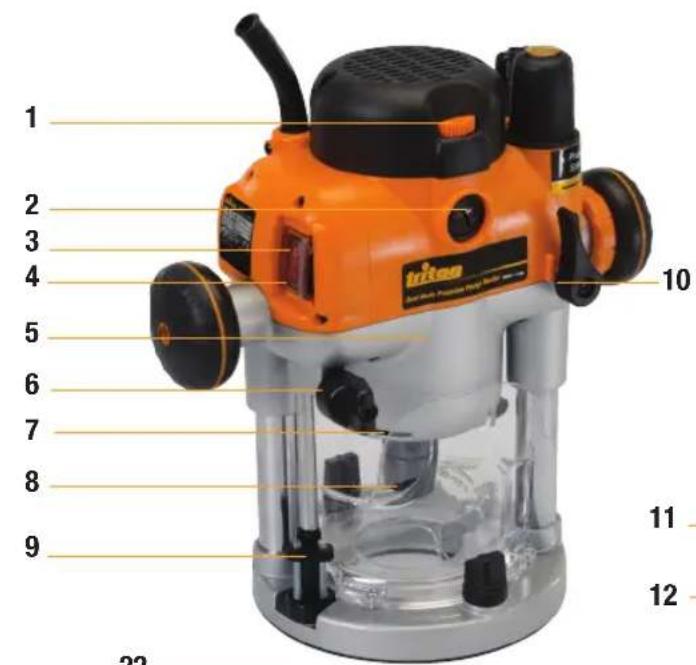
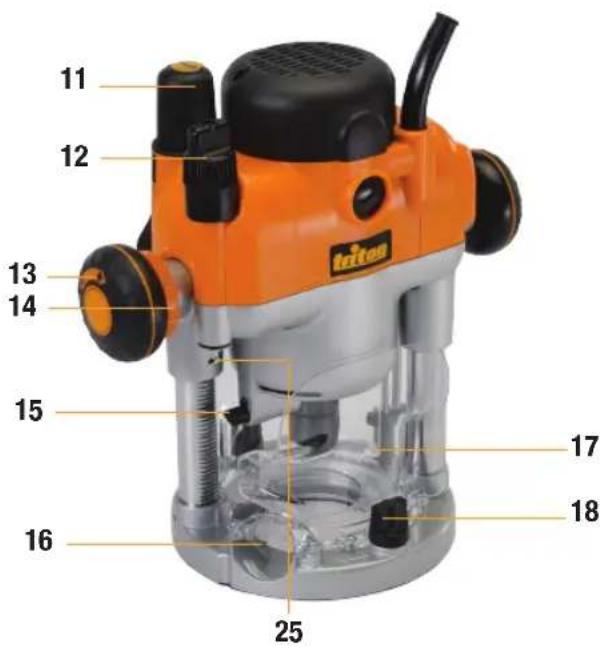
- Speed Controller
- Brush Cap
- Power Switch
- Retracting Power Switch Cover
- Motor
- Depth Stop Lock Knob
- Side Air Vents
- Collet Shaft
- Turret Stops
- Plunge Lock Lever
- Plunge Spring Access Cap
- Micro Winder
- Plunge Mode Selector Button
-
Winder Handle Clutch Ring
-
Automatic Spindle Lock
- Dust Extraction Port
- Safety Guards
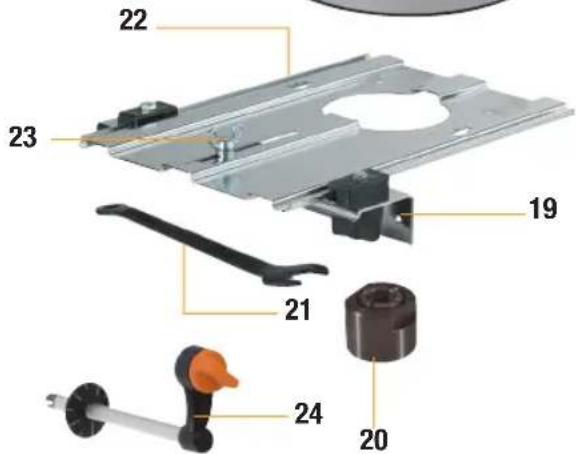
- Baseplate Mounting Knobs
- Fence
- Collet (see specification table for sizes)
- Spanner
- Extended Baseplate
- Pivot Mount
- Table Height Winder
- Table Height Winder Connection Point
SYMBOLS
ENVIRONMENTAL PROTECTION
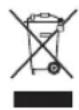
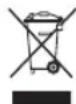
Waste electrical products should not be disposed of with household waste. Please recycle where facilities exist. Check with your local authority or retailer for recycling advice.
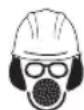
Always wear ear, eye and respiratory protection.

Do not use before viewing and understanding the full operating instructions

Conforms to relevant legislation and safety standards.

Instruction warning.

Double insulated for additional protection.
SAFETY INSTRUCTIONS
WARNING: Always wear ear protection where the sound level exceeds 85dB(A) and limit the time of exposure if necessary. If sound levels are uncomfortable, even with ear protection, stop using the tool immediately and check the ear protection is correctly fitted and provides the correct level of sound attenuation for the level of sound produced by your tool.
WARNING: User exposure to tool vibration can result in loss of sense of touch, numbness, tingling and reduced ability to grip. Long term exposure can lead to a chronic condition. If necessary, limit the length of time exposed to vibration and use anti-vibration gloves. Do not operate the tool with hands below a normal comfortable temperature, as vibration will have a greater effect. Use the figures provided in the specification relating to vibration to calculate the duration and frequency of operating the tool.
Sound and vibration levels in the specification are determined according to EN60745 or similar international standards. The figures represent normal use for the tool in normal working conditions. A poorly maintained, incorrectly assembled, or misused tool, may produce increased levels of noise and vibration. www.osha.europa.eu provides information on sound and vibration levels in the workplace that may be useful to domestic users who use tools for long periods of time.
WARNING: This appliance is not intended for use by persons (including children) with reduced, physical or mental capabilities or lack of experience or knowledge unless they have been given supervision or instruction concerning use of the appliance by a person responsible for their safety. Children must be supervised to ensure that they do not play with the appliance.
Save all warnings and instructions for future reference.
The term "power tool" in the warnings refers to your mains-operated (corded) power tool or battery-operated (cordless) power tool.
1) Work area safety
a) Keep work area clean and well lit. Cluttered or dark areas invite accidents.
b) Do not operate power tools in explosive atmospheres, such as in the presence of flammable liquids, gases or dust. Power tools create sparks which may ignite the dust or fumes.
c) Keep children and bystanders away while operating a power tool. Distractions can cause you to lose control.
2) Electrical safety
a) Power tool plugs must match the outlet. Never modify the plug in any way. Do not use any adapter plugs with earthed (grounded) power tools. Unmodified plugs and matching outlets will reduce risk of electric shock.
b) Avoid body contact with earthed or grounded surfaces, such as pipes, radiators, ranges and refrigerators. There is an increased risk of electric shock if your body is earthed or grounded.
c) Do not expose power tools to rain or wet conditions. Water entering a power tool will increase the risk of electric shock.
d) Do not abuse the cord. Never use the cord for carrying, pulling or unplugging the power tool. Keep cord away from heat, oil, sharp edges or moving parts. Damaged or entangled cords increase the risk of electric shock.
e) When operating a power tool outdoors, use an extension cord suitable for outdoor use. Use of a cord suitable for outdoor use reduces the risk of electric shock.
f) If operating a power tool in a damp location is unavoidable, use a residual current device (RCD) protected supply. Use of an RCD reduces the risk of electric shock.
WARNING: When used in Australia or New Zealand, it is recommended that this tool is ALWAYS supplied via Residual Current Device (RCD) with a rated residual current of 30mA or less
3) Personal safety
a) Stay alert, watch what you are doing and use common sense when operating a power tool. Do not use a power tool while you are tired or under the influence of drugs, alcohol or medication. A moment of inattention while operating power tools may result in serious personal injury.
b) Use personal protective equipment. Always wear eye protection. Protective equipment such as dust mask, non-skid safety shoes, hard hat, or hearing protection used for appropriate conditions will reduce personal injuries.
c) Prevent unintentional starting. Ensure the switch is in the off-position before connecting to power source and/or battery pack, picking up or carrying the tool. Carrying power tools with your finger on the switch or energising power tools that have the switch on invites accidents.
SAFETY INSTRUCTIONS
d) Remove any adjusting key or wrench before turning the power tool on. A wrench or a key left attached to a rotating part of the power tool may result in personal injury.
e) Do not overreach. Keep proper footing and balance at all times. This enables better control of the power tool in unexpected situations.
f) Dress properly. Do not wear loose clothing or jewellery. Keep your hair, clothing and gloves away from moving parts.
Loose clothes, jewellery or long hair can be caught in moving parts.
g) If devices are provided for the connection of dust extraction and collection facilities, ensure these are connected and properly used. Use of dust collection can reduce dust-related hazards.
4) Power tool use and care
a) Do not force the power tool. Use the correct power tool for your application. The correct power tool will do the job better and safer at the rate for which it was designed.
b) Do not use the power tool if the switch does not turn it on and off. Any power tool that cannot be controlled with the switch is dangerous and must be repaired.
c) Disconnect the plug from the power source and/or the battery pack from the power tool before making any adjustments, changing accessories, or storing power tools. Such preventive safety measures reduce the risk of starting the power tool accidentally.
d) Store idle power tools out of the reach of children and do not allow persons unfamiliar with the power tool or these instructions to operate the power tool. Power tools are dangerous in the hands of untrained users.
e) Maintain power tools. Check for misalignment or binding of moving parts, breakage of parts and any other condition that may affect the power tool's operation. If damaged, have the power tool repaired before use. Many accidents are caused by poorly maintained power tools.
f) Keep cutting tools sharp and clean. Properly maintained cutting tools with sharp cutting edges are less likely to bind and are easier to control.
g) Use the power tool, accessories and tool bits etc. in accordance with these instructions, taking into account the working conditions and the work to be performed. Use of the power tool for operations different from those intended could result in a hazardous situation.
5) Service
a) Have your power tool serviced by a qualified repair person using only identical replacement parts. This will ensure that the safety of the power tool is maintained.
ADDITIONAL SAFETY WARNING FOR ELECTRICAL ROUTERS
WARNINGS. Before connecting a tool to a power source (mains switch power point receptacle, outlet, etc.) be sure that the voltage supply is the same as that specified on the nameplate of the tool. A power source with a voltage greater than that specified for the tool can result in serious injury to the user, and damage to the tool. If in doubt, do not plug in the tool. Using a power source with a voltage less than the nameplate rating is harmful to the motor.
- Use safety equipment including safety goggles or shield, ear protection, dust mask and protective clothing including safety glove
- Cloths, cord, string etc. should never be left around the work area
- Ensure the mains supply voltage is the same as the tool rating plate voltage
- Ensure any cable extensions used with this tool are in a safe electrical condition, and have the correct ampere rating for the tool
- Completely unwind cable drum extensions to avoid potential overheating
- Always check walls, floors and ceilings to avoid hidden power cables and pipes
- Ensure that you have removed embedded objects such as nails and screws from the workpiece before commencing operation
- Handle router bits with care, they can be extremely sharp
- Before use, check the bit carefully for signs of damage or cracks. Replace damaged or cracked bits immediately
- Always use both handles and ensure that you have a firm grip on the router before proceeding with any work
- Before using the tool to make a cut, switch on and let it run for a while. Vibration could indicate an improperly installed bit
• Take notice of the direction of rotation of the bit and the direction of feed - Keep hands away from the rotating bit
- Never start the router while the cutter is touching the workpiece
- Ensure the plunge spring is always fitted when using hand-held
- Ensure the cutter has completely stopped before plunging to the collet lock position
- Only use router cutters designed for woodwork, suitable for use between 8,000 and 20,000rpm
- Do not handle cutters immediately after use - they become very hot
- Only use cutters with a shank diameter exactly matched to the collet(s) supplied with this router
- Extreme care must be taken when using cutters with a diameter greater than 2" (50mm). Use very slow feed rates and/or multiple shallow cuts to avoid overloading the motor
- Always switch off and wait until the bit has come to a complete standstill before removing the machine from the workpiece
- Disconnect from power before carrying out any adjustment, servicing or maintenance
FUNCTIONS
POWER SWITCH
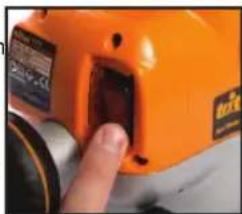
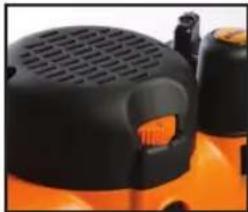
When the router is connected to power, the Switch (3) will illuminate (in both 'on' and 'off' positions).
The Retracting Switch Cover (4) prevents accidental starting of the router. It must be retracted before the router can be switched on. The cover will remain open until the router is switched off.
natural_image
Close-up of a hand inserting a small electronic component into an orange device (no visible text or symbols)ADJUSTING DEPTH OF CUT
There are three methods of cut depth adjustment, depending on the accuracy and control required:
• Free Plunge, for conventional and fast depth adjustment
- Winder Handle Plunge, for controlled and fast adjustment
- Micro Adjuster, for precise depth setting throughout the full plunge range
Free Plunge
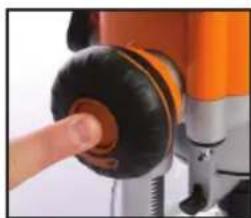
- Free plunge depth adjustments can be made with the Plunge Mode Selector Button (13) engaged. Press it deep inside the handle until it engages inward
- Release the Plunge Lock Lever (10). Push the body of the router until the desired depth is reached. Re-lock the plunge lock lever
NOTE: The position of the plunge lock lever can be altered by removing its retaining screw and repositioning the lever on the bolt. Re-tighten firmly.
natural_image
Close-up of a hand pressing a black circular component on an orange and silver mechanical device (no visible text or symbols)Handle Winder Plunge
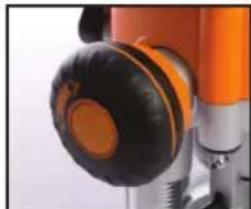
- Check that the Plunge Mode Selector Button (13) is not engaged. If it is engaged, press the button inward and allow it to spring out flush with the handle
- Ensure the Plunge Lock Lever (10) is unlocked
- Pull the Winder Handle Clutch Ring (14) into the handle, then turn the handle to raise or lower the cutter
- Release the ring at the required depth. It will 'pop out' and lock the cutter at the set depth
- Lock the Plunge Lock Lever (10), particularly for heavy cuts
natural_image
Close-up of a mechanical device with orange and black components (no visible text or symbols)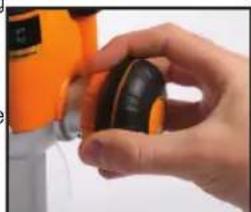
natural_image
Close-up of a hand holding a small black and yellow object, with an orange tool partially visible in the background (no text or symbols)Micro Adjuster
For use in Winder Handle Plunge Mode only
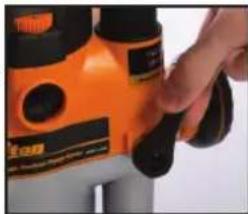
- Disengage the Plunge Mode Selector Button (13), and ensure that the Plunge Lock Lever (10) is unlocked
NOTE: If the Micro Winder (12) is turned with the plunge lock lever engaged the micro winder will start clicking and the cut depth will remain unchanged. - Turn the Micro Winder (12) clockwise to increase cut depth and anti-clockwise to reduce cut depth
NOTE: When the end of the depth adjustment range is reached the micro winder will offer greater resistance to turn and will begin to 'click'.
- Lock the plunge lock lever, particularly for heavy cuts
FITTING A ROUTER BIT
WARNING: Always disconnect the too from the power supply before fitting or removing a router bit.
- Turn the power switch 'off', allowing the retracting switch shutter to close. (The retracting shutter will lock closed when the collet lock is engaged)
- Place the router upside down, or on its side. With the motor completely stopped plunge the router to its maximum depth using the free plunge or winder handle plunge mode
NOTE: Ensure the depth stop is fully retracted (see 'Depth Stop
and Turret'). The collet should be protruding through the base, allowing easy spanner access.
- Insert the Router Bit into the collet then use the Spanner (21) to turn the collet slightly, allowing the collet lock to engage. Once engaged, turn the spanner clockwise to tighten the cutter
- Return the router to a normal operating depth. This will disengage the collet lock and release the retracting switch shutter, allowing access to the power switch
natural_image
Close-up of a hand adjusting a yellow-orange electric shaver with black buttons (no visible text or symbols)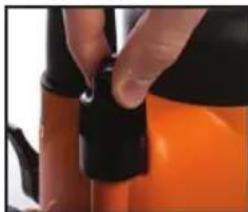
natural_image
Close-up of a hand adjusting a black and orange mechanical component (no visible text or symbols)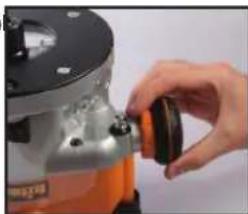
natural_image
Close-up of a hand adjusting a mechanical component with a black circular knob (no visible text or symbols)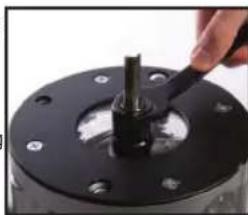
natural_image
Close-up of a hand using a tool to adjust or install a mechanical component (no visible text or symbols)VARIABLE SPEED CONTROL
Router speed settings are not critical - generally the highest speed which does not result in burn marks on the workpiece should be used. Where stated, always follow the cutter manufacturer's maximum speed limitations.
natural_image
Close-up of a black and orange industrial machine with ventilation grille (no visible text or symbols)Operating at reduced speed increases the risk of damage to the router as a result of overload. Use very slow feed rates and/or multiple shallow cuts.
The Speed Controller (1) is marked 1 to 5, corresponding approximately with the speeds and cutter diameters below.
Turn the dial to select the speed.
| Setting RPM | Cutter Diameter |
| 5 20,000 | Up to 25mm (1") |
| 4 18,000 | 25 - 50mm (1" - 2") |
| 3 14,500 | 50 - 65mm (2" - 2- 12 ") |
| 2 11,000 | Over 65mm (2- 12 ") |
| 1 8,000 | Use only if burning |
DUST EXTRACTION
Dust Port
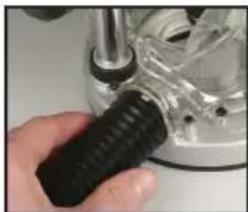
The Triton Router is equipped with a Dust Extraction Port (16) for chip extraction above the cut. It accepts 38mm (1- 12 ") O.D. hose, supplied with the Triton Dust Collector (DCA300).
natural_image
Close-up of a hand using a screwdriver to adjust a mechanical component (no visible text or symbols)The hose screws into position via a left hand thread (anticlockwise).
OPTIONAL CHIP COLLECTOR ACCESSORY
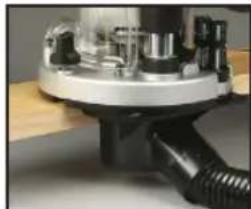
An optional Dust Chute for effective chip extraction alongside the cut zone is available through your local Triton retailer. It can be connected to any 38mm (1- 12 ) O.D. hose.
natural_image
Close-up of a mechanical component with threaded cable and housing (no visible text or symbols)DEPTH STOP & TURRET
- The depth stop and turret enable accurate pre-setting of two different cut depths in free plunge mode
Zeroing the router
- Fit the router bit you require and place the router, right side up, on the work bench
- Rotate the Turret (9) until the fixed post is beneath the depth stop
- Loosen the Depth Stop Lock Knob (6) so that the depth stop is fully released
- Release the Plunge Lock Lever (10), then plunge the router until the tip of the bit is in contact with the surface of the work bench
- Now tighten the Depth Stop Lock Knob (6) so that the depth stop is locked in its current position
Pre-setting the cut depths
- The top of the fixed post now provides an accurate datum, and the depth of cut can be set by reference to the graduations printed on the side of the fixed post
- To set a cut depth, rotate the thumbwheel on one of the Turret Stops (9) until the top of the thumbwheel aligns with the depth of cut required (as shown on the fixed post) For example, for a cutting depth of 3mm, rotate the thumbwheel until the top is aligned with the 3mm mark on the fixed post. For a cutting depth of 18'' , rotate the thumbwheel until the top is aligned with the 18'' mark on the fixed post
- To pre-set a second depth, repeat the procedure with the second thumbwheel
Plunging to pre-set depth
- Rotate the turret until the thumbwheel at the required depth is positioned beneath the depth stop
- Now, when you plunge the router, the depth stop will hit the thumbwheel and retain the router at the precise depth required
OPTIONAL TEMPLATE GUIDE BUSHES
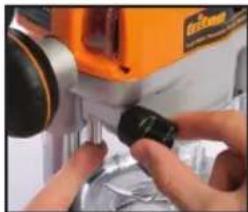
Different template guide bushes are available for template routing. Accessory kits are available through your local Triton retailer.
natural_image
Close-up of hands operating a mechanical device with a black clip and orange component (no visible text or symbols)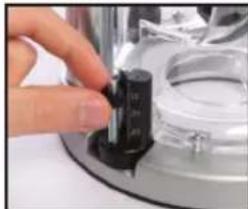
natural_image
Close-up of a hand pressing a black cylindrical component on a metallic mechanical device (no visible text or symbols)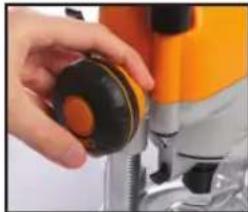
natural_image
Close-up of a hand holding a small black and orange component next to a yellow-orange drill bit (no text or symbols visible)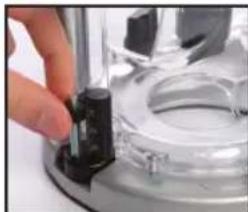
natural_image
Close-up of a hand adjusting a mechanical component with a black handle (no visible text or symbols)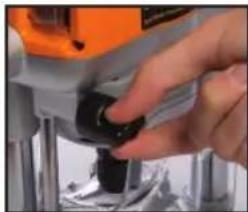
natural_image
Close-up of a hand using a tool to adjust or install a small component (no visible text or symbols)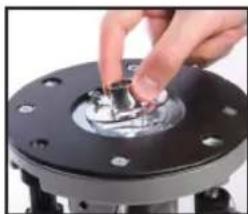
natural_image
Close-up of a hand pressing a metallic component on a black circular base (no text or symbols visible)Functions
HAND-HELD OPERATION
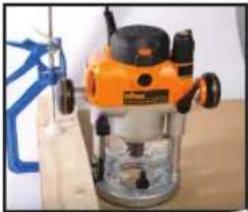
- Always use both hands to control the router and ensure your workpiece is securely clamped to prevent any movement during operation
- Never operate the router freehand without some form of guidance. Guidance can be provided by a bearing guided cutter, the fence guide supplied or a straight edge (eg. a batten clamped to your work as shown above)
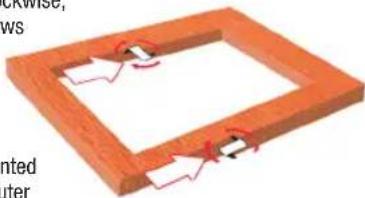
- Always feed against the direction of cutter rotation (clockwise, indicated by the arrows on the router base)
- Do not operate the router upside down unless securely mounted in a well-guarded router table (eg. Triton brand)
natural_image
Industrial machine with orange and black components, placed on a wooden surface (no visible text or symbols)THE BASE ASSEMBLY
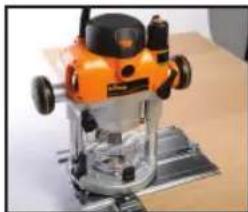
The Extended Baseplate (22) supplied with the Triton Router provides greater stability when using bearing guided cutters along an edge.
Place one hand on the long end of the base, holding it down onto your work, and grip the router handle, furthest away, with your other hand.
natural_image
3D diagram of a wooden frame with red arrows indicating rotation or movement, no text or symbols present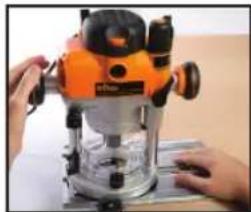
natural_image
Person operating a power r/laser on a workbench (no visible text or symbols)EXTENDED BASEPLATE AND FENCE
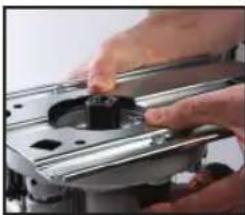
- To fit the extended baseplate (22) loosen the Mounting Knobs (18) approximately 10mm (\%") up the coach bolt
- Position the extended baseplate onto the base of the router with the heads of the coach bolts beneath the keyhole slots in the baseplate
NOTE: The router can be mounted with the long overhang to the left or to the right depending on where the support is required. For edge work, locate the power switch on the short overhang side of the base
- Push the Baseplate Mounting Knobs (18) until the bolt heads locate into the keyholes, then slide the extended baseplate until the bolts locate against the ends of the keyhole slots. Tighten the knobs firmly. To fit the Fence (19) loosen the fence knobs a few turns and slide the fence along the tracks on the base. Lock at the desired setting by tightening both fence knobs
natural_image
Close-up of hands operating a mechanical component with a black knob (no visible text or symbols)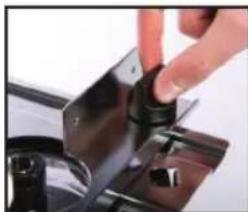
natural_image
Close-up of a hand pressing down on a black metal appliance (no visible text or symbols)- When routing trenches some distance in from an edge, fit the fence to the long end of the base
- When performing edge work with a non-bearing guided cutter fit the fence to the short end of the base.
- If using a very large diameter cutter it may be necessary to fix wooden blocks to the fence faces via the screw holes, to ensure the cutter does not contact the fence
CIRCLE CUTTING
- Fit the extended base (without fence) to the router
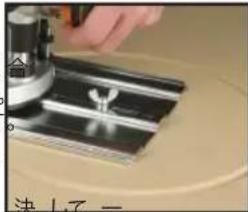
- Remove the Pivot Mount (23) from the base and fix it to the centre of your work using a small nail or screw through one of the holes in the pivot mount. Leave the pivot mount bolt in position
- Lower the router and base over the pivot mount and refit the washer and wing-nut
- With the power switched 'Off', rotate the router along the intended path to check the circle, and make any necessary adjustments
- Cut the circle in several passes, lowering the cut depth by say 2mm ( 113 ) each pass. Do not attempt to cut deeply in one pass
- Through cuts: If cutting all the way through the material, fix a sacrificial board to the underside of your workpiece. Cut the circle oversize, then when the cut is all the way through, reduce the diameter and work back to the desired size, using light, full depth passes.
natural_image
Industrial machine with orange and black components mounted on a metal base (no visible text or symbols)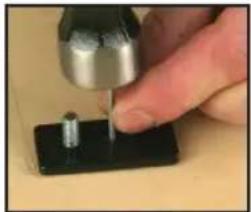
natural_image
Close-up of a hand using a tool to apply a small metallic component onto a black surface (no text or symbols visible)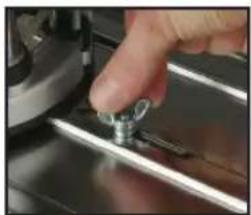
natural_image
Close-up of a hand pressing a small metallic tool on a metal surface (no visible text or symbols)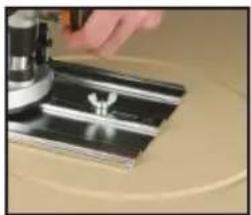
natural_image
Close-up of a hand pressing down on a metallic mechanical component (no visible text or symbols)- Fitting and operating this router on a Router Table should be carried out in accordance with the literature supplied with your Router Table
- While this product was designed for efficient and convenient operation on most router tables, it is particularly suited for use with the Triton Router Table RTA300
- Router adjustments are made easily using the unique features of this product. When mounted in a compatible table, the Table Height Winder (24) will control the cut height when connected to the Table Height Winder Connection Point (25) through a hole in the router table surface
REMOVING THE PLUNGE SPRING
IMPORTANT: You MUST remove the plunge spring before fitting
this router into a router table:
- Set the router at the top of its plunge range and engage the Plunge Lock Lever (10)
- Loosen the small screw next to the Plunge Spring Access Cap (11)
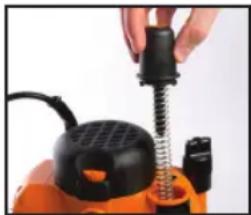
-
Holding the plunge spring access cap firmly (so that the spring will not shoot upwards when released), twist the cap anti-clockwise to remove it
-
Remove the spring and store in a safe place
-
Replace the plunge spring cap and re-tighten the screw
NOTE: Ensure the plunge spring is refitted before using the router free-hand.
natural_image
Close-up of a hand holding a black screwdriver next to an orange industrial machine (no visible text or symbols)MAINTENANCE
WARNING: Always disconnect from the power supply before carrying out any maintenance/cleaning.
- Any damage to the router should be repaired and carefully inspected before use by qualified repair personnel. Service or maintenance performed by unqualified personnel could result in a risk of injury
- Servicing should only be carried out by authorised Triton Repair Centres using original Triton replacement parts. Follow instructions carefully and refer to 'Troubleshooting' for problem identification and advice. Use of unauthorised or faulty parts may create a risk of electric shock or injury
- Triton Precision Tools will not be responsible for any damage or injury caused by unauthorised repair of the router or by mishandling of the tool
CLEANING
- Keep your tool clean at all times. Dirt and dust will cause internal parts to wear quickly, and shorten the machine's service life. Clean the body of your machine with a soft brush, or dry cloth. If available, use clean, dry, compressed air to blow through the ventilation holes
BRUSH REPLACEMENT
The carbon brushes are a consumable item which should be inspected periodically and replaced when worn. Failure to do so may result in damage to the motor.
-
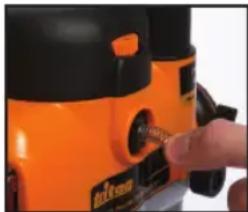
With the router disconnected from power, unscrew the Brush Caps (2) located on the front and rear of the motor
-
Remove the brushes by pulling carefully on the protruding springs
-
If either of the brushes is worn to less than 6mm long, they must both be replaced using genuine Triton replacement brushes - available from Authorised Triton Repair Centres
natural_image
Close-up of a hand inserting a small component into an orange industrial machine (no visible text or symbols)POWER CORD REPLACEMENT
If the supply cord needs replacing, the task must be carried out by the manufacturer, the manufacturer's agent, or an authorised Triton service centre, in order to avoid a safety hazard.
STORAGE
- Store this tool carefully in a secure, dry place out of the reach of children
DISPOSAL
Always adhere to national regulations when disposing of power tools that are no longer functional and are not viable for repair.
- Do not dispose of power tools, or other waste electrical and electronic equipment (WEEE), with household waste
- Contact your local waste disposal authority for information on the correct way to dispose of power tools
TROUBLESHOOTING
SYMPTOM POSSIBLE CAUSE REMEDY
| Router will not operate No supply of power | Check that power is available at source | |
| Brushes worn or sticking Disconnect power, open brush caps and ensure brushes move freely in the holders. Check whether the brushes require replacing - see Page 9 | ||
| Switch is faulty Go to www.tritontools.com for your nearest Triton Approved Service Agent | ||
| Motor components faulty or short circuited | Go to www.tritontools.com for your nearest Triton Approved Service Agent | |
| Router runs slowly Blunt or damaged cutter | Re-sharpen or replace cutter | |
| Variable speed set low Increase variable speed setting | ||
| Motor is overloaded Reduce pushing force on router | ||
| Makes an unusual sound | Mechanical obstruction | Go to www.tritontools.com for your nearest Triton Approved Service Agent |
| Armature has shorted sections | Go to www.tritontools.com for your nearest Triton Approved Service Agent | |
| Excessive vibration | Bent cutter shank | Replace cutter |
| Heavy sparking occurs inside motor housing | Brushes not moving freely | Disconnect power, remove brushes, clean or replace |
| Armature short circuited or open circuited | Go to www.tritontools.com for your nearest Triton Approved Service Agent | |
| Commutator dirty | Go to www.tritontools.com for your nearest Triton Approved Service Agent | |
| Micro adjuster “clicks” | Plunge lock engaged | Release plunge lock lever |
| Plunge selector button is engaged | Disengage the plunge selector button. Refer to 'Handle Winder Plunge' | |
| Reached end of adjustment range. | Reset the router | |
| Plunge lock lever not locking | Plunge lock lever not correctly positioned | Reposition plunge lock lever as described in 'Free Plunge' |
| Shutter on power switch not releasing | Router is plunged to full depth - in collet lock position | Reduce plunge depth |
| Can’t plunge to collet lock position | Power switch “On” | Switch power 'Off' |
WARRANTY
To register your guarantee visit our web site at www.tritontools.com* and enter your details.
Your details will be included on our mailing list (unless indicated otherwise) for information on future releases. Details provided will not be made available to any third party.
PURCHASE RECORD
Date of Purchase: ____ / ____ / ____
Model: TRA001
Retain your receipt as proof of purchase
Triton Precision Power Tools guarantees to the purchaser of this product that if any part proves to be defective due to faulty materials or workmanship within 3 YEARS from the date of original purchase, Triton will repair, or at its discretion replace, the faulty part free of charge.
This guarantee does not apply to commercial use nor does it extend to normal wear and tear or damage as a result of accident, abuse or misuse.
* Register online within 30 days.
Terms & conditions apply.
This does not affect your statutory rights
WARNINGS. Before connecting a tool to a power source (mains switch power point receptacle, outlet, etc.) be sure that the voltage supply is the same as that specified on the nameplate of the tool. A power source with a voltage greater than that specified for the tool can result in serious injury to the user, and damage to the tool. If in doubt, do not plug in the tool. Using a power source with a voltage less than the nameplate rating is harmful to the motor.
- Use safety equipment including safety goggles or shield, ear protection, dust mask and protective clothing including safety glove
- Cloths, cord, string etc. should never be left around the work area
- Ensure the mains supply voltage is the same as the tool rating plate voltage
- Ensure any cable extensions used with this tool are in a safe electrical condition, and have the correct ampere rating for the tool
- Completely unwind cable drum extensions to avoid potential overheating
- Always check walls, floors and ceilings to avoid hidden power cables and pipes
- Ensure that you have removed embedded objects such as nails and screws from the workpiece before commencing operation
SYMBOLLEN
MILIEUBESCHERMING
natural_image
Close-up of a hand pressing a button on an orange industrial machine component (no visible text or symbols)natural_image
Close-up of a hand pressing a button on an orange and silver industrial machine (no visible text or symbols)natural_image
Close-up of a mechanical device with orange and black components (no visible text or symbols)natural_image
Close-up of a hand holding a small black and orange object, possibly a tool or device (no visible text or symbols)natural_image
Close-up of a hand operating a yellow and black electric shaver tool (no visible text or symbols)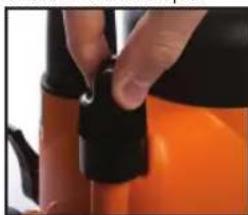
natural_image
Close-up of a hand adjusting a black and orange plastic component (no visible text or symbols)HET PLAATSEN VAN EEN FREES BIT
natural_image
Close-up of a hand adjusting a mechanical component with a black circular knob (no visible text or symbols)natural_image
Close-up of a hand using a tool to press or adjust a mechanical component on a black circular base (no visible text or symbols)natural_image
Close-up of a black and orange electric shaver with ventilation grille (no visible text or symbols)natural_image
Close-up of a hand using a screwdriver to adjust a mechanical component (no visible text or symbols)OPTIONELE STOFKOKER
natural_image
Close-up of a mechanical device with metallic components and a black threaded base (no visible text or symbols)DIEPTESTOP EN DRAAIKOP BEGRENZER
natural_image
Close-up of hands operating a mechanical device with orange and black components (no visible text or symbols)natural_image
Close-up of a hand adjusting a black cylindrical component on a metallic surface (no visible text or symbols)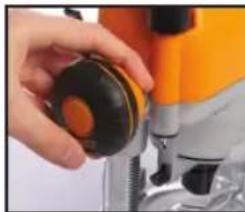
natural_image
Close-up of a hand holding a black circular object next to a yellow-orange industrial machine (no visible text or symbols)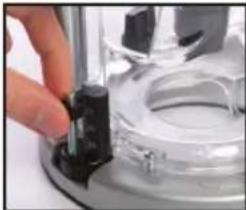
natural_image
Close-up of a hand pressing a black plastic component on a metallic tray (no visible text or symbols)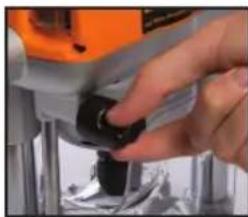
natural_image
Close-up of a hand operating a mechanical device with a black knob (no visible text or symbols)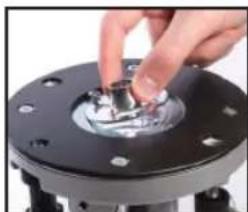
natural_image
Close-up of a hand turning a mechanical component with a metallic shaft (no visible text or symbols)
BEDIENING VANUIT DE VRIJE HAND
natural_image
Industrial machine with orange and black components, no visible text or symbols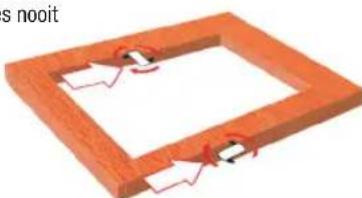
natural_image
3D diagram of a wooden frame with internal components and red zigzag lines indicating motion or movement (no text or symbols)MONTAGE VAN DE BASISPLAAT
natural_image
Person operating a power<|im_start|> Greenland filter press machine on a workbench (no visible text or symbols)natural_image
Close-up of hands operating a mechanical device with a black knob (no visible text or symbols)natural_image
Industrial machine with orange and black components mounted on a metal base (no visible text or symbols)CIRKELS FREZEN
natural_image
Close-up of a hand using a tool to apply a small metallic component onto a black surface (no text or symbols visible)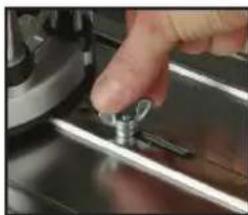
natural_image
Close-up of a hand pressing a small metallic tool on a metal surface (no text or symbols visible)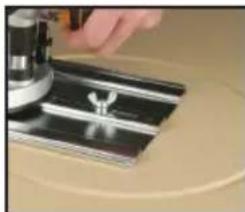
natural_image
Close-up of a hand pressing down on a metallic mechanical component (no visible text or symbols)Doorzagen:
natural_image
Close-up of a hand using a spring-loaded tool on an orange industrial machine (no visible text or symbols)ONDERHOUD
natural_image
Close-up of a hand interacting with an orange industrial machine (no visible text or symbols)m = 311
Double
1
Double
Double
Double
Double
Double
Double
Double
Double
Double
natural_image
Close-up of a hand inserting a small electronic component into an orange device (no visible text or symbols)natural_image
Close-up of a mechanical component with orange and black circular features (no visible text or symbols)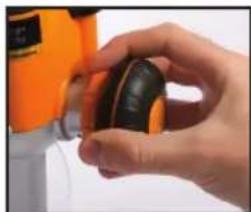
natural_image
Close-up of a hand holding a small black and yellow object, possibly a device or tool, with no visible text or symbols.natural_image
Close-up of a hand adjusting a small orange and black electronic device (no visible text or symbols)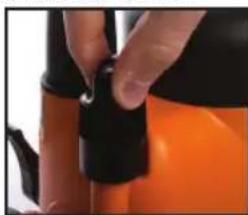
natural_image
Close-up of a hand adjusting a black and orange object with a small hole (no visible text or symbols)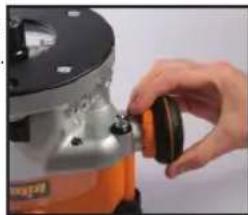
natural_image
Close-up of a hand adjusting a mechanical component with a black knob (no visible text or symbols)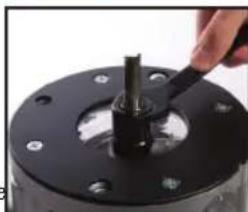
natural_image
Close-up of a hand using a tool to adjust or install a black mechanical component (no visible text or symbols)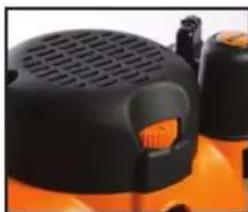
natural_image
Close-up of a black and orange industrial vacuum cleaner with ventilation grille (no visible text or symbols)natural_image
Close-up of a hand using a tool to adjust or install a mechanical component (no visible text or symbols)natural_image
Close-up of a mechanical device with no visible text or symbolsnatural_image
Close-up of hands operating a mechanical device with a black connector (no visible text or symbols)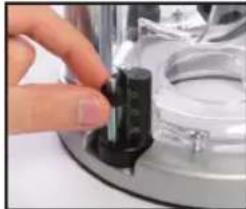
natural_image
Close-up of a hand adjusting a small black component on a metallic surface (no visible text or symbols)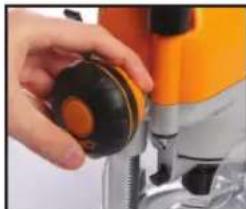
natural_image
Close-up of a hand holding a black and orange circular object, next to a yellow-orange drill bit (no text or symbols visible)natural_image
Close-up of a hand pressing a small black object on a metallic mechanical component (no visible text or symbols)natural_image
Close-up of a hand using a power drill bit to adjust a black component (no visible text or symbols)natural_image
Close-up of a hand pressing a small metallic component on a black circular base (no text or symbols visible)USAGE MANUEL
natural_image
Industrial machine with orange and black components, no visible text or symbols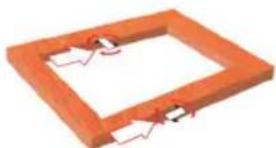
natural_image
3D rendering of an orange rectangular frame with internal cutouts and red alignment marks (no text or symbols)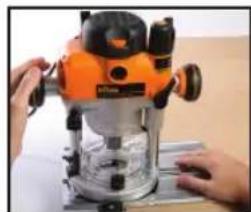
natural_image
Person operating a rougher machine with orange and silver casing (no visible text or symbols)PLAQUE DE GUIDAGE
natural_image
Close-up of hands operating a mechanical device with a black knob (no visible text or symbols)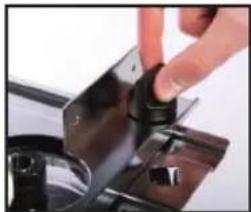
natural_image
Close-up of a hand pressing down on a black metal component (no visible text or symbols)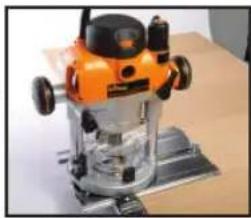
natural_image
Orange and silver machine tool on a metal base (no visible text or symbols)natural_image
Close-up of a hand using a tool to apply a small metallic component onto a black base (no text or symbols visible)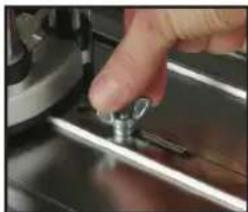
natural_image
Close-up of a hand pressing a small metallic tool on a metal surface (no visible text or symbols)natural_image
Close-up of a hand operating a mechanical device on a beige surface (no visible text or symbols)natural_image
Close-up of a hand using a coiled spring device to adjust a component (no visible text or symbols)natural_image
Close-up of a hand adjusting a yellow and black stationery device (no visible text or symbols)SYMPTÔME CAUSE POSSIBLE SOLUTION
natural_image
Close-up of a hand holding a small electronic device with a black label (no readable text or symbols)natural_image
Close-up of a hand pressing a button on an orange industrial machine (no visible text or symbols)Drehgriffregelung
natural_image
Close-up of a mechanical device with orange and black components (no visible text or symbols)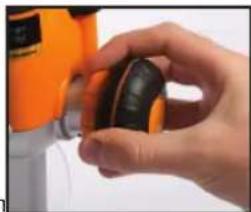
natural_image
Close-up of a hand holding a small black and orange object, possibly a tool or device (no visible text or symbols)natural_image
Close-up of a hand adjusting a small orange and black electronic device (no visible text or symbols)natural_image
Close-up of a hand adjusting a black and orange plastic component (no visible text or symbols)natural_image
Close-up of a hand adjusting a mechanical component with a black circular knob (no visible text or symbols)natural_image
Close-up of a hand using a tool to adjust or install a black mechanical component (no visible text or symbols)natural_image
Close-up of a black and orange industrial vacuum cleaner with ventilation grille (no visible text or symbols)natural_image
Close-up of a hand using a tool to adjust a mechanical component (no visible text or symbols)natural_image
Close-up of a mechanical device with a metallic component and wiring, mounted on a wooden surface (no visible text or symbols)natural_image
Close-up of hands operating a sewing machine with orange and black buttons (no visible text or symbols)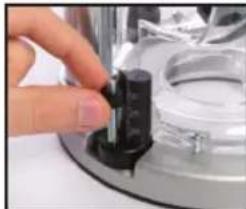
natural_image
Close-up of a hand adjusting a small black mechanical component on a metallic surface (no visible text or symbols)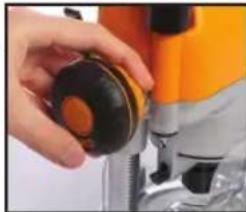
natural_image
Close-up of a hand operating a yellow and silver electric drill press machine (no visible text or symbols)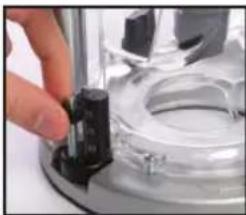
natural_image
Close-up of a hand pressing a black component on a metallic mechanical component (no visible text or symbols)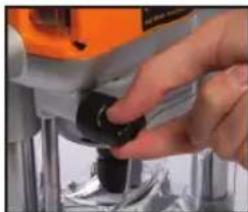
natural_image
Close-up of a hand adjusting a small black component with an orange tool in the background (no visible text or symbols)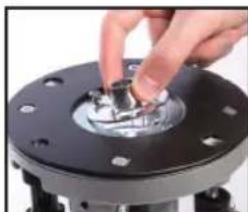
natural_image
Close-up of a hand turning a mechanical component with a metallic shaft (no visible text or symbols)HANDGEFÜHRTES FRÄSEN
natural_image
Person operating a large orange and silver machine tool on a workbench (no visible text or symbols)natural_image
Close-up of hands operating a mechanical device with a black knob (no visible text or symbols)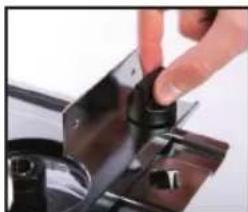
natural_image
Close-up of a hand pressing down on a metal appliance with a black knob (no visible text or symbols)natural_image
Orange and black hover machine on a metal base (no visible text or symbols)natural_image
Close-up of a hand using a tool to apply a small metallic component onto a black base (no text or symbols visible)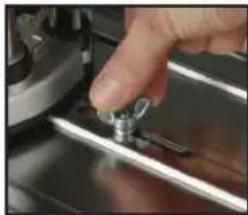
natural_image
Close-up of a hand pressing a small metallic component on a metal mechanical part (no visible text or symbols)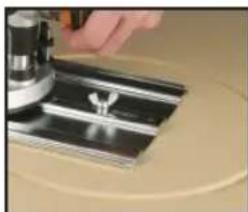
natural_image
Close-up of a hand pressing down on a metallic mechanical component (no visible text or symbols)natural_image
Close-up of a hand holding a black and orange industrial device with a coiled spring (no visible text or symbols)INSTANDHALTUNG
natural_image
Close-up of a hand operating a yellow industrial machine with a black handle (no visible text or symbols)natural_image
Close-up of a hand inserting a small electronic component into an orange industrial machine (no visible text or symbols)natural_image
Close-up of a hand pressing down on a mechanical component with orange and black parts (no visible text or symbols)natural_image
Close-up of a mechanical device with orange and silver components, no visible text or symbolsnatural_image
Close-up of hands holding a small black and yellow object, possibly a device or tool, with no visible text or symbols.natural_image
Close-up of a hand adjusting a yellow and black industrial machine component (no visible text or symbols)natural_image
Close-up of a hand adjusting a black and orange button component (no visible text or symbols)natural_image
Close-up of a hand adjusting a mechanical component with a black clip (no visible text or symbols)natural_image
Close-up of a hand using a tool to press or install a mechanical component, no visible text or symbolsnatural_image
Close-up of an orange and black industrial machine component with ventilation grille (no visible text or symbols)natural_image
Close-up of a hand holding a black threaded object inserted into a transparent mechanical component (no visible text or symbols)natural_image
Close-up of a mechanical component with metallic parts and a black threaded base (no visible text or symbols)ARRESTO PROFONDITÀ E TORRETTA
natural_image
Close-up of hands operating a sewing machine with a black knob (no visible text or symbols)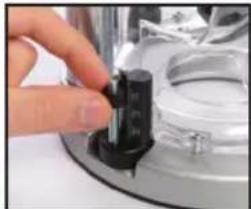
natural_image
Close-up of a hand pressing a black cylindrical component on a metallic mechanical part (no visible text or symbols)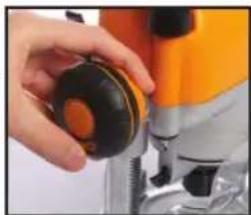
natural_image
Close-up of a hand operating a yellow and orange drill press machine (no visible text or symbols)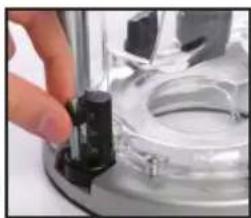
natural_image
Close-up of a hand adjusting a mechanical component with a black cylindrical part on a metallic base (no visible text or symbols)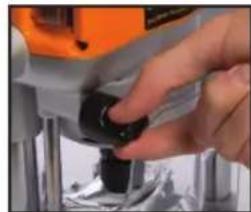
natural_image
Close-up of a hand adjusting a small black component on a metallic mechanical part (no visible text or symbols)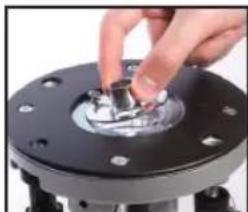
natural_image
Close-up of a hand pressing a small metallic component on a black circular base (no text or symbols visible)USO COME UTENSILE MANUALE
natural_image
Person operating a large orange and black hover machine on a workbench (no visible text or symbols)PIASTRA BASE ESTESA E GUIDA
natural_image
Close-up of hands operating a mechanical device with a knob (no visible text or symbols)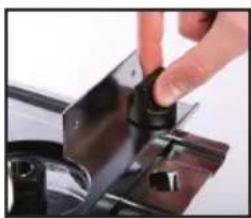
natural_image
Close-up of a hand pressing down on a black metal component mounted on a gas stove (no visible text or symbols)natural_image
Orange and black hover machine on a metal base (no visible text or symbols)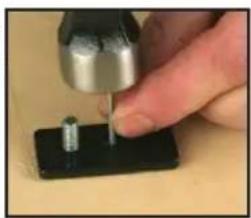
natural_image
Close-up of a hand using a tool to apply a small component onto a black base (no visible text or symbols)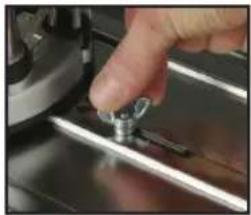
natural_image
Close-up of a hand pressing a small metallic tool on a metal mechanical component (no visible text or symbols)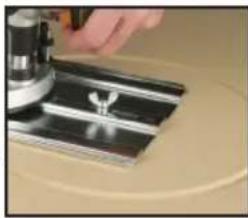
natural_image
Close-up of a hand operating a mechanical device on a circular surface (no visible text or symbols)USO COME UTENSILE DA BANCO
natural_image
Close-up of a hand using a black spiral tool to press or install a component, with an orange device and ventilation grille visible (no text or symbols)MANUTENZIONE
natural_image
Close-up of a hand operating a yellow industrial machine with black buttons (no visible text or symbols)natural_image
Close-up of a hand pressing a button on an orange industrial machine component (no visible text or symbols)AJUSTE DE LA PROFUNDIDAD DE CORTE
natural_image
Close-up of a hand pressing down on a mechanical component with orange and silver parts (no visible text or symbols)natural_image
Close-up of a mechanical component with orange and black parts, no visible text or symbols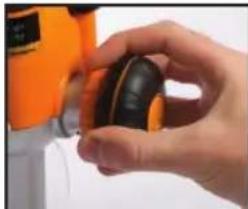
natural_image
Close-up of a hand holding a small black object, with an orange device partially visible in the background (no text or symbols)Microajustador
natural_image
Close-up of a hand adjusting a yellow-orange power tool (no visible text or symbols)natural_image
Close-up of a hand adjusting a black and orange object with a droplet (no visible text or symbols)natural_image
Close-up of a hand operating a mechanical device with a black knob (no visible text or symbols)natural_image
Close-up of a hand using a tool to adjust or install a mechanical component (no visible text or symbols)CONTROL DE VELOCIDAD VARIABLE
natural_image
Close-up of a black and orange industrial vacuum cleaner with ventilation grille (no visible text or symbols)natural_image
Close-up of a hand using a screwdriver to adjust a mechanical component (no visible text or symbols)natural_image
Close-up of a mechanical device with metallic components and a black cable (no visible text or symbols)TOPE DE PROFUNDIDAD Y TORRETA
natural_image
Close-up of hands operating a sewing machine with orange and silver buttons (no visible text or symbols)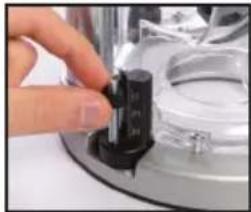
natural_image
Close-up of a hand pressing a black cylindrical component on a metallic surface (no visible text or symbols)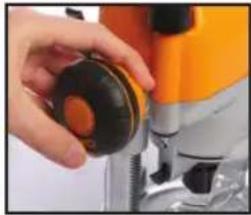
natural_image
Close-up of a hand operating a yellow and black industrial machine (no visible text or symbols)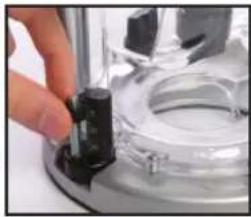
natural_image
Close-up of a hand holding a small black object on a metallic surface, with no visible text or symbols.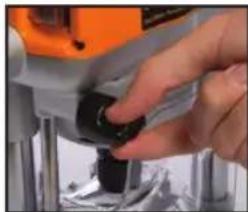
natural_image
Close-up of a hand using a power tool on a mechanical component (no visible text or symbols)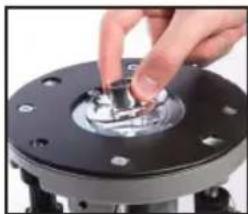
natural_image
Close-up of a hand pressing a small metallic component on a black circular base (no text or symbols visible)USO MANUAL
natural_image
Industrial machine with orange and silver components, no visible text or symbols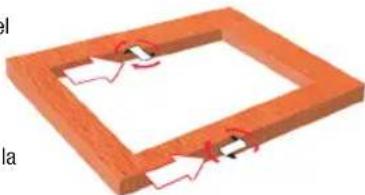
natural_image
3D diagram of a wooden frame with internal cutouts and red arrows indicating direction (no text or symbols)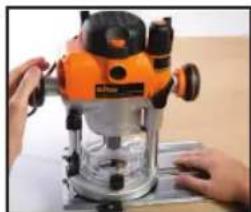
natural_image
Person operating a power<|im_start|> Greenlanding machine on a workbench (no visible text or symbols)LA PLACA DE GUÍA Y GUÍA PARALELA
natural_image
Close-up of hands operating a mechanical component with a black knob (no visible text or symbols)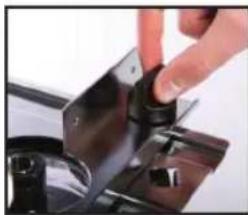
natural_image
Close-up of a hand pressing a black cylindrical component on a dark metal surface (no text or symbols visible)natural_image
Industrial machine with orange and black components mounted on a metal base (no visible text or symbols)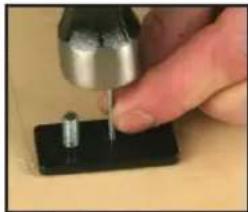
natural_image
Close-up of a hand using a tool to apply a small metallic component onto a black base (no text or symbols visible)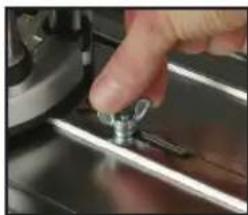
natural_image
Close-up of a hand pressing a small metallic tool on a metal surface (no visible text or symbols)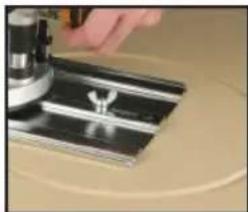
natural_image
Close-up of a hand operating a microscope on a metallic surface (no visible text or symbols)natural_image
Close-up of a hand adjusting a black and orange industrial machine component with a coiled spring (no visible text or symbols)natural_image
Close-up of a hand pressing a button on an orange industrial machine (no visible text or symbols)natural_image
Close-up of a hand holding a small black and yellow object, possibly a device or tool, with no visible text or symbols.natural_image
Close-up of a hand adjusting a power tool with orange and black buttons (no visible text or symbols)natural_image
Close-up of a hand adjusting a mechanical component with a black circular knob (no visible text or symbols)ックまれますーの位置
natural_image
Close-up of a mechanical component with a black tool inserted, no visible text or symbolsnatural_image
Close-up of a black and orange electric shaver with visible grille and handle (no text or symbols)natural_image
Close-up of a hand holding a black threaded object next to a metallic mechanical component (no visible text or symbols)natural_image
Close-up of a mechanical device with no visible text or symbols深さストップとタレット
natural_image
Close-up of hands operating a sewing machine with a black connector (no visible text or symbols)
natural_image
Close-up of a hand adjusting a black cylindrical component on a metallic surface (no visible text or symbols)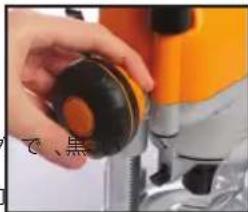
natural_image
Close-up of a hand holding a black circular object next to a microscope (no visible text or symbols)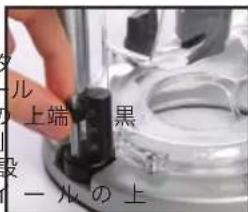
natural_image
Close-up of a hand pressing a small metallic component on a black mechanical flange (no text or symbols visible)機能 67
手持ちで作業する場合
natural_image
Close-up of a small orange and black cleaning machine with mechanical components, no visible text or symbols on the device itself.natural_image
3D diagram of a wooden frame with internal components and red zigzag lines indicating movement or alignment (no text or symbols)natural_image
Person operating a large orange and black power filter on a workbench (no visible text or symbols)natural_image
Close-up of a hand pressing down on a black metal component (no visible text or symbols)natural_image
Close-up of a hand pressing down on a metal mechanical component (no visible text or symbols)