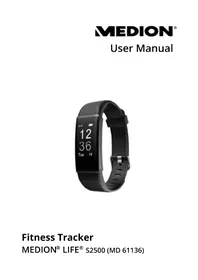
LIFE S2500 (MD 61017) - Sports Watch MEDION - Free user manual and instructions
Find the device manual for free LIFE S2500 (MD 61017) MEDION in PDF.



| Product Type | Sports watch / activity tracker |
| Brand | MEDION |
| Model | LIFE S2500 (MD 61017) |
| Dimensions (L × W × H) | 41 × 19.5 × 11.2 mm |
| Weight | 23 g |
| Maximum wrist circumference | Approximately 220 mm |
| Power supply | Built-in Li-ion battery 3.7 V / 65 mAh |
| Charging time | Approximately 90 minutes |
| Battery life | 8 to 12 days |
| Charging method | Direct USB port (detachable sensor unit) |
| Display | Touch screen (touchpad) |
| Sensors | Optical heart rate monitor, pedometer (accelerometer) |
| Connectivity | Bluetooth 4.2 (2402-2480 MHz, power 0.44 dBm) |
| Protection rating | IP67 (dust resistant and temporary immersion) |
| Sport modes | Fast walking, Running, Cycling |
| Main functions | Heart rate measurement, pedometer, distance, calories, sleep monitoring, alarm, smartphone notifications, remote camera trigger |
| Package contents | Bracelet with sensor unit, quick start guide, warranty information |
| Operating temperature | 0 °C to +45 °C, max. humidity 90% RH |
| Storage temperature | 0 °C to +30 °C, humidity 65% ± 25% RH |
| Processor | Nordic nRF52832 |
| Maintenance | Clean external surfaces and sensors with a damp cloth; do not use harsh products |
| Safety | Do not open the case; keep out of reach of children under 8 years; maintain a distance of 20 cm from pacemakers |
Frequently Asked Questions - LIFE S2500 (MD 61017) MEDION
User questions about LIFE S2500 (MD 61017) MEDION
0 question about this device. Answer the ones you know or ask your own.
Ask a new question about this device
Download the instructions for your Sports Watch in PDF format for free! Find your manual LIFE S2500 (MD 61017) - MEDION and take your electronic device back in hand. On this page are published all the documents necessary for the use of your device. LIFE S2500 (MD 61017) by MEDION.
USER MANUAL LIFE S2500 (MD 61017) MEDION
1. Information about these operating instructions 66
1.1. Explanation of
symbols 67
2. Proper use
2.1. Improper use
3. Safety information ....IT....
3.1. General information ...74
3.2. Application 79
4. Package contents
5. Overview of the device .... 82
5.1. Front 82
5.2. Rear 83
6. Using the device for the first time 84
6.1. Charging the device ...85
6.2. Putting on the fitness bracelet .87
6.3. Switching on the device. 87
6.4. MEDION® Fitness app 87
6.5. Connecting the device with the app via Bluetooth...88
6.6. Switching off the device 90
6.7. Start screen
6.8. Step counter
6.9. Starting pulse measurement....93
6.10. "Walking" sport mode 95
6.11. "Running" sport mode 97
6.12. "Cycling" sport mode 99
6.13. Viewing the sports data in detail 101
- Cleaning and care .........105
- Storage when not in use ..106
- Troubleshooting 106
-
Disposal 108
-
Technical data 110
- Service information 111
- Legal Notice EN
FR
ES
IT
NL
1. Information about these operating instructions

Thank you for choosing our product. We hope you enjoy using it.
Note the warnings on the device, in the quick guide and in the operating instructions.
The operating instructions are provided as a digital file. Save this if necessary on an external storage medium so that it is always available as a reference.
1.1. Explanation of symbols
If a block of text is marked with one of the warning symbols listed below, the hazard described in that text must be avoided to prevent the potential consequences described there from occurring.

DANGER!
Warning of immediate risk of fatal injury!
WARNING!

Warning: possible mortal danger and/ or serious irreversible injuries!

CAUTION!
Warning: possible light or moderate injuries!

NOTICE!
Please follow the guidelines to avoid property damage.

Additional information on using the device!

Please follow the guidelines in the operating instructions.
Bullet point/information on operating steps and results
Tasks to be performed
C
Declaration of conformity
Products that feature this symbol meet the requirements of the EC directives (see section 'Declaration of conformity')
2. Proper use
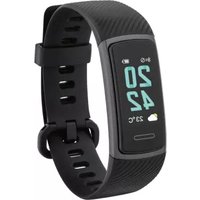
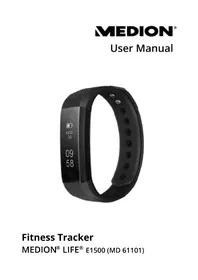
This fitness bracelet is an IT device and offers you a number of options for usage:
- Heart rate monitor
- Step counter
- Multi-sport mode for e.g. running, cycling or hiking
- Calorie counter
- Sleep monitor
- Remote shutter release for photos*
- Alarm*
- Message function for incoming messages*
The device is intended for private use only and not for industrial/commercial use. Please
note that we shall not be liable in cases of improper use:
Do not modify the device without our consent.
Use only spare parts and accessories that we have supplied or approved.
Heed all the information in these operating instructions, especially the safety information. Any other use is deemed improper and can cause personal injury or property damage.
2.1. Improper use
This fitness bracelet is intended to monitor various body measurements or vital signs (pulse,
calorie consumption, etc.) and is not designed for making a diagnosis, treating a patient, healing or preventing diseases.
3. Safety information
- Keep the device and its accessories out of the reach of children.
These devices may be used by children over the age of 8 and by persons with reduced physical, sensory or mental abilities or by those without experience and/or knowledge, if they are supervised or have been instructed in the safe use of the device and have understood the
potential risks.
Children must not be allowed to play with the device.
Cleaning and user maintenance must not be carried out by children, unless they are aged 8 or over and are supervised.
- Keep children younger than 8 years of age away from the device.
3.1. General information
Do not expose the device to any extreme conditions. The following should be avoided:
- High humidity or moisture
- Extremely high or low temperatures
- Direct sunlight
- Naked flames
The device does not contain any parts that require maintenance. Do not open the device housing under any circumstances.

WARNING!
Risk of explosion!
Do not throw the fi tness bracelet into a fire! There is a risk of explosion!
Do not use the device in areas where there is a risk of explosion, e.g. tank systems, fuel storage depots, or areas in which solvents are being used. It is also not permitted to use this device in areas where the air is contaminated with fine particles (e.g. flour dust or sawdust).
Do not attempt to replace the rechargeable battery in the device. It is built into the device and cannot be replaced.
- Never look at the LED on the underside with optical devices.
To prevent damage due to non-permissible heating up of the device, do not cover the fitness bracelet during the charging process.
Do not place any objects on top of the device and do not exert pressure on the display as it could break.
Avoid touching the display with sharp objects.
Do not use the fitness bracelet if the housing or the display are visibly damaged.
Do not dismantle or deform the fitness bracelet. You could injure your hands or fingers, or battery fluid could come into contact with your eyes or skin. If this happens, rinse the affected areas with plenty of clean water and contact your doctor immediately.
When using the fitness bracelet, be sure to maintain a safety distance of at least 20 cm from implanted pacemakers or defi drillators to avoid any possibility of interference.

WARNING!
Risk of fire!
Unintentional short circuits pose a risk of fire.
- Stop using the fi tness bracelet immediately and disconnect the fi tness bracelet immediately from any connected USB power supply:
- if unusual noises or smoke are being emitted from the fitness bracelet
- if the fitness bracelet has been damaged by liquids or strong humidity
- in dangerous situations
3.2. Application
DE
Extended contact with the skin can cause skin irritations or allergic reactions in some people.
EN
FR
ES
IT
NL
Do not continue to use the fitness bracelet if you experience:
-
pain,
-
tingling,
-
burning,
-
numbness or stiffness in your hands or wrists while or after wearing it.
This fitness bracelet contains electrical components that could cause injuries in the event of improper use.
4. Package contents

DANGER!
Risk of suffocation!
There is a risk of suffocation if plastic packaging or small parts are inhaled or swallowed.
-
Keep the packaging out of reach of children.
Do not let children play with the packaging materials.
Packing material is not a toy! -
Remove the product from the packaging and remove all of the packaging materials.
-
Please check your purchase to ensure all items are included and contact our Service Department within 14 days of purchase if the delivery is incomplete.
Check the fitness bracelet for damage before using it every time.
Also contact our Service Centre in the event of damage.
The following items are supplied with your product:
- Bracelet with sensor unit
- Quick guide with warranty information
5. Overview of the device
5.1. Front
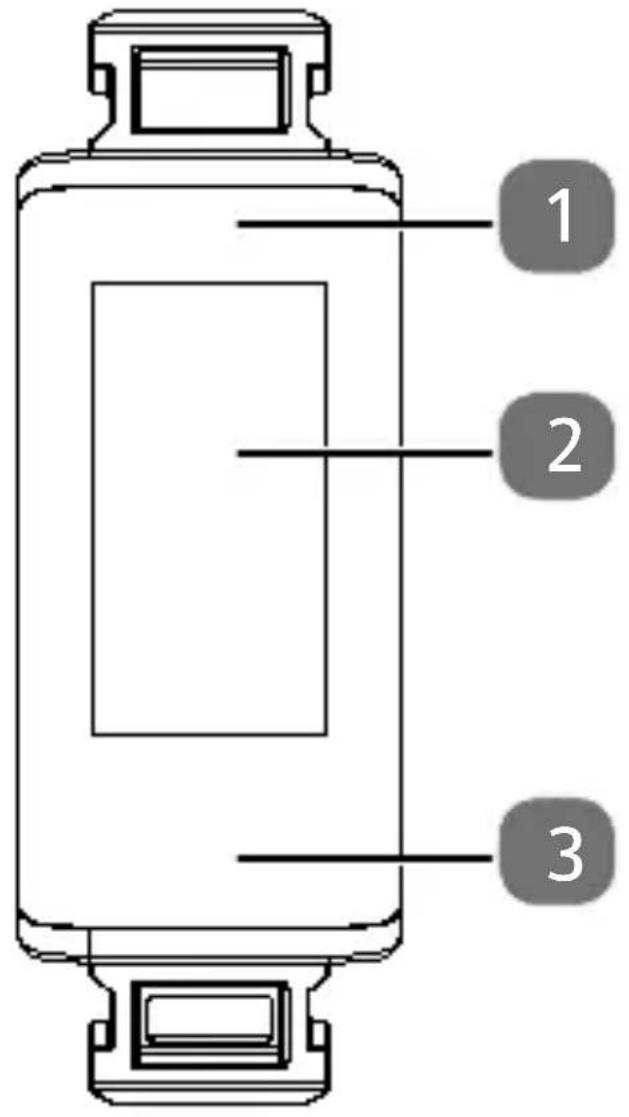
| 1 | Charging LED |
| 2 | Display |
| 3 | Touch panel |
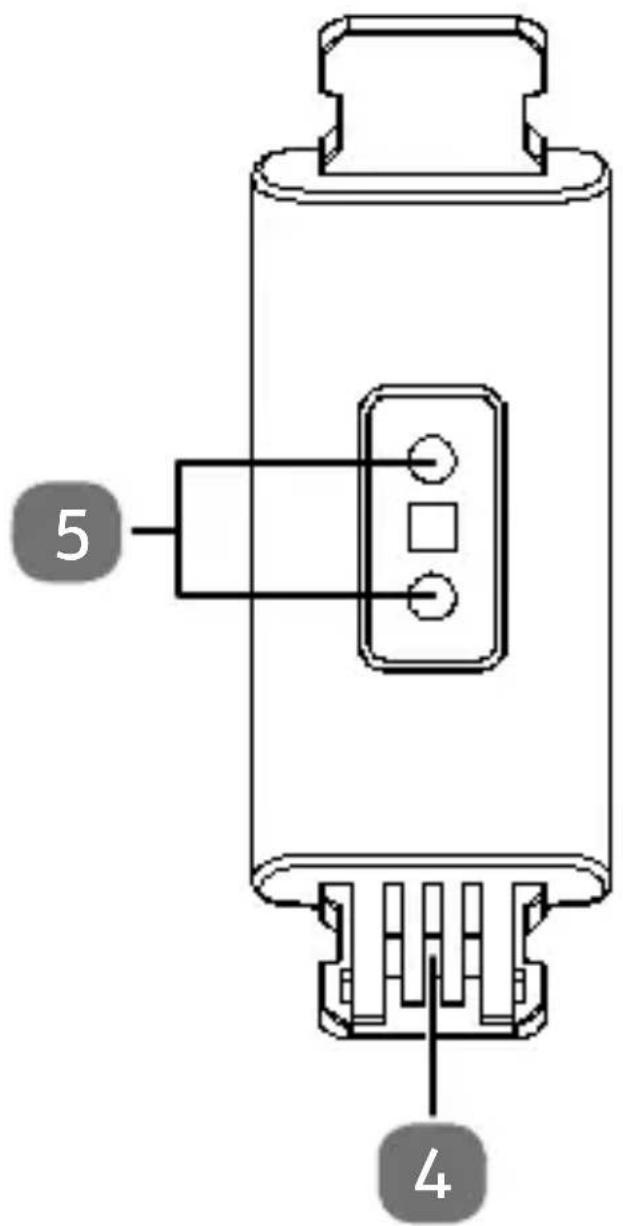
5.2. Rear
| 4 | USB connection |
| 5 | Pulse sensors |
6. Using the device for the first time
Remove all packaging materials.
Remove the protective film from the device display.

DANGER!
Risk of suffocation!
There is a risk of suffocation if plastic packaging or small parts are inhaled or swallowed.
- Keep the packaging out of reach of children.
Do not let children play with the packaging materials.
6.1. Charging the device
- Remove the sensor unit by pulling it forcefully where necessary from the bracelet.
Connect the sensor unit to a free USB port on your PC or notebook.
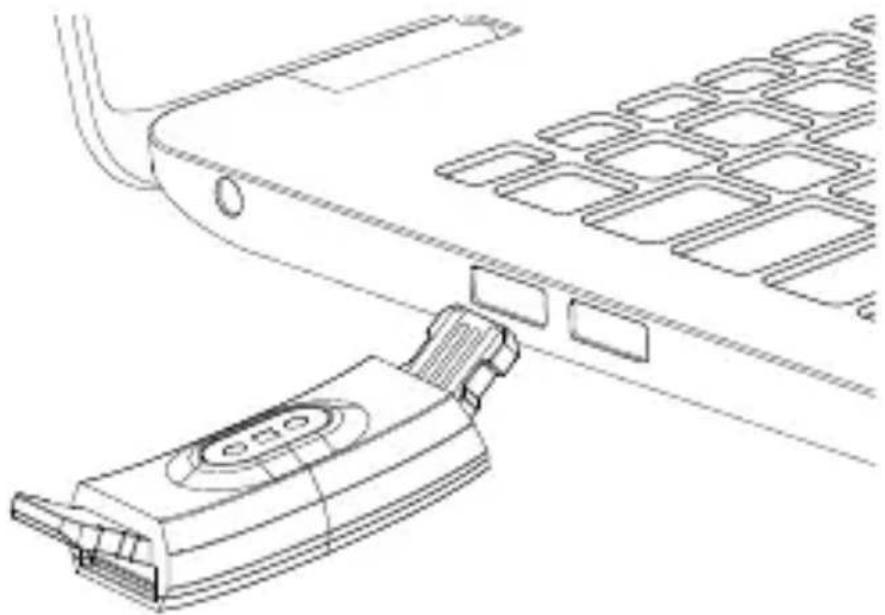
Ensure that the contacts on the USB connector on the sensor unit match the contacts on the USB port on your PC or notebook.
The charging time is approx. 90 minutes.

If the charging LED does not light up in red, the sensor unit has no contact to the USB port and cannot be charged. Turn the sensor unit over and check the operating state of your PC or notebook.
If necessary, use a USB extension cable (not supplied) to make it easier to charge the fitness bracelet. The charging LED will go out as soon as the sensor unit is fully charged.
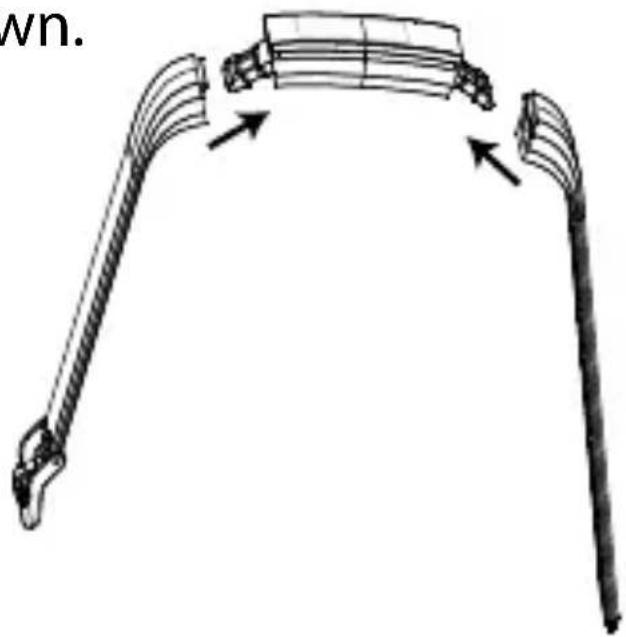
Insert the plug connectors on the sensor unit into the corresponding receptacles on the bracelet as shown.
6.2. Putting on the fitness bracelet
Place the fitness bracelet around your wrist and close the bracelet.

The fitness bracelet should be neither too tight nor too loose around your wrist.
6.3. Switching on the device
Press and hold down the touch panel for approx. 4 seconds until the sensor unit vibrates briefly and the display lights up.
The device is now switched on.
6.4. MEDION® Fitness app
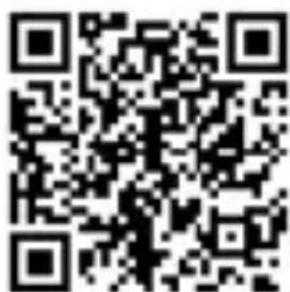
Download the corresponding MEDION® Fitness app to your smartphone free of charge from the Apple App Store or the Google Play Store.
Alternatively, you can automatically download the app with the aid of the QR code printed below.
Apple App Store/ Google Play Store
6.5. Connecting the device with the app via Bluetooth®

A Bluetooth® connection is an unencrypted, wireless data transmission that is not protected against access by unauthorized third parties.
Start the MEDION Fitness app.
- Select the desired language in the app and enter your personal data such as gender, age, weight, height, etc. to enable the values to be calculated (calorie consumption, etc.).
Activate Bluetooth on your smartphone.
Activate the fitness tracker by briefly pressing the touch panel until the display lights up.
Press "Connect" on the control panel of the app to start searching for devices.
The app will now show you a list of all the fitness bracelets within range.
Select your fitness bracelet S2500 from the list.
The smart circle will now be displayed for 10 seconds on the fitness bracelet.
During this 10 second period, press and hold down the touch panel on the fitness bracelet for around 2 seconds to connect the devices to one another.

If you do not confirm the connection on the fitness bracelet within 10 seconds, you will need to start a new
connection process via the app. If the connection has been successfully established, the fitness bracelet will display and your smartphone will display the message “The device is connected and ready to use.”
Press "Finish" on the control panel to conclude the connection process.

Pairing the devices via Bluetooth only needs to be done when using the device for the first time.
6.6. Switching off the device
Press the touch panel on the start screen of the fitness bracelet for approx. 4 seconds until a 3 second countdown starts. Once the countdown has expired, the device will automatically switch to standby mode (Bluetooth® is deactivated).
6.7. Start screen
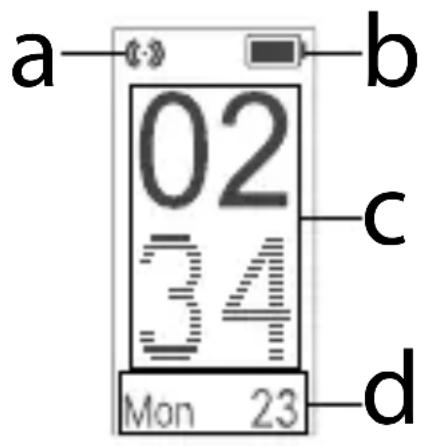
Use one finger to tap on the touch panel until the display lights up.
The display automatically shows the start screen. The following information will be displayed: Bluetooth connection (a), charge status (b), time (c) and date (d).
6.8. Step counter
Use one finger to tap on the touch panel until the display lights up.
Use your finger to scroll through the menus on the touch panel until the following menu appears.
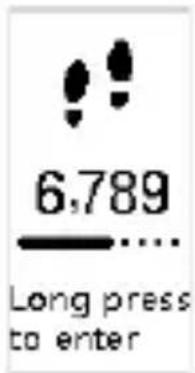
Press and hold down the touch panel.
The display shows you the number of steps counted (a) and the distance covered (b).
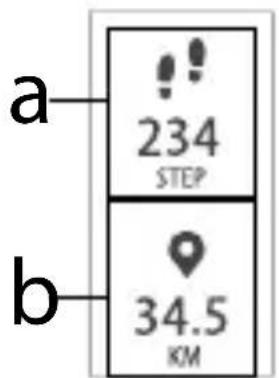
Press the touch panel again to switch between the results for: (steps) and (distance) or (calculated calorie consumption) and (training time).
6.9. Starting pulse measurement
Use your finger to scroll through the menus on the touch panel until the following menu appears.
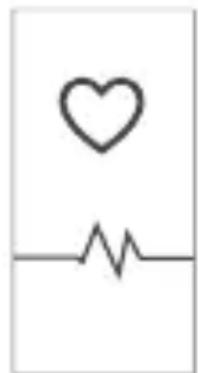
The device starts to measure your pulse automatically and shows you the currently measured pulse (a).
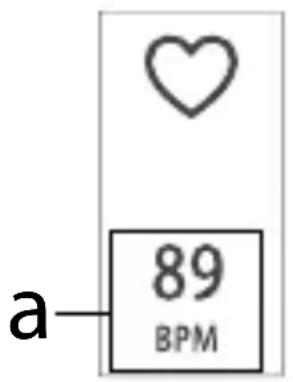
The display remains switched on during the measurement.
Use one finger to tap on the touch panel to end the measurement.
6.10. "Walking" sport mode
Use your finger to scroll through the menus on the touch panel until the following menu appears.
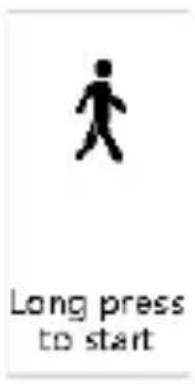
Press and hold down the touch panel.
The measurement starts after a 3 second countdown and shows you your current pulse (a) and the training time (b).
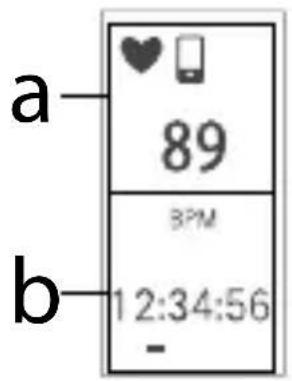

If the fi tness bracelet is connected to a smartphone, the following symbol lights up on the fi tness bracelet display. All of the measured data is automatically transferred to the paired smartphone.
You can view other sports data (see,6.13. Viewing the sports data in detail" on page 101) by briefly tapping on the touch panel.
Press and hold down the touch panel for approx. 3 seconds to end "Walking" mode.
Your sports data will be shown once again briefly.

This data cannot be subsequently called up on the fitness bracelet.
6.11. "Running" sport mode
Use your finger to scroll through the menus on the touch panel until the following menu appears.
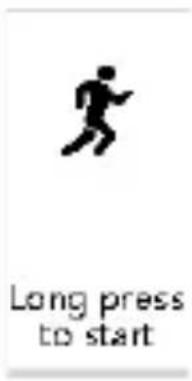
Press and hold down the touch panel.
The measurement starts after a 3 second countdown and shows you your current pulse (a) and the training time (b).
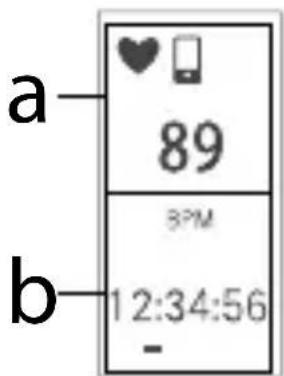

If the fi tness bracelet is connected to a smartphone, the following symbol lights up on the fi tness bracelet display. All of the measured data is automatically transferred to the paired smartphone.
You can view other sports data (see,6.13. Viewing the sports data in detail" on page 101) by briefly tapping on the touch panel.
Press and hold down the touch panel for approx. 3 seconds to end "Running" mode.
Your sports data will be shown once again briefly.

This data cannot be subsequently called up on the fitness bracelet.
6.12. "Cycling" sport mode
Use your finger to scroll through the menus on the touch panel until the following menu appears.
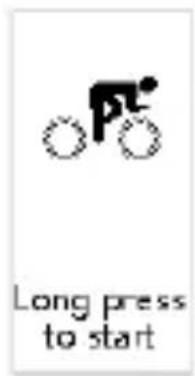
Press and hold down the touch panel.
The measurement starts after a 3 second countdown and shows you your current pulse (a) and the training time (b).
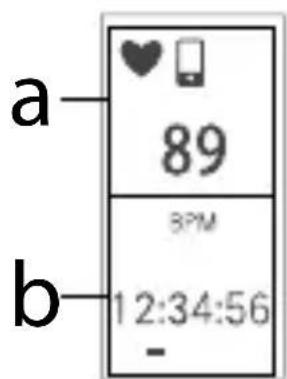

If the fi tness bracelet is connected to a smartphone, the following symbol lights up on the fi tness bracelet display. All of the measured data is automatically transferred to the paired smartphone.
You can view other sports data (see,6.13. Viewing the sports data in detail" on page 101) by briefly tapping on the touch panel.
Press and hold down the touch panel for approx. 3 seconds to end "Cycling" mode.
Your sports data will be shown once again briefly.

This data cannot be subsequently called up on the fitness bracelet.
6.13. Viewing the sports data in detail
The different sport modes
(Walking, Running, Cycling) show you different data in detail.
The data in the individual modes can
be called up once on the fitness bracelet after a measurement.
The following shows you a list of the
modes and the supported sports data.
| Pulse Steps Calories Distance | Average pace | Time | |||||
| Walking | ✓ | ✓ | ✓ | ✓ | ✓ | ||
| Running | ✓ | ✓ | ✓ | ✓ | ✓ | ||
| Cycling | ✓ | x | ✓ | x | x | ||
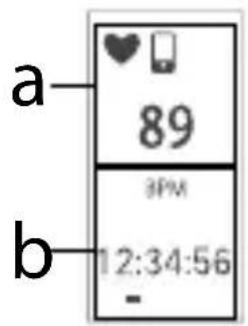
6.13.1. Pulse
This display shows you the current pulse (a) and the training time (b).
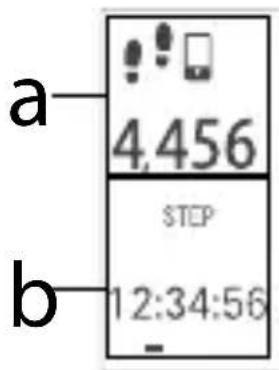
6.13.2. Steps
This display shows you the number of steps taken (a) and the training time (b).
6.13.3. Calories
This display shows you the current amount of calories burnt (a) and the training time (b).
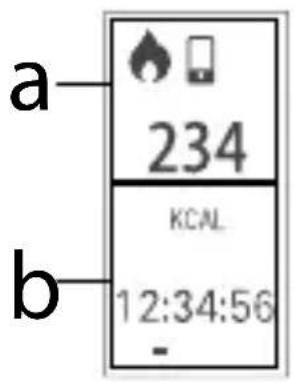
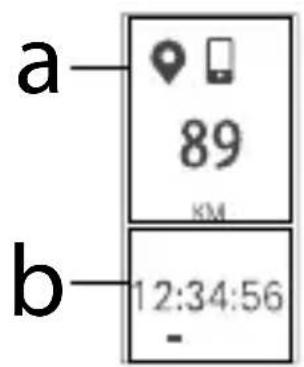
6.13.4. Distance
This display shows you the current distance covered (a) and the training time (b).
7. Cleaning and care

ATTENTION! Risk of damage!
Do not use any aggressive chemical agents, scouring agents or hard sponges for cleaning.
The surfaces of the sensor for the pulse monitor on the underneath of the fitness bracelet need to be kept clean because dirt may influence the measurement data.
The external surfaces of the fitness bracelet should be cleaned regularly with a damp cloth.
8. Storage when not in use
- Switch off the fitness bracelet and store it in a dry and dust-free environment.
9. Troubleshooting
| Problem | Possible cause | Solution |
| The fi tness bracelet will not start. | The battery is not charged. | Charge the fi tness bracelet. |
| No/in-correct pulse measurement. | The surfaces of the sensor are dirty. | Clean the surfaces of the sensor. |
| The data transfer between the fi tness bracelet and the smart-phone is faulty. | No Bluetooth connection. | Complete the Bluetooth pairing process again. |
| The distance covered is implausi-ble. | The stride length is incorrectly programmed. | Check the programmed stride length and correct if necessary. |
DE
EN
FR
ES
IT
NL
10. Disposal

PACKAGING
The product has been packaged to protect it from damage.
age in transit. The packaging is made of materials that can be recycled in an environmentally friendly manner.
DEVICE
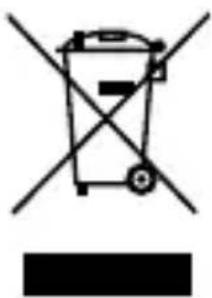
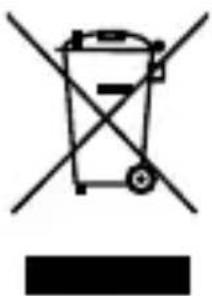
Old devices may not be disposed of with normal household rubbish.
In accordance with Directive 2012/19/EU, the device must be properly disposed of at the end of its service life.
This involves separating the materials in the device for the purpose of recycling and minimising the environmental impact.
Take old devices to a collection point for electrical scrap or a recycling centre.
Contact your local waste disposal company or your local authority for more information on this subject.
Wenden Sie sich für{nahere Auskünfte an Ihr örtliches Entsorgungsunternehmen oder ihreCOMMUNALE Verwaltung. The built-in battery cannot be removed, the entire device should be disposed of properly. At the end of its service life, do not dispose of the device with normal household rubbish. Instead, contact your local authority to find out how to dispose of the device in an environmentally friendly manner at collection points for electrical and electronic scrap.
11. Technical data
CPU Nordic nRF52832
Built-in battery Li-ion battery 3.7
V 65 mAh
Operating tem- 0ircC +45ircC max.
perature 90 % RH
Storage temper- 0ircC +30ircC max.
ature 65% + / - 25% RH
Charging time about 90 minutes
Battery operat- 8 - 12 days ing time
Charging con- USB ncection
Bluetooth® 4.0 LE
Bluetooth® approx. 10 m range
Bluetooth® 2402-2480 MHz frequency range
Max. Bluetooth® 0.44 dBm transmission power
Protection class IP 67
Dimensions 41 × 19,5 × 11,2 mm
Wrist circumference approx. 220 mmence
Weight 23 g
Subject to technical modifications!
12. Service information
Please contact our Customer Service team if your device ever stops working the way you want or expect it to. There are several ways for you to contact us:
- In our Service Community, you can meet other users, as well as our staff, and you can exchange your experiences and pass on your knowledge there.
You will find our Service Community at http://community.medion.com.
- Alternatively, use our contact form at www.medion.com/contact.
- You can also contact our Service team via our hotline or by post.
| Opening times | Hotline number UK |
| Mon – Fri: 08.00 – 20.00 Sat – Sun: 10.00 – 16.00 | ➀ 0333 3213106 |
| Hotline number Ireland | |
| ➂ 1 800 992508 |
Service address
MEDION Electronics Ltd.
120 Faraday Park, Faraday Road, Dorcan
Swindon SN3 5JF, Wiltshire United Kingdom
You can download this and many other sets of operating instructions from our service portal at www.medion.com/ gb/service/start/. You will also find drivers and other software for a wide range of devices there.
You can also scan the QR code on the side of the screen, to download the operating instructions onto your mobile device from the service portal.
13. Legal Notice
Copyright © 2018
Date: 04.07.2018
All rights reserved.
These operating instructions are protected by copyright.
Mechanical, electronic and any other forms of reproduction are prohibited without the written permission of the manufacturer.
Copyright is owned by the distributing company:
MEDION AG
Am Zehnhof 77
45307 Essen
Germany
Please note that you cannot use the address above for returns. Please always contact our Customer Service team first.
Sommaire
MEDION® Fitness ...142
DE
6.5. Connector
EN
le bracelet à
l'application via
Bluetooth®............143
FR
6.6. Éteindre
le
bracelet............145
ES
Port de charge- USBment
Bluetooth® 4.0 LE
Portee Env. 10 m Bluetooth®
daños durante el transporte. Los embalajes están hechos con materiales queSEOSEOSEOSEOSEOSEOSEOSEOSEOSEOSEOSEOSEOSEOSEOSEOSEOSEOSEOSEOSEOSEOSEOSEOSEOSEOSEOSEOSEOSEOSEOSEOSEOSEOSEOSEOSEOSEOSEOSEOSEOSEOSEOSEOSEOSEOSEOSEOSEOSEOSEOSEOSEOSEOSEOSEOSEOSEOSEOSEOSEOSEOSEOSEOSEOSEOSEOSEOSEOSEOSEOSEOSEOSEOSEOSEOSEOSEOSEOSEOSEOSEOSEOSEOSEOSEOSEOSEOSEOSEOSEOSEOSEOSEOSEOSEOSEOSEOSEOSEO SEO
APARATO
- Information about these operating instructions 66
- Proper use
- Safety information ....IT....
- Package contents
- Overview of the device .... 82
- Using the device for the first time 84
- Information about these operating instructions
- Explanation of symbols
- DANGER!
- WARNING!
- CAUTION!
- NOTICE!
- C
- Declaration of conformity
- Improper use
- Safety information
- General information
- Risk of explosion!
- Risk of fire!
- Application
- Risk of suffocation!
- Overview of the device
- Front
- Using the device for the first time
- Charging the device
- Putting on the fitness bracelet
- Switching on the device
- MEDION® Fitness app
- Connecting the device with the app via Bluetooth®
- Switching off the device
- Start screen
- Step counter
- Starting pulse measurement
- "Walking" sport mode
- "Running" sport mode
- "Cycling" sport mode
- Viewing the sports data in detail
- Pulse
- Steps
- Calories
- Distance
- Cleaning and care
- ATTENTION! Risk of damage!
- Storage when not in use
- Troubleshooting
- Disposal
- PACKAGING
- DEVICE
- Technical data
- Subject to technical modifications!
- Service information
- Service address
- Legal Notice
- MEDION AG
- Am Zehnhof 77
- Essen
- Germany
- Sommaire
- APARATO
Brand : MEDION
Model : LIFE S2500 (MD 61017)
Category : Sports Watch