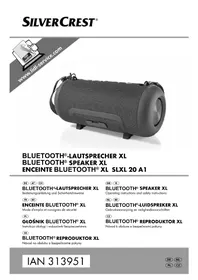
SLXL 20 A1 - Speaker SILVERCREST - Free user manual and instructions
Find the device manual for free SLXL 20 A1 SILVERCREST in PDF.

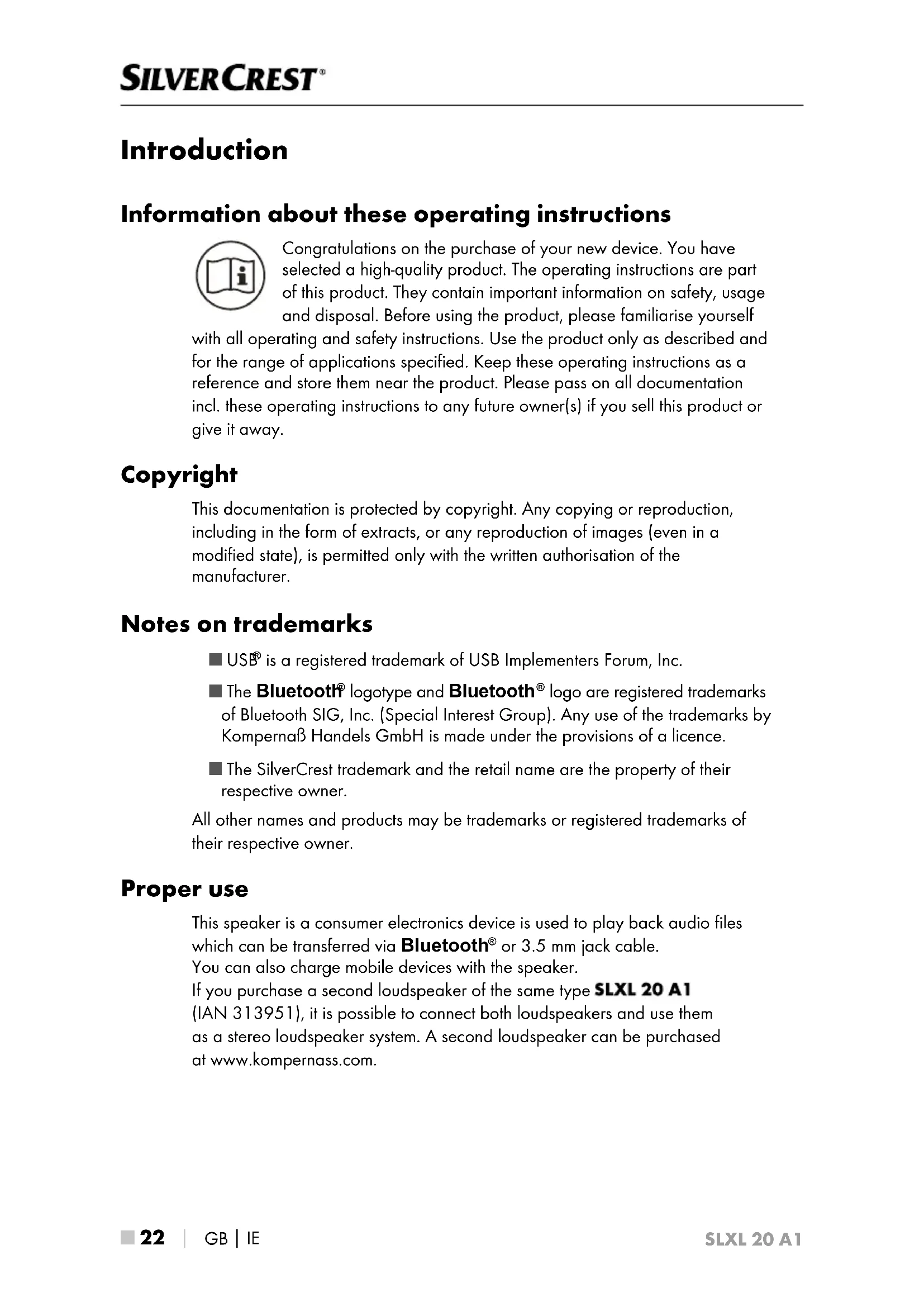


| Type | Bluetooth speaker |
| Model | SLXL 20 A1 |
| Brand | SilverCrest |
| Dimensions | 12.5 x 13.6 x 28.2 cm |
| Weight | 1730 g |
| Power supply | Micro-USB input 5 V = 2.1 A |
| USB output | USB-A 5 V = 1 A (for charging mobile devices) |
| Battery | Lithium-ion 7.4 V / 5000 mAh (37 Wh) |
| Battery life | Up to 9 h at medium volume |
| Bluetooth | Version 4.2, max. range 10 m |
| Bluetooth profiles | A2DP, AVRCP |
| Frequency band | 2.4 GHz |
| Transmission power | < 10 dBm |
| Audio output power | 2 × approx. 10 W RMS (10% THD) |
| Protection rating | IPX7 (protection against temporary immersion, cover closed) |
| Main functions | Bluetooth, TWS, AUX-IN, charging mobile devices |
| AUX input | 3.5 mm jack socket |
| Controls | On/Off, Volume +/-, Next/Previous track, Play/Pause, Bluetooth, TWS |
| Operating temperature | +15 °C to +35 °C |
| Storage temperature | 0 °C to +40 °C |
| Ambient humidity | ≤ 75 % (non-condensing) |
| Warranty | 3 years |
| Cleaning | Slightly damp cloth, protective cover closed |
| Package contents | Speaker, carrying strap, USB cable, jack cable, quick guide, user manual |
Frequently Asked Questions - SLXL 20 A1 SILVERCREST
User questions about SLXL 20 A1 SILVERCREST
0 question about this device. Answer the ones you know or ask your own.
Ask a new question about this device
Download the instructions for your Speaker in PDF format for free! Find your manual SLXL 20 A1 - SILVERCREST and take your electronic device back in hand. On this page are published all the documents necessary for the use of your device. SLXL 20 A1 by SILVERCREST.
USER MANUAL SLXL 20 A1 SILVERCREST
Operating instructions and safety instructions
NL BE
Before reading, unfold the page containing the illustrations and familiarise yourself with all functions of the device.
FR BE
GB/IE Operating instructions and safety instructions Page 21
KOMPERNASS HANDELS GMBH
BURGSTRASSE 21
DE-44867 BOCHUM
DEUTSCHLAND
www.kompernass.com
Contents
Introduction. 22
Information about these operating instructions. 22
Copyright 22
Notes on trademarks 22
Proper use 22
Warnings and symbols. 23
Safety 24
Basic safety instructions 24
Risk of hearing damage 25
Notes on the radio interface 25
Parts description/operating components. 26
Setting up 27
Unpacking 27
Check package contents 27
Disposal of the packaging 27
Charging the battery 28
Checking the charge level 29
Using the feet 29
Attaching the carrying strap. 29
Handling and operation. 30
Pairing the speaker with a Bluetooth device 30
TWS mode 32
Operation of the buttons 33
AUX IN mode. 34
Charging mobile devices with the speaker. 35
Troubleshooting 35
Cleaning. 36
Storage when not in use 37
Disposal. 37
Appendix. 38
Technical data 38
Notes on the EU Declaration of Conformity. 38
Information about these operating instructions

Congratulations on the purchase of your new device. You have selected a high-quality product. The operating instructions are part of this product. They contain important information on safety, usage and disposal. Before using the product, please familiarise yourself
with all operating and safety instructions. Use the product only as described and for the range of applications specified. Keep these operating instructions as a reference and store them near the product. Please pass on all documentation incl. these operating instructions to any future owner(s) if you sell this product or give it away.
Copyright
This documentation is protected by copyright. Any copying or reproduction, including in the form of extracts, or any reproduction of images (even in a modified state), is permitted only with the written authorisation of the manufacturer.
Notes on trademarks
USB® is a registered trademark of USB Implementers Forum, Inc.
The Bluetooth® logotype and Bluetooth® logo are registered trademarks of Bluetooth SIG, Inc. (Special Interest Group). Any use of the trademarks by Komperna® Handels GmbH is made under the provisions of a licence.
■ The SilverCrest trademark and the retail name are the property of their respective owner.
All other names and products may be trademarks or registered trademarks of their respective owner.
Proper use
This speaker is a consumer electronics device is used to play back audio files which can be transferred via Bluetooth® or 3.5 mm jack cable.
You can also charge mobile devices with the speaker.
If you purchase a second loudspeaker of the same type SLXL 20 A1
(IAN 313951), it is possible to connect both loudspeakers and use them as a stereo loudspeaker system. A second loudspeaker can be purchased at www.kompernass.com.
The device is not intended for any other purpose nor for use beyond the scope described. The device is not intended for use in commercial or industrial environments. The manufacturer accepts no responsibility for damage caused by failure to observe these instructions, improper use or repairs, unauthorised modifications or the use of unapproved replacement parts. The risk is borne solely by the user.
Warnings and symbols
The following warnings are used in these operating instructions:

DANGER
A warning at this hazard level indicates a potentially hazardous situation.
Failure to avoid this hazardous situation could result in severe injuries or even death.
Follow the instructions on this warning label to avoid the risk of death or serious injury.

WARNING
A warning at this hazard level indicates a potentially hazardous situation.
Failure to avoid this hazardous situation could result in injury.
Follow the instructions on this warning label to prevent injuries to persons.
CAUTION
A warning at this hazard level indicates a risk of property damage.
Failure to avoid this situation could result in property damage.
Follow the instructions on this warning label to prevent property damage.
NOTE
A note provides additional information which makes handling the device easier for you.
Safety
This section contains important safety instructions for handling the device. This device complies with statutory safety regulations. Improper use may result in personal injury and property damage.
Basic safety instructions
To ensure safe operation of the device, follow the safety guidelines set out below:
Check the device for visible external damage before use. Do not operate a device which has been damaged or dropped.
If the cables or connections are damaged, have them replaced by authorised specialists or Customer Service.
This device may be used by children aged 8 years and above and by persons with limited physical, sensory or mental capabilities, or lack of experience and knowledge, provided that they are under supervision or have been told how to use the device safely and are aware of the potential risks. Do not allow children to play with the device. Cleaning and user maintenance tasks may not be carried out by children unless they are supervised.
DANGER! Do not allow children to play with the packaging material! Keep all packaging materials away from children. There is a risk of suffocation!
- Protect the charging cable from hot surfaces and sharp edges and ensure that it is not stretched tight or kinked.
Always place the device on a stable and level surface. It can be damaged if dropped.
Some furniture surfaces may contain components which can corrode and soften the rubber feet on the device. If necessary, place a mat under the device's rubber foot.
The device should only be repaired by authorised specialist personnel or the customer service department. Improper repairs may put the user at risk. They will also invalidate any warranty claim.
Defective components must always be replaced with original replacement parts. Compliance with the safety requirements can only be guaranteed by using these replacement parts.
■ Do not make any unauthorised modifications or alterations to the device.
Never open the device housing. There are no parts inside the device which can be maintained. In addition, this will invalidate the warranty.
The device is suitable for outdoor use and is protected against temporary immersion in water when the protective cover on the connection sockets is closed.
Charge the device only in a dry environment.
The device may heat up while it is charging. Place the device in a well-ventilated location during the charging process and do not cover it.
- Do not operate or place the device close to open flames (e.g. candles).
Do not expose the device to direct sunlight or high temperatures. Otherwise, it may become overheated and irreparably damaged.
WARNING! The device has an integrated lithium-ion battery. Mishandling lithium-ion batteries can cause fires, explosions, leakage of dangerous chemicals or other hazards! Do not throw the device into an open fire.
WARNING! If you notice any unusual noises, a burning smell or smoke coming from the device, turn off the power immediately and disconnect the charger cable if connected. Have the device checked by a qualified specialist before using it again.
Risk of hearing damage

DANGER
Risks due to extremely high volume levels!
Loud music can lead to hearing damage.
- Avoid listening to music at an extremely high volume, especially over long periods of time, when using this device.
Notes on the radio interface
WARNING! Keep the device at least 20~cm away from a pacemaker or implanted defibrillator, as the proper functioning of the pacemaker or the implanted defibrillator could be affected by radio waves.
The transmitted radio waves can cause noise interference in hearing aids.
- Do not use the device with the radio components switched on in the presence of flammable gases or in a potentially explosive atmosphere (e.g. in a paint shop), as the transmitted radio waves can cause an explosion or ignite a fire.
The range of the radio waves is dependent on the environment and the ambient conditions.
Data transmissions via a wireless connection can be intercepted by unauthorised third parties.
Parts description/operating components
(See fold-out page for illustrations)
1 button (On/Off switch)
+button (increase volume; next track)
3 -button (decrease volume; previous track)
4 button (play/pause)
5 button (Bluetooth®)
button (TWS "True Wireless Stereo")
7 Brackets
Operating/chargingLED
9TWSLED
10 Charge level LEDs
1Feet
12Protectivecover
3.5 mm jack (AUX IN)
USB type A socket (output/OUT DC 5 V 1 A)
Micro-USB charging socket (input/IN DC 5 V 2.1 A)
16Carrying strap
Charging cable (USB type A to micro-USB)
18 3.5 mm jack cable (3.5 mm to 3.5 mm)
Quick guide (symbol)
20 Operating instructions (symbol)
Setting up
Unpacking
Remove all parts and the operating instructions from the box.
Remove all packaging material.
Check package contents
(See fold-out page for illustrations)
The following components are included in delivery:
- Speaker
- Carrying strap
- Charging cableUSB type A to micro-USB)
- 3.5 ~mm jack cable (3.5 mm to 3.5 mm)
Quick start guide
These operating instructions20
NOTE
- Check the package for completeness and signs of visible damage.
If the delivery is incomplete or damage has occurred as a result of defective packaging or during transport, contact the service hotline (see section Service).
Disposal of the packaging

The packaging materials have been selected for their environmental friendliness and ease of disposal and are therefore recyclable. Dispos of packaging materials that are no longer needed in accordance with applicable local regulations.
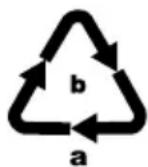
Dispose of the packaging in an environmentally friendly manner. Note the labelling on the packaging and separate the packaging material components for disposal if necessary. The packaging material is labelled with abbreviations (a) and numbers (b) with the following meanings:
1-7: plastics,
20-22: paper and cardboard,
80-98: composites.
Charging the battery
CAUTION
- Charge the speaker only in dry interior rooms.
Due to the high power consumption, the speaker must be charged using a USB mains adapter. Do not charge the speaker from the USB port of a PC or notebook. - Use only a USB mains adapter with an output voltage of 5V and an output current of at least 2.1 A to charge the speaker.
Use only the supplied charging cable to charge the speaker!
Always disconnect the charging cable when charging is complete!
Before using the speaker, the integrated battery must be completely charged.
Open the protective cover.
Connect the USB type A connector on the charger cable to a suitable USB mains adapter (not supplied).
Connect the micro-USB plug on the charger cable to the micro-USB charging port 15n the speaker.
A rough estimate of the charge level is shown during charging by means of the charge level LEDs 10:
LED display Charge level
One LED is flashing < 25%
One LED is on, the second LED is flashing 25 - 49%
Two LEDs are on, the third LED is flashing 50 - 74%
Three LEDs are on, the fourth LED is flashing 75 - 97%
All LEDs are on 98 - 100%
When charging is complete, remove the charging cable from the speaker and close the protective cover 12
NOTE
The operating/charging LED lights up orange during charging. When the battery is fully charged, the operating/charging LED switches off.
- When the battery is fully charged, you can play back music for around 9 hours at a medium volume. The playback time may vary depending on usage.
- When the battery status is low, you will hear a single beep around 30 minutes before the battery is exhausted. The operating/charging LED 8 flashes orange every 15 seconds. When the battery is exhausted, the speaker turns off automatically.
Checking the charge level
You can check the charge level of the speaker using the charge level LEDs The speaker needs to be switched on to do this.
Press and hold the button or about 3 seconds to turn the speaker on. A rough estimate of the charge level is shown during charging by means of the charge level LEDs 10
| LED display Charge level | |
| All LEDs are on 76 - 100 % | |
| Three LEDs are on 51 - 75 % | |
| Two LEDs are on 26 - 50 % | |
| One LED is on 10 - 25 % | |
| One LED lights up orange < 10 % | |
| All LEDs off 0 % |
Using the feet
CAUTION
Always place the speaker on a stable and level surface. If the speaker falls, it may be damaged.
For maximum stability, prop the speaker up on its two feet.
Attaching the carrying strap
To make it easier to carry the speaker, you can attach the supplied carrying strap the speaker.
Open the carabiners on the carrying strap and attach them to the brackets 1n the speaker.
Adjust the length of the carrying strap according to your needs.
Handling and operation
Pairing the speaker with a Bluetooth® device
NOTE
If you want to pair the loudspeaker with a Bluetooth device, the 3.5 mm jack socket may not be occupied.
When using the device for the first time, proceed as follows:
Ensure that the speaker is switched off and the Bluetooth device is switched on.
Set the Bluetooth device so that it scans for other Bluetooth devices. A detailed description of how to do this can be found in the operating instructions for your Bluetooth device.
Press and hold the button or about 3 seconds to turn the speaker on. You will immediately hear a rising sequence of beeps and the operating/ charging LED 8 flashes blue and orange twice. Then you will hear a beep and the operating/charging LED 8 flashes alternatively orange und blue. The Bluetooth® function is now activated automatically.
Select the entrySLXL 20 A1 from the list of found devices on your Bluetooth® device and, if required, enter the code 0000 to connect the two devices. You will hear a beep and the operating/charging LED ® flashes blue every 3 seconds once the connection has been successfully established.
Start playback on the Bluetooth device.
Press and hold the button or about 3 seconds to turn the speaker off and deactivate the Bluetooth® function. You will hear a descending series of beeps. The operating/charging LED ⑧ flashes blue and orange twice simultaneously and then goes out.
To connect further Bluetooth® devices, proceed as follows:
Switch on the speaker and press the button Now, the speaker is in pairing mode and can be connected to another Bluetooth device.
NOTE
If you do not establish a connection between the speaker and your Bluetooth device within 3 minutes, the speaker will switch off automatically. In this case, you will have to switch the speaker back on before restarting the pairing process.
If the speaker stops receiving a signal while in Bluetooth mode, the speaker will switch off automatically after 10 minutes.
The next time you turn on the speaker, it will connect automatically to the last-connected Bluetooth® device. If your Bluetooth® device does not reconnect to the speaker automatically, you will have to re-establish the connection manually. A detailed description of how to do this can be found in the operating instructions for your Bluetooth® device.
If you want to connect the currently connected speaker to another Bluetooth device, start by pressing the button disconnect the currently connected Bluetooth device from the speaker. Alternatively, you can deactivate the Bluetooth function on the connected Bluetooth device. You will hear a beep and the operating/charging LED will flash alternatively orange and blue. The speaker is now ready to be paired with another Bluetooth device.
TWS mode
If you purchase a second loudspeaker of the same type SLXL 20 A1 (IAN 313951), it is possible to connect both loudspeakers and use them as a stereo loudspeaker system. A second loudspeaker can be purchased at www.kompernass.com.
The TWS ("True Wireless Stereo") function allows two speakers to be connected to each other.
The left speaker is thus the main speaker which is always connected to a Bluetooth® device. This speaker transmits the sound coming from the Bluetooth® device to the right speaker.
Activate TWS mode
NOTE
- Do not activate TWS mode if there is a Bluetooth connection between a speaker and a Bluetooth® device.
Switch on both speakers.
Briefly press the button on the first speaker that you want to use as the left speaker. You will hear a beep and the TWS LED 9 flashes green rapidly during pairing.
Press the button on the second speaker briefly.
If the pairing of the two speakers has been successful, you will hear a short beep. TWS mode is activated.
The TWS LED on the left speaker lights up green.
The TWS LED on the right speaker flashes green.
Pair the left speaker with a Bluetooth device.
Start playback on the Bluetooth device.
NOTE
If you do not pair the two speakers within 6 minutes, the speakers will turn off automatically. In this case, you will have to switch the speakers back on again before restarting the pairing process.
Make sure you position the left and right speakers correctly for playback.
The playback buttons work on both speakers.
Deactivate TWS mode
Briefly press the button one of the speakers to deactivate TWS mode. You will hear a beep and the TWS LED goes out on both speakers. Playback is resumed via the left speaker.
Briefly press the button on the right speaker to reactivate TWS mode.
Operation of the buttons
| Button Function | |
| ○ | ►Switching on: press for 3 seconds ►Switching off: press for 3 seconds |
| + | ►Increase volume: Press briefly. When you reach the maximum volume level, you will hear a short beep. ►Next track: press for 2 seconds |
| - | ►Reduce volume: press briefly ►Restart current track: press for 2 seconds ►Previous track: if the current track restarts, press again for 2 seconds |
| ►II | ►Play/Pause: press briefly |
| ※ | ►Activate Bluetoothfunction: Press briefly (you will hear a beep) ►Disconnecting/establishing a Bluetooth connection: Press briefly to disconnect the Bluetooth® connection (the device will beep). You can connect to another Bluetooth® device immediately. |
| ← | ►Activate TWS: press briefly ►Deactivate TWS: press briefly |
AUX IN mode
CAUTION
- Use the speaker in AUX IN mode only in dry indoor environments and with the supplied 3.5 ~mm jack cable 18.
You can also listen to music from a portable audio device connected via the 3.5 mm jack cable 18.
Make sure that the speaker is switched off.
Open the protective cover12.
Use the 3.5mm jack cable to connect the audio device to the 3.5mm jack socket n the speaker.
Press and hold the button or about 3 seconds to turn the speaker on. You will hear a beep and the operating/charging LED lights up blue.
Start playback on the audio device and adjust the volume to a moderate level.
Then set the desired volume using the + button 2 r button on 3 he speaker.
If you are no longer using the speaker in AUX IN mode, remove the 3.5 ~mm jack cable 18 from the speaker and close the protective cover 12
NOTE
If you connect a 3.5mm jack cable to the speaker during the playback of audio files via Bluetooth®, it will switch playback automatically to the AUX input. The Bluetooth® connection is also stopped if you connect a 3.5mm jack cable to the speaker.
In AUX IN mode, it is not possible to use the button 2 r button to 3 jump to the next/previous title.
If the speaker stops receiving a signal while in AUX IN mode, the speaker will switch off automatically after 10 minutes.
Charging mobile devices with the speaker
Connect the micro-USB plug on the charger cable to the micro-USB charging port on the mobile device to be charged.
Connect the USB type A connector on the charger cable to the USB type A socket 14n the speaker.
Switch on the speaker. The charging process begins automatically.
If charging does not start automatically, press the button briefly to start the charging process.
NOTE
- Alternatively, you can also use the original charging cable (USB cable) provided by the respective device manufacturer.
During charging, the current charge level of the speaker is shown via the charge level LEDs (see table in the section Checking the charge level).
To stop charging, disconnect the charging cable from the mobile device and the speaker.
Troubleshooting
The speaker cannot be paired with a compatible Bluetooth® device
Make sure that the Bluetooth function is activated on the Bluetooth device. When a device is connected via a 3.5 mm jack cable the Bluetooth function is deactivated.
Make sure that the speaker is switched on.
If you use several Bluetooth® devices, ensure that any previous connection is disconnected. There may be a previously paired Bluetooth® device in range.
Make sure that the speaker is no more than 10 metres from the Bluetooth device and that no obstacles or electronic devices are placed between them.
You cannot switch on the speaker
The integrated battery in the speaker is empty. Recharge the battery.
You cannot use all of the described functions
This may be down to your Bluetooth device and its current software. Try updating the software or using a different Bluetooth device.
You hear no sound from the speaker
The volume of the speaker is set to minimum. Increase the volume.
A connected device does not charge
The integrated battery is empty. Charge the battery.
No connection to the device. Check the connection.
The speaker is switched off. Switch on the speaker.
Briefly press the button 1b start the charging process.
The charging current of the connected device is too low or too high.
The internal overcurrent protection may have been triggered. Disconnect the connected device and connect the micro-USB charging port 15 to a power source for a short while (see section Charging the speaker). Afterwards, the speaker can be used again.
NOTE
If the above-mentioned solutions do not resolve the problem, please contact Customer Service (see section Service).
Cleaning
CAUTION
-
Keep the protective cover closed during cleaning.
-
To avoid irreparable damage to the speaker, ensure that no moisture gets into the speaker during cleaning.
-
Do not use caustic, abrasive or solvent-based cleaning materials. These could damage the surfaces of the speaker.
Clean the speaker only with a slightly damp cloth.
Storage when not in use
Store the speaker in a clean, dry, dust-free location out of direct sunlight.
For long-term storage, the integrated battery should be fully charged to extend its operating life. During extended periods of non-use, you should top up the battery charge regularly. This is necessary to prolong the battery life.
Disposal
Disposal of the device
The adjacent symbol of a crossed-out wheelie bin means that this device is subject to Directive 2012/19/EU. This directive states that this device may not be disposed of in the normal household waste at the end of its useful life, but must be handed over to specially set-up collection locations, recycling depots or disposal companies. The integrated rechargeable battery in this device cannot be removed for disposal.
This disposal is free of charge for the user. Protect the environment and dispose of this device properly.

Your local community or municipal authorities can provide information on how to dispose of the worn-out product.
Appendix
Technical data
| Micro USB Input voltage/current | 5 V = (DC), 2.1 A |
| USB A Output voltage/current | 5 V = (DC), 1 A |
| Bluetooth® specifications Version 4.2 | (range up to 10 m) |
| Supported Bluetooth® profiles | A2DP*, AVRCP*, * if supported by the Bluetooth® device |
| Frequency band 2.4 GHz | |
| Transmission output < 10 dBm | |
| Output power 2 x approx. 10 W RMS @ 10% THD | |
| Integrated battery (lithium-ion) 7.4 V/5000 mAh (37 Wh) | |
| Music playback | approx. 9 h (music playback at a medium volume) |
| Operating temperature +15°C to +35°C | |
| Storage temperature 0°C to +40°C | |
| Humidity (no condensation) ≤ 75 % | |
| Protection type | IPX7 (Protection against temporary immersion in water when the protective cover is closed) |
| Dimensions approx. 12.5 x 13.6 x 28.2 cm | |
| Weight approx. 1730 g | |
Notes on the EU Declaration of Conformity


This device complies with the essential requirements and other relevant provisions of the RE Directive 2014/53/EU and the RoHS Directive 2011/65/EU.
You can download the complete EU conformity declaration from www.kompernass.com/support/313951_DOC.pdf.
This appliance has a 3-year warranty valid from the date of purchase. If this product has any faults, you, the buyer, have certain statutory rights. Your statutory rights are not restricted in any way by the warranty described below.
Warranty conditions
The validity period of the warranty starts from the date of purchase. Please keep your original receipt in a safe place. This document will be required as proof of purchase.
If any material or production fault occurs within three years of the date of purchase of the product, we will either repair or replace the product for you at our discretion. This warranty service is dependent on you presenting the defective appliance and the proof of purchase (receipt) and a short written description of the fault and its time of occurrence.
If the defect is covered by the warranty, your product will either be repaired or replaced by us. The repair or replacement of a product does not signify the beginning of a new warranty period.
Warranty period and statutory claims for defects
The warranty period is not prolonged by repairs effected under the warranty. This also applies to replaced and repaired components. Any damage and defects present at the time of purchase must be reported immediately after unpacking. Repairs carried out after expiry of the warranty period shall be subject to a fee.
Scope of the warranty
This appliance has been manufactured in accordance with strict quality guidelines and inspected meticulously prior to delivery.
The warranty covers material faults or production faults. The warranty does not extend to product parts subject to normal wear and tear or fragile parts such as switches, batteries, baking moulds or parts made of glass.
The warranty does not apply if the product has been damaged, improperly used or improperly maintained. The directions in the operating instructions for the product regarding proper use of the product are to be strictly followed. Uses and actions that are discouraged in the operating instructions or which are warned against must be avoided.
This product is intended solely for private use and not for commercial purposes. The warranty shall be deemed void in cases of misuse or improper handling, use of force and modifications / repairs which have not been carried out by one of our authorised Service centres.
Warranty claim procedure
To ensure quick processing of your case, please observe the following instructions:
Please have the till receipt and the item number (e.g. IAN 12345) available as proof of purchase.
- You will find the item number on the type plate, an engraving on the front page of the instructions (bottom left), or as a sticker on the rear or bottom of the appliance.
If functional or other defects occur, please contact the service department listed either by telephone or by e-mail.
You can return a defective product to us free of charge to the service address that will be provided to you. Ensure that you enclose the proof of purchase (till receipt) and information about what the defect is and when it occurred.
You can download these instructions along with many other manuals, product videos and software on www.lidl-service.com.
Service
GB Service Great Britain
Tel.: 0800 404 7657
E-Mail: kompernass@lidl.co.uk
IE Service Ireland
Tel.: 1890 930 034
(0,08 EUR/Min., {peak})
(0,06 EUR/Min., (off peak))
E-Mail: kompernass@lidl.ie
IAN313951
Importer
Please note that the following address is not the service address. Please use the service address provided in the operating instructions.
KOMPERNASS HANDELS GMBH
BURGSTRASSE 21
DE-44867 BOCHUM
GERMANY
www.kompernass.com
Table des matieres
Introduction. 42
Chere cliente, cher client,
KOMPERNASS HANDELS GMBH
BURGSTRASSE 21
DE-44867 BOCHUM
ALLEMAGNE
www.kompernass.com
Inhoud
Inleiding. 62
Drie LED's branden 51-75%
Twee LED's branden 26-50%
Eén LED brandt 10-25%
Eén LED brandt orangje < 10%
Alle LED'suit 0%
Voetjes gebruiken
OPGELET
KOMPERNASS HANDELS GMBH
BURGSTRASSE 21
DE-44867 BOCHUM
DUITSLAND
www.kompernass.com
Spistresci
Wstep. 82
Jedna dioda LED swieci, druga dioda LED miga 25 - 49%
Dwie diody LED swiecq, trzecia dioda LED miga 50 - 74%
Trzy diody LED swiecq, czwarta dioda LED miga 75 - 97%
KOMPERNASS HANDELS GMBH
BURGSTRASSE 21
DE-44867 BOCHUM
NIEMCY
www.kompernass.com
Obsah
Uvod 102
Informace k tomuto navodu k obsluze 102
Autorske pravo 102
KOMPERNASS HANDELS GMBH
BURGSTRASSE 21
DE-44867 BOCHUM
NÉMECKO
www.kompernass.com
Obsah
Uvod 122
KOMPERNASS HANDELS GMBH
BURGSTRASSE 21
DE-44867 BOCHUM
NEMECKO
www.kompernass.com
KOMPERNASS HANDELS GMBH
BURGSTRASSE 21
DE-44867 BOCHUM
GERMANY
www.kompernass.com

- FR BE
- KOMPERNASS HANDELS GMBH
- Contents
- Introduction. 22
- Safety 24
- Parts description/operating components. 26
- Setting up 27
- Handling and operation. 30
- Troubleshooting 35
- Cleaning. 36
- Storage when not in use 37
- Disposal. 37
- Appendix. 38
- Information about these operating instructions
- Copyright
- Notes on trademarks
- Proper use
- Warnings and symbols
- DANGER
- A warning at this hazard level indicates a potentially hazardous situation.
- WARNING
- CAUTION
- A warning at this hazard level indicates a risk of property damage.
- NOTE
- Safety
- Basic safety instructions
- Risk of hearing damage
- Risks due to extremely high volume levels!
- Notes on the radio interface
- Parts description/operating components
- (See fold-out page for illustrations)
- Setting up
- Unpacking
- Check package contents
- Disposal of the packaging
- Charging the battery
- LED display Charge level
- Checking the charge level
- Using the feet
- Attaching the carrying strap
- Handling and operation
- Pairing the speaker with a Bluetooth® device
- When using the device for the first time, proceed as follows:
- To connect further Bluetooth® devices, proceed as follows:
- TWS mode
- Activate TWS mode
- Deactivate TWS mode
- Operation of the buttons
- AUX IN mode
- Charging mobile devices with the speaker
- Troubleshooting
- The speaker cannot be paired with a compatible Bluetooth® device
- You cannot switch on the speaker
- You cannot use all of the described functions
- You hear no sound from the speaker
- A connected device does not charge
- Cleaning
- Storage when not in use
- Disposal
- Disposal of the device
- Appendix
- Technical data
- Notes on the EU Declaration of Conformity
- Warranty conditions
- Warranty period and statutory claims for defects
- Scope of the warranty
- Warranty claim procedure
- Service
- GB Service Great Britain
- IE Service Ireland
- Importer
- Table des matieres
- Introduction. 42
- Inhoud
- Inleiding. 62
- Voetjes gebruiken
- OPGELET
- Spistresci
- Wstep. 82
- Obsah
- Uvod 102
- Uvod 122
Brand : SILVERCREST
Model : SLXL 20 A1
Category : Speaker