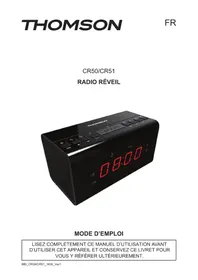
CR51 - Alarm Clock THOMSON - Free user manual and instructions
Find the device manual for free CR51 THOMSON in PDF.

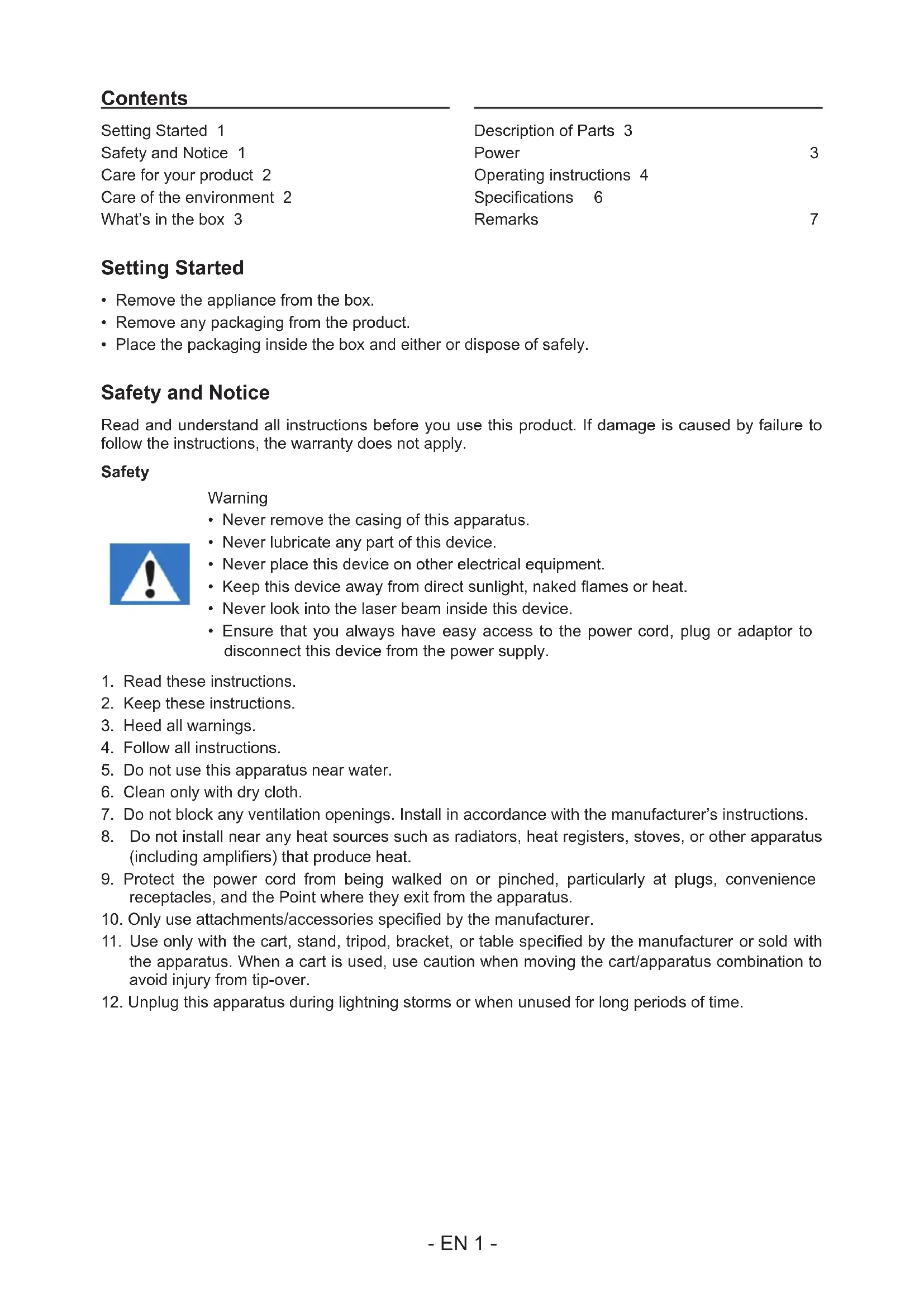


| Product Type | Clock radio |
| Brand | Thomson |
| Model | CR51 |
| Mains power supply | 220-240 V ~ 50/60 Hz, 15 mA max |
| AC adapter | DC output 5 V - 250 mA (included) |
| Backup batteries | 2 x AAA 1.5 V (not included) |
| FM frequency band | 87.5 - 108 MHz |
| Number of radio presets | 20 (P01 to P20) |
| Dual alarm | Yes (alarm 1 and alarm 2) |
| Snooze function | Yes (9 minutes, non-repeatable) |
| Sleep timer | Yes (5, 10, 15, 30, 60, 90 minutes) |
| Screen brightness | 3 levels (high, low, off) |
| Display | LED |
| Built-in speaker | Yes |
| Antenna | FM wire antenna |
| Approximate dimensions | 180 x 100 x 60 mm |
| Approximate weight | 0.5 kg |
| Maintenance and cleaning | Unplug before cleaning; use a soft dry cloth; do not use abrasive products |
| Safety | Do not expose to water, fire or excessive heat; do not open the casing; use only specified parts |
| Repairability | Any repair must be entrusted to a qualified professional |
| Included accessories | AC adapter, user manual |
| Environmental compliance | Recyclable product; do not dispose of with household waste; check local collection |
| Manufacturing | China |
Frequently Asked Questions - CR51 THOMSON
User questions about CR51 THOMSON
0 question about this device. Answer the ones you know or ask your own.
Ask a new question about this device
Download the instructions for your Alarm Clock in PDF format for free! Find your manual CR51 - THOMSON and take your electronic device back in hand. On this page are published all the documents necessary for the use of your device. CR51 by THOMSON.
USER MANUAL CR51 THOMSON
customerservice@bigben-interactive.be
ESPANA, sat@bigbeninteractive.es
ITALIA, support@bigbeninteractive.it
www/bigben.eu
CR50/CR51
ALARM CLOCK RADIO
OPERATING INSTRUCTIONS
PLEASE READ THIS USER MANUAL CAREFULLY BEFORE OPERATING THIS UNIT AND RETAIN FOR FUTURE REFERENCE.
Contents
Setting Started 1
Safety and Notice 1
Care for your product 2
Care of the environment 2
What's in the box 3
Description of Parts 3
Power 3
Operating instructions 4
Specifications 6
Remarks 7
Setting Started
- Remove the appliance from the box.
- Remove any packaging from the product.
- Place the packaging inside the box and either or dispose of safely.
Safety and Notice
Read and understand all instructions before you use this product. If damage is caused by failure to follow the instructions, the warranty does not apply.
Safety
Warning
- Never remove the casing of this apparatus.
- Never lubricate any part of this device.
- Never place this device on other electrical equipment.
- Keep this device away from direct sunlight, naked flames or heat.
- Never look into the laser beam inside this device.
- Ensure that you always have easy access to the power cord, plug or adaptor to disconnect this device from the power supply.

- Read these instructions.
- Keep these instructions.
- Heed all warnings.
- Follow all instructions.
- Do not use this apparatus near water.
- Clean only with dry cloth.
- Do not block any ventilation openings. Install in accordance with the manufacturer's instructions.
- Do not install near any heat sources such as radiators, heat registers, stoves, or other apparatus (including amplifiers) that produce heat.
- Protect the power cord from being walked on or pinched, particularly at plugs, convenience receptacles, and the Point where they exit from the apparatus.
- Only use attachments/accessories specified by the manufacturer.
- Use only with the cart, stand, tripod, bracket, or table specified by the manufacturer or sold with the apparatus. When a cart is used, use caution when moving the cart/apparatus combination to avoid injury from tip-over.
-
Unplug this apparatus during lightning storms or when unused for long periods of time.
-
Refer all servicing to qualified service personnel. Servicing is required when the apparatus has been damaged in anyway, such as power-supply cord or plug is damaged, liquid has been spilled or objects have fallen into the apparatus, apparatus has been exposed to rain or moisture, does not operate normally, or has been dropped.
- Apparatus shall not be exposed to dripping or splashing.
- Do not place any sources of danger on the apparatus (e.g. liquid filled objects, lighted candles).
- Where the MAINS plug or an appliance coupler is used as the disconnect device, the disconnect device shall remain readily operable.
- Make sure there is enough free space around the product for ventilation.
- Batteries (battery pack or batteries installed) shall not be exposed to excessive heat such as sunshine, fire or the like.
Care for your product
- Always unplug the appliance when not in use and before cleaning.
- Do not play music at excessive volume levels as damage to hearing and or the equipment may occur.
- Do not use this unit in wet or damp conditions.
- Always disconnect the unit from the mains power supply before cleaning. Clean the appliance with a soft, damp, lint free cloth. Do not use abrasives or harsh cleaners.
Care of the environment


Your product is designed and manufactured with high quality materials and components, which can be recycled and reused.
When this crossed-out wheeled bin symbol is attached to a product it means that the product is covered by the European Directive 2002/96/EC. Please inform yourself about the local separate collection system for electrical and electronic products. Please act according to your local rules and do not dispose of your old products with your normal household waste. Correct disposal of your old product helps to prevent potential negative consequences for the environment and human health
What's in the box
Check and identify the contents of your package:
- Main unit
- User manual
Adaptor
Description of Parts
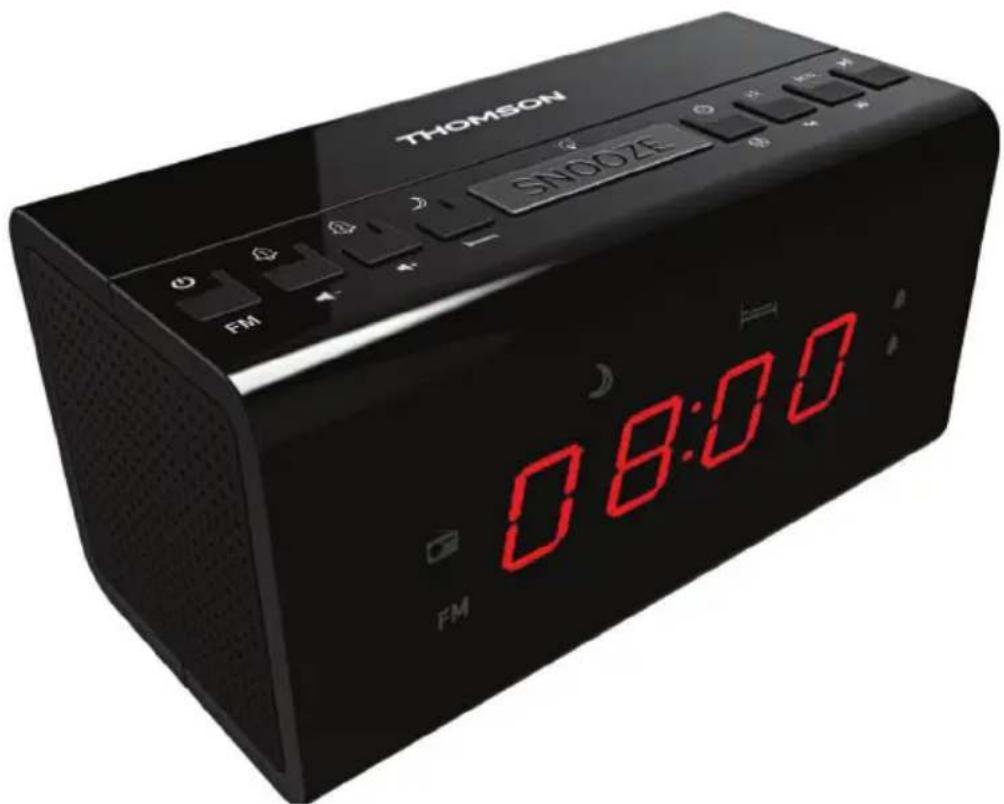
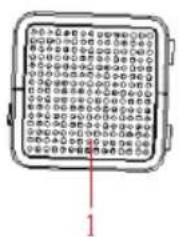
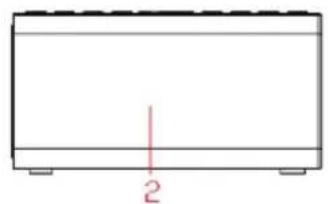
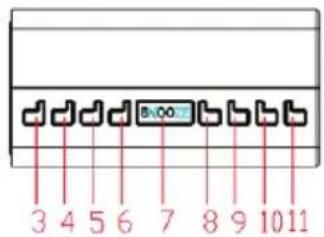
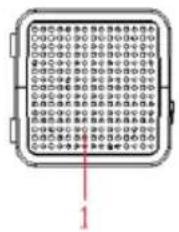
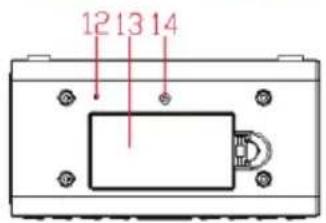
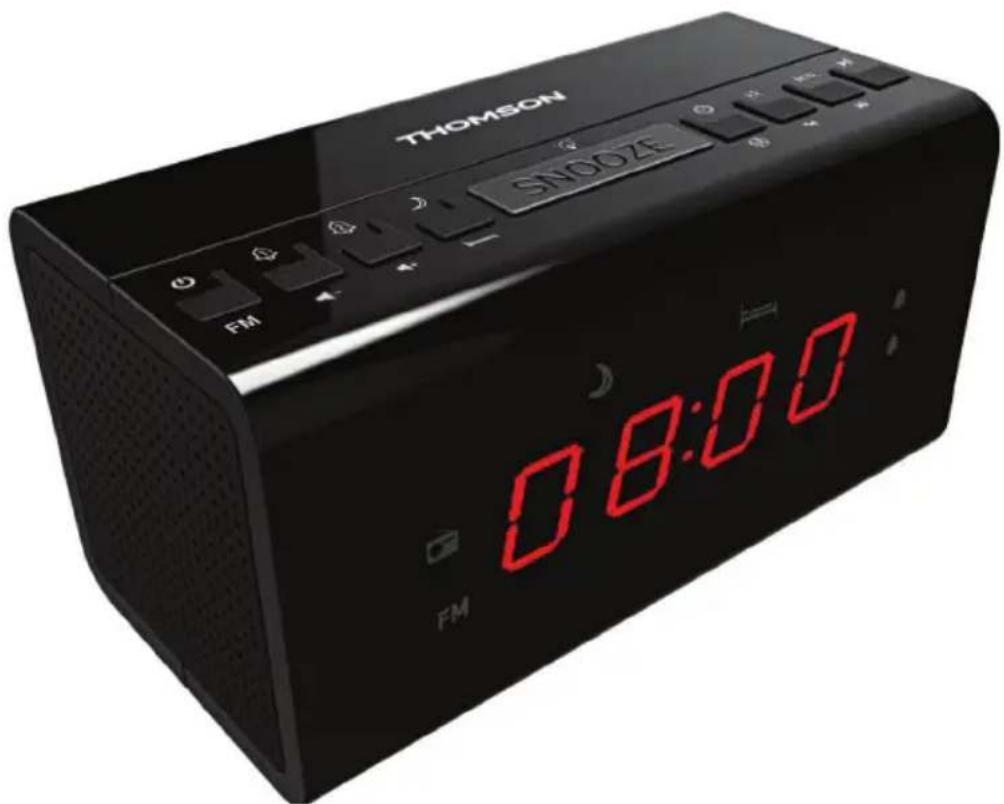
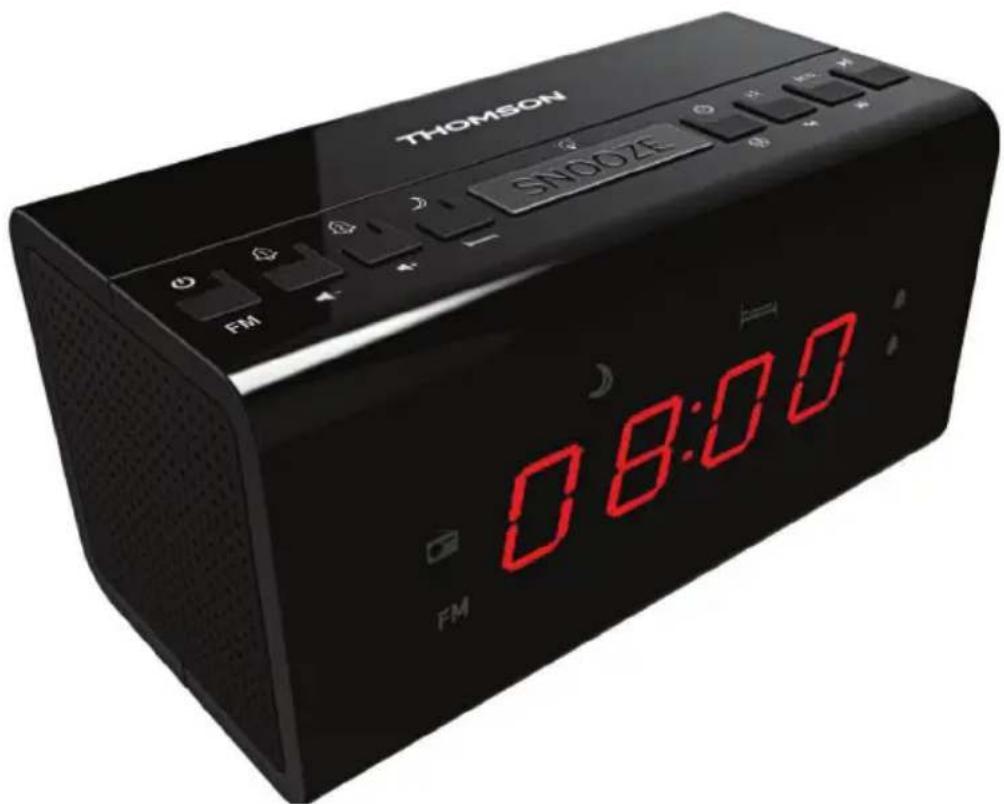
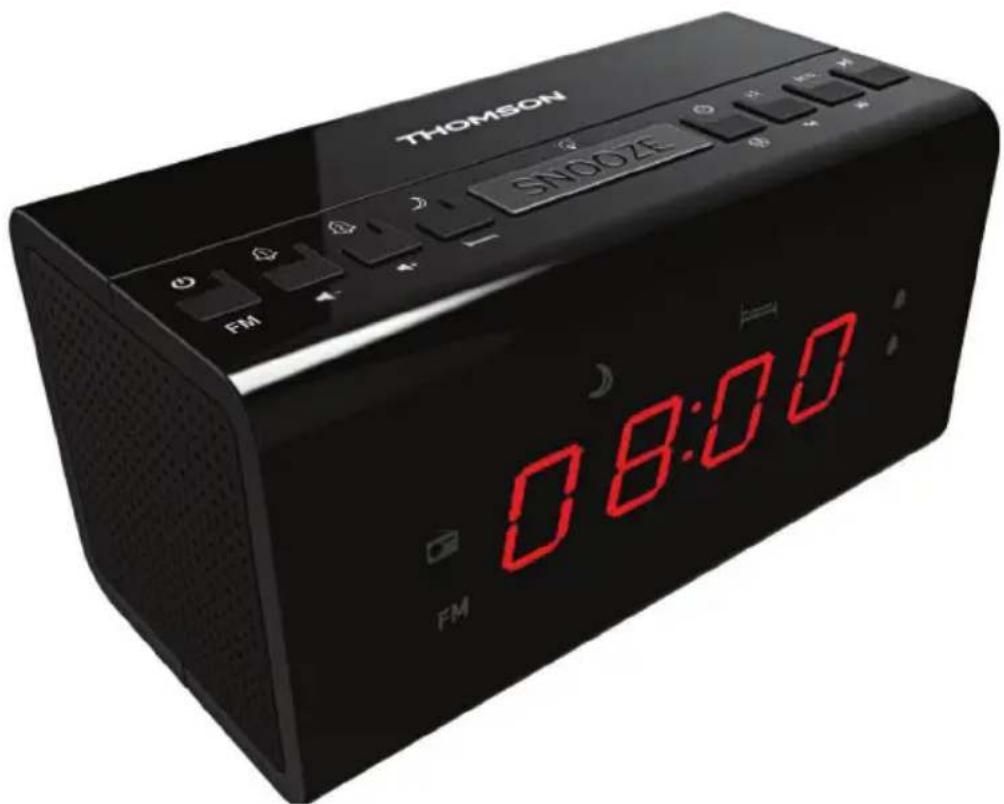
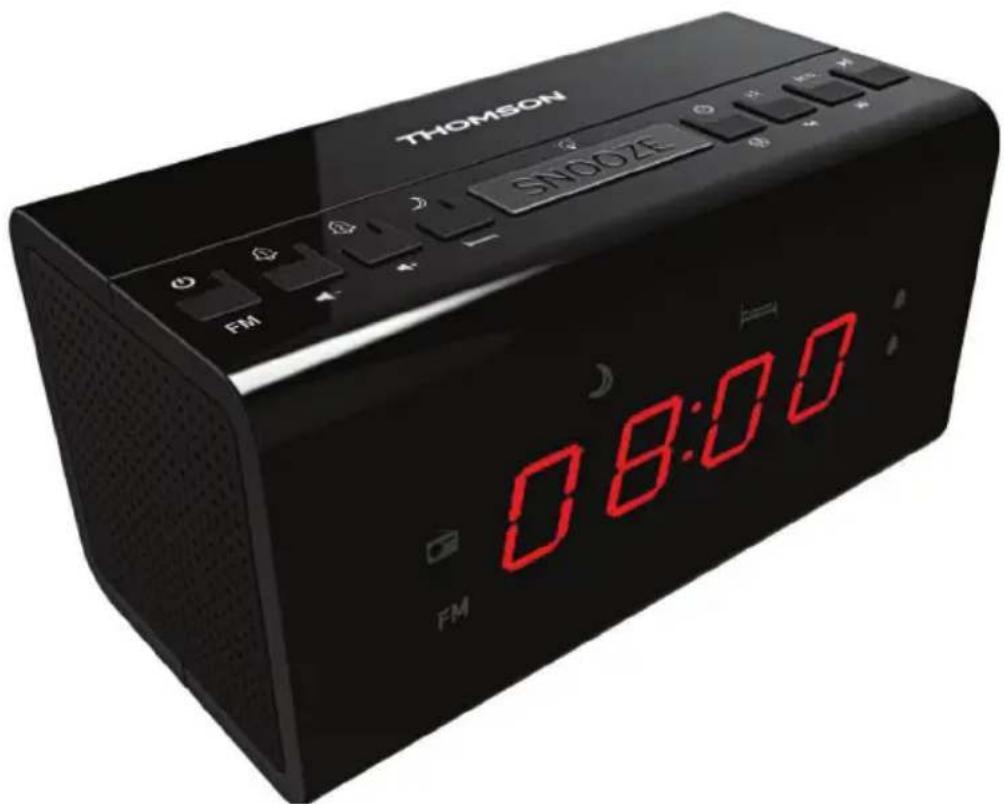
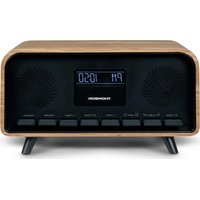
- SPEAKER
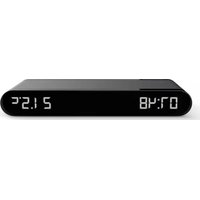
- LED DISPLAY
- STANDBY BUTTON
- ALARM 1 / VOLUME - BUTTON
- ALARM 2 / VOLUME + BUTTON
- SLEEP BUTTON
- SNOOZE / DIMMER BUTTON
- TIME SET/MEMORY BUTTON
- HOUR / REVERSE BUTTON
- MINUTE / FORWARD BUTTON
- PRESET BUTTON
- FM WIRE ANTENNA
- BATTERY DOOR
- DC JACK
Power

CAUTION
Risk of product damage! Make sure that the power voltage corresponds to the voltage printed on the back label.
Risk of electric shock! When you unplug the AC/DC adaptor always pull the plug from the socket. Never pull the cord.
Before connecting the AC/DC adaptor, ensure you have completed all other connections.
Battery power:
Be sure that the batteries are inserted correctly to avoid damage to the appliance. Always remove the batteries when appliance will not be used for a long period of time, as this will cause leakage to the batteries and subsequently damage to your set.
Use batteries of the same type. Never use different types of batteries together.
Do not throw the battery into the fire, or exposed to sunshine or the like.
If the liquid contained in the batteries comes in contact with eyes or skin, wash the area immediately and carefully with clear water and consult a doctor.
POWER SUPPLY
Insert one end of the supplied adaptor power cord into the DC 5V IN Jack located at the rear of the unit and the other end into the wall outlet.
When used for the first time the cord has to be firmly pushed into the socket. If it does not work on AC, try again to be sure of a positive connection. The unit is now working and the display figures will blink to show you it is operating, but not yet set.
OPERATING INSTRUCTIONS
1. STANDBY BUTTON
- Press the button to turn the radio to "ON" or "OFF".
2. TIME SET/MEMORY BUTTON
- In FM mode, press this button to set up and assign the desired frequencies of the preset stations.
- In standby mode, this button is the TIME SET button. Long press this button to trigger TIME SET MODE and the display will start blinking. Press the HOUR / REVERSE button to set the Hour and the MINUTE / FORWARD button to set the Minute.
3. PRESET BUTTON
- Press the PRESET button to select the preset stations displayed from P01 to P20.
4. SLEEP SET BUTTON
- This button is the SLEEP SET button. Press the button and the device will turn off after the displayed minutes from 90, 60, 30, 15, 10 and 5 minutes.
5. ALARM 1 / VOLUME- BUTTON...
-
When the device is in standby mode, this button is the ALARM 1 button.
-
Press the ALARM 1 button to turn Alarm 1 on or off. This is indicated by the light next to Alarm 1 on the display.
-
Long press the ALARM 1 button to set Alarm 1's time. When the time display is blinking after the long press, press the HOUR / REVERSE button to set the HOUR and the MINUTE / FORWARD button to set the MINUTE.
-
When the device is in FM mode, this button is the VOLUME- button.
Lower the volume by 1 unit by pressing this button.
- Long press the VOLUME- button to decrease the volume to the desired unit.
6. ALARM 2 / VOLUME+ BUTTON...
-
When the device is in standby mode, this button is the ALARM 2 button.
-
Press the ALARM 2 button to turn Alarm 2 on or off. This is indicated by the light next to Alarm 2 on the display.
-
Long press the ALARM 2 button to set alarm 2's time. When the time display is blinking after the long press, press the HOUR / REVERSE button to set the HOUR and the MINUTE / FORWARD button to set the MINUTE.
-
When the device is in FM mode, this button is the VOLUME+ button.
-
Increase the volume by 1 unit by pressing this button.
Long press the VOLUME+ button to increase the volume to the desired unit.
7. HOUR / REVERSE button
- When the device is in standby mode, this button is the HOUR button.
This button can be used as instructed above.
- When the device is in FM mode, this button is the REVERSE button.
Press this to lower the radio frequency by 0.05 MHz.
Long press this to activate auto scanning in the lower frequency ranges.
8. MINUTE / FORWARD button
- When the device is in standby mode, this button is the MINUTE button.
This button can be used as instructed above. - When the device is in FM mode, this button is the FORWARD button.
Press this button to increase the radio frequency by 0.05 MHz. - Long press this to activate auto scanning in the upper frequency ranges.
9. SNOOZE / DIMMER BUTTON...
- When you are wakened by the alarm but wish to sleep for a few more minutes, simply touch the "SNOOZE" button and it will turn the alarm off for 9 minutes before the music or buzzer sound again. This can be repeated.
- Press the button repeatedly to choose the brightness of the LED display. 3 levels can be selected such as High, Low and Off.
TO SET THE TIME
- In standby mode, long press the TIME SET / MEMORY button to trigger TIME SET MODE and the display will start blinking. Press the HOUR / REVERSE button to set the Hour and the MINUTE / FORWARD button to set the Minute.
Note:
- Keep pressing the HOUR / REVERSE button or the MINUTE / FORWARD button if you run past the correct time.
- Time is displayed in 24-hour clock format.
TO SET THE ALARM
- When the device is in standby mode,
Press the ALARM 1 / VOLUME- button to turn Alarm 1 on or off. This is indicated by the light next to Alarm 1 on the display.
- Long press the ALARM 1 / VOLUME- button to set Alarm 1's time. When the time display is blinking after the long press, press the HOUR / REVERSE button to set the HOUR and the MINUTE / FORWARD button to set the MINUTE.
- Note: This is the same as setting up Alarm 2.
TO TURN OFF THE ALARM
- In standby mode,
Press the ALARM 1 / VOLUME- button to turn Alarm 1 off.
The indicator light of Alarm 1 will disappear. - Note: This is the same as setting up Alarm 2.
TO PLAY THE RADIO
- Press the STANDBY button to turn on the unit.
- Use the HOUR / REVERSE button and the MINUTE / FORWARD button to adjust the radio frequency as instructed above.
- Use the ALARM 1 / VOLUME- button and the ALARM 2 / VOLUME+ button to adjust the volume as instructed above.
- Press the STANDBY button again to turn off the unit.
- For Alarm 1, set the alarm as previously instructed.
- After setting the time, press again the ALARM 1 / VOLUME- button and the radio frequency is shown.
-
Use the HOUR / REVERSE button and the MINUTE / FORWARD button to choose to wake up to Radio (displayed as frequency) or Buzzer (displayed as bU)
-
Press the ALARM 1 / VOLUME- button again to exit the ALARM SETTING MODE.
Note: This is the same as Alarm 2.
SLEEP CONTROL
- Press the STANDBY button to turn on the unit.
- Press the TIME SET / SLEEP SET button to choose the Device-Sleep time from 90, 60, 30, 15, 10 and 5 minutes
- The device will turn off after the displayed minutes from the minutes you selected.
- To turn this off press the TIME SET / SLEEP SET button until the display shows "OFF".
TO SNOOZE
- When you are wakened by the buzzer but wish to sleep for a few more minutes, simply touch the "SNOOZE" button and it will turn the buzzer off for 9 minutes before the music or buzzer sound again. This can be repeated.
TO LISTEN TO PRESET STATIONS
- Set your desired frequency to be ready as a PRESET STATION.
- Press the MEMORY button to enter PRESET SET-UP MODE.
- P01 will blink. Press the MEMORY button again to set the current frequency as P01.
- Repeat step 2 and step 3 until PRESET stations from P01 to P20 are set up.
- Press the PRESET button listen to preset station P01.
- Press the PRESET button again to move on to preset station P02, and do the same to reach other preset stations.
- To change the preset stations, repeat the steps above.
- To restore default settings the device needs to be powered off.
BATTERY BACK-UP
Your clock has a battery back-up feature in case of power failure. 2 x AAA batteries (not included) are required. You must insert the batteries to ensure that the battery back-up feature is ready in case of power failure. If the power fails, the back-up battery will automatically continue operation of the clock and maintain actual time. However, the display will not be lit. During actual power failure the alarm function will not be operational. Whenelectrical power is restored, the display will light up again and the previously set alarm time is restored. The battery will maintain timekeeping for approximately 8 hours during power failure or interruption.
NOTE: Remove the battery if the clock is to be unplugged for a long time to avoid unnecessary battery drain.

Note the following information: Only use the power supplies listed below.
SPECIFICATIONS
Input: 220-240V~50/60Hz 15mA MAX.
Output: DC 5V = = = 250mA
Frequency ranges: FM: 87.5 - 108Mhz
Clock Back-up: 2 X 1.5V, AAA, LR03
Remarks:

Don't discard the electrical and electronic appliances in the regular waste disposal.
- Take them to a collection point.
-
Some components in these appliances may be hazardous to health and the environment.
-
THOMSON is a trademark of TECHNICOLOR SA or its affiliates used under license to Bigben Interactive.
- You can find the information on the plate located at the back of the unit.
To download the full statement, please visit our website: http://www/bigben-interactive.co.uk/support and the section <
Imported by BIGBEN INTERACTIVE SA
396, Rue de la Voyette
CRT2-FRETIN
CS 90414
59814 LESQUIN Cedex - France
www/bigben.eu
Made in China



REACH
2.3.1.1 4.5.1.1

customerservice@bigben-interactive.be
ESPANA, sat@bigbeninteractive.es
ITALIA, support@bigbeninteractive.it
www/bigben.eu
CR50/CR51
customerservice@bigben-interactive.be
ESPANA, sat@bigbeninteractive.es
ITALIA, support@bigbeninteractive.it
www/bigben.eu
CR50/CR51
RADIOSVEGLIA
ISTRUZIONI D'USO
PRIMA DI UTILIZZARE L'APPARECCHIO, LEGGERE PER INTERO IL PRESENTE MANUALE E CONSERVARLO PER CONSULTAZIONI FUTURE.
Index
Per iniziare 1
customerservice@bigben-interactive.be
ESPANA, sat@bigbeninteractive.es
ITALIA, support@bigbeninteractive.it
www/bigben.eu
CR50/CR51
RÁDIO DESPERTADOR
Characteristicas techniques 6
customerservice@bigben-interactive.be
ESPANA, sat@bigbeninteractive.es
ITALIA, support@bigbeninteractive.it
www/bigben.eu
CR50/CR51
RADIWECKER
BEDIENUNGSANLEITUNG
customerservice@bigben-interactive.be
ESPANA, sat@bigbeninteractive.es
ITALIA, support@bigbeninteractive.it
www/bigben.eu
CR50/CR51
WEKKERRADIO
VEILIGHEIDSINSTRUCTIES
LEES DEZE GEBRUKSAANWIJZING VOLLEDIG DOOR ALVORENS DEZE EENHEID TE BEDIENEN, EN BEWAAR DIT BOEKJE VOOR UW ADMINISTRATIE.
Inhoud
Aandeslag1
customerservice@bigben-interactive.be
ESPANA, sat@bigbeninteractive.es
ITALIA, support@bigbeninteractive.it
www/bigben.eu
- OPERATING INSTRUCTIONS
- Contents
- Setting Started
- Safety and Notice
- Safety
- Warning
- Care for your product
- Care of the environment
- What's in the box
- Description of Parts
- Power
- Battery power:
- POWER SUPPLY
- STANDBY BUTTON
- TIME SET/MEMORY BUTTON
- PRESET BUTTON
- SLEEP SET BUTTON
- ALARM 1 / VOLUME- BUTTON...
- ALARM 2 / VOLUME+ BUTTON...
- HOUR / REVERSE button
- MINUTE / FORWARD button
- SNOOZE / DIMMER BUTTON...
- TO SET THE TIME
- Note:
- TO SET THE ALARM
- TO TURN OFF THE ALARM
- TO PLAY THE RADIO
- SLEEP CONTROL
- TO SNOOZE
- TO LISTEN TO PRESET STATIONS
- BATTERY BACK-UP
- SPECIFICATIONS
- Remarks:
- ISTRUZIONI D'USO
- Index
- BEDIENUNGSANLEITUNG
- VEILIGHEIDSINSTRUCTIES
- Inhoud
Brand : THOMSON
Model : CR51
Category : Alarm Clock