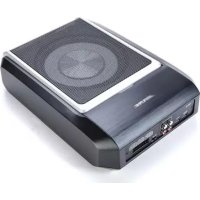
PWDX5 - Subwoofer ALPINE - Free user manual and instructions
Find the device manual for free PWDX5 ALPINE in PDF.

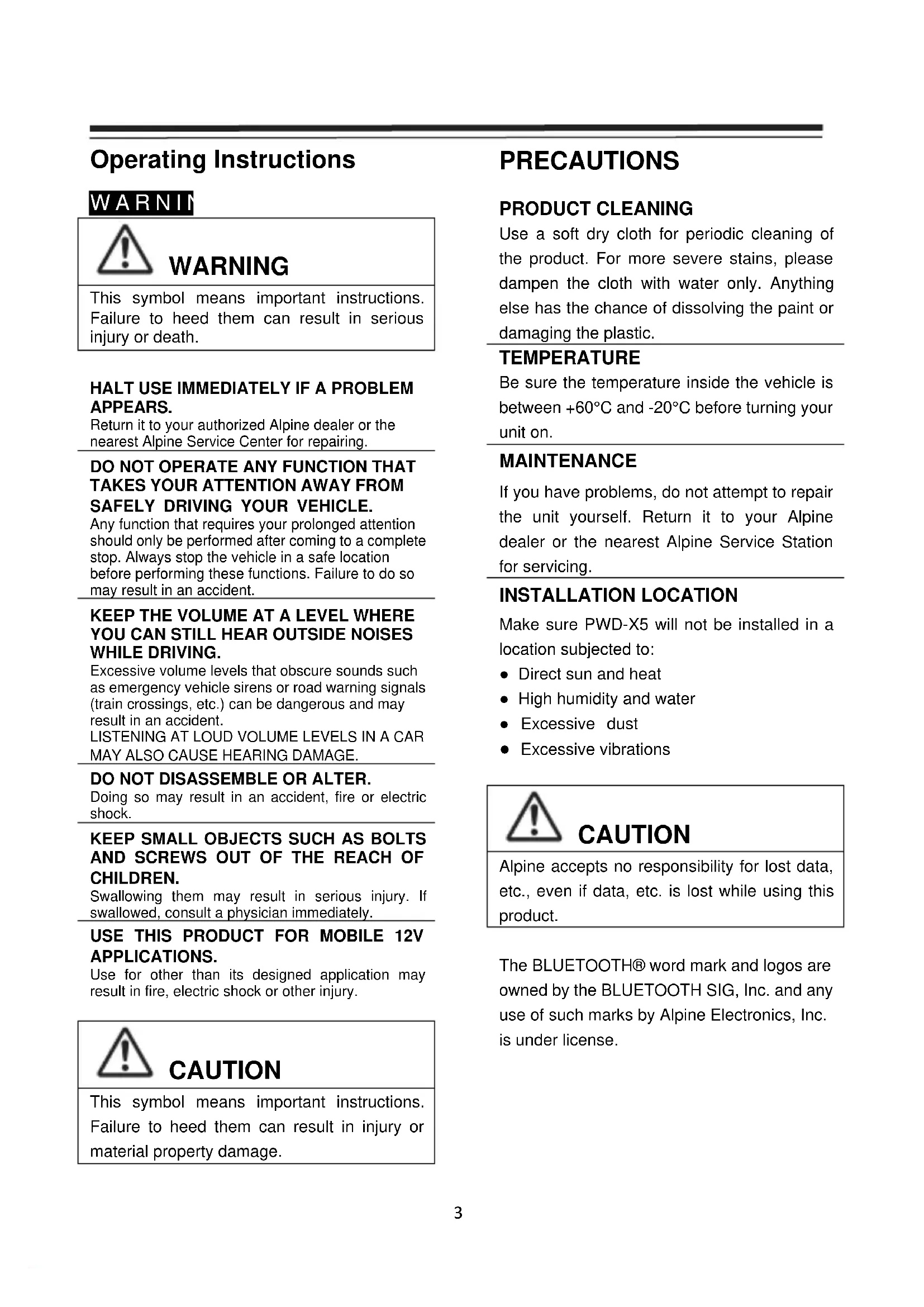


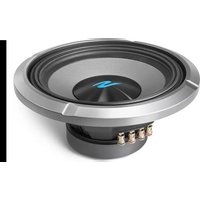
| Product Type | Amplified subwoofer with DSP processor |
| Brand | Alpine |
| Model | PWDX5 |
| Dimensions (L x W x H) | 350 x 245 x 80 mm |
| Net weight | 5.35 kg |
| Power supply | 14.4 V DC (9 V to 16 V, negative ground) |
| Rated power | 25 W x4 + 165 W |
| Maximum power | 50 W x4 + 240 W |
| Signal-to-noise ratio | ≥ 80 dB |
| Frequency response | 20 Hz to 20 kHz |
| Input impedance (low level) | 20 kΩ |
| Input impedance (high level) | 100 Ω |
| Adjustable phase | 0° / 180° |
| Activation methods | High level DC input / REM |
| Operating temperature | -10 to 60 °C |
| Storage temperature | -40 to 85 °C |
| Idle current consumption | 750 mA |
| Inputs | 4 high level channels, 4 low level channels, Bluetooth, AUX |
| Outputs | 4 amplified channels (4 Ω, 25 W x4) |
| Equalizer | Parametric with frequency, gain and Q adjustment |
| Filters | HPF/LPF with adjustable slope (6/12/18/24 dB/oct for CH5) |
| Time correction | 0.0 to 5.4 ms (0.0 to 187 cm) |
| Scene memory | 15 presets |
| Control | Remote control, mobile app (iOS/Android), PC software |
| Bluetooth connectivity | Bluetooth BR/EDR and BLE (2.4 GHz) |
| Maintenance and cleaning | Clean with a soft, dry cloth. Do not use chemicals. |
| Safety instructions | Do not install in direct sunlight or near heat sources. Disconnect power before any maintenance. |
| Spare parts and repairability | Contact an authorized Alpine dealer or service center. Do not open or repair yourself. |
Frequently Asked Questions - PWDX5 ALPINE
User questions about PWDX5 ALPINE
0 question about this device. Answer the ones you know or ask your own.
Ask a new question about this device
Download the instructions for your Subwoofer in PDF format for free! Find your manual PWDX5 - ALPINE and take your electronic device back in hand. On this page are published all the documents necessary for the use of your device. PWDX5 by ALPINE.
USER MANUAL PWDX5 ALPINE
DSP Subwoofer with built-in 4 Channel Amplifier Owner's Manual
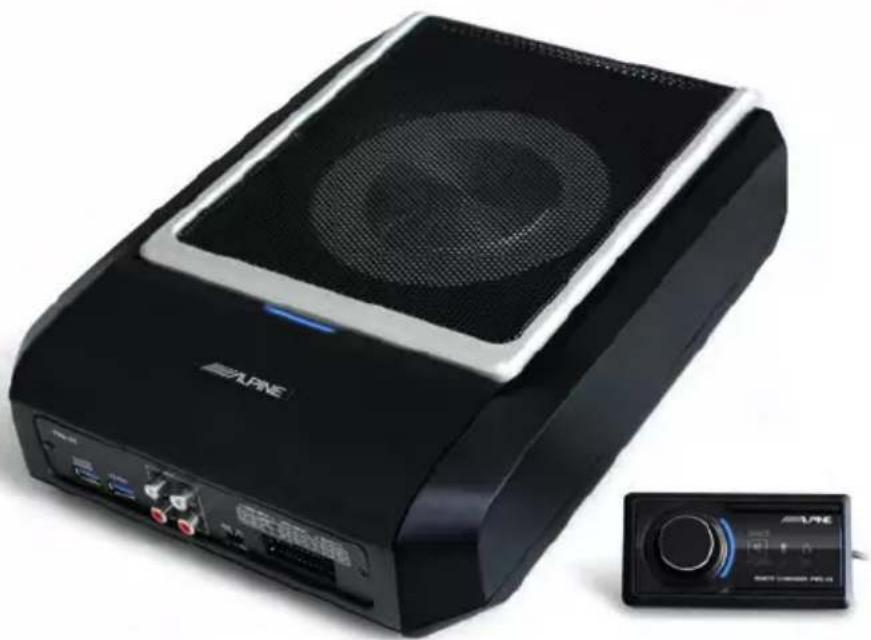
Table of Contents
Operating Instructions
WARNING
WARNING 3
CAUTION 3
PRECAUTIONS 3
Getting Started
How To Read This Manual 4
Function List 4
Accessory List 4
Mobile Phone App
Mobile Phone App Instructions 5
Home Screen 5
Adjust the Volume 5
Switch Input Source 5
Preset (Save and Recall) 5
App sync. 6
Professional User Interface 6
Change Output Channel 6
Set Equalizer 6
Reset /Restore Equalizer 7
Output Level, Phase and Mute 7
Set Crossover (XOver) 7
Channel Linking 7
Time Correction 8
Balance/Fader 8
Software for PC
Software Instructions 9
PC Software System Requirements 9
Control Interface 9
PC Interface 10
Mine, Save, Open 10
Call and Store Preset 11
Adjust the Master Volume 11
Time Correction 11
Set Output Channel EQ 11/12
Remote Commander
Adjusting the Volume and
Subwoofer Level 13
Switching Sources 13
Selecting Preset 13
Connection Diagram 14/15
Technical Parameter Indicators
Technical Specifications 16
Functional Parameters 16
Operating Instructions
WARNING

WARNING
This symbol means important instructions. Failure to heed them can result in serious injury or death.
HALT USE IMMEDIATELY IF A PROBLEM APPEARS.
Return it to your authorized Alpine dealer or the nearest Alpine Service Center for repairing.
DO NOT OPERATE ANY FUNCTION THAT TAKES YOUR ATTENTION AWAY FROM SAFELY DRIVING YOUR VEHICLE.
Any function that requires your prolonged attention should only be performed after coming to a complete stop. Always stop the vehicle in a safe location before performing these functions. Failure to do so may result in an accident.
KEEP THE VOLUME AT A LEVEL WHERE YOU CAN STILL HEAR OUTSIDE NOISES WHILE DRIVING.
Excessive volume levels that obscure sounds such as emergency vehicle sirens or road warning signals (train crossings, etc.) can be dangerous and may result in an accident. LISTENING AT LOUD VOLUME LEVELS IN A CAR MAY ALSO CAUSE HEARING DAMAGE.
DO NOT DISASSEMBLE OR ALTER.
Doing so may result in an accident, fire or electric shock.
KEEP SMALL OBJECTS SUCH AS BOLTS AND SCREWS OUT OF THE REACH OF CHILDREN.
Swallowing them may result in serious injury. If swallowed, consult a physician immediately.
USE THIS PRODUCT FOR MOBILE 12V APPLICATIONS.
Use for other than its designed application may result in fire, electric shock or other injury.

CAUTION
This symbol means important instructions. Failure to heed them can result in injury or material property damage.
PRECAUTIONS
PRODUCT CLEANING
Use a soft dry cloth for periodic cleaning of the product. For more severe stains, please dampen the cloth with water only. Anything else has the chance of dissolving the paint or damaging the plastic.
TEMPERATURE
Be sure the temperature inside the vehicle is between +60°C and -20°C before turning your unit on.
MAINTENANCE
If you have problems, do not attempt to repair the unit yourself. Return it to your Alpine dealer or the nearest Alpine Service Station for servicing.
INSTALLATION LOCATION
Make sure PWD-X5 will not be installed in a location subjected to:
- Direct sun and heat
High humidity and water - Excessive dust
- Excessive vibrations

CAUTION
Alpine accepts no responsibility for lost data, etc., even if data, etc. is lost while using this product.
The BLUETOOTH® word mark and logos are owned by the BLUETOOTH SIG, Inc. and any use of such marks by Alpine Electronics, Inc. is under license.
How To Read This Manual
Getting St
PWD-X5 machine is supplied with the wired controller. Using the wired controller could easily control PWD-X5 machine, or using the mobile phone app or software to adjust or set the audio effect of PWD-X5 machine. These three control methods are varied and thus they will be described individually in the following chapters. Functions are listed as follows:
Function List
| Item | Page | |||
| Phone App | PC | Wired Controller | ||
| Basic Operation | Switch Input Source 4 10 13 | |||
| Adjust Volume 4 11 13 | ||||
| Presents | 4 | |||
| Pro Mode 5 - - | ||||
| Channel Operation | Switch Output Channel 5 11 - | |||
| Set Equalizer | 6 11 - | |||
| Set Crossover | 7 11 - | |||
| Time Correction | 7 11 - | |||
| Balance and Fader | 7 11 - | |||
Note: Priority: Music Play: Bluetooth>High Level, Low Level; Data Connections: Mobile Phone App, Software for PC > Wired Controller.
Accessory List
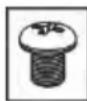
| Accessory | Quantity | Mount × 4 | Mounting Screws×4 | USB3.0 extension cable×1 |
| Mount and Screws | 4 (pieces) | |||
| USB3.0 extension cable | 1 (piece) | |||
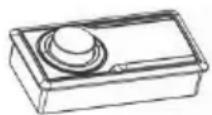
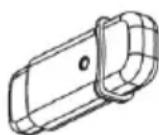
| Remote Commander | 1 (set) | Remote Commander × 1 | USB Bluetooth×1 | Amplifier screws×4 |
| USB Bluetooth | 1 (set) | |||
| Owner's Manual | 1(booklet) |
Mobile Phone App Instructions
Android users can search and download the PWD-X5 app from the Google Play store
For iPhone users can search and download PWD-X5 app from iPhone App Store.
- Connect the USB Bluetooth
- Turn On the PWD-X5 unit
- Turn Bluetooth ON on the smartphone.
- Search for DSP-HD-XXXXX
- Select DSP-HD-XXXXX
- Launch the Alpine PWD-X5 APP on your smartphone
Go to Alpine page → Read the Disclaimer carefully and click "Accept" to go to the homepage.



Home Screen
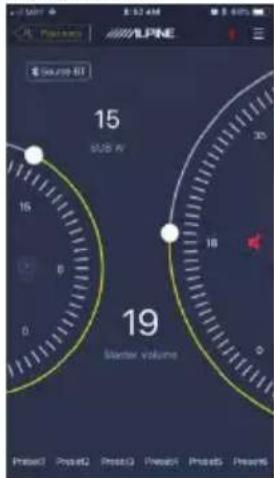
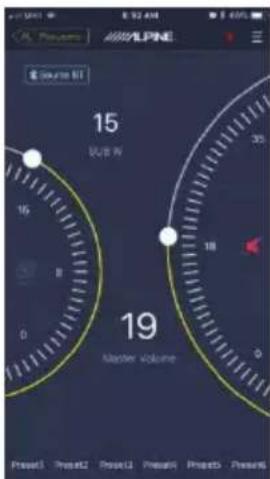
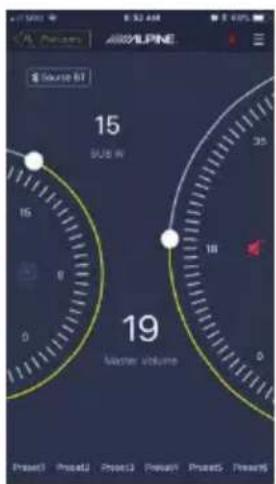
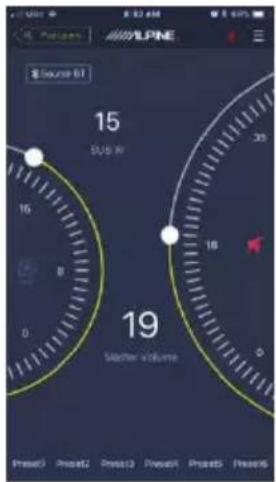
Adjust the Volume
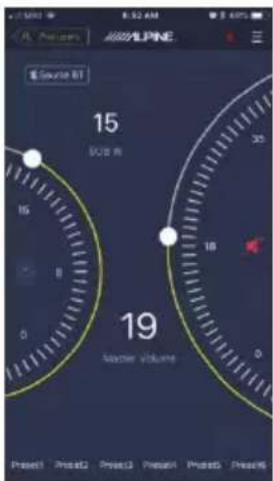
- Master volume, Subwoofer level, source select, mute button.
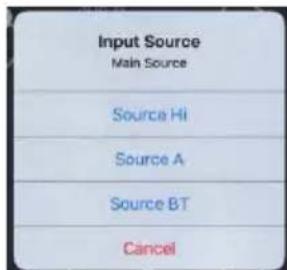
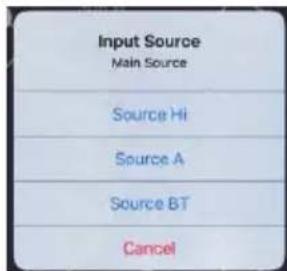
Switch Input Source
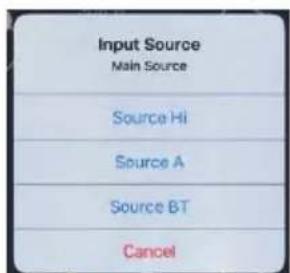
- Click the [Source BT] source setting to flexibly select the type of input source.
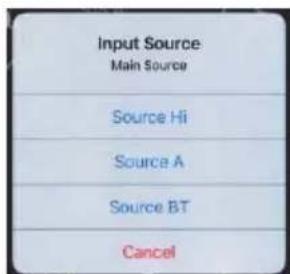
Hi-Level, Aux, Bluetooth
Preset (Save and Recall)
Save to a preset by selecting a preset number
Preset1 Preset2 Preset3 Preset4 Preset5 Preset6
App Sync
- Select the [ ] to begin pairing to the PWD-X5. [ ] will show when paired, which represents that app could control the main machine to play music and set data.
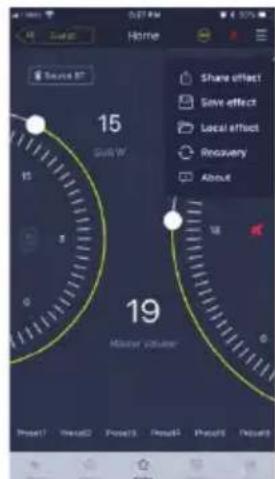
- If you are a general user, click [Enter Share Sound Effects] [About] or [Exit].
- Share Sound Effects: Share your existing sound effects with your friends through the mobile phone app.
- About: View the version of the machine.
- Exit: Close the mobile phone app.
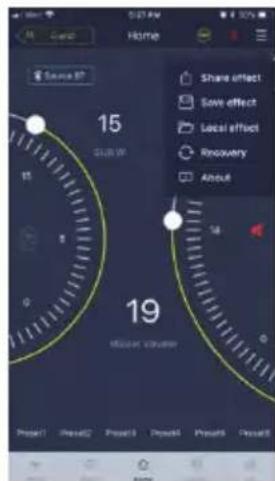
- If you are a professional user, click to enter [Share Sound Effects] [Save Sound Effects] [Local Sound Effects] [One-click Recovery] [About] or [Exit].
- Share Sound Effects: Share your existing sound effects with your friends through the mobile phone app.
- Save Sound Effects: Save the adjusted EQ to your mobile phone.
- Local Sound Effects: Open the saved file and use it in your current device.
- One-click Recovery: Restore to factory settings.
- About: View the version of the machine.
- Exit: Close the mobile phone app.
Professional User Interface
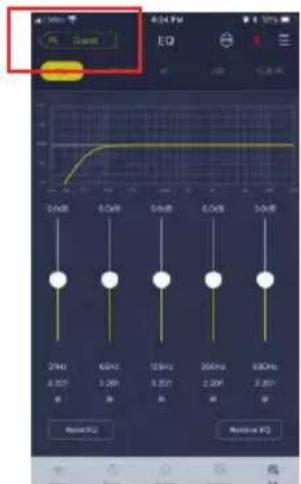
- Click [Pro users] to change DSP functions
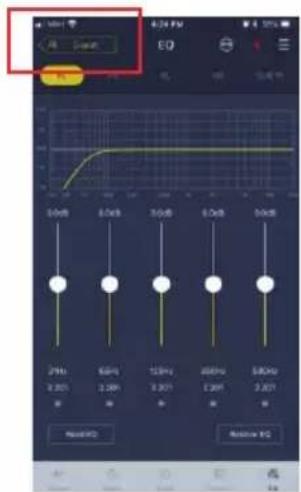
User Password: 8888
Change Output Channel
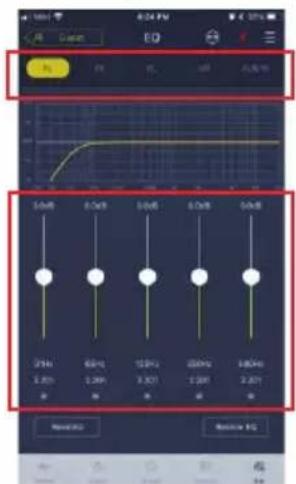
- Select the desired output channel along the top
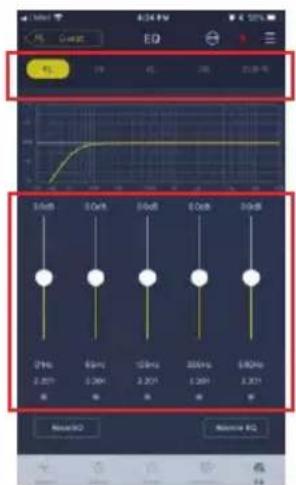
Set Equalizer
- Press the values to adjust the frequency and Q-factor. Gain can also be adjusted with the slider
Reset / Restore Equalizer
- Click [Reset EQ] to reset all EQ parameters to the default values
- Click [Restore EQ] to toggle between EQ on/off

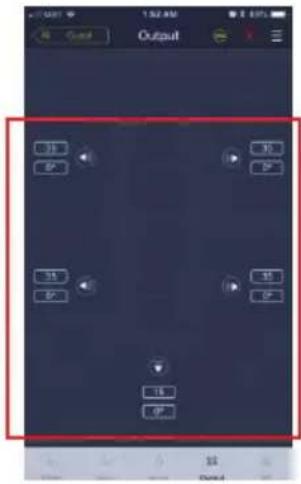
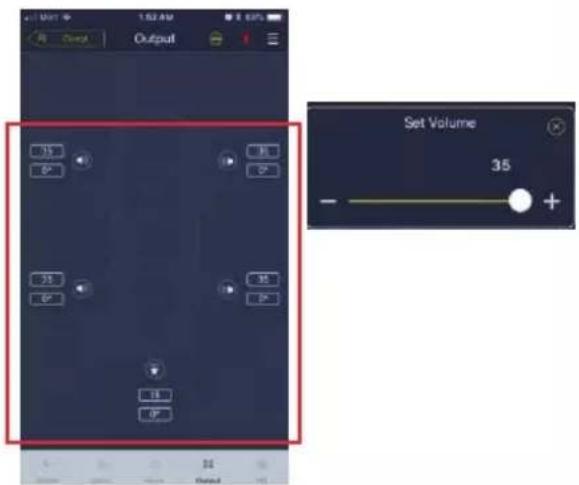
Output Level, Phase and Mute
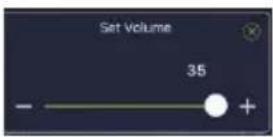
- Set levels by pressing the channel volume, Then + / - to adjust the output level
- Change the phase from 0° to 180°
- Press the speaker to MUTE the channel
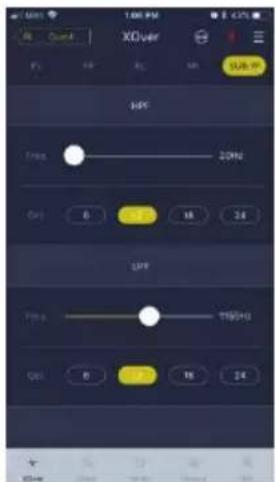
Set Crossover (XOver)
- Select Xover from the settings menu.

- Use the slider to change the HPF/LPF crossover frequency.
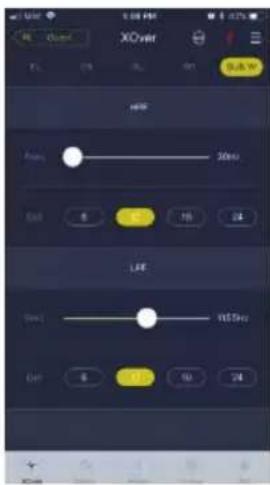
- Select a slope (ch1-4 6/12db/oct, ch 5 6/12/18/24 db/oct)
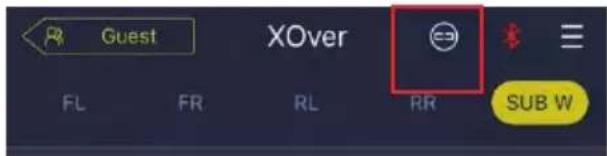
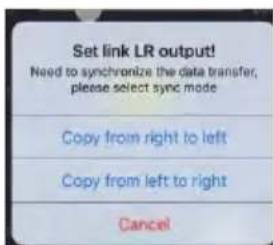
Channel Linking
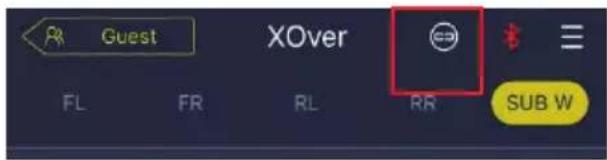
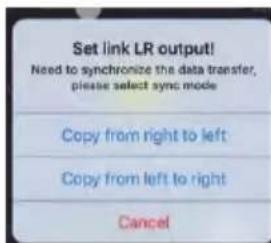
- Select the link button to link left and right channels
- Select which channel to copy to/from
Time Correction
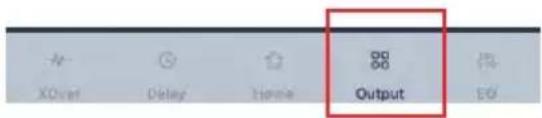
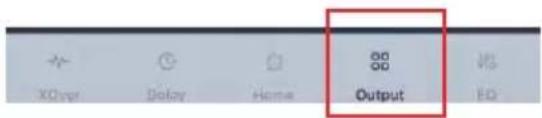
1. Select Output
2. Select Delay
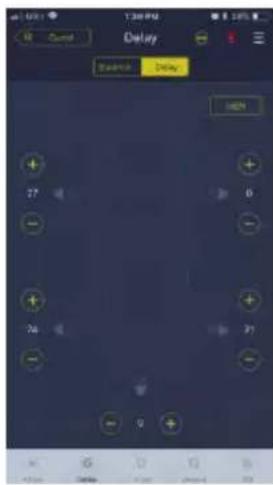
- Select unit of measure (ms,inch,cm)
- Use the +/- buttons to change the value.
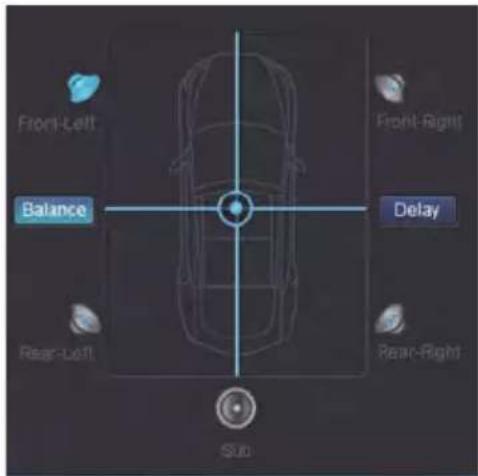
Balance/Fader
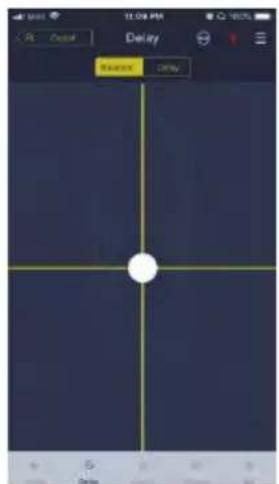
- Press the dot and slide to change the balance and fader.
Software Instructions
Download PWD-X5 software for PC from Alpine Electronics website. After PWD-X5 software is installed, tune PWD-X5 machine via the PC.
Note: The functions of app are the same as software. So, please refer to the instructions for software for mobile devices.
PC Software System Requirements
- Software is run on a Microsoft® Windows® system.
Recommended Specifications
Operating System: Windows XP, Windows Vista, Windows 7, Windows 8, Windows 10.
CPU: 1.6GHz or higher.
Memory Card: 1GB or higher.
Hard Disk: 512MB or more space.
PC Resolution: 1280*768 or higher.
- Before connecting PWD-X5 main machine to PC, please install PWD-X5 software
PC Interface
Control Interface
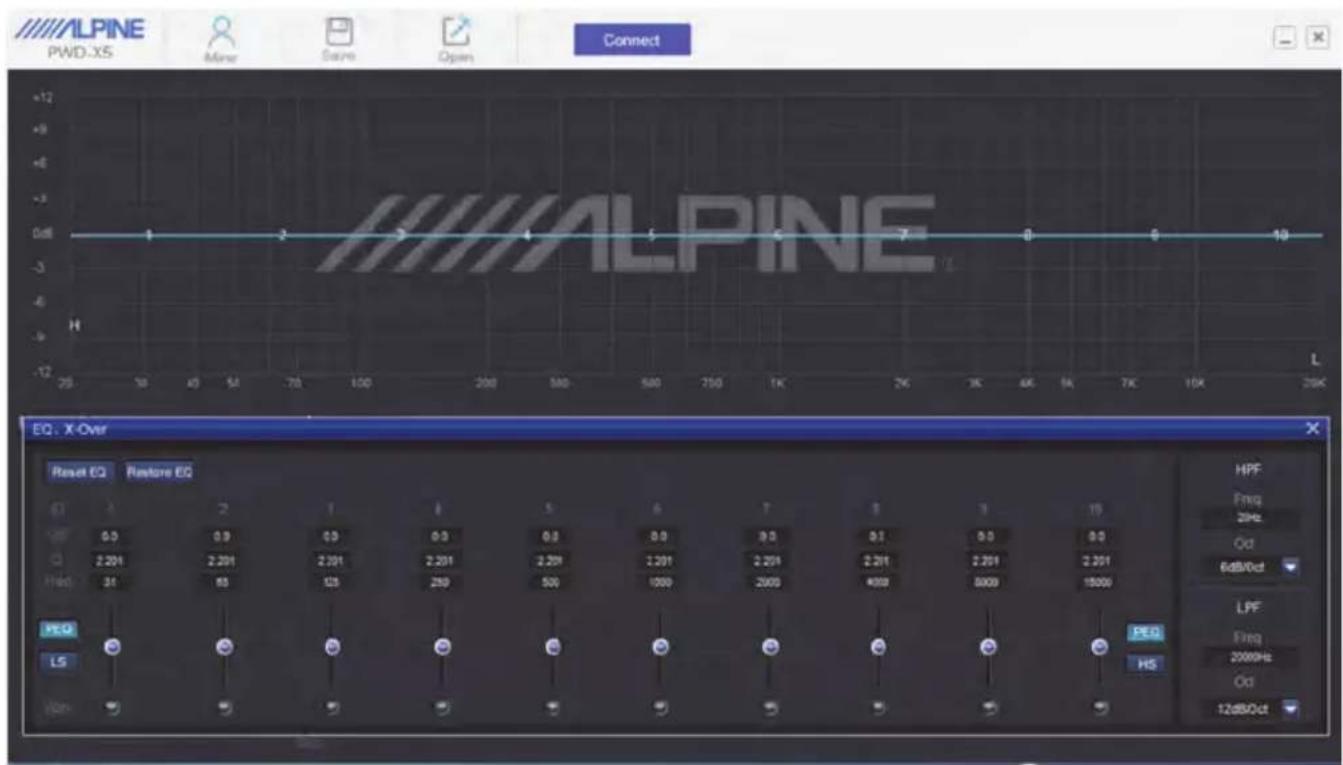
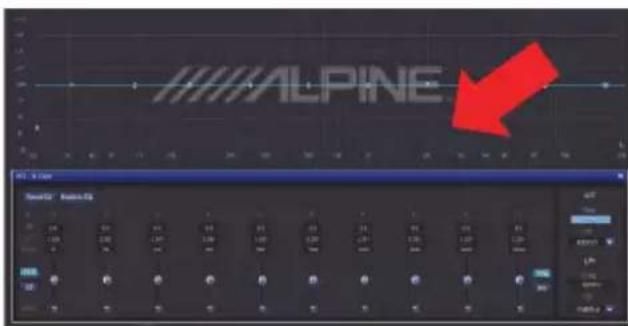
PWD-X5 PC software has two interfaces for controlling master tuning: EQ and crossover. Click on the EQ curve graph to enter the EQ and crossover interface.
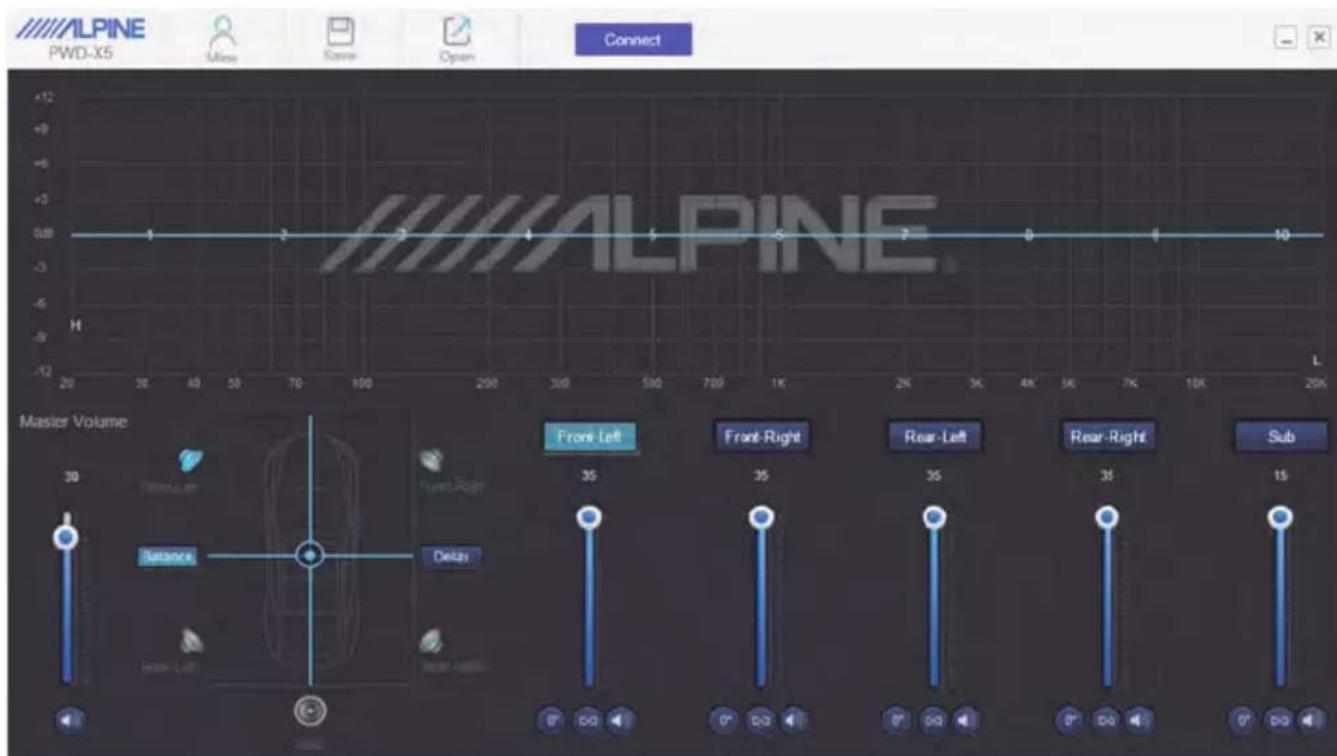
PC Interface
EN
PC Connection
- Connect the USB and launch program.
- Press Connect
Mine, Save, Open
- Select Mine to show language and input mode.

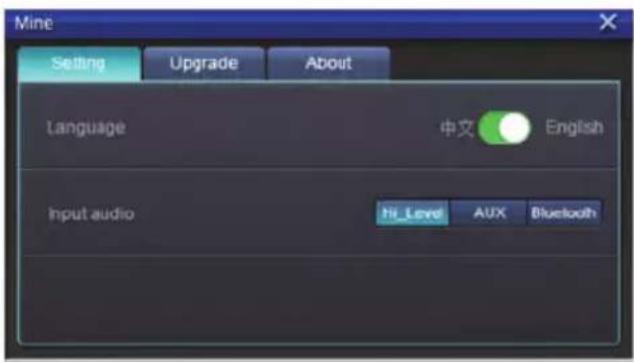
a. Switch between Chinese and English
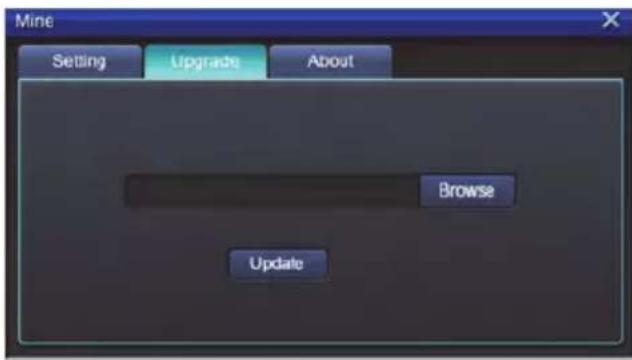
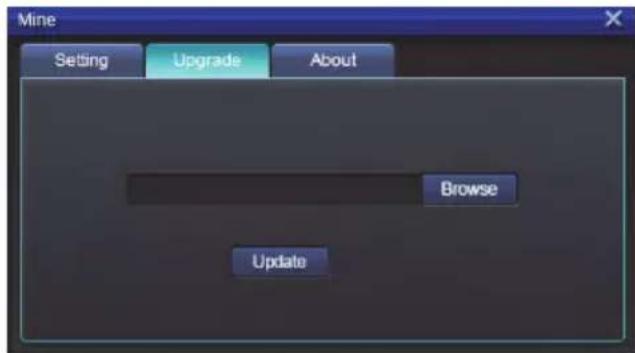
- Select [Upgrade] to perform new updates provided by Alpine Electronics.
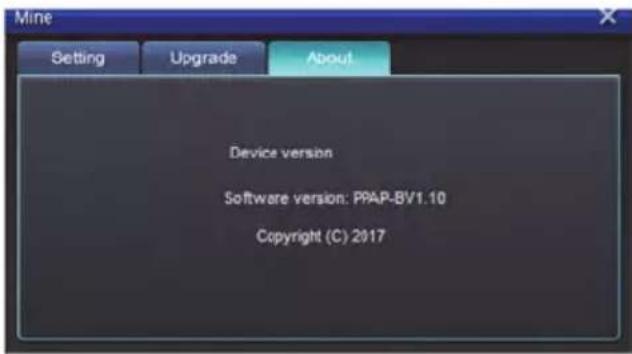
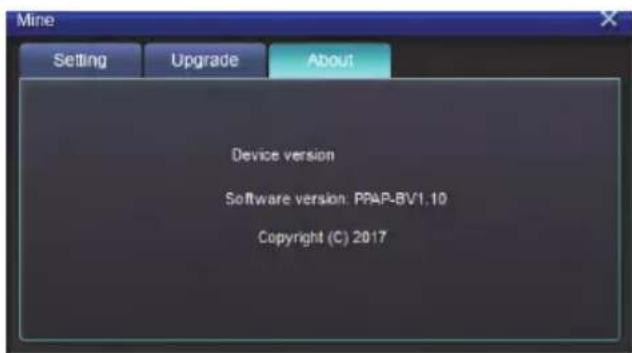
- Click [About] to view the device version.
Call and Store Preset
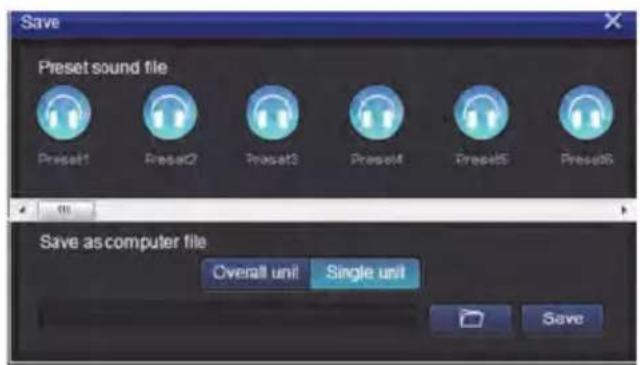
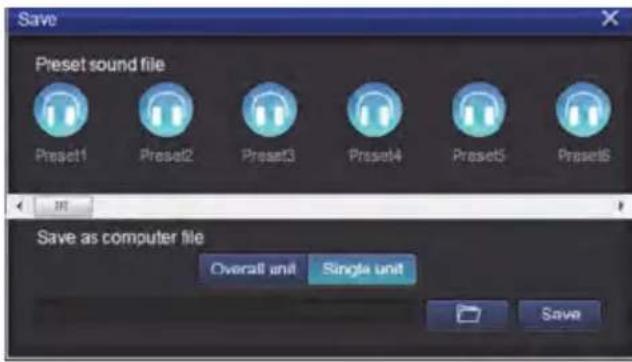
- Call and store preset sound effect. Click [Save] to set 15 preset sound effects.
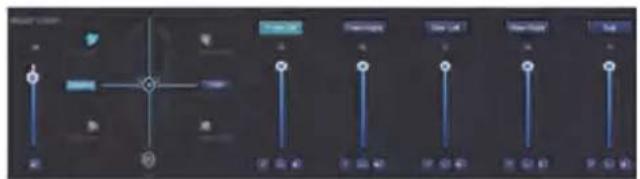
Adjust the Master Volume
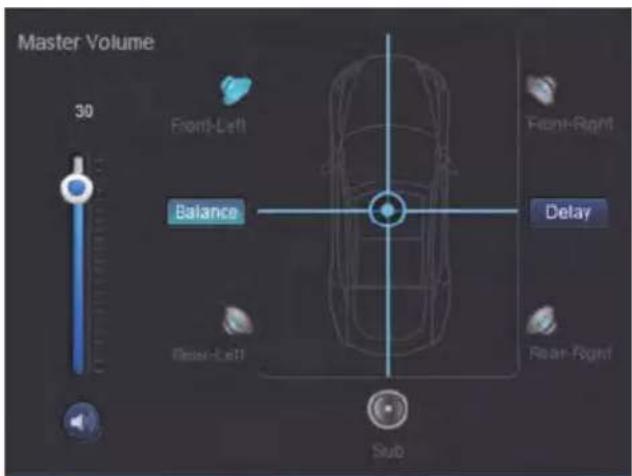
- Adjust the master volume
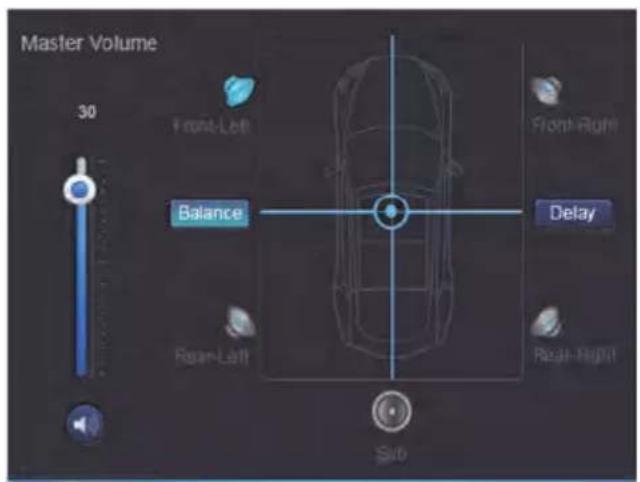
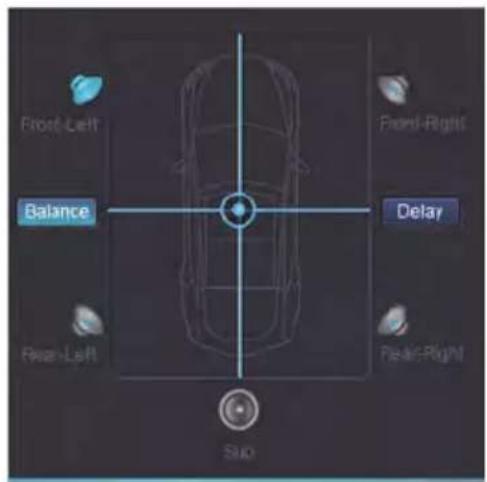
- Select Balance to drag the desired balance and fader position.
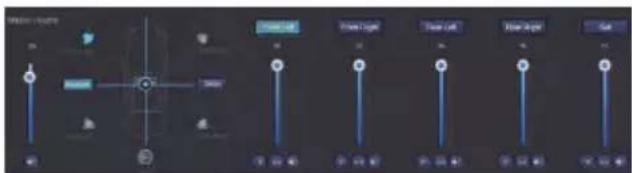
- Adjust the output level of each channel, phase or mute channel
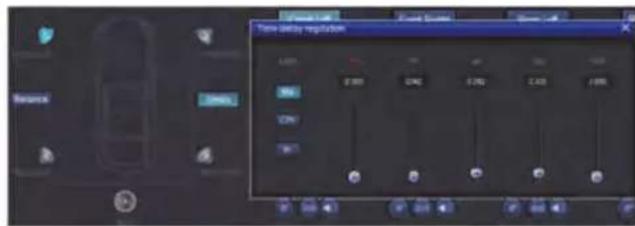
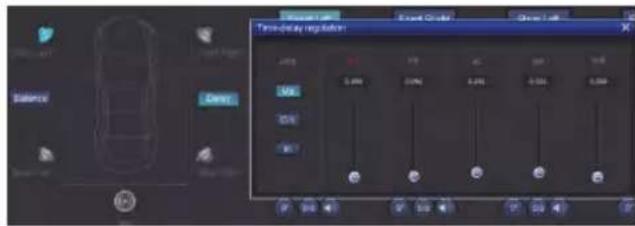
Time Correction
- Select Delay
- A window will populate where you can adjust the units, and value per channel.
Set Output Channel EQ
- Select the channel to adjust by clicking on the speaker
- Click on the EQ graph to reveal the EQ menu.
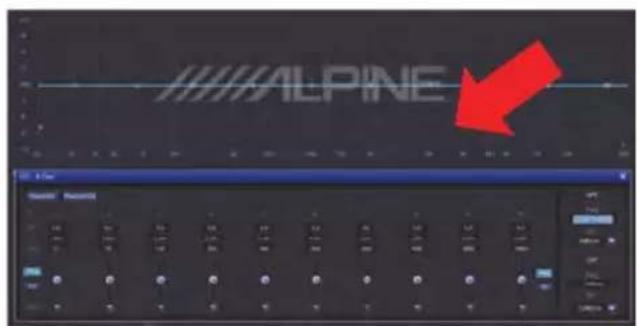
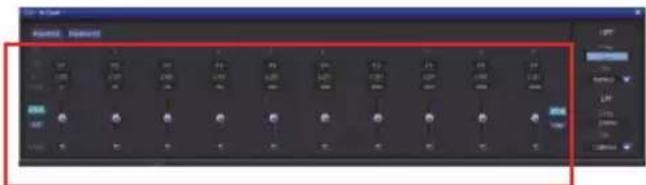
- Adjust EQ Gain, Frequency, Q factor by entering the desired values.
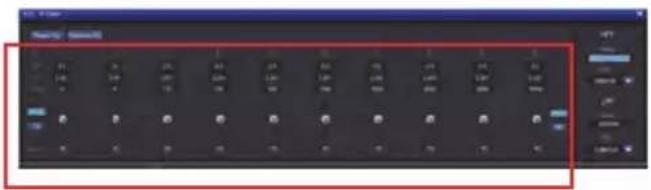
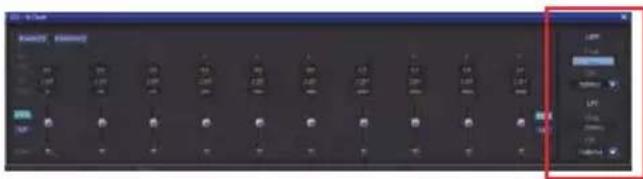
4, Adjust HPF/LPF and Slope (ch1-4 6/12db/oct, ch 5 6/12/18/24 db/oct) for the channel.
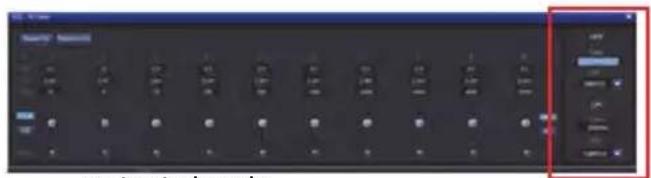
output signals.
EN
Remote Commander Operating Instructions
Connect PWD-X5 wired controller to PWD-X5 machine and power on properly.
Note: The controller will not work if PC/BT is connected
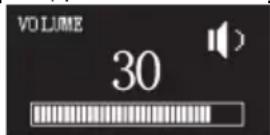
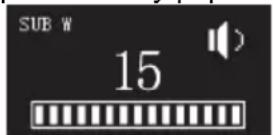
Adjusting Volume and Subwoofer Level
- Turn the knob to adjust the master volume, press the knob once to change subwoofer level.
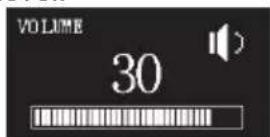
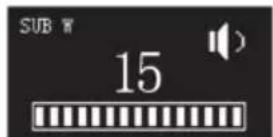
- Press and hold 2-3 seconds to mute the output.

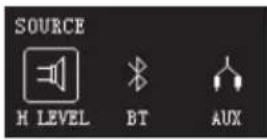
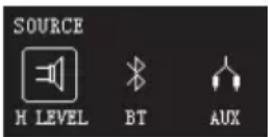
Switching Sources
- Press the knob to change input source active.
- Turn to select and press once to select.
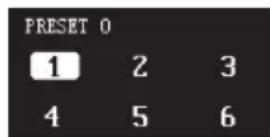
Selecting Preset
- Long press the knob (≥5 seconds) to select preset.

- Select the preset and press once to load.

Connection Diagram
EN
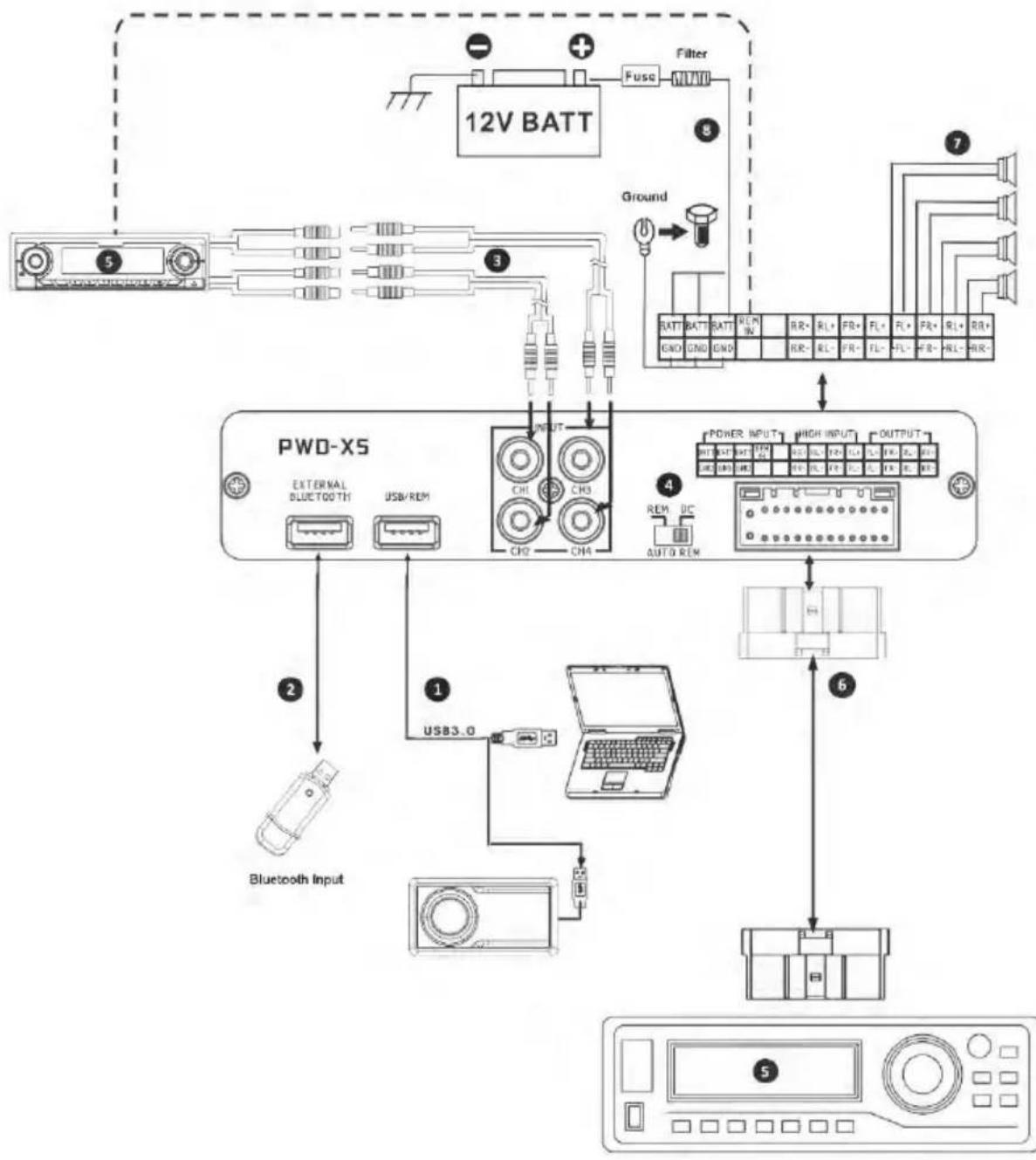
Connection Diagram
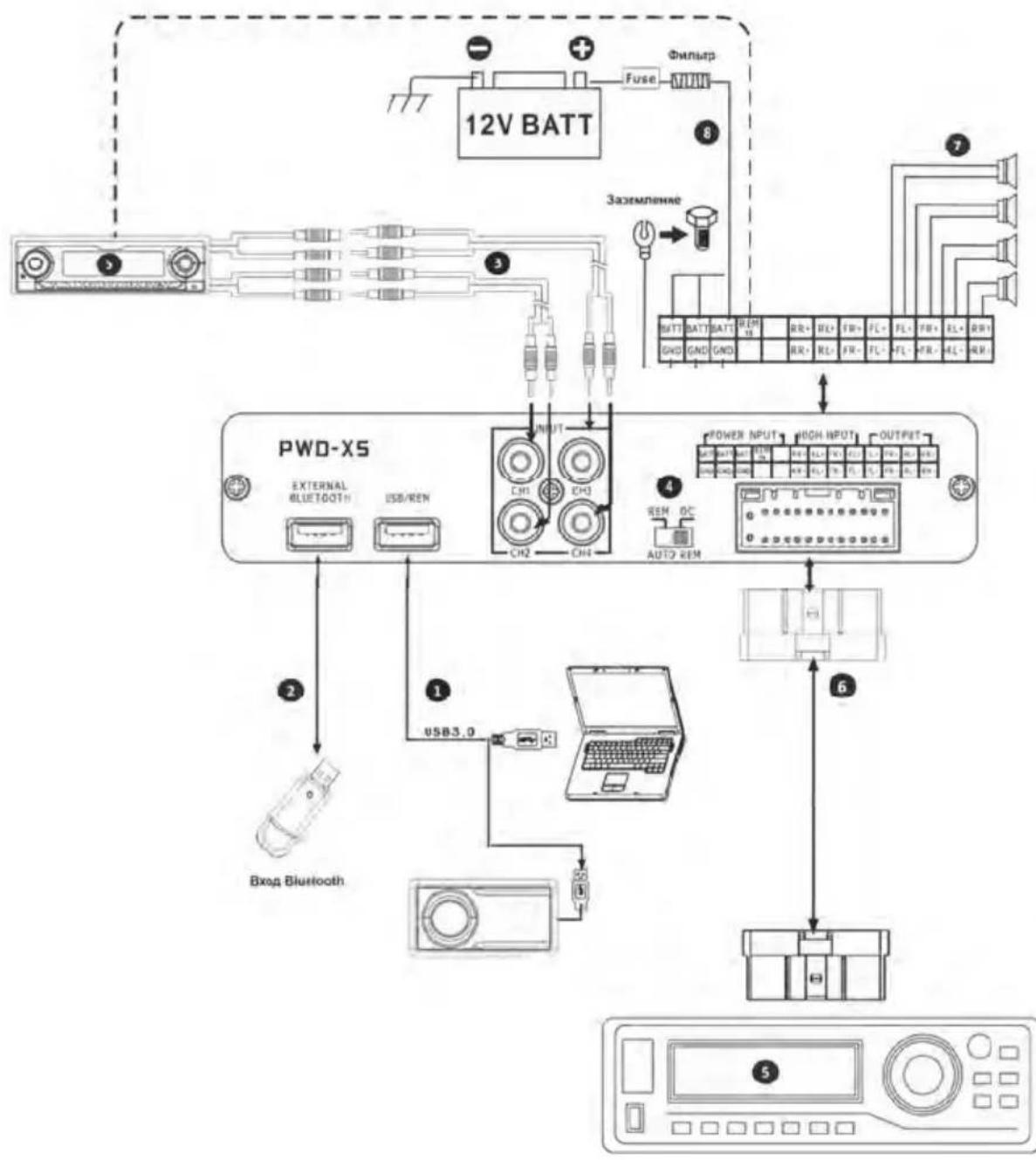
① Main machine USB port connects to the computer via USB3.0 cord. Start PWD-X5 software to switch sound sources of main machine and perform such functions as data storage, calling and EQ. USB port connects to the wired controller via USB3.0 cord and perform functions including switching sound source, data calling and adjusting master volume via the wired controller.
② The main machine is equipped with an external Bluetooth interface to play lossless music via the external digital Bluetooth and connect to PWD-X5 app. After the Bluetooth is connected, the indicator light will be on.
③ AUX input interface connects to in-vehicle CD or DVD low-level output, switches the machine sound source to AUX input and plays low-level signals.
④ REM input switch. When the switch is placed on the "REM"-end, REM will start the machine. If the switch is placed on the "DC"-end, the high-level input signal will start the machine.
⑤ In-vehicle CD or DVD main machine.
High-level input and power input interface connects to in-vehicle CD or DVD. If the sound source switches to high-level, the machine will play high-level signals.
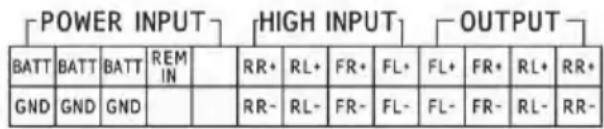
⑦ The amplifier output of the main machine connects to the speaker
The machine is connected to the power supply.
Notes:
- Original cables for designated vehicles only.
- High-level REM input (HOST): for these two high-level input cables of H1 + / H3+ .
Technical Parameter Indicators
- Technical Specifications
| Max. output power Rated | power: 25W x4 +165W; peak power: 50W x4 +240W |
| Signal-to-noise ratio ≥80dB | |
| Bass boost -12dB to +12dB | |
| Frequency response 20Hz to 20KHz | |
| Input impedance | Low-level input: 20kΩ; high-level input: 100Ω |
| Phase | 0°/180° |
| Method of activation DC | high-level /REM input activation |
| Operating temperature -10 to 60°C | |
| Storage temperature -40 to 85°C | |
| Power source DC 14.4V | (9V to 16V) negative ground |
| Activate REM input | Options of high-level activation (H1+/H3+) and ACC activation for selection |
| Activate REM output +12V activation voltage output (0.5A) | |
| Stand-by current 750mA | |
| Net weight 5.35kg | |
| Dimensions (L x W x H) | 350 x 245 x 80mm |
- Functional Parameters
| Type of input signals | Options: 4-channel high-level, 4-channel stereophonic low-level, Bluetooth |
| Output position 4-channel amplifier output (4Ω 25W x4) | |
| Output signal gain Master volume: 0~35; ultra-low volume: 0~15 | |
| Filter slope | CH1 to CH4: 6 or 12 dB/oct CH5: 6,12,18 or 24 dB/oct |
| Q value | 0.404 to 28.85 |
| Delay | 0.0 to 5.4ms [0.0 to 187cm / 0.0 to 74inch] |
| Scenario operation | The machine could save 15 presetting music scenarios. |
| Information on disposal of old electrical and electronics equipment and batteries (applicable for countries that have adopted separate waste collection systems) | |
| If you want to dispose this product, do not mix it with general household waste. There is a separate collection system for used electronic products in accordance with legislation that requires proper treatment, recovery and recycling. Contact your local authority for details in locating a recycle facility nearest to you. Proper recycling and waste disposal will help conserve resources whilst preventing detrimental effects on our health and the environment. | |
The BLUETOOTH® word mark and logos are owned by the BLUETOOTH SIG, Inc. and any use of such marks by Alpine Electronics, Inc. is under license.
Hereby, ALPINE declares that this device is in compliance with the essential requirements and other provisions of the following EU directives:
2014/53/EU (RED)
2011/65/EU (RoHS)
2014/30/EU (EMC, incl. EN50498: 2010)
You can view the Declaration of Conformity at www.alpine-europe.com.
2.4 GHz - Bluetooth BR/EDR and BLE
Frequency range: 2.400 to 2.484 MHz
Maximum power: 4.51 dBm / 2.82mW (EIRP)
The control software for the PWD-X5 can be found in the respective app store for iOS and Android. The apps are free of charge.
The full owner's manual can be found in the support section of your local Alpine website.
Inhaltsverzeichnis
Bedienungsanleitung
WARNING
WARNING 3
VORSICHT 3
VORKEHRUNGEN 3
Erste Schritte
High-Level, Aux, Bluetooth
Hi-Level, Aux, Bluetooth
Ajusted volume general 11
MEPbI INPEIOCTOPOXHOCTN 3
Hauano pa60tbl
Kak YHTaTb daHHoe pyKOBoCTBO. 4
Cnncok yHKun 4
CnncOKdoNoJIHHTeIbHbIX
IpnHaJnEJXHocTei 4
I3MeHeHHe BbIXoHOrO KaHaJa 6
Hactpoika 3Kbaana3epa .6
C6poc/BOccTaHOBnEHNHe HAcTpoeK
3Kbana3epa 7
BbIXoHNo ypOBeHb rPOMKocTn,
fa3a n OTKJIIOUeHHe 3Byka.7
HactpoiKa KpoccoBepa (XOver).7
Cb3bHaHne KaHaNoB. 7
BpeMeHHa KoprpeKun8
BanaHc/MnKwep. 8
Прогамma张家界 PK
Yka3aHnno nCNoJIb3OBAHnIO PO.9
CnCTeMHbIe Tpe6oBaHnI IO nJy
KOMNbIOTepa 9
InTepeicynpaBHeHn. 9
Hntepcic PIK. 10
Mine (c6bHeHbIe HAcTpOiKn),
Save (coxpanen) n 3arpy3ka (Open) ....10
3arpy3ka n coxpaHeHne
IpeDyuctaHOBKn. 11
Perynipobka o6eI rpoMkocTn 11
BpeMeHHa KoprEczna 11
HactpoKa 3Kbanaa3epa
BbIXoHoro KaHaHa 11/12
IyIbT DnCTaHcNoHHOrO ynpabJIeHnA
Perynnpobka rpoMkoctn npOBH
ca6Bypepa. 13
IpeekJIOUeHHe NCTOUYHka cnHaHa 13
Bb6op npeducTaHOBKn 13
Cxema nodklouhen 14/15
TexHnueckne napameTpbl
Texnueckne xapaKtepcntkn 16
MEPbI INPEIOCTOPOXHOCTN
CHCTKA YCTPOICTBA
NcnoJb3yIte MrgkyIO cyxyIO TkaHb Dnna nepNoDnuecko YnCTKn DaHHoro yCTpoiCtBa. Dnry ydaJIeHn 6OJIee cepbe3HbIX 3aRpa3HeHn HAMOHTe TKAHb, NcNoJb3yra TOJbKO BODy. DpyrIe YnCTraUne CpeCDTBA MOrY pAcTBOpNTb Kpacky IIN NOBpeNTb PnactNK.
TEMNEPATYPA
Ipejde yem BkIOuHTb yCTpoNCTBO, y6eNTecb, TTO TEMnepaTypa BHyTp n ABTomO6nna HaxoITcB Dnana30He ot-20 ° C do +60°C
TEXHNUECKOE OBCJNYKUBAHNE
Pn BO3HKnHOBeHn npo6Jem He nbTaTecb OTpeMOHTnpOBaTb yCTpOyCTBO CAMOCToTeNbHO. BepHnte npOdyKT CBOeMy dInepy Alpine nnn B 6nKaiu CepBnchbI ueHtp Alpine nn peMOHTa.
MECTO YCTAHOBKN
Y6eHNTecb B TOM, YTO B MeCTe yCTaHOBKN yCTpOInCTBO PWD-X5 He 6yDet noDbepraTbcn CNeDyIOUIM BO3DeIcTBnM:
- PnPmBle CONHeuHbIe LyuN I TeNIO;
BbICOKa BJaXHOCTb N BOda; - Upe3MepHaa 3aNbIeHHoCTb;
- Upe3MepHnBn6paun.

BHUMAHNE
Kompania Alpine He Hecet OTBETCTBEHHOCTH 3a NOTepo DaHbIX n Tn., Daxke ecnn daHbIe 6bln NOTepaHbI npkKcNpyataunn 3TOrno3dJIIN.
Toprobay TeKCTOBa Mapka N IOROTnbl BLUETOOTH @ npHaJnxKAT KOMNaHnBLUETOOTH SIG, Inc.; nIO6oe nCNoB3OBAHne daHHbIX Toprobix MapOK KOMnAHnei Alpine Electronics, Inc. oCyueCTBnEeTcB COOTBETCTBn C NOyueHHoI NlueH3Nei.
Kak YntaTb daHHoe pyKOBoCTBO
Hauano pa60tbI
UcTpoiCTBO PWD-X5 noCTaBnIeTcB KOMPJIeKTe C npOBOnHbIM 6IOKOM ynpaBHeHna. FyHKzmaMn PWD-X5 moKHO IeKo ynpaBnIbC nOmoCbIO npOBOnHoro 6Ioka ynpaBHeHna, IIn6o moKHO mNoJb30BaTb MoBnIbHoe npIoXeHne nn nporpaMMy Ha PIk dIra hAcTPOiKn nn yctaHOBKn ayDno3ΦΦeKToB ycTpoiCTBa. 3TN cNoCo6bl ynpaBHeHna OTnuaHTc Da pyr ot dpYra, Po3tOMy 6ydyT onncAhnIOTdEhBO B cIeDyUoNx pa3deJax. Hnke npuBeDen cnncok fynKznn.
CnncokyHKcui
Bluetooth > BbICOKn ypoBeHb, Hn3Kn ypoBeHb;
IopknueHn nepeaun daHbIX: MoBnJIbHoe npInIOxHeHne,
nporpamma nIg NK > PpoBoHOn 6nok ynpaBneHHa.
Cnncok DonoONHHTeJIbHbIX npHaadJeXHoCTe
DOnONHHTeNbHbIe
PpHnHaIeXHoCTN
KpenJIeHnI n BnHTbI
YdHnHTeBbHbI
ka6eIb USB 3.0
IyntdctaHcnoHHoro ynpabneHn
Bluetooth-MoDyNb USB
PykoBOIDCTBO
IIOJIb3OBATeJRA
KoI-Bo
4 wT.
1 wT.
1 KOMnJIeK
1 KOMnJIeKT
16poouopa
Kpennnne:
4 wt.

NyIbT
NCTAHNOHOrO
ynpabJIeHnI:1wT.
BuntbkpenneHna:
4 wt.
Bluetooth-Моунь
USB:1wT.
ydiHHTeBbHbI
ka6eB USB 3.0:1uT.

Bnhtb kpenleny ycnntena:4 wT.
Yka3aHnno nCpOJb3OBaHnIO npIIOXeHnA dJa MO6uNbHoro TelefoHa
Ponb3oBaTeHn Android moryr 3a rpy3ntb npinojxHe PWD-X5 n3 mara3nHa Google Play.
Повьател iPhone мут зарузпг пиюжене PWD-X5 ИЗ магашиha iPhone App Store.
- Pódklouhnte Bluetooth-módynb USB
- BkIIOUHTe ycTPOINCTBO PWD-X5
- BkniouHrte Bluetooth Ha cMapTfoHe
- BbINOJIHnTe NOnCK yCTpOuCTBa DSP-HD-XXXXX
- BbIbepeTe yctpoCTBO DSP-HD-XXXXX
- 3anyctnte npnnoxkeHne Alpine PWD-X5 ha cMapTfoHe
Ipeennte Ha cTpaHnuy Alpine → BnMaTeIbHo npOHTaIte 3aBHeHne o6 orpaHnueHn OTBeTcTBeHHoCTn HaxMnTe Accept (PpHnTb) dJa nepexoda Ha domaunn ekpaH.


Домашни зкран
HactpoKa ypoBra rpoKocTn
O6uajrpoMKocTb,ypOBeHb ca6Bypepa, BbI6op nCTouHnKa,KHONKa OTKJIIOueHn3Byka.
IpepeKJIIOUeHne BxOda
- Haxmte npamertnctouhka [Source BT] JIy Bb6opa nCTOHHKA BXoHoro cnHaHa.
BbICOKOypOBHeBbI (Hi-Level), Hn3KOypOBHeBbI (Aux), Bluetooth
CoxpaHnTe npeDyucTaHObky, Bbl6paB Homep
Preset1 Preset2 Preset3 Preset4 Preset5 Preset6
CnHxpoHn3aunc npNIOKeHneM
- Haxmnte [,yTO6bI hauatb cOpjxehne C yCTPOINCTBOM PWD-X5.Pocne ycneuHoro cOpjxehnI NOBNTc3HaQOK[],nocne Yero Bbl CMOXTe ynpaBJIaTb yCTPOINCTBOM C NOMOsbIO MObINbHOrnpINOJoxehn, BOCPON3BOIDITb My3bIKy I HaCTpaNBaTb npapaMeTpbl.
- Ecnn Bbl obbHbI NOJb3OBaTeNb, HaxMnte [ ]dIy Bbl6opa nyHKTOB MeHIO [Share Sound Effects] ([NoJeNtbcr 3ByKOBbIM 3ΦΦeKTOM]), [About] ([O cnCTeme]) nnn [Exit] ([BbIXoD]).
Share Sound Effects (NopeNTbC 3ByKOBbIM 3ΦΦeKToM): NopeNTecb CBOUM 3ByKOBbIM NΦΦeKTAMN C Dpy3bMa N cepE3 MO6NJbHoe npINOxKeHne.
About (O cnCTeMe): PpocMoTp BepcnnyctpoNCTBa.
Exit (BbIXoJ): 3aBepweHne pa60tbM6nIbHOrO npNIOKeHn. - EcInn Bbl npocceccnoHaBbHn NOJb3OBaTeIb, HaxMMTe [DnBb6opa NyHKTOB MeHIO [Share Sound Effects] ([NoJeINtbcr 3ByKOBbIM 3ΦΦeKToM]), SaveSoundEffects,[LocalSoundEffects] ([3arpy3NTb 3ByKOBoi 3ΦΦeKT]),[One-click Recovery] ([BOcCTaHOBJHeOdHM HaXaTneM]), [About] ([OCncTeMe]) INN [Exit] ([BbxOd]).
Share Sound Effects (NopeNtbc3ByKOBbIM 3ΦΦeKToM): NopeNtEcB CBOIMN 3ByKOBbIM 3ΦΦeKTaMn c Dpy3bMy Upe3 MObNbHoe PpINOKeHne. - Save Sound Effects (CoxpaHntb 3BykoBOI ΕΦΦeKT): CoxpaHnte TeKyuUne HAcTpoIKN 3KBaNaJ3epa Ha BaU MoBnIbHbI TeJeΦOH.
Local Sound Effects (3arpy3ntb 3BykoBoi 3ΦΦeKT): OTKpoT e coXpaHeHHbI ΦaII 3ByKObIX 3ΦΦeKTOB I NCNoJIb3yIte IX Ha BaIeM TeKyuIeM yCTPOIcTBe.
One-click Recovery (BocctaHOBJeHne OdHM HaxkataHem):Bo3BpAT K 3aBOJcKIM HAcTpoiKaM.
About (O cnCTeme): PpocmoTp BepcnnyctpoiCTBa.
- Exit (BbIXoD): 3aBepueHne pa6oTbI MobnIbHoro npuNoXeHna.
Hntepcnc npocceccnohaIbHoro noIb3OBaTeTn
- HaxmTe [Pro users] ([PnpocceccnoHaJIbHbIe noJIb3OBAteJIu]), yTo6bI n3MeHHTb fYHKUIN DSP.
Napols noIb3OBaTeTn: 8888
U3MeHeHne BbIXoHOrO KaHaJa
- Bb6epnte HxHbB bixoHoi KaHaJI B cepxHe yactn 3KpaHa
Hac troponka 3Kbana3epa
- Haxmte 3haeHna, YTObI n3MeHnTb yactOTy uO6poTHocTb.C nOMoUbIO cnaIepa TaKke MOxHO OTpeRyInpOBaTb ycINHeHne.
C6poc/BOcctaHOBJIeHne HacTpoek 3KBaIaN3epa
- Haxmnte [Reset EQ] ([C6pocntb Hactpoikn 3Kbaan3epa]) dna c6poca BCEX HAcTpoek 3Kbaan3epa do 3HaueHn no yMOJuaHIO.
- Haxmnte [Restore EQ] ([BocctaHOBNb HacTpoKn 3KBaNaJ3epa]), YTO6bl BKJIIOUHTb/BbIKJIIOUHTb 3KBaNaJ3ep.

BbIXoHNo yPoBeHb rPOMKocTn, 0a3a n OTKJIIOUcHne 3Byka
- HaxMMTe KhoNky peryIuropOBKn rPOMKocTN KaHaJa N OTperyIuPyuTe yPOBHN, 3aTeM HaxMMTe +/-ДпЯ PeryIuropOBKn yPOBHN BbIXoHONrPOMKOCTN.
- BbI6epnte 0o 180°
- HaxmTe 3HaQOK dHAmKa, YTo6bI OTKJIIOuHTb 3Byk KaHana (Mute).
Hac troponka kpoccobepa (XOver)
- BbIepeHTe XOver B MeHIO HAcTpoEK.

- C NOMOUIBIO cnaIepa H3MeHInTe YAcTOTy cnIbTpBa BbICOKnX/HN3Knx YAcTOT KpoccoBepa.
- Bb6epnte ckaT chnltpa (CH1-4: 6/12 dB/oKT, CH5: 6/12/18/24 dB/oKT).
Cb3bHaHne KaHaJIOB
1.HaxMnte KHONky CB3bBaHHa, YTO6bl CB3aTb NeBbI N npAbbi KaHaJIbl.
2.BbIepeHte KaHaJI, Ha KOToPbI nnC KOToPOrO cneDyET BbINOnHHTb KOnnPoBaHne.
BpemeHHa KoppeKzna
- Haxmte [Output] ([BbIXoD])
- Haxmte [Delay] ([3aepka])
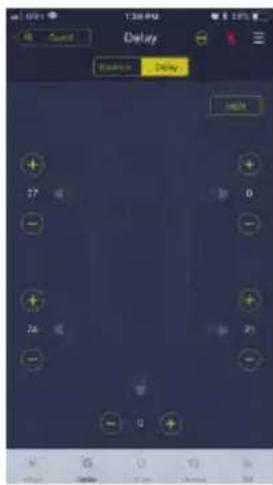
- BbI6epNTe eHnucbl n3MepeHn: Mc (ms),IOHMbl (inch),cm (cm).
- C nOMOUsbIO KHOJOK +/- N3MeHNTe 3HaueHne.
Баланс/МКшер

- Haxmte n ydepknaTe TOky, a 3aTe m nepemuaTe ee dJa NaCTpOkn 6anHca/MnKwepa.
Yka3aHnno nCNoIb3OBaHnIO IIO
3arpy3nTe PwD-X5 nIg PIK c Be6-caIa Alpine Electronics. YcTaHOBnTe IIO, noCne yero HacTpoIe ycTpoIcTBo PWD-X5 c nomOuIbIO PIK.
PpimmeaHne. PporpaMa IЯ PIK nMeet Te Xe cyHKcun, YTo n Mo6nIbHoe npInIOXeHne. Cm.yka3aHn no pa6ote c Mo6nIbHbIM npInIOXeHnem.
OnepatNBnnaTb:1GBnn6oJee.
2.HaXmTe [Upgrade] ([O6HOBtB]), YTO6bI BblIOJIHnTb O6HOBJIeHnI, IpeIoCTaBnIeMbIe Alpine Electronics.
- Haxmte [About] ([O cnTeMe]) ДяnpocmOTpa Bepcnn yctpoiCTBa.
3arpy3ka n coxpaHenne npeducTaHOBKn
- 3arpykaTe n coxpaHnTe npedyctaHOBneHHbIe 3ByKObIe 3ΦΦeKtbl. HaxmTe [Save] ([CoXpaHnTb]), yTo6bl coxpaHnTb Do 15 npedyctaHOBneHHbIX 3ByKObIx 3ΦΦeKTOB.
PergunpoBka o6eRrpoKocTn
- OTPerynnpyTe o6uIyI rpoMkoCTb yCTpOInCTBa.
- Haxmte [Balance] ([banahc]) n nepetaTe TOky dIy hAcToPoiKn 6aHaHca n MKKsepa.
- OTPerynnpyTe BbIXoHOn ypoBeHb n 0a3y dIg KaXdOrO KaHaHa, NIO BO OTKlIOHTe KaHaJ.
BpeMeHHa KoppeKzna
- HaxmTe [Delay] ([3aepkka]).
2.ПОВТСВСПЛБАIOUоe OKHO,В KOTOPMOXHOr OTpeRyIINPOBaT eINHnCbI N3MpeHnN 3HaueHHeДЯ KaKdOrO KaHaJa.
Hac troika 3Kbala3epa Дя BBIXODHOrO KaHaJa
- BbIbepeTe KaHaJI, HaxaB COOTBeTCTByOuNIM DnHaMVK.
- HaxMTe rpaΦnK əkBaJai3epa dJIy BbI3OBA MeHIO 3KBaJai3epa.
- OTPerynpyTe ycneneHne 3Kbana3epa, YactOTy n do6poTHocTb, BBeJa Heo6xOIMMbIe 3HaueHnI.
- OTPerynpyte ΦBHTHcKATΦnIbTp a (CH1-4:6/12D5/OKT.,CH5:6/12/18/24D5/OKT.) DnB BxOHNbIX CnHaJIOB KaHaJa.
RU
Yka3aHnno nCNoJb3OBAHHo nyIbTa DnCTaHcNHOHOrO ynpabJIeHnra
IopKnIOuHTe npoBOHn 6nOK ynpaBHeHnK ycTpoiCTBy PWD-X5 n BkNIOUHTe nITaHne.
IpumeyaHue. IyIbmy npaeJeHua He 6ydem pa6omamb, ecnu ycmpoucmeo noKIOUeHO KIK uUNo Bluetooth.
PerynpoBka rponkoctn uypOBna ca6Byepa
1.ПоворачиВаitepeултOpДпpeулрOBKN 6шeIгомКоCTи,HaxMITEpeултOpOIN pa3ДпИЗмЕнЯурOBнca6Буфepa.
- Haxmte u ydepknBaIte 2-3 ckyHdbI dna OTKIOUeHn BbIXOHO RrHaJa.

IpeeknIOueHne nCToUHKnOB cnHaJa
- Haxmnte peryIaTOp dIe nepeKIOueHnA kTNBHO NOCTOHNKa BXoDHO CnHaJa.
2.ПовернITEpernyлгОпдЯВыбopa nCTOчнka,3aTeMнхмITEpervyIgTOpДЯ NOДТВЕРЖDEHЯВыбopa.
Bb6op npedyctaHOBKn
1.ДЯ Bыбopa npeDyctaHOBKN HaxMnte u ydepxBaIte pepyJIaTOp 6OJee 5 cekyHd.
- BbIbePte Heo6xOIMyIO npedCytaHOBky I NaKMnTe OdINH pa3, YTO6bl 3aRpy3ntb ee.

Cxema nodkJIIOueHn
RU
Cxema nodkJHoueHn
① USB-pa3bem yctpoicTba nodknioueTcK KOMnbIoTepy c nOmoIbIO ka6eJIy USB3.0. 3aynCTnte IIO PWD-X5 dIy nepeKIOUeHnI NCTOCHIKOB CINHaJa rIaNBO rCTPOiCTBa, NocIeMyoIeO coXpaHeHnI nn 3arpy3Kn H6OpOB DaHHbIX, a TaKKe dIy NaCtPOiKn EKBaJai3epa. YTo6bl NepeKlIOuAtb NCTOCHIK CNHaJa, 3aRpyKaTb Ha6Opbl DaHHbIX n PeryInpOBAtB o6UyO rPOMKOCtB C NOMoIbIO npOBODHO 6Noka ynpabNeHnI NODKIOHTE npOBODHO 6NOK ynpabNeHnI K COOTBeTCTByIOUeMy USB-pa3bEmy C NOMoIbIO Ka6eJIY USB 3.0.
② YcTpoNCTBO OCHaUaETcB BHeuHIM Bluetooth-MoDyIeM DnA BocnpOn3BeDeHnMy3bIKn 6e3 nOtepb (lossless) c NOMOuB O BHeuHero Bluetooth-ycTPOJcTBa, a TaKKe Inna NODKnIOUeHn npNJIOXeHn PWD-X5. Iocne yCTaHOBNeHn Bluetooth-coEINHeHn 3aOpNTcOoTBcTcByOuNm INHdkaTop.
③ BxOJ AUX nCnoIb3yETcI dIgIOKJIIOHeHnK Hn3KOypOBHeBOMy BbIXoDy aBTOMoBnJIbHOrO CD- nn DVD-npOnrpbBaTeIa, npI 3TOM nCTOuHnK cnHaJa yCTpoNCTBa nepeKJIouHTcRa Ha BxOJ AUX n 6yDet BocnpON3BOIDNTbc Hn3KOypOBHeBb CnIHaI.
④ NpeeknIOuateIb BxOa REM. Ecnn nepeeknIOuateIb yCTaHOBNeH B nIoJKeHne "REM",ДЯ BkIIOUeHnA yCTpOiCTBa 6yDet IcNoJIb3OBaTbcra CnHaI C 6Noka DnCTaHcUNOHOrO ynpabJeHnA. Ecnn nepeeknIOuateIb yCTaHOBNeH B nIoJKeHne "DC",ДЯ BkIIOUeHnA yCTpOiCTBa 6yDet IcNoJIb3OBaTbcra BBICOKOypOBHeBBI BxODHOcIHaI.
⑤ ABTomO6nIbHoe rONOBHoe yCTpOiCTBO (CD- nIe DVD-npOurpbIbATEnlb).
⑥ BbICOKOyPOBHeBbI BXoN pa3beM nHTaHn IODKnIOUaOTcK aBTOMOBnbHOMy CD- nIN DVD-npOurPbIBaTeJIIO. Pn nepeKIOUeHN Ha BbICOKOyPOBHeBbI BXoD yCTPOIcTBO 6yDeT BOCpON3BOIDtB BbICOKOyPOBHeBbI CNrHaI.
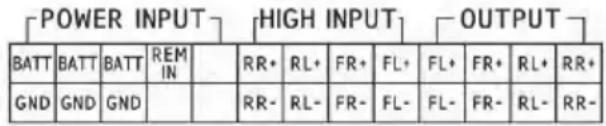
⑦ BbIXoJ yCnIInTeJI yCTpOiCTBa NOkIIOuAeTcK DNHAMKU.
⑧ПоДКЛЮЧЕне yCTpoIcTBA K nCTOчнky nITaHЯ.
Примechаня.
OpunHaBHe Ka6eN npedHa3HaueHbI DnA NCNoB3OBaHnToJbKO C yKa3aHHbIMM MoJeIMN ABTomO6nnei.
- BbICOKOypOBHeBbI BXoI REM (HOST):ДЯДByx Ka6eJIe BbICOKOypOBHeBbIX BXoIob H1+/H3-.
TexHnueckne napaMeTpbl
- Texhnueckne xapakTepncTnkn
MaKcImaJIbHaMoUHocTb:4,51D6/M/2,82MBT(EIRP)
PpIIOXeHn ynpabLeHn PWD-X5 moxho haHTn B mara3nHex npIIOXeHn dny iOS n Android.
PpIIOXeHn ppeIparaOTc 6ecnnaTHo.
Полhoe ryковodctBO noIb3OBaTeJIЯ pa3MeUeHO B pa3dJeNe NOДерЖи Na Be6-caite Alpine Дя Baшew CTpaHbl.
ALPINE ELECTRONICS MARKETING, INC.
1-7, Yukigaya-Otsukamachi, Ota-ku,
Tokyo 145-0067, JAPAN
Phone: 03-5499-4531
ALPINE ELECTRONICS OF AMERICA, INC.
19145 Gramercy Place, Torrance,
California 90501, U.S.A.
Phone 1-800-ALPINE-1 (1-800-257-4631)
ALPINE ELECTRONICS OF AUSTRALIA PTY. LTD.
161-165 Princes Highway, Hallam
Victoria 3803, Australia
Phone 03-8787-1200
ALPINE ELECTRONICS GmbH
Fletchamstead Highway, Coventry CV4 9TW, U.K.
www.alpine.co.uk
ALPINE ELECTRONICS France S.A.R.L.


- DSP SUBWOOFER WITH BUILT-IN 4 CHANNEL AMPLIFIER OWNER'S MANUAL
- TABLE OF CONTENTS
- OPERATING INSTRUCTIONS
- WARNING
- GETTING STARTED
- MOBILE PHONE APP
- SOFTWARE FOR PC
- REMOTE COMMANDER
- TECHNICAL PARAMETER INDICATORS
- HALT USE IMMEDIATELY IF A PROBLEM APPEARS
- DO NOT OPERATE ANY FUNCTION THAT TAKES YOUR ATTENTION AWAY FROM SAFELY DRIVING YOUR VEHICLE
- KEEP THE VOLUME AT A LEVEL WHERE YOU CAN STILL HEAR OUTSIDE NOISES WHILE DRIVING
- DO NOT DISASSEMBLE OR ALTER
- KEEP SMALL OBJECTS SUCH AS BOLTS AND SCREWS OUT OF THE REACH OF CHILDREN
- USE THIS PRODUCT FOR MOBILE 12V APPLICATIONS
- CAUTION
- PRECAUTIONS
- PRODUCT CLEANING
- TEMPERATURE
- MAINTENANCE
- INSTALLATION LOCATION
- HOW TO READ THIS MANUAL
- GETTING ST
- ACCESSORY LIST
- MOBILE PHONE APP INSTRUCTIONS
- ADJUST THE VOLUME
- SWITCH INPUT SOURCE
- PRESET (SAVE AND RECALL)
- APP SYNC
- PROFESSIONAL USER INTERFACE
- CHANGE OUTPUT CHANNEL
- SET EQUALIZER
- RESET / RESTORE EQUALIZER
- OUTPUT LEVEL, PHASE AND MUTE
- SET CROSSOVER (XOVER)
- CHANNEL LINKING
- TIME CORRECTION
- SELECT OUTPUT
- SELECT DELAY
- BALANCE/FADER
- SOFTWARE INSTRUCTIONS
- PC SOFTWARE SYSTEM REQUIREMENTS
- PC INTERFACE
- CONTROL INTERFACE
- PC CONNECTION
- MINE, SAVE, OPEN
- CALL AND STORE PRESET
- ADJUST THE MASTER VOLUME
- SET OUTPUT CHANNEL EQ
- REMOTE COMMANDER OPERATING INSTRUCTIONS
- ADJUSTING VOLUME AND SUBWOOFER LEVEL
- SWITCHING SOURCES
- SELECTING PRESET
- CONNECTION DIAGRAM
- NOTES
- INHALTSVERZEICHNIS
- BEDIENUNGSANLEITUNG
- ERSTE SCHRITTE
- HAUANO PA60TBL
- ПРОГАМMA张家界 PK
- IYIBT DNCTAHCNOHHORO YNPABJIEHNA
- TEXHNUECKNE NAPAMETPBL
- MEPBI INPEIOCTOPOXHOCTN
- CHCTKA YCTPOICTBA
- TEMNEPATYPA
- TEXHNUECKOE OBCJNYKUBAHNE
- MECTO YCTAHOBKN
- BHUMAHNE
- KAK YNTATB DAHHOE PYKOBOCTBO
- HAUANO PA60TBI
- CNNCOK DONOONHHTEJIBHBIX NPHAADJEXHOCTE
- YKA3AHNNO NCPOJB3OBAHNIO NPIIOXEHNA DJA MO6UNBHORO TELEFOHA
- HACTPOKA YPOBRA RPOKOCTN
- IPEPEKJIIOUEHNE BXODA
- CNHXPOHN3AUNC NPNIOKEHNEM
- HNTEPCNC NPOCCECCNOHAIBHORO NOIB3OBATETN
- NAPOLS NOIB3OBATETN: 8888
- U3MEHEHNE BBIXOHORO KAHAJA
- HAC TROPONKA 3KBANA3EPA
- C6POC/BOCCTAHOBJIEHNE HACTPOEK 3KBAIAN3EPA
- BBIXOHNO YPOBEHB RPOMKOCTN, 0A3A N OTKJIIOUCHNE 3BYKA
- HAC TROPONKA KPOCCOBEPA (XOVER)
- CB3BHAHNE KAHAJIOB
- BPEMEHHA KOPPEKZNA
- БАЛАНС/МКШЕР
- YKA3AHNNO NCNOIB3OBAHNIO IIO
- 3ARPY3KA N COXPAHENNE NPEDUCTAHOBKN
- PERGUNPOBKA O6ERRPOKOCTN
- HAC TROIKA 3KBALA3EPA ДЯ BBIXODHORO KAHAJA
- YKA3AHNNO NCNOJB3OBAHHO NYIBTA DNCTAHCNHOHORO YNPABJIEHNRA
- PERYNPOBKA RPONKOCTN UYPOBNA CA6BYEPA
- IPEEKNIOUEHNE NCTOUHKNOB CNHAJA
- BB6OP NPEDYCTAHOBKN
- CXEMA NODKJIIOUEHN
- CXEMA NODKJHOUEHN
Brand : ALPINE
Model : PWDX5
Category : Subwoofer