
KTX-H10 - Subwoofer ALPINE - Free user manual and instructions
Find the device manual for free KTX-H10 ALPINE in PDF.


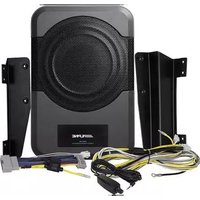
| Product Type | Subwoofer Enclosure (Linking Kit Compatible) |
| Brand | Alpine |
| Model | KTX-H10 |
| Size | 10 inches |
| Impedance (per enclosure) | 2 Ohms |
| Parallel Wiring Impedance (2 enclosures) | 1 Ohm |
| Amplifier Requirement (when linking two) | 1 Ohm Stable |
| Included Accessories | Front Port Link (1 pc), Front Port Brace (2 pcs), Front Port Link Screws M5x25 (4 pcs), Rear Link Screws M5x14 (8 pcs), Center Alignment Hardware (4 pcs), Rear Link Plate (1 pc), Hex Key Wrench |
| Required Tools | Hex Key Driver (included), Power Drill with Low Torque Setting (optional) |
| Installation Method | Linking two enclosures together using provided hardware |
| Mounting | Secure enclosure to vehicle interior |
| Compatible Models | R-SB12V, R-SB10V, S-SB12V, S-SB10V |
| Grille Kit Compatibility | KTE-10G, KTE-12G (use pre-installed machine screws, not wood screws) |
| Safety Precautions | Start screws by hand, avoid over-tightening; do not use impact driver; avoid water, humidity, dust; make holes carefully to avoid damage |
| Warranty | Damage from improper installation voids warranty |
| Support | Contact Alpine authorized dealer or 1-800-TECH-101 |
Frequently Asked Questions - KTX-H10 ALPINE
User questions about KTX-H10 ALPINE
0 question about this device. Answer the ones you know or ask your own.
Ask a new question about this device
Download the instructions for your Subwoofer in PDF format for free! Find your manual KTX-H10 - ALPINE and take your electronic device back in hand. On this page are published all the documents necessary for the use of your device. KTX-H10 by ALPINE.
USER MANUAL KTX-H10 ALPINE
IMPORTANT NOTICE! PLEASE READ FIRST BEFORE INSTALLING LINK KIT
Congratulations on your purchase from Alpine. Your listening satisfaction is important to us. In order to ensure proper installation of your new enclosure the following guidelines are being provided. Please read this notice carefully before installing the link kit or remounting the subwoofer.
1.) When installing your linking kit follow the steps provided in the instruction manual.
2.) Avoid over tightening screws
- If remounting a subwoofer or installing a linking kit start each provided machine screw thread by hand with the included hex key wrench.
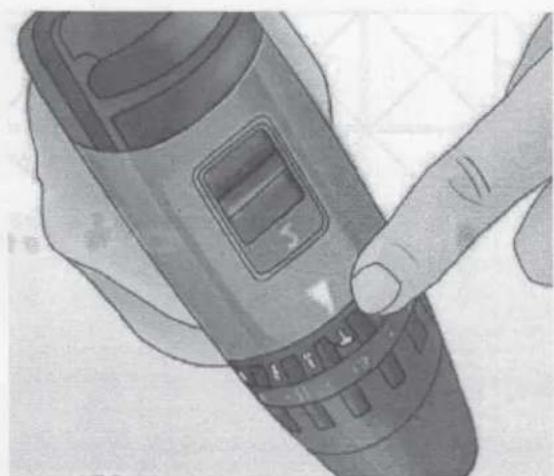
- Once each screw is started use a drill torque setting of low to fasten.
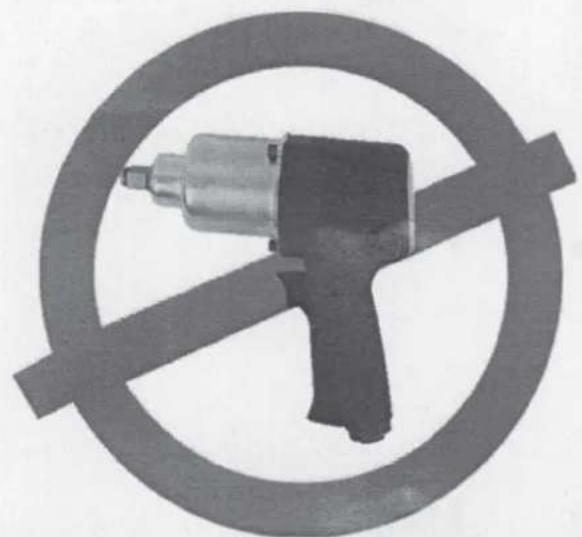
3.) Do not use an Impact Driver Drill for hardware Installation.
4.) If using the KTE-10G, or KTE-12G Grille Kit do not use the supplied wood screws, instead use the 40mm machine screws pre-installed with the enclosure.
5.) Each Enclosure is wired to a 2 Ohm Load, if enclosures are wired in parallel check that your amplifier is 1 Ohm Stable.
Failure to follow these guidelines may result in enclosure damage which will void your warranty.
If further assistance is necessary, please contact your Alpine authorized dealer.
KTX-H12 & KTX-H10 Linking Kit Installation Manual Compatible with the following models: R-SB12V, R-SB10V, S-SB12V, S-SB10V
Introduction
Congratulations on purchasing the KTX-H12 or H10. This installation manual is designed to take you through the step-by-step installation of the linking your 'R' or 'S' Series Halo Enclosures Together. Please familiarize yourself with the owners manual and if you still have additional questions please call 1-800-TECH-101.
Note: To ensure safe use, Always follow these precautions.
The installation of this product requires specialized skills and experience. We recommend that you have the product installed by an Alpine authorized dealer.
Before you use this product, be sure to carefully read this installation manual so that you can use the product correctly, Failing to do so could lead to damaged equipment or an accident. Alpine Electronics bears no responsibility for problems that arise as a result of failure to follow the instructions in the manual.
● Make sure enclosure is secured to the vehicle. Failing to do so can lead to electric shock, injury or damage to equipment.
- When making a hole in the vehicle body, be careful to avoid damaging pipes, the fuel tank, electrical wiring, and the like. This kind of damage could lead to an accident or fire.
- Do not install the product where it may be exposed to water or in a place with high levels of humidity or dust. Doing so could lead to fire or damaged equipment.
- Start all screw threads by hand and avoid overtourqing screws, failure to do so may damage your equipment.
- If using the KTE-10G, or KTE-12G Grille Kit do not use the supplied wood screws, instead use the 40mm machine screws pre-installed with the enclosure.
Tools Required
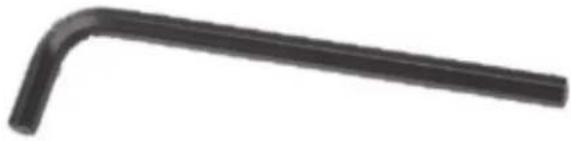
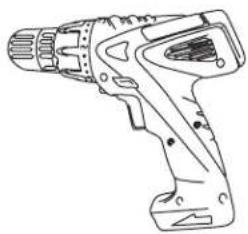
| Hex Key Driver (Included) Power Drill with a Low Torque Setting (Optional) | |
 |  |
Accessory List
| Front Port Link (1 Pc) Front Port Brace | (2 Pcs) |
| Front Port Link M5X25 Hardware Screws (4Pcs) | Rear Link M5X14 Hardware Screws (8 Pcs) |
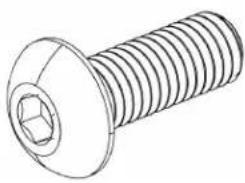 | |
| Center Alignment Hardware (4 Pcs) Rear Link | Plate (1 Pcs) |
KTX-H12 12", KTX-H10 10" Enclosure Link Instruction
1 By hand tighten (2) threaded center alignment dowels into each enclosure. (4 Total)

2 Slide both enclosures together nesting the center alignment dowels into the opposing enclosure snugly.
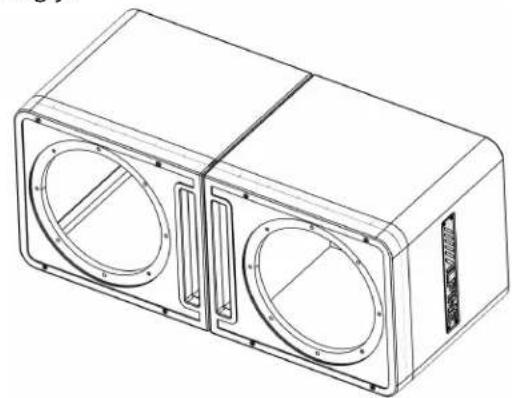
3 On the rear of the combined boxes align the rear linking bracket to sit flush into the recessed area.
4 Take (8) M5 14mm screws and carefully start threads by hand tightening the steel plate into place with the included hex key wrench.
5 Place the two steel connection plates into the top and bottom channels on the rear of the front port cover.
6 Remove the (4) 20mm M5 Port Hex Screws. (Set them some place safe you will not need them unless unlinking your enclosures)
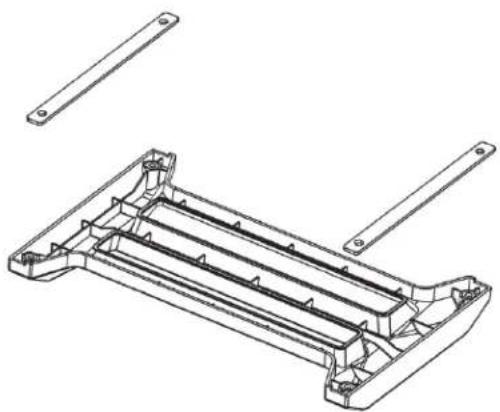
KTX-H12 12", KTX-H10 10" Enclosure Link Instruction (continued)
7 Align the braced front port cover to the four empty screw holes around the perimeter of each port
8 Locate the (4) M5 Screws 25mm you just removed, and hand tighten screws into the threaded holes with the included hex key wrench.
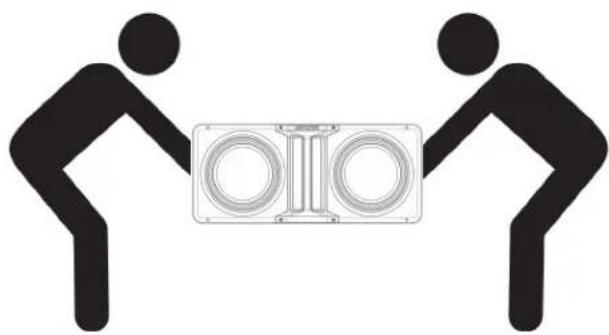
9 With two people carefully lift and load enclosure into your vehicle.



- IMPORTANT NOTICE! PLEASE READ FIRST BEFORE INSTALLING LINK KIT
- KTX-H12 & KTX-H10 LINKING KIT INSTALLATION MANUAL COMPATIBLE WITH THE FOLLOWING MODELS: R-SB12V, R-SB10V, S-SB12V, S-SB10V
- INTRODUCTION
- NOTE: TO ENSURE SAFE USE, ALWAYS FOLLOW THESE PRECAUTIONS
- KTX-H12 12", KTX-H10 10" ENCLOSURE LINK INSTRUCTION
- KTX-H12 12", KTX-H10 10" ENCLOSURE LINK INSTRUCTION (CONTINUED)
Brand : ALPINE
Model : KTX-H10
Category : Subwoofer