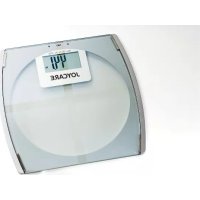
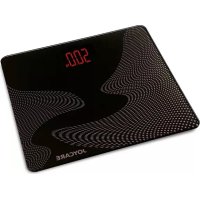
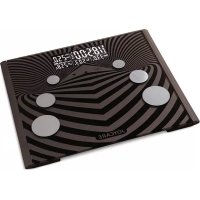
USER MANUAL JC435 Joycare
MANUEL D'INSTRUCTION
MANUAL DE INSTRUÇÕES
JOYCARE®
MANUALE D'ISTRUZIONI
CHE COS'E' LA PERCENTUALE DI GRASSO CORPOREO
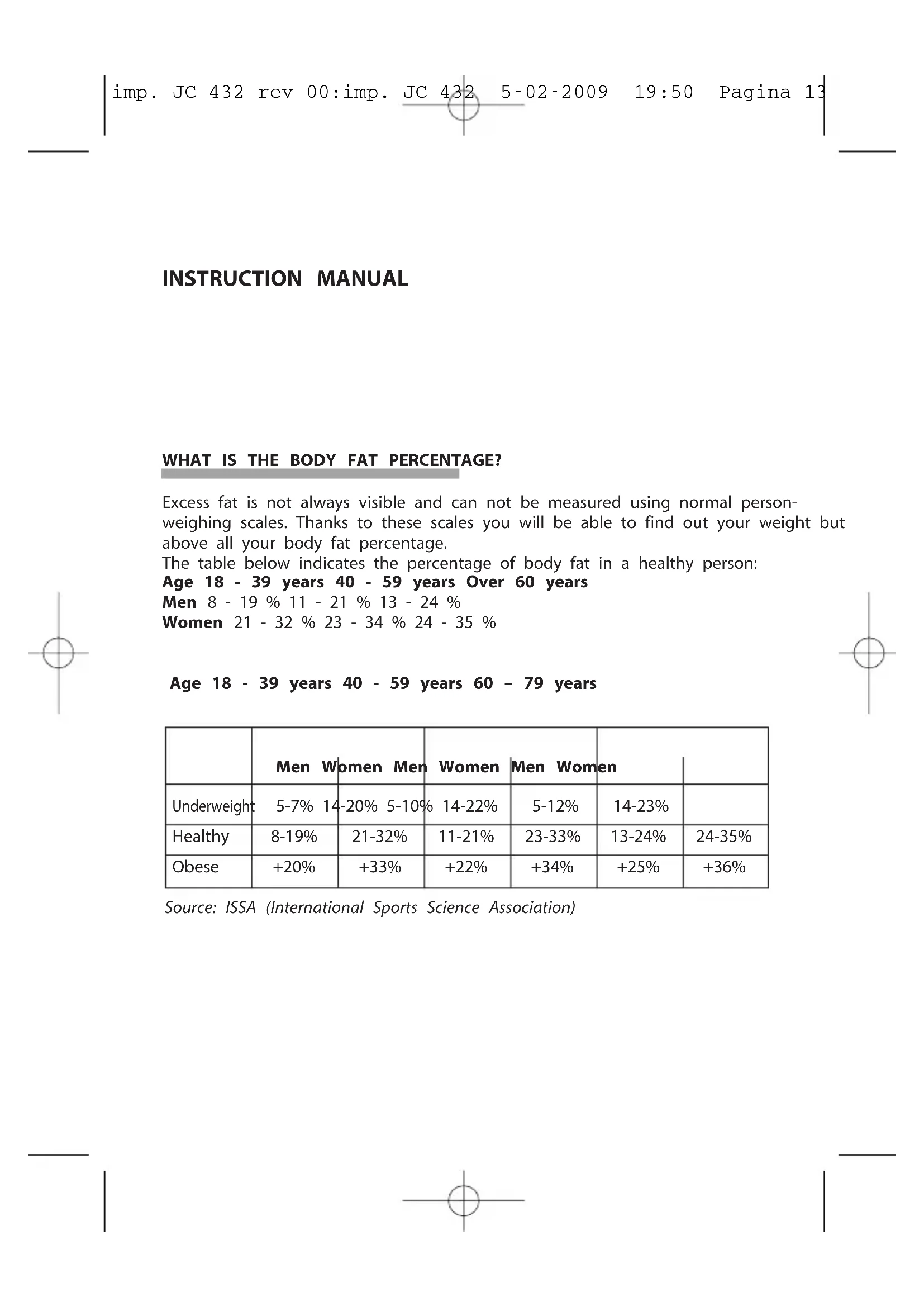
Excess fat is not always visible and can not be measured using normal person-weighing scales. Thanks to these scales you will be able to find out your weight but above all your body fat percentage.
The table below indicates the percentage of body fat in a healthy person:
Age 18 - 39 years 40 - 59 years Over 60 years
Men 8 - 19 % 11 - 21 % 13 - 24 %
Women 21 - 32 % 23 - 34 % 24 - 35 %
Age 18 - 39 years 40 - 59 years 60 - 79 years
| Men Women Men | Women | Men Women | |
| Underweight | 5-7% | 14-20% | 5-10% | 14-22% | 5-12% | 14-23% | |
| Healthy | 8-19% | 21-32% | 11-21% | 23-33% | 13-24% | 24-35% |
| Obese | +20% | +33% | +22% | +34% | +25% | +36% |
Source: ISSA (International Sports Science Association)
VARIATION OF BODY FAT THROUGHOUT THE DAY
Levels of body hydration, lifestyle and daily habits can influence the detection of the percentage of body fat. A detection performed during the early hours of the morning will calculate a higher percentage of fat because after a long nights sleep, the body tends to be dehydrated. For a more accurate reading and in order to compare different detections it is recommendable to use the product at the same hour of the day and under the same conditions.
Before measuring it is important to remember that:
- The percentage could be lower after having taken a bath
- The percentage could be higher after eating or drinking
- Detections could be irregular during a woman's menstrual cycle
- The percentage of water in our body can be reduced after having been ill or after heavy physical activity, as these conditions make us sweat more than usual.
WHAT IS THE PERCENTAGE OF WATER IN THE BODY?
The percentage of water present in the human body corresponds to the quantity of liquids expressed in a percentage, according to the total weight of the individual, and it is calculated using a particular scientific formula, also used by expert dieticians. It is important to know that the water inside our body performs a fundamental function and is in all tissue and body organs: approximately 50-65% of our body is made of water. Thanks to these scales it is possible to keep the percentage of water under control, which is fundamental for correct functioning of our body.
The percentage value of water present in a healthy individual is as follows:
WOMEN from 45-60%
MEN from 50-65%
VARIATION OF THE PERCENTAGE OF WATER THROUGHOUT THE DAY
To obtain a reliable detection it is recommended to measure the percentage of water in the evening (before dinner) as hydration levels are more normal during this hour of the day. In any case, to relate various measurements it is always recommendable to respect established hours. The percentage of water tends to be lower if detected in the morning and this is because the body dehydrates during sleep and above all because during the night liquids tend to concentrate in the
torso (whereas during the day thanks to the force of gravity they spread out in a homogeneous manner). Factors that tend to modify the percentage of water are: sleeping, eating and/or drinking, physical activity, having a bath, consumption of medicines, physical conditions and urination.
WHAT IS MUSCLE MASS?
Muscle mass is defined as the complete volume of muscle of the human body. The muscle system is the all the tissues that permit the locomotion of the organism itself and the flow of internal organic substances such as blood and food.
Control of muscle mass is especially important for people who have problems with weight and fat. Seeing as the body needs muscle to demolish fat cushions, a reduction of weight can give positive lasting results but only if accompanied by the strengthening of muscles.
IMPORTANT WARNINGS AND SAFETY RULES
The values obtained by this body fat Monitor are indicative data that for no reason whatsoever should replace a doctor's opinion. Do not forget: self-measuring means control, not diagnosis or treatment.
Unusual values should always be discussed with your doctor.
Under no circumstances should you modify the dosage of any medicine prescribed by your doctor.
The scales should not be used by:
- People with pacemakers or any other internal device as the weak electric signal could in fact interfere with correct functioning of the device.
- People with oedema, osteoporosis or fever
- People in dialysis
- If taking medicine for cardiovascular problems
- Pregnant women
- Athletes that practise more than 10 hours of intensive training per week
- People who have a resting pulse frequency that is equal to or below 60 beats per minute.
Only use the scales for the intentions indicated in this instruction manual and exclusively for domestic use. Any other type of use is to be considered improper and therefore dangerous.
Check that the appliance is whole and is not damaged before use.
If in doubt, do not use the product and consult a specialised after sales centre.
To not attempt to repair the product yourself, always go to a specialised after sales centre.
To avoid any interference it is recommendable to use the product away from appliances with a strong magnetic field.
Never place the scales on wet or slippery surfaces.
Never immerse the product in water and never put it away in a damp place.
Always keep the product away from sources of heat, direct sunlight, cutting objects or similar objects.
When the appliance is not used for a long time, it is recommendable to remove the battery as leaking of fluids could damage the product.
Also, seeing that the quality of batteries varies between models, the warranty does not cover damage caused by any possible leaking of fluids.
Never leave the product unattended when children are present and always put it away out of their reach.
FEATURES
Maximum capacity: 180 kg
Division: 100g
Unit weight measurement: kg/lb/st
Unit height measurement: cm/ft-in
Division of body fat: 0.1%
Division of body water: 0.1%
Division of muscle mass: 0.1 Kg
Age: 10 - -80 years
LCD Display
Memory: 4 users
Low battery indicator
Overload indicator
Power supply: 1 3V CR2032 lithium battery (incl)
Resetting and automatic switch-off
INSTRUCTIONS FOR CORRECT USE
Open the battery compartment lid, underneath the scales.
Remove the battery isolating sticker, select the unit of measurement (st/kg/lb) with the appropriate button inside the battery compartment and close the lid. Position the scales on a flat and stable surface (it is not recommended to use rugs).
Weight-only function
Press the surface of the scales with your foot or prethe display will switch on, and then wait until it displays "0.0". Step on to the scales and proceed to weight detection. Once the weight has been detected the display will start to flash. Step off the scales: successively, the display will indicate "err2" (that means it is not possible to proceed to calculate the percentage of fat, water, muscle and bone mass)
Body fat / body water/body muscle
To calculate the percentage of fat and water it is necessary to insert some personal data
Press the surface of the scales with your foot: the display will switch on, and then wait until it displays "0.0".
Press SET
Press" ◀ " and " ▶ " to select one of the 4 users.
Press SET to confirm.
Press" ◀ " and" ▶ "to select the man or woman parameter.
Press SET to confirm.
Press "◀" and "▶" to insert your age (10 - 80 years). Press SET to confirm.
Press" ◀ " and " ▶ " to insert your height. Press SET to confirm.
The inserted values will flash and be memorised in the scales.
Once the scales display "0.0" it is possible to proceed with measurement.
Step on to the scales in your bare feet, keep an upright position, distribute your weight as evenly as possible and keep your feet parallel on top of the sensors making sure they do not touch.
First of all the scales will detect your weight, then "OOOO" is displayed (that decreases from left to right), which indicates that the scales are performing the impedance analysis used to calculate the percentage of fat, water, muscle, bone mass and Kcal. For this reason it is necessary to remain still on the platform and to keep an upright position. Once the scales have finished the analysis the display will show the following in an alternating manner: fat mass (FAT), percentage of water (BW), weight, percentage of muscle mass (MUS)
The tables below supply information about the physical state in relation to the percentage of body fat and the percentage of water.
IMPORTANT: the data in the table below is for reference only.
| Age Female Male | Indicators Fat % Fat % | | |
| <=30 4.0-28.0 4.0- | 22.0 Green | | |
| 28.1-33.0 22.1 | 27.0 Yellow | |
| 33.1-80.0 27.1 | 80.0 Red | |
| >30 4.0-30.0 4.0-2 | 4.0 Green | | |
| 30.1-35.0 24.1 | 29.0 Yellow | |
| 35.1-80.0 29.1 | 80.0 Red | |
CLEANING AND MAINTENANCE
Use a soft cloth to clean the platform. It is also possible to use a slightly dampened cloth. Do not use chemical or abrasive substances.
After cleaning the platform make sure it is completely dry before carrying out a measurement. If the surface is wet or damp it could become slippery.
Always position the scales on a stable and flat surface. Avoid rugs and similar objects.
Avoid jumping on the scales, dropping them or subjecting them to particular knocks. As well as for precision, the internal mechanisms are in fact very delicate, and could easily be damaged.
Avoid exposing the product to electromagnetic waves that could cause the loss of data in the memory.
The seller is not responsible for loss of data memorised in the scales.
Note: All indications and diagrams are based on the latest information available when the manual was printed and may be subject to change.
WARNINGS
These scales should not be used to weigh objects or substances in commercial transactions, to produce medicines, to calculate tolls, tariffs, taxes, premiums, fines, remunerations, indemnities or fees of a similar kind determined by weight.
These BFW scales are to be used for keeping one's own personal body weight, and percentages of fat and water, under control and are not to be used for making diagnoses or for medical treatment. Values that may seem unusual or outside the norm should always be discussed with your doctor.
In order to avoid danger to the user of this device, the doses of any drug or therapy prescribed by one's own doctor should in no circumstances be modified on the basis of data calculated by this device.
Specifications and designs are based on the latest information available at the time of printing and subject to change without notice.
The product is made conforming with all the applicable European regulations.
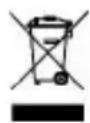
DISPOSAL
The device (including its removable parts and accessories) must not be disposed of together with municipal waste at the end of its life, but in compliance with European Directive 2002/96/EC. Since it must be handled separately from household waste, either carry it to a separately-collected waste disposal centre for electrical and electronic appliances or give it back to the retailer on purchasing a new device with the same purpose. Any infringement will be severely prosecuted.
The batteries used in this device must be disposed of in the special bins at the end of their life.
MANUEL D'INSTRUCTIONS
Source ISSA (International Sports Science Association)
VARIATION DU POURCENTAGE DE GRAISSE AU COURS DE LA JOURNÉE
WORUM HANDELT ES SICH BEI DER MUSLKELMASSE.
Função body fat / body water/body muscle