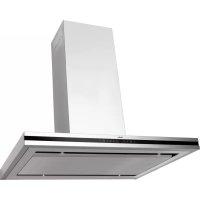
OWS 952 T - Basket AMICA - Free user manual and instructions
Find the device manual for free OWS 952 T AMICA in PDF.



| Brand | Amica |
| Model | OWS 952 T |
| Product Type | Island cooker hood |
| Mounting Type | Ceiling (island hood) |
| Operating Modes | Extraction and recirculation |
| Number of Speeds | 5 |
| Control | Touch control panel + remote control |
| Lighting | Halogen (separate control) |
| Delayed Shut-off | Yes, 15 minutes |
| Grease Filter | Aluminium, washable (dishwasher or manual) |
| Charcoal Filter | Optional, non-washable, replace every 2 months |
| Air Outlet Diameter | 120 or 150 mm |
| Chimney Height | Min 520 mm, Max 975 mm |
| Power Supply | 220-240 V ~ 50 Hz (check rating plate) |
| Grease Filter Maintenance | Every 2-3 weeks (alarm symbol after 60h) |
| Charcoal Filter Replacement | Every 2 months, or more often with heavy use |
| Exterior Cleaning | Damp cloth and mild detergent, no abrasive solvents |
| Safety | Do not use without filter, do not flambé, unplug before maintenance |
| Warranty | According to warranty card |
Frequently Asked Questions - OWS 952 T AMICA
User questions about OWS 952 T AMICA
0 question about this device. Answer the ones you know or ask your own.
Ask a new question about this device
Download the instructions for your Basket in PDF format for free! Find your manual OWS 952 T - AMICA and take your electronic device back in hand. On this page are published all the documents necessary for the use of your device. OWS 952 T by AMICA.
USER MANUAL OWS 952 T AMICA
Before using the appliance, please carefully read this manual!
natural_image
Illustration of a hand pressing a button on a device, with arrows indicating movement (no text or symbols)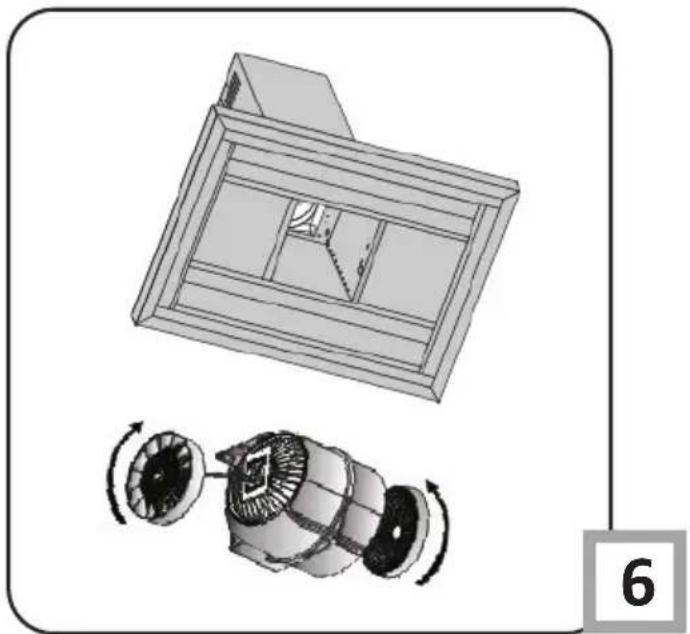
natural_image
Technical illustration of a mechanical assembly with a 3D panel and a disassembled fan component (no text or symbols)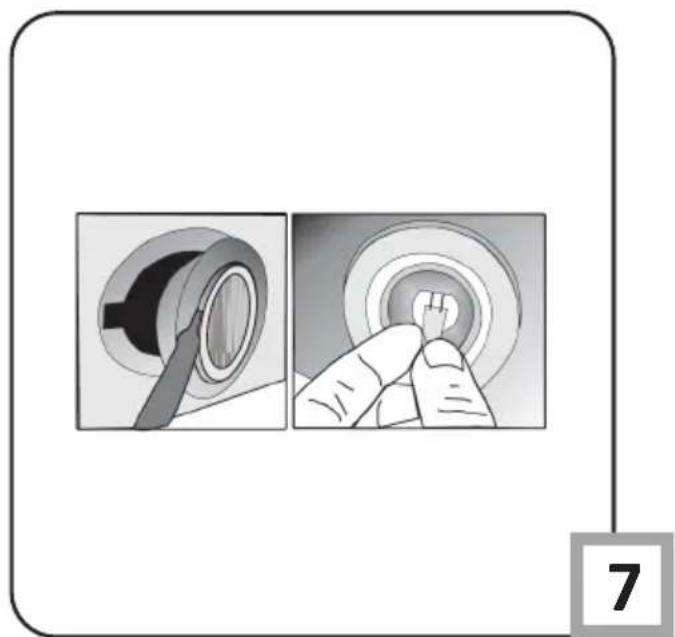
natural_image
Illustration showing two steps of a finger pressing a button, with no visible text or symbolsGRATULUJEMY WYBORU SPRZĘTU MARKI AMICA
Szanowni Państwo,
natural_image
Hand using a screwdriver to apply material to a metal bracket (no text or symbols visible)Rys. 4
natural_image
Person placing a dark object into a metallic cylindrical container on a tiled floor (no text or symbols visible)Rys. 5 Rys. 6
natural_image
Close-up of a metallic structural joint or bracket with visible metal framing and bolted joints (no text or symbols)Rys. 4
natural_image
Hand placing a cylindrical metal component into a metal frame (no visible text or symbols)Rys. 8
natural_image
Close-up of metallic industrial piping with coiled ducts and bolts, no visible text or symbolsRys. 9
natural_image
Close-up of hands installing or adjusting a metal panel on a stainless steel tray (no text or symbols visible)Rys.11
natural_image
Interior view of a stainless steel enclosure with a close-up inset showing a metal bracket detail (no text or symbols visible)natural_image
Hand using an orange tool to adjust or install electrical wiring inside a device (no visible text or symbols)Rys.13
natural_image
Close-up of a hand holding a white connector with a black arrow pointing upward (no text or symbols visible)Rys.15
natural_image
Close-up of hands operating a mechanical device with a magnified inset showing the hand adjusting components (no visible text or symbols)Puszka ochronna
Rys.14
natural_image
Simple line drawing of a recycling symbol (three chasing arrows) with no text or labelsnatural_image
Hand using a screwdriver to apply material from a metal panel (no visible text or symbols)Výkr. 4
natural_image
Person handling a large white cylindrical object on a metal stand, placed indoors (no visible text or symbols)Výkr. 5 Výkr. 6
natural_image
Close-up of a metallic structural joint or bracket with visible metal framing and bolted details (no text or symbols)natural_image
Hand placing a cylindrical object into a metal frame (no visible text or symbols)Výkr. 8
natural_image
Close-up of metallic industrial piping with coiled insulation, no visible text or symbolsVýkr. 9
natural_image
Two-step installation of a white cabinet with a hand adjusting the panel, showing a tool on the lid (no text or symbols visible)Výkr.10
natural_image
Close-up of hands handling a transparent object on a metallic tray (no visible text or symbols)Výkr.11
natural_image
Interior view of a stainless steel cabinet with a close-up inset showing a wooden panel detail (no text or symbols visible)natural_image
Hand using an orange power tool to switch internal wiring inside a stainless steel appliance (no text or symbols visible)Výkr.13
natural_image
Close-up of a hand holding a white plastic connector with a black arrow pointing upward (no text or symbols visible)Výkr.15
natural_image
Close-up of hands operating a mechanical device with a magnified inset showing the hand adjusting components (no visible text or symbols)Ochranná krabice
Výkr.14
natural_image
Simple line drawing of a recycling symbol (three chasing arrows), no text or labels present.natural_image
Hand using a screwdriver to apply material to a metal bracket (no text or symbols visible)Výkr. 4
natural_image
Person handling a large metal box on a tiled floor (no visible text or symbols)Výkr. 5 Výkr. 6
natural_image
Close-up of a metallic structural joint or bracket with visible metal framing and bolted joints (no text or symbols)natural_image
Close-up of metallic industrial racks with coiled insulation or insulation material (no visible text or symbols)Výkr.9
natural_image
Two-step installation of a white cabinet with a hand adjusting the panel, showing a tool on the lid (no text or symbols visible)Výkr.10
natural_image
Close-up of hands handling a transparent object on a metallic tray (no visible text or symbols)Výkr.11
natural_image
Interior view of a stainless steel cabinet with a close-up inset showing a wooden panel detail (no text or symbols visible)Výkr.12
Otvory na háky v telese motoru (12b)
natural_image
Hand holding an orange power tool inserting wires into a device (no visible text or symbols)Výkr.13
natural_image
Close-up of a hand holding a small white object with two dark eyes, against a blurred background (no text or symbols visible)Výkr.15
J) Spojenie dvoch elementov korpusu cd
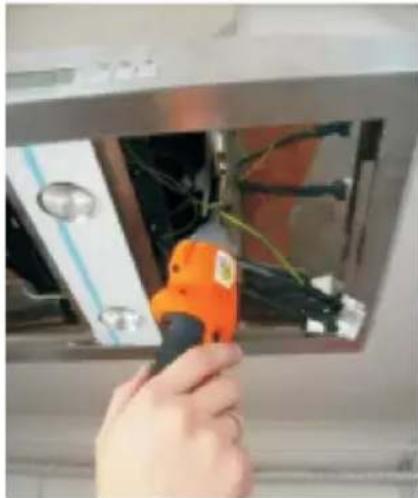
Použite skrutky 3,5 x 9,5mm a priskrut-kujte oba elementy (Výkr. 13).
natural_image
Close-up of hands operating a mechanical device with a magnified inset showing the hand adjusting components (no visible text or symbols)Ochranná škatul'a
Výkr.14
L) Pripojenie zväzku cd
natural_image
Simple line drawing of a recycling symbol (three chasing arrows), no text or labels present.THANK YOU FOR PURCHASING AN AMICA APPLIANCE
DEAR CUSTOMER!
You are now a user of a kitchen extractor hood. This hood has been designed and manufactured specially with a view to satisfying your expectations and it will certainly constitute a fitting element of a modern kitchen. The modern structural solutions and the newest technologies used in production of this hood guarantee its high effectiveness and good appearance.
Please read these instructions carefully before installing the hood. They will help you avoid mistakes during installation and operation of the hood.
We wish you a lot of satisfaction from choosing our kitchen extractor hood.
Symbols appearing in these instructions have the following meaning:

Important information concerning proper operation of the appliance and your personal safety.

Risks resulting from improper operation of the appliance. Activities that must be performed by a qualified technician.

Tips on how to use the appliance.

Information on how to protect the environment.

This indicates actions than must not be performed by the user.
TABLE OF CONTENTS
GUIDELINES CONCERNING THE SAFETY OF USE 49
INSTALLATION 53
The appliance is intended for household use only.
The manufacturer reserves the right to introduce changes which do not affect the operation of the appliance.

●The manufacturer will accept no responsibility for any damage due to installation or operation not conforming to these instructionsi
- Cooker hood is designed to remove cooking odours. Do not use co-oker hood for other purposes.
- Connect the cooker hood operating in extraction mode to a suitable ventilation duct (do NOT connect the cooker to smoke or flue gas ducts, which are in use). It requires installation of the air extraction duct to the outside. The duct length (typically 120 or 150mm in diameter) should not exceed 4-5 m. The air exhaust duct is also required for telescopic and under furniture cooker hoods operating in air recirculation mode.


- Cooker hood operating in air recirculation mode requires the installation of an activated charcoal filter. In this case, installing an extractor duct is not required, however it is recommended to install an air guide vane. (chimney cooker hoods only).
● The cooker hood features independent lighting and exhaust fan that can be operated at one of several speeds.
- Depending on the type, the hood is designed to be permanently attached to a vertical wall over a gas or electric stove (chimney and universal hoods); on the ceiling over a gas or electric stove (island hoods); on the vertical built in furniture over a gas or electric stove (telescopic and built-in hoods). Before installing, make sure that the wall/ceiling structure is strong enough to suspend the hood. Some hoods are very heavy.

- For details of the installation distance above an electric hob please refer to product technical sheet If the installation instructions of the gas cooker specify a greater distance, this must be taken into account (Fig. 1a/b/c).

- Do not leave an open flame under the hood. When the pots are removed from the burner, set the minimum flame. Always make sure that the flame does not extend outside the pot, because it causes unwanted loss of energy and a dangerous concentration of heat.

- Any food cooked in fat shall be constantly monitored, since overheated fat can ignite very easily.
- Pull the plug of the power cord from a wall socket before any filter cleaning or repair operation.

- The textile grease filter should be replaced, and the aluminium filter should be cleaned at least every one month in connection with the existing fire danger (saturated fat is very flammable).
- If any other non-electric devices are used in the same room as the hood (e.g. liquid fuel ovens, flow-through or volumetric water heaters), it is necessary to provide appropriate ventilation (air supply). Safe operation is possible when during simultaneous operation of the hood and combustion devices dependent on air supply the negative pressure of not more than 0.004 milibar is maintained at the location of these devices inside the room (this point does not apply when the hood is used as an odour absorber).
- Do not abut against the hood


- The hood should be frequently cleaned inside and on the outside surfaces (at least once a month). See “Cleaning section” in this manual.

- If the power wire gets broken, it should be replaced with a new one in a specialist repair shop.

- Make sure the appliance can be easily disconnected from the mains, either by pulling the plug out of the mains socket, or by switching the two-pole switch off.

- This appliance is not intended for use by persons (including children) with reduced physical, sensory or mental capabilities, or lack of experience and knowledge, unless they have been given supervision or instruction concerning use of the appliance by a person responsible for their safety.
● Children should be supervised to ensure that they do not play with the appliance.

- Check if the voltage indicated on the rating plate corresponds to the local power supply parameters.
● Before installing unwind and straighten the power cord.
- Warning! The packaging materials (polyethylene bags, small pieces of foamed polystyrene etc.) should be kept away from children while unpacking.
NOTE: Before connecting the hood to the mains power supply always check that the power cord is properly installed and is not trapped by the appliance. It is recommended to make sure the hood operates correctly before installation.
● Never use the hood without effectively mounted grating!
● The flaming of foods beneath the hood itself is severely prohibited.
- With regards to the technical and safety measures to be adopted for fume discharging it is important to closely follow the regulations provided by the local authorities.
● WARNING! Failure to install the screws or fixing device in accordance with these instructions may result in electrical hazardsii
Elements
kitchen hood consists of the following elements (Fig. 2a):
1-Internal chimney
2-External chimněy
3-Control panel
4-Lighting
5-Split extraction plate
Additional equipment - remote control (Rys. 2b).
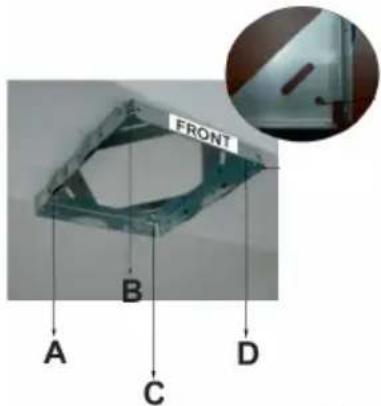
A) Installation of ceiling connection plate
Front sticker (figure 3) on ceiling connection plate and control panel of chimney hood should have the same direction.
1) Drill 10mm holes from A, B, C, D points.
2)Drive 10mm wall plugs in to A,B,C,D holes.
3) Fix ceiling connection plate to ceiling by using
4 screws (5,5 x 45). Wall plugs, screws and ceiling connection plate are given with chimney hood - picture 3
text_image
FRONT A B C DFig. 3
B) Installation of cornerpieces:
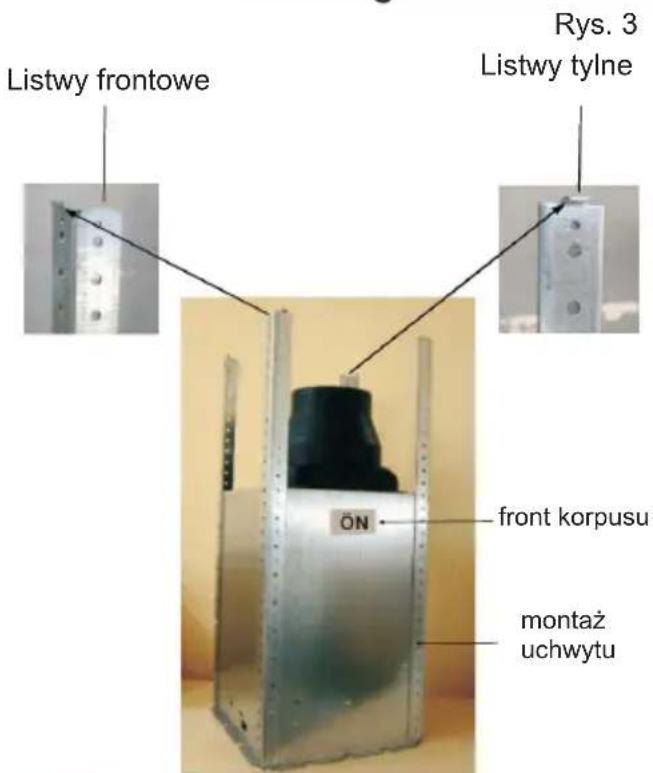
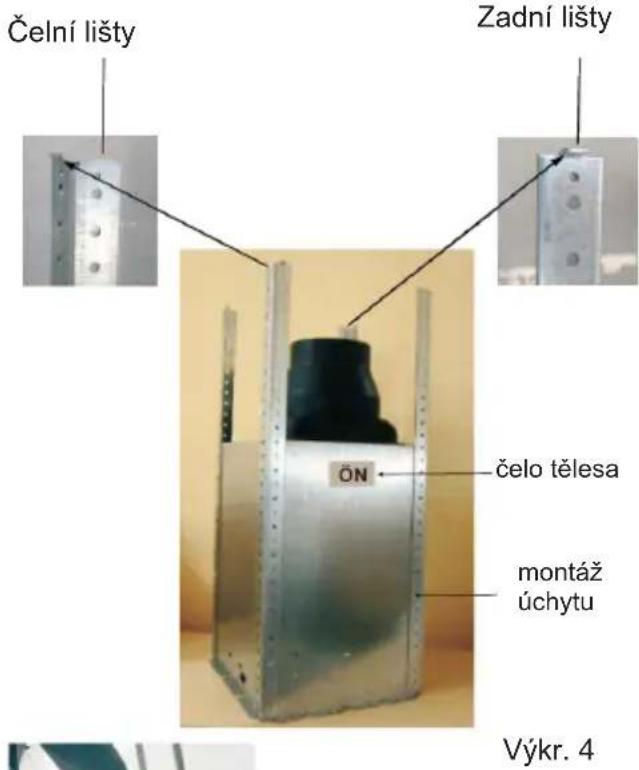
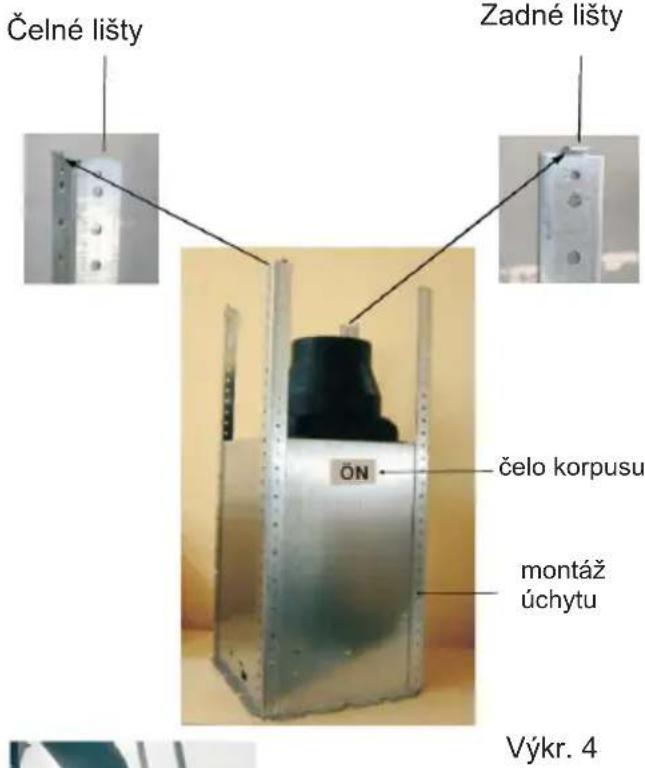
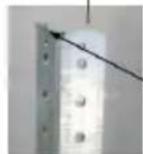
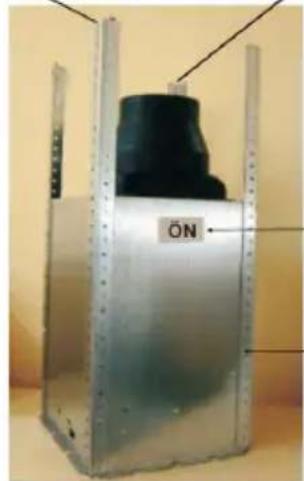
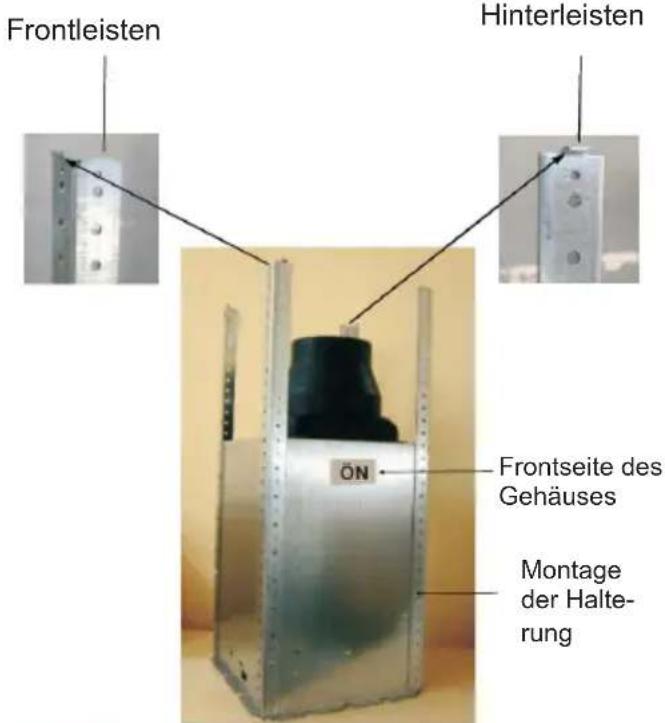
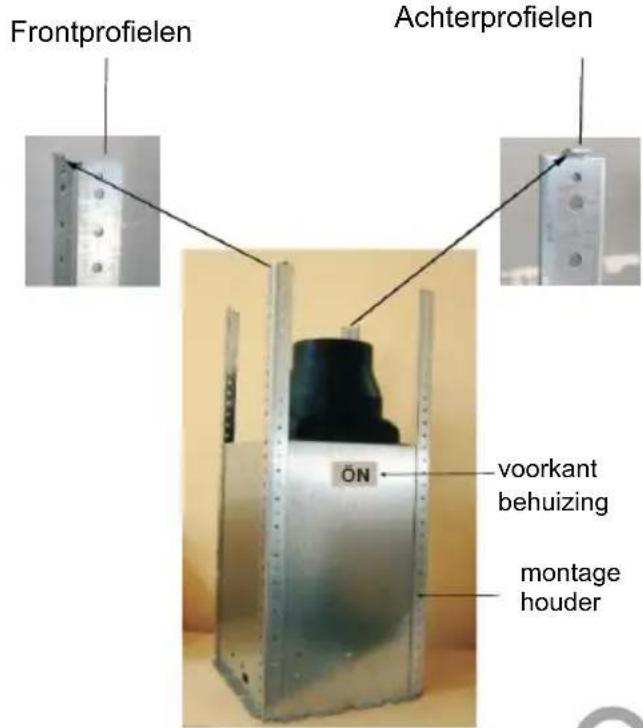
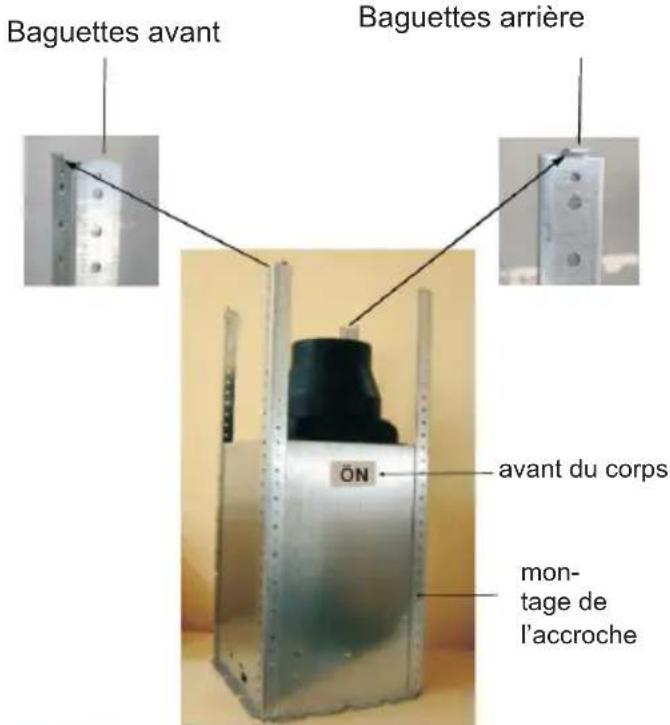
Front sticker(picture 4) shows where front side of chimney hood should be installed. Front cornerpieces should be left and right directions. Back cornerpieces should be extroverted. Screw 4 cornerpieces to motor block. Hanging bar should have same directions with ceiling connection plate. Regulating the length of chimney hood with these cornerpieces.
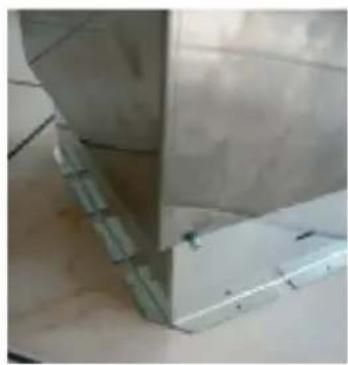
C) Installation of chimneys to motor cabinet:
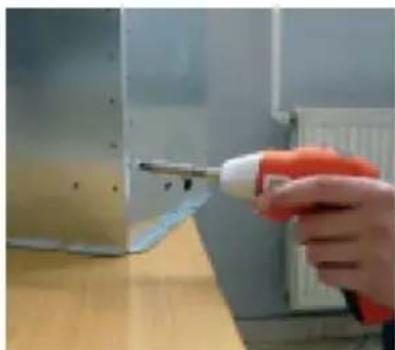
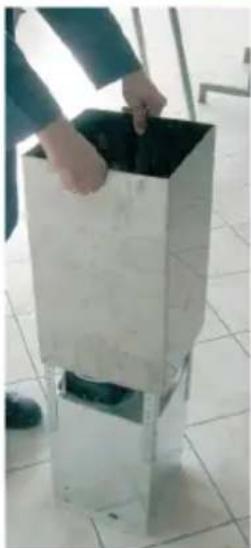
Please put internal chimney in extarnal chimney. For temporary connection between chimneys please use a screw on motor cabinet. (So chimneys won't drop while you install motor cabinet to ceiling connection plate.) Mount the chimneys on this screw. (Screw holes of internal chimney should befit the side of motor cabinet.) Picture 5
natural_image
Hand using a screwdriver to apply material to a metal bracket (no text or symbols visible)Fig. 4
Front bracket connection, left and right up front
Back bracket connection, up-front
natural_image
Metallic industrial container with black lid and 'ÖN' label, no visible text or symbols on the main body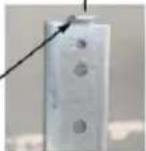
Assemblying front surface of body
Assembly bracket
Fig. 4
natural_image
Person placing a dark object into a metallic cylindrical container on a tiled floor (no text or symbols visible)Fig. 5 Fig. 6
natural_image
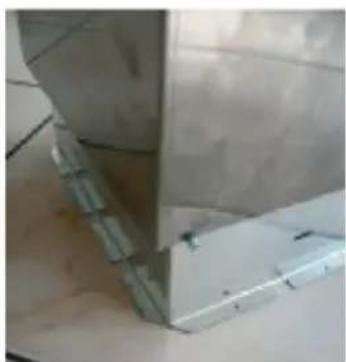
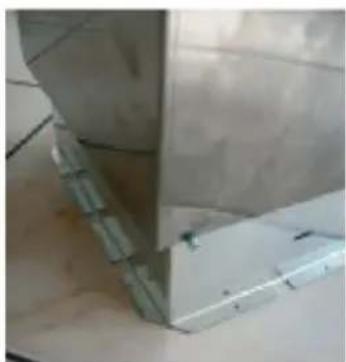
Close-up of a metallic structural joint or bracket with visible metal framing and bolted joints (no text or symbols)D) Placing Motor Cabin to Hanging Bar
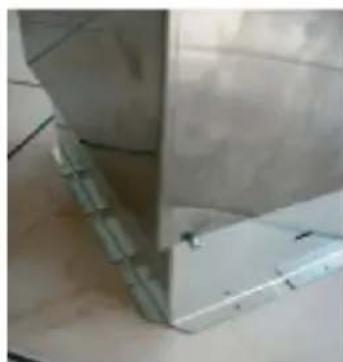
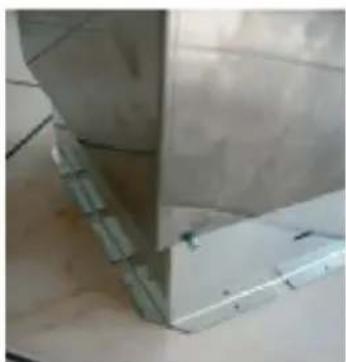
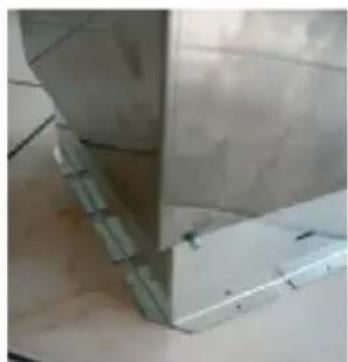
Place fixed hanging sticks on hanging bar through the channels. Fix parts together via 3,5x9,5 screws Picture 6
natural_image
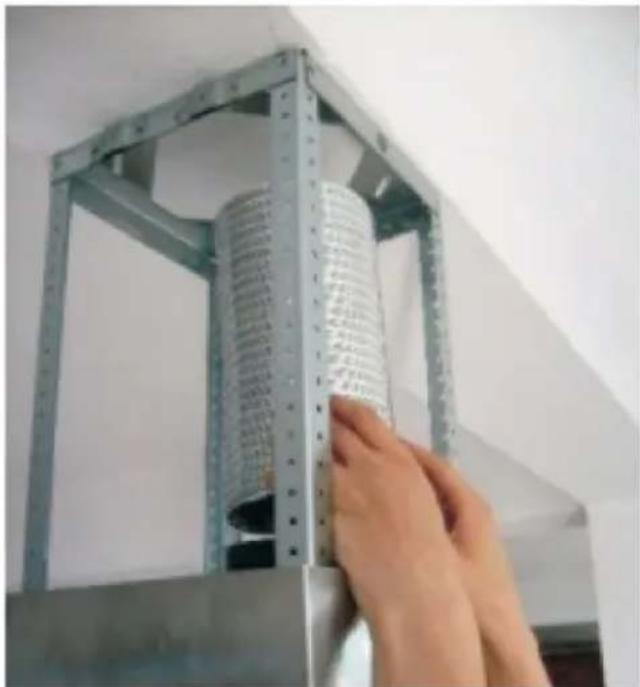
Hand placing a cylindrical metal object into a metal frame (no visible text or symbols)Fig. 8
F) Metal frames installation
Using screws from installation kit, mount frames to hanging sticks (Fig. 9).
text_image
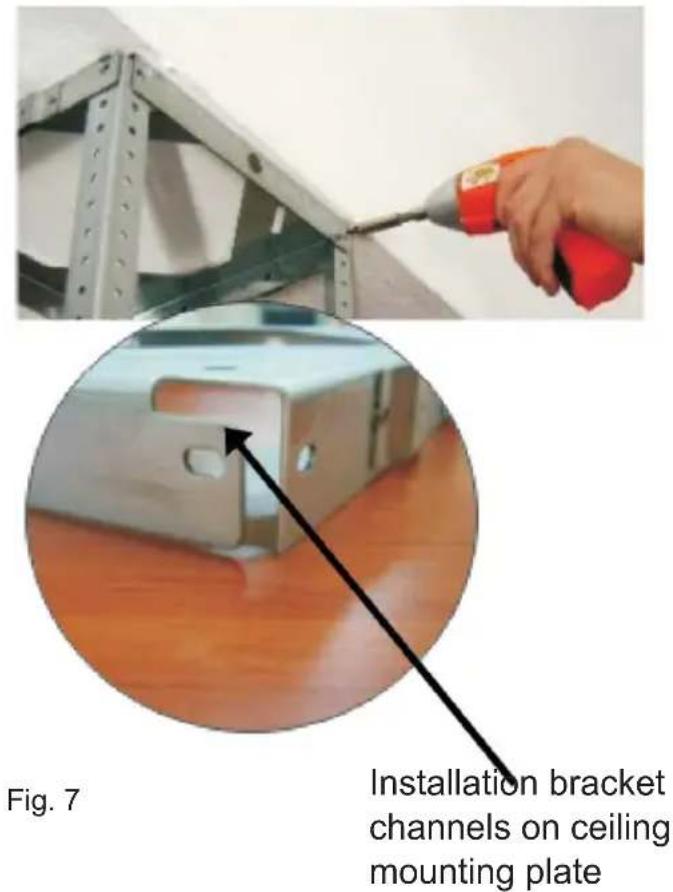
Fig. 7 Installation bracket channels on ceiling mounting plateE) Installing Aluminum Flexible Pipe
Connect aluminum flexible pipe to outlets on the product and kitchen wall. Ensure connection will not lose while your product is operated on maximum airflow level (Picture 7).
natural_image
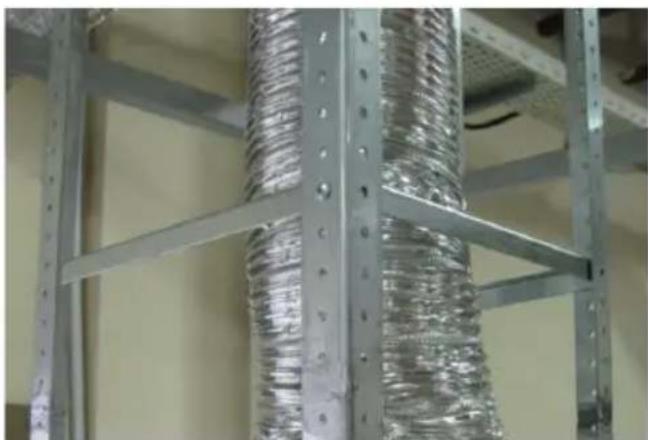
Close-up of metallic industrial piping with coiled ducts and bolts, no visible text or symbolsFig. 9
Assembling bracket hole on the Ceiling Connection Sheet
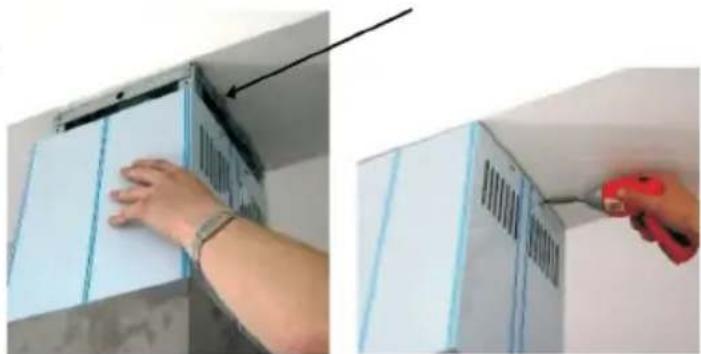
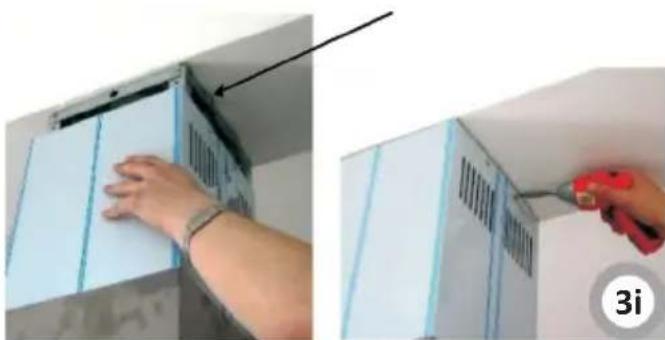
G) Fixing Internal Chimney
Pull internal chimney up, align holes and fix by 3,5x9,5 nickel coated screws as shown in Picture 10.
natural_image
Two-step installation of a white cabinet with ventilation grilles, showing hand positioning and tooling (no text or symbols visible)Fig.10
natural_image
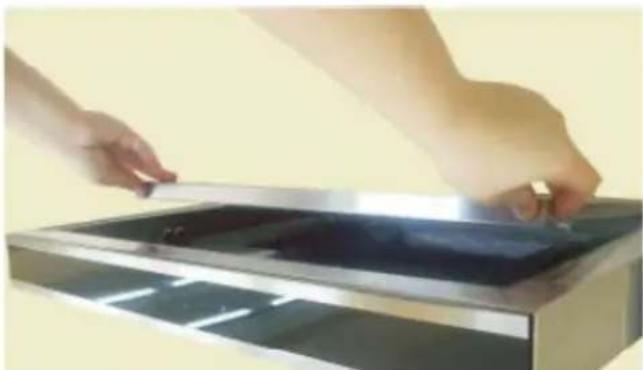
Close-up of hands installing or adjusting a metal panel on a rectangular tray (no text or symbols visible)Rys.11
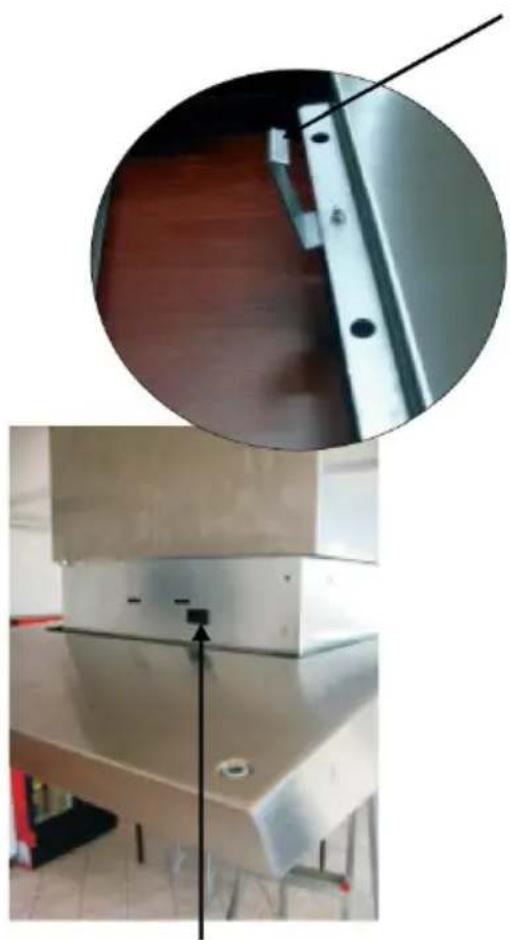
I) Fixing Motor Cabin on Product Body
Place hanging hooks on product body onto channels on motor cabin. Fix them together with 3,5x9,5 screws (Picture 12a-12b)
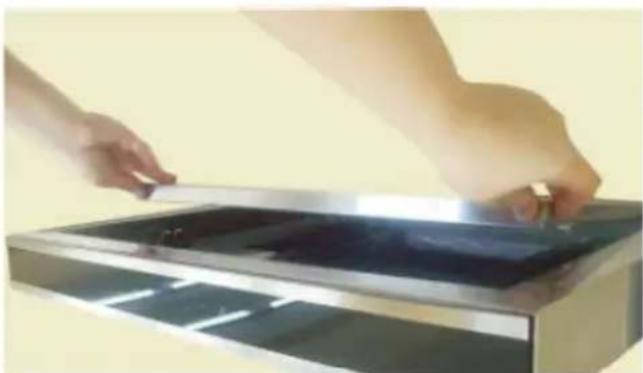
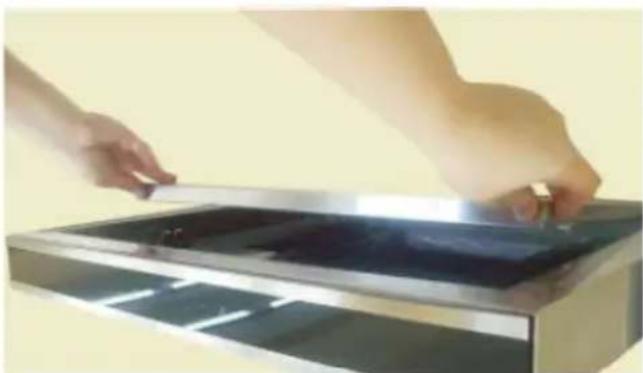
H) Removing split extraction plate
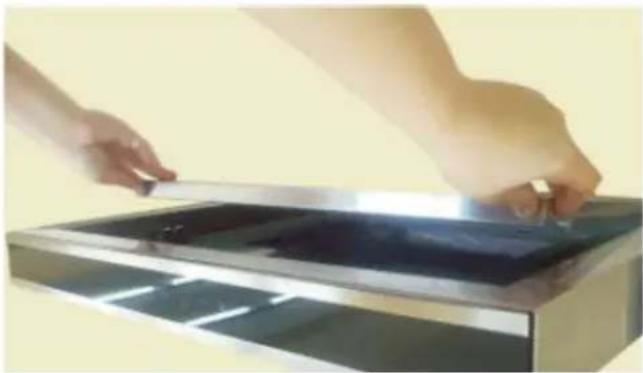
To remove split extraction plate, pull it down holding left and right upper points - Picture. 11.
Hanging Hook
(Fig. 12a)
natural_image
Interior view of a stainless steel cabinet with a close-up inset showing a metal bracket detail (no text or symbols visible)Rys.12
Hanging hook channel on motor cabin (Fig. 12b)
INSTALLATION
natural_image
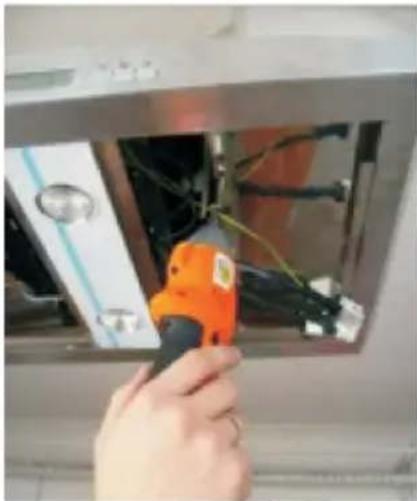
Hand holding an orange power tool inserting wires into a device (no visible text or symbols)Rys.13
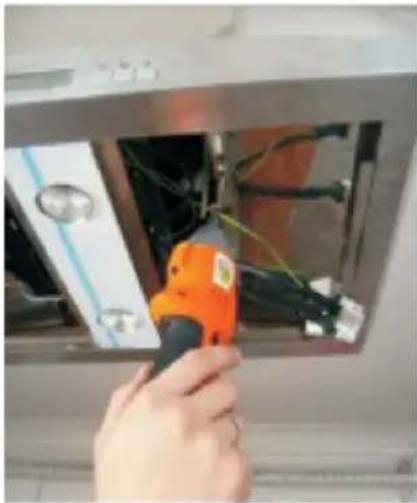
K) Making Connections
Connect 220V power supply socket with corresponding motor socket. Place aluminum cassette filters when connections are done. (Picture 14)
natural_image
Close-up of a hand holding a white plastic object with a black arrow pointing upward, against a dark background (no text or symbols visible)Rys.15
J) Fixing Motor Cabin on Product Body (2)
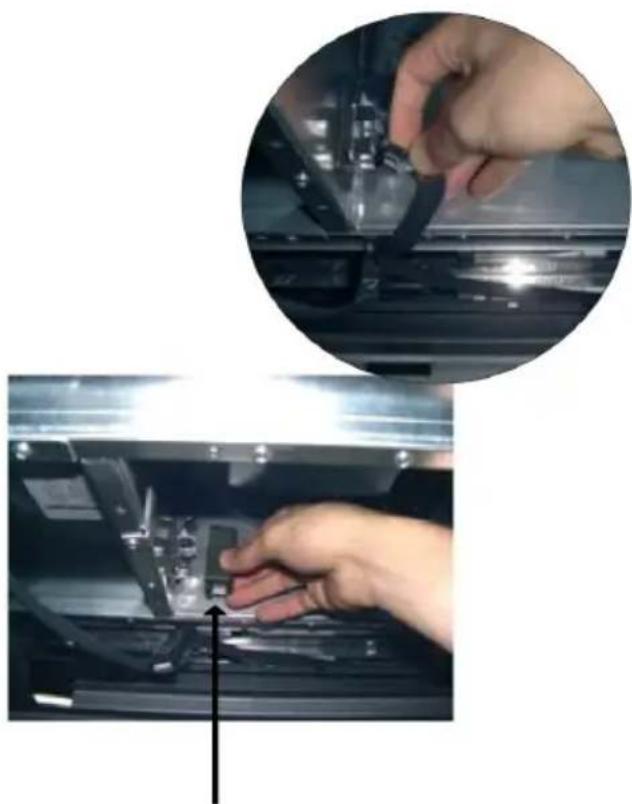
Using 3,5 x 9,5mm bolts mount both elements (Fix. 13).
natural_image
Close-up of hands operating a mechanical device with a magnified inset showing the hand adjusting components (no visible text or symbols)Puszka ochronna
Rys.14
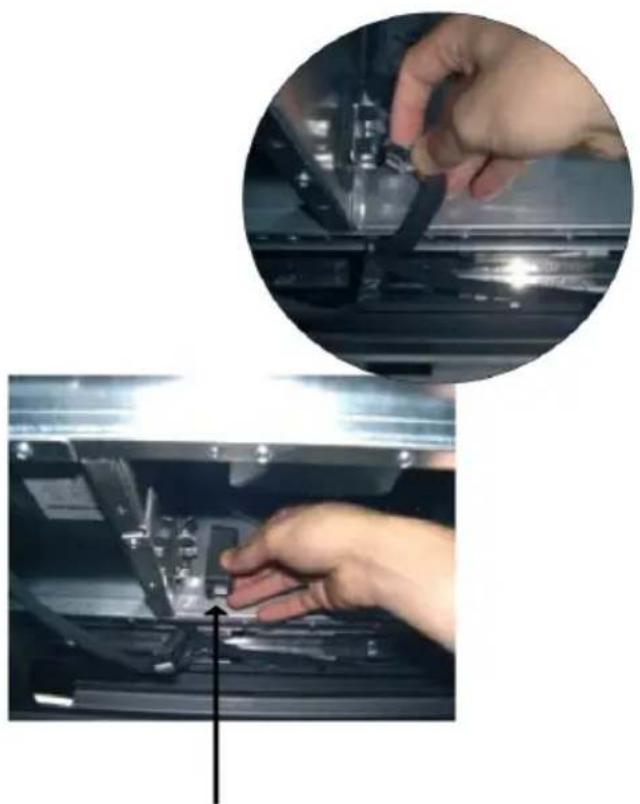
L) Making Connections (2)
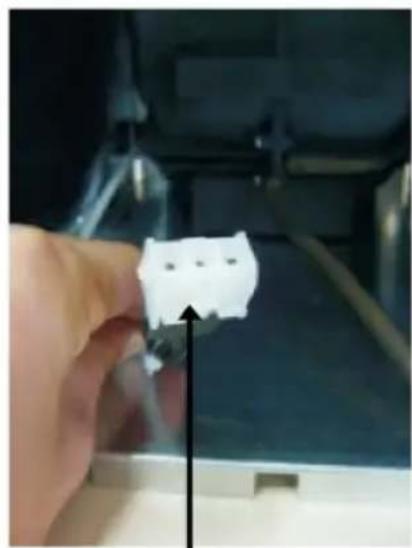
Connect white plug (supply) into the correct socket. Fig 15
Setting the air extractor mode of operation of the hood
In the extractor mode air is discharged to the outside by a special conduit. In that setting any carbon filters shall be removed. The hood should be connected to the opening discharging air to the outside by means of a rigid or flexible conduit of 120 mm diameter, which should be purchased in a shop selling installation materials.
A qualified installer should be commissioned to make the connection.
Setting the odour absorber mode of operation of the hood
In this option filtered air returns to the room through openings in the front of the hood. In this setting it is necessary to install the carbon filter. It is recommended to install the air guide (availability depending on model).
In some universal hoods you need to switch lever inside the hood (Fig. 8) to switch between the extraction and air recirculation modes. The cleaned air is returned to the room through the holes in the top of the unit.
Furniture and telescopic cooker hoods operating in air recirculation mode require installation of the exhaust duct. The other end of the duct should be directed to the room as it will discharge filtered air.
Fan speeds
The lowest and medium speeds should be used under normal conditions and with low concentration of fumes. The maximum speed should be used in case of high concentration of kitchen fumes, e.g. during frying or grilling.
Use control panel to control your cooker hood (Fig. 4)
OPERATION
Control Panel
The cooking hood fan can operate at 5 speeds. Select the fan speed appropriate for the cooking intensity. To run the fan press the ⏻ " button on the control panel (Fig. 17) Press the "> " button each time you want to increase the fan speed or press the "<" button to reduce the fan speed. When you turn on the cooker hood the fan always runs at speed 2.
Press the "button to activate the countdown timer. Press the "button to activate the timer. The appliance will turn off after 15 minutes. When the timer is counting down the digit will blink on the display and the cooker hood fan will turn off after 15 minutes.
To remove any residual odours and vapour from the kitchen it is recommended to use this function of the hood for several minutes after cooking.
Light
Your cooker hood features halogen light. Press the " 🔊" button on the control panel (Fig. 2, item 3) to turn the light on or off.
To change the light brightness when the light is on press and hold the light button and the level of brightness will vary continuously. Release the button when the light brightness is adjusted as required. Quickly press the light button twice to set the maximum brightness.
Remote control unit (Fig. 4b)
Your cooker hood can be controlled by a remote control unit.
Remote control unit functions are described below:
- Turn the fan on/off
- Reduce cooker hood fan speed
- Increase cooker hood fan speed
- Turn the light on/off
Press the POWER button to turn on the cooker hood fan. The fan will run at speed 2. The hood light can be switched on independently from the "POWER" button.
To use the remote control unit:
- Insert batteries in the remote control by removing the battery compartment cover on the back of the remote control unit.
- Place the new batteries in the remote control unit according to the markings inside the battery compartment.
- Close the battery cover.
- Point the remote control unit toward the front of the cooker hood.
Ensure there are no obstacles between the remote control transmitter and the sensor on the cooker hood. Fluorescent light can interfere with the remote control operation.
Regular maintenance and cleaning of the device will ensure faultless operation, and help extend the life of the unit. Attention should be paid to replacing grease and carbon filters according to instructions.
Charcoal filter (only the recirculation version)
Operation - Carbon filters can be used only when the hood is not connected to any ventilation duct. Filters with active carbon can absorb odours until they are saturated. They cannot be washed or regenerated and should be replaced at least every 2 months or more frequently in case of very intensive use.
Replace:
Dismantling of charcoal filter is shown on Figure 6.
Aluminium grease filter
Clean the filter when the display shows "L" approximately every 2-3 weeks.
To clear the above symbol (once the filter is cleaned and re-installed), hold the "①" button for 3 seconds (make sure the hood is not operating). "E" symbol will be shown on the display and the appliance will operate normally.
If you want to use your appliance while the "symbol is still displayed, press the "button. The speed indication will appear for 1 second, and then the "symbol and the motor will keep running.
NOTE: The " symbol appears after 60 hours of the motor operation.
Clean the grease filter by washing it in a dishwasher (maximum washing temperature of 60^ C) or by hand using a mild detergent or soap.
Lighting
See Figure 7 for details how to replace lights. Use incandescent / halogen / LED modules of the same specification as those factory-installed in the appliance.
Cleaning
Normal hood cleaning:
- Do not use a soaked cloth, sponge, or water jet.
- Do not use solvents or alcohol, as they may tarnish lacquered surfaces.
- Do not use caustic substances, especially for cleaning stainless steel.
- Do not use a rough or abrasive cloth.
It is recommend to use a damp cloth and a neutral detergent.
Aluminium filters may be washed in the dishwasher. The colour of aluminium filters may change after several washings. This is normal and it is not necessary to renew the filters.

Recycling of the packaging
natural_image
Simple line drawing of a recycling symbol (three chasing arrows), no text or labels present.Our packaging is made of environmentally friendly materials, which can be reused:
● The external packaging is made of cardboard/foil
● The FCKW free shape of foamed polystyrene (PS)
● Polyethylene (PE) foils and bags

ELIMINATION / DISPOSAL OF THE EU- IPMENT
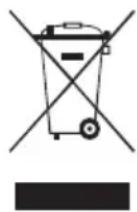
If the appliance is no longer in use, cut the connecting cable off the used equipment before scrapping. We also recommend that the appliance is locked or render it useless so that the appliance presents no danger to children while being stored for disposal. This appliance is marked with a symbol of the crossed out waste container in conformance with the European Directive 2002/96/EC. Such marking informs that the equipment may not be kept together with other waste coming from the household after the period of its use. The user is obliged to dispose of the appliance at the waste collection point authorised by the local authority. The local waste collection points, shops and communal units form an appropriate system enabling the disposal of the equipment.
Handling the used electrical and electronic equipment and any hazardous substances contained therein in a correct manner is vital to avoid damage the local natural environment. Therefore care and responsibility should always be taken in the disposal of these products
WARRANTY AND AFTER-SALE SERVICES
Warranty
Warranty service as stated on the warranty card
The manufacturer shall not be held liable for any damage caused by improper use of the product.
Manufacturer's Declaration
The manufacturer hereby declares that this product meets the requirements of the following European directives:
• Low Voltage Directive 2014/35/EC
• Electromagnetic Compatibility (EMC) Directive 2014/30/EC
• ErP Directive 2009/125/EC
• Directive RoHS 2011/65/EC
and has thus been marked with the symbol and been issued with a declaration of compliance made available to market regulators.
natural_image
Hand using a screwdriver to apply material to a metal bracket (no text or symbols visible)Abb. 4
natural_image
Person handling a large metal trash bin on a tiled floor (no text or symbols visible)Abb. 5 Abb. 6
natural_image
Close-up of a metallic structural joint or bracket with visible metal framing and bolted joints (no text or symbols)natural_image
Hand placing a cylindrical metal panel into a metal frame (no visible text or symbols)Abb. 8
natural_image
Close-up of metallic industrial racks with coiled insulation or insulation material (no visible text or symbols)Abb. 9
natural_image
Two-panel image showing a person installing or adjusting a white cabinet panel, with a tool in action (no visible text or symbols)Abb.10
natural_image
Close-up of hands handling a transparent panel on a metal tray (no visible text or symbols)Abb.11
natural_image
Exterior view of a modern office building (no signage)natural_image
Hand using an orange power tool to switch internal wiring inside a stainless steel appliance (no text or symbols visible)Abb.13
natural_image
Close-up of a hand holding a white plastic connector with a black arrow pointing upward (no text or symbols visible)Abb.15
natural_image
Close-up of hands operating a mechanical device with a magnified inset showing the hand adjusting components (no visible text or symbols)Schutzdose
Abb.14
natural_image
Abstract recycling symbol composed of three chasing arrows forming a triangle (no text or labels)INSTALLATIE VAN HET APPARAAT 81
BEDIENING EN ONDERHOUD 87
MILIEUBESCHERMING 89
GARANTIE, SERVICE 89

natural_image
Close-up of a hand using a power tool to apply material to a metal bracket (no visible text or symbols)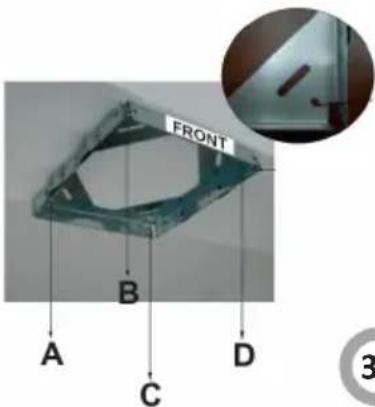
text_image
FRONT A B C D ③3a
natural_image
Person placing a black plastic container into a metal cylindrical container on tiled floor (no text or symbols visible)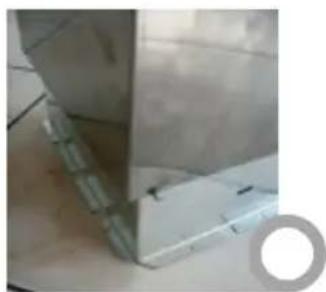
natural_image
Close-up of a metallic mechanical component with a circular hole on the side (no visible text or symbols)INSTALLATIE VAN HET APPARAAT
natural_image
Hand placing a cylindrical object into a metal frame, no visible text or symbols on the object itselfnatural_image
Hand using a red power drill to apply metal components (no text or symbols visible)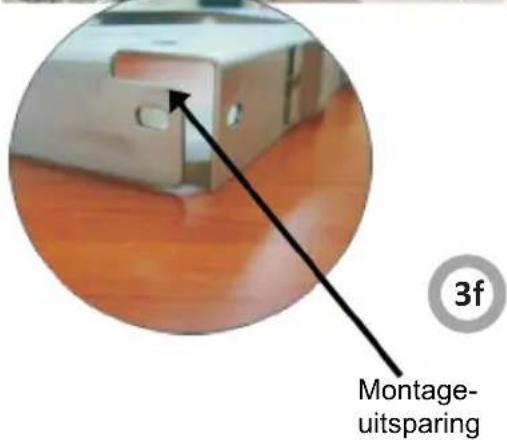
natural_image
Metal shelving unit with coiled insulation material, no visible text or symbolsMontageopeningen
natural_image
Two-step installation of a white cabinet with a hand adjusting the panel, showing part assembly and tooling (no text or symbols visible)INSTALLATIE VAN HET APPARAAT

natural_image
Close-up of hands installing or adjusting a metal panel on a stainless steel appliance (no visible text or symbols)INSTALLATIE VAN HET APPARAAT
natural_image
Hand holding an orange power tool inserting wires into a device (no visible text or symbols)
natural_image
Close-up of a hand holding a white plastic connector with a black arrow pointing upward (no text or symbols visible)
natural_image
Simple line drawing of a recycling symbol (three chasing arrows), no text or labels present.natural_image
Hand using a screwdriver to apply material to a metal bracket (no text or symbols visible)Fig. 4
natural_image
Person handling a large metal trash bin on a tiled floor (no text or symbols visible)Fig. 5 Fig. 6
natural_image
Close-up of a metallic structural joint or bracket with visible metal components and no text or symbolsINSTALLATION DE L'APPAREIL
natural_image
Hand placing a cylindrical metal component into a metal frame (no visible text or symbols)Fig. 8
natural_image
Close-up of metallic industrial piping with coiled ducts and mounting brackets (no visible text or symbols)Fig. 9
natural_image
Close-up of hands handling a metallic tray or panel on a reflective surface (no text or symbols visible)Fig. 11
natural_image
Hand using an orange tool to adjust or install electrical wiring inside a device (no visible text or symbols)Fig. 13
natural_image
Close-up of a hand holding a white connector with a black arrow pointing upward (no text or symbols visible)Fig. 15