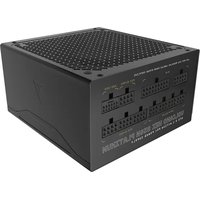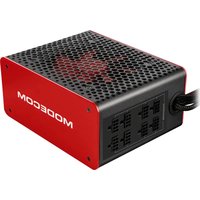
HEX 850W GOLD - Power Supply (PC) Volcano - Free user manual and instructions
Find the device manual for free HEX 850W GOLD Volcano in PDF.



| Product Type | PC Power Supply (Internal Power Supply Unit) |
| Brand | Volcano |
| Model | HEX 850W GOLD |
| Rated Power | 850 W |
| Energy Efficiency | 80 PLUS Gold Certification |
| Input Voltage | AC 220-240 V, 50 Hz, 4-6 A |
| Main Connector | 20+4 pin for motherboard |
| CPU Connector | ATX12V / P4 / EPS12V 4+4 pin |
| Peripheral Connectors | 4-pin Molex, 4-pin Mini-Molex |
| SATA Connectors | Yes (Serial ATA) |
| Graphics Card Connectors | 12V HPWR (depending on model) |
| Compatibility | Desktop computers, standard configuration |
| Integrated Protections | Overvoltage, overcurrent, short circuit, overheating protection |
| Cooling | Fan (air blowing) |
| Maintenance | Periodic cleaning with compressed air, unplug before cleaning |
| Safety | Do not open the casing, do not use with wet hands, avoid humidity and dust |
| Repairability | Entrust to a professional; unauthorized opening voids warranty |
| Warranty | Conditional warranty (see terms) |
| Approximate Dimensions | Standard ATX (not specified in manual) |
| Approximate Weight | About 1.5-2 kg (estimated) |
| Environmental Information | Complies with WEEE directive, mandatory recycling |
Frequently Asked Questions - HEX 850W GOLD Volcano
User questions about HEX 850W GOLD Volcano
0 question about this device. Answer the ones you know or ask your own.
Ask a new question about this device
Download the instructions for your Power Supply (PC) in PDF format for free! Find your manual HEX 850W GOLD - Volcano and take your electronic device back in hand. On this page are published all the documents necessary for the use of your device. HEX 850W GOLD by Volcano.
USER MANUAL HEX 850W GOLD Volcano
User manual for MODECOM computer power supply
Introduction:
Thank you, that you have decided to purchase and install MODECOM brand power supply in your computer.
Prior to installation and initial start-up please refer to this user manual and apply to all of its points to ensure safe, proper and long-term operation of the power supply.
Warning and safety instruction:
PC power supply is an electrical device operating at high voltage, dangerous to human health or life: AC 220-240V / 50Hz / 4-6A. After disconnected from the mains, the power supply still preserves dangerous high voltage in the capacitive elements (capacitors) for a long time.
This power supply is intended only for home or office use in desktop PCs.
For safety reasons, under penalty of loss of rights resulting from the warranty / guarantee must not do the following:
-
touch the power supply / PC computer with wet or damp hands or other objects.
-
place the computer with the power supply in the vicinity of the heater or another heat source.
-
obstruct the vents and ducts of the computer.
-
use the power supply in conditions of increased humidity or increased dustiness.
-
modify the wiring and / or plugs of power supply and other components.
-
insert objects into the openings in power supply.
-
remove from the power supply any marks, seals, labels or serial numbers.
-
open the power supply housing.
Unauthorized enclosure opening, use of cables other than the supplied, insertion of objects in the interior may cause electric shock.
Installation / replacement of the power supply in your computer:
Installation of power supply should be carried out by a professional service / dealer.
Before installing or replacing the power supply, please refer to the operating instructions of the housing and other computer components. Make sure that the MO-
DECOM power supply is properly matched to the configuration of the computer in terms of technical parameters and will not work with a maximum load in continuous mode. This will allow a smooth and long-term operation of your computer system.
- unplug the power cord from the AC 230V wall outlet and from the power supply.
- open your computer following the instructions of the housing.
- disconnect all the power plugs from the motherboard and other components of a computer: the hard drives, card readers, optical drives, etc.
- remove the power supply from the computer case following the instructions of the housing.
- install new MODECOM power supply in the housing. Connect the cables from the motherboard and other devices in the reverse order of dismantling the old power supply.
- ensure that all components are connected properly.
- close the housing and connect the power cable to the power supply and AC 230V power outlet.
- check for proper operation of your entire computer system.
In case of problems:
- make sure that all the computer's components are in working order and not damaged before replacing the power supply.
- make sure that the power supply is correctly matched to the current configuration of the computer and is fully compatible with it.
- make sure the power cord is connected properly to both the power supply and the AC 230V power outlet.
- verify that the "I/O" power switch is set to "I" position.
- check that all components of computer are properly connected, the connectors properly adhere to each other, whether there is not a short circuit or other abnormalities in assembly.
- check the connection of all components of a computer to each other and to the power supply.
Choosing the right power supply model:
Due to the large diversity of computer sets and a large number of power supply models with different technical specifications, the manufacturer does not affect the user's choice of the model and specification of the power supply he will use and of configuration of the computer on which it is mounted. The issue of choosing an adequate power supply, which will ensure long and trouble-free operation, the user should consult with the dealer of power supply unit or a dealer of entire computer set. Any complaints referring to malfunction of the power supply due to improper
selection of its parameters to your computer configuration cannot be considered by the manufacturer.
PC power supply construction include electrolytic capacitors, which dry up during long-term operation under high load. Therefore, it is recommended to select the output power efficiency of the power supply according to the needs of your computer system so that the power supply continuously have big spare power level. Continuous operation at maximum parameters can result in significant shortening of the life of the power supply, unstable voltage on the overloaded lines and lead to all kinds of faults. Specifications and loading data is placed on each MODECOM power supply. We recommend to check and maintain the power supply as well as the other elements responsible for the cooling of your computer system periodically, at least once a month.
The manufacturer is not responsible for the improper operation of the power supply and the damage caused in the event of:
- damage or destruction due to force majeure or environmental factor, i.e. electric discharge, fire, flood, earthquake, moisture, excessive heat, excessive load, excessive dust and lack of proper maintenance.
- natural wear and tear of capacitive elements, where time and quality of work depends largely on usage.
- modification of the power supply components and wiring.
Maintenance of power supply:
Computer power supply should be periodically cleaned of impurities resulting from the air circulation flowing through its interior. Before cleaning of the power supply with compressed air make sure that the power supply has been disconnected from the 230V power mains.
Cleaning of the power supply should be done outside the building or in a room with the installed dust exhaust system. Basic cleaning involves blowing dirt from inside the power supply and fan blades. If dirt cannot be removed with compressed air and intervention to the interior of the power supply is required, please take it to the seller during the period of guarantee / warranty or to specialized computer repair service. Use of contaminated power supply may cause malfunction of computer, reducing the efficiency of the cooling system and lead to serious accidents.
The most common connectors of the computer power supply:
- Input:
- 230V power socket
2. Output:
- motherboard power connector, MAIN POWER - 20pin or 24pin (20 + 4)
- CPU power connector ATX12V / P4 / EPS12V - 4 pin or 4+4 pin
- peripherals 4 pin power connector, MOLEX (HDD hard drives, ODD optical drives)
- peripherals 4 pin power connector, MINI MOLEX (card readers, floppy drives, etc.)
- peripherals power connector in Serial ATA standard, SATA (HDD hard drives, ODD optical drives)
- graphics card power connector, 12V HPWR as recommended by the graphics card manufacturer's instructions.
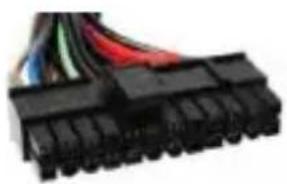
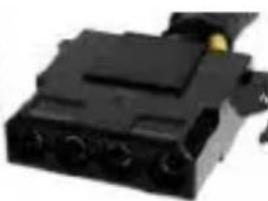
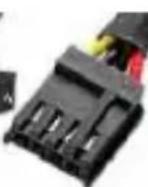
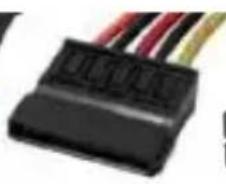
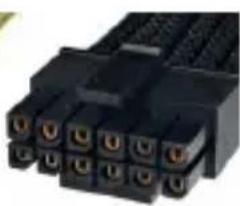
The number and type of power connectors depends on power supply model. When selecting the power supply, user should pay attention not only to its rated power, but also to required amount and types of connectors, the size of the power supply and the manner of its installation in the housing.
This device was designed and made of high-quality reusable materials and components. If the device, its packaging, user's manual, etc. are marked with crossed waste container, it means they are subject to segregated household waste collection in compliance with the Directive 2012/19/UE of the European Parliament and of the Council. This marking informs that electric and electronic equipment shall not be thrown away together with household waste after it's been utilised. The user is obliged to bring the utilised equipment to electric and electronic waste collection point. Those running such collection points, including local collection points, shops or commune units, provide convenient system enabling to scrap such equipment. Appropriate waste management aids in avoiding consequences which are harmful for people and environment and result from dangerous materials used in the device, as well as improper storage and processing. Segregated household waste collection aids recycle materials and components of which the device was made. A household plays crucial role in contributing to recycling and reusing the waste equipment. This is the stage where the basics are shaped which largely influence the environment being our common good. Households are also one of the biggest users of small electrical equipment. Reasonable management at this stage aids and favours recycling. In the case of improper waste management, fixed penalties may be imposed in accordance with national legal regulations.