Tyxia 1701 - Remote control DELTA DORE - Free user manual and instructions
Find the device manual for free Tyxia 1701 DELTA DORE in PDF.



| Product type | Remote control |
| Brand | Delta Dore |
| Model | Tyxia 1701 |
| Power supply | Lithium 3V CR2430 battery |
| Transmission frequency | 868.7 MHz to 869.2 MHz |
| Maximum radio power | <10 mW |
| Radio range | Up to 300 m in open field |
| Dimensions (L x H x P) | 46 x 121 x 10.7 mm |
| Protection rating | IP40 |
| Operating temperature | 0 to +55°C |
| Storage temperature | -10 to +70°C |
| Insulation class | III |
| Mounting | Wall-mounted or on flat surface |
| Number of favorite positions | 2 (1 and 2) |
| Main functions | Up, down, stop, favorite positions, slow mode |
| Radio association | Delta Dore motors and Tyxia micromodules |
| Maximum number of motors | Up to 16 in centralized control |
| Maintenance | Replace used battery (CR2430) |
| Safety | Do not ingest the battery, keep out of reach of children |
| Spare parts | CR2430 battery |
Frequently Asked Questions - Tyxia 1701 DELTA DORE
User questions about Tyxia 1701 DELTA DORE
0 question about this device. Answer the ones you know or ask your own.
Ask a new question about this device
Download the instructions for your Remote control in PDF format for free! Find your manual Tyxia 1701 - DELTA DORE and take your electronic device back in hand. On this page are published all the documents necessary for the use of your device. Tyxia 1701 by DELTA DORE.
USER MANUAL Tyxia 1701 DELTA DORE
Technical characteristics
- Power supplied by 3V lithium battery, CR2430
Class III insulation
X3D Transmission frequency: 868.7 MHz to 869.2 MHz
Maximum radio power < 10 ~mW - Receiver category II
- Wireless range: Up to 300 meters outside, variable depending on the associated equipment (the range can vary depending on the installation conditions and the electromagnetic environment)
- Wall-mounted
- Dimensions: 46 × 121 × 10.7 ~mm
- Degree of protection: IP 40
- Operating temperature: 0 to +55^ C
- Storage temperature: -10 to +70^ C
- Installation in an environment with normal pollution levels
Contents
1/ Location/Mounting 17
1.1 Mounted on the wall 17
1.2 Placed on a flat surface 17
2/ Wireless association 18
2.1 Association of a DELTA DORE radio motor on individual order 18
2.2 Association of a Tyxia micromodule receiver on individual order 20
2.3 Association of several DELTA DORE radio motors or Tyxia micromodules in centralized control 20
3/ Save the favourite positions. 22
4/ Use. 23
5/ Troubleshooting 25


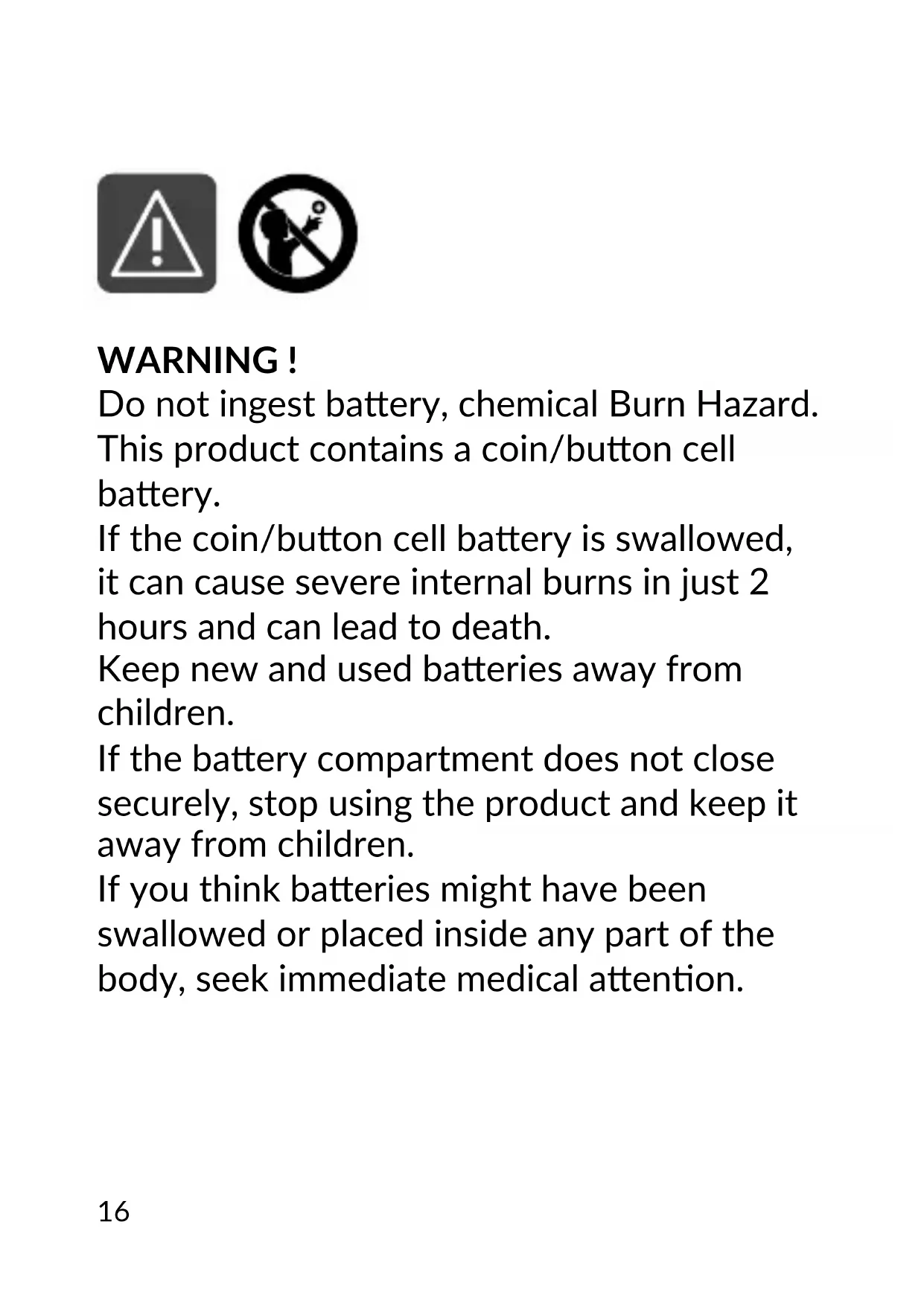
WARNING!
Do not ingest battery, chemical Burn Hazard. This product contains a coin button cell battery.
If the coin button cell battery is swallowed, it can cause severe internal burns in just 2 hours and can lead to death.
Keep new and used batteries away from children.
If the battery compartment does not close securely, stop using the product and keep it away from children.
If you think batteries might have been swallowed or placed inside any part of the body, seek immediate medical attention.
1/ Location/Mounting
1.1 Mounted on the wall
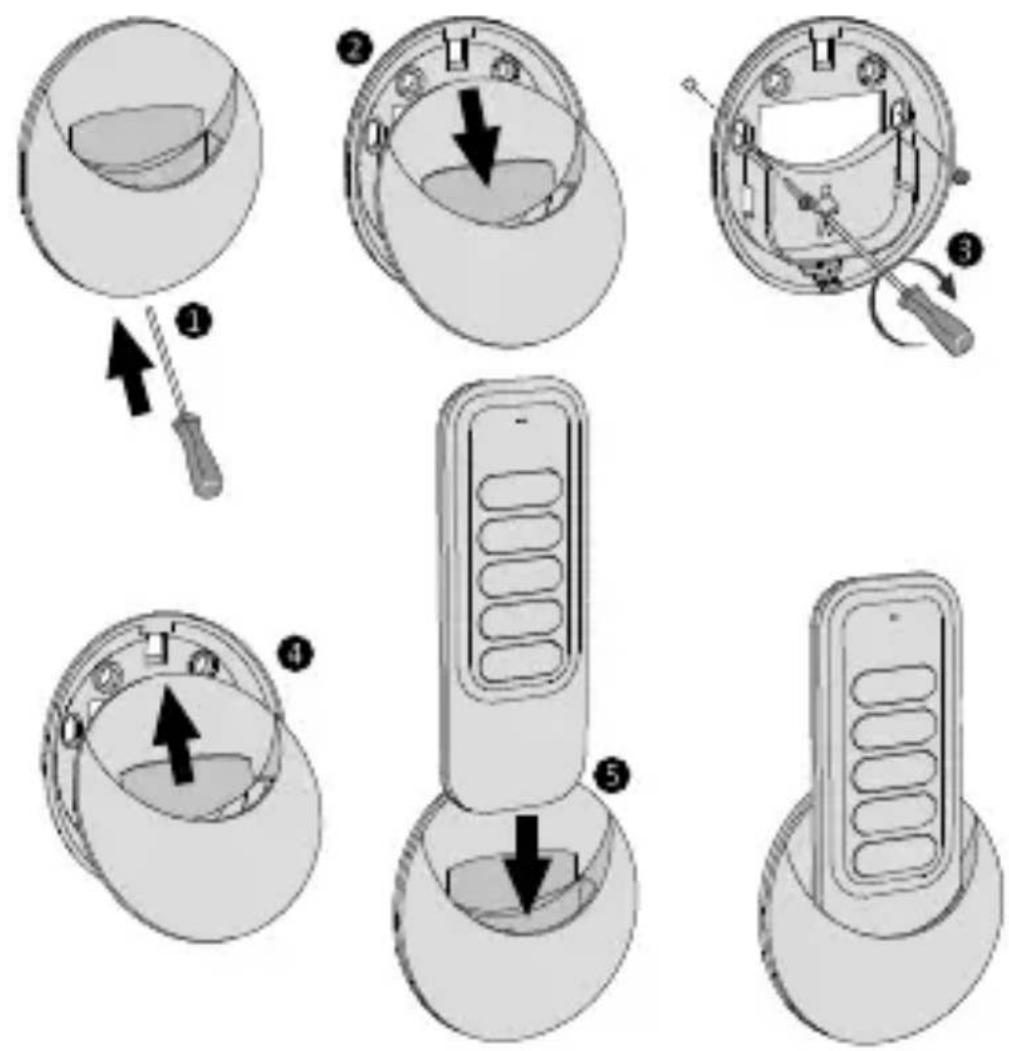
EN
1.2 Placed on a flat surface
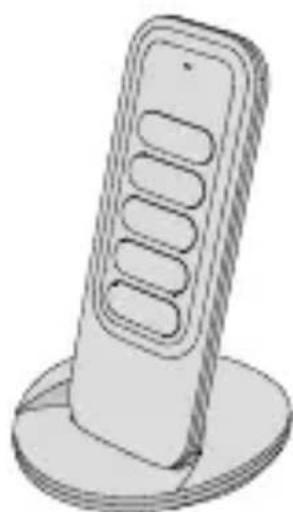
2/ Wireless association
If you own a solar motor, refer to its instructions.
2.1 Association of a DELTA DORE radio motor on individual order
When connecting to the power supply, a motor that has never been wirelessly paired before will always perform a brief movement. It is set to pending pairing for 10 minutes.
2.1.1 If only a single motor is turned on
1 On the remote control, press and at the same time and hold for 3 seconds, until the LED flashes. Release the buttons. When the motor is detected, the LED briefly lights up green.
After a few seconds, the shutter activates twice to confirm pairing, and the remote control automatically exits pairing mode.
3 Then proceed with the setting of the stops (see motor instructions).
2.1.2 If several motors are switched on
1 On the remote control, press and at the same time and hold for 3 seconds, until the red LED flashes. Release the buttons. The remote control searches for the various motors. The LED flashes red, then briefly green as soon as a new motor is found.
When the LED starts flashing red slowly, press the button as many times as required to select the motor to be paired. The corresponding shutter activates briefly.
3 Once themotor has been found, press
After a few seconds, the shutter activates twice to confirm pairing.
5 To exit pairing mode, press for 3 seconds.
Then proceed with the setting of the stops (see motor instructions).
2/ Wireless association
2.2 Association of a Tyxia micromodule receiver on individual order
Switch on and set the receiver to pairing mode by pressing its button for 3 seconds until its LED flashes red, then release.
On the remote control, press and at the same time and hold for 3 seconds until the red LED flashes, then release the buttons.
When the receiver is detected, the LED briefly lights up green and the receiver stops flashing.
The shutter activates briefly to confirm the pairing.
The remote control automatically exits pairing mode.
2.3 Association of several DELTA DORE radio motors or Tyxia micromodules in centralized control
Important: if you pair several motors with the remote control, you will no longer have access to the stop settings from this remote control.
If you wish to associate more than 16 Tyxia motors/micromodules in centralized control, scan this QR Code for more information on.
EN
- Set the motors to pending pairing (press the butt on on their individual control for 3 seconds, or via the Tydom app).
and/or
Set the receivers to pairing mode (press their butt on for 3 seconds, or via the Tydom app).
2 On the remote control, press and at the same time and hold for 3 seconds, until the LED flashes. Release the butt ons.
The remote control searches for the various motors or receivers.
The LED flashes red, then briefly green as soon as a new receiver is found.
3 Once the LED on the remote control slowly flashes red, press the and butt ons at the same time for 3 seconds, until the shutters acti vate briefly, then release the butt ons.
3/ Save the favourite positi ons
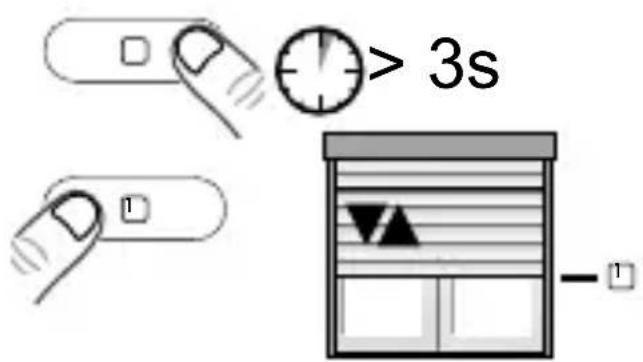
You can save up to 2 favourite positi ons from the remote control: 1 and 2.
- 2 Move the shutter to the position corresponding to one of the favorite positions you want to save.
3 Press 1 + or 2 + for 3 seconds to save the positions.
The LED changes from red to green if the motor/receiver has correctly received the information. The shutter is activated briefly to confirm the association. Release.
4/ Use
- Press to raise, and to lower. Press to stop the shutt ers.
The LED changes from red to green if the motor/receiver has correctly received the information.
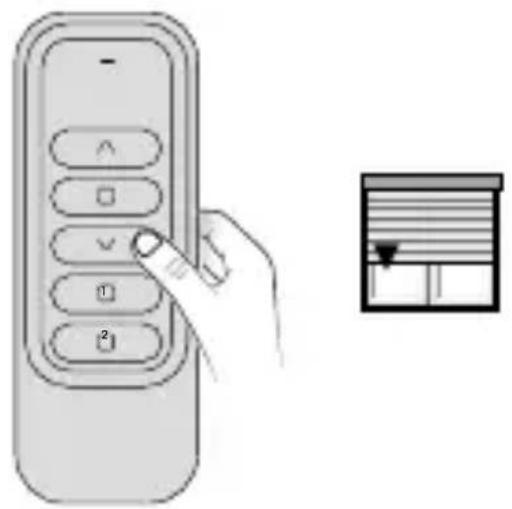
• Press ① to go to favourite positi on 1 (if it has been saved).
- Press 2 to go to favourite positi on 2 (if it has been saved).
Control in silence mode (Tymoov RP2 motors): In order to reduce the noise level, you can control the motor in slow mode by performing a long press on or (2 seconds).
5/ Troubleshooting
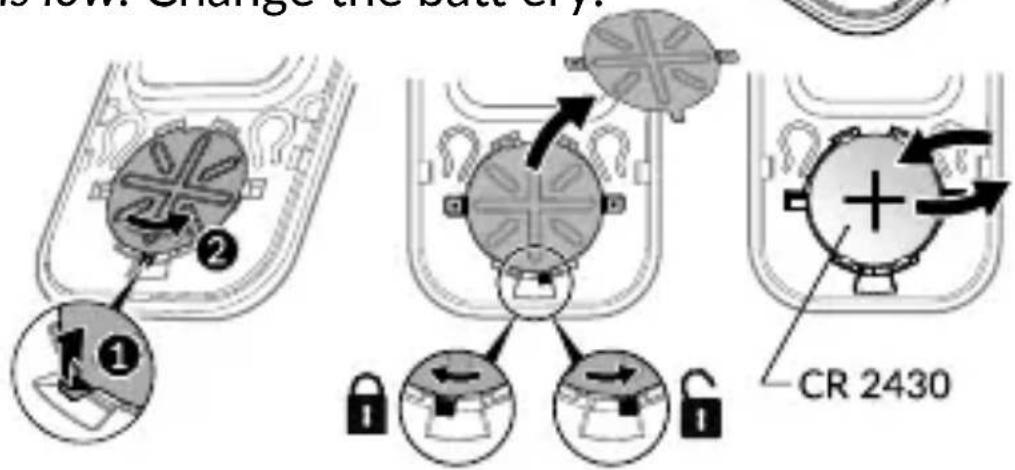
- The red LED flashes several times every time a butt on is pressed.
The batt ery is low. Change the batt ery.

- Remove an associati on
- Remove the front face of the remote control.
- Press butt on A. The red LED flashes.
- Press as many times as required to select the motor (receiver) to remove.
- Press the butt on. The shutter starts.
- Press butt on A to exit.
- Remove all associations
To release the remote control from all associati on.
- Remove the front face of the remote control.
- Press butt on A. The red LED flashes.
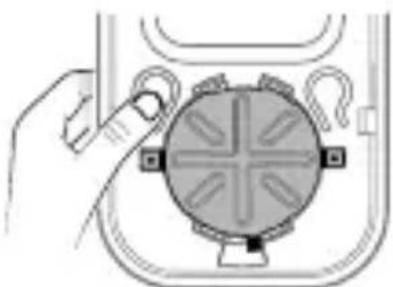
- Press the and buttons at the same time and hold for 3 seconds. The shutters start.
- Press button A to exit.
- Your remote control is lost or not functioning
Initial condition: The lost remote control was only associated with a single motor
Turn off the power to the motor, wait 10 seconds, then turn the motor back on.
From a new remote control:
- Press the B button 2 times, until the LED flashes orange.
- Press and for 3 seconds until the flashing stops. The motor (receiver) has not been associated before
- Restart the association process for your new remote control.
- The green LED does not flash after briefly pressing button B.
- Several motors are associated with the remote control. Therefore, you cannot access the setting modes in this case. The remote control must only be associated with one motor for the settings.
EN