STWA 3670 - Croque monsieur clip CLATRONIC - Free user manual and instructions
Find the device manual for free STWA 3670 CLATRONIC in PDF.



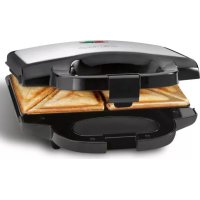
| Product type | Multigrill with interchangeable plates for sandwiches, waffles and grilling |
| Brand | Clatronic |
| Model | STWA 3670 |
| Power supply | 220-240 V~, 50/60 Hz |
| Power consumption | 800 W |
| Protection class | I |
| Net weight | Approximately 1.50 kg |
| Plates provided | 2 sandwich plates, 2 waffle plates, 2 grill plates (all with non-stick coating) |
| Main functions | Cooking sandwiches, paninis, Belgian waffles, meat grilling |
| Indicator lights | Red light (on), green light (temperature reached) |
| Handle | Insulated with lid lock |
| Safety | Automatic shutdown not mentioned; do not use with external timer; hot surfaces indicated; lockable lid |
| Care and cleaning | Removable plates washable with soapy water (soft sponge); housing cleaned with damp cloth; do not immerse |
| Spare parts and repairability | Interchangeable cooking plates available; repairs by qualified technician only; defective cable to be replaced by equivalent |
| General information | Household use only; do not use outdoors; non-stick cooking surface; temperature regulated by thermostat |
Frequently Asked Questions - STWA 3670 CLATRONIC
User questions about STWA 3670 CLATRONIC
0 question about this device. Answer the ones you know or ask your own.
Ask a new question about this device
Download the instructions for your Croque monsieur clip in PDF format for free! Find your manual STWA 3670 - CLATRONIC and take your electronic device back in hand. On this page are published all the documents necessary for the use of your device. STWA 3670 by CLATRONIC.
USER MANUAL STWA 3670 CLATRONIC
natural_image
Black and silver photo of a circular cat food grater with a green and red stripe on top (no text or symbols visible on the appliance itself)DEUTSCH
Inhalt
Overview of the Components ......Page 3
Instruction Manual Page 35
Technical Data......Page 39
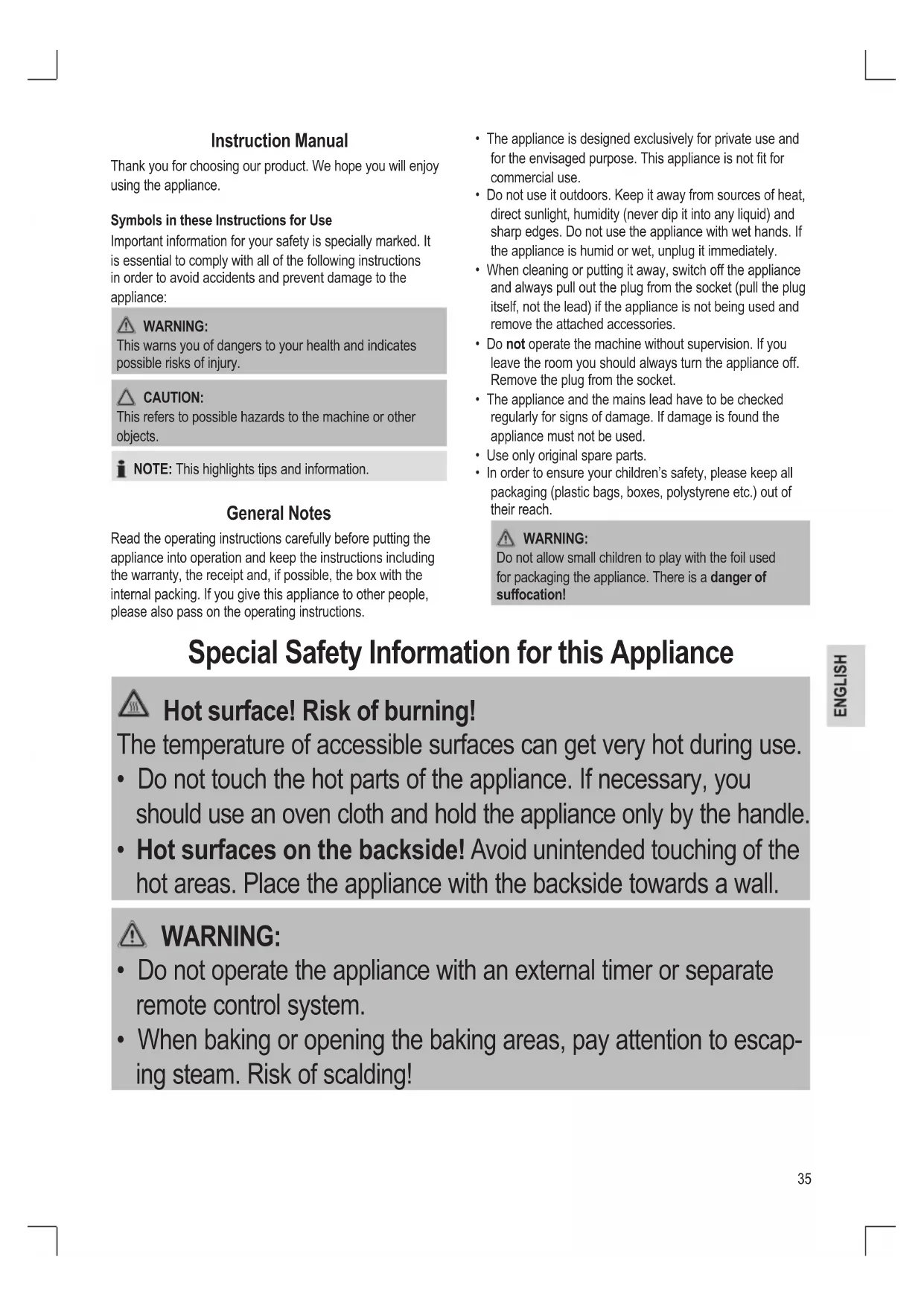
Thank you for choosing our product. We hope you will enjoy using the appliance.
Symbols in these Instructions for Use
Important information for your safety is specially marked. It is essential to comply with all of the following instructions in order to avoid accidents and prevent damage to the appliance:

WARNING:
This warns you of dangers to your health and indicates possible risks of injury.

CAUTION:
This refers to possible hazards to the machine or other objects.

NOTE: This highlights tips and information.
General Notes
Read the operating instructions carefully before putting the appliance into operation and keep the instructions including the warranty, the receipt and, if possible, the box with the internal packing. If you give this appliance to other people, please also pass on the operating instructions.
- The appliance is designed exclusively for private use and for the envisaged purpose. This appliance is not fit for commercial use.
- Do not use it outdoors. Keep it away from sources of heat, direct sunlight, humidity (never dip it into any liquid) and sharp edges. Do not use the appliance with wet hands. If the appliance is humid or wet, unplug it immediately.
- When cleaning or putting it away, switch off the appliance and always pull out the plug from the socket (pull the plug itself, not the lead) if the appliance is not being used and remove the attached accessories.
- Do not operate the machine without supervision. If you leave the room you should always turn the appliance off. Remove the plug from the socket.
- The appliance and the mains lead have to be checked regularly for signs of damage. If damage is found the appliance must not be used.
- Use only original spare parts.
- In order to ensure your children's safety, please keep all packaging (plastic bags, boxes, polystyrene etc.) out of their reach.

WARNING:
Do not allow small children to play with the foil used for packaging the appliance. There is a danger of suffocation!
Special Safety Information for this Appliance

Hot surface! Risk of burning!
The temperature of accessible surfaces can get very hot during use.
- Do not touch the hot parts of the appliance. If necessary, you should use an oven cloth and hold the appliance only by the handle.
- Hot surfaces on the backside! Avoid unintended touching of the hot areas. Place the appliance with the backside towards a wall.

WARNING:
- Do not operate the appliance with an external timer or separate remote control system.
- When baking or opening the baking areas, pay attention to escaping steam. Risk of scalding!

CAUTION:
- Place the appliance on a flat and heat-resistant surface. In the case of sensitive surfaces please place a heat-resistant board under the appliance.
- In order to prevent heat from building up, do not put the appliance directly underneath a cupboard. Ensure that there is enough space all around!
- Do not move the appliance when it is in operation.
- Bread and dough are combustible. The appliance, therefore, should never be used in the vicinity of, or below curtains and other combustible materials!
- Please ensure that the mains lead does not come into contact with the hot sections of the appliance.
- Allow the appliance to completely cool down before cleaning it and storing it away.
- This appliance can be used by children aged from 8 years and above and people with reduced physical, sensory or mental capabilities or lack of experience and knowledge if they have been given supervision or instruction concerning use of the appliance in a safe way and fully understand the hazards involved when operating the appliance.
• Children shall not play with the appliance.
- Cleaning and user maintenance shall not be done by children unless they are older than 8 years and supervised.
- Keep the appliance and its cord out of reach of children younger than 8 years.
- Do not try to repair the appliance on your own. Always contact an authorized technician. To avoid the exposure to danger, always have a faulty cable be replaced only by the manufacturer, by our customer service or by a qualified person and with a cable of the same type.
CAUTION:
This appliance is not intended for being immersed in water during cleaning. Observe all instructions provided in the chapter “Cleaning”.
Overview of the Components / Delivery Scope
1 Multigrill
2 Green LED indicator
3 Red LED indicator
4 Lockable lid catch
5 Power cord
6 Heat insulated handle
7 Rubberised stabilising feet
8 2x Sandwich baking plates non-stick coated
9 2x Waffle baking plates non-stick coated
10 2x Grilling baking plates non-stick coated
11 Baking plate sliding lock
12 Placement pins
Unpacking the Appliance
- Remove the main appliance and accessories from the packaging.
- Remove any packaging materials that may be present inside the packaging or inside the appliance.
- Check the overview of the components / delivery scope.
Starting-up the Appliance
Instructions for Use
Before you make the first sandwiches, waffles, or start grilling for consumption...
- Remove any packaging that is still present. Unwind the mains lead completely. Make sure there are no knots in the mains lead that could damage the appliance or cause any risk to the user.
- Clean the housing and the baking surfaces of the baking plate(s) (8), (9), (10) with a damp cloth.
Non-stick Coating
- Lightly grease the baking surfaces of the baking plate(s) (8), (9), (10) before the appliance is used for the first time.
- Use the appliance for about 10 minutes with the toasting surfaces closed (see "Using the Appliance").
-
Remove the mains plug from the socket and allow the appliance to cool down.
-
Bake 3 - 4 sandwiches, waffles, or grill as a test.
i NOTE:
- Any smoke or smells produced by the appliance during this procedure is normal. Please ensure for sufficient ventilation.
-
Do not eat the first sandwich, waffle, or grilled food item.
-
After the appliance has cooled down, wipe the baking surfaces of the baking plate(s) (8), (9), (10) clean with a paper towel.
Electrical Connection
- Check whether the mains voltage that you want to use matches the one of the appliance. You will find the information about this on the power plug.
- Insert the plug in a duly installed protective contact socket. The red (3) and green (2) control LED indicators will light up.
Using the Appliance
i NOTE:
- Keep the baking surfaces of the baking plate(s) (8), (9), (10) closed while heating.
- When the heating-up phase has finished, the green control LED indicator (2) turns off.
- The red control LED indicator (3) remains on to show that the appliance is in operation and caution should be used around the appliance.
Toasting Sandwiches or Panini
- Prepare the sandwiches before turning on the appliance.
- Ensure that the baking plates for making sandwiches (8) are properly inserted into the multigrill and are locked in place by the sliding locks (11).
-
Place the sandwiches two at the same time, each two on each sandwich baking plate (8), and make sure nothing is sticking out of the bread slices to avoid dripping or spilling over onto the appliance or the supportive surface the appliance is placed on.
-
Gently press the sandwiches by slowly closing the lid and locking the lid catch (4).
- Make sure that the lid is closed and is safely locked in place by the lid catch (4) before turning on the appliance.
- Insert the plug in a duly installed protective contact socket. The red (3) and green (2) control LED indicators will light up.
- Once the heating-up phase is finished and the green control LED indicator (2) is turned off, release the lid catch (4) and fold the lid up until it remains open without supporting it.
- When the sandwiches are done carefully release the lid catch (4) and fold the lid up until it remains open without supporting it.
- Remove the toasted sandwiches with a wooden fork or similar item.
Making Belgian Waffles
- Prepare the waffle dough before turning on the appliance.
- Ensure that the baking plates for making Belgian waffles (9) are properly inserted into the multigrill and are locked in place by the sliding locks (11).
- Pour the waffle dough onto the lower placed waffle baking plates (9) on each side of the appliance, and make sure not to fill up beyond the limits of the waffle baking plates (9) to avoid dripping or spilling over onto the appliance or the supportive surface the appliance is placed on.
i NOTE:
Waffle dough will expand when baking. Ensure the waffle baking plates (9) are not filled beyond their limits to ensure proper space for the waffles to expand.
- Slowly close the lid and locking the lid catch (4).
- Make sure that the lid is closed and is safely locked in place by the lid catch (4) before turning on the appliance.
- Insert the plug in a duly installed protective contact socket. The red (3) and green (2) control LED indicators will light up.
- Once the heating-up phase is finished and the green control LED indicator (2) is turned off, release the lid catch (4) and fold the lid up until it remains open without supporting it.
- When the Belgian waffles are done carefully release the lid catch (4) and fold the lid up until it remains open without supporting it.
- Remove the Belgian waffles with a wooden fork or similar item.
Recipe for Waffles
- 5 Egg yolks;
• 5 Dessertspoons of hot water; - 100 g. Sugar;
• 1 Grated lemon peel; - Mix the above ingredients together until frothy.
- Add a mixture of 1/2 teaspoon of baking powder and 150 g. of flour and stir until the mixture is smooth.
- Beat the 5 egg whites stiff and fold them into the batter. You can find further recipes in our recipe books or else you can use a ready-made baking mix.
Grilling Meat
- Make sure you rinse the meat properly with running water before grilling.
- Dry the meat with a paper towel by dabbing it gently.
- Ensure that the baking plates for grilling (10) are properly inserted into the multigrill and are locked in place by the sliding locks (11).
- Place the prepared meat onto the lower placed grilling baking plates (10) by spreading it out evenly onto each side of the appliance, and make sure the meat is not sticking out of the grilling baking plates (10) to avoid dripping or spilling over onto the appliance or the supportive surface the appliance is placed on.
- Slowly close the lid and locking the lid catch (4).
- Make sure that the lid is closed and is safely locked in place by the lid catch (4) before turning on the appliance.
- Insert the plug in a duly installed protective contact socket. The red (3) and green (2) control LED indicators will light up.
- After approx. 2 - 3 minutes check if there is gravy on the lower grill plate (10), especially after marinating the meat. If necessary, remove the gravy with a paper towel while avoiding any contact with the appliance due of risk of burning.
WARNING:
Risk of burning! The grill plates (10) are very hot!
- Once the heating-up phase is finished and the green control LED indicator (2) is turned off, release the lid catch (4) and fold the lid up until it remains open without supporting it.
- When the meat is properly grilled carefully release the lid catch (4) and fold the lid up until it remains open without supporting it.
WARNING:
Meat that is not properly done can be hazardous to health and can cause serious health risks. Ensure that the meat is properly done before consuming.
- Remove the grilled meat with a wooden fork or similar item.
i NOTE:
- The green control LED indicator (2) switches on and off during baking in order to maintain the baking temperature.
- The baking time depends on your individual taste. The longer the sandwiches, waffles, or grilled meat remain in the appliance, the greater the level of browning. Be aware of the risk of burning the food in case of overstaying inside the appliance.
- The baking section should always be closed during the intervals between baking.

WARNING:
Pay attention to escaping steam. Risk of scalding.

CAUTION:
Do not use pointed or sharp objects to avoid damaging the coating of the baking surfaces of the baking plate(s) (8), (9), (10).
Switching Off
If you would like to interrupt operation or switch the appliance off, remove the plug from the power socket. The red (3) and green (2) control LED indicators turn off.
Exchanging the Baking Plates
- Ensure the appliance has completely cooled down before exchanging the baking plates (8), (9), (10) to avoid any risk of burning.
- Release the lid catch (4) and fold the lid up until it remains open without supporting it.
- Release the sliding lock (11) by sliding it in the direction of the heat insulated handle (6). Once the lock opens the baking plate (8), (9), (10), will spring forth.
- Gently take the baking plate (8), (9), (10) out of the multigrill (1) by lifting them in such a way that the placement
pins are released from the corresponding holes.
- Remove any food residues while they are still warm with a damp cloth or paper towel to avoid it sticking to the baking surfaces of the baking plate(s) (8), (9), (10).
- Wash off the baking surfaces of the baking plate(s) (8), (9), (10) with a soft sponge and soapy water; then wipe with a soft sponge and clean water and dry thoroughly with a soft cloth and safely store away.
- Insert a different baking plate (8), (9), (10), by placing the placement pins (12) carefully into the corresponding holes of the multigrill (1).
- Gently press the baking plates (8), (9), (10) into position and release the sliding lock (11) to lock them into place.
- Repeat this process until all of the baking plates (8), (9), (10) are exchanged.
i NOTE:
Do not use a combination of different baking plates (8), (9), (10) to ensure proper functioning of the appliance. Only use lower placed sandwich baking plates (8) with upper placed sandwich baking plates (8), or lower placed waffle baking plates (9) with upper placed waffle baking plates (9), or lower placed grilling plates (10) with upper placed grilling plates (10).
Cleaning

WARNING:
- Always pull out the plug from the mains socket before cleaning the appliance and wait until the appliance has cooled down.
- Under no circumstances should you immerse the appliance in water for cleaning purposes. Doing so might result in an electric shock or cause a fire to start.

CAUTION:
- Do not use any wire brush or other abrasive objects in order to avoid permanent damage to the appliance.
- Do not use any acidic or abrasive detergents in order to avoid permanent damage to the appliance.
Baking Surfaces
- Remove any food residues while they are still warm with a damp cloth or paper towel to avoid it sticking to the baking surfaces of the baking plate(s) (8), (9), (10).
- Wash off the baking surfaces of the baking plate(s) (8), (9), (10) with a soft sponge and soapy water; then wipe with a soft sponge and clean water and dry thoroughly with a soft cloth. After drying please apply a thin film of edible oil to the surface.
Housing
Clean the housing after use with a slightly damp cloth once the appliance has completely cooled down.
Technical Data
Model: ST/WA 3670
Power supply: 220 - 240 V\~, 50/60 Hz
Power consumption: 800 W
Protection class: .... I
Net weight: approx. 1.50 kg
The right to make technical and design modifications in the course of continuous product development remains reserved.
This appliance has been tested according to all relevant current CE guidelines, such as electromagnetic compatibility
and low voltage directives, and has been constructed in accordance with the latest safety regulations.
Disposal
Meaning of the "Dustbin" Symbol
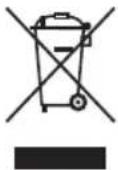
Protect our environment: do not dispose of electrical equipment in the domestic, paper, glass, or biological waste.
Please return any electrical equipment that you will no longer use to the collection points provided for their disposal.
This helps avoid the potential effects of incorrect disposal on the environment and human and animal health.
This will contribute to the recycling and other forms of reutilization of electrical and electronic equipment.
Information concerning where the equipment can be disposed of can be obtained from your local authorities.
Instrukcja obsługi
CTC Clatronic Sp. z o.o
natural_image
Simple geometric line drawing with no text, numbers, or symbols
natural_image
Simple geometric line drawing with no text, numbers, or symbols
natural_image
Simple geometric line drawing with no text, numbers, or symbols
natural_image
Simple geometric line drawing with no text, numbers, or symbols
natural_image
Simple geometric lines forming a right angle, no text or symbols present
natural_image
Simple geometric lines forming a right angle, no text or symbols present
natural_image
Simple geometric lines forming a right angle, no text or symbols present
natural_image
Simple geometric lines forming a right angle, no text or symbols present
natural_image
Simple geometric lines forming a right angle, no text or symbols present





GARANTIEKARTE
warranty card · garantiekaart · carte de garantie · scheda di garanzia · tarjeta de garantía · cartão de garantia · garantikort · karta gwarancyjna · záruční list · kartica jamstva · carte de garanție · Γαρανησιονηα καρτα · záručný list · garancijski list · garanciajegy · гарантійнийформуляр · Гарантийный талон · بلاقة ضمان
ST/WA 3670
24 Monate Garantie gemäß Garantieerklärung - 24 months warranty according to warranty declaration - 24 maanden garantie volgens garantieverklaring - 24 mois de garantie selon la déclaration de garantie - 24 mesi de garanzia secondo la dichiarazione di garanzia - 24 meses de garantia de acuerdo con la declaración de garantia - 24 meses de garantia, de acordo com a declaração de garantia - 24 mäneders garanti i henhold til garantibetingelsene - 24 miesiące gwarancji na podstawie oświadczenia gwarancyjnego - záruka 24 měsiců podle prohlásení o záruce - 24 mjesečno jamstvo u skladu s jamstvenom deklaracijom - 24 luni garanție conform declarației de garantie - 24 месеца гаранция в съответствие с гаранционната декларация - 24-mesačnă záruka podla vyhlásenia o záruke - 24 mesečna garancija, skladno z garancijsko izjavo - 24 hónap garancia a garanciafelételekben leírtak szerint - гаранțия на 24 місяці відповідно заяві про гарантію - Гарантия 24 месяца согласно заявленным гарантийным правилам.
Kaufdatum, Händlerstempel, Unterschrift : date of purchase, dealer stamp, signature - aankoopdatum, dealerstempel, handtekening : date d'achat, tampon du concessionnaire, signature - data de acquisto, timbre del rivenditore, firma : fecha de compra, sello del distribuidor, firma : data de compra, canimbo do distribuidor, assinatura - kpedsdato, forhandlerstempel, signatur - data zakupu, pieczęf sprzedawcy, podpis - datum zakuoperi, naiziko prodeje, podpis : datum kupovine, zig trigovca, podpis : data de achizie, tampila furnizorului, semnatura : Data на покупката, Печат на Продавача, Подпис - datum nákupu, pečitakta obchodníka/predajcu, podpis : datum nakupa, zig trigovca, podpis - vásárás dátuma, kereskedő belyegőzde, aláírás : data придбання, печатка продавця, підпис - Data приобретення, Штамп продавца, Подпись - артиг – артиг-деский продацій

CATRONIC® INTERNATIONAL GMBH
www.clatronic.com