HomeVac S11 Go - Vacuum Cleaner eufy - Free user manual and instructions
Find the device manual for free HomeVac S11 Go eufy in PDF.



| Brand | Eufy |
| Model | HomeVac S11 Go (T2501) |
| Vacuum type | Stick cordless |
| Power supply | Rechargeable lithium-ion battery 25.2 V, 2500 mAh, 63 Wh |
| Charger | 30 V, 0.8 A (models: YLS0241A-T300080 US, etc.) |
| Charging time | 3.5 hours |
| Maximum runtime | 40 minutes |
| Rated power | 350 W |
| Dust collector capacity | Approximately 0.6 L (estimated) |
| Filtration | High-performance filter + washable pre-filter |
| Included accessories | Metal tube, motorized floor head, 2-in-1 multi-use tool, mini motorized brush, wall mount with dowels and screws, power adapter |
| Options (not included) | Soft roller brush, flexible hose extension, long crevice nozzle |
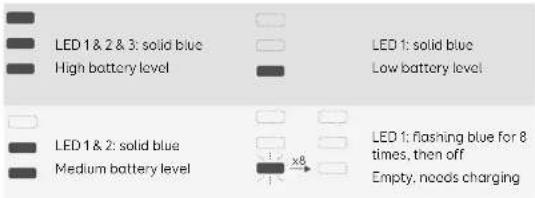
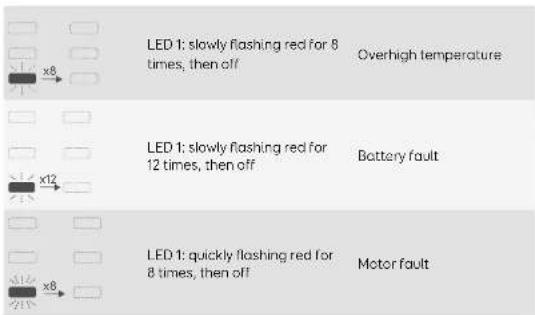
| LED indicators | 3 lights for battery level and alerts (temperature, battery fault, motor fault) |
| Cleaning and maintenance | Empty the dust bin after each use; wash the filter with cold water once a week (twice with pets); replace the filter every 6 months or 50 cycles; clean the brush regularly |
| Safety | Automatic shut-off in case of excessive temperature; do not use for liquids or hot ashes; do not immerse |
| Warranty and service | Customer service via www.eufylife.com |
| Dimensions (approx.) | Total length with tube: approx. 115 cm; weight: approx. 1.4 kg (estimated) |
| Charging temperature range | 8°C to 35°C |
| Use | Domestic use only, dry surfaces |
Frequently Asked Questions - HomeVac S11 Go eufy
User questions about HomeVac S11 Go eufy
0 question about this device. Answer the ones you know or ask your own.
Ask a new question about this device
Download the instructions for your Vacuum Cleaner in PDF format for free! Find your manual HomeVac S11 Go - eufy and take your electronic device back in hand. On this page are published all the documents necessary for the use of your device. HomeVac S11 Go by eufy.
USER MANUAL HomeVac S11 Go eufy
For FAQs and more information, please visit:
www.eufylife.com
Handstick Vacuum Cleaner
Owner's Manual
T2501 51005002031 V01
02 Important Safety Instructions
05 Overview
07 Assembling
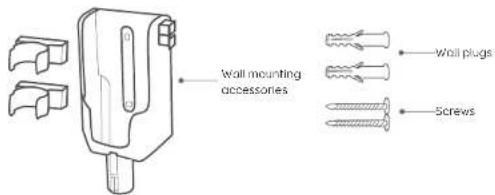
08 Wall Mounting
09 Recharging
11 Using
11 Maintenance
14 Specifications
15 Customer Service
Thank you for purchasing this appliance. Carefully read all instructions before using this product, and keep this manual for future reference.
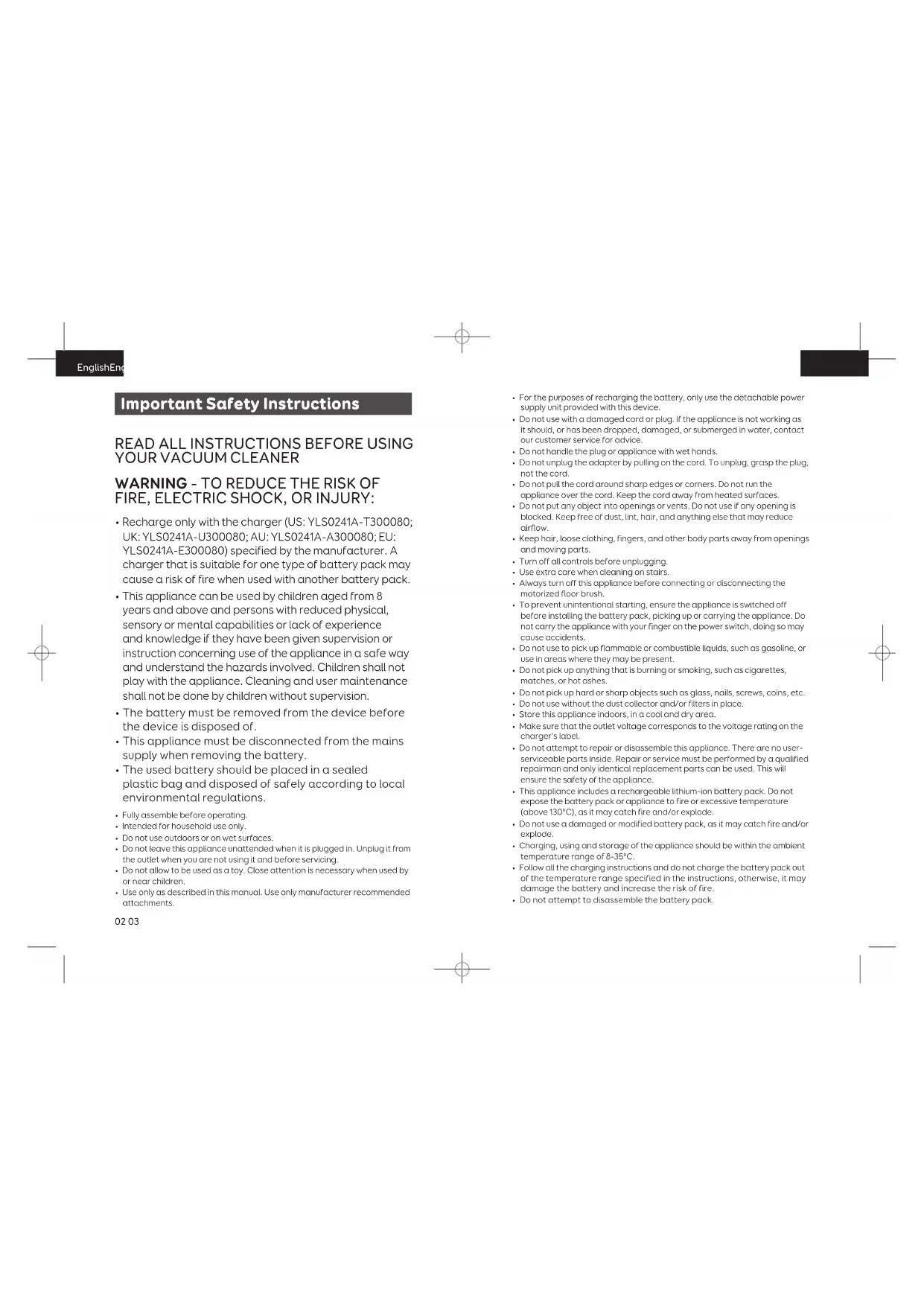
Important Safety Instructions
READ ALL INSTRUCTIONS BEFORE USING YOUR VACUUM CLEANER
WARNING - TO REDUCE THE RISK OF FIRE, ELECTRIC SHOCK, OR INJURY:
- Recharge only with the charger (US: YLS0241A-T300080; UK: YLS0241A-U300080; AU: YLS0241A-A300080; EU: YLS0241A-E300080) specified by the manufacturer. A charger that is suitable for one type of battery pack may cause a risk of fire when used with another battery pack.
- This appliance can be used by children aged from 8 years and above and persons with reduced physical, sensory or mental capabilities or lack of experience and knowledge if they have been given supervision or instruction concerning use of the appliance in a safe way and understand the hazards involved. Children shall not play with the appliance. Cleaning and user maintenance shall not be done by children without supervision.
- The battery must be removed from the device before the device is disposed of.
- This appliance must be disconnected from the mains supply when removing the battery.
- The used battery should be placed in a sealed plastic bag and disposed of safely according to local environmental regulations.
• Fully assemble before operating. - Intended for household use only.
- Do not use outdoors or on wet surfaces.
- Do not leave this appliance unattended when it is plugged in. Unplug it from the outlet when you are not using it and before servicing.
- Do not allow to be used as a toy. Close attention is necessary when used by or near children.
-
Use only as described in this manual. Use only manufacturer recommended attachments.
-
For the purposes of recharging the battery, only use the detachable power supply unit provided with this device.
- Do not use with a damaged cord or plug. If the appliance is not working as it should, or has been dropped, damaged, or submerged in water, contact our customer service for advice.
- Do not handle the plug or appliance with wet hands.
- Do not unplug the adapter by pulling on the cord. To unplug, grasp the plug, not the cord.
- Do not pull the cord around sharp edges or corners. Do not run the appliance over the cord. Keep the cord away from heated surfaces.
- Do not put any object into openings or vents. Do not use if any opening is blocked. Keep free of dust, lint, hair, and anything else that may reduce airflow.
- Keep hair, loose clothing, fingers, and other body parts away from openings and moving parts.
- Turn off all controls before unplugging.
- Use extra care when cleaning on stairs.
• Always turn off this appliance before connecting or disconnecting the motorized floor brush. - To prevent unintentional starting, ensure the appliance is switched off before installing the battery pack, picking up or carrying the appliance. Do not carry the appliance with your finger on the power switch, doing so may cause accidents.
- Do not use to pick up flammable or combustible liquids, such as gasoline, or use in areas where they may be present.
- Do not pick up anything that is burning or smoking, such as cigarettes, matches, or hot ashes.
- Do not pick up hard or sharp objects such as glass, nails, screws, coins, etc.
- Do not use without the dust collector and/or filters in place.
- Store this appliance indoors, in a cool and dry area.
- Make sure that the outlet voltage corresponds to the voltage rating on the charger's label.
- Do not attempt to repair or disassemble this appliance. There are no user-serviceable parts inside. Repair or service must be performed by a qualified repairman and only identical replacement parts can be used. This will ensure the safety of the appliance.
- This appliance includes a rechargeable lithium-ion battery pack. Do not expose the battery pack or appliance to fire or excessive temperature (above 130^ ), as it may catch fire and/or explode.
- Do not use a damaged or modified battery pack, as it may catch fire and/or explode.
- Charging, using and storage of the appliance should be within the ambient temperature range of 8-35°C.
- Follow all the charging instructions and do not charge the battery pack out of the temperature range specified in the instructions, otherwise, it may damage the battery and increase the risk of fire.
- Do not attempt to disassemble the battery pack.
EnglishEng
SAVE THESE INSTRUCTIONS

This symbol on the device or its packaging indicates:
Do not dispose of electrical appliances as unsorted municipal waste; use separate collection facilities. Contact your local authority for information regarding the collection systems available. If electrical appliances are disposed of in landfills or dumps, hazardous substances can leak into the groundwater and get into the food chain, damaging your health and well-being. When replacing old appliances with new ones, the retailer is legally obliged to take back your old appliance for disposal at least free of charge.
Declaration of Conformity
Hereby, Anker Innovations Limited declares that the product type T2501 is in compliance with Directives 2014/35/EU & 2014/30/EU.
The full text of the EU declaration of conformity is available at the following internet address: https://www.eufylife.com/
Anker Innovations Limited
Room 1318-19, Hollywood Plaza, 610 Nathan Road, Mongkok, Kowloon, Hong Kong
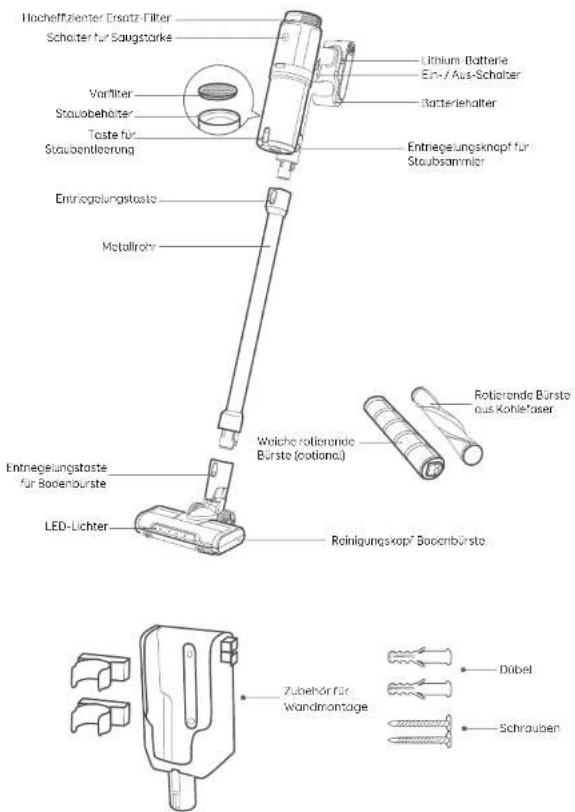
Overview
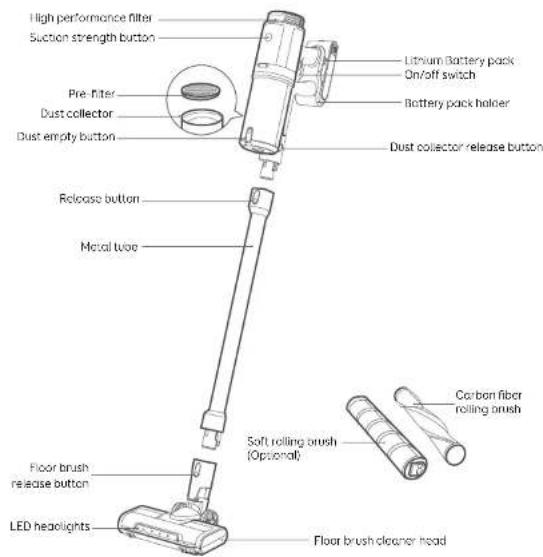
EnglishEng
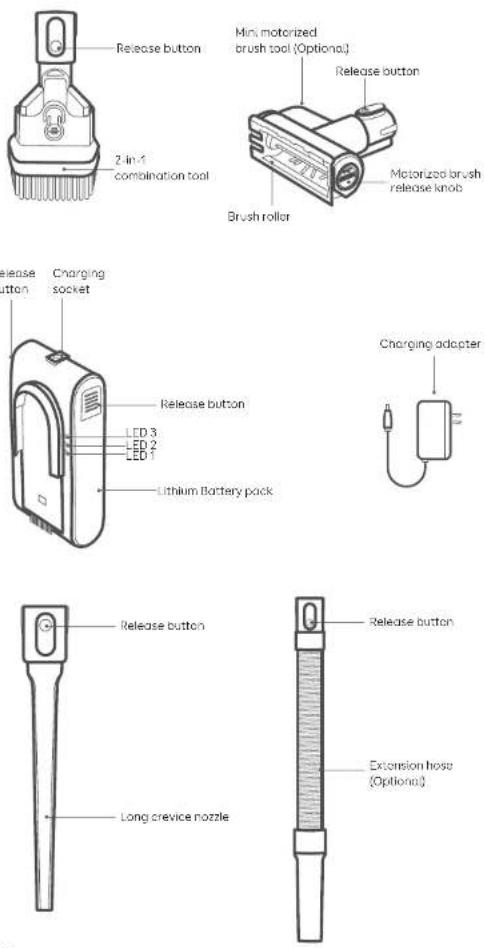
06 07
Assembling

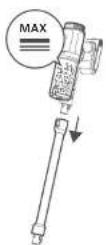
Attach your desired cleaning accessory to the metal tube as illustrated.
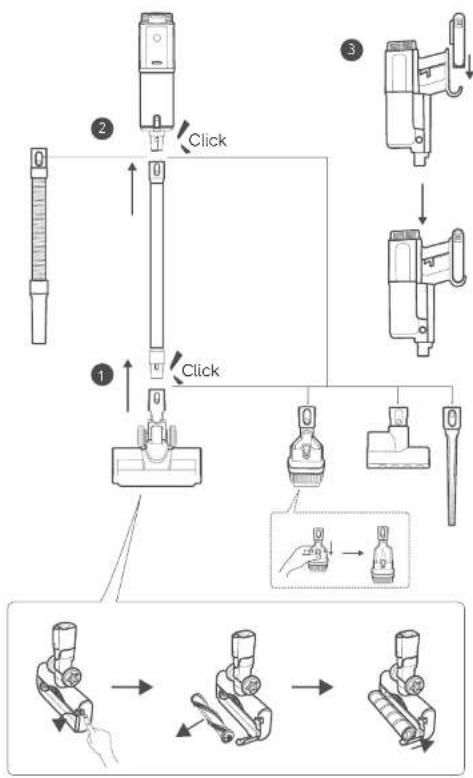
flowchart
graph TD
    A["Preoperative measurement device"] --> B{Check}
    B -->|Yes| C["Insert needle"]
    B -->|No| D["Adjust needle position"]
    C --> E["Check device with 1/2 scale"]
    D --> F["Check device with 3/4 scale"]
    E --> G["Final insertion step"]
    F --> H["Final insertion step"]
EnglishEng
Wall Mounting

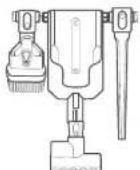
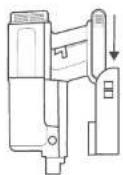
The vacuum cleaner cannot stand on its own. Make sure it is mounted securely.
1
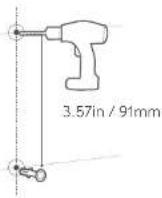
2

3
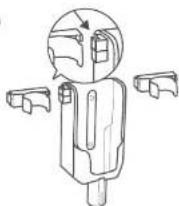
4
5
08 09
Recharging
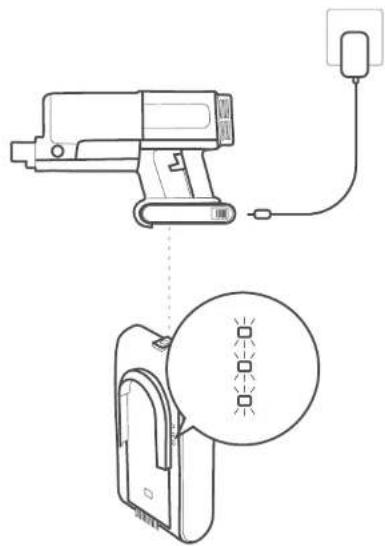
The vacuum cleaner is powered by the built-in lithium battery. Before first use, charge the battery for more than 3.5 hours.

• The vacuum cleaner cannot work while charging.
- The vacuum cleaner cannot be charged when the ambient temperature is above 35°C.
natural_image
Technical line drawing showing a handheld device connected to a power outlet and a circular diagram with four square markers (no text or symbols)EnglishEng
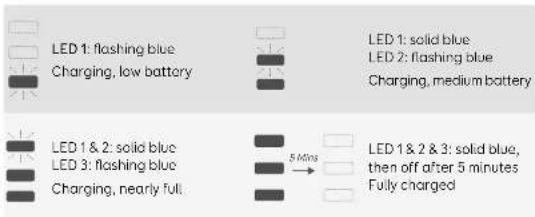
Lights during charging
Lights during vacuuming
Lights when in trouble
10 11
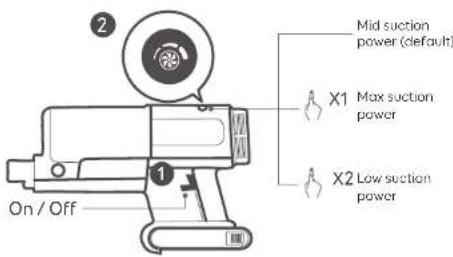
Using

Before use, make sure that
• the battery is fully charged.
- the dust cup and filters are cleaned, dried, and fixed in place.

Do not use to clean up water.
Maintenance
Empty the Dust Collector


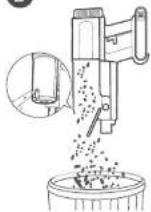
EnglishEng
Clean the Dust Collector
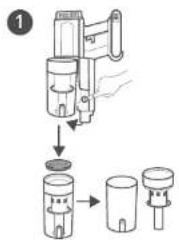
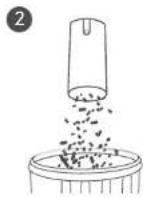
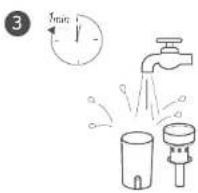
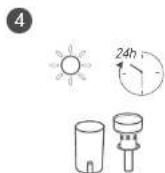
Clean the Filters
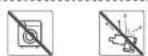
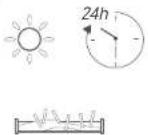
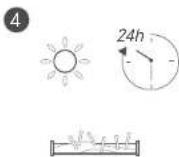
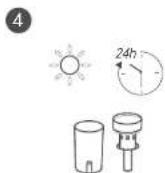
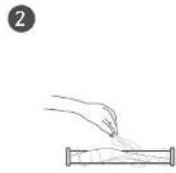
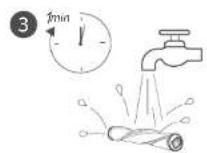
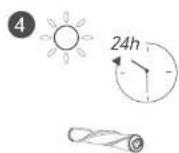
Wash the filters with cold water at least once every month. Ensure the filters are completely dry before reassembly.
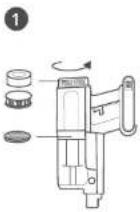
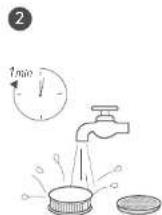
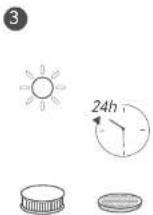


12 13
| HomeVac Part | Cleaning Frequency | Replacement Frequency |
| Dust collector | After each use | - |
| Filter | Once every week (Twice a week if you have a pet) | Every 6 months or after every 50 rounds of cleaning |
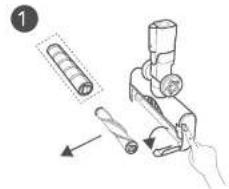
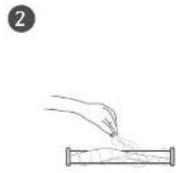
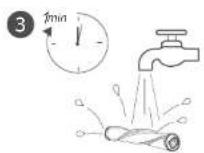
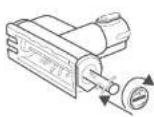
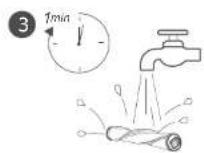
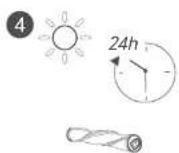
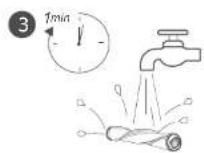
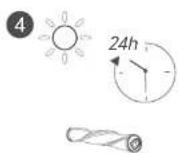
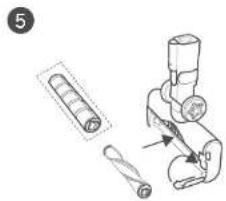
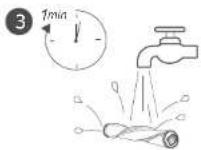
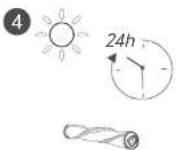
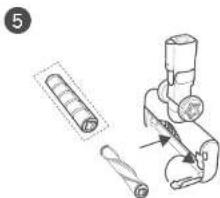
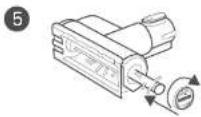
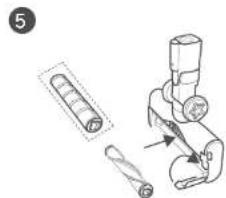
Clean the Rolling Brushes
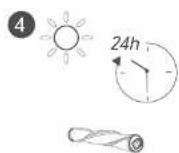
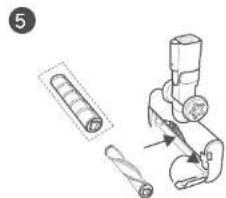
natural_image
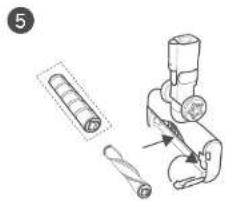
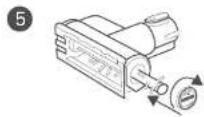
Illustration of a mechanical device with cylindrical components and a tool inserted (no text or symbols)Clean the Mini Motorized Brush
1
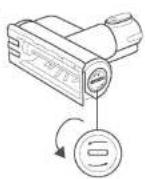
2
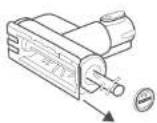
3

4
5
Customer Service
For FAQs and more information, please visit www.eufylife.com.

support@eufylife.com

www.eufylife.com

(US) +1 (800) 988 7973 Mon-Fri 9.00cm - 5.00pm (PT)
(UK) +44 (0) 1604 936200 Mon-Fri 6:00 - 11:00 (GMT)
(DE) +49 (0) 69 9579 7960 Mo-Fr 6:00 - 11:00
(中国)-864000550036 周一至周五9:00-17:30
(日本)·810344557823月-金9:00-17:00

@EufyOfficial

@EufyOfficial

@EufyOfficial

@EufyOfficial
Specifications
Model T2501
Charging Input 30V 0.8A
...
Rated Power 350W
Running Time Max. 40 minutes (one battery)
Battery Cell Capacity 2500 mAh
Battery Rating DC25.2V Li-ion 2500mAh 63Wh
Charging Time 3.5 hours
Inhaltsverzeichnis
Anker Innovations Limited
Room 1318-19, Hollywood Plaza, 610 Nathan Road, Mongkok, Kowloon, Hongkong
DeutschDe
Übersicht
natural_image
Technical line drawing showing a handheld device connected to a plug and cable, with a circular diagram below illustrating the same device (no text or symbols present)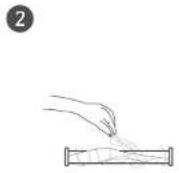
natural_image
Technical illustration of a mechanical device with cylindrical components and a lever mechanism (no text or symbols)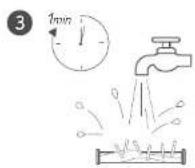
Technische Daten
support@eufylife.com

www.eufylife.com

(US) +1 (800) 988 7973 Mon-Fri 9:00am - 5:00pm (PT)
(UK) +44 101 1604 936200 Mon-Fri 6:00 - 11:00 (GMT)
(DE) +49 (0) 69 9579 7960 Mo-Fr 6:00 - 11:00
(中国)·864000550036 周一至周五9:00-17:30
(日本) +810344557823 月-金9:00 - 17:00

@EufyOfficial

@EufyOfficial

@EufyOfficial

@EufyOfficial
30
Anker Innovations Limited
Room 1318-19, Hollywood Plaza, 610 Nathan Road, Mongkok, Kowloon, Hong Kong
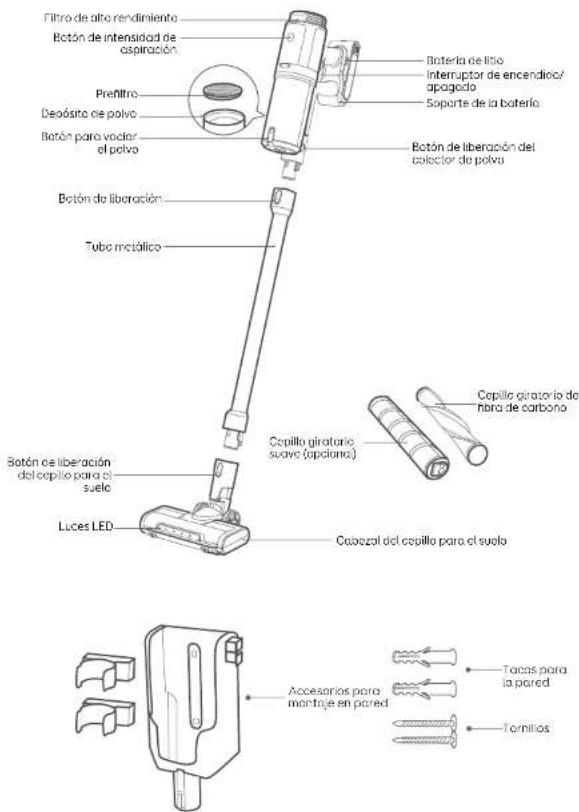
Descripción general
natural_image
Technical line drawing showing a handheld device connected to a power outlet and a circular diagram with four square markers (no text or symbols)EspañolEsp
support@eufylife.com

www.eufylife.com

(US) +1 (800) 9887973 Mon-Fri 9:00am - 5:00pm (PT)
(UK) +44 (0) 1604 936200 Mon-Fri 6:00 - 11:00 (GMT)
(DE) +49 (0) 69 9579 7960 Mo-Fr 6:00 - 11:00
(中国) - 86 400 0550 036 周一至周五 9:00 - 17:30
(日本)·810344557823月-金9:00-17:00

@EufyOfficial

@EufyOfficial

@EufyOfficial

@EufyOfficial
Especificaciones
Modelo T2501
natural_image
Technical line drawing of a handheld device connected to a power outlet, with a magnified inset showing internal components (no text or symbols)
natural_image
Technical illustration of a mechanical device with cylindrical components and a base assembly (no text or symbols)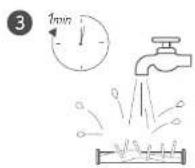
Spécifications
support@eufylife.com

www.eufylife.com

(US) +1 (800) 988 7973 Mon-Fri 9:00am - 5:00am (PT)
(UK) +44 (0) 1604 936200 Mon-Fri 6:00 - 11:00 (GMT)
(DE) =49 (0) 69 9579 7960 Mo-Fr 6:00 - 11:00
(中国) + 86 400 0550 036 周一至周五 9:00 - 17:30
(日本) +8103 44557823 月-金9:00 - 17:00

@EufyOfficial

@EufyOfficial

@EufyOfficial

@EufyOfficial
60
flowchart
graph TD
    A["Preoperative needle"] --> B{Fare clic}
    B -->|1| C["Insert needle"]
    B -->|2| D["Insert needle with 'Fare clic' label"]
    C --> E["Fare clic"]
    D --> F["Fare clic with 'Fare clic' label"]
    E --> G["Hand placement"]
    F --> H["Hand placement"]
    G --> I["Final insertion"]
    H --> J["Final insertion"]
Montaggio a parete

natural_image
Technical line drawing showing a handheld device connected to a power outlet and a circular diagram with four square markers (no text or symbols)Italianolta
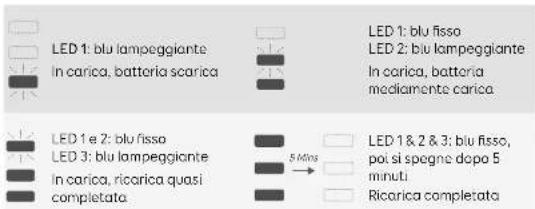
Spie luminose durante la ricarica
support@eufylife.com

www.eufylife.com

(US) +1 (800) 9887973 Mon-Fri 9:00am - 5:00pm (PT)
(UK) +44 (0) 1604 936200 Mon-Fri 6:00 - 11:00 (GMT)
(DE) -49 (0) 69 9579 7960 Mo-Fr 6:00 - 11:00
(中国) -86 400 0550 036 周一至周五 9:00 - 17:30
(日本)·810344557823月-金9:00-17:00

@EufyOfficial

@EufyOfficial

@EufyOfficial

@EufyOfficial
Specifiche
Modello T2501
flowchart
graph TD
    A["Preoperative measurement device"] --> B{Klik insertion}
    B -->|Yes| C["Dissection with hand tool"]
    B -->|No| D["End of main device"]
    C --> E["Final dissection with hand tool"]
    D --> F["End of main device"]
82 83
Wandmontage

natural_image
Technical line drawing showing a device connected to a power outlet and a circular diagram with four square indicators (no text or symbols)
natural_image
Illustration of a mechanical device with cylindrical components and a lever mechanism (no text or symbols)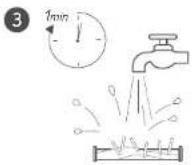
Specifications
support@eufylife.com

www.eufylife.com

(US) +1 (800) 988 7973 Mon-Fri 9:00am - 5:00pm (PT)
(UK) +44 (0) 1604 936200 Mon-Fri 6:00 - 11:00 (GMT)
(DE) +49 (0) 69 9579 7960 Mo-Fr 6:00 - 11:00
(中国)·86 400 0550 036 周一至周五 9:00 - 17:30
(日本) +8103 44557823 月-金9:00 - 17:00

@EufyOfficial

@EufyOfficial

@EufyOfficial

@EufyOfficial
90
Русский
Оглавление
Anker Innovations Limited
Room 1318-19, Hollywood Plaza, 610 Nathan Road, Mongkok, Kowloon, Ionkoh
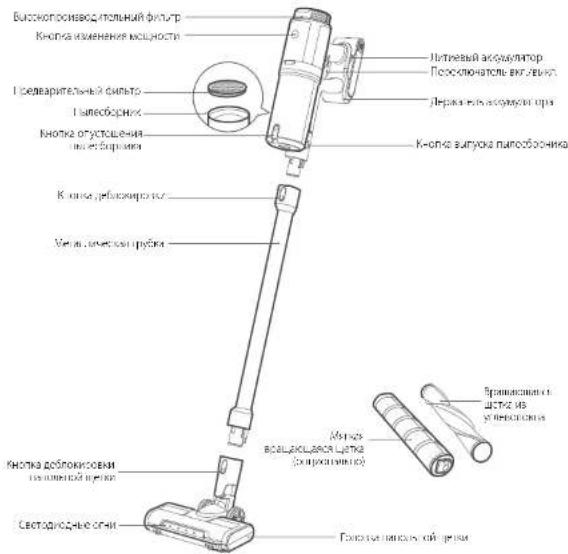
Общий вид
natural_image
Technical line drawing showing a handheld device connected to a cable and a circular diagram with four square markers (no text or symbols)РусскийРус
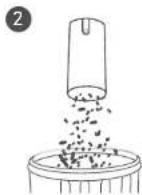

Очистка фильтров
РусскийРус
