EasyManual
CM9050C - Coffee machine BLACK & DECKER - Free user manual and instructions
Find the device manual for free CM9050C BLACK & DECKER in PDF.


| Technical features | Filter coffee machine, 12-cup capacity, 900 W power, anti-drip system, permanent filter included. |
|---|---|
| Usage | Easy to use with a simple control panel, transparent water tank for easy filling, water level indicator. |
| Maintenance and repair | Easy cleaning thanks to removable parts, regular descaling recommended to maintain performance. |
| Safety | Integrated safety system to prevent overheating, non-slip base for stable use. |
| General information | Compact design, ideal for small kitchens, 2-year warranty, available in several colors. |
Frequently Asked Questions - CM9050C BLACK & DECKER
Questions des utilisateurs sur CM9050C BLACK & DECKER
0 question sur cet appareil. Repondez a celles que vous connaissez ou posez la votre.
Poser une nouvelle question sur cet appareil
Download the instructions for your Coffee machine in PDF format for free! Find your manual CM9050C - BLACK & DECKER and take your electronic device back in hand. On this page are published all the documents necessary for the use of your device. CM9050C by BLACK & DECKER.
USER MANUAL CM9050C BLACK & DECKER
Accessories/Parts (USA) 1-800-738-0245 For online customer service and to register your product, go to www.prodprotect.com/applica2
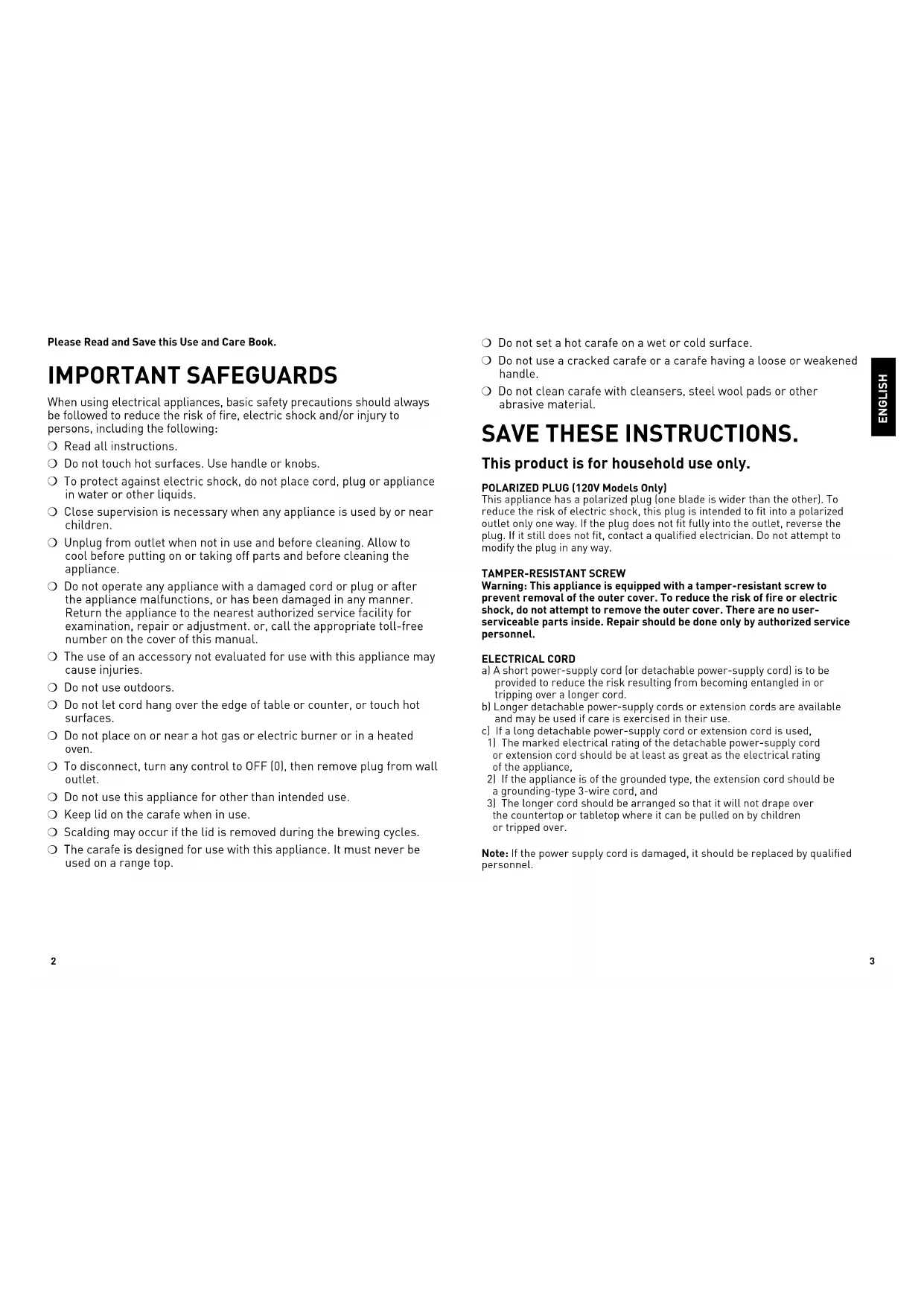
Please Read and Save this Use and Care Book. IMPORTANT SAFEGUARDS When using electrical appliances, basic safety precautions should always be followed to reduce the risk of fire, electric shock and/or injury to persons, including the following:
Read all instructions.
To protect against electric shock, do not place cord, plug or appliance in water or other liquids.
Close supervision is necessary when any appliance is used by or near children.
Unplug from outlet when not in use and before cleaning. Allow to cool before putting on or taking off parts and before cleaning the appliance.
Do not operate any appliance with a damaged cord or plug or after the appliance malfunctions, or has been damaged in any manner. Return the appliance to the nearest authorized service facility for examination, repair or adjustment. or, call the appropriate toll-free number on the cover of this manual.
The use of an accessory not evaluated for use with this appliance may cause injuries.
Do not use outdoors.
Do not let cord hang over the edge of table or counter, or touch hot surfaces.
Do not place on or near a hot gas or electric burner or in a heated oven.
To disconnect, turn any control to OFF (0), then remove plug from wall outlet.
Do not use this appliance for other than intended use.
Scalding may occur if the lid is removed during the brewing cycles.
The carafe is designed for use with this appliance. It must never be used on a range top.
Do not set a hot carafe on a wet or cold surface.
Do not use a cracked carafe or a carafe having a loose or weakened handle.
Do not clean carafe with cleansers, steel wool pads or other abrasive material. SAVE THESE INSTRUCTIONS. This product is for household use only. POLARIZED PLUG (120V Models Only) This appliance has a polarized plug (one blade is wider than the other). To reduce the risk of electric shock, this plug is intended to fit into a polarized outlet only one way. If the plug does not fit fully into the outlet, reverse the plug. If it still does not fit, contact a qualified electrician. Do not attempt to modify the plug in any way. TAMPER-RESISTANT SCREW
Warning: This appliance is equipped with a tamper-resistant screw to
prevent removal of the outer cover. To reduce the risk of fire or electric shock, do not attempt to remove the outer cover. There are no user- serviceable parts inside. Repair should be done only by authorized service personnel. ELECTRICAL CORD a) A short power-supply cord (or detachable power-supply cord) is to be provided to reduce the risk resulting from becoming entangled in or tripping over a longer cord. b) Longer detachable power-supply cords or extension cords are available and may be used if care is exercised in their use. c) If a long detachable power-supply cord or extension cord is used,
1) The marked electrical rating of the detachable power-supply cord
or extension cord should be at least as great as the electrical rating of the appliance,
2) If the appliance is of the grounded type, the extension cord should be
a grounding-type 3-wire cord, and
3) The longer cord should be arranged so that it will not drape over
the countertop or tabletop where it can be pulled on by children or tripped over. Note: If the power supply cord is damaged, it should be replaced by qualified personnel. ENGLISH4
Product may vary slightly from what is illustrated. † 1. Brew strength selection knob (Part # CM9050C-01)
† 9. Glass carafe with water & brewed coffee markings (Part # CM9050C-04)
Note: † indicates consumer replaceable/ removable parts
1. Power ( ) button: Use to turn coffeemaker on and start brewing
process. You can also turn coffeemaker off by pressing this button when the brewing cycle is complete.
2. Digital display: Displays time, once set, as well as indicators for auto
programming, cup selection, warming plate, and auto clean.
4. Auto (AUTO) button: Press to activate delayed brewing. You may also
press this button to make coffeemaker turn on at same preset time the next day.
5. KEEP WARM button: Press to adjust temperature of keep warm carafe
plate. Temperature can be set from levels 1 – 7; default setting is 4. Setting will show in display window.
6. 1 – 4 CUPS button: Press to select a low-volume brew setting for making
1 – 4 cups of coffee. Icon will appear in display window.
7. TIME SINCE BREWED button: Press to check freshness of brewed coffee.
When pressed, display will show how long since coffee was made; time of day will reappear once button is released.
8. AUTO CLEAN button: Sets auto clean function. Follow auto clean
instructions in CARE AND CLEANING.
9. Program (PROG) button: Use to program your coffeemaker to start
brewing at a specified time for delayed brewing.
How to Use This product is for household use only. GETTING STARTED
Warning: To reduce risk of fire or electric shock, do not immerse cord, plug or
appliance in water or any other liquid.
- Remove all packing material and any stickers from product.
- Remove and save literature.
- Please go to www.prodprotect.com/applica to register your warranty.
- Wash all removable parts as instructed in CARE AND CLEANING section of this manual.
- Open water reservoir lid and using carafe, pour fresh cold water up to 12-cup level mark in water reservoir (C).
- Close water reservoir lid.
- Place an 8 to 12 cup basket style paper filter into removable filter basket.
- Place basket into filter basket holder (D).
- Pull power cord out from cord storage in back of coffeemaker and plug into standard electrical outlet.
- Brew water through appliance following BREWING COFFEE instructions, without adding coffee grounds. Note: This removes any dust or residue that may remain in system during manufacturing process.
- Discard water from carafe and paper filter from filter basket.
- Turn coffeemaker off, unplug and allow to cool down.
ADJUSTING POWER CORD LENGTH
Tip: You can adjust length of power cord to suit your needs.
1. To increase length of power cord, simply grasp cord (not plug) in rear of
coffeemaker and gently pull down and out of slot away from coffeemaker.
2. To decrease length of power cord, simply feed any excess cord into slot in
rear of coffeemaker.
1. Plug appliance into standard electrical outlet.
2. Digital clock display flashes 12:00 (E).
Note: You must set display clock in order to use Delayed
3. To change time, press HOUR (HR) button until
correct time appears (F). Note: When time passes noon, a small icon appears in bottom right corner of digital display to let you know you are in P.M. time. If P.M. indicator is not illuminated, time is A.M.
4. Repeat with Minute (Min) button (G). (If minute
setting is not changed within 5 seconds, clock will revert to default time and selection of hour and minute must be repeated.) Tip: Hold buttons down to make hours and minutes change rapidly after a short delay. To change the time in 1-digit increments, press and release buttons. Note: If coffeemaker is unplugged or power is interrupted even momentarily, display time may need to be reset. BREWING COFFEE Note: It is not necessary to set the clock to brew coffee unless you want to use Delayed Brewing feature
1. Open water reservoir lid.
2. Fill water reservoir with desired amount of cold tap
water using water markings on front of reservoir. Do not exceed 12-cup (MAX) level (H). Close lid on water reservoir.
3. Place an 8 to 12 cup basket style paper filter into the
removable filter basket, making sure it is centered.
4. Add desired amount of ground coffee.
5. Insert filter basket into filter basket holder following directions in GETTING
Note: Coffee may overflow if brew-thru lid is not properly aligned.
8. Place empty carafe on adjustable warming plate.
9. Plug cord into standard electrical outlet.
10. Press power ( ) button; power light is illuminated.
Brewing begins OR, to delay brewing, set auto function before pressing the power ( ) button (J). See DELAYED BREWING.
11. When coffee stops flowing into carafe, brew cycle is
12. Once coffee grounds have cooled, carefully open
filter basket lid and using basket handle, remove and discard used grounds and paper filter. Close filter basket lid. 12:00
13. Coffeemaker will keep brewed coffee hot for 2 hours and then automatically
feature allows you to pour a cup of coffee from the carafe while coffee is brewing. When carafe is removed, brewing process is paused. Simply replace carafe on the adjustable warming plate within 30 seconds and brewing resumes. Note: If the carafe is not replaced within 30 seconds the filter basket may overflow.
ADJUSTABLE WARMING PLATE
1. Once coffee has brewed, press KEEP WARM button to select desired holding
temperature of adjustable warming plate.
2. Temperature range is from 1 (lowest temp) to 7 (highest temp).
3. When button is pressed, number “4” (medium temp) will appear in digital
4. Press HOUR (HR) button to increase setting and MINUTE (MIn) button to
decrease set temperature. BREWING 1 – 4 CUPS When brewing small amounts of coffee, press the 1 – 4 CUPS button. CUP will appear on left side of digital display (K).
TIME SINCE BREWED FEATURE
To check freshness of brewed coffee, press and hold TIME SINCE BREWED button. The digital display will indicate how long ago last brewing was completed. When button is released, normal time display will appear. This feature will function until coffeemaker is manually turned off or after 2 hours when coffeemaker automatically turns off (L). DELAYED BREWING
1. Follow steps 1 through 9 under BREWING COFFEE.
2. Make sure clock has been set to correct time of day.
3. Press PROG button; clock icon appears on left side of digital display.
4. Digital clock displays 12:00 or previous preset delayed brewing start time.
5. To change time, press HR button until desired correct hour appears on
display. Repeat with MIn button within 5 seconds. (If minute setting is not changed within 5 seconds, clock will revert to default time and selection of hour and minute must be repeated.)
6. Press PROG button again. Delayed brewing time is set and digital display
returns to current time of day.
7. Press AUTO button to activate delayed brewing. AUTO indicator light will
illuminate on digital display screen.
8. To check preset delayed brew time, press PROG button and display will
show CLOCK ( )and time selected for delayed brewing to begin. Press AUTO button to return to Delayed Brewing cycle.
9. To cancel AUTO brew, press AUTO button and then press power ( )
button to brew coffee, or press power ( ) button again and coffeemaker will turn off; all lights will go out.
- Stir coffee in carafe before serving to evenly distribute flavor.
- Coffee that is poured during brewing cycle may vary in strength from finished brew.
- Not sure how much coffee to use? Begin by using 1 level scoop of medium grind coffee for each cup of coffee to be brewed.
- Never reuse coffee filters; they absorb flavors from brewed coffee and will give newly brewed coffee a stale flavor. They may also tear and allow grinds to drip into newly brewed coffee.
- Open coffee grounds are best stored in refrigerator in tightly sealed container.
- Once opened coffee should be used within 1 month.
- If carafe filled with coffee is left on adjustable warming plate, be sure to remove coffee grounds from filter basket as soon as they have cooled slightly. This will keep coffee from developing bitter taste.
- For special occasions, whip some heavy cream with 1 or 2 tablespoons of hazelnut, chocolate or almond liqueur. Use to top off each cup of coffee.
- Rinse the carafe and brew basket holder with warm water immediately after each use to maintain good coffee flavor.
- Keep your coffeemaker very clean; it affects the flavor of coffee.
- For iced coffee, brew coffee with twice the normal amount of grounds. Ice will dilute the coffee flavor. Or make coffee ice cubes from left over coffee and brew your coffee at its normal strength.
- Remember when pouring hot liquid into a glass, always put a spoon in the glass before adding the hot liquid. ENGLISH10
Care and Cleaning This product contains no user serviceable parts. Refer service to qualified service personnel. CLEANING Caution: Do not overexpose control panel to water. Water may cause permanent damage and make coffeemaker inoperable.
1. Make sure coffeemaker is unplugged and cooled before cleaning.
2. Open water reservoir cover.
3. Remove filter basket by its handle and lift straight up.
4. Discard filter with grounds.
5. Clean parts as follows:
- Filter basket, carafe and lid are all top-rack dishwasher-safe; or they may be hand-washed in warm, sudsy water.
- Wipe exterior and adjustable warming plate with a soft damp cloth. Important: Do not use abrasive cleansers, scouring pads or steel wool. Never immerse coffeemaker in water or any other liquid.
CARING FOR YOUR CARAFE
- Do not allow all of the liquid to evaporate from the carafe while on the adjustable warming plate, or heat the carafe when empty.
- Discard the carafe if damaged in any manner.
- Never use abrasive scouring pads or cleansers; they will scratch the glass.
- Avoid rough handling and sharp blows. AUTO CLEAN This coffeemaker automatically records number of times coffee has been brewed, to indicate when full decalcification cleaning is needed. When 60 cycles of coffee have been brewed, CLeAn light on digital display will be illuminated.
1. Combine 6 cups of white vinegar and 4 cups of cold water in carafe.
2. Pour into water reservoir. Close the lid.
3. Place an 8 to 12 cup basket style paper filter in the removable filter basket.
Insert filter basket into filter basket holder and close lid.
4. Press AUTO CLEAN button to activate cleaning cycle. CLEAN light at bottom
of digital display will be illuminated.
5. Part of the mixture will brew through. Remaining mixture will be held in
coffeemaker for 30 minutes before completing its brew through.
6. Brew fresh water through appliance following instructions given in GETTING
STARTED before brewing coffee again. Important: Auto Clean may be activated at any time, simply by pressing AUTO CLEAN button. ENGLISH TROUBLESHOOTING
PROBLEM POSSIBLE CAUSE SOLUTION
Coffeemaker does not turn on. Coffeemaker is not plugged in. Check to be sure appliance is plugged into a working outlet and the power ( ) button is powered on. Coffeemaker is leaking. Water reservoir may be overfilled. Carafe may not be correctly placed on adjustable warming plate. Make sure water reservoir has not been filled beyond MAX fill line. Make sure carafe is placed correctly on adjustable warming plate and is centered under filter basket holder. Brewing takes too long. Coffeemaker might need cleaning. Follow procedure in CARE AND CLEANING. Coffee is not brewing. Water reservoir might be empty. Make sure water reservoir has sufficient water to brew desired number of cups of coffee. Coffeemaker brews clear water. There may be no coffee grounds in removable filter basket. Add sufficient amount of coffee grounds to paper filter in removable filter basket. Filter basket does not close. Removable filter basket may not be correctly placed. Remove filter basket and replace correctly into holder. Filter basket overflows. Carafe may be improperly placed on adjustable warming plate. Remove carafe and insert so that carafe rests comfortably within grooves on adjustable warming plate. Grounds in brewed coffee. Filter and/or filter basket are not properly placed. Insert paper liner into filter basket and insert basket properly into holder. Coffeemaker is brewing slowly; brewed coffee tastes bad. Coffeemaker needs cleaning; wrong grind being used. Follow directions for cleaning coffeemaker. Use only coffee ground for automatic drip coffeemaker.12
ENGLISH NEED HELP? For service, repair or any questions regarding your appliance, call the appropriate 800 number on cover of this book. Please DO NOT return the product to the place of purchase. Also, please DO NOT mail product back to manufacturer, nor bring it to a service center. You may also want to consult the website listed on the cover of this manual. Two-Year Limited Warranty (Applies only in the United States and Canada) What does it cover?
- Any defect in material or workmanship provided; however, Applica’s liability will not exceed the purchase price of product. For how long?
- Two years from the date of original purchase with proof of such purchase. What will we do to help you?
- Provide you with a reasonably similar replacement product that is either new or factory refurbished. How do you get service?
- Save your receipt as proof of date of sale.
- Visit the online service website at www.prodprotect.com/applica, or call toll-free 1-800-231-9786, for general warranty service.
- If you need parts or accessories, please call 1-800-738-0245. What does your warranty not cover?
- Damage from commercial use
- Damage from misuse, abuse or neglect
- Products that have been modified in any way
- Products used or serviced outside the country of purchase
- Glass parts and other accessory items that are packed with the unit
- Shipping and handling costs associated with the replacement of the unit
- Consequential or incidental damages (Please note, however, that some states do not allow the exclusion or limitation of consequential or incidental damages, so this limitation may not apply to you.) How does state law relate to this warranty?
- This warranty gives you specific legal rights. You may also have other rights that vary from state to state or province to province. is a registered trademark of The Black & Decker Corporation, Towson, Maryland, USA Made in People’s Republic of China Printed in People’s Republic of China The lightning symbol refers to “dangerous voltage”; the exclamation symbol refers to maintenance instructions. See below.
WARNING: To reduce the risk of fire or electric shock, do not remove the cover
of the coffeemaker. There are no user-serviceable parts inside. Repair should be done by authorized service personnel only. WARNING RISK OF FIRE OR ELECTRIC SHOCK. DO NOT OPEN.14