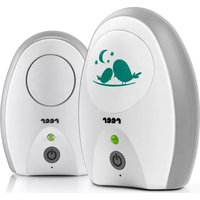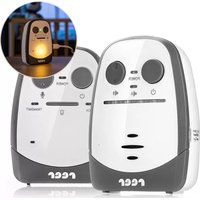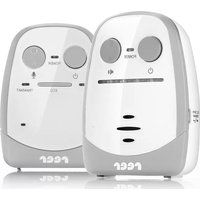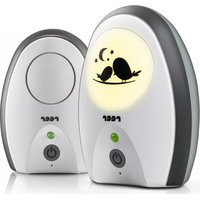
BeeConnect Plus - Baby monitors Reer - Free user manual and instructions
Find the device manual for free BeeConnect Plus Reer in PDF.


| Product type | Digital baby monitor |
| Frequency | 2.4 GHz |
| Range | Up to 330 meters (free field) |
| Number of channels | 36 |
| Power supply parent unit | 5V/500 mA power adapter or 2 rechargeable NiMH AAA batteries (included) with automatic charging |
| Power supply baby unit | 5V/500 mA power adapter or 3 AAA batteries (not included, no charging) |
| Main features | Digital audio transmission, ECO/VOX mode, range control, microphone sensitivity (HI/LOW), lullabies (8 melodies), nightlight, temperature sensor with alarm (16°C-30°C), two-way talk function, vibration alert, pager |
| Display | Parent unit screen with indicators: battery status, link, temperature, lullaby, nightlight, volume, talk, vibration |
| Operating temperature | 0°C to 50°C |
| Storage temperature | 0°C to 55°C |
| Adapter cable length | Approximately 1.50 meters |
| Cleaning and maintenance | Unplug before cleaning; use a slightly damp cloth; do not immerse; no chemicals |
| Safety instructions | Minimum distance of 1 meter from the baby; do not place in the crib; keep the cable out of reach; do not open the device; only use rechargeable NiMH batteries in the parent unit |
| Warranty | Warranty from the retailer; keep proof of purchase |
| Disposal | Do not dispose of with household waste; recycle at a collection point for electrical appliances |
Frequently Asked Questions - BeeConnect Plus Reer
User questions about BeeConnect Plus Reer
0 question about this device. Answer the ones you know or ask your own.
Ask a new question about this device
Download the instructions for your Baby monitors in PDF format for free! Find your manual BeeConnect Plus - Reer and take your electronic device back in hand. On this page are published all the documents necessary for the use of your device. BeeConnect Plus by Reer.
USER MANUAL BeeConnect Plus Reer
Technical information and function. 16 Range control / ECO mode 22
General safety instructions 17 Microphone sensitivity / Intercom function 23
Safety instructions regarding installation 17 Lullabies 23
Scope of delivery / Device description parent unit 18 Volume control / Vibrating alert. 24
Parent unit display 19 Night light / Temperature sensor 24
Device description baby unit. 19 Pager function / Tips / Cleaning and maintenance . 25
Before first use 20-21 Troubleshooting 25-26
Battery operation 21-22 Warranty / Disposal instructions 27
FR Table des matieres
Congratulations on the purchase of your new reer baby monitor. The digital audio baby monitor transfers your baby's soundscrystal-clear and reliably thankstoithighlysensitive microphone.Modern2.4GHztechnologyensures failure-free transmission and guarantees a secure and private connection. As soon as your child is quiet, the device automatically switches into an "ECO mode". Once the ECO mode is activated, radiation is reduced to a minimum. Thanks to its optional battery operation and robust belt clip, the baby monitor is handy for use as a stationary or mobile unit. We are sure you will enjoy the quality of our product for many years to come.
Please take a few minutes to read through the safety instructions carefully. You will only be able to use the reer baby monitor with confidence if all of the points mentioned here have been checked. Please keep the instruction manual in a safe place for future reference.
Technical information and functions
| Technology digital (2.4 GHz) | |
| Frequency 2.4 GHz | |
| Number of channels 36 | |
| Transmitter (baby unit) | Power supply with mains adaptor or optionally with 3 AAA batteries / rechargeable batteries (not included in the delivery, no automatic battery charging function) |
| Receiver (parent unit) Power supply | Power supply with mains adaptor or optionally with 2 AAA NiMH rechargeable batteries (included in the delivery, automatic battery charging function) |
| Input 100–240 V, 50 Hz, 0.15 A max. | |
| Output 5V / 500 mA max. | |
| Transmitter power TX 80 mA, RX | 130 mA |
| Range up to 330 m | |
| Cable length approx. 1.50 m | |
| Working temperature 0–50°C | |
| Storage temperature 0–55°C |
! Check the unit for visible damage before each use. If you detect any damage, do not use the unit.
! Make sure that the operating voltage of the power outlet matches that of the mains adapter. Check - especially when travelling abroad - that the local mains voltage matches the voltage specified on the units and/or mains adapters.
! Except for the battery compartment cover, never open the units or mains adapters, as there is a risk of electric shock. If a unit does not work correctly, please do NOT try to fix the problem yourself. Please contact your dealer with any problems.
! Keep the battery out of the reach of children. In order to avoid any risk of swallowing.
! Avoid bringing the battery and/or electrical connection contacts on the units into contact with metal objects.
! This product is not a toy! Do not allow children to play with the unit.

CAUTION! This baby monitor was designed exclusively for monitoring your baby. It may neither be regarded as a substitute for parental supervision nor as a medical device.
Only use rechargeable NiMH AAA batteries in the parent unit! Using unsuitable battery types poses an explosion hazard!
Safety instructions regarding installation
Always place the baby unit out of your child's reach (minimum distance: 1 metre).
- Never place the baby monitor inside the crib, cot or playpen.
- The power lead must be secured out of the reach of children to avoid any risk of strangulation. Do not use extension cables.
To ensure optimal transmission, the units must be kept upright at all times and placed in an elevated position.
- DO NOT place the receiver in the vicinity of radio transceivers or microwaves. Radiant emissions from these devices can significantly affect radio reception.
- Do not use the units near water or in humid places. Do not submerge the units in water. Do not rinse the units under running water.
- Do not cover the baby monitor with towels, clothes or blankets.
- Avoid extreme heat and direct sunlight.
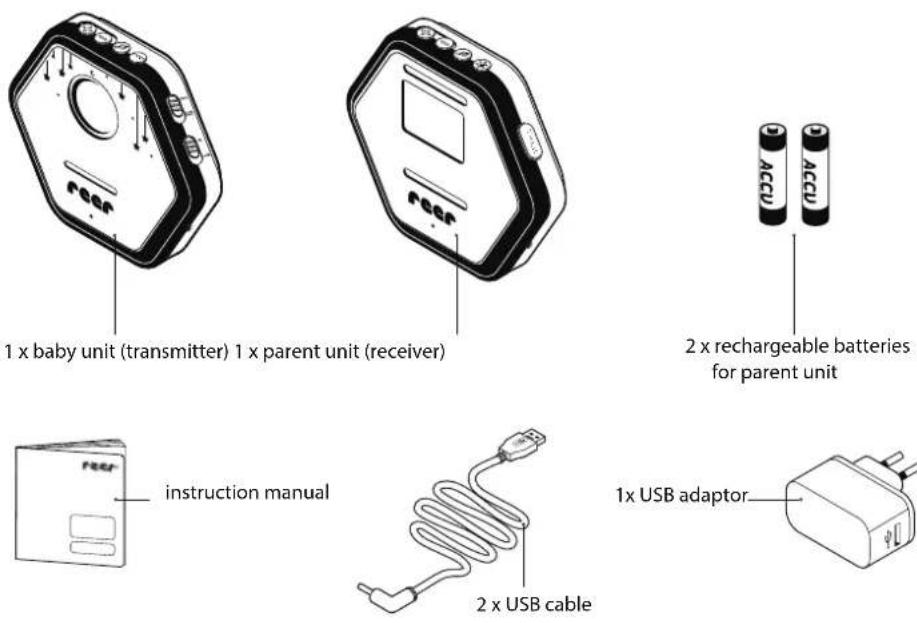
Scope of delivery
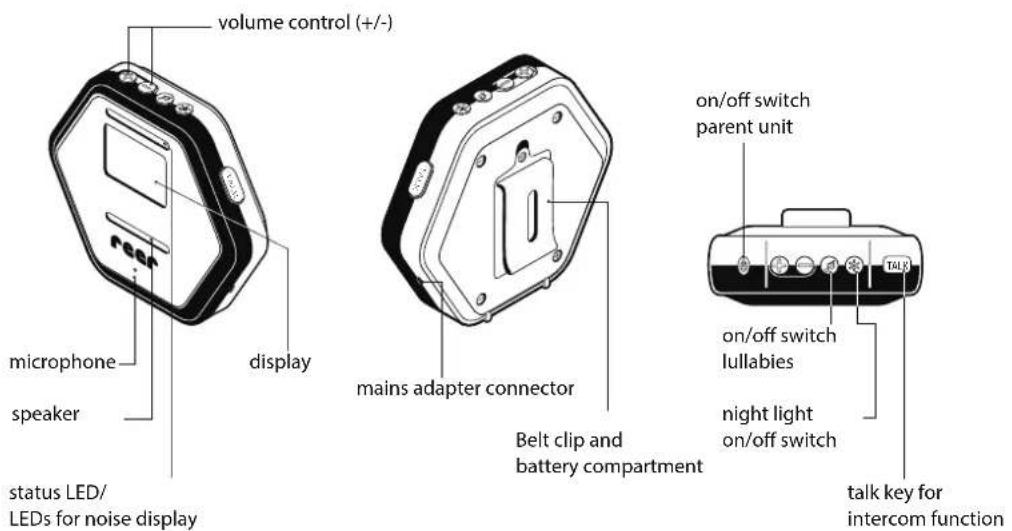
Device description parent unit
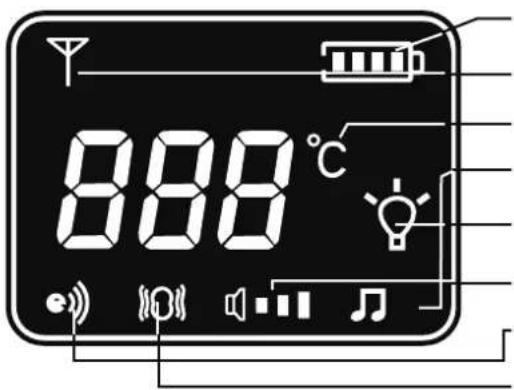
battery status display
connection display
temperature display
display with activated snooze music
display with activated night light
volume display
display with pressed talk key
display with activated vibration alert

Device description baby unit
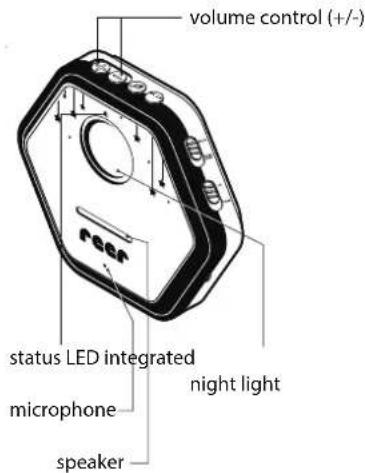
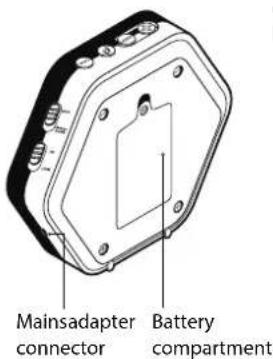
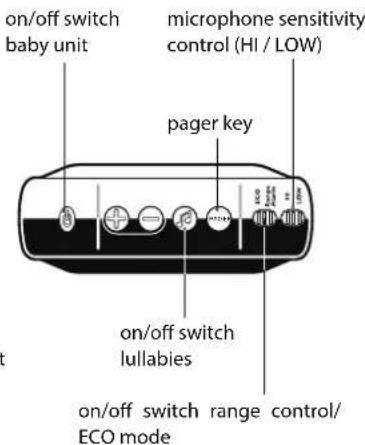
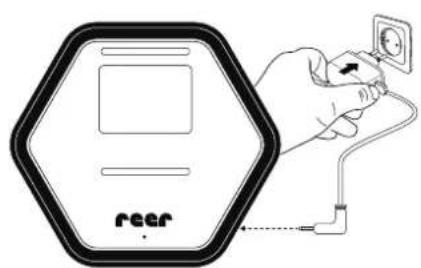
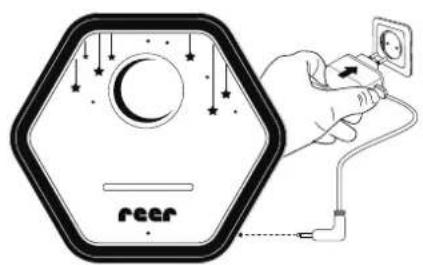
Only the supplied adapter which operate with 5V and at least 200mA may be used. We recommend also inserting NiMH batteries to ensure that the units remain operational in case of a power failure. These will be automatically charged when the parent unit is connected to a power supply.
Caution: Please see the notes in the chapter on "Operation with batteries"
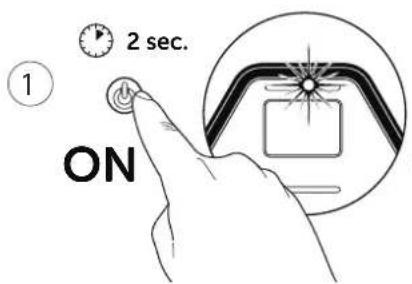
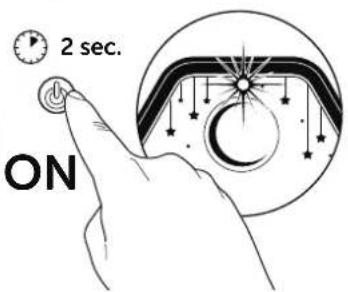
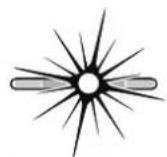
The control lamps on the parent unit indicate that it is searching for the baby unit.
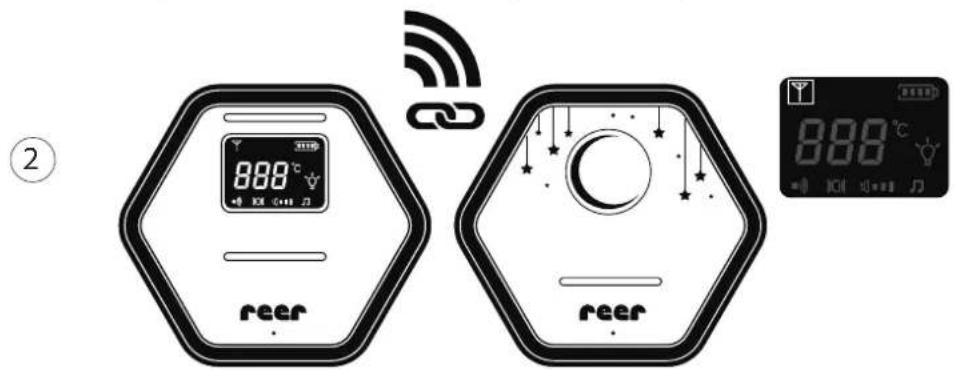
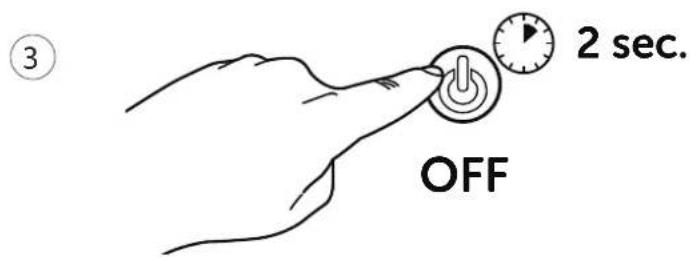
TIP
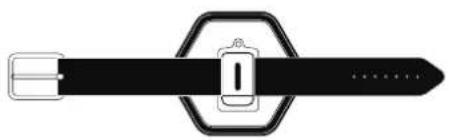
You can attach the parent unit to your belt with the belt clip.

The status LEDs reflect the condition of the parent unit.
| LED status LED display Setting | ||
| LED 1 green parent unit | is switched on/connection is available | |
| green flashing parent unit is switched | hed on/connection is available/batteries are being charged | |
| orange parent unit is switched off/batteries are charged | ||
| orange flashing parent unit is switched off/batteries are being charged | ||
| flashing red and signal tone batt | eries are weak | |
| alternating red and green with signal tone | no connection to the baby unit/outside the maximum range | |
| off parent unit is switched off | ||
| LED 2-4 control lamps | red sound is received | |
| red flashing connection is being established/connection interrupted | ||
| flashing red and signal tone pager (search function) is activated | ||
| LED 5 ECO-LED green | ECO mode is switched on (range control is switched off) | |
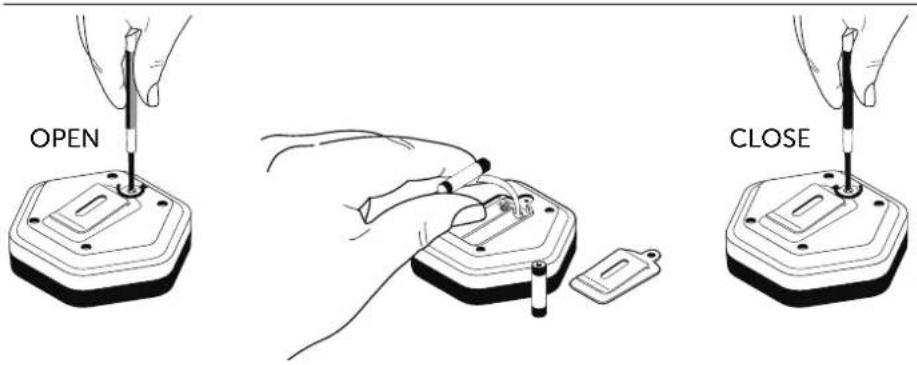
Battery operation
Battery operation
Werecommend also inserting rechargeable batteries to ensure that the units remain operational in case of a power failure. These will be automatically charged when the parent unit is connected to a power supply. The batteries take approximately 10 hours to charge (with the device switched off).
Attention: Only use rechargeable NiMH batteries in the parent unit. Never use non-rechargeable batteries in the parent unit. Using unsuitable battery types poses an explosion hazard. Switch the unit off and disconnect the power lead before changing the batteries. Check the correct polarity (+/-) of the batteries (as shown in battery compartment).
Remove the batteries from the device if you do not plan to use it for a long period of time.
Range control
This baby monitor is equipped with an optical and acoustic range controlsystem. Baby and parent unit regularly check mutual contact (even in standby-mode when the baby unit is not receiving any noise). If the range is exceeded, the status LED on the parent unit will begin to flash red and green and a signal tone will sound at regular intervals.
Note: To activate range control, ECO mode must be switched off on baby unit.
VOX and ECO modes
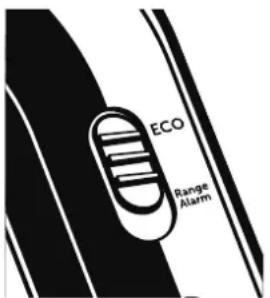
The baby monitor is equipped with an intelligent noise activation (VOX). If no noises are detected in the room, the transmitter switches to minimum energy consumption and radiation emission. As soon as the baby unit detects noises, it activates the radio connection and transfers the data to the mobile parent unit.
As soon as you place the parent unit at a fixed site at which you have checked reception on a previous occasion, we recommend that you switch ECO mode on (LED 5 lights up green). In ECO mode, range control is switched off and therefore in standby mode (whenever your child is quiet) the baby unit does not emit any radiation.
CAUTION! If you operate the baby monitor in ECO mode, it may happen that no connection to the baby unit is established when the parent unit is switched on. This can happen if the baby unit is in sleep mode (nosignal transmission = no radiation). In order to force a signal transmission, briefly switch the baby unit to "range alarm" or speak into the baby unit so the connection can be established.
If you operate your baby unit with batteries, no alarm signal will sound on the parent unit when the ECO mode is activated and the batteries are flat. Please note: when the batteries are flat, the two device units are automatically disconnected.
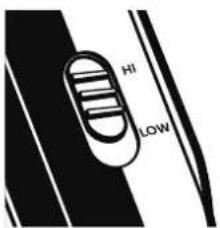
The baby monitor has two selectable levels of sensitivity for the microphone. Switch the microphone sensitivity on the baby unit to "HI" if you would like to be notified even at the slightest sound, or the baby unit is too far away from the cot. If the microphone sensitivity is set to "LOW" status, you will only be notified upon somewhat louder noises or if the baby unit is close to the cot.

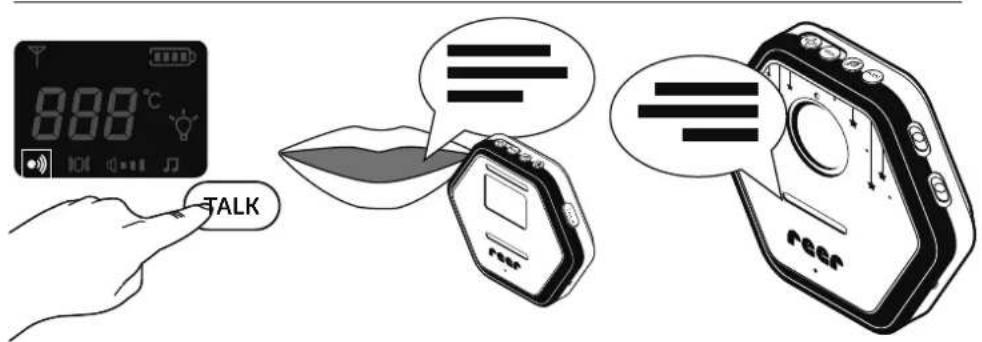
Intercom function
Attention: In order to be able to use the intercom function, keep the Talk key pressed down. While the intercom function is activated, the parent unit does not receive any sounds.
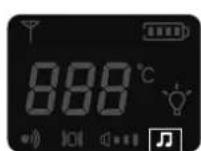
Lullabies
- press for a longer time: lullabies on/off
- press briefly several times: selection of lullabies
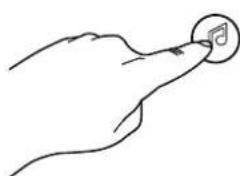
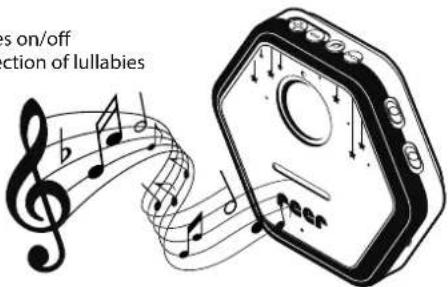
The baby monitor has 8 lullabies included. Those may optionally be activated directly on the baby unit via the parent unit. The lullaby function is manually ended by pressing the key or after 15 minutes.
Volume adjustment / Vibration alert
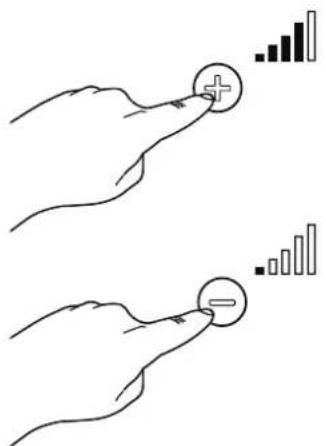
The volume of the intercom function is adjusted via the baby unit. The volume for the lullabies can be adjusted either on the parent unit or on the baby unit.
| Volume on the parent unit | |
| tap the key | Receiver volume on the parent unit is increased. |
| tap the =key | Receiver volume on the parent unit is decreased. |
| hold =key down, tap the =key | Volume of the lullabies on the baby unit is decreased. |
| hold =key down, tap the =key | Volume of the lullabies on the baby unit is increased. |
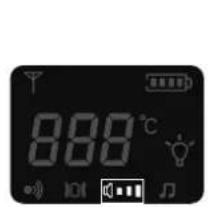
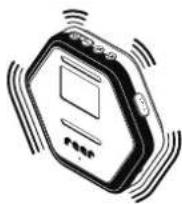
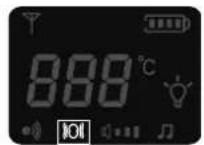
ATTENTION: The Vibration alert on the parent unit is automatically activated when the sound is deactivated.
Night light
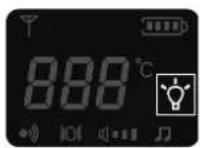

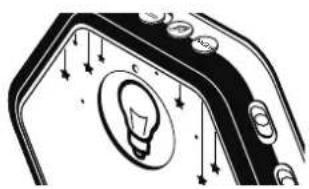
The night light integrated into the baby unit creates a soothing environment for your child with its warm light. The night light is activated via the parent unit.
Temperature sensor
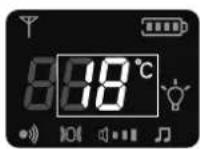
Thanks to the integrated temperature sensors, you always have an overview of the temperature in your child's room. At a room temperature of less than 16^ , an alarm sounds and the display shows "LOW". At a room temperature of more than 30^ , an alarm sounds and the display shows "HI".
ATTENTION: The ideal room temperature is 20 - 22^ during the day and 18 - 20^ at night.
Press the search button PAGR on the baby unit. After activating the key, the parent unit reports with an acoustic call signal and flashing control lights. To terminate the search function, press any key on the parent unit. The control lights are turned off and the alarm is terminated.

ATTENTION: The search function can only be activated when both units are switched on and are within the range of reception.
Tips for extending the range
The reception range depends on the environment and other factors which may interfere with or block the transmission signal:
- large metallic objects such as fridges, mirrors, wardrobes, metal doors and reinforced concrete
- fixed structures (walls) or radio, electrical and electronic appliances such as TVs, PCs, mobile phones or dimmer switches
- the operation of devices which also work in the 2.4 GHz range such as wireless networks, WLAN routers, Bluetooth systems or microwaves
We recommend keeping a minimum distance of one metre between the baby unit and interfering devices, or switching the latter off. In case of weak signal, we recommend moving the parent and/or baby unit to a different place in the room.
Cleaning and maintenance
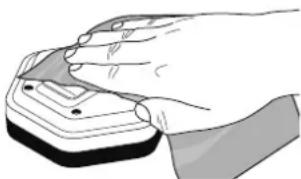
Always disconnect the mains adapters from the wall power socket before cleaning the unit. Only use a slightly dampened cloth. Do not submerge the unit in water. Do not use chemical detergents.
Remove the batteries from the unit if it is not to be used for a long period of time.
This product does not require any special maintenance. Repairs to the unit must be carried out by skilled personnel only.
Troubleshooting
| Problem Possible cause | Action | |
| The status LED does not light up/ No display indications | ·The unit is not switched on. ·The mains adapter of the transmitter/receiver is not (properly) connected or the power socket is not working. ·The batteries are flat/incorrectly inserted. | ·Make sure that both units are switched on. ·Check the connection of the mains adapter to the wall power socket and the unit. ·Replace/charge the batteries and check their polarity. |
| Status LED flashes green when device is switched on | ·Power adapter is connected and the batteries are charging in the unit. | ·No action required. |
Troubleshooting
| Problem Possible cause | Action | |
| Status LED flashes red when device is switched on and signal tone sounds. | · Batteries are flat. | · Replace/charge the batteries or connect the unit to the power supply. |
| Status LED flashes red green when device is switched off | · Batteries are charging. | · No action required. |
| No connection, Status LED alternately flashes red and green when switched on, with signal tone | · The maximum range has been exceeded. · The baby unit is not switched on. · Baby monitor is in ECO mode and baby unit is in sleep mode (and thus does not transmit any signals to the parent unit). | · Reduce the distance between the baby unit and the parent unit. · Ensure that the baby unit is switched on. · Briefly set the baby unit to “range alarm” until the connection has been established or force a signal transfer by making noises at the baby unit. |
| No sound transmission despite established connection | · Volume is switched off. · Theselected/setmicrophonesensitivitylevel is too low. | · Ensure that the volume has not been turned down all the way, press the key on the parent unit several times. · Switch the microphone sensitivity to “HI”. |
| No vibration alert | · Volume is on, vibration alert is only switched on when volume is turned off. | · Switch off the sound to automatically activate the vibration alert. |
| Loud whistling sound (acoustic feedback) | · The baby unit is too close to the parent unit. | · Increase the distance between the baby unit and the parent unit. |
| Signal noise / Connection interrupted | · The baby / parent unit is close to interfering devices (e.g. microwave) or metal objects. · The maximum range has been exceeded. · Batteries in the baby/parent unit are too depleted. | · Try to find the source of interference and move the units to a different position. · Reduce the distance between the baby unit and the parent unit. · Replace/charge the batteries and / or connect the unit to the power supply. |
| LED 2–4 light up red | · The parent unit receives sounds. Depending on the noise level, one or several LED light up. | · If necessary, turn up the volume to make sure that you hear the sounds from your baby. |
| LED 5 lights up green | · ECO mode is activated | · No action required. |
| Snooze music too loud / too quiet | · Volume on the baby unit set too high/too low. | · Change the volume with the +/- keys on the baby unit. |
| Intercom function too loud / too quiet | ||
| Baby unit reacts upon noises that are too quiet | · The microphone sensitivity is set too high. | · Switch the microphone sensitivity to “LOW”. |
| Baby unit only reacts upon noises that are loud | · The microphone sensitivity is set too low. | · Switch the microphone sensitivity to “HI”. |
| Parent unit does not emit a signal tone when the maximum range is exceeded | · Baby monitor is in ECO mode. | · In order to activate the range control, push the switch on the baby unit to “range alarm”. |
| Despite an established connection, the temperature is not displayed | · Baby monitor is in ECO mode and thus only transmits signals when the baby unit perceives noises. | · Speak into the baby unit or briefly switch to “range alarm”. |
Please retain your receipt, the user manual and item number. Warranty claims or claims from promises of guarantee must be processed by the dealer.

The technical specification, information and characteristics of the product described herein have been compiled to the best of our knowledge and belief and are correct at the time of printing. Any information provided by reer should be correct and authoritative. Nevertheless, reer does not accept liability for potential errors in this document and reserves the right to make changes to the product design and/or specifications without prior notice. Reproduction and disclosure of information contained in this copyright-protected document, in any form or by any means - graphical, electronic or mechanical by photocopying, recording on tape or storage in a data retrieval system (even in part), require prior written consent from reer.
Environmental protection

At the end of its life, this product must not be disposed of as normal domestic waste, but should be recycled at a collection point for electrical appliances. Please see the relevant symbol on the product, in the user manual and packaging. Do not put used batteries into household waste. Instead they should be disposed of as hazardous waste or with a battery collection station provided by
the dealer. An important contribution to the protection of the environment can be made by reusing the unit, recycling its components or otherwise reusing old appliances. Please contact your local council to find out more about an appropriate disposal centre.