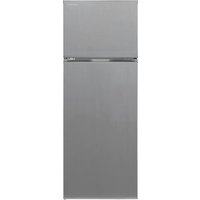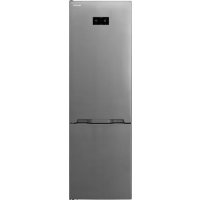
SJL2350E3W - Fridge SHARP - Free user manual and instructions
Find the device manual for free SJL2350E3W SHARP in PDF.

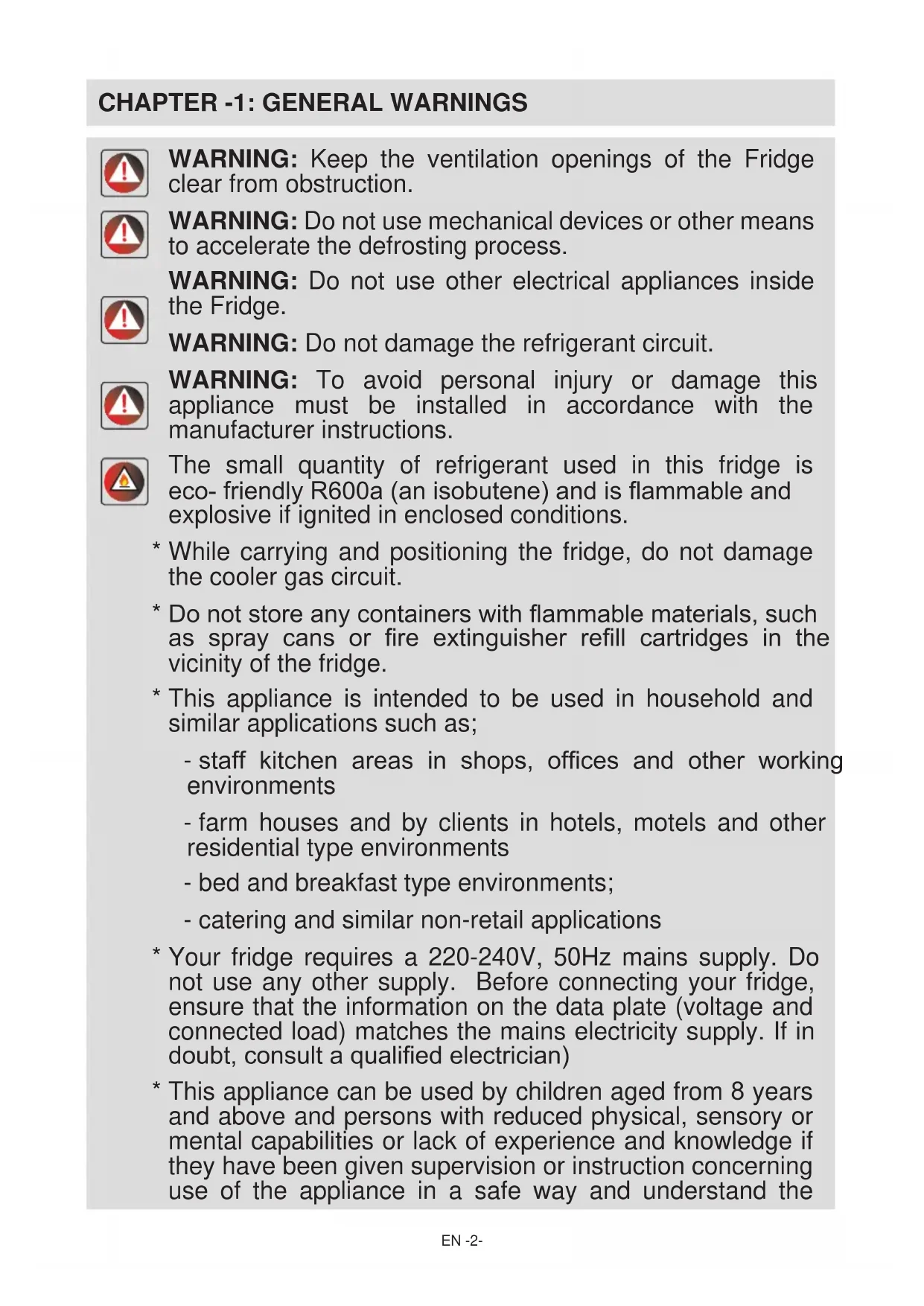


| Type of refrigerator | Combined refrigerator |
| Total capacity | 235 liters |
| Energy class | A+ |
| Dimensions (HxWxD) | 145 x 55 x 60 cm |
| Weight | 60 kg |
| Cooling system | Static cooling |
| Noise level | 42 dB |
| Number of drawers | 3 drawers in the freezer |
| Interior lighting | LED |
| Additional features | Temperature control, vegetable compartment |
| Maintenance | Manual defrost recommended |
| Warranty | 2 years |
| Annual consumption | 250 kWh |
| Color | White |
Frequently Asked Questions - SJL2350E3W SHARP
User questions about SJL2350E3W SHARP
0 question about this device. Answer the ones you know or ask your own.
Ask a new question about this device
Download the instructions for your Fridge in PDF format for free! Find your manual SJL2350E3W - SHARP and take your electronic device back in hand. On this page are published all the documents necessary for the use of your device. SJL2350E3W by SHARP.
USER MANUAL SJL2350E3W SHARP
WARNING: Keep the ventilation openings of the Fridge clear from obstruction.

WARNING: Do not use mechanical devices or other means to accelerate the defrosting process.

WARNING: Do not use other electrical appliances inside the Fridge.

WARNING: Do not damage the refrigerant circuit.
WARNING: To avoid personal injury or damage this appliance must be installed in accordance with the manufacturer instructions.

The small quantity of refrigerant used in this fridge is eco- friendly R600a (an isobutene) and is flammable and explosive if ignited in enclosed conditions.
- While carrying and positioning the fridge, do not damage the cooler gas circuit.
- Do not store any containers with flammable materials, such as spray cans or fire extinguisher refill cartridges in the vicinity of the fridge.
-
This appliance is intended to be used in household and similar applications such as;
-
staff kitchen areas in shops, offices and other working environments
- farm houses and by clients in hotels, motels and other residential type environments
- bed and breakfast type environments;
-
catering and similar non-retail applications
-
Your fridge requires a 220-240V, 50Hz mains supply. Do not use any other supply. Before connecting your fridge, ensure that the information on the data plate (voltage and connected load) matches the mains electricity supply. If in doubt, consult a qualified electrician)
- This appliance can be used by children aged from 8 years and above and persons with reduced physical, sensory or mental capabilities or lack of experience and knowledge if they have been given supervision or instruction concerning use of the appliance in a safe way and understand the
hazard involved. Children shall not play with the appliance.
Cleaning and user maintenance, shall not be made by children without supervision.
- A damaged power cord /plug can cause fire or give you an electric shock. When damaged it must be replaced, this should only be done by qualified personnel.
CHAPTER -1: SAFETY INSTRUCTIONS
Disposal
- All packaging and materials used are environmentally friendly and recyclable. Please dispose of any packaging in an environmentally friendly manner. Consult your local council for further details.
- When the appliance is to be scrapped, cut off the electrical supply cable and destroy the plug and cable. Disable the door catch in order to prevent children becoming trapped inside.
- A cut off plug inserted into a 16 amp socket is a serious safety (shock) hazard. Please ensure the cut off plug is disposed of safely.
Disposal of your old appliance
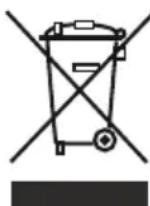
This symbol on the product or package implies that the product should not be treated as domestic waste. Instead, it should be delivered to applicable waste collection places recycling electrical and electronic equipment. Recycling materials will help natural resources be preserved. For more detailed information regarding recycling of this product, please contact local authority, domestic waste disposal service or the shop you have purchased the product from.
Please ask your local authority about the disposal of the WEEE for the reuse, recycle and recovery purposes.
Notes:
- Please read the instruction manual carefully before installing and using your appliance. We are not responsible for the damage occurred due to misuse.
- Follow all instructions on your appliance and instruction manual, and keep this manual in a safe place to resolve the problems that may occur in the future.
- This appliance is produced to be used in homes and it can only be used in domestic environments and for the specified purposes. It is not suitable for commercial or common use. Such use will cause the guarantee of the appliance to be cancelled and our company will not be responsible for the losses to be occurred.
This appliance is produced to be used in houses and it is only suitable for cooling / storing foods. It is not suitable for commercial or common use and/or for storing substances except for food. Our company is not responsible for the losses to be occurred in the contrary case.

Safety warnings
- Do not connect your Fridge to the mains electricity supply using an extension lead.
-
A damaged power cord / plug can cause fire or give you and electric shock. When damaged it must be replaced, this should only be dine by qualified personnel.
-
Never bend the power cord excessively.
- Never touch the power cord / plug with wet hands as this could cause a short circuit electric shock.
Installation Information
Before unpacking and manoeuvring your fridge please take some time to familiarise yourself with the following points.
- Position away from direct sunlight and away from any heat source such as a radiator.
- Your appliance should be at least 50~cm away from stoves, Gas ovens and heater cores, and should be at least 5cm away from electrical ovens.
- Do not expose your fridge to moisture or rain.
- Your fridge should be positioned at least 20mm away from another freezer.
- Clearance of at least 150 mm is required at the top and back of your fridge. Do not place anything on top of your fridge.
- For safe operation it is important that your fridge is safe and balanced. The adjustable feet are used to level your fridge. Make sure that your appliance is level before placing any foodstuffs inside it.
- We recommend that you wipe all shelving and trays with a cloth soaked in warm water mixed with a teaspoon of bicarbonate of soda before use. After cleaning rinse with warm water and dry.
- Install using the plastic distance guides, which can be found at the rear of the appliance. Turn 90 degrees (as shown in the diagram). This will keep the condenser from touching the wall.
- Fridge should be placed against a wall with a free distance not exceeding 75mm .


Before Using your Fridge

- Before setting up your fridge, check for any visible damage. Do not install or use your fridge if it is damaged.
- When using your fridge for the first time, keep it in an upright position for at least 3 hours before plugging into the mains. This will allow efficient operation and prevents damage to the compressor.
- You may notice a light odor when using your fridge for the first time. This is perfectly normal and will fade away as the fridge starts to cool.
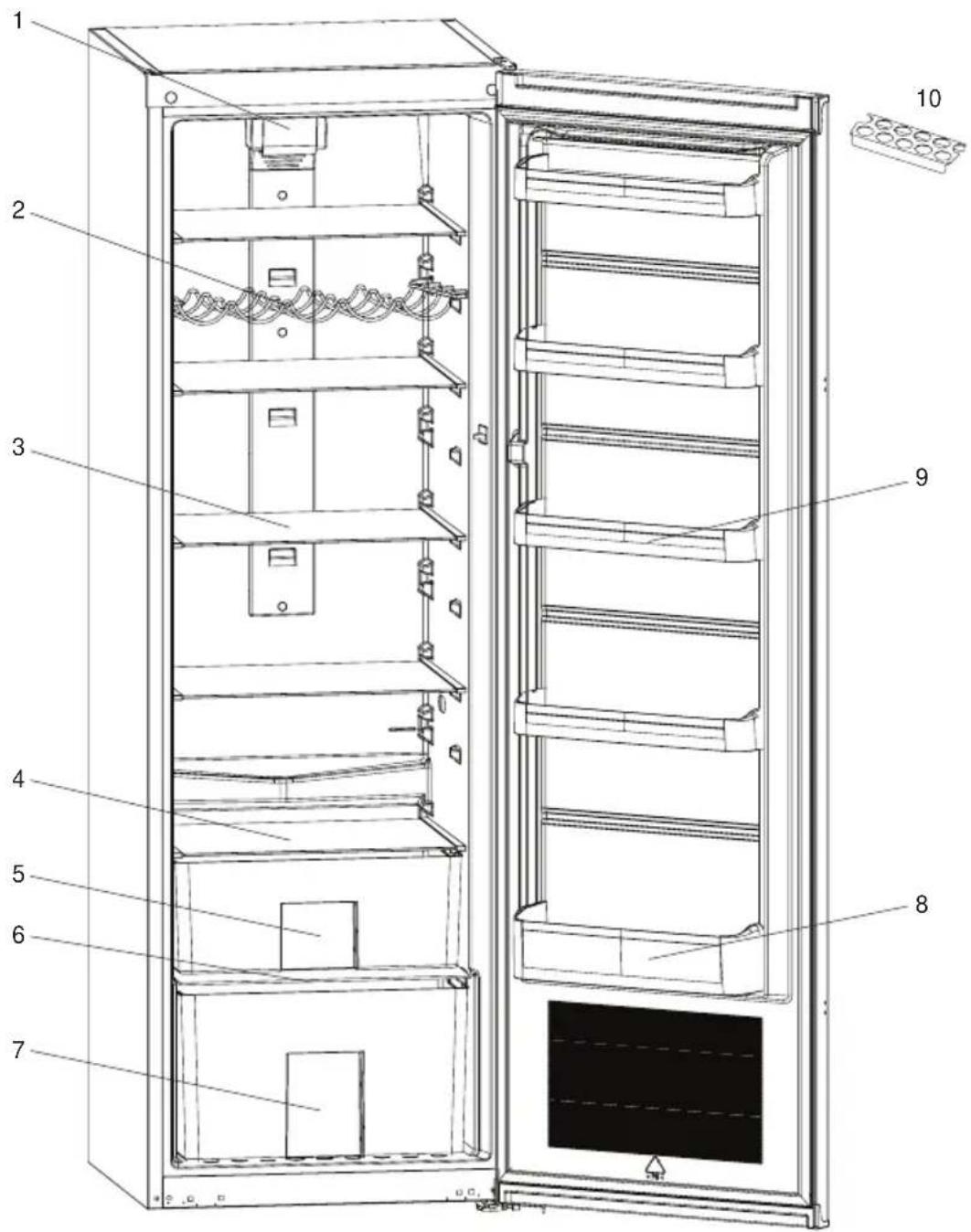
1) Turbo fan
2) Wine rack *
3) Fridge glass shelves
4) Upper risper cover
5) Upper crispers
6) Bottom crisper cover
7) Bottom crisper
8) Bottle shelf
9) Door shelves
10) Egg holder
- In some models
This figure has been drawn for information purposes to show the various parts and accessories in the appliance. Parts may vary according to the model of the appliance.
CHAPTER -3: USING YOUR FRIDGE
Display and control panel
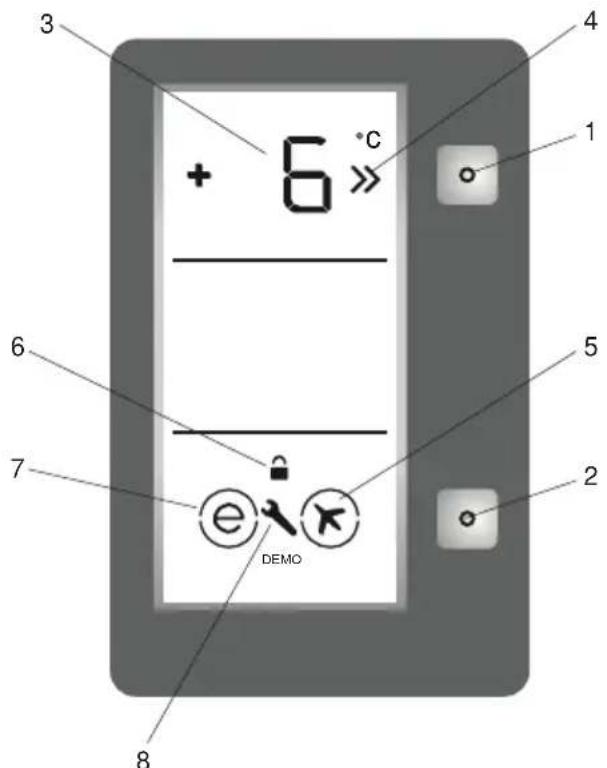
- It enables the setting value of fridge to be modified and super cool mode to be activated if desired. Cooler maybe set to 8, 7, 6, 5, 4, 3, 2^ , SC.
- It enables the modes (economy...) to be activated if desired.
- It is fridge set value screen.
- It is super cooling indicator.
- IIt is super cool mode symbol.
- It is child-lock symbol.
- It is economy mode symbol.
- It is alarm symbol.
Operating your fridge
Temperature adjustment and activating SUPER COOLING Mode
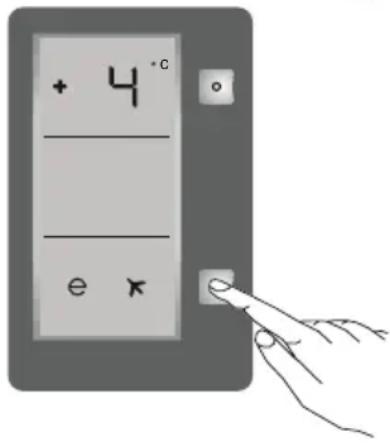
Initial temperature value for Cooler Setting Indicator is +4^
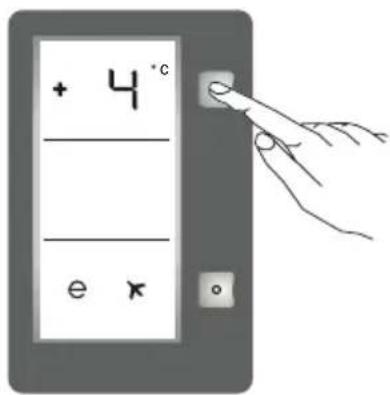
- Press set button once.
- When you first push this button, the last value appears on the setting indicator of the cooler.
- Whenever you press on this button, lower temperature will be set. (+8^, +7C, +6^, +5^, +4^, +3^, +2^)
If you continue to press, it will restart from +8^ - The temperature value selected before Super Cool Mode or Economy Mode is activated will remain the same when the mode is over or cancelled. The appliance continues to operate with this temperature value.
Recommended temperature values for fridge
| When would it be adjusted? Inner Temperature | |
| For minimum cooling capacity 7°C, 8°C | |
| In normal usage 4°C, 5°C, 6°C | |
| For maximum cooling capacity 2°C, 3°C | |
Super cooling mode
To cool plenty of food
To cool foods rapidly
How to use;
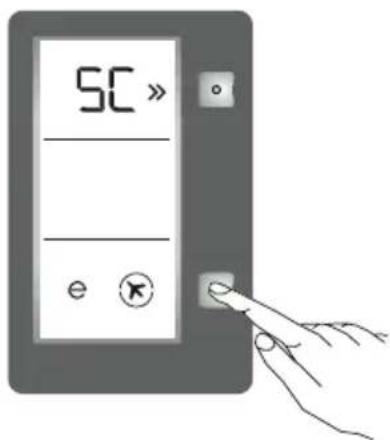
- Press mode button until SC letters will be seen on and circle appears around Super Cool symbol on the screen. Buzzer will sound beep beep. Mode will be set.
- Cooler temperature segment will show "SC".
During this mode:
Economy mode can not be selected.
- Super cool mode can be cancelled by the same operation of selecting.
CHAPTER -3: USING YOUR FRIDGE
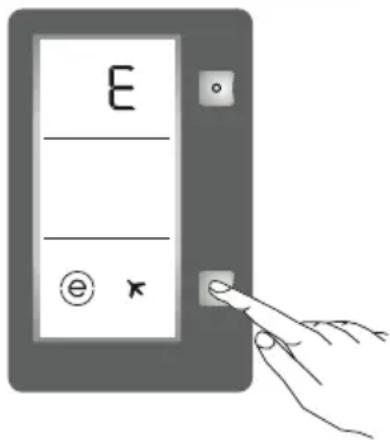
Economy mode
How would it be used?
- Push "mode button" till a circle appears around economy symbol.
- If no pressed any button for 1 sec. Mode will be set. Circle will blink 3 times. When mode is set, buzzer will sound beep beep.
- Temperature segment will show "E".
- Circle of economy symbol and E will light till mode finishes.
During this mode:
- Temperature may be adjusted. When economy mode will be cancelled, the selected setting values will proceed.
- Super Cool mode can be selected after cancelling the economy mode. Then the selected mode is activated.
- To cancel, you will just need to press on mode button.
Screen saver mode
How to use?
- This mode will be activated when you press on mode button for 5 seconds.
- If pressed on no button in 5 seconds when he mode is active, lights of the control panel will go off.
- If you press any button when lights of control panel are off, the current settings will appear on the screen, and then you can maket he adjustment as you want.
- If you neither cancel screen saver mode nor press on any button in 5 seconds, the control panel will go off again.
- To cancel screen saver mode press on mode button for 5 seconds again.
- When screen saver mode is active you can also activate child lock.
- If you do not press any button for 5 seconds after activating child lock, the lights of the control panel will go off. Then, you can view the previous settings and that child lock symbol is active when you pres any button, and you can cancel child lock as is described in the instruction of that mode.
Function of Child lock
When would it be used?
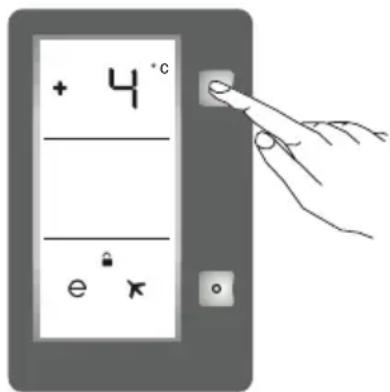
To prevent children from playing with the buttons and changing the settings you have made, child lock is available in the appliance.
Activating Child Lock
Press on Cooler button simultaneously for 5 seconds.
Deactivating Child Lock
Press on Cooler button simultaneously for 5 seconds.
Note: Child lock will also be deactivated if electricity is interrupted or the fridge is unplugged.
Warnings for temperature settings
- The ambient temperature, temperature of the freshly stored food and how often the door is opened, affects the temperature in the refrigerator compartment. If required, change the temperature setting.
- It is not recommended that you operate your fridge in environments colder than 10^ .
- The temperature setting should be set by taking into consideration how often the fridge door is opened and closed, how much food is stored in the fridge and the environment in which and the positioning of the appliance.
- We recommend that when first using the fridge it should be left running for 24 hours uninterrupted to ensure it is completely cooled. Do not open the fridge door, or put food inside for this period.
- Your fridge has a 5 minute built in delay function, designed to prevent damage to the compressor. When power is applied to your fridge, it will begin to operate normally after 5 minutes.
- Your fridge is designed to operate in the ambient temperature intervals stated in the standards, according to the climate class stated in the information label. It is not recommended that your fridge is operated in the environments which are out of the stated temperature intervals in terms of cooling efficiency.
| Climate Class Ambient Temperature ℃ | |
| T Between | 16 and 43 (℃) |
| ST Between | 16 and 38 (℃) |
| N Between | 16 and 32 (℃) |
| SN Between | 10 and 32 (℃) |
CHAPTER -3: USING YOUR FRIDGE
Temperature indicator
In order to help you better set your refrigerator, we have equipped it with a temperature indicator located in the coldest area.
To better store the food in your refrigerator, especially in the coldest area, make sure the message "OK" appears on the temperature indicator. If OK does not appear, this means temperature has not been set properly
It may be difficult to see the indicator, make sure it is properly lit. Each time the temperature setting device is changed, wait for the stabilisation of the temperature inside the appliance before proceeding, if necessary, with a new temperature setting. Please change the position of the temperature setting device progressively at least 12 hours before starting a new check and potential change.
NOTE: Following repeated openings (or prolonged opening) of the door or after putting fresh food into the appliance, it is normal for the indication "OK" not to appear in the temperature setting indicator. If there is an abnormal build up of ice crystals of ice crystals (bottom wall of the appliance) on the refrigerator compartment, evaporator (overloaded appliance, high room temperature, frequent door openings), put the temperature setting device on a lower position until compressor off periods are obtained again.
Store food in the coldest area of the refrigerator.
Your foods will be better stored if you put them in the most appropriate cooling area. The coldest area is just above the crisper.
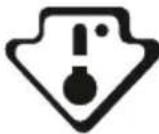
The following symbol indicates the coldest area of your refrigerator.
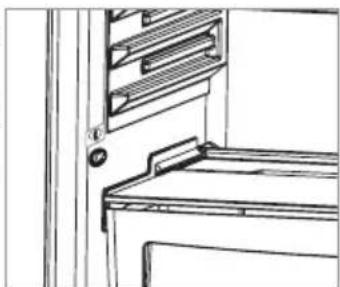
To be sure to have a low temperature in this area, make sure the shelf is located at the level of this symbol, as shown in the illustration.
The upper limit of the coldest area is indicated by the lower side of the
sticker (head of the arrow). The coldest area upper shelf must be at the same level with the arrow head. The coldest area is below this level.
As these shelves are removable, make sure they are always at the same level with these zone limits described on the stickers, in order to guarantee temperatures in this area.
Cleaning
Before cleaning your fridge, turn your mains supply off and remove the plug from the socket.
- Do not wash your fridge by pouring water on to it.
- Use a warm, soapy cloth or sponge to wipe the interior and exterior of your fridge.
- Carefully remove all shelves and drawers by sliding upwards or outwards and clean with soapy water. Do not wash in a washing machine or dishwasher.
- Do not use solvents, abrasive cleaners, glass cleaners or all purpose cleaning agents to clean your fridge. This may cause damage to the plastic surfaces and other components with the chemicals they contain.
- Clean the condenser at the back of your fridge at least once a year with a soft brush or vacuum cleaner.
Make sure that your fridge is unplugged while cleaning.
Defrosting
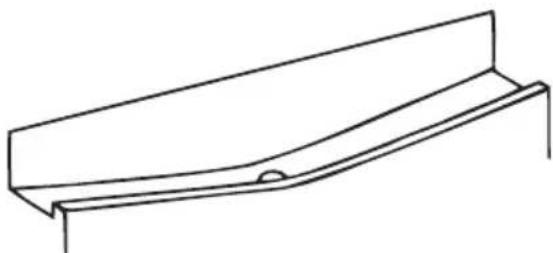
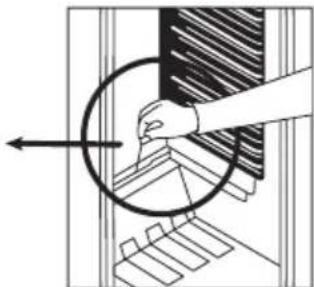
- Defrosting occurs automatically in the refrigerator during operation; water is collected by the evaporating tray and evaporates automatically.
- The evaporating tray and the defrost water drain hole should be cleaned periodically to prevent the water from collecting on the bottom of the refrigerator.
Replacing LED Lighting
If your fridge has LED lighting contact the Sharp help desk as this should be changed by authorized personnel only.
CHAPTER -4: FOOD STORAGE GUIDANCE
- To reduce frost build up never place liquids with unsealed containers in the fridge compartment.
- Allow warn or hot food to cool down before storing. This helps reduce power consumption.
- To avoid frost buildup ensure that nothing is stored touching the back wall.
- The coldest area of the refrigerator is at the bottom. We recommend to use this area to store food that will perish easily, such as fish, ready meals, baked goods or dairy products. The warmest area is the top shelf of the door. We recommend you store butter or cheese here.
CHAPTER -5: DOOR REVERSAL
Repositioning the door
- It depends on which fridge you have as to whether it is possible the reverse the doors.
- It is not possible where handles are attached at the front of the appliance.
If your model does not have handles it is possible to reverse the doors, but this needs to be completed by authorised personnel. Please call Sharp service.
CHAPTER -6: TROUBLESHOOTING
CheckWarnings;
Your fridge warns you if the temperatures for cooler is in improper levels or when a problem occurs in the appliance. Warning codes are displayed in the Cooler Indicators.
| ERROR TYPE ERROR TYPE WHY WHAT TO DO | |||
| SR | "Failure Warning" | There is/are some part(s) Out of order or there is a failure in cooling process | Contact the Sharp helpdesk as soon as possible. |
| LC | "Refrigerator comp. Not Cold enough" | Ideal temperature for Ref. Compartment is +4 °C. If you see this warning your foods have risk of spoiling. | 1. Set the refrigerator temperature to colder values or set the super cooling mode until the compartment gets to normal temperature. 2. Do not open the door much until this failure is off. |
| LP | "Low voltage Warning" | When the power supply gets lower than 170 V the appliance gets to steady position. | This not a failure. This prevents any damages on the compressor. This warning will off after the voltage gets required level |
Temperature Warning:
The temperature display flashes "LC" and an audible warning sounds, when the temperature in the cooler compartment is too warm.
A rise in the temperature may be caused by;
- Frequent door opening for long periods of time
- Loading with large quantities of warm foods
High ambient temperature - An error with the appliances.
CheckWarnings;
Your fridge warns you if the temperatures for cooler departments are in improper levels or when a problem occurs in the appliance. Warning codes are displayed in the cooler Department Indicators. Warning codes appear in the cooler Compartment Setting Displays.
Also a warning sound are heard.
Showing code and buzzer will continue until you pushes SET or MODE button. When you push one of these buttons, buzzer will stop. "LC" warning will be disappear in 15 minutes. You don't have to call your service, this condition may appear due to reasons above. You can keep storing your foods in your fridge. If "LC" warning will not disappear in an hour after pressing the button, you can call your service.
If your fridge is operating too loudly;
Compressor noise
Normal motor noise. This noise means that the compressor operates normally Compressor may cause more noise for a short time when it is activated.
Bubbling noise and splash:
This noise is caused by the flow of the refrigerant in the tubes of the system.
Air Blow Noise:
Normal fan noise. This noise can be heard in fridge during normal operation of the system due to the circulation of air.
CHAPTER -6: TROUBLESHOOTING
If humidity builds up inside the cooler;
- Are all food packed properly? Are the containers dried before placing them in the fridge?
- Is the ridge door opened frequently? Humidity of the room gets in the fridge when the doors are opened. Humidity build up will be faster when you open the doors more frequently, especially if the humidity of the room is high.
- Building up of water drops on the rear wall after automatic defrosting is normal. (in Static Models)
If the door is not opened and closed properly;
- Do the food packages prevent closing of the door?
- Are the door compartments, shelves and drawers placed properly?
- Are door joints broken or torn?
Is your fridge on a level surface?
Recommendations
- In instances of a power cut unplug the appliance. This prevents damage to the compressor. You should delay plugging in 5 - 10 minutes after you regain power supply. This will avoid damage to components.
- The cooling unit of your refrigerator is hidden in the rear wall. Therefore, water droplets or ice may occur on the rear surface of your fridge due to the operation of the compressor in specified intervals. This is normal. There is no need to perform a defrosting operation unless the ice is excessive.
- If you will not use your fridge for a long time (e.g. in summer holidays) unplug it. Clean your fridge according to chapter cleaning and leave the door open to prevent humidity and smell.
If the problem persists after you have followed all the instructions above, please consult an authorised service provider.
Conformity Information
- This appliance is designed for use at an ambient tem-perature within the 16^ - 38^ range.
The appliance is designed in compliance with the IEC60335-1 / IEC60335-2-24, 2004/108/EC standards.
CHAPTER -7: TIPS FOR SAVING ENERGY
- Always allow foodstuffs to cool before storing in the appliance.
- Thaw food in the fridge compartment, this helps save energy.
Inhalt
Installationsinformation
6. NODALA. PROBLEMU NOVER'SANA
Bridinajumu pbarbaude
Ledusskapi tiek radits bridinajums, ja tiek sasniegts nepareizs dzesetaja temperaturas limenis vai ja icerce rodas problema. Bridinajumu kodi tiek raditi dzesetaja indicatoru vietä.
6. NODALA. PROBLEMU NOVER'SANA
Parasta ventilatora skana. So skaru ledusskapjos var dzirdet sistemas parastas darbhas laikagaisa cirkulacijas del.
Ja ledusskapja iekspuse rodas mitrums.
Visit our website: www.sharphomeappliances.com
Or contact us: