WHUD05JE5 - Air-conditioner PANASONIC - Free user manual and instructions
Find the device manual for free WHUD05JE5 PANASONIC in PDF.



| Product type | Reversible air conditioner with heat pump and domestic hot water production |
| Brand | Panasonic |
| Model | WHUD05JE5 |
| Indoor unit | Yes |
| Outdoor unit | Yes, supplied |
| Main functions | Heating, cooling, domestic hot water (DHW) production |
| Special modes | Powerful, Silent, DHW forcing, Backup heating forcing, Forced defrost, Weekly timer programming |
| Power supply | Single-phase 230V / 50Hz (standard estimate) |
| Cooling capacity | Approximately 5 kW (estimate for model 05) |
| Heating capacity | Approximately 6 kW (estimate) |
| Refrigerant | R32 (typical for recent Panasonic) |
| Indoor unit dimensions (LxHxP) | Approximately 800 x 300 x 250 mm (estimate) |
| Indoor unit weight | Approximately 12 kg (estimate) |
| Outdoor unit dimensions (LxHxP) | Approximately 850 x 650 x 300 mm (estimate) |
| Outdoor unit weight | Approximately 45 kg (estimate) |
| Control display | Yes, LCD display on remote control |
| Remote control | Yes, with child lock and password |
| Programming | Weekly timer up to 6 programs per day |
| Zone management | Up to 2 temperature zones |
| Maintenance | Regular cleaning of air filters |
| Safety | Remote control lock, error code reset, forced stop of functions in case of conflict |
| Installation | Requires professional installation |
| Repairability | Spare parts available through Panasonic authorized service |
Frequently Asked Questions - WHUD05JE5 PANASONIC
User questions about WHUD05JE5 PANASONIC
0 question about this device. Answer the ones you know or ask your own.
Ask a new question about this device
Download the instructions for your Air-conditioner in PDF format for free! Find your manual WHUD05JE5 - PANASONIC and take your electronic device back in hand. On this page are published all the documents necessary for the use of your device. WHUD05JE5 by PANASONIC.
USER MANUAL WHUD05JE5 PANASONIC
Installation Instructions attached
Serial number and production year please refer to name plate.
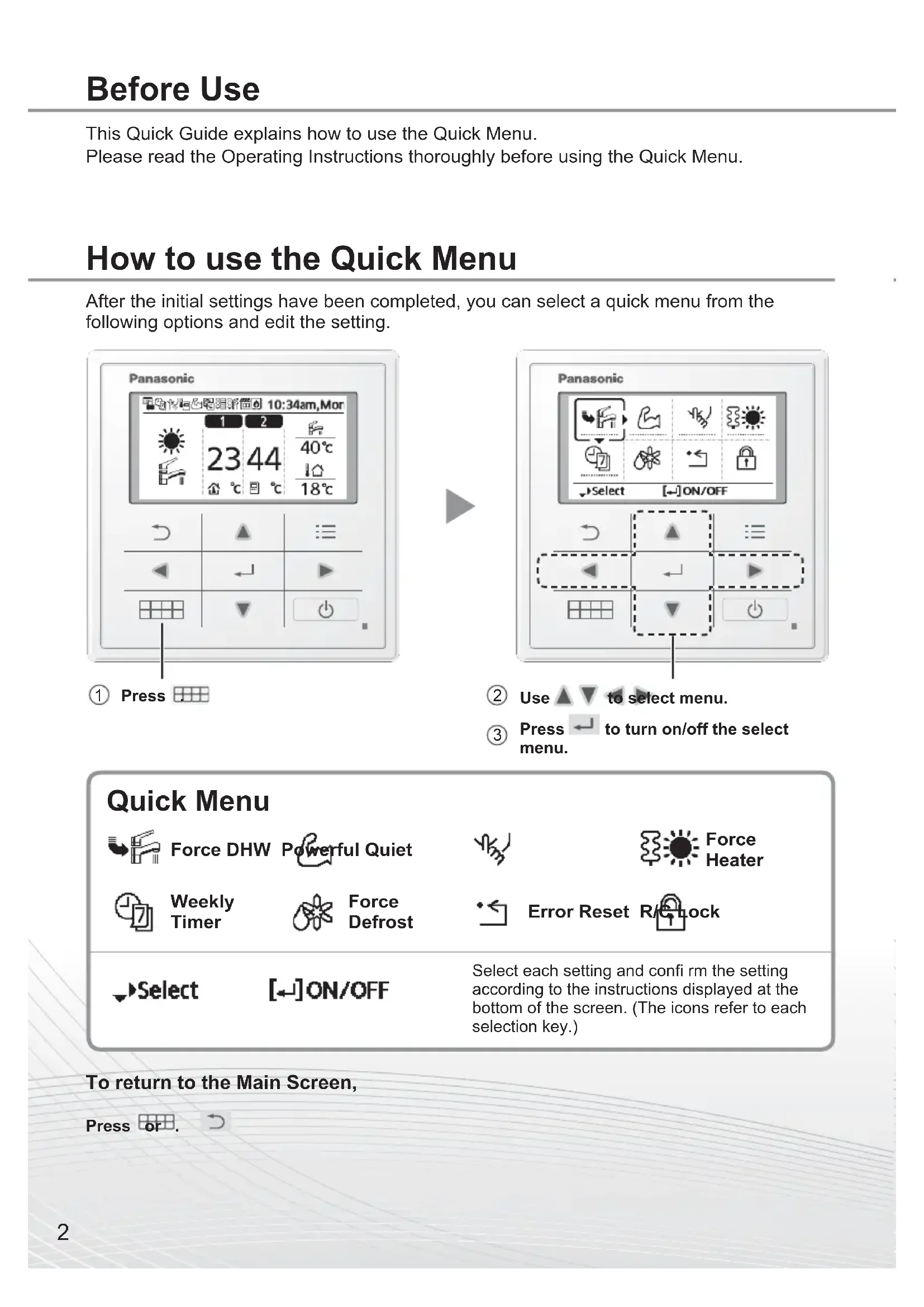
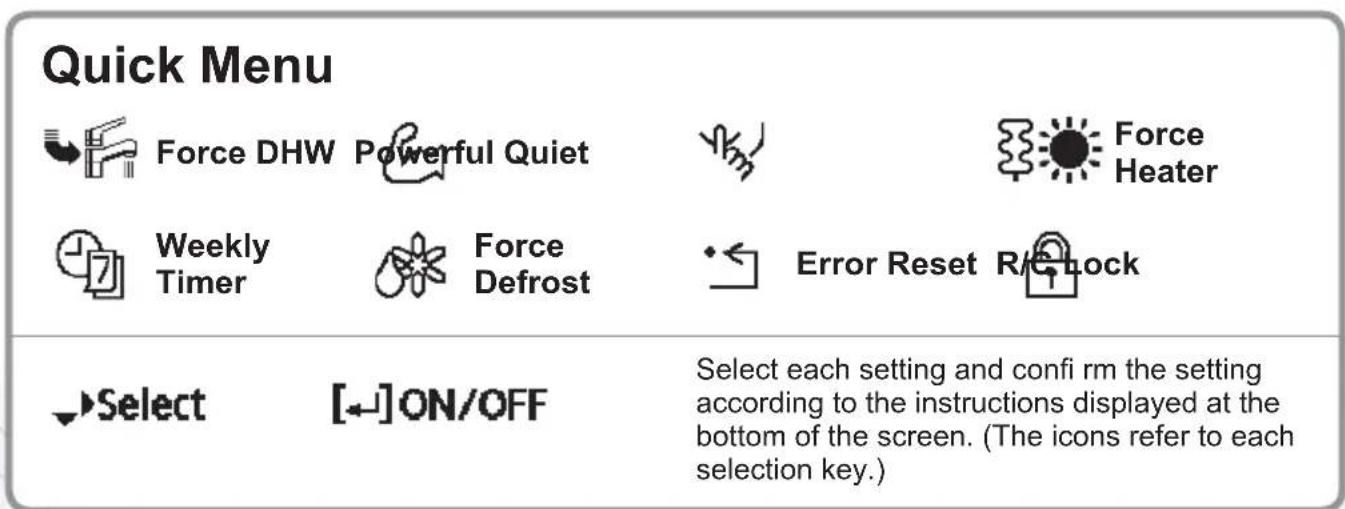
This Quick Guide explains how to use the Quick Menu.
Please read the Operating Instructions thoroughly before using the Quick Menu.
How to use the Quick Menu
After the initial settings have been completed, you can select a quick menu from the following options and edit the setting.
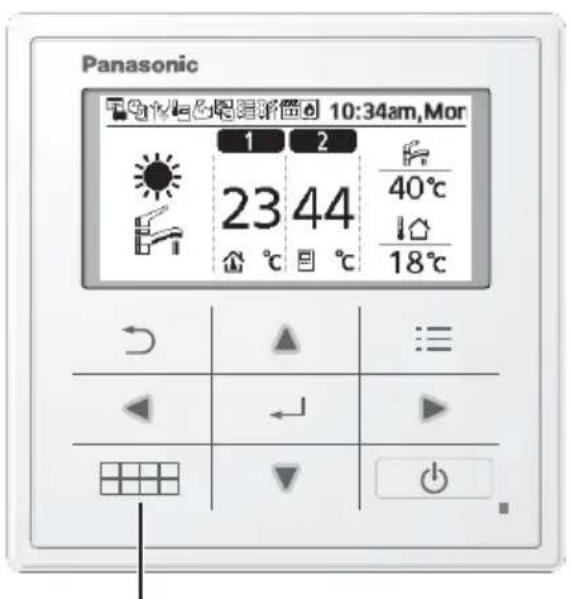
① Press
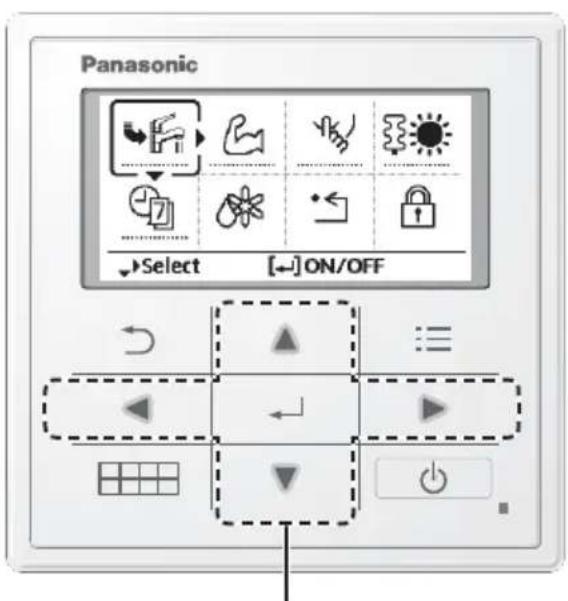
② Use ▲ ▼ to select menu.
③ Press ← to turn on/off the select menu.
Press or
To return to the Main Screen,
Notes on operation icon
Example:
Operation icon indicate with "..." = OFF
Operation icon indicate with “-” ON
Force DHW
Select this icon to turn the Tank DHW on or off.
Press to confirm your selection.
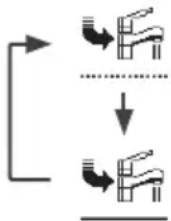
-
Force DHW is turned off.
-
Force DHW is turned on.
Note:
- Force DHW is disabled when Force Heater is turned on.
- When Force DHW is turned off, operation & mode should change back to the previous memorized status.

Powerful
Select this icon to operate the heating/cooling system powerfully.
Press to confirm your selection.
(The powerful operation starts approximately 1 minute after is pressed.)
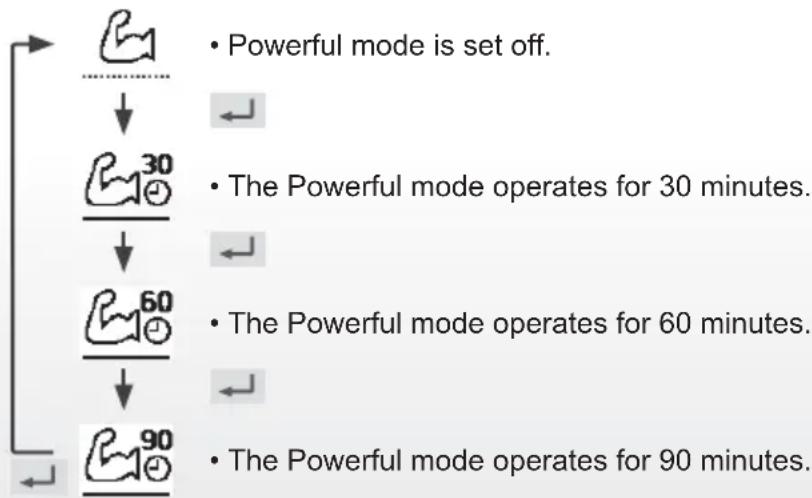
Note:
- Powerful is disabled when operation is turned OFF.
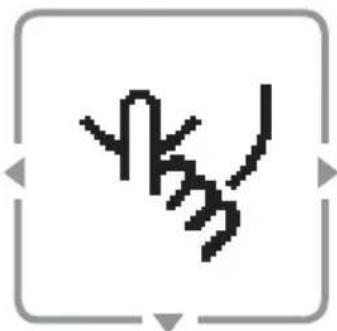
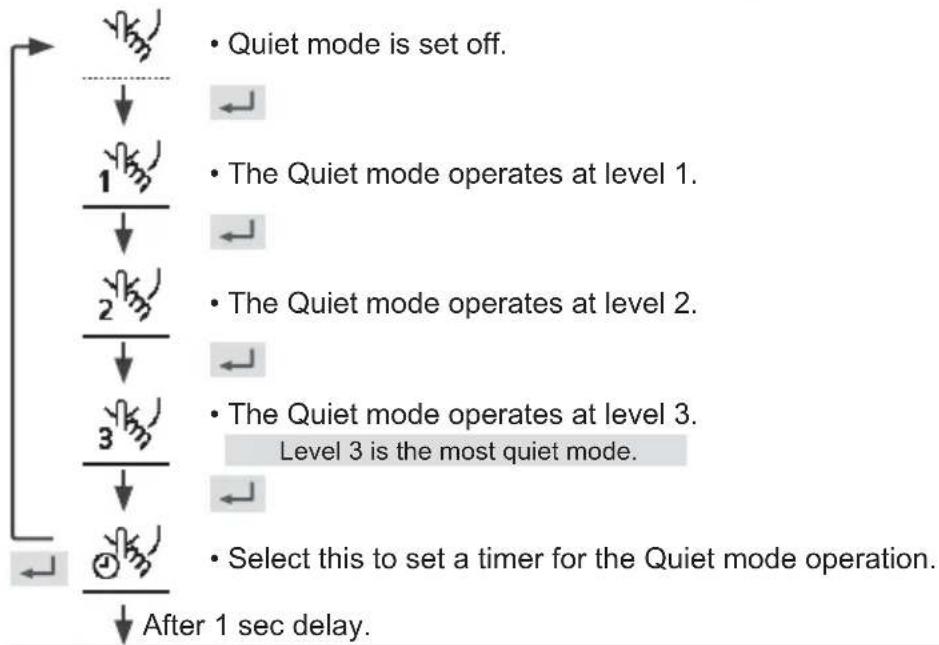
Quiet
Select this icon to operate quietly.
Press to confirm your selection.
(The quiet operation starts approximately 1 minute after is pressed.)

Force Heater
Select to force the Heater on.
Press to confirm your selection.
(The Force Heater mode starts approximately 1 minute after is pressed.)
-
Force Heater is turned off.
-
Force Heater is turned on.
Note:
- Force Heater is disabled whenever operation is already on and "Disabled due to operation ON!" will be displayed.
Disabled due to operation ON!
[ ]Close

Weekly Timer
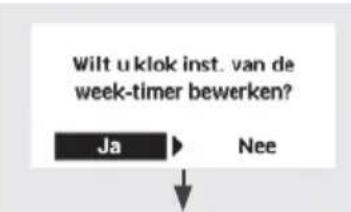
Select this icon to delete (cancel) or change the pre-set Weekly Timer.
Press to confirm your selection.
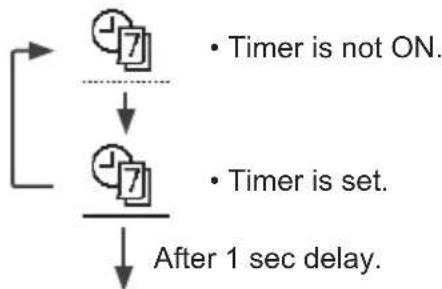
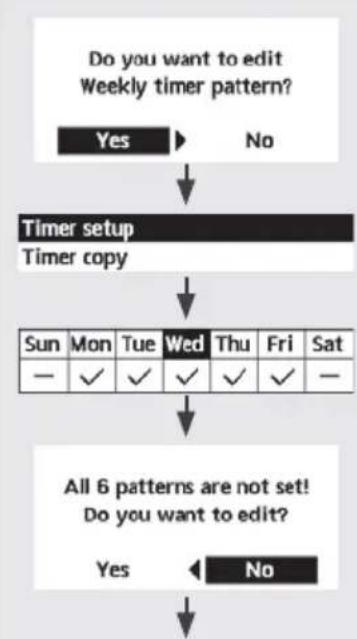
Select "Yes".
-
If you select "No", the screen will return to the Main Screen.
-
Timer setup: Select Timer setup to edit the Weekly Timer.
- Timer copy: Select to copy a timer setting.
[Example of a Timer setup]
Select the day(s) which you wish to edit using buttons.
If all 6 patterns are not preset, this screen will be displayed.
| Sun Mon Tue Wed Thu Fri Sat |
| 1. 12:00am ON 25/20°C 40°C |
| 2. 2:00am ON 25/25°C 40°C |
| 3. 4:00am ON 30/20°C 40°C |
| 123456 |
①Select pattern “1” ~ “6”.
② Set the hour and minutes of the Timer.
③Select ON/OFF of the Timer.
4 Select the operation mode.
![PANASONIC WHUD05JE5 - [Example of a Timer setup] - 1](/content/2026/03/460199/images/ec7751735bcc7ccb9a1f02c55723f052c686ad1f478505dc8be1789d7c382fe7.jpg)
Set the temperature for both Zone 1 and 2 (if your system has the 2-Zone setting).
![PANASONIC WHUD05JE5 - [Example of a Timer setup] - 2](/content/2026/03/460199/images/02641dfd423a956f21205a01b8ad981ff3d64ebcd2d95660438071095eafe7c7.jpg)
⑥ Set the Tank temperature.
Note:
- Timer is disabled when Force Heater is turned on or Heat-Cool SW is enabled.
If you have preset the Weekly Timer on 2 zones, you must repeat the same procedure with Zone 2.

Select to defrost the frozen pipes.
Press to confirm your selection.
(When the mode is accepted, below screen will be displayed.)
Request accepted!
[Close
Force Defrost

Select to restore the previous settings when error has occurred.
Press to confirm your selection.
(When the mode has been accepted, below screen will be displayed.)
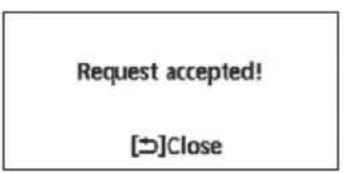
- Make sure all units are turned off before selecting this mode which restores the whole system to the previous settings.
Error Reset

Select to lock the Remote Controller.
Press to confirm your selection.
(When the mode has been accepted, below screen will be displayed.)
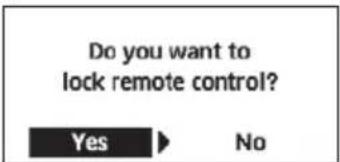
Select "Yes".
(The Main Screen will be locked.)
- If "No" is selected, the screen will return to the Main Screen.
To unlock the Remote Controller
Press any key.
(When the mode has been accepted, below screen will be displayed.)
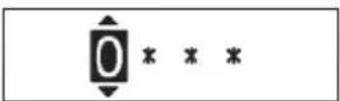
Enter any 4 digits of number (if the number is correct, the screen will be unlocked).
To reset forgotten password (under operation OFF screen)
Press and continuously for 5 seconds.
(When the mode has been accepted, below screen will be displayed.)
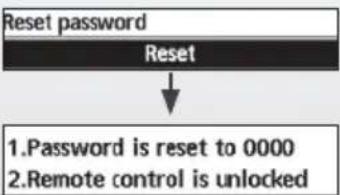
Select "Reset".
(The screen will be off after 3 seconds.)
Na 1 sec. vertraging.
Selecteer "Yes".
Disabled due to operation ON!
[ ]Close

| Dim Lun Mar Mer Jeu Ven Sam |
| 1. 12:00am ON 25/20°C 40°C |
| 2. 2:00am ON 25/25°C 40°C |
| 3. 4:00am ON 30/20°C 40°C |
| 123456 |
Tvinga VV Kraftfull Tyst lage


Manuellvarm.

Veckotimer

Tvinga avfrostning

Feläterställning

R/C-Ias

Valj

PÄ/AV
- Kraftfull inaktiveras nar driften stangs AV.
Tystläge
Väljennaikonforattdrivatyst.
© Panasonic Corporation 2019
| Spain | +34 (0) 902 153 060 |
| Sweden | +46 (0)8 566 426 88 |
| Switzerland | 0800 - 001074 |
| +44 (0) 1344 853 393 |
Authorised representative in EU
Panasonic Testing Centre
Panasonic Marketing Europe GmbH
Winsberging 15, 22525 Hamburg, Germany
AEEE Compliance with Turkey Regulations AEEE Yonetmeligiune Uygundur BU URUNUN KULLANIM OMRU 10 YILDIR