
Lagoon ANC Explorer - Earphones BEYERDYNAMIC - Free user manual and instructions
Find the device manual for free Lagoon ANC Explorer BEYERDYNAMIC in PDF.

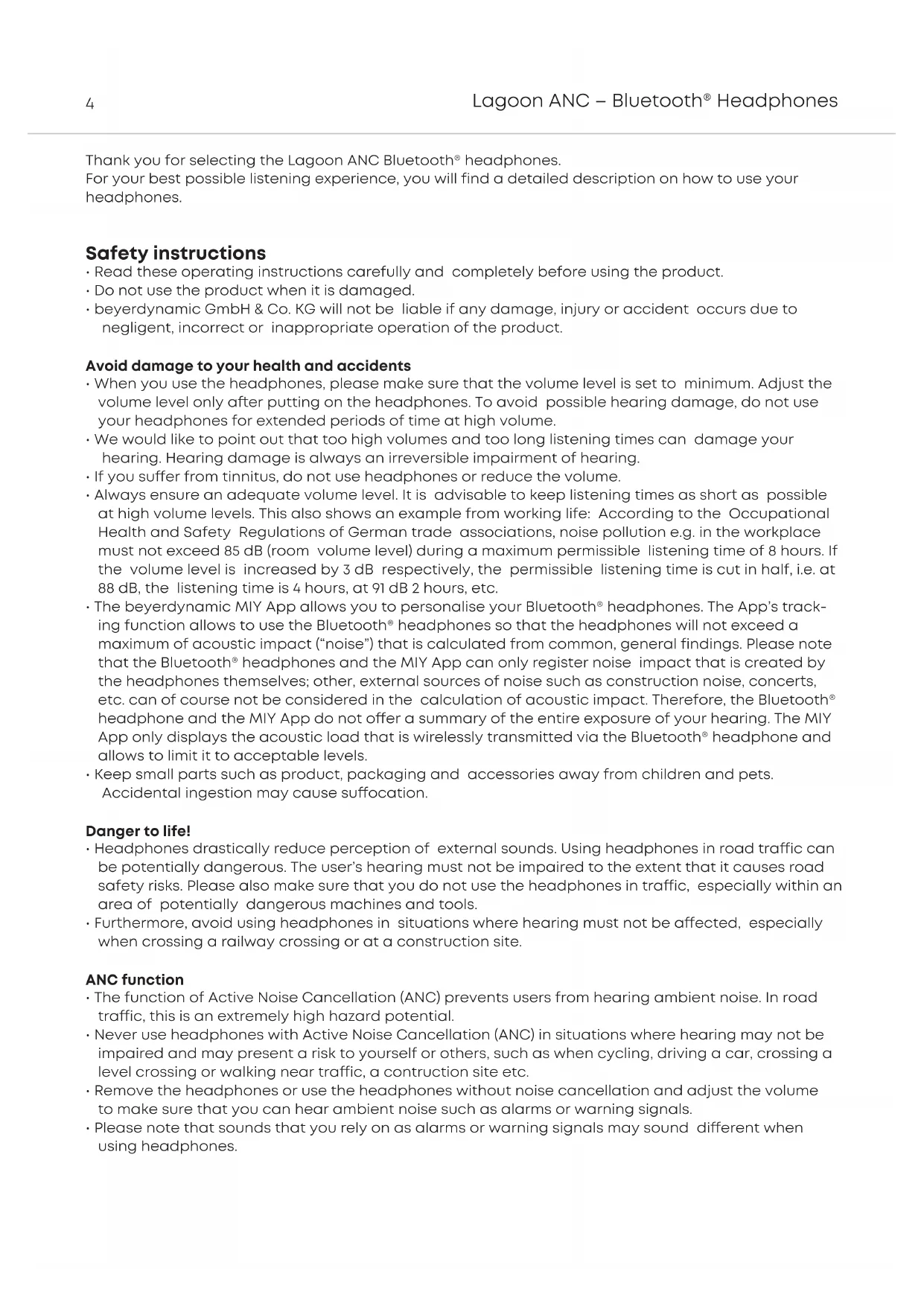


| Product Type | Wireless Bluetooth in-ear headphones with active noise cancellation |
| Brand | Beyerdynamic |
| Model | Lagoon ANC Explorer |
| Active Noise Cancellation (ANC) | Yes, with two-position switch |
| Bluetooth Profiles | A2DP, HFP, HSP, AVRCP |
| Audio Codecs | SBC, AAC, aptX, aptX HD |
| NFC Connectivity | Yes |
| Charging Port | USB Type-C |
| Audio Cable Included | Yes, 3.5 mm jack |
| Touch Control | Yes (volume, playback, calls, voice assistant) |
| Voice Assistant | Siri, Google Assistant |
| Companion App | MIY (Make It Yours) for iOS and Android |
| Multipoint Operation | Up to 15 devices, 2 simultaneous active connections |
| Light Guide System (LGS) | Yes (charging, connection, calls, sound dose) |
| Microphone | Built-in |
| Power Supply | Integrated rechargeable lithium-ion battery |
| Box Contents | Lagoon ANC headphones, 3.5 mm audio cable, USB-A to USB-C cable, hard case |
| Warranty | 2 years |
| Care | Soft, dry cloth; do not use solvents |
| Operating Temperature | 0 °C to 40 °C |
| Storage Temperature | 0 °C to 40 °C |
| Spare Parts | Available at www.beyerdynamic.com/service |
Frequently Asked Questions - Lagoon ANC Explorer BEYERDYNAMIC
User questions about Lagoon ANC Explorer BEYERDYNAMIC
0 question about this device. Answer the ones you know or ask your own.
Ask a new question about this device
Download the instructions for your Earphones in PDF format for free! Find your manual Lagoon ANC Explorer - BEYERDYNAMIC and take your electronic device back in hand. On this page are published all the documents necessary for the use of your device. Lagoon ANC Explorer by BEYERDYNAMIC.
USER MANUAL Lagoon ANC Explorer BEYERDYNAMIC
Thank you for selecting the Lagoon ANC Bluetooth® headphones.
For your best possible listening experience, you will find a detailed description on how to use your headphones.
Safety instructions
- Read these operating instructions carefully and completely before using the product.
- Do not use the product when it is damaged.
- beyerdynamic GmbH & Co. KG will not be liable if any damage, injury or accident occurs due to negligent, incorrect or inappropriate operation of the product.
Avoid damage to your health and accidents
- When you use the headphones, please make sure that the volume level is set to minimum. Adjust the volume level only after putting on the headphones. To avoid possible hearing damage, do not use your headphones for extended periods of time at high volume.
- We would like to point out that too high volumes and too long listening times can damage your hearing. Hearing damage is always an irreversible impairment of hearing.
- If you suffer from tinnitus, do not use headphones or reduce the volume.
• Always ensure an adequate volume level. It is advisable to keep listening times as short as possible at high volume levels. This also shows an example from working life: According to the Occupational Health and Safety Regulations of German trade associations, noise pollution e.g. in the workplace must not exceed 85 dB (room volume level) during a maximum permissible listening time of 8 hours. If the volume level is increased by 3 dB respectively, the permissible listening time is cut in half, i.e. at 88 dB, the listening time is 4 hours, at 91 dB 2 hours, etc.
- The beyerdynamic MIY App allows you to personalise your Bluetooth ^ headphones. The App's tracking function allows to use the Bluetooth ^ headphones so that the headphones will not exceed a maximum of acoustic impact ("noise") that is calculated from common, general findings. Please note that the Bluetooth ^ headphones and the MIY App can only register noise impact that is created by the headphones themselves; other, external sources of noise such as construction noise, concerts, etc. can of course not be considered in the calculation of acoustic impact. Therefore, the Bluetooth ^ headphone and the MIY App do not offer a summary of the entire exposure of your hearing. The MIY App only displays the acoustic load that is wirelessly transmitted via the Bluetooth ^ headphone and allows to limit it to acceptable levels.
- Keep small parts such as product, packaging and accessories away from children and pets. Accidental ingestion may cause suffocation.
Danger to life!
- Headphones drastically reduce perception of external sounds. Using headphones in road traffic can be potentially dangerous. The user's hearing must not be impaired to the extent that it causes road safety risks. Please also make sure that you do not use the headphones in traffic, especially within an area of potentially dangerous machines and tools.
• Furthermore, avoid using headphones in situations where hearing must not be affected, especially when crossing a railway crossing or at a construction site.
ANC function
- The function of Active Noise Cancellation (ANC) prevents users from hearing ambient noise. In road traffic, this is an extremely high hazard potential.
- Never use headphones with Active Noise Cancellation (ANC) in situations where hearing may not be impaired and may present a risk to yourself or others, such as when cycling, driving a car, crossing a level crossing or walking near traffic, a construction site etc.
- Remove the headphones or use the headphones without noise cancellation and adjust the volume to make sure that you can hear ambient noise such as alarms or warning signals.
- Please note that sounds that you rely on as alarms or warning signals may sound different when using headphones.
Liability / intended use
- Do not use the product for any application which is not described in this product information. beyerdynamic is not liable for improper use of the product and its accessories.
- beyerdynamic is not liable for damages to USB devices that do not comply with USB specifications.
- beyerdynamic is not liable for damages resulting from transmission breakdowns due to empty or old batteries or exceeding the Bluetooth® transmission range.
- Please observe the respective country-specific regulations before using the product.
Unit usage warning
- Use only a USB 2.0/3.0 compliant 5V power supply to charge the battery via the integrated USB type-C port (power consumption is max. 1.0 A).
- WARNING: The batteries (battery pack or batteries installed) shall not be exposed to excessive heat such as sunshine, fire or the like.
- CAUTION: Please do not open the housing. Danger of explosion if battery is incorrectly replaced.
Battery warning
- Do not disassemble.
- Do not use the battery after soaking.
- Do not expose to high temperature (60 °C/140 °F). High temperatures, particularly in association with a high charging status, result in irreversible damage of the battery.
- If you are not intending to use the battery for an extended period or are planning to put it into storage, it is advisable to lower the battery's charging level to around 50% and to store it at temperatures of maximum 30 °C.
- Never expose the battery to excessive heat such as sunshine, fire or the like.
- Misuse or improper use could damage the battery. In extreme cases, there is a risk of explosion, heat, fire, smoke or gas.
• Manufacturer: A&S Power Technology Co., Ltd.
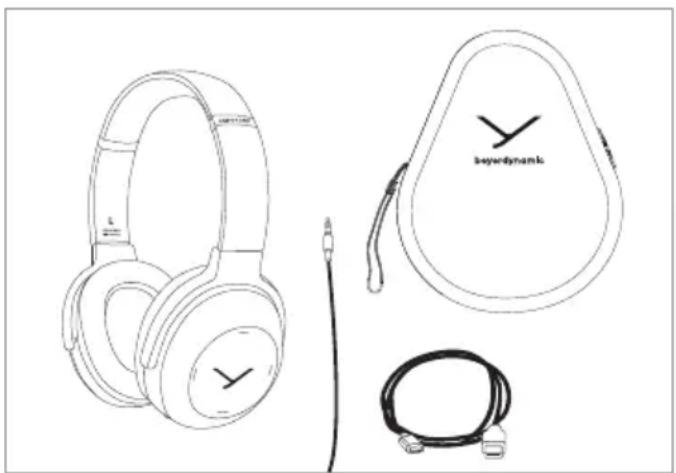
Supplied accessories
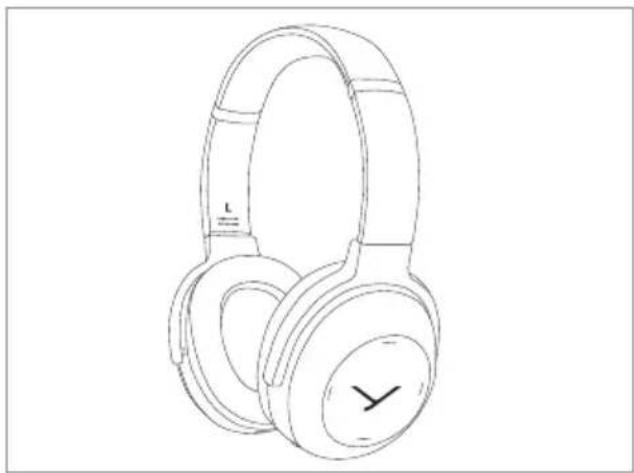
• Lagoon ANC headphones
• Audio cable, mini jack (3.5 mm)
- Charging cable USB-A to USB-C
- Hard case
- Quick start guide
natural_image
Line drawings of audio headphones, a keydram headband, and a cord with cable (no text or symbols)Storage and removal from the packaging
Removal from the packaging
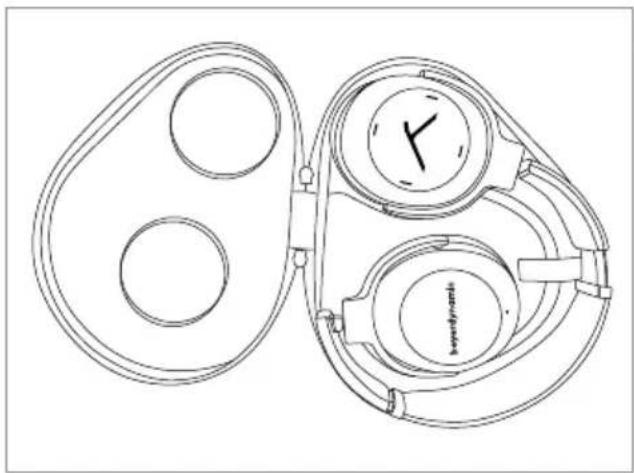
- Open the hard case and remove the headphones.
- Rotate the two housing shells inwards so that the ear pads are facing each other.
natural_image
Line drawing of a pair of outdoor headphones with a clock face (no text or symbols)Storage
- Rotate the two housing shells outwards and into each other, so that the right ear cup with the jack connection is on the outside.
- Put the headphones into the hard case with the ear pads pointing downwards.
natural_image
Line drawing of a mechanical device with two circular components and a central dial (no text or symbols)beyerdynamic MIY app
By using the beyerdynamic MIY app you can personalise your headphones. The app is available for Apple iOS and Android and can be downloaded from both the Apple App Store and the Google Play Store.
Note firmware version 1.0
The following descriptions refer to the standard settings and to the firmware version 1.0 installed on the present Bluetooth® headphones.
Firmware update
A more recent firmware version than installed (version 1.0) might be available, which you can update with the beyerdynamic MIY app.
Compatibility
The Bluetooth ^® headphones are compatible with Bluetooth ^® playback devices that support the following profiles:
· A2DP (for audio transmission)
• HFP (for phone operation)
· HSP (voice output)
- AVRCP (for the transmission of controls signals)
Note: All associated functions are only available, if they are supported by the player.
Supported audio codecs
Within the A2DP profile, the headphones support the audio codecs SBC, AAC, aptX™ and aptX™ LL. The best audio quality is offered by aptX™. aptX™ LL offers the shortest audio latency.
Note: Please note that only audio codecs can be used for audio transmission, which are available in the player.
The player and the in-ear headphones automatically select the best codec available on both devices according to the following order:
- aptX ^TM LL
- aptX™
- AAC
- SBC
Note: Please note that most playback devices do not indicate which codec is active.
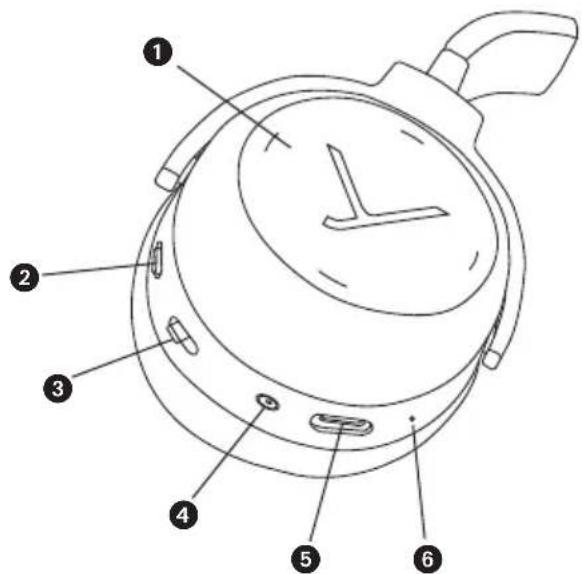
Operating elements
① Touch pad
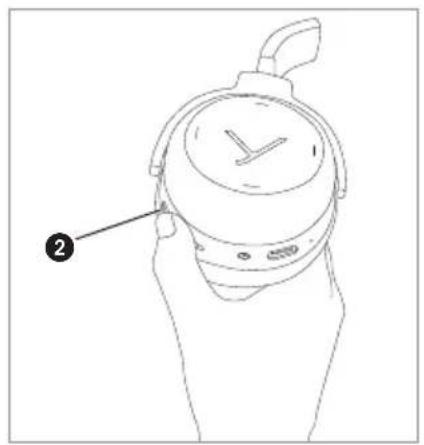
2 Switch ANC function
③ On-off switch and pairing
4 Mini jack connector (3.5 mm)
⑤ USB connection for charging cable, (USB-C)
6 Microphone
text_image
Technical diagram of a stopwatch with numbered parts labeled 1 through 6Light-Guide-System (LGS)
In the housing shells there is a so-called Light Guide System (LGS). The LGS is a visual display indicating various operating conditions.
In order to activate the LGS, please switch on the headphones.
- As soon as the headphones are picked up, the inside of the right housing shell will illuminate red and the left one will illuminate white.
- If the headphones are stored e.g. on a table, the standby mode will be activated after more than 10 seconds and the LGS will be turned off. The Bluetooth® connection still remains.
- In the pairing mode, the right and left housing shell alternately light up blue.
- A successful pairing is indicated by a blue light fading in.
For more information, please refer to the "Light Guide System" table.
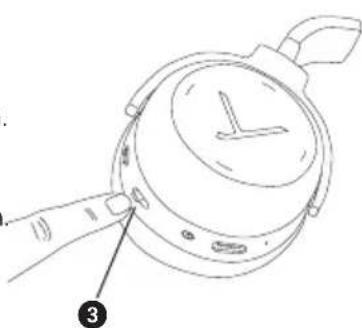
Turning on / off
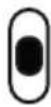
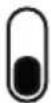
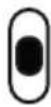
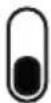
- Turning on
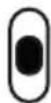
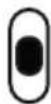
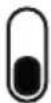
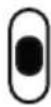
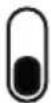
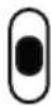
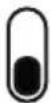
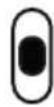
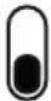
Set the switch ③ to the "On" position.
- Turning off
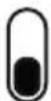
Set the switch ③ to the "Off" position.
natural_image
Line drawing of a hand holding a watch with a dial and a numbered label (3), no text or symbols present."On" position
"Off" position
Pairing with the player
Before you use the headphones for the first time, you have to pair them with your mobile phone or another Bluetooth® enabled device. The pairing process may be different with various players. Please refer to the appropriate manual of the player.
text_image
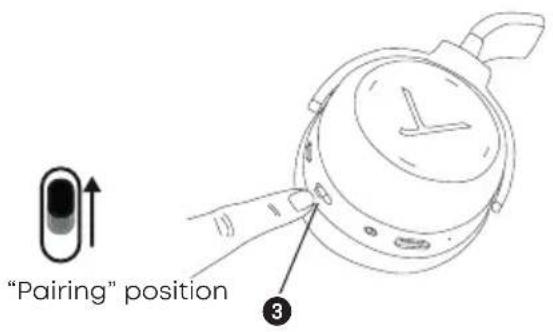
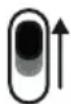
"Pairing" position ③- Set the switch ③ to the "On" position.
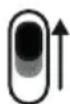
- Set the switch ③ for three seconds to the "Pairing" position.
The Light Guide System displays the pairing mode by flashing blue alternately in the left and right housing shell.
natural_image
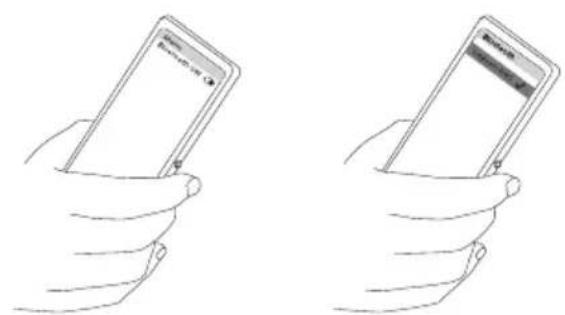
Two hand-drawn illustrations of a smartphone being held, showing front and side views (no text or symbols)- Activate the Bluetooth® function on the player and, if necessary, search for new devices.
- Select "Lagoon ANC" from the available devices in the Bluetooth® menu of the player and connect both devices.
- The Light Guide System displays a successful Bluetooth® connection by a blue light fading in. Each time when turning on, both devices connect automatically when in range.
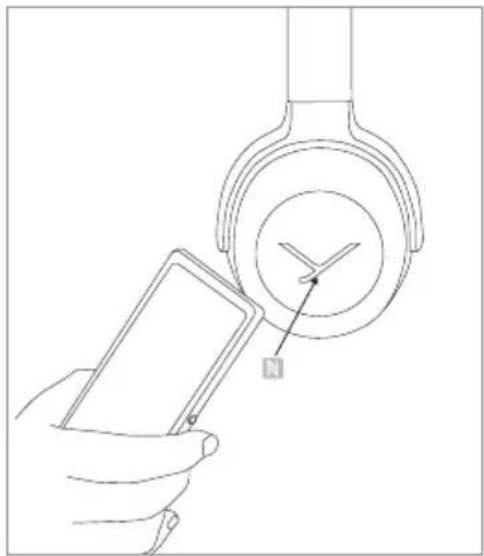
Pairing with the player via NFC
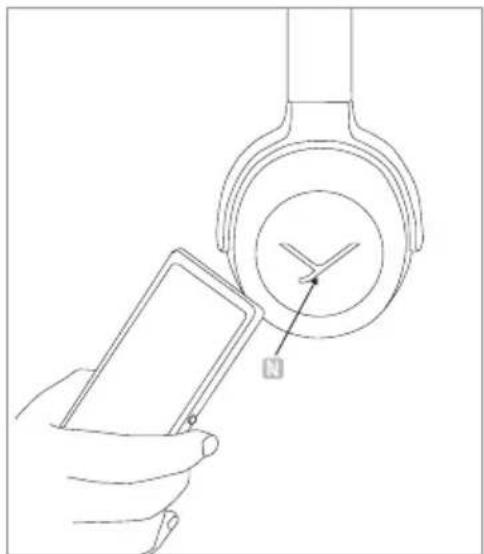
Alternatively, you can connect the headphones with an NFC-capable player through NFC. The headphones must be switched on. It does not matter whether the headphones are in pairing mode or not.
- Set the switch ③ to the "On" position.
- Activate the NFC function in the player.
- Hold the player over the left housing shell so that both NFC chips are close to each other. If required, test this by sliding movements.
natural_image
Line drawing of a hand holding a smartphone next to a wall-mounted device with a compass (no text or symbols)Multi point operation
The headphones can be paired to a maximum of 15 Bluetooth® enabled devices. Active connections can be established with up to two devices at a time. However, playback of music and phone operation is only possible with one device at a time. Phone operation has priority over playback of music;
i. e. playback of music is interrupted during phone calls.
The following priorities apply during the use of playback devices:
| Priority | Profile | Playback device (PD) |
| 1 HFP (phone operation) AG 1 (device used first) | ||
| 2 HFP (phone operation) AG 2 (device used second) | ||
| 3 A2DP (playback of music) AG 1 (device used first) | ||
| 4 A2DP (playback of music) AG 2 (device used second) | ||
Setting up multi point
- Pair the headphones with the first device (refer to "Pairing with the player").
- Deactivate the Bluetooth® connection on the first device.
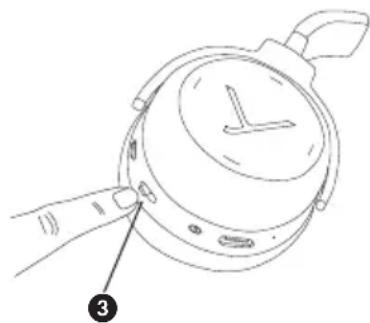
- Switch the headphones off by using the switch ③.
- Set the switch ③ to the "Pairing" position.
- Pair the headphones with the second device (refer to "Pairing with the player").
- Re-activate the Bluetooth® connection to the first device that automatically connects to the headphones.
- Once both devices are paired with the headphones, the headphones automatically connect with both devices each time when powered up, provided they are within the range.
natural_image
Line drawing of a hand holding a watch with a dial and handle, labeled with number 3 (no text or symbols on the watch itself)"Pairing" position
Using multi point
If you have connected the headphones with two devices
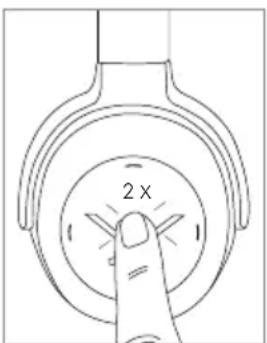
- and have just activated media playback, briefly press the touch pad twice to accept an incoming call.
– and have just finished a call, briefly press the touch pad twice to restart the media playback that was playing most recently.
text_image
2 xHow to set the volume
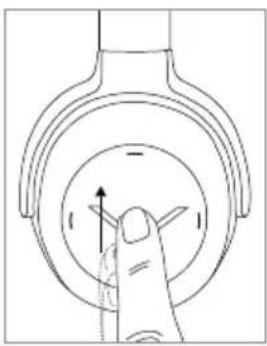
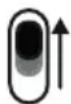
- Increase volume
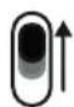
Drag your finger upwards on the touch pad. When you drag your finger upwards and hold it, the volume is gradually increased until the maximum is achieved.
An acoustic signal indicates the achieved maximum.
natural_image
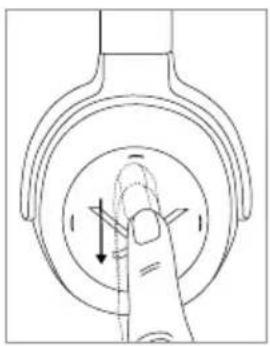
Diagram of a finger pressing down on a circular component with directional arrows (no text or symbols)- Reduce volume
Drag your finger downwards on the touch pad. When you drag your finger downwards and hold it, the volume is gradually reduced until the minimum is achieved.
An acoustic signal indicates the achieved minimum.
natural_image
Hand pressing a button on a circular mechanical component (no text or symbols visible)Media playback
Please note that the functions described in the following, depend on the player and the player software and may not be available. The headphones only transmit control signals that comply with the Bluetooth® standard.
Important: To avoid malfunction, use only one finger when you use the touch pad.
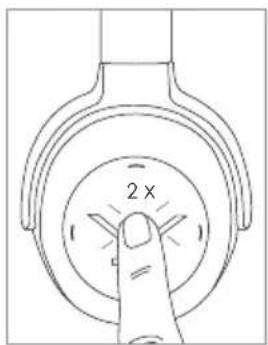
- Start / Stop:
Briefly tap the touch pad twice.
text_image
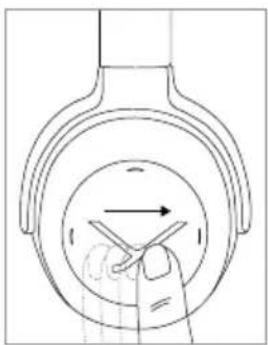
2 x- Play next track:
Drag your finger forwards on the touch pad.
natural_image
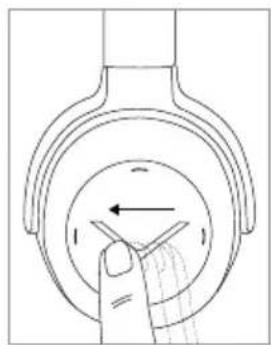
Diagram of a hand holding a tool inside a circular component with an arrow indicating direction (no text or symbols)- Play previous track:
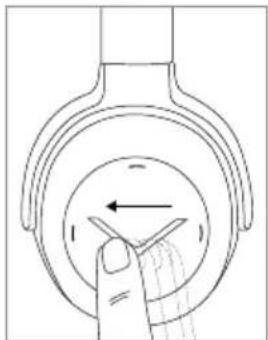
Drag your finger backwards on the touch pad.
natural_image
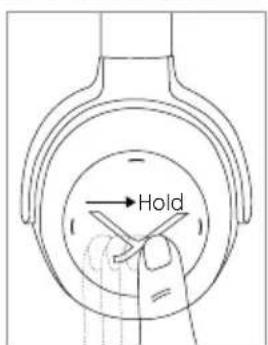
Diagram of a hand pressing down on a circular component with directional arrows (no text or symbols)- Fast forward:
Drag your finger forwards on the touch pad and hold it for at least 1 second.
text_image
Hold- Rewind:
Drag your finger backwards on the touch pad and hold it for at least 1 second.
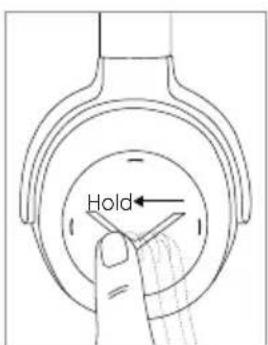
text_image
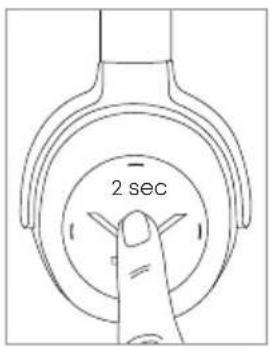
HoldCall personal assistant
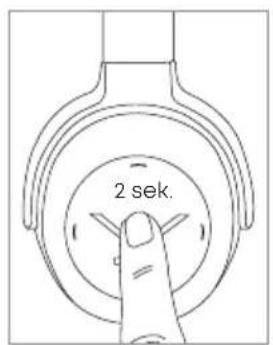
• To call the personal assistant on your smartphone or tablet such as Siri, Google Assistant etc.:
Press the centre of the touch pad for approx. 2 seconds.
text_image
2 secCall control
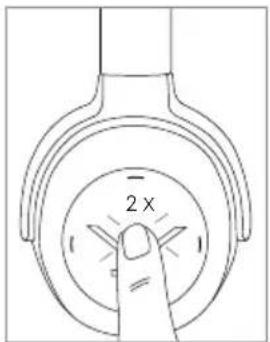
- Accept / end a call:
Briefly tap the touch pad twice.
text_image
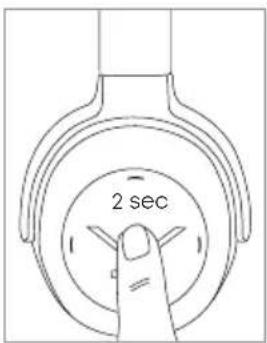
2 x- Reject a call:
Press the centre of the touch pad for approx. 2 seconds.
text_image
2 sec- Toggle between two callers:
Press the centre of the touch pad for approx. 2 seconds.
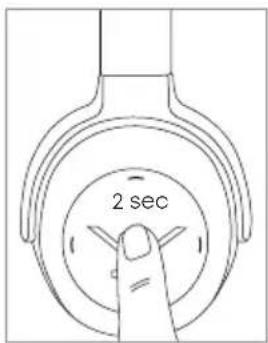
text_image
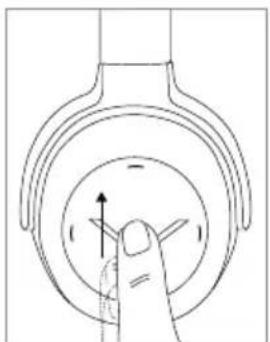
2 sec- Increase volume of call:
Drag your finger upwards on the touch pad. When you drag your finger upwards and hold it, the volume is gradually increased until the maximum is achieved. An acoustic signal indicates the achieved maximum.
natural_image
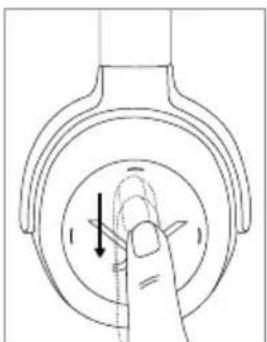
Diagram of a finger pressing down on a circular mechanical component with directional arrows (no text or symbols)- Reduce volume of call:
Drag your finger downwards on the touch pad. When you drag your finger downwards and hold it, the volume is gradually reduced until the minimum is achieved. An acoustic signal indicates the achieved minimum.
natural_image
Diagram of a finger pressing down on a circular mechanical component with directional arrows (no text or symbols)Charging the battery
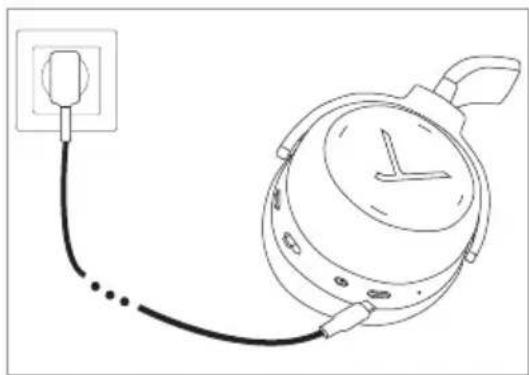
For charging the rechargeable battery, we recommend using the supplied USB charging cable only.
- Switch headphones off.
- Connect the headphones with the supplied USB charging cable to any compliant USB Type A port supplying voltage (e.g. USB power supply).
-
The light guide system displays the charging status: Pulsating red = battery charged 0 to 30% Pulsating yellow = battery charged 30 to 70% Pulsating green = battery charged 70 to 99% Green light constant = battery charged 100%
-
Detach the USB charging cable after the charging process.
natural_image
Line drawing of a clock connected to a power outlet (no text or symbols)Reset to factory settings
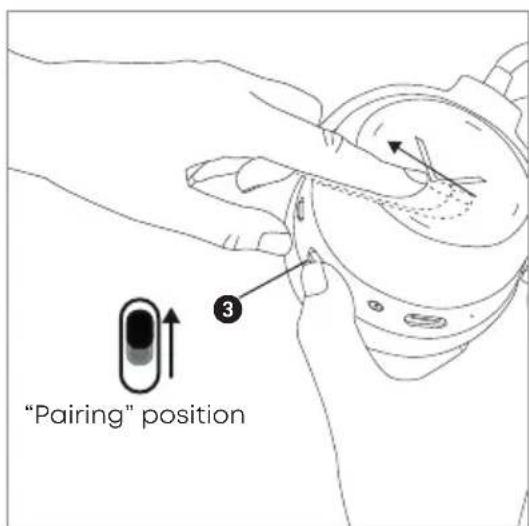
- Set the switch ③ to the "On" position.
- Take the right housing shell into your hands.
- Set the switch ③ to the "Pairing" position and at the same time drag your finger backwards on the touch pad.
text_image
"Pairing" position ③Touch pad and button functions table
Unless otherwise stated, the functions listed apply for headphones that are switched on.
| Switch on | Set switch to 3 the “On” position  |
| Switch off | Set the switch 3 to the “Off” position  |
| Paring mode | Switch on headphones, set switch 3 to “Pairing” position and hold it for 3 seconds  |
| Delete pairing mode list | Switch on headphones, set switch 3 to “Pairing” position and hold it for 10 seconds 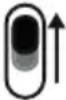 |
| Start / pause | Briefly tap the touch pad 1 twice |
| Next track | Drag forwards on the touch pad 1 |
| Previous track | Drag backwards on the touch pad 1 |
| Fast forward | Drag forwards on the touch pad 1 and hold for at least 1 second |
| Rewind | Drag backwards on the touch pad 1 and hold for at least 1 second |
| Accept / finish a call | Briefly tap the touch pad 1 twice |
| Reject a call | Press the touch pad 1 for 2 seconds |
| Toggle between 2 callers | Briefly tap the touch pad 1 twice |
| Call personal assistant (Siri, Google Assistant etc.) | Press the touch pad 1 for 2 seconds |
Settings table
The functions listed apply for headphones that are switched on.
| Activating and deactivating voice messages | Set the switch 3 to the “Pairing” position and hold for 1 second. At the time tap the touch pad 1 twice with one finger. |
| Reset to factory settings | Set the switch 3 to the “Pairing” position and at the same time drag your finger backwards on the touch pad 1. |
Light Guide System table
| Charging battery0-30%30-70%70-99%full (100%) | Pulsating redPulsating yellowPulsating greenGreen light constant |
| Battery almost empty 4 x flashing red | |
| Bluetooth® connection mode active (Pairing) | Inside of left and right housing shell is flashing alternately blue |
| Bluetooth® connection active Orange light | |
| Bluetooth® connection lost Flashing slowly blue with interruptions of 3 seconds | |
| Media playback active Orange light | |
| Incoming call Flashing rapidly blue with interruptions of 1 second | |
| During a call Orange light | |
| Display of “sound dosage” (stress on your hearing) | After taking the headphones off, the status will be displayed on a scale between green and red for 3 seconds |
| Firmware update mode Flashing pink | |
| Standby mode If the headphone is not used for more than 10 seconds, the Light Guide System is turned off. | |
Player settings for your best wireless sound
To achieve your best possible sound via Bluetooth ^® with the headphones, you should consider the following practical hints:
- Set the volume of the headphones to minimum, of the player to maximum.
- Then a adjust the volume on the headphones only, not on the player.
Important:
This applies only to players that do not automatically synchronise the volume.
On players that automatically synchronise the volume (e.g. iPhone, iPad, various Android smartphones), the headphone volume is always identical to the volume of the player.
- Deactivate any audio effects that might exist in your player software.
Troubleshooting
| Problem | Cause | Solution |
| The headphones cannot be switched on | Battery is empty or almost empty | Charge the battery |
| No audio output No Bluetooth® | connection Pair the headphones with the player | |
| The headphones do not appear among the available Bluetooth® devices on the player | · The headphones are switched off· The headphones are not in pairing mode· A Bluetooth® connection to another player exists already | · Turn on the headphones· Put the headphones into pairing mode· Disconnect the Bluetooth® connection to the other player and connect the headphones to the desired device |
| Playback volume is too low, even though the headphone volume is set to maximum | The received audio signal is too low | Increase the playback volume on the player to maximum |
| The sound is harsh and the bass response is too low | Insufficient seal of the ear pads | Adjust the headphones over your ears so that maximum seal is achieved |
| The wireless range is too low or the connection is disrupted | There are interferences with other devices | Move away from WLAN routers and microwave ovens, ensure that your body is not between player and the headphone |
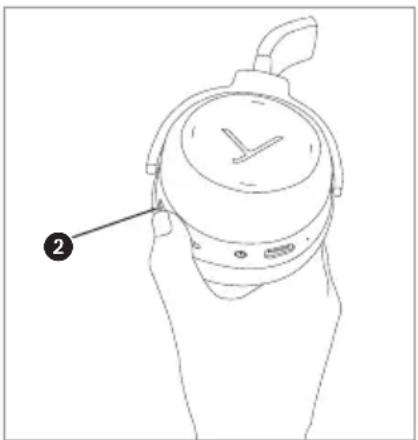
ANC – Switching on and off
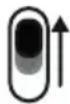
The Active Noise Cancellation (ANC) can be switched on and in two stages with the ANC switch 2.
Hints for best ANC function
Active noise cancellation works particularly well at low frequencies, such as the noise of wheel tires on rails or the deep roar of aircraft engines. Therefore, active noise cancellation is mainly used for rail or air travelling.
Active noise cancelling headphones eliminate annoying ambient noise best, when the battery is charged.
When using this function, always make sure that the battery is charged.
natural_image
Line drawing of a hand holding a wristwatch with a dial and handle (no text or symbols)Using the audio cable
Delivery includes an audio cable with a mini jack plug (3.5 mm) on either end. With the audio cable you can use the headphones without Bluetooth® connection or when the battery is empty.
- Switch off the headphones so that no electricity is drawn from the battery.
- Connect one end of the audio cable to the jack socket ④ of the right housing shell.
- Connect the other end of the audio cable to the player.
Maintenance
- To clean the Lagoon ANC use only a soft cloth - either dry or slightly damp.
- Do not use cleaners that contain solvents as they can damage the surface.
Notes on battery life for Li-ion batteries
• After fully charging, disconnect the charging cable from the charger and the headphones.
- High temperatures, especially when fully charged can lead to irreversible damage.
- If the battery is not used for extended periods of time, it is recommended to charge it to approx. 50 % and store it at temperatures no more than 20 °C.
- Turn-off the battery-powered product after use.
Spare parts
- Spare parts for the headphone can be found on the web at: www.beyerdynamic.com/service.
Disposal
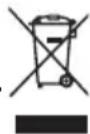
This symbol on the product, in the instructions or on the packaging means that your electrical and electronic equipment should be disposed at the end of its life separately from your household waste. There are separate collection systems for recycling in the EU. For more information, please contact the local authority or your retailer where you purchased the product.
Battery disposal
This symbol means that according to local laws and regulations your product and/or its battery shall be disposed of separately from household waste. When this product reaches its end of life, take it to a collection point designated by local authorities. The separate collection and recycling of your product and/or its battery at the time of disposal will help conserve natural resources and ensure that it is recycled in a manner that protects human health and the environment.

- Old batteries may contain substances that are harmful to your health and environment.
- Dispose used batteries always according to the applicable disposal regulations. Please do not throw used battery packs into the fire (danger of explosion) or your household rubbish, take them to your local collection points. The return is free and required by law. Please dispose discharged batteries only.
- All batteries are recycled to reclaim valuable material such as iron, zinc or nickel.
Simplified EU Declaration of Conformity
Hereby, beyerdynamic declares that the radio equipment is in compliance with Directive 2014/53/EU. The full text of the EU declaration of conformity is available at the following internet address: http://www.beyerdynamic.com/cod
Technical specifications
RF frequency range 2.402 - 2.480 GHz
Transmission power....10 dBm
Operating temperature range .... 0 to 40 °C
Charging temperature range .... 0 to 40 °C
Detailed technical specifications can be found on the internet at: www.beyerdynamic.com/lagoon-anc
Product registration
- Using the serial number, you can register your headphone on the web at: www.beyerdynamic.com.
Guarantee terms
beyerdynamic GmbH & Co. KG, Theresienstrasse 8, 74072 Heilbronn, Germany (subsequently called: "beyerdynamic") provides this limited guarantee for the original beyerdynamic product (subsequently called: "product") purchased by you.
If you wish to make a guarantee claim for your product, take it to the retailer from which you purchased it or to another authorised beyerdynamic service partner. A list of all service partners worldwide can be found on the Internet at:
www.beyerdynamic.com/distributors.
In accordance with the terms of this limited guarantee, beyerdynamic guarantees that this product at the time of initial purchase is free of material and manufacturing defects. This guarantee is valid for two (2) years from the date of purchase of brand-new, unused products by the original end user.
As proof of purchase by all means please retain the sales receipt. The date of purchase and the name of the product have to be indicated on the sales receipt. Without this proof, which is checked by beyerdynamic or the relevant beyerdynamic service partner, no claims may be put forward with respect to beyerdynamic based on this limited guarantee; beyerdynamic and the beyerdynamic service partners reserve the right to charge a processing fee if this product in accordance with the guarantee terms fails to meet the guarantee criteria.
The guarantee undertaking consists at the option of beyerdynamic of the elimination free of charge of material and manufacturing defects through repair, exchange of parts or replacement of the entire product. If beyerdynamic repairs the product, exchanges parts or replaces the product, then the guarantee claim for the defect in question or the replaced product is valid for the remaining duration of the original guarantee period or for ninety (90) days from the date of repair, whichever period happens to be longer. The repair or replacement claims may be filled with functionally equivalent, reconditioned products. The replaced parts or components become the property of beyerdynamic.
This guarantee claim is void if the product has been tampered with by unauthorised persons or workshops.
This limited guarantee is valid worldwide in all countries in which in each respective case the national laws do not conflict with these guarantee terms. Other or broader claims than those set forth here may not be asserted on the basis of this limited guarantee. At the same time, however, you as an end user may in your country have legal claims which are not limited by this limited guarantee. The limited guarantee limits neither your legal rights nor the rights of consumer vis-à-vis the retailer which arise from the purchase contract.
Excluded from this limited guarantee are:
- Minor defects or irregularities in the condition of the product which are insignificant as far as the quality and intended use of the product are concerned.
- Accessories included with the product.
- Rechargeable and non-rechargeable batteries (due to their nature these products have a shorter lifespan which in individual cases also depends practically on the intensity of use).
- Headband pad, ear pads, wind shield and all parts of the product that have body contact.
- Defects which have occurred through improper use or misuse of the product (for example, faulty operation, mechanical damage, incorrect operating voltage), including, but not limited to, any unintended use of the product.
- Defects in the product resulting from failure to comply with the operating and maintenance instructions of beyerdynamic.
- Defects in the product which have occurred through normal wear and tear.
- Defects in the product resulting from or in connection with modifications made to the product to the extent that regarding the nature and extent of the modification no prior written consent on the part of beyerdynamic exists.
- Defects in the product resulting from force majeure.
- Defects in the product of which you were already aware at the time of purchase.
- Defects in the product caused by the use of accessory components or peripheral devices which are not among the original accessories of beyerdynamic developed for this product.
THERE EXIST NO EXPRESS GUARANTEES, REGARDLESS OF WHETHER THEY ARE WRITTEN OR VERBAL, BEYOND THIS PRINTED VERSION OF THE LIMITED GUARANTEE. ALL IMPLIED GUARANTEES, INCLUDING – BUT NOT RESTRICTED TO – GUARANTEES OF COMMERCIAL PRACTICE AND OF SUITABILITY FOR A PARTICULAR PURPOSE, ARE ONLY VALID FOR THE DURATION OF THIS LIMITED GUARANTEE. BEYERDYNAMIC IS, TO THE EXTENT THAT AN EXCLUSION OF LIABILITY IS PERMITTED, IN NO INSTANCE LIABLE FOR INDIRECT OR CONSEQUENTIAL DAMAGES OF WHATEVER KIND, INCLUDING – BUT NOT RESTRICTED TO – LOST PROFITS AND ECONOMIC DISADVANTAGES.
In some countries / states the exclusion or limiting of indirect or consequential damages or the limiting of the duration of implicit guarantees is not allowed. In this case the previously mentioned limitations and exclusions do not apply to you.
FCC / IC Regulation
FCC ID: OSDLAGOONANC Canada IC: 3628A-LAGOONANC
NOTICE:
This device complies with Part 15 of the FCC Rules and with Industry Canada licence- exempt RSS standard(s).
Operation is subject to the following two conditions:
(1) this device may not cause harmful interference, and
(2) his device must accept any interference received, including interference that may cause undesired operation.
Changes or modifications made to this equipment not expressly approved by beyerdynamic may void the FCC authorization to operate this equipment.
Radiofrequency radiation exposure information:
This device has been tested and meets the FCC / ISED exposure guidelines.
Note: This equipment has been tested and found to comply with the limits for a Class B digital device, pursuant to part 15 of the FCC Rules
These limits are designed to provide reasonable protection against harmful interference in a residential installation. This equipment generates, uses and can radiate radio frequency energy and, if not installed and used in accordance with the instructions, may cause harmful interference to radio communications. However, there is no guarantee that interference will not occur in a particular installation.
If this equipment does cause harmful interference to radio or television reception, which can be determined by turning the equipment off and on, the user is encouraged to try to correct the interference by one or more of the following measures:
- Reorient or relocate the receiving antenna.
– Increase the separation between the equipment and receiver.
- Connect the equipment into an outlet on a circuit different from that to which the receiver is connected.
- Consult the dealer or an experienced radio/TV technician for help.
Made in China
This device is granted pursuant to the Japanese Radio Law (電波法) and the Japanese
Telecommunications Business Law (電気通信事業法)
This device should not be modified (otherwise the granted designation number will become invalid.
Trademarks
The Bluetooth ^® word mark and logos are registered trademarks of Bluetooth SIG, Inc. and all use of these trademarks by beyerdynamic is licensed. Other trademarks and trade names are the property of the respective owners.
Qualcomm aptX™ is a product of Qualcomm Technologies, Inc. and/or its subsidiaries. Qualcomm® is a registered trademark of Qualcomm Incorporated in the USA and in other countries. aptX™ is a registered trademark of Qualcomm Technologies International, Ltd.
natural_image
Line drawings of audio headphones, a rear-end headbox, and a cord with connectors (no text or symbols)natural_image
Line drawing of a pair of outdoor headphones with a circular button labeled 'Y' (no text or symbols on the devices themselves)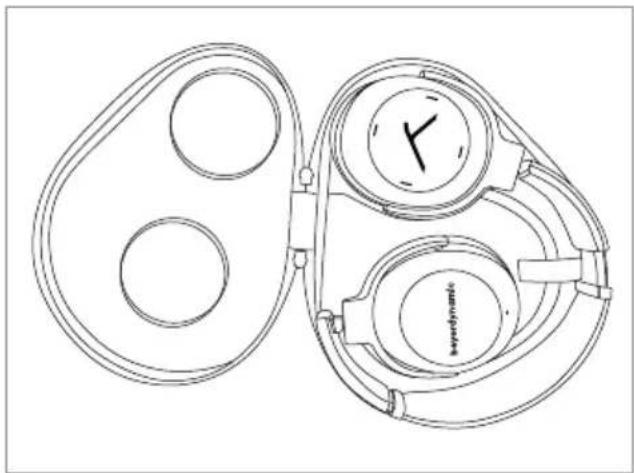
natural_image
Line drawing of a mechanical device with two circular components and a central dial (no text or symbols)beyerdynamic MIY App
text_image
Technical diagram of a mechanical device with numbered parts labeled 1 through 6Light-Guide-System (LGS)
natural_image
Line drawing of a hand holding a stopwatch with a dial and buttons, no text or symbols presentPosition „Ein“
Position „Aus“
natural_image
Two hand-drawn illustrations of a smartphone being held, showing front and side views (no text or symbols)natural_image
Line drawing of a hand holding a smartphone next to a circular device with a compass needle (no text or symbols)Multi-Point-Betrieb
natural_image
Line drawing of a hand holding a watch with a dial and buttons, labeled with number 3 (no text or symbols on the watch itself)Position „Pairing“
natural_image
Line drawing of a finger pressing down on a circular mechanical component with arrows indicating direction (no text or symbols)natural_image
Line drawing of a finger pressing down on a circular mechanical component with directional arrows (no text or symbols)Medienwiedergabe
natural_image
Diagram of a hand pressing down on a circular component with directional arrows (no text or symbols)• Vorheriger Titel:
natural_image
Diagram of a hand pressing down on a circular component with directional arrows (no text or symbols)• Vorwärtsspulen:
natural_image
Diagram of a finger pressing down on a circular mechanical component with directional arrows (no text or symbols)natural_image
Diagram of a finger pressing down on a circular mechanical component with directional arrows (no text or symbols)Akku aufladen
natural_image
Line drawing of a wall-mounted device connected to a clock face (no text or symbols)natural_image
Line drawing of a hand holding a wristwatch with a dial and wrist strap (no text or symbols)natural_image
Line drawings of audio headphones, a keyframe head with 'keydynamik' logo, and a cord (no text or symbols on devices)natural_image
Line drawing of a pair of outdoor headphones with a circular button labeled 'Y' (no text or symbols on the devices themselves)Rangement
natural_image
Line drawing of a mechanical pulley system with two circular components and a wall-mounted dial (no text or symbols)Application MIY (Make it Yours) de beyerdynamic
Codecs audios supportés
text_image
Technical diagram of a mechanical device with numbered parts for identificationLight-Guide-System (LGS)
natural_image
Line drawing of a hand holding a watchtop with a dial and buttons, labeled with number 3 (no text or symbols on the watch itself)Position « Marche »
Position « Arrêt »
natural_image
Two hand-drawn illustrations of a smartphone being held, showing front and side views (no text or symbols)natural_image
Line drawing of a hand holding a smartphone next to a circular device with a compass needle (no text or symbols)natural_image
Line drawing of a hand holding a watch with a dial and handle, labeled with number 3 (no text or symbols on the watch itself)natural_image
Line drawing of a finger pressing down on a circular mechanical component with an arrow indicating direction (no text or symbols)natural_image
Line drawing of a finger pressing down on a circular mechanical component with directional arrows (no text or symbols)Lecture des médias
natural_image
Diagram of a hand holding a tool inside a circular component with an arrow indicating direction (no text or symbols)• Titre précédent :
natural_image
Diagram of a hand pressing down on a circular component with an arrow indicating left motion (no text or symbols)- Avance rapide :
text_image
2 secondesCommande d'appel
natural_image
Diagram of a finger pressing down on a circular mechanical component with directional arrows (no text or symbols)natural_image
Diagram of a finger pressing down on a circular mechanical component with directional arrows (no text or symbols)natural_image
Line drawing of a wall-mounted device connected to a power outlet (no text or symbols)natural_image
Line drawing of a hand holding a wristwatch with a dial and wrist strap (no text or symbols)natural_image
Line drawings of audio headphones, a keyframe head with 'keydynamik' logo, and a black cord (no text or symbols on devices)natural_image
Line drawing of a pair of outdoor headphones with a checkmark on the front (no text or symbols)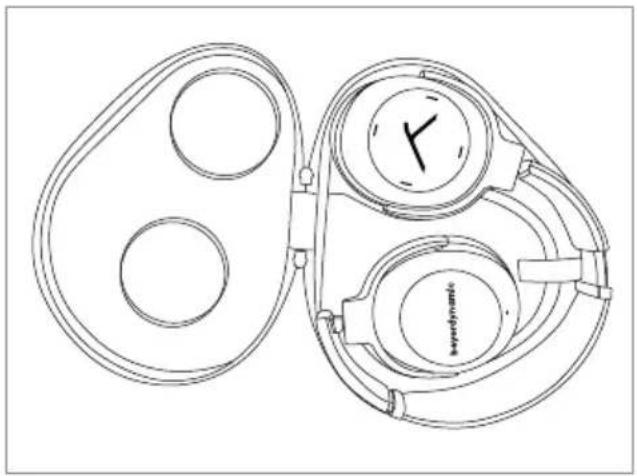
natural_image
Line drawing of a mechanical device with two circular components and a wall-mounted dial (no text or symbols)beyerdynamic MIY App
text_image
Technical diagram of a mechanical device with numbered parts labeled 1 through 6Light-Guide-System (LGS)
natural_image
Line drawing of a hand holding a watchtop with a dial and buttons, labeled with number 3 (no text or symbols on the watch itself)Posición "On"
Posición "Off"
natural_image
Line drawing of a hand holding a smartphone (no text or symbols visible)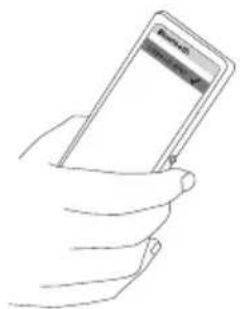
natural_image
Line drawing of a hand holding a smartphone (no text or symbols visible)natural_image
Line drawing of a hand holding a smartphone next to a circular device with a compass needle (no text or symbols)Modo multipunto
natural_image
Line drawing of a hand holding a watch with a dial and handle, labeled with number 3 (no text or symbols on the watch itself)natural_image
Diagram of a finger pressing down on a circular component with an arrow indicating direction (no text or symbols)• Bajar el volumen
natural_image
Hand pressing a button on a circular mechanical component with directional arrows (no text or symbols)natural_image
Diagram of a hand pressing down on a circular mechanical component with directional arrows (no text or symbols)- Título anterior:
natural_image
Line drawing of a hand pressing down on a circular component with an arrow indicating left motion (no text or symbols)• Avanzar:
natural_image
Line drawing of a hand pressing down on a circular mechanical component with an arrow indicating direction (no text or symbols)natural_image
Diagram of a finger pressing down on a circular mechanical component with directional arrows (no text or symbols)Cargar la batería
natural_image
Line drawing of a clock connected to a power outlet (no text or symbols)natural_image
Line drawing of a hand holding a wristwatch with a dial and wrist strap (no text or symbols)natural_image
Line drawings of audio headphones and a keydynamics device with cable (no text or symbols)natural_image
Line drawing of a pair of outdoor headphones with a checkmark on the front (no text or symbols)Riporre
natural_image
Line drawing of a mechanical device with two circular components and a central dial (no text or symbols)beyerdynamic MIY App
text_image
Technical diagram of a mechanical device with numbered parts labeled 1 through 6Light-Guide-System (LGS)
natural_image
Line drawing of a hand pressing a button on a watchbox (no text or symbols)Posizione "On"
Posizione "Off"
natural_image
Two hand-drawn illustrations of a smartphone being held, showing front and side views (no text or symbols)natural_image
Line drawing of a hand holding a smartphone next to a circular device with a compass needle (no text or symbols)natural_image
Line drawing of a hand holding a watchtop with a numbered label pointing to the button (no text or symbols present)Posizione
"Accoppiamento"
natural_image
Diagram of a finger pressing down on a circular component with an arrow indicating direction (no text or symbols)natural_image
Hand pressing a button on a circular mechanical component (no text or symbols visible)natural_image
Diagram of a hand pressing a button on a circular component with an arrow indicating direction (no text or symbols)- Brano precedente:
natural_image
Diagram of a finger pressing down on a circular component with an arrow indicating left motion (no text or symbols)• Andare avanti:
natural_image
Line drawing of a finger pressing down on a circular mechanical component with an arrow indicating direction (no text or symbols)natural_image
Diagram of a finger pressing down on a circular mechanical component with directional arrows (no text or symbols)natural_image
Line drawing of a clock connected to a power outlet (no text or symbols)natural_image
Line drawing of a hand holding a wristwatch with a dial and wrist strap (no text or symbols)natural_image
Line drawings of audio headphones, a keyframe head with 'keydynamik' logo, and a black cord (no text or symbols on devices)natural_image
Line drawing of a pair of outdoor headphones with a circular button labeled 'Y' (no text or symbols on the devices themselves)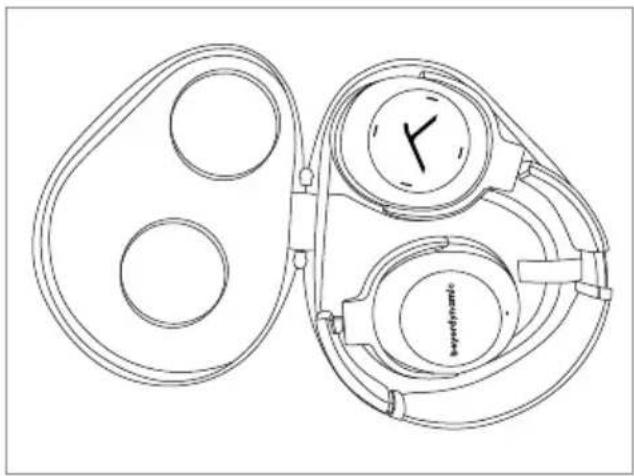
natural_image
Line drawing of a mechanical device with two circular components and a central dial (no text or symbols)beyerdynamic MIY App
text_image
Technical diagram of a mechanical device with numbered parts labeled 1 through 6Light-Guide-system (LGS)
natural_image
Line drawing of a hand pressing a button on a watch (no text or symbols)Position "På"
Position "Av"
text_image
Position "Parning" ③-
Sätt brytaren ③i position "På".
-
Håll brytaren ③ i position "Parning" i tre sekunder.
natural_image
Two hand-drawn diagrams showing a smartphone being held, no text or symbols presentnatural_image
Line drawing of a hand holding a smartphone next to a circular device with a compass needle (no text or symbols)natural_image
Line drawing of a hand holding a watch with a dial and buttons, labeled with number 3 (no text or symbols on the watch itself)Position "Parning"
Använda Multi-Point
natural_image
Diagram of a finger pressing down on a circular mechanical component with directional arrows (no text or symbols)• Sänka ljudvolymen
natural_image
Hand gesture pointing at a circular button with directional arrows (no text or symbols)Mediauppspelning
natural_image
Diagram of a hand pressing a button on a circular component with an arrow indicating direction (no text or symbols)- Spola bakåt:
natural_image
Diagram of a finger pressing down on a circular component with an arrow indicating left motion (no text or symbols)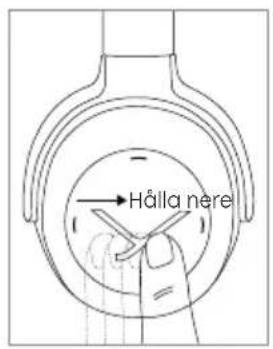
text_image
Hålla nere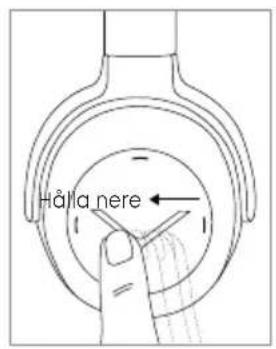
text_image
Hålla nereRinga personliga assistenter
- Ringa personliga assistenter för din smartphone eller surfplatta (Siri, Google Assistant osv.):
Tryck i ca. 2 sekunder mitt på touchplattan.
text_image
2 sek.Samtalsstyrning
natural_image
Diagram of a finger pressing down on a circular mechanical component with directional arrows (no text or symbols)natural_image
Diagram of a finger pressing down on a circular component with directional arrows (no text or symbols)Ladda batteriet
natural_image
Line drawing of a wall-mounted device connected to a circular dial with a clock face (no text or symbols)text_image
Position "Parning" 3natural_image
Line drawing of a hand holding a wristwatch with a dial and wrist strap (no text or symbols)natural_image
Line drawings of audio headphones, a keydynamics device, and a cord (no text or symbols)natural_image
Line drawing of a pair of outdoor headphones with a circular head and 'Y' button (no text or symbols on the devices)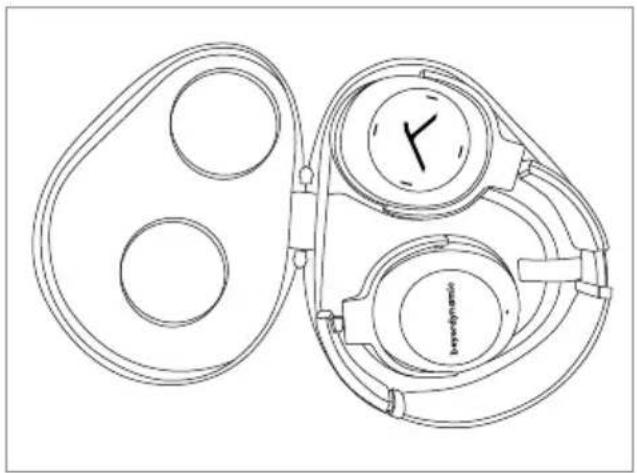
natural_image
Line drawing of a mechanical device with two circular components and a dial (no text or symbols)Приложение beyerdynamic MIY
text_image
Technical diagram of a stopwatch with numbered parts labeled 1 through 6natural_image
Line drawing of a hand holding a watchtop with a dial and buttons, labeled with number 3 (no text or symbols on the watch itself)Позиция „Вкл“
Позиция „Выкл“
natural_image
Two hand-drawn illustrations of a smartphone being held, showing front and side views (no text or symbols)natural_image
Line drawing of a hand holding a smartphone next to a circular device with a compass needle (no text or symbols)natural_image
Line drawing of a hand holding a watch with a dial and handle, labeled with number 3 (no text or symbols on the watch itself)Позиция „Pairing“
natural_image
Diagram of a finger pressing down on a circular component with an arrow indicating direction (no text or symbols)natural_image
Hand pressing a button on a circular mechanical component (no text or symbols visible)natural_image
Diagram of a hand holding a tool inside a circular component with an arrow indicating direction (no text or symbols)natural_image
Diagram of a hand pressing down on a circular component with directional arrows (no text or symbols)natural_image
Diagram of a finger pressing down on a circular component with directional arrows (no text or symbols)natural_image
Diagram of a finger pressing down on a circular mechanical component with directional arrows (no text or symbols)natural_image
Line drawing of a clock connected to a power outlet (no text or symbols)natural_image
Line drawing of a hand holding a wristwatch with a dial and wrist strap (no text or symbols)natural_image
Line drawings of three audio headphones with attached cables, no text or symbols present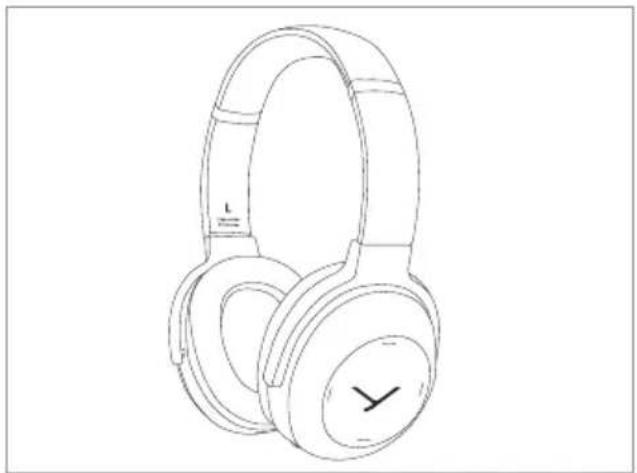
natural_image
Line drawing of a pair of outdoor headphones with a circular button labeled 'Y' (no text or symbols on the devices themselves)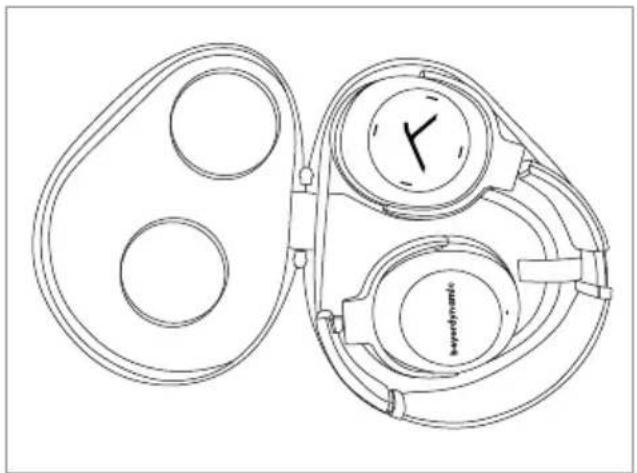
natural_image
Line drawing of a mechanical device with pulleys and a dial (no text or symbols)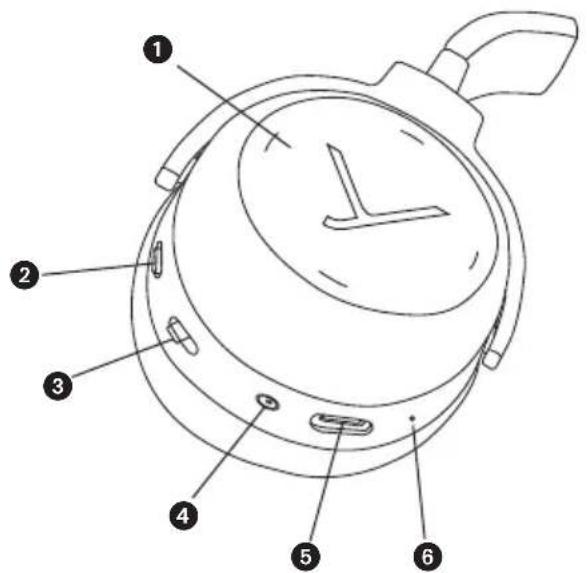
text_image
Technical diagram of a mechanical device with numbered parts labeled 1 through 6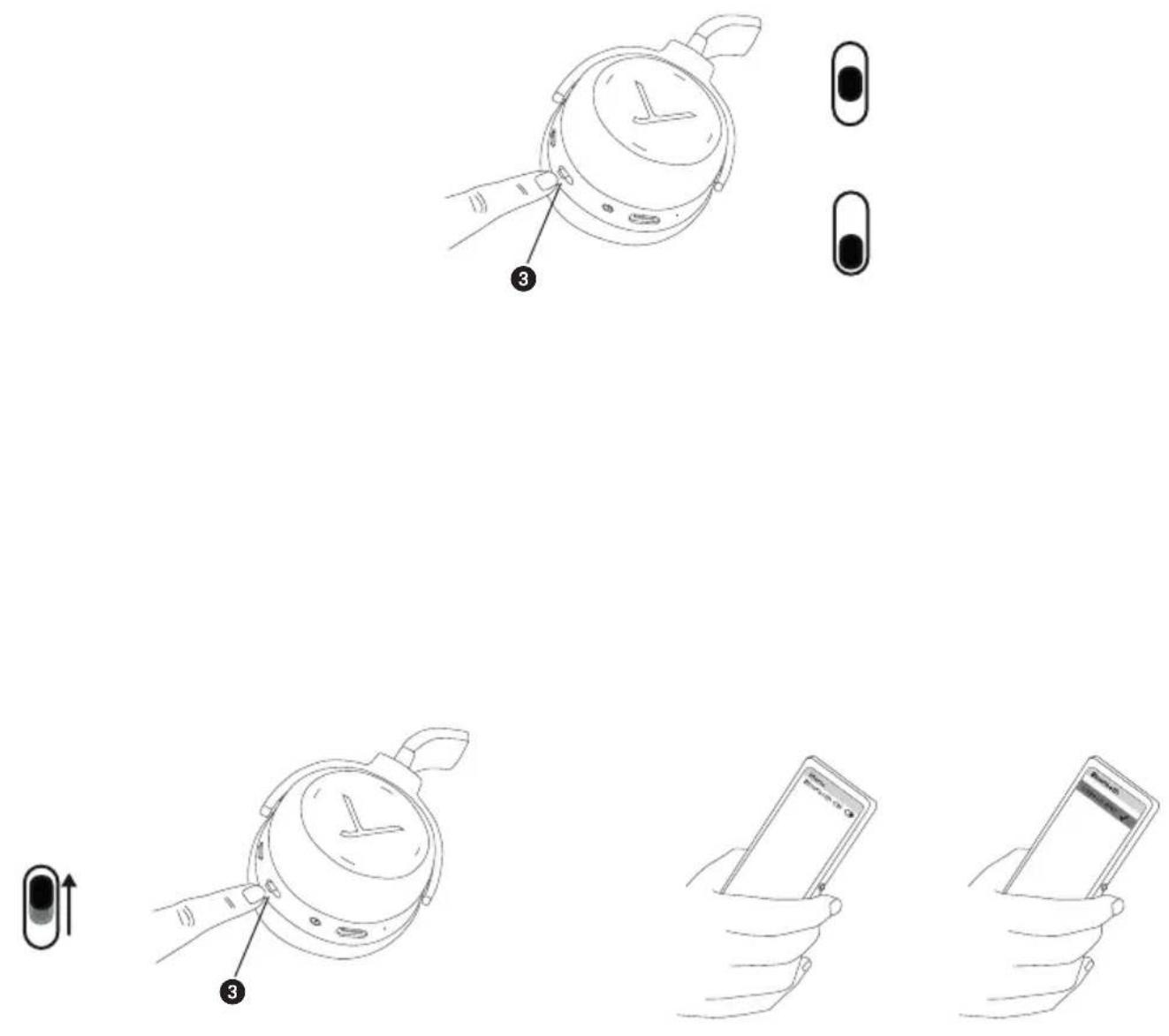
natural_image
Line drawing of a hand holding a smartphone next to a circular device with a compass needle (no text or symbols)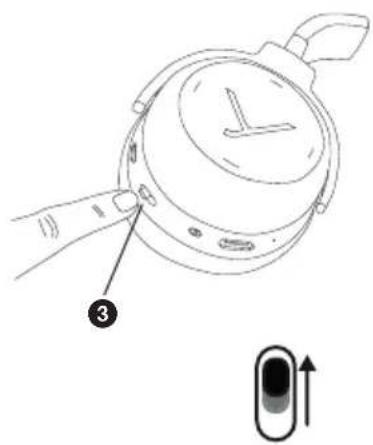
text_image
Diagram showing a hand holding a watch with a numbered label pointing to the dial, alongside a schematic of a device with an arrow indicating direction.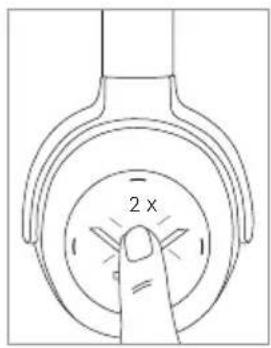
text_image
2 x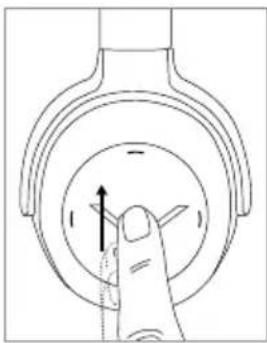
natural_image
Hand gesture pointing to a circular mechanical component with arrows indicating direction (no text or symbols)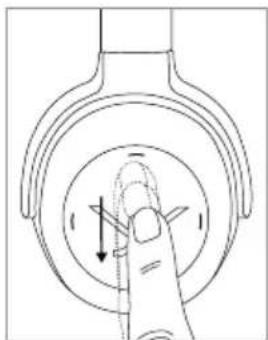
natural_image
Line drawing of a finger pressing down on a circular mechanical component with directional arrows (no text or symbols)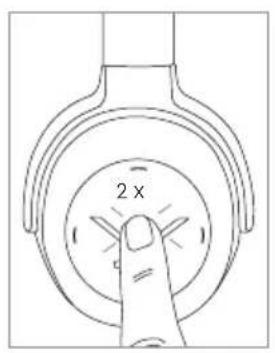
text_image
2 x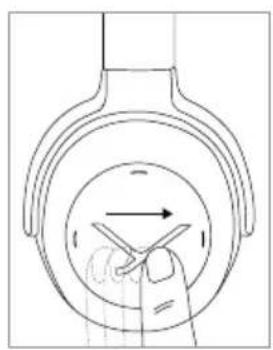
natural_image
Diagram of a hand pressing down on a circular component with directional arrows (no text or symbols)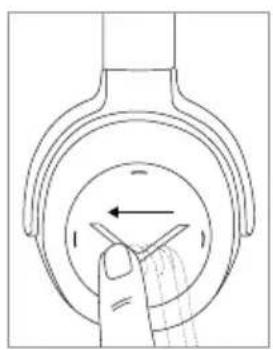
natural_image
Diagram of a hand pressing down on a circular component with directional arrows (no text or symbols)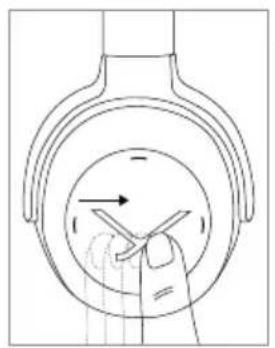
natural_image
Diagram of a hand holding a tool inside a circular component with arrows indicating direction (no text or symbols)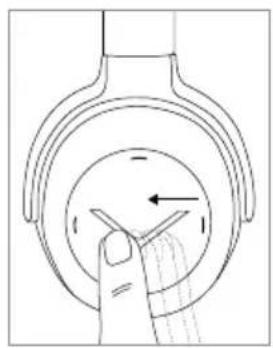
natural_image
Diagram of a hand pressing down on a circular component with arrows indicating direction (no text or symbols)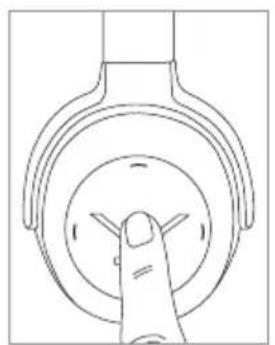
natural_image
Line drawing of a finger pressing down on a circular mechanical component (no text or symbols)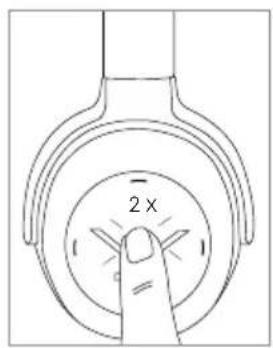
text_image
2 x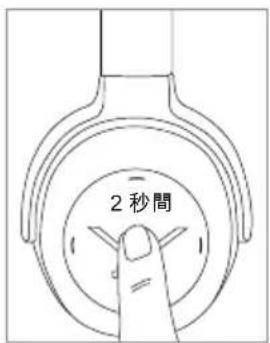
text_image
2秒間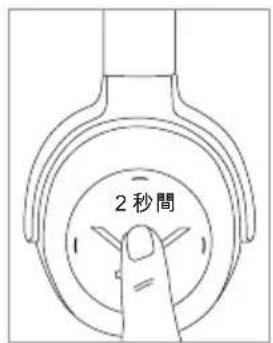
text_image
2秒間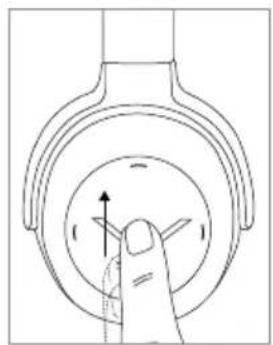
natural_image
Diagram of a finger pressing down on a circular mechanical component with directional arrows (no text or symbols)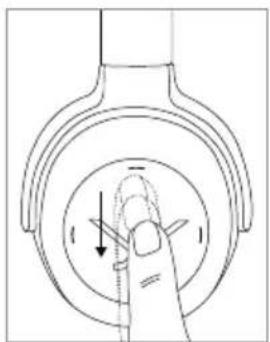
natural_image
Diagram of a finger pressing down on a circular mechanical component with directional arrows (no text or symbols)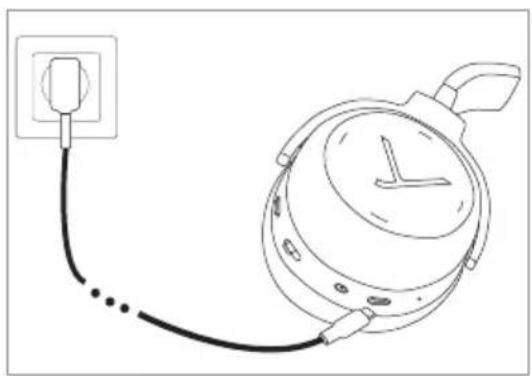
natural_image
Line drawing of a wall-mounted device connected to a circular dial with a clock face (no text or symbols)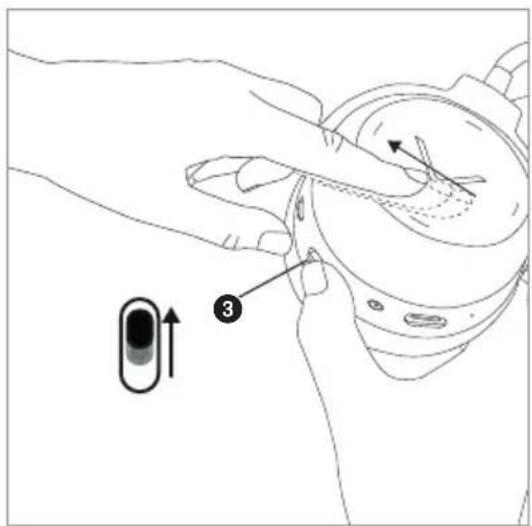
text_image
Diagram showing a hand holding a device with a numbered component labeled '3' and an arrow indicating motion or movement. | |
 | |
| [TGHS] | |
 | |
natural_image
Line drawing of a hand holding a wristwatch with a dial and wrist strap (no text or symbols)
natural_image
Line drawings of three types of headphones and a branded device (no text or symbols present)포장에서 꺼내기 및 보관하기
꺼내기
natural_image
Line drawing of a pair of outdoor headphones with a circular button labeled 'Y' (no text or symbols on the devices themselves)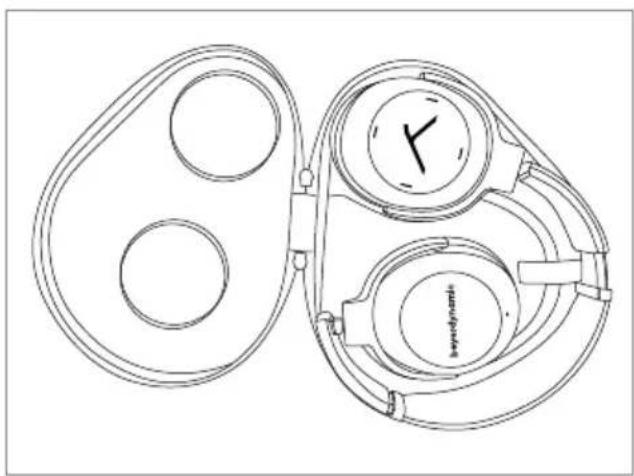
natural_image
Line drawing of a mechanical device with two circular components and a central dial (no text or symbols)beyerdynamic MIY 앱
text_image
Technical diagram of a mechanical device with numbered parts labeled 1 through 6라이트 가이드 시스템(LGS)
natural_image
Line drawing of a hand holding a stopwatch with a dial and buttons, labeled with number 3 (no text or symbols on the clock face)"ON" 위치
"OFF" 위치
재생 기기와 연결하기(페어링)
natural_image
Two hand-drawn illustrations of a smartphone being held, showing front and side views (no text or symbols)natural_image
Line drawing of a hand holding a smartphone next to a circular device with a compass needle (no text or symbols)멀티 포인트 모드
natural_image
Line drawing of a hand holding a watch with a dial and a numbered label (3) pointing to the dial (no text or symbols on the watch itself)"페어링" 위치
멀티 포인트 사용하기
natural_image
Line drawing of a finger pressing down on a circular mechanical component with an arrow indicating direction (no text or symbols)- 음량 낮추기
natural_image
Line drawing of a finger pressing down on a circular mechanical component with directional arrows (no text or symbols)미디어 재생
natural_image
Diagram of a hand pressing a button on a circular component with an arrow indicating direction (no text or symbols)natural_image
Diagram of a hand pressing down on a circular component with an arrow indicating left motion (no text or symbols)natural_image
Diagram of a hand pressing down on a circular component with directional arrows (no text or symbols)natural_image
Diagram of a finger pressing down on a circular mechanical component with directional arrows (no text or symbols)배터리 충전하기
natural_image
Line drawing of a power plug connected to a circular device with a clock face (no text or symbols)공장 설정으로 초기화하기
natural_image
Line drawing of a hand holding a wristwatch with a dial and handle (no text or symbols)오디오 케이블 사용
natural_image
Line drawings of audio headphones, a keydynamik device, and a cord (no text or symbols)从包装中取出并整理好
取出
natural_image
Line drawing of a pair of outdoor headphones with a circular button on the front (no text or symbols)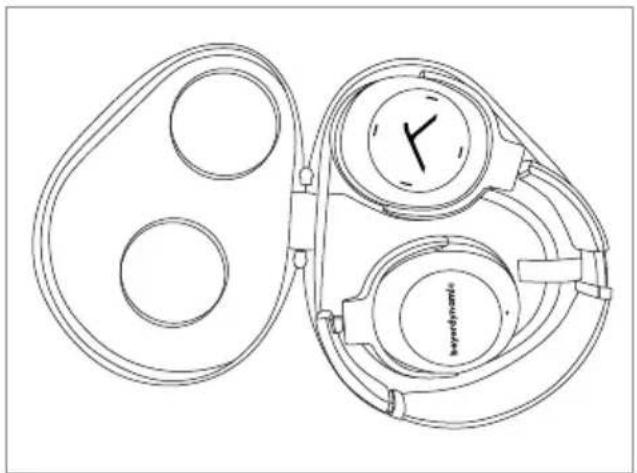
natural_image
Line drawing of a mechanical device with two circular components and a central dial (no text or symbols)拜雅 MIY App
text_image
Technical diagram of a stopwatch with numbered parts labeled 1 through 6光导系统 (LGS)
natural_image
Line drawing of a hand holding a watch with a dial and buttons, labeled with number 3 (no text or symbols on the watch itself)位置“开”
位置“关”
与播放设备连接(配对)
natural_image
Two hand-drawn illustrations of a smartphone being held, showing front and side views (no text or symbols)natural_image
Line drawing of a hand holding a smartphone next to a circular device with a compass needle (no text or symbols)多点操作
natural_image
Line drawing of a hand holding a watch with a dial and handle, labeled with number 3 (no text or symbols on the watch itself)位置“配对”
使用多点
如果您已经将耳机与两个设备相连接
natural_image
Diagram of a finger pressing down on a circular component with directional arrows (no text or symbols)- 降低音量
natural_image
Line drawing of a finger pressing down on a circular mechanical component with directional arrows (no text or symbols)媒体播放
natural_image
Diagram of a hand holding a tool inside a circular component with an arrow indicating direction (no text or symbols)- 上一曲:
在触摸屏上向后滑动。
natural_image
Diagram of a hand pressing down on a circular component with directional arrows (no text or symbols)- 快进:
在触摸屏上向前滑动并保持至少1秒。
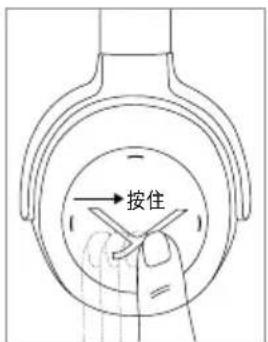
text_image
按住- 快退:
在触摸屏上向后滑动并保持至少1秒。
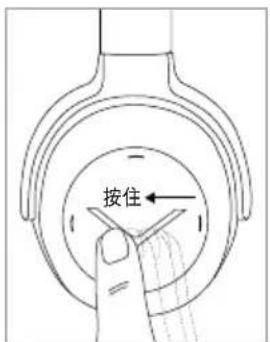
text_image
按住←调用个人助手
natural_image
Diagram of a hand pressing down on a circular mechanical component with directional arrows (no text or symbols)natural_image
Diagram of a finger pressing down on a circular mechanical component with directional arrows (no text or symbols)为电池充电
natural_image
Line drawing of a wall-mounted device connected to a circular dial with a pointer (no text or symbols)重置为出厂设置
natural_image
Line drawing of a hand holding a wristwatch with a dial and wrist strap (no text or symbols)使用音频线
For further distributors worldwide, please go to www.beyerdynamic.com Non-contractual illustrations. Subject to change without notice.