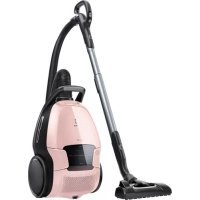
Pure D9 - Vacuum Cleaner ELECTROLUX - Free user manual and instructions
Find the device manual for free Pure D9 ELECTROLUX in PDF.



User questions about Pure D9 ELECTROLUX
0 question about this device. Answer the ones you know or ask your own.
Ask a new question about this device
Download the instructions for your Vacuum Cleaner in PDF format for free! Find your manual Pure D9 - ELECTROLUX and take your electronic device back in hand. On this page are published all the documents necessary for the use of your device. Pure D9 by ELECTROLUX.
USER MANUAL Pure D9 ELECTROLUX
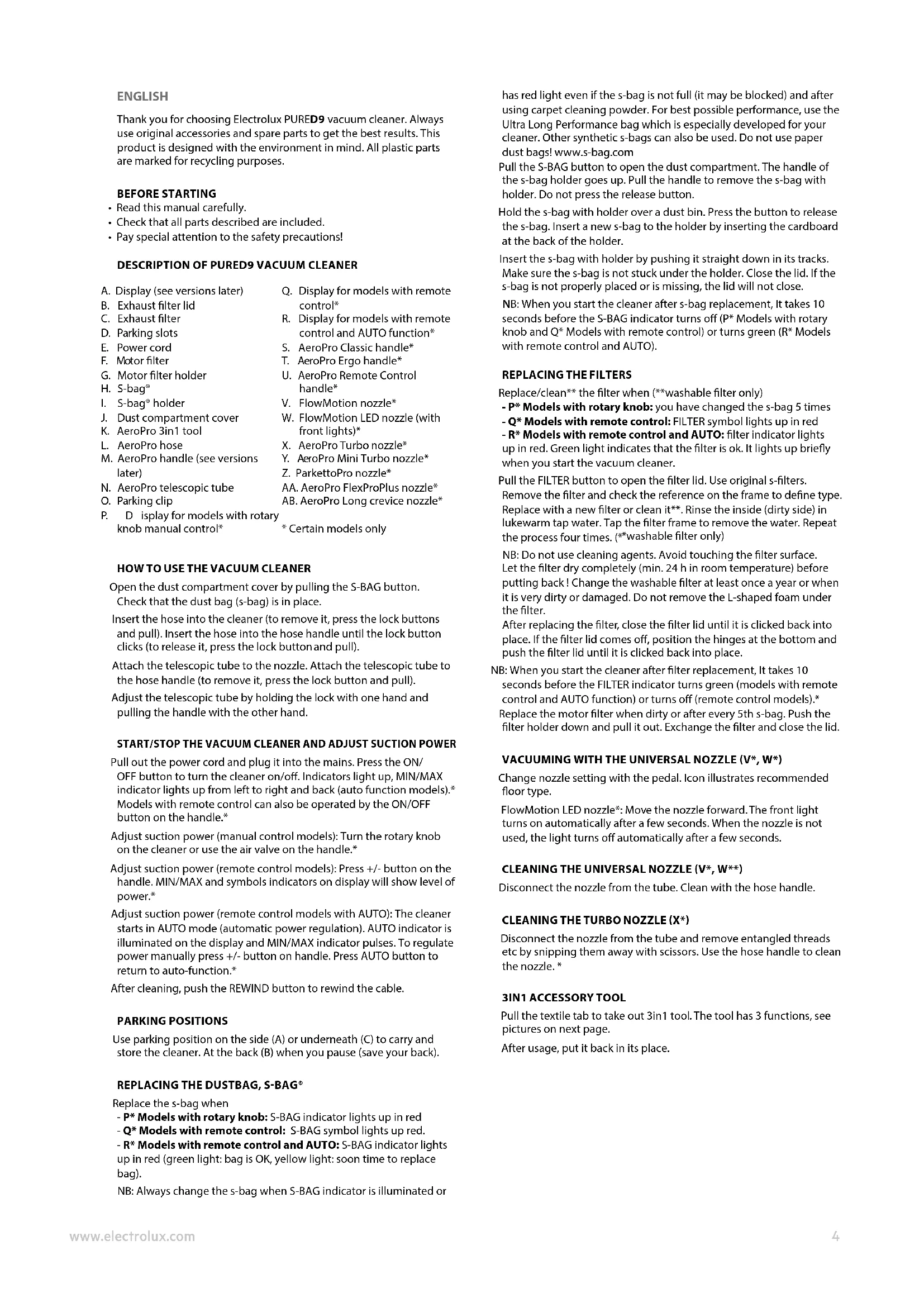
Thank you for choosing Electrolux PURED9 vacuum cleaner. Always use original accessories and spare parts to get the best results. This product is designed with the environment in mind. All plastic parts are marked for recycling purposes.
BEFORE STARTING
- Read this manual carefully.
- Check that all parts described are included.
- Pay special attention to the safety precautions!
DESCRIPTION OF PURED9 VACUUM CLEANER
A. Display (see versions later)
B. Exhaust filter lid
C. Exhaust filter
D. Parking slots
E. Power cord
F. Motor filter
G. Motor filter holder
H. S-bag*
I. S-bag holder
J. Dust compartment cover
K. AeroPro 3in1 tool
L. AeroPro hose
M. AeroPro handle (see versions later)
N. AeroPro telescopic tube
O. Parking clip
P. D isplay for models with rotary
knob manual control*
Q. Display for models with remote control
R. Display for models with remote control and AUTO function
S. AeroPro Classic handle
T. AeroPro Ergo handle
U. AeroPro Remote Control handle
V. FlowMotion nozzle
W. FlowMotion LED nozzle (with front lights)
X. AeroPro Turbo nozzle
Y. AeroPro Mini Turbo nozzle
Z. ParketoPro nozzle
AA. AeroPro FlexProPlus nozzle
AB. AeroPro Long crevice nozzle
- Certain models only
HOW TO USE THE VACUUM CLEANER
Open the dust compartment cover by pulling the S-BAG button. Check that the dust bag (s-bag) is in place.
Insert the hose into the cleaner (to remove it, press the lock buttons and pull). Insert the hose into the hose handle until the lock button clicks (to release it, press the lock button and pull).
Attach the telescopic tube to the nozzle. Attach the telescopic tube to the hose handle (to remove it, press the lock button and pull).
Adjust the telescopic tube by holding the lock with one hand and pulling the handle with the other hand.
START/STOP THE VACUUM CLEANER AND ADJUST SUCTION POWER
Pull out the power cord and plug it into the mains. Press the ON/
OFF button to turn the cleaner on/off. Indicators light up, MIN/MAX indicator lights up from left to right and back (auto function models). Models with remote control can also be operated by the ON/OFF button on the handle.
Adjust suction power (manual control models): Turn the rotary knob on the cleaner or use the air valve on the handle.*
Adjust suction power (remote control models): Press +/- button on the handle. MIN/MAX and symbols indicators on display will show level of power.*
Adjust suction power (remote control models with AUTO): The cleaner starts in AUTO mode (automatic power regulation). AUTO indicator is illuminated on the display and MIN/MAX indicator pulses. To regulate power manually press +/- button on handle. Press AUTO button to return to auto-function.*
After cleaning, push the REWIND button to rewind the cable.
PARKING POSITIONS
Use parking position on the side (A) or underneath (C) to carry and store the cleaner. At the back (B) when you pause (save your back).
REPLACING THE DUSTBAG, S-BAG
Replace the s-bag when
-P* Models with rotary knob: S-BAG indicator lights up in red
- Q Models with remote control: S-BAG symbol lights up red.
- R Models with remote control and AUTO: S-BAG indicator lights up in red (green light: bag is OK, yellow light: soon time to replace bag).
NB: Always change the s-bag when S-BAG indicator is illuminated or
has red light even if the s-bag is not full (it may be blocked) and after using carpet cleaning powder. For best possible performance, use the Ultra Long Performance bag which is especially developed for your cleaner. Other synthetic s-bags can also be used. Do not use paper dust bags! www.s-bag.com
Pull the S-BAG button to open the dust compartment. The handle of the s-bag holder goes up. Pull the handle to remove the s-bag with holder. Do not press the release button.
Hold the s-bag with holder over a dust bin. Press the button to release the s-bag. Insert a new s-bag to the holder by inserting the cardboard at the back of the holder.
Insert the s-bag with holder by pushing it straight down in its tracks. Make sure the s-bag is not stuck under the holder. Close the lid. If the s-bag is not properly placed or is missing, the lid will not close.
NB: When you start the cleaner after s-bag replacement, It takes 10 seconds before the S-BAG indicator turns off (P Models with rotary knob and Q Models with remote control) or turns green (R* Models with remote control and AUTO).
REPLACING THE FILTERS
Replace/clean** the filter when (**washable filter only)
- P* Models with rotary knob: you have changed the s-bag 5 times
- Q^ Models with remote control: FILTER symbol lights up in red
-R Models with remote control and AUTO: filter indicator lights up in red. Green light indicates that the filter is ok. It lights up briefly when you start the vacuum cleaner.
Pull the FILTER button to open the filter lid. Use original s-filters.
Remove the filter and check the reference on the frame to define type. Replace with a new filter or clean it*. Rinse the inside (dirty side) in lukewarm tap water. Tap the filter frame to remove the water. Repeat the process four times. (^**washable filter only)
NB: Do not use cleaning agents. Avoid touching the filter surface. Let the filter dry completely (min. 24 h in room temperature) before putting back! Change the washable filter at least once a year or when it is very dirty or damaged. Do not remove the L-shaped foam under the filter.
After replacing the filter, close the filter lid until it is clicked back into place. If the filter lid comes off, position the hinges at the bottom and push the filter lid until it is clicked back into place.
NB: When you start the cleaner after filter replacement, It takes 10 seconds before the FILTER indicator turns green (models with remote control and AUTO function) or turns off (remote control models).* Replace the motor filter when dirty or after every 5th s-bag. Push the filter holder down and pull it out. Exchange the filter and close the lid.
VACUUMING WITH THE UNIVERSAL NOZZLE (V^*,W^*)
Change nozzle setting with the pedal. Icon illustrates recommended floor type.
FlowMotion LED nozzle*: Move the nozzle forward. The front light turns on automatically after a few seconds. When the nozzle is not used, the light turns off automatically after a few seconds.
CLEANING THE UNIVERSAL NOZZLE (V^*,W^**)
Disconnect the nozzle from the tube. Clean with the hose handle.
CLEANING THE TURBO NOZZLE (X^*)
Disconnect the nozzle from the tube and remove entangled threads etc by snipping them away with scissors. Use the hose handle to clean the nozzle.*
3IN1 ACCESSORY TOOL
Pull the textile tab to take out 3in1 tool. The tool has 3 functions, see pictures on next page.
After usage, put it back in its place.
CHANGING THE BATTERIES*
25 Nozzle with front lights: Change batteries when front lights start blinking fast. Use 2 AA batteries.
26 Handle with remote control: Change battery when light indicator turns red or is not responding when pressing any button. Use only batteries type LITHIUM CR1632.
NB: Remove the batteries from the product before scrapping. Follow your country's rules for collection of batteries and electrical products.
Enjoy a great cleaning experience with PURED9!
Electrolux reserves the right to change products, information and specifications without notice.
TIPS ON HOW TO GET THE BEST RESULTS
| NOZZLE/ACCESSORY USE FOR: NOZZLE/ACCESSORY USE FOR: | ||||
| K. 3in1 accessory tool*1 2 3 | 3 tools in 1:1. Dusting tool for hard surfaces(bookshelves, skirting boards etc).2. Upholstery tool for textiles(curtains, upholstery etc).3. Crevice tool for narrow spaces(behind radiators etc). | V. FlowMotion nozzle*W. FlowMotion LED nozzle(with front lights)* | Universal nozzle:- For all floor types, secures best dust pick up on both carpets and hard floors.- Change nozzle setting with the pedal.Icon will show recommended floor type.- Front light helps to detect dust and dirt in dark spaces (under furniture etc).FlowMotion LED only | |
| X. Turbo nozzle* Carpet nozzle: | - Brushes and vacuums at the same time (best pick up of hair, fibres etc).- Brush roller is driven by the airflow of the vacuum cleaner.- Not suitable for carpets with very deep piles and long fringes, anti-slip carpets like door mats or water resistant carpets. Use universal nozzle instead. | Y. Mini Turbo nozzle* Upholstery nozzle: | - Brushes and vacuums at the same time (best pick up of hair, fibres etc).- For textile furniture, car seats, mattresses etc.- Brush roller is driven by the airflow of the vacuum cleaner.- Not suitable for carpets with very deep pile and long fringes as it can get stuck in the rotating brush roll. | |
| Z. ParketoPro nozzle* | Hard floor nozzle:- For gentle cleaning of hard floor(parquet, wooden floor, tiles etc).- Best dust pick up on hard floor with crevice. | AA. FlexProPlus nozzle* Hardfloor nozzle:- For reach under/between furniture, corners and other obstacles.- Can easily turn 180 degrees for direct access to narrow spaces. | ||
| AB. Long crevice nozzle* | Extra long tool:- For areas hard to reach (top of shelves etc).- For narrow spaces (behind radiators, under car seats etc). | |||
| Models with manual power regulation-follow graphics on cleaner for optimal performance. | Models with AUTO-function automatically adjust the suction powerin order to give an optimal cleaning performance and comfort on every surface.For manual regulation, follow graphics for optimal performance. | |||
TROUBLESHOOTING
| PROBLEM SOLUTION | |
| The vacuum cleaner does not start | ·Check that the cable is connected to the mains. ·Check that the plug and cable are not damaged. ·Check for a blown fuse. ·Check if the battery indicator lamp in the remote control handle responds (certain models only). |
| The s-bag* indicator light is illuminated | ·Check if the s-bag* is full or blocked. ·If you have already changed the s-bag*, change the motor filter. |
| The filter indicator light is illuminated (only at specific models) | Change, or wash (if washable), the exhaust filter. |
| The cleaner stops | The cleaner might be overheated: disconnect it from the mains; check if the nozzle, tube, hose or filters are blocked. Let the cleaner cool down for 30 minutes before plugging it in again. If the cleaner still does not work, contact an authorized Electrolux service centre. |
| Reduction of suction capacity versus normal | ·Check if the s-bag is full or blocked. ·Check if the motor filter is clogged and needs changing. ·Check if nozzle is blocked and needs to be cleared. ·Check if hose is blocked by squeezing it gently. However, be careful in case the obstruction has been caused by glass or needles caught inside the hose. Note: The warranty does not cover any damage to the hose caused by cleaning it. |
| Water has been sucked into the vacuum cleaner | It will be necessary to replace the motor at an authorized Electrolux service centre. Damage to the motor caused by the penetration of water is not covered by the warranty. |
| For any further problems, contact an authorized Electrolux service centre. | |
This appliance can be used by children aged from 8 years and above and persons with reduced physical, sensory or mental capabilities or lack of experience and knowledge if they have been given supervision or instruction concerning use of the appliance in a safe way and understand the hazards involved.
Children shall not play with the appliance.
Cleaning and maintenance shall not be made by children without supervision.
WARNING: Turbo nozzles* have a rotating brush where parts can get entrapped. Please use them with caution and only on intended surfaces. Please turn the vacuum cleaner off before removing entrapped parts or cleaning the brush.
Batteries must be removed from the remote control in the handle / LED lighted nozzle before scraping the product**.
*Certain models only.
**Information on how to remove the battery in the fold-out part section 25 and 26.
Always disconnect the plug from the mains before cleaning or maintaining the appliance or when removing the battery. The battery is to be disposed of safely.
If the cord is damaged, it must be replaced only by an authorized Electrolux service centre in order to avoid a hazard.
PURED9 should only be used for normal vacuuming indoors and in a domestic environment. Make sure the vacuum cleaner is stored in a dry place.
All service or repairs must be carried out by an authorized Electrolux service centre.
Packaging material, e.g. plastic bags should not be accessible to children to avoid suffocation.
Never use the vacuum cleaner:
In wet areas.
Close to flammable gases, etc.
When the product shows visible signs of damage.
On sharp objects or fluids.
When the floor nozzle shows visible signs of a damages.
On hot or cold cinders, lighted cigarette butts, etc.
On fine dust, for instance from plaster, concrete, flour, hot or cold ashes.
Do not leave the vacuum cleaner in direct sunlight.
Avoid exposing the vacuum cleaner to strong heat or freezing temperatures.
Never use the vacuum cleaner without its filters.
Do not try to touch the brush roll while the cleaner is switched on and the brush roll is turning.
When the wheels are blocked.
Power cord precautions
Check the plug and cord regularly. Never use the vacuum cleaner if the plug or cord is damaged.
Damage to the vacuum cleaner's cord is not covered by the warranty.
Never pull or lift the vacuum cleaner by the cord.
Using the vacuum cleaner in the above circumstances may cause serious personal injury or damage to the product. Such injury or damage is not covered by the warranty or by Electrolux.
SERVICING AND WARRANTY
All service or repairs must be carried out by an authorized Electrolux service centre.
Damage to the vacuum cleaner's cord is not covered by the warranty. Damage to the motor caused by; vacuuming liquid, immersing appliance in liquid or using appliance with a damaged hose and nozzle is not covered by the warranty.
Always use original s-bag dust bags suitable for this particular vacuum cleaner, see section 11. Damages caused to the cleaner by incorrect use of none-original dust bags is not covered by the warranty.
DISPOSAL
This symbol on the product indicates that this product contains a battery which shall not be disposed with normal household waste.
This symbol on the product or on its packaging indicates that the product may not be treated as household waste.
To recycle your product, please take it to an official collection point or to an Electrolux service center that can remove and recycle the battery and electric parts in a safe and professional way. Follow your country's rules for the separate collection of electrical products and rechargeable batteries.
Hereby, Electrolux Home Care and SDA, declares that the Vacuum Cleaner with radio equipment type HER2 and HER3 is in compliance with Directive 2014/53/EU.
FRANCAIS
REEMPLACEMENT DES FILTRES
REEMPLACEMENT DES PILES*
Never use the vacuum cleaner:
jglgaiial. jaiil jia jia (eaiai jai) gaiai jai gai
(bai jwll jilj)
jilil jilil jilil jilil jilil jilil jilil jilil jilil jilil jilil jilil jilil jilil jilil jilil jilil jilil jilil jilil jilil jilil jilil jilil jilil jilil jilil jilil jilil jilil jilil jilil jilil jilil jnil
y 24
j 1 j 1
1
aJae Jaaai 1i AikKa jai jj jilal aJae jai jll
a 1
10 2a aai 111 2a 2a 2aa
FILER
saaasssssssssssssssssssssssssssssssssssssssssssssssssssssssssssssssssssss
* ,( 2a)
Jaa aae Jaae ae aee
1 1
(+W. +V) aale aeg 02gall aagll
y
G
gulld gail jndi 1y p aai piaaiae
- 2.
(^**W.^*V) aaleal gill
p 1
\*X)
Jn nn nnnn nn nnnnnnnnnnnnnnnnnnnnnnnnnnnnnnnnnnnnnnnnnnnnnnnnnnnnnnnnnnnnnnnnnnnnnnnnnnnnnnnnnnnnnnnnnnnnnnnnnnnnnnnnn
aill 102
13
23
ailll aal
Lg 5
中
alaii laiie i jilai jaiy gajgai jai jai jai
AA 2gaaal
joo jnoo noo noo noo noo noo noo noo noo noo noo noo noo noo noo noo noo noo noo noo noo noo noo noo noo noo noo noo noo noo noo noo noo noo noo noo noo noo noo noo noo noo noo noo noo noo noo noo noo noo noo
y 2. y jle baiallie y luee y jy jlll
LITHIUM CR1632g
daly aegai Aia jaaalil jg gsslll n aayjagaiy
y
IPURED9
yclalal yclalal yclalal Electrolux 5
1
a.e.
Electrolux PURED9 4y
slaa aalaae aie eae
AaJxal 1j2 jSaa Jyss sla) Ss. aJyss
#
2
1
1
Jai jai jai jai a
*xjjcpaillgc
PURED9 aieyssll aikai
J 1
AUTO* a#
AeroPro Classic
AeroProErgo T
Remote Control* U
AeroPro
FlowMotion* .V
FlowMotion LED .W
111 1g2g2g2g2
AeroPro TurboX
AeroPro Mini Turbo* Y
ParketoPro* Z
AeroPro FlexProPlus* AA
AeroPro BA
1a 1j
pailjilieolbB
jF
jall jala .G
S-bag®.H
S-bag@J#.I
jai 8 jaa oia
3in1 AeroPro 1
AeroPro L
AeroPro M
(1)
AeroPro 5
Jaa 1
*
a101 11 aannsai 12
jS S-sS-S-bag@ j j j j j j j j j j j j j j j j j j j j j j j j j j j j j j j j j j
A. ^2 (S-bag®)
jll jji g jbiia (ae jil) a jil yssll aasss
bai 58a bao yjy jaiy jaiy jaiy jaiy jaiy jaiy
On/ jzjgbiy
e 100000000000000000000000000000000000000000000000000000000000000
J 10000000000000000000000000000000000000000000000000000000000
y jn jnn nnnn nn nnnn nnnn nnnn nnnn nnnn nnnn nnnn nnnn nnnn nnnn nnnn nnnn nnnn nnnn nnnn nnnn nnnn nnnn nnnn nnnn nnnn nnnn nnnn nnnn nnnn nnnn nnnn nnnn nnnn nnnn nnnn nnnn nnnn nnnn
g 10000000000000000000000000000000000000000000000
.
gss slll 1s y
i 1
aal 1-+ jll baiol: (x y saill (y) baill s b
aJzj(/)MIN/MAX
*aill
Auta (AUTO
(salts) AUTO (silll) AUTO
aIbI. (s)1/(s)(s)MIN/MAX 2000
(a) AUTO 1
.()
Ae (g) REWIND 1
#
aall (j) jaiy jgl (i) 1111 2y ygall ggy
()
S-BAG®
loie jai j
j 1
J 1
juii: jaiai e gaiuai ygaiy jaiy jaiy jay
AUTOJ 1
y 1
pda (12gaa 36a) S-bag@ ciae aie gai jai
Ultra Long Performance
| *FlowMotion LED .V FlowMotion LED .W (الإستعمال) | :1.3 2.1 (الإستعمال) (الإستعمال) (الإستعمال) (الإستعمال) (الإستعمال) (الإستعمال) (الإستعمال) (الإستعمال) (الإستعمال) (الإستعمال) (الإستعمال) (الإستعمال) (الإستعمال) (الإست莪 (الإست莪 (الإست莪 (الإست莪 (الإست莪 (الإست莪 (الإست莪 (الإست莪 (الإست莪 (الإست莪 (الإست莪 (الإست莪 (الإست莪 (الإست莪 (الإست莪 (الإست莪 (الإست莪 (الإست莪 (الإست莪 (الإست莪 (ال,en (EN) | *1.3 .K 1 2 3 | |
| *3.3 Y Y | *3.3 X | ||
| FlexProPlus* AA.AA. | ParkettoPro* Z | ||
| *AB | |||
| AUTO GLYCHLAD GLYCHLAD GLYCHLAD GLYCHLAD GLYCHLAD GLYCHLAD GLYCHLAD GLYCHLAD GLYCHLAD GLYCHLAD GLYCHLAD GLYCHLAD GLYCHLAD GLYCHLAD GLYCHLAD GLYCHLAD GLYCHLAD GLY CHLAD GLYCHLAD GLYCHLAD GLYCHLAD GLYCHLAD GLYCHLAD GLYCHLAD GLYCHLAD GLYCHLAD GLYCHLAD GLYCHLAD GLYCHLAD GLYCHLAD GLYCHLAD GLYCHLAD GLYCHLAD GLYCHLAD ,GLYCHLAD ,GLYCHLAD ,GLYCHLAD ,GLYCHLAD ,GLYCHLAD ,GLYCHLAD ,GLYCHLAD ,GLYCHLAD ,GLYCHLAD ,GLYCHLAD ,GLYCHLAD ,GLYCHLAD ,GLYCHLAD ,GLYCHLAD ,GLYCHLAD ,GLYCHLAD ,GLYCHL AD ,GLYCHLAD ,GLYCHLAD ,GLYCHLAD ,GLYCHLAD ,GLYCHLAD ,GLYCHLAD ,GLYCHLAD ,GLYCHLAD ,GLYCHLAD ,GLYCHLAD ,GLYCHLAD ,GLYCHLAD ,GLYCHLAD ,GLYCHLAD ,GLYCHLAD ,GLYCHLAD ,GLY CHLAD ,GLYCHLAD ,GLYCHLAD ,GLYCHLAD ,GLYCHLAD ,GLYCHLAD ,GLYCHLAD ,GLYCHLAD ,GLYCHLAD ,GLYCHLAD ,GLYCHLAD ,GLYCHLAD ,GLYCHLAD ,GLYCHLAD ,GLYCHLAD ,GLYCHLAD ,GLYCHLAD GLYCHLAD GLYCHLAD GLYCHLAD GLYCHLAD GLYCHLAD GLYCHLAD GLYCHLAD GLYCHLAD GLYCHLAD GLYCHLAD GLYCHLAD GLYCHLAD GLYCHLAD GLYCHLAD GLYCHLAD GLYCHL AD GLYCHLAD GLYCHLAD GLYCHLAD GLYCHLAD GLYCHLAD GLYCHLAD GLYCHLAD GLYCHLAD GLYCHLAD GLYCHLAD GLYCHLAD GLYCHLAD GLYCHLAD GLYCHLAD GLYCHLAD GLYCHLAD GLYCHO GLYCHLAD GLYCHLAD GLYCHLAD GLYCHLAD GLYCHLAD GLYCHLAD GLYCHLAD GLYCHLAD GLYCHLAD GLYCHLAD GLYCHLAD GLYCHLAD GLYCHLAD GLYCHLAD GLYCHLAD GLYCHLAD GLYCHA GLYCHLAD GLYCHLAD GLYCHLAD GLYCHLAD GLYCHLAD GLYCHLAD GLYCHLAD GLYCHLAD GLYCHLAD GLYCHLAD GLYCHLAD GLYCHLAD GLYCHLAD GLYCHLAD GLYCHLAD GLYCHLAD GLYCHAR GLYCHLAD GLYCHLAD GLYCHLAD GLYCHLAD GLYCHLAD GLYCHLAD GLYCHLAD GLYCHLAD GLYCHLAD GLYCHLAD GLYCHLAD GLYCHLAD GLYCHLAD GLYCHLAD GLYCHLAD GLYCHLAD GLYCLAD GLYCHLAD GLYCHLAD GLYCHLAD GLYCHLAD GLYCHLAD GLYCHLAD GLYCHLAD GLYCHLAD GLYCHLAD GLYCHLAD GLYCHLAD GLYCHLAD GLYCHLAD GLYCHLAD GLYCHLAD GLYCHLAD GLLYCHLAD GLYCHLAD GLYCHLAD GLYCHLAD GLYCHLAD GLYCHLAD GLYCHLAD GLYCHLAD GLYCHLAD GLYCHLAD GLYCHLAD GLYCHLAD GLYCHLAD GLYCHLAD GLYCHLAD GLYCHLAD GLYCHLAD |
gaoJg 1
| Electrolux | |
a a a a a a a a a a a a a a a a a a a a a a a a a a a a a a a a a a
aalall jblalall aol alj
j 1
J 1
a 1
**eallnoll l *LED 10 1/ *jaiy
Jaa 1j
26 25
aalilal lalalal alalal alalal alalal alalal
1a jao aaii aiae 100000000000000000000000000000000000000
Aa jia aaiis
a 1
Ae 1
Electrolux Home Care and SDA
HER3,HER2
53/2014
y j 10000000000000000000000000000000000000000000000000000000000000000
15 150 a211
Electrolux 2222 jy 21 yj g xyl y aall lglg o
y j 1
j1i 1
(1)
AaBj jSbD
1 1
A
jil gail jil gail jil gail
aai, aie cie ciia iiaai ai gill
150
a jll jll jll jll jll jll jll jll jll jll jll jll jll jll jll jll jll jll jll jll jll jll jll jll jll jll jll jll jll jll jll jll jll jll jll jll jll jll jll jll jll jll
a 1
.
y.11 pai jai) auiuuiuuiuui uuiuuiuuiuui uuiuui uuiuui
He n3non3BaIte npaxocMykaKaKata:
B MOKpn NOMEeHnA.
B6n3ocTda3anaannmra3OBe ndp.
Korato npodkyTbT noka3Ba BnIMn npn3HaCu Ha nobpea. Bbpxo octpnnpedmtn nn TeHoctn.
Korato nooBata JIO3a noka3Ba BVIMn npn3Haun Ha nobpeM.
Bbpxy ropeaa nnn ctydeha crypna, 3anaen Hn urapen H yrapkn n dp. Bbpxy fnh npax, hnapmep ot maznka, 6eH, 6paHno, ropea nn ctydeha nenen.
He octabTne npaxocmykaKaTaHa npKa CbHYeBa CBeTnHa.
136raBaiTe Da n3larate npaxocmykaKaTa Ha cnla HToPnHa nn
TempepaHa 3aMp3BaHe.
HnKora He n3noJ3BaIte npaxocmykaKaTAt 6e 0nITpn.
He ce ONITbAte Da DOKOCHeTe YeTKaTa, DOKATo npaxocMyKaKaTa e BKNIOyeHa, a YETKA tce BBPTN.
Korato konenata ca 6lokupaHn.
Ipepa3HmepKu 3a 3axpaHbauunKa6en
IpoBepraBaIte peoBHO uencena n Ka6ena. HnKora He n3no3BaIte npaxocMykaKaTata, aKo 1eNcENb Nnn Ka6BeT ca nobpeHn. IpoBepaTa Ha ka6ena Ha npaxocMykaKaTata He ce noKpNb oT rapaHnrta.
HnKora He Ibprnaite HnI Nobirraite npaxocmykaKaTa Ype3 Ka6ena.
HnO3BaHeTo Ha npaxocmykaKaTApnRopenocouHenTe 6ObCToTeJCTBa MoKe da npuHHn cepno3HO HapaHbAe HnN NOBpeHa Na PpOdykTA.
Takoba HapaHbAe HnN NobpeDa He ce NOKpNbA ot rapaunrTa nI ON Electrolux.
OBCLYXBAHEI TAPAHU
BcyaO6cnyBaHe n peMOHT Tp86Ba Da ce N3BbPwBa OT OTOPIH a cepBn3eH ueHb Ha Electrolux.
NobpeIaHa Ka6eHa Na paxocMyKaYkaTa He ce NokpNaBa OT rapaHcIraTa. NobpeDa Ha NbIgatena PnHcHHeHa OT;N3cMcyKbaHe Ha TeHcOCT,NotanHe Ha ypeBa B TeyHcT IIN H3N0L3BaHe Ha ypeC NOBpeDeH MapkyU IN O3a He ce NOKPbHa OT rapaHcIraTa.
BnHaHn 3nON3BaIteOpnHnHaHnTop6uKn 3a npax s-bag, noXoJaN 3a Ta3n KOHKpeTHa npaxOcMykaKa, BnXTe cekua 11. NobpeDnte,
npuHHeHa NouchBaIoTO CpeIcTBo NopaHn He npabInHO n3noJ3BaHe Ha Top6uKn 3a npax, KOnto He ca opunHaHn, He ce NokpnbAT OT rapaHuaTa.
U3XBbPJIHE
To3n CUMBON Bbpx npOyKta NOKa3Ba, Ye To3n npOyKT CbIbPka 6atepy, KOYTO He Tp86Ba Da ce I3XbPJIra 3aeHc O6NkHOBeHte 6ntOBn OTnaDbu.
To3n CUMBOB Bbpxy npOdykTa NIN Bbpyx HerOBaT ONAKOBKa noka3Ba, Ye npOdykTbT He MoKe da Ce TpeTppa KaTO 6NtOB OTnAdbK.
3a da peuzknpate npoykta cn, moJn, 3aHecete ro B ofouane HnykT 3a cb6puane Ha otnaBun nnB cepBn3e n ceHTbp Ha Electrolux, KOto MoKeJa npemaxHe npuknpa 6aTePnraHa eNektpueckne TaCtn no 6e3onaceH n npoeceOnanen Haun. CneBaIte npabnata Ha BaWata dIpbjaka 3a pa3dienho cb6puane Ha eNektpueckn npOyktn a akymnatopn 6aTepn.
C NaCTOto Electrolux Home Care n SDA JeKnapupa,ue npaxocmykaKaTa c paNo o6OpyDaBe TnN HER2 n HER3 e B cbOTBeCTBne C DnpeKtNa 2014/53/EC.
CESTINA
UDSKIFTNING AF POSEN, S-BAG
11 Udskift s-posednar,
-P*-modeller med drejeknap: S-BAG-indikatoren lyser rodt
- Q^* -modeller med fernbetjening: S-BAG-symbol lyser rodt.
-R*-modeller med fernbetjening og AUTO: S-BAG-indikatoren lyser r od (gront lys: posen er OK, gult lys: det er pa tide at skiffe posen).
VOOR U VAN START GAAT
ASSISTÉNCIA E GARANTIA
This symbol on the product indicates that this product contains a battery which shall not be disposed with normal household waste.
MOUHOCTN BCACbIBAHNA
5 BbTnHTe HHP NTaHn INBkIOHTe Bnky Bpo3eKy. 4To6b BkIOHTb Nn BbIKIOHTb NIEcOC, HAKMITE KHOKNy ON/OFF (BKN./BblKN). Ha NbIneCOce 3aOpTcA INdKnATopBp; npn HAIINH FyHKmN AUTO (ABTO) INdKnATop MIN/ MAX (MNH./MAKC.) NaHET MIRa TcBeBa HApPBO nCpBa HaneBo. TbNEcOC C DNTAHUONHBM YNPABAEHEM MOKO BkIOHTb N BkIOHTb C NOMOUBIO KHOIKN ON/OFF (BKN./BblKN), KOTOPa HAXODITCA HA pyKoTke.
6 YTO6bO TOperyIINoPobAToMbIOHcBcBaIBaHnHa NbIeCoce CpyHbIM ynpabRHeHm, BblOnHInTe cneHyoume DeactTBn. IopEBHnTE BpaiaOuhyoc pykU, pa3MeueHHyO Ha NbIeCoCe, mN nCnObl3yIte Bo3dyuHb KnaHaN, paonlonKeHNb HnA pyKoTke."
7 Yo6bO tOperyIINPOBaTb MoHOCb BCaBbHAHnHa nIeCOe C dNCTAHIOHOHm ynpabHeHEM, BInONHnTE cndyoHmeJeCTBn. HAKMnTE KHONY + / + paonolKeHHyHo hykoRtke.MoHOCb BCaBbHAHnOTobpaKaIOT HNDKATOP MIN/MAX (MHJ/MAKC.) nCIMBOhBHe NIDHKATOpb Ha DCNcEe."
8 YtobIOTpyrNIOPOBbMOHOCbBCaBbAHnHaNbIEcOeCdHCTAHUONHOynpabHHeHmIyHKuHNEAUTO(ABTO),bblNOHNHTeCneYkoHneDcTBn. Pocne BkIOueHnBIOcnc HauHaeTpaObaTbPexMMEAUTO(ABTO)- pexMMEABOMATINHECKoPYrNIOPOBMoUHOCTBOCAbCBaHnA.HaCNPiNE CBeNTcHnHnKaTOp AUTO(ABTO),aMHnKaTOpMIN/MAX(MH.N/MAKC.) MHRaET. YtobIOTpyrNIOPOBbMOHOCbBCaBbAHnBpyHyO,HAxMnTE KhONky+/-pacnoLoKeHHyoHa pyKoHTke. YtobIbHBIOBBKlnOHTbFyHKnIO AUTO(ABTO),hAKMNTe KHONKY AUTO(ABTO)
9 Yo6b CMOTaB uHyp nHTAHn NO OKOHHaHN y6OpKn, HaxMNTe KONky REWIND (CMOTATb).
NIOJXEHNAIΦKCAUN
10Длп repehoKnИ xpaHEnHn bIneocOa moxHo nCNoJb3oBaT bnoJoxHe nE nI KCaunn HacdKn Ha 6okobn CTopoHE nbecoca (A) mHa HnXnKHe CTOpOHe nbecoca (C).B XoJe y6opKn dNn O6nErHn pa60tBuMbUc cInHb MoxHO nCnlo3oBaT noLoKeHne nIy Kcaunn HacdKn Ha 3aDHe CTopoHe nbieocca (B).
3AMEHA MEUKAДЛЯ CBOPA ПьИN S-BAGx
11 Mewok dna c6opa nbn s-bag nopejnt 3aeme B cneyuoux cnuyax. DnBnleocopB C bpaauouece pyuok: nHnDkaTOp S-BAG HaunHaet n3nyutb kpaChbCBet.
Ja nbcocOBQcndraHouHHbMynpabHeHem:CMBOJ S-BAG npo6petaetKpaChbIzBET.
ДЯ nbilecoob R* ductaHOnHbmy npabHeHm nФyHKneAUTO (ABTO):ндкатop S-BAG HauHaet mnyathkpachn CBET (selenhCBET 03haeT,уTo MeWOk He Tpe6yet 3AmeHbI, aKeTbI -То MeWOk BCKope NOHAOHTCBA3MeNTb).
PpmeHne.3aMeHnTe MeoK dna c6opabnns-bag bckn pa3, korga Hmukatop5-BAG HnHaet CBeTtcbnnnN3nybtp KpaChbNCBET, daKe eCm MeoK he 3anonHe DO KOHc (DOCTynBnB M BoeK MoK oke6 bItb OrpaHue) a TAKCe Nocne nCnObn3OBAHNOPOUOKA DnYnCTKn KOBpBOX NOKpBTIn. DnO bcneHnHaNNywhx paOohnx xapakTepnK nCnoB3yte MeWK Ultra Long Performance, cneuNaBHO papaBoTaHHie dna Bawaero nBncocca. POMMO 3TORo, Bbl MOKeTe nCNoB3OBaTHbpyrNe CnHTeueCKne MeWK s-bag.He nCnoB3yIte 6MyaxhHe MEKNk dnpco bpaNN! www.s-bag.com
12 OtkpoIte otJeHneHme d60pa bInn, Haxab KhoNky S-BAG. Bpe3yIbTaTe noDHHMETc pyKoTKa DepkataEn MeuKa s-bag. YTObIbNBeUb MEuOK s-bag BmecTe C depkataEn, NotAHnte pyKoTky. He HaxmuTe KhoNky Chrtna 6Bokupovk.
13 POnHeCnTe MeWOK s-bag K Kop3uHne dI Mycopa. TTo6bl ChrTb MeWOK s-bag, HAKMATE KHONKY CHRTN 6NOKIPOBKN. BCTABte B depXaTeB HOBB MewOK s-bag; dI ITO pRkpeNTe KapTOHHy OaCTb MeWka K 3aDHe Nactn DepKATen.
14 Bctabte MewoK s-bag c depkaTelem B oteneHne IyIc6pa nII;IyI 3TOHOHaabite Ha MeoK TK, YTObI yCTAHOBIT bero HA npEHa3HaueHHble dHr HnapBnaIOUe. Y6eJIteCB TOM, YTO MeooK s-bag He 3aCTpI NOD depkaTelem. 3AkpoIe KpbIuKy. EcnI MeooK s-bag yCTAHOBEN HenpaBnblHo nn OTCYCTByET, KpbIuKa He 3akpoeT.
PpHmueaHne. B xode BkIoueHnBnEcoC aocne 3AmeHb MeuKa dna c6opba nbl s-bag uNtukatop S-BAG bKlnOuaTcR (JbnBnEcoCoB P* c Bpaauoiepe Cyaon nBnEcoCoB Q* c DCTaHcNOHHbM ynpabHeHem) nnHauHae nIyNaTuB 3eHneB cbet (DnBnEcoCoB R* c DCTaHcNOHHbM ynpabHeHem nFyHKnE AHTO [ABTO] B TeueHne 10 cekyHd.
3AMEHAΦNJBTPOB
15 ΦnBtp noDnEeKNT 3aMe He nn OuyntKe** B CnEyduoNcx Cnyuayx. (^**T_onbko B cnyue nCnOnbOBAHm MOUeOra CFnBtpa.)
(ABTO):HnIaKOpT PnIbTpA HauHaTe N3nyuB KpaChb CbET.3eHehB CBET O3Haaye, TTO PnIbTp He Tpe6yH TaMeHb. INnIaKOp PnIbTp 3arOpaetc Ha HEKOTOPE BPEM XODe BKIOUeHOHbNEcoCA.
16 OTKpOHTe KpbUky FInbTpA, HaxkAB KHONKY FILTER (DNMbTP).NcNoIb3yIte FInpMeHHBe FInbTpB s-filter. M3BNeKHe FInbTp n oppeIenITE erO TmC NOMOUBIO cnpaBOHOrO HOMePA h PAmke. 3aMeHHe IIN OHcHTe FInbTp PpOMoIte BHTpyEHNO (rpa3Hyo) CTOPHOY FInbTp Taen BOJIO M3-nOp KpaHa. TTo6bI ydaIb BOy, CnErKa NoctyHrE NO pAmke FInbTpBa. NOBtOpTe Ety npoueDpyy ChIpe p3a. (^T_TO Bo Bclyae IcNoJIb3OBAHN MOIOeroCg FInbTpA.
PnpmeaHne. He npmeHnTe uCTTne cpeCTBa. He npkacaiTecb K noBepxHOCTn pIpa. PpJeZe mYcTaHbNtBaTH pIbTp Ha MeCTo, DOKdTEcB eO nnoHOro BbcixAHNA (3To 3aMET KAK MMHNYM 24 caca npn KomhAthOH TemnepatType)MOuONCH pIbTp Heo6XIOHM 3aMeHTb NO MeHbWe Mepe paB rOd nn npn HauNm CunbHbIX aRp83HeHn nn nobpeHH. He nBLeKaJIeT F-06pa3HbIK ycoK nopOnoHa, paCNOKeHHn NOD pINbTPOm.
13aMeHnBΦnIbTp, 3akpoite KpbIbKpyΦnIbTaTak, TcO6bI OHa n3dana eueNOK n BCTana H CBOE MECTo. B Cnyae BbcBc06XeHNRA KpbIbKN pIbnpapacnoJIOKeNTnTAK, TcO6bO Hn HaxOduINCBn3y, n HAXMITE Ha KpbIbKpyΦnIbTaTak, TcO6bO hAn3dana IeYuCK N BCTA H A CBOE MECTo.
PnmeHaeB. X ope BkIOeHneBnIeocO nocne 3aMeHbIbnTpA hINdkaTOp FILTER (MlbTP) NaHaeNtNryaBteNbeHbCet (nna bIeNecocB c DNTCTAUONHHbIM npYpAbNeHm NfHyKIneAUTO [ABTO] ann BkIOuAcTeC
18ФИньтДИВАТЕСНЕОБХODIMOЗAMEHITbPnHANHINZARPGHENHINN NOcNEKAKDIOIЯTOI3AMEHbMELsIaNc6OpaNbIIS-s-bag.HaKmITE Ha DePxAteTeBΦIbTpNbIaHTeero.3AmHITeΦIbTpN3akpOteKpbUky.
YBOPKA C NOMOUIBIO YHNBEPCAJIbHOI HACADKN (V*, W*)
19ДЯИЗМЕHENHPEXIMMa pa60bI HacaJINcNcNob3yETcNeaJIb.3HaOK 6o3Haayet peKOMeHMyEmyI JnIy6OpKn TnI NOBepxHOCTM.
20 Hacajka FlowMotion LED. Nepemecnte Hacajky Bnepe, Ype3 Heckonbko cekyHd Byet ABOTMATHECKN BKIOHEno fpoHTaBHOE OCBueHHe.Ecn Hacajka He NcnoB3yeTcB TteHene HeckoBkXn CekyHd, fpoHTaBHOe OCbeHene A bOTMATHEK BIKIHOAeTCR.
OuNTKA YHNBEPCAJIbHOH HACADKN (V^*,W^**)
21 OToeHNHTe HacayOT Tpy6Kn. OUnCTnTe HacayC NOMOuBo pyKoRTkn
OuHCTKA HACAKI TURBO (X^*)
22 OToeHInHe Hacaky OTpy6Kn CpeKbTe c Hacakn CnyTahHbIe HHTN T.1, nCnoB3yra HoHHu. OUnCTne Hacaky pykoTko IHaHa*.
BCNOMORATEIbHbI INHCTPYMEHT TPNB ODHOM
23 106bI 3BNEHb HNCTpMHTTnBODHM,NOTAHHe 3aTKaHEyO nTeJIIO. HNCTpMHT BbINONHRe TPN FHKMN;cm.PcYHKn Ha CneJeHyoUe CTpaHNe.
24 Iocne nCOnb3OBAHnY UCTAHOBITE INHCTPymENT Ha MeTo.
3AMEHA BATAPEU*
25 Hacadka c fpoHTaBbHbIM OCBseHHeNEM. BaTapei NOndekat 3aMeHe B TOM Cnyae, eCNI fpoHTaBbHbIe OCBETntenbHbIe npIN6bpHa HauHnHaOT 6bICTPO MmTaB. NcNoNb3yTe DBe SaTapei 2 AA.
26 PykoTka c dntaHOnHbmy npBaBneHem. Batape naOpJnKt 3aMeHe B Tom Cnyae, eCNI CBTOB uNdIKKatop HauHnaeT n3NyuYath KpaCHb CBeT IIN He pearInpyet Ha haoTme ToI IN NHO KHONKn. NcNoJIbayTe TOLbKO 6aTaepen Tuna LITHUM CR1632.
PmmeaHne. Pepel ytniiauue np6opba 6atape Heo6xmoIIOBNEbYb. Co5nOaIte deIeCTByuouine B baue ctpane npabua c6opa 6atape n 3ekTponp6ob.
HacnaaTecb Bemknolennoy6opko c PURED9!
IIOJE3HbIE COBETbl: KAK IOCTNHy ONTUMAIBHbIX PE3YbTATOB
KompaniaElectrolux octabneta coob npabn3meHn 3denn, nfoopmaio n texhueckne xapaKepntkn 6e3 ybeomnen.
Moden cyuHOn perynpOBKo MOUHOCTN BCacbHaHn
ДдэбсессгениОТПМАБЛБИХпьзEуВТБТОУБКРNYKOBODCTBYNTECB. 346HAKAMKA, KOTOPBIE pRNCYCTBYYOT Na HbIteCOSE.
Moenn c fynkneuH AUTO (ABTO) aBtOMaTnueckn perynnpyoT MOUHOCTb
BCaCbIbAHn
dnepeueeHnONOTMnJIbHbX pezHbTaTob y6OpKN i KOMpFtHO YXoJa 3a NIObHMn NOBepxHOCTAm. EcnI MoNtOHc BcAcbHaHNr peyUInpyTec BpyHuYIO, dJe DOctNXeHnONOTMnJIbHbX pezHbTaTob y6OpKN pKyoKOdCTbYteC COOTBeTcBYOuHMn 3HaKAMi.
IONCKN UYCTPAHEHNE HENCPABHOCTE
MEPbI INPEIOCTOPOXHOCTN
3TOT npn6op moKet 3KcnpnyaTnpOBaTbCdTeBmN BO3pactOM OT 8 let N IINuamN C OrpaHueHHbIMN fHn3HueckMn, CEHCOPHBIMN INIYMCTBeHHbIMN CNOco6HOCTAMN IN C HeIOCTaTOUHbIM ONbITOM INI INI 3HaHnAIMN TOJbKO NOI pncmOTpOM nIua, OTBeauOoJero 3a INx 6e3OnaCHOCTb, INI NocNe IOnyueHn COOTBeTCTByOuNX INHCTpyKcu, PONBOLJIoUx IN M 6e3OnaCHO 3KcnpnyaTnpOBaTb 3JeKTPoPnp6Op IN daUoX IN M npedctabJIeHne o6 OnaCHOCTN, CBZ3AHHO C eRO 3KcnpnyaTaunne.
He no3B0JnTe DeTm nIgPaTb c np6Opom.
OuNTka n TexHnueckoe 6cnyKbHaHne He dOnJXbI BbINONHrTbcr DeTbMn 6e3 npNCMOtpa.
PNEyPEXKDEHNE. HacaKn Turbo* obopydobaHbI BpaaioeJc 8eTKoB, B KOtopoM MoryT 3actpeBaTb npEmTebl. IcnoJIb3yIte HacaKn Turbo TOnbKO dIra Ounchkn NOBepxHOCTe, IJI KOTOpbIX OHN ppeHa3HaueHbI, n Co6IIOaIte npn 3ToM OCTopoxHoCTb. PpeD n3BleuHem 3actpRBux npedMeTOB nIN OunchTKu BBkIIOuaTe nbJIecoc.
Ipeed ouincko npnbopa n3 nylbTa nctaunnoHoro ynpabIeHna, coepkaueoC B pykoTke* nn HaCaIKe CO cBeToOnIOhblIMn HnNkAToPamN*, cneJeT n3Bneu6batapeu**.
*YcmpoounpeyMompeHo molbO o mdenbHbIX Modenx.
** OnpcaHne npocedpybI n3BleueHn6aTapen cm. BpackJIaHNoJ yactn pykoBOcTba (nyKtbl 25-26).
Ipeed ouinckon n Texnueckm 06cnykuaHem np6opa, a TaKke n3BneHem 6aTapeu otcoeunHnTe Bnky np6opa oT po3eKn cTe n 3NeektpoNTaHn. ObecneYte 6eONacHoe yHNUTOXKeHne 6aTapeu.
B cnyuae nobpejdeHn yHypa nHTAHn BO n36eKaHne onaChbIX cnTuaCnHypdoJXeH 6bITb 3ameHeh cneuaJIACTOM oOuunlboHoro cepBvCHoro uehtpa Electrolux.
Пьilecoc PURED9 noIeJNt nCnoIb3OBAHnIO TOnBko ДЯ O6bUHNo Iy6OpKu BHyTpNi NOMEueHnI N B 6bITOBbIX YcIobnIX. XpaHnTe nbIeCoc BCyXOM MecTe.
Bce pa6oTbI no 06cnyKuBaHnIO npMOHTy DOnXHb I BblONHrTaB OoNnaJbHom cepBnCHOM uehtpe Electrolux.
YnakoobHMy MaTePnA, HApnPmEe, NoNtneHObbe NaKetb, CneDyET XpaHnB H HeOcraeMOM DnA DeTe MecTe DnI ppeoTbpaueHn npcka CmeTn OT yduB.
He nCnoB3yIe nblncoc B cneDyUox ycNoBnX:
HaBnAaXbIX nobepxHocTAX.
B HenocpeDCTBeHHo6n30CTOnOTrOpOuNXra3OBNT.
PnHaJIyHn ABHbIX npu3HaKOB NOBpeKdEHH npu6opa.
Дя OУнICTKIOCTpbIX ppeMeTOB u y60pKN KINKOCTeN.
PnHaNNHn ABHbIX npn3HaKOB NOBpeKdEHHaCaKn dIeNoJa.
Iy60pkn ropnyero nnXoJHO yroJbHoro Mycopa, HenoraeHHbIX OKypKOB nT. d.
ДяуборкМeнковпьл,在нгчмерштукатypkn,6etoHa,MKN, ropryeHxOJNOH30JIb.
He octabnIte nbIeoc TAm, rIe Ha Hero 6yJeT nonaDaTb npAMoI CONHeHbI CBET.
He noDBepraTe nbIeoc Bo3dEChTBIOXapbI uIN XoIOna. HnB KOem Cnyae He nCnoNb3yTe nbIeoc 6e3 hnltPOB.
He kacaTecb 1eTOHOro BaNka, KOrda Nblncoc BKIOueH N IeTOUhBn BANK Bpaaaetcra.
He nCnObl3yIte nbIeoc, ecnn erO kOJIecKu 3a6JIOKIpOBaHbI.
Mepbippeoctopoxkno, kacaounec whypa nntAHNA
Peynnpno npoBepaTe BUNky uHyp nTuHa. Hn B Koem cnUyae He nCOnp3yTe nbIeCoC, eCIn BUNka uNn uHyp nTuHaN NOBpeXkDeHbI.
Ha noBpeKdHnIa Hhypa nHTaHnIy bJIeCocA rapaHTnI He pacnpoCtpaHaeTcA.
HnB Koem cnyuae He TAHNTe Hne NOHMaTe PbIeCoc 3a shHyp nHTAH.
3KcIpyataa nIbIeococBONncaHHbX BIIWe yCIOBnX MoKeT npBecTn K cepBe3HbIM TpaBMam NIN NOBpeJdeHIno np6Opa. Ha noo6HbIE TpaBMi NOBpeJdeHnra rapAHn Electrolux He pacnpoctpaHnaretc.
OBCLNYKUBAHNEI TAPAHTR
Bce pa6oTbI NO o6cJyXnBaHmIO npeMOHTy DOJIxHbI BblONHrTbcB OfouuNaHbHom cepBnCHOM ueHTpe Electrolux.
Ha nobpexdeHnHypa nHTaHnIbIeocacapantna HpacnpocpaHnTcH. Ha nobpexdeHnIbIaTeH, KOtopbie Bo3NKnB peyIbTaYbOpKn JxNkoCTei, NorpyJKeHn npNbOpa B xNkoCTbHnnncnbl3OBaHn np6opacnobpeXeHHbIMn WlaHromn HacaKoi,
rapaTnHe paacnpoctpaHaeTcA.
Bcerda nCnoIb3yIte ΦnpeMHeHbIe MeKKn IaIc6opa nbIin s-bag, noXoOJaIne IyaK3aHaHOrO nbJLecoCa (m. nyHKT 11). Ha nobpekJeHn IbJIecocA, Bo3NkuWBe pe3yIbTaTe He npabInbHoro IcNoIb3ObaHn HefnpMeHHbIX MeKkoIb Ic6opa nbIin, rapaHTna He pacnpoctpaHaHETc.
YTNJI3AUIN
3TOT CMMON Hn pnp6ope 03HauaeT,TO B npi6ope coepjkntc8aTaapeK, KOTOPYIO 3aIpeaTeC TaBipacbBatb Bmecte cOobHyHM BbTOBbIMN OTXoDMi.
3TOT CMBON HA npi6ope nnn ero ynaKOBke yka3bIaet Ha To, uTO npi6op Heh3aYtINn3nPOBaTb KaK ObIyHbe 6bITOBble OTOXbl.
ДяВТОПУНОЕпесабOTКИЗДELINЯпOCIMOTHECTIEROB OФицalbHbIpyHKTc6opaIIMCEPBIChblueHTP Electrolux, rfe6aTapernI3NEKTPUeCKMKe COMNOHEThb6yUTN3BNepeHbI npepe6oTaHb6eOAnChbIM INpOceCCHOHaBbIM 6obpa3OM.C6bIOJaTe DeIcTByIOuINE BBaSeI cTpaHepnaBnla pa3dJIbHorOc6opa3NEKTPoPnp6OBnAKKymJITOPbIX 6aTapei.
HactoIcM KomnHaHr Electrolux Home Care and SDA 3aBnAeT, yTo nbInecoc c paAnoo6OpDyOBaHnem Tuna HER2 n HER3 coOTBeTCTByet DInpeKtIbe 2014/53/EU.
SVENSKA
MEPE IPEIOCTPOXHOCTN
Obaj ypehaj mory da Kopincte deca cTapnja od 8 roDnHa n ocObe ca cMaHeHIM fN3NcKIM, YyHIM nn MeHTaHMM cNoC6HOCTnMa, kao n ocObe KoJIma HeIOCTaju NCKYCTBO n 3HaIbe, yKoJIko IM ce o6e36eHN HAp3Op nn im Ce dajy uynTCTBa O ynotpe6u ypehaja Ha 6e36eDaH NaunH n yKoJIko CXBaTajy moryhe onaCHOCTn.
Ieua He Tpe6a Ia ce nrgpajy OBm ypehajem.
UHHeI OndkaabaHe He Tpe6a da o6abajy dea 6e3 Ha30pa.
YI03OPEHbE: Typ6o Mna3Hnue nImajy poTnpajyhy ueTky y Koju Mory da ce 3aRJIabe pa3HN npedMeTI. Kopcntte nx onpe3HO n cmo Ha noBpunHaMa 3a Koje cy HameHe. NckbUHTe ycncuBauchne Hero ITO noUHeTe da yKlaHbATE 3arJaBbeHe npedMeTe nII Da YIcSTte ueTky.
BaTepeJMeMopajy6nTn n3BaHeNe n3 daJIbHcKOr ynpaBbAay pyuKn*/ mna3HnCi ca LED cbetIOM* npEoHOWeHa npOIN3BODa Ha OTnad**.
*Camo odpeheenu modenu.
**HhOpMaunje o Tome KaKo Ce BaAn 6aTepuJa date cy npcecabnjeHom deny y OndeBcIma 25 n 26.
Ipe uhiheba nn oopkaBaBa ypehaja nn BaHeBa 6aTeju, yBek npBO n3ByuTe yTuKaU n3 3nDne yTuHnue. Batepnjy Tpe6a odnoxntn Ha 6e36edan hauHH.
YkoNko je Ka6n OoTeHEn, Mopa ra 3aMeHNTn OBnaUHeHn cepBnC KOMpaHnje Electrolux kaKo 6n ce n36erao CBAKn pN3NK.
PURED9 Tpe6a KOpNCTnTn NCKbYuHBO 3a yO6bUajHo ycncBaHaBe 3aTBOpEHnx IpocToPa n y DomaHIncTBmHa. IocTapajTe ce da ycncBaau cyBaTe Ha CyBOM MeCTy.
Cbe cepBnCe mnn nonpaBKe Mopa oabbatauOBnaun HeHn cepBnCHn ceHTap KomnAnHe Electrolux.
MaTePnJaan3aNaKoBaHBe, Hnp. PnactuHKece, He Tpe6a Da 6yJe DoCTynah Deu KaKo 6n Ce n36erNo ryuHe.
YcncBaHnKaHaHeKOpNCHTte:
YbnaJHMnIOpduyjIma.
Y6n3HH 3anaBnBX racoBa nTd.
KaCa Hy npOn3BOy BnIbNBn 3Haun OoTeheBa.
Ha oWTPMn npedmTeMa nn TeuHocTMa.
KaCyHaNoHOJ Mna3HnCn BnIbNBn 3Haun OwTeheBa.
Ha BpeHIM nIIN XnaIaHIM yarapHima, yanaBeHIM onyUHima cIraPeTa nTn. Ha fHoJ npaunHn, Hn pnpMeP oD rInca, 6eToHa, 6paHn, TOnlOR nIIN xlaHOr nenena.
He octabajte ycnmbaun 3nIOxhen dIpeKTHoJ cyHHeBOJ CBETIOCTN.
I36erabajte n3narahe yncnbauja kaoj TOnlOTn nn 3y3eTHO HNCIM TEMnpaTypama.
YcncBaHnKaHa He KopnCTnTe 6e3 fntepa.
He nokywaabaJte da doinnpeTe potnpajyhy etkydoj ye ycnmbaue kkybuyen n doK ce potnpajyha etka okpehe.
KaD cy ToUKOu 6nOKupaHn.
MepepeoctpoxnoctynBe3nCaKa6nom3aHanajahe
PepOBHO npOBepaBajte yTnKaU n Ka6I. HnKaI He KopncTe yCnCBau aKo cy yTnKaU nn Ka6I oWtHeHn.
OwTeHeBe Ka6Ja ycncnBaaya Hije NOKpNBeHO rapaHunjom.
HnKaI He noDnKInTe n He ByuTe ycncBau 3a Ka6J.
Kopunhebe ycnncbaya y nomehyTM OKONHcTmMA MOke n3a3BaTN 036nblne noBpe de iN oOtehe bApOn3bOJa. TaKBe nobpe de iN oOtehe hNCy nokpmbena rapaHcJom iN oD cTpaHe KOMNaHJe Electrolux.
CEPBUNPAHBEI TAPAHUNJA
Cbe cepBnce nn nonpaBke mopa oabbaTn obnaaHEn cepBncn ceHTap kOmpanhJe Electrolux.
OwTeheKa6na yCNCBaua Hnje NOKPbBeHO rapaHnJom. OwTeHeBa MoTOpA JoKoJnx Je doUlo ycne; YcNcABaHa TeuHOCTn, ypaHbHa b POn3B0da y TeuHOCT nIi KopriuHeBa ypehaja ca oWteHeHHm UpeBOM mMa3nHOM HnCy NOKPbBEHa rapaHnJom.
YBek KopriCTe OpinHAnHe Kece 3a npaunHy "s-bag" Koje odroBapajy OBom TIny ycncBa?a; norIeJajTe OeIbak 11. OwTeHeHa do kojix je doIwo ycneI He npaunHOr KopuWeHa keca 3a npaunHy Koje HnCy opinHAnHe, HnCy NOKpUBeHa rapaHnijom.
OJIATAHbE
Obaj cmmboHa npOn3bOdy yka3yje da Obaj npOn3bO caDpKn 6aTepnjy Kojo He Tpe6a Ondaratn ca Yo6uajehm OTnadom n3 domaHnCTBa.
Obaj cunboHa npoun3bOy Hn Ha HberoBoj am6anaxynka3yJe Ha To da ce Obaj npoun3bOHe MoKe OndarTu Kao OTnaI3 domaHnCTBa.
Ja 6nCTe peuKnnpaHOBaj npov3BOD oDheCnTe ra Ha 3BaHnHO MeCTO pNkynbaHa Hn y CepBNCn HeHTap KOMNaHnejElectroLux rge c6aTepuJa n eneKTpnHn DeNoBn MOry yKnHnHn ePuknKnPaTaH Na CnpyaH n PpOfecnoHaHa nauHn. PnpDxKabJe c npabNa Baae 3embe 3a OdoJHo npKynbaHe eneKTpnHnx npo3BDoA nnybNx6aTepuJa.
OvIM, Kompanija Electrolux Home Care and SDA, n3jabbye da je yucnbau ca paio no onpemom Tuna HER2 u HER3 ycarnauen ca DupeKTbOM 2014/53/EU.
TÜRKÇE
EN IYI SONUCU ALMAYLA ILGILI IPUÇLARI
HIIUeHHa TpybO-HACAdkn (X*)
22 BiD'EnaHte Hacay BiD Tpy6kI HoXnUaMn BiDpiKTe 3aAunuKn HHTOK ToIO. 106 noNCTTN Hacay, KopNCTyTecr pyKIOO IaHaTRA.
Iitn He noBHHI rpatnc3 npuaqom.
He moxha dopyuataN uIeHnA 6o Texhuihe o6cnyroByaHn npinay iTjam 6e3 BiDIOBIDHO harny.
PONEPEDJXEHH! Typ6o-HacaKn* ochauehi 1KOIO, 1O o6epTaTbC8, B Aky MoKyTB nOTpaNTn CTOpOHNI pEeMeTN. KopNCTyIeTcB HmM 3 o6epExHICTTO Ta IINSe Ha npIn3HaueHnx DnA ZbORO NOBepxHx. Iepw HIX BvdaHITN pEeMeTN, Aki 3aCtprn, a6o nepeD ouHuaTn 1tKY, BUMKHITb NIILOOC.
Ipepe ytni3aicio npnilady** notpi6HO BnHrtu 6atapeKn 3 nybTy nctanuiHoro kepyBaHHB pyu*/hacadci 3i CbitnoioHOIO niDCBIKHO*.
*Juwe dna deaKux Modeneu.
**Hopmaio npo Te, kBnmatn 6aatapekn, HabeNo y po3di 25 i 26 cknaedeHoro apkyu.
3aBxN BnMaIte 1Tencenb 3 po3eKn, nepH HIX YnCTNTu N O6ClyroByBaTu nnlooc a6o BnMaTu 6aTapeKn. BaTapeiKn cnd yTuNi3yBaTu 6e3neHm uHOM.
Y pa3i nooshkoJKeHnE neKtpuHOrO shHpya Ioro cIiD 3amHHTn IINSe B aBTOpN3OBaHOMy cepBicHOMy ceHTpi Electrolux. Po6ntu ce camocTiH No6e3neUHO.
PURED9 NOBHeH BkOpCTOByBaTcR JnWe Dn3BnuaHoro
Pnpi6pauHHBcepeHNI npmiiueHb DomawHix yMObax.36epiraTe nnococy cyxomy Micui.
Yci pemOHTHIpo60TNIOBUNHHI BIKOHOBAHCAABN CEPBICHM CEHTPOM KOMnaiElectrolux.
NaybBnM Maepian, HanpNKlaI nnactKOBi naKeTn, He nobHH 6ytn DoctynH I nI dTei, o6 yHNKHyTN pn3Nk Ky 3aDyWeHn.
3a6opohreTbck KopnctyBaTuCA NINOcoCoM y TaKx BnuaKaX:
- npiu6paHHBOLrHxDINHOK;
yMICUXBNTOKYrOPOHnra3IBTOIO;
Ku npuaMicntb BnDnMI O3HaN NOWKOJKeHHa - Ha roctpux nppeMetax abo piinHi;
KuHcAaKaIJIyNlIINrMICTHTBbUIMiO3HaKNIOWkoJKeHHa
IINRA 36npanna rapraoro afo xonoHoro noneny, HeonanKB Too;
-Дглбиранндяпбогу nny, Hanpknad 3 rincy, 6etohy, 6opoHa, rapauro a6o xonoHoro noneny;
He 3aIIwaIte IINIOOC NID npAIMM COHAAHMn IpOMEHm;
yHnKabaiTe IIHa NnIOcC CnIbHOTo TepNa a6o Tempepatyp HxKye Hyna;
6e3pinbtpib
He TopkaTecra do itkoBoro BaNkA, kUo NlOoc yBIMKHeHn i itKOBn BAInk OeptaTeBC; - KKIO KOneca 3a6IkoBaHO.
3ano6ixhi 3axoyn zuo do uhypa knuBleHH
Perynapno nepebipnte Bnky i shypr jmbneHn. Hikon He KOpNCTyTeCra NINOCOCM, kIIO OHNpy a6o BNky NOOKDKeHO. Ha nookdoJHHa hnpa JMBNEHn rapantHe PO3NOBcKOJkyETCBs. Hikon He TtHrHb Ta He nJHmHaTe NINOCoc 3a Hyp. BnKpOCTAHn NINOCoca y 3a3NaueHn BVnse o6ctabnHax Moke npin3BeTn Do cepno3HNx TpaBM a6o nookdoJHHn npInaNy. Taki TpaBM a6o nookdoJHHn He nokpBaIoTBc rapantieo Electrolux.
CEPBICHE OBCNYTOBYAHHA TA IAPAHTI
Yci pemOHTHI pO6OTN NOBHHI BIKOHYBaTnC ABTOPIN3OBAHm CepBICHM ueHTPOM KOMNaHII Electrolux.
Ha nowkodkeHHaHypaKbneHHraPapHTHe po3noBcKOxyTbc.
NookdeHHdBnryHa, BnKnkaHni 36npanHHm piHN, 3aHypeHHM npnady B pInHy a6o BnKOpNCtAHHH m npnady 3 NOokdoKeHHM
JhaHrom Ta HacadkoIO, He NOKpBaIOBCraPahTiEIO.
3aBxDn BkOpncToBye opriHaBHi MiKu Iy nIy s-bag, 0o ndoxpTa camE nnie moenPiNococa (nB. po3in 11). NIOOCOCA Bhacniok He npabunbHoro BkOpucHaHH HeopurHaBHX MiKIB IINy He NOKPBAIOCTc rapaHTIO.
YTNJI3AUJIA
Ley CUMBOI Ha Bnpo6i O3Haue, 10e ZnBpi6 MiCTNb 6aTapeKy, kY He MoXHa BnKnDaTn 3i 3BnuaiHIM NObyTOBm CMITAM.
LcH CmBON Ha Bnpo6i a6o Ha NOrO yNakObu i O3Haac, 10 BuPi6 He nipnae YtNiIaui jk nobTyobi BiXoyn.
Дяутліаць Виpo6у BiHeciTB NOrO B OphiiHnnyHKT 36opy a6o y cepicHHN ceHTp Electrolux, de 6eaneuHO Ta npoceciHo 3MOxYb BnHHTn y Tynl3yBaTHn 6aTapeeKn, a TAKO demOnTyBaTN eNEKtpuHi DeTani. DToTPMHyTeCb npaBn bAoiI KpaIHn loTo po3JIbHorO 36opy eNEKtpuHNx BNoP6iB ta akyumnHtOpHNx 6aTaepi.
Даним Electrolux Home Care and SDA 3a8BnE, lo nnooc 3
paioyctaKbAHm Tny HER2 ta HER3 biNoBidae BmOram DnpeKtNB 2014/53/EU.
