MW50 Wireless - Earphones MASTER DYNAMIC - Free user manual and instructions
Find the device manual for free MW50 Wireless MASTER DYNAMIC in PDF.



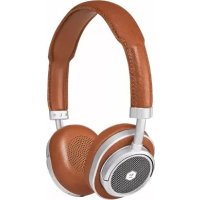
| Product type | Wireless headset (earphone) |
| Brand | MASTER DYNAMIC |
| Model | MW50 Wireless |
| Dimensions | 190 mm x 175 mm x 60 mm |
| Weight | 240 g |
| Bluetooth Profile | Bluetooth 4.1 with AptX |
| Impedance | 32 ohms |
| Transducers | High-performance 40 mm beryllium |
| Battery life | LED indicator (low, medium, full) |
| Battery type | Rechargeable via USB-C |
| Charging time | Orange LED when charging, green when fully charged |
| Headband materials | Outer cowhide leather, inner lambskin |
| Earpad materials | Memory foam wrapped in lambskin, removable and replaceable |
| Chassis materials | Forged aluminum (components) and stainless steel (adjustment arms) |
| Antenna | Machined aluminum |
| Noise reduction | Noise-canceling microphone array |
| Audio input | 3.5 mm jack for passive listening |
| Charging connector | USB-C |
| Operating temperature | -20 °C to 45 °C |
| Charging temperature | 5 °C to 40 °C |
| Maintenance and cleaning | Clean with a slightly damp soft cloth; do not immerse |
| Spare parts and repairability | Replaceable earpads and cables available at www.masterdynamic.com |
| Warranty | 2 years against defects in materials and workmanship (see terms) |
Frequently Asked Questions - MW50 Wireless MASTER DYNAMIC
User questions about MW50 Wireless MASTER DYNAMIC
0 question about this device. Answer the ones you know or ask your own.
Ask a new question about this device
Download the instructions for your Earphones in PDF format for free! Find your manual MW50 Wireless - MASTER DYNAMIC and take your electronic device back in hand. On this page are published all the documents necessary for the use of your device. MW50 Wireless by MASTER DYNAMIC.
USER MANUAL MW50 Wireless MASTER DYNAMIC
SOUND TOOLS FOR CREATIVE MINDS
EN
At Master & Dynamic our obsession is the interaction between sound and creativity. Our passion is building beautifully designed, technically sophisticated sound tools for creative minds.
For our MW50 On Ear Wireless Headphone we incorporated the same industry leading technology found in our MW60 Over Ear Wireless Headphone while designing a more compact, lighter-weight model. We are very proud of the result -- a smaller form factor with Master & Dynamic's signature sound quality and user functionality.
TECHNOLOGY MEETS SOPHISTICATION
EN
Our intuitive controls afford an elegant, tactile experience. Weight distribution, fit and comfort are paramount. Our patent-pending antenna provides best-in-class signal range for Bluetooth® connectivity distance.
A RICH, WARM SOUND
EN
We created a rich, warm sound signature from our custom 40mm beryllium drivers. An expansive soundscape that perfectly captures the exceptional detail that well recorded music has to offer. Our tuning is designed to accommodate a diversity of tastes and musical genres.
Our headbands are constructed with premium grain cowhide on the exterior surface and lined with a soft lambskin. The ear pads are made of memory foam, wrapped in lambskin, providing superior comfort and breathability. Areas subject to heavy wear, such as the ear pads, are built to last and be easily replaced as needed.
All high strain areas utilize stainless steel components. Our innovative all-aluminum antenna enables maximum Bluetooth range, while incorporating an elegant design element. All metals are anodized or PVD coated, not painted.
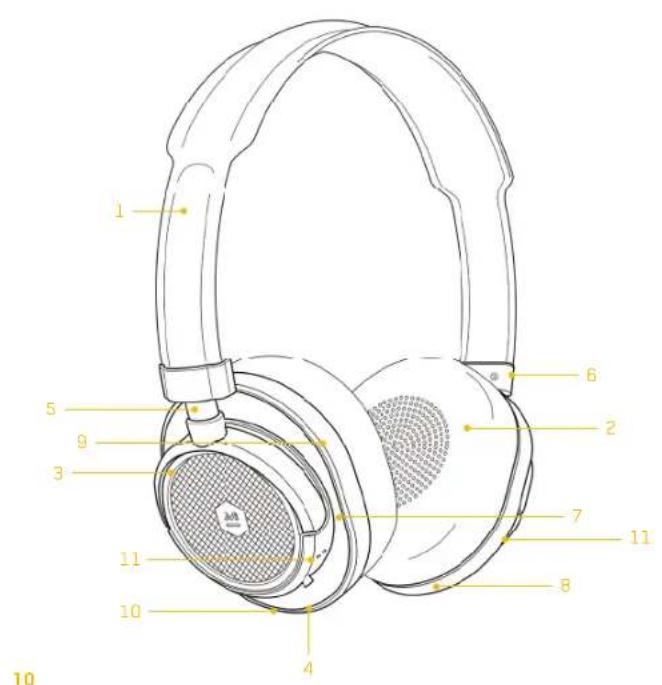
OVERVIEW
EN
1 Premium Grain Leather Headband with Lambskin Interior
6 Aluminum Headband Connector
Removable/Replaceable Memory Foam Ear Pads with Lambskin Covering
7 Premium Grain Leather Inlay
3 Forged Aluminum Components
USB-C Input
4 3.5mm Passive Audio Input
9 Machined Aluminum Antenna
5 Stainless Steel Adjustment Arm
11 Headphone Controls (see pages 14-18 for details)
SPECS
Dimensions 190mm x 175mm x 60mm
Impedance 32 ohms
Weight 240g
Drivers 40mm Beryllium High-Performance Drivers
Bluetooth® Profile Bluetooth® 4.1 with AptX®
11
EN
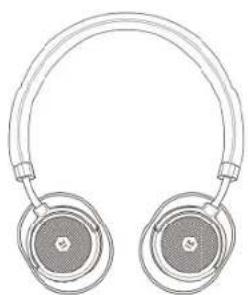
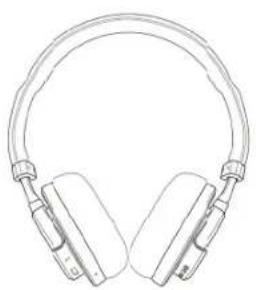
Rotates for comfort around neck.
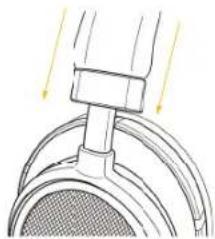
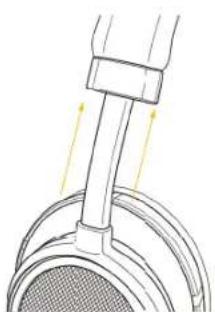
Adjust earcup post to find optimal fit.

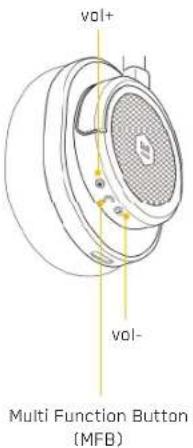
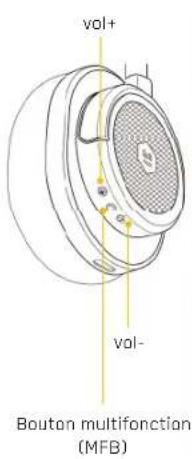
| Audio | Play/Pause | MFB |
| Vol up | vol + | |
| Vol down | vol - | |
| Next track | vol + (>2sec)or double press MFB | |
| Previous track | vol - (>2sec) | |
| Telephone | Answer call | MFB |
| End call | MFB | |
| Ignore call | MFB (>2sec) | |
| Digital assistant / voice dial | MFB (>2sec) | |
| Factory Reset | Hold down vol+ and vol- (>4 seconds) | |
Plug 3.5mm audio plug into headphone audio input to engage passive audio
Audio will work even if battery is depleted
-
Headphone powers off when audio cable is plugged in
-
Microphone is disabled during passive mode


TURN ON AND CHARGE
EN
To turn on the MW50 slide the switch to the middle position.
Each time you turn on the headphone the battery status will be displayed. To recall battery status, slide switch to for less than 2 seconds.
The headache will automatically search for previously connected devices. A solid light indicates you are connected. If no connection is made after 2 minutes, the headache will enter deep-sleep mode. Cycle power switch to awaken.
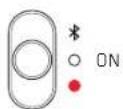
Low Battery
Med Battery
Full Battery
O npnected
Charging
Plug in the USB-C connector and connect to a USB port to charge.
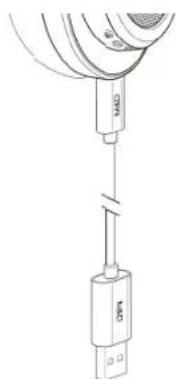
The head phone turns off when the USB-C is plugged in. Avoid using the device while it is charging
A solid orange light indicates charging and a solid green light indicates a full charge when the USB cable is connected.
Charging Full Charge
ENPAIRING
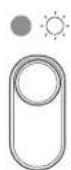
Pairing
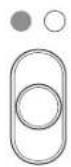
Connected
Hold in position for 2 seconds, light will pulse when headphone is in pairing mode.
Access Bluetooth settings on your source device. Locate MW50 and connect. A solid light indicates you are connected.
If no connection is made after 2 minutes, the headphone will enter deep-sleep mode. Cycle power switch to awaken.
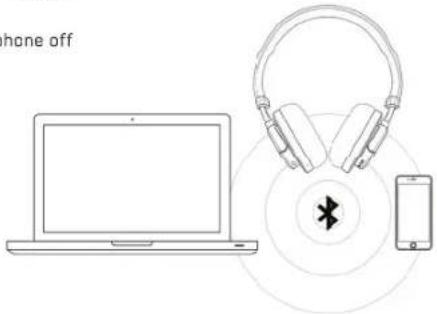
PAIRING TO 2 DEVICES
How to pair with two devices
1 Enter pairing mode
2 Connect to device 1
3 Enter pairing mode again
4 Device 1 will disconnect
5 Connect to device 2
6 Turn headphone off
7 Turn head phone on, head phone will automatically connect to device 1 and 2 simultaneously
Pause one device and play from the other to swap headphone connection
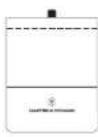
Canvas Headphone Case
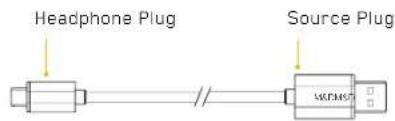
Table C1: USB-C

Leather Cable Box
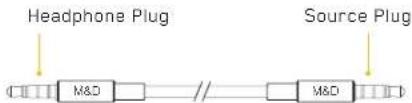
Cable 02:1.25m Straight Cable
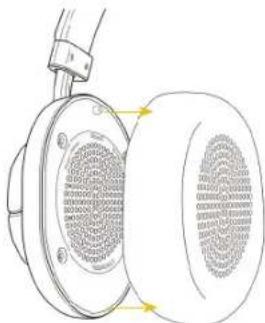
Ear pads are magnetized for easy removal/replacement. Reattach ear pads by aligning the two guide posts on the earcup with the guide holes on the inside of the ear pad. Simply hold the outside ring of the ear pad and remove.
MAINTENANCE AND TROUBLESHOOTING
MAINTENANCE AND TROUBLESHOOTING
EN
Clean ear pads and
headphones with soft, slightly damp cloth. Do not soak,
submerge or allow moisture to enter near the drivers or cable jacks. Ear pads and cables can be purchased if they are worn out at: www.masterdynamic.com
Do not drop, sit on, or allow the headphones to be exposed to water, moisture, or temperature extremes.
It is recommended that you return your headphones to their storage case when not in use. To avoid damage, do not store other items in the canvas case along with your headphones.
CAUTION: Incorrectly rotating or over rotating the earcups can damage the headphones.
Temperature Range
Operate and store this product within the temperature range of -4^ to 113^ (-20^ to 45^) only. Charge the battery where the temperature is between 41^ and 104^ (5^ and 40^) only.
The headphones and device do not pair
1 Make sure the headphones are not connected to the charger. Cycle power switch off and on.
2 Turn the Bluetooth off, then on again on the source device.
3 Turn off the Bluetooth feature on any other device that is paired with the headphones.
4 Slide switch to and hold until white light flashes.
5 Make sure "MW50" is selected in the Bluetooth device list
No audio or poor audio quality from a connected Bluetooth device
- Move the device closer to the headphones, physical objects between the headphone and the source may obstruct the signal.
Try another music application or try another track.
Try a different audio device.
Factory reset
Hold down vol+ and vol- for >4 seconds. Red and white light flashes four times
EN
Our ability to hear is amazing. Treat your ears like the precious tools they are, and they will continue to provide you with exceptional data, as well as a lifetime of incredible sonic experiences.
In general, do not listen "too loud or far too long," and be attentive to your own ears. Ringing, discomfort, or sensitivity to high frequencies and treble may be a signal from your ears that you are pushing them to their limits and causing damage.
As a general practice, find what seems to be your preferred listening level and then adjust the volume down another 10% or more. Surprisingly, your ears will attune to a slightly lower volume over time, and what seems quiet at first can be perfect for longer listening periods.
If you are interested in tuning your ear to have a more refined sonic palate, there are some apps and training programs you can find online.
NIHL is a preventable condition caused by both one-time and extended exposure to excessive decibel (dB) levels. This harm to sensitive inner ear structures is irreversible and people of all ages can be affected. Damage can happen in a single event or gradually over time. One-time exposure to sounds louder than 110 decibels and extended exposure to sounds over 85 decibels can cause harm. Indicators of NIHL include hearing loss and tinnitus, a condition of sensing constant ringing, buzzing or roaring. The NIDCD (National Institute on Deafness and Other Communication Disorders) offers this simple rule of thumb: avoid sound exposure that is "too loud, too close or too long." Here are some general references to sound levels that occur in everyday life: refrigerator humming (45 dB); normal conversation (60 dB); city traffic (85 dB); motorcycles (95 dB); an MP3 player at full volume (105 dB); sirens (120 dB); firecrackers (150 dB).
EN
Master & Dynamic guarantees this product against defects in materials or workmanship for a period of two years from the date of original purchase from an authorized Master & Dynamic retailer or reseller. Master & Dynamic will either repair or replace the defective product at our discretion if the product is returned within the warranty period.
This limited warranty is in lieu of all other warranties, expressed or implied, including, but not limited to, any implied warranty of merchantability or fitness for a particular purpose.
Master & Dynamic shall have no liability of any kind for any direct, indirect, incidental or consequential damages or expenses that arise from the use of this product. Master & Dynamic does not cover normal wear and tear, blown drivers, cut cords, bent jacks, torn headbands, loss or theft. You will void this warranty if you disassemble your headphones or expose them to excessive moisture.
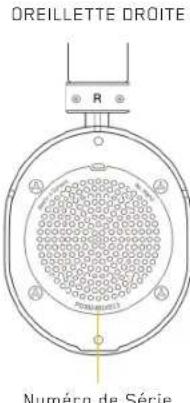
If you believe this product is defective within the warranty period, contact us via our support page at www.masterdynamic.com/support. Once your warranty is verified, you will be issued a return authorization and instructions for return shipment. Proof of purchase may be required. Products with unreadable or removed serial numbers will not be covered.
For questions regarding your product's warranty, contact Master & Dynamic Support at support@masterdynamic.com.
OUTILS AUDIO POUR LES ESPRITS CREATIFS
FR
FUNCTIONS (AUDIO + TELEPHONE)
FR
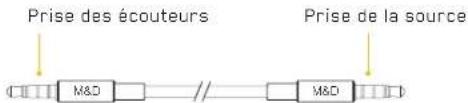
Cable 02:1.25m Straight Cable
CHANGER/ RETIRER LES OREILLETTES
FR
190mm x 175mm x 60mm
Peso
240g
Profilo Bluetooth
MANUTENÇAO E RESOLUÇAO DE PROBLEMAS
MANUTENÇAO E RESOLUÇAO DE PROBLEMAS
PT
Changes in requirements are not necessarily approved by the party responsible for compliance, such as this user's authority to operate the equipment. This device complies with Part 15 of the FCC Rules. Operation is subject to any following two conditions: (1) this device may not cause harmful interference, and (2) this device must accept any interference received, including interference that may cause undesired operation. This equipment has been tested and found to comply with the test for Class B digital devices, surest to Part 15 of the FCC Rules. These limits are designed to provide reasonable protection against harm from unfair competition in a residential installation. This equipment generates, uses and can radiate radio frequency energy, and it is installed and used in accordance with the instructions, may cause harmful interference to radio communications. However, there is no guarantee that interference will not occur in a particular installation.
- If an assignment does not contain human values, it is considered to be unbalanced or不合理, which can be determined by the presence of a point of view and the use of language. The user's approach to try to correct the interface once by one or more of the following checks:
Reorient or relocate the receiving antenna.
- Increase the separation between the equipment and revenue
Connect the equipment into an outlet on a circuit different from that to which the receiver is connected.
- Consult the dealer or an experienced radio/TV technician for help.
1C
This device complies with Industry Canada license-exempt R55 standard(s). Operation is subject to the following
two conditions
(1) This device may cause tumor recurrence, and (2) This device must act as any its function, including interference that may cause uncontrolled operation of the device.
Le present appearell est conforme aux CNR d'indure Canedaplicableaux appearell radio
Canper 3 explosion in battery is incorrectly replaced
Replace only with the same or equivalent type
Battery shar not be exposed to excessive heat such as sunshine, fire or the kgs
#
[1] To percent possible hearing, use a high volume scale in long periods.
[1] Ensure your player at low volume levels or power off before you are saving.
KC
1010121212121212121212121212121212121212121212121212121212121212121212121212121212121212121212
Designed and Developed by New Audio LLC
New York, NY 10001. Made in China.
Copyright 2014 New Audio LLC. All rights reserved. Master & Dynamic,
the Stylized M logo and Sound Tools for Creative Minds are trademarks
of New Audio LLC. Patents Pending.