 ManualGo.com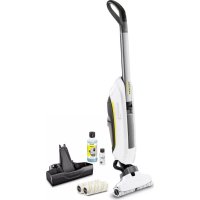
FC 5 Cordless Premium - Vacuum Cleaner Kärcher - Free user manual and instructions
Find the device manual for free FC 5 Cordless Premium Kärcher in PDF.



Download the instructions for your Vacuum Cleaner in PDF format for free! Find your manual FC 5 Cordless Premium - Kärcher and take your electronic device back in hand. On this page are published all the documents necessary for the use of your device. FC 5 Cordless Premium by Kärcher.
USER MANUAL FC 5 Cordless Premium Kärcher
Register your product www.kaercher.com/welcome FC 5 Cordless FC 5 Cordless Premium 59684130 (08/18)
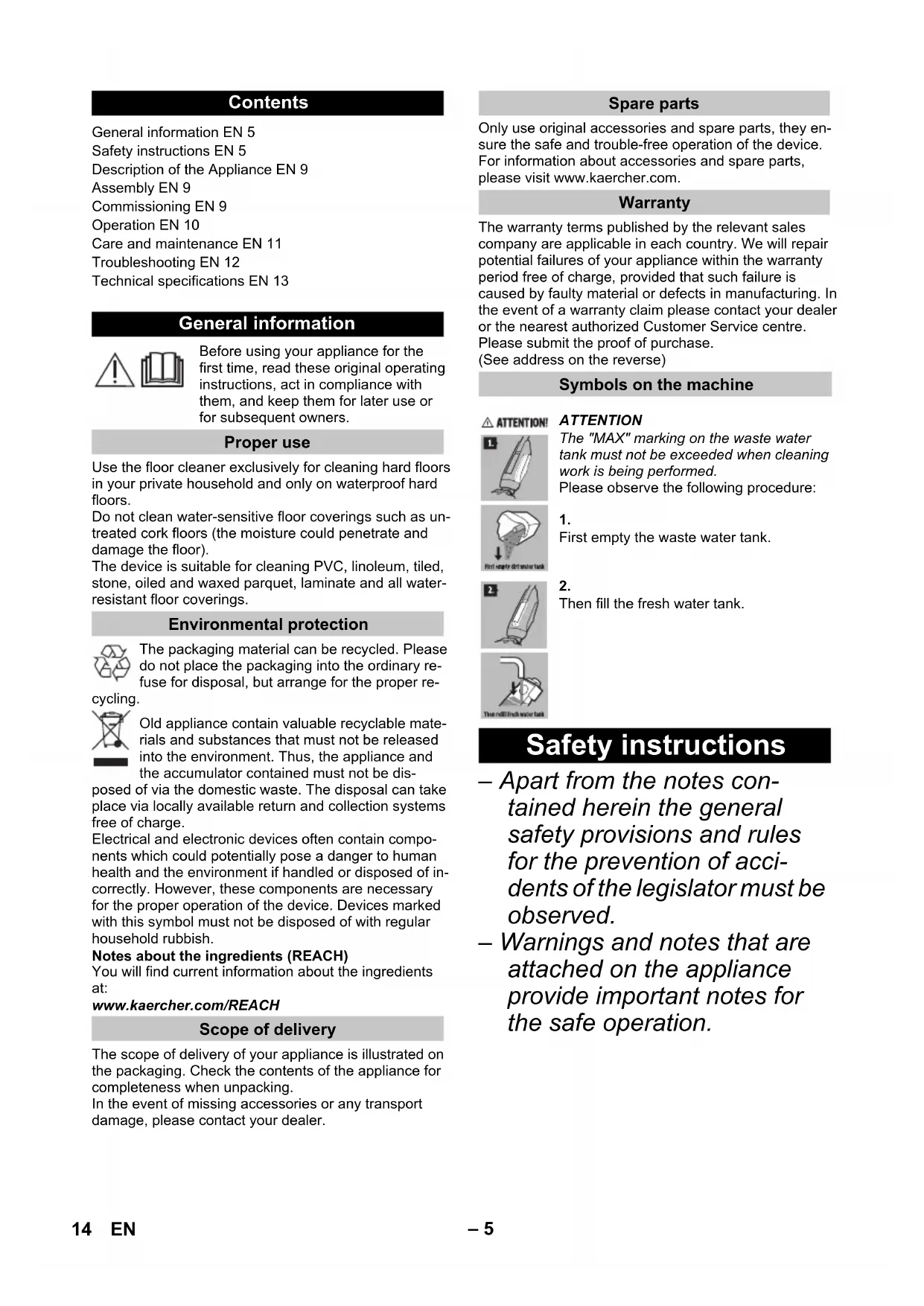
First empty the waste water tank.
Then fill the fresh water tank. Safety instructions 14 EN– 6 DANGER Pointer to immediate danger, which leads to severe injuries or death. 몇 WARNING Pointer to a possibly dangerous situation, which can lead to se- vere injuries or death. 몇 CAUTION Pointer to a possibly dangerous situation, which can lead to mi- nor injuries. ATTENTION Pointer to a possibly dangerous situation, which can lead to property damage. DANGER Do not immerse the device into water. Check the faultless condition of the appliance and the ac- cessories before using it. Otherwise, the appliance must not be used. Immediately replace the charger with the charging ca- ble in case of visible damage. Turn off the appliance and re- move the mains plug prior to any care and maintenance work. Repair works may only be performed by the authorized customer service. The appliance contains elec- trical components - do not clean under running water. Do not insert conductive ob- jects (such as screwdrivers or the like) into the charging socket. Do not touch contacts or wires. The voltage indicated on the type plate must correspond to the supply voltage. Do not scrape the charger across sharp edges and en- sure that it does not get pressed. 몇 WARNING The appliance may only be connected to an electric sup- ply that has been installed by an electrician in accordance with IEC 60364. The appliance may only be connected to alternating cur- rent. The voltage must corre- spond with the type plate of the appliance. For safety reasons, we rec- ommend that you charge the appliance only via a earth- leakage circuit breaker (max. 30 mA). Hazard levels Electric components 15EN– 7 DANGER Risk of electric shock. Never touch the mains plug and the socket with wet hands. Do not use the charger if dirty or wet. Do not operate the charger in explosive environment. Do not carry the charger by holding the mains cable. Store and use the charger in dry rooms only. Protect the mains cable against heat, sharp edges, oil and moving parts of the ma- chine. Avoid using extension wires with multiple sockets and si- multaneous operation of mul- tiple devices. Do not pull the plug from the socket by pulling the mains cable. Do not cover the charger and keep the air vents of the charger open. Do not open the charger. Get repairs done only by author- ised experts. Use the charger only to charge approved battery packs. Immediately replace the charger with the charging ca- ble in case of visible damage. DANGER Risk of electric shock. Do not expose the battery to direct sunlight, heat or fire. 몇 WARNING Charge the battery with the enclosed original charger or a charger approved by KÄRCHER only. Use the following adaptor: Do not open the battery, as there is a risk of an electrical shock; also, irritating or caus- tic vapors can escape. DANGER The user must use the appli- ance as intended. The person must consider the local condi- tions and must pay attention to other persons in the vicinity when working with the appli- ance. The appliance may not be op- erated in explosive atmos- pheres. If the appliance is used in hazardous areas the corre- sponding safety provisions must be observed. Do not use the appliance if it fell down, is visibly damaged or leaking. Keep packaging films away from children, there is a risk of suffocation! Charger Battery Safe handling PS07 16 EN– 8 몇 WARNING The appliance must not be operated by children or per- sons who have not been in- structed accordingly. This appliance is not intended for use by persons with limit- ed physical, sensory or men- tal capacities or lacking expe- rience and/or skills, unless such persons are accompa- nied and supervised by a per- son in charge of their safety or they have received precise instructions on the use of this appliance and have under- stood the resulting risks. Children must not play with this appliance. Supervise children to prevent them from playing with the appliance. Keep appliance out of reach of children as long as it is switched on or hasn't cooled down. Cleaning and user mainte- nance must not be performed by children without supervi- sion. Operate or store the appli- ance only in accordance with the description or illustration! 몇 CAUTION Create stability for the appli- ance prior to any work on or with the appliance to prevent accidents or damage. Never fill solvents, solvent- containing liquids or undiluted acids (e.g. detergents, petrol, paint thinner, and acetone) into the water reservoir as these substances corrode the materials used in the appli- ance. Never leave the appliance unattended as long as it is in operation. Keep parts of the body (e.g. hair, fingers) away from the rotating cleaning rollers. Keep your hands protected while cleaning the suction head- risk of injury from sharp objects (e.g. splinters). Keep connection cable away from heat, sharp edges, oil and moving parts. ATTENTION Only switch on the appliance when the fresh water tank and waste water tank are fit- ted. The appliance must not be used for the intake of sharp or large objects (e.g. shards, pebbles, toy parts). Do not add acetic acids, des- caling agents, essential oils or similar substances to the fresh water tank. Also ensure that the substances are not drawn in. Only use this appliance on hard floors with waterproof coatings (e. g. varnished par- quet, enamelled tiles, Linole- um). Do not use the appliance for cleaning of carpets or carpet- ed floors. 17EN– 9 Do not use the appliance over the floor grilles of convector heaters. The appliance is not able to take in the water dis- charged when used above grilles. In case of longer breaks in operation and after use, switch off the device at the main switch / device switch and pull the charger’s mains plug. Do not operate the appliance at temperatures below 0 °C. Protect the unit from rain. Do not store outside. Illustrations on the picture pages ** FC 5 Cordless ** FC 5 Cordless Premium Illustration Insert handle into the basic unit as far as it goes un- til it engages audibly. The handle must sit snugly into the appliance. Illustration Screw the cleaning rollers onto the threaded rod up to the mechanical stop. Pay attention to the colour-codes on the inside of the roller and roller holder on the appliance (e.g. blue should match up with blue). After the installation, check to ensure that the cleaning rollers sit snugly. Illustration To stabilise, place the appliance into the cleaning station. Illustration Plug the charging cable of the charger into the charging socket on the device. Plug the mains plug of the charger into a power out- let. Illustration The LED indicator lights display the battery's cur- rent charging state. All 3 LED indicator lights flash from bottom to top when charging a completely empty battery. The lowermost LED lights up continuously when the battery is 1/3 charged, the two upper LEDs con- tinue to flash. When the battery is 2/3 charged, the two lower LEDs light up continuously, the uppermost LED continues to flash. After the battery has been fully charged, the 3 LED indicator lights will continue to light constantly for 60 minutes. After this time, the LED indicator lights go out. Illustration Once the battery is charged, pull the mains plug out of the socket and the charging cable out of the charging socket. Illustration Remove the fresh water tank from the appliance using the handle. Illustration Open fuel filler cap. Fill the fresh water tank with cold or lukewarm tap water. KÄRCHER detergents/care agents can also be added to the fresh water tank as required.* See chapter "Detergents and care products". Do not exceed the "MAX" marking when filling. Close tank lock. Illustration Insert the fresh water container into the appliance. The fresh water tank must sit snugly into the appli- ance. Description of the Appliance 1 ON/OFF switch 2 Handle 3 Battery indicator 4 Carrying handle 5 Charging socket 6 Waste water tank/separator lid 7 Waste water tank 8 Cover suction head 9 Recessed grip cleaning roller 10 Cleaning rollers 11 Lock suction head 12 Fresh water tank 13 Handle fresh water tank 14 Roller storage 15 Cleaning / park station 16 Filter inlay 17 Charger with charging cable 18 * Detergent RM 536 30 ml 19 ** Detergent RM 534 30 ml 20 ** Detergent RM 536 500 ml 10 ** Cleaning rollers 2x Assembly Commissioning Installing the rollers Charging process Fill fresh water reservoir 18 EN– 10 ATTENTION *Follow the recommended dosage instructions on the detergent/care agent. ATTENTION Illustration The appliance must only be used for the intake of dirt and fluids (max. 250 ml). Illustration Before beginning your work, remove any objects, such as shards, pebbles, screws or toy parts from the floor. Before use, check the floor for water consistency at sus- pect areas. Do not clean water-sensitive coatings, such as untreated cork floors (moisture ingress is possible which may damage the floor). Illustration To avoid fresh footprints on the freshly-wiped floor, work backwards towards the door. Hold the appliance at the handle at angle of approx. 60 degrees. Clean the floor by moving the appliance back and forth at a similar speed as if you were vacuum cleaning. If the floor is especially dirty, let the appliance glide slowly across the floor. For scope of delivery of the roller pads in grey and yellow: Both roller pads have the same functionali- ty, they can be used for different areas of applica- tion (colour distinction, e.g. for kitchen and bath- room). Illustration Press the ON switch briefly. After about 1-2 seconds, the rollers begin to rotate and the appliance is ready for use. ATTENTION After switching on the appliance, the cleaning rollers will begin to rotate. Hold the handle tight to prevent the ap- pliance from moving forwards by itself. Make sure the fresh water tank is filled with water and the waste water tank is fitted in the appliance. Illustration To quickly wet the rollers, use a measuring cup to fill the cleaning station with 50 ml of fresh water. Illustration Switch on the appliance and put it into operation in the station for 5 seconds. The appliance then has the ideal level of moisture in order to allow fast cleaning. Switch off the appliance; press the on/off button to do so. Illustration Remove the carrying handle from the cleaning sta- tion and set it on the floor. Hold the appliance firmly using the handle. Illustration To switch on the appliance press the on/off switch. Illustration – 3 LEDs illuminated - 3/3 battery run time (full run time). – 2 LEDs illuminated - 2/3 battery run time. – 1 LEDs illuminated - 1/3 battery run time. The rollers signal 5 minutes before the run time ends by changing rotation direction. The lowermost LED starts to flash approx. 2.5 min- utes before the battery has to be charged. The device shuts off automatically 1.5 minutes be- fore the run time ends. The remaining 1.5 minutes can be used for clean- ing the device in the station by switching it back on again. See "Cleaning the appliance by rinsing". The lowermost LED flashes for another 10 seconds when the battery is empty and the device has switched off. ATTENTION Before filling the fresh water tank, please empty the waste water tank. In this way you can avoid overflowing of the waste water tank. See Chapter "Emptying the waste water tank". Illustration Place the appliance in the cleaning station. Illustration Remove the fresh water tank from the appliance using the handle. Illustration Open fuel filler cap. Fill the fresh water tank with cold or lukewarm tap water. Add cleaning or disinfecting agent as required. Do not exceed the "MAX" marking when filling. Close tank lock. Illustration Insert the fresh water container into the appliance. The fresh water tank must sit snugly into the appli- ance. ATTENTION The water level must be checked at regular intervals to prevent the waste water tank from overflowing. Do not exceed the "MAX" marking. Illustration Place the appliance in the cleaning station. Illustration Hold the waste water tank at the bottom handle. At the same time, press the upper handle downwards with your thumbs. Remove waste water tank. Illustration Remove the cover from the waste water tank. Empty the waste water tank. Depending on the amount of dirt, clean the lid/sep- arator and waste water tank with tap water. Place the lid on the waste water tank. The lid must sit snugly onto the waste water tank. Illustration Insert the waste water tank into the appliance. The waste water tank must sit snugly in the appli- ance. Operation General information on the operation Turning on the Appliance Start working Battery service life Refill detergent Emptying the waste Water tank 19EN– 11 Illustration Switch off the appliance; press the on/off button to do so. Illustration Place the appliance in the cleaning station. ATTENTION To ensure the stability of the appliance during down- time, always put the appliance into the cleaning/park station. A lack of stability can cause the appliance to topple over, which can cause fluid to leak that damages the floor covering. Illustration Switch off the appliance; press the on/off button to do so. Illustration Place the appliance in the cleaning station. Illustration Remove the waste water tank. ATTENTION After completing the work, clean the appliance by apply- ing a rinse cycle. See "Cleaning the appliance by rinsing". Illustration Completely empty the appliance. Illustration until Illustration Empty the waste water tank. See Chapter "Emptying the waste water tank". If there is still water in the fresh water tank or clean- ing station, empty it. ATTENTION To prevent odours developing, the fresh water and waste water tank must be completely emptied prior to storing the appliance. Illustration Move the appliance to the place of storage using the carrying handle. Illustration To stabilise, place the appliance into the cleaning station. Store the appliance in a dry room. ATTENTION When the work is finished, always rinse the appliance through with the cleaning station and fresh water. This is the best way of cleaning the appliance. It prevents the build-up of dirt and bacteria or unpleasant odours. Illustration Switch off the appliance; press the on/off button to do so. Illustration Place the appliance in the cleaning station. For the rinsing process, fill the fresh water tank with cold or lukewarm tap water to completely remove detergent residue from the suction ducts and slits on the suction head. Insert the fresh water container into the appliance. Illustration Remove the waste water tank and empty it. See Chapter "Emptying the waste water tank". Fill the measuring cup with 200 ml water. Fill the cleaning station with water. If necessary, add appropriate KÄRCHER cleaning agents for the rinsing procedure. To switch on the appliance press the on/off switch. Allow the appliance to run for 30-60 seconds until the water is completely drawn out of the cleaning station. The rinsing procedure is now complete. Note The longer the appliance is switched on, the less resid- ual moisture is left over in the cleaning rollers. Switch off the appliance; press the on/off button to do so. If there is still water in the fresh water tank, remove the fresh water tank and empty it. Illustration Empty the waste water tank. See Chapter "Emptying the waste water tank". If there is still water in the fresh cleaning station, empty it. ATTENTION The fresh and waste water tanks must be emptied be- fore the appliance is set down on the ground for roller removal. This prevents any fluids from leaking out of the tank when it is laid on the ground. Note In the case of heavy contamination, clean the cleaning rollers separately. Illustration Switch off the appliance; press the on/off button to do so. If there is still water in the fresh water tank, remove the fresh water tank and empty it. Empty the fresh water reservoir. Illustration Empty the waste water tank. Illustration Twist out the cleaning rollers from the recessed grip. Illustration Clean the cleaning rollers under running water.
Wash the cleaning rollers in the washing machine up to 60°C. ATTENTION Do not use any soft detergents when cleaning in the washing machine. This avoids causing damage to the microfibres. It also preserves the high performance lev- els of the cleaning rollers. The cleaning rollers are not suitable for the tumble dry- er. Illustration Once cleaned, place the rollers onto the cleaning station’s roller storage and leave to air dry. Drying time can be minimized by wringing out the rollers beforehand. Interrupting operation Turning Off the Appliance Storing the Appliance Care and maintenance Cleaning appliance with rinsing process Cleaning the rollers 20 EN– 12 ATTENTION In the case of heavy contamination or if parts such as stones or splinters get into the suction head, it will need to be cleaned. While the appliance is working, these parts will cause a rattling noise or will block up the suc- tion ducts, diminishing suction performance. Illustration Switch off the appliance; press the on/off button to do so. Illustration Remove the cleaning rollers. See "Cleaning the rollers". Illustration Press the suction head lock. Take off the suction head lid. Clean the suction head lid under running water. If necessary, remove particle deposits from the suction ducts and slits in the suction head lid. Clean the suction head with a damp cloth. Fix the suction head lid onto the suction head. Note When attached to the suction head the suction head lid must lock in place audibly. Illustration Screw the cleaning rollers onto the threaded rod up to the mechanical stop. See "Cleaning the rollers". ATTENTION Regularly clean the waste water tank to prevent block- age to the separator with dust and dirt or to prevent dirt from building up in the tank. Illustration Switch off the appliance; press the on/off button to do so. Illustration Place the appliance in the cleaning station. Illustration until Illustration Remove the waste water tank from the appliance. See Chapter "Emptying the waste water tank". Clean the lid/separator and waste water tank with tap water. The waste water tank can also be cleaned in the dishwasher. Illustration After cleaning, put the waste water tank with lid back into the appliance. ATTENTION The use of unsuitable cleaning and disinfecting agents can damage the appliance and will void the warranty. Note Add cleaning or disinfecting agent as required. When dosing the detergent and care product, fol- low the manufacturer's dosage instructions. Illustration To prevent foaming, first fill the fresh water tank with water then cleaning or disinfecting agent. To avoid exceeding the "MAX" fill level on the fresh water tank, leave room for the cleaning or disinfect- ing agent when filling with water. Often, failures have simple causes and you can do the troubleshooting yourself using the following overview. If you are in doubt or if the failure is not listed here please contact the authorized customer service. Charging plug/mains plug not correctly connected. Connect charging plug/mains plug correctly. Battery is empty. Charge the device. Check whether the charging cable is still plugged into the device. Take out charging cable, operation is not possible while charging cable is plugged in. Lowermost LED flashes when the device is switched on and does not start. Battery is empty Charge the device. All LEDs flash quickly simultaneously. Use of wrong of defective mains plug. Use original mains plug/replace defective mains plug.
Device too hot during use (e.g. when operating in high ambient temperatures). Take a break and let the device cool down. If the device also switches off: Take a break and let the device cool down. The device can only be switched on again once it has cooled down enough. Filter inlay is not inserted. (see graphic for description of the device) Remove fresh water tank and insert filter inlay with rubber pin facing upwards. Filter inlay is inserted the wrong way round. Remove filter inlay and insert with pin facing up- wards. The suction hose is blocked by deposits of dirt. Carefully remove the suction hoses from the suc- tion head and basic unit. Place the suction hoses in cold water for 10–20 minutes. Clean suction hoses with a dull object and/or under running water. No water in the water reservoir. Refill water Fresh water tank does not fit properly in the device. Insert the fresh water tank so that it sits snugly in the appliance. Cleaning rollers missing or not fitted correctly. Illustration Fit the cleaning rollers or turn them onto the roller holder up to the mechanical stop. Cleaning rollers are contaminated or worn. Clean the cleaning rollers.
Replace the cleaning rollers. Cleaning the suction head Clean the waste water tank Detergents and care products Troubleshooting Battery is not charging The device cannot be switched on LED fault display Lack of roller moistening with fresh water Appliance is not sucking up dirt 21EN– 13 Rollers are blocked. Illustration Remove rollers and check if an object has become stuck in the rollers. Check that the rollers are screwed in as far as they will go onto the roller holder. Rollers are too dry. Moisten the rollers/the device with 50 ml of water in the park station. There are parts (e.g. stones or splinters). Illustration Remove suction head lid and clean the suction head. See Chapter "Cleaning the suction head". The suction ducts and slits on the suction head are blocked. Illustration Remove suction head lid and clean the suction head. See Chapter "Cleaning the suction head". Waste water tank is overfilled. Illustration until Illustration Empty the waste water tank right away. See Chapter "Cleaning the waste water tank". Waste water tank does not fit properly in the appliance. Check whether the lid is fit securely on the waste water tank. See Chapter "Cleaning the waste water tank". Separator is blocked. Remove lid from the waste water tank and clean the separator. See Chapter "Cleaning the waste water tank". The filter net of the waste water tank separator was damaged during cleaning. Renew separator. Cleaning or disinfecting agents are not suitable for the appliance or were dosed incorrectly. Only use detergents and care products approved by the manufacturer. See chapter "Detergents and care products". Follow the manufacturer's dosage instructions. The initial moistening of the rollers was not used or was not used long enough, meaning that the rollers are not completely moistened (rollers therefore only clean par- tially). Illustration Completely moisten rollers. ATTENTION Do not remove the handle from the basic unit once it has been assembled. The handle may only be removed from the basic unit if the unit is sent out for service purposes. Illustration See illustration at the end of the operating instructions Insert screwdriver at a 90 degree angle in the small opening at the rear side of the handle and remove handle. ATTENTION Please ensure that the connection cable between the basic unit and the handle are not damaged. Subject to technical modifications! Rollers do not turn Loud rattling when switched on Rattling noise in the suction head Suction power decreases Appliance is leaking waste water. Appliance leaves streaks behind on the floor Removing the handle from the basic unit Technical specifications Electrical connection Nominal battery voltage 25,2 V Protection class IPX4 Device Protective class III Charger protection class II Rated power of appliance 165 W Battery type Li-Ion Operating time with full charge approx.