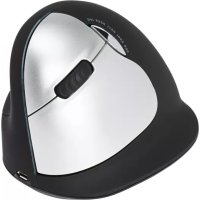
RGOHELAWL - Mouse R-Go Tools - Free user manual and instructions
Find the device manual for free RGOHELAWL R-Go Tools in PDF.



| Brand | R-Go Tools |
| Model | RGOHELAWL |
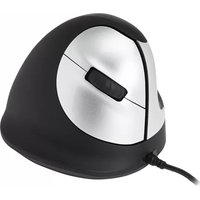
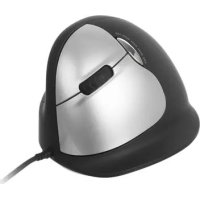
| Product type | Vertical ergonomic mouse |
| Version | Large |
| Connectivity | Wired (USB) or wireless (2.4 GHz) |
| Power supply | USB (wired) / Rechargeable Li-ion battery (wireless) |
| Dimensions (approx.) | 125 x 85 x 75 mm |
| Weight (approx.) | 130 g |
| Sensor | Laser |
| DPI resolution | Adjustable via switch (values not communicated) |
| Software | R-Go Break (downloadable at www.r-go-break.com) |
| Main features | Vertical ergonomics, prevention of MSD, programmable buttons (forward, back), break indicator light (Break version) |
| Compatibility | Windows XP/Vista/10, MacOS |
| Maintenance | Clean with a damp water-based cloth. Do not use alcohol or soap. Do not immerse. |
| Safety | CE, FCC, IC compliant. Minimum distance of 20 cm between the radiator and the body (wireless version). Do not expose to moisture. |
| Repairability | Built-in battery not replaceable by user. Do not disassemble. |
| Manufacturer | R-Go Tools b.v., Techniekweg 15, 4143 HW Leerdam, Netherlands |
| Origin | Made in China |
Frequently Asked Questions - RGOHELAWL R-Go Tools
User questions about RGOHELAWL R-Go Tools
0 question about this device. Answer the ones you know or ask your own.
Ask a new question about this device
Download the instructions for your Mouse in PDF format for free! Find your manual RGOHELAWL - R-Go Tools and take your electronic device back in hand. On this page are published all the documents necessary for the use of your device. RGOHELAWL by R-Go Tools.
USER MANUAL RGOHELAWL R-Go Tools
natural_image
Abstract blue logo design with stylized 'r' and 'g' shapes (no text or symbols)R-Go HE
Ergonomic mouse
Manual
Large
Wired/Wireless/Break
Left/Right
natural_image
Line drawing of a steam iron with attached cable and handle (no text or symbols)Contents
Welcome3
Product overview 4
Setup6
R-Go Break 7
DPI switch 8
Maintenance9
Troubleshooting10
Deutsch11
Français13
Nederlands15
Compliance17
Welcome
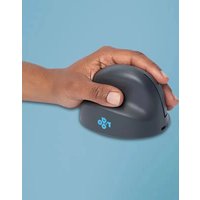
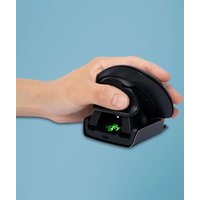
Our ergonomic R-Go HE mouse has a vertical grip that ensures a natural, relaxed position of your hand and wrist. The mouse stimulates movements from the underarm instead of the wrist, which prevents RSI. This comfortable mouse supports your thumb and fingers and is as lightweight as possible, hereby reducing the muscle tension. HE is the way to a healthy life! #stayfit
System requirements/Compatibility: Windows XP/Vista/10, MacOS
Product overview
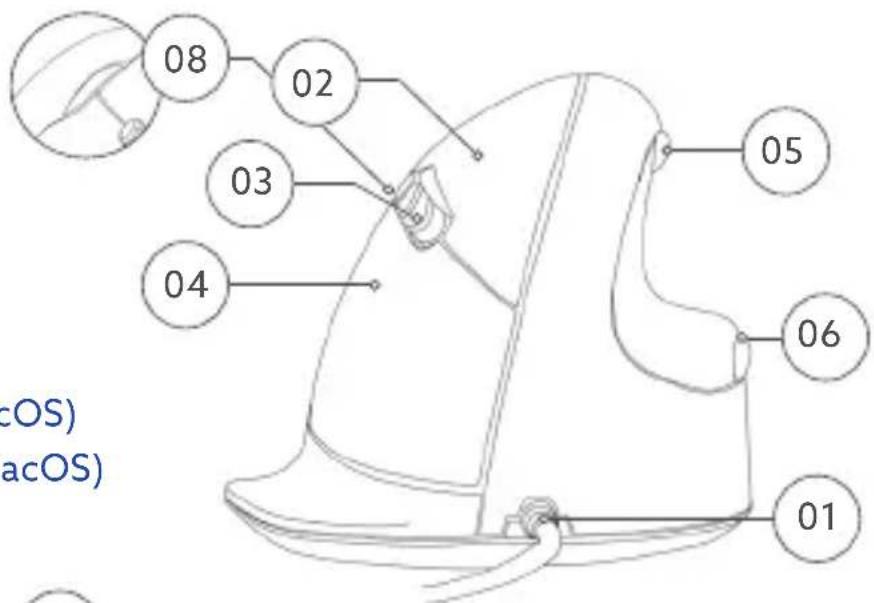
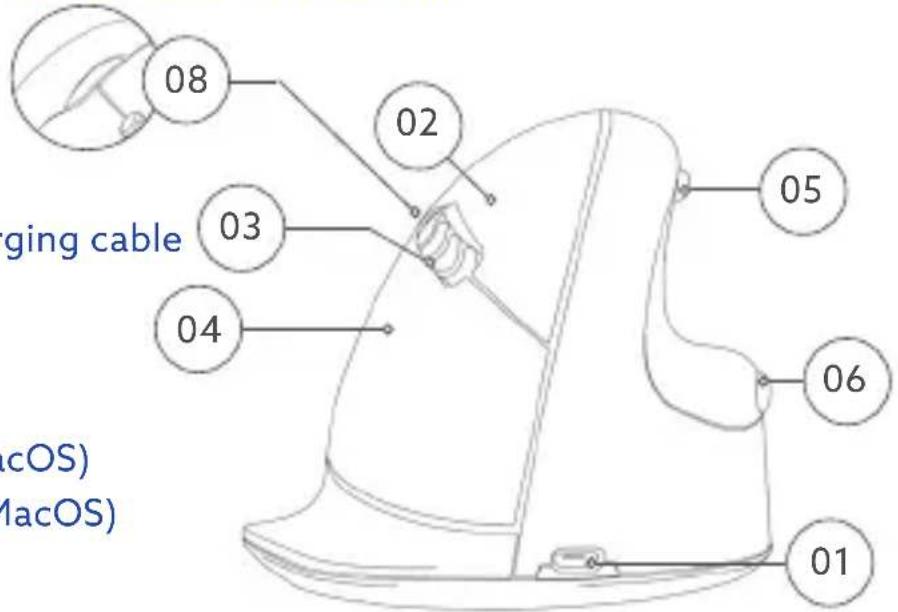
Wired/Break
01 Cable
02 Left button
03 Scroll wheel
04 Right button
05 Forward (not for MacOS)
06 Backward (not for MacOS)
07 Sensor
08 DPI switch
text_image
08 02 03 04 05 06 01 (cOS) (aOS)
text_image
07 * Large, n shown in* Large, right, wired version is shown in these illustrations
Product overview
text_image
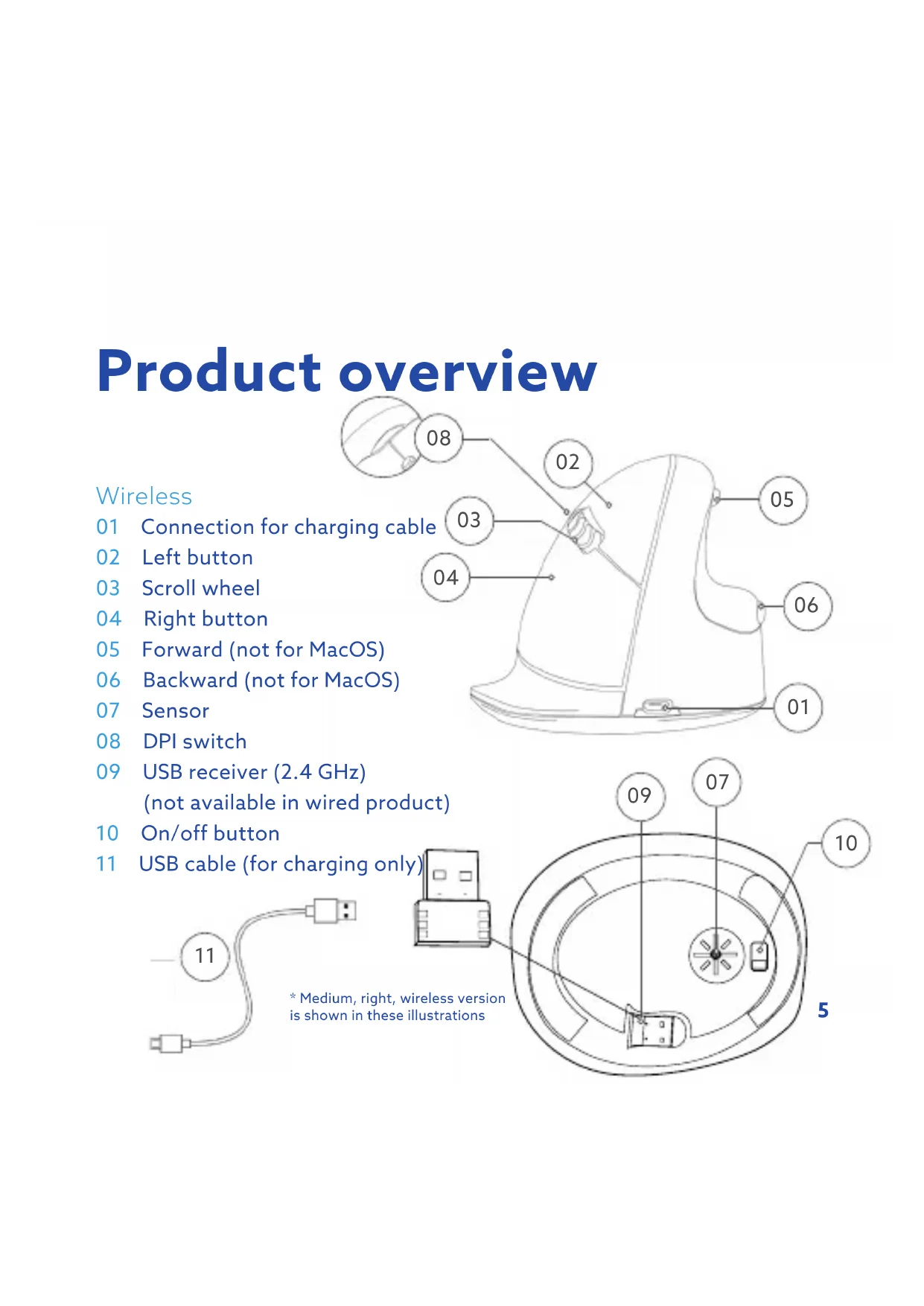
08 02 03 04 05 06 01 ging cable (cOS) (macOS)Wireless
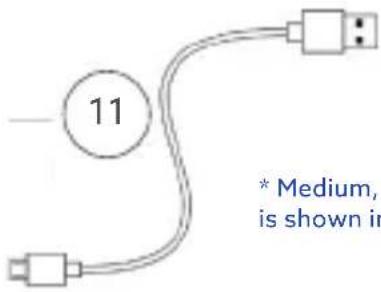
01 Connection for charging cable
02 Left button
03 Scroll wheel
04 Right button
05 Forward (not for MacOS)
06 Backward (not for MacOS)
07 Sensor
08 DPI switch
09 USB receiver (2.4 GHz)
(not available in wired product)
10 On/off button
11 USB cable (for charging only)
text_image
11 * Medium, is shown in* Medium, right, wireless version is shown in these illustrations

text_image
(uct) (v) wireless version illustrations 09 07 10 5Setup
Wired/Break
Connect the USB Cable (01) to your computer.
Wireless
Connect the USB receiver (2.4 GHz) 09 to your computer. Switch the mouse on 10, and click once to connect with the USB receiver (2.4 GHz). You can charge the mouse by plugging cable 11 into the PC and mouse 01. Please note that this cable is for charging only.
If you want to use the mouse while charging, do not remove receiver from PC.
R-Go Break
Download the R-Go Break software at www.r-go-break.com
The R-Go Break software is compatible with all R-Go HE mice. It gives you insight into your work behaviour and gives you the possibility to customize your mouse buttons.
Extra functionality when used with R-Go Break devices, which are equipped with a LED light. This light changes colour during use to indicate when it is time to take a break.
DPI switch
Cycle through the DPI*-mode by clicking the DPI switch button 08.
*DPI means Dots Per Inch. If you have a low DPI, you will have to move your mouse more to get the cursor move the same distance on your screen compared to a higher DPI. A higher DPI will move the cursor faster over your screen with smaller movements of your mouse. We recommend a low DPI setting, so you move the mouse with your arm instead of your wrist in order to prevent RSI.
Maintenance
- Do not bring the mouse in contact with water. Water could damage the electronic parts inside the mouse. To clean the mouse, disconnect the device from your PC. Do not clean the mouse with alcohol or with water and soap. This will damage the coating of the mouse. If you want to clean the mouse, use a water-based damp cloth.
- Do not remove any of the rubber parts on the bottom of the mouse. You will not be able to place them back and your mouse will not move smoothly as before.
- Do not place anything in front of the laser on the bottom side of the mouse.
Troubleshooting
Is your mouse not working properly, or do you experience problems while using it? Please follow the steps mentioned below.
- Check if the mouse is connected using the correct connectors and cables (page 7).
- Connect the mouse to another USB port of your computer.
- Connect the mouse directly to your computer if you are using an USB hub.
- Restart your computer.
- Test the mouse on another device, if it is still not working contact support (www.r-go-tools.com).
Deutsch
R-Go HE
Ergonomische Maus
Handbuch
Groß
Health and safety information
This symbol identifies safety and health messages in the Product Guide and other product manuals.
Warning: Read this safety and health information Read this guide for important safety and health information and keep all printed guides for future reference. If you do not follow the instruction and do not install, use, and maintain this product properly, you are at greater risk of serious injury, or damage to the device or computer. For an online version of this manual, go to www.r-go-tools.com/support
Warning: To prevent fire or shock hazard, do not expose the unit to rain or moisture.
Product Precautions (all versions)
- Do not store the device in areas of high humidity.
- Do not expose the device to heat or direct sunlight for an extended period of time.
- Refrain from bending USB cord with unnecessary force.
- Do not disassemble and remodel randomly.
- Do not drop, apply extreme pressures, or otherwise
physically damage the device.
- Keep the light away from your eyes.
• The device uses a very sensitive laser lens, so keep it from dust and clean lens regularly.
Battery user safety precautions (wireless version only)
- Do not replace the li-ion battery by yourself
• The battery pack used in this device may present a fire or chemical burn hazard if mistreated.
- Do not disassemble, heat above 60^ (140 °F) or incinerate.
- Keep away from children.
Caution: Do not open wireless devices, as opening them, for whatever reason, could lead to damages that are not covered by the guarantee. In some situations or environments, the use of wireless 2,4 GHz technology might be restricted by the proprietor of the building or responsible representatives of the organization, for example onboard airplanes, in hospitals or in any other environment where the risk of interference with other devices or services is perceived or identified as harmful. If you are uncertain of the policy that applies to the use in a specific organization or environment, you are encouraged to ask for authorization to use wireless technology prior to switching it on. Consult your physician or the manufacturer of personal medical devices (pacemakers, hearing aids,
etc.) regarding any restrictions on the use of wireless technology.

Warning: Do Not Attempt Repairs
Do not attempt to take apart, open, service, or modify the hardware device or power supply. Doing so could present the risk of electric shock or other hazard. Any evidence of any attempt to open and/or modify the device, including any peeling, puncturing, or removal of any of the labels, will void the limited Warranty.
Caution - Repair and maintenance of this equipment should be made only by R-Go Tools authorized technicians. Improper repairs and use can create safety hazards.
Disposal of Old Electrical & Electronic Equipment (Applicable in the European Union and other European countries with separate collection systems)

This symbol on the product or on its packaging indicates that this product shall not be treated as household waste. Instead it shall be handed over to the applicable collection point for the recycling of electrical and electronic equipment. By ensuring this product is disposed of correctly, you will help prevent potential negative consequences for the environment and human health, which could otherwise be caused by inappropriate waste handling of this product. The recycling of materials will help to conserve natural resources. For more detailed information about recycling of this product, please contact your local Civic Office, your household waste disposal service or the shop where the product was purchased.
Statement of Compliance with EU Directives
R-Go Tools b.v. hereby declares that this product is in compliance with the essential requirements and other relevant provisions of the EC EMC directive 2014/30/EU, and RoHS Directive 2011/65/EC.
R-Go Tools b.v. hereby declares that the wireless product also is in compliance with the essential requirements and other relevant provisions of the EC RED directive 2014/53/EU, and EC LVD directive 2014/35/EU.
Compliance with these directives is assessed using applicable European Harmonised Standards.
To obtain a copy of the Declaration of Conformity (DoC) with these Directive, please visit the following URL: http://www.r-go-tools.com/en/info/ce-compliance/
CANADIAN REGULATORY STATEMENTS (only for wireless mouse version)
This device complies with Industry Canada license-exempt RSS standard(s). Operation is subject to the following two conditions: (1) this device may not cause interference, and (2) this device must accept any interference, including interference that may cause undesired operation of the device.
Under Industry Canada regulations, this radio transmitter may only operate using an antenna of a type and maximum (or lesser) gain approved for the
transmitter by Industry Canada. To reduce potential radio interference to other users, the antenna type and its gain should be so chosen that the equivalent isotropically radiated power (e.i.r.p.) is not more than that necessary for successful communication.
This equipment complies with the ICES RF radiation exposure limits set forth for an uncontrolled environment. This equipment should be installed and operated with a minimum distance of 20cm between the radiator and any part of the human body.
FCC REGULATORY STATEMENTS (only for wireless mouse version)
This device complies with Part 15 of the FCC rules. Operation is subject to the following two conditions. 1) This device may not cause harmful interference. 2) This device must accept any interference received, including interference that may cause undesired operation.
Warning: Changes or modifications not expressly approved by the party responsible for compliance could void the user's authority to operate this equipment.
Note: This equipment has been tested and found to comply with the limits for a Class B digital device, pursuant to part 15 of the FCC Rules. These limits are designed to provide reasonable protection against harmful interference in a residential installation. This equipment generates, uses, and can radiate radio frequency energy and, if not installed and used in accordance with the instructions, may cause harmful interference to radio communications. However, there is no guarantee that interference will not occur in a particular installation. If this equipment does cause harmful interference to radio or television reception, which can be determined by turning the equipment off and on, the user is encouraged to try to correct the interference by one or more of the following measures:
- Reorient or relocate the receiving antenna. - Increase the separation between the equipment and receiver. - Connect the equipment into an outlet on a circuit different from that to which the receiver is connected. - Consult the dealer or an experienced radio/TV technician for help.
This equipment has been verified to comply with the limits for a class B computing device, pursuant to FCC Rules. In order to maintain compliance with FCC regulations, shielded cables must be used with this equipment. Operation with non-approved equipment or unshielded cables is likely to result in interference to radio and TV reception. The user is cautioned that changes and modifications made to the equipment without the approval of manufacturer could void the
user's authority to operate this equipment.
Trademarks and notice
R-Go HE, HE, R-Go Break and R-Go HE Break are trademarks of R-Go Tools B.V. Microsoft Windows® (98/ME/XP/VISTA/7/8/10) are registered trademarks of Microsoft Corporation in the United States and/or other countries. IBM and PC/AT are registered trademarks of International Business Machines Corporation. All other names of systems, products, and services are trademarks of their respective owners. In this manual, the ™ or ® marks are not specified.
Before Use
This product is a laser mouse equipped with USB 2.0 technology. It can be used with IBM PC/AT compatible computers pre-installed with the Windows, MacOS or Linux. and integrated USB 2.0 port functionality. Depending on the personal computer or version of software you are using, the mouse may not operate by function correctly. Specification wireless connection for wireless version: Frequency: 240MHz \~ 2480MHz Type of Modulation: GFSK Emission designation: 1M11F1D (99%) Transmit power: -10-6 dBm RF Power rating: 107.0 dBuV/m (Peak) @ 3m Number of channel: 16ch
Notes
Operation cannot be guaranteed for all computers meeting the above system requirements. Operation is not guaranteed for home-built computers, whitebox PCs, and computers with an upgraded OS or multiboot system environment.
Contact information:
This is a product from R-Go Tools b.v..
The product is manufactured in China
Address:
R-Go Tools b.v.
Techniekweg 15
4143 HW Leërdam
The Nederlands
Phone number: +31 345 758000
Email address: info@r-go-tools.com
Website: www.r-go-tools.com