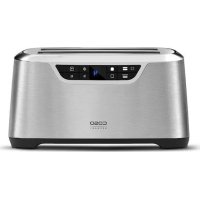
Novea T4 - Toaster CASO - Free user manual and instructions
Find the device manual for free Novea T4 CASO in PDF.

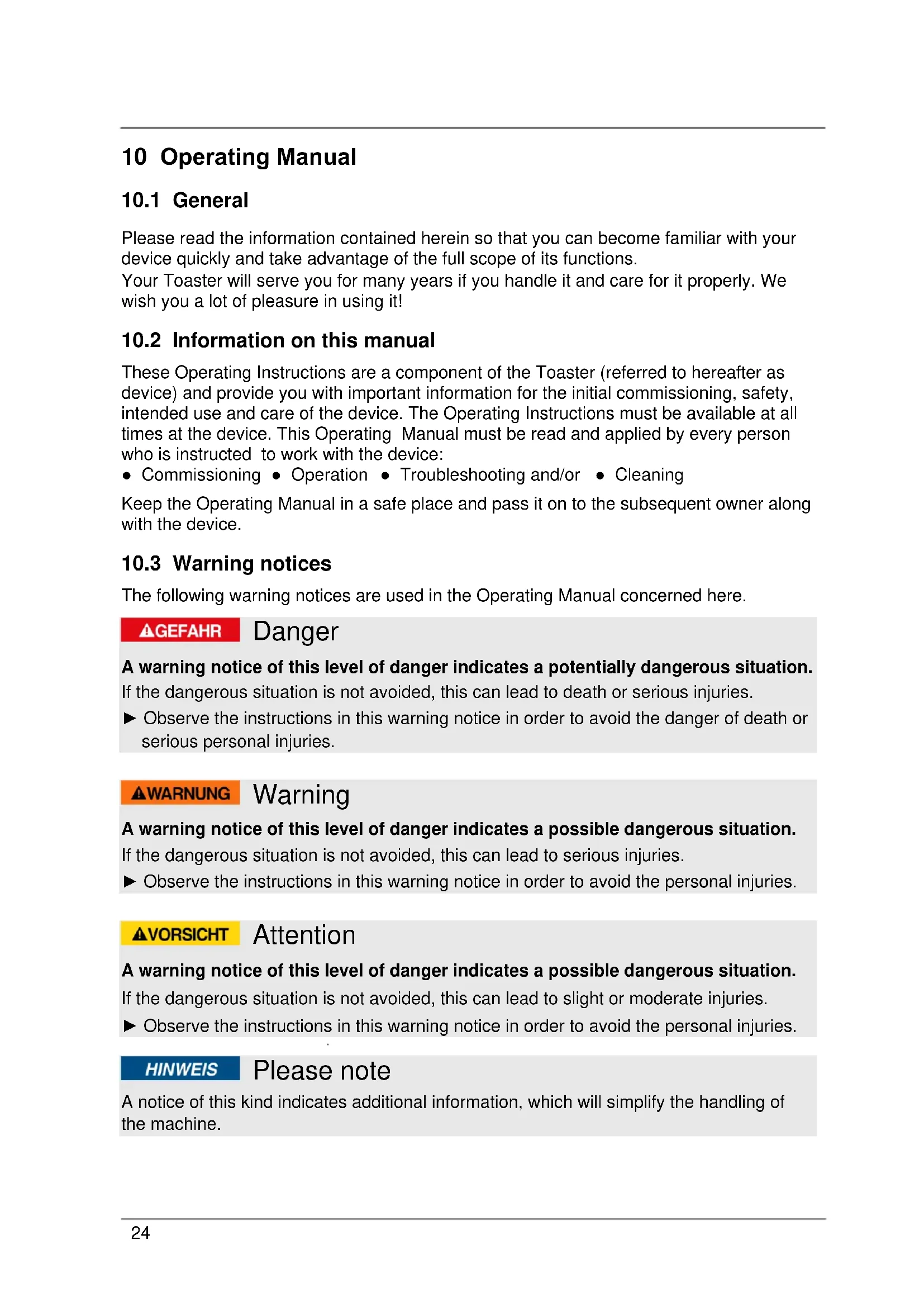


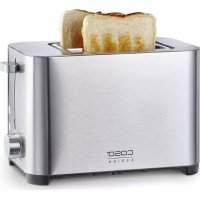
| Product Type | 2-slice extra-wide toaster |
| Brand | CASO |
| Model | Novea T4 |
| Dimensions (L x D x H) | 38.5 x 27.5 x 20 cm |
| Net weight | 2.9 kg |
| Power supply | 220-240 V ~ 50/60 Hz, 1340-1600 W |
| Number of slots | 2 (extra-wide slots) |
| Browning levels | 9 adjustable levels |
| Main functions | Toasting, defrost, reheat, keep warm (3 min), manual stop, audible signal on/off |
| Special function | Front slot only toasting, pastry rack, automatic shut-off in case of jam |
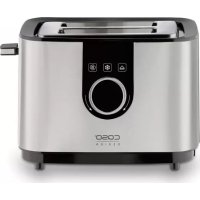
| Control panel | Blue LED display, touch keys with browning level selection |
| Bread lifter | Self-adjusting (adapts to bread thickness) |
| Crumb tray | Removable, easy to clean, located on the lower right side |
| Care and cleaning | Clean the housing with a damp cloth; removable crumb tray; do not immerse |
| Safety | Automatic shut-off, hot surfaces indicated, protection against electric shock, suitable for children aged 8 and up under supervision |
| Warranty | 24 months from date of purchase |
| Included accessories | Pastry rack, instruction manual |
Frequently Asked Questions - Novea T4 CASO
User questions about Novea T4 CASO
0 question about this device. Answer the ones you know or ask your own.
Ask a new question about this device
Download the instructions for your Toaster in PDF format for free! Find your manual Novea T4 - CASO and take your electronic device back in hand. On this page are published all the documents necessary for the use of your device. Novea T4 by CASO.
USER MANUAL Novea T4 CASO
12.4 Disposal of the packaging 30
12.5 Setup location requirements: 30
12.6 Electrical connection 30
13 Design and Function 30
13.1 Overview 31
13.2 Control Panel 31
13.3 Rating plate 32
14 Operation and Handling 32
14.1 How to use 32
Original Operating Manual
Toaster NOVEA T4 (2777)
NOVEA T2 (2776)


10 Operating Manual
10.1 General
Please read the information contained herein so that you can become familiar with your device quickly and take advantage of the full scope of its functions.
Your Toaster will serve you for many years if you handle it and care for it properly. We wish you a lot of pleasure in using it!
10.2 Information on this manual
These Operating Instructions are a component of the Toaster (referred to hereafter as device) and provide you with important information for the initial commissioning, safety, intended use and care of the device. The Operating Instructions must be available at all times at the device. This Operating Manual must be read and applied by every person who is instructed to work with the device:
- Commissioning - Operation - Troubleshooting and/or - Cleaning
Keep the Operating Manual in a safe place and pass it on to the subsequent owner along with the device.
10.3 Warning notices
The following warning notices are used in the Operating Manual concerned here.
▲GEFAHR
Danger
A warning notice of this level of danger indicates a potentially dangerous situation. If the dangerous situation is not avoided, this can lead to death or serious injuries.
Observe the instructions in this warning notice in order to avoid the danger of death or serious personal injuries.
WARNING
Warning
A warning notice of this level of danger indicates a possible dangerous situation. If the dangerous situation is not avoided, this can lead to serious injuries.
Observe the instructions in this warning notice in order to avoid the personal injuries.
AVORSICHT
Attention
A warning notice of this level of danger indicates a possible dangerous situation. If the dangerous situation is not avoided, this can lead to slight or moderate injuries.
Observe the instructions in this warning notice in order to avoid the personal injuries.
HINWEIS
Please note
A notice of this kind indicates additional information, which will simplify the handling of the machine.
10.4 Limitation of liability
All the technical information, data and notices with regard to the installation, operation and care are completely up-to-date at the time of printing and are compiled to the best of our knowledge and belief, taking our past experience and findings into consideration. No claims can be derived from the information provided, the illustrations or descriptions in this manual. The manufacturer does not assume any liability for damages arising as a result of the following: Non-observation of the manual
- Uses for non-intended purposes - Improper repairs
- Technical alterations, modifications of the device
- Use of unauthorized spare parts
Modifications of the device are not recommended and are not covered by the guarantee. All translations are carried out to the best of our knowledge. We do not assume any liability for translation errors, not even if the translation was carried out by us or on our instructions. The original German text remains solely binding.
10.5 Copyright protection
This document is copyright protected. Braukmann GmbH reserves all the rights, including those for photomechanical reproduction, duplication and distribution using special processes (e.g. data processing, data carriers, data networks), even partially. Subject to content and technical changes.
11 Safety
This chapter provides you with important safety notices when handling the device. The device corresponds with the required safety regulations. Improper use can result in personal or property damages.
11.1 Intended use
This device is only intended for use in households in enclosed spaces for
- Toasting sandwich bread, bread, bagels, English muffins or the like
- Reheating bread or already toasted bread
This device is intended for use in the household and for similar applications such as:
- in kitchens for employees in shops, offices, and other commercial areas; - in B&Bs,
- in agricultural estates; by customers in hotels, motels and other residential establishments. Uses for a different purpose or for a purpose which exceeds this description are considered incompatible with the intended or designated use.
WARNING Warning
Danger due to unintended use! Dangers can emanate from the device if it is used for an unintended use and/or a different kind of use.
Use the device exclusively for its intended use.
Observe the procedural methods described in this Operating Manual.
Claims of all kinds due to damages resulting from unintended uses are excluded. The User bears the sole risk.
11.2 General Safety information
HINWEIS
Please note
Please observe the following general safety notices with regard to the safe handling of the device.
Read all instructions before using.
Do not touch hot surfaces. Use handles or knobs.
To protect against electrocution do not immerse any part of the unit in liquid.
This device may be used by children aged 8 and above, if they are supervised or have been instructed at to the safe use of the device and have understood the resulting hazards.
Cleaning and maintenance by the user must not be performed by children unless they are at least 8 years old and are supervised.
Children are not allowed to play with the device.
The device and its connecting cable must be kept away from children who are less than 8 years old.
The device may be used by individuals with reduced physical, sensory or mental capabilities or a lack of experience and / or knowledge of their use if they are supervised or have been instructed at to the safe use of the device and have understood the resulting hazards.
Inspect the unit, its power cord and plug for any damage before using. If there appears to be any damage or if the unit shows signs of malfunctioning, do not use the appliance. Return the appliance to the nearest authorized service facility for inspection and repair.
Do not use accessory attachments that have not been recommended by the manufacturer.
Do not use outdoors.
HINWEIS
Please note
- Do not allow cord to touch hot surfaces or hang over sharp edges such as those on countertops.
- Do not place the unit on or near a hot gas or electric burner, or heated oven.
Do not use this appliance for any unintended use.
This appliance is equipped with a short power supply cord as a safety precaution to prevent personal injury or property damage resulting from pulling, tripping or becoming entangled with a longer cord.
The cord should be arranged so that it will not drape over the countertop or tabletop where it can be pulled on by children or tripped over unintentionally.
The appliance is not intended to be operated by means of an external timer or separate remote-control system.
SAVE THESE INSTRUCTIONS.
11.3 Sources of danger
11.3.1 Danger of burns
WARNING
Warning
The food prepared in the device, the device and the surfaces of the device can become very hot.
Please observe the following safety notices in order not to burn or scald yourself or others
The temperature of the accessible surface can become very hot when the device is operating.
Do not touch the heating elements. Danger of burns!
The upper side of the device is during and after use very hot. Do not store any items on the device.
Be careful when handling hot food.
▲WARNUNG
Warning
Do not move or change the position of the device during use. Danger of burns!
Let the device cool down before assembling/deassembling of parts and before cleaning.
- Keep children away from the device, since the surfaces of the device become hot during use and remain hot for a some time.
- Do not removed jammed slices of bread when the device is in operation. Remove the plug and let it cool down first.
11.3.2 Danger of Fire
WARNING
Warning
There is a risk of fire if the appliance is used incorrectly.
Adhere to the following safety instructions in order to prevent a danger of fire.
A fire may occur if the toaster is covered or touching flammable material, including curtains, draperies, walls etc. when in operation.
The bread may burn, therefore do not use the toaster near or below combustible material, such as curtains.
11.3.3 Dangers due to electrical power
AGEFAHR
Danger
Mortal danger due to electrical power!
Mortal danger exists when coming into contact with live wires or subassemblies! Observe the following safety notices to avoid dangers due to electrical power:
- Do not operate this device if it has a damaged cable or plug, if it is not working properly or if it has been damaged or dropped. If the power cable or plug are damaged, then they must be replaced by the manufacturer or its service agent in order to avoid a hazard.
▲GEFAHR
Danger
- Do not open the housing on the device under any circumstances. There is a danger of an electrical shock if live connections are touched and the electrical or mechanical structure is altered. In addition, functional faults on the device can also occur.
- Do not dip the cable, device or plug into water or other liquid to prevent an electric shock.
Oversized foods or metal utensils must not be inserted in a toaster, as they may create a fire or risk of electric shock.
Do not attempt to dislodge food when toaster is plugged in. Never use metal utensils to free food from toaster slots. - Do not modify the plug in any way. If an extension cord is used, it should be a grounding 3-wire cord.
12 Commissioning
This chapter provides you with important safety notices during the initial commissioning of the device. Observe the following notices to avoid dangers and damages:
12.1 Safety information
WARNING
Warning
- Packaging materials may not be used for playing. There is a danger of suffocation.
12.2 Delivery scope and transport inspection
As a rule, the toaster is delivered with the following components:
- Toaster - Bun warmer - Operation Manual
HINWEIS
Please note
Examine the shipment for its completeness and for any visible damages.
- Immediately notify the carrier, the insurance and the supplier about any incomplete shipment or damages as a result of inadequate packaging or due to transportation.
12.3 Unpacking
To unpack the device, proceed as follows:
Remove the device out of the carton and remove the packaging material.
12.4 Disposal of the packaging
The packaging protects the device against damages during transit. The packaging materials are selected in accordance with environmentally compatible and recycling-related points of view and can therefore be recycled.

Returning the packaging back to the material loop saves raw materials and reduces the quantities of accumulated waste.
Take any packaging materials that are no longer required to "Green Dot" recycling collection points for disposal.
12.5 Setup location requirements:
In order to ensure the safe and trouble-free operation of the device, the setup location must fulfil the following prerequisites:
- Place the device on a firm and even work surface.
- Do not use the device outdoors.
- Do not operate the product near hot gas or hot stove.
- Choose the setup location in such a way that children cannot reach the device.
- The device is not intended to be installed in a wall or a built-in cupboard.
- Do not set up the device in a hot, wet or extremely damp environment or near flammable material.
12.6 Electrical connection
In order to ensure the safe and trouble-free operation of the device, the following instructions must be observed for the electrical connection:
- Before connecting the device, compare the connection data (voltage and frequency) on the rating plate with those of your electrical network. This data must agree in order that no damages occur in the device. If in doubt, ask your qualified electrician.
- The connection between the device and the electrical network may employ a 3 meter long (max.) extension cable with a cross-section of 1.5mm2 . The use of multiple plugs or gangs is prohibited because of the danger of fire that is involved with this.
- Make sure that the power cable is undamaged and has not been installed under the ice maker or over hot or sharp surfaces.
- The electrical outlet must be protected by a 16A safety cut-out switch.
The electrical safety of the device is only guaranteed if the device is connected to a properly installed protective conductor system. If in doubt, have the house installation checked over by a qualified electrician.
The manufacturer cannot be made responsible for damages that are caused by a missing or damaged protective conductor.
13 Design and Function
In this chapter, you'll find important information on the design and function of the device.
13.1 Overview
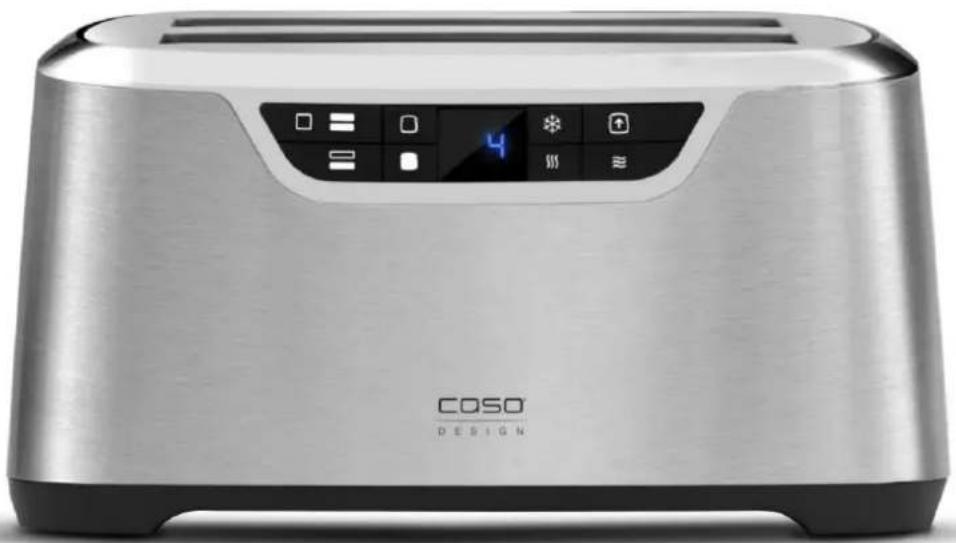
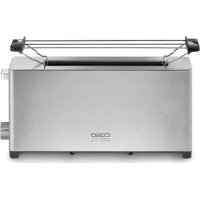
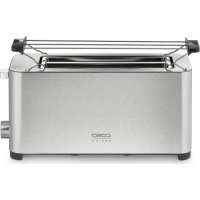
1 extra wide slots 2 self-adjusting bread guides 3 control panel
4 power cord 5 slide-out crumb tray 6 bun warmer

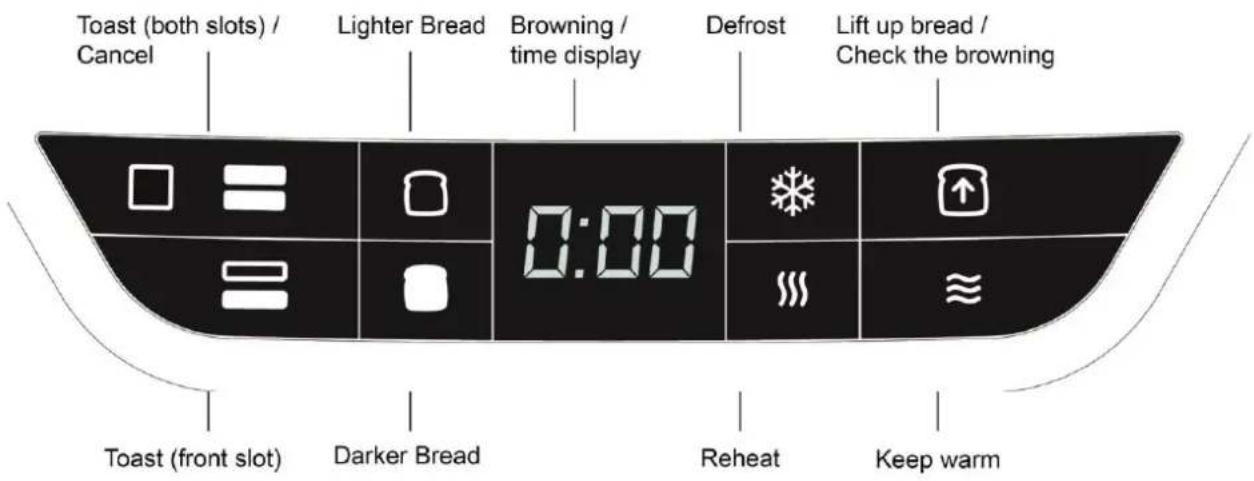
13.2 Control Panel
13.3 Rating plate
The rating plate with the connection and performance data can be found beneath the device.
14 Operation and Handling
This chapter provides you with important notices with regard to operating the device. Observe the following notices to avoid dangers and damages.
▲WARNING Warning
Do not leave the appliance unsupervised during operation.
14.1 How to use
WARNING Warning
NEVER use metal utensils to free food from toaster.
HINWEIS Please note
If food becomes jammed or wedged in the toaster, the built-in Auto Power-Off function will automatically shut the power off. UNPLUG the cord and remove the jammed food item. Press two times to reset toaster.
- Place toaster on a dry, level, stable surface.
- Plug power cord into an electrical outlet.
- The blue LED display will light up, the toaster alert will sound, and the toast shade number will display the last previous setting.
HINWEIS Please note
The screen will go dark if no control button is pressed within 2 minutes of the screen lighting up. The screen will relight as soon as a control button is pressed.
4. Press or to the desired shade of darkness. As you press the button, the shade level will appear in the LED display, from 1 (light) through 9 (dark). For the first time you toast, set the selector midway to 5, and adjust as desired for future toasting.
HINWEIS Please note
IMPORTANT: Before toasting bread for the first time, run the toaster without bread through a cycle on the maximum heat setting (9). The toaster may emit a thin smoke or distinct odor neither of which are harmful to breathe or detrimental to the toaster.
5. Place bread slices or other items to be toasted in the slots. The long slots permit two standard slices of bread, bagel halves or English muffins to be toasted side by side in each slot. Also, long slices of artisan bread can be inserted horizontally and toasted in the slots.
- Once items are inserted into slots, press The bread guides will lower the items into the toaster and automatically adjust to hold them in place. Press to begin toasting in both slots. Theasting time countdown will display in the LED screen.
- Press at any time during a toasting cycle to visually inspect the browning of the bread. The bread will raise and the countdown will cease. After 5 seconds the bread will lower back into the toaster and the countdown will resume.
- Press at any time to cancel toasting. Canceling will turn off the heating elements and raise the bread. After 3 seconds the toaster alert will sound 5 times.
Toasting in front slot only
- To toast only in the front slot,press 已 prior to
Defrost bread
- Press to defrost and toast frozen bread.
- Press or to decrease or increase the setting.
- Press to start the defrost and toast cycle. After 3 seconds the time countdown will appear in the LED display.
- Decrease or increase setting at any time during cycle by pressing or
- To cancel the cycle at any time, press
Reheat bread or already toasted bread
- Press and after that press
- After 3 seconds a countdown of 30 seconds will begin in the display.
- At end of countdown the warmed bread will raise and the ready alert will sound 5 times.
Keep bread warm
- Press before a toasting cycle.
- At end of toasting cycle countdown the bread will not raise, but will remain lowered in the slots for 3 minutes.
- During the 3 minutes the heating element will work intermittently to achieve lower temperature required for warming. Bread may be raised from slots at any time by pressing
Bun warmer
HINWEIS
Please note
The bun warmer should only be used with the function on power level 1!
Toast ready alert
- To activate or deactivate sound, press and together and hold down 3 seconds. Two beeps indicate that the sound is on; one beep indicates that the sound is off.
15 Cleaning and Maintenance
This chapter provides you with important notices with regard to cleaning and maintaining the device. Please observe the notices to prevent damages due to cleaning the device incorrectly and to ensure trouble-free operation.
15.1 Safety information
A VORSICHT Attention
Please observe the safety instructions, before cleaning your device:
Unplug the device when not in use and before any cleaning.
- Never immerse the unit, cord or plug in water or other liquids and do not place in the dishwasher.
Do not use iron brush, aberrant, kitchen cleaner, or sharp cleaning tool for cleaning.
15.2 Cleaning
Crumb tray
- The Slide-Out Crumb Tray is located at the bottom right side of the Toaster.
- For ease in cleaning, grasp the Crumb Tray Handle and pull crumb tray all the way out of the toaster.
- Brush crumbs from the tray and, if necessary, wipe with a clean, damp cloth.
- ALWAYS dry the tray thoroughly before replacing in toaster. When replacing, be sure to push firmly so the tray is fully inserted in the bottom of the toaster.
Exterior
- Wipe outer surfaces of unplugged and cooled toaster with a slightly dampened soft cloth or sponge and dry with a cloth or paper towel.
- DO NOT use strong or abrasive cleaners, as they may scratch the surface, and NEVER spray cleaners directly onto toaster.
- Any other servicing should be performed by a qualified service technician.
16 Disposal of the Old Device
Old electric and electronic devices frequently still contain valuable materials. However, they also contain damaging substances, which were necessary for their functionality and safety.
If these were put in the non-recyclable waste or were handled incorrectly, they could be detrimental to human health and the environment.
Therefore, do not put your old device into the non-recyclable waste under any circumstances.

HINWEIS Please note
- Utilise the collection point, established in your town, to return and recycle old electric and electronic devices. If necessary, contact your town hall, local refuse collection service or your dealer for information.
Ensure that your old device is stored safely away from children until it is taken away.
17 Guarantee
We provide a 24 month guarantee for this product, commencing from the date of sale, for faults which are attributable to production or material faults.
Your legal guarantee entitlements in accordance with § 439 ff. BGB-E remain unaffected by this. The guarantee does not include damages, which were incurred as a result of improper handling or use, as well as malfunctions which only have a minor effect on the function or the value of the device. Consumables, transit damages, inasmuch as we are not responsible for these, as well as damages, which were incurred as a result of any repairs that were not performed by us, are also excluded from the guarantee entitlements.
This device is designed for use in domestic situations and has the appropriate performance levels. Any use in commercial situations is only covered under the guarantee to the extent that it would be comparable with the stresses of being used in a domestic situation. It is not intended for any additional, commercial use.
In the event of justified complaints, we will repair the faulty device at our discretion or replace it with a trouble-free device. Any pending faults must be reported within 14 days of delivery. All further claims are excluded. To enforce a guarantee claim, please contact us prior to returning the device (always provide us with proof of purchase).
18 Technical Data
| Device | Toaster NOVEA T4 / T2 |
| Item No.: | 2777 / 2776 |
| Mains data | 220 V - 240 V; 50 / 60 Hz |
| Power consumption | 1340 W - 1600 W / 800 W |
| External measurements (W x H x D): | 38,5 x 27,5 x 20 cm (T4) / 28 x 19,5 x 19,5 cm (T2) |
| Net weight | 2,9 kg (T4) / 2,1 kg (T2) |
Mode d'emploi
Grille-pain NOVEA T4 (2777)
NOVEA T2 (2776)

19 Mode d'emploi
19.1 Généralités
55.4 OrpaHnueHne OTBETCTBEHHOCTN
Bcra coepkaaera B daHHom PyKOoDCTBe no 3KcPnyaTaun Texnuecka INopmaun, daHHbIe n yka3aHnNo yCTaHOBKe, 3KcPnyaTaun n yXOy 3a np6Opom COOTBeTCTByOT aKTyalbHOMy yPOBHIu HaUNx 3HaHn Ha MOMENT neaTN uYHTbIBaOT BeCb HaU ONbIT N 3HaHn.
CBeHn, pncyHKn n OnncHn, coepkaunecB DaHHOM PykoBoDCTBe no 3KcNpyatauHn, He Moryr YBnTbcra OCHOBaHnem dIg 3aRbHeHn KaKx-No6o npTeH3n. POn3BOdnteJIb He Hecet OTBETCBEHOCTH 3a yuep6, Bo3HNkUn BCJeDCTBVE:
- HecobnOeHn yka3aHn, coepkauxxCB PykoBoDCTBe no 3KcnIpyatau
- IcnoJIb3OBAHnI npnbopa He no Ha3NaueHnIO - HeKBaIIuΦnIupoBAHHoro peMOHTa
- TexHnuecknx n3MeHeHn, MoDnΦnKauN npnbopa - NcNoJb3OBaHnA He pa3peWeHHbIX 3aNuaCTeN
Mbl He pekomeHnyem ocuueCTBnTb kaKne-ln6o moNΦkaun np6opa, B cnyae MoNΦkaun rapaHTnaCTaHOBTc HedeIeCTBnTeNbHOH.
IpebeoD ocuueCTBnEeTcR cMbIM do6pocOBecTHbIM o6pa3OM. Ondako Mbl He Hecem OTBeTCTBeHHOCTN 3a OUn6Kn B nepeBoDe, daXe ecnn IpebeoD bbl BblONHeH aMn NnNo HaWeMy 3aKa3y. HauNi 68aTeJIbCTBa OrpaHnUBAOTcra TOnbKO opnHaJIbHbIM HemeKIM TEKCTOM.
55.5 3auntataabTOpckoro npaba
Данная дokумени зашишина abTOpCKи npabOM. Braukmann GmbH coxpanyet 3a co6оь BCE npaba,В TOM чипе паро Ha ФOTOMexaHnueckoe BOCPOn3BeDeHne, KОПИРOBAHNE И распостранене посретбом оco6bIX cno6ob (HaNPIMep, obpa6OTka daHHbIX,HocHTeJI NaHHbIX,CETNперадчд aHHbIX),В TOM ChICNe YacTHNUHoe. Мbl ocTaNЯгEM 3a co6оь паро Ha BHeceHne coDEpKaTeJbHbIX NTEXHnuecknx n3MeHENH.
56 Be3onacHocTb
B daHno rnaBe Bbl noIyute BaXhble yka3aHnno 6e3oNaChocTn npn o6paueHHn C npnbopom. DaHHbI npnbop COOTBETCTByeT yCTaHOBJIeHHbIM npaBnAm TexHNK 6e3oNaChocTn. Ondako HeHaIeJxAaJra 3KcPnyataun npnbopa MoKeT npNBecTN K TpaBMam IIOdeN n npuHHeHIO MaTePnaIbHoro yUep6a.
56.1 IcnoJIb3OBAHne no Ha3HaueHHIO
Onachoctb BCJeCTBnE NCNoJb3OBaHnR He No Ha3HaueHnO! Pnp NcNoJIb3OBaHnR He IIO Ha3NaueHnO n/nnN NcNoJIb3OBaHnR, OTJNUHOM OT yKa3aHHoro B PyKoBOdCTBe no 3KcIIyatauN, OT np6opa MOryt NcXoDnT b ONpeDeJeHHbIe OnaCHOCTN.
IcnoJb3yIte np6Op TOnbKO no Ha3NaYeHIO.
Co6IIOaIte npHcHbI mToDbI, ONHcHbIe B daHHOM PyKOBoDCTBe no 3KcnJyatau.
IpeTeH3n I Tpe6oBaHnI LIO6O rpoa B C8r3N C yuep6om, PnUHNHeHHbIM BCNEdCTBne IcNoJIb3OBaHnI Pru6opa He No Ha3NaueHnIO, NCKIIOueHbI.
Bce pncn Hecet noIb3ObaTeJIb.
56.2 Osshne Tpe6obAHnay TexHnKn 6e3OpacHOCTn
HINWEIS Primechaune
Poxkayncta, co6nOdaIte cIeDyUoIne o6uIne npaBnla 6e3OpacnoCTn dIy 6e3OpacHOrO o6paIeHnC npi6opom.
Перед Истороваимприбoga Внимателho npочтаite ВсЕ ИНСТРУКЦИ.
He npitpaIbIaITeCb K rOpaym NOBepXHocTAm npi6opa. IcnoJIb3yIte pyky nII npixBaTkn.
Bo n36eXaHne nopaxeHnA 3JIeKTpUYeCKnM TOKOM He norgykaIte np6Op nII eIero qactN B BVdY nII INHbIe KNDKOCTN.
HINWEIS
Приимechаиме
DeTbB Bo3paTe 8 let n cTapwe pa3peWaeTcnyCnOJIb3OBaTb np6Op TOnbKO NOd KOHTPOJeM nI, ecN OHN 6bln npOHnCTpyKtnpoBaHbI OTHocNTeJbHO 6e3ONaCHOJ 3KcPlyaTaun np6Opa n IOHMaIoT BO3MOxHbIe pNCKN.
Onepaunno ouncTke n Texnueckomy o6cnykBaHnHO, OcyuecTBnIeMbIe NOpb3OBaTeJIeM, DeTAM pa3peWaeTcB BbINOJNtB IINb B TOM clyuae, ecNI OHn CTapWe 8 JeT n HaxoJrTcN IOd KOHTPOJeM CO CTOPOHbI B3PocJIbIX.
DeTAM 3aPpeucaetcI rpaTb c np6opom.
Пибори erо ka6eь nHTaHnЯ Heo6xOДmO xpaHntb B MeCTe, HeoCTyINHom Дя DeTei MnaIdwe 8 jeT.
Iiucam C orpaHnueHHbIMN yMCTBeHHbIMN, ceHCOPhbIMN IINu3nueckmN BO3MOxHOCTЯM NJIc HHeIOCTaTOUHbIM ONbITOM n/IIIN 3HaHnA Mnpa3peWaeTcra NCNoJb3OBaTb np6op TOnbKO IOd KOHTPOJeM INI, ecNI OHI 6blI INpOHNCTpyKTHIpOBAHbI OTHOCNTeJIbHO 6e30NaCHOI 3KcPJIyataunn np6opa n IOHMaOT BO3MOxHbIE pNCKN.
Pered KaJdbIM nCNoJIb3OBAHnem npOBepaTe np6Op, Ka6eIb nITaHnY n BnIky Ha hAlnUne nobpeXdEhn. Ppn o6hApUxKeHn IOBpeXdEhn He nCNoJIb3yUte np6Op. OToPpaBbTe np6Op B cepBnchbI ueHTp dJa npoBeDeHnA daTnOCTnKn n (nI) peMOHTa.
He nCnoIb3yIte HepeKOMeHIOBaHHbIe IpON3BOIDTeJIeM 3aIacHbIe qactn n akceccyapbl.
He nCnoJb3yIe np6Op Ha OTKpbITOM BO3dyxe.
Pa3MeaTe Ka6eIb IITaHn TaKIM O6pa3OM, YTO6bI OH He IMeI COnpNKOCHOBENr C TROPYUM NOBepXHOCTaMn JIN6O OCTpbIM KpaAMN.
He pa3meaIte np6op Ha IIO6o pIaOM C ropaUMn Ra3OBbIMN IIN 3JIeKTPnueckmN rOpeJkAmN IIN PNTaMn.
He nCnoJb3yIte daHbI np6Op He no Ha3HaueHnIO.
HINWEIS
Приимechanicals
Даньи пибор осашен корOTКIM ka6eJem NiTaHnB KaueCTBe 3auntbI OT BO3MOxHOrO NOJyUeHn TpaBM BCJIeDCTBne erO cnyTbIBaHnЯ JIn6O CTaRnBaHnY.
Kabel nItaHn yOJKeH 6bIb paCnoJoxeH TaKIM o6pa30M, UTo6bI OH He CBnCaJ NaD CTOneUHnCeJ IIn6o pa6oey IOBepXHOCTbU, BO n36exKaHne CTAcknBaHnE rO DeTbMn IIn6O CNoTbIkaHnO6 HeRo.
Прибор He приroidен дя IncnoIb3OBaHnЯ CO CTOPOHnIMn BHeuHnMn TaIMepaMn JI6O cnCTeMaMn dIcTaHcuOHHO ynpabJIeHnJ.
COXPAHNTE DAHHbIE INHCTPYKcIIN.
56.3 IcToUHnKn ONaCHOCTN
56.3.1 Onachoctb oxorob
▲WARNUNG Празупжденье
IpoodykTBi, npirotoBleHHbIe B npnbope, npnbop n ero NOBepxHocTn cnIbHo HarpeBaOTcR BO BpeMpa60TbI.
Bo n36eXaHne noIyuEHHn OxorOB, noXaJyNcTa, co6JIouaTe cIeDyUoUne npaBnla texHnK 6e3OpaChocTn.
Bo bpema paobtbi npnbopa ero doctynbte nobepxhoCTn cnIbHO HarpeBaHOTcra.
He doTpaRnBaITeCb Do HarpeBaTeJIbHbIX 3JIeMeHTOB npnbopa. OnacNoctb oXora!
BepxHra YacTb np6opa Bo BpeMn nocJe erO hCNoJIb3OBaHncaHOBNTcOueHb rOpaye. He xpaHnte KaKHe-Jn6o npEdMeTbI Ha ycTpoiCTBe.
BydbTe ocToPOxHbI pn o6paueHN c ropeyne nnse.
He nepedBnraTe npnbOp n He MeHnTe ero MeCTOnOJoxKeHne BO BpeM erO nCNoJIb3OBaHn. ONaCHOctb oKora!
Co6nOaTe CneIyUoIe INHCTpyKcIu, YTO6bl N36ExKaTb ONaCHOCTe I NOBpeKdEHN:
▲WARNUNG Празупжденье
He octabnayte pa6oTaIoUm np6op 6e3 npncMoTpa.

- ORIGINAL OPERATING MANUAL
- TOASTER NOVEA T4 (2777)
- NOVEA T2 (2776)
- 10 OPERATING MANUAL
- 10.1 GENERAL
- 10.2 INFORMATION ON THIS MANUAL
- 10.3 WARNING NOTICES
- ▲GEFAHR
- DANGER
- WARNING
- AVORSICHT
- ATTENTION
- HINWEIS
- PLEASE NOTE
- 10.4 LIMITATION OF LIABILITY
- 10.5 COPYRIGHT PROTECTION
- 11 SAFETY
- 11.1 INTENDED USE
- WARNING WARNING
- 11.2 GENERAL SAFETY INFORMATION
- PLEASE OBSERVE THE FOLLOWING GENERAL SAFETY NOTICES WITH REGARD TO THE SAFE HANDLING OF THE DEVICE
- 11.3 SOURCES OF DANGER
- 11.3.1 DANGER OF BURNS
- ▲WARNUNG
- 11.3.2 DANGER OF FIRE
- THERE IS A RISK OF FIRE IF THE APPLIANCE IS USED INCORRECTLY
- 11.3.3 DANGERS DUE TO ELECTRICAL POWER
- AGEFAHR
- MORTAL DANGER DUE TO ELECTRICAL POWER
- 12 COMMISSIONING
- 12.1 SAFETY INFORMATION
- 12.2 DELIVERY SCOPE AND TRANSPORT INSPECTION
- 12.3 UNPACKING
- 12.4 DISPOSAL OF THE PACKAGING
- 12.5 SETUP LOCATION REQUIREMENTS
- 12.6 ELECTRICAL CONNECTION
- 13 DESIGN AND FUNCTION
- 13.1 OVERVIEW
- 13.2 CONTROL PANEL
- 13.3 RATING PLATE
- 14 OPERATION AND HANDLING
- ▲WARNING WARNING
- 14.1 HOW TO USE
- HINWEIS PLEASE NOTE
- TOASTING IN FRONT SLOT ONLY
- DEFROST BREAD
- REHEAT BREAD OR ALREADY TOASTED BREAD
- KEEP BREAD WARM
- BUN WARMER
- TOAST READY ALERT
- 15 CLEANING AND MAINTENANCE
- 15.1 SAFETY INFORMATION
- A VORSICHT ATTENTION
- 15.2 CLEANING
- CRUMB TRAY
- EXTERIOR
- 16 DISPOSAL OF THE OLD DEVICE
- 17 GUARANTEE
- 18 TECHNICAL DATA
- MODE D'EMPLOI
- GRILLE-PAIN NOVEA T4 (2777)
- 19 MODE D'EMPLOI
- 19.1 GÉNÉRALITÉS
- 55.4 ORPAHNUEHNE OTBETCTBEHHOCTN
- 55.5 3AUNTATAABTOPCKORO NPABA
- 56 BE3ONACHOCTB
- 56.1 ICNOJIB3OBAHNE NO HA3HAUEHHIO
- 56.2 OSSHNE TPE6OBAHNAY TEXHNKN 6E3OPACHOCTN
- HINWEIS PRIMECHAUNE
- ПРИИМECHАИМЕ
- ПРИИМECHANICALS
- 56.3 ICTOUHNKN ONACHOCTN
- 56.3.1 ONACHOCTB OXOROB
- ▲WARNUNG ПРАЗУПЖДЕНЬЕ
Brand : CASO
Model : Novea T4
Category : Toaster