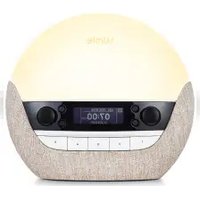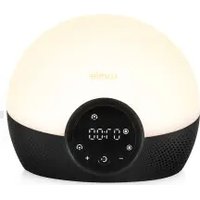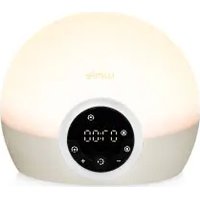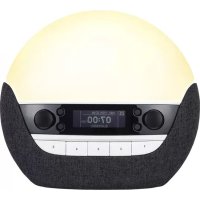
Sunrise Alarm - Light therapy LUMIE - Free user manual and instructions
Find the device manual for free Sunrise Alarm LUMIE in PDF.



| Feature | Details |
|---|---|
| Product type | Lumie Sunrise Alarm |
| Main function | Light therapy and dawn simulator |
| Light intensity | Up to 300 lux |
| Dawn simulation duration | 30 minutes to 1 hour |
| Lighting modes | Progressive lighting, warm light |
| Sound alarm | Natural sound or FM radio |
| Customizable settings | Light intensity, alarm duration |
| Usage | Place on a bedside table, facing the user |
| Maintenance | Clean with a soft cloth, no abrasive products |
| Safety | CE certified, low energy consumption |
| Dimensions | Approximately 20 cm in diameter |
| Weight | Approximately 1 kg |
| Warranty | 2 years |
| Additional information | Ideal for people suffering from seasonal affective disorder (SAD) |
Frequently Asked Questions - Sunrise Alarm LUMIE
User questions about Sunrise Alarm LUMIE
0 question about this device. Answer the ones you know or ask your own.
Ask a new question about this device
Download the instructions for your Light therapy in PDF format for free! Find your manual Sunrise Alarm - LUMIE and take your electronic device back in hand. On this page are published all the documents necessary for the use of your device. Sunrise Alarm by LUMIE.
USER MANUAL Sunrise Alarm LUMIE
Read instructions for use.
If the unit is damaged, contact Lumie before use.
Keep away from water and damp.
For indoor use only.

The unit gets warm when the light is on, so make sure that it is not covered.
Use only the mains power adaptor supplied.
Keep the mains power adaptor and cable away from heated surfaces. If either are damaged, they should be replaced with an approved Lumie product.
To power down or reset, remove the mains power adaptor from the wall socket. You should therefore ensure the socket is easily accessible.
Caution - do not attempt to service or modify any part of the unit.

If the unit has been stored outside the recommended operating temperature range (5 °C to 35 °C), allow it to stand for at least 1 hour before applying power to avoid condensation or overheating.
The light source contained in this luminaire shall only be replaced by Lumie or an authorised Lumie distributor.
Electromagnetic compatibility
Electrostatic discharge may affect the working of this product. If this occurs, simply switch off for at least 10 seconds and the unit will reset.
Disposal
Do not throw out the mains power adaptor or the unit with normal domestic waste. Take them to an official recycling point to be disposed of responsibly.
Getting started
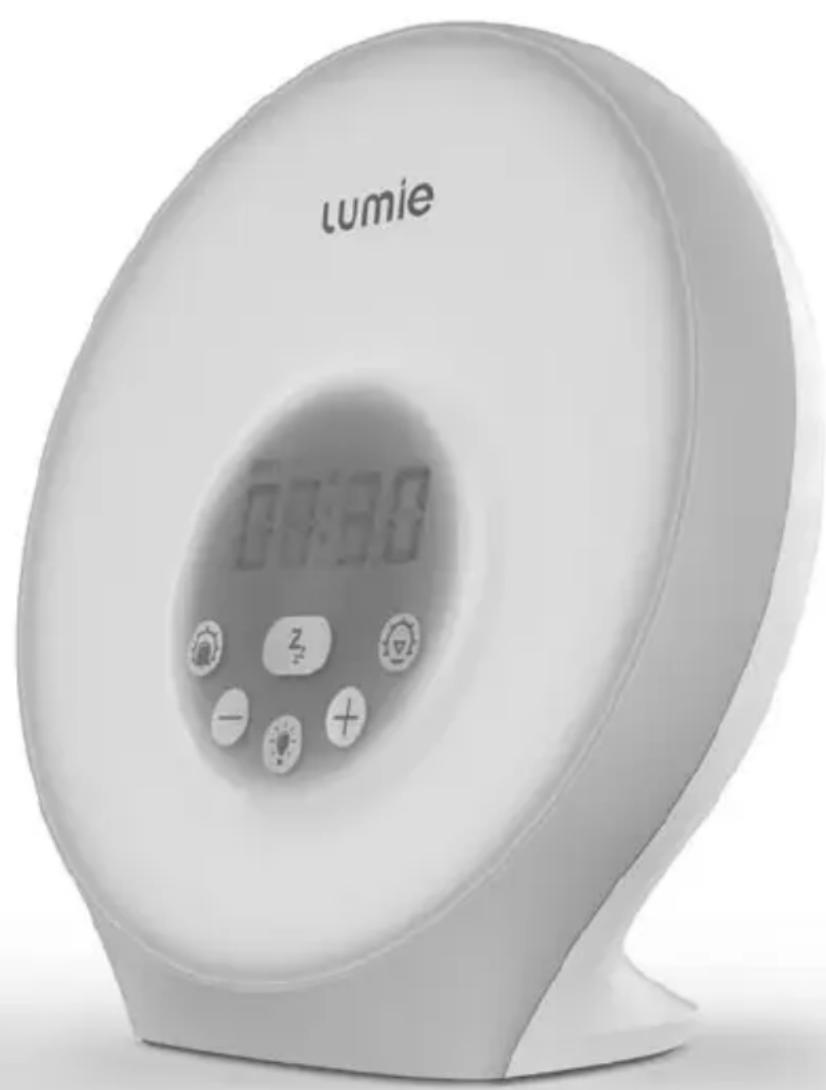
The ideal place for Sunrise Alarm is on a bedside table near a mains socket.
- Connect the mains power adaptor to the socket on the back of the unit.
- Plug into a mains power supply.
Set the current time when the display flashes. If it stops flashing, press on the back panel.
The hours will flash.
- Use or to set the hours.
- Press on the back panel to confirm and continue.
The minutes will flash.
- Use or to set the minutes.
- Press on the back panel to confirm and continue.
- Use or to choose 24H or 12H.
- Press on the back panel to confirm and exit to the current time.
To change the current time
- Press on the back panel and set the time as above.
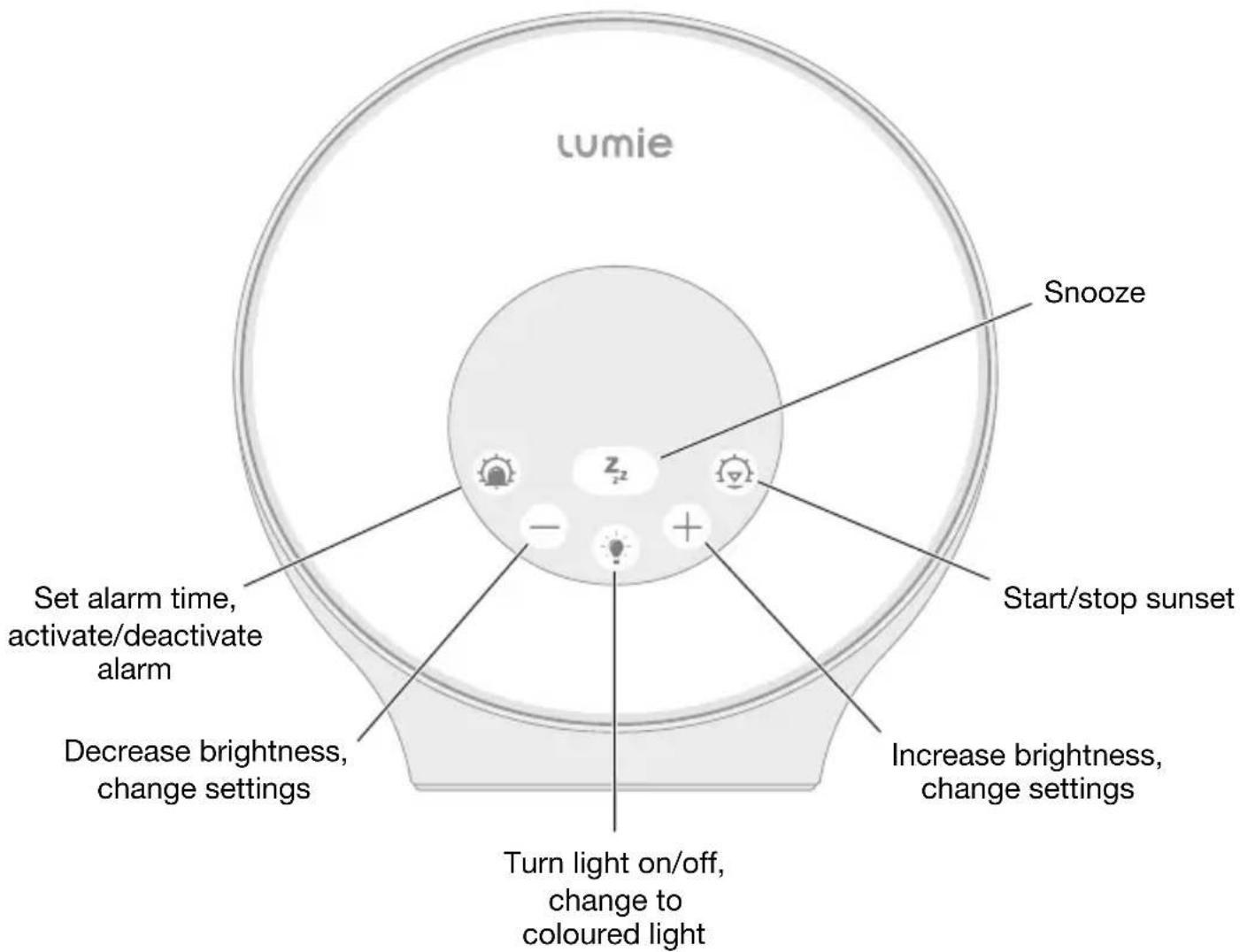
Front panel
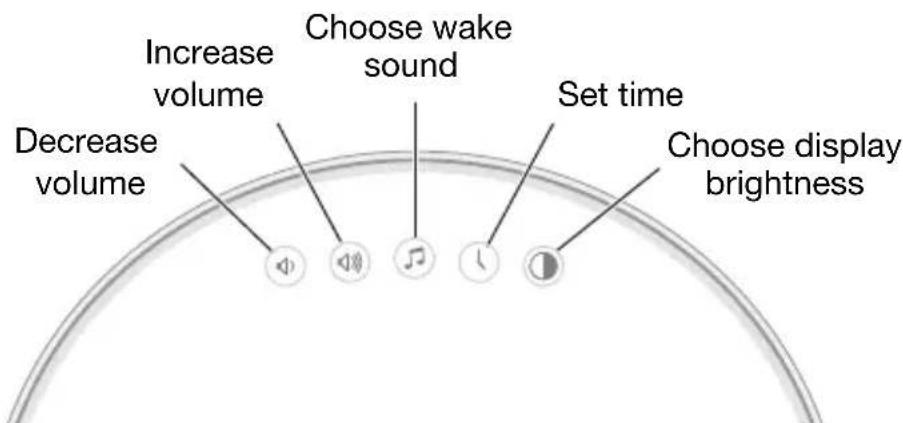
Back panel
Setting the alarm time
Press and hold
Set the alarm time when the display flashes:
The hours will flash.
- Use or to set the hours.
- Press to confirm and continue.
The minutes will flash.
- Use or to set the minutes.
- Press to confirm and exit to the current time.
Changing the wake sound
Sunrise Alarm is preset to wake sound 6, Beep:
- Press on the back panel.
The saved wake sound will play. - Use or to set a wake sound for the end of the sunrise:
1 Blackbird, 2 Osprey, 3 Goats, 4 Tree frogs, 5 Kitten purring, 6 Beep. - Press to confirm and exit to the current time; otherwise the wake sound is saved after 4 seconds.
To change the wake sound volume
Sunrise Alarm wake sound volume is preset to 5.
- Press or on the back panel.
The saved volume will show on the display.
- Use or to set the volume: 00 for off/no wake sound or a level from 01 to 10.
The volume is saved after 4 seconds.
Using the sunrise alarm
The sunrise starts 30 minutes before your alarm time, gradually increasing to reach full brightness at your alarm time.
You need to activate the alarm before you go to sleep.
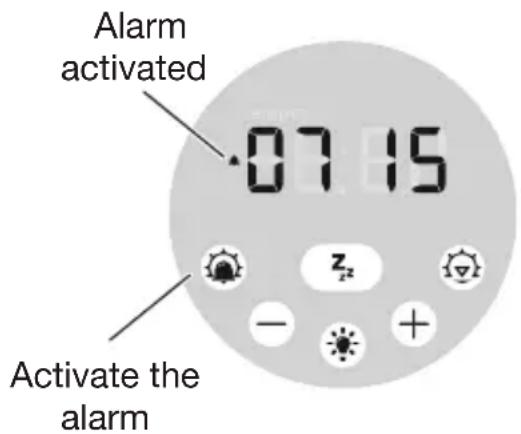
To activate the sunrise alarm
Press

The display confirms the alarm time and shows to confirm the alarm is activated; for example:
To deactivate the sunrise alarm
Press


disappears from the display.
To snooze
Press

The light stays on and the wake sound repeats after 5 minutes.
To turn off the sunrise and wake sound
Press


disappears from the display.
Using the fading sunset
When you're ready to sleep, a fading sunset can help you to relax and unwind.
To start the sunset
Press
The display shows ^z^2 to confirm the sunset is started:
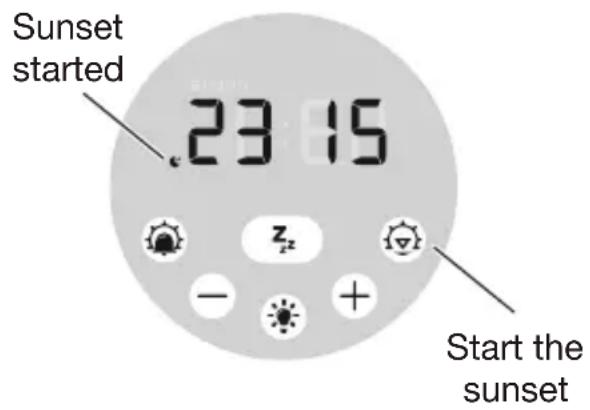
The sunset starts with white light at full brightness and gradually fades to off over 30 minutes.
To stop the sunset
Press
z^z disappears from the display.
Tip: Press and hold to stop the sunset and turn off the light.
Bedside light
Sunrise Alarm can be used as a dimmable or coloured bedside light.
- Press to turn on white light.
- Use or to adjust the light level.
- Press again to change to coloured light.
The colour will start to change after 4 seconds: green, red, blue, pink, orange, light blue.
- Use or to choose single colour light.
- Press a third time to turn off the light.
Display brightness
- Press on the back panel.
- Press again to choose display brightness: high, low or off.
Power failure back-up
Sunrise Alarm can be fitted with batteries to provide a back-up power source if the electrical power supply fails.
- Insert 3 × AAA batteries into the compartment in the base of the unit.
All settings will be saved. To conserve power, only the essential features will be available:
- Clock.
- Alarm with wake sound alarm only, no sunrise.
- None of the lighting features are available.
- The display turns off after 15 seconds. Press any button to turn on.
Maintenance
Clean only with a dry or lightly moistened cloth. Always unplug the unit first and let it cool if necessary.
Replacement mains power adaptors are available from Lumie.
To restore the default factory settings
- Turn off at the mains power supply.
- Wait 5 seconds then turn the power back on.
LED lifetime
The LEDs in this product will typically last for many years, even with several hours use each day. Although it's unlikely, it's possible for individual LEDs to fail. This will make only a negligible difference to light output and you can continue to use the product.
Warranty
This unit is covered under warranty against any manufacturing defect for 3 years from the date of purchase. This is in addition to your statutory rights. If you need to return the product for servicing, use the original packaging (including internal packing) if possible. Make sure the mains power adaptor is prevented from moving in transit and damaging the unit. If the unit is received damaged, through misuse or accidental damage, then we may have to charge to repair it; we will contact you first. Please contact Lumie for further advice.

Serial number (see base of unit)

Importer
Technical description
Subject to change without notice.
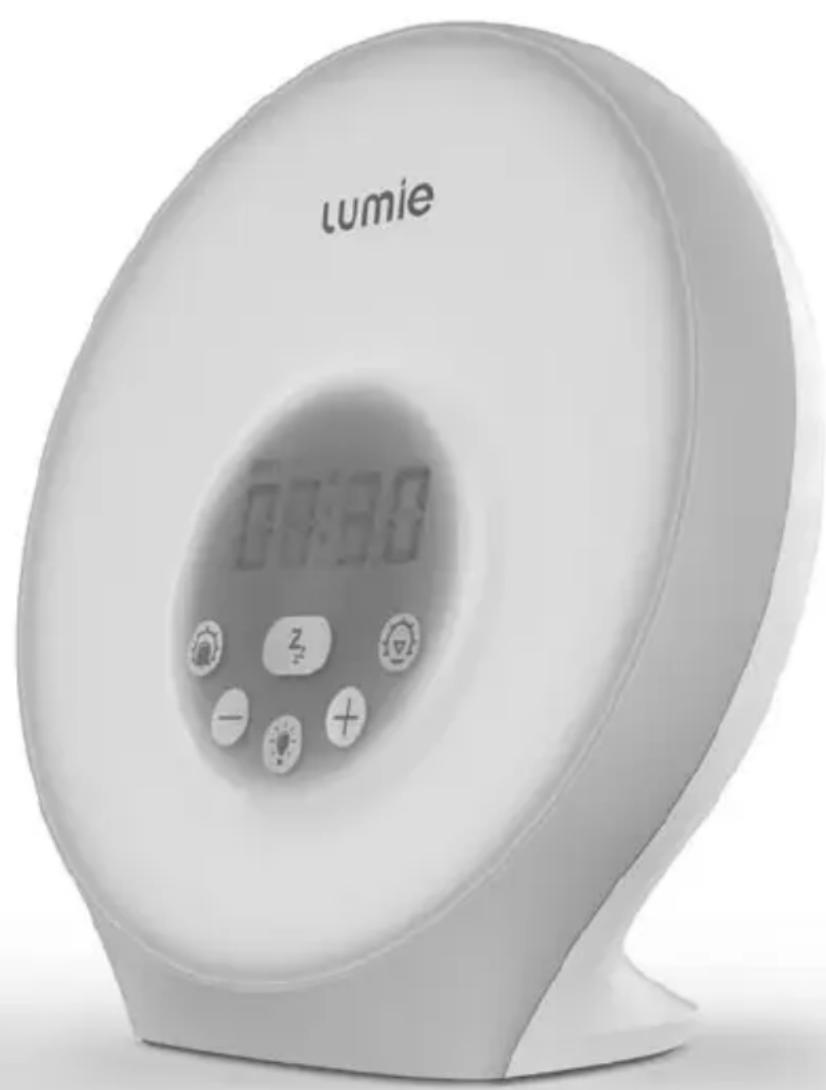
Lumie Sunrise Alarm
This product contains a light source of energy efficiency class G.
Detachable accessory: Mains power adaptor (supplied)
Input: 100-240 Vac, 50/60 Hz, 0.5 A max.;
Output: 5 V = 1 A (5 W)
Operating conditions:
Temperature: 5^ to 35^ Relative humidity: 15% to 93% (non-condensing)
Atmospheric pressure: 70kPa to 106kPa
Storage/transport conditions:
Temperature: -25 °C to +70 °C
Relative humidity: 15% to 93% (non-condensing)
Atmospheric pressure: 25 kPa to 106 kPa
European Declaration of Conformity CC UK Conformity Assessed UK
Class III electrical equipment AC (alternating current) power supply
Contact us
If you have any questions or problems regarding this product, or have suggestions that you feel could help us improve our products or service please email info@lumie.com.
Outside In (Cambridge) Limited, 3 The Links, Trafalgar Way, Bar Hill, Cambridge, CB23 8UD, UK.
Lumie is a registered trademark of:
Outside In (Cambridge) Limited, incorporated in England and Wales.
Registered Number: 2647359.
VAT No:
GB 880 9837 71 (UK)
NL 826301381B01 (EU)
lumie®
sunrise alarm
Sécurité

Description technique
Outside In (Cambridge) Limited, 3 The Links, Trafalgar Way, Bar Hill, Cambridge, CB23 8UD, UK.
Outside In (Cambridge) Limited, 3 The Links, Trafalgar Way, Bar Hill, Cambridge, CB23 8UD, UK.
Outside In (Cambridge) Limited, 3 The Links, Trafalgar Way, Bar Hill, Cambridge, CB23 8UD, UK.
Lumie es unamarcacommercial registrada de:
Outside In (Cambridge) Limited, 3 The Links, Trafalgar Way, Bar Hill, Cambridge, CB23 8UD, UK.
Idealne.), i.e. 1905-1914, zum 1860s, zum 1870s, zum 1880s, zum 1890s, zum 1900s, zum 1910s, zum 1920s, zum 1930s, zum 1940s, zum 1950s, zum 1960s, zum 1970s, zum 1980s, zum 1990s, zum 2000s, zum 2010s, zum 2020s, zum 2030s, zum 2040s, zum 2050s, zum 2060s, zum 2070s, zum 2080s, zum 2090s, zum 2100s, zum 2110s, zum 2120s, zum 2130s, zum 2140s, zum 2150s, zum 2160s, zum 2170s, zum 2180s, zum 2190s, zum 2200s, zum 2210s, zum 2220s, zum 2230s, zum 2240s, zum 2250s, zum 2260s, zum 2270s, zum 2280s, zum 2290s, zum 2300s, zum 2310s, zum 2320s, zum 2330s, zum 2340s, zum 2350s, zum 2360s, zum 2370s, zum 2380s, zum 2390s, zum 2400s, zum 2410s, zum 2420s, zum 2430s, zum 2440s, zum 2450s, zum 2460s, zum 2470s, zum 2480s, zum 2490s, zum 2500s, zum 2510s, zum 2520s, zum 2530s, zum 2540s, zum 2550s, zum 2560s, zum 2570s, zum 2580s, zum 2590s, zum 2600s, zum 2610s, zum 2620s, zum 2630s, zum 2640s, zum 2650s, zum 2660s, zum 2670s, zum 2680s, zum 2690s, zum 2700s.
Outside In (Cambridge) Limited, 3 The Links, Trafalgar Way, Bar Hill, Cambridge, CB23 8UD, UK.
Outside In (Cambridge) Limited, 3 The Links, Trafalgar Way, Bar Hill, Cambridge, CB23 8UD, UK.
Outside In (Cambridge) Limited, 3 The Links, Trafalgar Way, Bar Hill, Cambridge, CB23 8UD, UK.
Lumie er et registret varemerke for:
Outside In (Cambridge) Limited, registrett i England og Wales.
Outside In (Cambridge) Limited, 3 The Links, Trafalgar Way, Bar Hill, Cambridge, CB23 8UD, UK.
Lumie er et registraret varemærke tilhorende:
Outside In (Cambridge) Limited, registraret i England og Wales.
Registraringsnumber: 2647359.
Moms-nr.:
GB 880 9837 71 (UK)
NL 826301381B01 (EU)
lumie®
sunrise alarm
Turvallisus
Outside In (Cambridge) Limited, 3 The Links, Trafalgar Way, Bar Hill, Cambridge, CB23 8UD, UK.
Distributor details:
lumie
Lumie is a registered trademark of:
Outside In (Cambridge) Ltd
3 The Links, Trafalgar Way
Bar Hill
Cambridge CB23 8UD
UK
© Lumie 2022
SAi2206