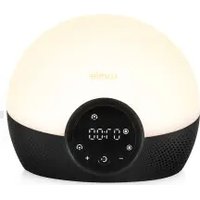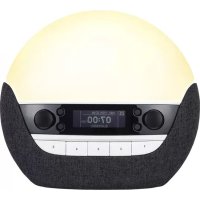
Bodyclock Luxe 700FM - Light therapy LUMIE - Free user manual and instructions
Find the device manual for free Bodyclock Luxe 700FM LUMIE in PDF.


User questions about Bodyclock Luxe 700FM LUMIE
0 question about this device. Answer the ones you know or ask your own.
Ask a new question about this device
Download the instructions for your Light therapy in PDF format for free! Find your manual Bodyclock Luxe 700FM - LUMIE and take your electronic device back in hand. On this page are published all the documents necessary for the use of your device. Bodyclock Luxe 700FM by LUMIE.
USER MANUAL Bodyclock Luxe 700FM LUMIE
If the unit is damaged, contact Lumie before use.
Keep away from water and damp.

For indoor use only.

The unit gets warm when the light is on, so make sure that it is not covered.
Use only the mains power adaptor supplied.
Keep the mains power adaptor and cable away from heated surfaces. If either are damaged, they should be replaced with an approved Lumie product.
This appliance does not have a on/off switch. To power down or reset, remove the mains power adaptor from the wall socket. You should therefore ensure the socket is easily accessible.
Only to be used by adults and by children when supervised.
Do not attempt to service or modify any part of the unit.
If the unit has been stored outside the recommended operating temperature range (5 °C to 35 °C), allow it to stand for at least 1 hour before applying power to avoid condensation or overheating.
Not to be used by or on individuals who are unconscious, anaesthetised or incapacitated
e.g. under the influence of alcohol.
Devices connected via the sockets at the back of the unit must comply to either IEC 60950-1 or IEC 60601-1. Do not touch another person when connecting a device.
Electromagnetic compatibility
This product conforms to the electromagnetic compatibility (EMC) standard for medical devices and is unlikely to cause interference affecting other electrical and electronic products in its vicinity. However, radio transmitting equipment, mobile phones and other electrical/electronic equipment can interfere with this product; if this happens simply move the product away from the source of interference. In rare cases where product function is lost due to EMC effects, disconnect the product from the power source for 5 seconds and then restart. If the problem persists, please contact Lumie.
For further detailed information on the electromagnetic environment in which the device can be operated refer to the website: www.lumie.com/pages/e-m-c.
Disposal
Do not throw out the mains power adaptor or the unit with normal domestic waste.

Take them to an official recycling point to be disposed of responsibly.
 | Serial number |  | Read instructions for use |  | Double-insulated (Class II electrical) |
 | European Declaration of Conformity: Medical Device Class I |  | Keep dry |  | DC (direct current) power supply |
 | Medical Device |  | For indoor use only |  15 15 | Storage/transport relative humidity |
 | Unique Device Identifier |  | Caution |  | Storage/transport temperature |
 | Manufacturer | [8GWS] | Do not place in household waste. Dispose of at a recycling centre. |  | UK Conformity Assessed |
| [E6HK8] | Authorised representative in the European Community |  | Member of the ‘Green Dot’ recycling scheme | ||
| [H07D] | Importer |  | Recyclable |
Introduction
Lumie Bodyclock wakes you naturally with a sunrise. Waking with light has been shown to improve mood, energy, productivity and the quality of sleep and awakening. ^1
Wake-up lights can also help sufferers of SAD (Seasonal Affective Disorder) and winter blues cope with dark winter mornings. ^2
At bedtime, a fading sunset helps you naturally unwind by promoting the production of the sleep hormone, melatonin. Use together with the low-blue light feature to minimise the alerting effect of blue light and prepare for sleep. ^3
Lumie invented the very first wake-up light in 1993. Use all year round to encourage a regular sleep-wake pattern.
Research shows that dawn simulation is very safe and without serious side-effects. If you have any concerns, please contact Lumie or speak to your doctor.
1 Acta Psychiatr Scand. 1993 Jul;88(1):67-71.
2 J Affect Disord. 2015 Jul 15;180:87-9.
3 J Pineal Res. 2012 Aug;53(1):47-59.
Getting started
The ideal place for Lumie Bodyclock is on a bedside table near a mains socket.
- Connect the mains power adaptor to the socket in the base of the unit.
- Plug into a mains power supply and switch on.
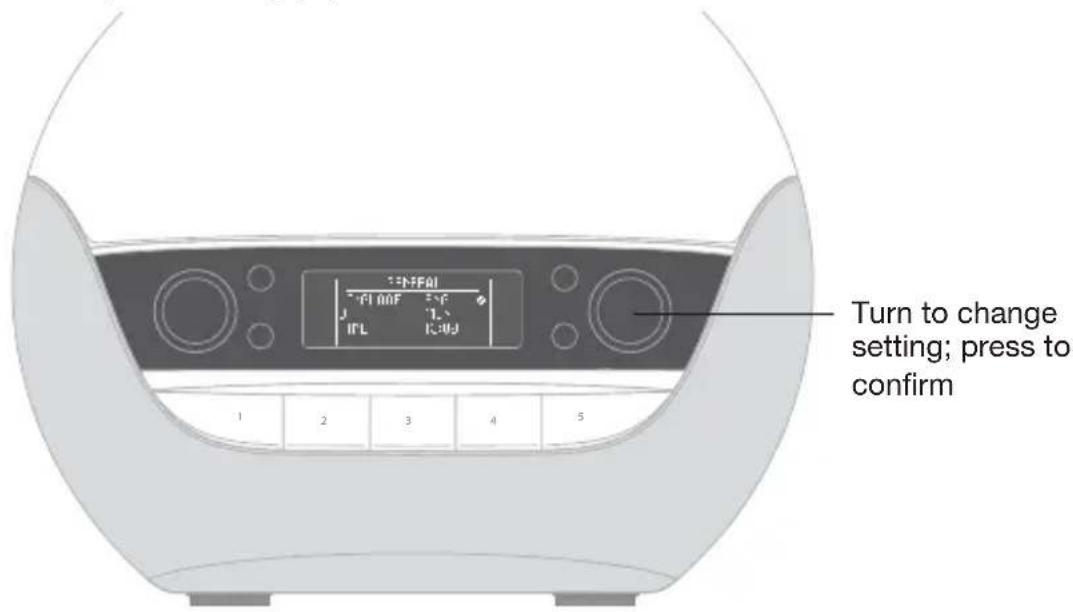
text_image
Turn to change setting; press to confirmThe display shows the GENERAL menu.
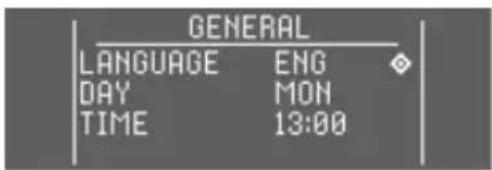
A cursor will prompt you to enter the essential settings:
text_image
GENERAL LANGUAGE ENG DAY MON TIME 13:00- Turn the right dial to choose a language.
- Press to confirm and continue.
- Turn the dial to set the day.
- Press to confirm and continue.
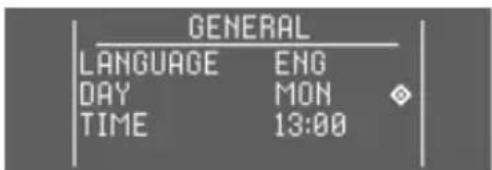
text_image
GENERAL LANGUAGE ENG DAY MON TIME 13:00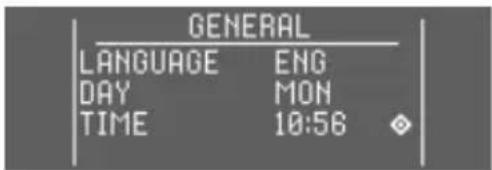
text_image
GENERAL LANGUAGE ENG DAY MON TIME 10:56- Turn the dial to set the hour.
- Press to confirm.
- Do the same for the minutes.
- Press to confirm and exit to the current time.
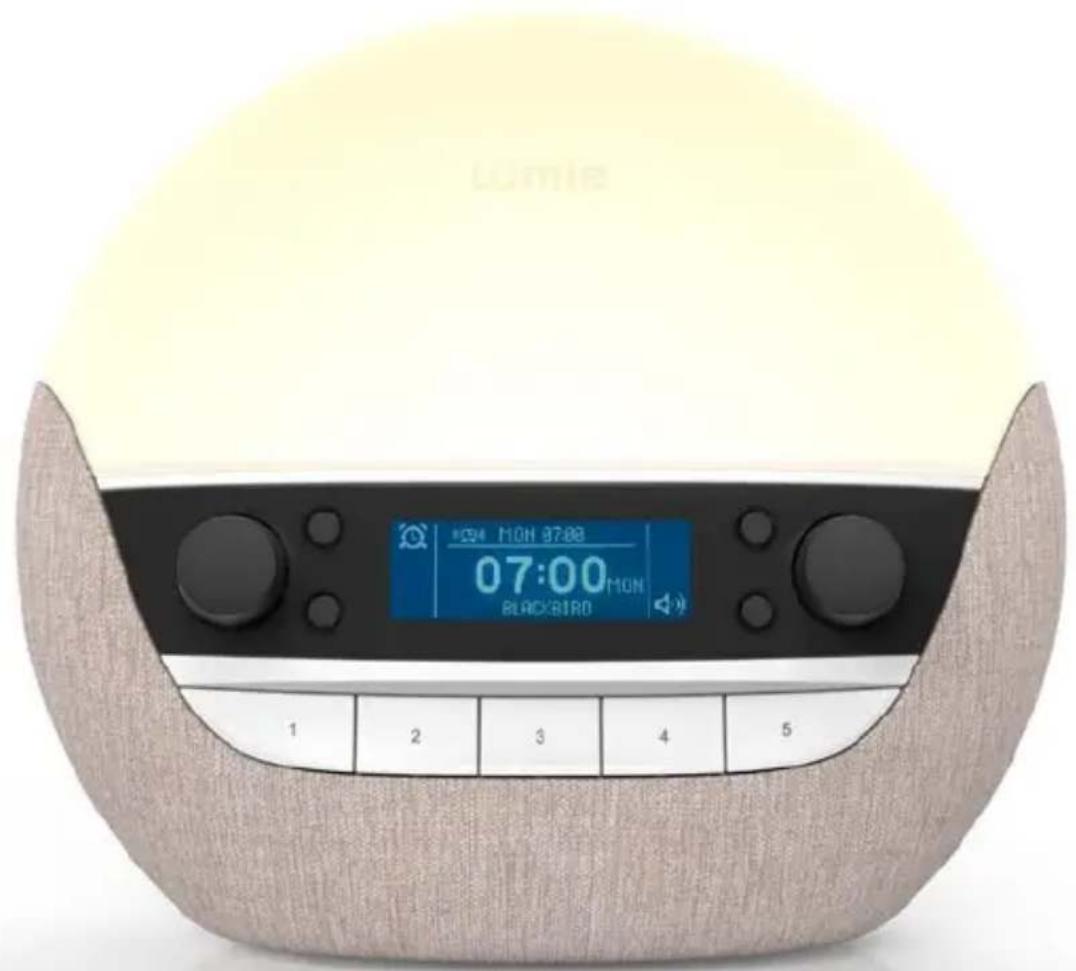
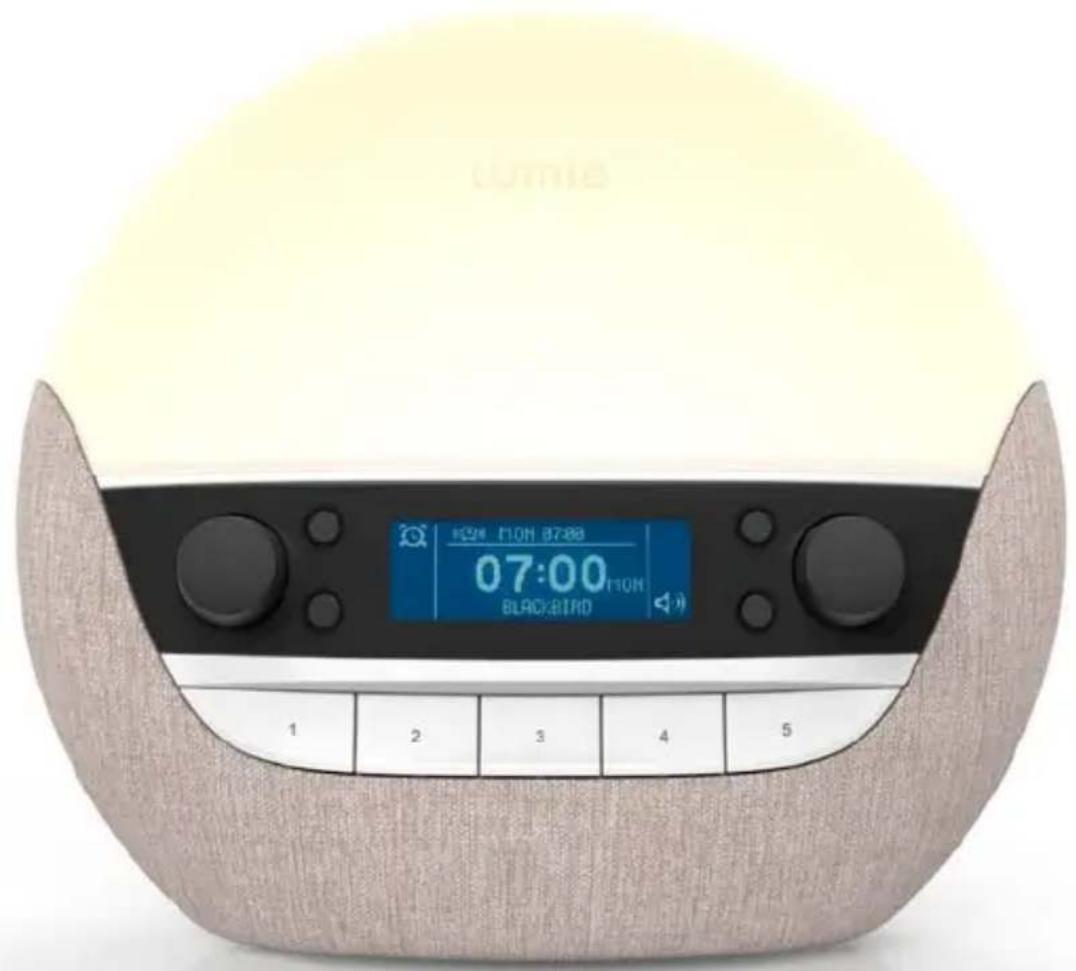
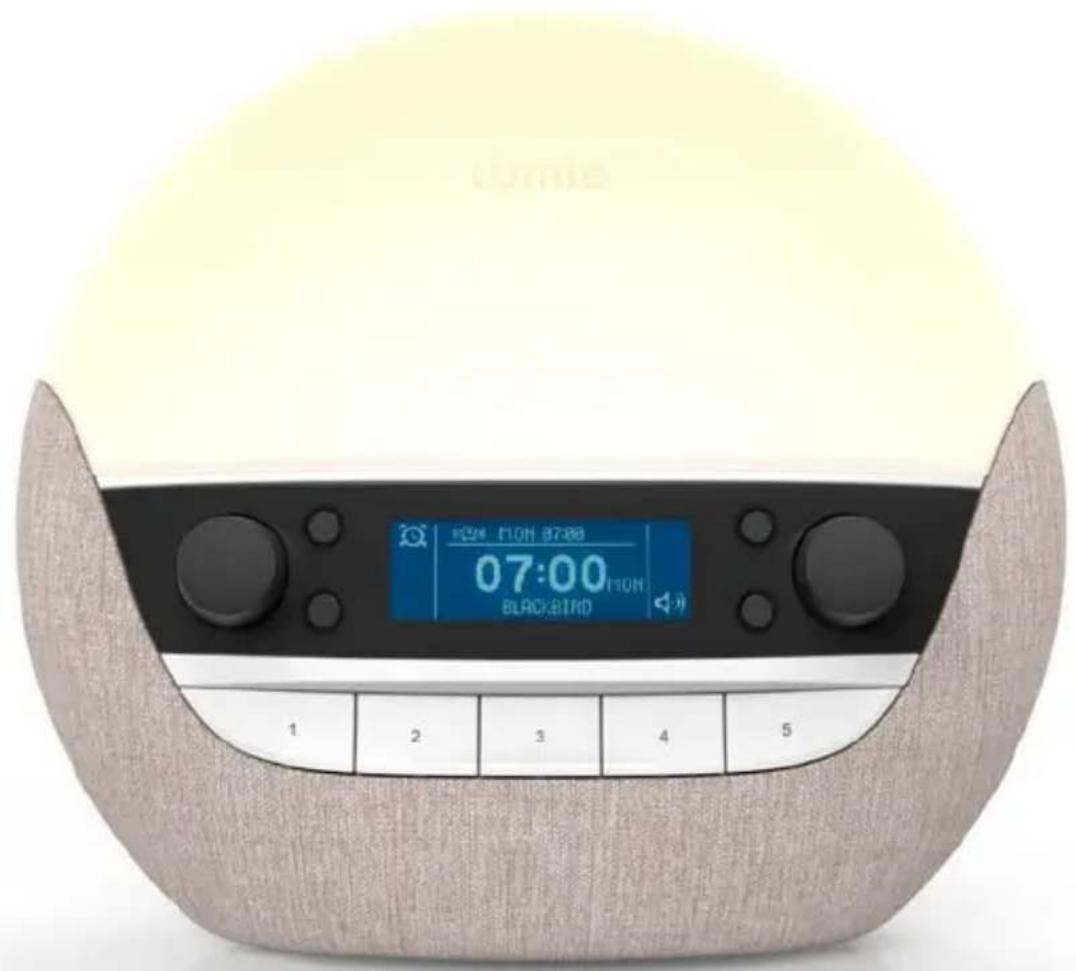
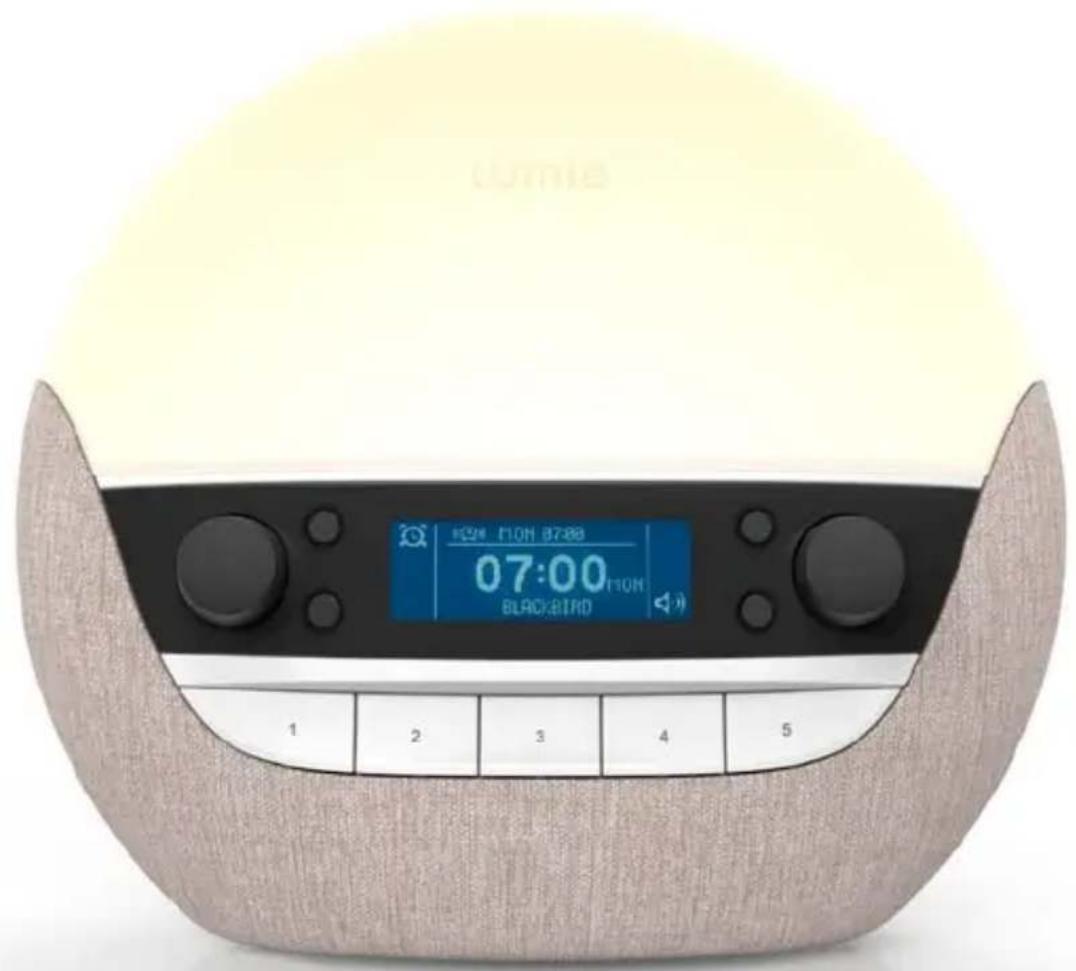
Bodyclock Luxe 700FM is now ready to use as a wake-up light, bedside light and bedside music player.
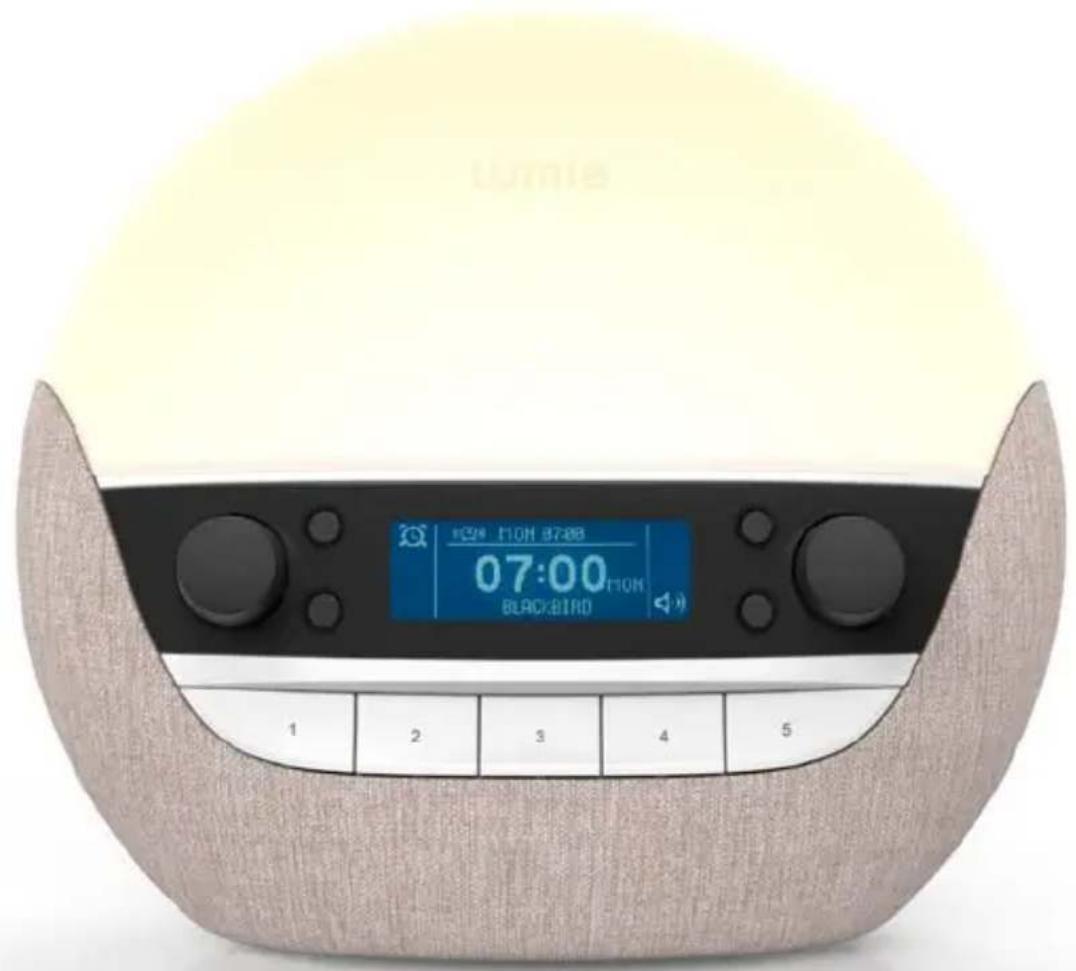
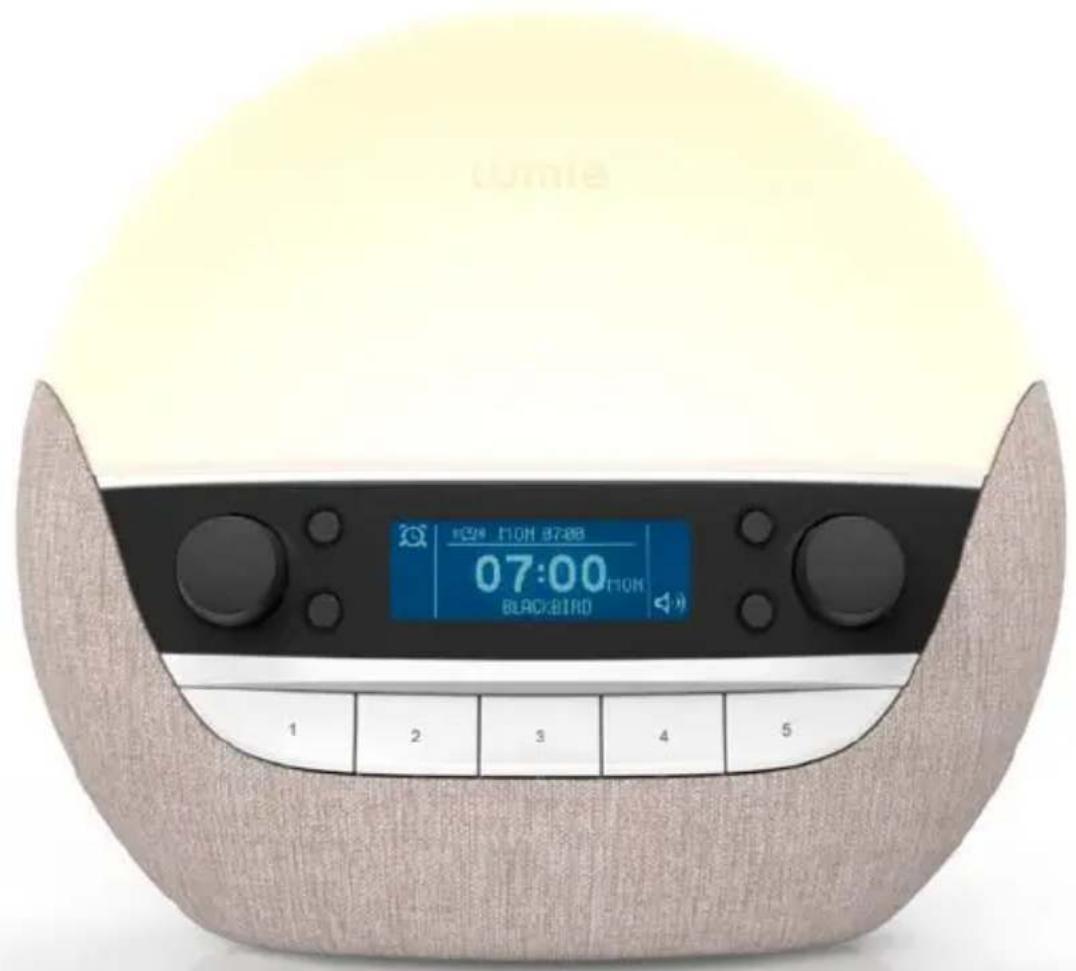
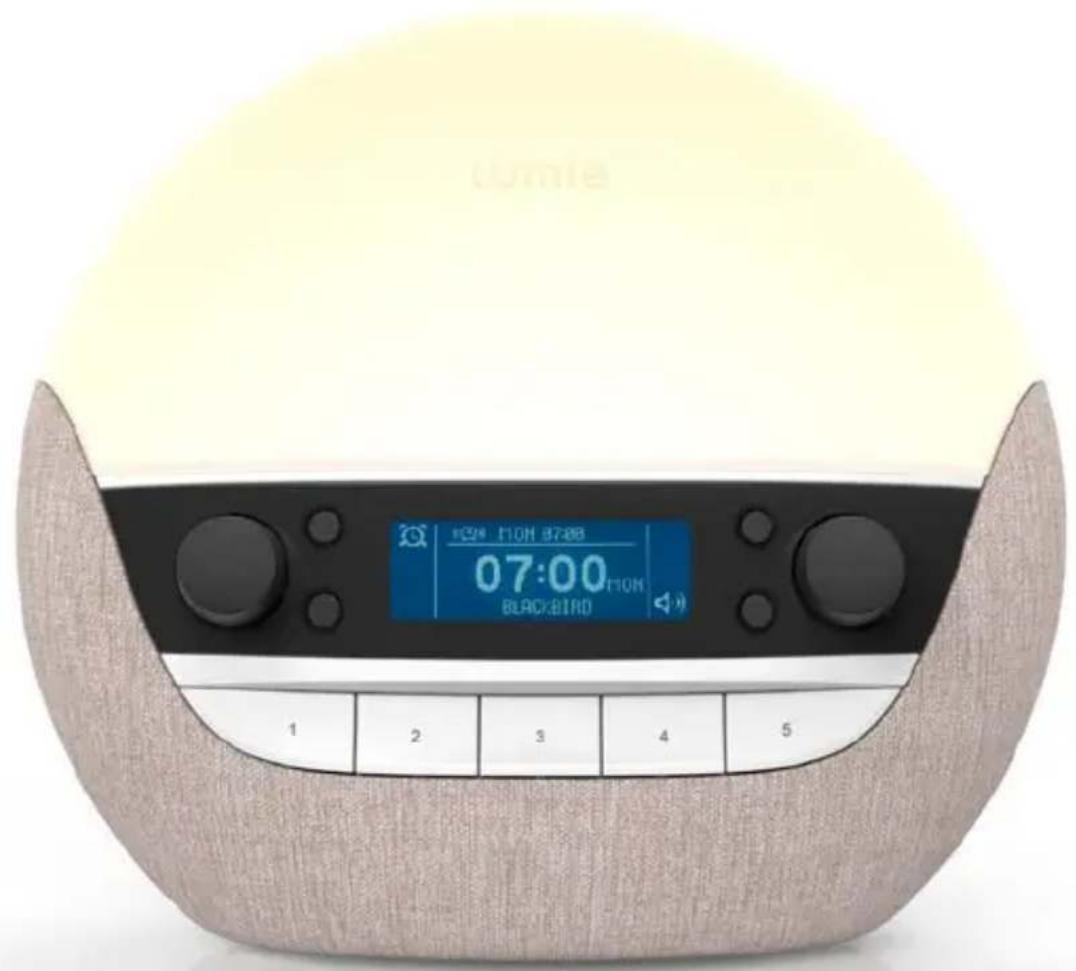
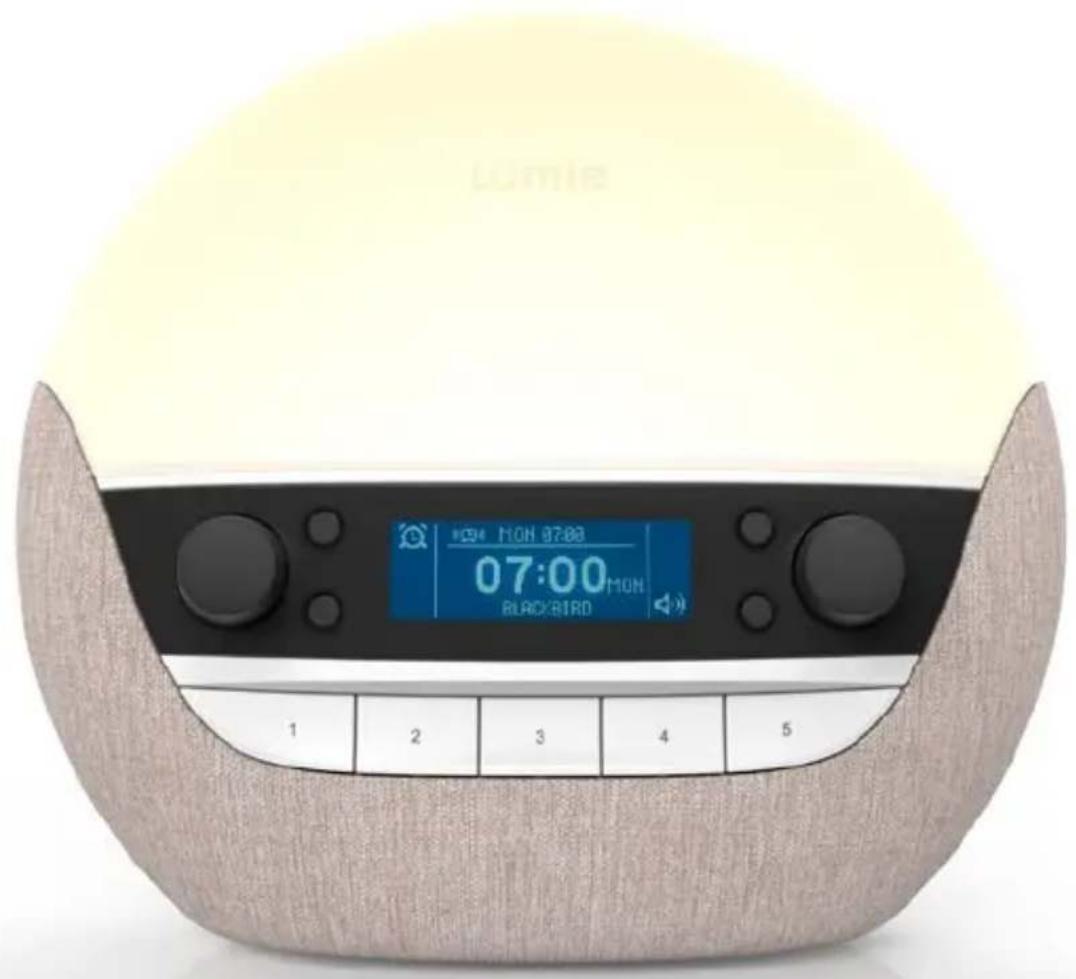
Front panel
text_image
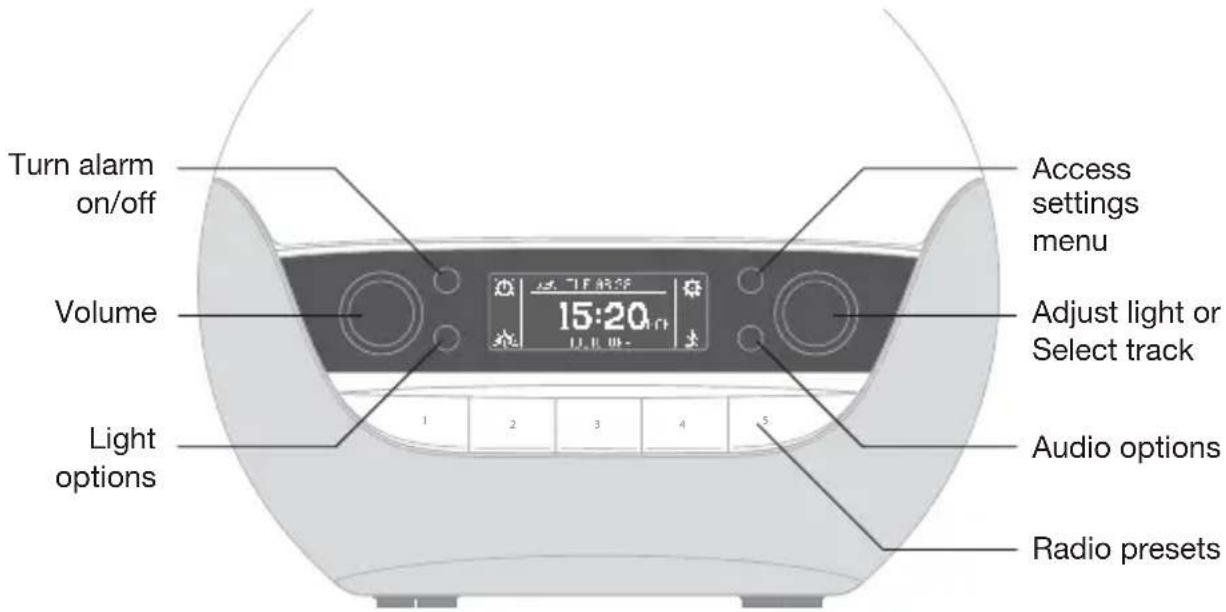
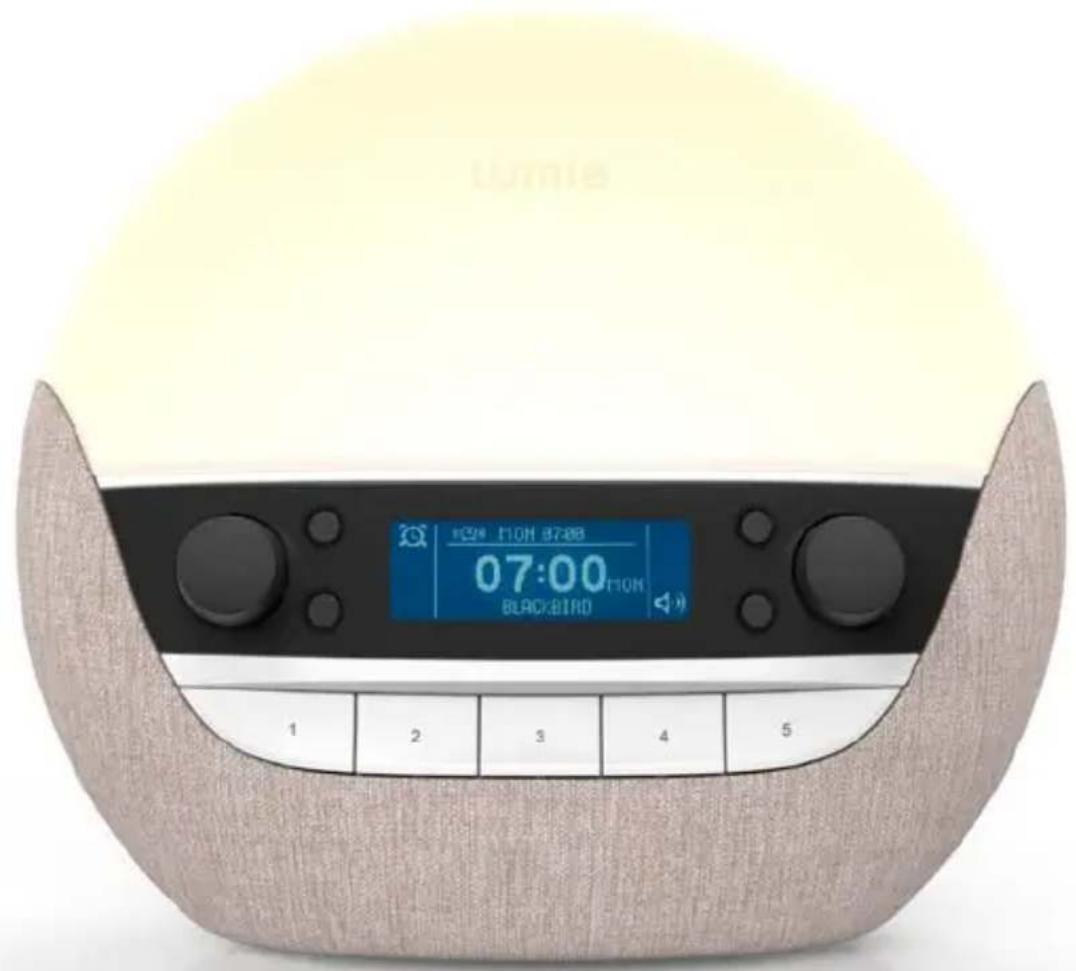
Turn alarm on/off Volume Light options Access settings menu 15:20 Adjust light or Select track Audio options Radio presetsThe four black buttons have specific functions indicated by the icon next to them on the display. The bottom right icon changes to show the audio option playing.
The left dial adjusts the audio volume.
The right dial adjusts the light or selects audio tracks.
To adjust the light when playing audio, press the light options button to switch to adjusting the light. To switch back to selecting tracks, press the audio options button next to the current audio icon.
The five preset buttons allow you to save and play your favourite radio stations.
Setting the alarm time
Bodyclock Luxe 700FM has two types of alarm:
With DAILY you set one alarm time and turn it on manually when you go to bed.
With WEEKLY you can set the alarm time, or choose not to have an alarm, for each day individually. For example, you may want to wake up earlier on Monday and have no alarm at the weekend.
To choose DAILY or WEEKLY alarm type
- Press the settings button

The display shows the first settings menu, ALARM:
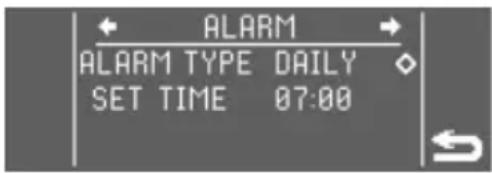
ALARM TYPE Press the right dial to edit ALARM TYPE.
text_image
ALARM ALARM TYPE DAILY SET TIME 07:00The cursor changes to to show that you are editing the item.
- Turn to choose DAILY or WEEKLY and press to confirm.
The cursor will move to the next setting.
To set the DAILY alarm
If you selected DAILY use SET TIME to set an alarm time:
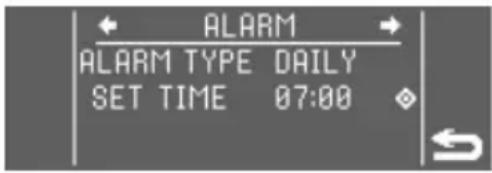
SET TIME Press the right dial to edit the hour.
text_image
ALARM ALARM TYPE DAILY SET TIME 07:00- Turn to set the hour and press to confirm.
- Do the same for the minutes.
- Press the button next to exit from settings.
To set the WEEKLY alarm
If you selected WEEKLY you can choose for each day whether the alarm is OFF or ON, and if ON, the alarm time:
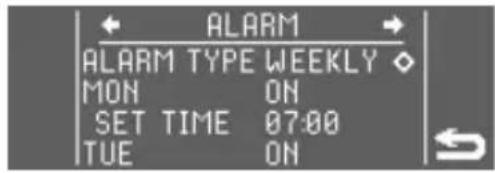
MON Press the right dial to edit the day; for
text_image
ALARM ALARM TYPE WEEKLY MON ON SET TIME 07:00 TUE ONexample, MON.
The cursor changes to to show that you are editing the item.
- Turn to choose OFF or ON and press to confirm.
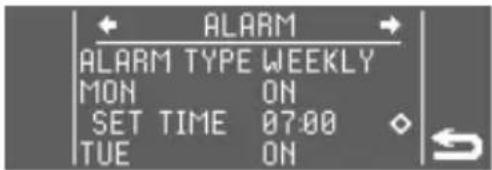
SET TIME
text_image
ALARM ALARM TYPE WEEKLY MON ON SET TIME 07:00 TUE ONIf you selected ON, an additional SET TIME item appears below the day.
- Turn to set the hour and press to confirm.
- Do the same for the minutes.
- Repeat for each day.
- Press the button next to exit from settings.
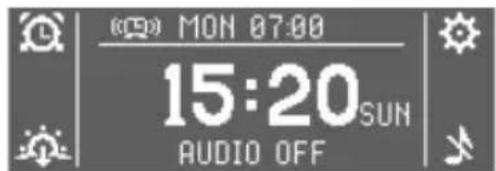
After setting the alarm time(s), the next alarm is turned on and shown on the top line of the display:
text_image
(05) MON 07:00 15:20 SUN AUDIO OFFBodyclock Luxe 700FM is preset with a 30-minute sunrise and 30-minute sunset. To use it with these settings read the following sections.
To add an audio alarm or change any other settings see Changing the settings, page 16, Sunrise options, page 18, and Sunset options, page 20.
To cancel an alarm
- Press the alarm button

OFF appears at the top of the display.
If you selected WEEKLY, when the cancelled alarm time has passed the next alarm time is shown.
Using the bedside light
Lumie Bodyclock can be used as a fully dimmable bedside light.
To adjust the bedside light

text_image
Turn to adjust light; press to switch light colour- Turn the right dial to adjust the brightness of the light, shown from 00 to 20 on the right of the display.
To switch to low-blue light
The blue part of the spectrum is known to have an alerting effect so it's good to minimise this at bedtime. Choose low-blue light (this looks warmer and more yellow than the white light) to optimise your bedroom lighting for relaxing sleep.
- Press the right dial to switch between normal white light and low-blue light.
Timeout: If the bedside light is not turned off manually, the light will turn off automatically after 12 hours.
Using the sunrise alarm
To wake with a sunrise alarm
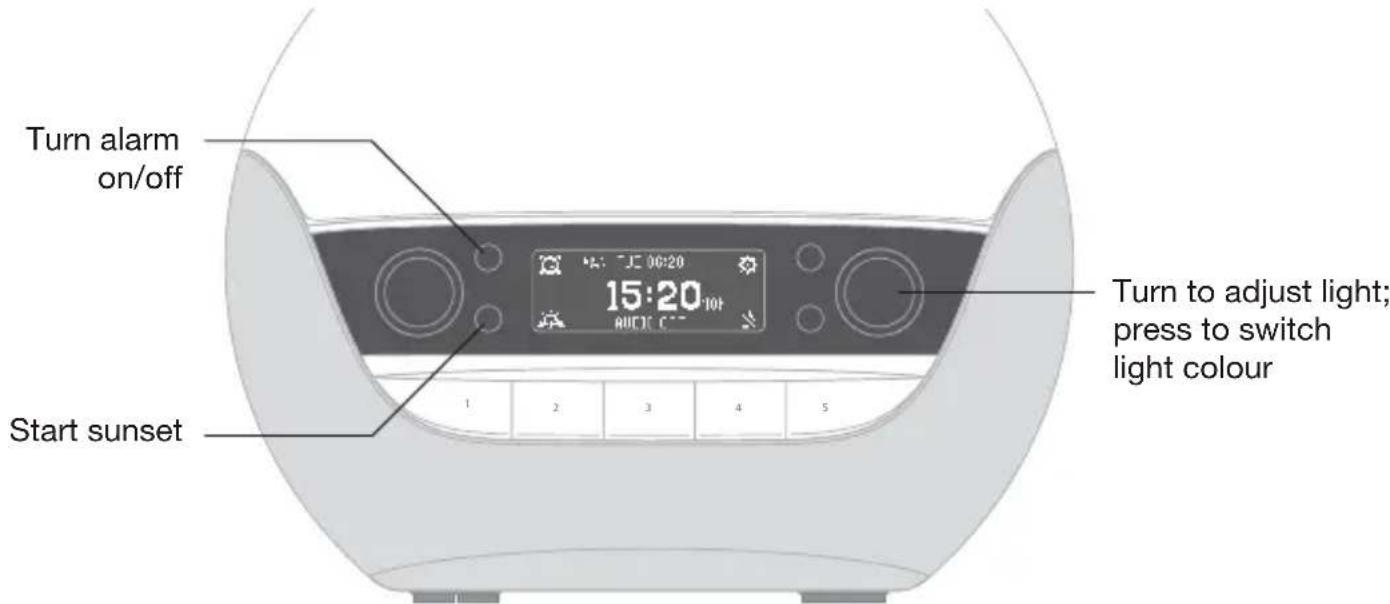
text_image
Turn alarm on/off Start sunset 1 2 3 4 5 15:20:10t turn to adjust light; press to switch light colourIf you set the alarm type to DAILY, you must activate the alarm before you go to sleep each time:
- Press the alarm button

If you set the alarm type to WEEKLY, your alarm(s) will be turned on automatically.
The top line of the display shows the alarm time; for example:
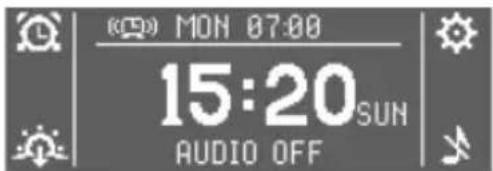
text_image
(0) MON 07:00 15:20 SUN AUDIO OFFIn the morning
You'll wake with a gradual sunrise and any other sunrise options you have set. You can choose to have a wake sound or play the radio at the alarm time; see Sunrise options, page 18.
To snooze
- Tap the top of the lamp cover or press any preset key.
The sunrise, and audio alarm if set, will repeat after 9 minutes.
To deactivate the sunrise alarm
- Press the alarm button for either of the dials.
This also turns off the audio alarm if you've selected one.
- Turn the right dial to turn off the light.
Timeout: If the light and audio alarm are not turned off manually, they will turn off automatically after 90 minutes.
Using the fading sunset
When you're ready to sleep, a fading sunset can help you to relax and unwind. You can choose to have the audio option you selected turn off or stay on at the end of the sunset, or gradually fade to off with the sunset; see Sunset options, page 20.
To start the sunset
- If you're playing audio, you may need to first press the light options button 📊 to switch to adjusting the light.
- Turn the right dial to set the light level.
- Press the sunset button The display shows to confirm the sunset is activated.
The light will start to fade and any other sunset options you have set will be activated.
To stop the sunset
- Press the sunset button

The display shows .

Display brightness
The display automatically adjusts to match the light level in your room when the room is dark and drops to low brightness you're ready to sleep.
You can change this setting if you prefer the display to turn off completely when the room is dark:
- Press the settings button
- Turn the left dial to select DISPLAY menu.
- Press the right dial to edit.
- Turn to set OFF or LOW.
- Press to confirm.
- Press the button next to exit from settings.

To check the time when the display is off
- Tap the top of the lamp cover.
The display will turn on for just a few seconds.
Using the audio
Bodyclock Luxe 700FM incorporates a high-quality audio system with FM radio that can also play music from a smartphone or other device via Bluetooth.
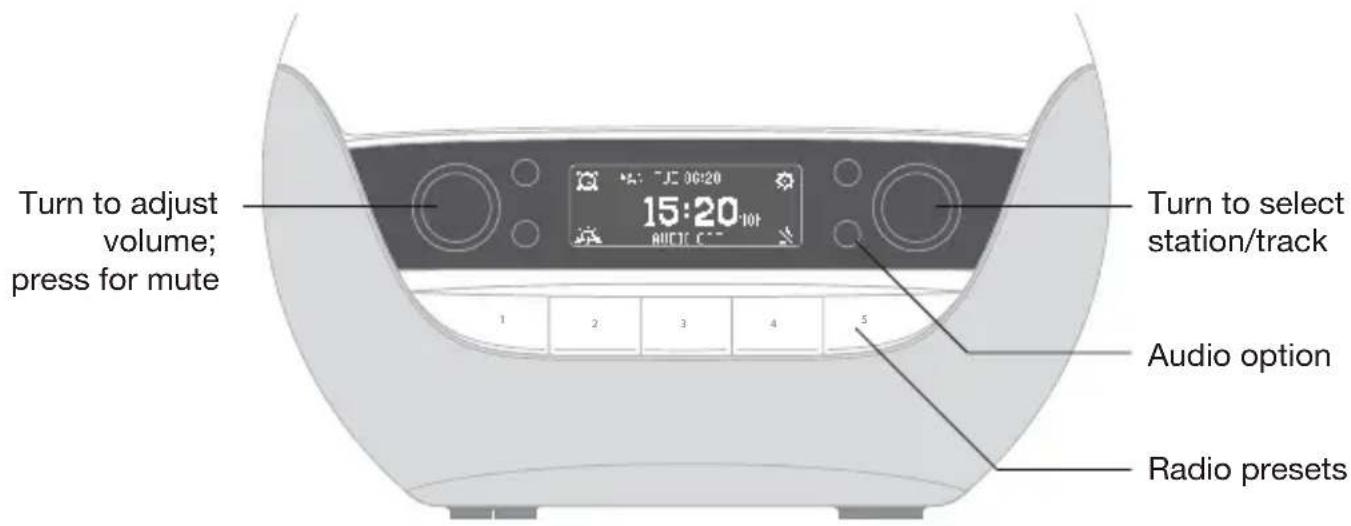
text_image
Turn to adjust volume; press for mute 15:20 10T Audio C Turn to select station/track Audio option Radio presetsTo select an audio option
- If you're already listening to audio, press the audio option button to select to turn off current audio.
- Press the audio button to choose FM radio, Bluetooth, internal sounds or no audio.
After two seconds the audio source shown is selected.
- Use the left dial to adjust the volume, shown from 00 to 20 on the left of the display.
The following sections give more information about each of the audio options.
To play internal sounds
Bodyclock Luxe 700FM has over 20 sleep and wake sounds.
- Press the audio button until the icon next to it shows

The display shows the SOUND menu.
- Turn the right dial to choose a sound and press to select.
- Press the button next to exit from the menu.
During play, you can press the right dial to go back to the SOUND menu.
To use the FM radio
- Press the audio button until the icon next to it shows FM
- Turn the right dial to tune manually or press it to search for the next station.
The station or frequency is shown on the bottom line of the display:
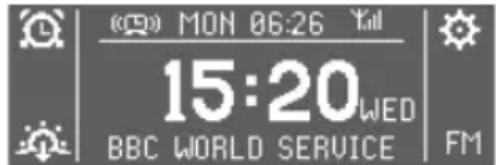
text_image
(日) MON 06:26 Yell 15:20 WED BBC WORLD SERVICE FMThe signal strength is shown by the icon. If necessary adjust the telescopic aerial for best reception.
To save a station as a preset
You can save up to five stations for instant listening:
- Use the right dial to select the station you want to save.
- Press and hold a preset button until the display shows SAVED.
- Press the preset key to listen to your saved station.
To play the radio or music via Bluetooth
You can listen to the radio or play your own music using Bodyclock Luxe 700FM connected to your smartphone, tablet or other device via Bluetooth.
- Press the audio button until the icon next to it shows
- On your other device, search for available Bluetooth devices and select Lumie Luxe for pairing.

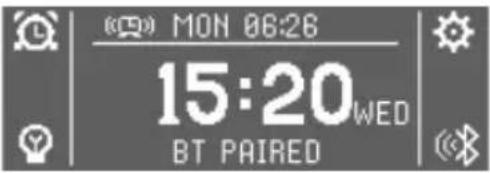
The display will show BT PAIRED and you can now play music through Bodyclock Luxe 700FM:
text_image
MON 06:26 15:20WED BT PAIREDNote: If you change to a different audio option, the Bluetooth pairing will be disconnected.
To turn off the audio
Press the audio button so the icon next to it shows

Changing the settings
This section summarises the alarm, sunrise, sunset and other options available with Bodyclock Luxe 700FM.
To access the settings menus
- Press the settings button

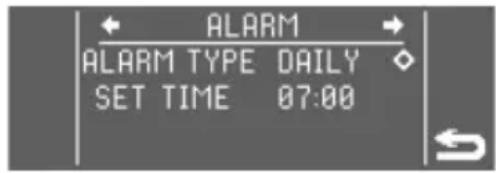
The display shows the first settings menu, ALARM:
text_image
ALARM ALARM TYPE DAILY SET TIME 07:00- Turn the left dial to step through the different menus.
- Turn the right dial to browse the current menu.
The currently highlighted item is shown by a cursor to its right.
Longer menus will scroll to show you all the items.
To edit a setting
- Press the right dial.
The cursor changes to to show that you are editing the item.
- Turn the right dial to change the item.
- Press the right dial to confirm the change.
The cursor will move to the next item on the menu.
To exit from the settings menus
- Press the button next to

The following table summarises each menu and menu item:
| Menu Menu items Options Default | |||
| ALARM ALARM TYPE DAILY, WEEKLY DAILY | |||
| MON to SUN * OFF, ON ON | |||
| SET TIME HH:MM 07:00 | |||
| SUNRISE DURATION OFF or 15 to 90 MIN 30 MIN | |||
| LIGHT LEVEL | 1 to 20 | 16 | |
| LOW BLUE | OFF, ON OFF | ||
| ALARM SRC (alarm source) | OFF, RADIO or SOUND | OFF | |
| STATION * | P1 to P5 | ||
| TRACK * | Filename | ||
| VOLUME * | 1 to 20 | 10 | |
| SUNSET | DURATION 15 to 90 MIN | 30 MIN | |
| NIGHTLIGHT | OFF or 1 to 10 | OFF | |
| AUDIO SRC (audio source) | OFF, MANUAL or SOUND | MANUAL | |
| TRACK * | Filename | ||
| VOLUME * | OFF, ON or FADE | OFF | |
| DISPLAY | DISPLAY | OFF, LOW | LOW |
| GENERAL LANGUAGE ENG FRA ESP DEU NED SVE FIN NOR DAN ITA or POL | ENG | ||
| DAY | MON to SUN | MON | |
| TIME | 13:00 | ||
* Depending on previous settings.
To change the current time
Lumie Bodyclock will keep time for 30 minutes without power. All other settings are permanently saved.
If you need to set the time use the TIME setting in the GENERAL menu.
Sunrise options

- Press the settings button
- Turn the left dial to select SUNRISE menu.
- Continue through the following sequence to set the sunrise options:
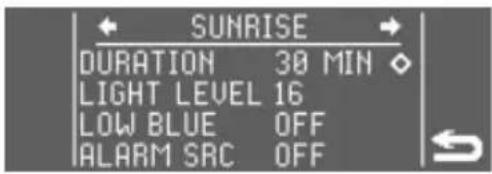
DURATION Press the right dial to edit.
text_image
SUNRISE DURATION 30 MIN ◇ LIGHT LEVEL 16 LOW BLUE OFF ALARM SRC OFF- Turn to set the duration of the sunrise: OFF or between 15 and 90 minutes.
- Press to confirm and continue.
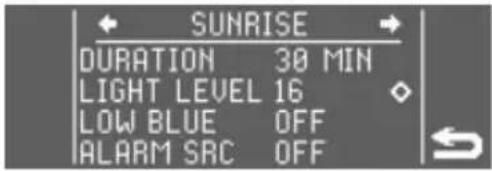
LIGHT LEVEL Only available if you have set a DURATION.
text_image
SUNRISE DURATION 30 MIN LIGHT LEVEL 16 LOW BLUE OFF ALARM SRC OFF- Press the right dial to edit.
- Turn to set the final brightness of the sunrise from 1 to 20.
- Press to confirm and continue.
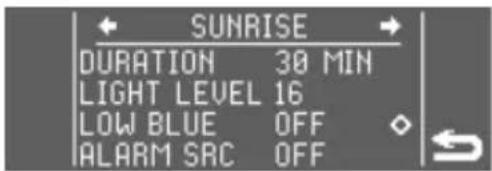
LOW BLUE Only available if you have set a DURATION.
text_image
SUNRISE DURATION 30 MIN LIGHT LEVEL 16 LOW BLUE OFF ALARM SRC OFF- Press the right dial to edit.
- Turn to choose OFF for a bright white sunrise or ON for a low-blue sunrise which is warmer and more yellow.
- Press to confirm and continue.
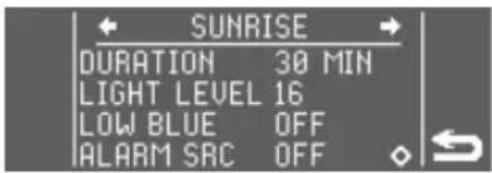
ALARM SRC Press the right dial to edit.
text_image
SUNRISE DURATION 30 MIN LIGHT LEVEL 16 LOW BLUE OFF ALARM SAC OFF- Turn to set the audio alarm option for the end of the sunrise: OFF for no audio alarm, RADIO or SOUND for one of the wake sounds.
- Press to confirm and continue.
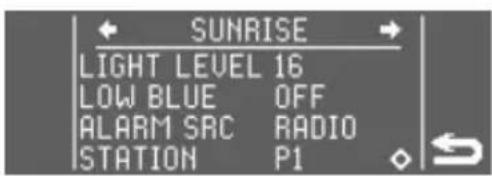
STATION
text_image
SUNRISE LIGHT LEVEL 16 LOW BLUE OFF ALARM SRC RADIO STATION P1Only available if you have set RADIO.
- Press the right dial to edit.
- Turn to set the radio preset for the end of the sunrise.
- Press to confirm and continue.
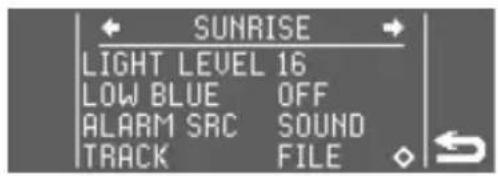
TRACK Only available if you have set SOUND.
text_image
SUNRISE LIGHT LEVEL 16 LOW BLUE OFF ALARM SRC SOUND TRACK FILE- Press the right dial to edit.
- Turn to set a wake sound for the end of the sunrise.
- Press to confirm and continue.
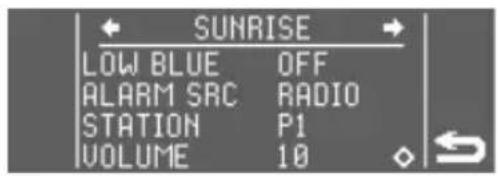
VOLUME
text_image
SUNRISE LOW BLUE OFF ALARM SRC RADIO STATION P1 VOLUME 10Only available if you have set RADIO or SOUND.
- Press the right dial to edit.
- Turn to set the volume of the audio alarm from 1 to 20.
- Press to confirm.
- Press the button next to exit from settings.

Sunset options

- Press the settings button
- Turn the left dial to select SUNSET menu.
- Continue through the following sequence to set the sunset options:
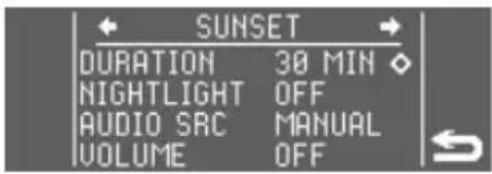
DURATION Press the right dial to edit.
text_image
SUNSET DURATION 30 MIN NIGHTLIGHT OFF AUDIO SRC MANUAL VOLUME OFF- Turn to set the duration of the sunset: between 15 and 90 minutes.
- Press to confirm and continue.
Note: The actual duration will be less than this if you start the sunset with the light already dimmed.
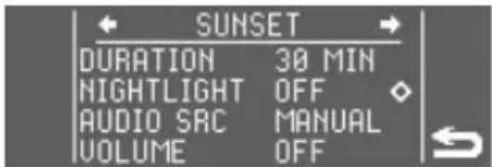
NIGHTLIGHT Press the right dial to edit.
text_image
SUNSET DURATION 30 MIN NIGHTLIGHT OFF AUDIO SRC MANUAL VOLUME OFF- Turn to set a nightlight: OFF for no nightlight (sunset fades to off) or a level from 1 to 10 (sunset fades to nightlight).
- Press to confirm and continue.
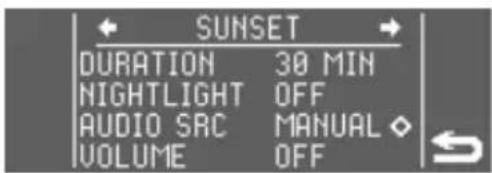
AUDIO SRC Press the right dial to edit.
text_image
SUNSET DURATION 30 MIN NIGHTLIGHT OFF AUDIO SRC MANUAL ◇ VOLUME OFF- Turn to control any audio at the start of the sunset: OFF to cancel any audio, MANUAL to leave any audio playing or SOUND to start playing one of the sleep sounds.
- Press to confirm and continue.
TRACK Only available if you have set SOUND.
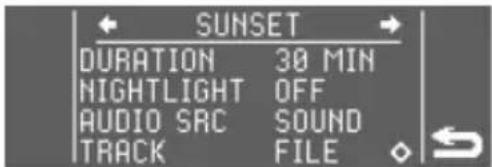
- Press the right dial to edit.
- Turn to set the sleep sound for the sunset.
- Press to confirm and continue.
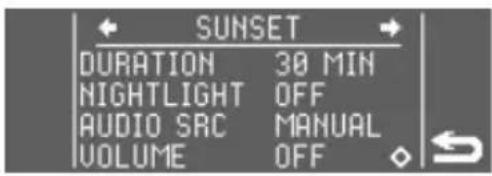
VOLUME Only available if you have set MANUAL or
text_image
SUNSET DURATION 30 MIN NIGHTLIGHT OFF AUDIO SRC MANUAL VOLUME OFFSOUND.
- Press the right dial to edit.
- Turn to control any audio at the end of the sunset: OFF to cancel any audio, ON to leave any audio playing or FADE to gradually decrease volume and turn off.
- Press to confirm.
- Press the button next to exit from settings.

Maintenance
Clean only with a dry or lightly moistened cloth. Always unplug the unit first and let it cool if necessary.
Replacement mains power adaptors are available from Lumie.
To restore the default factory settings
Only the current time will be saved.
- Turn off the power at the mains.
- Press and hold preset 3 and turn the power back on.
- Release when the display shows FACTORY DEFAULT RESTORED.
LED lifetime
The LEDs in this product will typically last for many years, even with several hours use each day. Although it's unlikely, it's possible for individual LEDs to fail. If this happens, contact Lumie; do not attempt to replace them.
Warranty
This unit is covered under warranty against any manufacturing defect for 3 years from the date of purchase. This is in addition to your statutory rights. If you need to return the product for servicing, use the original packaging (including internal packing) if possible. Make sure the mains power adaptor is prevented from moving in transit and damaging the unit. If the unit is received damaged, through misuse or accidental damage, then we may have to charge to repair it; we will contact you first. Please contact Lumie for further advice.
Note: Any serious incident relating to the unit should be reported to Lumie and to the competent authority in the country where you live.
Technical description
Subject to change without notice.
Bodyclock Luxe 700FM
Detachable accessory: Mains power adaptor (supplied)
Input: 100–240 Vac, 50/60 Hz, 1.2 A max.; Output: 24V

= 1 A (24 W)
Operating conditions:
Temperature: 5 °C to 35 °C
Relative humidity: 15% to 93% (non-condensing)
Atmospheric pressure: 70 kPa to 106 kPa
Storage/transport conditions:
Temperature: -25 °C to +70 °C
Relative humidity: 15% to 93% (non-condensing)
Atmospheric pressure: 25 kPa to 106 kPa

European Declaration of Conformity: Medical Device Class I

UK Conformity Assessed

Medical Device
Contact us
If you have any questions or problems regarding this product, or have suggestions that you feel could help us improve our products or service please email info@lumie.com.
Outside In (Cambridge) Limited, 3 The Links, Trafalgar Way, Bar Hill, Cambridge, CB23 8UD, UK.
Lumie is a registered trademark of:
Outside In (Cambridge) Limited, incorporated in England and Wales.
Registered Number: 2647359.
VAT No:
GB 880 9837 71 (UK)
NL 826301381B01 (EU)
EC REP Advena Ltd, Tower Business Centre, 2nd Floor, Tower Street, Swatar, BKR 4013 Malta.
lumie®
bodyclock®
luxe 700FM
text_image
T24 T10H 87:88 07:00 T10H BLACKBIRD 1 2 3 4 5Sécurité
text_image
ALARME TYPE ALARM JOUR REGLER HR 07:00text_image
ALARME TYPE ALARM JOUR REGLER HR 07:00text_image
ALARME TYPE ALARM JOUR REGLER HR 07:00text_image
AUBE DUREE 30 MIN NIVEAU LUM 16 BLEU FAIBLE OFF SRC ALARMEN OFFtext_image
AUBE DUREE 30 MIN NIVEAU LUM 16 BLEU FAIBLE OFF SRC ALARME OFFtext_image
AUBE DUREE 30 MIN NIVEAU LUM 16 BLEU FAIBLE OFF SRC ALARMEN OFFtext_image
AUBE DUREE 30 MIN NIVEAU LUM 16 BLEU FAIBLE OFF SRC ALARME OFFtext_image
AUBE NIVEAU LUM 16 BLEU FAIBLE OFF SRC ALARME RADIO STATION P1text_image
AUBE NIVEAU LUM 16 BLEU FAIBLE OFF SRC ALARME MELOD PISTE FICHIERtext_image
AUBE BLEU FAIBLE OFF SRC ALARME RADIO STATION P1 VOLUME 10text_image
CREPUSCULE DUREE 30 MIN VEILLEUSE OFF SRC AUDIO MANUEL VOLUME OFFtext_image
CREPUSCULE DUREE 30 MIN VEILLEUSE OFF SRC AUDIO MANUEL VOLUME OFFtext_image
CREPUSCULE DUREE 30 MIN VEILLEUSE OFF SRC AUDIO MANUEL ◇ VOLUME OFFtext_image
CREPUSCULE DUREE 30 MIN VEILLEUSE OFF SRC AUDIO MANUEL VOLUME OFFDescription technique
Outside In (Cambridge) Limited, 3 The Links, Trafalgar Way, Bar Hill, Cambridge, CB23 8UD, UK.
EC REP Advena Ltd, Tower Business Centre, 2nd Floor, Tower Street, Swatar, BKR 4013 Malta.
lumie®
bodyclock®
luxe 700FM
text_image
T24 T10H 87:88 07:00 T10H BLACKBIRD 1 2 3 4 5Sicherheit
Outside In (Cambridge) Limited, 3 The Links, Trafalgar Way, Bar Hill, Cambridge, CB23 8UD, UK.
EC REP Advena Ltd, Tower Business Centre, 2nd Floor, Tower Street, Swatar, BKR 4013 Malta.
lumie®
bodyclock®
luxe 700FM
text_image
102# TION 87:88 07:00 TION BLACKBIRD 1 2 3 4 5Seguridad
text_image
FIF IFANF J IFL にりJ 1 2 3 4 5Outside In (Cambridge) Limited, 3 The Links, Trafalgar Way, Bar Hill, Cambridge, CB23 8UD, UK.
EC REP Advena Ltd, Tower Business Centre, 2nd Floor, Tower Street, Swatar, BKR 4013 Malta.
lumie®
bodyclock®
luxe 700FM
text_image
102# TION 87:88 07:00 TION BLACKBIRD 1 2 3 4 5Sicurezza
text_image
LUN 06:26 15:20 MER ASSOCIATO CON BTtext_image
ALBA DURATA 30 MIN LIV LUCE 16 BLU BASSO OFF SRG. ALLAR OFFmodificare.
text_image
ALBA DURATA 30 MIN LIV LUCE 16 BLU BASSO OFF SRG. ALLAR OFFDURATA.
text_image
ALBA DURATA 30 MIN LIV LUCE 16 BLU BASSO OFF SRG. ALLAR OFFDURATA.
text_image
ALBA DURATA 30 MIN LIV LUCE 16 BLU BASSO OFF SRG. ALLAR OFFmodificare.
text_image
TRAMONTO DURATA 30 MIN ◇ LUCE NOTTE OFF SRG. AUDIO MANU VOLUME OFFmodificare.
text_image
TRAMONTO DURATA 30 MIN LUCE NOTTE OFF SRG. AUDIO MANU VOLUME OFFmodificare.
text_image
TRAMONTO DURATA 30 MIN LUCE NOTTE OFF SRG. AUDIO MANU VOLUME OFFmodificare.
text_image
TRAMONTO DURATA 30 MIN LUCE NOTTE OFF SRG. AUDIO MANU VOLUME OFFEC REP Advena Ltd, Tower Business Centre, 2nd Floor, Tower Street, Swatar, BKR 4013 Malta.
lumie®
bodyclock®
luxe 700FM
text_image
102# TION 87:88 07:00 TION BLACKBIRD 1 2 3 4 5Veiligheid
text_image
FFAI ANF IFL IFL 1 2 3 4 5text_image
ALARM ALARMTYPE WEKEL MAA AAN ZET TIJD 07:00 DIN ON•m de dag te
text_image
ALARM ALARMTYPE WEKEL MAA AAN ZET TIJD 07:00 DIN AANOutside In (Cambridge) Limited, 3 The Links, Trafalgar Way, Bar Hill, Cambridge, CB23 8UD, UK.
EC REP Advena Ltd, Tower Business Centre, 2nd Floor, Tower Street, Swatar, BKR 4013 Malta.
lumie®
bodyclock®
luxe 700FM
text_image
Lomie 07:00 MON BLACK BIRD 1 2 3 4 5Bezpieczeństwo
text_image
TIFM IFL IFL IFL 1 2 3 4 5text_image
ALARM TYP ALARMU DZIENNY UST. CZASU 07:00TYP ALARMU.
text_image
ALARM TYP ALARMU DZIENNY UST. CZASU 07:00godzinę.
text_image
ALARM TYP ALARMU TYG. PO WL UST. CZASU 07:00 WT WYLtext_image
ALARM TYP ALARMU TYG. PO WL UST. CZASU 07:00 WT WYLtext_image
ALARM TYP ALARMU DZIENNY UST. CZASU 07:00Outside In (Cambridge) Ltd, 3 The Links, Trafalgar Way, Bar Hill, Cambridge, CB23 8UD, UK.
EC REP Advena Ltd, Tower Business Centre, 2nd Floor, Tower Street, Swatar, BKR 4013 Malta.
lumie®
bodyclock®
luxe 700FM
text_image
Lomel 1:04 MON 97:00 07:00 MON BLACK:81R0 1 2 3 4 5Säkerhet
Outside In (Cambridge) Limited, 3 The Links, Trafalgar Way, Bar Hill, Cambridge, CB23 8UD, UK.
EC REP Advena Ltd, Tower Business Centre, 2nd Floor, Tower Street, Swatar, BKR 4013 Malta.
lumie®
bodyclock®
luxe 700FM
text_image
T24 T10H 87:88 07:00 T10H BLACK:8170 1 2 3 4 5Sikkerhet
Outside In (Cambridge) Limited, 3 The Links, Trafalgar Way, Bar Hill, Cambridge, CB23 8UD, UK.
EC REP Advena Ltd, Tower Business Centre, 2nd Floor, Tower Street, Swatar, BKR 4013 Malta.
lumie®
bodyclock®
luxe 700FM
text_image
1024 T10H 87:88 07:00 T10H BLACK:8170 1 2 3 4 5Sikkerhed
Outside In (Cambridge) Limited, 3 The Links, Trafalgar Way, Bar Hill, Cambridge, CB23 8UD, UK.
EC REP Advena Ltd, Tower Business Centre, 2nd Floor, Tower Street, Swatar, BKR 4013 Malta.
lumie®
bodyclock®
luxe 700FM
text_image
T24 T10H 87:88 07:00 T10H BLACK:8170 1 2 3 4 5Turvallisuus
Outside In (Cambridge) Limited, 3 The Links, Trafalgar Way, Bar Hill, Cambridge, CB23 8UD, UK.
EC REP Advena Ltd, Tower Business Centre, 2nd Floor, Tower Street, Swatar, BKR 4013 Malta.
Distributor details:
lumie®
Lumie is a registered trademark of:
Outside In (Cambridge) Ltd
3 The Links, Trafalgar Way
Bar Hill
Cambridge CB23 8UD
UK
© Lumie 2022
FMi2207