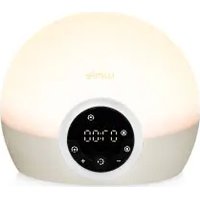
Bodyclock Spark 100 - Light therapy LUMIE - Free user manual and instructions
Find the device manual for free Bodyclock Spark 100 LUMIE in PDF.


| Product type | Dawn simulator and light therapy |
| Brand | Lumie |
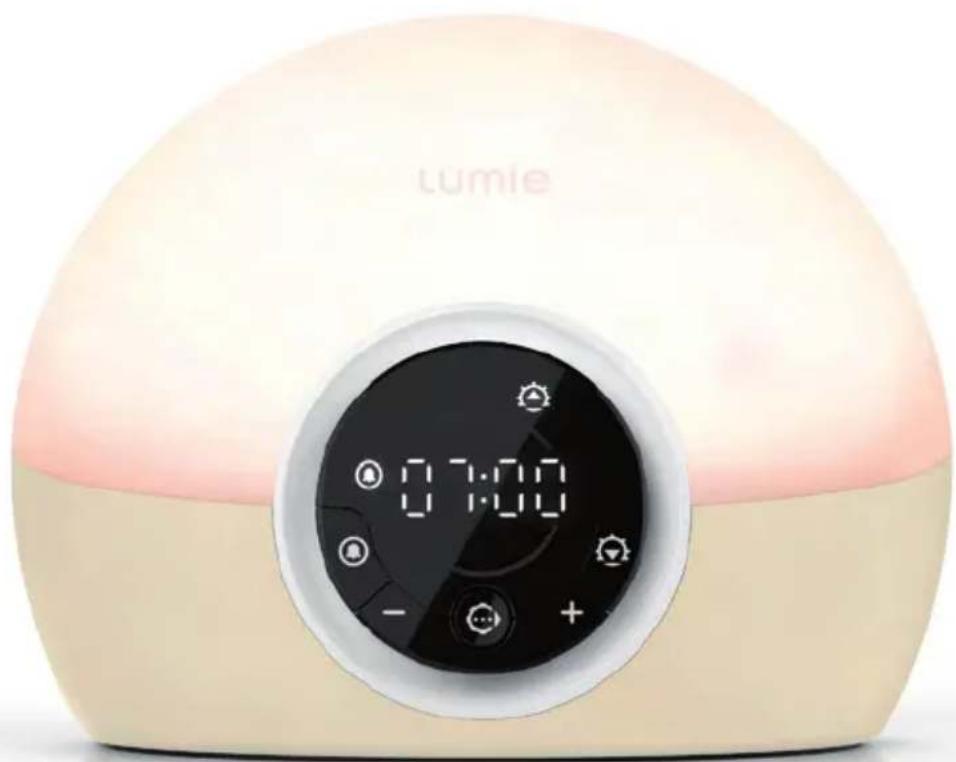
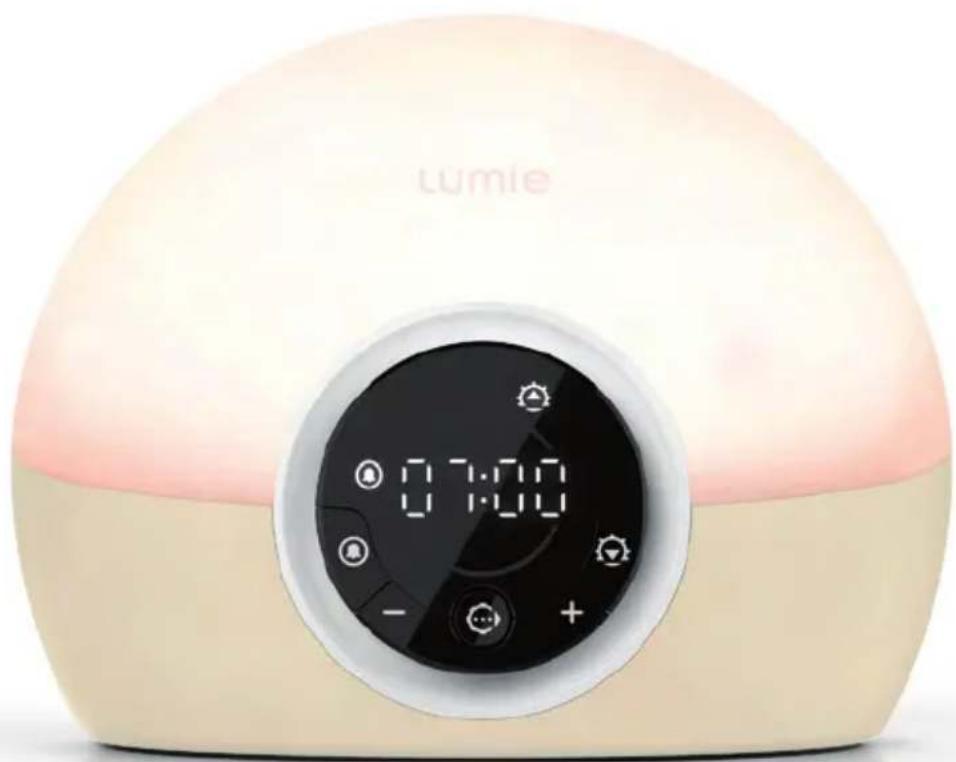
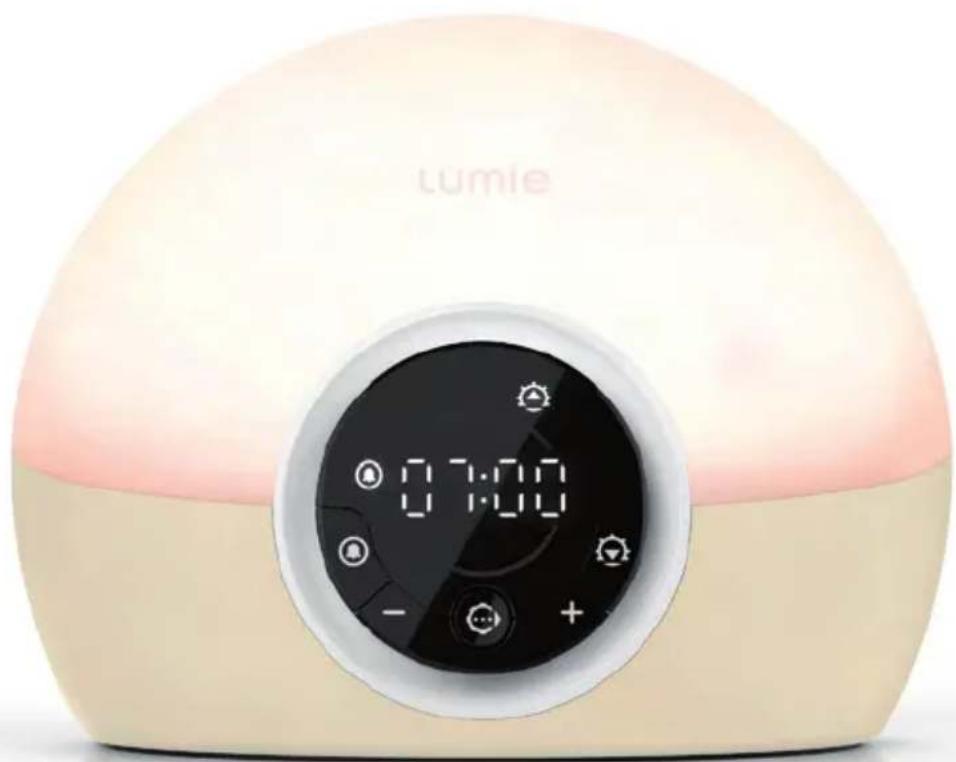
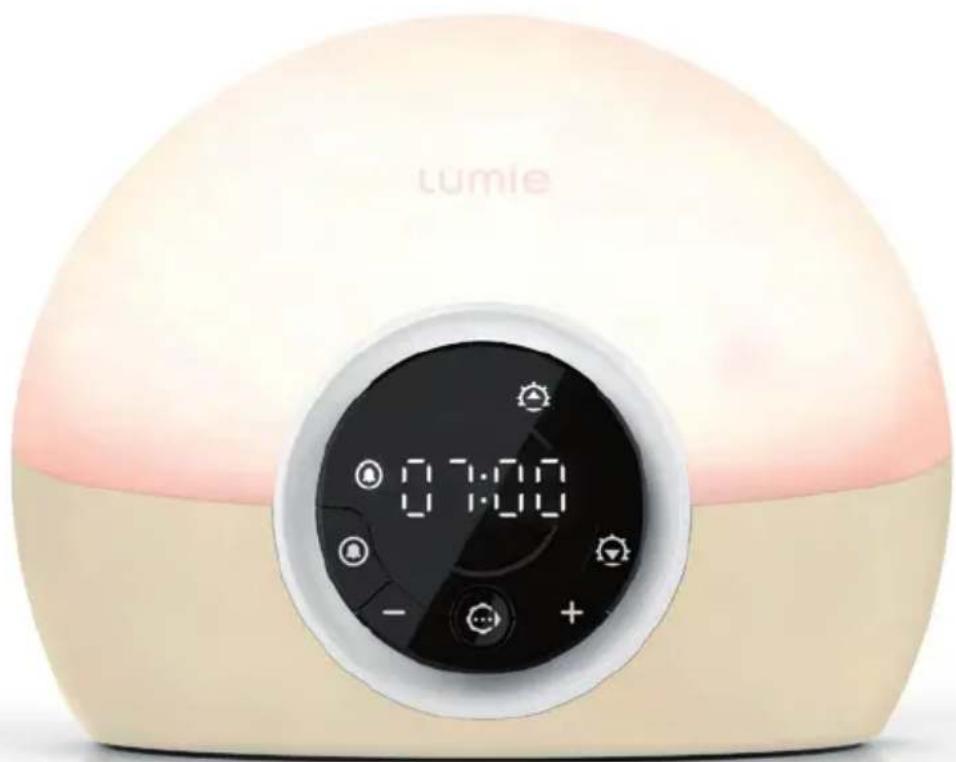
| Model | Bodyclock Spark 100 |
| Dimensions (approx.) | Height 20 cm, base diameter 15 cm |
| Weight (approx.) | 0.5 kg |
| Power supply | Mains adapter: input 100-240 V~, 50/60 Hz, 0.4 A max; output 12 V, 1 A (12 W) |
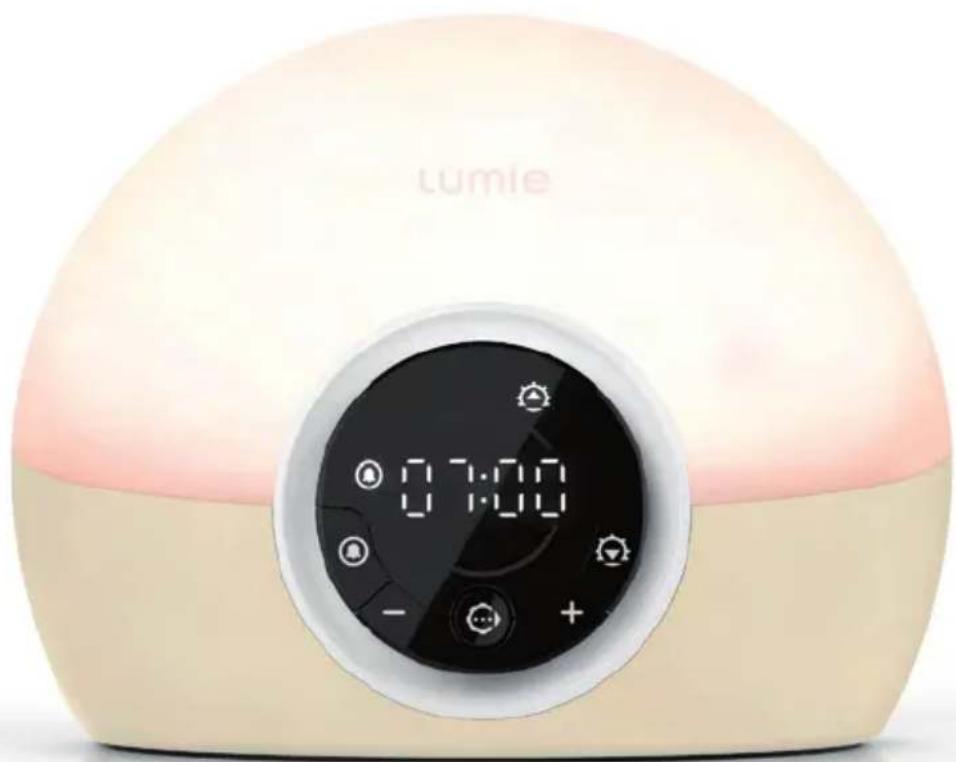
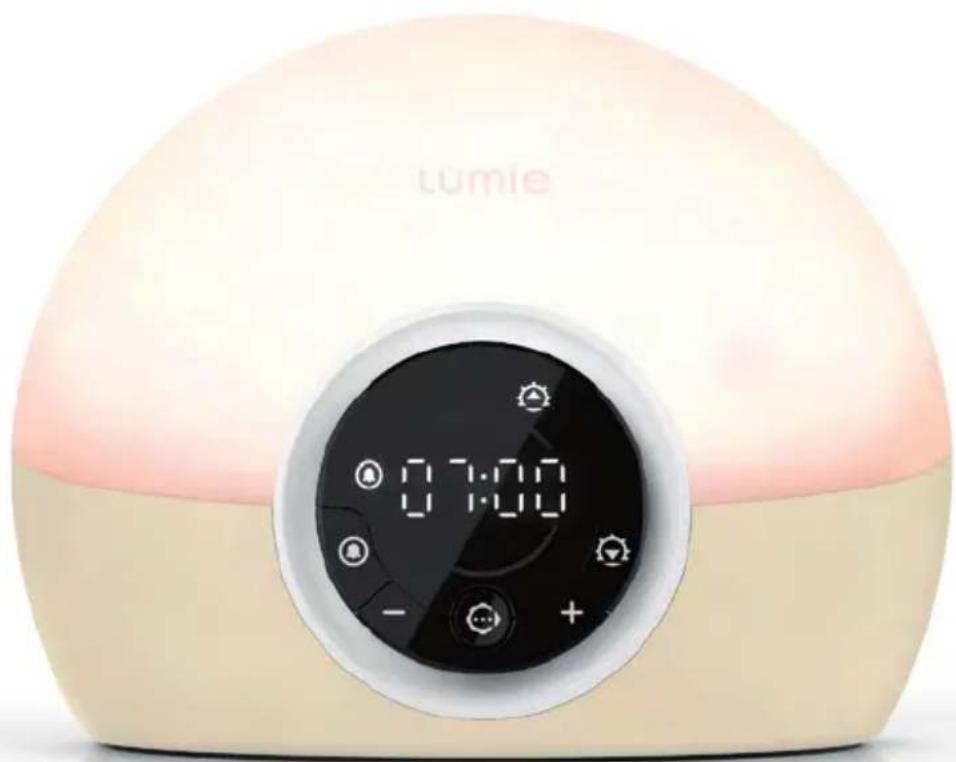
| Main functions | Wake-up with progressive dawn simulation, progressive dusk for falling asleep, night light, dimmable bedside lamp, adjustable sound alarm |
| Settings | Alarm time, dawn duration (30 min default), final light intensity (1-5), alarm beep volume (0-5), night light intensity (0-5) |
| Display | Digital with adaptive brightness (auto or low/off) |
| Light source | LED (non-replaceable, lifespan of several years) |
| Operating conditions | Indoor only, temperature 5-35°C, relative humidity 15-93% non-condensing |
| Care and cleaning | Unplug before cleaning; use a dry or slightly damp cloth |
| Safety | Do not expose to water, do not cover, use only the supplied adapter, ensure the plug is easily accessible for disconnection |
| Spare parts and repairability | Replacement mains adapter available; LED non-replaceable; 3-year warranty against manufacturing defects |
| General information | CE compliant (Class I medical device), UKCA, recyclable; manufacturer: Outside In (Cambridge) Limited |
Frequently Asked Questions - Bodyclock Spark 100 LUMIE
User questions about Bodyclock Spark 100 LUMIE
0 question about this device. Answer the ones you know or ask your own.
Ask a new question about this device
Download the instructions for your Light therapy in PDF format for free! Find your manual Bodyclock Spark 100 - LUMIE and take your electronic device back in hand. On this page are published all the documents necessary for the use of your device. Bodyclock Spark 100 by LUMIE.
USER MANUAL Bodyclock Spark 100 LUMIE
Safety
If the unit is damaged, contact Lumie before use.
Keep away from water and damp.

For indoor use only.

The unit gets warm when the light is on, so make sure that it is not covered.
Use only the mains power adaptor supplied.
Keep the mains power adaptor and cable away from heated surfaces. If either are damaged, they should be replaced with an approved Lumie product.
This appliance does not have a on/off switch. To power down or reset, remove the mains power adaptor from the wall socket. You should therefore ensure the socket is easily accessible.
Only to be used by adults and by children when supervised.
Do not attempt to service or modify any part of the unit.
If the unit has been stored outside the recommended operating temperature range (5 °C to 35 °C), allow it to stand for at least 1 hour before applying power to avoid condensation or overheating.
Not to be used by or on individuals who are unconscious, anaesthetised or incapacitated e.g. under the influence of alcohol.
Electromagnetic compatibility
This product conforms to the electromagnetic compatibility (EMC) standard for medical devices and is unlikely to cause interference affecting other electrical and electronic products in its vicinity. However, radio transmitting equipment, mobile phones and other electrical/electronic equipment can interfere with this product; if this happens simply move the product away from the source of interference. In rare cases where product function is lost due to EMC effects, disconnect the product from the power source for 5 seconds and then restart. If the problem persists, please contact Lumie.
For further detailed information on the electromagnetic environment in which the device can be operated refer to the website: www.lumie.com/pages/e-m-c.
Disposal
Do not throw out the mains power adaptor or the unit with normal domestic waste. Take them to an official recycling point to be disposed of responsibly.

 | Serial number |  | Read instructions for use |  | Double-insulated (Class II electrical) |
 | European Declaration of Conformity: Medical Device Class I |  | Keep dry |  | DC (direct current) power supply |
 | Medical Device |  | For indoor use only |  | Storage/transport relative humidity |
 | Unique Device Identifier |  | Caution |  | Storage/transport temperature |
 | Manufacturer |  | Do not place in household waste. Dispose of at a recycling centre. |  | UK Conformity Assessed |
 | Authorised representative in the European Community |  | Member of the ‘Green Dot’ recycling scheme | ||
 | Importer |  | Recyclable |
Introduction
Lumie Bodyclock wakes you naturally with a sunrise. Waking with light has been shown to improve mood, energy, productivity and the quality of sleep and awakening. 1
Wake-up lights can also help sufferers of SAD (Seasonal Affective Disorder) and winter blues cope with dark winter mornings. 2
At bedtime, a fading sunset helps you naturally unwind by promoting the production of the sleep hormone, melatonin. 3
Use Lumie Bodyclock all year round to encourage a regular sleep-wake pattern.
Research shows that dawn simulation is very safe and without serious side-effects. If you have any concerns, please contact Lumie or speak to your doctor.
1 Acta Psychiatr Scand. 1993 Jul;88(1):67-71.
2 J Affect Disord. 2015 Jul 15;180:87-9.
3 Sleep Biol Rhythms. 2016 Jan;14(1):47-53.
Getting started
The ideal place for Lumie Bodyclock is on a bedside table near a mains socket.
- Connect the mains power adaptor to the socket in the base of the unit.
- Plug into a mains power supply and switch on.
The display will flash until the current time is set:

Program The hours will flash.
- Use or to set the hours.
- Press ⬙ to confirm and continue.
The minutes will flash.
- Use or to set the minutes.
- Press ⬙ to confirm and exit to the current time.
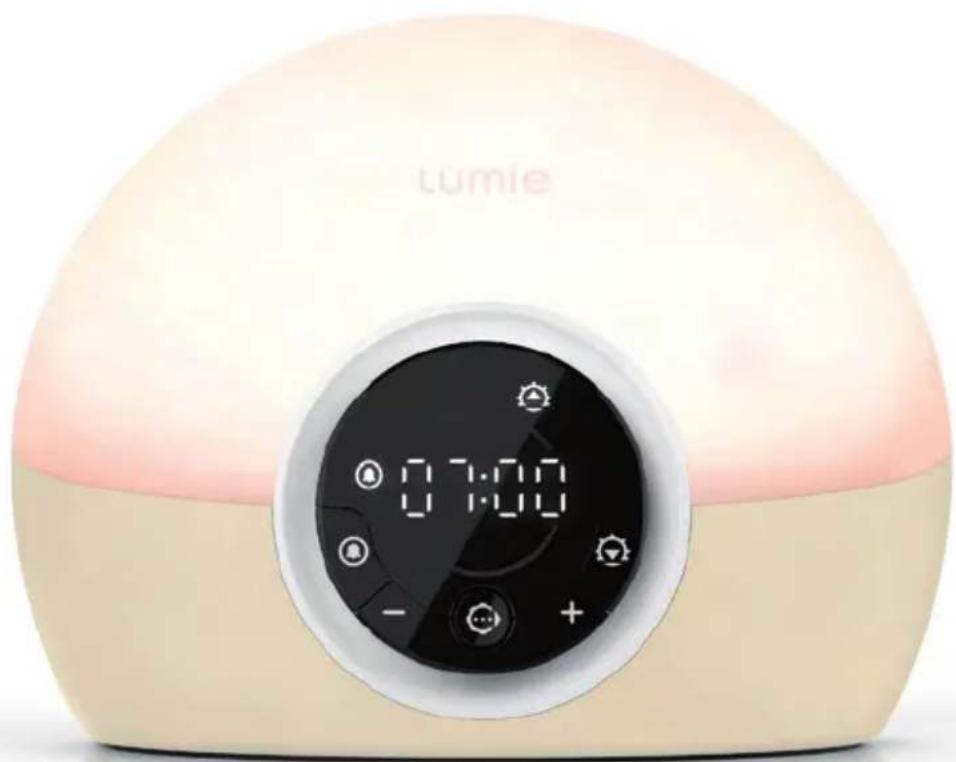
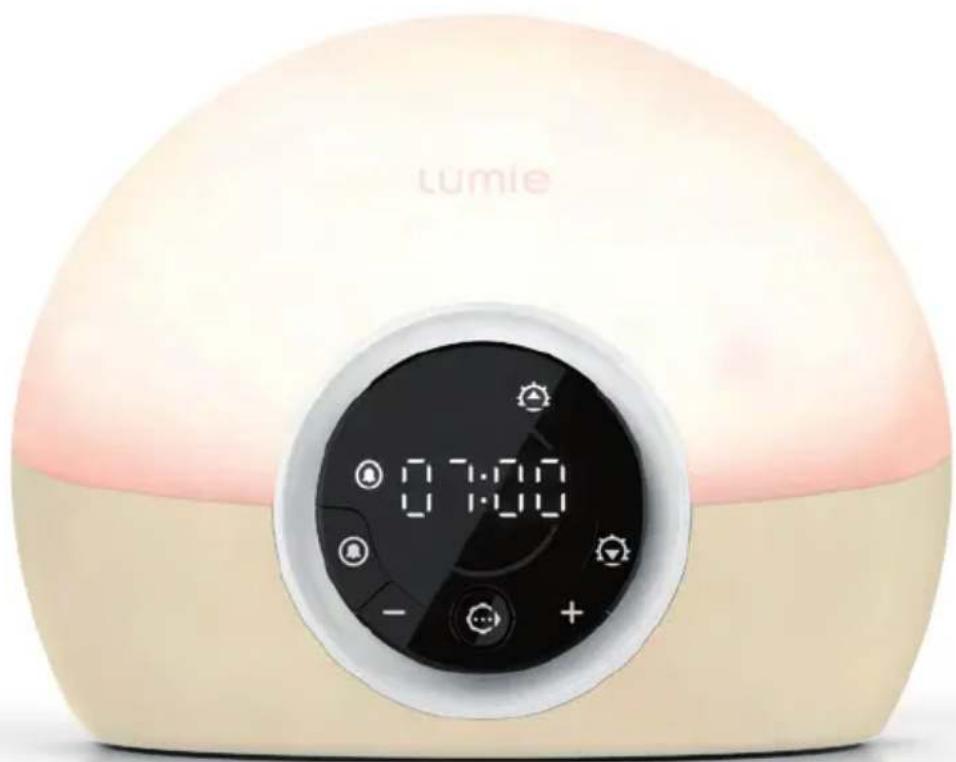
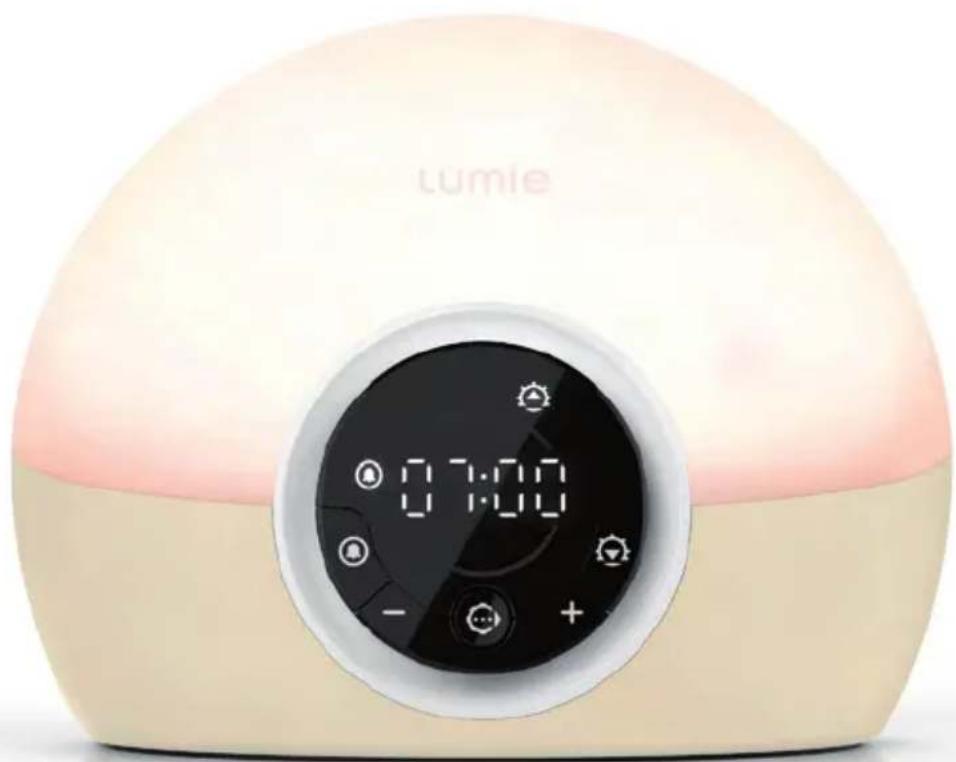
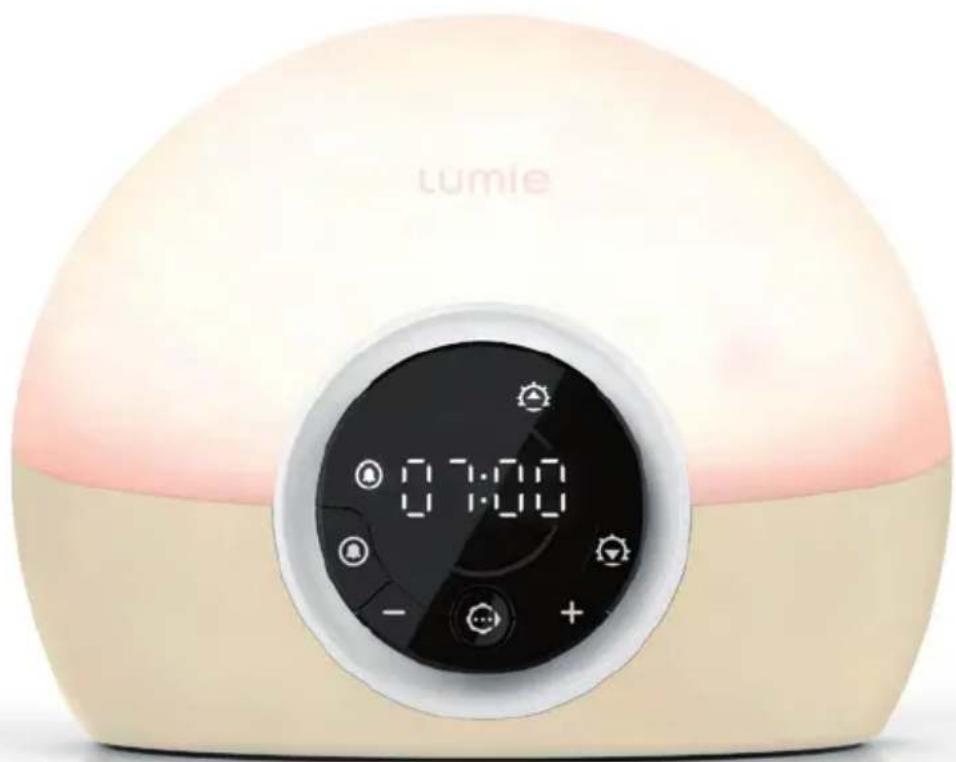
Bodyclock Spark 100 is preset with a 07:00 alarm time, 30-minute sunrise and 30-minute sunset.
To change the alarm time or any other settings, see Alarm time and sunrise options, page 5, and Sunset options, page 7.
Alarm time and sunrise options
- Press and hold ⓤ.
A symbol on the display shows which option you're setting. Continue through the following sequence to set the alarm time and sunrise options:
 | Alarm time | Use⊖ or ⊕ to set the hours.Press ⬙.Use⊖ or ⊕ to set the minutes.Press ⬙ to confirm and continue. |
 | Sunrise light intensity | Use⊖ or ⊕ to set the final brightness of the sunrise: 0 for no sunrise or a level from 1 to 5.Press ⬙ to confirm and continue. |
 | Alarm beep | Use⊖ or ⊕ to set the volume of the optional alarm beep: 0 for no alarm beep or a level from 1 to 5.If you set the sunrise light intensity to 0 you have to set an alarm beep instead.Press ⬙ to confirm and exit to the current time. |
Using the sunrise alarm
You must activate the alarm before you go to sleep each time.
To wake with a sunrise alarm
- Press ⓗ.
The display confirms the alarm time and shows 🔒 to confirm the alarm is activated; for example:
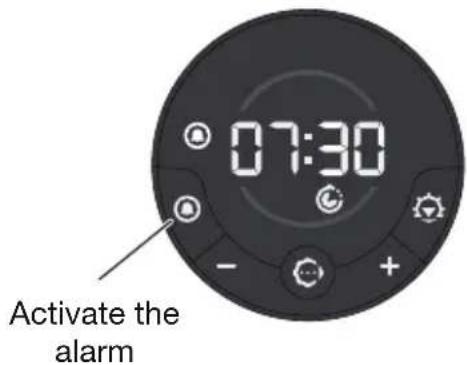
You'll wake with a gradual sunrise and any other sunrise options you have set. See also Alarm time and sunrise options, page 5.
To deactivate the sunrise alarm
- Press ⓗ.
disappears from the display.
To snooze
- Tap the top of the lamp cover.
The sunrise, and alarm beep if set, will repeat after 9 minutes.
To turn off the sunrise and alarm beep
- Press any button.
disappears from the display.
- Press and hold to turn off the light.
Timeout: If the light and alarm beep are not turned off manually, they will turn off automatically after 90 minutes.
Sunset options
- Press and hold ⚡️.
A symbol on the display shows which option you're setting. Continue through the following sequence to set the sunset options:

Nightlight
- Use ⊖ or ⊕ to set a nightlight: 0 for no nightlight (sunset fades to off) or a level from 1 to 5 (sunset fades to nightlight).
- Press ⬙ to confirm and exit to the current time.
Using the fading sunset
When you're ready to sleep, a fading sunset can help you to relax and unwind. See also Sunset options above.
To activate the sunset
- Use or to set the light level.
- Press
The display shows 🔒 to confirm the sunset is activated:
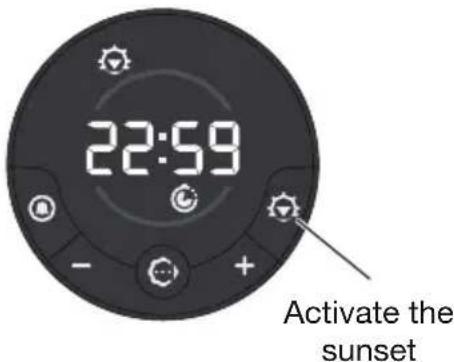
The light will start to fade and any other sunset options you have set will be activated.
To deactivate the sunset
- Press
disappears from the display.
Display brightness
The display automatically adjusts to match the light level in your room when the room is dark and drops to low brightness you're ready to sleep.
You can change this setting if you prefer the display to turn off completely when the room is dark.
- Use the switch in the base of the unit to set OFF or LOW:
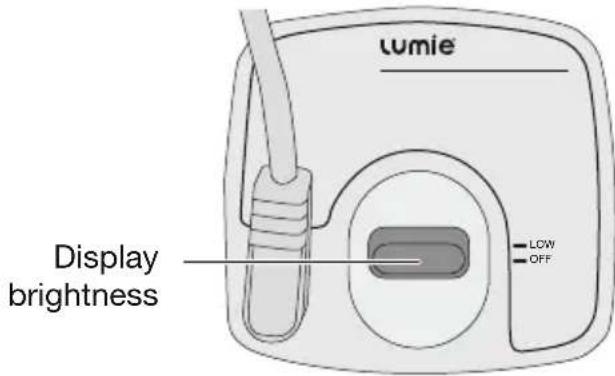
To check the time when the display is off
- Tap the top of the lamp cover.
The display will change to low brightness for a few seconds.
Changing the current time
Bodyclock Spark 100 will keep time for 30 minutes without power. All other settings are permanently saved.
- Press and hold ⬙ until ⭕ appears.
Continue through the following sequence to set the time:

Program The hours will flash.
- Use or to set the hours.
- Press ⬆ to confirm and continue.
The minutes will flash.
- Use or to set the minutes.
- Press ⬙ to confirm and exit to the current time.
Bedside light
Lumie Bodyclock can be used as a fully dimmable bedside light.
- Use or to set the light level.
- Press and hold to turn off the light.
Timeout: If the bedside light is not turned off manually, the light will turn off automatically after 12 hours.
Maintenance
Clean only with a dry or lightly moistened cloth. Always unplug the unit first and let it cool if necessary.
Replacement mains power adaptors are available from Lumie.
To restore the default factory settings
- Turn off the power at the mains.
- Press and hold ⬙ and turn the power back on.
- Release the button when the software version number shows.
LED lifetime
The LEDs in this product will typically last for many years, even with several hours use each day. Although it's unlikely, it's possible for individual LEDs to fail. If this happens, contact Lumie; do not attempt to replace them.
Warranty
This unit is covered under warranty against any manufacturing defect for 3 years from the date of purchase. This is in addition to your statutory rights. If you need to return the product for servicing, use the original packaging (including internal packing) if possible. Make sure the mains power adaptor is prevented from moving in transit and damaging the unit. If the unit is received damaged, through misuse or accidental damage, then we may have to charge to repair it; we will contact you first. Please contact Lumie for further advice.
Note: Any serious incident relating to the unit should be reported to Lumie and to the competent authority in the country where you live.
Technical description
Subject to change without notice.
Bodyclock Spark 100
Detachable accessory: Mains power adaptor (supplied) ☐ Input: 100–240 Vac, 50/60 Hz, 0.4 A max.; Output: 12 V === 1 A (12 W)
Operating conditions: Temperature: 5 °C to 35 °C Relative humidity: 15% to 93% (non-condensing) Atmospheric pressure: 70 kPa to 106 kPa
Storage/transport conditions: Temperature: -25 °C to +70 °C Relative humidity: 15% to 93% (non-condensing) Atmospheric pressure: 25 kPa to 106 kPa
CE European Declaration of Conformity: Medical Device Class I UK CA UK Conformity Assessed MD Medical Device
Contact us
If you have any questions or problems regarding this product, or have suggestions that you feel could help us improve our products or service please email info@lumie.com.
Outside In (Cambridge) Limited, 3 The Links, Trafalgar Way, Bar Hill, Cambridge, CB23 8UD, UK.
Lumie is a registered trademark of: Outside In (Cambridge) Limited, incorporated in England and Wales. Registered Number: 2647359.
VAT No: GB 880 9837 71 (UK) NL 826301381B01 (EU)
EC REP Advena Ltd, Tower Business Centre, 2nd Floor, Tower Street, Swatar, BKR 4013 Malta.
lumie®
bodyclock®
spark 100
Sécurité
Description technique
Outside In (Cambridge) Limited, 3 The Links, Trafalgar Way, Bar Hill, Cambridge, CB23 8UD, UK.
EC REP Advena Ltd, Tower Business Centre, 2nd Floor, Tower Street, Swatar, BKR 4013 Malta.
lumie®
bodyclock®
spark 100
Sicherheit
Outside In (Cambridge) Limited, 3 The Links, Trafalgar Way, Bar Hill, Cambridge, CB23 8UD, UK.
EC REP Advena Ltd, Tower Business Centre, 2nd Floor, Tower Street, Swatar, BKR 4013 Malta.
14 DEU
lumie®
bodyclock®
spark 100
Seguridad
Outside In (Cambridge) Limited, 3 The Links, Trafalgar Way, Bar Hill, Cambridge, CB23 8UD, UK.
EC REP Advena Ltd, Tower Business Centre, 2nd Floor, Tower Street, Swatar, BKR 4013 Malta.
lumie®
bodyclock®
spark 100
Sicurezza
Subject to change without notice.
Bodyclock Spark 100
EC REP Advena Ltd, Tower Business Centre, 2nd Floor, Tower Street, Swatar, BKR 4013 Malta.
lumie®
bodyclock®
spark 100
Veiligheid
Outside In (Cambridge) Limited, 3 The Links, Trafalgar Way, Bar Hill, Cambridge, CB23 8UD, UK.
EC REP Advena Ltd, Tower Business Centre, 2nd Floor, Tower Street, Swatar, BKR 4013 Malta.
14 NED
lumie®
bodyclock®
spark 100
Bezpieczeństwo
Outside In (Cambridge) Ltd, 3 The Links, Trafalgar Way, Bar Hill, Cambridge, CB23 8UD, UK.
EC REP Advena Ltd, Tower Business Centre, 2nd Floor, Tower Street, Swatar, BKR 4013 Malta.
lumie®
bodyclock®
spark 100
Säkerhet
Outside In (Cambridge) Limited, 3 The Links, Trafalgar Way, Bar Hill, Cambridge, CB23 8UD, UK.
EC REP Advena Ltd, Tower Business Centre, 2nd Floor, Tower Street, Swatar, BKR 4013 Malta.
14 SVE
lumie®
bodyclock®
spark 100
Sikkerhet
Outside In (Cambridge) Limited, 3 The Links, Trafalgar Way, Bar Hill, Cambridge, CB23 8UD, UK.
Lumie er et registret varemerke for:
EC REP Advena Ltd, Tower Business Centre, 2nd Floor, Tower Street, Swatar, BKR 4013 Malta.
14 NOR
lumie®
bodyclock®
spark 100
Sikkerhed
Outside In (Cambridge) Limited, 3 The Links, Trafalgar Way, Bar Hill, Cambridge, CB23 8UD, UK.
EC REP Advena Ltd, Tower Business Centre, 2nd Floor, Tower Street, Swatar, BKR 4013 Malta.
14 DAN
lumie®
bodyclock®
spark 100
Turvallisuus
Outside In (Cambridge) Limited, 3 The Links, Trafalgar Way, Bar Hill, Cambridge, CB23 8UD, UK.
EC REP Advena Ltd, Tower Business Centre, 2nd Floor, Tower Street, Swatar, BKR 4013 Malta.








Distributor details:
lumie®
Lumie is a registered trademark of:
Outside In (Cambridge) Ltd
3 The Links, Trafalgar Way
Bar Hill
Cambridge CB23 8UD
UK
© Lumie 2022
S100i2206

- SAFETY
- ELECTROMAGNETIC COMPATIBILITY
- DISPOSAL
- INTRODUCTION
- GETTING STARTED
- ALARM TIME AND SUNRISE OPTIONS
- PRESS AND HOLD Ⓤ
- USING THE SUNRISE ALARM
- TO WAKE WITH A SUNRISE ALARM
- TO DEACTIVATE THE SUNRISE ALARM
- TO SNOOZE
- TO TURN OFF THE SUNRISE AND ALARM BEEP
- SUNSET OPTIONS
- USING THE FADING SUNSET
- TO ACTIVATE THE SUNSET
- TO DEACTIVATE THE SUNSET
- DISPLAY BRIGHTNESS
- TO CHECK THE TIME WHEN THE DISPLAY IS OFF
- CHANGING THE CURRENT TIME
- BEDSIDE LIGHT
- MAINTENANCE
- TO RESTORE THE DEFAULT FACTORY SETTINGS
- LED LIFETIME
- WARRANTY
- TECHNICAL DESCRIPTION
- BODYCLOCK SPARK 100
- CONTACT US
- LUMIE®
- BODYCLOCK®
- SÉCURITÉ
- DESCRIPTION TECHNIQUE
- SICHERHEIT
- SEGURIDAD
- SICUREZZA
- VEILIGHEID
- BEZPIECZEŃSTWO
- SÄKERHET
- SIKKERHET
- SIKKERHED
- TURVALLISUUS
Brand : LUMIE
Model : Bodyclock Spark 100
Category : Light therapy