USER MANUAL 2240 LTE myPhone
myPhone MF2302_MF2302e
www.myphone.pl/qr/myphone-mf2302_mf2302e
LTE: 800/900/1800/2100/2600 MHz
Thank you for choosing MF2302_MF2302e device. Please read the manual carefully.
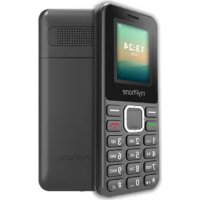
Mobilephone myPhone MF2302_MF2302e has a contrasting, colour display, a torch, Bluetooth and support for dual SIM.
| CAUTION | Statement |
| The manufacturer is not responsible for any consequences caused by improper usage of the phone and not obeying the above instructions. | The software version can be upgraded without earlier notice.
The representative retains the right to determine the correct interpretation of the above instructions. |
THE USE OF THE MANUAL
Without prior written consent of the manufacturer, no part of this manual may be photocopied, reproduced, translated or transmitted in any form or by any means, electronic or mechanical, including photocopying, recording or storing in any systems of storing and sharing information.
www.myphone.pl/qr/myphone-mf2302_mf2302e
Depending on the installed version of the software, applications, service provider, SIM card or country, some of the descriptions in this manual may not match your phone.
SAFETY
Read these guidelines carefully. Not following these guidelines may be dangerous or illegal.
-DO NOT RISK-
All wireless devices may cause interferences, which could affect the performance of other devices. Do not switch on the device in places where it is prohibited or if it might cause interference or other danger.
-PETROL STATIONS-
Turn off the device while refuelling your car on petrol station. Don't use your device close to chemicals.
-RESTRICTED AREAS
Switch off device in an airplane since it may disturb the operation of other equipment located therein. The device may interfere with operation of the medical equipment in hospitals and health protection entities. Abide by any kinds of prohibitions, regulations and warnings conveyed by the medical staff.
-QUALIFIED SERVICE
This product may only be repaired by the manufacturer's qualified service department or by an authorized service center. Repairing by an unauthorized or unqualified service may cause device damage and warranty loss.
- CHILDREN AND PHYSICALLY OR MENTALLY DISABLED PEOPLE
This device should not be operated by people (including children) with limited physical or mental abilities, as well as by people with no earlier experience in operation of electronic equipment. They may use the device only under supervision of people responsible for their safety. This device is not a toy. Memory card and SIM card
are small enough to be swallowed by a child and cause choking. Keep the device and its accessories out of reach of children.
-WATER AND OTHER LIQUIDS-
Protect the device from water and other liquids. It can influence work and the life span of electronic components. Avoid using the device in environments with high humidity like kitchens, bathrooms or during rainy weather. Particles of water can cause the liquefaction of moisture in the device, and this may have a negative impact on the work of electronic components.
-ROAD SAFETY-
Do not use this device while driving any kind of vehicle.
-BATTERY AND ACCESSORIES
Avoid exposing the battery to very high/low temperatures (below 0^ / 32^ and over 40^ / 104^ ). Extreme temperatures may influence capacity and battery life. Avoid contact with liquids and metal objects as it may cause partial or complete battery damage. The battery should be used only according to its purpose.
Do not destroy, impair or throw the battery into flames - it is dangerous and may cause fire. Worn-out or impaired battery should be placed in a dedicated container. Excessive charging the battery can cause damage. Therefore a single battery charge should not last longer than 1 day. Installing an incorrect battery type can cause an explosion. Never open the battery. Please dispose of battery according to the instructions. Disconnect an unused charger from power grid. In case of the charger wire damage, it should not be repaired but replaced with a new one. Use only the original manufacturer's accessories.
-SOUNDS-
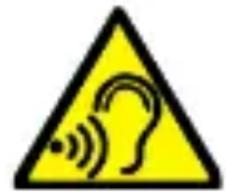
To avoid hearing damage, do not use the device at high volume levels for a long period of time, do not
put operating device directly to the ear.

-EYESIGHT-
To avoid eyesight damage do not look closely onto the flash light during its work. A strong bean of light
may cause permanent eye damage!
Manufacturer:
mPTech Sp. z 0.o.
Table of contents 22
Package content 23
Technical specification 23
Additional Technical Information 24
Description of phone buttons and functions 24
Turning the phone on/off 26
Inserting SIM card(s), memory card and battery 26
Charging the battery 27
Locking the phone 27
Emergency change of language 27
Software update 27
Factory settings 28
Troubleshooting 28
Device maintenance 29
Correct disposal of used equipment 29
Correct disposal of used batteries. 30
Package content
Before you start using your phone, make sure all of the following items are included in the box:
- mobilephone,
- battery,
- charger,
- User manual.
If any of the above items is missing or damaged, please contact your dealer. We advise to keep the container in case of any complaints. Keep the container out of reach of children.
Technical specification
Dual SIM
GSM: 900/1800 MHz
UMTS: 900/2100 MHz
LTE: 800/900/1800/2100/2600 MHz
Clear, colourful 1.77" display 126x180 px
Audio player, FM Radio, Torch, Bluetooth 5.1
Internal memory: 48 MB+128 MB
MicroSD card reader: up to 64 GB
Battery:
MF2302: Li-ion 800 mAh, 3.7 V
MF2302e: Li-ion 1000 mAh, 3.7 V
Charger input parameters: 100-240 V 50/60 Hz 0.2 A
Average efficiency during operation (for 230 V, 50 Hz): 74.37%
Energy consumption in no-load condition: less than 0.069 W
Phone dimensions: 121 x 50 x 13.3 mm
Phone weight: 77.9 g
The phone will hold up to 300 contacts in its phonebook and its internal memory allows you to store up to 200 text messages. To use the camera and enter your own ringtones, it is recommended to mount the SD memory card in your phone.
Description of phone buttons and functions
| 1 | Display | LCD display. |
| 2 | Speaker / Buzzer | A speaker used in phone conversations.
It also generates ringtones and notification sounds, and can be used to play music from a player or FM radio. |
| 3 | Button <Menu> | While on the main screen enables entering the Menu, and confirms choice while in the Menu. |
| 4 | Button <Contacts> | On the home screen it allows you to enter the phone book [Contacts].
In the Menu, it allows you to exit or abandon a selection. |
| 5 | Button <Green handset> | Allows to answer an incoming call. In standby mode, allows you to view the call list. |
| 6 | Button <Red | Allows you to reject an incoming call. |
| handset> | While in the Menu allows you to return to the main screen. It allows you to turn off the phone in standby mode, and turn it on when the phone is off by holding it down for a long time. |
| 7 | Buttons<Up>,<Down>,<Left>,<Right> and <OK> | While in Menu allows to navigate through it. On the main screen <Up>Turns on the video player, <Down> turns on the alarm Menu, <Left> calls up the sound profile selection Menu,<Right>calls up the message Menu,<OK> works as a button <Menu> and, if held down long enough, turns the flashlight on/off. |
| 8 | Gap | Allows to take off a cover of the phone. |
| 9 | Phonekeypad | Buttons allowing you to dial a phone number and, in the text message mode, type letters and digits. |
| 10 | Button<Star> | When creating an SMS message, displays symbols to insert into the content. On the home screen, pressed after previously pressing <Menu> locks the keypad. When the phone has a locked keypad, pressed after previously pressing <Menu> unlocks the phone. |
| 11 | Button<Cross> | While on the home screen allows you to switch sound profiles of the phone. When writing an SMS, it switches |
| | between character input modes. |
| 12 | Headphone port | For connecting headphones (as an antenna when listening to FM radio). |
| 13 | LED | Diode is used as a torch. |
| 14 | USB-C port | When connected enables recharging the battery. When connected by cable to a computer, you can exchange data (photos, videos, music). |
| 15 | Microphone | Do not cover it with your hand while on the phone. |
Turning the phone on/off
To turn the phone on/off press and hold Red handset until the phone switches on. If directly after turning the phone on you will see the PIN code request, (in form of “****”) type the code and press button Menu.
Inserting SIM card(s), memory card and battery
If the phone is switched on - switch it off. Remove the back cover of the phone - use your fingernail to raise it using the gap in the case and remove the battery. Insert the SIM card(s) - place the SIM card(s) with its (their) golden contacts facing down as the recess is embossed.
Insert the microSD memory card - Insert the microSD memory card with its gold contacts facing down, the way in which the slot is made. Insert the battery so that its gold contacts touch the tripple connector in the phone bay. Put on and gently press down the cover until you hear the click of the latches. Make sure the cover is well attached.
Charging the battery
Connect the USB-C plug on the charger cable to the phone's USB-C socket and plug the charger into a wall outlet.
*CAUTION: Improper connection of the charger can cause serious damage to the phone. Damages caused by an improper use of the phone are not covered by the warranty.
While charging, the static battery status icon located in the upper right corner of the screen will be animated. After charging, disconnect the charger from the electrical outlet. Unplug the cable from the phone's electrical outlet.
Locking the phone
To lock the keyboard press [Menu] > < ^> . To unlock the keyboard press [Unlock] > < ^> .
Emergency change of language
To set the user's language, if someone accidentally chose an unknown one, press the [Menu] > Left > OK > Down > OK > Down > OK > OK, and choose the language you want.
Software update
The manufacturer, from time to time, provides system software updates through which devices receive new capabilities, fixes, etc. The phone will inform the user about the available update. After receiving the notification, go to the update center: Settings -> Update, in order to run it. The information about an available update can be checked at any time. After choosing an available update, the phone will automatically install it.

During the update process, the device may reboot itself
several times. Do not remove the battery or use its functions at that time, as this may cause the device to stop working.
Factory settings
To restore the factory settings, select in the phone Menu: [Settings] > [Restore factory settings]. The code for resetting to factory settings is: 1122.
Troubleshooting
| Message | Possible solution |
| Insert SIM card | Make sure that the SIM card is installed correctly. |
| Input PIN | If the SIM card is secured with the PIN code you have to enter the PIN when turning the phone on and press <OK>. |
| Network fail | In areas with a weak signal, it may not be possible to make calls. You may also not be able to receive calls. Move to another location and try again. |
| No one can call me | The phone has to be on and within GSM network reach. |
| Poor sound quality during conversation | Make sure that the speaker and microphone are not covered. |
| I cannot hear the caller./ The caller cannot hear me | The mic. should be close to mouth. Check if the built-in mic. is not covered. When a headset is un use, check if it has been connected correctly. Check if the built-in speaker isn't covered. |
| The connection cannot be established | Check if the typed-in phone number is correct. Check if the phone number entered to the [Contacts] is correct. Enter the correct phone number if necessary. |
Device maintenance
Follow the instructions below.
- For cleaning use only a dry cloth. Never use any agent with a high concentration of acids or alkalis.
- Use the original accessories only. Violation of this rule may result in an invalidation of the warranty.
Correct disposal of used equipment
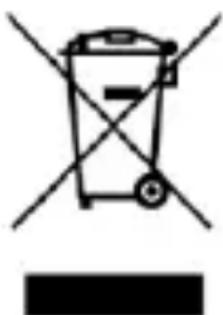
The device is marked with a crossed-out garbage bin, in accordance with the European Directive 2012/19/EU on used electrical and electronic Equipment (Waste Electrical and Electronic equipment - WEEE).
Products marked with this symbol should not be disposed of or dumped with other household waste after a period of use. The user is obliged to get rid of used electrical and electronic equipment by delivering it to designated recycling point in which dangerous waste are being recycled. Collecting this type of waste in designated locations, and the actual process of their recovery contribute to the protection of natural resources. Proper disposal of used electrical and electronic equipment is beneficial to human health and environment. To obtain information on where and how to dispose of used electrical and electronic equipment in an environmentally friendly manner user should contact their local
government office, the waste collection point, or point of sale, where the equipment was purchased.
Correct disposal of used batteries
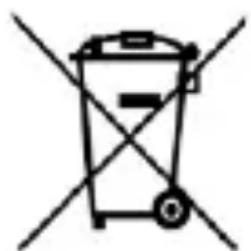
According to the EU directive 2006/66/EC with changes contained in EU directive 2013/56/UE on the disposal of batteries, this product is marked with crossed-out garbage bin symbol. The symbol
indicates that the batteries used in this product should not be disposed with regular household waste, but treated according to the legal directives and local regulations. It is not allowed to dispose of batteries and accumulators with unsorted municipal waste. Users of batteries and accumulators must use the available collection points of these items, which allows them to return, recycle and disposal.
Rychly námod
myPhone MF2302_MF2302e
www.myphone.pl/qr/myphone-mf2302_mf2302e
LTE: 800/900/1800/2100/2600 MHz
www.myphone.pl/qr/myphone-mf2302_mf2302e
LTE: 800/900/1800/2100/2600 MHz
www.myphone.pl/qr/myphone-mf2302_mf2302e
LTE: 800/900/1800/2100/2600 MHz
https://www.myphone.pl/qr/myphone-mf2302_mf2302e
LTE: 800/900/1800/2100/2600 MHz
https://www.myphone.pl/qr/myphone-mf2302_mf2302e
LTE: 800/900/1800/2100/2600 MHz
https://www.myphone.pl/qr/myphone-mf2302_mf2302e
LTE: 800/900/1800/2100/2600 MHz
https://www.myphone.pl/qr/myphone-mf2302_mf2302e
LTE: 800/900/1800/2100/2600 MHz
https://www.myphone.pl/qr/myphone-mf2302_mf2302e
LTE: 800/900/1800/2100/2600 MHz
Mostrador colorido com contraste 1.77" 126x180 px
https://www.myphone.pl/qr/myphone-mf2302_mf2302e
LTE: 800/900/1800/2100/2600 MHz
https://www.myphone.pl/qr/myphone-mf2302_mf2302e
LTE: 800/900/1800/2100/2600 MHz
Skaidrus, spalvotas ekranas su jstrižainiu 1.77" 126x180 px
Garso grotuvas, FM radijas, Žibintuvélis, Bluetooth 5.1
Vidiné atmintis: 48 MB+128 MB
MicroSD atminties korteliu skaitytuvas 64 GB
Baterija:
MF2302: Li-ion 800 mAh, 3.7 V
MF2302e: Li-ion 1000 mAh, 3.7 V
Jkroviklio jejimo parametrai 100-240 V 50/60 Hz 0.2 A
https://www.myphone.pl/qr/myphone-mf2302_mf2302e
LTE: 800/900/1800/2100/2600 MHz
Skaidrs, krāsains displejs ar diagonali 1.77" 126x180 px
Audio atskaŋotājs, FM radio, zibspuldze, Bluetooth 5.1
lekšejā atmiŋa: 48 MB+128 MB
https://www.myphone.pl/qr/myphone-mf2302_mf2302e
LTE: 800/900/1800/2100/2600 MHz
Afisaj clar, color 1.77" 126x180 px
Player audio, radio FM, Lanternă, Bluetooth 5.1
Memorie interna: 48 MB+128 MB
https://www.myphone.pl/qr/myphone-mf2302_mf2302e
B 3aBnCmOCTH OT yCTaHOBJIeHHoB BepcH NpOgrpaMMHOrO o6ecIpeHn, IprNIOJKeHn, IocTaBUnka ycIyr, SIM-kaPbI HJIH
CTpaHbI, HeKOTOpbIe OINcAHnB 3TOM pyKOBoJcTBe MOryT He COOTBeTCTBOBaTb BaIIeMy TeJIeΦOHy.
BE30IACHOCTb
BHHMaTeJIbHo 03HaKOMbTecb c IIprHBeIeHHbIMN 3IeCb COBeTaMH. HecO6JIIOJdeHHe HAcToaIuX IpaBnJI MoKeT 6bITb OIIaCHbIM NJIH He3aKOHHbIM.
—HE PNUCKYUITE—
Bce 6ecnpoBOHbIe ycTpoNCTBa MOrYT c03daBaTb IOMexn, KOtOpbIe MorYr BJIaTb Ha pa6Otu dpyrHx ycTpoNCTB. He BKJIIOuAHTe yCToPcTBo B MeCTax, rJe 3TO 3aIIpeIeHo, nJIn ecJN 3TO MoKTe BbI3BaTb IOMEXn HJN dpyrTuO OIaCHOCTb.
—ABTO3AIIPABOYHbIECTAHIIN—
BbIKJIOuAte ycTPOcTBO npn 3aIpaBKe aBTOMo6nla Ha A3C. He HcNoJIb3yIte ycTPOcTBO pIOM C XHMHueCKHMn BeIeCTBaAMN.
- OΓPAHиЧЕHHbI E 30HbI—
UcTpoIcTBo Heo6xOJHMo BbIKJIouaTb B caMOJIeTe TaK KaK OHO MoJKe T BInrTa H a 0yHKIIOHnPOBaHne IpyrOro 06OpyIDOBaHnpaCIOJIOJKeHHoro B HEM. UcTpoIcTBo MoJKe T MeIaTb pa6Ote MeINHCKOrO 06OpyIDOBaHnB 6OJIbHNzax N MeINHncknx yUpeJXeHnX. Co6JIIOaIte JIO6bIe 3aIpeTbI, IpaBnJa n IIpeDyIIpeJXeHnO3ByueHHbIe MeINIHCKM IepCOHaJOM.
—KBAJIHΦHUNPOBAHHOE TEXHUYECKOE OBCJYKUBAHNE— ΘTO n3dJIne pa3eIeHNO peMOHTnpoBaTb TOJIbKO KBaJIHΦHnPOBAHHbIM cepBnCHbIM OTJeIOM IPOH3BOAnTeJIy HJIaBTOpH3OBaHHbIM cepBnCHbIM ΚeHTpOM. PeMOHT OcyIeCTBJIeHHbI HecaHKIHOHnPOBaHHbIM HJIH HeKBaJIHΦHnPOBAHHbIM ΚeHTpOM MoKeT IIpNBecTH K IOBpeJdeHIO TeJIeΦOHa I IOTepN rapaHTHn.
—ETNJIIOHNC OPGAHUeyHHbIMN BO3MOJXHOCTaMNI 3TO yCTpoIcTBO He IOLJxHO 3KcIIyATnpOBaTbcra JIOdbMn (BkJIIOyAJeTei) C OgpaHNeHHbIMN 0H3NuYeCKHMn HJIYUmCTBeHHbIMN cIOco6HOCTaMn, a TaKKe JIODbMn, He NMeIoIIMN OIIbTa pa6OtBi c 3JIeKTPoHHbIM o6OpyIDobAHHeM. OH NmOryT
HcnoJb30BaTb yCTpoIcTBO TOJIbKO IOD Ha6JIIOJeHHem JIOJeN, OTBeTCTBeHHbIX 3a Hx 6e3OIIacHocTb. 3TO yCTpoIcTBO He HrpyuHa. KapTa namrH SIM-KapTa IOCTaTOUHO MaJIbI, YTO6bI Hx MOr IIporIoTHTb pe6eHOK, YTO MoKeT BbI3BaTb yDyIiBe. XpaHnTe yCTpoIcTBO H erO akceccyapbl B HeIOCTUINHom dJIa JeTeH MeCTe.
- E30IACHOCTb IOPOXHOrO ABHXEHN--
He nCIOJIb3yIte 3TO yCTpOcTBO BO BpeMЯ BOJKeHnЯ JIO6Oro TpaHCIIOpTHOrO cpeIcTBA.
-BOIAHIPYTNKIOKCTN
Bepereyctbo OT IopaaHn BObI IN dpyrnx KndKocTe. 3TO MoKeT HeaTHBHO BInrTa Ha 3JeKtpoHHbIe KOMIOHeHTbI TeJefoHa. H36eraIte NcNoJIb3OBAHn yCTpoCTBa B MecTax C BBICOKO BJIaJXHOCTbIO, TaKHX KaK KyXHN, BaHHbIe KOMHaTbI IN JIN B DOxJINByIO IOROy. YactNcbl BOdbI MOryTBbI3BaTb CkONJIeHne BJIaRn B yCTPOHCTBe, YTO MoKeT OTPuIaTeJIbHO cKa3aTbcra Ha pa6ote 3JeKtpoHHbIX KOMIOHETOB.
-BA T A P E R N A K C C E C Y A P bI—
He IIOBepraIte 6aTapeIO BO3JeNCTBnIO OueHb BbICOKHX/Hn3KHX TeMIIepaTyp (HNKe 0^ n BbIiE 40^) .3KcTppeMaJIbHbIe TemIepaTypbI MOyT IOBJINrTb Ha MOUHOCTb H cPOK CJIyK6bI 6aTapeN.36eraIte KOHTaKTa C JNkOCTaMn H MeTaJIInueCKHMn IIpeIMeTaMn TaK KaK 3TO MOJET BbI3BaTb YactNuHoe NJI INoJIHoe pa3pyuHne 6aTapeN. BaTapeYdoJxHa HcNoJb3OBaTbcY TOJIbKO B COOTBeTCTBnN C eE IIpeDHa3HaueHHeM.
He pa3pyuatae, He pa36npaIte H He 6pocaiTe 6aTapeo B orOHB - 3TO OIIacHO H MoKeT PnBecTN K IIOJapy. N3HOWeHHbIe HJIH IOBpeKdEHHbIe 6aTapeN DOJIKHbI 6bITb IOMeIeHbIB CneIaJIbHbI KOHTeHep. Upe3MepHa 3apJka 6aTapeN MoKeT PnBecTN K eE IIOBpeKdEHHIO. TaKIM o6pa30m OJHa 3apJka 6aTapeN DoJIKHa DlNTbcr He 6OJIee 1 INr. YcTaHOVBKa HeInpaBnJIbHOrO TnPa 6aTapeN MoKeT PnBecTN Ko B3pblBy. HNKoTdA He pa36npaIte 6aTapeIo. YtJIn3npyIte 6aTapeo B
COOTBeTCTBHN C HNCTpyKcHMaM. OTKJIIOUHTe HeHCNoJb3YeMoE 3apIaHoe yctpoiCTBO OT cETn PHTaHn. B cIyuae IOBpeJdeHn Ka6eJa YcTPOiCTBa, eRo Heo6XoIMo He peMOHTnpOBaTb, a 3aMeHnTb HObIM. IcnoJb3yIte ToJIbKO opHnHaJIbHbIe akceccyapbl OT pOHN3BOdnteJIa.
-3BYKU—
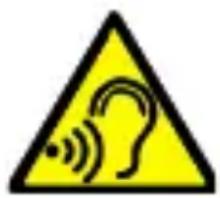
Bo n36eJahanne IOBpeJdeHnna Clyxa He HcIIOJIb3yIyTe yCTpoIcTBO Ha BbICOKHX yPOBHNX rPoMKOcTH B TeueHne JInTeJIbHOro IepNoJa BpeMeHn, He IIpNCJIOHnTe yHKUHOHpyIOuIee yCTpoIcTBO
HeIocpeIcTBeHHO K yxy.
-3PEHNE-

Bo n36eKaHne IOBpeJdeHn 3peHn H36eRaIte IprMOrO KOHTaKTa C CBETOM OHaPra IprN eRo BKJIIOUeHn. CnJIbHbI JLyU CBeTa MoKeT IprNBecTH K Heo6paTMOMy IOBpeJdeHnIO rJa3!
Пронзводntель:
mPTech Sp. z o.o.
YI. HOBOrpoJ3ka, 31
00-511Bapsha,Повьшa
CaiT: www.mptech.eu
Copepknne
Copejkanne. 188
CoidepkaHne ypaKOBKn 189
TexHnuecka cneuKauia 189
LTE: 800/900/1800/2100/2600 MHz
Japkn, zBteHoi nnCpIe 1.77" 126x180 px
Aydnno pIeep, FM-paIHo, fOHaPnK, Bluetooth 5.1
BHyTpEnHja PAmTb: 48 MB+128 MB
Под��жka microSD до 64 GB
BaTape:
MF2302: Li-ion 800 mAh, 3.7 V
MF2302e: Li-ion 1000 mAh, 3.7 V
BxoHbIe npaMeTpbl 3apAnHO ycTpoCtBa: 100-240 V
50/60 Hz 0.2 A
CpeHnna 3ΦΦeKTHBHO BOBpeMa pa6oTbI (JIa 230 B,50 T):
74.37%
EcIn Ha TeJIeOHe yCTaHOBJIeH HeIN3BeCTHbI J3bIK, ero MoJHo IOMeHTb. BbIaHTe Ha rJaBbIh 3KpaH n HaxMITE KJIaBHIbI: [MeHIO] > BJeBO >OK> BHN3> >OK>BHN3 > OK, a 3aTeM BbI6epHTe HJXHbI J3bIK.
3abOdckne HaCTpOiKn
Чтобь ВocstahOBHTb 3aBOДСКн He HacTpOйKn, BbI6epHTe B MeHIO TeJIeФОHa: [HacTpOйKn] > [BocStaHOBJeHne 3aBOДСКnx HacTpOeK]. KoД ДЯ сбposca K 3aBOДСКнm HacTpOйKam: 1122.
YcTpaHHe HeNcIpaBHOCTeI
| Сообшени | Возможhoe решени |
| Вставытse SIM-карту | УбeДиТecь, чTO SIM-карту
уstаНовлена правильно. |
| Плoxoe качесъвka
ВО время разговора | УбeДиТecь, чTO ДИнамиК И мИКрофОн
псизakрьть. |
| ВveДиTe PIN | Если SIM-kapTa 3aШицHeNA PIN-коДOM, bIdoЛжны ВВecТи PIN-коДПри BКлчe"Hn TeJefОHa n HаЖаТь <OK>. |
| Сбой сети | ВоВрмя 3apЯДи 3naЧОК cTаТчeSCKOrO coSTоHnA aKKуМуЛЯТopa, распОLOжЕньВ bIprabOM BepXHeM yгЛу 3kpaHа, cTaNehТ aHIMNIPOBaHHbIM. ПocLE 3apЯДи OTKЛюЧITE 3apЯДиоe устpoIcTBо OT eJIeKTPnueSCKо рoЗETKN. CMeHNTe MecToПОЛоЖe"Hne n ПОПрБуИte сНова. |
| Я He сльшу 3ВОняшero/3ВОняши Ne сльшт Meня | МИКрфОн ДOLжeн 6bITь 6Ll3KO Ko pTy. ПрOBерБte He PrINKpbIT Лm MИКрфОн. ПprN HCПОЛьЗОВанн rapHNTypbl, прOBерБte PrPavHЛьHOCtB eE ПОДКЛюЧe"Hn. ПрOBерБte He ПрIKрБIT ЛДИнamNK. |
| До Meня НИКTO He можET д03ВОнHTьСЯ | TeJefOн DoJжeH 6bITь BkLJOчeH n haxOДиТьСВ B ПpeДeЛax ДОсЯГaEOCTH cETH GSM. |
| СоедиЕнne He можET 6bITb UcTahОвЛeHo | ПрOBерБte, правильно ЛN BBeDeH homeР TeJefФОha. ПрOBерБte,ЯВ liaETcЯ ЛправильнБIM BBeДeHьI HomeР TeJefФОhaВ [КоNTаКТы] PrpavHЛьНьI. ПprN HeobxOДиMOCTH BBeДиTe PpavHЛьНьI HomeR TeJefФОha. |
06cIyKbHne yctpoiCTBa
CJIeIyIte HnCTpyKzIaM HnJKe.
IIpOu3BODHTeJI HNKoYaCT OT TOBa pBkoBOCTBO He
www.myphone.pl/qr/myphone-mf2302_mf2302e
BG © mPTech 2023. Bcnykn npaba 3aana3eHn. MF2302_MF2302e B 3aBncnmoCT ot HnctaJInpaHaTa BercnHa coΦTyepa, IIpIIOJKeHHaTa, DocTaBUnKa Ha ycIyRn, SIM KapTaTa nn CTpaHaTa, HAKON OT OINcaHHaTa B TOBa pBkoBOdCTBO MoKe Da He CbOTBeTCTBaT Ha BaIINa TeJeΦOH.
BE30IACHOCT
00-511 Warsaw, Poland
Ye6caT: www.mptech.eu
BG © mPTech 2023. BcnuKn npaBa 3aana3eHn. MF2302_MF2302e
CbIbPkaHne
CbIbpxKaHne 201
CbIbpxKaHne onaKOBka 201
TexHHueckxapaKTepeNCTnKn 202
IopbJIHnTeJIHa TexHnuecka HhΦopMaunra. 202
OIIncaHne Ha 6yToHnTe H yHKUnHe Ha TeJeΦoHa... 202
N3KJIIOUVAHe/BKJIIOUVAHe Ha TeJeΦOHa 205
Claarhe ha SIM kaPta, kaPta namet H 6aTepey. 205
3apekdahe ha 6aTeprnaTa 206
3aKJIIOUbaHe Ha TeJeΦOHa 206
HnndeHTHa cMaHa Ha e3Ha 206
AkrtyaJIH3aIINHa coΦTyepa 207
Φa6pHnHaCTpoKn 207
YeceTo cpeuHn npo6JIeMn 207
IopdpbKka n rpnKn 3a TeJefoHa 208
IpaBnJIHo n3XbIe Ha n3NoJ3BaHa aIapaTypa. ... 209
IpaBnJIHo n3XBbPJIaHe Ha n3NoJ3BaHn 6aTepnn .... 210
CbIbpxKaHne ONaKOBka
LTE: 800/900/1800/2100/2600 MHz
IaceH, 1.77" nncnien 126x180 nnKceJa
Aydno IIeBp, FM paINo, ΦeHep, Bluetooth 5.1
BbtpeHa pameT: 48 MB+128 MB
MicroSD ueTeu ha Kaptn - do 64 GB
Батугия:
MF2302: Li-ion 800 mAh, 3.7 V
MF2302e: Li-ion 1000 mAh, 3.7 V
XapakTepeNCTnKn 3apAaNo:100-240V=50/60Hz0.2A
CpeɪnHa eΦɪkacHocT Ha pa60Ta (3a 230 V, 50 Hz): 74.37%
CpeH pa3xOJ Ha eHeprIy IIpn cJa6o HATOBaHe: IOMaJIko oT 0.069 W
Pa3mepn: 121 x 50 x 13.3 mm
TeTIO: 77.9 g
ДоПьЛНTeЛнaТeХиЧecka Информацья
TeJeOHTIe CbXpaHЯBa Do 300 KOHTaKTa B TeJeΦOHnYka3aTeJI N BbTpeIHHaTa My NaMeT Ie cBxpaHЯBa Do 200 TeKCTOBn CbO6IeHn. 3a Da H3IOJ3BaTe KaMepaTa N da BbBeJeTe CO6CTBeHn MeIoDn, IIpeIopbYBaMe Da IocTaBNTe SD KapTaTa C NaMeT B TeJeΦOHa Cn.
Описане насятонту и Функцни Te Ha TeJeфona
| 1 | Диспileн | LCD диспileн |
| 2 | Говорител / 3вьhoeц | Говорител, Из(IOJ3Ван 3a
Тe liqueфоннı pa3roBopn. Генерира
TOHOBе Ha 3Вьhoe He и ИЗВecтия и
Може за ce Из(IOJ3Ва и 3a |
BG © mPTech 2023. BcnuKn npaBa 3aapaneHH. MF2302_MF2302e
| | ВъзпронзВexдаHe Na MyзИкa OT Плейьра Или OT FM радио. |
| 3 | <MeNo>6byToH | Korato cTe Na Главня ekpan сНатнсканeto My ile BilezeTe B MeHIOTo. Докato B MeHIOTo ileПOTВьрДITE ИЗБРанATA OПЦЯ. |
| 4 | <КontakТи>6byToH | Докato Na Главня ekpan epa3peшено ВЛиЗАнeto B TeJIeФОннЯ указATEЛ [ТелефОннЯ указATEЛ]. Докato cTe B MeHIOTo, можeteдаИЗЛeЗЕТe Илида се OTКAZte. |
| 5 | <3eJIeHaСлУшалka>6byToH | ПлозвOLЯВа дa приемаTe BXODЯШо обжданe. В peЖим нагOTOBHOCТ можete за ВиДиTe CПиськa с ПОВИКВаня. |
| 6 | <ЧерваСлУшалka>6byToH | ПлозвOLЯВa Bn Дa OTXBьрДITE BXODЯШо IOВИКВанe. Докato B MeHIOTo Bn ПОЗВOLЯВa Дa ce BьрHeTe КьМ Главня ekpan. Докato cTe B peЖим наГOTOBHOCT, ТОй ПОЗВOLЯВa Дa ИЗКЛЮчNTe ДИСПLEЯ и aKO ГНATиСнЕТe пordьЖИтЕЛHo, Дa ГИЗCHeTe ПрОДьЛЖИтЕЛHо, Дa GИЗКЛЮчЕТe Или ВКЛЮчЕТe OTHOBO. |
| 7 | Бутони<HaRope>,<HaДоЛу>,<HaДяВо>,<HaДяСно>, | Докato cTe B MeHIOTo можeteдаНавиГираTe B MeHIOTo. BНачалпя ekpan<HaRope>ВКЛЮчВa BИДeОПлЕйыр,<HaДоЛу>ВКЛЮчВa MeHIOTo 3a |
BG © mPTech 2023. BcnuKn npaBa 3aapaneHH. MF2302_MF2302e
| и<OK> | аларma, <наляво> ИЗВИКВа
MeHЮТо 3a ИЗбор На пюфпil 3a
ЗБУК, <OK> ИЗВИКВа MeHЮТо 3a
Сьобшени, <OK> <MeHIO> И"aКо
e HaTиСНаТ ДыЛIGО, ВКЛЮЧВанe /
ИЗКЛЮЧВанe Ha ΦeHepчeTo. |
| 8 | П reproцп | ПоЗВOLЯВа дa ИЗВадиTe КалаKa
Ha TeIeФОнa. |
| 9 | Клавиatype | БуTOн, ПОЗВOLЯВаши Naбиран
Ha TeIeФОнeн Homeр в Ичални
Екpan И ВьБжданe Ha 6byKNi
HOMepa 3a СыДьрЖанeTo Ha
СьобшениTo B reJIMn 3a ПИсан
Ha SMS. |
| 10 | <*>БуTOH | Korato Пишete SMS, Той пoka3Ba
СИМВОЛи 3a ВмьКВанeВ
СыДьрЖанeTo. HA Naчални
Екpan HaTиСнeTe сLEД KaTO
HaTиСнeTe <Menu> 3akJIQUvBa
КлавиatypeРа.Ta. Korato
TeIeФОньТ Ви Имa 3akJIQUeHa
Клавиatype, 6byTOhT, HaTиСнaT
СLEД п徳ВарпeЛINO HaTиСнaT
БуTOH <MeHIO>, OTKЛЮЧВa
TeIeФОнa. |
| 11 | <#=БуTOH | Докато стЕ на Начални eKpaH,
МожеTe Дa пeВКЛЮчВaTe
3ByKOBи пюфпil Na TeIeФОha.
Korato Пишete SMS, Той
пpeВКЛЮчВa ржим 3a
ВьВeждaHe Na CИМВОЛи. |
BG © mPTech 2023. BcnuKn npaBa 3aIa3eHn. MF2302_MF2302e
ClaTaHe Ha SIM KapTa, KapTa NaMeT N 6aTePnY.
Ako TeIefoHbTe BkJIIOueH - H3KJIIOueTe ro. OTrpaHeTe rbp6a Ha TeIefoHa - H3IOJ3BaIte HOKbT, 3a da ro IOBdHHeTe, KaTO H3IOJ3BaTe IpoJyKaTa B KeiCa.
IpaBnJIHO n3XBbPJIHe Ha n3NoJ3BaHn 6aTePN
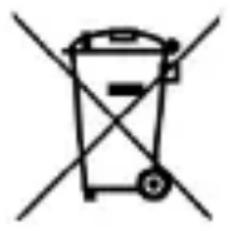
CbIaCHO DnpeKTHBaTa Ha EC 2006/66 / EC c IIpOMeHnte, CbIbPkaIc B DnpeKTHBa Ha EC 2013/56 / EC 3a I3XbPJIaHe Ha 6aTePN, T03N IIpoDyKT e 0603HaueH CbC CHMBOJ 3a
3auepkHaTna KOHTeHep 3a 6okIyK. CnMBOJbT Ioka3Ba,Ye 6aTePnHTe, H3IOJ3BaHN B To3N IpoDyKT, He Tp8Ba Da ce H3XBbPJIaT C O6NKHOBeHN 6HTOBN OTNaIDbU, Ho Da Ce TpeTHpaT B CbOTBeTCTBHe C IpaBHnTe DnpeKTHBn H MeCTHnTe pa3PiopeJbH. He ce pa3pe7aBa H3XBbPJIaHeTo Ha 6aTePnH aKymylaTopn C HecOpTnPaHn 6HTOBN OTNaIDbU. IOTpe6HTeJIHrTe Ha 6aTePnH aKymylaTopn Tp8Ba Da H3IOJ3BaT HaJIuHnTE MeCTa 3a Cb6HpAne Ha Te3n apTHKyJIH, KOeTO HM I03BOJIABa Da ce BpbIaT, pezHKInpaT N H3XBbPJIaT.
myPhone MF2302_MF2302e
https://www.myphone.pl/qr/myphone-mf2302_mf2302e
LTE: 800/900/1800/2100/2600 MHz
Mostrador colorido com contraste 1.77" 126x180 px