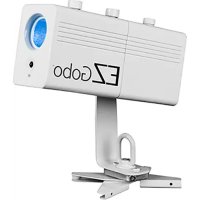
EZ Gobo - Effect machine Chauvet - Free user manual and instructions
Find the device manual for free EZ Gobo Chauvet in PDF.



| Product Type | Battery-powered LED Gobo Projector |
| Brand | Chauvet |
| Model | EZ Gobo |
| Light Source | 10 W LED |
| Power Supply | AC adapter 100-240 VAC, 50/60 Hz; output 8.4 VDC, 1000 mA |
| Battery | Rechargeable lithium; up to 5 h runtime (100% output), 4 h charge time |
| Dimensions (approx.) | Approx. 15 x 10 x 10 cm (without bracket) |
| Weight (approx.) | Approx. 0.5 kg (with battery) |
| Mounting | Magnetic base and scissor clamp for ceiling mounting |
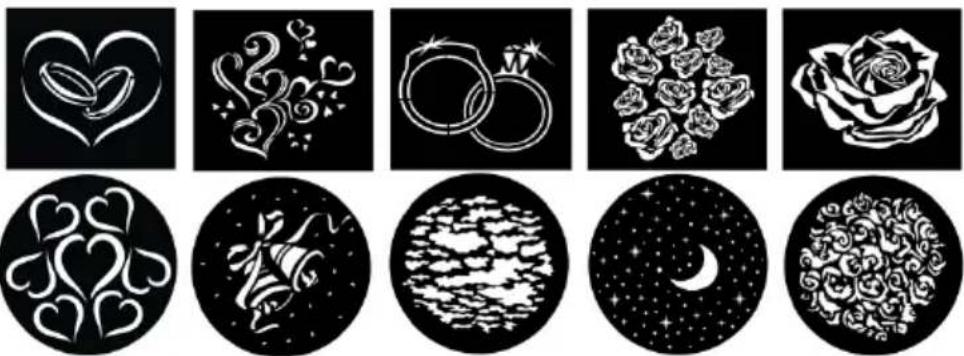
| Included Gobos | 10 wedding special gobos |
| Compatible Gobo Format | Image max. 25.8 x 18.6 mm (metal, acetate, 35 mm slide) |
| Adjustments | Manual zoom and focus |
| Remote Control | IRC-6 infrared (included): on/off, brightness adjustment (5 levels) |
| Protection Rating | IP20 (indoor use only) |
| Max. Ambient Temperature | 40 °C (104 °F) |
| Safety Distance | At least 50 cm from adjacent surfaces |
| Safety | Use a safety cable when mounting overhead; do not expose to moisture |
| Maintenance | Disconnect before cleaning; do not block ventilation slots |
| Repairability | Do not repair yourself; contact the supplier or Chauvet depending on region |
| Warranty | Manufacturer warranty included (sheet provided) |
Frequently Asked Questions - EZ Gobo Chauvet
User questions about EZ Gobo Chauvet
0 question about this device. Answer the ones you know or ask your own.
Ask a new question about this device
Download the instructions for your Effect machine in PDF format for free! Find your manual EZ Gobo - Chauvet and take your electronic device back in hand. On this page are published all the documents necessary for the use of your device. EZ Gobo by Chauvet.
USER MANUAL EZ Gobo Chauvet
CHAVET ®
About This Guide
The EZgobo™ Quick Reference Guide (QRG) has basic product information.
Disclaimer
The information and specifications in this QRG are subject to change without notice.
Safety Notes
The following Safety Notes include important information about installation, use, and maintenance.

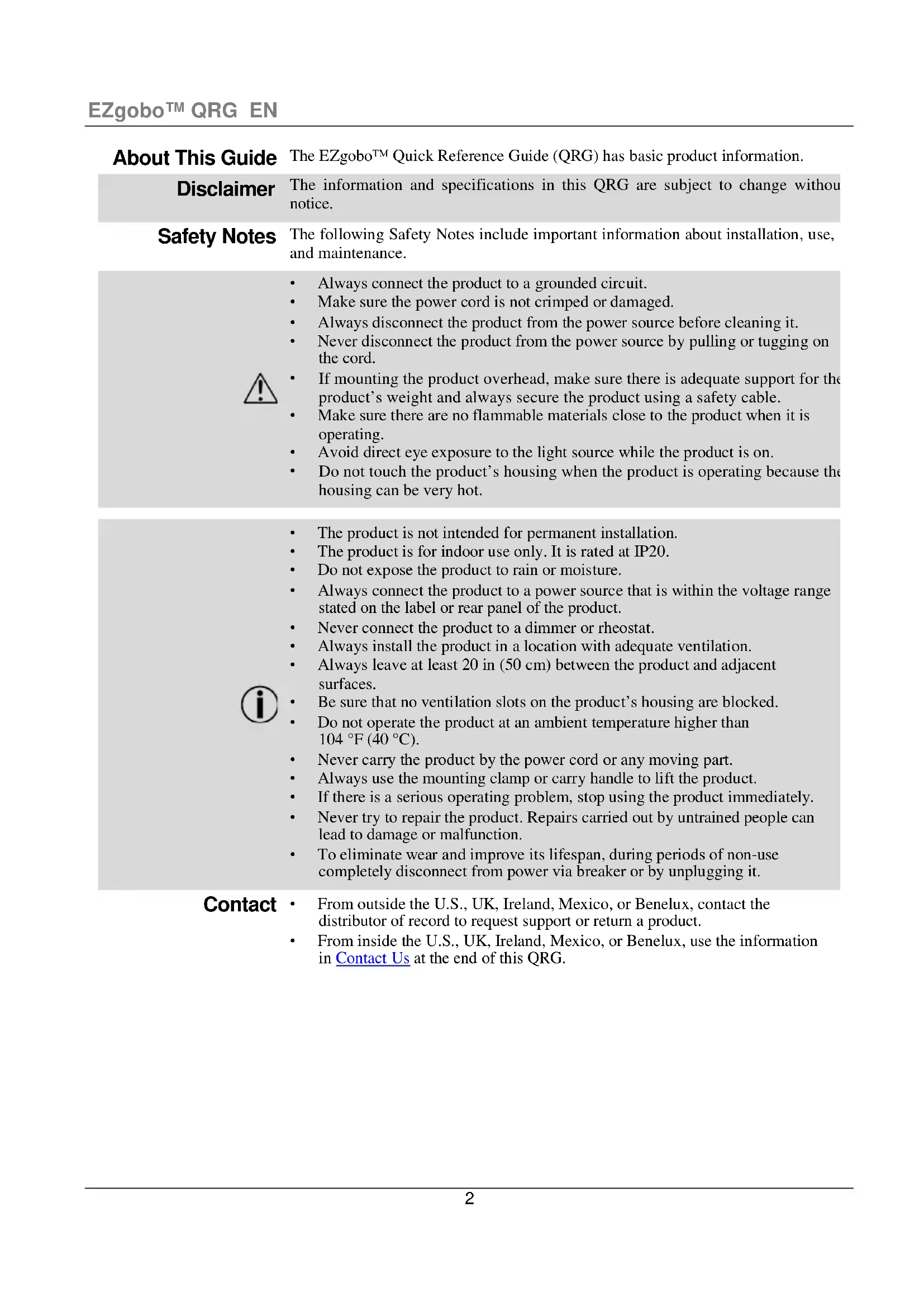
• Always connect the product to a grounded circuit.
• Make sure the power cord is not crimped or damaged.
• Always disconnect the product from the power source before cleaning it.
- Never disconnect the product from the power source by pulling or tugging on the cord.
- If mounting the product overhead, make sure there is adequate support for the product's weight and always secure the product using a safety cable.
- Make sure there are no flammable materials close to the product when it is operating.
- Avoid direct eye exposure to the light source while the product is on.
- Do not touch the product's housing when the product is operating because the housing can be very hot.

• The product is not intended for permanent installation.
• The product is for indoor use only. It is rated at IP20.
• Do not expose the product to rain or moisture.
- Always connect the product to a power source that is within the voltage range stated on the label or rear panel of the product.
• Never connect the product to a dimmer or rheostat.
• Always install the product in a location with adequate ventilation.
• Always leave at least 20 in (50 cm) between the product and adjacent surfaces.
- Be sure that no ventilation slots on the product's housing are blocked.
- Do not operate the product at an ambient temperature higher than 104 °F (40 °C).
• Never carry the product by the power cord or any moving part.
• Always use the mounting clamp or carry handle to lift the product.
• If there is a serious operating problem, stop using the product immediately.
- Never try to repair the product. Repairs carried out by untrained people can lead to damage or malfunction.
- To eliminate wear and improve its lifespan, during periods of non-use completely disconnect from power via breaker or by unplugging it.
Contact
• From outside the U.S., UK, Ireland, Mexico, or Benelux, contact the distributor of record to request support or return a product.
- From inside the U.S., UK, Ireland, Mexico, or Benelux, use the information in Contact Us at the end of this QRG.
What Is Included
- EZgobo™
- IRC-6
• External Power Supply
- Warranty card
• 10 pack of wedding-ready gobos
- Quick Reference Guide
To Begin
Carefully unpack the EZgobo™ and check that all the parts are in the package, and are in good condition.
If the box, or any of the contents, appear damaged from shipping, or show signs of mishandling, save all the packaging and file a claim with the carrier immediately, do not notify Chauvet Failure to report damage to the carrier immediately, or failure to have all the packaging available for inspection, could invalidate the claim.
For other issues, such as missing components or parts, damage not related to shipping, or concealed damage, file a claim with Chauvet within 7 days of delivery. For information on contacting Chauvet, see Contact Us at the end of this QRG.
Description
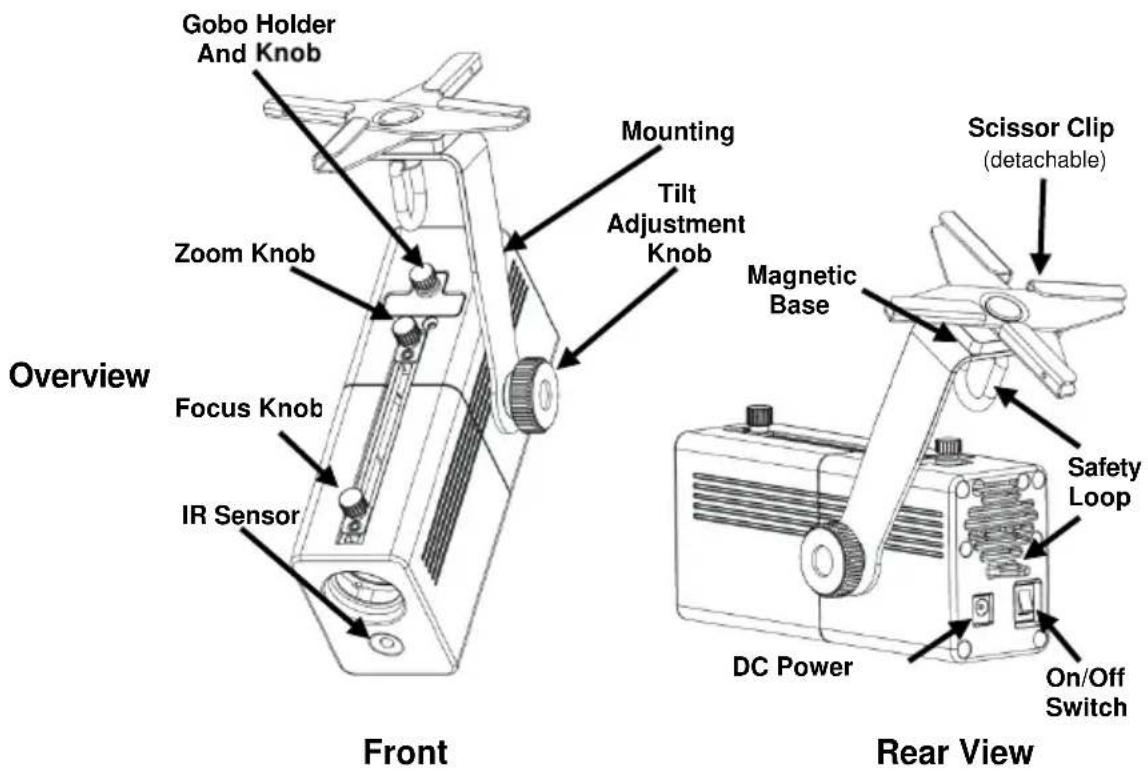
The EZgobo™ is a lightweight, battery-powered gobo projector that comes attached to a magnetic bracket with a scissor clip for a variety of mounting options. It comes with 10 wedding-ready gobos for a variety of wedding-themed looks. The EZgobo™ has a 10 watt LED that can safely project through a colored, transparency gobo for long periods of time. This product has zoom and focus knobs to adjust the size of the gobo projection. It is compatible with the included IRC-6.
AC Power
The EZgobo™ has an external power supply that works with a voltage range of 100–240 VAC, 50/60 Hz; it runs on 8.4 VDC, 1,000 mA.

To eliminate wear and improve its lifespan, during periods of non-use completely disconnect from power via breaker or by unplugging it.
Charging the Battery
The EZgobo™ comes with a rechargeable lithium battery. To charge the battery, simply plug in the external power cord at any time before, during, or after operation. You can charge the battery with the LED off by leaving the power switch in the Off position. The indicator light on the external power supply turns red while the battery is charging, then it turns green when the battery is fully charged.

For optional battery life, charge the EZgobo™ battery for 24 hours prior to initial use.
Battery Run Time
| Maximum Run Time | Recharge Time | |
| 100% output | Up to 5 hours | 4 hours |
| 75% output | Up to 8 hours | |
| 50% output | Up to 13 hours | |
| 25% output | Up to 16 hours | |
IRC-6 (Infrared Remote Control)
The EZgobo™ is compatible with the included CHAUVET® IRC-6. The following IRC-6 buttons are used with the EZgobo™.
| Button | Function |
| Turns the LED on and off | |
| Increases the brightness of the LED 5 levels | |
| Dims the brightness of the LED 5 levels |

The EZgobo TM must be on and have a full battery, or be on and plugged into a power source for the IRC-6 to work.
Mounting
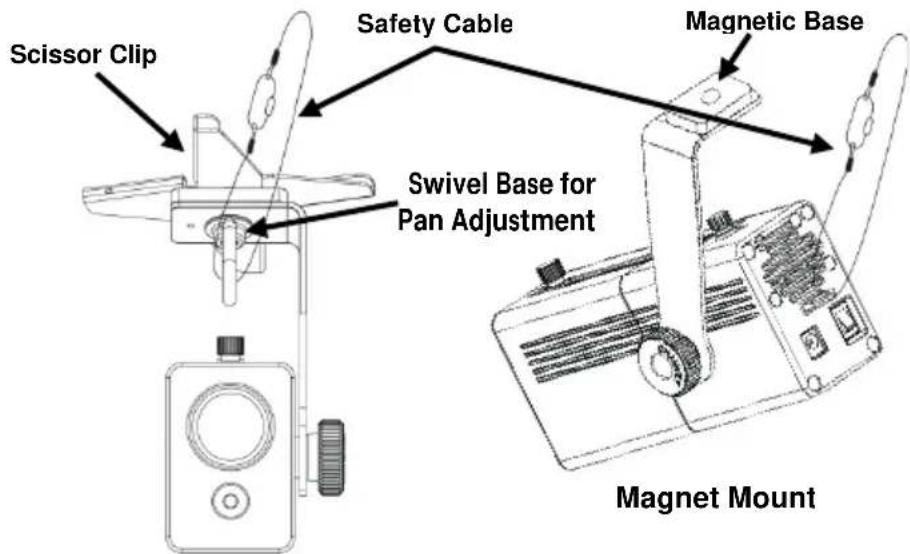
Before mounting the EZgobo™, read the Safety Notes in this QRG and make sure that the mounting surface can support the weight of the product. The EZgobo™ can be mounted to metal using the magnetic base, or it can be attached to drop ceiling runners with the scissor clip. When mounting overhead, always secure the product using a safety cable such as CH-05 from Chauvet.
Mounting Diagram
Scissor Clip Mount

When using the magnetic base to mount the EZgobo TM , attach the safety cable to the safety loop on the back of the product.
Gobos
The EZgobo™ comes with 10 wedding-ready gobos. The EZgobo™ can also be used with any gobo that is 25.8mm× 18.6mm maximum image size. The gobo can be made of thin metal or acetate transparency, or it can be made from 35 mm slides.
Wedding-Ready Gobos
Gobo Replacement
To replace the gobo, do the following:
- Unscrew the gobo holder knob.
- Remove the gobo holder.
- Remove the expansion ring.
- Drop the gobo out of the gobo holder.
- Put the new gobo in the gobo holder.
- Replace the expansion ring.
- Replace the gobo holder.
- Screw in the gobo holder knob.
Acerca de esta Guía
Changement du Gobo
Sostituzione Gobo
Address:5200 NW 108th Avenue
Sunrise, FL 33351
Voice: (954) 577-4455
Fax: (954) 929-5560
Toll free:(800) 762-1084
Technical Support
Voice: (954) 577-4455 (Press 4)
Fax: (954) 756-8015
Email: tech@chauvetlighting.com
World Wide Web
www.chauvetlighting.com
UNITED KINGDOM AND IRELAND - Chauvet Europe Ltd.
General Information
Address: Unit 1C
Brookhill Road Industrial Estate
Pinxton, Nottingham, UK
NG16 6NT
Voice: +44 (0)1773 511115
Fax: +44 (0)1773 511110
MEXICO - Chauvet Mexico
General Information
Address:Av. Santa Ana 30
Parque Industrial Lerma
Lerma, Mexico C.P. 52000
Voice: +52 (728) 285-5000
Technical Support
Email: uktech@chauvetlighting.com
World Wide Web
www.chauvetlighting.co.uk
Technical Support
Email: servicio@chauvet.com.mx
World Wide Web www.chauvet.com.mx
CHAUVET EUROPE - Chauvet Europe BVBA
General Information
Outside the U.S., United Kingdom, Ireland, Mexico, or Benelux, contact the dealer of record. Follow their instructions to request support or to return a product. Visit our website for contact details.
EZgobo™ QRG Rev. 2 ML9
© Copyright 2015 Chauvet
All rights reserved.
Printed in the P. R. C.
CE


- ABOUT THIS GUIDE
- DISCLAIMER
- SAFETY NOTES
- CONTACT
- WHAT IS INCLUDED
- TO BEGIN
- DESCRIPTION
- AC POWER
- CHARGING THE BATTERY
- BATTERY RUN TIME
- IRC-6 (INFRARED REMOTE CONTROL)
- MOUNTING
- MOUNTING DIAGRAM
- GOBOS
- WEDDING-READY GOBOS
- GOBO REPLACEMENT
- ACERCA DE ESTA GUÍA
- SOSTITUZIONE GOBO
- TECHNICAL SUPPORT
- WORLD WIDE WEB
- GENERAL INFORMATION
Brand : Chauvet
Model : EZ Gobo
Category : Effect machine