EasyManual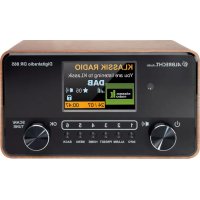
DR 865 - Radio ALBRECHT - Free user manual and instructions
Find the device manual for free DR 865 ALBRECHT in PDF.



| Technical Features | FM, AM, DAB/DAB+ reception |
|---|---|
| Output Power | 2 x 1 W RMS |
| Power Supply | Power adapter or batteries (not included) |
| Dimensions | 210 x 120 x 90 mm |
| Weight | 1.2 kg |
| Usage | Reception of radio stations, frequency tuning, digital display |
| Maintenance | Regular cleaning, avoid moisture, firmware update if available |
| Safety | Do not expose to water, use only the supplied adapter |
| General Information | Compatible with DAB+ stations, backlit LCD display |
Frequently Asked Questions - DR 865 ALBRECHT
User questions about DR 865 ALBRECHT
0 question about this device. Answer the ones you know or ask your own.
Ask a new question about this device
Download the instructions for your Radio in PDF format for free! Find your manual DR 865 - ALBRECHT and take your electronic device back in hand. On this page are published all the documents necessary for the use of your device. DR 865 by ALBRECHT.
USER MANUAL DR 865 ALBRECHT
- Introduction 15
- First steps 15
- Basic functions 15
- Delivery content 15
- Radio controls. 16
- Remote control 17
- Display 18
- Main menu 18
- DAB+ digital radio mode 18
9.1.DAB+station search 18
9.2.Station list 18
9.3.Saving/recallingfavouritestations 18
9.4.DAB ^+ slideshow 18
9.5.DAB+menu 19 - FM radio mode 19
10.1.FM station search 19
10.2.Station list 19
10.3.Setting the FM frequency manually 19
10.4.Saving/callingupfavouritestations 19
10.5.FM menu 20 - Wireless music streaming 20
12.AUX IN 20 - Settings 20
- Senior Mode 21
- Alarm clock 21
- Technical data 22
- Safety instructions 22
- Troubleshooting 23
- Warranty and recycling Information 23
19.1. Legal warranty for 2 years from the date of purchase 23 - Electronic waste law and recycling 24
20.1. CE declaration of conformity 24
20.2.Notes on battery disposal 24 - Service address and technical hotline 24
1. Introduction
Thank you for purchasing the Albrecht DR865 digital radio.
We have developed a radio with focus on the basic functions that are necessary to enjoy digital radio. It is therefore very easy to use. The radio can be operated intuitively using the controls on the radio or the included remote control.
In addition, screen visualisation has been completely redesigned. The redesigned screen displays only really relevant information, which can now be indicated in a larger font and more clearly.
2. First steps
Fully extend the antenna for the best DAB+/FM radio reception.
Insert the small mains adapter plug into the DC IN socket on the back of the device and plug the mains adapter into a mains socket. Set the ON/OFF switch to "ON" to power on the device.
When you switch on the radio for the first time, the device automatically performs a full station search for all available DAB/DAB+ stations in your area.
In standby mode the date and time are set automatically as soon as the radio finds a DAB station.
3. Basic functions
- Press the button to turn on the radio. Press the button again to switch the radio to sleep (standby) mode.
- Turn the rotary knob to adjust the volume.
In each menu you can confirm your selection by pressing the rotary knob (OK). - Press the but to go to the main menu. Here you can e.g. select the reception mode (DAB+/FM).
- To save a station as your favourites, press and hold down one of the favourite buttons 1-6 on the remote control for approx. 2 seconds. To call up a favourite later, just briefly press the corresponding favourite button.
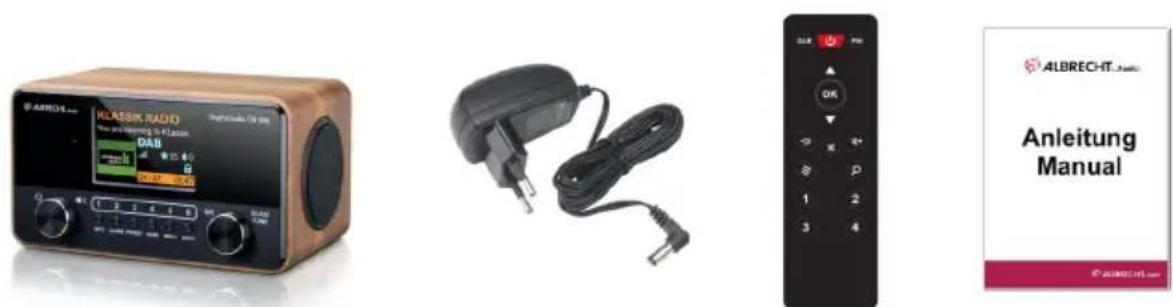
4. Delivery content
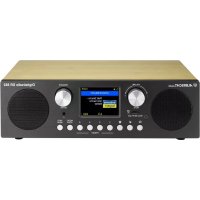
ALBERT DR 865 digital radio
- Mains adapter
- Remote control incl. 2x AAA batteries
- Instruction manual
5. Radio controls
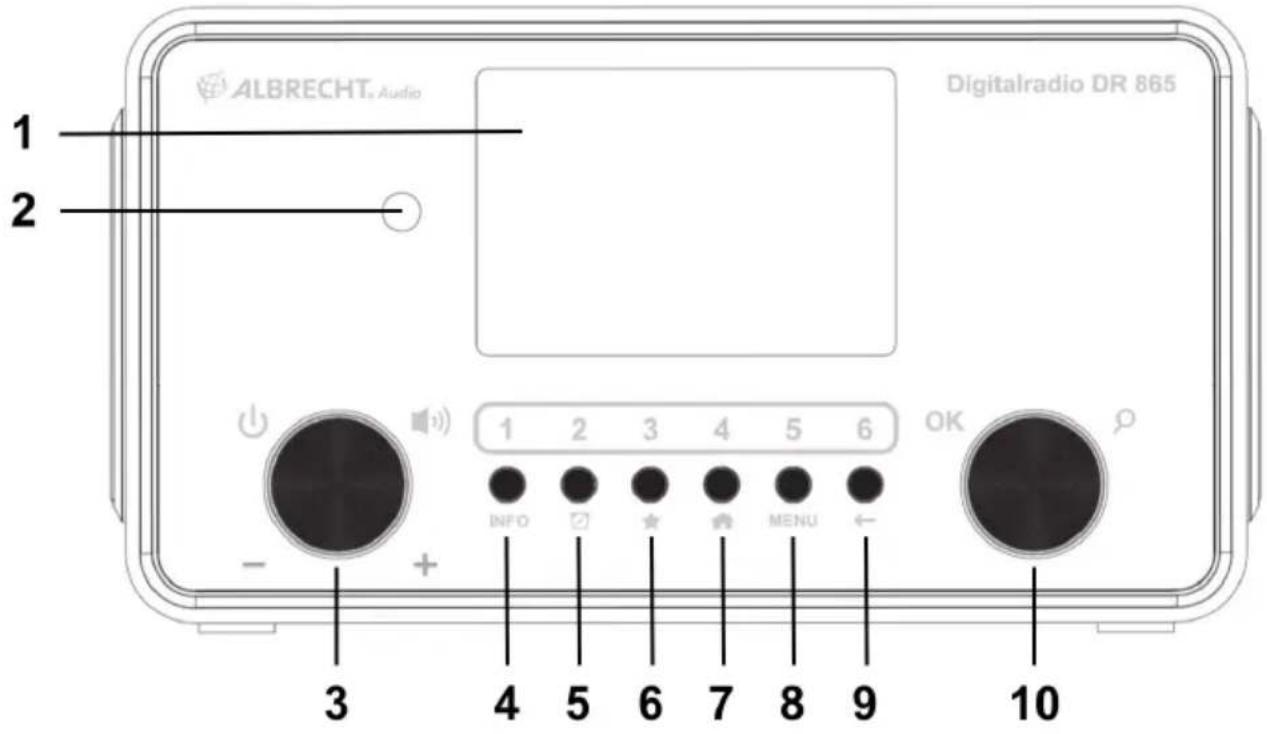
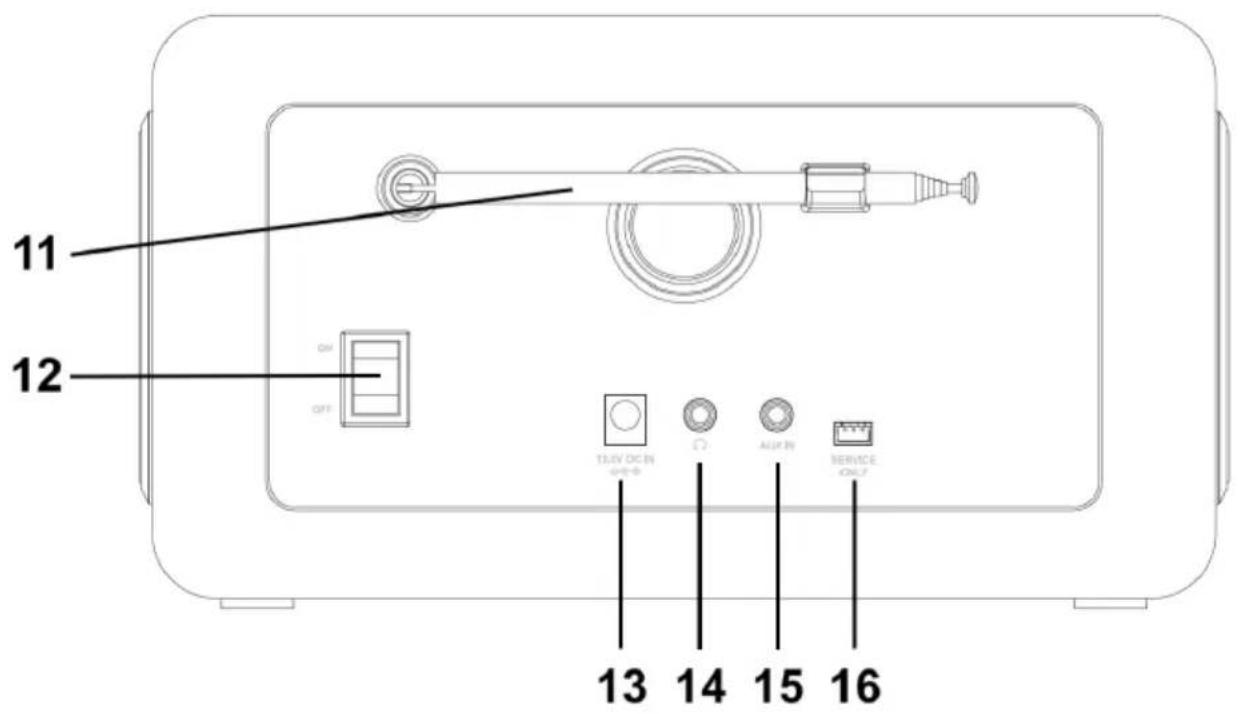
| No. | Description Functions | |
| 1 | Screen Displays all information about current station/song | |
| 2 | Infrared sensor Point the remote control at the sensor | |
| 3 | / | Turn the rotary knob to adjust the volume Press the rotary knob to switch on/off (standby) |
| 4 | INFO Change the current station information | |
| 5 | Long press opens the alarm clock setting menu Short press to de-/activate alarms | |
| 6 | Save to / open the favourites list | |
| 7 | Opens the menu | |
| 8 | MENU Use this button for various settings | |
| 9 | ← | Go back to the previous menu |
| 10 | OK / | Confirm selection / search for stations or set manually |
| 11 | Antenna Pull out the telescopic antenna for the best possible reception | |
| 12 | ON / OFF Turns the radio ON or OFF | |
| 13 | 12V DC IN Mains adapter power supply connection | |
| 14 | Headphone jack | |
| 15 | AUX IN Connection for external audio devices (e.g. MP3 player) | |
| 16 | $ervice only Connection for updates (only for specialist dealers) |
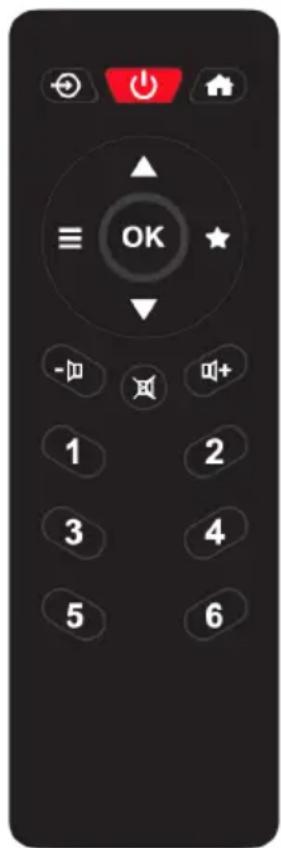
6. Remote control
| No. | Description | Functions |
| 1 | Change the mode: FM, DAB+, BT, AUX-IN | |
| 2 | Switches the radio on or off (standby) | |
| 3 | Open the main menu | |
| 4 ▲/▼ | Move up | or down in menus |
| 5 | Open the DAB or FM menu | |
| 6 | OK Confirm your selection | |
| 7 | Open the favourites menu | |
| 8 | Turn down the volume | |
| 9 | Mute the radio | |
| 10 | Turn up the volume | |
| 11 1 - 6 | Recall favourite stations 1 - 6 | |
7. Display
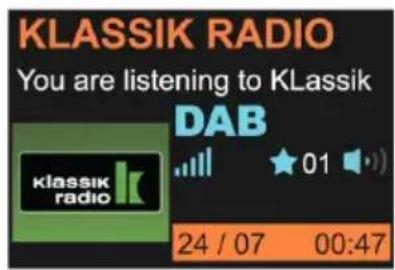
| KCLASSIK RADIO You are listening to Klassik DAB klassik radio 24 / 07 00:47 | Station name |
| Current artist / song | |
| Reception type | |
| Signal strength / favourite / volume | |
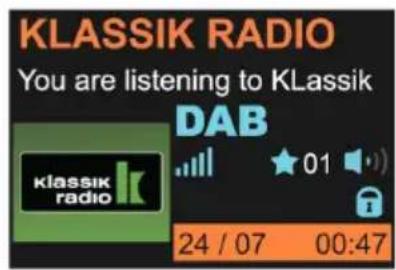
| Activated senior mode | |
8. Main menu
To call up the main menu, press the HOME button. In this menu you can access various device modes, call up favourites, configure settings and alarm clock and activate the senior mode. Alternatively, you can also change the mode using the button on the remote control.
9. DAB+ digital radio mode
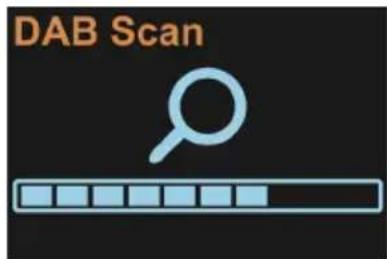
9.1. DAB+ station search
The radio automatically performs a full station search when you switch it on for the first time.
If you would like to carry out a station search again at a later time (e.g. after moving), press and hold down the rotary knob for approx. 2 seconds.
9.2. Station list
After the search is complete, you can view all currently available stations in the station list. To do this, either turn the right rotary knob or press the / arrow buttons on the remote control and confirm your selection with OK.
9.3. Saving / recalling favourite stations
If you want to save the current DAB+ station as a favourite, press and hold down the button for approx. 2 seconds. Now select a free memory location and confirm your selection with OK. Alternatively, press and hold down one of the favourite buttons 1-6 on the remote control.
To recall a favourite again later, just briefly press the corresponding favourite button on the remote control or select a station via the PRESET menu. You can access this menu using the button on the device / remote control or the main menu.
9.4. DAB+ slideshow
If the current station has a station logo or album cover, you can enlarge the logo or cover to full screen by pressing OK. Press this button again to go back to the playback screen.
9.5. DAB+ menu
In DAB+ mode, press the MENU button or press and hold down the button on the remote control to call up the DAB+ menu. In this menu you can view a station list or initiate a new station search. You can also sort the station list by multiplex, name or current availability. The DRC function (Dynamic Range Compression) reduces the volume difference between quiet and loud programme sections and can be configured in two intensities. Use the "Clear station list" menu item to remove currently unavailable DAB+ stations from the station list. The main menu can also be called up directly from this menu.
10. FM radio mode
The bar icon in the centre of the screen shows strength of the FM signal received by the device.
10.1. FM station search
The radio automatically performs a full station search when you switch it on for the first time. If you would like to carry out a station search again at a later time (e.g. after moving), press and hold down the rotary knob for approx. 2 seconds.
10.2. Station list
After the search is complete, you can view all currently available stations in the station list. Select the "Station list" menu item in the main menu. To do this, use the MENU button on the device or press and hold down the button on the remote control.
Navigate through the station list with the radio rotary knob or the / arrow buttons on the remote control and confirm your selection with OK.
10.3. Setting the FM frequency manually
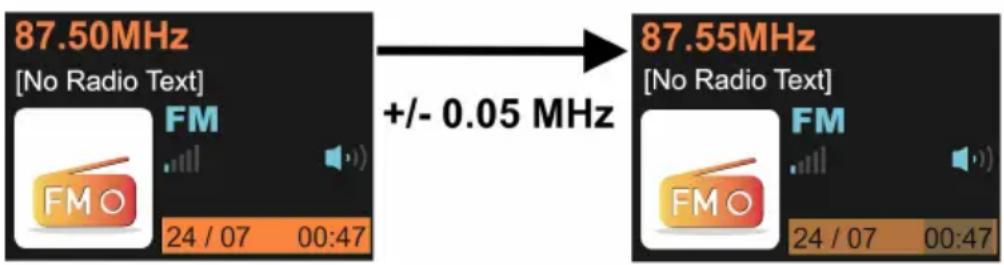
Use the / buttons on the remote control to change the FM frequency in 0.05 MHz increments. Press and hold down one of the arrow buttons to automatically search for the next available station. Alternatively, you can also use the radio to directly control the station search. Briefly press the rotary knob. The search process stops automatically at the next available station.
For manual frequency setting, turn the radio rotary knob to change the FM frequency in 0.05 MHz increments.
10.4. Saving / calling up favourite stations
FM stations can also be saved as favourites and quickly called up again. The operation procedure is the same as for DAB transmitters, see "Saving / recalling favourite stations" on page 18. DAB+ and FM stations can be stored together in the favourites.
10.5.FM menu
In FM mode, press the MENU button or press and hold down the button on the remote control to call up the FM menu. In this menu you can view the station list or initiate a new station search. Use the "Search sensitivity" menu item to set whether only strong or all recognised stations should be included in the station search. The "Audio settings" menu item determines whether stereo transmitters should be used or whether playback should be limited to mono transmitters. The main menu can also be called up directly from this menu.
11. Wireless music streaming
A Bluetooth-enabled mobile phone can be used for wireless playback of any audio content. For this purpose, you need to activate the "Bluetooth" mode via the main menu. Once this is done, select the ALBRECHT DR 865 device on your mobile phone. For more details about operation of your mobile phone, please refer to the device manual.
12. AUX IN
This mode is used for wired playback of audio content. To do this, connect an audio device to the AUX IN connection on the back of the device using a 3.5 mm audio jack cable.
13. Settings
Settings can be called up from the main menu or individual menus in various modes.
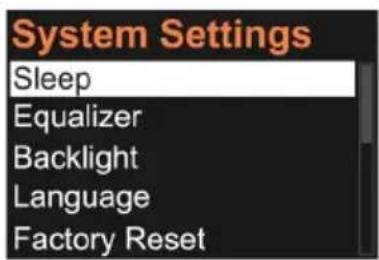
Here you can make the following settings:
- Set the sleep timer
- Set the equalizer: Eight preset configurations are available
- Adjust screen brightness in operation and standby mode
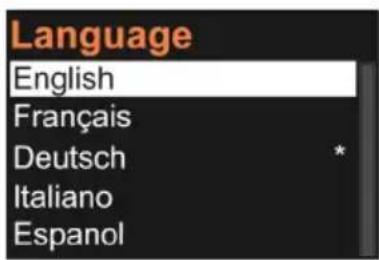
- Set language: choose between English, French, German, Italian, Spanish, Czech, Dutch, Turkish and Danish
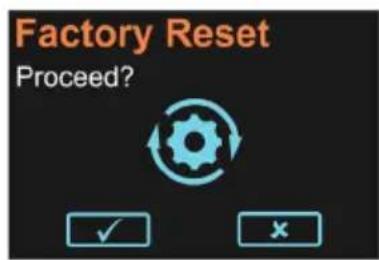
- Reset the radio to factory settings
- Display the current software version
Press the MENU button again to exit the main menu without making a selection.
14. Senior Mode
The "Senior Mode" simplifies the operation of the Albrecht DR865 radio. In Senior Mode an incorrect operation of the radio is virtually impossible, because almost all options/buhtons are disabled. Unintentional radio adjustments are no longer possible.
In this mode only the following functions are enabled:
- On/off switching
Volume control - Favourite stations (number buttons 1-6)
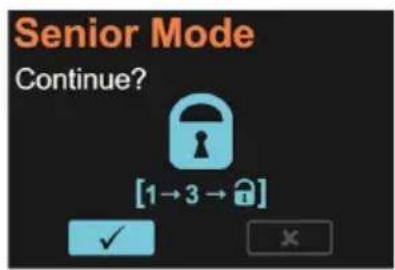
To activate the Senior Mode, open the main menu with the HOME button or the button on the remote control and select the senior mode. After confirming the selection, a lock icon appears on the display. To disable the mode, quickly press the number buttons 1 and then 3 in succession on the device or on the remote control.
Attention! Please note that only six saved favourite stations are available when the senior mode is enabled. Other stations or playback modes can no longer be used. Therefore, make sure you save the desired stations to the favourites in advance.
15. Alarm clock
To enter the alarm clock settings, long press the button on the radio. You can choose to set Alarm 1 or Alarm 2. Press OK to enter the settings.
- Activate: off / once / daily / weekdays / weekend
- Time: set hours by rotating knob, then press OK to set minutes
- Source: select between buzzer / FM radio / DAB radio
Volume: select the volume with which the alarm should be played - Save: confirm to save your settings
You can quickly activate or deactivate both alarms if you short press the button on the radio. If an alarm is active, an alarm clock symbol will be shown in the display.
16. Technical data
| Model number DR 865 | |
| Description DAB/DAB+/FM radio | |
| Display 4.0 inch / 480x320 TFT colour display | |
| FM 87.5 to 108.0 MHz, RDS compatible | |
| DAB/DAB+ 174 - 240 MHz (Band III) | |
| Bluetooth 2.4 GHz - 2.48 GHz | |
| Max. transmission power 0 dBm | |
| Connections DC IN | Headphones (3.5 mm jack) AUX IN 3.5 mm Software Update Port (only for specialist dealers) |
| Speakers 2x 7 watts RMS | |
| Operating temperature | 0 °C to +35 °C |
| Dimensions (L x W x H) 132 x 235 x 129 mm | |
| Weight 1640 g |
Mains adapter:
| Input 100 – 240 V/AC, 50/60 Hz, max. 0.5 A | |
| Output | 12.0 V 1.5 A 18.0 W ◆ ◆ ◆ |
| Security class II | |
| Average active efficiency 85.19 % | |
| Low load efficiency (10%) 81.55 % | |
| Standby power consumption 0.06 W |
17. Safety instructions
- Always protect the device from moisture and humidity. Do not expose the device to water or other liquids! Accidental penetration of liquids into the device can cause serious damage. If this is the case, immediately disconnect the device from the mains. Unplug the power cord and contact your dealer.
- Using the device in rooms or environments with high humidity and temperatures can lead to condensate build-up inside the device. Condensate can damage the device under certain circumstances.
- Using the device in a dusty environment can damage the internal electronic components, causing the device to malfunction.
The device must be placed on a level, stable surface and must not be exposed to vibrations. - Do not remove the screws to reduce the risk of electric shock. The device contains no user serviceable parts. Entrust maintenance work to qualified personnel.
Use only the mains adapter that comes with the device. - Avoid both extremely high and extremely low temperatures. Do not place the device near heat sources such as radiators or gas/electric stoves.
-
Never touch the power plug or the device with wet hands. Never remove the mains adapter from the mains socket by pulling on the power cord.
If you are not going to use the device for a long time (e.g. vacation), disconnect it from the mains socket. -
When using headphones, please note that excessive sound pressure or high volume from headphones or earphones can damage your hearing. Adjust the volume to a comfortable, not too loud level. Using headphones which are too loud over an extended period of time can damage your hearing.
- Before cleaning the device, make sure it is unplugged from the mains socket.
- Never throw batteries and rechargeable batteries into fire as this can cause an explosion. Please dispose of empty batteries in the recycling bin, not in the normal household waste.
- Do not use scouring cloths or abrasive cleaning agents as these can damage the device surface.
18. Troubleshooting
| Problem Remedy | |
| The device does not switch on 1. Make | sure the mains adapter is correctly connected to the mains socket and the radio. |
| No sound or low volume | 1. Is the radio "muted" Press the Mute button again. 2. Turn up the volume. |
| No signal or hissing in DAB/FM mode. | 1. Re-position the antenna. Check that the antenna is fully extended. 2. Relocate the device. |
| Some buttons/functions can no longer be used | 1. Is the radio in senior mode? Senior mode can be recognised by a "lock" symbol on the display. Disable senior mode by quickly pressing buttons 1 and 3 in succession. 2. Reset the radio to factory settings (see "13. Settings" on page 20) |
19. Warranty and recycling Information
We are obliged to include information on disposal, legal warranty provisions and EC declarations of conformity with instructions on the use of devices in various countries in the scope of supply of every device. This information can be found below.
19.1. Legal warranty for 2 years from the date of purchase
The seller of this device grants you a legal warranty of two years from the date of purchase of the device. This warranty covers all failures that occur due to defective components or faulty functions within the warranty period, other than failures resulting from normal wear and tear, such as used batteries, scratches on the screen, housing defects, broken antennas, as well as defects due to external effects such as corrosion, overvoltage due to improper external power supply or use of unsuitable accessories. The warranty also excludes failures resulting from improper use of the device. In the event of a warranty claim, please contact the dealer from whom you purchased the device or our service partner without delay. The dealer will either repair or replace your device, or it will refer you to a specialist service centre.
If you send in your device, please do not forget your purchase receipt as proof of the date of purchase and describe the fault that occurred as accurately as possible.
20. Electronic waste law and recycling
European laws prohibit the disposal of defective or unusable devices in the household waste. If you want to dispose of your device, make sure you hand it over to one of the municipal collection points for recycling. These collection points are financed by industry and ensure the environmentally sound disposal and recycling of valuable raw materials.
20.1. CE declaration of conformity

Standards and directives
Alan Electronics GmbH hereby declares that the model DR 865 radio complies with regulation 2014/53/EU. The full text of the EU declaration of conformity can be found at the following Internet address: www.service.alan-electronics.de/CE-Papiere
20.2. Notes on battery disposal
The batteries used in this product contain environmentally harmful chemicals. To protect our environment, dispose of empty batteries according to local laws or regulations. Do not dispose of batteries with normal household waste.
For more information, please contact your local authorities or the dealer where you purchased the product.
21. Service address and technical hotline
You can call our service hotline at 06103 / 9481 - 66 (at a fee of the German landline network) or email us at service@albrecht-midland.de.
Before you send us back a supposedly defective device in the event of a problem, you can save your time and shipping costs by performing a few simple tests (see chapter "18. Troubleshooting" on page 23) or using our hotline service for support.