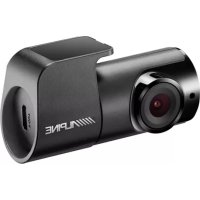
RVCC310 - Dashcam ALPINE - Free user manual and instructions
Find the device manual for free RVCC310 ALPINE in PDF.



| Features | Details |
|---|---|
| Product type | Dashcam |
| Video resolution | Full HD 1080p |
| Viewing angle | 140 degrees |
| Screen | 2.7-inch LCD screen |
| Sensor | CMOS sensor |
| Additional features | Motion detection, loop recording, night mode |
| Storage | MicroSD card up to 32 GB |
| Power supply | Cigarette lighter adapter |
| Installation | Suction cup mount |
| Maintenance | Regular lens cleaning, firmware update |
| Safety | Automatic recording in case of collision |
| Warranty | 2 years |
Frequently Asked Questions - RVCC310 ALPINE
User questions about RVCC310 ALPINE
0 question about this device. Answer the ones you know or ask your own.
Ask a new question about this device
Download the instructions for your Dashcam in PDF format for free! Find your manual RVCC310 - ALPINE and take your electronic device back in hand. On this page are published all the documents necessary for the use of your device. RVCC310 by ALPINE.
USER MANUAL RVCC310 ALPINE
KPATKOE CπPABOуHoe PYKOBOДCTBOPIDA
Quick Start Guide
This Dashboard Camera (dash cam) is a specialized onboard device that continuously
records while the vehicle is in use.
This manual contains basic steps required
for DVR-C310S installation.
For detailed information, please refer to the user guide in the memory card included in the product package.
Contents
English 3
François 20
Deutsch 39
Espanol 58
Italiano 77
Portugues 96
Quick Start Guide
English
Before using the product
This product records videos while the vehicle is operating. Use this product only for reference when investigating incidents or road accidents. The device may not properly record accidents with small impacts that are too minor to activate the impact sensor or accidents with massive impacts that cause the vehicle's battery voltage to deviate.
The video recording does not begin until the product is completely booted up and the GPS signal is received. After the booting up is finished you may begin operating the vehicle.
Alpine is not responsible for any loss caused by an accident, nor is it responsible for providing any support regarding the outcome of an accident.
Depending on the vehicle's configuration or operating conditions, such as the installation of remote door lock devices, ECU settings, or TPMS settings, some product features may not be supported, and different firmware versions may influence the product's performance or features.
Operating Instructions
Points to Observe for Safe Usage
Read this manual carefully before using the system components. They contain instructions on how to use this product in a safe and effective manner. Alpine cannot be responsible for problems resulting from failure to observe the instructions in this manual.
This manual uses various pictorial displays to show you how to use this product safely and to alert you to potential dangers resulting from improper connections and operation. Following are the meanings of these pictorial displays. It is important to fully understand the meanings of these pictorial displays in order to use this manual and the system properly.
Safety symbols in this guide

"Warning" - This symbol means Important Instructions. Failure to heed them can result in serious injury or death.

"Caution" - This symbol means Important Instructions. Failure to heed them can result in Injury or material property damage.

"Note" - This symbol means useful information that helps users better utilize the product's features.
Safety information for proper use
Driving and product operation

MINIMIZE DISPLAY VIEWING WHILE DRIVING. Viewing the display may distract the driver from looking ahead of the vehicle and cause an accident.
- OPERATION OF THE SYSTEM WHILE DRIVING IS DANGEROUS. Users should stop vehicle before operating the software.
- THIS SOFTWARE IS DESIGNED FOR USE EXCLUSIVELY IN THE UNIT. It cannot and may not be used in conjunction with other hardware.
Power supply and product installation

- DO NOT WATCH VIDEO WHILE DRIVING. Watching the video may distract the driver from looking ahead of the vehicle and cause an accident.
- DO NOT DISASSEMBLE OR ALTER. Doing so may result in an accident, fire or electric shock.
- USE ONLY IN CARS WITH A 12 VOLT NEGATIVE GROUND. (Check with your dealer if you are not sure.) Failure to do so may result in fire, etc.
- USE THE CORRECT AMPERE RATING WHEN REPLACING FUSES. Failure to do so may result in fire or electric shock.
- DO NOT BLOCK VENTS OR RADIATOR PANELS. Doing so may cause heat to build up inside and may result in fire.
- USE THIS PRODUCT FOR MOBILE 12V APPLICATIONS. Use for other than its designed application may result in fire, electric shock or other injury.
- MAKE THE CORRECT CONNECTIONS. Failure to make the proper connections may result in fire, battery drain, or product damage.
- BEFORE WIRING, DISCONNECT THE CABLE FROM THE NEGATIVE BATTERY TERMINAL. Failure to do so may result in electric shock or injury due to electrical shorts.
- DO NOT ALLOW CABLES TO BECOME ENTANGLED IN SURROUNDING OBJECTS. Arrange wiring and cables in compliance with the manual to prevent obstructions when driving. Cables or wiring that obstruct or hang up on places such as the steering wheel, gear lever, brake pedals, etc. can be extremely hazardous.
- DO NOT SPLICE INTO ELECTRICAL CABLES. Never cut away cable insulation to supply power to other equipment. Doing so will exceed the current carrying capacity of the wire and result in fire or electric shock.
- DO NOT DAMAGE PIPE OR WIRING WHEN DRILLING HOLES. When drilling holes in the chassis for installation, take precautions so as not to contact, damage or obstruct pipes, fuel lines, tanks or electrical wiring. Failure to take such precautions may result in fire.
- DO NOT USE BOLTS OR NUTS IN THE BRAKE OR STEERING SYSTEMS TO MAKE GROUND CONNECTIONS. Bolts or nuts used for the brake or steering systems (or any other safety-related system), or tanks should NEVER be used for installations or ground connections. Using such parts could disable control of the vehicle and cause fire etc.
- DO NOT INSTALL IN LOCATIONS WHICH MIGHT HINDER VEHICLE OPERATION, SUCH AS THE STEERING WHEEL OR SHIFT LEVER. Doing so may obstruct forward vision or hamper movement etc. and results in serious accident.
- DO NOT OPERATE ANY FUNCTION THAT TAKES YOUR ATTENTION AWAY FROM SAFELY DRIVING YOUR VEHICLE. Any function that requires your prolonged attention should only be performed after coming to a complete stop. Always stop the vehicle in a safe location before performing these functions. Failure to do so may result in an accident.
Children

KEEP SMALL OBJECTS SUCH AS SCREWS OUT OF THE REACH OF CHILDREN. Swallowing them may result in serious injury. If swallowed, consult a physician immediately.
Other information about the product
Product management and operation

- HALT USE IMMEDIATELY IF A PROBLEM APPEARS. Failure to do so may cause personal injury or damage to the product. Return it to your authorized Alpine dealer or the nearest Alpine Service Center for repairing.
- HAVE THE WIRING AND INSTALLATION DONE BY EXPerts. The wiring and installation of this unit requires special technical skill and experience. To ensure safety, always contact the dealer where you purchased this product to have the work done.
- USE SPECIFIED ACCESSORY PARTS AND INSTALL THEM SECURELY. Be sure to use only the specified accessory parts. Use of other than designated parts may damage this unit internally or may not securely install the unit in place. This may cause parts to become loose resulting in hazards or product failure.
- ARRANGE THE WIRING SO IT IS NOT CRIMPED OR PINCHED BY A SHARP METAL EDGE. Route the cables and wiring away from moving parts (like the seat rails) or sharp or pointed edges. This will prevent crimping and damage to the wiring. If wiring passes through a hole in metal, use a rubber grommet to prevent the wire's insulation from being cut by the metal edge of the hole.
- DO NOT INSTALL IN LOCATIONS WITH HIGH MOISTURE OR DUST. Avoid installing the unit in locations with high incidence of moisture or dust. Moisture or dust that penetrates into this unit may result in product failure.

- Use a soft dry cloth for periodic cleaning of the product. For more severe stains, please dampen the cloth with water only. Anything else has the chance of dissolving the paint or damaging the plastic.
- Be sure the temperature inside the vehicle is between +45^ (+113^) and 0^ (+32^) before turning your unit on.
- If you have problems, do not attempt to repair the unit yourself. Return it to your Alpine dealer or the nearest Alpine Service Station for servicing.

- This device should never be mounted in or to a vehicle in a way that interferes with the operations of the vehicle, including, but not limited to, airbags, lane detection systems, navigation device, and so forth. Doing so may result violation of state or national laws, injury, or death. Always mount this device so that it does not obstruct the driver's view. Any fines, penalties, or damages resulting from improperly or illegally operating this device are not the responsibility of Alps Alpine Co., Ltd. or any of its affiliates, subsidiaries, principals, officers, employees or shareholders.
- Do not operate or manipulate this device while driving, such as change settings, review footage, access information, change the device location or angle, or otherwise manipulate this device while driving. Do not allow this device to distract from safe driving.
- Do not mount this device where driver or passenger head impact is likely in the case of an accident, including, but not limited to areas directly in front of the driver or passengers.
- It may be a violation of state or national laws to secure this device to a dash board or windshield. It is the user's responsibility to know and follow the applicable laws in the jurisdictions where this device is used.
- Do not use this device contrary to the instructions in this manual or contrary to national and state laws.
- It may be a violation of state or national laws to video or audio record someone with this device without their consent. This may include audio recording a passenger in your vehicle without his or her consent. It is the user's responsibility to know and follow the applicable laws in the jurisdictions where this device is used.
- Publishing the recordings made with this device on social media or other places on the internet without consent of those in the recordings may violate state or national privacy laws. It is the user's responsibility to know and follow the applicable laws in the jurisdictions where this device is used.
- This product uses lithium batteries. For your safety, do not overcharge this device. Do not leave this device plugged in when the vehicle is not turned off. Do not leave this device in extreme temperatures. Damaged, overcharged, or misused lithium batteries can explode or otherwise cause fire. Failure to heed these warning may result in injury or death.
Included items
Ensure that all the items are included when you open the product box.
DVR-C310S
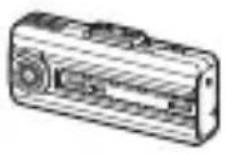
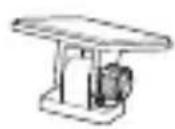
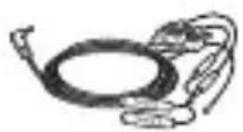
Front camera (main unit) Mount Hardwiring cable
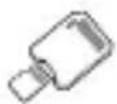


microSD card with adapter (consumable)
Quick start guide / User guide (stored in the microSD card)
Cable clamp holder
Dash cam recording warning sticker
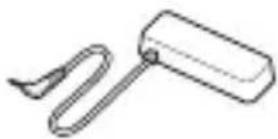
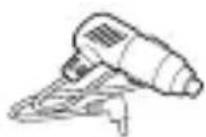
External GPS receiver Car charger
RVC-C310 (Optional [Rear view only])
![ALPINE RVCC310 - RVC-C310 (Optional [Rear view only]) - 1](/content/2026/03/440940/images/e3651d0b43a88741ecb2d1a3007011ab39cb41f81da588ddbb31a6cd48e4e2bf.jpg)
![ALPINE RVCC310 - RVC-C310 (Optional [Rear view only]) - 2](/content/2026/03/440940/images/a6b9ec99aa0a434babfc7102a5e266d4e17029fb1594fcce6ba6b301ab25e208.jpg)
![ALPINE RVCC310 - RVC-C310 (Optional [Rear view only]) - 3](/content/2026/03/440940/images/e4f67fa946434ecf69953e35112aaec05d31b725de8d013415eddfa5c31ef73f.jpg)
Rear camera Rear camera cable
Rear camera extension cable
![ALPINE RVCC310 - RVC-C310 (Optional [Rear view only]) - 4](/content/2026/03/440940/images/bdd72bebe520ea95159c605e413dace67bcc6c78284586aa5fc6797e32db072a.jpg)
![ALPINE RVCC310 - RVC-C310 (Optional [Rear view only]) - 5](/content/2026/03/440940/images/ec7c0eb17376ea9d5c3a96ec19e32f488f100268a3ad166f9a00960d3bd7c84d.jpg)
Rear camera connection cable
Cable clamp holder
Part names
Front camera (main unit) - front view
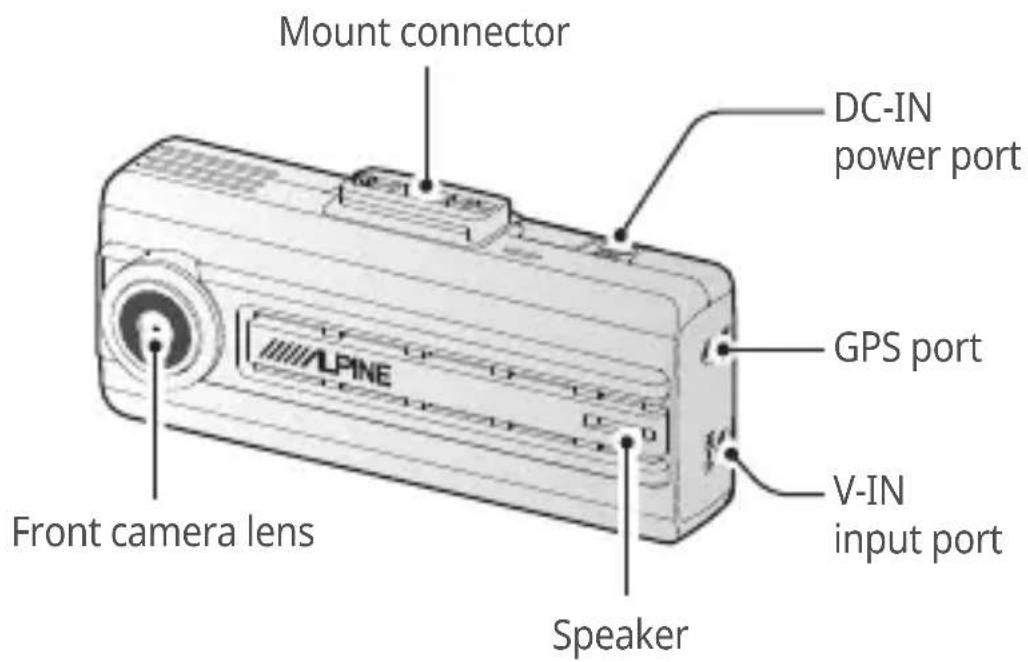
Front camera (main unit) - rear view
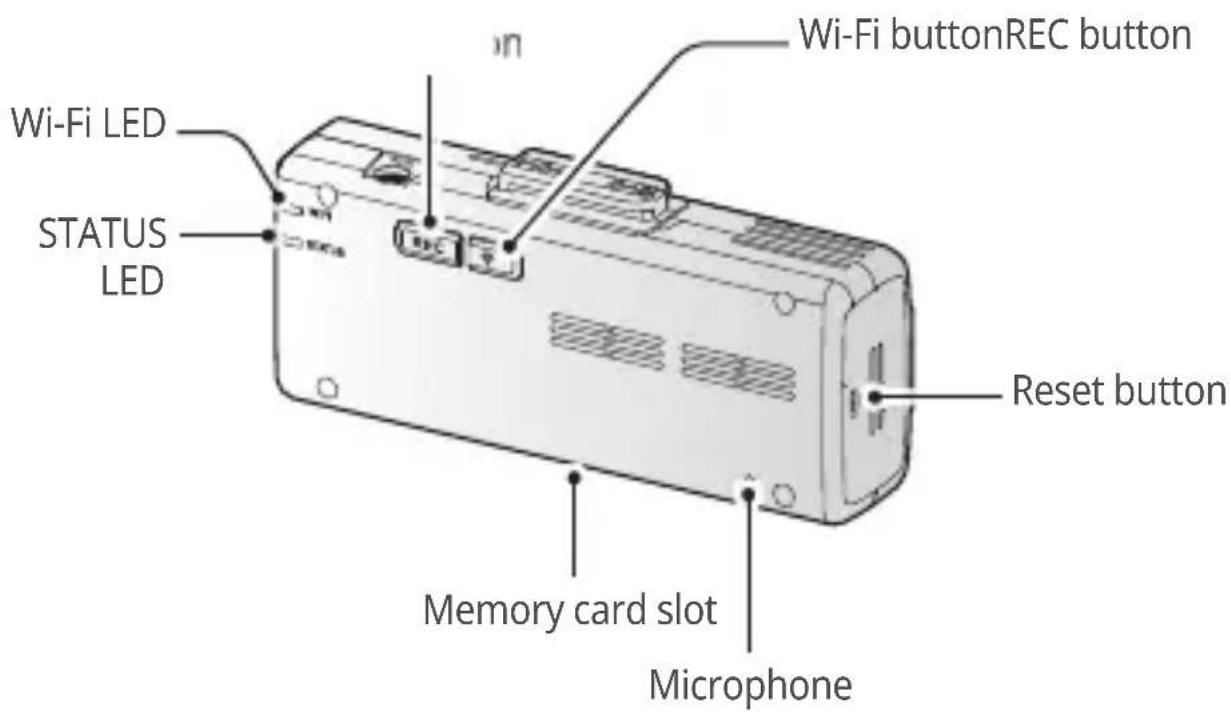
Removing and inserting the memory card
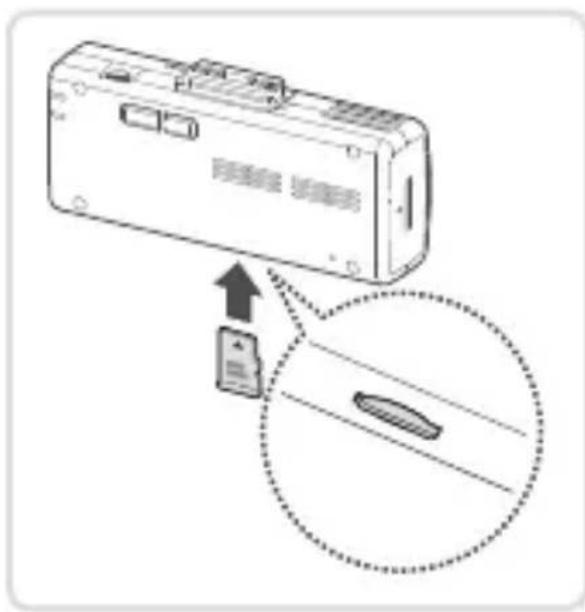
Before removing the memory card, ensure that the product is turned off. Gently push the bottom of the memory card with your fingernail to release it, and then remove it from the product.
To insert the memory card into the memory card slot, ensure that the metal contacts on the memory card are facing toward the product's buttons, and insert it into the slot until you hear a click.

- Ensure that the product is turned off before removing the memory card. The recorded video files may be corrupted or lost if you remove the memory card while the product is on.
- Ensure that the memory card is in the correct direction before inserting it into the product. The memory card slot or the memory card may be damaged if it is inserted incorrectly.
- Use only authentic memory cards from Alpine. Alpine does not guarantee the compatibility and normal operation of third-party memory cards.

To prevent loss of recorded video files, periodically back up the video files on a separate storage device.
Overviewing connection diagram
Follow the connection diagram to properly install the product.

The connection diagram is for reference only. The product must be professionally installed in the vehicle by an Alpine authorized dealer/a trained specialist mechanic.
2 Camera connection diagram (DVR-C310S / RVC-C310)
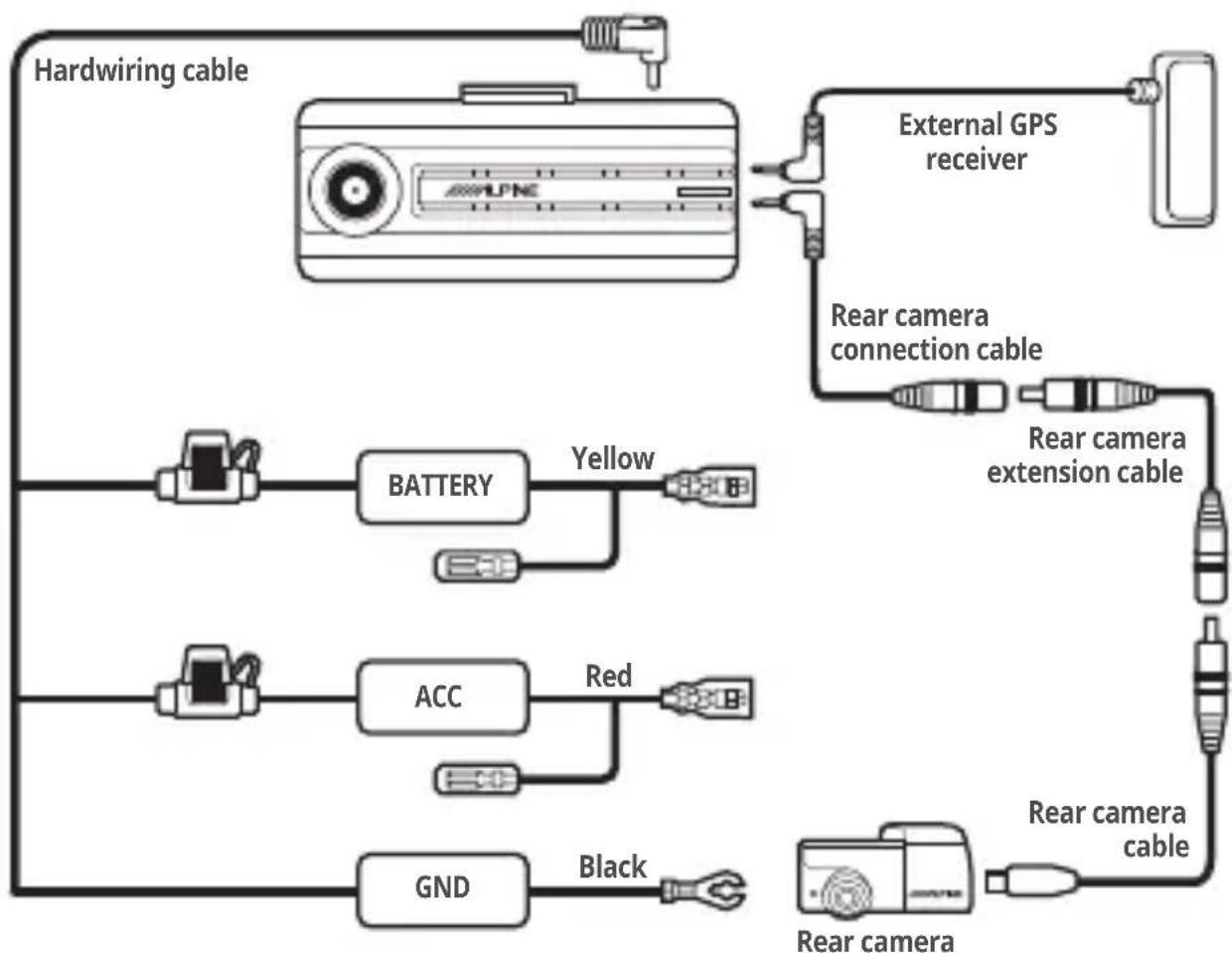
1 Camera connection diagram (DVR-C310S)
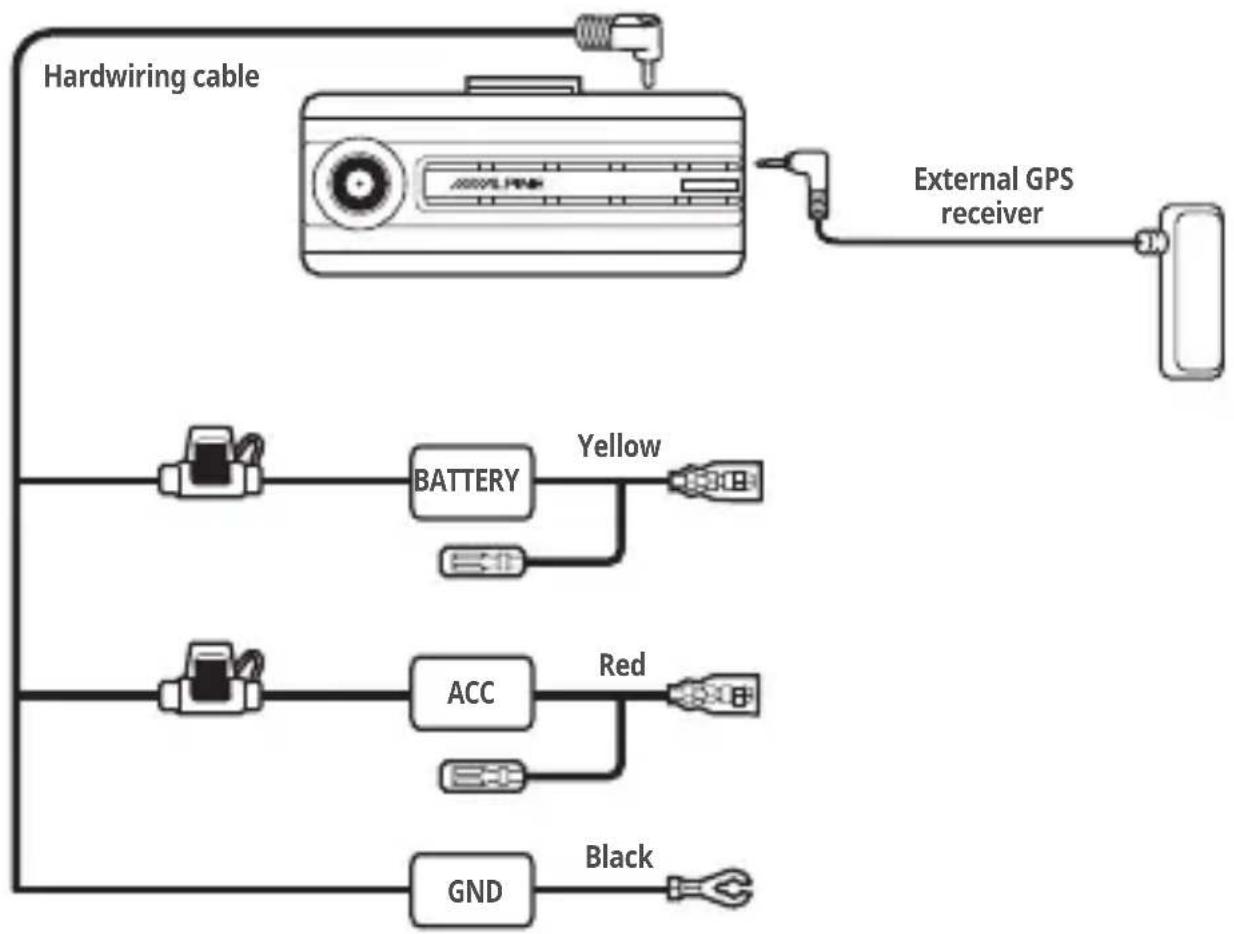
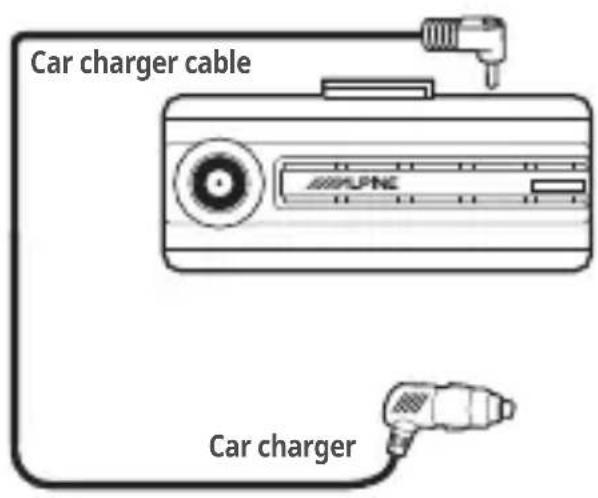
Car charger connection diagram
Installing the product
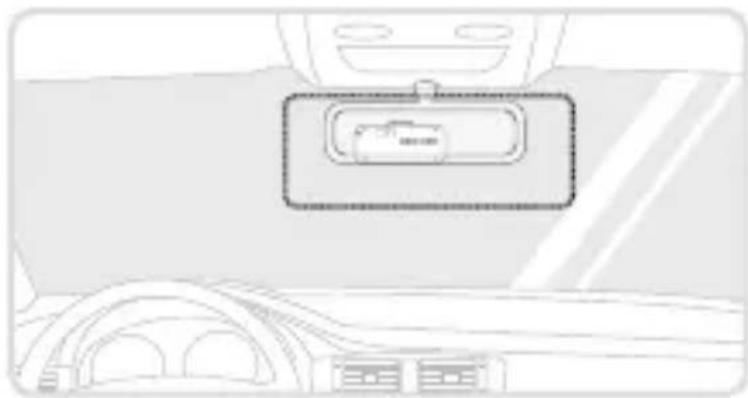
Select an installation location that can record the entire view in front of the vehicle without obstructing the driver's vision. Ensure that the front camera lens is located in the center of the windshield.
Should not be installed on vehicle equipped with front radar or front camera ADAS systems.
- Refer to the figures below to install the camera to the windshield.
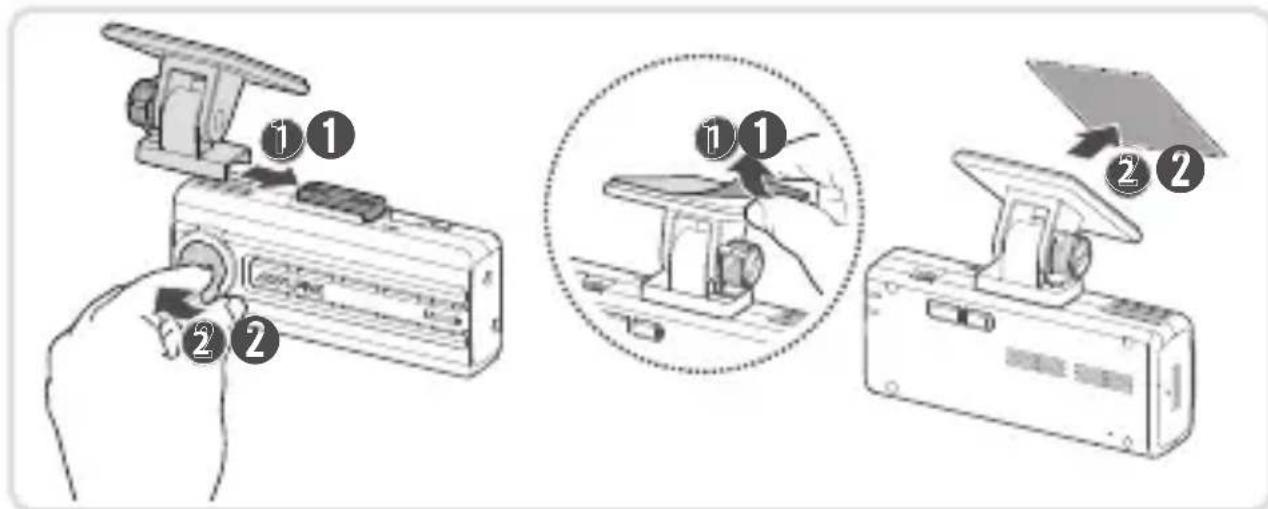
- Remove the product from the mount, and then push the mount against the windshield to fix it firmly.
- Reattach the product to the mount, and then adjust the camera angle.

- To confirm the camera angle, record a video after installation and check the video using the mobile viewer or the PC viewer. If necessary, adjust the camera angle again.
- The product may fall and be damaged during vehicle operation if it is not firmly fixed to the mount.
- If you need to remove the mount from the windshield to alter the installation location, be careful not to damage the windshield's film coat.
Connecting and arranging the power cable
When the engine and electrical accessories are turned off, connect the car charger.
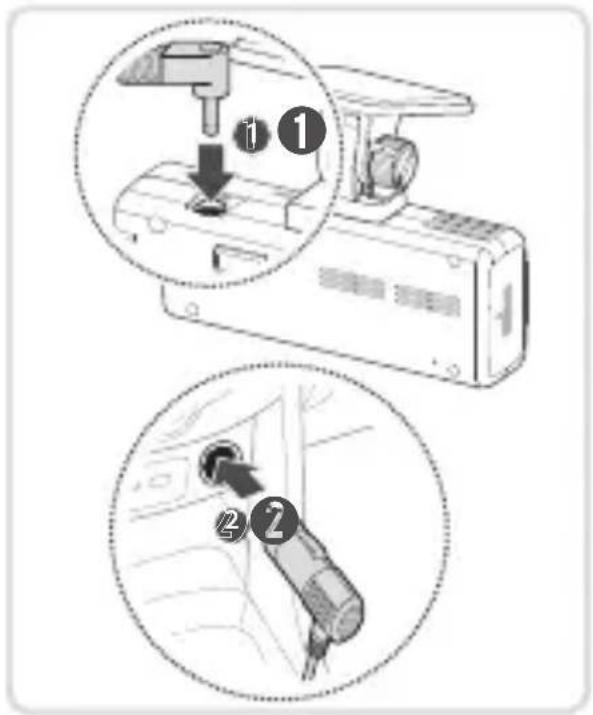
- Connect the cigar socket power cable to the product's DC-IN power connector and insert the cigar jack into the vehicle's power socket.
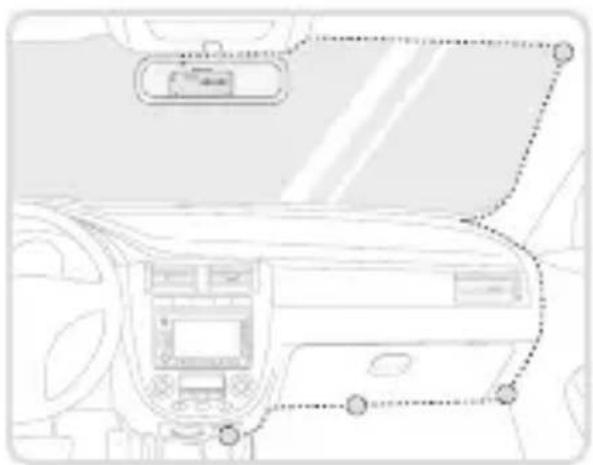
- Arrange and fix the power cable using the clamp cable holders. Refer to the figure on the left for the recommended locations for the clamp cable holders.

- The hardwiring cable must be professionally installed to the vehicle by an Alpine authorized dealer/a trained specialist mechanic.
- Use an authentic cigar socket power cable. If you use another manufacturer's cable, the product may be damaged or electrical fire or electrocution may result due to the voltage difference.
- Do not cut or modify the power cable yourself. Doing so may damage the product or the vehicle.
- For safe driving, arrange the cables to prevent the driver's vision from being obstructed or interfering with driving.
Installing the external GPS receiver
To activate the ADAS feature or record driving information (the speed and location), follow the instructions and install the external GPS receiver on the upper part of the front windshield. Install the external GPS receiver near the product, taking its cable length into account.
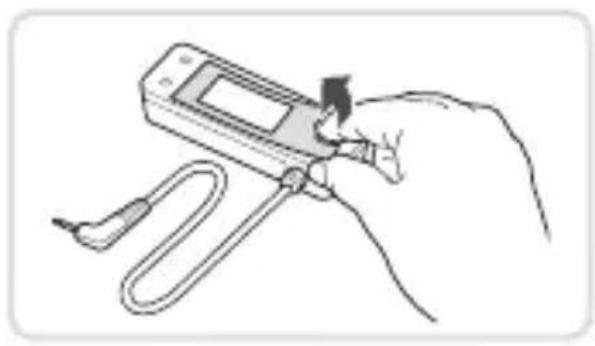
- Remove the fi lm from the back of the external GPS receiver.
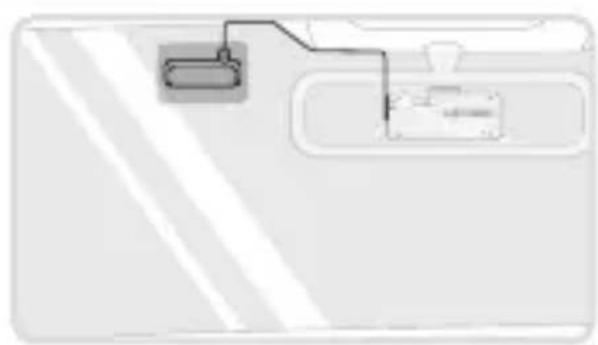
- Attach the external GPS receiver's adhesive surface to the upper part of the front windshield and press the adhesive part firmly to secure it.
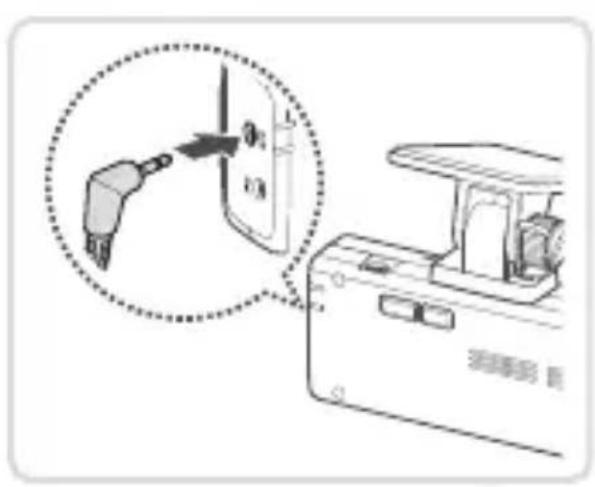
- Connect the external GPS receiver to the product's GPS connector.

Check the GPS connector location again before connecting the GPS receiver. If you connect the external GPS receiver to the DC-IN power connector, the pins inside the port may be damaged.
- Turn on the ACC or starts the engine to check that the product is powered on. After the product is powered on, the Status LED and the voice guide are turned on.
Using the continuous recording features
Connect the power cable to the product's DC-IN power port and then turn on the vehicle's electrical accessories or start the engine. The status LED and the voice guide are turned on, and the continuous recording starts.
During continuous recording, the product operates as follows.
| Mode Operation description | STATUS LED |
| Continuous recording | During driving, videos are recorded in 1 minute segments and stored in the "cont_rec" folder. |
| Incident continuous recording | When an impact to the vehicle is detected, a video is recorded for 20 seconds, from 10 seconds before the detection to 10 seconds after the detection, and stored in the "evt_rec" folder. |
Recording manually
You can record a scene you want to capture while driving and store it as a separate file.
To start manual recording, press the REC button. Then, manual recording will start with the voice guide. During manual recording, the product operates as follows.
| Mode Operation description | STATUS LED |
| Manual recording | When you press the REC button, a video will be recorded for 1 minute, from 10 seconds before to 50 seconds after pressing the button, and stored in the "manual_rec" folder. |
Using parking mode
When the product is connected to the vehicle via the hardwiring cable, the operating mode is switched to parking mode with the voice guide after the engine or electrical accessories are turned off.
If you do not want to use parking mode or you want to change the mode settings, from the mobile viewer, tap Dash Cam Settings > Record Settings.
Refer to the following table to set the Parking Mode options.
| Option Operation | Description | STATUS LED | |
| Motion Detection | No motion or impact detected | Monitors movement in the area or impacts to the vehicle. Video will be recorded only when motion or an impact is detected. | (flickers slowly) |
| Motion detected | When a moving objects is detected while parking, a video is recorded for 20 seconds, from 10 seconds before detection to 10 seconds after detection, and stored in the "motion_rec" folder. | (flickers) | |
| Impact detected | When an impact is detected while parking, a video is recorded for 20 seconds, from the moment 10 seconds before detection to 10 seconds after detection, and stored in the "parking_rec" folder. | (flickers) | |
| Energy Saving | No impact detected | Monitors impacts to the vehicle. Video will be recorded only when an impact is detected. | Off |
| Impact detected | When an impact is detected while parking, a video is recorded for 20 seconds from within 1 second after detection and stored in the "parking_rec" folder. | (flickers) | |
| OFF | The product is powered off when electric accessories and the engine are turned off. | Off | |
Upgrading the firmware
You can download the latest firmware upgrade file from Alpine website. For detailed information about firmware upgrades, refer to the user guide.
Using the mobile viewer
You can view and manage the recorded videos and configure various product features on your smartphone.

- The following are the mobile phone requirements for using the ALPINE Recording Viewer application:
Android 7.0 (Nougat) or higher
iOS 11.4 or higher
- The Wi-Fi password is required when you connect the product to a smartphone for the first time. Enter "123456789" in the password input field.
Connecting the product to a smartphone
- On your smartphone, open the Google Play Store or Apple App Store and download and install ALPINE Recording Viewer.
- RunALPINE Recording Viewer.
- Tap Dash cam connection is required. at the bottom of the screen and follow the on-screen instructions to connect the product to your smartphone.
C E
Hereby, Alpine Electronics (Europe) declares that the radio equipment type DVR-C310S is in compliance with Directive 2014/53/EU.
The full text of the EU declaration of conformity is available at the following internet address: http://www.alpine.com/e/research/doc/
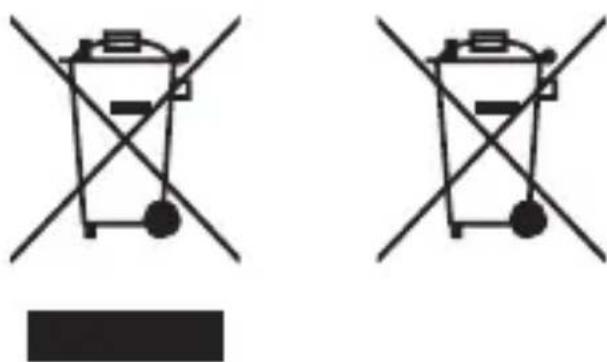
Information on Disposal of Old Electrical and Electronic Equipment and Battery (applicable for countries that have adopted separate waste collection systems)
If you want to dispose this product, do not mix it with general household waste. There is a separate collection system for used electronic products in accordance with legislation that requires proper treatment, recovery and recycling. Contact your local authority for details in locating a recycle facility nearest to you. Proper recycling and waste disposal will help conserve resources whilst preventing detrimental effects on our health and the environment.
WiFi (IEEE 802.11b/g/n) in the 2.4GHz ISM band (2412 ~ 2472MHz) Maximum Power [17.99dBm / 63mW (EIRP)]
Rx only: GNSS (1563~1610MHz), GPS L1 (1575.42MHz) + GLONASS L1 (1602.00MHz)
Important information on the software About the software licence of the product
The software installed in the product contains open-source software.
See the following Alpine website for details on the open source software. http://www.alpine.com/e/oss/download
Support Câble de raccordement
1500 Atlantic Boulevard, Auburn Hills, Michigan 48326, USA
Phone:1-800-ALPINE-1 (1-800-257-4631)
ALPS ALPINE EUROPE GmbH
Ohmstrasse 4
For contact information on your respective country, please visit www.alpine-europe.com.
ACMA-027DEU101