GWC54PC - Leaf blower BLACK & DECKER - Free user manual and instructions
Find the device manual for free GWC54PC BLACK & DECKER in PDF.


| Product type | Cordless leaf blower |
| Brand | Black & Decker |
| Model | GWC54PC |
| Weight | 4.4 kg (with battery) |
| Power supply | Lithium-ion battery 54 V, 1.5 Ah |
| Charger | Model 90642266, 220-230 V AC, 2000 mA |
| Charging time | Approximately 2.75 hours |
| Maximum air speed | 160 km/h |
| Main functions | Blowing with Normal and Boost modes (POWERCOMMAND) |
| Usage | Domestic use only |
| Sound pressure level | 91 dB(A) (uncertainty 2.5 dB) |
| Guaranteed sound power level | 104 dB(A) |
| Hand/arm vibration | < 6.5 m/s² (uncertainty 1.5 m/s²) |
| Maintenance and cleaning | Clean with a dry cloth; do not use solvents |
| Safety | Safety glasses, hearing protection, remove battery before cleaning |
| Spare parts and repairability | Spare parts available from Black & Decker authorized service centers |
| Warranty | 24 months from date of purchase |
| General information | Use only indicated chargers (see manual) |
Frequently Asked Questions - GWC54PC BLACK & DECKER
User questions about GWC54PC BLACK & DECKER
0 question about this device. Answer the ones you know or ask your own.
Ask a new question about this device
Download the instructions for your Leaf blower in PDF format for free! Find your manual GWC54PC - BLACK & DECKER and take your electronic device back in hand. On this page are published all the documents necessary for the use of your device. GWC54PC by BLACK & DECKER.
USER MANUAL GWC54PC BLACK & DECKER
Your BLACK+DECKER GWC54PC, GWC54PCB blower have been designed for leaf clearing. These appliances are intended for consumer use only.
Safety instructions
Warning! When using mains-powered/ cordless appliances, basic safety precautions, including the following, should always be followed to reduce the risk of fire, electric shock, personal injury and material damage.
- Read all of this manual carefully before operating the appliance.
- The intended use is described in this manual. The use of any accessory or attachment or the performance of any operation with this appliance other than those recommended in this instruction manual may present a risk of personal injury.
Retain this manual for future reference.
Using your appliance
Always take care when using the appliance.
Always use safety glasses or goggles.
- Never allow children, persons with reduced physical, sensory or mental capabilities or lack of experience and knowledge or people unfamiliar with these instructions to use the machine, local regulations may restrict the age of the operator. Never operate the machine while people, especially children, or pets are nearby
Do not allow children or animals to come near the work area or to touch the appliance or power supply cord.
- Close supervision is necessary when the appliance is used near children.
This appliance is not intended for use by young or infirm persons without supervision.
This appliance is not to be used as a toy.
- Only use the appliance in daylight or good artificial light.
- Use in a dry location only. Do not allow the appliance to become wet.
- Avoid using the appliance in bad weather conditions, especially when there is a risk of lightning.
- Do not immerse the appliance in water.
- Do not open the body casing. There are not user-serviceable parts inside.
- Do not operate the appliance in explosive atmospheres, such as in the presence of flammable liquids, gases or dust.
- The appliance is only to be used with the power supply unit provided with the appliance.
Residual risks.
Additional residual risks may arise when using the tool which may not be included in the enclosed safety warnings.
These risks can arise from misuse, prolonged use etc.
Even with the application of the relevant safety regulations and the implementation of safety devices, certain residual risks can not be avoided. These include:
Injuries caused by touching any rotating/moving parts.
Injuries caused when changing any parts, blades or accessories.
Injuries caused by prolonged use of a tool. When using any tool for prolonged periods ensure you take regular breaks.
Impairment of hearing.
Health hazards caused by breathing dust developed when using your tool (example:- working with wood, especially oak, beech and MDF.)
After use
- When not in use, the appliance should be stored in a dry, well ventilated place out of reach of children.
Children should not have access to stored appliances. - When the appliance is stored or transported in a vehicle it should be placed in the boot or restrained to prevent movement following sudden changes in speed or direction.
Inspection and repairs
- Before use, check the appliance for damaged or defective parts. Check for breakage of parts and any other conditions that may affect its operation.
- Do not use the appliance if any part is damaged or defective.
- Have any damaged or defective parts repaired or replaced by an authorised repair agent.
- Never attempt to remove or replace any parts other than those specified in this manual.
Additional safety instructions for blowers
The intended use is described in this manual. The use of any accessory or attachment or performance of any operation with this appliance other than those recommended in this instruction manual can present a risk of personal injury and/or damage to property.
To protect your feet and legs while operating the appliance, always wear heavy duty footwear and long trousers.
Always switch off your product, allow the fan to stop and remove the battery when:
- You leave your product unattended.
Clearing a blockage.
- Checking, adjusting, cleaning or working on your product.
- If the appliance starts to vibrate abnormally.
Do not place the inlet or outlet of the vacuum near eyes or ears when operating. Never blow debris in the direction of bystanders.
Do not use in the rain or leave outdoors while it is raining.
Do not cross gravel paths or roads whilst your product is switched. Walk, never run.
Do not place your unit down on gravel while it is switched on.
Always be sure of your footing, particularly on slopes. Do not overreach and keep your balance at all times.
Do not place any objects into the openings. Never use if the openings are blocked - keep free of hair, lint, dust and anything that may reduce the airflow.
Vibration
The declared vibration emission values stated in the technical data and the declaration of conformity have been measured in accordance with a standard test method provided by EN50636 and may be used for comparing one tool with another. The declared vibration emission value may also be used in a preliminary assessment of exposure.
Warning! The vibration emission value during actual use of the power tool can differ from the declared value depending on the ways in which the tool is used.
The vibration level may increase above the level stated.
When assessing vibration exposure to determine safety measures required by 2002/44/EC to protect persons regularly using power tools in employment, an estimation of vibration exposure should consider, the actual conditions of use and the way the tool is used, including taking account of all parts of the operating cycle such as the times when the tool is switched off and when it is running idle in addition to the trigger time.
Warning! Always use your product in the manner outlined in this manual. Your product is designed to be used in an upright mode and if it is used in any other way it may result in injury. Never run your product whilst lying on it's side or upside down.
- The operator or user is responsible for accidents or hazards occurring to other people or their property.
Do not use solvents or cleaning fluids to clean your product. Use a blunt scraper to remove grass and dirt. - Check the collection bag frequently for wear or deterioration.
Replacement fans are available from a Black & Decker service agent. Use on Black & Decker recommended spare parts and accessories. - Keep all nuts bolts and screws tight to make sure that the appliance is in a safe working condition.
Safety of others
This appliance is not intended for use by persons (including children) with reduced physical, sensory or mental
capabilities, or lack of experience and knowledge, unless they have been given supervision or instruction concerning use of the appliance by a person responsible for their safety.
Children should be supervised to ensure that they do not play with the appliance.
Additional safety instructions for batteries and chargers
Batteries
- Never attempt to open for any reason.
Do not expose the battery to water. - Do not store in locations where the temperature may exceed 40^ .
Charge only at ambient temperatures between 10^ and 40^ . - Charge only using the charger provided with the tool.
- When disposing of batteries, follow the instructions given in the section "Protecting the environment".
Chargers
Use your BLACK+DECKER charger only to charge the battery in the tool with which it was supplied. Other batteries could burst, causing personal injury and damage.
- Never attempt to charge non-rechargeable batteries.
- Have defective cords replaced immediately.
- Do not expose the charger to water.
Do not open the charger.
Do not probe the charger.

The charger is intended for indoor use only.

Read the instruction manual before use.
Important: Only the following chargers should be used to charge the 54v battery BL1554 & BL2554:
90589867, 90621477, 90590287-01, 90590289-01, 90602042-01, 90590287-02, 90590289-02, 90599854-02, 90599854-06, 90599853-05, 90634971, 90634972, 90634973, 90642266, 90642264, 90642265, BDC2A
Electrical safety

Your charger is double insulated; therefore no earth wire is required. Always check that the mains voltage corresponds to the voltage on the rating plate. Never attempt to replace the charger unit with a regular mains plug.
If the supply cord is damaged, it must be replaced by the manufacturer or an authorised BLACK+DECKER Service Centre in order to avoid a hazard.
Labels on appliance
The following warning symbols are found on the appliance along with the date code:

Read the manual prior to operation.

Wear safety glasses or goggles when operating this appliance.
Wear suitable ear protectors when operating this appliance.

Always remove the battery from the appliance before performing any cleaning or maintenance.
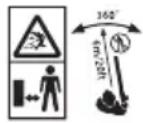
Beware of flying objects. Keep bystanders away from the working area.

Do not expose the appliance to rain or high humidity.

Directive 2000/14/EC guaranteed sound power.
Features
This appliance includes some or all of the following features.
- On / Off trigger
- POWERCOMMAND button
- Tube
3a. Leaf scraper (For the removal of wet leaves or stubborn debris) - Battery (GWC54PC unit only)
Tube assembly (Fig. G)
Note: Ensure the sweeper is switched off and the battery is removed before attaching or removing the sweeper tube. The tube must be assembled to the housing before use.
To attach the tube to the sweeper, line up the tube with the sweeper housing as shown in Figure G.
Push the tube (3) into the sweeper housing until the lock button (3b) engages the lock hole in the tube.
Charging procedure (GWC54PC unit) (Fig. A)
BLACK+DECKER chargers are designed to charge BLACK+DECKER battery packs.
Plug the charger (5) into an appropriate outlet before inserting the battery pack (4).
Insert the battery pack (4) into the charger (5) as shown in figure A.
The green LED (5a) will flash indicating that the battery is being charged.
The completion of charge is indicated by the green LED (5a) remaining on continuously. The pack is fully charged and may be used at this time or left on the charger.
Note: Recharge discharged batteries as soon as possible after use or battery life may be greatly diminished. For longest battery life, do not discharge batteries fully.
It is recommended that the batteries be recharged after each use.
Leaving the battery in the charger
The charger (5) and battery pack (4) can be left connected with the LED glowing indefinitely. The charger will keep the battery pack fresh and fully charged.
Important charging notes
Longest life and best performance can be obtained if the battery pack is charged when the air temperature is between 65^ and 75^ (18^ - 24^) . DO NOT charge the battery pack in an air temperature below +40^ (+4.5^) or above +105^ (+40.5^) . This is important and will prevent serious damage to the battery pack.
- The charger and battery pack may become warm to touch while charging. This is a normal condition, and does not indicate a problem. To facilitate the cooling of the battery pack after use, avoid placing the charger or battery pack in a warm environment such as in a metal shed, or an uninsulated trailer.
If the battery pack does not charge properly:
Check current at receptacle by plugging in a lamp or other appliance.
Check to see if receptacle is connected to a light switch which turns power off when you turn out the lights.
Move charger and battery pack to a location where the surrounding air temperature is approximately 65^ - 75^ (18^ - 24^)
If charging problems persist, take the tool, battery pack and charger to your local service center.
- The battery pack should be recharged when it fails to produce sufficient power on jobs which were easily done previously. DO NOT CONTINUE to use under these conditions. Follow the charging procedure. You may also charge a partially used pack whenever you desire with no adverse effect on the battery pack.
- Foreign materials of a conductive nature such as, but not limited to, steel wool, aluminium foil, or any buildup of metallic particles should be kept away from charger cavities. Always unplug the charger from the power supply when there is no battery pack in the cavity. Unplug charger before attempting to clean.
Do not freeze or immerse charger in water or any other liquid.
Warning! Do not allow any liquid to get inside charger. Never attempt to open the battery pack for any reason. If the plastic housing of the battery pack breaks or cracks, return to a service center for recycling.
State of charge indicator (Fig.B)
The battery is equipped with a state of charge indicator. This can be used to display the current level of charge in the battery during use and during charging. It does not indicate tool functionality and is subject to variation based on product components, temperature and end-user application.
Checking state of charge during use
Press the state of charge indicator button (B1).
The three LEDs (B2) will illuminate, indicating the percent of charge in the battery. See chart in figure B.
If LED light does not illuminate, charge battery.
Charger Diagnostics (Fig.E)
Refer to the indicators in figure E for the charge status of the battery pack.
Bad Battery
If you see a bad battery blink pattern, do not continue to charge this battery. Return it to a service center or a collection site for recycling.
Hot/Cold Pack Delay
When the charger detects a battery pack that is too hot or too cold, it automatically starts a Hot/Cold Pack Delay, suspending charging until the battery pack has reached an appropriate temperature. The charger then automatically switches to the pack charging mode. This feature ensures maximum battery pack life. A cold battery pack will charge at a slower rate than a warm battery pack. The pack will charge at that slower rate throughout the entire charging cycle and will not return to maximum charge rate even if the pack warms.
Installing and removing the battery pack from the tool
To install battery pack Fig. C)
Insert battery (4) into battery housing until an audible click is heard (Figure. C)
Ensure battery pack is fully seated and fully latched into position.
To remove battery pack (Fig.D)
Depress the battery release button (4a) as shown in figure D and pull battery pack (4) out of battery housing.
DUALVOLT 54V Battery Pack (Fig F.)
The DUALVOLT 54V battery pack can be used on 54V & 18V Black+Decker Cordless tools. The battery can recognise the tool it is inserted into and will run at the relevant power, providing longer runtime in 18V tools. There is a State of charge button (4b) which will indicate the level charge at both 54V & 18V.
Operation
Warning! Always wear safety glasses. Wear a filter mask if the operation is dusty. Use of gloves, long pants and substantial footwear is recommended. Keep long hair and loose clothing away from openings and moving parts. THIS SWEEPER IS FOR HOUSEHOLD USE ONLY.
Hold the sweeper with one hand as shown in Figures H and J and sweep from side to side with the nozzle several inches above the ground. Slowly advance keeping the accumulated pile of debris in front of you.
Switching on and off (Fig. H)
Warning! Do not point unit discharge at self or bystanders.
To switch the sweeper on, depress the on/off trigger as shown in Figure H.
To switch the sweeper off, Release the on/off trigger as shown in H.
POWERCOMMAND feature (Fig. 1)
The POWERCOMMAND feature allows you to optimise the tools performance and boost the power as needed.
Switch the blower on.
To activate the "Boost" mode, press the POWERCOMMAND button down.
To deactivate the "Boost" mode, press the POWERCOMMAND button.
Operate in "Normal" mode for most sweeping needs. (Longer runtime will be achieved.)
Activate "Boost" mode as needed to clear heavy or wet debris.
Troubleshooting
| Problem Possible cause | Possible solution | |
| Unit will not start. Battery | not installed properly. | Check battery installation. |
| Battery not charged. Check | k battery charging requirements. | |
| Battery will not charge. Battery will not insert into charger. | Battery not inserted into charger. | Insert battery into charger until green LED appears. |
| Charger not plugged in. P | ug charger into a working outlet. Refer to "Important Charging Notes" for more details. | |
| Check current at receptacle by plugging in a lamp or other appliance. | ||
| Check to see if receptacle is connected to a light switch which turns power off when you turn out the lights. | ||
| Surrounding air temperature too hot or too cold. | Move charger and tool to a surrounding air temperature of above 40 degree F (4.5°C) or below 105 degree F (+40.5°C). |
Protecting the environment

Separate collection. Products and batteries marked with this symbol must not be disposed of with normal household waste.
Products and batteries contain materials that can be recovered or recycled reducing the demand for raw materials. Please recycle electrical products and batteries according to local provisions.
| Technical data | GWC54PC GW | C54PCB | |
| Input Voltage | VDC | 54 54 | |
| Speed | Km/h 160 | 160 | |
| Weight | kg | 4.4 3.5 | |
| Battery | N476407 | Bare unit (no Battery) | |
| Voltage | VDC | 54/18v DUALVOLT | |
| Capacity | Ah | 1.5 | |
| Type | LI-Ion | ||
| Charger | 90642266 Bare | unit (no Charger) | |
| Input voltage | VAC | 220 - 230 | |
| Current | mA | 2000mA | |
| Approx. charge time | h | 2.75 | |
Hand/arm weighted vibration value according to EN 50636-2-100:
$$ \begin{array}{l} = < 6, 5 \mathrm {m} / \mathrm {s} ^ {2}, \text {u n c e r t a i n t y} (\mathrm {K}) = 1, 5 \mathrm {m} / \mathrm {s} ^ {2}. \ L _ {P A} (\text {s o u n d p r e s s u r e}) 9 1 \mathrm {d B (A)} \ \text {u n c e r t a i n t y} (K) = 2, 5 \mathrm {d B} (\mathrm {A}) \ \end{array} $$
EC declaration of conformity
MACHINERY DIRECTIVE OUTDOOR NOISE DIRECTIVE

GWC54PC, GWC54PCB blower
Black & Decker declares that these products described under
"technical data" are in compliance with:
2006/42/EC, EN 60335-1: 2012+A11;
EN 50636-2-100:2014
2000/14/EC, Blower, Annex VI
DEKRA Certification B.V., Utrechtseweg 310,
6802 ED Arnhem, The Netherlands
Notified Body ID No.: 0344
Level of acoustic power according to 2000/14/EC
(Article 13, Annex III):
L_WA (measured sound power) 101 dB(A)
Uncertainty = 3 dB(A)
L_WA (guaranteed sound power) 104 dB(A)
These products also comply with Directive 2004/108/EC (until 19.04.2016), 2014/30/EU (from 20.04.2016) and 2011/65/EU.
For more information, please contact Black & Decker at the following address or refer to the back of the manual.
The undersigned is responsible for compilation of the technical file and makes this declaration on behalf of Black & Decker.
R. Laverick
Director of Engineering
Black & Decker Europe, 210 Bath Road, Slough,
Berkshire, SL1 3YD
United Kingdom
07/12/2016
Guarantee
Black & Decker is confident of the quality of its products and offers consumers a 24 month guarantee from the date of purchase. This guarantee is in addition to and in no way prejudices your statutory rights. The guarantee is valid within the territories of the Member States of the European Union and the European Free Trade Area.
To claim on the guarantee, the claim must be in accordance with Black&Decker Terms and Conditions and you will need to submit proof of purchase to the seller or an authorised repair agent. Terms and conditions of the Black&Decker 2 year guarantee and the location of your nearest authorised repair agent can be obtained on the Internet at www.2helpU.com, or by contacting your local Black & Decker office at the address indicated in this manual.
Please visit our website www.blackanddecker.co.uk to register your new Black & Decker product and receive updates on new products and special offers.
Verwendungszweck
Director of Engineering
Black & Decker Europe, 210 Bath Road, Slough,
Berkshire, SL1 3YD
Souffleur GWC54PC, GWC54PCB
Black & Decker Europe, 210 Bath Road, Slough,
Berkshire, SL1 3YD
Royaume-Uni
14/10/2016
Garantie
Black & Decker Europe, 210 Bath Road, Slough,
Berkshire, SL1 3YD
Regno Unito
14/10/2016
Garanzia
Director of Engineering
Black & Decker Europe, 210 Bath Road, Slough,
Berkshire, SL1 3YD
Verenigd Koninkrijk
14-10-2016
Garantie
- Utilice sempre gafas protectoras.
- Nunca permitted that the children were not allowed to play with the animals.
- Nuncas permitted that the children could touch the animals.
- Nunca permitted that the children could touch the animals.
- Nunca permitted that the children could touch the animals.
- Nunca permitted that the children could touch the animals.
- Nunca permitted that the children could touch the animals.
- Nunca permitted that the children could touch the animals.
- Nunca permitted that the children could touch the animals.
- Nunca permitted that the children could touch the animals.
- Nunca permitted that the children could touch the animals
Black & Decker Europa, 210 Bath Road, Slough,
Berkshire, SL1 3YD
Reino Unido
14/10/2016
Garantía
Director de Engenharia
Black & Decker Europe, 210 Bath Road, Slough,
Berkshire, SL1 3YD
Reino Unido
14/10/2016
Garantia
Director of Engineering
Black & Decker Europe, 210 Bath Road, Slough,
Berkshire, SL1 3YD
Storbritannien
2016-10-14
Garanti
Ladeprosedyre (GWC54PC-enhet) (Fig. A)
BLACK+DECKER-ladere er designet for a lade BLACK+DECKER-batteripakker.
Plugg inn laderen (5) i en passende stikkontakt før du setter inn batteripakken (4).
Sett batteripakken (4) inn i laderen (5) som vist i figur A.
Det gronne LED-lyset (5a) blinker for a varse om at batteriet lades.
Fullfort lading vises ved at den gronne LED-en (5a) er pa kontinuierlig. Pakken er da fullt oppladet og kan brukes, ell er den kan bli staende i laderen.
GWC54PC, GWC54PCB blase
Europe, 210 Bath Road, Slough,
Berkshire, SL1 3YD
Storbritannia
14.10.2016
Garanti
Black & Decker er trygg på kvaliteten avprodukte sine og
tilbyr en 24 maneders garanti fra kjopsdato. Denne garan
Din BLACK+DECKER GWC54PC, GWC54PCB blaeser
GWC54PC, GWC54PCB-blaeser
Black & Decker Europe, 210 Bath Road, Slough,
Berkshire, SL1 3YD
Storbritannien
14/10/2016
Garanti
GWC54PC, GWC54PCB-lehtipuhallin
Black & Decker Europe, 210 Bath Road, Slough,
Berkshire, SL1 3YD
Iso-Britannia
14.10.2016
Takuu
Tia va evepyotioinote To quontnpa, TIEOTn Okaovdaan on/off oTiwosdeltaiv Eikova H.
Ia va aTevepyOIOIHOTe TO quoNTnpa, EeUePwote Tn OkaVdaan on/off oTWCdixvEi n Eikova H.
Black & Decker Europe, 210 Bath Road, Slough,
Berkshire, SL1 3YD
United Kingdom
14/10/2016
Eyyunon
H Black & Decker éivai σiyoupn yia tvn tiónta twv
Tpoiovtw vtn kai Tpooφépi OTouc katavaawtec Eyyunon
24 mnyov aio tvn nuepounvia ayopac. Aut n Eyyunon
Ouμiλnpwei kai me kaveva tpoiotobev npaaBanttei
ta vopiia diikaiomega taac. H Eyyunon ioxuei Evtoc tns
ETIKpateia ctwxwpw meawv tnC Eupwnaiknc Evwnc kai
tnc EupwnaiknzwoqEAEUeepow Suvaalaywv.
Tia va uToBalaTe aIomega nBaei TnC EyyunOns, n aIomega Tha
TpeTie va evai OuMpwvN ME Touc Opouc KAI TpouTIOeEeIC
Tnc Black&Decker kai 0a XpeiaTe i va uToBalaTe aIoEiEn
ayopac otov Tiawntn H eEgouioobotnevo AvTTPOoWTO
Oepic. MTopeite va atIOKTHeTe touc Opuoc kai
TpoUtoeaeic Tnc EyyunOns 2 EtWv Tnc Black&Decker kai va
mutheta Tnv toTbeia Tou PAnoiotepou Eouioobotmevou
avTIPOoWtou ETIOKEuwv OTO Internet oTo www.2helpU.com,
nETIKoivwuvvtac Me To toTNIKO ac ypaepio Black & Decker
OTn DieuTuON TPO UTODEKVUEaT OTo TApov EvxEpidio.
Napakaloume EIOKEeEITE Nv IOToeIIDA maC www. blackanddecker.gr yia va kataxwpiote To veo aac Tpoiov Black & Decker kai yia va evnepuwote Yia ta vea Tpoiovta kai Tc EIDIKEc TPOOOPc
| België/Belqique/LuxembourgStanley Black & Decker Belgium BVBA Tel. NL +32 15 47 37 65www.blackanddecker.be Egide Walschaertsstraat 16 Tel. FR +32 15 47 37 66enduser.be@sbdinc.com 2800 Mechelen Fax. +32 15 47 37 99 | |||
| Danmark Black & Decker kundeservice.dk@sdbinc.comRoskildevej 22 www.blackanddecker.dk2620 Albertslund | |||
| Deutschlandwww.blackanddecker.de Black & Decker Str. 40, D - 65510 Idstein Fax 06126 21-2980infobfge@sdbinc.com | |||
| Eλλάδαwww.blackanddecker.grgreece.service@sdbinc.com | Stanley Black & Decker (EλλΑΣ) E.I.EΓΑΦΕΙΑ: Στράβωνος 7 & Bουλιαγμένης166 74 Γλυφάδα - Aθήνα | 06126 21-0 | |
| SERVICE:193 00 Αστρότυμύς - Aθήνα | Ημερος Κότος 2 - Xάνι ΑδάμΦαξ 210-5597598 | 210-8981616210-8983570210-8985208 | |
| Espanawww.blackanddecker.esrespuesta(posventa@sdbinc.co08820 El Prat de Llobregat (Barcelona) | Stanley Black & Decker Ibérica, S.C.A.Parc de Negocis "Mas Blau"Edificio Muntadas, c/Bergadá, 1, Of. A6 | 934 797 400934 797 419 | |
| Francewww.blackanddecker.frB.P. 3008469579 Limonest Cédex | Black & Decker (France) S.A.S.5 allée des Hétres Fax 04 72 20 39 00 | 04 72 20 39 20 | |
| Helvetiawww.blackanddecker.chservice@rofoag.ch | ROFO AGGewerbezone Seeblick3213 Kleinössingen | Tel.Fax 026-6749394 | 026-6749394 |
| Italiawww.blackanddecker.itservice.italia@sdbinc.com | Stanley Black & Decker ItaliaVia Energypark 620871 Vimercante (MB) | Tel.Fax 039-9590313Numero verde 800-213935 | 039-9590200939-9590313 |
| Nederlandwww.blackanddecker.nlenduser.nl@sdbinc.com | Stanley Black & Decker Netherlands BVHoltum Noordweg 35, 6121 RE BORNPostbus 83, 6120 AB BORN | Tel.Fax +31 164 283 065+31 164 283 200 | +31 164 283 065+31 164 283 200 |
| NorgePostboks 4613, Nydalen0405 Oslo | Black & Deckerwww.blackanddecker.no | kundeservice.no@sdbinc.com | |
| Österreichwww.blackanddecker.atservice.austria@sdbinc.com | Stanley Black & Decker Austria GmbHOberlaamerstraße 248, A-1230 Wien | Tel.Fax 01 66116-001 66116-614 | |
| Portugalwww.blackanddecker.ptresposta(posventa@sdbinc.com2770 - 071 Paço de Arcos | Black & Decker Limited SARLQuinta da Fonte - Edificio Q55 D. DinizRua dos Malhões, 2 e 2A - Piso 2 Esquerdo | Tel.Fax 214667500214667580 | |
| SuomiPL4700521, Helsinki | Black & Deckerwww.blackanddecker.fi | asiakaspalvelu.fi@sdbinc.com | |
| SverigeBox 94, 431 22 Mälndal | Black & Decker ABwww.blackanddecker.se | kundeservice.se@sdbinc.com | |
| Türkijewww.blackanddecker.com.trEdirnekapi / Eyüp / Istanbul 34050 | KALE Hirdavat ve Makina A.§Defterdar Mah. Savaklar Cad. No:15 | Tel.Fax 0212 533 52 550212 533 10 05 | |
| United Kingdom &Republic Of Irelandwww.blackanddecker.co.ukemeaservice@sdbinc.com | Black & Decker210 Bath RoadSlough, Berkshire SL1 3YD | Tel.Fax 01753 51123401753 512365 | |
| Middle East & Africawww.blackanddecker.eaeservice.mea@sdbinc.com | Black & DeckerP.O.Box - 17164Jebel Ali Free Zone (South), Dubai,UAE | Tel.Fax +971 4 8863030+971 4 8863330 | |