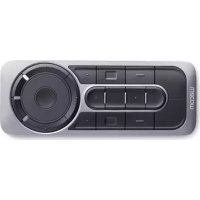
ExpressKey Remote - Remote control WACOM - Free user manual and instructions
Find the device manual for free ExpressKey Remote WACOM in PDF.



| Product Type | Wireless Remote for Graphics Tablets |
| Brand | Wacom |
| Model | ExpressKey Remote |
| Dimensions (W x D x H) | 135 x 52 x 10 mm |
| Weight | 110 g |
| Transmission Type | 2.4 GHz Radio Frequency |
| Battery | Built-in Rechargeable Lithium-ion |
| Charging Time | 2 hours (80%) |
| Continuous Operation Time | 160 hours |
| Buttons | Customizable Shortcut Buttons |
| Touch Wheel | Touch Ring |
| Connectivity | Micro USB Port for Charging and Wireless USB Receiver |
| Software Compatibility | Windows 7/8, Mac OS X (Wacom driver required) |
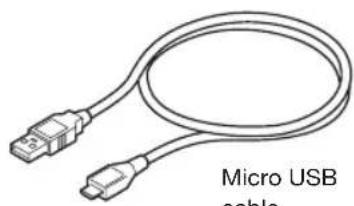
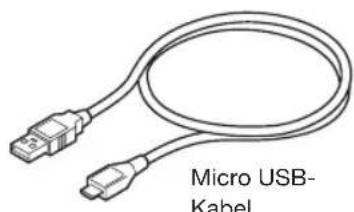
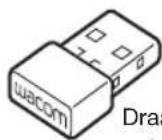
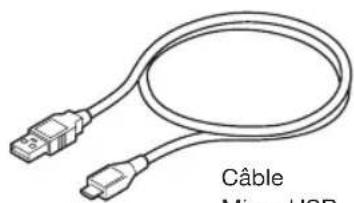
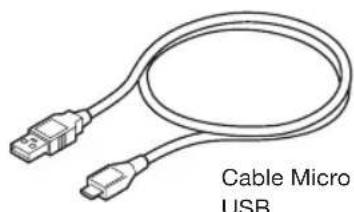
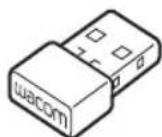
| Package Contents | ExpressKey Remote, wireless receiver, Micro USB cable, documentation |
| Warranty | 2-year limited (wear parts excluded) |
| Manufacturer | Wacom Europe GmbH, Krefeld, Germany |
| Maintenance and Cleaning | Clean with a soft, dry cloth; do not use solvents |
| Safety | Do not expose to water, heat; do not disassemble; keep out of reach of children |
| Power Supply | Rechargeable battery via USB (cable included) |
| Repairability | Not user-serviceable; contact Wacom support |
| LED Indicators | Mode indicator, battery status indicator (red/orange), pairing status indicator (blue) |
Frequently Asked Questions - ExpressKey Remote WACOM
User questions about ExpressKey Remote WACOM
0 question about this device. Answer the ones you know or ask your own.
Ask a new question about this device
Download the instructions for your Remote control in PDF format for free! Find your manual ExpressKey Remote - WACOM and take your electronic device back in hand. On this page are published all the documents necessary for the use of your device. ExpressKey Remote by WACOM.
USER MANUAL ExpressKey Remote WACOM
natural_image
Pure electrical circuit lines without any symbols
natural_image
Pure geometric lines forming two symmetrical cross patterns with no text or symbols
natural_image
Pure geometric lines and a central circle with intersecting lines, no text or symbols present
Supplied accessories
ExpressKey Remote
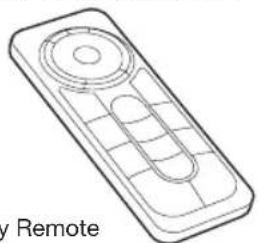
natural_image
Line drawing of a remote control device with no text or symbols
natural_image
Line drawing of a micro USB cable with two connectors (no text or symbols on the cable itself)Micro USB cable
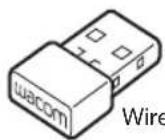
Wireless
receiver
墨
1
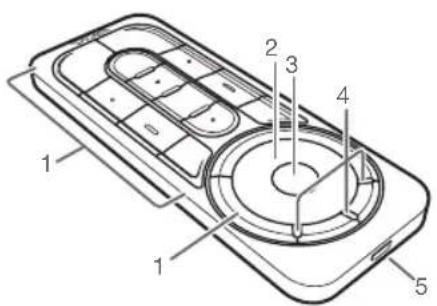
Getting to know your ExpressKey Remote
-
ExpressKey
-
Mode LED
-
Touch Ring
-
Micro USB port (for charging battery)
-
Mode button
2
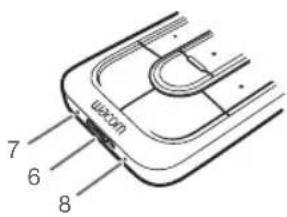
- Power Slide button
- Battery status LED
Low battery : flashing red
Charging
solid
amber
- Status LED
Pairing mode : flashing
blue
Connected/Sleep
: off
EZ
3
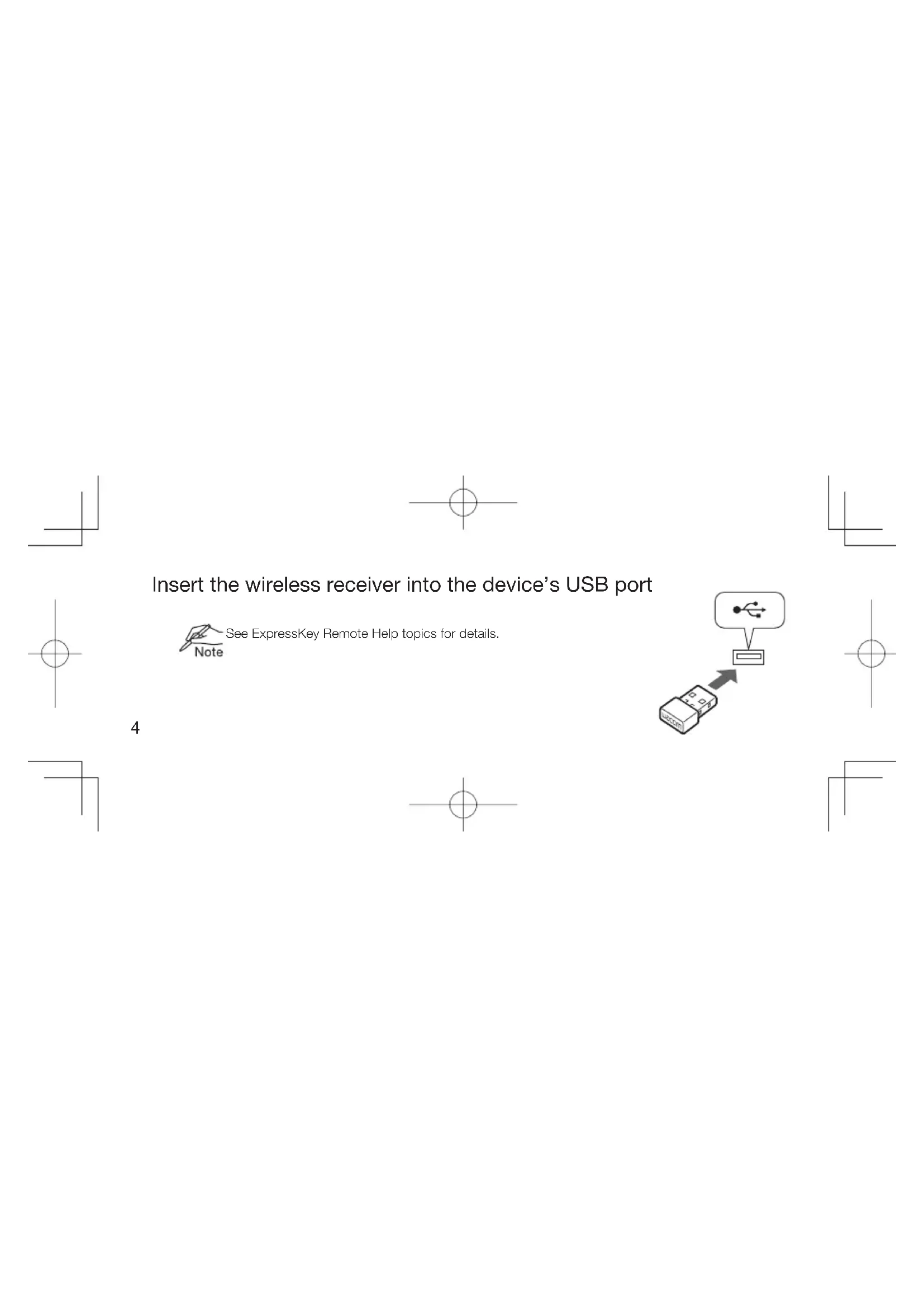
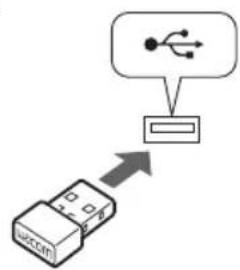
Insert the wireless receiver into the device's USB port

See ExpressKey Remote Help topics for details.
4
flowchart
graph TD
    A["USB Port"] --> B["USB Port"]
    style A fill:#f9f,stroke:#333
    style B fill:#ccf,stroke:#333
Software Installation
- Connect to the Internet.
- Windows 8, Windows 7 and Mac OS X:
Download the Wacom driver from Wacom's website, and install it on your computer.
Follow the on-screen instructions.

The Wacom driver is required in order to use all the functionality of the product. Wacom
Note recommends always using up to date drivers and software.

5
Using the ExpressKey Remote
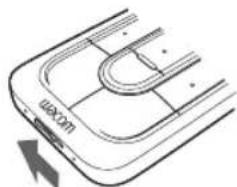
- To start using the ExpressKey Remote, slide the Power Slide button to the left. The ExpressKey Remote goes into Sleep mode if not used for a certain length of time. To wake it up, slide the Power Slide button and release.
natural_image
Diagram of a U-shaped mechanical component with an arrow indicating motion (no text or symbols)Slide the Power Slide button to the left
6

The ExpressKey Remote is already paired with the wireless receiver. If it is not paired, slide and hold the Power Slide button for 5 seconds. When the Status LED fl ashes blue, the pairing process is finished and the LED is turned off automatically.
- The ExpressKey Remote buttons have defaults for popular software applications. Button assignments can be changed in the control panel. See ExpressKey Remote Help topics for details.

Charging the ExpressKey Remote
- Recharge using micro USB cable plugged into the device's USB port.

For further information, see ExpressKey Remote Help topics.
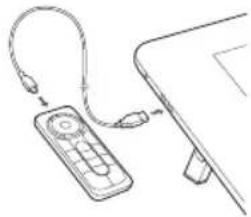
natural_image
Line drawing of a remote control device connected to a laptop (no text or symbols)7
Support options
Technical Support is available from Monday - Friday 9:00 to 18:00 (Central European Time).
Contact form:
http://www.wacom.eu/contact
Precautions
Warning
8 Parts of the product can present a choking hazard. Keep away from children. Small parts may accidentally
E
Z
be swallowed.
Do not put the product close to fire or use in high temperature conditions.
Do not place on slanted areas, unstable areas, or areas where vibration is present. Physical damage or personal injury may result if this product falls from an unsuitable surface.
This product has parts made of metal. If you show symptoms of metallic allergy during use, stop using the product, and consult a doctor immediately.
Be sure to dispose of this product properly, and to manage the disposal in accordance with your local ordinances and laws.
Usage notes
Avoid damaging the cables. Do not place heavy objects on them, repeatedly bend them sharply, or apply 9

heavy stress to the cable connectors. Torn or otherwise damaged cables may increase the risk of product malfunction, electrical shock, or fi re. If they are damaged, stop using the product and contact your local distributor or the Wacom customer support center for your region.
Do not expose this product to water or other liquids.
Do not insert foreign material into the USB plug end or any other opening of this product. If a metal object or foreign material is inserted into the USB plug or other opening of this product, it may cause the product to malfunction or burn out, or cause electrical shock.
Do not use any organic solvent (e.g. alcohol) or even mild detergent to clean the product and the pen. Use of these cleaners can damage the product. Damage of this kind is not covered by the manufacturer's warranty.
BZ
Do not use or store this product under the following conditions:
- Places where temperature changes are severe or exceed specifications (e.g. outdoors or inside a vehicle).
- Dusty areas.
Refrain from using this product during thunder or electrical storms. If it is being charged, stop the charging. Such use may cause product malfunction, fi re, or electrical shock.
Please recycle batteries in accordance with the manufacturer recommendation, following all local laws and regulations.
Wacom makes no warranty with respect to any damage or loss of data from the use of this product.
To avoid possible damage or malfunction, do not apply excessive force to the button of this product.
Do not drop this product or use it to strike any object. It might cause damage to it.
Please do not disassemble or modify as it can lead to breakage.
Charge the product. To charge the product, use only the attached USB cable.
Unplug the USB cable if any of the following conditions exist:
- The USB cable has become frayed or damaged.
- The USB cable is exposed to rain, liquid, or excessive moisture.
- You suspect the USB cable needs service or repair.
Do not place heavy articles on the product and the cables, repeatedly bend the cables sharply, or apply heavy stress to the cable connectors; this may damage the unit or cabling.
Product Specification
Dimensions (W x H x D): 135 x 52 x 10 mm, 1.3 x 2.0 x 0.4 inch
Weight: 110 g approx, 3.8 oz
Transmission type: 2.4 GHz RF
Battery type: Rechargeable Li-ion battery
Charging time: 2 hour to 80% capacity
Continuous operation time: 160 hours (condition: Key pressed every 30 seconds)

13
Limited Warranties (EUROPE, AFRICA AND MIDDLE EAST)
Wacom warrants to you, as the initial purchaser, (hereinafter referred to as "you" or "the customer") that the product hardware will remain free from defects in materials and workmanship under normal use and service for a warranty period of TWO (2) YEARS, commencing from the purchase date and provided that the product was unused at the time of purchase. Defects in wear parts (e.g. pen nibs, tablet surfaces and batteries) resulting from normal wear and tear are exempt from the warranty. Furthermore, Wacom warrants that the data carriers delivered with the product are free from defects in materials and workmanship under normal use for a period of SIX (6) MONTHS from the date of purchase. If during the applicable warranty period the product, excluding any software, is discovered to be defective, it should be returned immediately to the place of purchase in its original packaging together with your name, address, and telephone
E
Z
number, a description of the problem, and a copy of the original receipt. The customer shall be liable for any possible damage or loss of the product during transit to the place of purchase for this purpose.
Wacom's sole obligation and entire liability under this warranty shall be, at Wacom's option, either the repair or the replacement of the product or parts thereof that prove defective and that were returned within the applicable warranty period.
Wacom does not warrant to repair or replace the product if: (a) the damage to the product results from accident, misuse, improper use, negligence or unauthorised alteration or repair; (b) the product was not handled or stored according to the instructions provided by Wacom; (c) the damage resulted from normal wear and tear of product parts; or d) the serial number affi xed by Wacom has been removed or rendered unintelligible.
Any descriptions, drawings, specifications, samples, models, notifications or similar material provided in connection with the purchase of the product cannot be taken as an explicit guarantee that the product corresponds to or fulfils your requirements.
15
The warranty guaranteed by law remains unaffected. You can claim defects of the product in accordance with the relevant legal provisions.
Wacom shall only be liable for itself and its vicarious agents if a material contractual obligation has been culpably breached in a manner jeopardising the purpose of the contract or the damage is due to intentional acts or omissions or gross negligence.
A material contractual obligation is an obligation which is essential to the proper performance of the contract on which the other party will typically rely. In case that the culpable infringement of such a material contractual obligation is not due to intention or gross negligence, the liability of a party shall be limited to such damages being typical for the contract and which were reasonably foreseeable at the time of the closure of the contract. Where these Terms and Conditions preclude or limit liability, this also applies to the personal liability of the executive officers of the party concerned, its employees, agents and subcontractors. The provisions of the product liability law (Produkthaftungsgesetz) remain unaffected.
16 If, when a claim made under this warranty is checked, it emerges that it is outside the permitted time period or is not
covered by the warranty or that the product is not defective, the customer will reimburse Wacom for associated costs. This limited warranty shall apply if the registered office of the vendor is situated in the EU or Iceland, Norway, Jersey, Switzerland, Russia, the Ukraine, Croatia, Serbia, Tunisia, Turkey, Syria, Lebanon, Jordan, Israel, Egypt, the United Arab Emirates, Iran or South Africa.
This warranty is subject to German law. However, the applicability of the United Nations Convention on Contracts for the International Sale of Goods is explicitly excluded. The city of Krefeld, Germany, is the sole place of jurisdiction for all claims arising from this contractual relationship and all disputes between the parties resulting from the formation, handling or termination of the contractual relationship, provided that the customer is a trader, a legal entity or fund under public law. The jurisdiction agreement shall also apply for customers who do not have a general place of jurisdiction in Germany. The jurisdiction agreement shall not apply if, due to legal provisions, a different sole place of jurisdiction must be established for the case.

17
Furthermore, Wacom is authorised to file a lawsuit against the headquarters of the customer.
Should one of the provisions of this limited warranty be or become void, the validity of the other provisions shall not be affected, in full or in part. Should a provision be invalid, the legally permissible regulation most closely resembling the invalid regulation shall apply in its place. If you have any questions about this agreement, or would like to contact Wacom for another reason, please write to us at this address:
Wacom Europe GmbH
natural_image
Line drawing of a remote control device with grid keypad and buttons (no text or symbols)
natural_image
Line drawing of a micro USB-kabel cable with two connectors (no text or symbols on the diagram itself)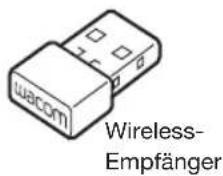
1
natural_image
Diagram of a mobile phone interface showing a U-shaped connector and a mouse pointer (no text or symbols)natural_image
Line drawing of a remote control with cable and USB cable (no text or symbols)
7
Support-Optionen
natural_image
Line drawing of a remote control with grid keypad and circular buttons (no text or symbols)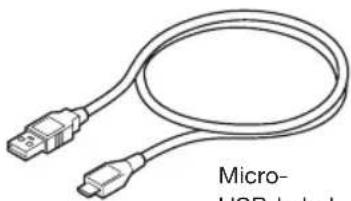
natural_image
Illustration of a micro-USB connector with two USB connectors (no text or symbols on the cable itself)Micro- USB-kabel
Draadloze
ontvanger

1
2
flowchart
graph TD
    A["USB Device"] --> B["Arrow pointing to the USB icon"]
    style A fill:#f9f,stroke:#333
    style B fill:#ccf,stroke:#333

natural_image
Diagram of a U-shaped mechanical component with an arrow indicating rotation (no text or symbols)natural_image
Line drawing of a remote control with cable and USB cable (no text or symbols)
8

Ondersteuningsopties
natural_image
Line drawing of a remote control device with grid keypad and circular buttons (no text or symbols)
natural_image
Line drawing of a cable with two USB connectors (no text or symbols on the diagram itself)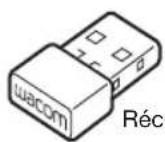
Récepteur
sans fi I

1
2
natural_image
Simple geometric diagram with a black rectangle and a circle intersected by perpendicular lines (no text or symbols)
natural_image
Diagram of a U-shaped mechanical component with a labeled 'waxon' and directional arrow (no text or symbols beyond label)natural_image
Line drawing of a remote control device connected to a laptop (no text or symbols)7

natural_image
Simple geometric diagram with a black rectangle and a circle intersected by perpendicular lines (no text or symbols)9
Note d'utilisation
natural_image
Line drawing of a remote control device with no text or symbols on the device itself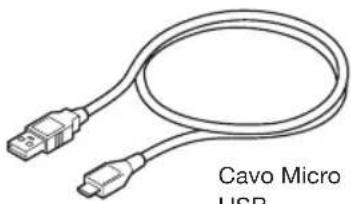
natural_image
Coiled cable with two connectors, labeled 'Cavo Micro USB' below (no other text or symbols)Cavo Micro USB
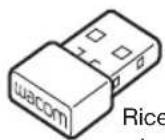
Ricevitore wireless
T
1
2
natural_image
Line drawing of a remote control device connected to a laptop (no text or symbols)
8
Opzioni di supporto
natural_image
Line drawing of a remote control device with grid keypad and circular buttons (no text or symbols)
natural_image
Line drawing of a cable with two USB connectors (no text or symbols on the diagram itself)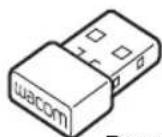
Receptor
inalámbrico

1
2
natural_image
Diagram of a U-shaped component with arrow indicating direction (no text or symbols)natural_image
Line drawing of a remote control device connected to a wall-mounted cable (no text or symbols)8
natural_image
Line drawing of a remote control device with grid layout (no text or symbols)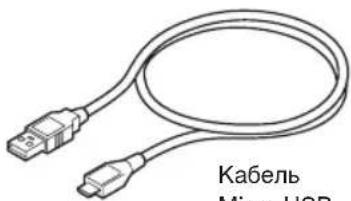

2
natural_image
Line drawing of a remote control device connected to a laptop (no text or symbols)8
natural_image
Line drawing of a remote control device (no text or symbols on the device itself)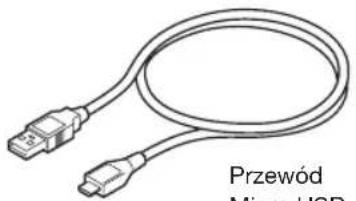
natural_image
Illustration of a USB cable with two connectors and label 'Przewód Micro USB' (no other text or symbols)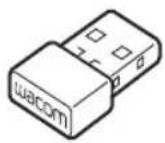

2
natural_image
Simple geometric diagram with a black rectangle and a circle intersected by perpendicular lines (no text or symbols)5
natural_image
Diagram of a U-shaped mechanical component with a labeled 'waxom' and directional arrow (no text or symbols beyond label)natural_image
Line drawing of a remote control device connected to a laptop (no text or symbols)7
natural_image
Simple geometric diagram with a black rectangle and a circle intersected by perpendicular lines (no text or symbols)9
© 2015 Wacom Co., Ltd. All rights reserved. Wacom, Cintiq and their respective logos are trademarks and/or registered trademarks of Wacom Co., Ltd. All other company names and product names are trademarks and/or registered trademarks of their respective owners. Modifi cations and errors excepted.
natural_image
Simple geometric diagram with a black square, crosshair, and circle (no text or symbols)
natural_image
Pure electrical circuit lines without any symbols
natural_image
Pure geometric lines forming two symmetrical cross patterns with no text or symbols
natural_image
Pure geometric lines and a central circle with intersecting lines, no text or symbols present
natural_image
Pure electrical circuit lines without any symbols
natural_image
Pure geometric lines forming two symmetrical cross patterns with no text or symbols
natural_image
Pure geometric lines and a central circle with intersecting lines, no text or symbols presentwacom®
UM-0574